PowerRocket 2200 - Battery Digitus - Free user manual and instructions
Find the device manual for free PowerRocket 2200 Digitus in PDF.


User questions about PowerRocket 2200 Digitus
0 question about this device. Answer the ones you know or ask your own.
Ask a new question about this device
Download the instructions for your Battery in PDF format for free! Find your manual PowerRocket 2200 - Digitus and take your electronic device back in hand. On this page are published all the documents necessary for the use of your device. PowerRocket 2200 by Digitus.
USER MANUAL PowerRocket 2200 Digitus
natural_image
White cylindrical electronic device with black top and control panel, labeled 'DIGITUS' (no readable text beyond branding)User Manual
DA-11100
PRODUCT SPECIFICATION
| Suitable for Mobile phones and digital products | |
| Input voltage DC5V | |
| Input current 800 mA (MAX) | |
| Output voltage DC 5V - 5.5V | |
| Output current 1000 mA (MAX) | |
| Capacity | 2200 mAh |
| Product weight 68g | |
| Product dimension 102mm (L) x 23.5mm (W) x 23.5mm (H) | |
| Operating temperature -10°C - 60°C | |
| Storage temperature -10°C - 45°C | |
MAINTENANCE
Keep your power bank operating to its full potential, by following these three steps:
- Recharge your power bank once every three months when it is not in use
- Keep the power bank away from any moist environment and corrosive material
- Never wash the power bank with any chemicals, soaps or detergents
text_image
IN 5V OL 5V InputHOW TO USE
-
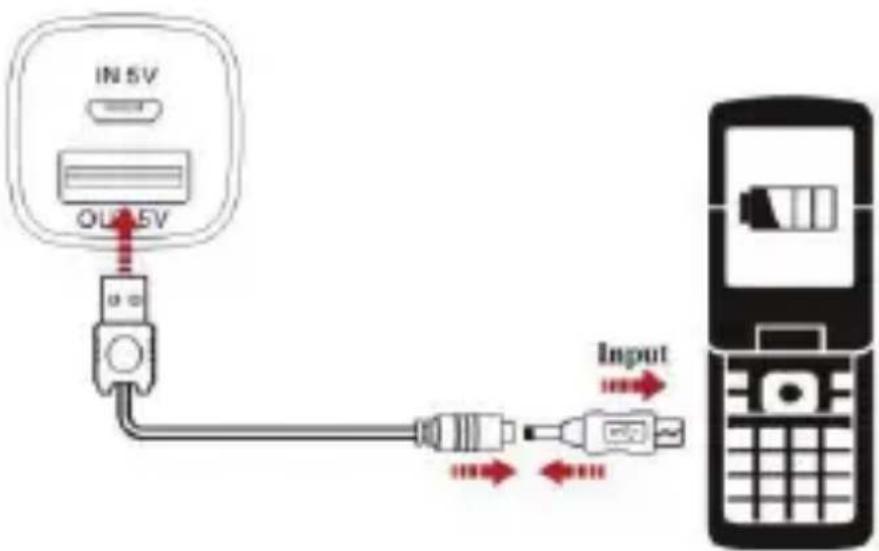
Simply use the attached USB cable to charge the digital product. Connect one end of the USB cable with the output port of the power bank; connect the other end with the digital product with the converted tip. Press the “On” button once to turn it on. It will start to charge and the green LED will indicate the charging process.
-
If the charging process is finished, or a failure occurs by connecting the digital product, the green LED will stop flashing and the power bank will turn off automatically after 30 seconds.
-
30% , 70% , 100% are the three capacity indicators. When the 30% indicator light is on, it means low power. Please charge the power bank in time.
Note: If the instantaneous current is oversize while charging the digital product, the power bank will turn to the
protected mode automatically. To relieve the protected mode just charge the power bank.
text_image
IN 5V OUT 5VHOW TO CHARGE THE POWER BANK
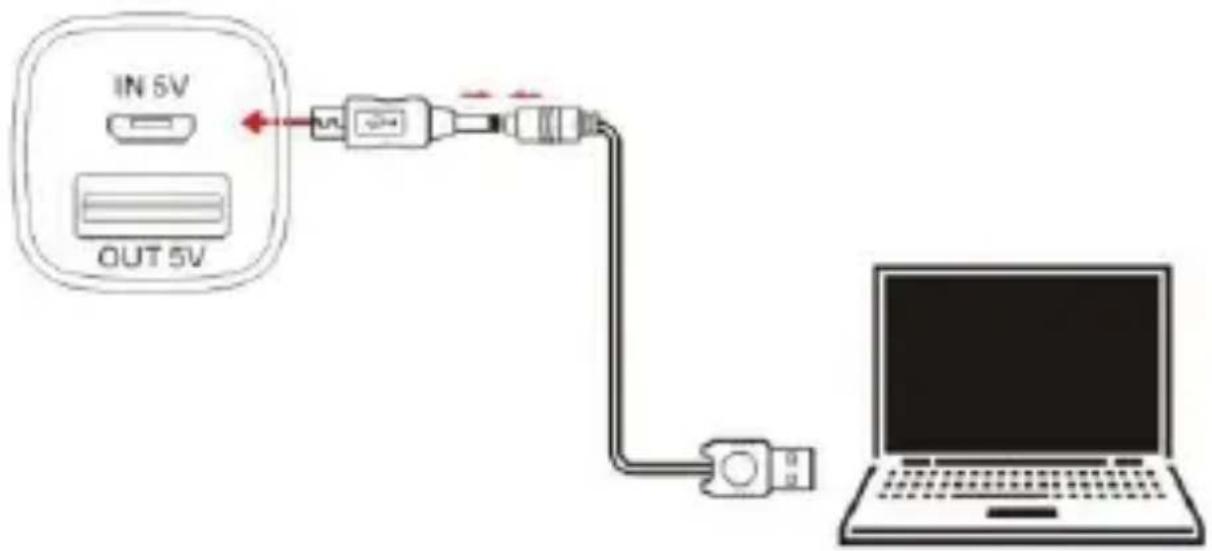
The "IN" port is the charging port of the power bank. The capacity indicator will flash, when charging the power bank and the 100 % indicator will turn on after full charging.
UNIT VIEW DESCRIPTION
text_image
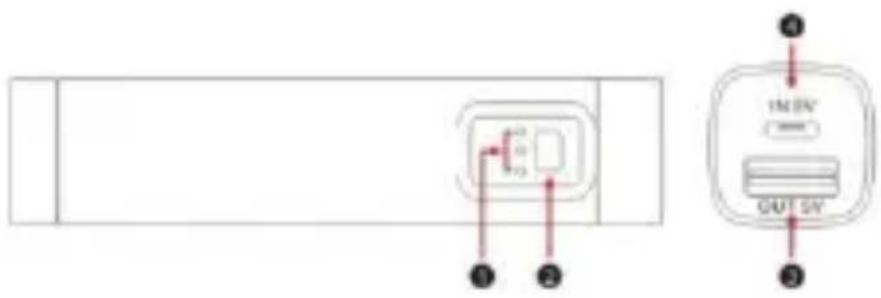
1 2 3 4 IN EN OUT S/N- Capacity indicator
- ON button
- USB output port
- Input port