
FM208 - Barcode Reader Newland - Free user manual and instructions
Find the device manual for free FM208 Newland in PDF.


| Product Type | Barcode Reader |
| Brand | Newland |
| Model | FM208 |
| Form Factor | Fixed Mount Industrial |
| Interface | USB (HID-KBW, DataPipe, Virtual RS232), RS232 |
| Barcode Symbologies | 1D: Code128, EAN-8/13, UPC-A/E, Interleaved 2 of 5, Code39, Codabar, Code93, UCC/EAN-128, China Post 25; 2D: PDF417, QR Code, Aztec, Data Matrix, Chinese-Sensible Code |
| Scan Mode | Hand-held (trigger), Sensor (motion), Continuous |
| Illumination | LED with options: wink, keep on, read on, off |
| Aiming | LED cross with options: wink, keep on, smart aim, off |
| Reading Distance (Typical) | 0 mm to 40 mm depending on barcode density (e.g., Code39 5mil: 0-15 mm; QR 15mil: 0-36 mm) |
| Power Supply | 5V DC via USB or external power adapter |
| Dimensions (Approx.) | 50 x 80 x 30 mm |
| Weight (Approx.) | 150 g |
| Operating Temperature | 0°C to 50°C (estimated) |
| Storage Temperature | -20°C to 60°C (estimated) |
| Humidity | 5% to 95% non-condensing (estimated) |
| Programming Methods | Barcode programming, command strings via serial, QuickSet software |
| Decode Capability | Omnidirectional (full 360°) |
| Maintenance | Clean scan window with a soft cloth; avoid abrasive materials |
| Warranty | 1 year (standard, check supplier) |
Frequently Asked Questions - FM208 Newland
User questions about FM208 Newland
0 question about this device. Answer the ones you know or ask your own.
Ask a new question about this device
Download the instructions for your Barcode Reader in PDF format for free! Find your manual FM208 - Newland and take your electronic device back in hand. On this page are published all the documents necessary for the use of your device. FM208 by Newland.
USER MANUAL FM208 Newland
Fixed Type Industrial level
User Guide
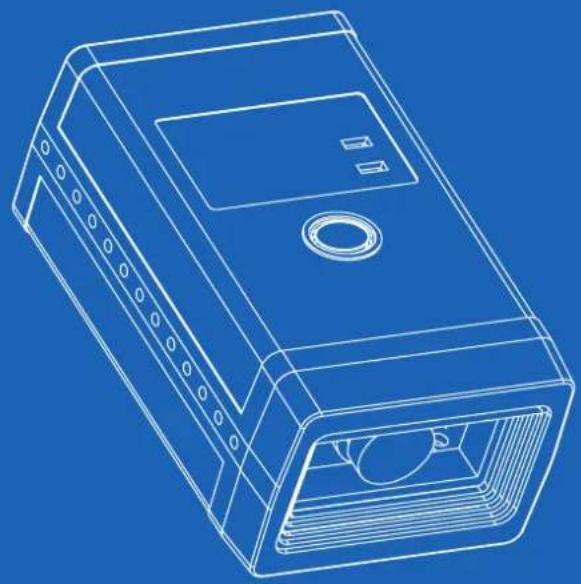
natural_image
Line drawing of a blue industrial enclosure with internal compartments and mounting holes (no text or symbols)NEWLAND
NEWLAND
ИЕМГАИД
目录
About This Reference 1
Introduction 1
Graphic Emphasis 1
Chapter Description /
Getting Start 2
Introduction 2
Familiar with FM200 3
Unpacking 3
Outline 3
Data Interface 4
Connect FM200 & Host 5
Communication Ports 5
Install USB Cable 6
Install RS232 Cable 7
ON, OFF, IDLE, RESTART 8
Power On 8
Power Off 8
IDLE Mode 8
RESTART 8
Programming Outline 9
Introduction 9
Code Programming 9
Command Programming 10
Reading 11
Illumination 12
Aiming 13
Reading Mode 14
Mode Selection 14
Sensor Mode Timeout 14
Sensor Mode Sensitivity 15
Reading Stance 16
Constrain Multi-reading 17
Default 18
Factory Default 18
User Default 18
Beep 19
Beep Denotation 19
Program Beeper 19
System Information 20
The system information is provided in such format 20
Maintenance 21
Maintenance 21
USB Interface 22
Introduction 22
USB HID-KBW 23
USB Country Keyboard Types 24
USB Country Keyboard Types 25
Unknown Characters, Beep 26
Data Bits Transmitted 38
Stop Bits 39
Introduction 40
Symbologies Selections 40
Symbologies 40
General Options 41
Prohibit Reading All 41
Allow Reading All 41
Allow Reading All 1D 41
Prohibit Reading All 1D 41
Allow Reading All 2D 41
Prohibit Reading All 2D 41
Code 128 42
Load Factory Default 42
Read/Abort Code 128 42
Check Digit 42
Select Message Length 43
UCC/EAN-8 44
Load Factory Default 44
Read/Abort UCC/EAN-8 44
Check Byte 44
2 Digits Addenda Code 45
5 Digits Addenda Code 45
EAN-8 expand to EAN-13 46
EAN-13 47
Load Factory Default 47
Read/Abort EAN-13 47
Check Byte 47
2 Digits Addenda Code 48
5 Digits Addenda Code 48
UPC-E 49
Load Factory Default 49
Read/Abort UPC-E 49
Check Byte 49
Transmit First '0' Selections 51
Extend To UPC-A Selections 51
UPC-A 52
Load Factory Default 52
Read/Abort UPC-A 52
Check Byte 52
2 Digits Addenda Code 53
5 Digits Addenda Code 53
Transmit Selections 54
Interleaved 2 of 5 55
Load Factory Default 55
Read/Abort Interleaved 2 of 5 55
Select Message Length 56
Check Byte 57
Fixed Length Selection 58
ITF-14 59
ITF-6 60
China Post 25
Load Factory Default 61
Read/Abort China Post 25 61
Select Message Length 62
Check Byte 63
Code 39
Load Factory Default 64
Read/Abort Code 39 64
Transmit Start & Stop Character. 64
Select Message Length 65
Check Byte 66
Decode ASCII 67
Codabar
Load Factory Default 68
Read/Abort Codabar 68
Transmit Start & Stop Character 68
Select Message Length 69
Check Byte 70
Code 93
Load Factory Default 71
Read/Abort Code 93 71
Select Message Length 72
Check Byte 73
UCC/EAN-128
Load Factory Default 74
Read/Abort UCC/EAN-128 74
PDF417 75
Load Factory Default 75
Read/Abort PDF417 75
Select Message Length 76
QR Code 77
Load Factory Default 77
Read/Abort QR Code 77
Select Message Length 78
QR Twin Code 79
Aztec Code 80
Load Factory Default 80
Read/Abort Aztec Code 80
Select Message Length 81
Multi-Barcode Processing feature 82
Data Matrix 83
Load Factory Default 83
Read/Abort Data Matrix 83
Select Message Length 84
Data Matrix Twin Code 85
Chinese-Sensible Code
Load Factory Default 86
Read/Abort Chinese-Sensible Code 86
Select Message Length 87
OCR Selections
Inrtuducation
Prefix/Suffix
Intruducation
General Programming
Prohibit or Allow Prefix/Suffix 90
Prefix Sequences 90
User Prefix
Prohibit or Allow User Prefix 91
Program User Prefix 91
AIM Prefix
Code ID Prefix
Code ID Prefix 93
Code ID Default 93
Modify Code ID 94
8.4 User Suffix
Prohibit or Allow User Suffix 96
Program User Suffix 96
Stop Prefix
Prohibit or Allow Stop Suffix 97
Program Stop Suffix 97
Message Intersect & Pack 98
Introduction 98
Message Intersect 99
introduction 99
1D, Program Intersect Option 100
How to clear a certain 1D barcode Intersection Setting? 100
Message Intersect 101
2D, Program Intersect Option 101
How to clear a certain 2D barcode Intersection Setting? 101
Symbologies ID Number: 102
Message Pack 103
Introduction 103
Normal Pack 103
ESC Bank Pack 104
ESC_AddLen Pack 105
Batch Programming 106
Itruducation 106
Appendix 107
Digit Code
Save and Abort
107
108
About This Reference
Introduction
This product reference introduces a Newland Auto-ID Image product — NLS-FM208 (ab. "FM208").
Graphic Emphasis
TOOL, facilitate use of the manual

ATTENTION, be aware & read through

E.g., help understand a certain operation.

TIPS, help understand better.
Chapter Description
Getting Start
Introduction
FM208 is an omnidirectional Imager to capture, decode and transfer 1D & 2D barcode. Newland Auto-ID patented UIMG™ technology ensure its fast and accurate performance, and thus provide the best value.
It works at hand-held and hands-free modes in a stand. The ergonomic design allows comfort and easy use.
Chapter One presents a holistic picture of how to use and step-by-step manner guide. Please have a FM208 and a stand on hand.
This chapter is recommended to general users, maintenance staff and software programmers.
Unpacking
Unpack FM200 and accessories. Check with the packing list to make sure that there is none damaged or missing. If any, please keep the original package and contact your supplier for services.
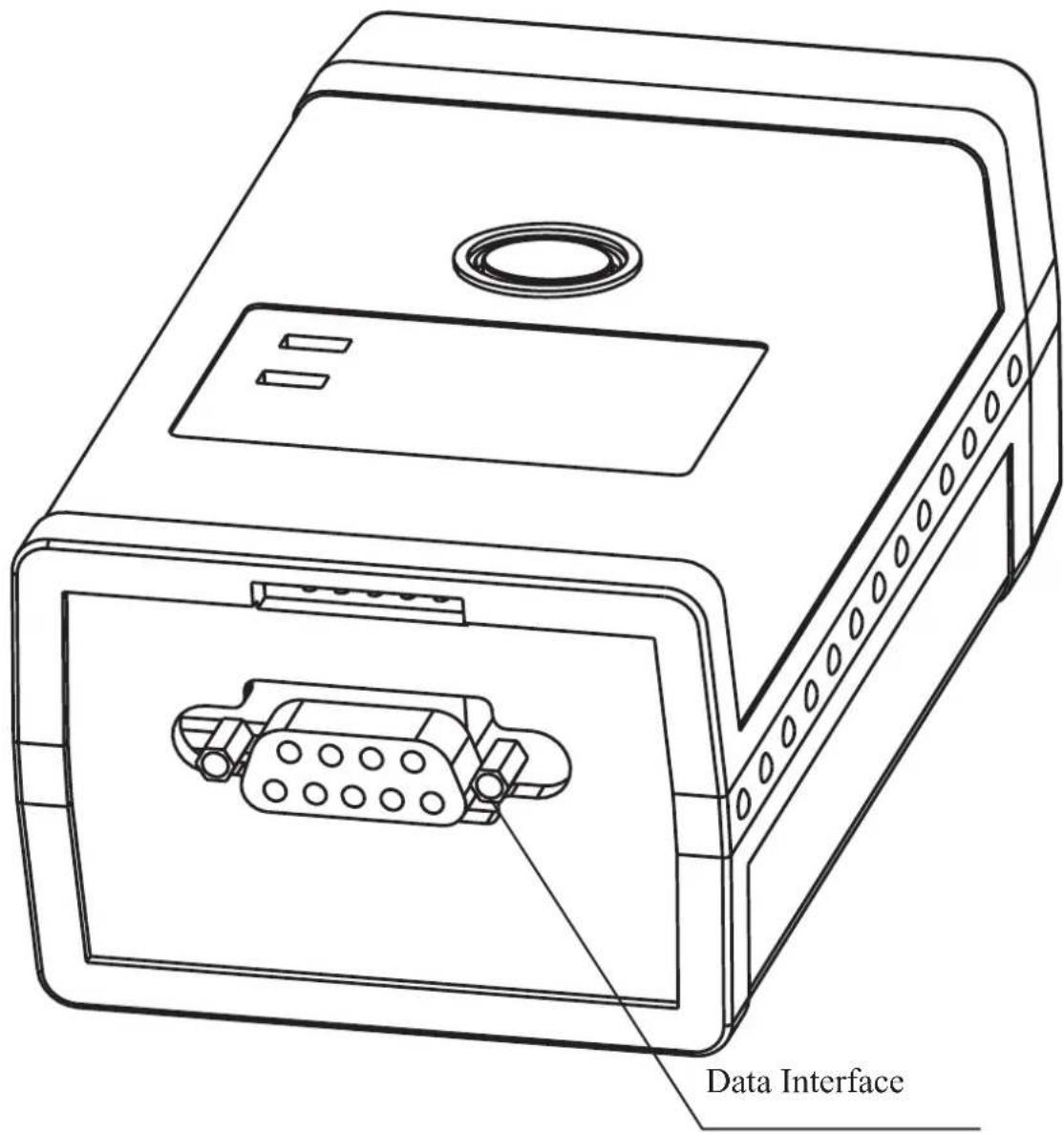
Outline
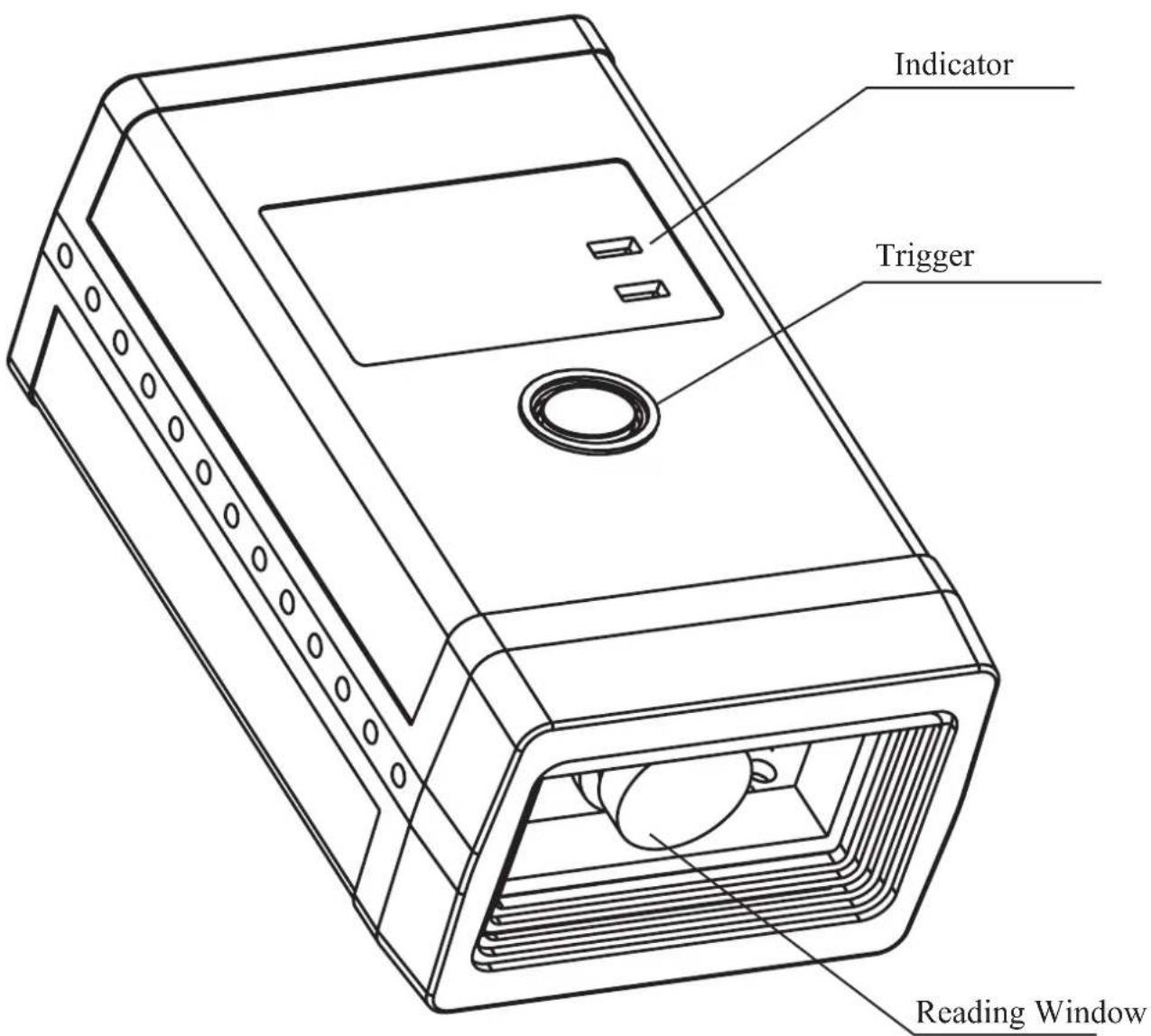
Data Interface
Communication Ports
FM200, An imager, Must connect with a Host to perform. A Host can be PC, POS. Or any intelligent terminal with supported communication ports.
1. USB:
USB port on host:
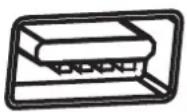
2. RS232:
RS232 port on host:
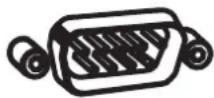
Please check available ports to order appropriate cable fitted.
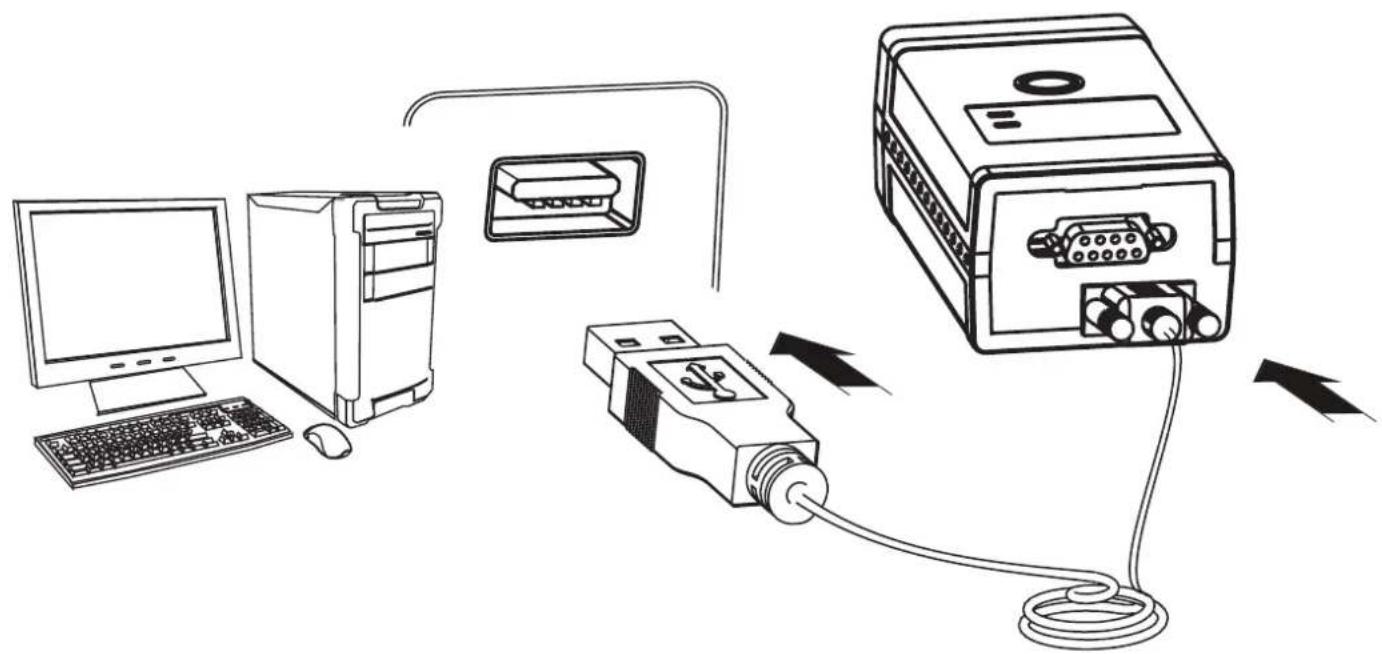
Install USB Cable
flowchart
graph TD
    A["Computer"] --> B["Tower"]
    B --> C["USB Device"]
    C --> D["Server"]
    D -->|Data Flow Arrow| C
    C -->|Data Flow Arrow| D
Insert USB Cable (RJ45 male head) into cable slot (HR200);1.
Insert USB Cable (USB male head) into USB slot (Host female slot);2.
Switch ON and perform;3.
You may need to install driver into the host to perform; See USB Interface 4.
Install RS232 Cable
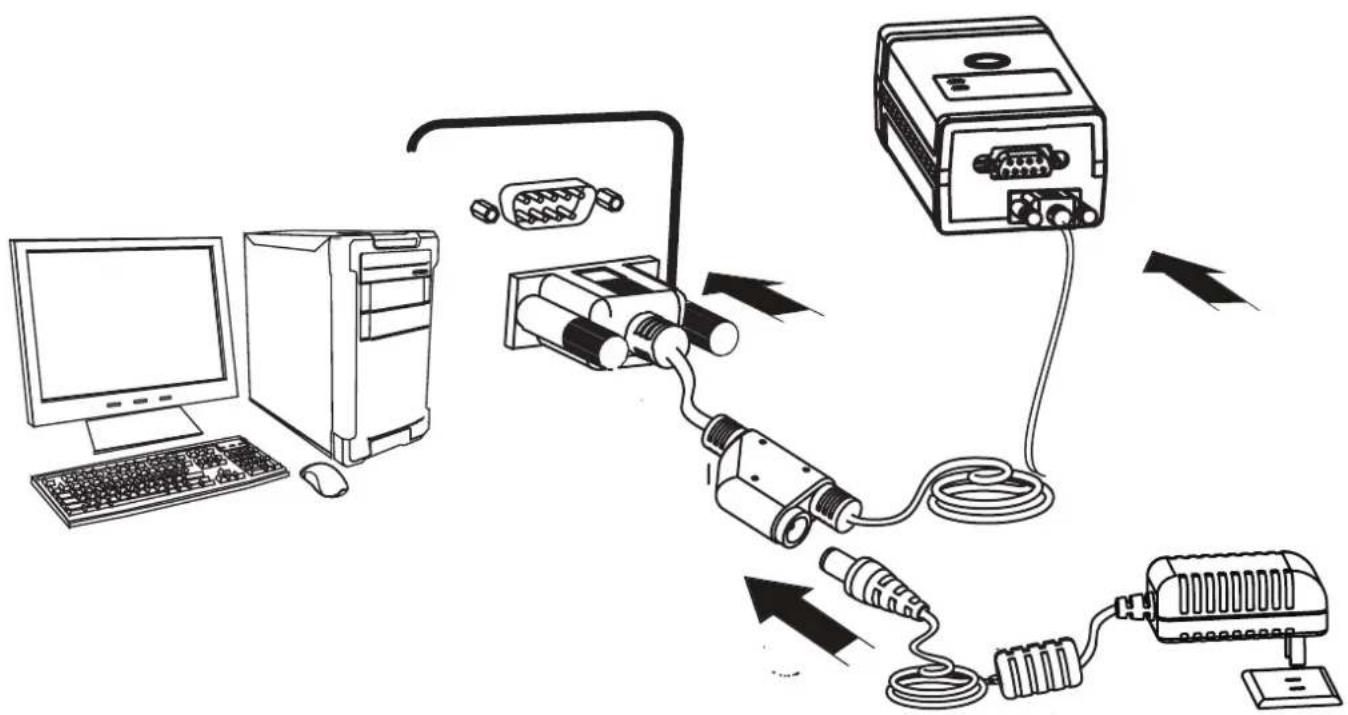
Insert RS232 cable (RS232 male head) into RS232 slot (Host female slot);2.
Connect RS232 cable and the mains with power adapter;3.
Switch ON and perform4.
ON, OFF, IDLE, RESTART
Power On
Connect FM200 and Host. FM200 will power on and in "Idle" status (factory default).
Communication Programming, Reading and User Preference Programming can be progressed when power ON.
Power Off
4 ways to "Power OFF":
Remove Cable Off HR200;
Remove Power Adapter Off RS232 Cable; >>
Remove USB Cable Off the Host; >>
Remove PS/2 cable off the Host >>
IDLE Mode
When Imager is NOT reading, it is in "IDLE mode".
No reading attempt within a timeout, the Imager switch to IDLE mode automatically.
RESTART
If FM200 halted and does not respond to operations, please "Restart" by "Power OFF", and then "Power ON".
Programming Outline
Introduction
There are 3 ways to program user options:
Code Programming: special encoded barcodes to work on "read & set options" base;1.
Command Programming: a ASCII string, the Imager received from data cable as commands to set options;2.
- QuickSet: a programming software exclusively use by Newland Auto-ID products. It displays decoded data and images captured. Programming work on "choose & set options" base from dialog windows.
Note: Programming results restore in non-volatile memories and will not lose when Power OFF.
Code Programming
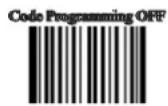
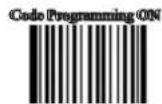
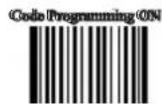
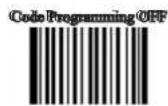
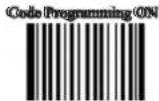
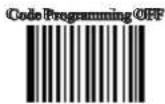
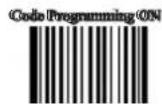
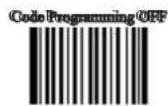
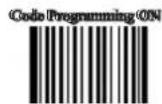
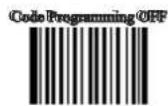
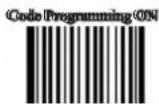
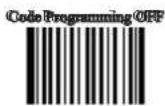
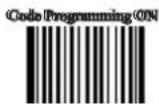
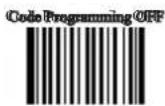
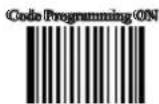
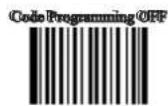
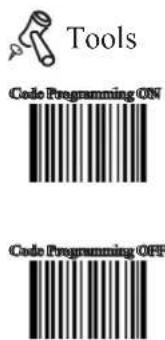
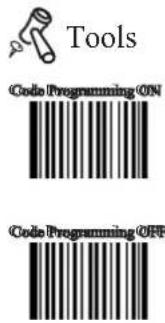
Please read "Code Programming ON" bar to activate "Code Programming" function. More than one programming code can be read at a time allows various programming. Terminate code programming function by reading "Code Programming OFF", or by reading an ordinary barcode.
Some code programming may use digits. They can be "input" by reading relevant codes See Appendix for digit codes.
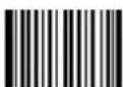
** Code Programming OFF
【Pro CMD: 0006000】
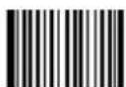
Code Programming ON
【Pro CMD: 0006010】
Command Programming
The Programming Command (Pro CMD) pairs a unique Programming Code. Sending commands to the Imager is identical with Code Programming. A full command is formed by [Start Symbol "nls" + Pro CMD = Parameters]. There are 4 ways to program a command:
"nls" + Pro CMD1.
E.g. [nls0100060], set RS232 transmit Baud Rate to 38400bps
"nls" + Pro CMD = Decimal Parameter2.
It is used to define parameter, such as Min Message Length.
E.g. [nls0312040=10], select Sensor Mode Sensitivity to be 10
"nls" + Pro CMD = Hex Parameter3.
It is used to program Prefix, Suffix, Stop Bits, CodeID, Message Length, and Message Intersection.
E.g. [nls0310000=0x0d0a], program Suffix to be CR/LF
"nls" + Pro CMD = "Parameter"4.
Letters, digits and characters can be embraced by quotation mark as parameter.
E.g. [nls0300000="AUTO-ID"], program Prefix to be AUTO-ID
Reading
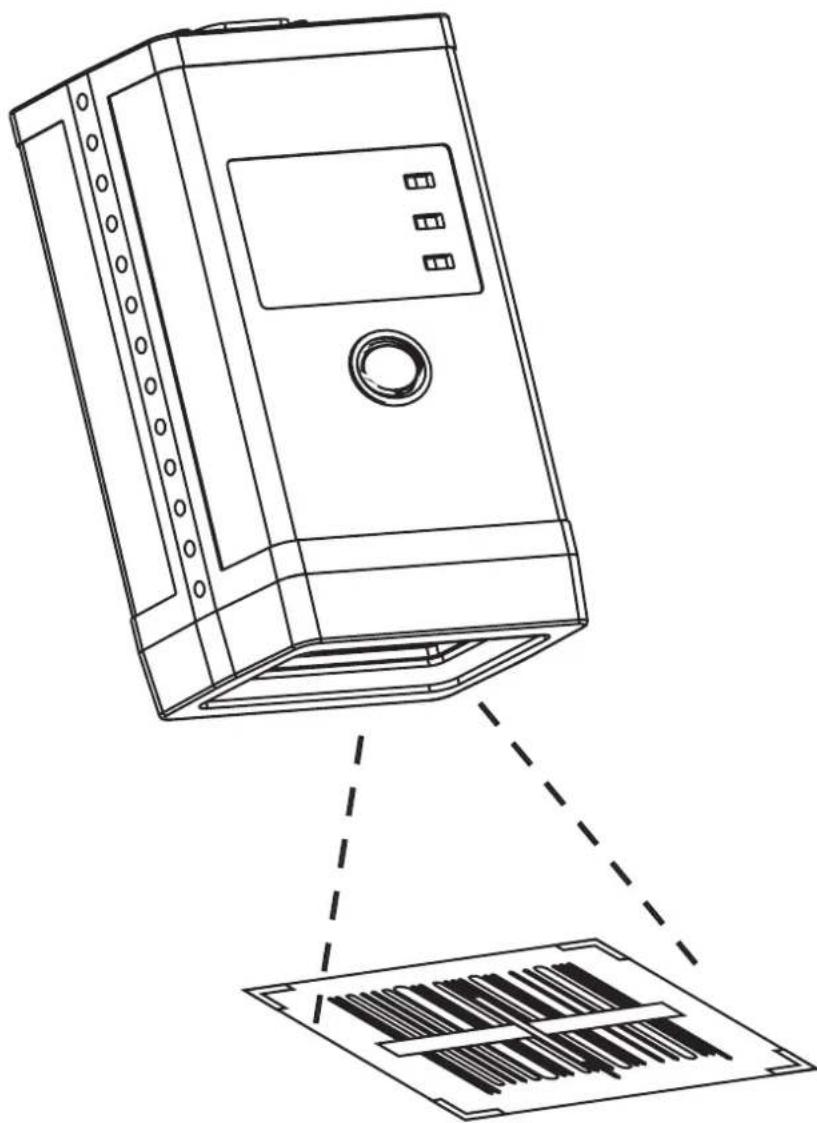
natural_image
Line drawing of a server rack with a circular vent and three ports, showing liquid level indicator below (no text or symbols)The “Sensor Mode” or “Continuous Mode” should be selected. See “Reading Mode” for details. Because FM208 does not have a manual trigger, and it is a fix mount reader.
Mobile phone screen should be facing the scan window for the optimum reading stance.
Illumination
Illumination LED lighting up barcodes is used to capture better images. There are 4 options:
» “Illumination Wink”: LED keep flashing when reading
» “Illumination Keep ON”: LED keep on when Power ON
» “Illumination Read ON”: LED keep on when reading
“Illumination OFF”: LED is off all the time >>
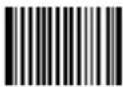
** Illumination Wink
【Pro CMD: 0200000】
Illumination Keep ON
【Pro CMD: 0200010】
Illumination Read ON
【Pro CMD: 0200030】
Illumination OFF
【Pro CMD: 0200020】
Aiming
Aiming LED focusing with a cross is used to allocate the Optimum Reading Stance. There are 4 options:
» “Aim Wink”: LED keep flashing when reading
"Aim Keep ON": LED keep on when Power ON >>
» “Smart Aim” : LED keep on when idle, and keep on when reading. Reading Mode automatically switches to “Sensor Mode” when “Smart Aim” is chosen.
» “Aim OFF”: LED is off all the time
** Aim Wink
【Pro CMD: 0201000】
Aim Keep ON
【Pro CMD: 0201010】
Smart Aim
【Pro CMD: 0201030】
Aim OFF
【Pro CMD: 0201020】
Mode Selection
Hand-held Mode: press and keep holding the trigger to read. Complete one reading or >> release the trigger to terminate reading status.
» Sensor Mode: the environmental luminance changing in front of the engine automatically initiates reading status. Complete one reading to terminate reading and switch to idle. Both luminance changing and the Trigger can initiate reading when idle.
Continuous Mode: one hit the Trigger to start continuous reading, and on hit to >> terminate reading.
** Hand-held Mode
【Pro CMD: 0302000】
Sensor Mode
【Pro CMD: 0302010】
Continuous Mode
【Pro CMD: 0302020】
Sensor Mode Timeout
When the engine reading at Sensor Mode, the period of time before automatically switch to idle is Sensor Mode Timeout. The timeout counts from the latest environmental lamination change. Notice that a reading completed will terminate reading status. Default timeout = 2000 ms.
Sensor Mode Timeout
【Pro CMD: 0313000】
Sensor Mode Sensitivity
Sensitivity is the extent to which the engine responds environmental lamination change. Sensitivity value is 0\~20(including).
The lower the sensitivity value chosen, the higher sensitivity will be. The lower the sensitivity value chosen, the smaller illumination change will initiate reading.
** High Sensitivity (= 4)
【Pro CMD: 0312020】
Normal Sensitivity (= 7)
【Pro CMD: 0312010】

Low Sensitivity (= 10)
【Pro CMD: 0312000】
Enhanced Sensitivity (= 1)
【Pro CMD: 0312030】
Program Sensitivity
【Pro CMD: 0312040】
Reading Stance
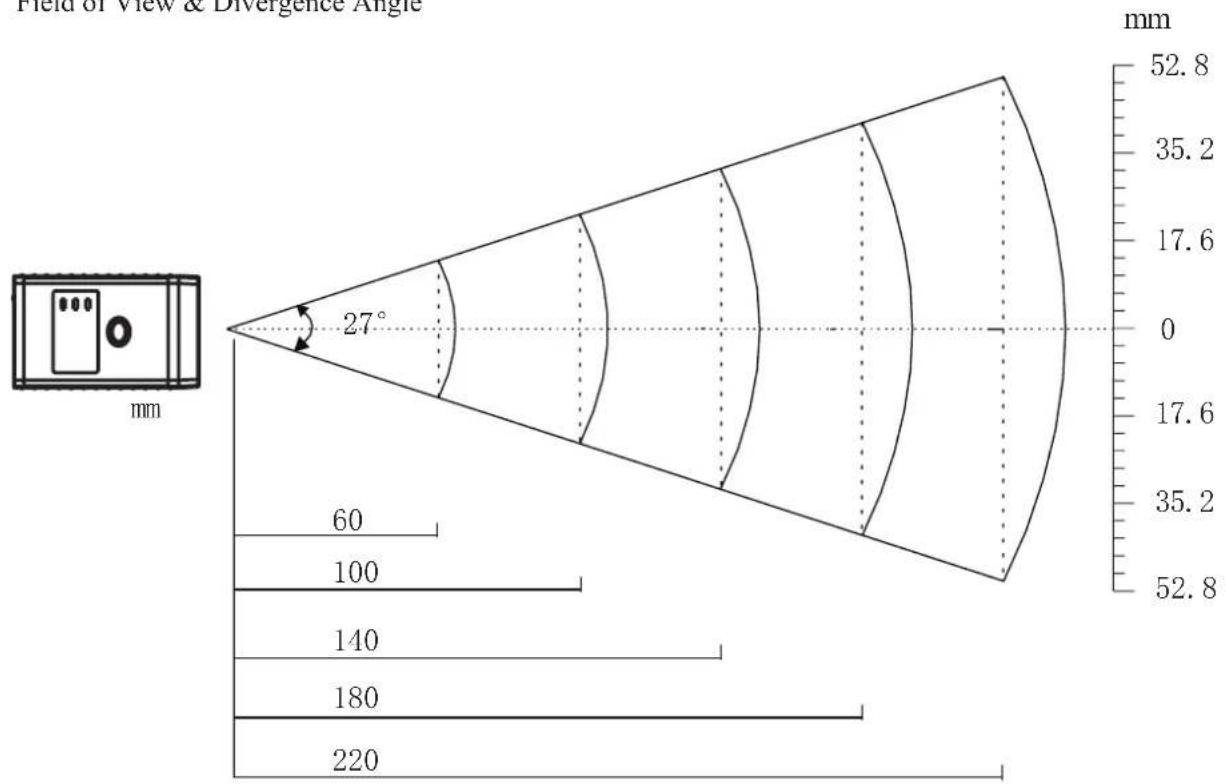
Reading Stance is defined as the distance between the Imager front and an object (barcode). It affects image capturing area and image quality, and thus affects reading performance.
Field of View & Divergence Angle
other
| Field of View & Divergence Angle (mm) | Value | | ------------------------------------- | ----- | | 0 | 52.8 | | 35.2 | 35.2 | | 17.6 | 17.6 | | 0 | 0 | | 35.2 | 35.2 | | 140 | 140 | | 180 | 180 | | 220 | 220 |Theoretical reading stance and barcode: (measurement: mm)
| Barcode Density (mil) Near (mm) Far (mm) | ||
| Code 39 5 0 15 | ||
| Code 39 10 0 25 | ||
| PDF417 5 0 20 | ||
| PDF417 10 0 30 | ||
| QR Code 10 0 25 | ||
| QR Code 15 0 36 | ||
| Data Matrix 10 0 25 | ||
| Data Matrix 15 0 40 | ||
Constrain Multi-reading
“Constrain Multi-reading” is used to avoid mis-reading on the same barcode (the same format and message) in a multi-reading timeout.
Multi-reading Timeout
【Pro CMD: 0313010】
2 constrain multi-reading options:
Multi-reading Prohibition: By all means, constrain reading on the same barcode in the timeout.
Multi-reading Semi-prohibition: Given a slight change on operation circumstances, the same barcode can be read more than once in the timeout. For example, one read on a barcode, remove it out of reading area, and giving another reading attempt within the timeout will not be constrained.
** Multi-reading Prohibitio
【Pro CMD: 0313020】
Multi-reading Semi-prohibition
【Pro CMD: 0313030】
Factory Default
Read “Load All Factory Default” to reset all user option to factory default.
Applicable Circumstance:
User options programming error lead to reading malfunction1.
Forgot details of previous programming and wish to decline their affection while programming 2. commencing
Resume default if unusual, unknown, unexpected options are selected.3.

** Load All Factory Default
【Pro CMD: 0001000】
User Default
All user options can be saved as User Default. It will be restored in non-volatile memory. Read “Save as User Default” to save all the current user options to be User Default, and thus to erase the previous User Default.
Save as User Default
【Pro CMD: 0001150】
Load User Default
【Pro CMD: 0001160】
Beep Denotation
| Beep Denotation | |
| low-higher-higher-higher Power ON completed | |
| 1 beep successful read of an ordinary barcode | |
| 2 beeps successful read of an programming barcode | |
| 3 short low-2 high failure read | |
| 1 long low Unknown Character, Virtual Keypad (USB connection) |
Program Beeper
Read “Beep ON” to enable all beep denotation and read “Beep OFF” to disable.
** Beep ON
【Pro CMD: 0203010】

Beep OFF
【Pro CMD: 0203000】

Tools

System Information
"Send Sys Info", the engine sends system information to the Host immediately.
“Power ON, Send Sys Info”, the engine sends system information to the Host right after Power ON.

Tools
** Power ON, Not Send Sys Info
【Pro CMD: 0007000】
Power ON, Send Sys Info
【Pro CMD: 0007010】
The system information is provided in such format
Title: contents (append narration 1, narration 2)
| Title Remarks | Remarks |
| Dev device type | |
| Ver BIOS version | |
| Date BIOS version establishing time | |
| S/N device serial number | |
| ESN user-defined device serial number | |
| Interface 3 types of communication interfaces:USB, append narration could be HID-KBW, DataPipe, Virtual RS232.1.RS232, append narration could be baud rate, parity check byte, data bit and stop bit, in the 2.order.PS/2, no append narration3. | |
| 1D Indicate that reading 1D is allowed. Symbologies are divided by comma. Appended information:1. “+” affiliate features2. Min Message Length -> Max Message Length3. “No Check Digit” for do parity check, “Check Digit” for the contrary4. “Fixed Length: 2~64 even value”. It is in this format: Fixed Length: 2 4 6 8 10 12... | |
| 2D Indicate that reading 1D is allowed. Symbologies are divided by comma. Appended information:Min Message Length -> Max Message Length | |
| Scan Mode 1. Manual Scan = “Hand-held Mode” in this book2. Auto Scan = “Continuous Mode” in this book3. Induced Scan = “Sensor Mode” in this book |
Maintenance
Maintenance
» Keep the scan window clean is the only work needs to do. Improper maintenance will avoid limited warranty.
Avoid rough object damage or scratch the window. >>
Use brush to remove the stain. >>
Use soft cloth (cloth of glasses) to clean. >>
Prohibit spaying towards the window. >>
Only use clean water as cleanser. >>
USB Interface
Introduction
When using a USB connection, the default protocol is USB DataPipe.
USB DataPipe is a Newland Auto-ID Co., Ltd. developed protocol. The DataPipe driver should be installed on the Host. It supports data transmission and user preference programming. QuickSet can perform with DataPipe.
USB DataPipe can be emulated to RS232 input into the Host. The virtual RS232 connection use DB9 DIN and perform exactly the same as genuine RS232. USB DataPipe driver is required.
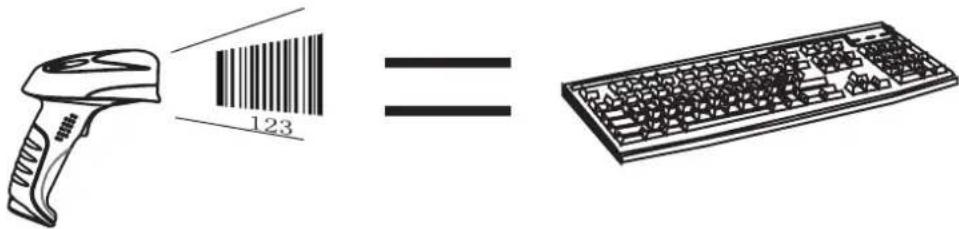
When only data transmission is needed through USB connection, USB HID-KBW can apply. It emulates the Imager transmission to be a USB keyboard input. It works in “Plug and Play” base. There is no driver required.
USB connection (no driver needed) supports simulating the Imager transmission to be a USB keyboard input. The Host receives keystrokes of the virtual keyboard. It works in “Plug and Play” base. There is no driver required.
Select USB HID-KBW
【Pro CMD: 1100020】

If the input field of the Host allows keyboard input, no software needed to assist HID-KBW input.
USB Country Keyboard Types
» The keyboard arrangements and country codes vary in different countries. Refer country codes to the table “USB Country Keyboard Types”. Follow the steps bellow to program.
-
"Code Programming ON"
-
"Select Country Code" >>
-
Read digit codes (according to country code) >>
-
"save programming" >>
-
"Code Programming OFF" >>
Select Country Code
【Pro CMD: 1103000】
Example
Emulate Norway keyboard:
- "Code Programming ON"
2."Select Country Code"
- Digit code: "1", "5"
4."Save Programming"
5."Code Programming OFF"
USB Country Keyboard Types
| Country/Language Number Country/Language Number | |||
| U.S. 0 Netherlands(Dutch) 14 | |||
| Belgium 1 Norway 15 | |||
| Brazil 2 Poland 16 | |||
| Canada(French) 3 Portugal 17 | |||
| Czechoslovakia 4 Romania 18 | |||
| Denmark 5 Russia | 19 | ||
| Finland(Sweden) | 6 Slovakia | 21 | |
| France | 7 Spain | 22 | |
| Germany/Austria | 8 Sweden | 23 | |
| Greece | 9 Switzerland(German) | 24 | |
| Hungary | 10 | Turkey F | 25 |
| Israel(Hebrew) | 11 | Turkey Q | 26 |
| Italy | 12 | U.K | 27 |
| Latin-American | 13 | Japan | 28 |
Unknown Characters, Beep
HID-KBW deams an unknown character to be a character is not included in a country keyboard type. It may not be able to allocate and send a keystroke, thus lead to an error beep.
** No Beep, Unknown Character
【Pro CMD: 1103030】
Beep, Unknown Character
【Pro CMD: 1103031】
Example
Suppose select country keyboard types France (number 7), read a barcode "ADF". Since the "D" (0xD0) is not included in France country code, the Imager skip "D" and transmit "AF". For factory default, no beep produced. Read "Beep, Unknown Character" to indicate unknown character.
Emulate ALT + keypad
When enabled, all characters are sent as ASCII sequences over the numeric keypad:
“ALT Make” → “ALT Break”
** No Emulate ALT + keypad
【Pro CMD: 1103060】
Emulate ALT + keypad
【Pro CMD: 1103061】

Regardless country keyboard selections, full ASCII characters (0x00\~0xff) can be sent. Sending speed is slow.

Suppose country code “7”, France is selected, and “Emulate ALT + keypad” is enabled.
Barcode message "ADF" (65/208/70) will be sent as:
-
“ALT make” + “0, 6, 5” + “ALT Break”
-
“ALT make” + “2, 0, 8” + “ALT Break”
-
“ALT make” + “0, 7, 0” + “ALT Break”
When enabled, function characters (0x00\~0x1F) are sent as ASCII sequences over the numeric keypad.
“Ctrl make” → Hit function key → “Ctrl Break”
- Keystroke "A"
- Input "Ctrl I" by "Ctrl make", Keystroke "I", "Ctrl break"
- Keystroke "F"
For some text editors “Ctrl I” is italic convert. So the output may be “AF”

Enable “Emulate ATL + keypad” will automatically disable “Emulate CTRL + keypad”
ASCII Function Key Mapping Table
| ASCII(HEX) Function key ASCII(HEX) Function Key | |||
| 00 2 10 P | |||
| 01 A 11 Q | |||
| 02 B 12 R | |||
| 03 C 13 S | |||
| 04 D 14 T | |||
| 05 E 15 U | |||
| 06 F 16 V | |||
| 07 G 17 W | |||
| 08 H 18 X | |||
| 09 I 19 Y | |||
| 0A J 1A Z | |||
| 0B K 1B [ | |||
| 0C L 1C \ | |||
| 0D M 1D ] | |||
| 0E N 1E 6 | |||
| 0F O 1F . | |||
Keystroke Delay
This parameter sets the delay, in milliseconds, between emulated keystrokes. Scan programming code below to increase the delay when the Host require a slower transmission of data.
** No Delay
【Pro CMD: 1103050】
Medium Delay(20ms)
【Pro CMD: 1103051】
Long Delay(40ms)
【Pro CMD: 1103052】
CAPS Lock Override
The case of the data is inverted regardless of the state of the Caps Lock key on the Host. Lower case and upper case are converted correspondingly.
** No CAPS Lock Override
【Pro CMD: 1103010】
CAPS Lock Override
【Pro CMD: 1103020】

"Convert Case" option prevails "CAPS Lock Override"

Enable “CAPS Lock Override”, barcode message “AbC” is transmitted as “aBc”
Convert Case
The Imager converts all barcode messages to the selected case.
** No Case Conversion
【Pro CMD: 1103040】
Convert All to Upper Case
【Pro CMD: 1103041】
Convert All to Lower Case
【Pro CMD: 1103042】
Example
Read “Convert All to Lower Case”, Barcode message “AbC” is sent as “abc”
Emulate Numeric Keypad
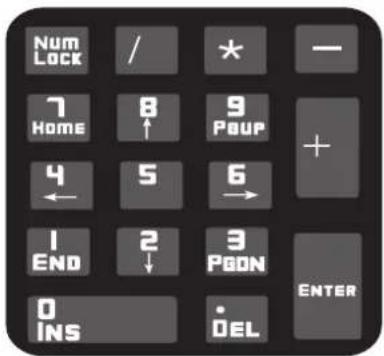
Read “Emulate Numeric Keypad” to enable the function. “0\~9./*-+” of the barcode message will be emulated as keystrokes on numeric keypad. Otherwise “0\~9./*-+” is emulated as keystrokes on main keyboard.
This function is affected by the current state of "Num Lock" of numeric keypad.
Numeric keypad is normally at the right of a standard keyboard. “Num Lock” light on, input “0\~9./*-+”; “Num Lock” light off, input their function value.
** Disable Emulate Numeric Keypad
【Pro CMD: 1103110】
Emulate Numeric Keypad
【Pro CMD: 1103120】

Check Num Lock light before use this function
Enable “Emulate ALT + keypad” will automatically disable this function

Enable “Visual Number Keyboard” and read the “A4.5” barcode. If “Num Lock” on the host is ON, the data received will be “A4.5”. If “Num Lock” is OFF, host will receive the data from keyboard as follow:
Host receives data “A”. This character is not included in keyboard, thus the data will be sent as normal.
Next, host receives data “4” corresponding to the instruction of “Cursor move to left”.
Then, host receives data “.” corresponding to the instruction of “delete the character just back of cursor”.
There is no input generated by data “4” as the data “5” corresponds to NO instructions.
USB DataPipe
This protocol is defined by Newland Auto-ID. A driver has to be installed before using this protocol to communicate with reader,
The advantage of using this protocol is the speedy data transmission. Meanwhile, the SDK can be easily integrated into the application system.
USB DataPipe
【Pro CMD: 1100010】
When the USB port is connected to host RS232 port in order to receive data from scanner, the model of imitating USB-to-RS232 has to be chosen. Hence, the engine and the host must communicate at the same parameters and the parameters of real RS232 and visual RS232 must be same.
USB Visual RS232
【Pro CMD: 1100060】
RS232 Interface
Inteuduction
Under RS232 connection, the engine and the Host should use the same communication parameters: baud rate, parity check, data bits select and stop bits select.
Baud Rate
Baud rate is the bits transmitted per second (8 bits per bytes). The engine and the Host must communicate at the same baud rate.
The reader supports baud rate as following:
** 9600
【Pro CMD: 0100030】
1200
【Pro CMD: 0100000】
2400
【Pro CMD: 0100010】
4800
【Pro CMD: 0100020】
14400
【Pro CMD: 0100040】

19200
【Pro CMD: 0100050】
38400
【Pro CMD: 0100060】
57600
【Pro CMD: 0100070】
115200
【Pro CMD: 0100080】
Parity Check
Parity check options should be the same on the engine and the Host.
** NO Check
【Pro CMD: 0101000】
Even Check
【Pro CMD: 0101010】
Odd Check
【Pro CMD: 0101020】


Tools
Data Bits Transmitted
Select data bits transmitted to be 5, 6, 7 and 8. Ensure the selections on the engine and the Host are the same.
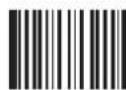
** 8 Data Bits
【Pro CMD: 0103030】
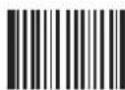
6 Data Bits
【Pro CMD: 0103010】
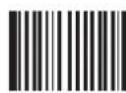
7 Data Bits
【Pro CMD: 0103020】
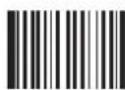
5 Data Bits
【Pro CMD: 0103000】
Stop Bits
Stop bit follows every byte to indicate the end of transmission and the start of the next transmission.

This chapter describes symbology features and provides the programming barcodes for selecting these features.
Disable reading of the symbologies which do not apply, will improve reading performance.
Symbologies Selections
| Barcode type Factory default | Factory default |
| 1D Barcode | |
| Code 128 | Allow Reading |
| UCC/EAN-8 | Allow Reading |
| EAN-13 | Allow Reading |
| UPC-E | Allow Reading |
| UPC-A | Allow Reading |
| Interleaved 2 of 5 | Allow Reading |
| China Post 25 | Allow Reading |
| Code 39 | Allow Reading |
| Codabar | Allow Reading |
| Code 93 | Allow Reading |
| UCC/EAN-128 | Allow Reading |
| 2D Barcode | |
| PDF417 | Allow Reading |
| QR Code | Allow Reading |
| Aztec | Allow Reading |
| Data Matrix | Allow Reading |
| China Information Code | Prohibit Reading |
General Options

Tools
Prohibit Reading All
Prohibit Reading All = allow reading programming codes only.
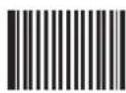
Prohibit Reading All
【Pro CMD: 0001010】
Allow Reading All
Allow Reading All = enable to read all symbologies and programming codes.

Allow Reading All
【Pro CMD: 0001020】
Allow Reading All 1D
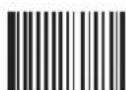
Allow Reading All 1D
【Pro CMD: 0001040】
Prohibit Reading All 1D
Prohibit Reading All 1D
【Pro CMD: 0001030】
Allow Reading All 2D
Allow Reading All 2D
【Pro CMD: 0001060】
Prohibit Reading All 2D
Prohibit Reading All 2D
【Pro CMD: 0001050】
Code 128
Load Factory Default
Read to load Code 128 factory default.
** Load Code 128 Factory Default
【Pro CMD: 0400000】


Tools
Read/Abort Code 128
** Read Code 128
【Pro CMD: 0400020】
Abort Code 128
【Pro CMD: 0400010】

"Abort Code 128" prohibits the engine to read Code 128. Please read programming code "Read Code 128" when the engine can not read Code 128.
Check Digit
The last character of code 128 is the check digit. Check digit is computed from other value of characters in the barcode. It is used to check the accuracy of the data transmission.

** Check
【Pro CMD: 0400150】
NO Check
【Pro CMD: 0400160】
Code 128
Select Message Length
It is used to program the valid reading length (bytes) of Code 128. The engine will produce an error beep, if the data length captured does not match the valid reading length.
Code 128 Message Length is defined by "Min. Message Length" and "Max. Message Length".
Min Message Length (default: 1)
【Pro CMD: 0400030】
Max Message Length (default: 48)
【Pro CMD: 0400040】

1D bar code Message Length should not exceed 127 bytes.
Max Message Length should not be shorter than Min Message Length.
To read a fixed length Code 128, Please program Max & Min Message Length to the same value.

Program Code 128, Min Message Length 8 bytes, Max Message Length 12 bytes.
"Code Programming ON"1.
"Select Min Message Length"2.
Digit code "8", see Digit Code 3.
"Save Programming", see Digit Code 4.
"Select Max Message Length"5.
Digit code "1"6.
Digit code "2"7.
"Save Programming"8.
"Code Programming OFF"9.
Load Factory Default
Read to load UCC/EAN-8 factory default.
** Load UCC/EAN-8Factory Default
【Pro CMD: 0401000】
Read/Abort UCC/EAN-8
** Read UCC/EAN-8
【Pro CMD: 0401020】
Abort UCC/EAN-8
【Pro CMD: 0401010】

"Abort UCC/EAN-8" prohibits the engine to read UCC/EAN-8. Please read programming code "Read UCC/EAN-8" when the engine can not read UCC/EAN-8.
Check Byte
UCC/EAN-8 is fixed 8 characters barcode and the last character is the check digital. Check digit is computed from other value of characters in the barcode. It is used to check the accuracy of the data transmission.
** Transmit Check
【Pro CMD: 0401040】
NO Transmit Check
【Pro CMD: 0401030】
UCC/EAN-8
2 Digits Addenda Code
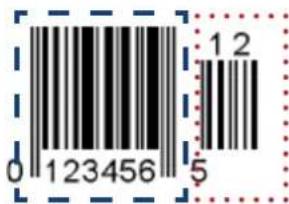
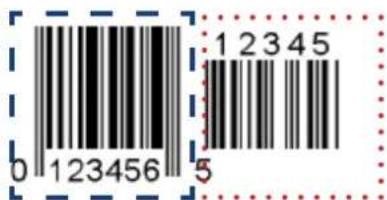
Addenda code is the one follows on the right side of an ordinary code. Picture bellow shows an ordinary code with a 2 digits addenda code. The left one with blue circle is an ordinary code. The right one with red circle is the 2 digits addenda code.
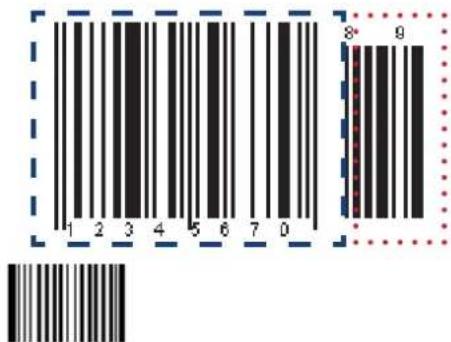
Picture bellow shows an ordinary code with a 5 digits addenda code. The left one with blue circle is an ordinary code. The right one with red circle is the 5 digits addenda code.:
** Abort 5 Digits Addenda
【Pro CMD: 0401070】
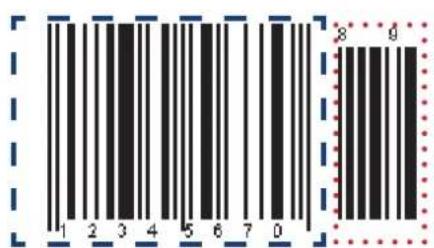
"Read 2 Digits Addenda" — read an ordinary code and 2 digits addenda code
"Read 5 Digits Addenda" — read an ordinary code and 5 digits addenda code
"Abort 2 Digits Addenda" — read an ordinary code only, and ignore 2 digits addenda code
"Abort 5 Digits Addenda" — read an ordinary code only, and ignore 5 digits addenda code
EAN-8 expand to EAN-13
Expand EAN-8 to EAN-13, by adding 5 bytes of “0” to the left, and then transmit.
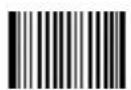
** Not Expand to EAN-13
【Pro CMD: 0401090】
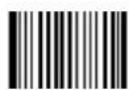
Expand to EAN-13
【Pro CMD: 0401100】
Load Factory Default
Read to load EAN-13 factory default.
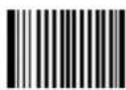
** Load EAN-13 Factory Default
【Pro CMD: 0402000】
Read/Abort EAN-13
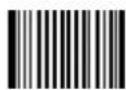
** Read EAN-13
【Pro CMD: 0402020】
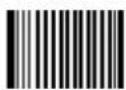
Abort EAN-13
【Pro CMD: 0402010】

"Abort EAN-13" prohibits the engine to read EAN-13. Please read programming code "Read EAN-13" when the engine can not read EAN-13.
Check Byte
UCC/EAN-13 is fixed 13 bytes barcode and the last byte is parity check byte.
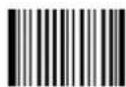
** Transmit Check
【Pro CMD: 0402040】
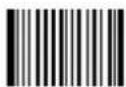
NO Transmit Check
【Pro CMD: 0402030】
EAN-13
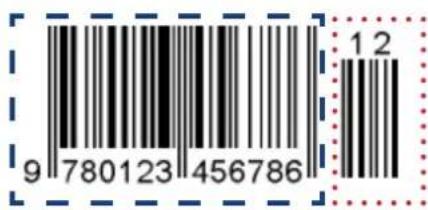
2 Digits Addenda Code
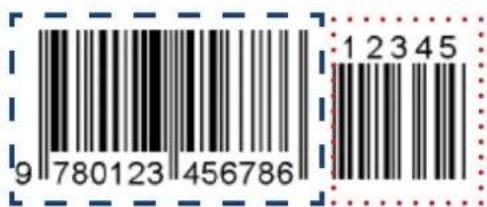
Addenda code is the one follows on the right side of an ordinary code. Picture bellow shows an ordinary code with a 2 digits addenda code. The left one with blue circle is an ordinary code. The right one with red circle is the 2 digits addenda code.
** Abort 2 Digits Addenda
【Pro CMD: 0402050】
Read 2 Digits Addenda
【Pro CMD: 0402060】
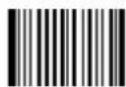
5 Digits Addenda Code
Picture bellow shows an ordinary code with a 5 digits addenda code. The left one with blue circle is an ordinary code. The right one with red circle is the 5 digits addenda code.:
** Abort 5 Digits Addenda
【Pro CMD: 0402070】
Read 5 Digits Addenda
【Pro CMD: 0402080】

"Read 2 Digits Addenda" — read an ordinary code and 2 digits addenda code
"Read 5 Digits Addenda" — read an ordinary code and 5 digits addenda code
"Abort 2 Digits Addenda" — read an ordinary code only, and ignore 2 digits addenda code
"Abort 5 Digits Addenda" — read an ordinary code only, and ignore 5 digits addenda code
UPC-E
Load Factory Default
Read to load UPC-E factory default.
** UPC-E Load Code 128 Factory Default
【Pro CMD: 0403000】
Read/Abort UPC-E
** Read UPC-E
【Pro CMD: 0403020】
Abort UPC-E
【Pro CMD: 0403010】

"Abort UPC-E" prohibits the engine to read UPC-E. Please read programming code "Read UPC-E" when the engine can not read UPC-E.
Check Byte
UPC-E is fixed 8 bytes barcode and the last byte is parity check byte.
** Transmit Check
【Pro CMD: 0403040】
NO Transmit Check
【Pro CMD: 0403030】
UPC-E
2 Digits Addenda Code
Addenda code is the one follows on the right side of an ordinary code. Picture bellow shows an ordinary code with a 2 digits addenda code. The left one with blue circle is an ordinary code. The right one with red circle is the 2 digits addenda code.
** Abort 2 Digits Addenda
【Pro CMD: 0403050】
Read 2 Digits Addenda
【Pro CMD: 0403060】
5 Digits Addenda Code
Picture bellow shows an ordinary code with a 5 digits addenda code. The left one with blue circle is an ordinary code. The right one with red circle is the 5 digits addenda code.:
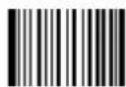
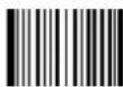
** Abort 5 Digits Addenda
【Pro CMD: 0403070】
Read 5 Digits Addenda
【Pro CMD: 0403080】

"Read 2 Digits Addenda" — read an ordinary code and 2 digits addenda code
"Read 5 Digits Addenda" — read an ordinary code and 5 digits addenda code
"Abort 2 Digits Addenda" — read an ordinary code only, and ignore 2 digits addenda code
"Abort 5 Digits Addenda" — read an ordinary code only, and ignore 5 digits addenda code
Transmit First '0' Selections
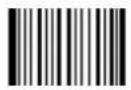
The first character of UPC-E is a system digit. The value of system digit is fixed as “0”.
** Don't Transmit First '0'
【Pro CMD: 0403090】
Transmit First '0'
【Pro CMD: 0403100】
Extend To UPC-A Selections
To enable or disable UPC-A, scan the appropriate bar code below
** Not Expand to UPC-A
【Pro CMD: 0403110】
Expand to UPC-A
【Pro CMD: 0403120】
UPC-A
Load Factory Default
Read to load UPC-A factory default.
**Load UPC-A Factory Default
【Pro CMD: 0404000】


Tools
Read/Abort UPC-A
** Read UPC-A
【Pro CMD: 0404020】
Abort UPC-A
【Pro CMD: 0404010】

"Abort UPC-A " prohibits the engine to read UPC-A. Please read programming code "Read UPC-A" when the engine can not read UPC-A.
Check Byte
UPC-A is fixed 13 bytes barcode and the last byte is parity check byte.
** Transmit Check
【Pro CMD: 0404040】
NO Transmit Check
【Pro CMD: 0404030】
UPC-A
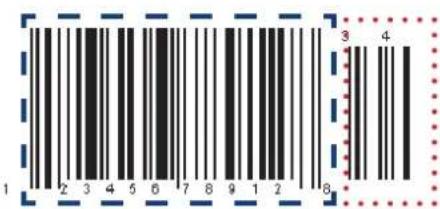
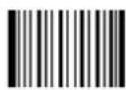
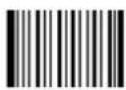
2 Digits Addenda Code
Addenda code is the one follows on the right side of an ordinary code. Picture bellow shows an ordinary code with a 2 digits addenda code. The left one with blue circle is an ordinary code. The right one with red circle is the 2 digits addenda code.
** Abort 2 Digits Addenda
【Pro CMD: 0404050】
Read 2 Digits Addenda
【Pro CMD: 0404060】
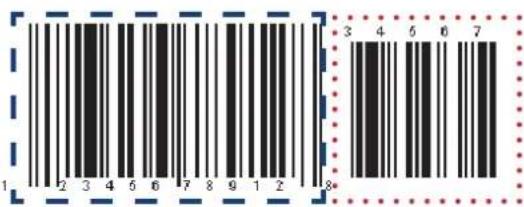
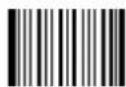
5 Digits Addenda Code
Picture bellow shows an ordinary code with a 5 digits addenda code. The left one with blue circle is an ordinary code. The right one with red circle is the 5 digits addenda code.:
** Abort 5 Digits Addenda
【Pro CMD: 0404070】
Read 5 Digits Addenda
【Pro CMD: 0404080】

"Read 2 Digits Addenda" — read an ordinary code and 2 digits addenda code
"Read 5 Digits Addenda" — read an ordinary code and 5 digits addenda code
"Abort 2 Digits Addenda" — read an ordinary code only, and ignore 2 digits addenda code
"Abort 5 Digits Addenda" — read an ordinary code only, and ignore 5 digits addenda code
Transmit Selections
UPC-A the first byte (very left one) is default "0"
** No Transmit "0"
【Pro CMD: 0404090】
Transmit "0"
【Pro CMD: 0404100】

UPC-A has the default “0” but it is not printed out, not like UPC-E. Read “Transmit 0” will add a “0” to transmit.
Interleaved 2 of 5
Load Factory Default
Read to load Interleaved 2 of 5 factory default.
** Load Interleaved 2 of 5 Factory Default
【Pro CMD: 0405000】


Tools
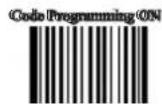
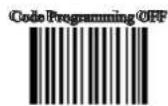
Read/Abort Interleaved 2 of 5
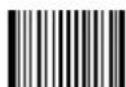
** Read Interleaved 2 of 5
【Pro CMD: 0405020】
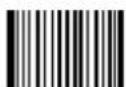
Abort Interleaved 2 of 5
【Pro CMD: 0405010】

"Abort Interleaved 2 of 5" prohibits the engine to read Interleaved 2 of 5. Please read programming code "Read Interleaved 2 of 5" when the engine can not read Interleaved 2 of 5.
Select Message Length
It is used to program the valid reading length (bytes) of Interleaved 2 of 5. The engine will produce an error beep, if the data length captured does not match the valid reading length.
Interleaved 2 of 5 Message Length is defined by "Min. Message Length" and "Max. Message Length"
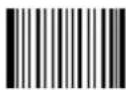
Min Message Length (default:4)
【Pro CMD: 0405030】
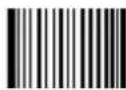
Max Message Length (default:80)
【Pro CMD: 0405040】

1D bar code Message Length should not exceed 127 bytes.
Max Message Length should not be shorter than Min Message Length.
To read a fixed length Interleaved 2 of 5, Please program Max & Min Message Length to the same value.

Program Interleaved 2 of 5, Min Message Length 8 bytes, Max Message Length 12 bytes.
"Code Programming ON"1.
"Select Min Message Length"2.
Digit code "8", see Digit Code 3.
"Save Programming", see Digit Code 4.
"Select Max Message Length"5.
Digit code "1"6.
Digit code "2"7.
"Save Programming"8.
"Code Programming OFF"9.
Interleaved 2 of 5
Check Byte
Interleaved 2 of 5 may include Check Byte (not compulsory) following its barcode messages. It verifies the barcode message.
"NO Check, Transmit All" enables to read without check and transmit all bytes including barcode message and Check Byte.
"Check, Transmit No Check" enables to read and check. If verification is successful, transmit barcode message; if not, engine produce an error beep.
"Check, Transmit All" enables to read and check. If verification is successful, transmit all messages; if not, engine produces an error beep.
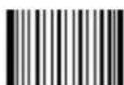
** NO Check, Transmit All
【Pro CMD: 0405050】
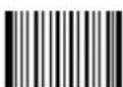
Check, Transmit No Check
【Pro CMD: 0405060】
Check, Transmit All
【Pro CMD: 0405070】

Read "Check, Transmit NO Check", only transmit barcode message. If barcode message length is less than Min Message Length, this will lead to error beep.
E.g.: Read a 4 bytes (include check bytes) Interleaved 2 of 5. Select Min Message Length to 4 bytes and transmit NO Check byte. This leads to error beep.
Interleaved 2 of 5
Fixed Length Selection
Program the engine to read fixed length or fixed length area Interleaved 2 of 5. Command programming use 3 decimal digits to define length value. The fixed length value MUST be 2 to 64 even value (32 even values).
When enabled, Interleaved 2 of 5 Selection prevail “Message Length Selection”
** Disable Fixed Length Selection
【Pro CMD: 0405140】
Enable Fixed Length Selection
【Pro CMD: 0405150】
Select Code Length
【Pro CMD: 0405160】
Undo Code Length Selection
【Pro CMD: 0405170】

The engine only read Interleaved 2 of 5 which are 12 and 24 bytes.
- “Code Programming ON”, then “Select Code Length”
- Digit Code “0”, “1”, “2”
- "Save Programming"
- Digit Code “0”, “2”, “4”
- “Save Programming”, then “Code Programming OFF”
The engine only read Interleaved 2 of 5 between 12 bytes and 24 bytes.
- “Code Programming ON”, then “Select Code Length”
- Digit Code “0”, “1”, “2”, then read “0”, “2”, “4”
- “Save Programming”, then “Code Programming OFF”
Undo fixed length selections between 2 bytes and 64 bytes.
- “Code Programming ON”, then “Undo Code Length Selection”
- Digit Code “0”, “0”, “2”, then read “0”, “6”, “4”
- “Save Programming”, then “Code Programming OFF”
ITF-14
ITF-14 is a fixed length 14 bytes Interleaved 2 of 5 barcode with parity check. For factory default, the engine deems ITF-14 as ordinary Interleaved 2 of 5. And selections of Interleaved 2 of 5 will affect ITF-14.
ITF-14 Selection Prevail: the selection of ITF-14, if any, affects and prevail the selection of the Interleaved 2 of 5 when they have the same feature as ITF-14.
** Disable ITF-14 User Selection
【Pro CMD: 0405080】
ITF-14, Read, No Transmit Parity
【Pro CMD: 0405090】
ITF-14, Read, Transmit Parity
【Pro CMD: 0405100】

For instance, allow reading ITF-14 and prohibit reading Interleaved 2 of 5. The ITF-14 and 14 bytes Interleaved 2 of 5 with parity check can be read, but other Interleaved 2 of 5 are prohibited.
ITF-6
ITF-6 is a fixed length 6 bytes Interleaved 2 of 5 barcode with parity check. As it to user selections, factory default, the engine deems ITF-6 as ordinary Interleaved 2 of 5. And selections of Interleaved 2 of 5 will affect ITF-6.
ITF-6 Selection Prevail: the selection of ITF-6, if any, affects and prevails the selection of the Interleaved 2 of 5 when they have the same feature as ITF-6.
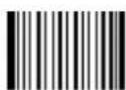
** Disable ITF-6 User Selection
【Pro CMD: 0405110】
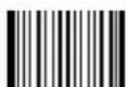
ITF-6, Read, No Transmit Parity
【Pro CMD: 0405120】
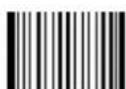
ITF-6, Read, Transmit Parity
【Pro CMD: 0405130】

For instance, allow reading ITF-6 and prohibit reading Interleaved 2 of 5. The ITF-6 and 6 bytes Interleaved 2 of 5 with parity check can be read, but other Interleaved 2 of 5 are prohibited.
China Post 25
Load Factory Default
Read to load China Post 25 factory default.
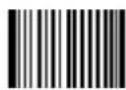
** Load China Post25 Factory Default
【Pro CMD: 0406000】


Tools
Read/Abort China Post 25
** Abort China Post 25
【Pro CMD: 0406010】
Read China Post 25
【Pro CMD: 0406020】

"Abort China Post 25" prohibits the engine to read China Post 25. Please read programming code "Read China Post 25" when the engine can not read China Post 25.
China Post 25
Select Message Length
It is used to program the valid reading length (bytes) of China Post 25. The engine will produce an error beep, if the data length captured does not match the valid reading length.
China Post 25 Message Length is defined by "Min. Message Length" and "Max. Message Length".
Min Message Length (default:4)
【Pro CMD: 0406030】

Max Message Length (default:80)
【Pro CMD: 0406040】

1D bar code Message Length should not exceed 127 bytes.
Max Message Length should not be shorter than Min Message Length.
To read a fixed length China Post 25, Please program Max & Min Message Length to the same value.

Program Code 128, Min Message Length 8 bytes, Max Message Length 12 bytes.
"Code Programming ON"1.
"Select Min Message Length"2.
Digit code "8", see Digit Code 3.
"Save Programming", see Digit Code 4.
"Select Max Message Length"5.
Digit code "1"6.
Digit code "2"7.
"Save Programming"8.
"Code Programming OFF"9.
China Post 25
Check Byte
CHINA POST 25 may include Check Byte (not compulsory) following its barcode message. Check Byte verifies the barcode message.
"NO Check, Transmit All" enables to read without check and transmit all digits including barcode message and Check Byte.
"Check, Transmit NO Check" enables to read and check. If verification is successful, transmit barcode message; if not, Imager produce an error beep.
"Check, Transmit All" enables to read and check. If verification is successful, transmit all message; if not, Imager produce an error beep.
** NO Check, Transmit All
【Pro CMD: 0406050】
Check, Transmit NO Check
【Pro CMD: 0406060】
Check, Transmit All
【Pro CMD: 0406070】

Read "Check, Transmit NO Check", only transmit barcode message. If barcode message length is less than Min Message Length, this will lead to error beep.
E.g.: Read a 4 bytes (include Check bytes) CHINA POST 25. Select Min Message Length to 4 bytes and transmit NO Check byte. This leads to error beep.
Code 39
Load Factory Default
Code 39 Read to load Code 39 factory default.
** 39 Load Code 39 Factory Default
【Pro CMD: 0408000】


Tools
Read/Abort Code 39
** Read Code 39
【Pro CMD: 0408020】
Abort Code 39
【Pro CMD: 0408010】

"Abort Code 39" prohibits the engine to read Code 39. Please read programming code "Read Code 39" when the engine can not read Code 39.
Transmit Start & Stop Character.
Code 39 use “*” (asterisk) for the start character and the stop character. Transmission of “*” can be selected.
**Transmit Both “*”
【Pro CMD: 0408090】
Transmit Neither “*”
【Pro CMD: 0408080】
Code 39
Select Message Length
It is used to program the valid reading length (bytes) of Code 39. The engine will produce an error beep, if the data length captured does not match the valid reading length.
Code 39 Message Length is defined by "Min. Message Length" and "Max. Message Length".
Min Message Length (default: 1)
【Pro CMD: 0408030】

Max Message Length (default:48)
【Pro CMD: 0408040】

1D bar code Message Length should not exceed 127 bytes.
Max Message Length should not be shorter than Min Message Length.
To read a fixed length Code 39, Please program Max & Min Message Length to the same value.

Program Code 39, Min Message Length 8 bytes, Max Message Length 12 bytes.
"Code Programming ON"1.
"Select Min Message Length"2.
Digit code "8", see Digit Code 3.
"Save Programming", see Digit Code 4.
"Select Max Message Length"5.
Digit code "1"6.
Digit code "2"7.
"Save Programming"8.
"Code Programming OFF"9.
Code 39
Check Byte
Code 39 may include Check Byte (not compulsory) following its barcode message. Check Byte is used to verify the barcode message.
"NO Check, Transmit All" enables to read without check and transmit all digits including barcode message and Check Byte.
"Check, Transmit NO Check" enables to read and check. If verification is successful, transmit barcode message; if not, Imager produce an error beep.
"Check, Transmit All" enables to read and check. If verification is successful, transmit all messages; if not, Imager produces an error beep.

** NO Check, Transmit All
【Pro CMD: 0408050】
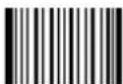
Check, Transmit NO Check
【Pro CMD: 0408060】
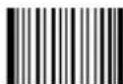
Check, Transmit All
【Pro CMD: 0408070】

Read "Check, Transmit NO Check", only transmit barcode message. If barcode message length is less than Min Message Length, this will lead to error beep.
E.g.: Read a 4 bytes (include Check Byte) Code 39. Select Min Message Length to 4 bytes and transmit NO Check byte. This leads to error beep.
Code 39
Decode ASCII
Code 39 can include full ASCII characters. For factory default, the engine enabled to decode partial of them. Read “Enable Full ASCII decode” to select full ASCII functions.
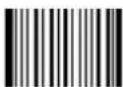
** Partial ASCII Decode
【Pro CMD: 0408100】
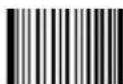
Enable Full ASCII Decode
【Pro CMD: 0408110】
Codabar
Load Factory Default
Read to load Codabar factory default.
** Load Codabar Factory Default
【Pro CMD: 0409000】


Tools
Read/Abort Codabar
** Read Codabar
【Pro CMD: 0409020】
Abort Codabar
【Pro CMD: 0409010】

"Abort Codabar" prohibits the engine to read Codabar. Please read programming code "Read Codabar" when the engine can not read Codabar.
Transmit Start & Stop Character
Codabar use either of “A”, “B”, “C” and “D” as the start character and the stop character. Transmission of them can be selected.

** Transmit Both Start & Stop
【Pro CMD: 0409090】
Transmit Neither Start & Stop
【Pro CMD: 0409080】
Codabar
Select Message Length
It is used to program the valid reading length (bytes) of Codabar. The engine will produce an error beep, if the data length captured does not match the valid reading length.
Codabar Message Length is defined by "Min. Message Length" and "Max. Message Length".
Min Message Length (default:2)
【Pro CMD: 0409030】

Max Message Length (default:60)
【Pro CMD: 0409040】

1D bar code Message Length should not exceed 127 bytes.
Max Message Length should not be shorter than Min Message Length
To read a fixed length Codabar, Please program Max & Min Message Length to the same value.

Program Codabar, Min Message Length 8 bytes, Max Message Length 12 bytes.
"Code Programming ON"1.
"Select Min Message Length"2.
Digit code "8", see Digit Code 3.
"Save Programming", see Digit Code 4.
"Select Max Message Length"5.
Digit code "1"6.
Digit code "2"7.
"Save Programming"8.
"Code Programming OFF"9.
Codabar
Check Byte
Codabar may include Check Byte (not compulsory) following its barcode message. Check Byte is used to verify the barcode message.
"NO Check, Transmit All" enables to read without check and transmit all digits including barcode message and Check Byte.
"Check, Transmit NO Check" enables to read and check. If verification is successful, transmit barcode message; if not, Imager produce an error beep.
"Check, Transmit All" enables to read and check. If verification is successful, transmit all messages; if not, Imager produces an error beep.
** NO Check, Transmit All
【Pro CMD: 0409050】
Check, Transmit NO Check
【Pro CMD: 0409060】

Check, Transmit All
【Pro CMD: 0409070】

Read "Check, Transmit NO Check", only transmit barcode message. If barcode message length is less than Min Message Length, this will lead to error beep.
E.g.: Read a 4 bytes (include Check Byte) Codabar. Select Min Message Length to 4 bytes and transmit NO Check byte. This leads to error beep.
Code 93
Load Factory Default
Read to load Code 93 factory default.
** Load Code 93 Factory Default
【Pro CMD: 0410000】


Tools
Read/Abort Code 93
** Abort Code 93
【Pro CMD: 0410010】
Read Code 93
【Pro CMD: 0410020】

"Abort Code 93" prohibits the engine to read Code 93. Please read programming code "Read Code 93" when the engine can not read Code 93.
Select Message Length
It is used to program the valid reading length (bytes) of Code 93. The engine will produce an error beep, if the data length captured does not match the valid reading length.
Code 93 Message Length is defined by "Min. Message Length" and "Max. Message Length".

Min Message Length (default: 1)
【Pro CMD: 0410030】

Max Message Length (default:48)
【Pro CMD: 0410040】

1D bar code Message Length should not exceed 127 bytes.
Max Message Length should not be shorter than Min Message Length.
To read a fixed length Code 93, Please program Max & Min Message Length to the same value.

Program Code 93, Min Message Length 8 bytes, Max Message Length 12 bytes.
"Code Programming ON"1.
"Select Min Message Length"2.
Digit code "8", see Digit Code 3.
"Save Programming", see Digit Code 4.
"Select Max Message Length"5.
Digit code "1"6.
Digit code "2"7.
"Save Programming"8.
"Code Programming OFF"9.
Code 93
Check Byte
Codd 93 may include Check Byte (not compulsory) following its barcode message. Check Byte is used to verify the barcode message.
"NO Check, Transmit All" enables to read without check and transmit all digits including barcode message and Check Byte.
"Check, Transmit NO Check" enables to read and check. If verification is successful, transmit barcode message; if not, Imager produce an error beep.
"Check, Transmit All" enables to read and check. If verification is successful, transmit all messages; if not, Imager produces an error beep.
NO Check, Transmit All
【Pro CMD: 0410050】
** Check, Transmit NO Check
【Pro CMD: 0410060】
Check, Transmit All
【Pro CMD: 0410070】

Read “No Transmit Check”. If barcode message length is less than Min Message length, this will lead to error beep.
E.g.: Read a 4 bytes (include Check Byte) Code 93. Select Min Message Length to 4 bytes and No Transmit Check. This leads to error beep.
Load Factory Default
Read to load UCC/EAN-128 factory default.
** Load UCC/EAN-128 Factory Default
【Pro CMD: 0412000】

Tools
Read/Abort UCC/EAN-128
** Read UCC/EAN-128
【Pro CMD: 0412020】
Abort UCC/EAN-128
【Pro CMD: 0412010】

"Abort UCC/EAN-128" prohibits the engine to read UCC/EAN-128. Please read programming code "Read UCC/EAN-128" when the engine can not read UCC/EAN-128.
PDF417
Load Factory Default
Read to load PDF417 factory default.
** Load PDF417 Factory Default
【Pro CMD: 0501000】


Tools
Read/Abort PDF417
** Read PDF417
【Pro CMD: 0501020】
Abort PDF417
【Pro CMD: 0501010】

"Abort PDF417" prohibits the engine to read PDF417. Please read programming code "Read PDF417" when the engine can not read PDF417.
Select Message Length
It is used to program the valid reading length (bytes) of PDF417. The engine will produce an error beep, if the data length captured does not match the valid reading length.
PDF417 Message Length is defined by "Min. Message Length" and "Max. Message Length".

Min Message Length (default: 1)
【Pro CMD: 0501030】

Max Message Length (default: 2710)
【Pro CMD: 0501040】

2D bar code Message Length should not exceed 65535 bytes.
Max Message Length should not be shorter than Min Message Length.
To read a fixed length PDF417, Please program Max & Min Message Length to the same value.

Program PDF417 Min Message Length 8 bytes, Max Message Length 12 bytes.
"Code Programming ON"1.
"Select Min Message Length"2.
Digit code "8", see Digit Code 3.
"Save Programming", see Digit Code 4.
"Select Max Message Length"5.
Digit code "1"6.
Digit code "2"7.
"Save Programming"8.
"Code Programming OFF"9.
QR Code
Load Factory Default
Read to load QR Code factory default.
** Load QR Code Factory Default
【Pro CMD: 0502000】


Tools
Read/Abort QR Code
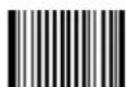
**允许识读QR Code
【Pro CMD: 0502020】
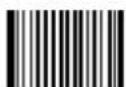
Abort QR Code
【Pro CMD: 0502010】

"Abort QR Code" prohibits the engine to read QR Code. Please read programming code "Read QR Code" when the engine can not read QR Code.
QR Code
Select Message Length
It is used to program the valid reading length (bytes) of QR Code. The engine will produce an error beep, if the data length captured does not match the valid reading length.
QR Code Message Length is defined by "Min. Message Length" and "Max. Message Length".
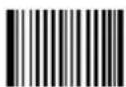
Min Message Length (default: 1)
【Pro CMD: 0502030】
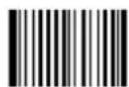
Max Message Length (default:7098)
【Pro CMD: 0502040】

2D bar code Message Length should not exceed 65535 bytes.
Max Message Length should not be shorter than Min Message Length.
To read a fixed length QR Code, Please program Max & Min Message Length to the same value

Program QR Code, Min Message Length 8 bytes, Max Message Length 12 bytes.
"Code Programming ON"1.
"Select Min Message Length"2.
Digit code "8", see Digit Code 3.
"Save Programming", see Digit Code 4.
"Select Max Message Length"5.
Digit code "1"6.
Digit code "2"7.
"Save Programming"8.
"Code Programming OFF"9.
QR Twin Code
QR twin code is 2 QR barcodes paralleled vertically or horizontally.
There are 3 options for reading QR Code:
Single QR Only: Select to read only one QR Code, and abort twin code.
Twin QR Only: Select to read only twin code, and abort single QR Code code. The working sequence is: Detect Twin Code-Yes-Decode Twin Code-Yes-Transmit Upper (Left) QR-Yes-Transmit Lower (Right) QR-End.
Both Single & Twin: Select to read both types of QR Code, The same working sequence or twin code as it is in “Twin QR Only”
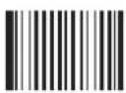
** Single QR Only
【Pro CMD: 0502070】
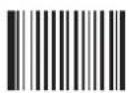
Twin QR Only
【Pro CMD: 0502080】
Both Single & Twin
【Pro CMD: 0502090】
Aztec Code
Load Factory Default
Read to load Aztec Code factory default.
** Load Aztec Code Factory Default
【Pro CMD: 0503000】


Tools
Read/Abort Aztec Code
** Read Aztec Code
【Pro CMD: 0503020】
Abort Aztec Code
【Pro CMD: 0503010】

"Abort Aztec Code" prohibits the engine to read Aztec. Please read programming code "Read Aztec Code" when the engine can not read Aztec.
Select Message Length
It is used to program the valid reading length (bytes) of Aztec. The engine will produce an error beep, if the data length captured does not match the valid reading length.
Aztec Message Length is defined by "Min. Message Length" and "Max. Message Length".
Min Message Length (default: 1)
【Pro CMD: 0503030】

Max Message Length (default:3832)
【Pro CMD: 0503040】

2D bar code Message Length should not exceed 65535 bytes.
Max Message Length should not be shorter than Min Message Length.
To read a fixed length Aztec, Please program Max & Min Message Length to the same value.

Program Aztec, Min Message Length 8 bytes, Max Message Length 12 bytes.
"Code Programming ON"1.
"Select Min Message Length"2.
Digit code "8", see Digit Code 3.
"Save Programming", see Digit Code 4.
"Select Max Message Length"5.
Digit code "1"6.
Digit code "2"7.
"Save Programming"8.
"Code Programming OFF"9.
Aztec Code
Multi-Barcode Processing feature
The Aztec Codes can be lined up horizontal or vertical. The scanner processes multi-Barcodes simultaneously.
There are 3 options can be chosen:
Model 1: Disable multi-Barcodes feature. Read the single Aztec Code only.
Model 2: Enable Multi-Barcodes feature, with the number of bar codes specified.
Model 3: Enable Multi-Barcodes feature; the system processes multi-Barcodes simultaneously, if failed, then process every single bar code.
** Model 1
【Pro CMD: 0503070】
Model 2
【Pro CMD: 0503080】
Model 3
【Pro CMD: 0503090】
The number of bar codes specified
1
【Pro CMD: 0503070】
2
【Pro CMD: 0503080】

3
【Pro CMD: 0503070】
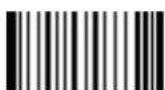
4
【Pro CMD: 0503080】
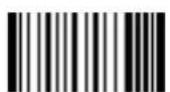
5
【Pro CMD: 0503070】
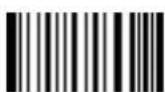
6
【Pro CMD: 0503080】
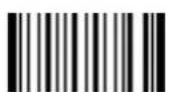
7
【Pro CMD: 0503070】
8
【Pro CMD: 0503080】

Tools
Data Matrix
Load Factory Default
Read to load Data Matrix factory default.
** Load Data Matrix Factory Default
【Pro CMD: 0504000】


Tools
Read/Abort Data Matrix
** 允许识读 Data Matrix
【Pro CMD: 0504020】
Abort Data Matrix
【Pro CMD: 0504010】

"Abort Data Matrix" prohibits the engine to read Data Matrix. Please read programming code "Read Data Matrix" when the engine can not read Data Matrix.
Data Matrix
Select Message Length
It is used to program the valid reading length (bytes) of Data Matrix. The engine will produce an error beep, if the data length captured does not match the valid reading length.
Data Matrix Message Length is defined by "Min. Message Length" and "Max. Message Length".
Min Message Length (default: 1)
【Pro CMD: 0504030】
Max Message Length (default:3116)
【Pro CMD: 0504040】

2D bar code Message Length should not exceed 65535 bytes.
Max Message Length should not be shorter than Min Message Length.
To read a fixed length Data Matrix, Please program Max & Min Message Length to the same value.

Program Data Matrix, Min Message Length 8 bytes, Max Message Length 12 bytes.
"Code Programming ON"1.
"Select Min Message Length"2.
Digit code "8", see Digit Code 3.
"Save Programming", see Digit Code 4.
"Select Max Message Length"5.
Digit code "1"6.
Digit code "2"7.
"Save Programming"8.
"Code Programming OFF"9.
Data Matrix Twin Code
Data Matrix twin code is 2 Data Matrix barcodes paralleled vertically or horizontally.
There are 3 options for reading Data Matrix:
Single Data Matrix Only: select to read only one Data Matrix, and abort twin code.
Twin Data Matrix Only: select to read only twin code, and abort single Data Matrix code. The working sequence is: Detect Twin Code-Yes-Decode Twin Code-Yes-Transmit Upper (Left) code -Yes-Transmit Lower (Right) code -End.
Both Single & Twin: select to read both types of Data Matrix. The same working sequence for twin code as it is in “Twin Data Matrix Only”.
** Single Data Matrix Only
【Pro CMD: 0504070】
Twin Data Matrix Only
【Pro CMD: 0504080】
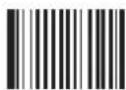
Both Single & Twin
【Pro CMD: 0504090】
Chinese-Sensible Code
Load Factory Default
Read to load Chinese-Sensible Code factory default.

** Load Chinese-Sensible Code Factory Default
【Pro CMD: 0508000】
Read/Abort Chinese-Sensible Code
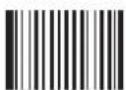
** Read Chinese-Sensible Code
【Pro CMD: 0508020】
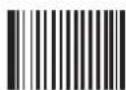
Abort Chinese-Sensible Code
【Pro CMD: 0508010】

"Abort Chinese-Sensible Code" prohibits the engine to read Chinese-Sensible Code Please read programming code "Read Chinese-Sensible Code" when the engine can not read Chinese-Sensible Code
Chinese-Sensible Code
Select Message Length
It is used to program the valid reading length (bytes) of Chinese-Sensible Code. The engine will produce an error beep, if the data length captured does not match the valid reading length.
Chinese-Sensible Code Message Length is defined by "Min. Message Length" and "Max. Message Length".
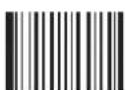
Min Message Length (default: 1)
【Pro CMD: 0508030】
Max Message Length (default:7827)
【Pro CMD: 0508040】

2D bar code Message Length should not exceed 65535 bytes.
Max Message Length should not be shorter than Min Message Length.
To read a fixed length China Information Code, Please program Max & Min Message Length to the same value.

Program China Information Code, Min Message Length 8 bytes, Max Message Length 12 bytes.
"Code Programming ON"1.
"Select Min Message Length"2.
Digit code "8", see Digit Code 3.
"Save Programming", see Digit Code 4.
"Select Max Message Length"5.
Digit code "1"6.
Digit code "2"7.
"Save Programming"8.
"Code Programming OFF"9.
OCR Selections
Inrtuducation
OCR (Optical Character Recognition) is the technology that capture image of printed information, and recognize the image to editable characters. The engine satisfy OCR B standard and support specific typeface.
** Disable OCR
【Pro CMD: 0600010】
Enable OCR
【Pro CMD: 0600020】
Prefix/Suffix
Intruducation
1D barcode message could contain digits, letters and symbols, etc. 2D barcode message could contain more data such as Chinese characters and other 2 bytes characters.
Practically, barcode message is insufficient for usage. For example, the barcode format, the date or a “new line character” can be useful. Mostly these informations are not included in a barcode and thus to keep it short and flexible possible.
Prefix/Suffix appended to barcode message fulfills the usage mentioned above. They can be appended, removed and modified without changing the original barcode message.

Barcode processing sequences:
-
Intersect barcode message
-
Append Prefix/Suffix
-
Pack
-
Terminate with Stop Suffix and transmit
General Programming
Prohibit or Allow Prefix/Suffix
Prohibit All Prefix/Suffix: Transmit barcode message with no Prefix/Suffix.
Allow All Prefix/Suffix: Allow appending CodeID prefix, AIM prefix, User prefix, User suffix and Stop suffix to the barcode message.
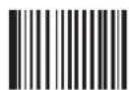
** Prohibit All Prefix/Suffix
【Pro CMD: 0311000】
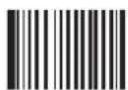
Allow All Prefix/Suffix
【Pro CMD: 0311010】
Prefix Sequences
6 options of Prefix Sequences:
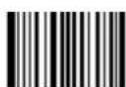
** CodeID+AIM+User Prefix
【Pro CMD: 0317000】
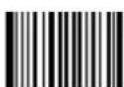
CodeID+User Prefix+AIM
【Pro CMD: 0317010】
AIM+CodeID+User Prefix
【Pro CMD: 0317020】
AIM+User Prefix+CodeID
【Pro CMD: 0317030】

User Prefix+CodeID+AIM
【Pro CMD: 0317040】

User Prefix+AIM+CodeID
【Pro CMD: 0317050】
User Prefix
Prohibit or Allow User Prefix
User Prefix append to the left of barcode message. For example, program “AB” as user prefix, and the barcode message is “123”. The Host receives “AB123”.
** Prohibit User Prefix
【Pro CMD: 0305000】
Allow User Prefix
【Pro CMD: 0305010】
Program User Prefix
Read “Program User Prefix”. Then program user prefix in order by reading their hex respectively.
Note: The maximum length for user prefix is 10 bytes.
Program User Prefix
【Pro CMD: 0300000】

Program “CODE” as user prefix (The hex of “CODE” are 0x43/0x4F/0x44/0x45):
-
Read "Code Programming ON"
-
Read "Program User Prefix"
-
Read "4,3,4,F,4,4,4,5" in order
-
Read "Save Programming"
-
Read "Code Programming OFF".
-
Read "Allow User Prefix" to enable above programming. "CODE" will appear to the left of a barcode.
AIM Prefix
AIM (Automatic Identification Manufactures) defines AIM prefix for many standard barcode formats.
There are 3 types of AIM prefix.
-
Character Mode: Append AIM prefix. For example, append "C" for Code128. Characters Mode: Append AIM prefix + "0" 2.
-
Full Characters Mode: Append “]” + AIM prefix + “0”

** No AIM Prefix
【Pro CMD: 0308000】

1 Character Mode
【Pro CMD: 0308010】
2 Characters Mode
【Pro CMD: 0308020】
Full Characters Mode
【Pro CMD: 0308030】
| Symbologies AIM ID Hex | ||
| Code128 / UCC/EAN-128 C 43 | ||
| UPC-E / UPC-A / EAN-8 / EAN-13 E 45 | ||
| Interleaved 2 OF 5 / China Post25 I 49 | ||
| Code39 A 41 | ||
| Codabar F 46 | ||
| Code93 | G | 47 |
| PDF417 | L 4C | |
| QR Code | Q | 51 |
| Aztec | z 7A | |
| DataMatrix | d | 6D |
| Chinese-Sensible Code | X | 58 |
| User-Define | X | 58 |
Code ID Prefix
Apart from AIM prefix, Code ID prefix can be used to denote barcode format and can be customized.
The Code ID prefix MUST be 1 visible English letter, only.
** No CodeID Prefix
【Pro CMD: 0307000】
Allow CodeID Prefix
【Pro CMD: 0307010】
Code ID Default
1D, Load CodeID Factory Default
【Pro CMD: 0307020】
2D, Load CodeID Factory Default
【Pro CMD: 0307020】
| Symbologies CodeID Default Hex | ||
| Code128 / UCC/EAN-128 j 6A | ||
| UPC-E / UPC-A c 63 | ||
| EAN-8 / EAN-13 d 64 | ||
| Interleaved 2 OF 5 / China Post25 e 65 | ||
| Code39 b 62 | ||
| Codabar a 61 | ||
| Code93 i 69 | ||
| PDF417 r 72 | ||
| QR Code | s | 73 |
| Aztec | z | 7A |
| DataMatrix | u 75 | |
| Chinese-Sensible Code | h 68 | |
| User-Define | X | 58 |
Modify Code ID
Modify Code ID steps:
- "Code Programming ON"
- Read the programming code to enable modifying Code ID for symbologies
- Read the hex of a visible English letter.
- "Save Programming"
- "Code Programming OFF"
Example
Modify PDF417 CodeID to be "p"
- Read "Code Programming ON"
- Read "Modify PDF417"
- Read digit code “7”, “0”
- Read "Save Programming"
- Read "Code Programming OFF".
Load CodeID factory default (including PDF417)
- Read "Code Programming ON"
- Read "2D, Load CodeID Factory Default"
- Read "Code Programming OFF".
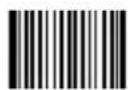
Modify PDF417
【Pro CMD: 0005000】
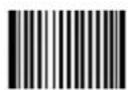
Modify QR Code
【Pro CMD: 0005010】
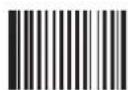
Modify Aztec
【Pro CMD: 0005020】
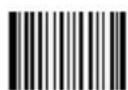
Modify Data Matrix
【Pro CMD: 0005030】
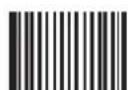
Modify Chinese-Sensible Code
【Pro CMD: 0005070】
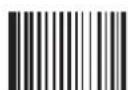
Modify User-Define Code
【Pro CMD: 0005090】
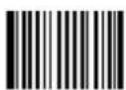
Modify Code 128
【Pro CMD: 0004020】
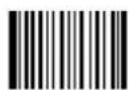
Modify UCC/EAN-128
【Pro CMD: 0004030】
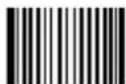
Modify EAN-13
【Pro CMD: 0004050】
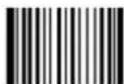
Modify UPC-E
【Pro CMD: 0004060】
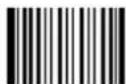
Modify EAN-8
【Pro CMD: 0004040】
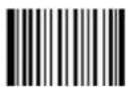
Modify Interleaved 2 of 5
【Pro CMD: 0004080】
Modify China Post25
【Pro CMD: 0004110】
Modify UPC-A
【Pro CMD: 0004070】
Modify Codabar
【Pro CMD: 0004150】
Modify Code 93
【Pro CMD: 0004170】
Modify Code 39
【Pro CMD: 0004130】
8.4 User Suffix
Prohibit or Allow User Suffix
User suffix append to the right of barcode message. For example, program “AB” as user suffix, and the barcode message is “123”. The Host receives “123 AB”.
** Prohibit User Suffix
【Pro CMD: 0306000】
Allow User Suffix
【Pro CMD: 0306010】
Program User Suffix
Read “Program User Suffix”. Then program user prefix in order by reading their hex respectively.
Note: The maximum length for user suffix is 10 bytes.
Program User Suffix
【Pro CMD: 0301000】

Program “CODE” as user suffix (The hex of “CODE” are 0x43/0x4F/0x44/0x45):
- Read "Code Programming ON"
- Read "Program User Suffix"
- Read "4,3,4,F,4,4,4,5" in order
- Read "Save Programming"
- Read "Code Programming OFF".
- Read “Allow User Suffix” to enable above programming. “CODE” will appear to the right of a barcode.
Prohibit or Allow Stop Suffix
“Stop Suffix” is the termination for a string of barcode messages. It can not be formatted like other suffix and prefix. It is fixed to the right and the very end of a barcode transmission.
** Prohibit Stop Suffix
【Pro CMD: 0309000】
Allow Stop Suffix
【Pro CMD: 0309010】
Program Stop Suffix
Read “Program Stop Suffix”. Then program Stop Suffix in order by reading their hex respectively.
Note: The maximum length for Stop Suffix is 2 bytes.
Program Stop Suffix
【Pro CMD: 0310000】

For Windows System, program stop suffix to be “new line character” (hex value 0x0D/0x0A)
-
Read "Code Programming ON"
-
Read "Program Stop Suffix"
-
Read “0”, “D”, “0”, “A”, in order
-
Read "Save Programming"
-
Read "Code Programming OFF".
-
Read "Allow Stop Suffix" to enable "new line character" function.
Message Intersect & Pack
Introduction
This chapter introduces Message Intersect & Pack.
Message intersection only affects plain barcode message.
Plain barcode message usually consists of several information sections. Sections may consist of several bytes and have specific indications such as merchandise ID, manufacturer and so on.
Intersection can select section(s) required to transmit, and thus to skip other unnecessary sections in the result shown.
Normally the processing sequence is: “read to obtain plain barcode message” —> “intersect” —> “append prefix/suffix” —> “append stop suffix” —> “transmit”
A special programming, pack, can insert barcode messages into a certain message format.

Then the processing sequence is: “read to obtain barcode message” —> “intersect” —> “append prefix/suffix” —> “pack” —> “append stop suffix” - “transmit”
Message Intersect
introduction
» Intersection Rule No.1: only affects selected symbologies' plain barcode message. Note that one intersection option affects all barcodes of the barcode format.
» Intersection Rule No.2: Maximum 3 intersection options can be restored in the non-volatile memory. Inputting a new option works at “first in last out” manner.
For example, there are 3 options restored in order: Code 128, Code 39, QR Code. Program UPC-A intersection option and save. The 3 options restored in order should be: Code 39, QR Code, UPC-A.
» Intersection Rule No.3: For one barcode format, if there are more than one options restored, the very newest input prevail.
For example, there are 3 options restored: Code 128 option A, QR Code option, Code 128 option B. The Code 128 option B prevails.
** Disable Intersection
【Pro CMD: 0315000】
Allow Intersection
【Pro CMD: 0315010】
Add Intersect Option
【Pro CMD: 0316000】
Clear a barcode Intersection Setting
【Pro CMD: 0316010】
Clear the last setting for Intersection
【Pro CMD: 0316020】
Clear all the Intersection Settings
【Pro CMD: 0316030】
Message Intersect
1D, Program Intersect Option
A command input consists of 3 decimals. The first input is for barcode format; Refer to “Symbologies ID Number”. The second input is for intersecting direction; “000” denotes ascending (left to right) and “001” denotes descending. The following 2 inputs are for start digital and end digital.
For example, intersect EAN-13 from 1st digit to 3rd ascending and from reciprocal 4th to reciprocal 1st.
- Read "Code Programming ON"
- Read “Allow Intersection”
- Read "Add Intersect Option"
- Check Symbologies ID Number table for EAN-13
- Read digit barcodes in the bellow
0 0 5 0 0 0 | 0 0 1 0 0 3 0 0 1 | 0 0 4 0 0 1 symbology ID ascending the 1st digit the 3rd digit descending the 4th digit the 1st digit
How to clear a certain 1D barcode Intersection Setting?
E.g: If you want to cancel the EAN-13 Intersection Settings, take the processing as below; Read “Enable Code Programming” bar code first1.
- Read "Clear a barcode Intersection setting"
Check Symbologies ID Number table for EAN-13Code as "005" 3.
Read corresponding number barcode below4.
- Read "save" and "Disable Code Programming" codes
6.
Rules:
- Maximum intersect 5 barcode message sections
- Maximum value is 127 for start digital and end digital
- Overlaps of barcode message sections are allowed and work independently.
- Start digital and end digital determine its message section sequence. In the above example, descending “004” and “001” determine the section sequence to be “reciprocal 4th”, “reciprocal 3rd”, “reciprocal 2nd”, “reciprocal 1st”
- to intersect only one digit, program start digital and end digital to be the same value
Message Intersect
2D, Program Intersect Option
A command input consists of 3 or 6 decimals.
The first input is for barcode format; Refer to “Symbologies ID Number”. The second input is for intersecting direction; “000” denotes ascending and “001” denotes descending. The following 2 inputs are for start digital and end digital.
Start digital and end digital value consist of 4 digits: thousand, hundred, decimal, figure. And they are programmed by 6 digits: “0”, thousand, hundred, “0”, decimal, figure. For example, program 001013 for 113.
For example, intersect QR Code from 1st digit to 20th ascending and from 113th digit to 140th ascending.
- Read "Code Programming ON"
- Read "Allow Intersection"
- Read "Program Intersect Option"
- Check Symbologies ID Number table for QR Code
- Read digit barcodes in the bellow
0 3 3 0 0 0 | 0 0 0 0 0 1 0 0 0 | 0 2 0 0 0 0 0 0 1 | 0 1 3 0 0 1 0 4 0 | symbology ID ascending the 1st digit the 20thdigit descending the | 113th digit the 140th digit
How to clear a certain 2D barcode Intersection Setting?
E.g: If you want to cancel the QR Code Intersection Settings, take the processing as below; Read “Enable Code Programming” bar code first1.
-
Read “Clear a barcode Intersection setting” Check Symbologies ID Number table for QR Code as “003” 3. Read corresponding number barcode below4.
-
Read “save” and “Disable Code Programming” codes
Rules:
- Maximum intersect 3 barcode message sections
- Maximum value is 9999 for start digital and end digital
- Overlaps of barcode message sections are allowed and work independently.
- Start digital and end digital determine its message section sequence. In the above example, descending “004” and “001” determine the section sequence to be “reciprocal 4th”, “reciprocal 3rd”, “reciprocal 2nd”, “reciprocal 1st”
- to intersect only one digit, program start digital and end digital to be the same value
Message Intersect
Symbologies ID Number:
| Symbologies ID Number | ID Number |
| Code 128 002 | |
| UCC/EAN128 003 | |
| EAN-8 004 | |
| EAN-13 005 | |
| UPC-E 006 | |
| UPC-A 007 | |
| Interleaved 2 OF 5 008 | |
| China Post25 011 | |
| Code 39 013 | |
| Codabar 015 | |
| Code 93 017 | |
| PDF417 032 | |
| QR Code 033 | |
| Aztec 034 | |
| DataMatrix 035 | |
| Chinese-Sensible Code 039 | |
| User-Define Code 041 | |
| SPEC_OCR_B | 064 |
Message Pack
Introduction
Data Pack is for the special requirements of barcode message. There are 3 types of data pack. Data pack affects all data formats, in that be sure to load the default “Disable Pack” if pack is not required.
** Disable Pack
【Pro CMD: 0314000】
Normal Pack
Normal pack format::
$$ [ \mathrm{STX} + \mathrm{ATTR} + \mathrm{LEN} ] + [ \mathrm {AL_TYPE} + \mathrm{DATA} ] + [ \mathrm{LRC} ] $$
STX: 0x02
ATTR: 0x00 >>
LEN: Barcode message length is expressed by 2 bytes, range “0x0000\~0xFFFF” which is between 0 and 65535.
AL_TYPE: 0x36
DATA: Barcode message >>
LRC: Parity byte >>
The algorithm:
-
computation sequence is LRC=0xFF+STX+ATTR+LEN+AL_TYPE+DATA
-
computation method is XOR, byte by byte.
Normal Pack
【Pro CMD: 0314010】
ESC Bank Pack
ESC_BANK pack format:
$$ [ \mathrm{STX} ] + [ \mathrm{DATA} ] + [ \mathrm{ETX} ] + [ \mathrm{BCC} ] $$
STX: 0x02。
DATA: Barcode message >>
ETX: 0x03。 >>
BCC: Parity byte >>
The algorithm:
-
computation sequence is BCC = [STX] + [DATA] + [ETX]
-
computation method is XOR, byte by byte
ESC Bank Pack
【Pro CMD: 0314020】
Message Pack
ESC AddLen Pack
ESC_AddLen pack format:
$$ [ \mathrm{STX} ] + [ \mathrm{LEN} ] + [ \mathrm{DATA} ] + [ \mathrm{ETX} ] + [ \mathrm{BCC} ] $$
STX: 0x02。
LEN: Barcode message length is expressed by 4 bytes. Every byte for an ASCII, and thus it ranges “0\~9999”. For example, LEN=0x30303137, refer to the ASCII chart for decimal value. 0x30303137=0017 (0x30=0, 0x31=1, 0x37=7).
DATA: Barcode message
ETX: 0x03。
BCC: Parity byte.
The algorithm:
-
computation sequence is BCC = [STX] + [LEN] + [DATA] + [ETX]
-
computation method is XOR, byte by byte
ESC_AddLen Pack
【Pro CMD: 0314040】
Batch Programming
Itruducation
Batch Programming can integrate a programming sequence into one barcode.
Batch Programming Rules:
- Sub-command is in this format: Programming Command + Parameters
- Sub-commands are terminated by semicolons. Note that there is no blank between a sub-command and its terminator semicolon.
- "Save Programming" (0000160) to terminate
- Use Barcode Generator software to make the 2D batch barcode.
For example, to generate a batch barcode for “Illumination Keep ON” (0200030), “Sensor Mode” (0302010), “Sensor Mode Timeout = 2 seconds” (0313000), and “Disable Fixed Length Selection” (0405140) for Interleaved 2 of 5.
0200030; 0302010; 0313000 = 2000; 0405140; 0000160; Generate a batch code.
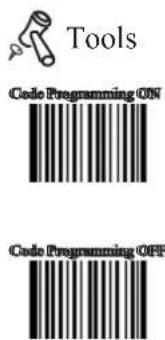
Allow Read Batch Code
【Pro CMD: 0001110】
Appendix
Digit Code
It is must to be read save after read digit code.
0
【Pro CMD: 0000000】
1
【Pro CMD: 0000010】
2
【Pro CMD: 0000020】
3
【Pro CMD: 0000030】
4
【Pro CMD: 0000040】
5
【Pro CMD: 0000050】
6
【Pro CMD: 0000060】
7
【Pro CMD: 0000070】
8
【Pro CMD: 0000080】
9
【Pro CMD: 0000090】
A
【Pro CMD: 0000100】
B
【Pro CMD: 0000110】
C
【Pro CMD: 0000120】
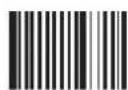
D
【Pro CMD: 0000130】
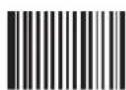
E
【Pro CMD: 0000140】
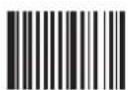
F
【Pro CMD: 0000150】
Save and Abort
In order to save the data received “Save” has to be read after data transition completed. If error occurs when reading data,
the wrong data can be deleted and the setting up can be done again..
Eg, after a program code is received then ‘1 2 3’ in order is received, if then read “Abort One Data of Current Setting” the “3” will be deleted; if read “Abort One String of Current Setting” the ‘123’ will be deleted; if read “Abort Current Setting” both the program code and ‘123’ will be deleted, the device will be on status of “initiating program code”
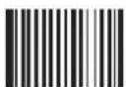
Save
【Pro CMD: 0000160】
Abort Current Setting
【Pro CMD: 0000190】
Abort One Data of Current Setting
【Pro CMD: 0000170】
Abort One String of Current Setting
【Pro CMD: 0000180】
- Fixed Type Industrial level
- User Guide
- NEWLAND
- 目录
- About This Reference 1
- Getting Start 2
- USB Interface 22
- Symbologies 40
- Message Intersect & Pack 98
- Batch Programming 106
- Appendix 107
- About This Reference
- Getting Start
- Unpacking
- Outline
- Communication Ports
- USB:
- RS232:
- ON, OFF, IDLE, RESTART
- Power On
- Power Off
- IDLE Mode
- RESTART
- Programming Outline
- Introduction
- Code Programming
- Command Programming
- Reading
- Illumination
- Aiming
- Mode Selection
- Sensor Mode Timeout
- Sensor Mode Sensitivity
- Reading Stance
- Constrain Multi-reading
- Factory Default
- User Default
- Program Beeper
- System Information
- Maintenance
- USB Interface
- USB Country Keyboard Types
- Example
- Emulate Norway keyboard:
- Keystroke Delay
- CAPS Lock Override
- USB DataPipe
- RS232 Interface
- Baud Rate
- Parity Check
- Data Bits Transmitted
- Stop Bits
- General Options
- Code 128
- Check Digit
- Select Message Length
- Check Byte
- UCC/EAN-8
- Digits Addenda Code
- EAN-13
- Digits Addenda Code
- UPC-E
- UPC-A
- Interleaved 2 of 5
- Fixed Length Selection
- ITF-14
- ITF-6
- China Post 25
- Code 39
- Decode ASCII
- Codabar
- Code 93
- PDF417
- QR Code
- QR Twin Code
- Aztec Code
- Data Matrix
- Chinese-Sensible Code
- OCR Selections
- Inrtuducation
- Prefix/Suffix
- Intruducation
- General Programming
- Prefix Sequences
- User Prefix
- Prohibit or Allow User Prefix
- Program User Prefix
- AIM Prefix
- Code ID Prefix
- Code ID Default
- Modify Code ID
- User Suffix
- Prohibit or Allow User Suffix
- Program User Suffix
- Prohibit or Allow Stop Suffix
- Program Stop Suffix
- Message Intersect & Pack
- Message Intersect
- 1D, Program Intersect Option
- Rules:
- 2D, Program Intersect Option
- Message Pack
- Normal Pack
- ESC AddLen Pack
- Batch Programming
- Itruducation
- Appendix
- Digit Code
- Save and Abort
Brand : Newland
Model : FM208
Category : Barcode Reader