IP1210T - Stove Oursson - Free user manual and instructions
Find the device manual for free IP1210T Oursson in PDF.


| Product Type | Portable Induction Cooktop |
| Brand | Oursson |
| Model | IP1210T |
| Power Consumption | 1800 W |
| Number of Cooking Zones | 1 |
| Control Type | Touch Control |
| Cooking Surface Material | Ceramic Glass |
| Timer Function | Yes, 0-180 minutes |
| Temperature Range | 60°C - 240°C |
| Power Levels | 10 levels |
| Auto Shut-off | Yes, after 2 hours of inactivity |
| Child Lock | Yes |
| Overheat Protection | Yes |
| Dimensions (W x D x H) | 280 x 350 x 60 mm |
| Weight | 2.5 kg |
| Voltage | 220-240 V |
| Frequency | 50/60 Hz |
| Cable Length | 1.2 m |
| Warranty | 2 years |
| Compatible Cookware | Magnetic bottom pans (iron, steel, enameled iron) |
Frequently Asked Questions - IP1210T Oursson
User questions about IP1210T Oursson
0 question about this device. Answer the ones you know or ask your own.
Ask a new question about this device
Download the instructions for your Stove in PDF format for free! Find your manual IP1210T - Oursson and take your electronic device back in hand. On this page are published all the documents necessary for the use of your device. IP1210T by Oursson.
USER MANUAL IP1210T Oursson
Induction plate IP1210T

natural_image
Simple white heart outline on a solid red background (no text or symbols)Congratulations on your purchase induction plate OURSSON!
The induction cooker works on the basis of an electromagnet that creates a powerful, high-frequency electromagnetic field. When cookware consisting of magnetic material (e.g. iron) is placed on the induction cooker, the electromagnetic field transfers energy to the bottom of the cookware, which causes the cookware and the food inside it to become hot. The amount of heat generated in the cookware is controlled by varying the strength of the electromagnetic field. When the strength of the electromagnetic field is changed, the temperature of the cookware changes instantly.
ADVANTAGES OF THE INDUCTION COOKER
- Safe: the induction cooker does not make use of an open flame or fire. It also has a number of safety features, which allow you to enjoy cooking with your family whenever you want.
- Fast: in induction cooking, the cookware serves as the heat source. This results in much faster and more even heat transfer, shortening the cooking time by more than 1/3 compared to conventional cooking.
- Versatile: the induction cooker has 2 preset cooking modes, each with its own optimal heating pattern. These modes allow you to prepare a great variety of nutritious meals.
- Very user friendly: the simple and interactive control panel and display allow you to easily adjust the settings at the touch of a button.
- Comfortable: the induction cooking process is smoke-free and produces less grease. Moreover, the cooker and the surrounding area stay cool. This allows you to cook in a cool and comfortable environment.
- Portable: the induction cooker has a compact design and the cooking plate stays cool. This means the appliance is always safe to use and allows you to cook anywhere in your home.
IMPORTANT
Read this user manual carefully before you use the appliance and save it for future reference.
DANGER
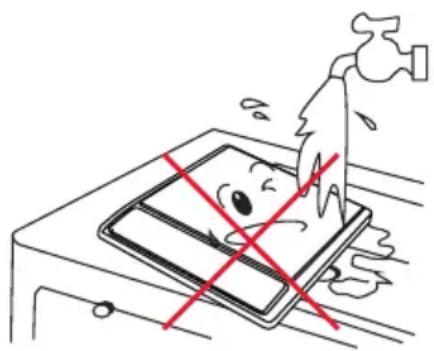
- Never immerse the appliance in water or rinse it under the tap.
- Do not cover any part of the cooking plate with aluminium foil to prevent the risk of electric shock, short circuiting or fire.
natural_image
Illustration of a hand washing a tablet with a red cross mark, no text or symbols presentWARNING
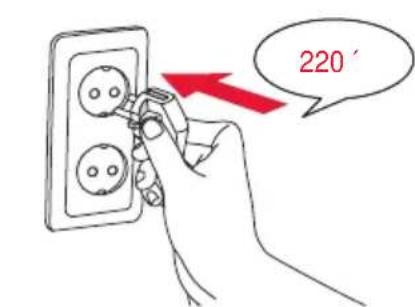
- Check if the voltage indicated on the appliance corresponds to the local mains voltage before you connect the appliance.
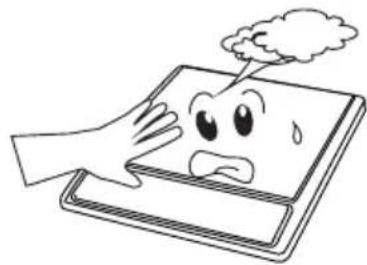
- The temperature of accessible surfaces may be high when the appliance operates.
- Only connect the appliance to an earthed wall socket. Always make sure the plug is inserted firmly into the socket.
- Do not use the appliance if the plug, the mains cord or the appliance itself is damaged.
- If the mains cord is damaged, you must have it replaced by Oursson, a service centre authorised by Oursson or similarly qualified persons in order to avoid a hazard.
- If the surface of the cooking plate is cracked, switch off the appliance and do not use it anymore to prevent the risk of electric shock.
- This appliance is not intended for use by persons (including children) with reduced physical, sensory or mental capabilities, or lack of experience and knowledge, unless they have been given supervision or instruction concerning use of the appliance by a person responsible for their safety.
• Children should be supervised to ensure that they do not play with the appliance. - Keep the mains cord out of the reach of children. Do not let the mains cord hang over the edge of the table or worktop on which the appliance stands.
- Make sure the cooking plate is clean and dry before you switch on the appliance.
- Do not cover the air outlet while the induction cooker is operating.
- Do not plug in the appliance or operate the control panel with wet hands.
- Do not touch the cooking plate after cooking, as it retains heat from the cookware.
- Metallic objects such as knives, forks, spoons and lids should not be placed on the cooking plate since they can get hot.
natural_image
Cartoon illustration of a hand holding a tablet with a sad face and cloud above, no text or symbols present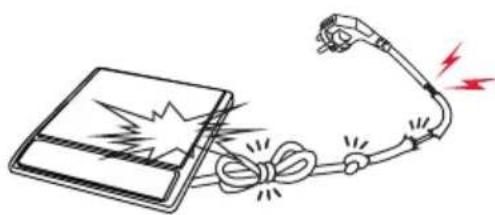
natural_image
Illustration of a device emitting a lightning bolt and cable with red lightning bolts (no text or symbols)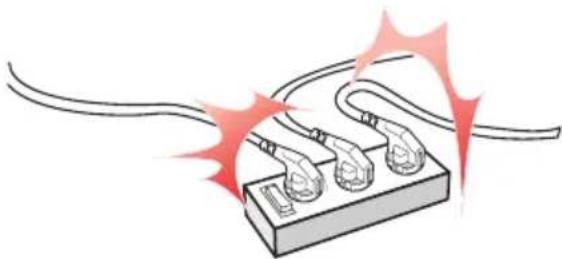
natural_image
Illustration of a plug socket with three connectors and two leads, emitting red spark effects (no text or symbols)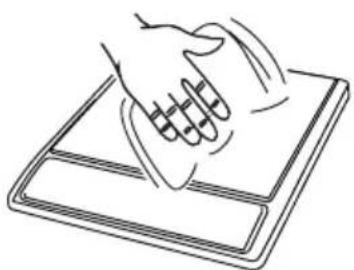
natural_image
Line drawing of a hand pressing down on a flat surface with motion lines (no text or symbols)CAUTION
- Never use any accessories or parts from other manufacturers or that Oursson does not specifically recommend. If you use such accessories or parts, your guarantee becomes invalid.
- Do not expose the induction cooker to high temperatures, hot gas, steam or damp heat. Do not place the induction cooker on or near an operating or still hot stove or cooker.
• Always switch off the appliance before you unplug it. - Always unplug the appliance and let it cool down before you clean it.
- This appliance is intended for indoor household use only. If the appliance is used improperly or for professional or semi-professional purposes or if it is not used according to the instructions in the user manual, the guarantee becomes invalid and Oursson will not accept liability for any damage caused.
- Place the induction cooker on a stable, horizontal and level surface and make sure there is at least 10cm free space around it to prevent overheating.
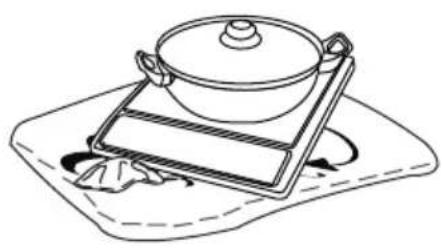
- Do not operate the appliance on a plastic tablecloth.
- Do not place anything between the cookware and the cooking plate.
- The maximum weight that can be put on the induction cooker is 7kg.
- Beware of hot steam that comes out of the cookware during cooking or when you remove the lid.
- Do not lift and move the induction cooker while it is operating.
- Never put empty cookware on the switched-on induction cooker, as this could cause the cookware to become distorted or the heating coil to become damaged.
- Do not store flammable materials and liquids near or on the induction cooker.
- Avoid hard contact between the cookware or other objects and the cooktop.
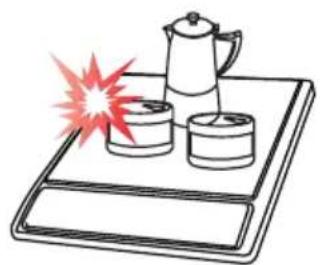
• Always place the cookware on the cooking zone
natural_image
Line drawing of a cooking pan on a tray with a lid, no text or symbols present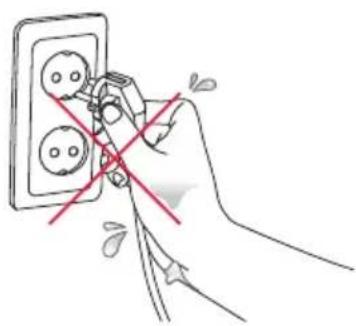
natural_image
Hand using a power plug to cut electrical socket socket (no text or symbols visible)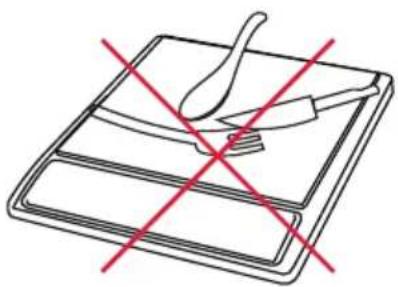
natural_image
Simple line drawing of a tray with a knife and a fork, crossed by red diagonal lines (no text or symbols)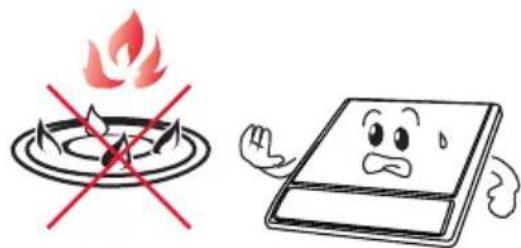
natural_image
Illustration of a coffee pot on a tray with two cups and a red explosion effect (no text or symbols)during cooking.
- Never connect this appliance to an external timer switch or remote control system in order to avoid a hazardous situation.
- Do not use cookware with a bottom diameter of more than 16cm to deep-fry food, as this causes the appliance to malfunction.
AUTOMATIC SHUT-OFF
The appliance is equipped with automatic shut-off. It switches off automatically:
If there is no cookware or unsuitable cookware on the cooking place when you press the start button or if you remove cookware from the cooking plate during cooking, the cooker beeps continuously, the display shows ‘----’. The cooker automatically switches off after 1 minute unless you put the cookware back onto the cooking plate within this minute.
ELECTROMAGNETIC FIELDS (EMF)
This Oursson appliance complies with all standards regarding electromagnetic fields (EMF). If handled properly and according to the instructions in this user manual, the appliance is safe to use based on scientific evidence available today.
BEFORE FIRST USE
Remove all packaging material from the induction cooker.
PREPARING FOR USE
- Place the appliance on a dry, stable and level surface.
- Make sure there is at least 10cm free space around the appliance to prevent overheating.
- Always place the cookware on the cooking zone during cooking.
- Make sure you use cookware of the correct type and size (see the tables below).
RECOMMENDED TYPES AND SIZES OF COOKWARE
ATTENTION! Use only the cookware suitable for induction plates.


| Suitable cookware for the induction plates Cookware NOT suitable for the induction cooker | |
| Cookware with a bottom made of iron or magnetic stainless steel | Cookware with a bottom made of non-iron metal, glass, aluminium and copper |
Cookware with a flat bottom | Cookware with a concave or convex bottom   |
Cookware with a bottom diameter of 12-20cm, depending on the cooking mode(see tips below) | Cookware with a bottom diameter of less than 12cm |
| Cookware with a weight of up to 7kg (including contents) | Cookware with a weight over 7kg (including contents) |
Tip: When you cook in the manual mode, you can use cookware with a bottom diameter of 12-20cm. Tip: To deep-fry food, we advise you to use cookware with a bottom diameter of 12-16cm.
GENERAL DESCRIPTION
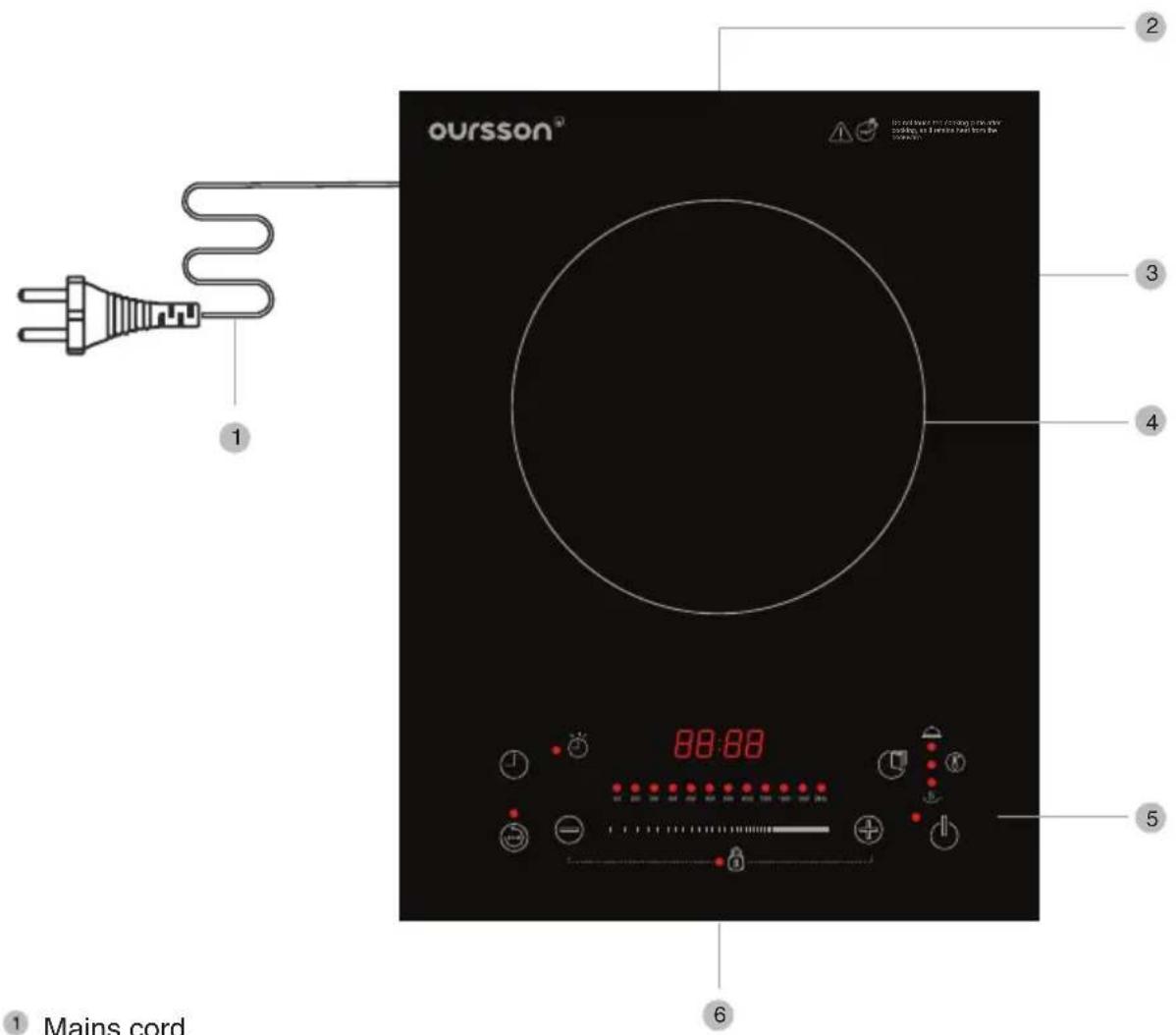
1 Mains cord
2 Air outlet
3 Cooktop
4 Cooking zone
5 Control panel
6 Air inlet
CONTROL PANEL
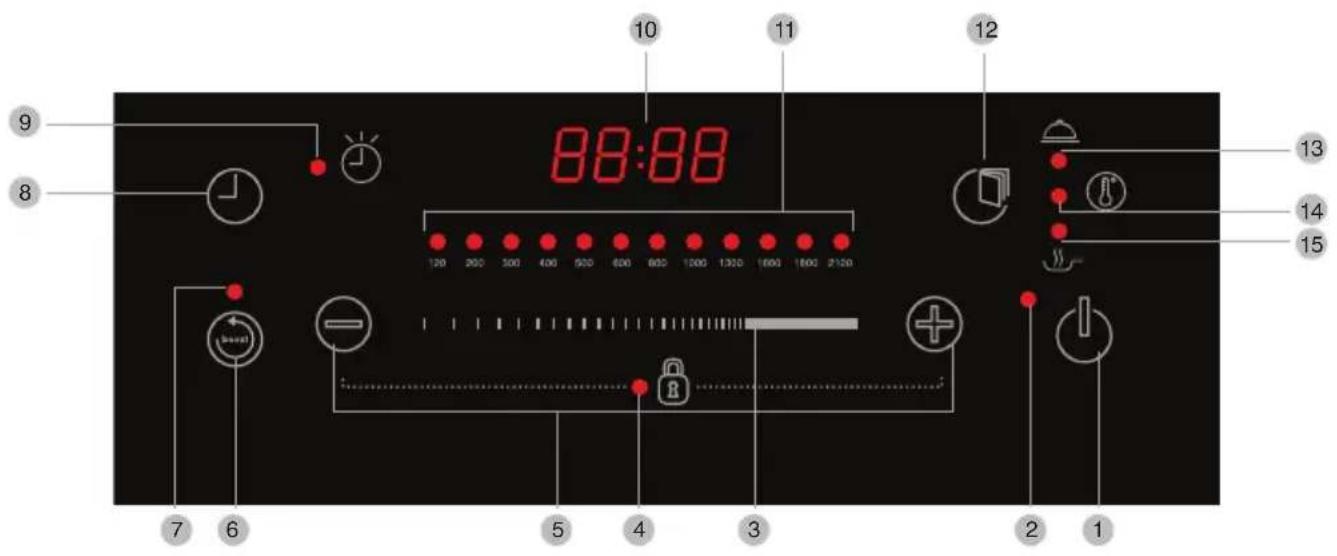
1 Mains switch ON/OFF
2 Power ON light
3 The power adjustment slider
4 CHILD LOCK light
5 + and - buttons
6 BOOST mode button
7 BOOST mode light
8 COOKING TIMER mode button

9 Timer mode light
10 Display
11 Power heating level lights
12 MODE button
13 Preheating mode light
14 Temperature mode light
15 Stir frying mode light
USING THE APPLIANCE
Use this button to switch ON/OFF the main power of the induction plate.
Use this ⨣ and ⨣ buttons to adjust the power hearting level or temperature, or to set the cooking timer.
Use the power adjustment power to set the power hearting level or temperature.
Use BOOST button to cook with maximum power hearting in any time.
Use this button ⏻ to use COOKING TIMER mode.
Use this button Ⓞ to switch the induction plate between three modes:
- Preheating
• Temperature mode indication - Frying.
Only use cookware that is suitable for induction cooking (see chapter 'Preparing for use').
Note: Always place and use the appliance on a dry, stable and level surface.
Compliance with the values of the levels of heating power and temperature
| Temperature | Power level hearting |
| 60°C 100 Watt | |
| 80°C 200 Watt | |
| 100°C 300 Watt | |
| 120°C 400 Watt | |
| 140°C 500 Watt | |
| 160°C 600 Watt | |
| 170°C 700 Watt | |
| 180°C 800 Watt | |
| 190°C 1000 Watt | |
| 200°C 1300 Watt | |
| 220°C 1600 Watt | |
| 240°C 2000 Watt |
USING THE DIFFERENT MODES
You can simply operate the appliance manually
- Put the mains plug in the wall socket, the appliance produce a 2-second beep. «L» shows and blink on the display. The induction plate goes to the stand-by mode.
- Touch the ⏻ button to switch ON the induction plate, display shows «--».
Tip: The induction plate automatically switch to the stand-by mode if you don't touch any key after less 1 minute. The appliance produce a 2-second beep.
- Place the cookware on the cooking zone
- Press the and or use the slider control to set the power heating level.
- After setting heating power levels the induction plate start to heat automatically.
- Touch the ⏻ button to switch OFF the induction plate after you finish cooking. The induction plates switch to the stand-by mode, display shows «L». After less 1 minute the cooling fan will switch off.
Tip: If no any cookware on the induction plate in a cooking mode, the induction plate don't hearing and produce 1-second beep. After 1 minute the induction plate automatically switch in to stand-by mode.
Any time you touch the buttons the induction plate produce 1-second beep signal.
THE HEATING POWER LEVEL ADJUSTMENT
You can simply operate the appliance manually
- Touch the ⭕ and ⏻ buttons to set the power level. During you touch buttons, the power heating lights goes on by rotation.
- Touch the ⭕ or ⏻ buttons, then use the slider by touching from left to right and back to set and adjust the heating power level. The power heating lights goes on by rotation.
THE TEMPERATURE ADJUSTMENT
You may use two ways to set and adjust the heating temperature:
- After switch ON the induction plate and setting the heating power level, touch the 📋 button two times, to choose temperature mode. The induction plate produce 1-second beep and the display shows the temperature 160°C, heating power level lights goes on and the temperature mode light goes on too.
- Touch the ⭕ and ⏻ buttons to set the temperature. During you touch buttons, the display shows temperature from 60°C to 240°C. Choose the temperature and the induction plate automatically start heating.
- Use the slider by touching from left to right and back to set and adjust the temperature heating. The display shows temperature from 60°C to 240°C. Choose the temperature and the induction plate automatically start heating.
THE SETTING AND USING PREHEAT AND STIR FRYING MODES
- Preheat mod. After setting power level, you should touch 📋 button 1 time to choose the preheat mode. The preheat mode light goes on. The display shows the temperature 60°C, heating power level lights shows 100 Watt. These values are set by default. Your induction plate is in preheat mode.
- Stir frying mode. After setting power level, you should touch ☐ button 3 time to choose the stir frying mode. The stir frying mode light goes on. The display shows the temperature 160^ , heating power level lights shows 600 Watt. These values are set by default. Your induction plate is in stir frying mode. You may use the + and - buttons to adjust the heating power level or the temperature. Tip: You can't to adjust the power level and temperature in a preheat mode.
BOOST MODE
- If you need the maximum power of heating level in any time during cooking, please touch the BOOST button one time. The induction plate automatically switch to the maximum heating power level 2100 Watt, the boost mode light goes on.
- To stop the BOOST mode, touch the BOOST button again one time, the boost mode light goes OFF and the induction plate back to the preset heating power level.
- You may stop BOOST mode also by touch button.
Note: You may use BOOST mode during cooking after setting the power heating level.
COOKING TIME SET MODE
- Touch the button one time during the cooking mode, the cooking time light goes on. The induction plate is in stand-by mode to set the cooking time. Set the cooking time by using the + and - buttons. When you press the + and - buttons, riefly, the time increases or decreases by 1 minute. When you press the buttons longer, the time increases or decreases by 10 minutes. You may set the cooking tome from 0 to 180 minutes. After you stop to set the cooking time, the display shows preset cooking time. The countdown starts automatically.
- If you set preheat or stir fry mode with cooking timer mode together, the display shows the value of each modes by rotation.
- After the cooking time finish countdown the induction plate stops heating and switch on to stand-by mode.
- The default value of cooking timer is 1 hours.
CHILD LOCK FUNCTION
- Use this function to lock the control panel operation. Touch the ⭕ and ⏻ buttons together longer few seconds. Child lock light goes on. You may operate only by ⏻ button, all other buttons locked.
- To unlock the control panel touch ⭕ and ⏻ buttons together longer few seconds. Child lock light goes off.
Note: Unplug the appliance after use.
CLEANING AND MAINTENANCE
Cleaning
Never immerse the appliance in water nor rinse it under the tap.
Never use scouring pads, abrasive cleaning agents or aggressive liquids such as petrol or acetone to clean the appliance.
Do not put vinegar on the cooktop.
- Unplug the appliance and let it cool down.
- Clean the appliance with a damp cloth and if necessary, with some mild cleaning agent.
Maintenance
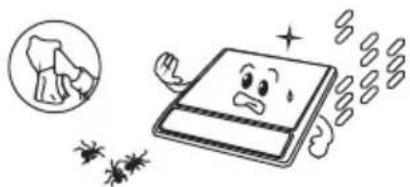
Improper use can lead to scratches on the cooking plate.
To avoid discolouring and scratches, use the appliance according to the instructions in this user manual and always clean the appliance and cookware properly after use.
natural_image
Cartoon illustration of a book character with sad expression and floating insects (no text or symbols)STORAGE
Do not place heavy objects on the cooktop as it is breakable.
Do not store the appliance in a hot place, for example near a cooker.
If you are not going to use the appliance for a longer period of time, we advise you to store the appliance in a dry and safe place.
TROUBLESHOOTING
If your induction cooker does not function properly or if the cooking quality is insufficient, consult the table below. If you are unable to solve the problem, contact a Oursson service centre or the Customer Care Centre in your country.
| Problem/ Codes on the display | Message Solution/What you should do |
| The power-on light does not go on. There is a connection problem.Check if the induction cooker is connected to the mains and if the plug is inserted firmly into the wall socket.Check if the power cord have no damaged. | |
| The power on lights on the panel goes on, but the induction plate don't heating. Check if the using cookware are suitable for induction plates.Check if the bottom size no less then 12cm.Take the appliance to your Oursson dealer or a service centre authorised by Oursson. | |
| The induction plate stops heating during cooking mode. Check if the air outlet do not cover while the induction cooker is operating.Check if the cooking timer is finished countdown.Automatic protection system of induction plate switch on. Disconnect the power cord from the wall socket. Wait a few minutes, connect the power cord into the wall socket, touch button.Take the appliance to your Oursson dealer or a service centre authorised by Oursson. | |
| E3; E6 The induction plate inside parts are over heated. | Automatic protection system of induction plate switch on. Disconnect the power cord from the wall socket. Wait a few minutes, connect the power cord into the wall socket, touch button.Check if the air outlet do not cover while the induction cooker is operating.Take the appliance to your Oursson dealer or a service centre authorised by Oursson. |
| E7; E8 Unstable voltage in power supply network | Check if the voltage in your home is suitable for the induction cooker |
| E1; E2; E4; E5; Eb; EC | Take the appliance to your Oursson dealer or a service centre authorised by Oursson. |
| Technical specification | |
| Model name IP1210T | |
| Power consumption, Watt 2000 | |
| Voltage ~ 220 V; 50 Hz | |
| Protection class I | |
| The storage and delivering temperature from -25°C till +35°C | |
| Operation temperature from +5°C till +35°C | |
| Air humidity 15-75% | |
| Net weight 2,8 kg | |
| Dimensions, mm 375x290x62 | |

bar
| Category | Value | |---|---| | Category 1 | 100 | | Category 2 | 100 | | Category 3 | 100 | | Category 4 | 100 | | Category 5 | 100 | | Category 6 | 100 | | Category 7 | 100 | | Category 8 | 100 | | Category 9 | 100 | | Category 10 | 100 | | Category 11 | 100 | | Category 12 | 100 | | Category 13 | 100 | | Category 14 | 100 | | Category 15 | 100 | | Category 16 | 100 | | Category 17 | 100 | | Category 18 | 100 | | Category 19 | 100 | | Category 20 | 100 | | Category 21 | 100 | | Category 22 | 100 | | Category 23 | 100 | | Category 24 | 100 | | Category 25 | 100 | | Category 26 | 100 | | Category 27 | 100 | | Category 28 | 100 | | Category 29 | 100 | | Category 30 | 100 | | Category 31 | 100 | | Category 32 | 100 | | Category 33 | 100 | | Category 34 | 100 | | Category 35 | 100 | | Category 36 | 100 | | Category 37 | 100 | | Category 38 | 100 | | Category 39 | 100 | | Category 40 | 100 | | Category 41 | 100 | | Category 42 | 100 | | Category 43 | 100 | | Category 44 | 100 | | Category 45 | 100 | | Category 46 | 100 | | Category 47 | 100 | | Category 48 | 100 | | Category 49 | 100 | | Category 50 | 100 | | Category 51 | 100 | | Category 52 | 100 | | Category 53 | 100 | | Category 54 | 100 | | Category 55 | 100 | | Category 56 | 100 | | Category 57 | 100 | | Category 58 | 100 | | Category 59 | 100 | | Category 60 | 100 | | Category 61 | 100 | | Category 62 | 100 | | Category 63 | 100 | | Category 64 | 100 | | Category 65 | 100 | | Category 66 | 100 | | Category 67 | 100 | | Category 68 | 100 | | Category 69 | 100 | | Category 70 | 100 | | Category 71 | 100 | | Category 72 | 100 | | Category 73 | 100 | | Category 74 | 100 | | Category 75 | 100 | | Category 76 | 100 | | Category 77 | 100 | | Category 78 | 100 | | Category 79 | 100 | | Category 80 | 100 | | Category 81 | 100 | | Category 82 | 100 | | Category 83 | 100 | | Category 84 | 100 | | Category 85 | 100 | | Category 86 | 100 | | Category 87 | 100 | | Category 88 | 100 | | Category 89 | 100 | | Category 90 | 100 | | Category 91 | 100 | | Category 92 | 100 | | Category 93 | 100 | | Category 94 | 100 | | Category 95 | 100 | | Category 96 | 100 | | Category 97 | 100 | | Category 98 | 100 | | Category 99 | 100 | | Total (Total) = [sum of bars] / [values] * (sum of bars + bars) * (sum of bars + bars) * (sum of bars + bars). The values in the table represent the sum of the bars and the corresponding sum of the bars. There is no additional data series or categories specified in the code.www.oursson.com
