
AOC-CTG-i1S - Network Card/Adapter Supermicro - Free user manual and instructions
Find the device manual for free AOC-CTG-i1S Supermicro in PDF.


| Product Type | Network Adapter / NIC |
| Brand | Supermicro |
| Model | AOC-CTG-i1S |
| Form Factor | Low-profile PCIe |
| Dimensions (W x H) | 6.6 x 2.7 inches (16.8 x 6.9 cm) |
| Weight | Approx. 100 g (3.5 oz) |
| Power Consumption | 8 W (typical) |
| Network Ports | 2 x 10GBase-T (RJ45) |
| Data Rate | 10 Gbps per port |
| Controller Chip | Intel X550-AT2 |
| Bus Interface | PCI Express 3.0 x8 |
| Supported Standards | IEEE 802.3an (10GBASE-T), 802.3x, 802.3az |
| Operating Temperature | 0°C to 55°C (32°F to 131°F) |
| Storage Temperature | -40°C to 70°C (-40°F to 158°F) |
| OS Support | Windows Server, Linux, VMware ESXi |
| Maintenance | Clean with compressed air; avoid liquid cleaners |
| Safety | Handle with ESD precautions; install in grounded chassis |
| Spare Parts / Repairability | No user-serviceable parts; contact support for replacement |
| General Information | Supermicro AOC-CTG-i1S 10GbE dual-port adapter; includes low-profile bracket |
Frequently Asked Questions - AOC-CTG-i1S Supermicro
User questions about AOC-CTG-i1S Supermicro
0 question about this device. Answer the ones you know or ask your own.
Ask a new question about this device
Download the instructions for your Network Card/Adapter in PDF format for free! Find your manual AOC-CTG-i1S - Supermicro and take your electronic device back in hand. On this page are published all the documents necessary for the use of your device. AOC-CTG-i1S by Supermicro.
USER MANUAL AOC-CTG-i1S Supermicro
natural_image
Green printed circuit board with various components and connectors (no visible text or symbols)User's Guide
Revision 1.0
The information in this User's Guide has been carefully reviewed and is believed to be accurate. The vendor assumes no responsibility for any inaccuracies that may be contained in this document, and makes no commitment to update or to keep current the information in this user's guide, or to notify any person or organization of the updates. Please Note: For the most up-to-date version of this user's guide, please see our Website at www.supermicro.com.
Super Micro Computer, Inc. ("Supermicro") reserves the right to make changes to the product described in this user's guide at any time and without notice. This product, including software and documentation, is the property of Supermicro and/or its licensors, and is supplied only under a license. Any use or reproduction of this product is not allowed, except as expressly permitted by the terms of said license.
IN NO EVENT WILL SUPER MICRO COMPUTER, INC. BE LIABLE FOR DIRECT, INDIRECT, SPECIAL, INCIDENTAL, SPECULATIVE OR CONSEQUENTIAL DAMAGES ARISING FROM THE USE OR INABILITY TO USE THIS PRODUCT OR DOCUMENTATION, EVEN IF ADVISED OF THE POSSIBILITY OF SUCH DAMAGES. IN PARTICULAR, SUPER MICRO COMPUTER, INC. SHALL NOT HAVE LIABILITY FOR ANY HARDWARE, SOFTWARE, OR DATA STORED OR USED WITH THE PRODUCT, INCLUDING THE COSTS OF REPAIRING, REPLACING, INTEGRATING, INSTALLING OR RECOVERING SUCH HARDWARE, SOFTWARE, OR DATA.
Any disputes arising between the manufacturer and the customer shall be governed by the laws of Santa Clara County in the State of California, USA. The State of California, County of Santa Clara shall be the exclusive venue for the resolution of any such disputes. Supermicro's total liability for all claims will not exceed the price paid for the hardware product.
FCC Statement: This equipment has been tested and found to comply with the limits for a Class A digital device pursuant to Part 15 of the FCC Rules. These limits are designed to provide reasonable protection against harmful interference when the equipment is operated in a commercial environment. This equipment generates, uses, and can radiate radio frequency energy and, if not installed and used in accordance with the manufacturer's instruction manual, may cause harmful interference with radio communications. Operation of this equipment in a residential area is likely to cause harmful interference, in which case you will be required to correct the interference at your own expense.
California Best Management Practices Regulations for Perchlorate Materials: This Perchlorate warning applies only to products containing CR (Manganese Dioxide) Lithium coin cells. "Perchlorate Material-special handling may apply. See www.dtsc.ca.gov/hazardouswaste/perchlorate".
WARNING: Handling of lead solder materials used in this product may expose you to lead, a chemical known to the State of California to cause birth defects and other reproductive harm.
User's Guide Revision 1.0
Release Date: July 11, 2012
Unless you request and receive written permission from Super Micro Computer, Inc., you may not copy any part of this document.
Information in this document is subject to change without notice. Other products and companies referred to herein are trademarks or registered trademarks of their respective companies or mark holders.
Copyright © 2012 by Super Micro Computer, Inc.
All rights reserved.
Printed in the United States of America
Preface
About this User's Guide
This user's guide is written for system integrators, PC technicians and knowledgeable PC users. It provides information for the installation and use of the AOC-CTG-i1S add-on card.
About this Add-on Card
The AOC-CTG-i1S 10 Gigabit Ethernet Adapter is a flexible and scalable Ethernet adapter designed for today's demanding data center environments. Based on Intel's 82599EN 10GbE network controller, the AOC-CTG-i1S addresses the demanding needs of next-generation data centers by providing virtualization features, LAN and SAN networking flexibility, and proven reliable performance. The AOC-CTG-i1S is designed in a small microLP form factor to fit within Supermicro Twin server systems.
An Important Note to the User
All images and layouts shown in this user's guide are based upon the latest PCB Revision available at the time of publishing. The card you have received may or may not look exactly the same as the graphics shown in this user's guide.
Returning Merchandise for Service
A receipt or copy of your invoice marked with the date of purchase is required before any warranty service will be rendered. You can obtain service by calling your vendor for a Returned Merchandise Authorization (RMA) number. When returning the motherboard to the manufacturer, the RMA number should be prominently displayed on the outside of the shipping carton, and the shipping package is mailed prepaid or hand-carried. Shipping and handling charges will be applied for all orders that must be mailed when service is complete. For faster service, You can also request a RMA authorization online (http://www.supermicro.com).
This warranty only covers normal consumer use and does not cover damages incurred in shipping or from failure due to the alternation, misuse, abuse or improper maintenance of products.
During the warranty period, contact your distributor first for any product problems.
Conventions Used in the User's Guide
Pay special attention to the following symbols for proper system installation and to prevent damage to the system or injury to yourself:

Warning: Important information given to ensure proper system installation or to prevent damage to the components or injury to yourself.

Note: Additional information given to differentiate between various models or provides information for correct system setup.
Naming Convention

| Character | Representation | Options |
| 1st | Product Family | AOC: Add On Card |
| 2nd | Form Factor | U: UIO, S: Standard, P: Proprietary, C: MicroLP |
| 3rd | Product Type/Speed | G: GbE (1Gb/s), TG: 10GbE (10Gb/s), IBF: IB FDR (55Gb/s)IBQ: IB QDR (40Gb/s), INF: InfiniBand DDR (20Gb/s) |
| 4th | Chipset Model (Optional) | N: Niantec (82599ES), P: Powerville (i350) |
| 5th | Chipset Manufacturer | i: Intel, m: Mellanox |
| 6th | Number of Ports | 1: 1 port, 2: 2 ports, 4: 4 ports |
| 7th | Connector Type (Optional) | S: SFP+, T: 10GBase-T |
SMC Networking Add-on Cards
| Model | Type | Form Factor | Interface | Controller | Connection | Dimension (without Brackets) (H x L) |
| SG-i2 | GbE | Standard LP | PCI-E x4 | Intel® 82575EB | 2 RJ45 (1Gb/port) | 5.2" (13.2cm) x 2.5" (6.4cm) |
| SG-i4 | GbE | Standard LP | PCI-E x8 | Intel® 82576EB | 4 RJ45 (1Gb/port) | 5.8" (14.7cm) x 2.5" (6.4cm) |
| SGP-i4 | GbE | Standard LP | PCI-E x4 | Intel® i350 | 4 RJ45 (1Gb/port) | 3.9" (9.9cm) x 2.5" (6.4cm) |
| STG-i2T | 10GbE | Standard LP | PCI-E x8 | Intel® X540 | 2 RJ45 (10Gb/port) | 5.4" (13.7cm) x 2.5" (6.4cm) |
| STGN-i2S | 10GbE | Standard LP | PCI-E x8 | Intel® 82599ES | 2 SFP+ (10Gb/port) | 5.4" (13.7cm) x 2.5" (6.4cm) |
| STG-i2 | 10GbE | Standard LP | PCI-E x8 | Intel® 82598EB | 2 CX4 (10Gb/port) | 5.6" (14.1cm) x 2.5" (6.4cm) |
| PG-i2+ | GbE | Proprietary LP | PCI-E x4 | Intel® 82576EB | 2 RJ45 (1Gb/port) | 3.8" (9.6cm) x 2.5" (6.4cm) |
| UG-i4 | GbE | UIO FH | PCI-E x8 | Intel® 82571EB | 4 RJ45 (1Gb/port) | 6.6" (16.7cm) x 3.9" (9.8cm) |
| UTG-i2 | 10GbE | UIO FH | PCI-E x8 | Intel® 82598EB | 2 CX4 (10Gb/port) | 6.6" (16.7cm) x 3.9" (9.8cm) |
| UIBF-m1 | FDR IB | UIO LP | PCI-E x8 | Mellanox® ConnectX-3 | 1 QSFP (56Gb/port) | 5.6" (14.0cm) x 2.5" (6.4cm) |
| UINF-m2 | DDR IB | UIO LP | PCI-E x8 | Mellanox® ConnectX-2 | 2 CX4 (20Gb/port) | 5.5" (14.0cm) x 2.5" (6.4cm) |
| UIBQ-m1 | QDR IB | UIO LP | PCI-E x8 | Mellanox® ConnectX-2 | 1 QSFP (40Gb/port) | 5.6" (14.3cm) x 2.5" (6.4cm) |
| UIBQ-m2 | QDR IB | UIO LP | PCI-E x8 | Mellanox® ConnectX-2 | 2 QSFP (40Gb/port) | 5.6" (14.3cm) x 2.5" (6.4cm) |
| CGP-i2 | GbE | MicroLP | PCI-E x4 | Intel® i350 | 2 RJ45 (1Gb/port) | 4.5" (11.3cm) x 1.3" (3.4cm) |
| CG-i2 | GbE | MicroLP | PCI-E x4 | Intel® 82580 | 2 RJ45 (1Gb/port) | 4.5" (11.3cm) x 1.3" (3.4cm) |
| CIBF-m1 | FDR IB | MicroLP | PCI-E x8 | Mellanox® ConnectX-3 | 1 QSFP (56Gb/port) | 4.5" (11.3cm) x 1.3" (3.4cm) |
| CTG-i1S | 10GbE | MicroLP | PCI-E x8 | Intel® 82599EN | 1 SFP+ (10Gb/port) | 4.5" (11.3cm) x 1.3" (3.4cm) |
Contacting Supermicro
Headquarters
Address: Super Micro Computer, Inc.
980 Rock Ave.
San Jose, CA 95131 U.S.A.
Tel: +1 (408) 503-8000
Fax: +1 (408) 503-8008
Email: marketing@supermicro.com (General Information)
support@supermicro.com (Technical Support)
Website: www.supermicro.com
Europe
Address: Super Micro Computer B.V.
's-Hertogenbosch, The Netherlands
Tel: +31 (0) 73-6400390
Fax: +31 (0) 73-6416525
Email: sales@supermicro.nl (General Information)
support@supermicro.nl (Technical Support)
rma@supermicro.nl (Customer Support)
Asia-Pacific
Address: Super Micro Computer, Inc.
4F, No. 232-1, Liancheng Rd.
Chung-Ho Dist., New Taipei City 235
Taiwan, R.O.C.
Tel: +886-(2) 8226-3990
Fax: +886-(2) 8226-3991
Website: www.supermicro.com.tw
Email: support@supermicro.com.tw (Technical Support)
Tel: +886-(2) 8226-5990 (Technical Support)
Table of Contents
Preface
Chapter 1 Overview
1-1 Overview 1-1
1-2 Key Features.... 1-1
1-3 Specifications 1-1
Chapter 2 Hardware Components
2-1 Add-On Card Image and Layout.... 2-1
2-2 Major Components.... 2-1
2-3 Connectors and PCB LEDs 2-2
USB Ports 2-2
SFP+ Port 2-2
SFP+ PCB LEDs 2-2
Chapter 3 Installation
3-1 Static-Sensitive Devices.... 3-1
Precautions 3-1
Unpacking 3-1
3-2 Add-On Card Brackets 3-2
3-3 Before Installation 3-2
3-4 Installing the Add-on Card 3-3
3-5 Installing the Windows Operating System 3-3
3-6 Installing the Linux Operating System 3-4
Build a Binary RPM Package....3-4
3-7 Building the Driver Manually 3-4
Chapter 1
Overview
1-1 Overview
Congratulations on purchasing your add-on card from an acknowledged leader in the industry. Supermicro products are designed with the utmost attention to detail to provide you with the highest standards in quality and performance. For product support and updates, please refer to our website at http://www.supermicro.com/products/nfo/networking.cfm#adapter.
1-2 Key Features
The key features of this add-on card include the following:
- Single SFP+ Connector
- MicroLP form factor
• PCI Express 2.0 (up to 5GT/s)
• Intel QuickData Technology
- VMDq, Next-Generation VMDq, and PC-SIG SR-IOV for Virtualized Environments
- Load Balancing on Multiple CPUs
• iSCSI Remote Boot Support
- Fibre Channel over Ethernet (FCoE) Support
- Support for most Network Operating Systems (NOS)
• Supports both DAC Twin Axial and LC Fiber-Optic SR Cables
- RoHS compliant 6/6
1-3 Specifications
General
Intel® 82599EN 10GbE controller
- Compact size microLP form factor
• Single SFP+ port and dual USB 2.0 ports
• PCI-E 2.0 x8 (5GT/s) interface
- Load balancing on multiple CPUs
• iSCSI remote boot support
• Fibre Channel over Ethernet (FCoE) support
- Intel® PROSet Utility for Windows® Device Manager
I/O Features
- Intel QuickData Technology: DMA engine that enhances data acceleration and lowers CPU usage
- Direct Cache Access (DCA) to avoid cache misses
- MSI-X support to minimize the overhead of interrupts, allowing load-balancing between multiple cores/CPUs
- Tx/Rx IP, SCTP, TCP and UDP checksum offloading capabilities (IPv4, IPv6)
- Receive and transmit side scaling for Windows environments and scalable I/O for Linux environments
Virtualization Features
- Supports virtualization features such as VMDq, Next-Generation VMDq (64 queues per port) and PC-SIG SR-IOV implementation
- IPv6 Offloading
• Flexible Port Partitioning: 32 Virtual Functions
• Advanced packet filtering
• VLAN support to allow creation of multiple VLAN segments
Manageability Features
• Preboot eXecution Environment (PXE) support
• Simple Network Management Protocol (SNMP) and Remote
• Network Monitoring (RMON) statistics counters
- iSCSI remote boot
OS Support
- Windows® 7, 2003, 2008, 2008 R2, Vista
• RedHat EL, SuSe SLES - FreeBSD 8.0
VMware
Cables Support
- SFP+ direct attached twin axial cables, up to 10 meters
- Dual LC fiber-optic SR cables, up to 300 meters (optional SFP+ transceiver is required)
Operating Conditions
- Operating temperature: 0°C to 55°C (32°F to 131°F)
Physical Dimensions
- Card PCB dimensions (without end brackets): 12.32cm (4.85in) x 3.9cm (1.54in) (L x W)
Optional Accessories
- AOC-E10GSFPSR: SFP+ transceiver module for short range fiber cables (up to 300m)
• CBL-0347L: 1m Twinax copper cable
• CBL-0348L: 3m Twinax copper cable
• CBL-0349L: 5m Twinax copper cable
Compliance/Environmental
• RoHS Compliant 6/6, Pb Free

Supported Platforms
• Supermicro Twin Server Systems with microLP expansion slot (see table below)
| MicroLP Add-On Card | |||||
| Type | System | AOC-CG-i2 | AOC-CGP-i2 | AOC-CIBF-m1 | AOC-CTG-i1S |
| Microcloud | 5037MC-H8TRF | (1) | |||
| 5037MR-H8TRF | (1) | ||||
| 2U Twin 2+ | 2027TR-H7ORF+ | (1) | (1) | (1) | |
| 2027TR-H71RF+ | (1) | (1) | (1) | ||
| 2027TR-HTRF+ | (1) | (1) | (1) | ||
| 6027TR-H7ORF+ | (1) | (1) | (1) | ||
| 6027TR-H71RF+ | (1) | (1) | (1) | ||
| 6027TR-HTRF+ | (1) | (1) | (1) | ||
| 2U Twin+ | 6027TR-D7ORF+ | (2) | (2) | (2) | |
| 6027TR-D71RF+ | (2) | (2) | (2) | ||
| 6027TR-DTRF+ | (2) | (2) | (2) | ||
| 2027TR-D7ORF+ | (2) | (2) | (2) | ||
| Fat Twin (8 Nodes) | F617R2-R72+ | (1) | (1) | (1) | |
| F617R2-RT+ | (1) | (1) | (1) | ||
| Fat Twin (4 Nodes) | F627R3-R72B+ | (2) | (2) | (2) | |
| F627R3-RTB+ | (2) | (2) | (2) | ||

Notes: (1) = 1U Bracket. (2) = 2U Bracket.
This product is only available as an integrated solution with Supermicro server systems. For the most current product information, visit: www.supermicro.com.
Chapter 2
Hardware Components
2-1 Add-On Card Image and Layout

The AOC-CTG-i1S Layout

2-2 Major Components
The following major components are installed on the AOC-CTG-i1S:
- Intel 82599EN 10GbE Controller
- SFP+ Port
- Dual USB 2.0 Ports
2-3 Connectors and PCB LEDs
USB Ports
Two USB 2.0 ports are located on the add-on card. Refer to the add-on card layout on page 2-1 for the location of the USB ports.
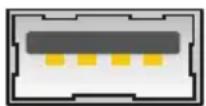
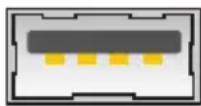
SFP+ Port
A single SFP+ 10GbE adapter port is located on the add-on card. Connect a DAC Twin Axial cable or an LC Fiber-Optic SR cable to the port to provide Gigabit Ethernet communication. Refer to the add-on card layout on Page 2-1 for the location of the SFP+ port.
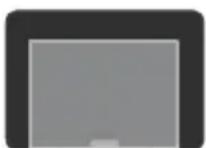
SFP+ PCB LEDs
There are two link LEDs located on the PCB between the SFP+ port and the USB ports (refer to the add-on card layout on Page 2-1 for the location of the LEDs). A solid green LED color indicates a connection speed of 10Gb/s. A solid yellow LED color indicates a connection speed of 1Gb/s.
Chapter 3
Installation
3-1 Static-Sensitive Devices
Electrostatic Discharge (ESD) can damage electronic components. To avoid damaging your add-on card, it is important to handle it very carefully. The following measures are generally sufficient to protect your equipment from ESD.
Precautions
- Use a grounded wrist strap designed to prevent static discharge.
- Touch a grounded metal object before removing the add-on card from the antistatic bag.
- Handle the add-on card by its edges only; do not touch its components, or peripheral chips.
- Put the add-on card back into the antistatic bags when not in use.
- For grounding purposes, make sure that your system chassis provides excellent conductivity between the power supply, the case, the mounting fasteners and the add-on card.
Unpacking
The add-on card is shipped in antistatic packaging to avoid static damage. When unpacking your component or your system, make sure that the person handling it is static protected.

Warning: To avoid damaging your components and to ensure proper installation, be sure to always connect the power cord last, and always remove it before adding, removing or changing any hardware components.
3-2 Add-On Card Brackets
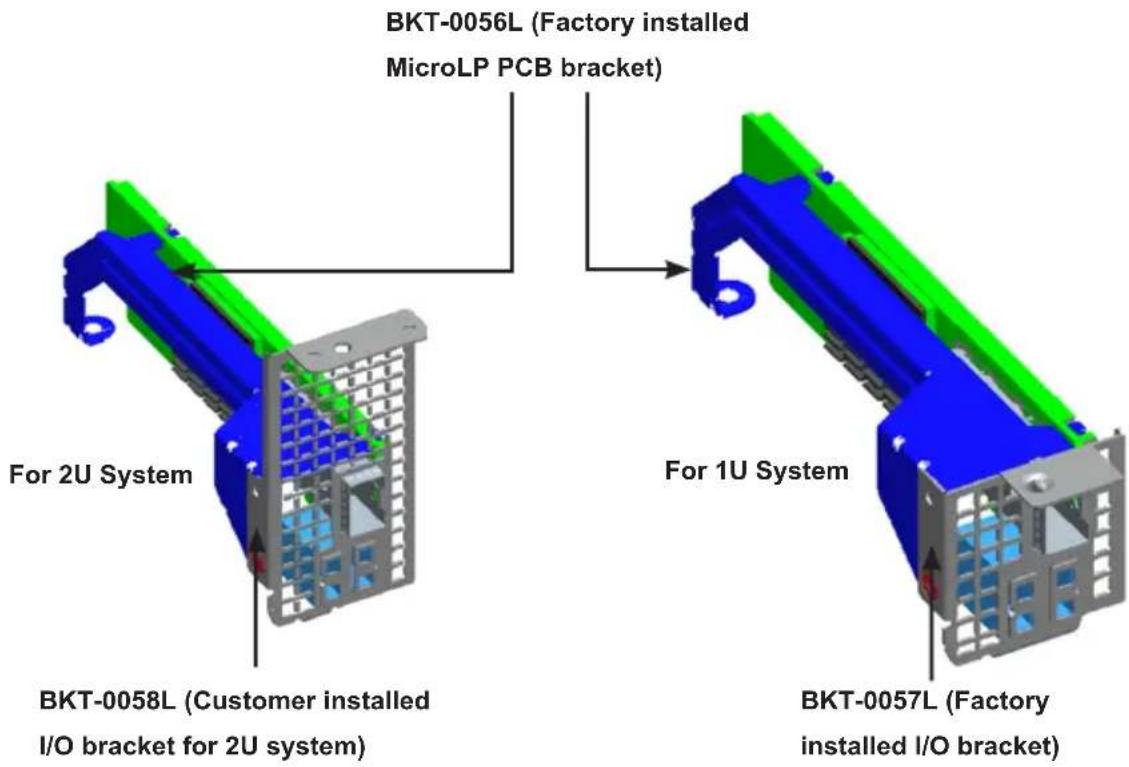
The add-on card ships with a PCB bracket that is pre-installed at the factory. For 1U systems, an I/O bracket is also pre-installed on the card. For 2U systems, the I/O bracket is bundled with the card and must be installed by the customer. See the drawings below for bracket details.
3-3 Before Installation
To install the add-on card properly, be sure to follow the instructions below.
- Power down the system.
- Remove the power cord from the wall socket.
- Use industry standard anti-static equipment (such as gloves or wrist strap) and follow the instructions listed on Page 3-1 to avoid damage caused by ESD.
- Familiarize yourself with the server, motherboard, and/or chassis documentation.
- Confirm that your operating system includes the latest updates and hotfixes.
3-4 Installing the Add-on Card
Follow the steps below to install the add-on card into your system.
- Remove the server cover and, if necessary, set aside any screws for later use.
- Remove the add-on card slot cover. If the case requires a screw, place the screw aside for later use.
- Position the add-on card in the slot directly over the connector, and gently push down on both sides of the card until it slides into the PCI connector.
- Secure the add-on card to the chassis. If required, use the screw that you previously removed.
- Attach any necessary external cables to the add-on card.
- Replace the chassis cover.
- Plug the power cord into the wall socket, and power up the system.
3-5 Installing the Windows Operating System
Follow the steps below to install the drivers needed for your Windows OS support. The controller comes with a driver on the CD-ROM CDR-NIC.
-
Run the CDR-NIC. (If you do not have a product CD-ROM, download drivers from the Supermicro Support Website and then transfer them to your system.)
-
When the SUPERMICRO window appears, click on the computer icon next to the product model.


Note: If the FOUND NEW HARDWARE WIZARD screen displays on your system, click CANCEL.
- Click on INSTALL DRIVERS AND SOFTWARE.
- Follow the prompts to complete the installation.
3-6 Installing the Linux Operating System
Follow the steps below to install the driver to a Linux system.
Build a Binary RPM Package
- Run 'rpmbuild -tb
' - Replace
with the specific filename of the driver.

Note: For the build to work properly, the current running kernel MUST match the version and configuration of the installed kernel sources. If you have just recompiled the kernel, reboot the system at this time.
3-7 Building the Driver Manually
Follow the instructions below to build the driver manually.
- Move the base driver tar file to the directory of your choice. For example
/home/username/ixgbe
or
/usr/local/src/ixgbe
- Untar/unzip archive, where
is the version number for the driver tar file:
tar zxf ixgbe-x.x.x.tar.gz
- Change to the driver src directory, where
is the version number for the driver tar:
cd ixgbe-x.x.x/src/
- Compile the driver module:
make install
The binary will be installed as:
/lib/modules/[KERNEL_VERSION]/kernel/drivers/net/ixgbe/ixgbe.[k]o
The install locations listed above are the default locations. They might not be correct for certain Linux distributions. For more information, see the ldistrib.txt file included in the driver tar.

Note: IXGBE_NO_LRO is a compile time flag. The user can enable it at compile time to remove support for LRO from the driver. The flag is used by adding CFLAGS_EXTRA=-"DIXGBE_NO_LRO" to the make file when it's being compiled.
make CFLAGS_EXTRA="-DIXGBE_NO_LRO" install
- Load the module:
For kernel 2.6.x, use the modprobe command:
modprobe ixgbe
For 2.6 kernels, the insmod command can be used if the full path to the driver module is specified. For example:
insmod /lib/modules/
In addition, when using 2.6-based kernels, make sure that older ixgbe drivers are removed from the kernel before loading the new module. To do this, use:
rmmod ixgbe; modprobe ixgbe
- Assign an IP address to the interface by entering the following, where x is the interface number:
ifconfig ethx
- Verify that the interface works. Enter the following, where
ping
Notes
(Disclaimer Continued)
The products sold by Supermicro are not intended for and will not be used in life support systems, medical equipment, nuclear facilities or systems, aircraft, aircraft devices, aircraft/emergency communication devices or other critical systems whose failure to perform be reasonably expected to result in significant injury or loss of life or catastrophic property damage. Accordingly, Supermicro disclaims any and all liability, and should buyer use or sell such products for use in such ultra-hazardous applications, it does so entirely at its own risk. Furthermore, buyer agrees to fully indemnify, defend and hold Supermicro harmless for and against any and all claims, demands, actions, litigation, and proceedings of any kind arising out of or related to such ultra-hazardous use or sale.


- Preface
- About this User's Guide
- About this Add-on Card
- An Important Note to the User
- Returning Merchandise for Service
- Conventions Used in the User's Guide
- Naming Convention
- SMC Networking Add-on Cards
- Contacting Supermicro
- Headquarters
- Europe
- Asia-Pacific
- Table of Contents
- Chapter 1 Overview
- Chapter 2 Hardware Components
- Chapter 3 Installation
- Chapter 1
- Overview
- 1-1 Overview
- 1-2 Key Features
- 1-3 Specifications
- General
- I/O Features
- Virtualization Features
- Manageability Features
- OS Support
- Cables Support
- Operating Conditions
- Physical Dimensions
- Optional Accessories
- Compliance/Environmental
- Supported Platforms
- Chapter 2
- Hardware Components
- 2-1 Add-On Card Image and Layout
- 2-2 Major Components
- 2-3 Connectors and PCB LEDs
- USB Ports
- SFP+ Port
- SFP+ PCB LEDs
- Chapter 3
- Installation
- 3-1 Static-Sensitive Devices
- Precautions
- Unpacking
- 3-2 Add-On Card Brackets
- 3-3 Before Installation
- 3-4 Installing the Add-on Card
- 3-5 Installing the Windows Operating System
- 3-6 Installing the Linux Operating System
- Build a Binary RPM Package
- 3-7 Building the Driver Manually
- Notes
Brand : Supermicro
Model : AOC-CTG-i1S
Category : Network Card/Adapter