
BSPORT-B1-N - Smartwatch BRIGMTON - Free user manual and instructions
Find the device manual for free BSPORT-B1-N BRIGMTON in PDF.


| Product Type | Smartwatch / Fitness Tracker |
| Brand | Brigmton |
| Model | BSPORT-B1-N |
| Display | Color LCD screen |
| Connectivity | Bluetooth |
| Compatibility | Android 4.4 or later, iOS 8.8 or later |
| Battery Type | Rechargeable lithium battery |
| Charging Method | USB charging via detachable strap |
| Controls | Single button for power, screen on/off, and function navigation |
| Heart Rate Monitor | Optical sensor, press and hold to measure |
| Pedometer | Step counting |
| Distance Tracking | Estimated distance based on steps |
| Sleep Tracking | Auto sleep detection, records duration and quality |
| Notifications | Incoming calls, SMS, app notifications (WhatsApp, etc.), alarms, sedentary alert |
| Additional Features | Remote trigger for camera, anti-loss function, automatic connect |
| App Required | BRIGMTON surfing technology (available on Google Play and App Store) |
| Strap Material | Silicone (adjustable) |
| Power Source | USB port (computer or USB power adapter) |
| Operating Temperature | Not specified in manual |
Frequently Asked Questions - BSPORT-B1-N BRIGMTON
User questions about BSPORT-B1-N BRIGMTON
0 question about this device. Answer the ones you know or ask your own.
Ask a new question about this device
Download the instructions for your Smartwatch in PDF format for free! Find your manual BSPORT-B1-N - BRIGMTON and take your electronic device back in hand. On this page are published all the documents necessary for the use of your device. BSPORT-B1-N by BRIGMTON.
USER MANUAL BSPORT-B1-N BRIGMTON
natural_image
Abstract curved white shape on white background, no text or symbols presentBRIGMTON
surfing technology
natural_image
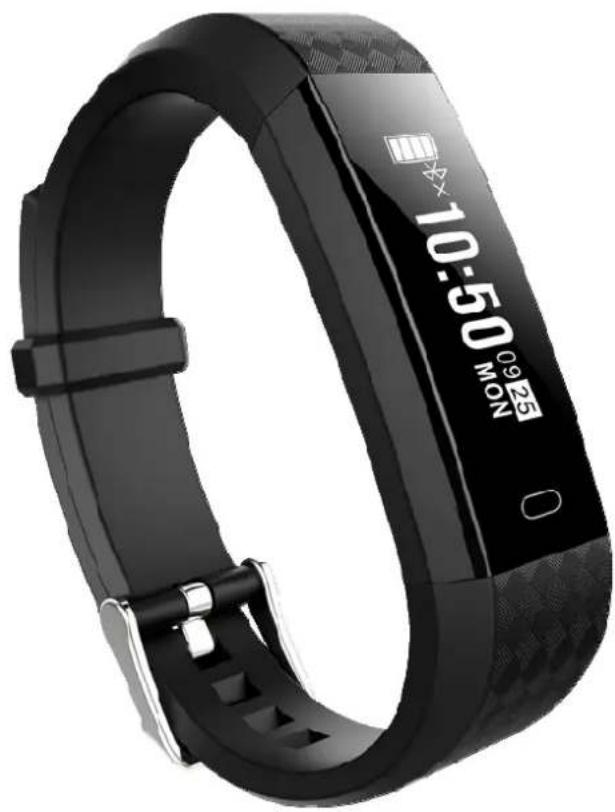
Black fitness tracker with digital display showing time 09:25 and date 10:50 (no text-heavy elements)natural_image
Line drawing showing a smartwatch cable and its internal connector, both connected to a power bank (no text or symbols present)FUNCIONAMIENTO
Google Play
iOS
natural_image
Abstract curved shape with smooth gradient, no text or symbols presentBRIGMTON
surfing technology
natural_image
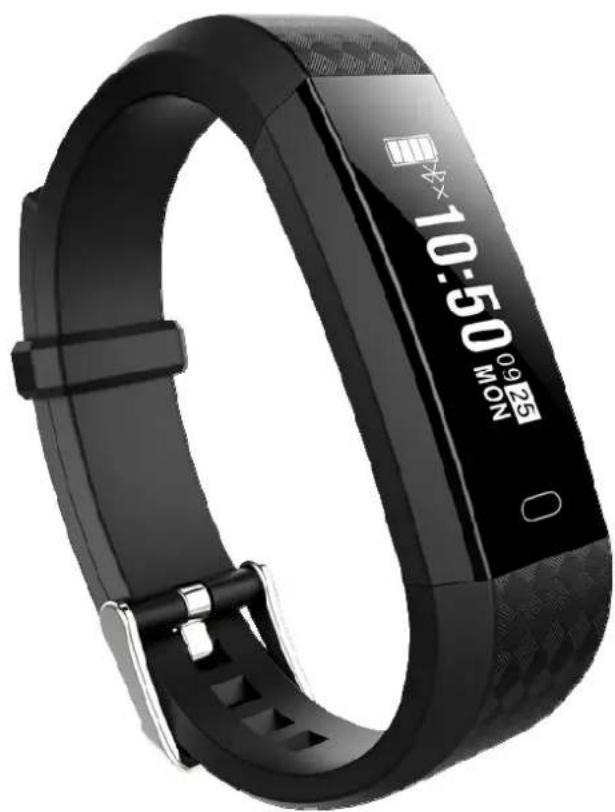
Black fitness tracker with digital display showing 10:50 MON (no text or symbols on the device itself)INSTRUCTION MANUAL
SPORT BRACELET - BLUETOOTH PULSOMETER
BSPORT-B1-N-A-M-O
CONTROLS
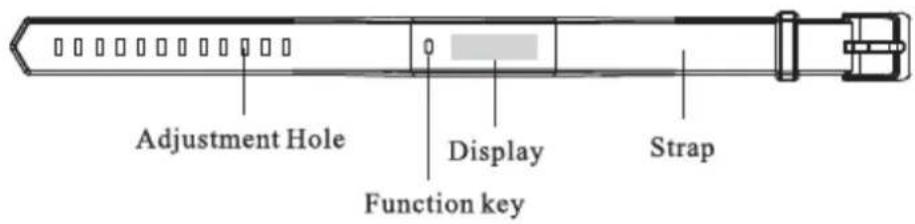
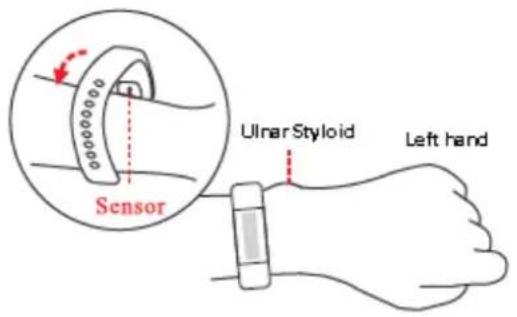
Adjust the bracelet as indicated:
BATTERY CHARGE
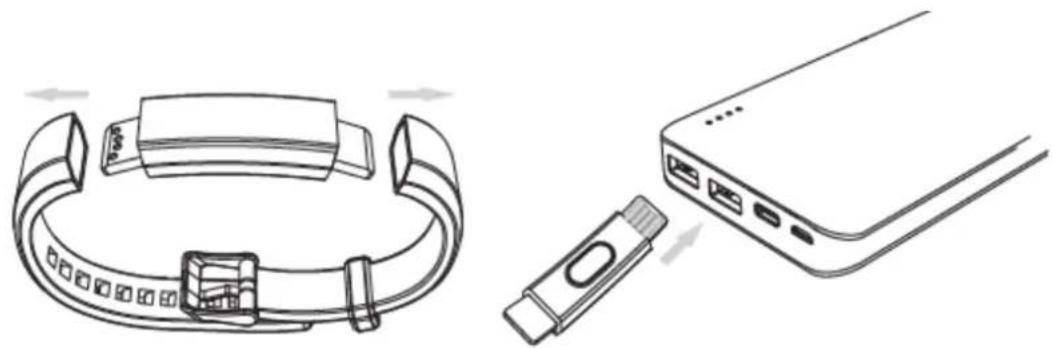
Check that the battery level is correct before using for the first time. To charge, remove the strap and connect the center body to a USB power source.
natural_image
Line drawing showing a smartwatch cable and its internal connector, both connected to a power bank (no text or symbols present)HOW TO USE
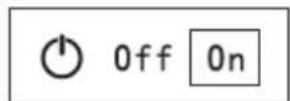
Press and hold the button to turn on. Press and hold the button to turn off:
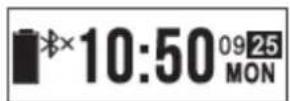
Briefly press the button, in the on mode, to turn on the screen. If you do not press the bracelet again, it will switch to screen off mode.
Press again to go through each of the function screens.
APPLICATION
Scan any of the following QR codes, according to your operating system:
Google Play
iOS
Note: Android 4.4 or later / IOS 8.8 or later.
CONNECTION TO SMARTPHONE
Always connect the unit to the application at the beginning, to avoid erroneous measurements.
To connect the bracelet open the application, press the "Settings" button, select "My device" (in IOS) or "Search device" (in Android) and press to connect.
FUNCTIONS OF THE APPLICATION
- To start, enter the personal information in the "Settings" menu.
- NOTIFICATIONS: this function will be available when the notifications are activated in the application and the wristband and the Smartphone are correctly connected. The bracelet will vibrate when you receive a notification. Notifications may be for incoming calls, SMS, application notifications such as WhatsApp, alarms and sedentary alert.
Note: For Android devices you must allow the application to continue running in the background.
OTHER FUNCTIONS
Among other functions you can find the one to add other notifications, anti-loss function, remote trigger, etc.
SCREENs
CLOCK

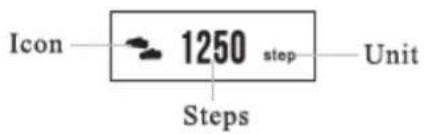
STEPS
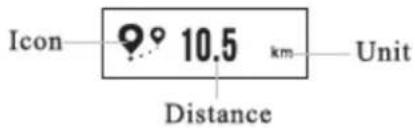
DISTANCIE
HEART RATE
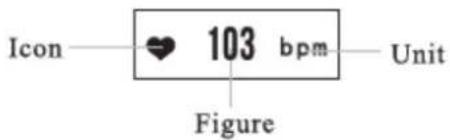
Press and hold to start / stop the beat count.
If you connect the bracelet with the Application, press START to start.
Notes: The sensor must be clean and completely in contact with the skin.
Avoid external lights that affect the measurement. The measurement is totally informative.
SLEEP MODE
When you go to bed the bracelet will enter sleep mode, indicating the hours of sleep and the quality of it.
"Features can change without notice"
BRIGMTON
surfing technology
IMPORTED
FERSON ELECTRÓNICA, S.A.
CIF: A-41111881
SANTA CLARA DE CUBA 12
SEVILLA
ESPAÑA
DECLARATION OF CONFORMITY
Ferson Electrónica, S.A. declares under our responsibility that the equipment meets the requirements indicated in the following directives:
ECM DIRECTIVES
EN55032-2015
EN55024:2010/A1:2015
EN61000-3-2:2014
EN61000-3-3: 2013
EN50581:2012
EN62321: 2008
EN14582: 2007
IEC62321-4-5:2013
EPA3540C:1996
EPA8270D: 2007
EN14372:2004
Description of apparatus:
Model BRIGMTON BSPORT-B1
Wireless device
BRIGMTON
surfing technology
Brand : BRIGMTON
Model : BSPORT-B1-N
Category : Smartwatch