PRO-DC3 - Surveillance Camera BRK - Free user manual and instructions
Find the device manual for free PRO-DC3 BRK in PDF.


| Product Type | Surveillance Camera |
| Brand | BRK |
| Model | PRO-DC3 |
| Resolution | 1080p (1920 x 1080) |
| Lens | Fixed 3.6mm |
| Viewing Angle | 80° diagonal |
| Night Vision | IR LEDs up to 30 ft (9 m) |
| Motion Detection | Yes, with adjustable sensitivity |
| Audio | Two-way audio with built-in microphone and speaker |
| Connectivity | Wired Ethernet (PoE) or DC power |
| Power Supply | DC 12V, 1A (adapter included) or PoE (802.3af) |
| Power Consumption | Max 6W |
| Dimensions (W x H x D) | 2.8 x 2.6 x 4.5 in (7.1 x 6.6 x 11.4 cm) |
| Weight | 0.5 lb (0.23 kg) |
| Operating Temperature | -10°C to 50°C (14°F to 122°F) |
| Housing | Weatherproof (IP65 rated) |
| Mounting | Wall or ceiling mount bracket included |
| Storage | Compatible with NVR or cloud recording |
| Included Accessories | Mounting kit, power adapter, quick start guide |
| Maintenance | Clean lens with a soft, dry cloth; avoid solvents |
| Safety | Follow all local electrical codes; disconnect power before cleaning |
| Spare Parts & Repairability | Replacement parts available via BRK support; user-replaceable power adapter |
Frequently Asked Questions - PRO-DC3 BRK
User questions about PRO-DC3 BRK
0 question about this device. Answer the ones you know or ask your own.
Ask a new question about this device
Download the instructions for your Surveillance Camera in PDF format for free! Find your manual PRO-DC3 - BRK and take your electronic device back in hand. On this page are published all the documents necessary for the use of your device. PRO-DC3 by BRK.
USER MANUAL PRO-DC3 BRK
PRO-DC3 Indoor/Outdoor
Low Light Activated Decoy Camera
natural_image
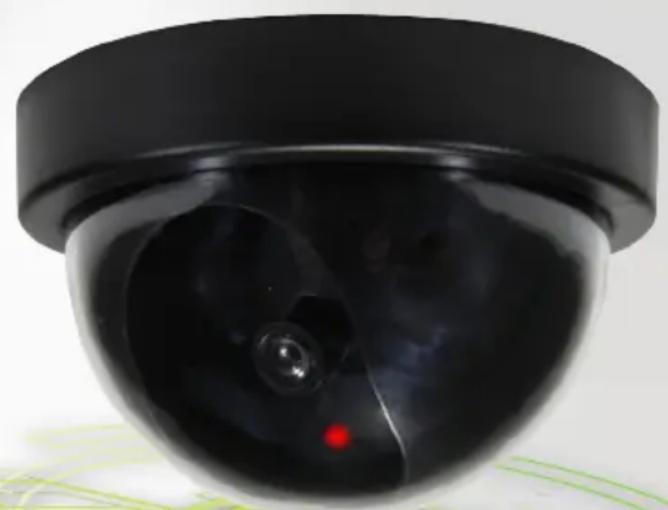
Close-up of a black surveillance camera with a red indicator light on the dome (no text or symbols visible)
INDOOR/OUTDOOR

LOW LIGHT
ACTIVATED
First Alert®
WELCOME
Thank you for choosing First Alert for your security needs!
For more than half a century, First Alert has made the home-safety and security products that make your job easier. Our products are built to the highest standard which has earned us a leadership role in the home-safety and security product categories. We are committed to serving our customers, from the professionals who install our products, to the families and businesses who count on them. First Alert has been helping families and businesses stay safe for over 50 years.
This manual is written for the PRO-DC3 non functioning Decoy Camera. It was accurate at the time it was completed. However, because of our ongoing effort to constantly improve our products, additional features and functions may have been added since that time. We encourage you to visit our website at www.brkelectronics.com to check for the latest manuals (English and Spanish), downloads, other security camera products and announcements. You'll find this product line under Products >> Security Cameras >> Camera Accessories.
©2013 BRK Brands, Inc.
a Jarden Corporation company (NYSE:JAH)
www.brkelectronics.com
All rights reserved. Distributed by BRK Brands, Inc. 3901 Liberty Street Road, Aurora, IL 60504-8122. Due to continuing product development, the product inside the packaging may look slightly different than the one on the package.
BRK Brands, Inc. is a subsidiary of Jarden Corporation (NYSE: JAH). First Alert® is a registered trademark of the First Alert Trust. To obtain warranty service, contact the Consumer Affairs Division at 1-800-323-9005, Monday through Friday, 7:30 a.m. - 5 p.m., Central Standard Time.
Made in China
PRODUCT OVERVIEW
PACKAGE CONTENTS
MAIN DESCRIPTION
Realistic non functioning decoy camera designed to create the illusion of a working security system. This cost effective deterrent is great for use by itself or as an add on to make your live system seem to be more extensive.
CAMERA MAIN FEATURES
- Low Light Activated
- For Indoor/Outdoor use
- Flashing LED (Requires 2 AA batteries, not included)
WHAT'S IN THE BOX
natural_image
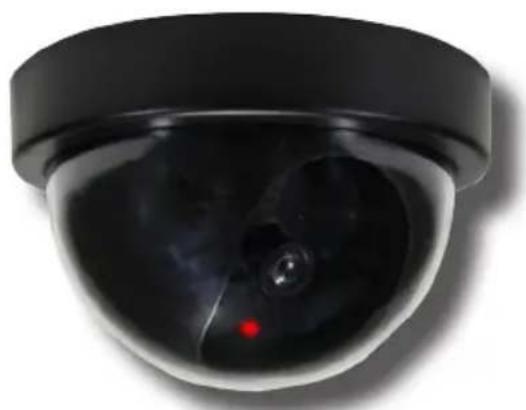
Close-up of a black surveillance camera with a red indicator light on the dome (no text or symbols visible)PRO-DC3 Decoy Camera
Instruction Manual
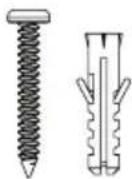
Mounting Hardware
(2 screws and
2 plastic anchors)
SAFETY PRECAUTIONS
- Do not drop, puncture, or disassemble the camera.
- Do not expose the camera to extreme high temperatures.
- Use the camera with care. Avoid pressing hard on the camera body.
PARCS OF THIS DECOY CAMERA
Camera Front Camera Back
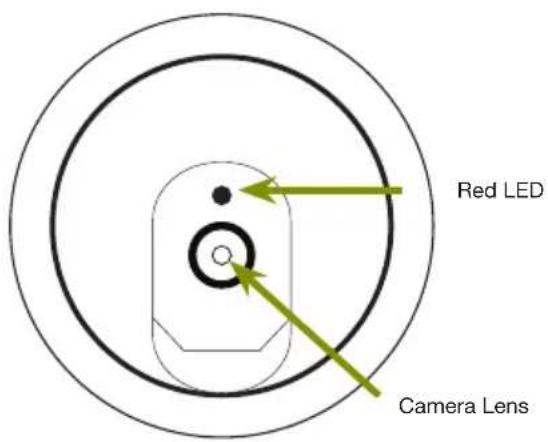
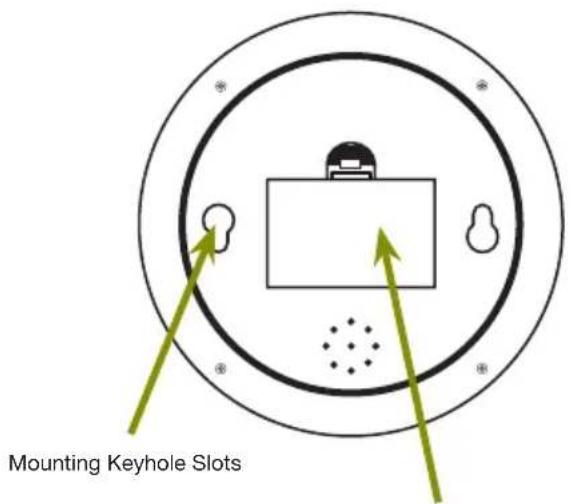
Battery Drawer Requires 2 AA Batteries
INSTALLING CAMERA
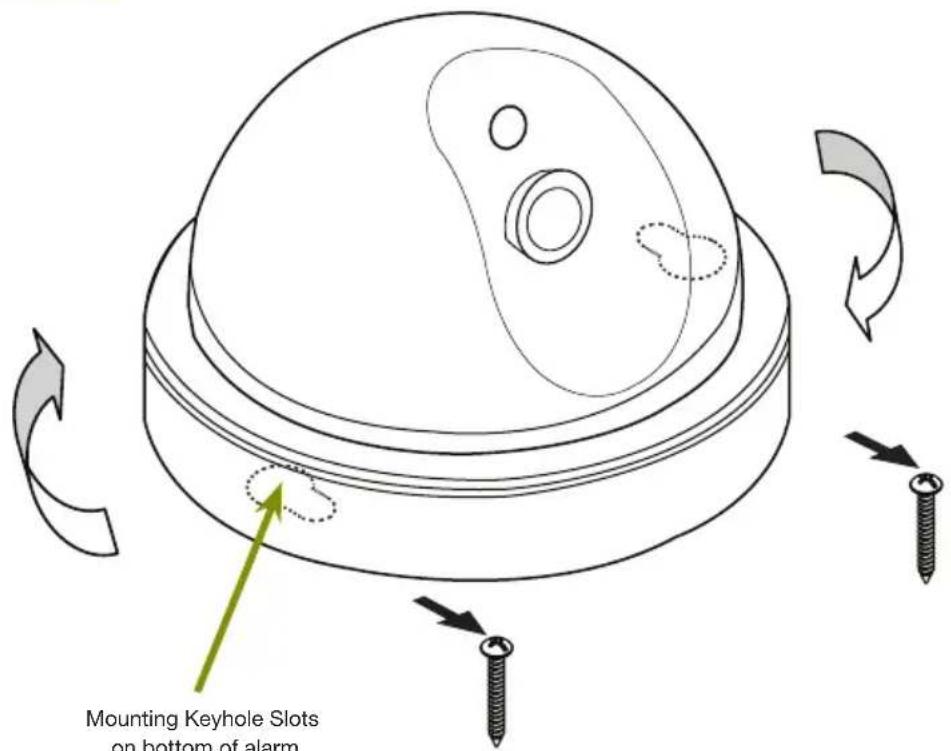
Step 1: Select the position for the camera and drill holes for the anchors using the paper template provided. (Screws and anchors are supplied. Use an appropriate screw type for the mounting surface.)
Step 2: Install batteries according to “+/- polarity marker”. Insert the two AA batteries into the battery compartment.
Step 3: Do not tighten screws completely so you can attach the camera base through the keyhole slots. Fit camera body keyhole slots to the screws. Slide camera onto screws and rotate camera to lock into keyhole slots. Note: If camera is loose, adjust depth of screws until camera fits snugly.
Step 4: Decoy camera toggles On/Off by pressing down on the dome. You may need to activate the decoy camera after installing the batteries.
Install Camera

Battery Replacement - Instructions for Use
Always purchase the correct size and grade of battery most suitable for intended use. Replace all batteries of a set at the same time. Clean the battery contacts and also those of the device prior to battery installation. Ensure the batteries are installed correctly with regard to polarity (+ and -). Remove batteries from equipment that is not to be used for an extended period of time. Remove used batteries promptly.
TECHNICAL SPECIFICATIONS
| ICEM SPECIFICATION | |
| Model | PRO-DC3 |
| Type | Non-functioning decoy camera |
| Housing Material | ABS |
| Finish Color | Black |
| Low Light Activated | Yes. Blinking RED LED with CDS Auto switching IR control (Blinking in 2 second intervals). |
| Indoor/Outdoor | Yes |
| Power Supply for LED | Two alkaline 1.5V AA Batteries. |
| On/Off Method | Press dome down or Removal/installation of batteries |
| Dimensions | 4.63" (117.5mm) Dia x 2.88" (73.0mm) H |
WARRANTY
PRODUCT LIMITED WARRANTY
BRK Brands, Inc., ("BRK") the maker of First Alert® brand products warrants that for a period of one year from the date of purchase (the "Warranty Period"), this product will be free from defects in material and workmanship. BRK, at its sole option, will repair or replace this product or any component of the product found to be defective during the Warranty Period. Replacement or repair will be made with a new or remanufactured product or component. If the product is no longer available, replacement may be made with a similar product of equal or greater value. This is your exclusive warranty.
This warranty is valid for the original retail purchaser only from the date of initial retail purchase and is not transferable. In order to obtain warranty service, you must keep the original sales receipt and proof of purchase in the form of the UPC code from the package. BRK dealers, service centers, or retail stores selling BRK products do not have the right to alter, modify or any way change the terms and conditions of this warranty.
WARRANTY EXCLUSIONS
Parts and Labor: 1 year limited (warranted parts do not include bulbs, LEDs, and batteries)
This warranty does not apply to bulbs, LEDs, and batteries supplied with or forming part of the product.
This warranty is invalidated if non-BRK accessories are or have been used in or in connection with the product or in any modification or repair is made to the product.
This warranty does not apply to defects or damages arising by use of the product in other than normal (including normal atmospheric, moisture and humidity) conditions or by installation or use of the product other than in strict accordance with the instructions contained in the product owner's manual.
This warranty does not apply to defects in or damages to the product caused by (i) negligent use of the product, (ii) misuse, abuse, neglect, alteration, repair or improper installation of the product, (iii) electrical short circuits or transients, (iv) usage not in accordance with product installation, (v) use of replacement parts not supplied by BRK, (vi) improper product maintenance, or (vii) accident, fire, flood or other Acts of God.
This warranty does not cover the performance or functionality of any computer software included in the package with the product. BRK makes no warranty that the software provided with the product will function without interruption or otherwise be free of anomalies, errors, or "Bugs." This warranty does not cover any costs relating to removal or replacement of any product or software installed on your computer.
BRK reserves the right to make changes in design or to make additions to or improvements in its products without incurring any obligations to modify any product which has already been manufactured. BRK will make every effort to provide updates and fixes to its software via its website. This warranty does not cover any alteration or damage to any other software that may be or may become resident on the users system as a result of installing the software provided. This warranty is in lieu of other warranties, expressed or implied, and BRK neither assumes nor authorizes any person to assume for it any other obligation or liability in connection with the sale or service of the product. In no event shall BRK be liable for any special or consequential damages arising from the use of the product or arising from the malfunctioning or non-functioning of the product, or for any delay in the performance of this warranty due to any cause beyond its control.
BRK does not make any claims or warranties of any kind whatsoever regarding the product's potential, ability, or effectiveness to prevent, minimize, or in any way affect personal or property damage or injury. BRK is not responsible for any personal damage, loss, or theft related to the product or to its use for any harm, whether physical or mental related thereto. Any and all claims or statements, whether written or verbal, by salespeople, retailers, dealers, or distributors to the contrary are not authorized by BRK, and do not affect this provision of this warranty.
BRK's responsibility under this, or any other warranty, implied or expressed, is limited to repair, replacement or refund, as set forth above. These remedies are the sole and exclusive remedies for any breach of warranty. BRK is not responsible for direct, special, incidental, or consequential damages resulting from any breach of warranty or under any other legal theory including but not limited to, loss profits, downtime, goodwill, damage to or replacement of equipment and property and any costs of recovering, reprogramming or reproducing any program or data stored in or used with a system containing the product accompanying software.
BRK does not warrant the software will operate with any other software except that which is indicated. BRK cannot be responsible for characteristics of their party hardware or software which may effect the operation of the software included.
Except to the extent prohibited by applicable law, any implied warranty of merchantability or fitness for a particular purpose is limited in duration to the duration of the above Warranty Period. Some states, provinces, or jurisdictions do not allow the exclusion or limitation of incidental or consequential damages or limitations on how long an implied warranty lasts, so the above limitations or exclusion may not apply to you. This warranty gives you specific legal rights, and you may also have other rights that vary from state to state, or province to province, or jurisdiction to jurisdiction.
OBTAINING SERVICE
If service is required, do not return the product to your place of purchase. In order to obtain warranty service, contact the Consumer Affairs Division at 1-800-323-9005, 7:30 a.m. – 5:00 p.m. Central Standard Time, Monday through Friday. To assist us in serving you, please have the model number and date of purchase available when calling.
After contacting the Consumer Affairs Division and it is determined that the product should be returned for Warranty Service, please mail the product to: BRK Brands, Inc., 3901 Liberty Street Road, Aurora, IL 60504-8122.
First Alert®
©2013 BRK Brands, Inc.
a Jarden Corporation Company (NYSE:JAH)
3901 Liberty Street Road, Aurora, IL 60504-8122
Phone: 630-851-7330 Tech Services: 800-323-9005
www.brkelectronics.com
M08-0445-002