
KX-FC225GR - Fax machine PANASONIC - Free user manual and instructions
Find the device manual for free KX-FC225GR PANASONIC in PDF.
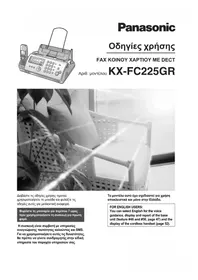


| Product Type | Plain Paper Fax Machine with DECT Cordless Handset |
| Model | KX-FC225GR |
| Brand | Panasonic |
| Dimensions (approx.) | 365 x 265 x 150 mm (base unit); handset: 168 x 49 x 32 mm |
| Weight (approx.) | 3.5 kg (base unit); handset: 130 g |
| Power Supply | 220-240 V AC, 50 Hz |
| Power Consumption | Standby: 2.5 W; Transmission: 15 W; Receiving: 12 W |
| Printing Method | Thermal Transfer |
| Paper Capacity | Up to 30 sheets (A4) |
| Compression | MH, MR, MMR |
| Modem Speed | 14.4 kbps (max.) |
| Scanning Method | Contact Image Sensor (CIS) |
| Memory Capacity | Up to 20 pages |
| Functions | Fax, telephone, cordless handset (DECT), answering machine, SMS, caller ID |
| Display | Backlit LCD (16 characters × 1 line) |
| Language Settings | English, Greek, and others selectable |
| Maintenance | Clean print head and paper rollers regularly; replace ink ribbon when faded |
| Safety | Do not expose to moisture; unplug during thunderstorms; use only Panasonic recommended accessories |
| Consumables | Ink ribbon cartridge (e.g., Panasonic KX-FA136), A4 plain paper |
| Repairability | Contact Panasonic service center or authorized technician |
Frequently Asked Questions - KX-FC225GR PANASONIC
User questions about KX-FC225GR PANASONIC
0 question about this device. Answer the ones you know or ask your own.
Ask a new question about this device
Download the instructions for your Fax machine in PDF format for free! Find your manual KX-FC225GR - PANASONIC and take your electronic device back in hand. On this page are published all the documents necessary for the use of your device. KX-FC225GR by PANASONIC.
USER MANUAL KX-FC225GR PANASONIC
Panasonic
User Instructions
Plain Paper Fax with DECT
Model No.
KX-FC225GR

FOR ENGLISH USERS: You can select English for the voice guidance, display and report of the base unit (feature #48 and #50, page 47) and the display of the cordless handset (page 52).
Panasonic Testing Centre
① [MICROPHONE] (Microphone)
① [MENU/OK] (Menu/OK)

Correct

1.8 Paper tray
1.10 Recording paper
2.1 Connections
Important:
Caution:
Note:
1 [MENU] → [#][0][2] → [SET]
![[SET] [ R ] 1 2 3 4 5 6 7 8 9 * 0 # [ΔΙΑΚΟΠΗ][ΜΕΝΟΥ] [◀][▶]](/content/2026/05/1137311/images/a66f28a8341ff8690a8165eb359c10058fed60475e24f796a7492d0989b1b99b.jpg)
1 [MENU] → [#][0][3] → [SET]

[OPEN TALK] [REDIAL]
- [□]→[□/OK]
- “DELETE ALL” → [▶]
- “YES” → [▶]
- “YES” → [▶] → [✗①]
4 [SET] → [SET]
4 “YES” → [▶] → [✗①]
1 [☐OK] → “SMS” → [▶]
2 “ROUTING” → [▶]
3 “MESSAGE CENTER 1” or “MESSAGE CENTER 2” → [▶]
5 “YES” → [▶] → [✗①]
3.16 Receiving a message
3 “YES” → [▶] → [✗①]
4 [SET] → [SET] → [STOP]
Note:
- [☐/OK] → “TELEPHONE” → [▶]
- “ANSWER ON” → [▶] → [✗①]
Note:
If you want to change the language setting to English, proceed as follows.
- 【目/OK】
- Press [▲] 3 times. → [▶]
- Press [▼] 2 times. → [▶] → [▼] → [▶]
- Select the desired language. → [▶] → [✗ ⊙]
6 “YES” → [▶] → [✗①]
Correct
Contact Image Sensor (CIS)
■ Print type:
Modified Huffman (MH), Modified READ (MR), Modified Modified READ (MMR)
■ Modem speed:
Note:
Panafax: 210.9648.588
e-mail: info@intertech.gr
Branch
Panafax: 2310.968.083
e-mail: intertech-th@intertech.gr
www.intertech.gr
Manufacturer:
Panasonic Communications (Malaysia) Sdn. Bhd.
PLO No.1, Kawasan Perindustrian Senai, KB No. 104, 81400 Senai, Negeri Johor Darul Ta'zim, Malaysia
Brand : PANASONIC
Model : KX-FC225GR
Category : Fax machine