AR12NV3HFTRNNA - Air-conditioner SAMSUNG - Free user manual and instructions
Find the device manual for free AR12NV3HFTRNNA SAMSUNG in PDF.


User questions about AR12NV3HFTRNNA SAMSUNG
0 question about this device. Answer the ones you know or ask your own.
Ask a new question about this device
Download the instructions for your Air-conditioner in PDF format for free! Find your manual AR12NV3HFTRNNA - SAMSUNG and take your electronic device back in hand. On this page are published all the documents necessary for the use of your device. AR12NV3HFTRNNA by SAMSUNG.
USER MANUAL AR12NV3HFTRNNA SAMSUNG
• Thank you for purchasing this Samsung air conditioner.
- Before operating this unit, please read this user manual carefully and retain it for future reference.
Contents
Safety Information 4
Safety Information 4
At a Glance 9
Indoor Unit Overview 9
Display
Remote Control Overview 10
Inserting batteries
Remote Control Operation 11
Operation modes • Controlling temperature •
Controlling fan speed • Controlling air flow direction
Power Smart Features 13
Cooling Operation 13
Cool mode • 2-Step cooling function
Dehumidifying Operation 14
Dry mode
Quick Smart Features 15
Auto mode • Fan mode • Fast function • Comfort function •
Quiet function • Beep sound function • Display lighting function
Energy-Saving Features 20
Energy-Saving Operation 20
Electricity consumption check • Single user function •
Timed on/Timed off function • good'sleep function
Cleaning and Maintenance 24
Cleaning at a Glance 24
Troubleshooting 26
Correct Disposal of This Product (Waste Electrical & Electronic Equipment)
(Applicable in countries with separate collection systems)
This marking on the product, accessories or literature indicates that the product and its electronic accessories (e.g. charger, headset, USB cable) should not be disposed of with other household waste at the end of their working life. To prevent possible harm to the environment or human health from uncontrolled waste disposal, please separate these items from other types of waste and recycle them responsibly to promote the sustainable reuse of material resources.
Household users should contact either the retailer where they purchased this product, or their local government office, for details of where and how they can take these items for environmentally safe recycling. Business users should contact their supplier and check the terms and conditions of the purchase contract. This product and its electronic accessories should not be mixed with other commercial wastes for disposal.
For more information on safe disposal and recycling, visit our website www.samsung.com/in/support or contact our Helpline numbers - 1800 40 SAMSUNG (1800 40 7267864).
Correct disposal of batteries in this product
This marking on the battery, manual or packaging indicates that the batteries in this product should not be disposed of with other household waste at the end of their working life. Where marked, the chemical symbols Hg, Cd or Pb indicate that the battery contains mercury, cadmium or lead above the reference levels in EC Directive 2006/66.
Safety Information
Before using your new air conditioner, please read this manual thoroughly to ensure that you know how to safely and efficiently operate the extensive features and functions of your new appliance.
Because the following operating instructions cover various models, the characteristics of your air conditioner may differ slightly from those described in this manual. If you have any questions, call your nearest contact centre or find help and information online at www.samsung.com.

WARNING
Hazards or unsafe practices that may result in severe personal injury or death.

CAUTION
Hazards or unsafe practices that may result in minor personal injury or property damage.

Follow directions.

Do NOT attempt.

Make sure the machine is grounded to prevent electric shock.

Cut off the power supply.

Do NOT disassemble.
FOR INSTALLATION

WARNING

Use a power cord with this product's power specifications or higher and use the power cord for this appliance only. In addition, do not use an extension cord.
• Extending the power cord may result in electric shock or fire.
- Do not use an electric transformer. This may result in electric shock or fire.
• If the voltage/frequency/rated current condition is different, it may cause fire.
The installation of this appliance must be performed by a qualified technician or service company.
- Failing to do so may result in electric shock, fire, explosion, problems with the product, or injury and may also void warranty on the installed product.
Install an Isolation Switch next to the Air Conditioner (but not on the panels of the Air Conditioner) and circuit breaker dedicated to the air conditioner.
• Failing to do so may result in electric shock or fire.
Fix the outdoor unit firmly so that the electric part of the outdoor unit is not exposed.
- Failing to do so may result in electric shock, fire, explosion, or problems with the product.

Do not install this appliance near a heater, or inflammable material. Do not install this appliance in a humid, oily or dusty location, in a location exposed to direct sunlight and water (or rain). Do not install this appliance in a location where gas may leak.
• This may result in electric shock or fire.
Never install the outdoor unit in a location such as on a high external wall where it could fall.
- If the outdoor unit falls, it may result in injury, death or property damage.

This appliance must be properly grounded. Do not ground the appliance to a gas pipe, plastic water pipe, or telephone line.
- Failing to do so may result in electric shock, fire, and explosion.
• Make sure to use a socket-outlet with ground.

CAUTION

Install your appliance on a level and hard floor that can support its weight.
- Failing to do so may result in abnormal vibrations, noise, or problems with the product.
Install the drain hose properly so that water drains correctly.
- Failing to do so may result in water overflowing and property damage. Avoid adding drain to waste pipes as odours may arise in the future.
When installing the outdoor unit, make sure to connect the drain hose so that draining is performed correctly.
- The water generated during heating by the outdoor unit may overflow and result in property damage.
In particular, in winter, if a block of ice falls, it may result in injury, death or property damage.
FOR POWER SUPPLY

WARNING

When the circuit breaker is damaged, contact your nearest service centre.

Do not pull or excessively bend the power line. Do not twist or tie the power line. Do not hook the power line over a metal object, place a heavy object on the power line, insert the power line between objects, or push the power line into the space behind the appliance.
• This may result in electric shock or fire.

CAUTION

When not using the air conditioner for a long period of time or during a thunder/lightning storm, cut the power at the circuit breaker.
- Failing to do so may result in electric shock or fire.
FOR USING

WARNING

If the appliance is flooded, please contact your nearest service centre.
• Failing to do so may result in electric shock or fire.
If the appliance generates a strange noise, a burning smell or smoke, cut off the power supply immediately and contact the nearest service centre.
• Failing to do so may result in electric shock or fire.
In the event of a gas leak (such as propane gas, LP gas, etc.), ventilate immediately without touching the power line. Do not touch the appliance or power line.
• Do not use a ventilating fan.
• A spark may result in an explosion or fire.
To reinstall the air conditioner, please contact your nearest service centre.
- Failing to do so may result in problems with the product, water leakage, electric shock, or fire.
- Delivery service for the product is not provided. If you reinstall the product in another location, additional construction expenses and an installation fee will be charged.
- Especially, when you wish to install the product in an unusual location such as in an industrial area or near the seaside where it is exposed to salt in the air, please contact your nearest service centre.

Do not touch the circuit breaker with wet hands.
• This may result in electric shock.
Do not turn the air conditioner off with the circuit breaker while it is operating.
- Turning the air conditioner off and then on again with the circuit breaker may cause a spark and result in electric shock or fire.
After unpacking the air conditioner, keep all packaging materials well out of the reach of children, as packaging materials can be dangerous to children.
• If a child places a bag over its head, it may result in suffocation.
Do not touch the airflow blade with your hands or fingers during heating.
• This may result in electric shock or burns.
Do not insert your fingers or foreign substances into the air inlet/outlet of the air conditioner.
• Take special care that children do not injure themselves by inserting their fingers into the product.
Do not strike or pull the air conditioner with excessive force.
• This may result in fire, injury, or problems with the product.
Do not place an object near the outdoor unit that allows children to climb onto the machine.
• This may result in children seriously injuring themselves.
Do not use this air conditioner for long periods of time in badly ventilated locations or near infirm people.
- Since this may be dangerous due to a lack of oxygen, open a window at least once an hour.

If any foreign substance such as water has entered the appliance, cut off the power supply and contact the nearest service centre.
- Failing to do so may result in electric shock or fire.

Do not attempt to repair, disassemble, or modify the appliance yourself.
- Do not use any fuse (such as cooper, steel wire, etc.) other than the standard fuse.
- Failing to do so may result in electric shock, fire, problems with the product, or injury.

CAUTION

Do not place objects or devices under the indoor unit.
• Water dripping from the indoor unit may result in fire or property damage.
Check that the installation frame of the outdoor unit is not broken at least once a year.
- Failing to do so may result in injury, death or property damage.
- To prevent personal injury, make sure that you change the directions of the horizontal air flow blades after stopping the movements of the vertical air flow blade.
Max current is measured according to IEC standard for safety and current is measured according to ISO standard for energy efficiency.

Do not stand on top of the appliance or place objects (such as laundry, lighted candles, lighted cigarettes, dishes, chemicals, metal objects, etc.) on the appliance.
• This may result in electric shock, fire, problems with the product, or injury.
Do not operate the appliance with wet hands.
• This may result in electric shock.
Do not spray volatile material such as insecticide onto the surface of the appliance.
- As well as being harmful to humans, it may also result in electric shock, fire or problems with the product.
Do not drink the water from the air conditioner.
• The water may be harmful to humans.
Do not apply a strong impact to the remote control and do not disassemble the remote control.
Do not touch the pipes connected with the product.
• This may result in burns or injury.
Safety Information
Do not use this air conditioner to preserve precision equipment, food, animals, plants or cosmetics, or for any other unusual purposes.
• This may result in property damage.
Avoid directly exposing humans, animals or plants to the air flow from the air conditioner for long periods of time.
• This may result in harm to humans, animals or plants.
This appliance is not intended for use by persons (including children) with reduced physical, sensory or mental capabilities, or lack of experience and knowledge, without supervision or instruction concerning use of the appliance by a person responsible for their safety. Children should be supervised to ensure that they do not play with the appliance.
FOR CLEANING

WARNING

Do not clean the appliance by spraying water directly onto it. Do not use benzene, thinner or alcohol to clean the appliance.
• This may result in discolouration, deformation, damage, electric shock or fire.
Before cleaning or performing maintenance, cut off the power supply and wait until the fan stops.
- Failing to do so may result in electric shock or fire.

CAUTION

Take care when cleaning the surface of the heat exchanger of the outdoor unit since it has sharp edges.
• This should be done by a qualified technician. Please contact your installer or service centre.

Do not clean the inside of the air conditioner by yourself.
• For cleaning inside the appliance, contact your nearest service centre.
- When cleaning the filter, refer to the descriptions in the 'Cleaning at a Glance' section.
- Failing to do so may result in damage, electric shock or fire.
- Make sure to prevent any injury from sharp edges of the surface when handling the heat exchanger.
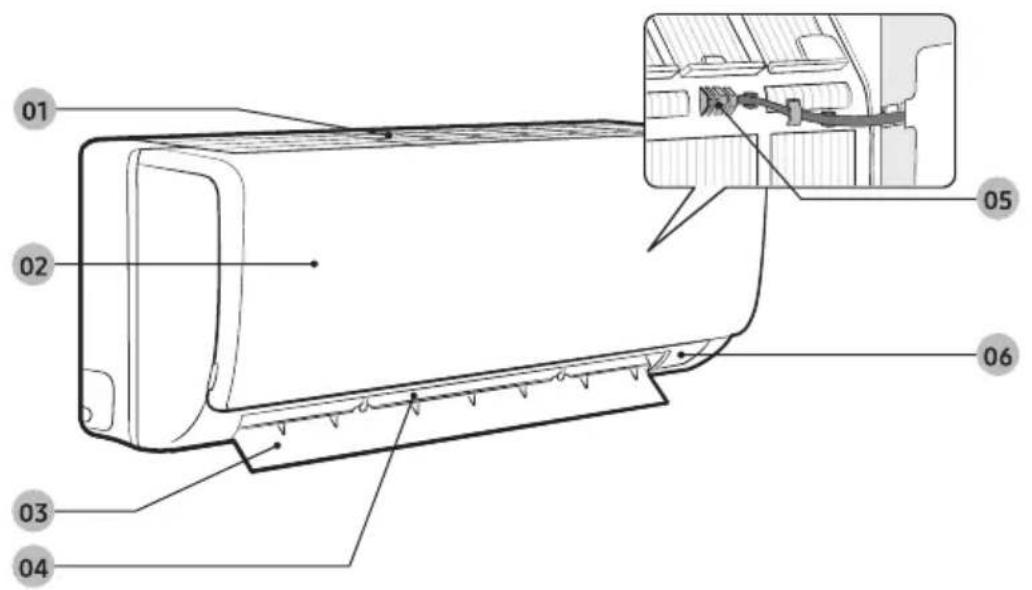
The actual product may differ slightly from the image depicted below.
text_image
Technical diagram of a car air conditioner with labeled parts and an inset showing internal components01 Air intake
02 (under the panel) Air filter
03 Air flow blade (up and down)
04 Air flow blade (left and right)
05 Room temperature sensor
06 Display
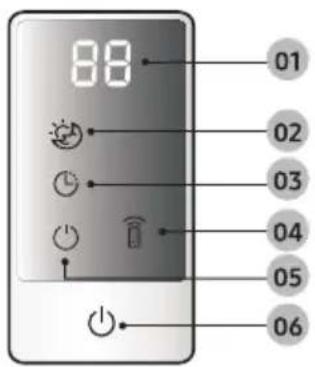
Display
text_image
88 01 02 03 04 05 0601 Temperature indicator/Auto clean indicator (C I)
02 good'sleep indicator
03 Timer indicator
04 Remote control receiver
05 Operation indicator
06 Power button
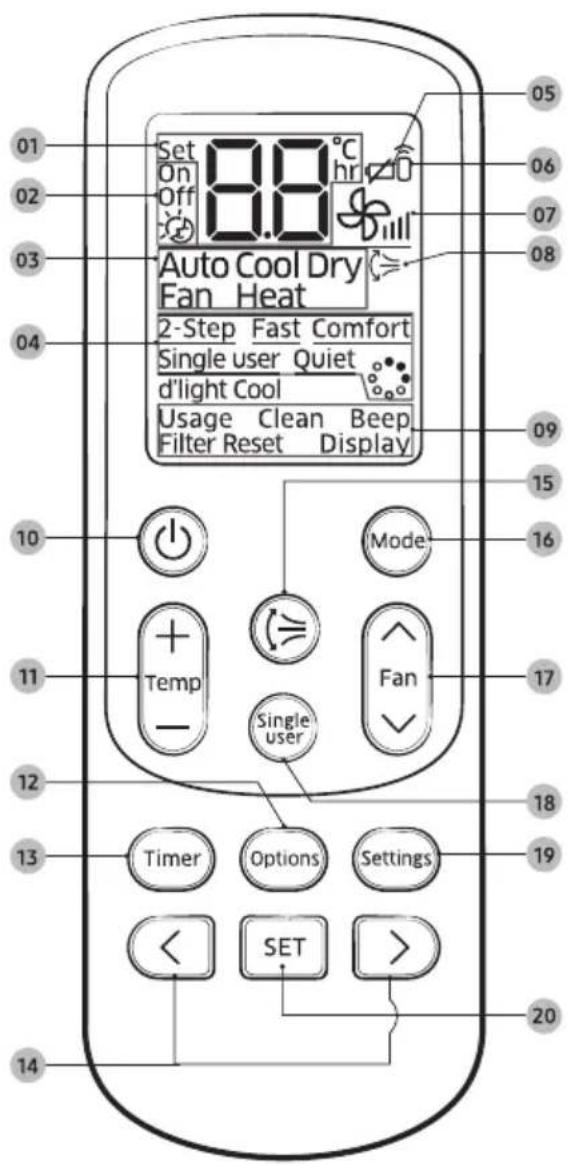
text_image
01 02 03 04 05 Set On Off 8.8°C hr Auto Cool Dry Fan Heat 2-Step Fast Comfort Single user Quiet d'light Cool Usage Clean Beep Filter Reset Display 10 Mode 11 Temp - Single user Fan 17 12 13 Timer Options Settings 19 < SET > 20 14Inserting batteries
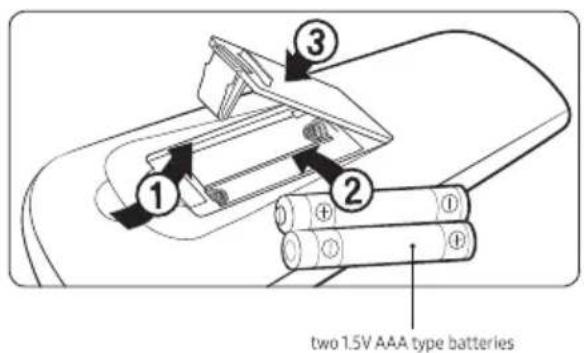
text_image
two 1.5V AAA type batteries01 Set temperature indicator
02 Timer option indicator
03 Operation mode indicator
04 Options indicator
05 Low battery indicator
06 Transmit indicator
07 Fan speed indicator
08 Vertical air swing indicator
09 Settings indicator
10 Power button
11 Temperature button
12 Options button
13 Timer button
14 Direction button / Selection button
15 Vertical air swing button
16 Mode button
17 Fan speed button
18 Single user button
19 Settings button
20 SET button
NOTE
- The descriptions in this manual are primarily made based on the remote control buttons.
- Although Heat, Ionizer ( _O ), d'light Cool, Filter Reset is displayed on the remote control display, it is not available on this model.
Remote Control Operation
You can use the air conditioner easily by selecting a mode and then by controlling the temperature, fan speed, and air direction.
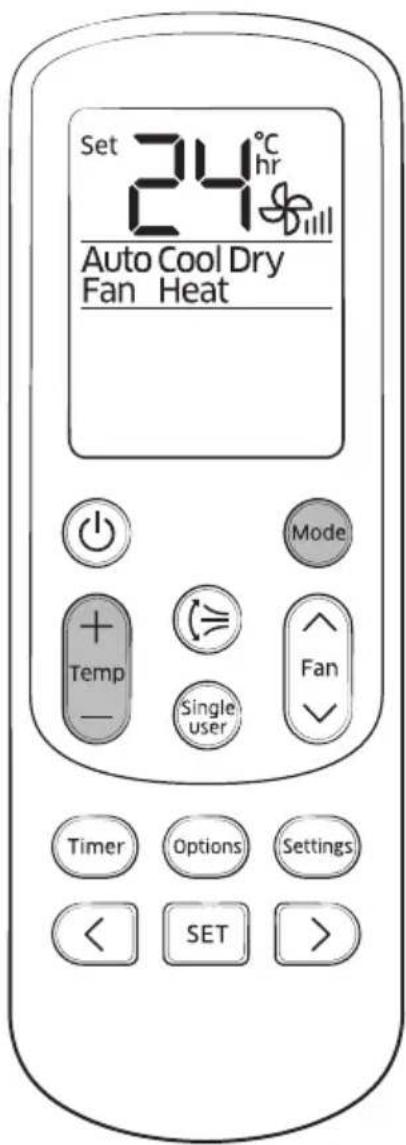
text_image
Set 24°C hr Dill Auto Cool Dry Fan Heat Mode Temp - Single user Fan Timer Options Settings < SET >Operation modes
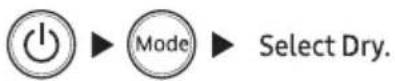
You can change the current mode between Auto, Cool, Dry, and Fan by pressing the Mode button.
Controlling temperature
You can control the temperature in each mode as follows:
| Mode | Temperature control |
| Auto/Cool | Adjust by 1 °C between 16 °C and 30 °C. |
| Dry | Adjust by 1 °C between 18 °C and 30 °C. |
| Fan | You cannot control the temperature. |
NOTE
You can use the Cool and Dry modes in the following conditions:
| Mode | Cool | Dry |
| Indoor temperature | 16 °C to 32 °C | 18 °C to 32 °C |
| Outdoor temperature | 16 °C to 52 °C | 16 °C to 52 °C |
| Indoor humidity | 80% or less relative humidity | - |
- If the air conditioner operates in a high humidity environment in the Cool mode for an extended period of time, condensation may occur.
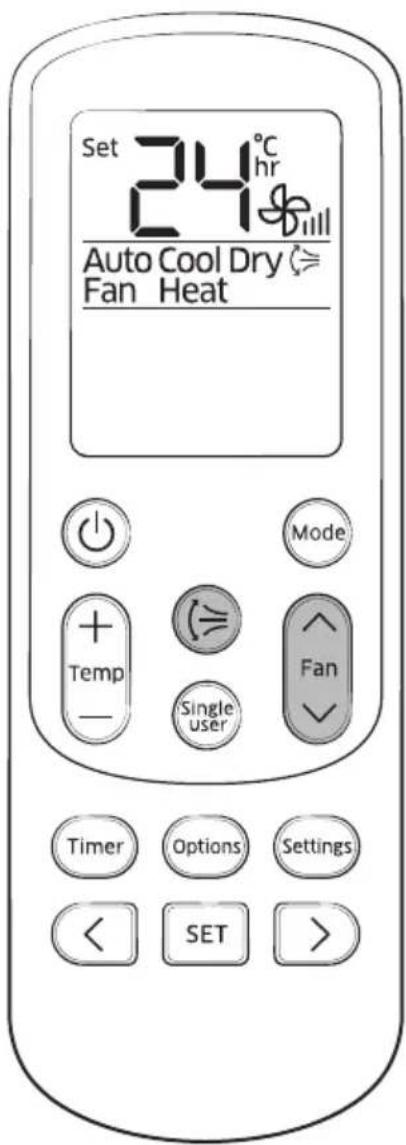
text_image
Set 24°C hr Auto Cool Dry ≈ Fan Heat Mode + Temp - Single user Fan Timer Options Settings < SET >You can select the following fan speeds in each mode:
| Mode | Available fan speeds |
| Auto/Dry | (Auto) |
| Cool | (Auto), (Low), (Med), (High), (Turbo) |
| Fan | (Low), (Med), (High), (Turbo) |
Controlling air flow direction
Vertical air flow
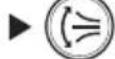
Keep the vertical air flow in a constant direction by stopping the movements of the vertical air flow blade.
In operation
NOTE
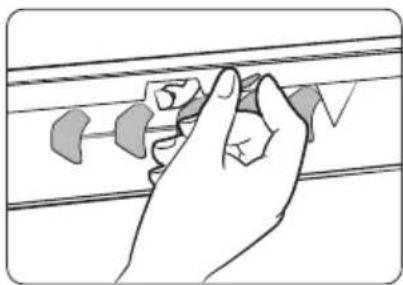
- If you adjust the vertical air flow blade manually, it may not close completely when you turn off the air conditioner.
natural_image
Hand holding a small object on a striped surface, no text or symbols visibleHorizontal air flow (manual)
Keep the horizontal air flow in a constant direction by changing the directions of the horizontal air flow blades manually.
Cooling Operation
The smart and powerful cooling functions of the Samsung air conditioner keep an enclosed space cool and comfortable.
text_image
Set 24°C CoolCool mode
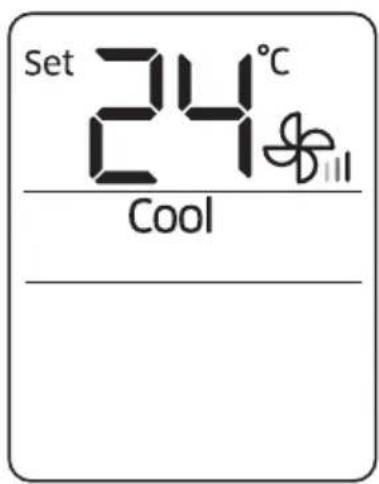
Use the Cool mode to stay cool in hot weather.

NOTE
- For comfort, keep the temperature difference between the indoor and outdoor air within 5 °C in the Cool mode.
- After selecting the Cool mode, select a function, temperature, and fan speed that you want to apply.
- To cool your room quickly, select a low temperature and a strong fan speed.
- To save energy, select a high temperature and a weak fan speed.
- As the indoor temperature approaches the set temperature, the compressor will operate at a low speed to save energy.
text_image
Set 18°C Cool 2-Step2-Step cooling function
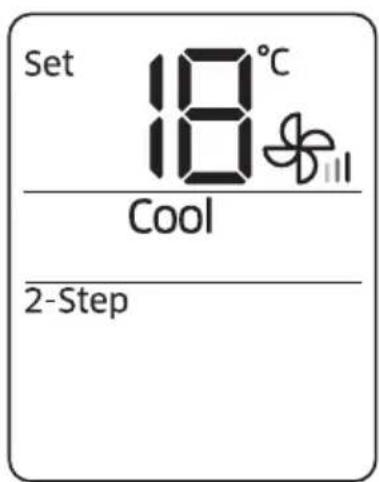
Use the 2-Step cooling function to quickly reach the set temperature. The air conditioner automatically adjusts the fan speed and air flow direction. You can select this function only when the Cool mode is running.
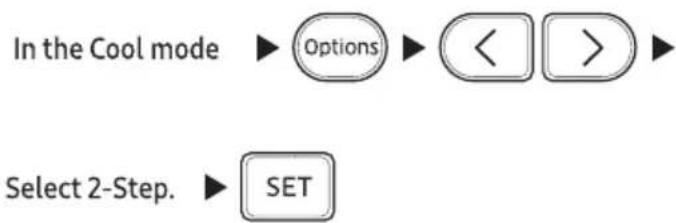
flowchart
graph TD
    A["In the Cool mode"] --> B["Options"]
    B --> C["<"]
    B --> D[">"]
    E["Select 2-Step."] --> F["SET"]
NOTE
- If you select the 2-Step cooling function while such functions as Fast, Comfort, Single user, Quiet, or good'sleep are running, these functions are cancelled.
Dehumidifying Operation
The dehumidifying function of the Samsung air conditioner keeps an enclosed space dry and comfortable.
text_image
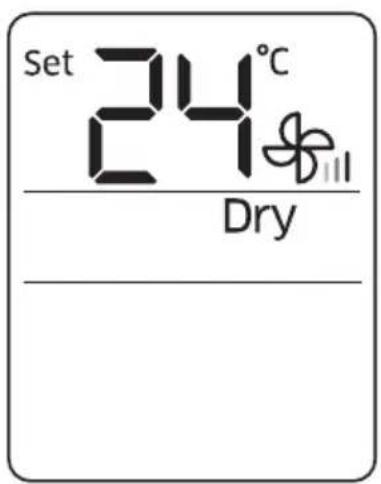
Set 24°C DryDry mode
Use the Dry mode in rainy or humid weather.
NOTE
- The lower the set temperature is, the greater the dehumidifying capacity is. When the current humidity seems to be high, adjust the set temperature to a low temperature.
- You cannot use the Dry mode for heating. The Dry mode is designed to produce a cooling side-effect.
There is a variety of extra functionality provided by the Samsung air conditioner.
text_image
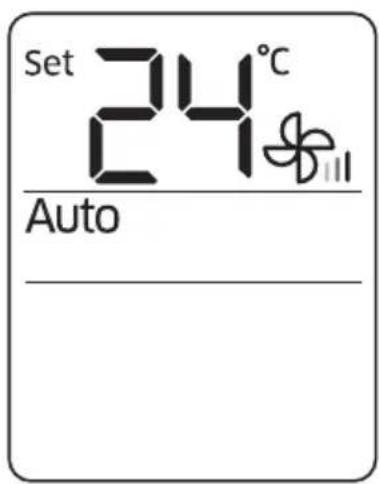
Set 24°C AutoAuto mode
Use the Auto mode when you want the air conditioner to automatically control the operation. The air conditioner will provide the most comfortable atmosphere that it can.

NOTE
- When the indoor temperature seems to be higher or lower than the set point, the air conditioner automatically produces cool air to cool down the indoor temperature.
text_image
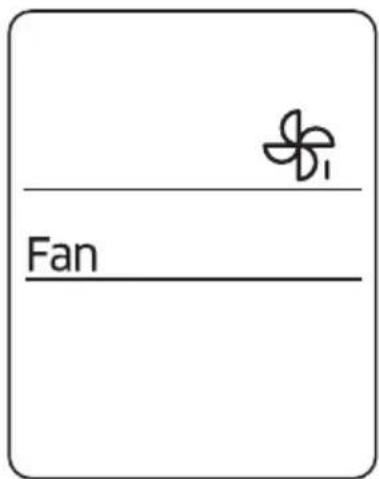
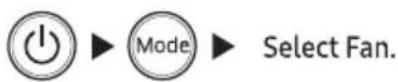
FanFan mode
Use the Fan mode to run the air conditioner like a common fan. The air conditioner provides a natural breeze.
NOTE
- If the air conditioner will not be used for an extended period of time, dry the air conditioner by running it in the Fan mode for 3 or 4 hours.
- The outdoor unit is designed not to operate in the Fan mode to prevent cold air from entering through the unit. This is a normal operation and not a fault with the air conditioner.
text_image
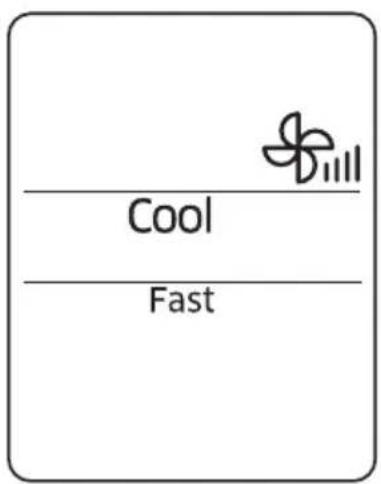
Cool FastFast function
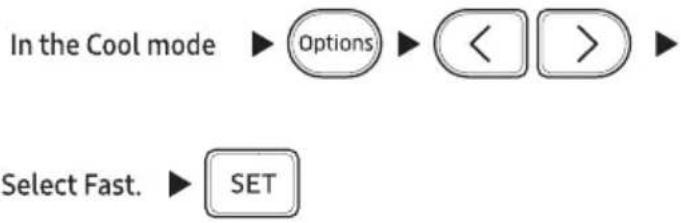
Use the Fast function to quickly cool your room. This function is the most powerful cooling function provided by the air conditioner. You can select this function in the Cool mode.
flowchart
graph TD
    A["In the Cool mode"] --> B["Options"]
    B --> C["<<"]
    C --> D[">>"]
    E["Select Fast."] --> F["SET"]
NOTE
• You can change the air flow direction.
• You cannot change the set temperature and the fan speed.
- If you select the Fast function while such functions as 2-Step cooling, Comfort, Single user, Quiet, or good'sleep are running, these functions are cancelled.
text_image
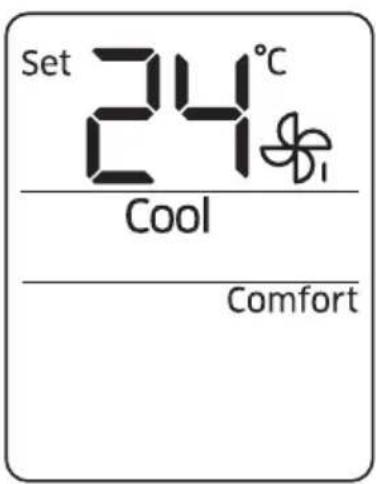
Set 24°C Cool ComfortComfort function
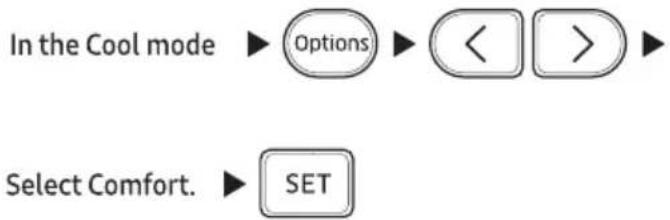
Use the Comfort function when you feel the current cooling effect is too strong. The air conditioner provides a mild cooling. You can select this function in the Cool mode.
flowchart
graph TD
    A["In the Cool mode"] --> B["Options"]
    B --> C["<<"]
    C --> D[">>"]
    E["Select Comfort."] --> F["SET"]
NOTE
• You can change the set temperature and the airflow direction.
• You cannot change the fan speed.
- If you feel cooling effect in the Comfort function is weak, cancel the Comfort function.
- If you select the Comfort function while such functions as 2-Step cooling, Fast, Single user, Quiet, or good'sleep are running, these functions are cancelled.
text_image
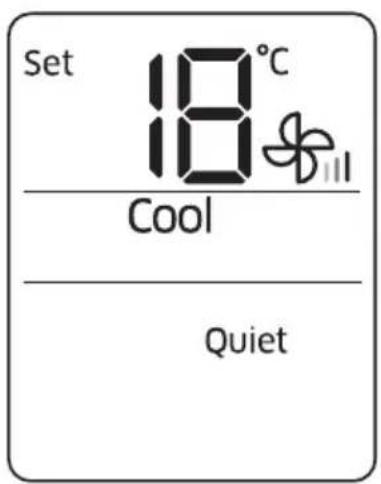
Set 18°C Cool QuietQuiet function
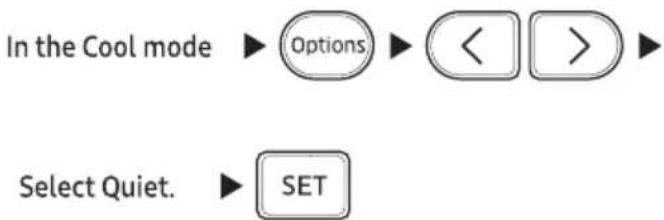
Use the Quiet function to reduce operating noise. You can select this function in the Cool mode.
flowchart
graph TD
    A["In the Cool mode"] --> B["Options"]
    B --> C["<<"]
    C --> D[">"]
    E["Select Quiet."] --> F["SET"]
NOTE
• You can change the set temperature and the air flow direction.
• You cannot change the fan speed.
- If you select the Quiet function while such functions as 2-Step cooling, Fast, Comfort, Single user, or good'sleep are running, these functions are cancelled.
text_image
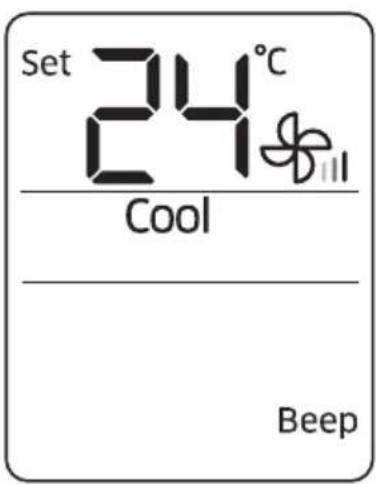
Set 24°C Cool BeepBeep sound function
Use the Beep sound function to turn on or off the beep sound that plays when you press a button on the remote control.

flowchart
graph LR
    A["Settings"] --> B["<"]
    B --> C[">"]
    C --> D["Select Beep."]
    D --> E["SET"]
text_image
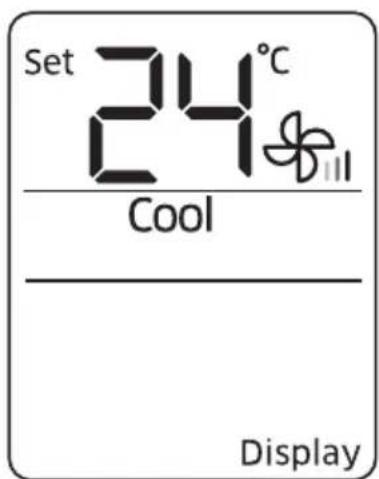
Set 24°C Cool DisplayDisplay lighting function
Use the Display lighting function to turn on or off the lighting of the indoor unit display.

flowchart
graph LR
    A["Settings"] --> B["<<"]
    B --> C[">>"]
    C --> D["Select Display."]
    D --> E["SET"]
NOTE
- The Display lighting function does not operate when the indoor unit is turned off.
- The Timer (☐) indicator does not disappear, even if you turn off the Display lighting function.
- If you change the current mode or function when the Display lighting function is on, the Display lighting function turns off.
• This function is only for selected models.
The smart energy-saving functions of the Samsung air conditioner reduce electricity consumption.
text_image
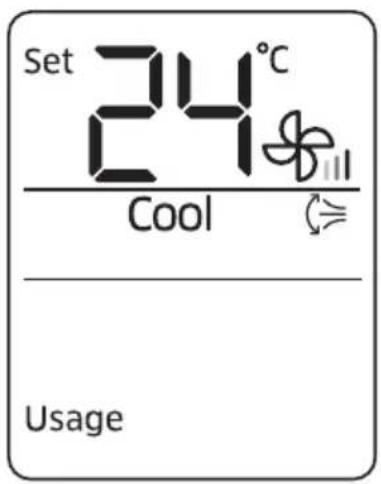
Set 24°C Cool UsageElectricity consumption check
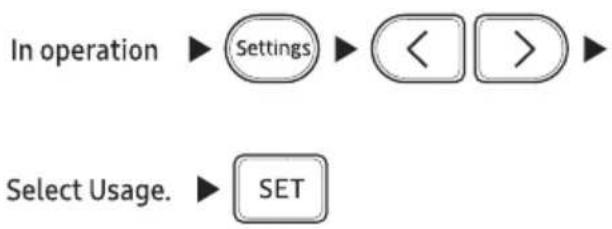
Use the Usage function to check the amount of electricity consumed by using the air conditioner. The amount consumed is displayed on the indoor unit display for a few seconds, and the set indoor temperature appears.
flowchart
graph TD
    A["In operation"] --> B["Settings"]
    B --> C["<<"]
    C --> D[">>"]
    D --> E["Select Usage."]
    E --> F["SET"]
The value range displayed is between 1 kWh and 99 kWh. Electricity consumption is calculated from the moment the air conditioner turns on. The value is reset when the air conditioner turns off.
NOTE
- The usage shown on the indoor unit display may slightly differ from the amount of electricity actually consumed.
- You can view electricity consumption only when the air conditioner is operating.
• This function is only for selected models. (only 5 star models)
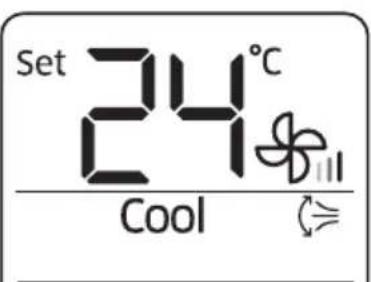
text_image
Set 24°C CoolSingle user
Single user function
Use the Single user function to reduce electricity consumption while staying cool. You can select this function in the Cool mode.
In the Cool mode


NOTE
- When the Single user function starts, the pattern appears on the remote control for a few seconds, and vertical air swing begins automatically.
- After selecting the Single user function, you can change the set temperature (24 °C to 30 °C in the Cool mode), fan speed, and vertical air flow direction.
- When the Single user function is turned on in the Cool mode while the set temperature is set to lower than 24 °C, the set temperature is automatically raised to 24 °C. But if the set temperature is set to between 25 °C and 30 °C, it remains the same.
- Even after you turn off the Single user function, vertical air swing continues until you turn it off with the Vertical air swing (⇐) button.
- If you select the Single user while such function as 2-Step cooling, Fast, Comfort, Quiet, or good'sleep are running, these modes are cancelled.
- You can also start the Single user function by pressing the Options (Options) button.
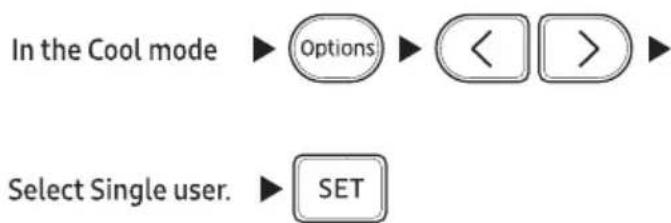
flowchart
graph TD
    A["In the Cool mode"] --> B["Options"]
    B --> C["<<"]
    C --> D[">>"]
    E["Select Single user."] --> F["SET"]
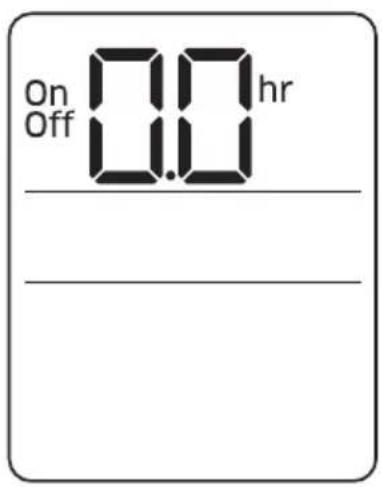
text_image
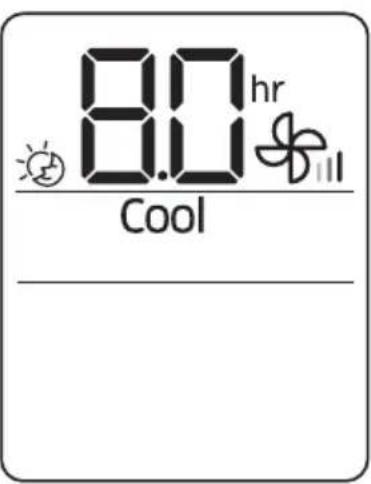
On Off 0.0 hr _______________________________Timed on/Timed off function
Use the Timed on/Timed off to turn on or off the air conditioner after the time that you set.
(Select On or Off among On, Off, and 📋.)
(Set the on/off time.) ▶ SET
- Press the Timer (Timer) button to change the current function between On, Off, and 🎨 (good'sleep). 🎨 (good'sleep) is displayed in the Cool mode only.
NOTE
- Once you start the Timed on/off function, the Timer (☐) indicator is displayed on the indoor unit display.
- You can set a time between 0.5 and 24 hours. Set the time interval to 0.0 to cancel the Timed on/off function.
- After starting the Timed on function, you can change the mode and the set temperature. You cannot change the set temperature while the Fan mode is running.
- You cannot set the same time for both of the Timed on and Timed off functions.
| Combining Timed on and Timed off | |
| When the air conditioner is off | Example) Timed on: 3 hours, Timed off: 5 hoursThe air conditioner turns on after 3 hours from the moment you start Timed on/off, remains on for 2 hours, then turns off automatically. |
| When the air conditioner is on | Example) Timed on: 3 hours, Timed off: 1 hourThe air conditioner turns off after 1 hour from the moment you start Timed on/off, then turns on after 2 hours from the moment it is turned off. |
text_image
8.0 hr Coolgood'sleep function
Use the good'sleep function to get a good sleep at night and to save energy. You can select this function in the Cool mode.

text_image
In the Cool mode ▶ Timer (Select 📊 among On, Off, and 📊.) ▶
text_image
< > (Set the operation time.) ▶ SET- Press the Timer (Timer) button to change the current function between On, Off, and 🎨 (good'sleep).
NOTE
- Once you start the good'sleep function, the Timer (💡) indicator appears on the indoor unit display.
- You can adjust the set temperature by 1 °C between 16 °C and 30 °C.
- The recommended set temperature in good'sleep function is 25 to 27 °C.
- You can set the operation time to between 0.5 and 12 hours. Set the operation time to 0.0 to cancel the good'sleep function.
- The default operation time for the good'sleep function in the Cool mode is 8 hours. If the operation time is set to over 5 hours, the Wake up function begins 1 hour before the set time. The air conditioner stops automatically when the operation time expires.
- When the Timed on, Timed off, and good'sleep functions are overlapped, the air conditioner operates its timer with only the function that you have started most recently.
- If you select the good'sleep function while such functions as 2-Step cooling, Fast, Comfort, Single user, Quiet, or are running, these functions are cancelled.
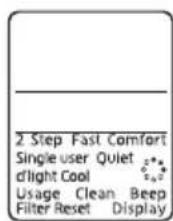
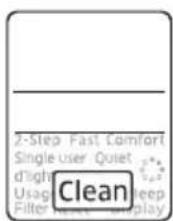
Running Auto clean


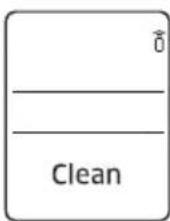


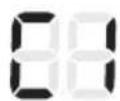
Indoor unit display
| Cleaning duration (minutes) | |
| Auto (Cool), Cool, Dry | 30 |
| Fan | 15 |

NOTE
- When you set the Auto clean timer, Clean blinks and then disappears on the remote control display. The Timer (💡) indicator also appears on the indoor unit display.
- When the air conditioner is off, Auto clean starts immediately when it is selected. When the air conditioner is on, Auto clean starts as soon as the air conditioner stops running.
- During Auto clean, the indoor fan continues to run, and air flow blades remain open to expel ambient air.
Cleaning the indoor unit exterior and outdoor unit heat exterior
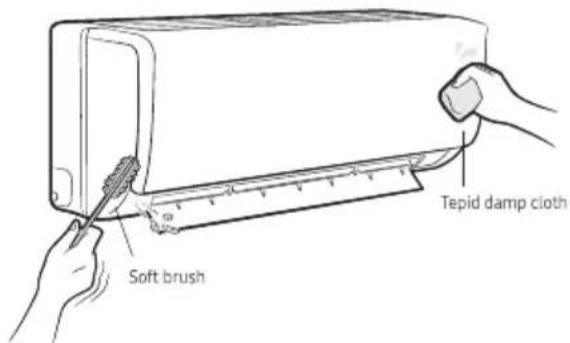
text_image
Soft brush Tepid damp clothBefore cleaning, be sure to turn off the equipment and disconnect the power plug.
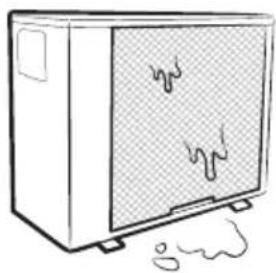
natural_image
Simple line drawing of a microwave oven with visible liquid and smoke (no text or symbols)Spray water to clean the dust.
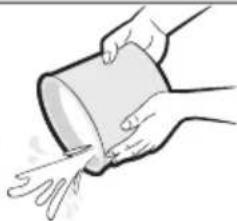
natural_image
Illustration of a hand pouring liquid from a cylindrical container (no text or symbols)

CAUTION
- Do not clean the display by using alkaline detergent.
- Do not use sulphuric acid, hydrochloric acid, or organic solvents (such as thinner, kerosene, and acetone) to clean the surfaces. Do not put any stickers on it as this can damage the surface of the air conditioner.
- When you clean and inspect the heat exchanger on the outdoor unit, contact the local service centre for help.
Cleaning the filter
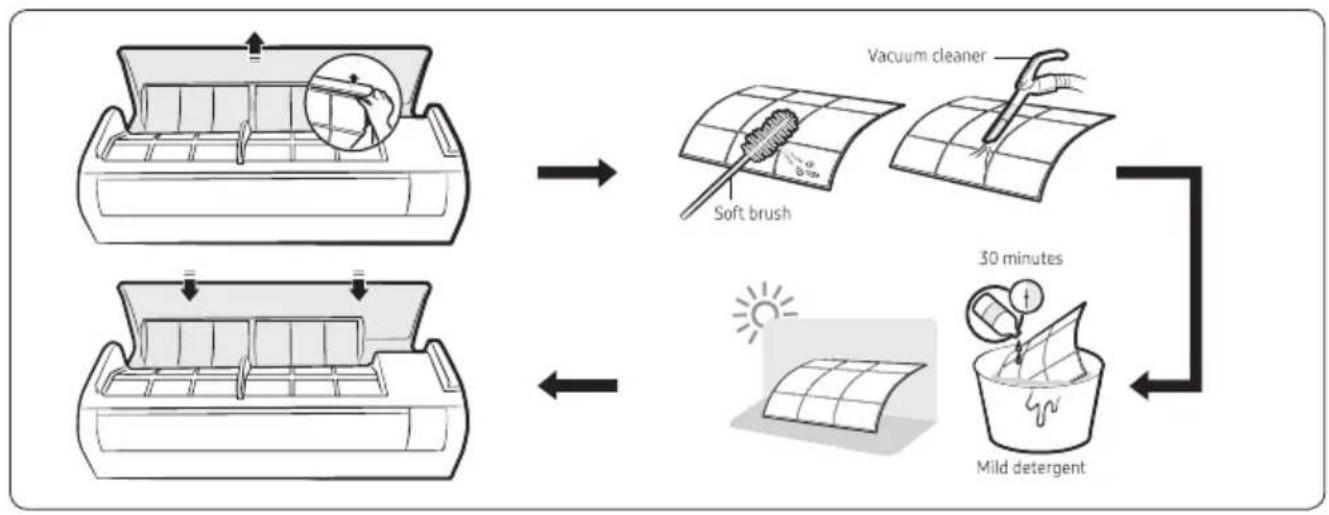
flowchart
graph TD
    A["Air intake"] --> B["Soft brush"]
    B --> C["Vacuum cleaner"]
    C --> D["30 minutes"]
    D --> E["Mild detergent"]

CAUTION
- Do not scrub the air filter with a brush or other cleaning utensil. This may damage the filter.
- Do not expose the air filter to direct sunlight when drying it.

NOTE
- Clean the air filter every 2 weeks. Cleaning term may vary depending on the usage and environmental conditions.
- If the air filter dries in a humid area, it may produce offensive odours. Clean it again and dry it in a well-ventilated area.
Troubleshooting
If the air conditioner operates abnormally, refer to the following chart to save time and unnecessary expenses.
| Problem | Solution |
| The air conditioner does not work at all. | Check the power status, then operate the air conditioner again.Switch on the circuit breaker, plug in the power cord, then operate the air conditioner again.Make sure that the isolator is turned on.Check whether the Timed off function is running. Operate the air conditioner again by pressing the Power button. |
| I cannot change the temperature. | Check whether the Fan or Fast mode is running. In these modes, the air conditioner controls the set temperature automatically, and you cannot change the set temperature. |
| Cool air does not come out of the air conditioner. | Check whether the set temperature is higher in the Cool mode than the current temperature. Press the Temperature button on the remote control to change the set temperature.Check whether the air filter is blocked with dirt. If the air filter is blocked, the cooling performance may decrease. Remove dirt regularly.Check whether the outdoor unit is covered or installed near obstacles. Remove the coverings and obstacles.Check whether doors or windows are open. This may cause poor cooling performance. Close the doors and windows.Check whether the air conditioner is turned on immediately after the cooling operation stops. In this case, only the fan runs to protect the outdoor unit compressor.Check whether the pipe length is too long. When the pipe length exceeds the maximum pipe length, the cooling performance may decrease. |
| I cannot change the air flow direction. | Check whether the good'sleep function is running. While this function is running, you cannot control the air flow direction. |
| I cannot change the fan speed. | When the Auto, Dry, or Fast mode is running or the good'sleep function is running in the Cool mode, the air conditioner controls the fan speed automatically and you cannot change the fan speed. |
| The remote control does not work. | Replace the batteries in the remote control with new ones.Make sure that nothing is blocking the remote control sensor.Check whether there are strong lighting apparatus near the air conditioner.Strong light which comes from fluorescent bulbs or neon signs may interrupt the electric waves. |
| The Timed on/off function does not work. | Check whether you pressed the SET button on the remote control after setting the time. |
| The indicator blinks continuously. | Press the Power button to turn off the air conditioner or disconnect the power plug. If the indicator is still blinking, contact the service centre. |
| Odours permeate in the room during operation. | Check whether the air conditioner is running in a smoky area. Ventilate the room or operate the air conditioner in the Fan mode for 3 to 4 hours. (There are no components used in the air conditioner that emit a strong odour.)Check whether the drains are clean. Clean them regularly. |
| An error is indicated. | If the indoor unit indicator blinks, contact the nearest service centre. Be sure to pass the error code to the service centre. |
| Noise is generated. | When refrigerant flow changes, noise may be generated, depending on the status of the air conditioner. This is a normal operation. |
| Water drops from the pipe connections of the outdoor unit. | Condensation may develop when the ambient temperature changes excessively. This is a normal operation. |

Disposal of This Product
(Waste Electrical & Electronic Equipment)
ssol eoh l r wulh lw hs u wh rooh wlr whp
This marking on the product accessories literature indicates that the product and its electronic accessories (e.g. charger, headset, USB cable) should not be disposed of with other household waste at the end of their working life. To prevent possible harm to the environment or human health from uncontrolled waste disposal, please separate these items from other types of waste and recycle them responsibly to promote the sustainable reuse of material resources. House hold users should contact either the retailer where they purchased this product, or their local government office, for details of where and how they can take these items for environmentally safe recycling. Business user should contact their supplier and check the terms and conditions of the purchase contract. This product and its electronic accessories should not be mixed other commercial wastes for disposal. For more information on safe disposal and recycling visit our website www.samsung.com/in/support or contact our Helpline numbers - 1800 40 SAMSUNG (1800 40 7267864)
QUESTIONS OR COMMENTS?
| COUNTRY | CALL | OR VISIT US ONLINE AT |
| INDIA | 1800 40 SAMSUNG (1800 40 7267864) (Toll-Free) | www.samsung.com/in/support |
This product is RoHS compliant