
STV-033 - TV wall mount Steren - Free user manual and instructions
Find the device manual for free STV-033 Steren in PDF.


| Product Type | Audio/Video Accessory |
| Brand | Steren |
| Model | STV-033 |
| Dimensions (approx.) | 15 x 10 x 3 cm |
| Weight (approx.) | 150 g |
| Power Supply | 5V DC via USB |
| Power Consumption | 2.5 W max |
| Input Interfaces | HDMI, Composite Video |
| Output Interfaces | HDMI, Composite Video |
| Supported Video Resolutions | 480p, 720p, 1080i, 1080p |
| Main Functions | Video switching, signal conversion |
| Operating Temperature | 0°C to 40°C |
| Storage Temperature | -20°C to 60°C |
| Care and Cleaning | Wipe with dry cloth; do not use liquids |
| Safety Precautions | Keep away from moisture; do not disassemble |
| Spare Parts | Power cable included; no other spare parts available |
| Repairability | Not repairable by user; contact professional service |
| General Information | Compatible with most AV systems; plug and play |
Frequently Asked Questions - STV-033 Steren
User questions about STV-033 Steren
0 question about this device. Answer the ones you know or ask your own.
Ask a new question about this device
Download the instructions for your TV wall mount in PDF format for free! Find your manual STV-033 - Steren and take your electronic device back in hand. On this page are published all the documents necessary for the use of your device. STV-033 by Steren.
USER MANUAL STV-033 Steren
natural_image
Black metal frame structure against a green background (no text or symbols)VIDEO

natural_image
Illustration of four different tools: a pencil, battery, screwdriver, and wrench (no text or symbols present)Instalación
natural_image
Illustration of a blue level meter mounted on a black frame against a red brick wall (no text or symbols)
natural_image
3D illustration of a red and black mechanical component with a red drill bit (no text or symbols)natural_image
3D illustration of a screw fastener inserted into a black circular component on a red background (no text or symbols)natural_image
3D rendering of a black rectangular panel with mounting holes and green alignment markers (no text or symbols)natural_image
Pure mechanical component diagram with green motion arrows, no text or symbols presentnatural_image
Diagram of a monitor mounted on a stand with green arrows indicating downward force or adjustment (no text or symbols present)natural_image
Black metal frame structure against a solid green background (no text or symbols)VIDEO
24 to 46" ultraslim TV stand
STV-033
Thank You on purchasing your new Steren product.
This manual includes all the feature operations and troubleshooting necessary to install and operate your new Steren's 24 to 46" ultraslim TV stand.
Please review this manual thoroughly to ensure proper installation and operation of this product. For support, shopping, and everything new at Steren, visit our website:
www.steren.com

The instructions of this manual are for reference about the product. There may be differences due to updates.
Please check our web site (www.steren.com) to obtain the latest version of the instruction manual.
IMPORTANT
- During the installation, use only the pieces supplied and fi x fi rmly.
- Don't forget place any pieces. Install it as indicated.
- Choose a wall solid and smooth to can fix with security the support.
- There must be 15cm free around of the area to install the support and pull off any object that be in the place.
- Don't exceed the maximum charge capacity of 30 Kg.
Highlights
With this TV stand you will optimize spaces and also you can give you an elegant and avant-garde touch to your entertainment area. This stand is ultra slim, so it is totally discreet and your TV will be placed as any painting and you can enjoy your favourite TV programs.
It has been designed to fi t screens from 24 to 46" and can support up to 66lb. The stand accomplished with VESA standard, being compatible with almost all kind of TVs in the market. The package includes all required fi ttings for installation and a practical leveler to place the stand in the right position.
Manufactured in low carbon steel, for best resistance and fi nished in black color.
Maximum load: 66lb VESA standard: up to 400 x 400 mm Leveler included
Content
| PIECES DESCRIPTION | |
| 1 TV stand | |
| 1 Magnetic level | |
| 4 Concrete anchors (2") | |
| 4 Hexagonal big head screws (2") | |
| 4 Big screws | |
| 4 Medium screws | |
| 4 Small screws | |
| 4 Medium washers | |
| 4 Small washers | |
| 4 Plastic spacers | |
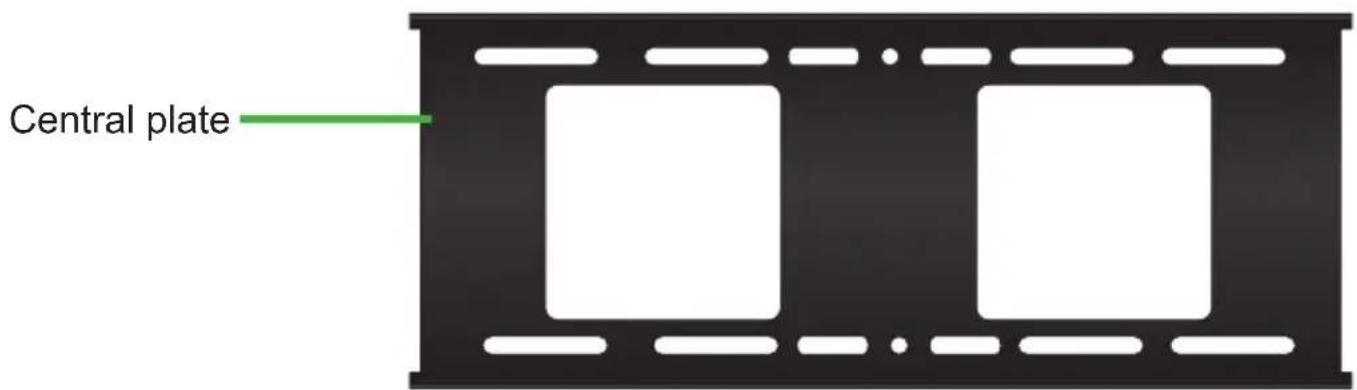
Parts

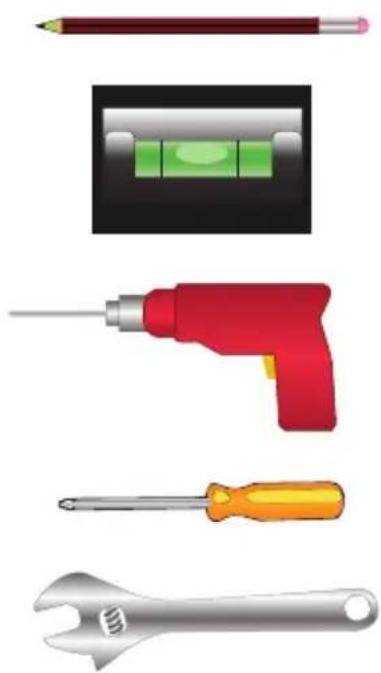
Tools may you need
Pencil or marker
Magnetic level (included)
Drill
Screwdriver
Wrench
natural_image
Illustration of four different tools: pencil, battery, screwdriver, and wrench (no text or symbols)Installation
- Select the place to install the support, consider the dimensions of the screen. You must choose a solid wall.
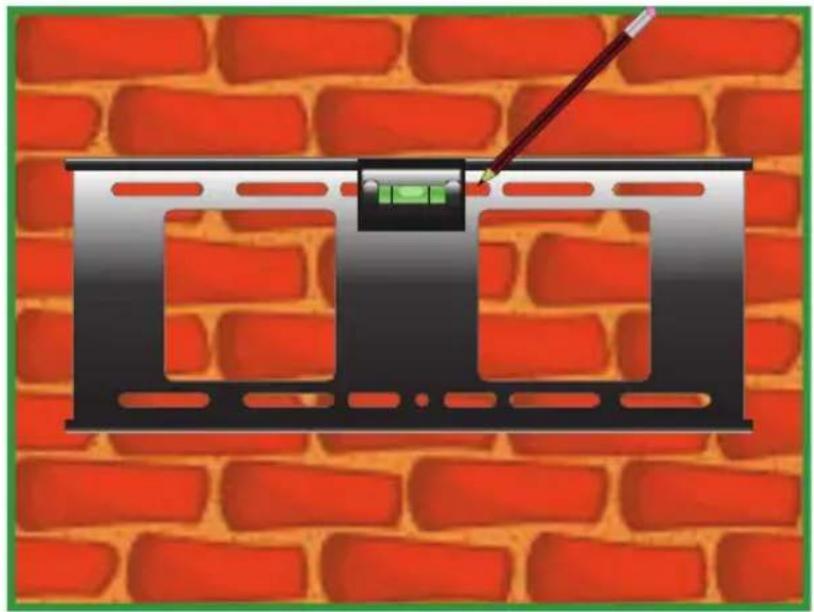
- Put the central plate in the wall and using the magnetic level to make sure that the position is correctly. Make four marks for drilling.
natural_image
Illustration of a black rectangular frame with green indicator lights and a pointer, set against a red brick wall (no text or symbols)
natural_image
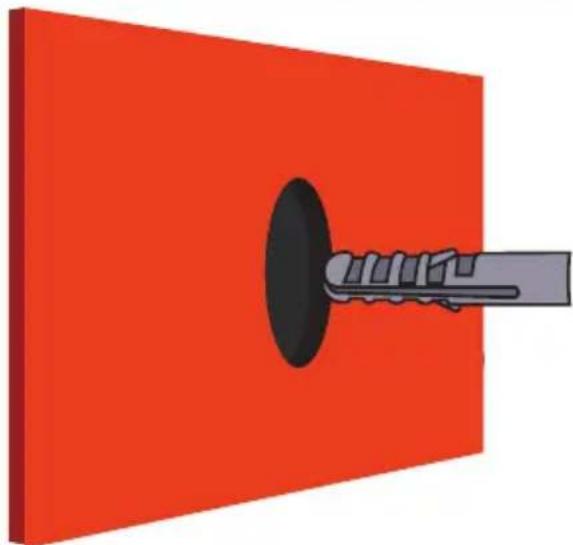
3D illustration of a red and black mechanical component with a screwdriver, mounted on a red background (no text or symbols)- Use the drill. Then insert the anchors, they must be placed brim of the wall.

Before drill, make sure that electrical pipes, gas or water exists.
natural_image
3D illustration of a mechanical component with a black circular hole and gray shaft inserted into it, set against a solid red background (no text or symbols)- Fix the plate using the 4 hexagonal screws, tighten with a wrench.

- In the rear of the screen set the plastic spacers and the fastening bars.

- Choose 4 screws (with their washers) with the same size and place them into the holes.
Note: The supplied screws are standard size. Please rfers to the instruction manual of your screen to obtain more info about of the screws to mount in the support.

natural_image
3D rendering of a black rectangular electronic device with mounting brackets and green alignment markers (no text or symbols)- Loosen the security screws until are brim to the fastening bars.

natural_image
Black mechanical component with green motion arrows indicating rotational motion (no text or symbols)- Take the screen by the sides, and carefully place it into the central plate.

natural_image
Diagram of a device with two green arrows pointing to a screen, mounted on a black frame (no text or symbols)- Adjust the position of the screen and tighten the security screws.

Note: Steren it is not responsible by materials or personal damage caused by improper use or improper installation. Is responsibility of the user to be sure of the correct installation and the use of the product, as well as of their constant revision.
Product: 24 to 46" ultraslim TV stand.
Part number: STV-033
Brand: Steren
WARRANTY
This Steren product is warranted under normal usage against defects in workmanship and materials to the original purchaser for one year from the date of purchase.
CONDITIONS
-
This warranty card with all there required information, invoice, productboxor package, and product, must be presented when warranty service is required.
-
If the product is in the warranty time, the company will repair it free of charge.
-
The repairing time will not exceed 30 natural days, from the day the claim was received.
-
Steren sell parts, components, consumables and accessories to customer, as well as warranty service, at any of the addresses mentioned later.
THIS WARRANTY IS VOID IN THE NEXT CASES:
If the product has been damaged by an accident, acts of God, mishandling, leaky batteries, failure to follow enclosed instructions, improper repair by unauthorized personnel, improper safe keeping, among others.
a) The consumer can also claim the warranty service in the purchase establishment.
b) If you lose the warranty card, we can reissue it, if you show the invoice or purchase ticket.
RETAILER INFORMATION
Name of the retailer
Address ____
Product
Brand
Part number ____
Serial number
Date of delivery ____

In case your product fails or have questions, please contact your nearest dealer. If you are in Mexico, please call to our Call Center.
01 800 500 9000

natural_image
Abstract green circular logo with white horizontal stripes (no text or symbols)STEREN®
Help us to improve this instruction manual.
Call us to:
01 800 500 9000
Customer Service Center
Brand : Steren
Model : STV-033
Category : TV wall mount