
MC-1.3M - Webcam ModeCom - Free user manual and instructions
Find the device manual for free MC-1.3M ModeCom in PDF.


| Product Type | Webcam |
| Model | MC-1.3M |
| Brand | ModeCom |
| Resolution | True 1.3 Megapixels (up to 1280x1024) |
| Interface | USB 2.0 (compatible with USB 1.1) |
| Microphone | Built-in |
| Face Tracking | Yes |
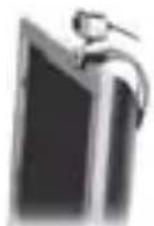
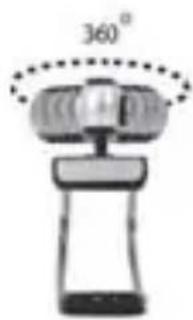
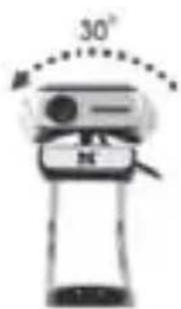
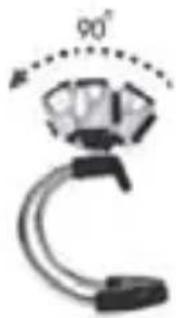
| Mounting Options | Multi-flexible stand for CRT, LCD monitors, notebooks, and flat surfaces; multi-swivel design with 360° rotation and 90° tilt |
| System Requirements | Windows 98SE/ME/2000/XP/Vista or Mac OS X; Pentium 4 1.4 GHz or AMD Athlon 1 GHz; 128 MB RAM; 200 MB free HDD; CD-ROM drive; 24-bit color display; USB port |
| Software | AMCAP for video capture; driver CD included |
| Snapshot Button | Yes, on camera body |
| Video Effects | 16 video effects, 10 frame effects |
| Supported Color Spaces | RGB24, I420 |
| Supported Resolutions | 160x120, 176x144, 320x240, 352x288, 640x480, 800x600, 1024x768, 1280x1024 |
| Weight | 62 g |
| Power Supply | USB bus-powered |
| Cable Length | Not specified (typical ~1.5 m) |
| Package Contents | Webcam with USB cable, driver CD, user manual (EN/PL) |
Frequently Asked Questions - MC-1.3M ModeCom
User questions about MC-1.3M ModeCom
0 question about this device. Answer the ones you know or ask your own.
Ask a new question about this device
Download the instructions for your Webcam in PDF format for free! Find your manual MC-1.3M - ModeCom and take your electronic device back in hand. On this page are published all the documents necessary for the use of your device. MC-1.3M by ModeCom.
USER MANUAL MC-1.3M ModeCom
MODE COM

ENGLISH
POLSKI
1 7 - 3 1
MC-1.3M User Manual
TRUE 1.3 MEGA PIXEL WEB CAM
Thank you for choosing an advanced Web camera MC-1.3 M.
Mode Com places a high value on the quality of its products to not only fulfi II but also surpass customers requirements.
Our clients are well acquainted with the high quality, advanced technology, reliability and functionality of our products.
There is no doubt your all expectations will be satisfied by the web camera MC-1.3M. It will allow you to enjoy broadband internet connection.
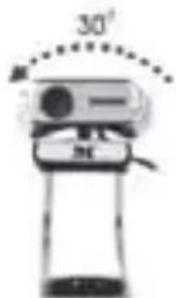
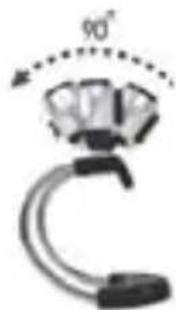
Our device is uniquely handy. Owing to the universal system of assembling it is adjusted to CRT as well as LCD monitors. Additionally, it is a perfect solution for portable computer users. A special construction of a stand together with

a rotary top of the camera enable to place the device almost everywhere and in every position.
One of the exquisite functions off ered by MC-1.3M is the function of Face Tracking. Thanks to this feature your inter-locutor will constantly have a central image of you and you will find it easier to move.
High resolution, speed and sensitivity are the features which characterize perfect parameters of MC-1.3M optical sensor, which ensures good view even in difficult conditions.
The use of the USB 2.0 interface enables to capture high resolution images.
Embedded microphone allows to carry on high quality conversations with the use of instant messaging simultaneously allowing to save space on your desk and limit the amount of wires on it.
The drivers on the CD enhance the graphic effects so that the conversations on the web are more attractive.
To facilitate the use of the device please take a few moments to read the instruction manual thoroughly.
For you we create products unique in every aspect!
Choose Better future- choose Mode Com!
Package Contents
- True 1.3 Mega Pixel Web Camera with USB 2.0 cable
- CD Driver
- English & Polish Manual
System Requirements
- Windows 98SE/ME/2000/XP/Vista or Mac OS X above
- Pentium P4 1.4 GHz or AMD Athlon Processor I GHZ
• 128MB RAM
• 200MB free hard drive space - CD-ROM drive
• 24 bit color display adapter
• Available 1.1 or 2.0 USB port (USB 2.0 high speed port required for mega pixel image capture)
MODE COM
The Description for Each Part

Web Camera Features
Multi-Flexible Stand

Any Flat Surface

For Notebook For LCD Monitor
Monitor

For CRT Monitor
Multi-Swivel Design
Face Tracking



Face Tracking 2×4×
MODE COM

Attention: Please install the driver before the Web Cam installation.
The Steps of Installation:
Steps 1: Please install the driver first.
Steps 2: Please install the Web Cam after fi nishing the in-stallation of driver successfully.
- Click „Install“ to begin the installation

2. Start installation

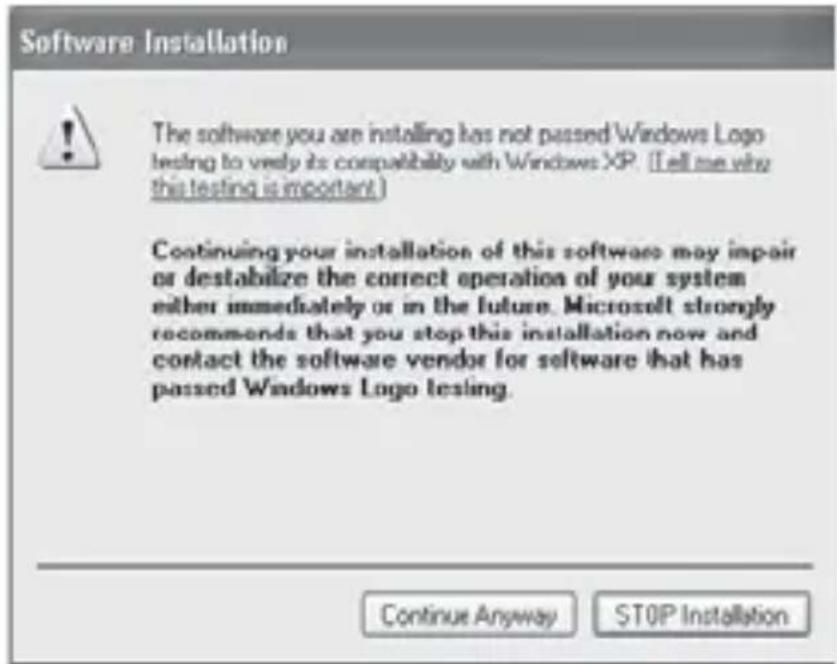
3. Select „Continue Anyway“

MODE COM

- Select „Finish“

Install the Hardware
Connect the camera USB cable to the USB port.
Taking Photos (Snapshots)
- Push the Snapshot button on the camera.
-
AMCAP application will be started, showing the preview from your camera.
-
To take a photo press the Snapshot button again. A new window is opened showing photo, that you have just taken.
- To save the picture, please select: File → Save as... select the folder and fi lename where you want to save the fi le.
Setting the Software
How to use AMCAP tool:
AMCAP is an application that let you capture video in your system. It captures video to and .AVI file. Below is a description of ASCAP's various options and features.
- File/Set Capture File: where you save the captured file.
- Files/Allocate File Space: capturing works better if you capture into an .AVI fi le that already exists on your local drive. Here you set how much space to reserve (how big your fi le needs to be). It also helps if you defragment your hard drive before beginning the capture, and places the captured fi le near the beginning of the physical drive.
- File/Save Captured Video As: Use this to copy the captured data to another fi le, so you can reuse the same preallocated fi le for your next capture.
MODE COM


- Device: under the device's menu you choose which of your video cameras you capture from.
- Options/preview: lets you watch the input video that is being recorded in the application window.

- Options/Video Capture Filter: adjust various video settings, such as brightness, contrast, etc.

Unique Video Effect
- Particular Video Effect: There are 16 kinds of video effect to choose from.

Snipping Embossment Mosaic Fisheye
- Special Frame Effect: There are 10 kinds of frame effect to choose from.

Newspaper Jungle Postcard Computer
MODE COM

Supported color spaces are RBG24, 1420.
Supported sizes are 160×120, 176×144, 320×240, 352×288, 680×480, 800×600, 1024×768 and 1280×1024.

- Capture/Start Capture: save the capture file in your computer and select „START“ and then „OK“ to start a capture of video sequence or choose „Cancel“ to cancel the capture. - Capture/Set Frame Rate: where you can set the frame rate you want for preview and video.
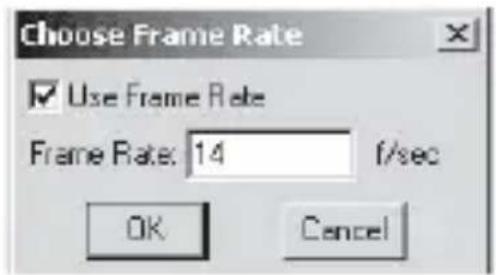
- Capture/Set Time Limit: where you can set the time limit for video.

Uninstall the Software:
- Click „Start“ from the task bar and choose „Programs“
- Select USB PC Camera--> „Uninstall“ and follow the instructions.
MODE COM

Q&A
Q: If you reverse the step of installation or you meet some problem during installation, please take the following resolution.
A: Please pull out the USB cable of Web Cam first and take the correct step for installation.
Step 1: Please install the driver first.
Step 2: Please install the Web Cam after fi nishing.
We reserve the right to update all information in the instruction manual.
MC-1.3M
Instrukcja obsługi
KAMERA INTERNETOWA
O ROZDZIELCZOŚCI 1,3 MILIONA PIKSELI
Do notebook'ów

Do monitorów LCD

Do monitorów CRT


Face Tracking 2×4×
MODE COM
3. Wybierz „Continue Anyway“ [Kontynuuj mimo to]
MODE COM

Instalacja sprzętu
This symbol on our product nameplates proves its compatibility with the EU Directive2002/96 concerning proper disposal of waste electric and electronic equipment (WEEE).
By using the appropriate disposal systems you prevent the potential negative consequences of wrong product take-back that can pose risks to the environment and human health.
The symbol indicates that this product must not be disposed of with your other waste. You must hand it over to a designated collection point for the recycling of electrical and electronic equipment waste. The disposal of the product should obey all the specific Community waste management legislations.
Contact your local city office, your waste disposal service or the place of purchase for more information on the collection.
Weight of the device: 62g
OCHRONA ŚRODOWISKA:

03-301 Warsaw, Poland
82 Jagiellońska St.
www.modecom.eu
- MODE COM
- MC-1.3M USER MANUAL
- CHOOSE BETTER FUTURE- CHOOSE MODE COM
- PACKAGE CONTENTS
- SYSTEM REQUIREMENTS
- THE DESCRIPTION FOR EACH PART
- WEB CAMERA FEATURES
- MULTI-FLEXIBLE STAND
- MULTI-SWIVEL DESIGN
- FACE TRACKING
- THE STEPS OF INSTALLATION
- START INSTALLATION
- SELECT „CONTINUE ANYWAY
- INSTALL THE HARDWARE
- TAKING PHOTOS (SNAPSHOTS)
- SETTING THE SOFTWARE
- HOW TO USE AMCAP TOOL
- UNIQUE VIDEO EFFECT
- UNINSTALL THE SOFTWARE
- Q&A
- MC-1.3M
- INSTRUKCJA OBSŁUGI
- WYBIERZ „CONTINUE ANYWAY“ [KONTYNUUJ MIMO TO]
- INSTALACJA SPRZĘTU
- OCHRONA ŚRODOWISKA
Brand : ModeCom
Model : MC-1.3M
Category : Webcam