
PCE-1G-01-LP - PCI card Tripp Lite - Free user manual and instructions
Find the device manual for free PCE-1G-01-LP Tripp Lite in PDF.


| Product Type | PCI Express Gigabit Ethernet Network Card |
| Model | PCE-1G-01-LP |
| Brand | Tripp Lite |
| Form Factor | Low-Profile PCI Express (x1) |
| Dimensions (approx.) | 120 x 65 x 21 mm (full height bracket included) |
| Weight | Approximately 50 g |
| Power Supply | Via PCI Express bus (3.3V & 12V) |
| Number of Ports | 1 x RJ45 |
| Data Rate | 10/100/1000 Mbps (autosensing) |
| Duplex Mode | Full duplex and half duplex |
| Compliance Standards | IEEE 802.3, 802.3u, 802.3ab, 802.3x, 802.1p, 802.1q |
| Operating System Support | Windows, Linux, macOS (driver dependent) |
| LED Indicators | Link/Activity, Speed (10/100/1000) |
| Wake-on-LAN | Supported |
| Checksum Offload | TCP, UDP, IPv4, IPv6 |
| Jumbo Frame Support | Up to 9K bytes |
| Operating Temperature | 0°C to 55°C (32°F to 131°F) |
| Storage Temperature | -10°C to 70°C (14°F to 158°F) |
| Humidity | 10% to 90% non-condensing |
| Country of Origin | China |
| Warranty | Lifetime limited warranty |
| Cleaning Instructions | Use a soft, dry cloth; avoid liquids and abrasives |
| Safety Precautions | Disconnect power before installation; handle with anti-static precautions |
| Spare Parts Availability | No user-serviceable parts; contact Tripp Lite support |
| Repairability | Non-repairable by user; replacement recommended |
Frequently Asked Questions - PCE-1G-01-LP Tripp Lite
User questions about PCE-1G-01-LP Tripp Lite
0 question about this device. Answer the ones you know or ask your own.
Ask a new question about this device
Download the instructions for your PCI card in PDF format for free! Find your manual PCE-1G-01-LP - Tripp Lite and take your electronic device back in hand. On this page are published all the documents necessary for the use of your device. PCE-1G-01-LP by Tripp Lite.
USER MANUAL PCE-1G-01-LP Tripp Lite
Models: PCE-1G-01 and PCE-1G-01-LP
PROTECT YOUR INVESTMENT!
Register your product for quicker service and ultimate peace of mind.
You could also win an ISOBAR6ULTRA surge protector—a \$100 value!
www.tripplite.com/warranty


Manufacturing Excellence.
1111 W. 35th Street, Chicago, IL 60609 USA www.tripplite.com/support
Copyright © 2016 Tripp Lite. All rights reserved.
Product Features
- Adds a 10/100/1000 Mbps Network Card to your computer/server or replaces an existing one
• Supports 10/100/1000 Mbps data rate auto-negotiation - Standard (PCE-1G-01) and low-profile (PCE-1G-01-LP) brackets
• Compliant with PCI Express Revision 1.1 - PCI Express 1-Lane (x1) interface, which is also compatible with x4, x8 and x16 PCIe slots
- Fully compliant with IEEE 802.3, 802.3u, and 802.3ab
- Supports IEEE 802.3x Full Duplex Flow Control, 802.1P Layer 2 Priority Encoding, and 802.1Q VLAN Tagging
- Crossover Detection and Auto Correction (Auto MDI/MDI-X), Wake-on-LAN (WOL) and Jumbo Frames (up to 9K)
Package Includes
• PCE-1G-01 or PCE-1G-01-LP GbE PCIe Card
- Driver CD
- Owner's Manual
Optional Accessories
• N001-Series Cat5e Snagless Patch Cables
• N002-Series Cat5e Patch Cables
• N200-Series Cat6 Patch Cables
• N201-Series Cat6 Snagless Patch Cables
System Requirements
- Computer with an available PCI Express (PCIe) expansion slot (x1, x4, x8, x16)
- Compatible with Windows® (XP and later), Mac® (OS X 10.4 and later) and Linux®
Installation
Notes:
- PCI Express cards are static sensitive devices that require proper handling. An Anti-Static ESD Wrist Strap (such as Tripp Lite's P999-000) or similar device should always be used when handling.
-
Handle the card with care when installing, holding it by the edges and not the PCIe interface connectors.
-
Turn off the computer you are installing the PCIe card in, unplug its power cord and disconnect all peripheral devices (e.g. monitor, keyboard, mouse, printer, etc.).
- Referring to your computer's technical documentation, remove the cover from your computer.
- Locate an available PCI Express slot (x1, x4, x8 and x16 slots supported), and remove the metal bracket from the back of the computer to allow for insertion of the card.
- Gently insert the PCIe interface connector on the card into the PCIe slot, making sure it connects securely and evenly.
- Secure the metal bracket to the back of the computer.
- Place the cover back onto the computer. Re-connect its power cords and peripheral devices.
Installation
- Upon starting your computer, the appropriate drivers should auto-install. If they do not auto-install, or do not fully install, insert the included driver CD, navigating to and installing the appropriate OS driver. If your computer does not have a CD drive, you can obtain the driver from www.tripplite.com/support.
- Upon connecting to a network, the LINK/ACT LED will illuminate to indicate a connection has been made, and blink to indicate network activity.
Note: The 1000M LED illuminates upon first connection to a new network to indicate a gigabit Ethernet connection, and then turns off. It does not otherwise illuminate during operation.
Warranty and Product Registration
1-YEAR LIMITED WARRANTY
TRIPP LITE warrants its products to be free from defects in materials and workmanship for a period of one (1) year from the date of initial purchase. TRIPP LITE's obligation under this warranty is limited to repairing or replacing (at its sole option) any such defective products. To obtain service under this warranty, you must obtain a Returned Material Authorization (RMA) number from TRIPP LITE or an authorized TRIPP LITE service center. Products must be returned to TRIPP LITE or an authorized TRIPP LITE service center with transportation charges prepaid and must be accompanied by a brief description of the problem encountered and proof of date and place of purchase. This warranty does not apply to equipment, which has been damaged by accident, negligence or misapplication or has been altered or modified in any way.
EXCEPT AS PROVIDED HEREIN, TRIPP LITE MAKES NO WARRANTIES, EXPRESS OR IMPLIED, INCLUDING WARRANTIES OF MERCHANTABILITY AND FITNESS FOR A PARTICULAR PURPOSE.
Some states do not permit limitation or exclusion of implied warranties; therefore, the aforesaid limitation(s) or exclusion(s) may not apply to the purchaser.
EXCEPT AS PROVIDED ABOVE, IN NO EVENT WILL TRIPP LITE BE LIABLE FOR DIRECT, INDIRECT, SPECIAL, INCIDENTAL OR CONSEQUENTIAL DAMAGES ARISING OUT OF THE USE OF THIS PRODUCT, EVEN IF ADVISED OF THE POSSIBILITY OF SUCH DAMAGE. Specifically, TRIPP LITE is not liable for any costs, such as lost profits or revenue, loss of equipment, loss of use of equipment, loss of software, loss of data, costs of substitutes, claims by third parties, or otherwise.
PRODUCT REGISTRATION
Visit www.tripplite.com/warranty today to register your new
Tripp Lite product. You'll be automatically entered into a drawing for a chance to win a FREE Tripp Lite product!*
* No purchase necessary. Void where prohibited. Some restrictions apply. See website for details.
Warranty and Product Registration
WEEE Compliance Information for Tripp Lite Customers and Recyclers (European Union)

Under the Waste Electrical and Electronic Equipment (WEEE) Directive and implementing regulations, when customers buy new electrical and electronic equipment from Tripp Lite they are entitled to:
- Send old equipment for recycling on a one-for-one, like-for-like basis (this varies depending on the country)
- Send the new equipment back for recycling when this ultimately becomes waste
Use of this equipment in life support applications where failure of this equipment can reasonably be expected to cause the failure of the life support equipment or to significantly affect its safety or effectiveness is not recommended. Do not use this equipment in the presence of a flammable anesthetic mixture with air, oxygen or nitrous oxide.
Tripp Lite has a policy of continuous improvement. Specifications are subject to change without notice.


1111 W. 35th Street, Chicago, IL 60609 USA www.tripplite.com/support
16-02-228 93-3552_RevA


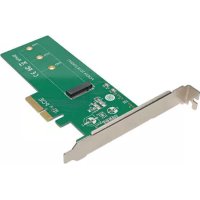
Brand : Tripp Lite
Model : PCE-1G-01-LP
Category : PCI card