
GC571 - Steam cleaner PHILIPS - Free user manual and instructions
Find the device manual for free GC571 PHILIPS in PDF.


| Product Type | Steam Cleaner |
| Brand | Philips |
| Model | GC571 |
| Power | 1600 W |
| Voltage | 220-240 V |
| Frequency | 50-60 Hz |
| Water Tank Capacity | 200 ml |
| Steam Pressure | 3.5 bar |
| Heating Time | 30 seconds |
| Continuous Steam Time | Up to 10 minutes |
| Cord Length | 2 m |
| Weight | 0.8 kg |
| Dimensions (L x W x H) | 30 x 15 x 12 cm |
| Material | Plastic and stainless steel |
| Safety Features | Auto shut-off, lockable steam trigger |
| Maintenance | Descale every 2 months |
| Accessories Included | Fabric brush, concentrator nozzle, measuring cup |
| Warranty | 2 years |
Frequently Asked Questions - GC571 PHILIPS
User questions about GC571 PHILIPS
0 question about this device. Answer the ones you know or ask your own.
Ask a new question about this device
Download the instructions for your Steam cleaner in PDF format for free! Find your manual GC571 - PHILIPS and take your electronic device back in hand. On this page are published all the documents necessary for the use of your device. GC571 by PHILIPS.
USER MANUAL GC571 PHILIPS
natural_image
Modern stainless steel stand with coiled tubing and a handle, no visible text or symbolsEN User manual
SC 用户手册

3

5

6

8

10
11
13
15

18
18
19


[Non-Text]
[Non-Text]

[Non-Text]

广力云
EN
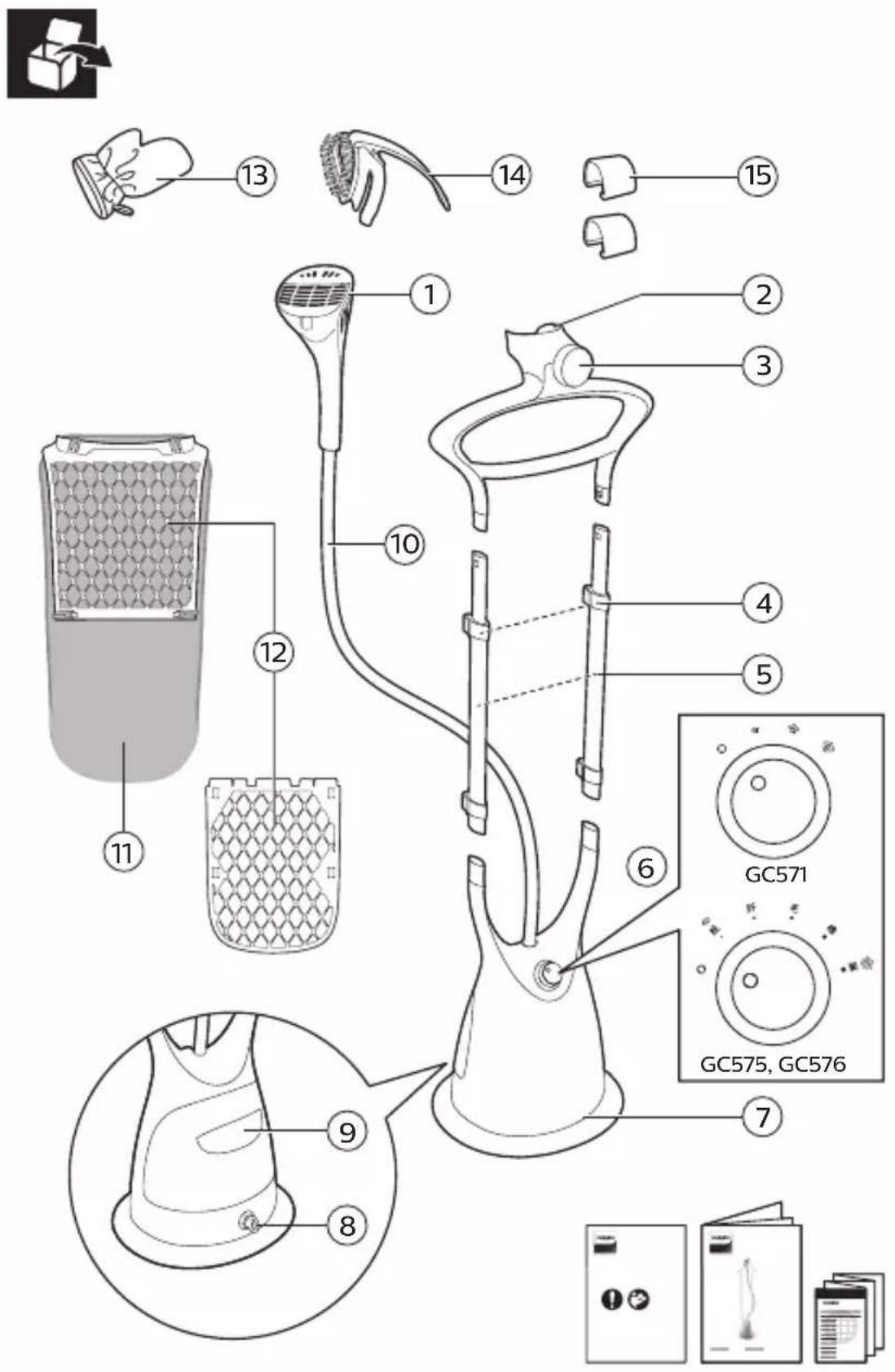
① Steamer head
② Steamer head holder
③ Hang&lock
④ Pole lock clip
⑤ Pole
⑥ Steam knob
⑦ Base
⑧ De-calc knob
⑨ Water tank
⑩ Steam supply hose
⑪ Board cover
⑫ Board
⑬ Glove
⑭ Pleat maker & brush
⑮ Pants clips
SC
natural_image
Illustration of a person using a handheld device to adjust or install a shirt (no text or symbols present)
natural_image
Illustration of a person holding a medical device with a checkmark, no text or symbols present
natural_image
Illustration of a hand holding a hairdryer with a cross mark above, no text or symbols present

natural_image
Illustration of a person holding a hairdryer with a cross mark, no text or symbols present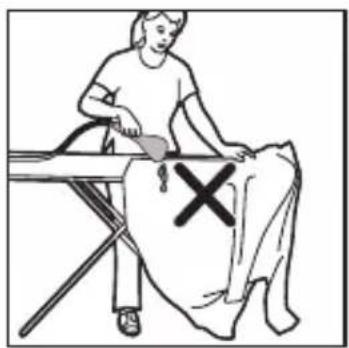
natural_image
Illustration of a person sitting on a table with a medical device and a cross mark, no text or symbols present
natural_image
Illustration of a person using a handheld device to clean or wash a shirt, with a cross mark indicating the product (no text or symbols present)
natural_image
Illustration of a shirt with a bag and a cross mark on the chest, no text or symbols present


natural_image
Diagram of a medical or surgical procedure showing a tool interacting with a device (no text or symbols present)


EN The board provides backing support to enhance the steaming performance.
Note:
SwitchoffAirStretchTechnologywhenusing the board during steaming.
Do not wash the board cover as it may damage the foam material.
natural_image
Diagram of a cylindrical container with hexagonal patterns and arrows indicating flow or movement (no text or symbols)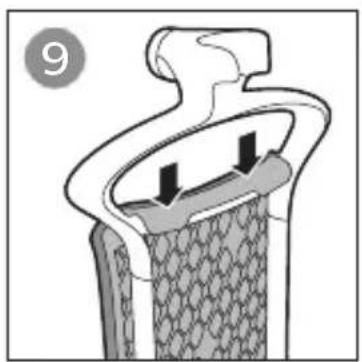
natural_image
Cross-sectional diagram of a mechanical or structural component with no visible text or symbols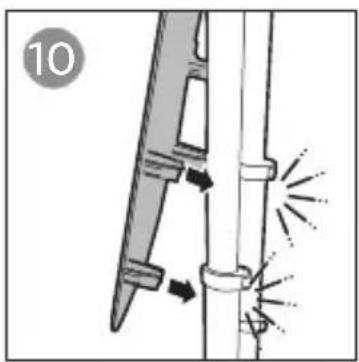
natural_image
Diagram of a welding torch with arrows indicating direction and a numbered label '10' (no text or symbols on the diagram itself)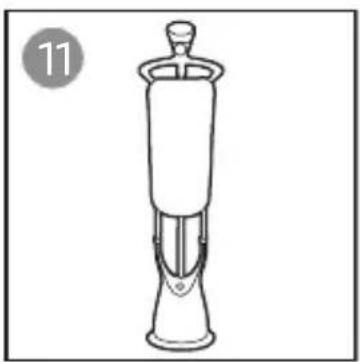
natural_image
Line drawing of a mechanical device with a cylindrical top and flanged base, labeled with number 11 (no text or symbols on the device itself)
EN Your appliance has been designed to be used with tap water. In case you live in an area with hard water, fast scale build-up may occur. Therefore, it is recommended to use water without minerals such as distilled or purified water to prolong the lifetime of your appliance.
Note: Do not add perfume, vinegar, mineral water, starch, descaling agents, ironing aids, chemically descaled water or other chemicals into the water tank as they may cause water spitting, brown staining, or damage to your appliance.
natural_image
Simple line drawing of a food item with two curved arrows indicating rotation or circulation (no text or symbols)
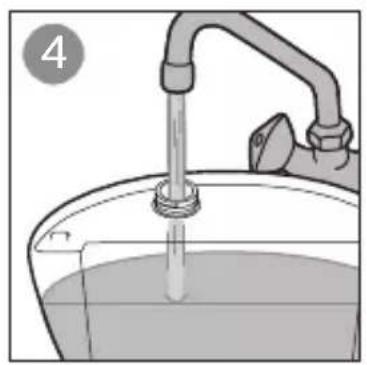
natural_image
Illustration of a faucet pouring liquid into a bucket (no text or symbols)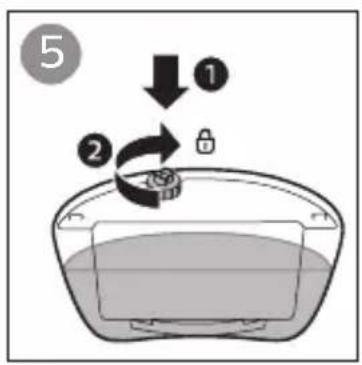
natural_image
Illustration of a hand pressing down on a device with an arrow indicating motion (no text or symbols)
EN Multi steam settings are provided to save water and energy. You can increase the steam setting for more steam power at any point of time. This appliance is safe to use on all fabrics at any setting.
Note: The steam supply hose becomes warm during steaming. This is normal.
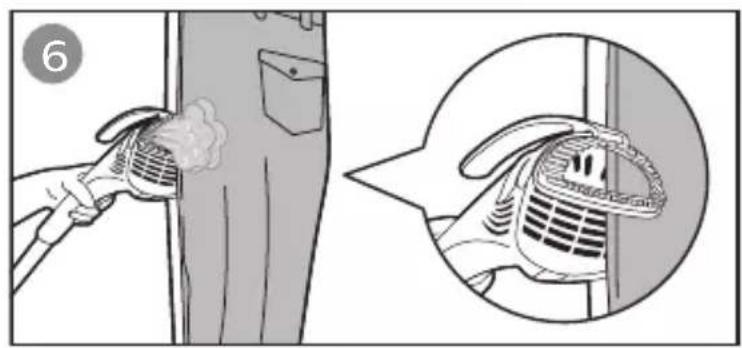
EN AirStretch Technology uses air suction created in the steamer head to pull the garment closer to the steamer head, and stretches it for better steam penetration and easier wrinkle removal.
Tip:
For optimal results on thin fabrics and summer clothes (eg. dresses, pleated skirts and T-shirts), use Airstretch Technology without board.
When you are steaming with AirStretch Technology, press the steamer head against the garment. Make slow downward strokes.
Fast strokes will diminish the suction power. For dresses with frills, ruffles, ruching or sequins, you can also steam from the inside.
For thicker fabrics like trousers and men's shirts, use the board without AirStretch Technology to achieve optimal results.
Note:
Always switch off AirStretch Technology when using board. The appliance produces some motor sound and air comes out of the sides of the steamer head. Moisture may also appear on the sides of the steamer head. This is normal.

natural_image
Illustration of a hand using a steam gun to clean or smoke from a chimney (no text or symbols)
GC575, GC576
EN Auto shut-off
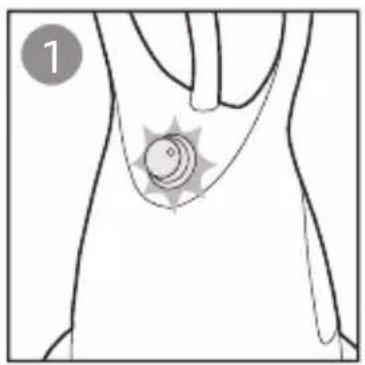
The ring flashes after the water tank is empty for 10 minutes.
SC 自动关闭功能
水箱为空 10 分钟后,该环闪烁。
natural_image
Line drawing of a human torso with a star-shaped badge on the lower abdomen (no text or symbols)
natural_image
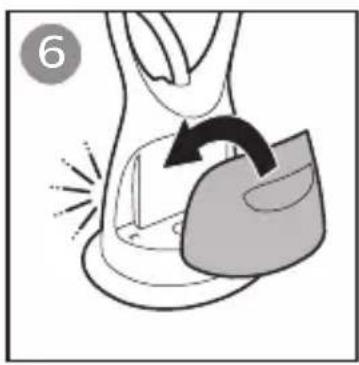
Illustration of a medical device with a curved arrow indicating motion or force (no text or symbols)EN Refill the water tank and insert it back. You can resume steaming after turning the steam knob. The ring should stop flashing.
natural_image
Illustration of a faucet pouring liquid into a bucket (no text or symbols)
natural_image
Illustration of a hand pressing down on a device with an arrow indicating motion (no text or symbols)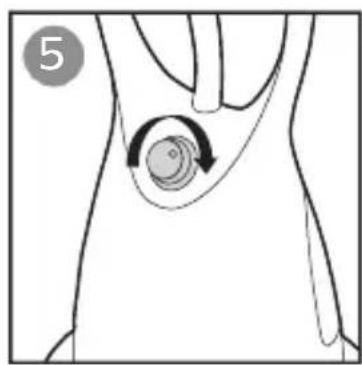
natural_image
Anatomical diagram of a human torso showing a circular massage motion around the waist area (no text or labels)EN If the water tank is not refilled within the next 10 minutes, the appliance starts to cool down and will shut off.
natural_image
Illustration of a clothes hanger with a hanging hook and a wall-mounted air conditioner (no text or symbols)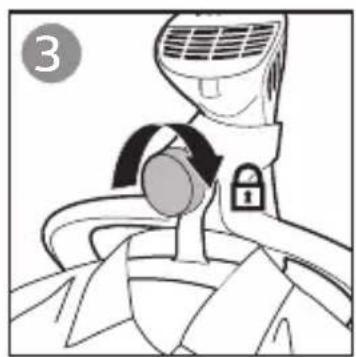
natural_image
Line drawing of a car air conditioner with a lock and belt (no text or symbols)
natural_image
Illustration of a hand holding a bag with a cloth inside, no text or symbols present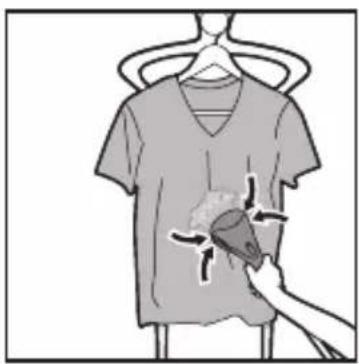
natural_image
Illustration of a hand holding a t-shirt with a shaded area, no text or symbols present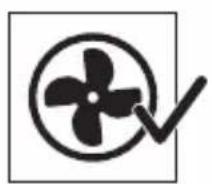
EN Tip:
For optimal results on thin fabrics and summer clothes (eg. dresses, pleated skirts and T-shirts), use Airstretch Technology without board.
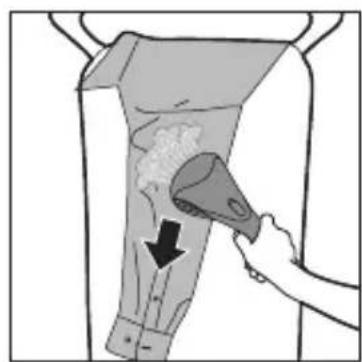
For thicker fabrics like trousers and men's shirts, use the board without AirStretch Technology to achieve optimal results.
Note:
Always switch off AirStretch Technology when using board.
SC 提示:
EN To make crisp pleats, start steaming from the bottom half of the pants and move onto the top half to prevent accidental wrinkles on parts which have already been steamed.
natural_image
Illustration of a hand holding a cloth over a bag with a downward arrow indicating motion (no text or symbols)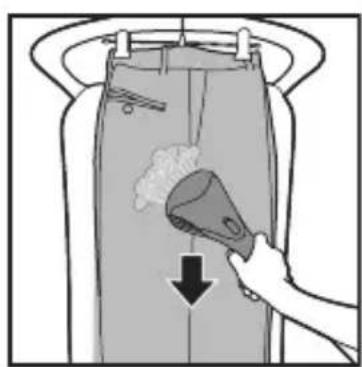
natural_image
Illustration of a hand using a tool to clean or remove a container with a downward arrow (no text or symbols)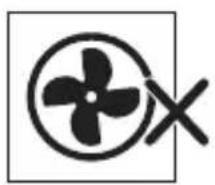
natural_image
Pure electrical circuit symbol for a propeller (no text or labels)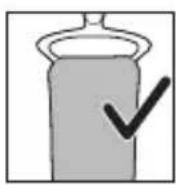
natural_image
Illustration of a hand using a tool to remove or remove a substance from a container (no text or symbols)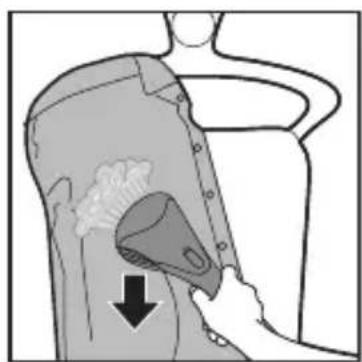
natural_image
Illustration of a person using a handheld device to clean or brush the hair (no text or symbols present)
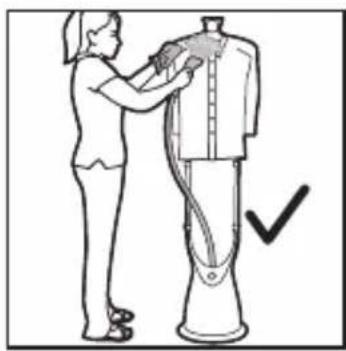
EN Put the glove on the hand you are using to hold a garment. The glove protects your hand against the steam from the steamer head.
natural_image
Illustration of a hand holding a mug and a tray, with a magnified inset showing a glove being held (no text or symbols)
natural_image
Diagram of a mechanical or laboratory apparatus with a central component and a circular label '1' (no text or symbols on the diagram itself)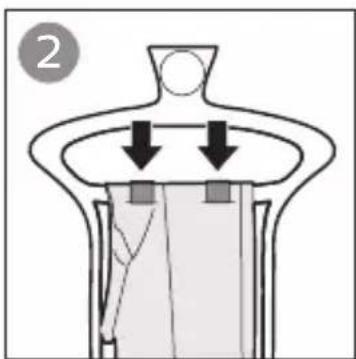
natural_image
Diagram of a mechanical or fluidic device with downward arrows indicating flow or movement (no text or symbols)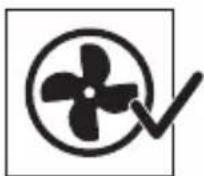
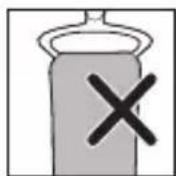
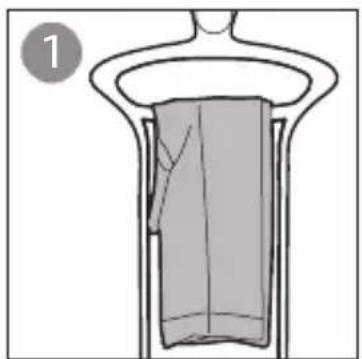
ENNote: Remove the board when you are using the pants clip.
ENCaution: Do not attach or detach the pleat maker and brush while the steam is on or the steamer head is hot.
Tip: Pleat maker is used to make pleats on shirts and trousers. Always point the steamer head upwards to prevent water dripping from the steamer head. Switch off the suction function when using the pleat maker.
natural_image
Anatomical illustration of a biological structure with arrows indicating a specific region, no text or symbols present.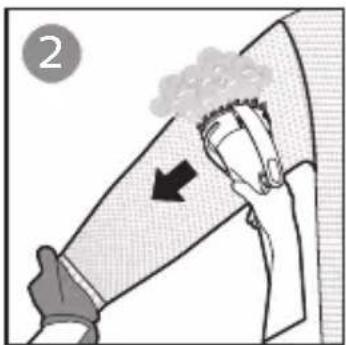
natural_image
Illustration of a hand holding a cloth with an arrow indicating compression or force (no text or symbols)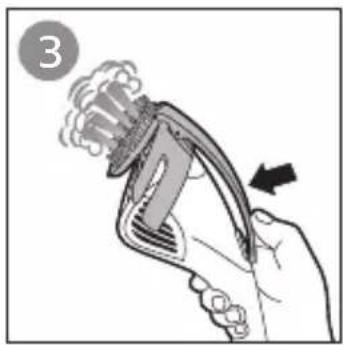
natural_image
Illustration of a hand holding a pliers or tool with motion arrows indicating movement (no text or symbols)

natural_image
Illustration showing a hand using a filter to clean a wall-mounted air vent, with an inset close-up of the device (no text or symbols)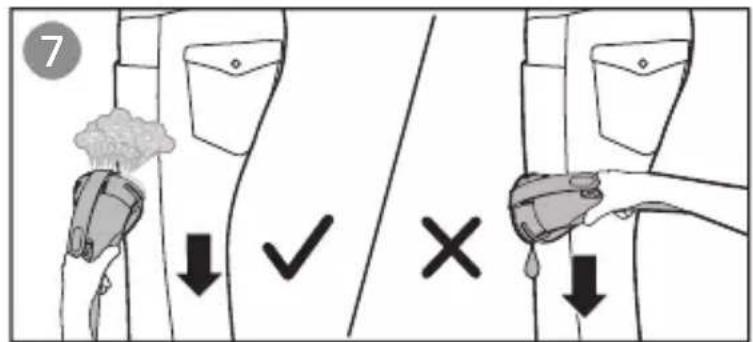

natural_image
Illustration of a hand holding a curved object with motion arrows indicating rotation (no text or symbols)
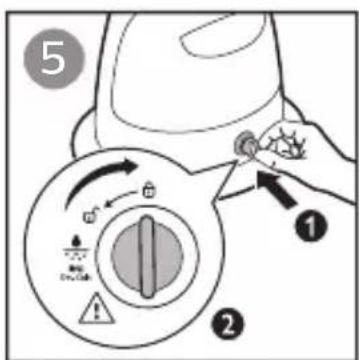
EN To maintain optimal steam performance and prolong the lifetime of the appliance, it is important to remove scale and impurities inside the appliance regularly. Therefore, it is recommended to perform the de-calc process at least once a month.
Before you start de-calc process, make sure there is some water in the water tank.
natural_image
Illustration of a steam iron with a button and label '3' (no text or symbols on the diagram itself)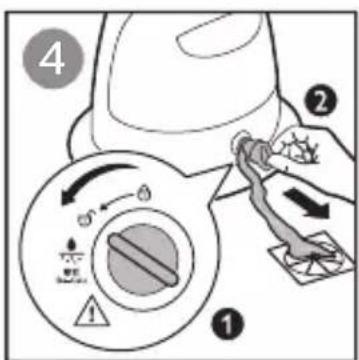
ENNote: Clean the appliance and wipe any deposits off the steamer head with a damp cloth and non-abrasive liquid cleaning agent.
Always empty the water tank after usage, to prevent calc build-up and maintain good steam performance.
natural_image
Illustration of a cable plugged into a wall socket with an arrow indicating direction (no text or symbols)

natural_image
Illustration of hands holding a handheld device with a curved screen (no text or symbols visible)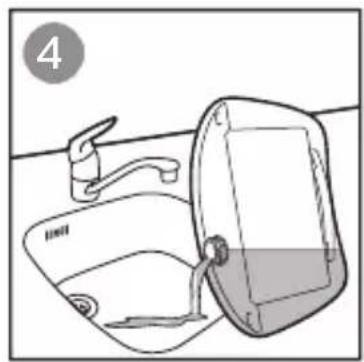
natural_image
Line drawing of a bathroom sink with faucet and toilet (no text or symbols)
natural_image
Diagram of a hand holding a small object with a downward arrow, no text or symbols present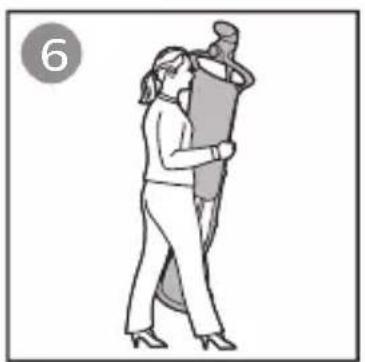
natural_image
Illustration of a person performing a martial arts or dance pose, no text or symbols present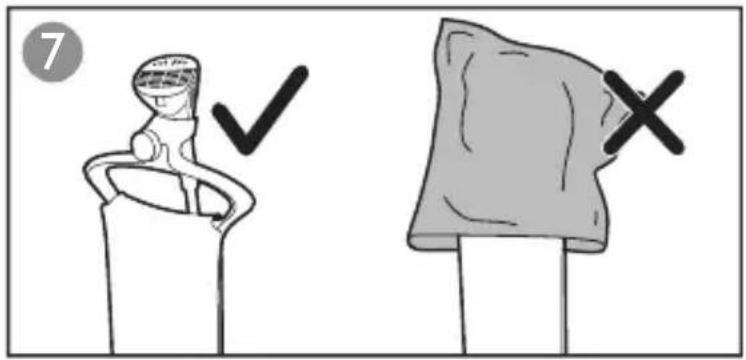
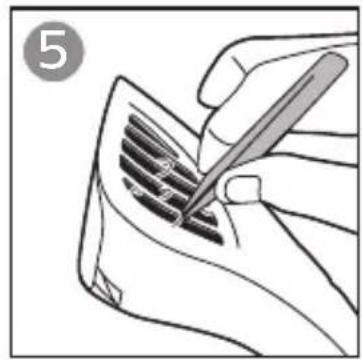
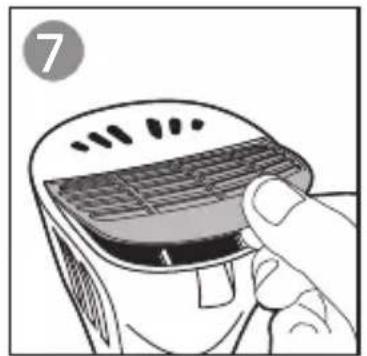
EN To maintain optimal suction power, regularly check and clean the grille to prevent fluff from clogging up the grille opening.
Note: Only the grille can be removed for cleaning. All the other parts on the steamer head are not removable. Never use scouring pads or brush to clean the black surface. Gently wipe off any fluff from the surface with a dry cloth. Do not rinse the grille or the steamer head with water.
natural_image
Illustration of a hand holding a small electronic device with a grid-patterned cover (no text or symbols)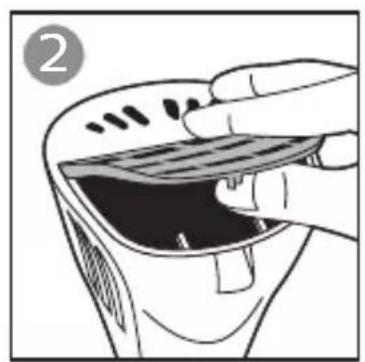
natural_image
Illustration of a hand holding a device with a screen and a black interior (no text or symbols)
natural_image
Illustration of a hand inserting a device into a device (no text or symbols visible)
natural_image
Line drawing of a hand using a pen to write or mark a grille on a surface (no text or symbols)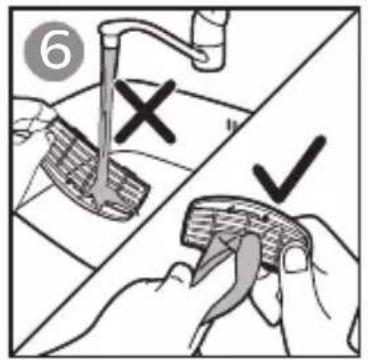
natural_image
Illustration of a hand holding a grater with a handle, no text or symbols present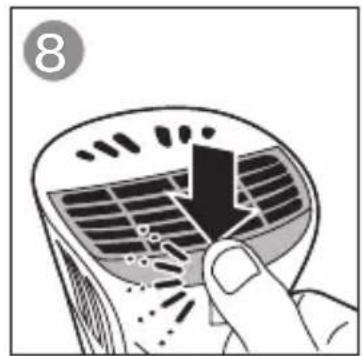
natural_image
Illustration of a hand pressing down on a curved surface with a downward arrow, no text or symbols present

natural_image
Diagram of a mechanical assembly with arrows indicating forces or components (no text or symbols present)
natural_image
Diagram of a mechanical or fluidic device with directional arrows indicating flow or movement (no text or symbols present)
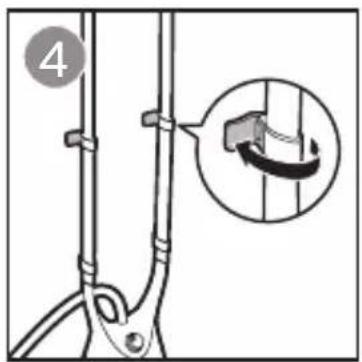
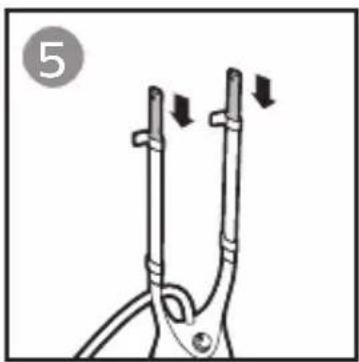
natural_image
Diagram of a tool with two metal tips and directional arrows indicating movement (no text or symbols)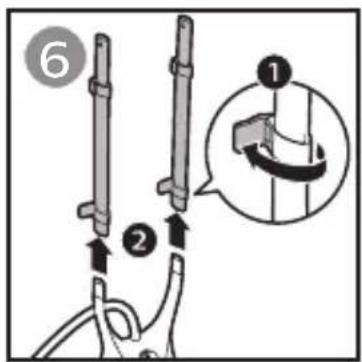

EN
| Problem | Possible cause Solution | |
| The appliance produces no steam or irregular steam. | The steamer has not heated up sufficiently. | Let the appliance heat up for approximately 45 seconds. |
| Steam has condensed in the hose. | Lift the steamer head to straighten the hose vertically. This allows any condensation to flow back. | |
| Low water level in the tank or the tank is not inserted properly. | Refill the water tank and insert it properly. | |
| Too much scale has built up in the appliance. | Perform de-calc process. Refer to section. | |
| Water droplets drip from the steamer head or the appliance produces a croaking sound. | You have left the steamer head and/or the steam supply hose in horizontal position for a long time. | Lift the steamer head to straighten the hose vertically. This allows any condensation to flow back. |
| When the hose forms a U-shape, condensation in the hose cannot flow back into the water tank. | Lift the steamer head to straighten the hose vertically. This allows any condensation to flow back. | |
| Some moisture may be collected at the sides of the steamer head when suction function is being activated. | This is normal. Wipe off the sides of the steamer head with a cloth. | |
| An excessive amount of water drips out of the steamer head when the appliance is heating up. | The water in the appliance is dirty or has been left inside the appliance for a long time. | Perform de-calc process. Refer to section.[4409] |
| Water leaks out from the steamer base. | You have not closed the water tank cap or de-calc knob securely.The water tank is not inserted properly. | Close the water tank cap or de-calc knob securely.Insert the tank properly. |
| The suction power is weakening. | Fluff has collected in the grille and has clogged up the openings. | Regularly check and clean the grille.Refer to section. |
| The suction power is not strong. | You are making fast strokes. Fast strokes diminish the suction power. | Make slow downward strokes. |
| When I use the steamer, I see loose fluff and dirty particles on my garment. | Dirt and fluff have collected in the grille. | Regularly check and clean the grille.Refer to section. |
| Suction function still can be turned on when the steam function is set to off position. | This is part of the design. | This is normal. After the appliance is unplugged, the suction function cannot be turned on. |

sc
产品中有害物质的名称及含量