
Cross HOP - Headphones NGS - Free user manual and instructions
Find the device manual for free Cross HOP NGS in PDF.


Pick your language and provide your email: we'll send you a specifically translated version.
| Product Type | Wireless Over-Ear Headphones |
| Brand | NGS |
| Model | Cross HOP |
| Dimensions | Approximately 18 x 16 x 7 cm (folded) |
| Weight | Approximately 200 g |
| Power Source | Rechargeable lithium-ion battery, 500 mAh |
| Charging Time | Approximately 2 hours |
| Battery Life | Up to 20 hours of playtime |
| Connectivity | Bluetooth 5.0 |
| Driver Unit | 40 mm dynamic drivers |
| Frequency Response | 20 Hz – 20 kHz |
| Microphone | Built-in microphone for hands-free calls |
| Controls | Volume up/down, play/pause, skip tracks, answer/end call |
| Foldable Design | Yes, foldable for portability |
| Cleaning Instructions | Wipe with a soft, dry cloth. Do not use liquids or solvents. |
| Safety Precautions | Do not expose to water, heat, or drop. Keep away from children. |
| Spare Parts | Replacement earpads available, charging cable (USB-C) |
| Reparability | Repairable by qualified technician; earpads and cable replaceable |
| Warranty | 1 year limited warranty |
| Package Contents | Headphones, USB charging cable, user manual |
Frequently Asked Questions - Cross HOP NGS
How do I pair my NGS Cross HOP headphones with a device?
To pair, ensure the headphones are charged and powered off. Press and hold the power button for about 3 seconds until the LED starts flashing red and blue. Then, enable Bluetooth on your device and select 'Cross HOP' from the list.
How long does the battery last and how do I charge it?
The battery lasts up to 20 hours on a full charge. To charge, use the included USB-C cable and connect to a USB power source. A full charge takes approximately 2 hours. The LED turns solid when fully charged.
Can I use the headphones while they are charging?
Yes, you can use the headphones while charging, but it is recommended to let them charge fully for optimal battery performance.
How do I adjust the volume or skip tracks?
Use the volume buttons on the ear cup. To skip to the next track, press and hold the volume up button for 2 seconds. To go back, press and hold the volume down button for 2 seconds.
Is the NGS Cross HOP noise-cancelling?
The Cross HOP headphones offer passive noise isolation due to their over-ear design, but they do not feature active noise cancellation (ANC).
Are the headphones waterproof or sweat-resistant?
No, the headphones are not waterproof or sweat-resistant. Avoid exposure to water, rain, and excessive moisture to prevent damage.
How do I reset the headphones to factory settings?
To reset, power off the headphones, then press and hold the power button and volume up button simultaneously for about 5 seconds until the LED flashes red rapidly. This clears all paired devices.
What devices are compatible with these headphones?
The headphones work with any device that supports Bluetooth, such as smartphones, tablets, laptops, and desktop computers with a Bluetooth adapter.
How do I clean and maintain my headphones?
Clean the headphones using a soft, dry cloth. Do not use any liquids or cleaning agents. For the earpads, gently wipe them. Store in a cool, dry place when not in use.
What comes in the box with the NGS Cross HOP?
The package includes the Cross HOP headphones, a USB charging cable, and a user manual. No carrying case is included.
User questions about Cross HOP NGS
0 question about this device. Answer the ones you know or ask your own.
Ask a new question about this device
No questions yet. Be the first to ask one.
Download the instructions for your Headphones in PDF format for free! Find your manual Cross HOP - NGS and take your electronic device back in hand. On this page are published all the documents necessary for the use of your device. Cross HOP by NGS.
USER MANUAL Cross HOP NGS
natural_image
Black audio headphones with attached audio cable, no visible text or symbols
VOICE ASSISTANT

ADJUSTABLE

360°
ROTATION

BUILT-IN MICRO

MULTIFUNCTION BUTTON

JACK CONNECTION

natural_image
Teal-colored headband with earphones and microphone (no text or symbols visible)
natural_image
Blue headband with earphones and microphone (no text or symbols visible)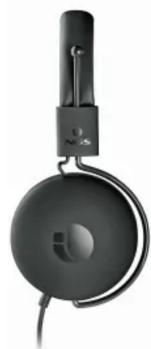
natural_image
Close-up of a black audio headset with attached microphone and headband (no visible text or symbols)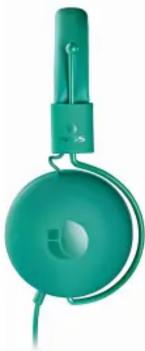
natural_image
Teal-colored portable headband device with green body and cable (no visible text or symbols)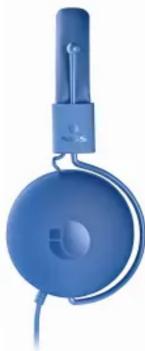
natural_image
Blue hardcover head with earband and logo (no visible text or symbols)
W
DESCRIPCIÓN

Table of contents
Click a title to access it
Manual assistant
Powered by Anthropic
Waiting for your message
Product information
Brand : NGS
Model : Cross HOP
Category : Headphones