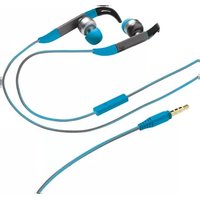
Urban Fit - Headphones TRUST - Free user manual and instructions
Find the device manual for free Urban Fit TRUST in PDF.


Pick your language and provide your email: we'll send you a specifically translated version.
| Product Type | In-Ear Headphones |
| Brand | Trust |
| Model | Urban Fit |
| Color | White |
| Connectivity | Wired, 3.5mm jack |
| Cable Length | 1.2 m |
| Driver Diameter | 10 mm |
| Impedance | 32 Ohm |
| Frequency Response | 20 Hz - 20 kHz |
| Sensitivity | 98 dB |
| Microphone | Yes, built-in |
| Control Buttons | Play/Pause, Volume Up/Down, Answer/End Call |
| Compatibility | Smartphones, Tablets, PC, Mac |
| Weight | 15 g |
| Package Contents | Headphones, 3 pairs of ear tips, User manual |
| Warranty | 2 years |
| Cleaning Instructions | Wipe with a soft dry cloth. Do not use liquids. |
| Storage Temperature | -20°C to 60°C |
| Operating Temperature | 0°C to 40°C |
| Certifications | CE, RoHS |
Frequently Asked Questions - Urban Fit TRUST
How to pair the Trust Urban Fit headphones with my phone?
These are wired headphones; simply plug the 3.5mm jack into your phone's headphone port. No Bluetooth pairing needed.
How to use the inline remote?
Press the center button once to play/pause or answer/end a call. Press twice to skip forward, three times to go back. Use the volume buttons to adjust sound.
Are the Trust Urban Fit headphones compatible with iPhone?
Yes, they work with iPhones that have a 3.5mm headphone jack. For newer iPhones without a jack, use an adapter.
How to clean the headphones?
Gently wipe the earbuds and cable with a soft, dry cloth. Do not use water or cleaning solutions. Replace ear tips regularly.
What ear tip sizes are included?
The package includes small, medium, and large silicone ear tips to ensure a comfortable fit.
The sound is only coming from one earbud, what to do?
Check that the jack is fully inserted. If that doesn't help, test on another device. If the issue persists, contact Trust support.
Do these headphones have a microphone?
Yes, the inline remote includes a built-in microphone for hands-free calls and voice assistant commands.
Can I use the Trust Urban Fit with my laptop?
Yes, they are compatible with any device that has a standard 3.5mm audio output, including laptops, PCs, and tablets.
What is the warranty period?
Trust offers a 2-year warranty on the Urban Fit headphones against manufacturing defects.
How to manage calls?
Press the center button once to answer an incoming call. Press again to end it. To reject a call, press and hold the center button for 2 seconds.
User questions about Urban Fit TRUST
0 question about this device. Answer the ones you know or ask your own.
Ask a new question about this device
No questions yet. Be the first to ask one.
Download the instructions for your Headphones in PDF format for free! Find your manual Urban Fit - TRUST and take your electronic device back in hand. On this page are published all the documents necessary for the use of your device. Urban Fit by TRUST.
USER MANUAL Urban Fit TRUST
If the headset is not working with your phone please contact us.
natural_image
Diagram of two wireless earbuds with red directional arrows indicating movement or change, no text or symbols present.
flowchart
graph TD
    A["User Interface"] --> B["1X"]
    B --> C["Speed Indicator 1X"]
    C --> D["2SEC"]
    D --> E["2SEC"]
    E --> F["3X"]
    F --> G["2SEC"]
    G --> H["Phone Icon: Apple, Android, Phone"]
    H --> I["✓ ✓ ✓ ✓ ✓ ✓ ✓ ✓ ✓ ✓ ✓ ✓ ✓ ✓ ✓ ✓ ✓ ✓ ✓ ✓ ✓ ✓ ✓ ✓ ✓ ✓ ✓ ✓ ✓ ✓ ✓ ✓ ✓ ✓ ✓ ✓ ✓ ✓ ✓ ✓ ✓ ✓ ✓ ✓ ✓ ✓ ✓ ✓ ✓ ✓ ✓ ✓ ✓ ✓ ✓ ✓ ✓ ✓ ✓ ✓ ✓ ✓ ✓ ✓ ✓ ✓ ✓ ✓ ✓ ✓ ✓ ✓ ✓ ✓ ✓ ✓ ✓ ✓ ✓ ✓ ✓ ✓ ✓ ✓ ✓ ✓ ✓ ✓ ✓ ✓ ✓ ✓ ✓ ✓ ✓ ✓ ✓ ✓ ✓ ✓ ✓✓"]
    style A fill:#f9f,stroke:#333
    style B fill:#ccf,stroke:#333
    style C fill:#cfc,stroke:#333
    style D fill:#fcc,stroke:#333
    style E fill:#cff,stroke:#333
    style F fill:#ffc,stroke:#333
    style G fill:#cfc,stroke:#333
    style H fill:#fcc,stroke:#333
    style I fill:#fff,stroke:#333
    style J fill:#fff,stroke:#333
    style K fill:#fff,stroke:#333
    style L fill:#fff,stroke:#333
    style M fill:#fff,stroke:#333
    style N fill:#fff,stroke:#333
    style O fill:#fff,stroke:#333
    style P fill:#fff,stroke:#333
    style Q fill:#fff,stroke:#333
    style R fill:#fff,stroke:#333
    style S fill:#fff,stroke:#333
    style T fill:#fff,stroke:#333
    style U fill:#fff,stroke:#333
    style V fill:#fff,stroke:#333
    style W fill:#fff,stroke:#333
    style X fill:#fff,stroke:#333
    style Y fill:#fff,stroke:#333
    style Z fill:#fff,stroke:#333


| Apple | Android | Phone | ||
| 1X | II | √ | √ | √ |
| 2X | I | √ | √ | √ |
| 3X | K | √ | √ | |
| 2SEC | P | √ | √ | √ |
| Siri | Google Now | Speech | ||


natural_image
Abstract graphic with green and red curved arrows on a white diagonal line, no text or symbols present.



Manual assistant
Powered by Anthropic
Waiting for your message
Product information
Brand : TRUST
Model : Urban Fit
Category : Headphones