
DDP-660 - Telephone DENVER - Free user manual and instructions
Find the device manual for free DDP-660 DENVER in PDF.


| Product Type | Cordless Telephone |
| Model | DDP-660 |
| Brand | Denver |
| Power Supply | DC 6V/500mA adapter; 2 x 1.2V 400mAh rechargeable batteries (Ni-MH) |
| Display | LCD screen |
| Keypad | Numeric keypad with function keys (TALK, END, SPK, MENU, FLASH, REDIAL, KEYLOCK, PAGE, etc.) |
| Phonebook Capacity | 50 entries (as shown in memory status 00/50/00) |
| Call Log | Received and dialed calls (records retained) |
| Flash Time Settings | 100ms, 300ms, 600ms |
| Dial Mode | Tone / Pulse |
| Intercom | Yes, between multiple handsets |
| Call Transfer | Yes, between handsets |
| Walkie-Talkie Function | Yes |
| Alarm | Yes, settable |
| Auto Answer | Optional, when handset on cradle |
| Do Not Disturb | Yes |
| Key Lock | Yes, via dedicated key |
| Language Settings | Multiple languages (including English, Swedish, Danish) |
| PIN Code Protection | Yes, for base and handsets |
| Contrast Settings | Level 1-8 |
| Date & Time | Yes, settable |
| Maintenance | Clean with dry cloth; avoid water and chemical cleaners; keep away from electrical equipment (at least 2 feet) |
| Safety | Do not disassemble; avoid water, high temperature, and direct sunlight; do not shock |
| Spare Parts | Rechargeable batteries (2 x 1.2V 400mAh); AC adapter |
| General Information | Imported by Inter Sales A/S, Stavneagervej 22, 8250 Egaa, Denmark |
Frequently Asked Questions - DDP-660 DENVER
User questions about DDP-660 DENVER
0 question about this device. Answer the ones you know or ask your own.
Ask a new question about this device
Download the instructions for your Telephone in PDF format for free! Find your manual DDP-660 - DENVER and take your electronic device back in hand. On this page are published all the documents necessary for the use of your device. DDP-660 by DENVER.
USER MANUAL DDP-660 DENVER

FLASHTID INSTÄLLNING (100ms/300ms/600ms) 20
NAMNINSTÄLLNING 22
LANGUAGE SETTING....22
ÄNDRA PIN KOD....22
TIDSINSTÄLLNING 24
ATT RINGA ETT SAMTAL....37
ATTA SVARA PÅ ETT SAMTAL 38
ANROPA FR'N BAS TILL LUR....38
ANROPA WALKIE-TALKIE/SAMTALSÖVERFÖRING FUNKTION 39
SAMTALS ÖVERFÖRING 39
SAMTALS TIDSVISNING AUTO ÄNDRING....39
FÖRVALSFUNKTION 39
ANDRA FUNKTIONER....41
INSTÄLLNING AV RINGVOLYM 41
ÄTERUPPRINGNING 41
PAUS FUNKTION 41
FLASH FUNKTION 41
STÖR INTE FUNKTION 41
KNAPPSATS LÄS PÅ/AV FUNKTION 41
Svenska
TELEFONLUR PÅ/AV FUNKTION 43
INTERCOM FUNKTION 43
UNDERHÀLL 44
PROBLEMLÖSNING 46
Svenska
HUVUDEGENSKAPER
| Telephone jack | Telefonuttag |
| Power Jack | Strömuttag |
| Line Cord | Ledning |
| DC 6V/500mA 📋-←→ adaptor | DC 6V/500mA 📋-←→ adapter |
natural_image
Diagram of a battery pack with two rectangular batteries, no text or symbols present(1,2v/400mAh laddningbara batterier 2st)
FLASHTID INSTÄLLNING (100ms/300ms/600ms)
Display: SAMT. LOGG
Display: BS INSTÄLLNINGAR
Display: SAMTALS LOGG
Display: INSTÄLLN LUR
Display: SPRAK
Display: ENGELSKA
ÄNDRA PIN KOD
Display: NY INMATNING
Display: MINNES STATUS
Display: 00/50/00
I telefonboksläge
RINGA/SVARA PÅ SAMTAL
ATT RINGA ETT SAMTAL
Press "TALK" button or "SPK" button to dial a number

Input dialed number

① ② ③
④ ⑤ ⑥
⑦⑧⑨

Start to conversation when the call is answered

natural_image
Illustration of a person using a smartphone to observe a screen (no text or symbols present)Press END to end the call

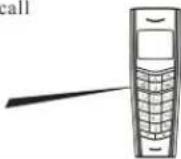
A: To answer a call under normal operation
Handset is ringing


Press TALK button or SPK button to start the conversation

Press END button to end the call

B: To answer a call under auto-answer activated situation
Handset is ringing when it seat on cradle
Pick up the handset to start the conversation directly
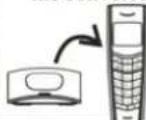
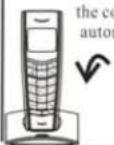
Put handset back to cradle, the conversation will end and automatically turn into standby mode, or press END button to end the conversation.
flowchart
graph TD
    A["Handset 1 holder is on TALKING mode"] --> B["Press PAGE button on handset who is talking"]
    B --> C["Input the wanted handset to transfer the call like input 2"]
    D["The wanted handset is ringing, press TALK button on the handset 2 to answer"] --> E["The call will transfer back to handset holder 1 in case no answer on the wanted handset with 60 seconds, the handset holder 1 can press TALK button to continue the conversation."]
flowchart
graph LR
    A["In standby mode, dial the wanted number directly"] --> B["Press "FLASH"/"DELETE" button to delete if any error"]
    B --> C["Press TALK button or SPK button to dial out the number directly"]
※ Do not put this phone near a bathtub, wet basement or anywhere near water
< Away from electrical equipment>



※ Place the unit over 2 feet away from electrical equipment
< Cleaning >


※ Do not clean the unit using chemic liquor
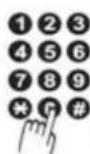
※ Press keypad properly to ensure normal operation of telephone


Do not take this phone apart. If repair work is required take it to a qualified service representative

※ Do not put the unit under sun shining or near high temperature environment
< No shocking >

Do not put the unit on an unstable place, do not shock the unit.
※ Replace the battery if the power is poor
※ Take out the battery if the unit is not worked long time
Imported by: Inter Sales A/S, Stavneagervej 22,8250 Egaa, Denmark
Svenska
DENVER®


FLASHTID (100ms/300ms/600ms) 20
NAVNGIVNING AF HÄNDSÄET 22
OPS/ETNING AF SPROG 22
ÆNDRING AF PINKODE 22
OPSÄETNING AF URET 24
INDSTILLING AF LYDSTYRKEN 41
GENKALD 41
PAUSE-FUNKTION 41
FLASH FUNKTION 41
LYDL∅S FUNKTION....41
TASTATURLÅS TIL/FRA....41
Dansk
TÆND SLUK HÅNDSÆT 43
TREVEJSSAMTALE 43
VEDLIGEHOLDELSE 44
FEJLFINDING 46
Dansk
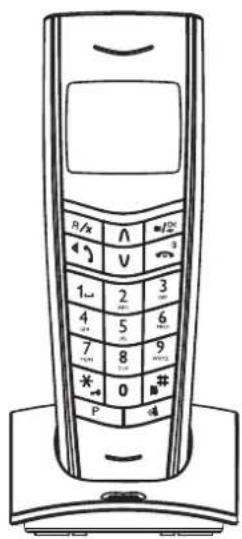
Oversigt over telefonen
| HANDSET: | HANDSÆT: |
| Receiver | Højttaler |
| UP KEY | OP |
| FLASH/DELETE KEY | FLASH/SLET |
| HAND SFREE/TALK button | HANDSFRI/TALE |
| Keylock | Tastelås |
| REDIAL/PAUSE | GENKALD/PAUSE |
| microphone | Mikrofon |
| LCD screen | LCD display |
| DOWN KEY | NED |
| MENU/OK KEY | MENU/OK |
| power ON/OFF | TÆND/SLUK |
| numerical keypad | Nummerisk tastatur |
| Non-disturbance key | Lydløs function |
| PAGE button | PAGER |

MENY ÖVERSIKT

flowchart
graph TD
    A["MENU"] --> B["CALL LOG"]
    B --> C["RECEIVED"]
    B --> D["DIALED"]
    A --> E["PHONE BOOK"]
    E --> F["LIST"]
    E --> G["NEW ENTRY — NAME? — NUMBER?"]
    E --> H["EDIT RECORD"]
    E --> I["DEL RECORD"]
    E --> J["DELETE ALL"]
    E --> K["MEM STATUS"]
    A --> L["BS SETTINGS"]
    L --> M["DELETE HS"]
    L --> N["DIAL MODE — TONE / PULSE"]
    L --> O["FLASH TIME — 100/300/600"]
    L --> P["MODIFY PIN — PIN?"]
    L --> Q["BS DEFAULT — PIN?"]
    A --> R["HS SETTINGS"]
    R --> S["ALARM"]
    R --> T["AUDIO SETUP"]
    R --> U["RING SETUP"]
    R --> V["TONE SETUP"]
    R --> W["LANGUAGE"]
    R --> X["HS NAME"]
    X --> Y["AUTO ANSWER"]
    X --> Z["BARRING"]
    X --> AA["DATE & TIME"]
    X --> AB["CONTRAST — LEVEL 1-8"]
    X --> AC["SELECT BASE"]
    X --> AD["HS DEFAULT — PIN?"]
    A --> AE["REGISTRATION"]
    AE --> AF["BASE1 — SEARCHING 1 — PIN XXXX"]
    AE --> AG["BASE2 — SEARCHING 2 — PIN XXXX"]
    AE --> AH["BASE3 — SEARCHING 3 — PIN XXXX"]
    AE --> AI["BASE4 — SEARCHING 4 — PIN XXXX"]
| MENU | MENU |
| CALL LOG | OPKALDSLOG |
| RECEIVED | INDGÄENDE |
| DIALED | UDGÄENDE |
| PHONE BOOK | TELEFONBOG |
| LIST | LISTE |
Dansk
INSTALLATIONSANVISNINGAR
BASENHET:

| Telephone jack | Telefonstik |
| Power Jack | Stikkontakt |
| Line Cord | Telefonledning |
| DC 6V/500mA ⊖←→ adaptor | DC 6V/500mA ⊖←→ adapter |
natural_image
Diagram of a battery pack with two batteries, no text or symbols present(1.2v/400mAh genopladelige batterier, 2 stk.)
FLASHTID (100ms/300ms/600ms)
Display: OPKALDSLOG
Display: BS INDST.
flowchart
graph TD
    A["Press "TALK" button or "SPK" button to dial a number"] --> B["Input dialed number"]
    B --> C["Start to conversation when the call is answered"]
    C --> D["Press END to end the call"]
| Press "TALK" button or "SPK" button to dial a number | Tryk på knappen "TALE" eller "SPK" på håndsættet, når du vil ringe op til et nummer |
| Input dialed number | Indtast det ønskede nummer. |
| Start to conversation when the call is answered | Start samtalen, når opkaldet besvares. |
| Press END to end the call | Tryk på AFSLUT, når du vil ringe af |
SÁDAN FORETAGER DU ET OPKALD
A: To answer a call under normal operation
Handset is ringing


Press TALK button or SPK button to start the conversation

Press END button to end the call

B: To answer a call under auto-answer activated situation
Handset is ringing when it seat on cradle
Pick up the handset to start the conversation directly

Put handset back to cradle, the conversation will end and automatically turn into standby mode, or press END button to end the conversation.
| A: To answer a call under normal operation | A: Sådan besvarer du et opkald på normal vis |
| Handset is ringing | Håndsættet ringer |
| Press TALK button or SPK button to start the conversation | Tryk på knappen TALE eller SPK for at besvare opkaldet |
| Press END button to end the call | Tryk på AFSLUT, når du vil ringe af |
| B:To answer a call under auto-answer activated situation | B: Hvis du vil besvare et opkald, når automatisk telefonsvarer er aktiveret |
| Handset is ringing when it seat on cradle | Håndsættet ringer, mens det står i opladeren |
| Pick up the handset to start the conversation directly | Tag ræret og start samtalen. |
| Put handset back to cradle, the conversation will end and automatically turn into standby mode, or press END button to end the conversation. | Sæt håndsættet tilbage I opladeren, når opkaldet er færdigt, hvorefter telefonen automatisk skifter til standby, eller tryk på knappen AFSLUT for at afbryde opkadet |
SÄDAN PAGER DU ET HÄNDSÄET FRA BASEN

In standby mode

Press page button
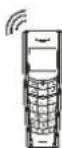
Handset is ringing
flowchart
graph TD
    A["Handset 1 holder is on TALKING mode"] --> B["Press PAGE button on handset who is talking"]
    B --> C["Input the wanted handset to transfer the call like input 2"]
    C --> D["The wanted handset is ringing, press TALK button on the handset 2 to answer"]
    D --> E["The call will transfer back to handset holder 1 in case no answer on the wanted handset with 60 seconds, the handset holder 1 can press TALK button to continue the conversation."]
flowchart
graph LR
    A["In standby mode, dial the wanted number directly"] --> B["Press "FLASH"/"DELETE" button to delete if any error"]
    B --> C["Press TALK button or SPK button to dial out the number directly"]
| In standby mode,dial the wanted number directly | Indtast det ønskede nummer, mens telefonen står på standby. |
| Press "FLASH"/ "DELETE" button to delete if any error | Tryk på knappen "FLASH"/ "SLET" for at slette, hvis du taster forkert |
| Press TALK button or SPK button to dial out the number directly | Tryk på knappen TALE eller SPK, når du er klar til at ringe nummeret op |

INDSTILLING AF LYDSTYRKEN
Imported by: Inter Sales A/S, Stavneagervej 22,8250 Egaa, Denmark
Dansk
空白
- Svenska
- HUVUDEGENSKAPER
- FLASHTID INSTÄLLNING (100ms/300ms/600ms)
- ÄNDRA PIN KOD
- I telefonboksläge
- RINGA/SVARA PÅ SAMTAL
- ATT RINGA ETT SAMTAL
- DENVER®
- Dansk
- Oversigt over telefonen
- INSTALLATIONSANVISNINGAR
- FLASHTID (100ms/300ms/600ms)
- SÁDAN FORETAGER DU ET OPKALD
- SÄDAN PAGER DU ET HÄNDSÄET FRA BASEN
- INDSTILLING AF LYDSTYRKEN
- 空白
Brand : DENVER
Model : DDP-660
Category : Telephone