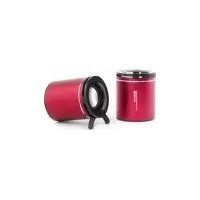
Big Bass 75 - Loudspeaker WOXTER - Free user manual and instructions
Find the device manual for free Big Bass 75 WOXTER in PDF.


Pick your language and provide your email: we'll send you a specifically translated version.
| Product Type | Wireless Speaker |
| Brand | Woxter |
| Model | Big Bass 75 |
| Power Output | 20W RMS |
| Frequency Response | 40 Hz - 20 kHz |
| Driver Configuration | 2x 3" woofers + 1 tweeter |
| Connectivity | Bluetooth 5.0, AUX 3.5 mm, USB, TF Card, FM Radio |
| Bluetooth Range | 10 m (33 ft) |
| Battery Type | Li-ion 4000 mAh |
| Playtime | Up to 10 hours (at 50% volume) |
| Charging Port | USB-C (5V/2A) |
| Charging Time | Approx. 3 hours |
| Dimensions | 32 x 12 x 12 cm |
| Weight | 1.8 kg |
| Water Resistance | Not rated |
| Hands-Free | Yes (built-in microphone) |
| TWS Pairing | Yes (pair two units for stereo) |
| EQ Modes | Preset modes (Flat, Bass, Classic) |
| Maintenance | Clean with a soft, dry cloth |
| Safety | Use only the supplied charger; do not expose to extreme temperatures or moisture |
Frequently Asked Questions - Big Bass 75 WOXTER
How do I pair my phone with the WOXTER Big Bass 75?
Turn on the speaker and press the Bluetooth button. Enable Bluetooth on your device, select Big Bass 75 from the list. You will hear a confirmation tone.
Can I use the speaker while it is charging?
Yes, you can use the speaker while it is charging. However, charging may take longer if the speaker is in use at high volume.
What is the battery life of the WOXTER Big Bass 75?
The built-in 4000 mAh battery provides up to 10 hours of playtime at moderate volume. Actual battery life depends on volume level and audio content.
Is the WOXTER Big Bass 75 waterproof?
No, the speaker is not waterproof. It does not have an official water resistance rating. Keep it away from water and moisture to avoid damage.
How do I switch between Bluetooth, AUX, and FM modes?
Press the Mode button on the speaker to cycle through Bluetooth, AUX, USB/TF card, and FM radio modes. The current mode will be indicated by an LED or voice prompt.
Can I pair two WOXTER Big Bass 75 speakers for stereo sound?
Yes, the speaker supports TWS (True Wireless Stereo). Pair one speaker to your phone, then press the TWS button on both speakers to sync them together.
How do I reset the speaker to factory settings?
To reset, press and hold the Bluetooth and Volume Up buttons simultaneously for about 5 seconds. The speaker will power off and reset.
What does the flashing LED on the WOXTER Big Bass 75 mean?
A flashing blue LED indicates the speaker is in Bluetooth pairing mode. A solid blue LED means it is connected. Slow flashing red indicates low battery.
Can I connect my speaker to a TV or computer using AUX?
Yes, use a 3.5 mm AUX cable to connect the speaker to any device with a headphone jack. The speaker will automatically switch to AUX mode when a cable is inserted.
Where can I download the user manual for the WOXTER Big Bass 75?
The manual is available for free download on notice-facile.com in PDF format. You can also request a translated version by email.
User questions about Big Bass 75 WOXTER
0 question about this device. Answer the ones you know or ask your own.
Ask a new question about this device
No questions yet. Be the first to ask one.
Download the instructions for your Loudspeaker in PDF format for free! Find your manual Big Bass 75 - WOXTER and take your electronic device back in hand. On this page are published all the documents necessary for the use of your device. Big Bass 75 by WOXTER.
USER MANUAL Big Bass 75 WOXTER
c Spanish
natural_image
Illustration of a laptop connected to two circular devices via cable (no text or symbols)

Table of contents
Click a title to access it
Manual assistant
Powered by Anthropic
Waiting for your message
Product information
Brand : WOXTER
Model : Big Bass 75
Category : Loudspeaker