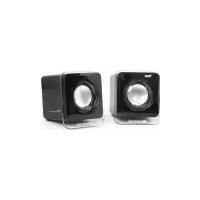
Big Bass 65 - Loudspeaker WOXTER - Free user manual and instructions
Find the device manual for free Big Bass 65 WOXTER in PDF.


Pick your language and provide your email: we'll send you a specifically translated version.
| Product Type | Portable Bluetooth Speaker |
| Brand | Woxter |
| Model | Big Bass 65 |
| Speaker Configuration | 2.0 system with subwoofer |
| Output Power | 30W RMS |
| Frequency Response | 20 Hz - 20 kHz |
| Bluetooth Version | 5.0 |
| Wireless Range | 10 m |
| Battery Life | Up to 8 hours |
| Charging Time | Approx. 3 hours |
| Input Power | DC 5V via USB-C |
| Audio Inputs | Bluetooth, AUX 3.5mm, USB |
| FM Radio | Yes |
| Dimensions (W x H x D) | 30 x 15 x 20 cm |
| Weight | 1.5 kg |
| Material | Plastic |
| Color | Black |
| Controls | Volume, Play/Pause, Next/Prev, Mode |
| Included Accessories | USB-C charging cable, AUX cable, manual |
| Maintenance | Clean with dry cloth. Keep away from moisture. |
| Safety Precautions | Do not expose to extreme temperatures. Do not disassemble. |
| Spare Parts & Repairability | Contact Woxter support for replacements. |
| Water Resistance | Not waterproof. Keep away from water. |
Frequently Asked Questions - Big Bass 65 WOXTER
How do I connect the Woxter Big Bass 65 via Bluetooth?
Turn on the speaker by pressing the power button. Press the Bluetooth button or switch to Bluetooth mode using the Mode button. The speaker will enter pairing mode (LED flashes). On your device, select 'Big Bass 65' from the Bluetooth list. Once connected, the LED will stay solid.
How do I charge the speaker?
Connect the provided USB-C cable to the speaker's charging port and plug the other end into a USB power adapter (5V/2A recommended). The LED indicator shows charging status: red while charging, off when fully charged.
What is the battery life?
The battery lasts up to 8 hours at moderate volume. Actual battery life may vary depending on volume level and audio content.
Can I use the speaker while it is charging?
Yes, you can use the speaker while it is connected to a power source. However, to preserve battery health, it is recommended to occasionally fully discharge and recharge.
How do I reset the speaker to factory settings?
Press and hold the power button for about 10 seconds until the speaker turns off and on again. This will erase all paired devices and reset settings.
What devices are compatible?
The speaker is compatible with any Bluetooth-enabled device such as smartphones, tablets, laptops, and computers. It also supports AUX input for non-Bluetooth devices.
How do I switch to FM radio mode?
Press the Mode button repeatedly until the display shows FM. Use the volume buttons to scan for stations. The speaker can store preset stations; refer to the manual for details.
There is no sound coming from the speaker. What should I do?
First, check that the speaker is powered on and not muted. Ensure the volume is turned up on both the speaker and your device. Verify that the Bluetooth connection is active or the AUX cable is securely plugged in. If using battery, make sure it has sufficient charge. Try reconnecting or resetting the speaker.
How do I update the firmware?
Firmware updates are not typically required for this speaker. If an update is available, it will be announced on the Woxter website. Connect the speaker to your computer via USB and follow the provided instructions.
Is the Woxter Big Bass 65 waterproof?
No, the speaker is not waterproof. It should be kept away from water, rain, and high humidity to avoid damage. Do not submerge or expose to splashy environments.
User questions about Big Bass 65 WOXTER
0 question about this device. Answer the ones you know or ask your own.
Ask a new question about this device
No questions yet. Be the first to ask one.
Download the instructions for your Loudspeaker in PDF format for free! Find your manual Big Bass 65 - WOXTER and take your electronic device back in hand. On this page are published all the documents necessary for the use of your device. Big Bass 65 by WOXTER.
USER MANUAL Big Bass 65 WOXTER

MiniAltavocesUSB2.0
www.woxter.com

WOXTER
: Spanish

Table of contents
Click a title to access it
Manual assistant
Powered by Anthropic
Waiting for your message
Product information
Brand : WOXTER
Model : Big Bass 65
Category : Loudspeaker