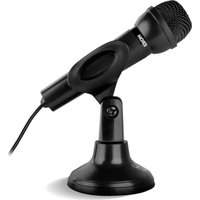
Krom K-Pop - Microphone

K-Pop - Microphone Krom - Free user manual and instructions

Find the device manual for free K-Pop Krom in PDF.

📄 4 pages English EN Download 💬 AI Question 10 questions ⚙️ Specs
Notice Krom K-Pop - page 1
Pick your language and provide your email: we'll send you a specifically translated version.
Product Type Wireless Microphone with Speaker
Brand Krom
Model K-Pop
Dimensions (approx.) 20 x 5 x 5 cm (7.9 x 2.0 x 2.0 in)
Weight (approx.) 200 g (7.1 oz)
Power Source Built-in rechargeable lithium-ion battery
Battery Life (approx.) 4-6 hours of continuous playback
Charging Port USB-C
Bluetooth Version 5.0
Bluetooth Range Up to 10 meters (33 ft)
Audio Playback Bluetooth, TF card (MicroSD)
Controls Power ON/OFF (long press), Play/Pause, Volume Up/Down, Next/Previous Track, Lighting Mode Switch, Bluetooth Mode Switch
Lighting Modes Multiple color modes, switchable via dedicated button
Compatible Devices Smartphones, tablets, computers with Bluetooth
Maintenance Clean with a soft, dry cloth; avoid moisture and extreme temperatures
Safety Do not disassemble; keep away from water and heat sources; charge only with specified charger
Spare Parts & Repairability Not user-serviceable; contact support for repairs; no spare parts available
General Information Wireless microphone with built-in speaker, perfect for karaoke and parties

Frequently Asked Questions - K-Pop Krom

How do I pair the Krom K-Pop microphone with my phone?
Press and hold the M button to switch to Bluetooth mode. You will hear an audio prompt 'Bluetooth mode'. Then, on your phone, search for 'Krom K-Pop' in the Bluetooth settings and select it. When connected, you will hear 'Bluetooth successfully connected'.
How long does the battery last on a full charge?
The built-in rechargeable battery provides approximately 4-6 hours of continuous playback depending on volume and lighting use.
How do I charge the microphone?
Connect the provided USB-C cable to the microphone and a USB power source (like a computer or wall charger). The charging indicator will light up. A full charge takes about 2-3 hours.
Can I use a TF card with this microphone?
Yes, insert a MicroSD card with music files into the TF card slot. The microphone will automatically switch to TF Card Mode and play the stored music.
How do I change the lighting effects?
Press the dedicated lighting mode button on the microphone to cycle through different lighting modes. You can also press and hold the button to turn the lights off completely.
Why is the volume low or distorted?
Check the volume level on both the microphone (using the volume up/down buttons) and your connected device. Ensure the source audio is not clipped. If using a TF card, try a different file or card.
What is the Bluetooth range?
The Bluetooth range is approximately 10 meters (33 feet) in open line of sight. Walls and obstructions may reduce the range.
Can I use the microphone with a computer or tablet?
Yes, the Krom K-Pop is compatible with any Bluetooth-enabled device, including computers, tablets, and smartphones. Pair it the same way as with a phone.
How do I clean and maintain the microphone?
Use a soft, dry cloth to wipe the exterior. Do not use water or cleaning agents. Store in a cool, dry place and avoid exposure to moisture or extreme temperatures.
What should I do if the microphone stops working?
First, ensure the battery is charged. Try resetting by turning the device off and on. If it still does not work, contact Krom support for assistance. Do not attempt to disassemble the product.

User questions about K-Pop Krom

0 question about this device. Answer the ones you know or ask your own.

Ask a new question about this device

The email remains private: it is only used to notify you if someone responds to your question.

No questions yet. Be the first to ask one.

Download the instructions for your Microphone in PDF format for free! Find your manual K-Pop - Krom and take your electronic device back in hand. On this page are published all the documents necessary for the use of your device. K-Pop by Krom.

USER MANUAL K-Pop Krom

  1. Power ON/OFF [Long press]

Plause/Play

  1. Volume down

Press and hold under BT or TF Card mode to switch to the previous song

  1. Volume up

Press and hold under BT or TF Cardmode to switch to the next song

  1. Switch between ligthing modes

Press and hold to switch Bluetooth mode

  1. When you insert the card, you will hear "TF Card Mode" warning, the speaker will play the music stored in the card automatically.

TF M + - ④ ③ ② ①

EN

BLUETOOTH PAIRING

  1. Press and hold M button to switch to BT mode, you will hear "Bluetooth mode"
  2. Search for Krom K-Pop in your device (phone, tablet, computer, etc)
  3. Select Krom K-Pop in the device list and connect, you will hear "Bluetooth successfully connected"
natural_image Completely black image with no visible content, text, or symbols.

FUNÇÕES PRINCIPAIS

Table of contents Click a title to access it
Manual assistant
Powered by Anthropic
Waiting for your message
Product information

Brand : Krom

Model : K-Pop

Category : Microphone