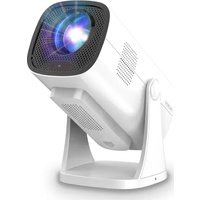
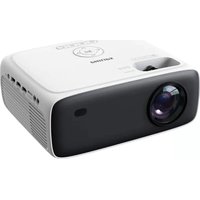
DLP9062 - Projector PHILIPS - Free user manual and instructions
Find the device manual for free DLP9062 PHILIPS in PDF.


Pick your language and provide your email: we'll send you a specifically translated version.
| Product Type | DLP Projector |
| Model | DLP9062 |
| Brand | Philips |
| Dimensions (W x H x D) | 140 x 80 x 30 mm (estimated) |
| Weight | 0.5 kg (estimated) |
| Power Source | USB-C 5V/2A or built-in battery (estimated) |
| Battery Life | Up to 2 hours (estimated) |
| Light Source | LED, lifespan up to 20,000 hours |
| Resolution | 854 x 480 pixels (native) |
| Brightness | 100 ANSI lumens (estimated) |
| Contrast Ratio | 1000:1 (estimated) |
| Projection Size | 20 - 100 inches |
| Connectivity | HDMI, USB-C, Wi-Fi, Bluetooth |
| Built-in Speaker | Yes, 3W mono |
| Operating System | Android TV (estimated) |
| Keystone Correction | Vertical ±30° |
| Focus | Manual |
| Supported Media | Video, audio, photo, documents |
| Maintenance | Clean lens with soft cloth; avoid dust |
| Repairability | Battery and lamp replaceable by qualified technician |
| Safety | Class 1 laser product (if applicable) or LED safe |
Frequently Asked Questions - DLP9062 PHILIPS
How do I connect my smartphone to the Philips DLP9062 projector?
You can connect via HDMI using an adapter or wirelessly through screen mirroring (Miracast or AirPlay). Make sure both devices are on the same Wi-Fi network.
Can I use the projector without a power outlet?
Yes, the Philips DLP9062 has a built-in battery that provides up to 2 hours of playback. Charge via USB-C before use.
What is the maximum projection size?
The projector can display images from 20 to 100 inches diagonally, depending on distance. For best quality, keep it between 30 and 80 inches.
How do I clean the lens?
Use a soft, dry microfiber cloth to gently wipe the lens. Avoid liquids or abrasive materials to prevent scratches.
Does the projector support 4K content?
The native resolution is 854x480 pixels, so it can accept 4K input but will downscale to its native resolution. For best results, use 720p or 1080p content.
Can I connect Bluetooth headphones?
Yes, you can pair Bluetooth headphones or speakers via the settings menu. The projector supports Bluetooth audio output.
Why is the image blurry?
Adjust the focus ring on the lens. Also ensure the projector is perpendicular to the screen; use keystone correction if needed. A distance of about 1–3 meters is recommended.
How long does the battery last?
The battery lasts approximately 2 hours on a full charge, depending on brightness and playback content.
What file formats are supported via USB?
Common formats like MP4, AVI, MKV, JPEG, PNG, MP3 are supported. For documents, PDF and Office files may be viewable via built-in apps.
Is there customer support for repairs?
Yes, contact Philips support or an authorized service center. The battery and lamp are replaceable; do not attempt disassembly yourself.
User questions about DLP9062 PHILIPS
0 question about this device. Answer the ones you know or ask your own.
Ask a new question about this device
No questions yet. Be the first to ask one.
Download the instructions for your Projector in PDF format for free! Find your manual DLP9062 - PHILIPS and take your electronic device back in hand. On this page are published all the documents necessary for the use of your device. DLP9062 by PHILIPS.
USER MANUAL DLP9062 PHILIPS
FILE NO.
PART NO.
技术要求:
尺寸:L140*W80mm
材质:100g书纸
颜色:1C(白底黑字)
表面处理:无
折页:风琴折
公差:±1mm
| 品名 | 公差 | 品名 | 公差 |
| 外箱(粗坑 例如:K=K) | +3/-0mm | 銘明書(展開尺寸) | ±1mm |
| 中箱(細坑 例如:D9) | +2/-0mm | 貼紙 | ±0.5mm |
| 墻板 | ±2mm | 泡棉 | ±2mm |
| 刀卡、紙内托 | ±1mm | PE袋/氣泡袋/珍珠棉 | +3/-0mm |
| 彩盒/彩卡(卜紙類) | ±1mm | 綫布袋、拉麵包 | ±2mm |
| 吸塑(外圓尺寸) | ±1mm | PET保護膜(貼於機裝) | ±0.3mm |
| 吸塑(內部結構) | ±0.2mm | 其它物料(例如:CE贴紙、產品貼紙、機殼貼紙) | ±0.2mm |
背面
正面中间折线不需要印刷出来


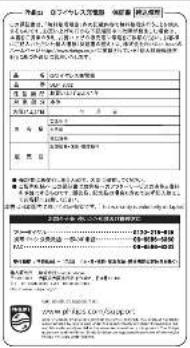
140 mm
正面
80 mm
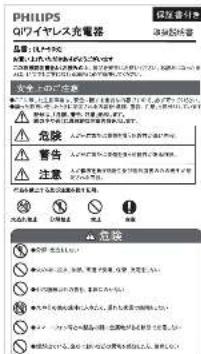

 | SCALE | UNIT | CUSTOMER | PROJECT | DWG NO. | PART NAME | APPROVED | CHECKED | DESIGN | DATE |
| 1:1 | mm | PHILIPS | DLP9062-11 | REV1.0 | 说明书 | 王平 | 2018-03-26 |