
NAB-4001 - Bluetooth audio receiver Naxa - Free user manual and instructions
Find the device manual for free NAB-4001 Naxa in PDF.


| Product Type | Bluetooth Audio Receiver |
| Brand | Naxa |
| Model | NAB-4001 |
| Dimensions (approx) | 2.5 x 1.5 x 0.5 in (6.4 x 3.8 x 1.3 cm) |
| Weight (approx) | 0.5 oz (15 g) |
| Power Supply | USB (5V DC) |
| Bluetooth Version | 5.0 |
| Wireless Range | Up to 30 ft (10 m) |
| Audio Output | 3.5mm stereo jack (AUX) |
| Compatible Devices | Smartphones, tablets, computers with Bluetooth |
| Main Functions | Receive Bluetooth audio and stream to speakers/headphones via AUX |
| LED Indicator | Shows pairing and connection status |
| Controls | Power/Multi-function button (pairing, play/pause, answer calls) |
| Maintenance | Clean with a dry, soft cloth; avoid liquids |
| Safety Warnings | Keep away from water and heat sources; do not disassemble |
| Spare Parts | None available separately; device is not user-serviceable |
| Certifications | FCC, CE |
Frequently Asked Questions - NAB-4001 Naxa
User questions about NAB-4001 Naxa
0 question about this device. Answer the ones you know or ask your own.
Ask a new question about this device
Download the instructions for your Bluetooth audio receiver in PDF format for free! Find your manual NAB-4001 - Naxa and take your electronic device back in hand. On this page are published all the documents necessary for the use of your device. NAB-4001 by Naxa.
USER MANUAL NAB-4001 Naxa
Instruction Manual
NAB-4001
natural_image
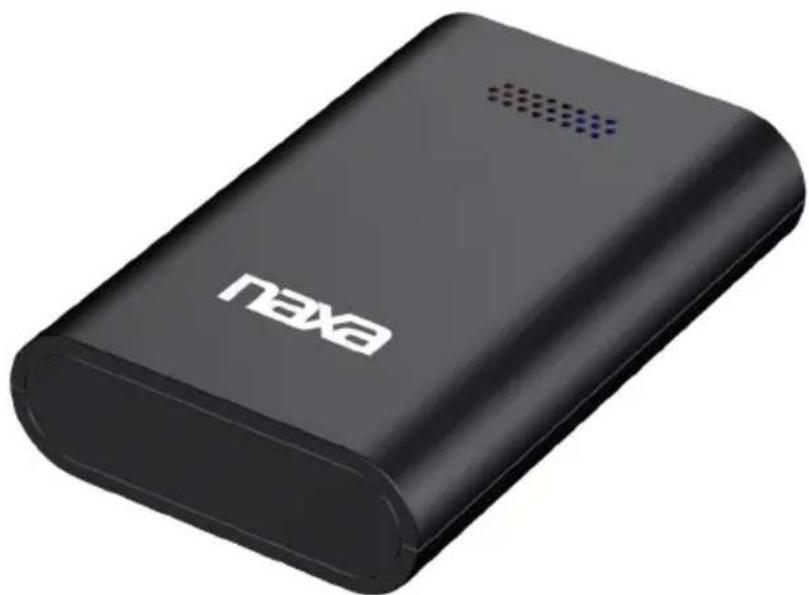
Black Naxa power bank device with visible branding and speaker grille (no text beyond brand name)Wireless Audio Adapter with Bluetooth® for AUX Input Connectors
At a Glance

1 Pair status Indicator
2 Power Indicator
3 Power/Pair button
4 USB charge port
5 Line out jack
Press and hold the Power/Pair button to turn the unit on or off.
Pair Status Indicator
StatusIndicator
Searching Slowly flashing light
Pair mode Quick flashing light
Paired Steady light
Power Indicator
StatusIndicator
Power off Light is off
Power on Steady green light
Low power Flashing green light
Charging Slowly flashing red light
Charging
Use the included micro USB cable to connect the USB charge port [4] to the USB port of a computer (or other USB charger).
The initial charge will take approximately 2.5 hours. Charge the unit fully before use.
Connecting
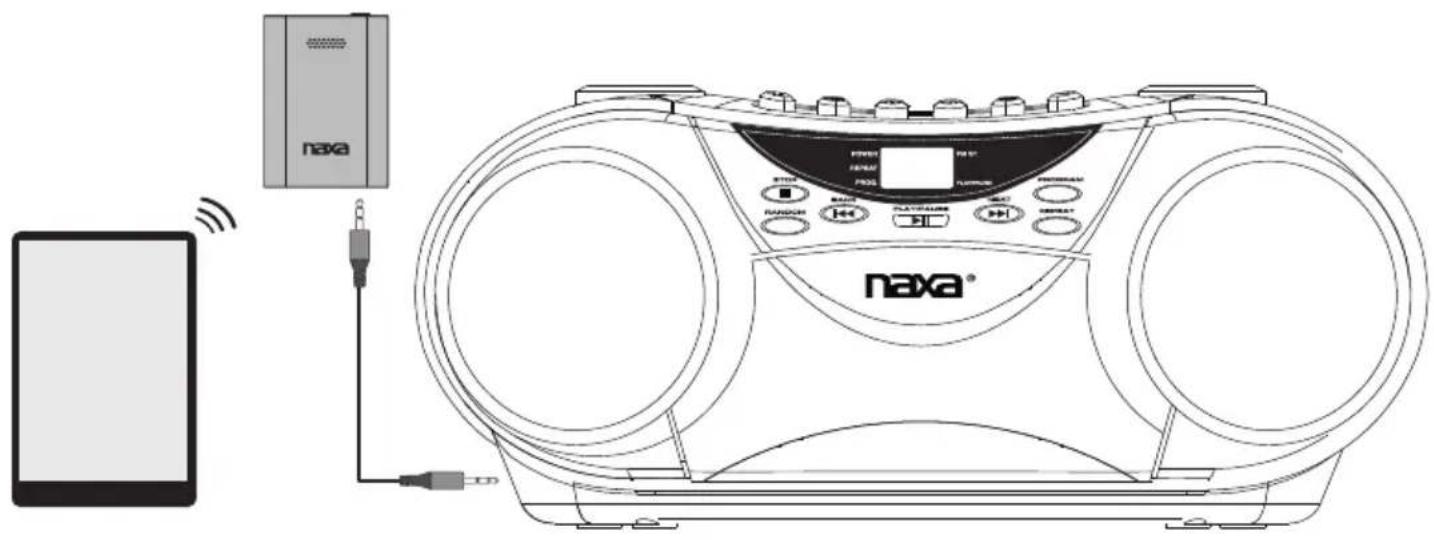
Use the included 3.5mm line cable to connect the Line out jack [5] to the line input jack of a speaker system or other audio device. Then, press and hold the Power/Pair button [3] to turn the unit on.
Note: If the unit does not turn on, the battery level may be too low. Connect the USB cable and charge the unit for at least 3 hours before trying again.
Page 4 Naxa Electronics
Pairing
Before using a wireless player with Bluetooth(r), you will need to establish a connection between it and your Naxa device. This process is called "pairing" and you will only have to do it once. Once two devices are paired, they will automatically connect when they detect each other.
Wireless players with Bluetooth may include laptops, tablets, smartphones, and more. Make sure that your player has its Bluetooth radio enabled and that it is set to be discoverable.
1) Turn the unit on (press and hold the Power/Pair button [3]).
2) When the NAB-4001 turns on, the Pair Status indicator [1] will flash slowly (searching) and then flash quickly (pairing).
- If the indicator does not flash quickly, press the Power/Pair button once to place the unit in Pair mode.
3) While the indicator is flashing quickly, use the native controls of your Bluetooth device to select the "NAB-4001".
- If your device requires a password, enter "0000".
- Refer to the user's manual of your device for specific instructions for pairing and connecting Bluetooth devices.
Support
If you have problems with your device, please consult the instructions in this manual. Please also visit us on the web at www.naxa.com to get up to the minute news, alerts, and documentation for your device. For additional assistance, please contact Naxa Technical Support.
NAXA Technical Support
2320 East 49th St.
Vernon, CA 90058
http://www.naxa.com/naxa_support/
Naxa Electronics
2320 E 49th St
Vernon, CA 90058
www.naxa.com

Brand : Naxa
Model : NAB-4001
Category : Bluetooth audio receiver