Tern

Link D7i - Bicycle Tern - Free user manual and instructions

Find the device manual for free Link D7i Tern in PDF.

📄 2 pages English EN Download 💬 AI Question 10 questions ⚙️ Specs
Notice Tern Link D7i - page 1
Pick your language and provide your email: we'll send you a specifically translated version.
Brand Tern
Model Link D7i
Product Type Folding bike
Frame Material Aluminium 6061
Wheel Size 20 inches
Number of Speeds 7
Gearing System Shimano Nexus 7 internal hub
Brakes V-brakes front and rear
Folding Mechanism Tern patented fold
Unfolded Dimensions (L x W x H) 147 x 58 x 102 cm (approx.)
Folded Dimensions (L x W x H) 67 x 58 x 65 cm (approx.)
Weight 12.5 kg (approx.)
Maximum Rider Weight 105 kg
Recommended Rider Height 142 - 190 cm
Seatpost Diameter 27.2 mm
Handlepost Adjustable
Tires Schwalbe Big Apple 20 x 2.0
Stem Tern Physis 3D
Pedals Folding pedals
Kickstand Included
Front Light Included (Dynamo or battery?)
Rear Light Included
Fenders Included
Rear Rack Included, compatible with panniers
Warranty 2 years limited

Frequently Asked Questions - Link D7i Tern

How do I fold the Tern Link D7i?
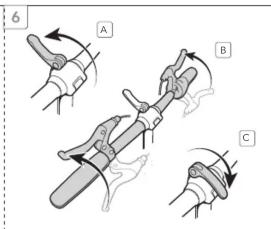
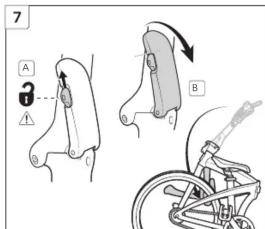
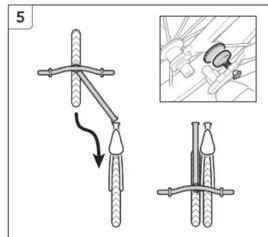
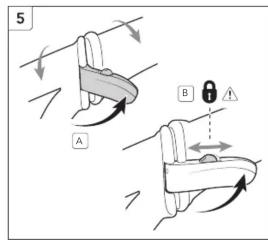
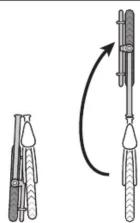
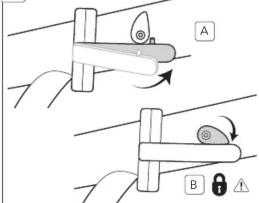
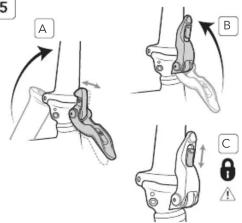
First, remove any accessories. Then, unlock the frame latch, fold the handlepost down, and finally fold the frame by pulling the quick-release lever. Refer to the manual for detailed steps.
What is the maximum weight limit for the Link D7i?
The maximum rider weight is 105 kg (231 lbs). The total load including luggage should not exceed this limit.
What tire pressure should I use?
Recommended tire pressure for the Schwalbe Big Apple tires is between 50 and 70 psi. Adjust based on rider weight and terrain.
How do I maintain the Nexus 7 hub?
The Shimano Nexus 7 hub requires minimal maintenance. Wipe the hub clean regularly. Internal service should be done by a qualified bike mechanic every 5000 km.
Can I install a child seat on the Link D7i?
Yes, provided the combined weight of rider, child, and seat stays under 105 kg. Use a rear-mounted seat compatible with the rack.
How do I adjust the handlepost height?
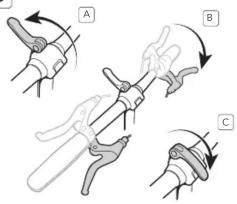
Loosen the lever on the handlepost clamp, slide the post to the desired height within the marked range, then tighten the lever securely.
What is the warranty period?
Tern offers a 2-year limited warranty on the frame and components. Check the manual for specific coverage.
How do I clean the bike?
Use a mild detergent and water. Avoid high-pressure washers. Dry the bike after washing and lubricate the chain and folding joints.
What tools are needed for basic assembly?
Most assembly can be done with standard hex wrenches (4, 5, 6 mm) and a Phillips screwdriver. The bike comes mostly pre-assembled.
Can I use the bike on rough terrain?
The Link D7i is designed for urban commuting and paved surfaces. Light gravel is okay, but avoid aggressive off-road use.

User questions about Link D7i Tern

0 question about this device. Answer the ones you know or ask your own.

Ask a new question about this device

The email remains private: it is only used to notify you if someone responds to your question.

No questions yet. Be the first to ask one.

Download the instructions for your Bicycle in PDF format for free! Find your manual Link D7i - Tern and take your electronic device back in hand. On this page are published all the documents necessary for the use of your device. Link D7i by Tern.

USER MANUAL Link D7i Tern

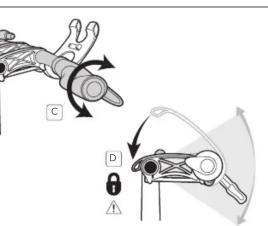
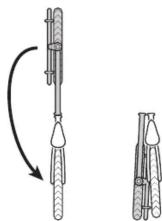
natural_image Diagram of a mechanical device with a lever and directional arrows indicating motion (no text or symbols)

Tern Link D7i - 1

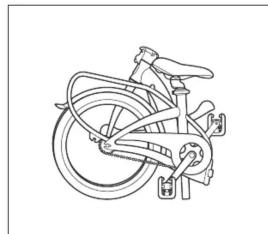
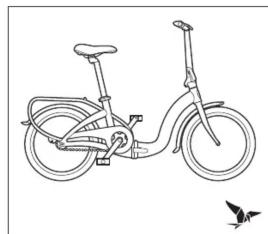
natural_image Line drawing of a bicycle with wheels and suspension components (no text or symbols)

3

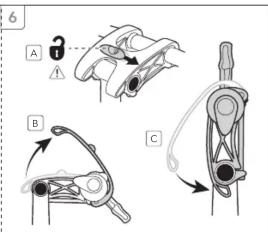
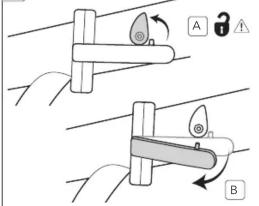
Diagram illustrating a mechanical or electrical component with directional arrows and warning symbol

Tern Link D7i - 4

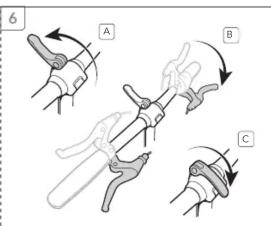
6 A B C

6 A B C

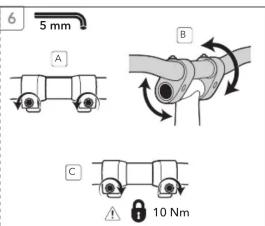
6 5 mm A B C A

7 A B

5 1

1 A B

Tern Link D7i - 11

natural_image Diagram of a bicycle frame with a hand operating the steering wheel (no text or symbols present)
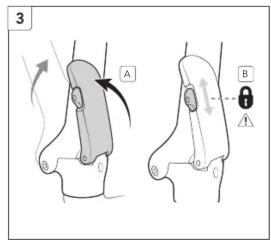
3 A B A

4

5 A B A

6 A B

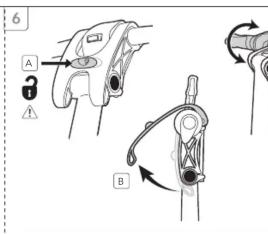
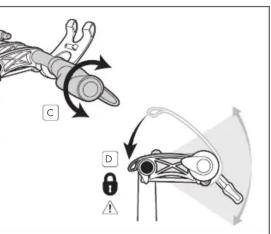
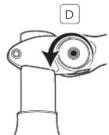
Technical diagram showing mechanical assembly with labeled parts A, B, C, D and directional arrows indicating motion or movement.

6 A B C

6 5 mm A B C 10 Nm

7 8

Tern Link D7i - 20

natural_image Diagram of a mechanical device with directional arrows indicating motion (no text or symbols)

Tern Link D7i - 21

natural_image Diagram of a bicycle steering wheel with hand positioning and dashed lines indicating alignment (no text or symbols)

3

Diagram illustrating a mechanical or electrical component with directional arrows and labeled parts, including a warning symbol and numbered reference.

5 5

6 A B C

Diagram illustrating three stages of a mechanical device or tool, labeled A, B, and C with directional arrows indicating motion.

7 A B

8 A B

Tern Link D7i - 29

natural_image Line drawing of a bicycle with suspension frame and wheel (no text or symbols)
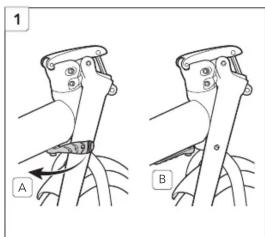
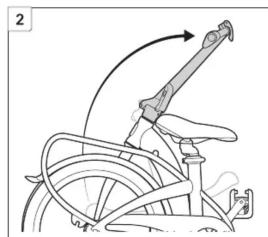
1 A B

Tern Link D7i - 31

natural_image Diagram of a bicycle steering wheel with an arrow indicating motion direction (no text or symbols)

3 A B A

Diagram illustrating a mechanical or electrical setup with labeled components and directional arrows indicating motion or movement.

5 A B

6 A B C

6 A 3 A B

Diagram illustrating mechanical assembly steps with labeled components A, B, C, D and directional arrows indicating motion or movement.

Diagram illustrating a mechanical device with labeled parts and directional arrows indicating motion or movement.

Tern Link D7i - 39

natural_image Line drawing of a bicycle with a bird flying nearby (no text or symbols)

1
Tern Link D7i - 40

2
Tern Link D7i - 41

3
Tern Link D7i - 42

4
Diagram illustrating three-step mechanical assembly steps labeled A, B, and C with directional arrows indicating motion.

5
A 3 B

6
Tern Link D7i - 45

natural_image Line drawing of a bicycle frame with no text or symbols

7
Diagram illustrating two mechanical or electrical device states labeled A and B, with directional arrows indicating movement or force.

8
Tern Link D7i - 47

9
Tern Link D7i - 48

(No text)
Tern Link D7i - 49

natural_image Line drawing of a bicycle with wheels and seat, no text or symbols present

1
Tern Link D7i - 50

2
Tern Link D7i - 51

3
Diagram illustrating two mechanical or electrical contact scenarios labeled A and B, showing hand positioning and rotation of a device.

4
Tern Link D7i - 53

natural_image Line drawing of a bicycle frame with arrows indicating motion direction (no text or symbols)
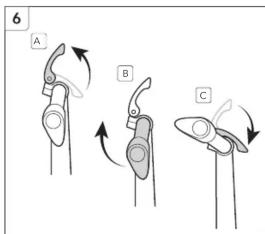
5
Diagram illustrating three-step mechanical or robotic manipulation steps labeled A, B, and C with directional arrows and a lock icon.

6
Diagram illustrating three-step mechanical assembly steps labeled A, B, and C with directional arrows indicating motion.

7
Tern Link D7i - 56

8
Tern Link D7i - 57

[Non-Text]
Tern Link D7i - 58

natural_image Line drawing of a bicycle with a horizontal bar and wheels (no text or symbols)

Tern Link D7i - 59

1
Tern Link D7i - 60

2
5 mm
A
Tern Link D7i - 61

Tern Link D7i - 62

Tern Link D7i - 63

Tern Link D7i - 64

E
Tern Link D7i - 65

natural_image Technical line drawing showing a mechanical clamp and a close-up of a tool with a force gauge (no text or symbols)

2
5 mm
Tern Link D7i - 66

Tern Link D7i - 67

Tern Link D7i - 68
D

Tern Link D7i - 69

Tern Link D7i - 70
n
1
1
1
1
1

Manual assistant
Powered by Anthropic
Waiting for your message
Product information

Brand : Tern

Model : Link D7i

Category : Bicycle