Eclipse P7i - Bicycle Tern - Free user manual and instructions
Find the device manual for free Eclipse P7i Tern in PDF.


Pick your language and provide your email: we'll send you a specifically translated version.
| Product Type | Folding Bike |
| Brand | Tern |
| Model | Eclipse P7i |
| Frame Material | 7005-T6 Aluminum |
| Folded Dimensions (LxWxH) | 67 x 37 x 72 cm (26.4 x 14.6 x 28.3 in) |
| Unfolded Dimensions (LxWxH) | 152 x 58 x 104 cm (59.8 x 22.8 x 40.9 in) |
| Weight (approx.) | 12.5 kg (27.6 lb) |
| Max Rider Weight | 105 kg (231 lb) |
| Wheel Size | 20 inches (406 mm) |
| Gearing | 7-speed internal hub (Sturmey Archer) |
| Brakes | V-brakes (front & rear) |
| Saddle | Custom padded Tern saddle |
| Handlebars | Flat bar, adjustable stem |
| Included Accessories | Rear rack, mudguards (fenders), bell, kickstand |
| Recommended Rider Height | 145 - 190 cm (4'9" - 6'3") |
| Folding Mechanism | Andros patented (tool-less fold) |
| Maintenance Schedule | Check tire pressure weekly; lubricate chain every 100 km; inspect brakes monthly |
| Cleaning Instructions | Wipe with damp cloth; avoid high-pressure water; dry after wet rides |
| Safety Certifications | EN 14764 (European standard) |
| Spare Parts Availability | Via Tern dealers or online store (fenders, cables, tires, inner tubes) |
| Repairability | Modular design; most parts replaceable with standard tools |
Frequently Asked Questions - Eclipse P7i Tern
How do I fold and unfold the Eclipse P7i?
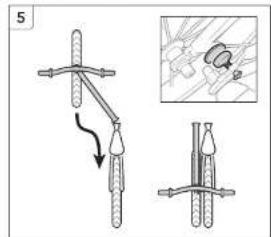
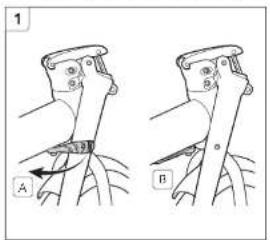
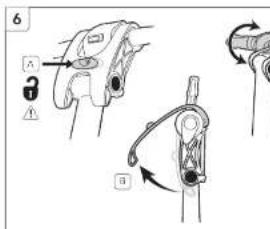
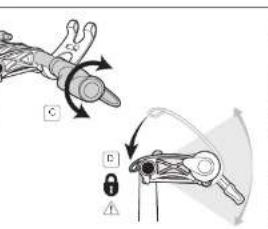
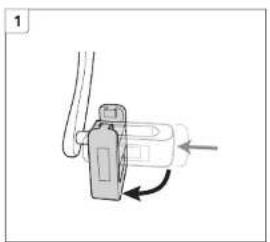
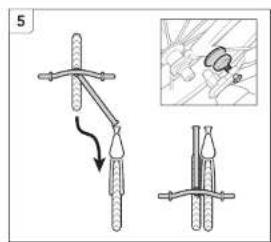
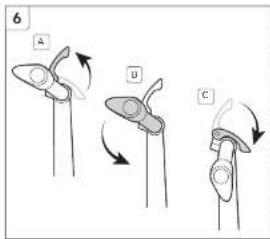
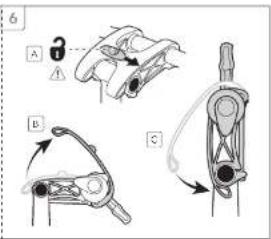
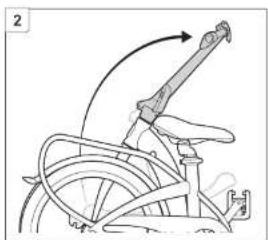
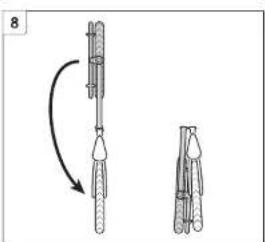
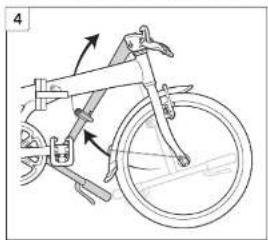
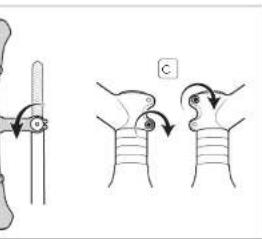
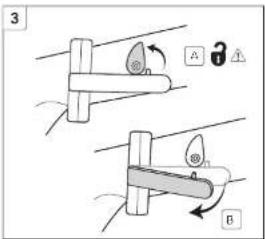
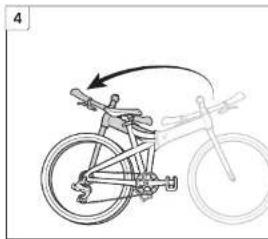
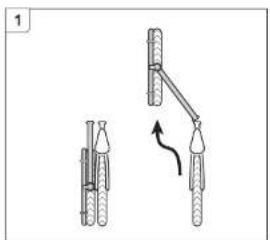
To fold: lower the seat, release the main frame latch (Andros fold), fold the handlepost forward, then secure the magnetic latch. To unfold: reverse steps, ensure all latches click. Refer to the manual for detailed folding instructions.
What is the maximum weight capacity?
The maximum rider weight is 105 kg (231 lb). The rear rack supports up to 25 kg (55 lb) of cargo. Do not exceed these limits for safe riding.
Can I adjust the handlebar height?
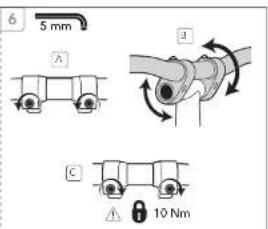
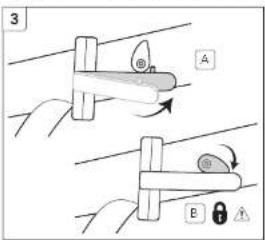
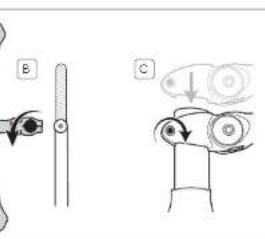
Yes, the handlepost has an adjustable stem. Loosen the quick-release clamp, slide to desired height, and tighten. Ensure the handlebars are aligned and secure before riding.
How often should I lubricate the chain?
Lubricate the chain every 100 km (about 60 miles) or after riding in wet conditions. Use a dry chain lubricant and wipe off excess. Regular chain maintenance prolongs drivetrain life.
What tools are needed for basic maintenance?
Basic tools include: a set of hex wrenches (4, 5, 6 mm), a tire pump, chain lube, and a spoke wrench. Most adjustments can be made with these tools. For internal hub service, consult a Tern dealer.
Is the Eclipse P7i suitable for commuting in rain?
Yes, it comes with mudguards and a rear rack. Wipe the frame and drivetrain after wet rides. Avoid puddles deeper than the bottom bracket. The weather-resistant components handle occasional rain.
How do I adjust the brakes?
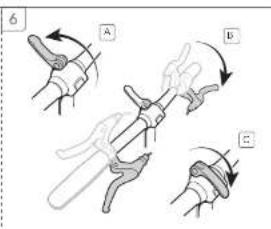
To adjust V-brakes: turn the barrel adjuster on the brake lever to fine-tune cable tension. For pad alignment: loosen the pad bolt, align pad flat to rim, tighten. If pads are worn, replace them.
What is the recommended tire pressure?
Recommended tire pressure is 40-65 psi (2.8-4.5 bar). Check sidewall for exact range. Proper inflation improves rolling resistance and prevents pinch flats.
Can I install a child seat or trailer?
The rear rack is not designed for child seats. Use a seatpost-mounted or frame-mounted child seat. Trailers can be used if the trailer hitch attaches to the rear axle. Check local laws for child transportation.
How do I clean the bike without damaging it?
Use a soft cloth and mild soap with water. Avoid high-pressure washers as they can force water into bearings. Dry the bike after washing. For detailed cleaning, remove wheels and degrease the drivetrain.
User questions about Eclipse P7i Tern
0 question about this device. Answer the ones you know or ask your own.
Ask a new question about this device
No questions yet. Be the first to ask one.
Download the instructions for your Bicycle in PDF format for free! Find your manual Eclipse P7i - Tern and take your electronic device back in hand. On this page are published all the documents necessary for the use of your device. Eclipse P7i by Tern.
USER MANUAL Eclipse P7i Tern
natural_image
Diagram of a mechanical device with directional arrows indicating motion (no text or symbols)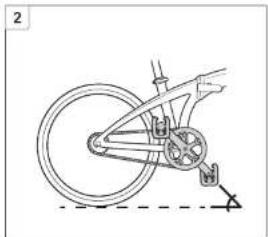
natural_image
Diagram of a bicycle wheel and suspension mechanism (no text or labels)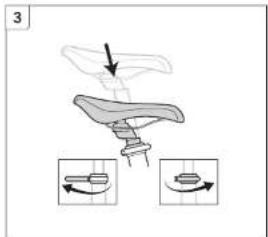
natural_image
Illustration of a mechanical device with an arrow indicating motion, accompanied by two circular diagrams showing rotational changes (no text or symbols)





natural_image
Diagram showing two mechanical or robotic manipulator setups with no visible text or symbols

natural_image
Mechanical component diagram showing a lever and adjustment mechanism (no text or symbols)
natural_image
Mechanical diagram showing a bicycle suspension system with pulleys and suspension components (no text or labels)
natural_image
Illustration of a mechanical device with directional arrows and two circular insets showing rotational components (no text or symbols)


natural_image
Line drawing of a bicycle with steering wheel and attached bracket (no text or symbols)
natural_image
Line drawing of a bicycle's front wheel and side seat assembly (no text or symbols)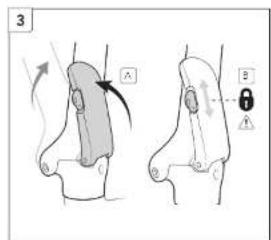
natural_image
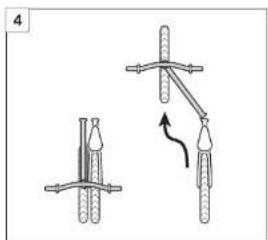
Diagram showing two mechanical setups with rods and a curved arrow indicating motion (no text or symbols)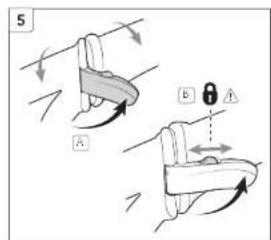


natural_image
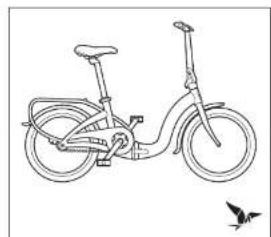
Line drawing of a bicycle with no text or symbols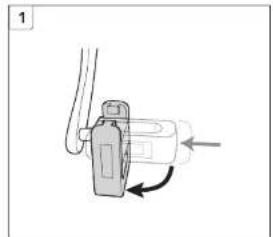
natural_image
Mechanical component diagram showing a lever and adjustment mechanism (no text or symbols)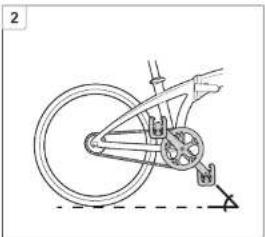
natural_image
Line drawing of a bicycle wheel and suspension mechanism (no text or symbols)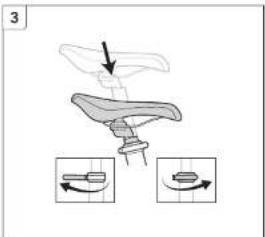
natural_image
Diagram of a mechanical device with directional arrows indicating motion, showing a lever and two inset diagrams (no text or symbols)


natural_image
Line drawing of a bicycle frame with a wheel and attached bracket (no text or symbols)
natural_image
Diagram showing a mechanical component with arrows indicating direction (no text or symbols)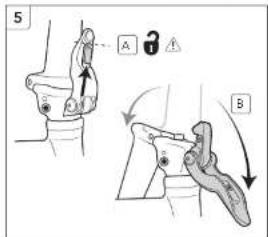

natural_image
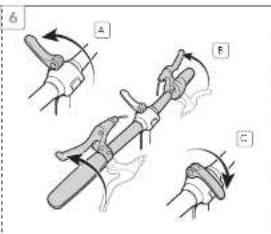
Diagram showing a hand holding a mechanical component with two arrows indicating direction (no text or symbols present)

natural_image
Line drawing of a bicycle with wheels and seat (no text or symbols)

natural_image
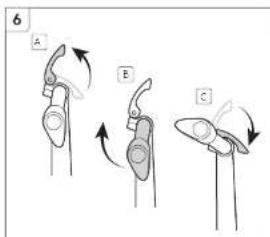
Illustration of a bicycle seat with directional arrows indicating motion, accompanied by two circular diagrams showing the same seat (no text or symbols present)
natural_image
Diagram of a wind turbine with a rotating arm and pipe connection (no text or symbols)
natural_image
Line drawing of a bicycle with a circular frame and wheels (no text or symbols)

natural_image
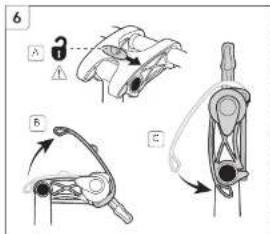
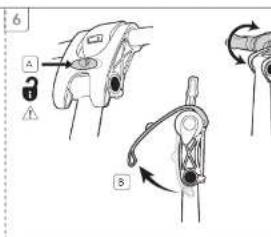
Diagram of a mechanical device with two inset views showing internal components (no text or symbols)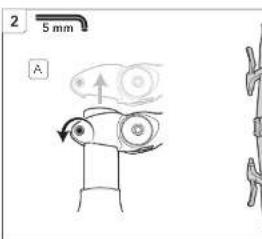


natural_image
Illustration of a syringe and a bird with an arrow pointing to the eye (no text or symbols present)
natural_image
Line drawing of a bicycle with a curved arrow indicating motion (no text or symbols)
natural_image
Diagram showing two mechanical setups with weights and a lever mechanism (no text or symbols)
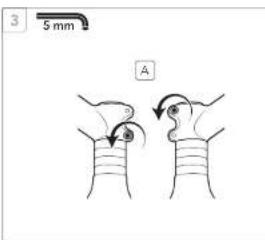

natural_image
Diagram of a mechanical device with lever and pivot point, no text or symbols present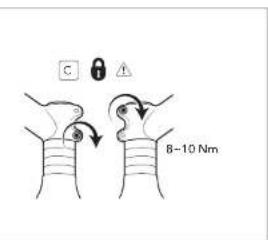


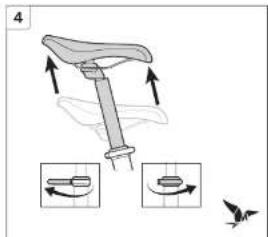
natural_image
Illustration of a bicycle seat with directional arrows indicating motion, accompanied by three circular diagrams showing rotational components (no text or symbols)
Manual assistant
Powered by Anthropic
Waiting for your message
Product information
Brand : Tern
Model : Eclipse P7i
Category : Bicycle