
MAS200D - Motion detector Brinno - Free user manual and instructions
Find the device manual for free MAS200D Brinno in PDF.


Pick your language and provide your email: we'll send you a specifically translated version.
| Product Type | Motion Detector |
| Model | MAS200D |
| Brand | Brinno |
| Dimensions (approx.) | 5.0 x 3.0 x 2.0 cm |
| Weight (approx.) | 50 g (with batteries) |
| Power Source | 2 x AAA batteries (not included) |
| Battery Life (approx.) | 6 months with normal use |
| Detection Range | Up to 10 meters (33 ft) |
| Detection Angle | 120 degrees horizontal |
| Operating Temperature | 0°C to 40°C (32°F to 104°F) |
| Mounting | Wall-mountable with included bracket |
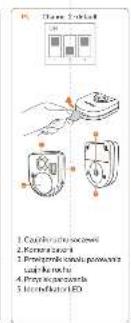
| Indicator | Red LED on detection |
| Low Battery Warning | Flashing LED when low |
| Compatible Devices | Brinno time-lapse cameras (e.g., TLC200, THI) |
| Wireless Connection | 2.4GHz RF (up to 30m range) |
| Number of Channels | 1 (dedicated per camera) |
| Water Resistance | Not waterproof; indoor use only |
| Maintenance | Clean with dry, soft cloth; avoid moisture |
| Safety | Keep away from children; replace batteries promptly |
| Spare Parts | Battery cover, mounting bracket available |
| Repairability | Not user-repairable; contact Brinno support |
| Included Items | Motion detector, mounting bracket, screws, quick guide |
Frequently Asked Questions - MAS200D Brinno
How do I pair the MAS200D motion detector with my Brinno camera?
Insert batteries into the detector, then press and hold the pairing button on the detector until the LED flashes rapidly. On your Brinno camera, enable the wireless trigger and follow the camera's pairing procedure. The LED on the detector will turn solid when paired.
What type of batteries does the MAS200D use and how long do they last?
The detector uses 2 AAA batteries (alkaline recommended). Battery life is approximately 6 months under normal use (fewer than 50 detections per day). Low battery is indicated by a flashing red LED.
What is the maximum detection range of the MAS200D?
The detection range is up to 10 meters (33 feet) with a 120-degree horizontal field of view. Optimal performance is achieved when the target moves across the detection zone.
Can the MAS200D be used outdoors?
No, the MAS200D is designed for indoor use only. It is not weather-resistant. Exposure to rain, snow, or direct sunlight may damage the device.
How do I mount the motion detector on a wall?
Use the included mounting bracket and screws. Position the detector at a height of 2-3 meters (6-10 feet) for optimal coverage. Ensure the front face is pointing toward the area to be monitored.
The LED does not turn on. What should I do?
Check that batteries are inserted correctly with the correct polarity. Try fresh batteries. If the LED still does not light, the detector may be faulty; contact Brinno support.
How do I reset the MAS200D to factory settings?
Remove the batteries, wait 10 seconds, then reinsert them. The detector will reset and enter pairing mode automatically. You may need to re-pair it with your camera.
What is the wireless range between the detector and the camera?
The wireless range is up to 30 meters (100 feet) in open air. Walls and obstacles can reduce the range. For best results, keep the detector and camera within line of sight.
Can one motion detector trigger multiple cameras?
The MAS200D is designed to pair with a single Brinno camera. To trigger multiple cameras, you would need multiple detectors or a different setup.
How do I clean and maintain the motion detector?
Wipe the exterior with a soft, dry cloth. Do not use water, solvents, or abrasive cleaners. Keep the detector away from dust and humidity. Replace batteries at least once a year even if not in frequent use.
User questions about MAS200D Brinno
0 question about this device. Answer the ones you know or ask your own.
Ask a new question about this device
No questions yet. Be the first to ask one.
Download the instructions for your Motion detector in PDF format for free! Find your manual MAS200D - Brinno and take your electronic device back in hand. On this page are published all the documents necessary for the use of your device. MAS200D by Brinno.
USER MANUAL MAS200D Brinno


brinno
Motion Detector
MAS200D Quick Guide
in Quick Start Guide
■ Psychi) privodice
in 12.10.2014
Table of contents
Click a title to access it
Manual assistant
Powered by Anthropic
Waiting for your message
Product information
Brand : Brinno
Model : MAS200D
Category : Motion detector