DA 810 INOX - Dishwasher Ansonic - Free user manual and instructions
Find the device manual for free DA 810 INOX Ansonic in PDF.


Pick your language and provide your email: we'll send you a specifically translated version.
| Product Type | Freestanding Dishwasher |
| Brand | Ansonic |
| Model | DA 810 INOX |
| Finish | Stainless Steel |
| Dimensions (H x W x D) | 85 x 60 x 60 cm |
| Weight | 45 kg |
| Power Supply | 220-240 V, 50 Hz, 10 A |
| Energy Class | E |
| Noise Level | 49 dB(A) |
| Number of Place Settings | 12 |
| Number of Programs | 6 |
| Programs | Eco, Intensive, Normal, Quick, Glass, Pre-rinse |
| Functions | Delay Start (1-24h), Half Load, Extra Dry |
| Water Consumption per Cycle | 9.5 L |
| Energy Consumption per Cycle | 0.95 kWh |
| Safety Features | Child Lock, Aqua Stop, Overflow Protection |
| Interior Material | Stainless Steel |
| Number of Racks | 2 (Upper and Lower) + Cutlery Basket |
| Adjustable Racks | Upper rack height adjustable |
| Filter System | Self-cleaning filter with micro-filter |
| Maintenance | Clean filters monthly, run descaler cycle |
| Spare Parts Availability | Common parts: racks, filters, spray arms, seals |
| Repairability Index | 8.5/10 |
| User Manual | Available for free download in PDF |
Frequently Asked Questions - DA 810 INOX Ansonic
How do I install the Ansonic DA 810 INOX dishwasher?
Ensure the dishwasher is placed on a level surface. Connect the water supply hose to a cold water tap with 3/4 inch thread. Plug the power cord into a grounded outlet. Connect the drain hose to the sink drain. Refer to the user manual for detailed installation steps.
What detergent should I use for this dishwasher?
Use a dishwasher detergent in tablet, powder, or gel form. For best results, use a combined detergent with rinse aid and salt functions. Adjust dosage based on water hardness.
How do I start a washing cycle?
Load the dishes, add detergent, close the door, select a program using the button, and press Start. The display shows remaining time. If delay start is set, the cycle begins after the delay.
What does the 'Eco' program do?
The Eco program is designed for normally soiled dishes, optimizing water and energy consumption. It runs at a lower temperature and longer duration to save resources.
How do I clean the filters?
Turn off the dishwasher, remove the lower rack, unscrew the cylindrical filter assembly, rinse under running water, use a soft brush if needed, and reassemble. Repeat monthly for optimal performance.
Why is the dishwasher not draining water?
Check for clogs in the filter or drain hose. Ensure the drain hose is not kinked or blocked. If the problem persists, run a cleaning cycle with a drain cleaner or contact support.
Can I open the door during a cycle?
Yes, you can open the door to add forgotten items, but the cycle will pause. Close the door and press Start to resume. Be careful of hot steam.
What is the 'Aqua Stop' safety feature?
Aqua Stop is a protective system that shuts off the water supply if a leak is detected. It prevents flooding and is located in the inlet hose. If triggered, reset by turning off the water tap and contacting service.
How do I adjust the rinse aid setting?
Open the rinse aid dispenser lid, turn the dial to adjust the dosage (1-6). Higher settings for harder water. Refer to the manual for recommended rinse aid level based on local water hardness.
Where can I find spare parts for my Ansonic dishwasher?
Spare parts such as racks, filters, spray arms, and seals are available online or from authorized dealers. Use the model number DA 810 INOX to search for compatible parts.
User questions about DA 810 INOX Ansonic
0 question about this device. Answer the ones you know or ask your own.
Ask a new question about this device
No questions yet. Be the first to ask one.
Download the instructions for your Dishwasher in PDF format for free! Find your manual DA 810 INOX - Ansonic and take your electronic device back in hand. On this page are published all the documents necessary for the use of your device. DA 810 INOX by Ansonic.
USER MANUAL DA 810 INOX Ansonic
natural_image
Simple line drawing of a kitchenware setup with a glass, plate, and pot (no text or symbols)
Conexión eléctrica
natural_image
Technical line drawing of a mechanical component on a workbench, no text or symbols present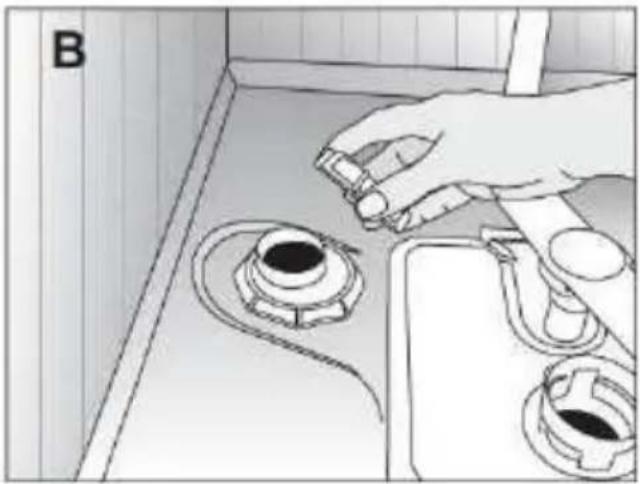
natural_image
Line drawing of a kitchen sink with a hand adjusting a valve, showing no text or symbols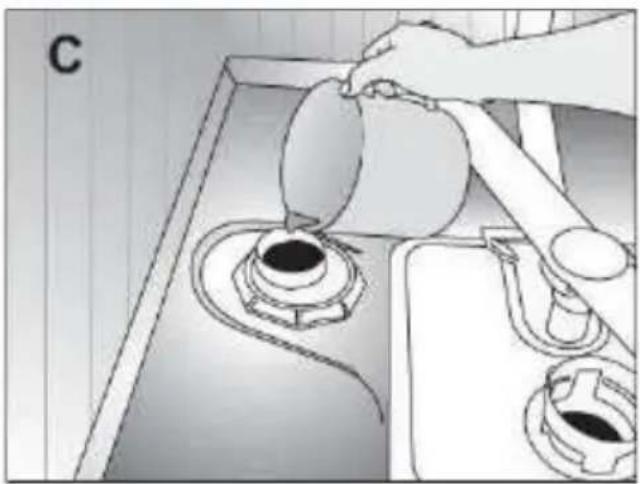
natural_image
Line drawing of a kitchen sink with a hand pouring liquid from a pot into a stove (no text or symbols)
natural_image
Illustration of a cooking process showing a hand pouring liquid into a funnel on a stove (no text or symbols)natural_image
Illustration of a hand inserting a component into a device housing (no text or symbols visible)natural_image
Mechanical assembly diagram showing a tool inserted into a device housing with a numbered label (4), no readable text or symbols present.natural_image
Line drawing of a traditional Chinese wooden basket with handle and side supports (no text or symbols)natural_image
Two-panel technical illustration showing a large industrial structure with crosshair markers, enclosed in wire grids (no text or symbols)
natural_image
Illustration of a fish farm with a net and a cross symbol (no text or labels)
natural_image
Cross-sectional illustration of a plastic basket filled with various circular objects, no text or symbols presentnatural_image
Diagram showing a computer keyboard above a basket with internal compartments (no text or symbols)natural_image
Illustration of two industrial storage units, one with a curved top and arrow indicating rotation or movement (no text or symbols)
natural_image
Architectural diagram showing a building interior with scaffolding and a circular overlay of architectural elements (no text or symbols)natural_image
3D wireframe diagram of a shopping cart with labeled points A and B, showing structural elements and movement arrows (no text or symbols beyond labels)
natural_image
Illustration of hands assembling a grid-patterned container with arrows indicating assembly or operation (no text or symbols present)natural_image
Technical line drawing of a modular industrial container with numbered components and directional arrows indicating motion (no text or symbols)natural_image
Illustration of a robotic arm interacting with a mechanical device inside a wire cage (no text or symbols visible)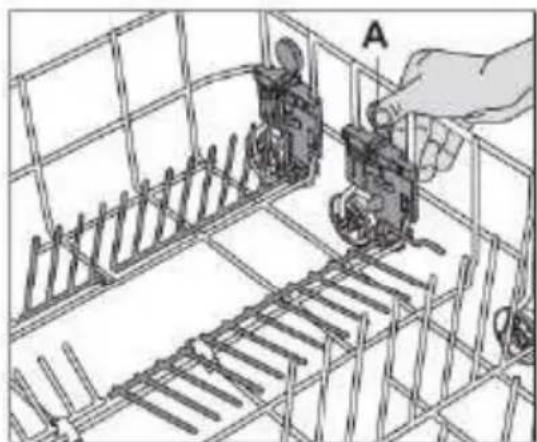
natural_image
Technical line drawing of a mechanical assembly inside a wire cage, showing a hand operating a component labeled 'A' (no text or symbols present)cesta inferior
natural_image
Technical line drawing of a mechanical assembly with no visible text or symbolsnatural_image
Technical line drawing of a mechanical assembly with cylindrical components and structural supports (no text or symbols)
natural_image
Technical line drawing of a structural framework with supports and internal components (no text or symbols)
natural_image
Technical line drawing of a structural framework with grid elements and supports (no text or symbols)natural_image
Technical illustration of a mechanical assembly with grid-like components and a rectangular base (no text or symbols)natural_image
Illustration of a shopping basket filled with items, no text or symbols presentnatural_image
Topographic map section showing contour lines and a marked location (no text or labels)natural_image
Diagram of a hand using a tool to interact with a wireframe structure, no text or symbols presentnatural_image
3D wireframe model of a mechanical assembly with internal components (no visible text or symbols)natural_image
Technical illustration of a mechanical assembly with a hand interacting with a component, no visible text or symbolsnatural_image
Illustration of a hand operating a mechanical device inside a wire cage, with a directional arrow labeled 'B' indicating motion (no text or symbols on the diagram itself)natural_image
Illustration of a hand placing a component into a wireframe basket with an upward arrow labeled 'A' (no text or symbols on the diagram itself)natural_image
Diagram of a hand operating a mechanical device with a downward arrow labeled 'B' (no text or symbols on the diagram itself)
natural_image
Diagram showing a hand inserting a component into a container with an arrow indicating rotation (no text or symbols present)natural_image
Illustration of hands assembling a mechanical component with directional arrows indicating assembly (no text or symbols)natural_image
Illustration of a hand using a tool to adjust or install a mechanical component on a workbench, with no visible text or symbols.
natural_image
Illustration of a hand holding a tool with a circular knob, no text or symbols presentBrazo aspersor superior
Table of contents
Click a title to access it
Manual assistant
Powered by Anthropic
Waiting for your message
Product information
Brand : Ansonic
Model : DA 810 INOX
Category : Dishwasher