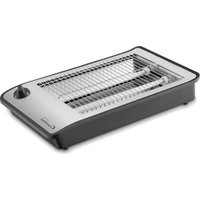
TP 7064 - Toaster COMELEC - Free user manual and instructions
Find the device manual for free TP 7064 COMELEC in PDF.


| Product Type | Toaster |
| Brand | Comelec |
| Model | TP 7064 |
| Number of Slots | 2 |
| Browning Settings | 7 levels |
| Functions | Cancel, Defrost, Reheat |
| Self-Centering Bread Racks | Yes |
| Removable Crumb Tray | Yes |
| Power Source | 120V/60Hz |
| Power Consumption | 900W |
| Dimensions (W x D x H) | 28 x 18 x 20 cm |
| Weight | 1.5 kg |
| Cord Length | 1.2 m |
| Material | Stainless Steel and Plastic |
| Safety Features | Automatic shut-off, cool-touch housing |
| Cleaning | Wipe exterior with damp cloth, empty crumb tray regularly |
| Spare Parts Available | Crumb tray, power cord |
| Repairability | Repairable by qualified technician |
Frequently Asked Questions - TP 7064 COMELEC
User questions about TP 7064 COMELEC
0 question about this device. Answer the ones you know or ask your own.
Ask a new question about this device
Download the instructions for your Toaster in PDF format for free! Find your manual TP 7064 - COMELEC and take your electronic device back in hand. On this page are published all the documents necessary for the use of your device. TP 7064 by COMELEC.
USER MANUAL TP 7064 COMELEC
Thank you for purchasing this COMELEC product, this device has been checked in all its components meticulously, so we guarantee the correct operation, but for this to be case we need that YOU read the instruction book carefully, as this will contribute to the best performance of this article. P.G.E, S.L. guarantees to the buyer of this product, a total guarantee of TWO YEARS, governed by the established conditions whose regulation is found in Royal Legislative Decree 1/2007 of 16 December, which approves the revised text the General Law for the Defense of Consumers and Users, (articles 114 to 127) P.G.E, S.L is committed to repairs are completely free, labor and spare parts, including. The Technical Assistance Service will resolve any repairs that may be required by this apparatus. Carefully review the INSTRUC TION BOOK included, on the use, maintenance and conservation of the device. Any anomaly that could occur due to non-observance of such instructions will not be protected for the guarantee. The date of sale of the device, for the purposes of warranty period, will be that which appears on the purchase invoice. Guarantee operation: As regards all those compliance defects detected by the technical assistance, which are manifested within six months of the delivery of the goods, it is assumed that they already existed on that date, the intervention will be completely free, (unless this hypothesis is incompatible with the nature or nature of the conformity defect). During the following eighteen months, it must be the user who demonstrates. That the lack of conformity it was coming at the time of delivery.
MANUFACTURED CHINA FOR COMELEC
DECLARATION OF CONFORMITY
Manufacturer: PRAGMATICA GRUPO EUROPEO, S.L Adress: Tapissers 10 Poligono Industrial Els Mollons
Post Code. 46970 City: Alaguas VALENCIA
We declare under our responsibility that the product:
Product Description: Toaster
Model: TP 7064
Brand: COMELEC
It complies with the European Union legislation in complian
ce with the 2004/108 / EU guidelines:
The standards apply:
EN 55014-1:2006+A1:+A2
EN 55014-2: 1997+A1:+A2:
EN 61000-3-2:2006+A1:+A2:/EN 61000-3-3:2013
Name: Pablo Gonzalez
Position: Administrador
INFORMATION ON RECYCLING
Disposal of the old appliance, the European Directive 2002/96 / EC on waste equipment Electrical and Electronic (WEEE), establishes that old appliances can not be thrown municipal waste without normal classification. Appliances have to be collected separately with the to optimize the recovery and recycling of the materials they contain and reduce the impact on human health and the environment. The symbol "container with wheels" crossed out on the product reminds you of obligation, that when you dispose of the device must be collected separately.
Consumers should contact the local or retail authority to obtain information about the correct disposal of your old device.
Pragmatica Grupo Europeo, S.L
Tapisers 10 Poligono Industrial Els Mollons
46970 Alaquas VALENCIA Tfno. 963 313 252
USER
DATE OF SALE
Seller's signature and stamp
IMPORTANT: To make the guarantee effective, the SELLER must fill out sign and stamp this Certificate. To receive assistance under the conditions set forth in this certificate, please submit to the To the conditions set forth in this certificate, please submit to the chnical Service Authorized, this document next to the Purchase

natural_image
Exterior view of a modern kitchen grater with a black casing and control panel (no text or symbols visible)
CAUTION: Never fill the toast rack with bread completely, leave a free space of 1 cm between the slices. SAFETY AND OPERATING INSTRUCTIONS: To avoid the risk of fire, never leave the toaster unattended while it is being used. Clean the breadcrumbs accumulated frequently to avoid risk of fire or toaster malfunction. Bread should be monitored, as it may burn during roasting. When turning on the toaster for the first time, set the toaster to the maximum level and without bread. Do this twice to burn odors residual. To turn on the toaster, set the timer to the desired position and press the ON switch. The indicator light will illuminate, indicating that the device is in operation. After the set time has elapsed, the device and the indicator light will turn off automatically and a buzzer will sound. TYPES OF BREAD : Due to its design, the toaster can be used to toast any type of sliced bread, including buns or cookies and similar products such as croissants and pastry products. The level of roasting required varies depending on the water content of the bread used. CAUTION: This appliance is not suitable for any other use or for frying or heating any other type of food other than mentioned in the previous paragraph. CLEANING : Make sure the appliance is completely cold and unplugged from the power outlet. Clean the outer case with a damp cloth. Do not allow water to enter the toaster, or insert any metal object through the grilles. Do not use abrasive cleaning products. DISPOSAL OF CRUMBS : After use, disconnect the cable and let the toaster cool for 10 -15 minutes. hen remove the tray pick up and dispose of waste. IMPORTANT: Always unplug the toaster from the power outlet before removing the tray. COLLECTABLE : The power cable can be wrapped around the cable harvester located at the base of the toaster.
STORAGE : Make sure the unit is disconnected and allow to cool before storing. Clean the device before storing it (see maintenance section). Wind the cable carefully. Store the appliance in a cool and dry place.
ATTENTION: THIS TOASTER MUST BE CONNECTED TO AN EARTH SOCKET
NOTE: ANY DEFECTS OF THE APPLIANCE DUE TO MISUSE OR MAINTENANCE BY THE CONSUMER WILL NOT ENTER WITHIN THE WARRANTY PERIOD GIVEN BY THE MANUFACTURER OR IMPORTER.
SAFETY PRECAUTIONS: Important Safety Tips: Read the instruction manual before using or cleaning the appliance. This appliance is designed for domestic use only. It should only be used as directed in this instruction manual. Misuse and improper handling may cause problems with the appliance and harm the user. Before connecting the appliance, make sure that the voltage indicated on the rating plate matches that of the outlet. Do not store or use the appliance outdoors. Unplug the appliance before opening the chassis. Before cleaning the unit, Unplug it from the outlet and allow the unit to cool down. Do not use this appliance in the bathroom or near water sources. Do not immerse the appliance or the plug in water or other liquids. If the appliance is dropped into water, immediately unplug it from the mains and take it to an authorized technical service for inspection before using it again. Do not place or operate the appliance and its power cord on or near hot surfaces (e.g. hobs) or flames. Do not let the cord hang from sharp edges and keep it away from hot objects and flames. Do not wrap the cord around the unit. Do not bend the cord. This appliance can be used by children 8 years of age and over and by per sons with a disability or lack of experience and know ledge who have received su pervision or instructions regarding the use of the appliance in a safe physical, sen sory or mental manner and understand the risks involved. Cleaning and user main tenance will not be done by unsupervised children. Children must be supervised to ensure that they do not play with the appliance. Do not use the appliance if the cord or plug is damaged in case the cord is damaged, it must only be replaced by the manufacturer, its technical service or by qualified technical personnel in order to avoid dangers. If the appliance does not work properly, or if it has been damaged in any way, return the appliance to the nearest authorized center for inspection, repair or adjustment. In case of hardware problems, do not attempt to repair the pro duct yourself. All repairs must be carried out by qualified technical personnel. To unplug from the po wer outlet, please pull the plug itself and not the cable or the appliance. Make sure your hands are dry before plugging or unplugging the appliance. Children should be supervised to ensure that they do not play with the appliance. Do not use accessories not recommended by the manufacturer..Do not use cutlery or sharp utensils to remove bread . When removing toast, be careful not to damage the heating components. Do not touch any metal parts on the outside of the device. These can get very hot during operation. Do not insert slices of bread that are too thick or wrapped in aluminum foil, to avoid risk of electric shock or fire. Never cover the appliance. The appliance is not designed to be operated with an external timer or remote control systems. Bread should not be toasted for too long, as it may burn and cause a fire. Do not place the appliance under curtains, wall cabinets, or combust tible materials. The kitchen surface may become hot during operation. Bread may Therefore, do not use the toaster near or under combustible materials such as curtains. There is a risk of fire if the was te tray is not cleaned regularly. If bread sticks to the toaster, unplug it, wait until let it cool down and remove it.
ADDITIONAL USER SAFETY WARNING: The meaning of the symbol found on the product surface is. The toaster grill can reach a high temperature when the appliance is in operation. The temperature of the metal panels in the main body can also be very hot. The temperature of accessible surfaces can be high when the appliance is in operation.
TOASTER PARTS:
1: Toaster body.
2: Timer.
3: Roasting rack
4: Crumbs tray

natural_image
Exterior view of a modern kitchen grater with a black casing and control panel (no text or symbols visible)
SUITABLE FOR FAMILY USE.
This product is for home use only.
TECHNICAL SPECIFICATIONS
Model: TP 7064
Voltaie: 220-240V \~
Frecuencia. 50 Hz
Potencia: 600 W
PLEASE READ THE INSTRUCTIONS CAREFULLY OF THIS MANUAL BEFORE STARTING. DO NOT HANDLE THIS TOASTER INTERNALLY.
The texts, photos, colors, figures and data correspond to the current technical level from the moment they have been printed. We reserve the right to modifications motivated by the permanent development of the technique in our product
Name: Pablo Gonzalez
MANUAL DE INSTRUÇÕES
TORRADEIRA DE PÃO
TODO TIPO DE PÃO
MODELO TP 7064

natural_image
Exterior view of a modern flat-screen toaster with cooling grille and control buttons (no text or symbols visible)CE
ADEQUADO PARA USO DA FAMÍLIA
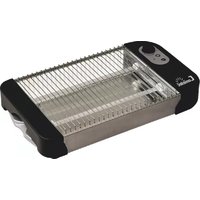
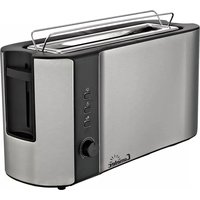
Brand : COMELEC
Model : TP 7064
Category : Toaster