
BT-140-B-N - Radio BRIGMTON - Free user manual and instructions
Find the device manual for free BT-140-B-N BRIGMTON in PDF.


| Product Type | Portable AM/FM Digital Radio with Speaker |
| Brand | Brigmton |
| Model | BT-140-B-N |
| Power Source | 2 x AA batteries (not included) |
| Frequency Bands | AM and FM |
| Tuning | Digital with manual and automatic search |
| Preset Stations | 5 station memory presets |
| Auto-Scan | Automatic search and storage of available stations (long press 1.5s) |
| Display | LCD screen showing station number and battery indicator |
| Volume Control | VOL+ and VOL- buttons |
| Sleep Timer | Adjustable from 0 to 90 minutes |
| Alarm | Programmable with hour and minute setting |
| Headphone Jack | 3.5 mm output (headphones not included) |
| Controls | Power, Mode, Up/Down, M (Memory), Preset 1-5, Volume +/- |
| Battery Indicator | Low battery symbol displayed when batteries need replacing |
| Color | Black |
| Safety Precautions | Avoid extreme temperatures, direct sunlight, sand, dust; do not use at maximum volume with headphones for extended periods; maintain volume at safe level |
| Maintenance | Clean with a soft dry cloth |
| Repairability | Battery replacement only; no user-serviceable parts |
| General Information | Manufacturer: Brigmton; Imported by Ferson Electrónica, S.A., Spain |
Frequently Asked Questions - BT-140-B-N BRIGMTON
User questions about BT-140-B-N BRIGMTON
0 question about this device. Answer the ones you know or ask your own.
Ask a new question about this device
Download the instructions for your Radio in PDF format for free! Find your manual BT-140-B-N - BRIGMTON and take your electronic device back in hand. On this page are published all the documents necessary for the use of your device. BT-140-B-N by BRIGMTON.
USER MANUAL BT-140-B-N BRIGMTON
natural_image
Abstract curved shape with smooth gradient, no text or symbols presentBRIGMTON
surfing technology
natural_image
Abstract curved shape with smooth gradient, no text or symbols presentBRIGMTON
surfing technology
INSTRUCTION MANUAL
BT-140-B-N
AM/FM DIGITAL RADIO-
SPEAKER
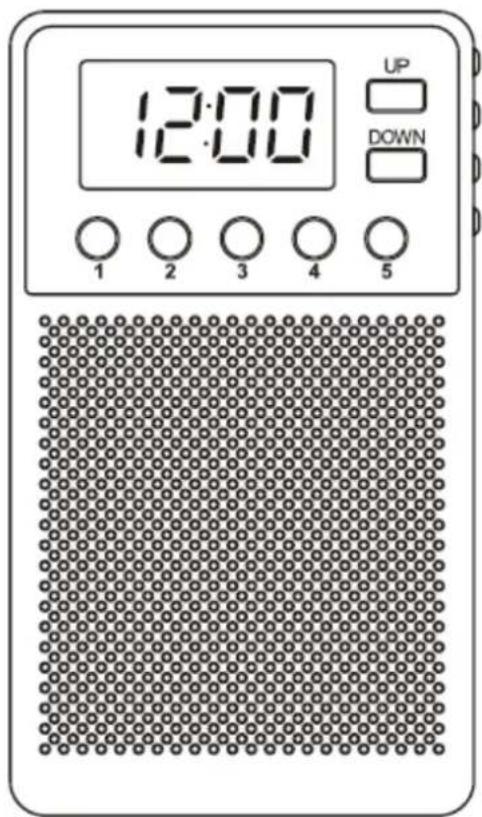
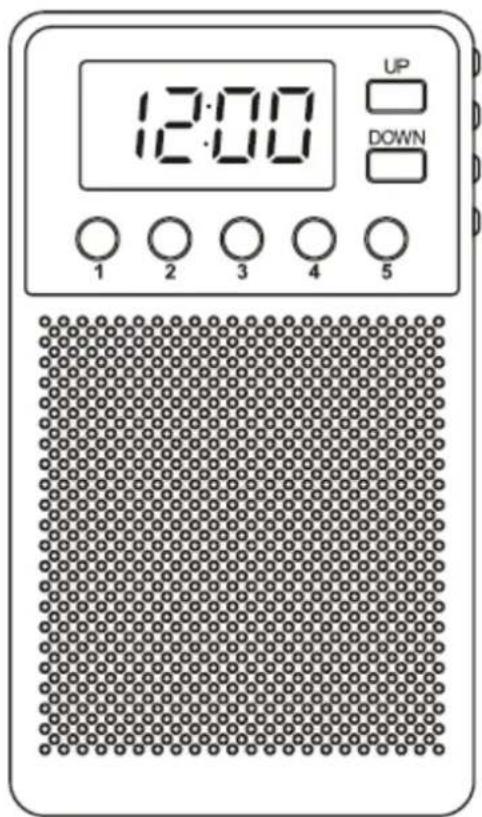
CONTROLS
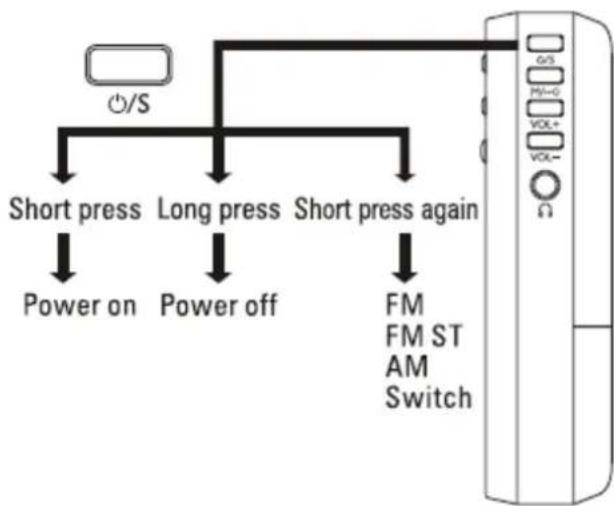
flowchart
graph TD
    A["/S"] --> B["Short press"]
    A --> C["Long press"]
    A --> D["Short press again"]
    B --> E["Power on"]
    C --> F["Power off"]
    D --> G["FM FM ST AM Switch"]
    H["Ω"] --> I["Control Panel"]
PRECAUTIONS
- Avoid exposures to extreme temperatures, direct sunlight, sand, dust, etc.
- The signal may be weaker in vehicles or inside buildings, try to use the device near windows.
- Do not use the device at maximum volume levels, with headphones (not included), for extended periods.
- Do not turn up the volume so that it does not allow you to perceive what is happening around you.
BATTERY INSTALLATION
Open the battery compartment and insert 2 "AA" batteries in the indicated position.
When the sound is not clear or there are cuts in it, please replace the batteries.
SEARCH FOR STATIONS
To search for stations automatically press the UP or DOWN buttons. To do it manually, press briefly.
STORED OF STATIONS
Once you have selected the station, press and hold one of the number buttons (1-5) and press again to confirm the station's saving to that number. You can select another number by pressing UP / DOWN to reach the desired number. Then press the number to confirm.
Once saved, you only have to press the numeric button to listen to the desired saved station.
SEARCH AND AUTOMATIC STORAGE OF STATIONS
Press and hold the indicated button for 1.5 seconds to start the search and automatic saving of all available stations.
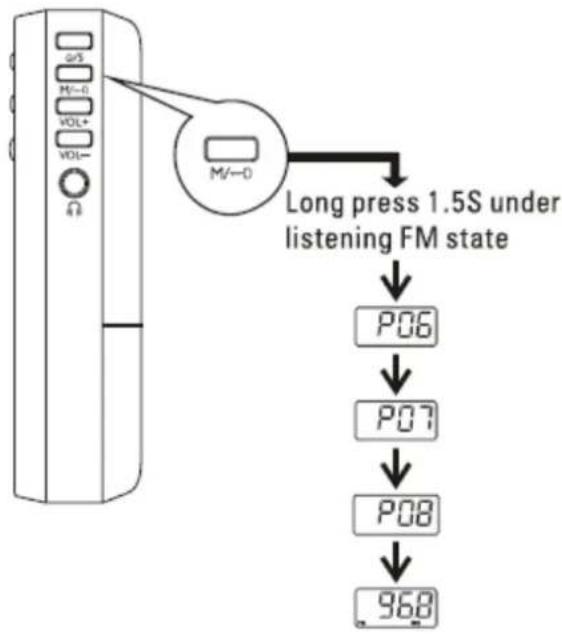
flowchart
graph TD
    A["Long press 1.5S under listening FM state"] --> B["P06"]
    B --> C["P07"]
    C --> D["P08"]
    D --> E["968"]
Once saved press button M briefly to go through each of the stored stations.
This function is available in AM and FM. Repeat the process in each of the bands.
ERASING OF STATIONS
Briefly press the M button and the station number will be shown on the display. While the station number is being displayed, press and hold the M button to erase that position.
VOLUME ADJUSTMENT
Press the VOL + and VOL- buttons to
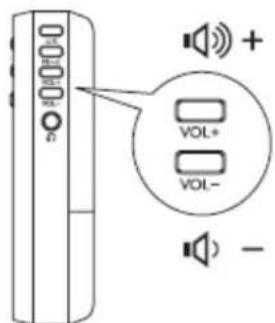
NOTE: If you press and hold the number 3 and VOL- there will be an adjustment to the factory default values.
USE OF HEADPHONES
Connect a pair of headphones (not included) to hear the sound through the Jack 3.5 mm output. When the headphones are disconnected, the sound will be reproduced through the loudspeaker.
ALARM
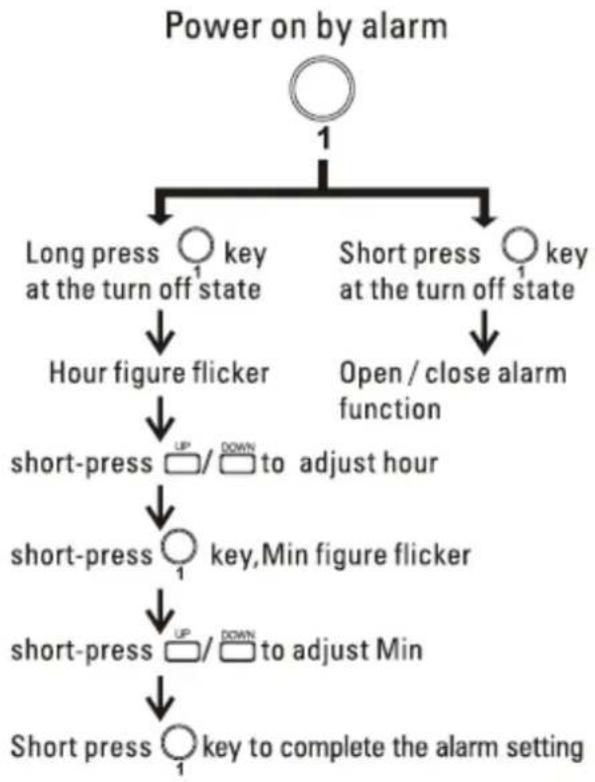
flowchart
graph TD
    A["Power on by alarm"] --> B["Long press"]
    A --> C["Short press"]
    B --> D["hour figure flicker"]
    C --> E["open / close alarm function"]
    D --> F["short-press UP DOWN to adjust hour"]
    F --> G["short-press key,Min figure flicker"]
    G --> H["short-press UP DOWN to adjust Min"]
    H --> I["Short press key to complete the alarm setting"]
SLEEP FUNCTION

Press and hold the power button and the sleep symbol will appear on the screen if you keep it pressed, it will go from 90 minutes to 0 (no sleep).
BATTERY INDICATOR

When the battery symbol appears on the screen it will indicate that you need to change the batteries.
"Features can change without notice"
BRIGMTON
surfing technology
IMPORTED
FERSON ELECTRÓNICA, S.A.
CIF: A-41111881
SANTA CLARA DE CUBA 12
SEVILLA
ESPAÑA
DECLARATION OF CONFORMITY
Ferson Electrónica, S.A. declares under our responsibility that the equipment meets the requirements indicated in the following directives:
DIRECTIVAS EMC
EN55032: 2015/AC:2016-07
EN61000-3-2: 2014
EN61000-3-3: 2014
EN55035: 2017
Description of apparatus:
Model BRIGMTON BT-140
Portable radio


BRIGMTON
surfing technology


Brand : BRIGMTON
Model : BT-140-B-N
Category : Radio