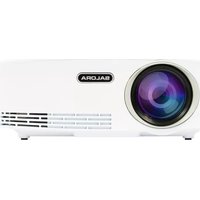
43BHD1800 - Projector SALORA - Free user manual and instructions
Find the device manual for free 43BHD1800 SALORA in PDF.


| Product Type | Portable LED Projector |
| Brand | Salora |
| Model | 43BHD1800 |
| Light Source | LED |
| Lamp Life | Up to 30,000 hours |
| Projection Screen Size | Up to 120 inches |
| Inputs | HDMI, VGA, AV (3.5mm RCA), USB |
| Audio Output | 3.5mm headphone jack |
| Built-in Speaker | Yes, mono |
| Remote Control | Included |
| Power Supply | AC adapter (included) |
| Dimensions (approx) | 7.9 x 4.7 x 2.4 inches (200 x 120 x 60 mm) |
| Weight (approx) | 1.3 lbs (0.6 kg) |
| Supported Media | Video, image, music files via USB |
| Placement | Horizontal, well-ventilated location |
| Cleaning | Soft dry cloth; do not use chemicals |
| Safety Warning | Do not look directly into light; do not open device |
Frequently Asked Questions - 43BHD1800 SALORA
User questions about 43BHD1800 SALORA
0 question about this device. Answer the ones you know or ask your own.
Ask a new question about this device
Download the instructions for your Projector in PDF format for free! Find your manual 43BHD1800 - SALORA and take your electronic device back in hand. On this page are published all the documents necessary for the use of your device. 43BHD1800 by SALORA.
USER MANUAL 43BHD1800 SALORA
Multi-language version of the Quick User Guide
English
Nederlands
Français

natural_image
Red circular icon with a white stylized object resembling a projector or optical lens (no text or symbols)Owner's Manual
Salora 43BHD1800
LED Projector
Please read the safety information carefully before using this product.
Portable Home Theater Projector
Thank you for purchasing one of our products. In this guide you will find all function operations
and troubleshooting to ensure proper installation and operation for this new Salora Portable Home Theater projector. Please read the instructions in this manual thoroughly to enjoy optimum performance.

natural_image
Illustration of a laptop with a red checkmark on the screen (no text or symbols)VISIT US ONLINE:
Have a question?
Need service or repair?
Want to leave a comment?
These instructions contain information regarding the use of this product, the basic version and the Android version. There might be slight differences in appearance and/or functionalities due to last minute updates. You can always check our website for the latest version of the manual.
CONTENTS
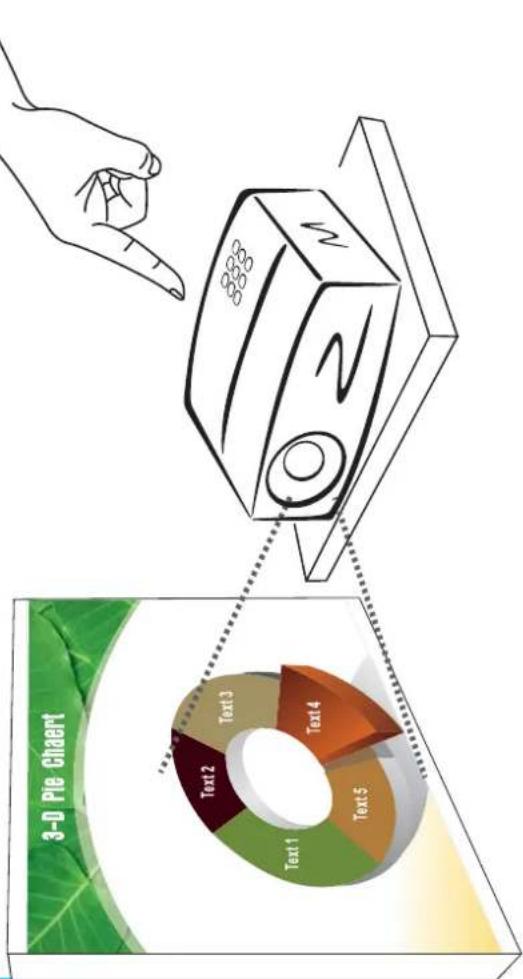
With this Salora Portable Home Theater projector, you can watch movies, sports, video's, pictures and much more as if you were watching a 120-inch screen with dynamic image quality.
Plug your DVD or Blu-ray player into the available HDMI digital input or send a video file from your computer via the VGA port. In addition, you can use the AV port to connect another video player.
You can plug in a USB memory device for the projection of your media files. The portable Home Theater projector delivers clear images under low light conditions. The audio can be played through the built-in speaker, but if you need more audio output, you can connect an external speaker or audio system using the 3.5 mm connector (included).
It is one of the most lightweight and small size devices on the market and uses a LED light source that can last up to 30.000 hours. You can operate this projector by using the remote control (included) choosing the functions and menus.
Note:
Your Salora 40BHD1300 projector uses a LED light source, this is the most suitable light source, because of its long life. We recommend an environment which is not too bright for the playback of images.
We do not recommend using the projector for Word or spreadsheet presentations because this projector is not meant to be used for professional educational purposes. It is recommended to be used mainly for playback of video and image files.
CONTENTS
User
Manual

Remote
Control

Power
Adapter

RCA Cable

Projector

Clean the device with a soft,dry cloth

When in use, place the device on a well ventilated location

Do not look directly into the light

Do not place the device near water
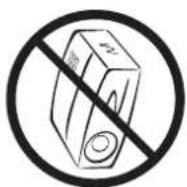
Place the device in a horizontal position

Disconnect the device from the power supply, when not in use
IMPORTANT

Do not try to open the device.

Do not cover the lens or the vents

Do not clean the device with chemical substances
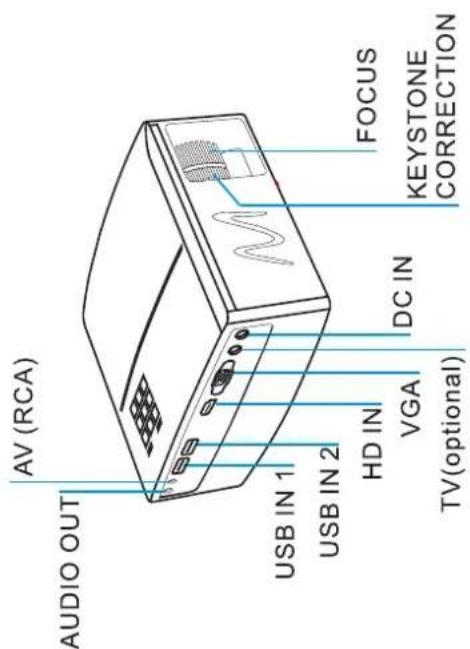
PARTS
FRONT PANEL
TOP PANEL
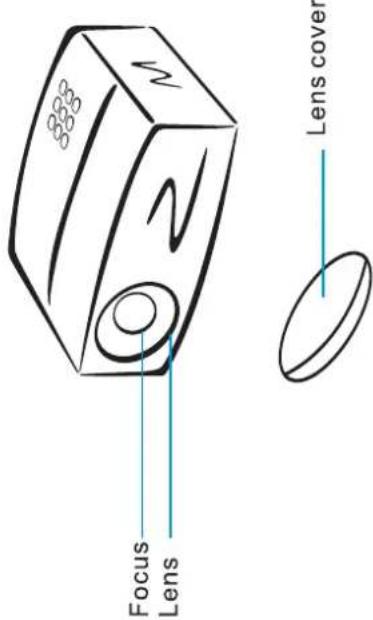
REAR PANEL
INSTRUCTIONS
Connections
Before plugging the device to the power connection, ensure to turn off the projector and all input sources (ex. Blu-ray, PC, Video/Game console).
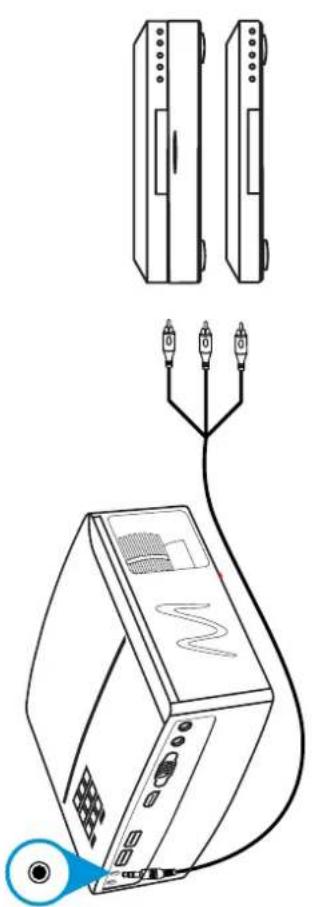
A. RCA(AV)connection
Use the 3.5mm cable (included)
natural_image
Line drawing of a projector connected to two separate monitors (no text or symbols)B. HDMI connection
The cable length must not exceed 10 meters

C. VGA(PC)
Connection


natural_image
Line drawing of a computer monitor with ports and an USB port, no text or symbols presentE. Audio connection

natural_image
Line drawing of a speaker connected to an electronic device (no text or symbols)- Selecting the input source
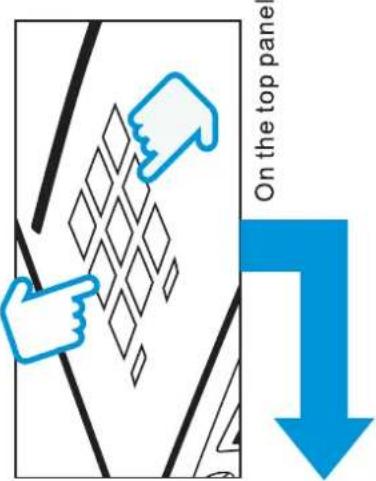
Press the SOURCE button on the top panel or the INPUT button on the remote control, select the desired input source, using the navigation keys.
When the device is turned on, the main menu will appear.

* Input sources may vary, depending on the model.
Using the device
1.How to turn on the device

Once you have switched on the device, the main menu will appear.

* This menu is available with a USB connection. In these instructions guide you can see how to select this input source.
Depending on the model some information will be provided by means of icons. The icons shown below can appear.
- Adjusting the volume

natural_image
Simple line drawing of a monitor with two blue hand gestures pointing at the screen (no text or symbols)On the remote control
Warranty
This Salora portable projector is warranted under normal usage. The guarantee covers material and manufacturing defects for the original purchaser.
Conditions
a) When using the guarantee, you will need the warranty card with all the required information, invoice and the product with its original package.
b) Repairs can only be made within the warranty period, if applicable.
c) The repairs must be carried out within a reasonable period of time
d) The manufacturer could provide some parts or accessories, as well as a warranty service.
THIS WARRANTY WILL BE VOID IN THE FOLLOWING CASES:
If the product has been damaged by an accident, mishandling, leak batteries, defect as a result of failure to follow the instructions, improper repairs by unauthorized personnel, improper storage.
BEZOEK ONS ONLINE:
Een vraag hebben?
natural_image
Illustration of a laptop with a red checkmark on the screen (no text or symbols)RETAILER INFORMATION
Name of the retailer:
Address:
Product:
Brand: ____ Model number: ____ Serial number: ____ Date of delivery: ____
Portable Home Cinema Beamer

Brand : SALORA
Model : 43BHD1800
Category : Projector