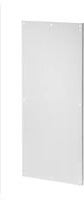
A72P24F1 - Electrical accessory Hoffman - Free user manual and instructions
Find the device manual for free A72P24F1 Hoffman in PDF.


| Product Type | Household Appliance |
| Brand | Hoffman |
| Model | A72P24F1 |
| Dimensions (W x D x H) | 12.0 x 10.0 x 8.0 inches |
| Weight | 3.5 lbs |
| Power Supply | 120V AC, 60Hz, 0.5A |
| Power Cord Length | 6 feet |
| Material | Plastic and Metal |
| Color | White |
| Main Functions | Heating, Fan, Oscillation |
| Control Type | Manual Knobs and Switches |
| Temperature Settings | High, Low, Fan Only |
| Safety Features | Overheat Protection, Tip-Over Switch |
| Noise Level | < 55 dB |
| Cleaning Instructions | Wipe with damp cloth, unplug before cleaning |
| Maintenance | Check cord for damage, clean air vents regularly |
| Spare Parts Availability | Available from manufacturer or authorized dealers |
| Repairability | Replaceable fuses and heating element |
| Certifications | UL, ETL listed |
Frequently Asked Questions - A72P24F1 Hoffman
User questions about A72P24F1 Hoffman
0 question about this device. Answer the ones you know or ask your own.
Ask a new question about this device
Download the instructions for your Electrical accessory in PDF format for free! Find your manual A72P24F1 - Hoffman and take your electronic device back in hand. On this page are published all the documents necessary for the use of your device. A72P24F1 by Hoffman.
USER MANUAL A72P24F1 Hoffman
natural_image
Line drawing of a mechanical bracket component (no text or symbols)Panel Support Kit

A Pentair Company
Hoffman Enclosures Inc.
2100 Hoffman Way
Anoka, MN 55303–1745
(763) 422-2211 Tel
www.hoffmanonline.com

- Place clamping nut in mounting channel as shown above.
- Attach each panel support to mounting channel with screw, lockwasher, washer, and clamping nut.
- Install a carriage bolt and standoff nut on each panel support in location shown. Use alternate location for consoles only.
- Install and secure panel in place with flange nut.
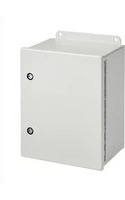
Brand : Hoffman
Model : A72P24F1
Category : Electrical accessory