
Dragon Quest VII - Fragments of the Forgotton Past (3DS) - Video game NINTENDO - Free user manual and instructions
Find the device manual for free Dragon Quest VII - Fragments of the Forgotton Past (3DS) NINTENDO in PDF.


| Product Type | Video Game (Nintendo 3DS Game Card) |
| Product Name | Dragon Quest VII: Fragments of the Forgotten Past |
| Platform | Nintendo 3DS |
| Genre | Role-Playing Game (RPG) |
| Publisher | Nintendo |
| Developer | Heartbeat, ArtePiazza |
| Release Year (NA) | 2016 |
| Release Year (JP) | 2013 |
| ESRB Rating | E10+ (Everyone 10+) |
| Game Card Dimensions | Approx. 3.4 cm x 3.5 cm |
| Game Card Weight | Approx. 3 g |
| Power Supply | Supplied by Nintendo 3DS console (battery) |
| Number of Players | Single Player |
| Save Method | Automatic save points and manual save at churches |
| Main Features | Epic story spanning multiple eras, turn-based battles, job system, hundreds of puzzles and dungeons |
| Language Options | English, French, Spanish, German, Italian (varies by region) |
| Maintenance | Clean game card contacts with a soft, dry cloth. Store in protective case away from direct sunlight and moisture. |
| Safety Precautions | Keep small game card away from children under 3 years. Avoid bending or exposing to extreme temperatures. |
| Spare Parts / Repairability | Not applicable; game card is sealed unit. Damaged cards cannot be repaired, only replaced. |
| Documentation | User manual included in game case or available as PDF on Nintendo support website |
Frequently Asked Questions - Dragon Quest VII - Fragments of the Forgotton Past (3DS) NINTENDO
User questions about Dragon Quest VII - Fragments of the Forgotton Past (3DS) NINTENDO
0 question about this device. Answer the ones you know or ask your own.
Ask a new question about this device
Download the instructions for your Video game in PDF format for free! Find your manual Dragon Quest VII - Fragments of the Forgotton Past (3DS) - NINTENDO and take your electronic device back in hand. On this page are published all the documents necessary for the use of your device. Dragon Quest VII - Fragments of the Forgotton Past (3DS) by NINTENDO.
USER MANUAL Dragon Quest VII - Fragments of the Forgotton Past (3DS) NINTENDO
Dragon Quest® VII: Fragments of the Forgotten Past
1 Important Information
Basic Information
2 Information-Sharing Precautions
3 Internet Enhancements
4 Parental Controls
Getting Started
5 Introducing the Characters
6 Controls
7 Starting Your Adventure
8 Finishing Your Adventure
Towns and Castles
9 Exploring Towns and Castles
10 Useful Establishments 1
11 Useful Establishments 2
The Outside World
12 Out in the Field
13 Tablet Fragments
The Main Menu
14 Opening the Main Menu
15
Talk
16
Items
17
Attributes
18
Equipment
19
Magic
20
Examine
21
Info
22
Misc.
Let Battle Commence!
23
The Flow of Battle
24
Battle Commands
Vocations
25
Taking a Vocation
26
The Various Vocations
Other Activities
27
Optional Extras
StreetPass
28
Traveller's Tablets
29
Sharing Tablets
30
Using StreetPass
The Internet
31 Using the Internet
Troubleshooting
32 Support Information
1 Important Information
Please read this manual carefully before using the software. If the software will be used by children, the manual should be read and explained to them by an adult.
Also, before using this software, please select ⚠️ in the HOME Menu and carefully review content in "Health and Safety Information." It contains important information that will help you enjoy this software.
You should also thoroughly read your Operations Manual, including the "Health and Safety Information" section, before using this software.
Please note that except where otherwise stated, "Nintendo 3DS™" refers to all devices in the Nintendo 3DS family, including the New Nintendo 3DS, New Nintendo 3DS XL, Nintendo 3DS, Nintendo 3DS XL, and Nintendo 2DS™.
Language Selection
This title supports three different languages: English, French, and Spanish.
The in-game language depends on the one that is set on the system. You can change the system language in System Settings.
Important Information
Your Nintendo 3DS system and this software are not designed for use with any unauthorized device or un said accessory. Such use may be illegal, voids any warranty, and is a breach of your obligations under the User Agreement. Further, such use may lead to injury to yourself or others and may cause performance issues and/or damage to your Nintendo 3DS system and related services. Nintendo (as well as any Nintendo licensee or distributor) is not responsible for any damage or loss caused by the use of such device or unlicensed accessory. Except as authorized, copying of any Nintendo software is illegal and is strictly prohibited by domestic and international intellectual property laws. "Back-up" or "archival" copies are not authorized.
Nintendo respects the intellectual property of others, and we ask Nintendo 3DS software Content Providers to do the same. In accordance with the Digital Millennium Copyright Act in the US, the Electronic Commerce Directive in the EU, and other applicable law, we have adopted a policy of removing, in appropriate circumstances and at our sole discretion, any Nintendo 3DS software that appears to infringe anyone else's intellectual property. If you believe your intellectual property rights are being infringed, please visit www.nintendo.com/ippolicy to view the full policy and understand your rights.
© 2000, 2013, 2016 ARMOR PROJECT/BIRD STUDIO/SQUARE ENIX All Rights Reserved. © SUGIYAMA KOBO
Trademarks are property of their respective owners. Nintendo 3DS is a trademark of Nintendo.
CTR-P-AD7E-00
2 Information-Sharing Precautions
User-generated content, or UGC, is content created by users, such as messages, Mii™ characters, images, photos, video, audio, etc.
Information-Sharing Precautions
The extent of UGC exchange depends on the software.
- Nintendo bears no responsibility whatsoever for any problems that result from the use of the Internet (for example, the sending of content over the Internet, or the sending or receiving of content with others).
3
Internet Enhancements
In this game, you can share traveller's tablets with other players via the Internet. Please pay attention to the following points when using this feature:
Refer to your Operations Manual for information about connecting your system to the Internet.
You must go through the initial setup for Miiverse on your system before you can use Miiverse with this game.
This software supports Nintendo .krowteN

NINTENDO NETWORK
Nintendo Network is the name of Nintendo's network service that enables users to enjoy games and other content via the netnl
Protecting Your Privacy
• To protect your privacy, do not give out personal information, such as last name, phone number, birth date, age, school, e-mail, or home address when communicating with others.
- Friend codes are a part of a system that allows you to play with people you know. If you exchange friend codes with strangers, there is a risk you could share information with people you do not know or exchange messages that contain offensive language. We therefore recommend that you do not give your friend codes to people you don't know.
4
Parental Controls
You can use the following Parental Controls to restrict certain features of this software.
Access to this game (as well as other games) can also be restricted through the Software Rating item in Parental Controls.
Refer to your Operations Manual for information on how to set up Parental Controls.
• Online Interaction Restricts the downloading of traveller's tablets and the exchanging of traveller's tablets with other players.
- StreetPass™ Restricts the exchanging of traveller's tablets with other players.
5
Introducing the Characters

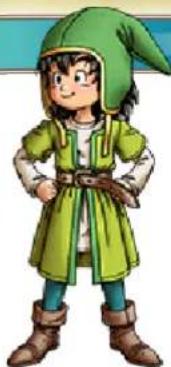
The Hero (You)
A young boy who lives in Pilchard Bay with his mum and dad. One day, he and his best friend Princ e Kiefer find their wa inside a mysterious shrine and makea discovery that will change not only their destinies, but that of the world itself!
natural_image
Illustration of a cartoon character wearing a green hooded coat and boots, with no visible text or symbols.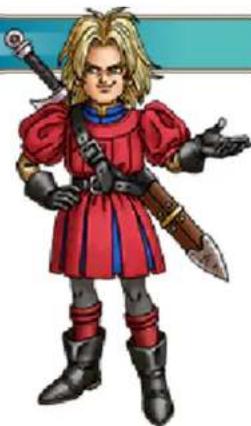
natural_image
Illustration of a character in red armor holding two swords (no text or symbols)Prince Kiefer
The crown prince of the island nation of Estard. A lively lad with an insatiable curiosity, he often sneaks out of the castle to hang out with the hero and scour the island for its secrets.

lebiraM
The daughter of the mayor of Pilchard Bay, and the hero's childhood friend. This headstrong young lady can't resist poking her nose into the affairs of others.

natural_image
Illustration of a cartoon character in traditional attire with green and red clothing (no text or symbols)Ruff


natural_image
Cartoon illustration of a child wearing a hat and holding a bag, standing beside a wolf (no text or symbols present)A bright-eyed and bushy-tailed feral child. He might be young, but he's full of
energy, and can unleash agile attacks that topple enemies with ease. His early life is shrouded in mystery.

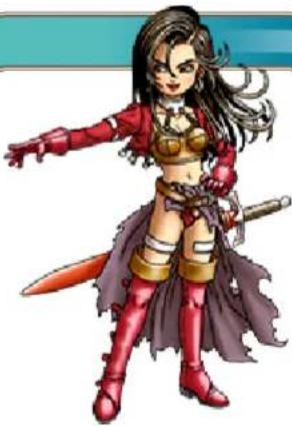
Aishe
Don't be deceived by her alluring looks— this femme fatale is a master fencer . Raised as a member of the musically- inclined Roamer tribe, her dancing skills are also second to none.
natural_image
Illustration of a female character with red cape, sword, and cape weapon (no text or symbols)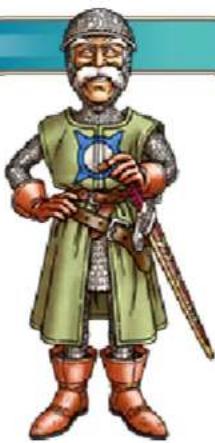
natural_image
Illustration of a medieval knight in green armor holding a sword and shield (no text or symbols)nyvre
A legendary hero who fought alongside the Almighty in the war against the Demon King—a war that took place an aeon before the current age of peace, and whose outcome has been long-forgotten...
6
Controls
These are the basic controls used when playing the game.
 | Move cursorMove party leader |
 | ConfirmAction (e.g. Talk, e) |
 | Confer with party c6a |
 | Display Main MenuConfirm |
 | Close all word Display shop ndafmi aplggoT |
 | Rotate camera angleConfirm |
 +R +R | Reset camera angle |
The Action Button
Press Ⓐ to perform a variety of context-specific actions, such as talking to characters or examining objects.
Please note that when the game is transferring information to or from the Internet, your Nintendo 3DS system will not enter Sleep Mode even when it is closed.
7 Starting Your Adventure

Creating an Adventure go
Select "Createa new adventure log" from the Adventure Log Menu, picka slot to save it in, then choose a name for your hero that's no more than eight characters
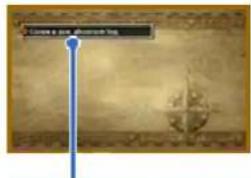
erutnevchA uneM goL
long. Select "End" to create the log and begin your adventure! Note: You can create up to three adventure logs.

Resuming Your Adventure

Select "Continue your adventure" from the Adventure Log Menu, then choose a log from the list to resume your adventure from the point you last saved (→p. 8).
Resuming a Suspended ntAd
Select "Continue a peled adventure" from the Adventure Log Menu to load a quick save log and resume your quest (→p. 8).
8
Finishing Your Adventure
After recording your progress in an adventure log, press HOME then touch "Close" to exit the software. Alternatively, you can exit the software directly after saving your progress.
- Do not repeatedly reset the system or intentionally input incorrect controls. Do not remove any Game Card/SD card inserted into the system while saving. Make sure not to get dirt in the terminals. These actions could result in permanent data loss.
- Do not use external accessories or software to modify your save data, as this can lead to an inability to progress or loss of save data. Any modification is permanent, so be careful.

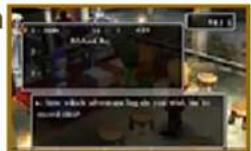
Recording Your Progress in an Adventure Log Sing

Make a confession in a church (→p. 10) to record your progress in an adventure log. If you choose to save your progress in a slot that already contains an adventure log, that log will be overwritten.

Suspending Your Adventure (Quick Save)

Select "Quick Save" from the Misc. Menu (→p. 22) to suspend your adventure for the time being and save all its details to a quick save log. Be aware that there are certain places, such as towns and villages, where it is not possible to make a quick save log.
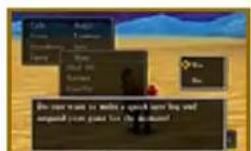
Warning: You can only make one quick save log at a time, so the previous one will be automatically overwritten each time you suspend your game.
Deleting an Adventure Log
Select "Delete an adventure log" from the Adventure Log Menu (→p. 7), then pick the one you want to erase.
Warning: Once you na del adventure log, it's gone for good, so please be very careful not to delete anything important.
9
Exploring Towns and Castles

The Quest for Knowledge

Travel around the world and speak to the people in the towns and castles you come across to gather the clues you need to progress in your adventure.

Another Point of View
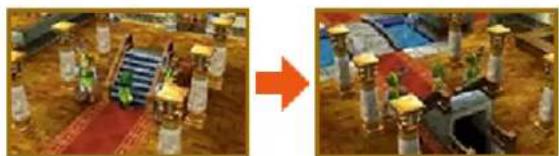
You can use L and R to rotate the camera angle 360 degrees around the leader of your party. When you look at the world from a different angle, who knows what you might find?
natural_image
Two-panel image showing a game scene with a red arrow pointing from the right side, no visible text or symbols.Reading the Map

Whenever the party is in a town or castle, a map of the area is displayed on the lower screen, with icons showing the locations of all the local facilities.
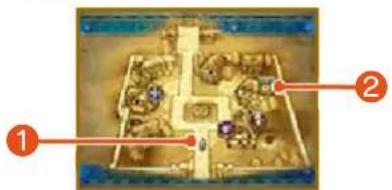
Current location of the party and the direction they are facing.
2
Yale

Inn Armour Sho

Weapon ShopChurch

(No text)

Item ShopBank

Pub Village Shop
noitamrofnl pohS
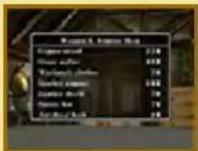
Press Ⓨ to display a list of the weapons and other items on sale in the local area, along with their price
10
Useful Establishments 1
There are plenty of places to visit in the towns and castles you come across that can be of great help to you on your travels.

sehcruhC

Speak to the priest or priestess to record your progress in an adventure log,
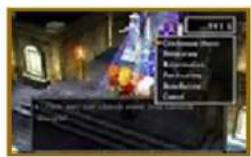
bring your allies back to life, and more!
| Confession Save) | Records the details of your journey so far in an adventure log (→p. 8). |
| Divination | Tells you how much more experience each party member needs to reach the next level. |
| Resurrection | Brings a fallen party member back to life. |
| Purification | Cures poisoning. |
| Benediction | Lifts curses. |
Note: Resurrection, purification and benediction require a donation of a few gold coins.

Inns

Spend money at an inn to stay the night and restore all of your party members' HP and
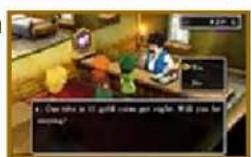
MP. The price of a night's board varies depending on the location of the inn and the number of travellers who need accommodation.
Note: Party members who are poisoned ( p. 23) or cursed will not be cured of their ailments by sleeping at an inn.
11
Useful Establishments 2

Weapon, Armour and spohS ite

These shops buy and sell a variety of goods that can aid you on your adventure.
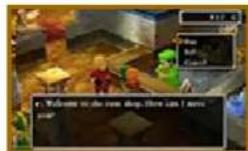

Buy
Press ✝ to select an item, then press ✝ to choose how many to buy. After buying an item, you can give it to a party member or put it in the bag.

Sell
Select a party member to access their inventory, then choose which of their items you want to sell.

sknaB

You can deposit and withdraw money from the bank in
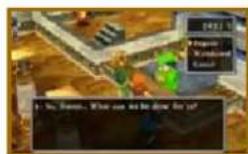
denominations of one thousand gold coins. Unlike money that your party are carrying, which is halved when your party are wiped out by monsters (→p. 23), money stored in the bank always remains untouched. That's why it's best to put any spare gold you have in the bank's vaults for safekeeping.
12
Out in the Field
Once you set foot outside town, you'll find yourself in the field with the whole wide world just waiting to be explored. Follow the clues you pick up on your travels to decide where to head next!
The World Map
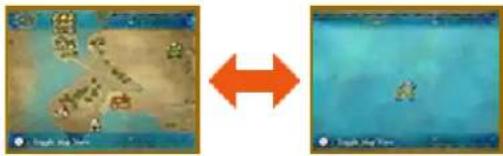
Press Ⓨ to toggle between the map of the local area and the map of the world.

Crossing the Line
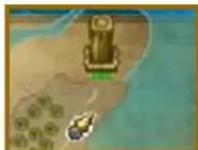
When you cross a green line on the world map, you will move to a different area.

Monsters of the World
As soon as you come into contact with any of the monsters that live out in the open,
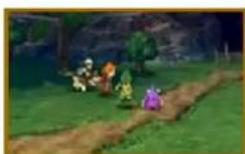
battle will begin (→pp. 23-24). Watch where you're walking if you want to avoid a fight!

Caves and Towers
Locations like these are infested with fearsome foes just waiting to jeopardise your
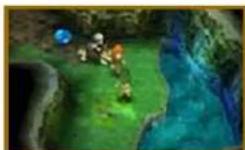
journey, so make sure you're ready for battle before you head in.

Modes of Transport

Various vehicles can be used to reach previously inaccessible places. These are just some of the modes of transport the party can use to traverse the world:

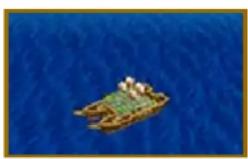
Ship
Use the ship to sail away on the ocean blue, but be wary—monsters that lurk beneath the waves may attack without warning! Simply walk towards the ship to board it and sail it towards the shore to disembark.
natural_image
Aerial view of a small boat floating on blue water with two people on it (no visible text or symbols)
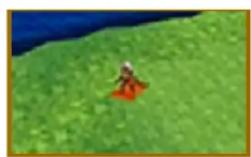
Flying Carpet
This carpet flies through the air, crossing shallows and bridges that the ship cannot, and keeping the party out of the monsters' reach all the while. Jump onto the carpet by selecting it from the Items Menu (→p. 16), and choosing "Use". To jump off, press Ⓐ or Ⓑ while over level ground. You cannot jump off the flying carpet when it is over mountainous terrain or over water.

13
Tablet Fragments
During your journey, you'll come across fragments of ancient stone tablets that may be the key to unlocking the mysteries of your world. Search the world for the scattered fragments, put the tablets back together, and open up new avenues for adventure!

The Shrine of Mysteries
This forgotten temple lies somewhere on Estard Island and seems to have
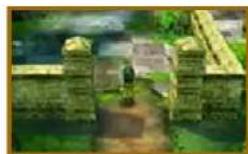
some connection to the mysterious stone fragments. Bring the tablet fragments you find back to the Shrine of Mysteries and see what happens!

The Assembly Room
Once you have found your way inside the Shrine of Mysteries, speak t the host of the
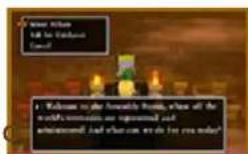
Assembly Room to take a look at the pillars or ask for guidance.

Select Pillars
First select whether you want to examine the yellow, red, blue or green pillars, then choose a pedestal to take a closer look.
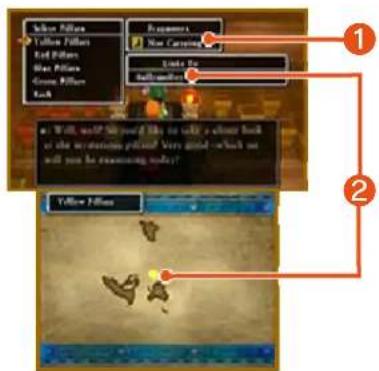

Fragments Carried
Shows whether the party have any tablet fragments of that colour in their possession.

kào
Shows the names of the islands that can be reached by using the tablets of that colour. Their locations are displayed on the world map on the lower screen.

Ask for Guidance
Reveals hints as to where the next tablet fragments can be found.

Putting the Tablets Together Again

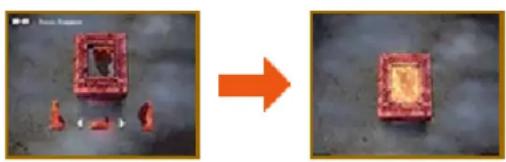
After speaking to the host, selecting "Select Pillars" and choosing one of the pillar groups, the pedestals of that group will be shown on screen. Piece together the fragments you have found and see if you can complete a tablet.

Placing the Fragments on the Pedestals
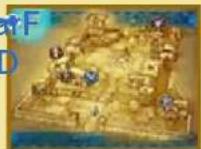
Look at the image on the pedestal and place the fragments to match the pattern. You can rotate the fragments with L and R, and drop them into place by pressing Ⓐ. When all the fragments are in the right place, the tablet is complete.
natural_image
Two-panel image showing a red square object on a dark surface, with an orange arrow pointing from it to the right (no text or symbols)rotceteD tnemgarh
As you progress through the story, you will obtain the fragment detector. The detector, shown in the top-left corner of the lower screen, will begin to glow when you are near a tablet, so you'll know when it's time to start searching!
Note: The fragment detector will not appear in your inventory and cannot be used as an item.
tnemgarF rotceteD
14 Opening the Main Menu
Press Ⓧ while walking around to display the Main Menu (→pp. 15-22).
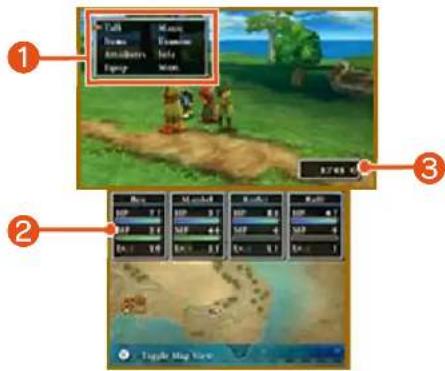
1 Main Menu (→pp. 15-22)
2 sutatS
Your party members' HP, MP and current levels are displayed here.
③ Gold Carried

Talk to the Townspeople
Press Ⓐ when facing a character to speak to them.

ytraP htiw
Press Ⓑ to pick the brains of a random member of your party.
Items
Select "Items" from the Main Menu to use items or to transfer them from one party member to another. Select an item in a party member's possession or in the bag to bring up the Command Menu.
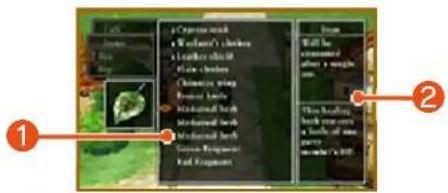
① Items Held
② Item Description

Command Menu
| Use | Use the item. You may also need to select a tge |
| Trans ef | Give the item to another member of the party or put it in the bag. |
| Eqiu | Equip the selected party member with the selected weapon, piece of armour or accessory (→p. 18). |
| Discard | Dispose of the item. |
| Appraise | Closely examine the item and identify its properties (this does not cost MP). Note: This option will only be available if a member of the party has learned the Peep spell. |

17
Attributes
View your party members' attributes, the total time you have been on your quest, how much money you are carrying and a wealth of other useful information.

Viewing Adventurers' Vital Statistics

Move the cursor over a character's name to take a look at their vital statistics and press Ⓐ to see what spells and abilities they can use. Note: The spells and abilities each character can use may change depending on their vocation (→p. 25). To see the full list of the spells and abilities a character has learned, select "Info" from the Main Menu, then select "Spells & Abilities Learned" (→p. 21).
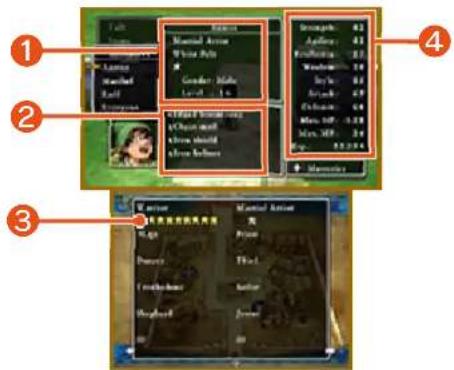

Character Profile
The vocation, title, mastery level, gender and level of the selected character.

Currently Equipped Items

Mastery Levels ( p. 25)
The number of ★ symbols represents the party member's mastery of each vocation, on a scale of zero to eight. When a vocation has been fully mastered, the symbols will turn yellow. Press ✝ to browse the full list of vocations.

Attributes
| A measure of physical strength. Thi effects attack power. etudia s | |
| Ald | A measure of speed and sharpness. Characters with high agility will attack earlier and dodge enemy attacks more asily |
| Resilience | A measure of physical hardiness. This at tratu affects a party member's .gherts visnefed |
| Wdom | A measure of natural intelligence. |
| St | are of how sharp, chic and sophisticated a party member looks. |
| det | The sum of a party member's strength and that of the weapon equipped. This attribute affects the amount of damage inflicted on emie |
| det | The sum of a party member's resilience and that of the armour ecnequipped. This attribute affects the amount of damage taken when clk |
| MaxP | The number of health points a party member has when fully healed. |
| Max MP | The number of magic points a party member has when fully refreshed. Magic points are consumed when ca gnis spells and using some abilities. |
| .Fx | The total number of eht stniop ecneriex .denrae sah retcarahc |

Perusing the Party's setubirttA

Select "Everyone" to see the vital statistics of the whole party on the top screen. Press Ⓐ to view more information. Details about the current adventure, such as
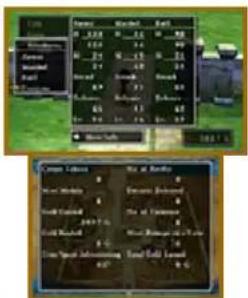
the number of battles you have fought and the number of enemies you have defeated, are displayed on the lower screen.
Equipment
Weapons and armour won't help you win a battle if they're just sitting in your inventory. You have to equip them first!

The Equipment Screen

Rotate the party member with Ⓐ, or switch between characters by pressing L and R.
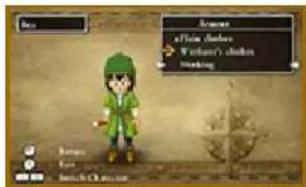
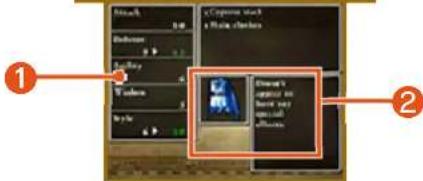
1 Effect When Equipped
Increases to attributes are highlighted in green, and decreases in red. Items that are currently equipped are marked with the letter E.
② Items Currently Equipped

Equipping Equipment
Cycle between weapons, armour, shields, helmets and accessories by pressing ✝. See
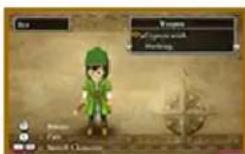
how the pieces of equipment in the party member's possession will affect their attributes and pick which ones you want them to equip.
Different characters can equip different items.
19
Magic
Select "Magic" from the Main Menu to use spells and special abilities. Select a party member, then choose which skill you want to use. Most spells and abilities consume MP when they are used.
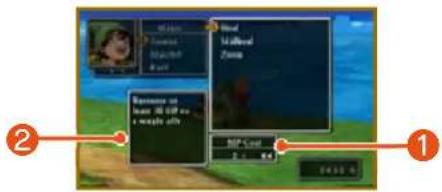
1 MP Cost/Current MP
Shows the number of MP the selected spell uses and the number the party member has remaining.
2
sliatSpel
Examine
Select "Examine" from the Main Menu to take a closer look at whatever is directly in front of you. If there is nothing in front of you, you will examine the area around your feet.
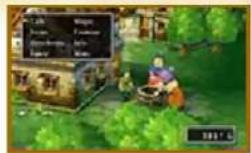

Things Worth
gnitagitsevnl

Pots Barr-
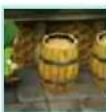
els
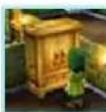
Cup-
boards
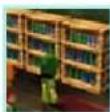
Book-cases
21
Info
Some options in this menu will only become available as you progress through the story.

Recent Developments

Shows a quick reminder of the latest twists and turns in your story.

Next Tablet Fragment

Reveals hints as to the locations where the next tablet fragments can be found.

Check which fragments you have already found and which are still to be discovered.
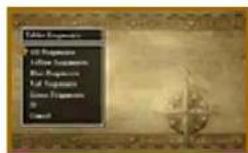

The Story So Far

Read through a résumé of your adventure so far. Events that are currently in
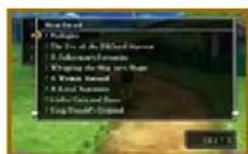
progress are marked with a star (★) and entries that you haven't read yet with an exclamation mark (!).

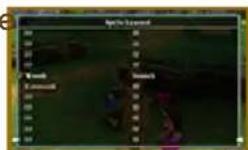
Spells & Abilities Learned

Shows a list of the spells and abilities that each party member has learned and the vocations (→pp. 25-26) in which they can be used.
22
Misc.
This menu contains a wide variety of miscellaneous options, such as changing the way the party line up, or assigning tactics for party members to use during battle.

IIA laeH

Automatically activate party members' spells and abilities to restore their HP to maximum and cure poisoning.
Notes:
- Party members may not be fully healed if they run out of MP before the process is complete.
• Also, characters who have been killed in action will not be resurrected.

Tacit

Change the tactics ( p. 24) each party member uses during battle. Tactics can be assigned individually or to the whole party at once.

Line-Up

Change the formation of your party. Party members who are closer to the front of the queue are more likely to be attacked by monsters.

Organise Items

Put all the items that party members cannot equip into the bag. You can do this for the entire party at once or for one member at a time.

Organise Bag

Organise the items in the bag. Items can be sorted by type or alphabetically.

Settings

| eBaMessageSpeed | The speed at which messages are shown during battle. |
| MusiUhe | The volume of the background music |
| SoundUhe | The volume of the sound .setfe |
| Battle Back-odg | Choose whether to view battles with a strong or weak 3D effect. |
| IdiFCamera | Choose which way the camera moves when the .dleif eh |
23
The Flow of Battle
As soon as you bump into a monster while out in the field or deep in a dungeon, battle will begin!
The Battle Screen
Select commands from the Battle Menu to swing your sword, fire off spells and show those monsters who's boss!
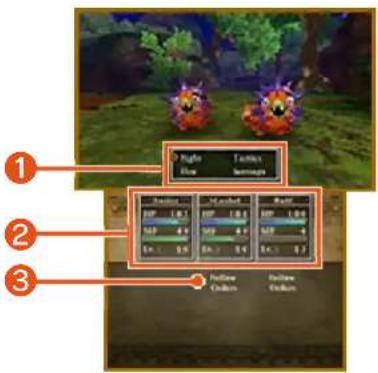
1 Battle Menu (→p. 24)
② Party Status
③ Current Tactics
Status Ailments
Sometimes an enemy will unleash a special attack that inflicts your
party members with a status ailment. Use spells or healing items to recover.
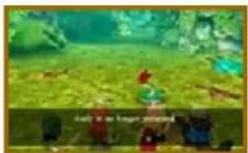

Ailments at a Glance
| Sleep | Character is unable to act until they wake up. |
| Poison/ Venom | A poisoned party member loses HP as they walk in the field. Envenomated characters lose HP during battle, too. |
| Paralysis | Character becomes unable to move or act. |
| Confusion | Character acts wildly and unpredictably, even attacking members of their own party. |

Concluding Combat
When all enemies have been defeated, the battle ends and the party receive experience,
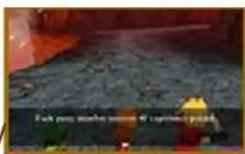
gold and sometimes even items. When a party member gains enough experience, his or her level will increase.
When Your Party are Wiped Out
When every member of your party is killed or paralysed in battle, you will be returned to the place where you last recorded your progress in an adventure log. You won't lose any of the items or experience you collected since you last saved, but the number of gold coins in your possession will be halved. Any party members that were killed in action can be resurrected at a church or by using a resurrection spell.
24
Battle Commands
thgiF
Issue commands to the members of your party to fight the enemy. If a party member is assigned a tactic other than "Follow Orders", they will automatically select an action that suits their tactics.

Attack
Issue this command to attack either bare-handed or using the weapon with which the party member is currently equipped. Depending on the weapon used, the attack may inflict damage on a single enemy, a group of enemies or even all of the enemies at once.

Spells
Use MP to cast spells that damage the enemy or strengthen allies.

Abilities
Use a special ability that the party member has learned. Some abilities consume MP.

Items
Use an item or piece of equipment in the party member's possession, or change the items they have equipped. Items that are in the bag cannot be accessed during battle.

Defend
Adopt a defensive posture that reduces the damage the character takes from enemy attacks.

Flee
Try to escape from the enemy. If the attempt fails, you will not be able to attack that turn, but the enemy will.
fas
Assign tactics for party members to use during battle. Select a single character to assign tactics individually, or choose "Everyone" to assign the same tactic to the whole party.
| Mercy | e### the enemy ashow quickly as possible,regardless of MPconsumption. |
| Fight Wisely | Pay equal consideration toboth attack and defence.Sometimes use spells andabilities, depending on thesituation. |
| Watch My Back | Use healing and supportskills to keep the hero intip-top condition. |
| Don'tds Magic | Fight without casting spellsor using abilities thatconsume MP. |
| Focus on Healing | Keep a close eye on partymembers' HP and healthem early to keep themfighting fit. |
| Follow | Listen to the hero'sinstructions and do battleas he dictates. |
eIF
Try to escape from the enemy. If the attempt fails, you will not be able to attack that turn, but the enemy will.
sgnife
Adj ust various settings, such as the message speed and music volume. The strength of the 3D effect used in battle can also be adjusted ( p.22).
25
Taking a Vocation
As you progress through the story, you will gain access to Alltrades Abbey, where adventurers can choose and change vocations. Taking on a new vocation can increase a character's attributes and allow them to learn new spells and abilities.

Changing Vocations
Speak to the High Priest of Alltrades Abbey and choose which party member you want to take on a new vo
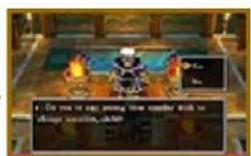

Choose a Vocation
Take a look at how each vocation will affect the character's attributes and choose which one you want them to adopt. If none of them take your fancy, select "Quit Vocation" to abandon the character's current vocation.
Note: Changing vocations does not affect a character's level.
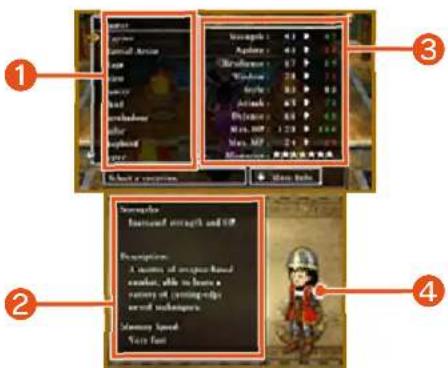
1 Vocation List
② Vocation Details
Shows the strengths, description and mastery speed of the currently selected vocation.
③ Attribute Changes
4 Costume Change
Characters dress differently depending on their vocation.
Mats
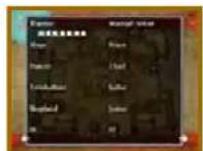
Your mastery level of each vocation is shown on a scale of zero to eight stars.
Increasing your mastery of a vocation makes fights against powerful enemies easier and allows you to learn new spells and abilities.
The Fruits of Your Labour
Spells and abilities that you learn in a basic vocation such as Warrior or Priest ( p. 26) can still be used even if you change vocations. However, skills learned in advanced vocations like Gladiator ( p. 26) can only be used when the character is in that vocation.
26
The Various Vocations
The following basic vocations can be chosen by any party member. To gain access to more advanced and monster vocations, you must fulfil certain conditions first.
roirraW
Expert swordsmen who excel at dealing massive damage with powerful attacks. This vocation boosts strength and maximum HP.
Martial Artist
Fleet-fisted fighters who will often get the drop on their enemies and inflict repeated critical hits.
age
Specialists in the arcane arts who fell monsters with powerful magic. This vocation boosts wisdom and maximum MP.
Rest
Master healers who can restore allies' HP and cure status ailments. Priests can also attack in battle.
Dancer
Support acts who can beguile enemies with bewildering dances. This vocation boosts agility and style.
Thfe
Sneaky filchers whose abilities can help the party amass a hoard of treasure. The fast fingers of a thief can even pick a monster's pockets!
Troubadour
Musical minstrels whose songs can have a multitude of effects in battle.
This vocation boosts wisdom and style.
Sbor
Sturdy sea dogs who learn water-based attacks and other skills that serve the party well when they're sailing the seas. This vocation boosts defence and maximum HP.
Shepherd
Woolly warriors whose abilities can support and shield their allies, all with the aid of a fleecy flock!
stedr
Jolly jokesters who can make monsters' sides split with laughter and bring the house down on their heads! This vocation boosts style.
Career Advancement
Gain access to advanced vocations by mastering several basic vocations. For instance, if a party member fully masters the Warrior and Martial Artist vocations, they will unlock the Gladiator vocation, which combines the power of a Warrior with the speed of a Martial Artist.
Monster Vocations
Defeat certain monsters to obtain monster hearts—special items that allow a party member to transform into a monster and learn its special abilities.
Note
• A party member must have a monster heart in their possession to adopt a monster vocation. Monster hearts are consumed when they are used.
- Master multiple monster vocations to unlock advanced !snoitacotano

natural_image
Silhouette of a city skyline at sunset with no visible text or symbols27
Optional Extras
An adventure isn't an adventure without a few diversions along the way. Why not take some time out to see what the world has to offer, and perhaps make a startling discovery or two!

sin6
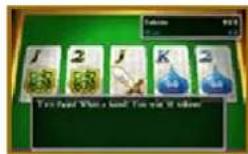
Turn your gold into tokens and test your luck at the slot machines or the poker tables.
Win big and exchange your tokens for special prizes!

King Maximo's Mansion
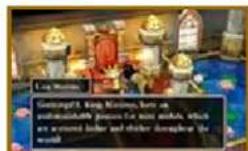
Somewhere in the world lives a miniature monarch who collects mini medals. Take any
medals you find on your travels to him and he is sure to reward you.

Monster Meadows
Speak to Monty, the monster monitor, to learn how to make friends with the
monsters. After befriending a monster and telling them about Monster Meadows, return to Monty to see them settle into their new home. If you help a lot of monsters to move into Monster Meadows, they might do something for you in return!
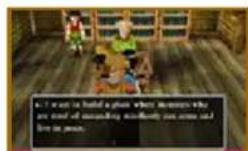

stsaeBfo
Complete a certain quest to be rewarded with this monstrous encyclopedia.
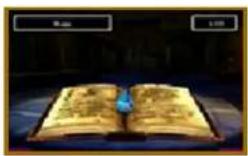
Information about all the monsters you have defeated will automatically be added to its pages.

nevaH ehT

During your adventure, you might come across a certain someone who wants to build a special village—a place where monsters who dream of being human can live in peace. Find the monsters who have disguised themselves as humans and bring them back to the Haven to see the settlement go from strength to strength.

Traveller's Tablets
Traveller's tablets aren't the same things the party piece together in the Shrine of Mysteries, but a special type of tablet that you can receive from other players via StreetPass™. Traveller's tablets can be used to access special dungeons where powerful enemies await.
29
Sharing Tablets
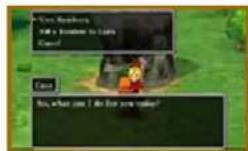
Speak to the old man in the red hat in Monster Meadows to find, view, share and discard traveller's tab
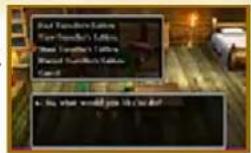
stelbaT

Put together a party of three monsters (one leader and two companions) from the residents of Monster Meadows and send them to search for traveller's tablets on your behalf.

View Traveller's Tablets
Take a look at the traveller's tablets your monster friends have found. If StreetPass is activated, you can also receive traveller's tablets from other players.

Share Traveller's Tablets
Send one of your monster friends to share traveller's tablets with other players via StreetPass (→p. 30). When you receive a traveller's tablet from another player, the monster who delivered it will take up residence in the Haven.
Notes:
- Traveller's tablets and monsters that are shared are not lost, only copied. Even if you share them with another player, they will not disappear from your game.
- You can share traveller's tablets that you receive from other players even if you have not completed the dungeons they lead to (with certain exceptions). However, when another player receives such a tablet, your monster envoy will not take up residence in their Haven and will not gain a level.

Discard Traveller's adt

Select a traveller's tablet to throw away.
rehtonA ot etgaikaT
leveL
The leader of the monsters you send to share a traveller's tablet with other players will gain a level with every successful delivery. Higher level mon ret are able to find traveller's tablets that lead to dungeons where even more powerful monsters await!

Sharing Traveller's Tablets (StreetPass)

Traveller's tablets will automatically be shared when you are near another player who has also activated StreetPass for this game.
This feature will be unlocked as you progress through the game.

Activating StreetPass
- Speak to the old man in the red hat and select "Share
Traveller's Tablets". When he asks you whether you want to activate StreetPass, answer "Yes".
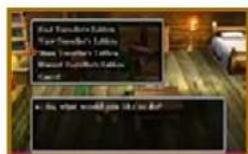
- Pick a tablet to share. You can share tablets that your monster friends have found, or from other play
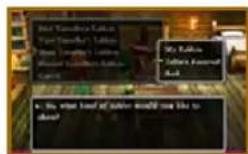
- Fill out your profile with a hobby, title and personality type.
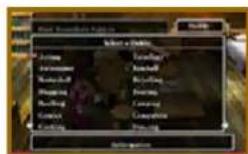
- When you are happy with the details you have entered, select "Yes", and StreetPass will be activated.
Using Multiple Adventure go
Traveller's tablets that you receive from other players will be accessible from any adventure log, provided that it forms part of the same adventure in which StreetPass was activated.

Deactivating StreetPass

To deactivate StreetPass, open the System Settings and select "Data Management", then "StreetPass Management". Touch the icon for this software title, then select "Deactivate StreetPass".
31
Using the Internet

Sharing Traveller's Tablets (Internet)

Speak to the landlord of the Download Bar in the Haven to share traveller's tablets with other players via the Internet.

Sharing Tablets in the Download Bar

Connect to the Internet to share and receive traveller's tablets. For each traveller's tablet you upload, you can download up to three tablets from other players.
Notes:
- For more information about Internet connection settings, please refer to the Nintendo 3DS Operations Manual.
- Only one tablet can be uploaded per day. After uploading a tablet, you must wait 24 hours before you can upload another.
Support Information
Nintendo Customer Service
SUPPORT.NINTENDO.COM
:a486a
0073-552-
Latin America/Caribbean:
8707-85
- Dragon Quest® VII: Fragments of the Forgotten Past
- Basic Information
- Getting Started
- Towns and Castles
- The Outside World
- The Main Menu
- Let Battle Commence!
- Vocations
- Other Activities
- StreetPass
- The Internet
- Using the Internet
- Troubleshooting
- Support Information
- Important Information
- Language Selection
- Important Information
- Information-Sharing Precautions
- Information-Sharing Precautions
- 3
- Internet Enhancements
- Protecting Your Privacy
- 4
- Parental Controls
- 5
- Introducing the Characters
- The Hero (You)
- Prince Kiefer
- lebiraM
- Ruff
- Aishe
- nyvre
- 6
- Controls
- The Action Button
- Starting Your Adventure
- Creating an Adventure go
- Resuming Your Adventure
- Resuming a Suspended ntAd
- 8
- Finishing Your Adventure
- Recording Your Progress in an Adventure Log Sing
- Suspending Your Adventure (Quick Save)
- Deleting an Adventure Log
- 9
- Exploring Towns and Castles
- The Quest for Knowledge
- Another Point of View
- Reading the Map
- 2
- Yale
- noitamrofnl pohS
- 10
- Useful Establishments 1
- sehcruhC
- Inns
- 11
- Useful Establishments 2
- Weapon, Armour and spohS ite
- Buy
- Sell
- sknaB
- 12
- Out in the Field
- The World Map
- Crossing the Line
- Monsters of the World
- Caves and Towers
- Modes of Transport
- Ship
- Flying Carpet
- 13
- Tablet Fragments
- The Shrine of Mysteries
- The Assembly Room
- Select Pillars
- Fragments Carried
- kào
- Ask for Guidance
- Putting the Tablets Together Again
- Placing the Fragments on the Pedestals
- rotceteD tnemgarh
- Opening the Main Menu
- Talk to the Townspeople
- ytraP htiw
- Items
- 17
- Attributes
- Viewing Adventurers' Vital Statistics
- Character Profile
- Currently Equipped Items
- Mastery Levels ( → p. 25)
- Perusing the Party's setubirttA
- Equipment
- The Equipment Screen
- Effect When Equipped
- ② Items Currently Equipped
- Equipping Equipment
- 19
- Magic
- MP Cost/Current MP
- sliatSpel
- Examine
- Things Worth
- gnitagitsevnl
- 21
- Info
- Recent Developments
- Next Tablet Fragment
- The Story So Far
- Spells & Abilities Learned
- 22
- Misc.
- IIA laeH
- Tacit
- Line-Up
- Organise Items
- Organise Bag
- Settings
- 23
- The Flow of Battle
- The Battle Screen
- Status Ailments
- Ailments at a Glance
- Concluding Combat
- When Your Party are Wiped Out
- 24
- Battle Commands
- thgiF
- Attack
- Spells
- Abilities
- Defend
- Flee
- fas
- eIF
- sgnife
- 25
- Taking a Vocation
- Changing Vocations
- Choose a Vocation
- Mats
- The Fruits of Your Labour
- 26
- The Various Vocations
- roirraW
- Martial Artist
- age
- Rest
- Dancer
- Thfe
- Troubadour
- Sbor
- Shepherd
- stedr
- Career Advancement
- Monster Vocations
- Note
- 27
- Optional Extras
- sin6
- King Maximo's Mansion
- Monster Meadows
- stsaeBfo
- nevaH ehT
- Traveller's Tablets
- 29
- Sharing Tablets
- stelbaT
- View Traveller's Tablets
- Share Traveller's Tablets
- Notes:
- Discard Traveller's adt
- leveL
- Sharing Traveller's Tablets (StreetPass)
- Activating StreetPass
- Using Multiple Adventure go
- Deactivating StreetPass
- 31
- Using the Internet
- Sharing Traveller's Tablets (Internet)
- Sharing Tablets in the Download Bar
- Support Information
Brand : NINTENDO
Model : Dragon Quest VII - Fragments of the Forgotton Past (3DS)
Category : Video game