
Biggest Loser 3847BL - Kitchen scale Taylor - Free user manual and instructions
Find the device manual for free Biggest Loser 3847BL Taylor in PDF.


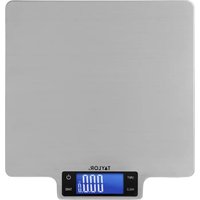
| Brand | Taylor |
| Model | Biggest Loser 3847BL |
| Product Type | Digital Kitchen Scale |
| Capacity | 5 kg / 11 lb |
| Readability | 1 g / 0.1 oz |
| Units | g, kg, oz, lb:oz, ml, fl'oz (water & milk) |
| Display | LCD with backlight |
| Power Source | 2 x AAA batteries (included) |
| Dimensions | 20.3 x 15.2 x 2.5 cm (8 x 6 x 1 in) |
| Weight | 340 g (12 oz) |
| Material | Tempered glass platform with stainless steel accents |
| Tare Function | Yes |
| Auto-Off | After 2 minutes of inactivity |
| Overload Indicator | Yes |
| Low Battery Indicator | Yes |
| Calibration | Automatic internal calibration |
| Warranty | 1 year limited |
| Care & Cleaning | Wipe with damp cloth; do not submerse |
| Spare Parts Availability | Batteries (standard), replacement platform not offered |
| Repairability | Not user-serviceable; contact Taylor support |
Frequently Asked Questions - Biggest Loser 3847BL Taylor
User questions about Biggest Loser 3847BL Taylor
0 question about this device. Answer the ones you know or ask your own.
Ask a new question about this device
Download the instructions for your Kitchen scale in PDF format for free! Find your manual Biggest Loser 3847BL - Taylor and take your electronic device back in hand. On this page are published all the documents necessary for the use of your device. Biggest Loser 3847BL by Taylor.
USER MANUAL Biggest Loser 3847BL Taylor
For your questions regarding this product, please contact us at:
Taylor Precision Products
2220 Entrada Del Sol, Suite A
Las Cruces, New Mexico 88001 USA
1-866-843-3905
www.taylorusa.com
Please contact us before returning to retailer.
For more information on NBC's "The Biggest Loser" or to join "The Biggest Loser Club", please visit the official "Biggest Loser" website at:
www.nbc.com/The_Biggest_Loser.com
or www.biggestloserclub.com.
Get a free diet profile at www.biggestloserclub.com.
When following “The Biggest Loser®” lifestyle, it is important to know the real caloric count of the food that you eat. Whether you follow “The Biggest Loser” diet plan to reduce weight or are simply aiming to eat more healthily, knowing the exact calories by your portion sizes will arm you with accurate information. “The Biggest Loser” Cal-Max™ Kitchen Scale by Taylor® contains a comprehensive built-in data base of 1,000 analyzed foods.
This Taylor Cal-Max Kitchen™ Scale requires no separate reference book, table or numerical food codes, so it is very easy and quick to use. It has a feature that allows you to keep a cumulative record of your total caloric intake throughout the day or week, up to 30 meals. Apart from the extensive 1,000 plus foods in the data base, this scale enables you to input data for up to fifty additional foods or recipes.
This scale can also be used as a conventional scale for everyday weighing and measuring. This integrated kitchen scale is simple to use and fully equipped with the “Add & Weigh” (to weigh multiple ingredients) and also to weigh both dry and liquid ingredients.
This Taylor Cal-Max Kitchen Scale also has the following key features:
- User memory, which allows user to record nutritional intakes for up to thirty (30) meals
● Plastic platform for easy cleaning
● 3 AAA alkaline batteries, which are included with the scale for instant use
● Maximum capacity of 11 lb x 1/8 oz. / 5000 g x 1 g / 175 fl. oz x 1/8 fl. oz
OPERATING INSTRUCTIONS
CONTENTS PAGE
- GETTING STARTED 4
- GENERAL WEIGHING OPERATION 5
- KEYPAD 6
- ANALYZING YOUR FOODS 6
- ADDING NEW FOODS 9
- EDITING USER - ADDED FOOD ENTRIES 11
- DELETING USER - ADDED FOOD ENTRIES 13
- MEMORY FUNCTIONS 14
a) Saving Nutritional Values into Memory 14
b) To see Calorie Value Save in Memory 15
c) Adding Foods to Memory at a Later Time 15
d) Clearing Foods from Memory 16
-
POWER SAVE FEATURE 18
-
BATTERY REPLACEMENT 18
-
CARE, PRECAUTIONS AND WARNINGS 19
Diagram 1

KEY TO DIAGRAM 1:
- Interactive LCD readout
- ON/OFF power key
- Multi-function keys and alpha numeric keypad (see Diagram 3)
- Plastic weighing platform
NOTE: THE INFORMATION PROVIDED BY THIS PRODUCT SHOULD BE USED IN CONJUNCTION WITH PROFESSIONAL DIETARY ADVICE. ALWAYS CONSULT YOUR DOCTOR BEFORE STARTING A WEIGHT LOSS AND/OR EXERCISE PROGRAM.
1. GETTING STARTED
a) Insert the 3 AAA alkaline batteries into battery compartment according to the polarity symbols (+ and -) marked in the compartment.
b) Place the scale on a firm, level surface. Uneven surfaces may affect accuracy.
c) If using a bowl or other container (not included), choose a container that will safely balance on the platform without tipping or falling. DO NOT use a heavy container, as this might reduce the maximum capacity of the scale.
Diagram 2

KEY TO DIAGRAM 2: 3 AAA alkaline battery compartment
a) Press the ON/OFF key to turn the scale on. If using a bowl or other container (not included), place the bowl on the scale before turning it on to "Zero Out" the weight of the bowl. You may press the ZERO key to reset the scale to zero.
b) Your scale is set at the factory to weigh in pounds/ounces (lb/oz). To switch to grams (g), fluid ounces (fl. oz), or milliliters (ml) press the "MODE" key. The current units of measurement are indicated above the weight reading. For your convenience, the scale has a "weight mode" memory, so when the scale is next switched on, it will continue to use the weight units last selected.
c) Place the item to be weighed onto the platform (or in the bowl); the weight will display. As you add weight, the weight displayed increases.
d) “Add & Weigh” feature: To weigh several ingredients together in the same bowl, press the ZERO key to reset the display to zero out the scale between each ingredient. For example, if a recipe calls for 1/2 lb. rice and 1/2 lb beans, place the rice into the bowl. Once the correct amount of rice is weighed, press the ZERO key until the display resets to zero; add 1/2 lb. of beans. Both ingredients have been accurately weighed in the same bowl.
e) When weights have been zeroed out, the display will show dashes ("----") when the items are removed from the scale. To reset the scale back to zero for a new measurement, press the ZERO key until the display resets to zero.
f) The scale will turn off automatically after one (1) minute of non-use when nothing is on the platform, two (2) minutes when weight is on the platform. To conserve battery power, press and hold the “ON/OFF” key for two (2) seconds to turn the scale off manually.
TIP: The liquid measure feature is suitable for all water based liquids, (e.g. wine, milk, stock, cream, etc.). Please be advised that oils have a significantly lower specific gravity and would give a reading of approximately +10%. Please adjust your recipe by this proportion when measuring oils on this scale.
3. KEYPAD
Diagram 3

MODE - Changes weighing units of measurement
ZERO - Resets scale display to zero between weighing of ingredients or to remove the weight of the bowl
ON/OFF - Turns scale ON and OFF
ALPHANUMERIC KEYS - Use to search for foods, enter data
DELETE/MC - Delete a letter, clear user-added foods from memory
MR - View nutritional values in memory
M+ - Save nutritional values in memory
CANCEL - Cancels current operation
MENU - Access user-added food menus
FOOD - Access food data base
ENTER - Confirms displayed selection
ARROW KEYS - Scroll through foods/options
4. ANALYZING YOUR FOODS
This scale uses an alphanumeric keypad to search for foods, eliminating the need to refer to a separate food code list. The alphanumeric keypad operates in a similar way to the keypad on a mobile phone. The majority of the alphanumeric keys have three or four letters and one number assigned.
To Analyze a Food:
a) Turn the scale on.
b) Press the "FOOD" key. "ENTER FOOD NAME" appears.
c) Press the key with the first letter of the desired food (each key controls 3 or 4 letters-it will repeat the 3-4 letters as you keep pressing that key). Continue to press that key until the letter you want appears on the screen. Release the (NOTE: If you make an error or wish to search for another letter, press "DELETE", then select another letter).
d) The first alphabetical food appears on the screen. For example, the first item in the "G" data base is "Gelatine Dry Mix".
e) Press the key with the second letter of the desired food. The display will scroll to the first food with those two letters. For example “GR” displays “GRANOLA, CEREAL OATS AND HONEY”.
f) Continue to press the keys in this manner until the desired food appears or you can simply press the (▲) or (▼) key to scroll through the foods after you press the first letter.
g) Press "ENTER" to select a displayed food. Wait for the "O" to appear on the screen in "WEIGHING" mode.
h) Press "MODE" to change weight measurements if desired (lb., oz., ml., fl. Oz., g).
i) Place the food to be weighed on the scale; the weight will display. Please allow a few seconds for the scale to calculate the calorie count.
j) The scale beeps; user can now view the calorie value.
k) Press “CANCEL” once to return to the “ENTER FOOD NAME” screen. Press a second time to return to the basic weighing screen.
TIPS:
-
If while using the keypad to search for a food and a cursor line (_) appears next to the letter, the scale is prompting for the next letter of the food name. Press the "DELETE" key to back-up to the first letter if it needs to be changed.
-
A space can be entered between words by using the "ZERO" key.
-
If you cannot locate a food, refer to data reference page. You may have to enter the food type first. (i.e. "CHEESE")
-
If a typed food is not in the data base, (i.e. there is no food that starts with "PW") the scale will beep and back up to a cursor; continue to type in a correct letter.
-
Pressing "CANCEL" will take you back one step (i.e. return to basic weighing mode rather than food analyzing mode). Continue to press "CANCEL" until the scale returns to the screen you wish to view.
-
When you need to enter numerical data (such as nutritional values) the keypad will automatically switch to "NUMBERS ONLY".
-
Once the scale beeps and the calories are locked in, you need to back out by hitting “cancel” and start again.

Press ON/OFF
Press FOOD Press 1st letter of food

Press 2nd letter of food
Repeat for other letters or scroll with ARROWS
When food displays, press ENTER. Wait for weighing screen


Place food on scale. Weight displays


Scale beeps


1st Press 2nd Press 3rd Press

Press CANCEL to return to previous screens
5. ADDING NEW FOODS
This Cal-Max scale allows you to add up to fifty (50) additional foods to suit your personal needs. For example, if you have a favorite breakfast cereal that is not listed, you can use the calorie value printed on the cereal box to add this food to the data base.
To add a new food:
a) Turn the scale "ON". Be sure the scale is in weighing mode ("WEIGHT" shows on the display).
b) Press "MENU".
c) Use the arrow keys or "MENU" key to scroll to "ADD FOOD ITEM TO MEMORY" and then press "ENTER". "ENTER FOOD NAME" appears.
d) Using the keypad, enter a name for the new food (limit of 15 characters) then press "ENTER".
e) You will be prompted to type in the value for "CALORIES"; press "ENTER". (see important note below)
f) The screen shows: "ITEM ADDED", then returns to "ADD FOOD ITEM TO MEMORY" screen. The new food item has been added.
g) To exit the "ADD SCREEN" press (▲) or (▼) until "EXIT MENU" appears, then press "ENTER". The scale returns to the weighing screen.
IMPORTANT: The nutritional values must be entered as per 100g of food or product. All nutritional labels include the corresponding grams to the serving size. You may need to calculate the calorie value of the 100g portion manually first before entering into the scale.


![graph LR A["ON/OFF"] --> B["MENU"] B --> C["▲"] C --> D["▼"] D --> E["ENTER"]](/content/2026/05/1072516/images/bedf5b2d63ccf3df2fabcb05057c446adc94244f0db68944c0a017d921afe514.jpg)
Press ON/OFF Press MENU Press "▲" or "▼" for Add screen, then ENTER


Use keypad to name food


Press ENTER


Use keypad to enter values then press ENTER

New food added to memory


Repeat with to add other foods, or press arrows to scroll to exit menu, then press ENTER.
Note:
i. The FOOD NAME you choose is limited to 15 characters, including spaces. Each food name must be unique; you cannot enter two food items with the same name.
ii. Wait for a curser line (_ ) to appear before typing in the next letter in a food name.
iii. An asterisk (*) to the left of a food name indicates a user added food.
6. EDITING USER - ADDED FOOD ENTRIES
If you need to edit any of the foods that you have manually added to the data base, follow the instructions below:
a) Turn the scale ON. Be sure the scale is in weighing mode ("WEIGHT" shows on the display).
b) Press "MENU".
c) Press “▲” or “▼” until EDIT FOOD ITEM IN MEMORY appears, then press “ENTER”.
d) Use the keypad to type the name of the food to be edited, or press “▲” or “▼” to scroll to the food, then press “ENTER”.
e) Edit the name of the food (if required) by pressing “DELETE” to back space, then retyping the name. Then press ‘ENTER’, the calories screen appears.
f) Enter the new calories, press "ENTER" to accept the current value.
g) The scale beeps and "PRESS ENTER TO CONFIRM CHANGES" appears. Press "ENTER" to confirm (or CANCEL to cancel changes).
h) The scale returns to the "EDIT FOOD IN MEMORY" screen.
i) To exit the "EDIT" screen, press "▲" or "▼" until "EXIT MENU" appears, then press "ENTER". The scale returns to the weighing screen.
Please note: Only foods manually added may be changed. The original foods in the data base may not be changed.


![graph LR A["ON/OFF"] --> B["MENU"] B --> C["▲"] C --> D["▼"] D --> E["ENTER"]](/content/2026/05/1072516/images/fc2a9bbe9068e72828d8546eddd6a1e080f8394cb702b79a36bdd26be46244a0.jpg)
Press ON/OFF Press MENU Press "▲" or "▼" for Edit screen, then ENTER


![graph LR A["→"] --> B["ENTER"] B --> C["→"] --> D["DELETE"]](/content/2026/05/1072516/images/2eb7bc5ef05761529398205461df9a140af63f90bc96dad1fc7cae23e2993717.jpg)
Use keypad to choose food
Press ENTER
Press DELETE to backspace then retype name


Press ENTER to change food name.
Use keypad plus ENTER to re-enter values
After last screen scale beeps. Press ENTER to confirm changes. Item is updated.
7. DELETING USER - ADDED FOOD ENTRIES
a) Turn the scale ON. Be sure the scale is in "weighing" mode ("WEIGHT" shows on the display).
b) Press "MENU".
c) Press (▲) or (▼) until "DELETE FOOD ITEM IN MEMORY" appears, then press "ENTER".
d) Type the name of the food to be edited, or press (▲) or (▼) to scroll to the food, then press "ENTER". "PRESS DELETE TO CONFIRM" appears.
e) Press "DELETE" to delete the food, or "CANCEL" to cancel the operation.
f) to exit the "DELETE" screen, press (▲) or (▼) until "EXIT MENU" appears; then press "ENTER". The scale returns to the weighing screen.


![graph LR A["ON/OFF"] --> B["MENU"] B --> C["▲"] C --> D["▼"] D --> E["ENTER"]](/content/2026/05/1072516/images/142117eb4d14e30ae233894b1ce8a604ee378d0da987b62cb917ba3635151639.jpg)
Press ON/OFF Press MENU Press "▲" or "▼" for Delete screen, then ENTER
![graph LR A["Use keypad or Arrows to choose food"] --> B["Press ENTER"] B --> C["Press DELETE to confirm"] D["KALE K_"] --> E["Press DELETE TO CONFIRM"] E --> F["ITEM DELETED"] G["1 2 3 ABC DEF"] --> H["→ ENTER"] I["4 5 6 GHI JKL MNO"] --> H J["7 8 9 PQRS TUV WXYZ DELETE 0 • MC LJMR M+"] --> H H -->…](/content/2026/05/1072516/images/fd86cdd2d72a54e1b36509318ba5cc2e45815a7aecab146e6c640798f24344f4.jpg)
Please note: Only foods manually added may be deleted. The original foods in the data base may not be deleted.
8. MEMORY FUNCTIONS
To help you keep a precise record of the total calorie count of the food you eat this Cal-Max has some unique memory functions.
a) Saving Nutritional Values into Memory
After following the instructions in the "ANALYZE YOUR FOODS" section, you can choose to add the calorie count of the food being weighed into memory. This can help you keep track of the calories you eat up to 30 meals.
- Select food name and weigh food as previously described; wait for the scale to beep.
- Press the M+ key; the scale shows the number of meals. Press (▲) or (▼) to select the meal number (i.e. 01,02,03, etc.) each number represents a meal and can have multiple foods assigned to it.
- Press "ENTER" ("ITEM ADDED" appears. The calorie count of the food is saved.
- Repeat for additional foods. The scale will save value for up to 30 meals (each meal can include 99 foods).
- Press "CANCEL" to return to the weighing screen.
![graph TD A["Weigh food"] --> B["BEEP! Wait for beep"] B --> C["Press M+ Press"] D["blink"] --> E["Enter Nutritional values are saved"] E --> F["ITEM ADDED MO1 IN MEAL 01"] G["ENTER FOOD NAME"] --> H["CANCEL Press CANCEL to return to previous screens"] H --> I["WEIGHT 1b:oz 0:0"]](/content/2026/05/1072516/images/7e424e2002795b62c15081478c8453ef4092013ae1abcdac0e273ae6cbe3d1c3.jpg)
b) To see Calorie Value Save in Memory
- Press the MR key while the scale is in weighing mode to show the total calories in memory.
- Press the MR key again to show total calories of the meal.
Press (▲) or (▼) to select the meal number and see the values. - Press the MR key again to show total calories of the food.
Press (▲) or (▼) to select the food number and see the values. - Press "CANCEL" to return to the weighing screen.


c) Adding Foods to Memory at a Later Time
If you are unable to use your Taylor Cal-Max scale just before you eat certain foods, such as while eating at a restaurant, do not worry; this scale has a feature that allows you to add your foods in your own time without actually weighing the food. You can do this by following the instructions below:
-
As described in the "ANALYZING YOUR FOODS" section (page 7), use the key pad to display a food and press "ENTER" to select.
-
DO NOT put anything on the scale. Wait for the weighing screen to appear. Estimate the weight of the food you wish to record in grams.
TIP: 1oz = approximately 28g
-
Manually enter the estimated weight by pressing the appropriate numbers on the key pad; Press "ENTER".
-
Press "M+" to add this food to memory.

d) Clearing Foods from Memory
To clear the saved foods from memory, by pressing the "MR" key you can:
- Clear all memory to remove total values saved from memory.
- Clear one meal to remove all foods saved in a meal from memory.
- Clear one food to remove one food saved in a meal from memory.
- Press "MC" key to clear the food or foods from memory; press "ENTER" to confirm.
Clear All Memory

![graph LR A["DELETE\nMC"] --> B["CONFIRM ERASE\nALL SAVED DATA ?"] B --> C["ENTER"] C --> D["NO MEMORY"]](/content/2026/05/1072516/images/49574346827b0c52e402b2fef621cdef887ed54cd9d39ad9bf3e4ccc7b68661f.jpg)
Press ENTER. Wait for weighing screen.
Clear One Meal


Press “▲” or “▼” to select “01-30” Meal
Press ENTER to confirm
Clear One Food


9. POWER SAVE FEATURE
To preserve battery power, the scale has an auto-off feature. The scale will turn off automatically if the scale has not been in use for 1 minute if the platform is empty or 2 minutes if something is on the platform. The backlight turns off after 10 seconds. Switching the scale “OFF” manually will help to further extend battery life. To switch the scale off manually, press and hold the ON/OFF key for 2 seconds.
All date entries are retained when the scale switches off both manually and automatically.
10. BATTERY REPLACEMENT
The display will show a "BATTERY LOW" message when the batteries need replacing. Switch the scale "OFF", then remove the old batteries and replace with three AAA alkaline batteries. The battery compartment is situated in the base of the scale and is marked to show the correct orientation of the + and - .
- Remove the battery cover.
- Remove the old batteries from the compartment.
- Place the new batteries into the battery compartment according to the polarity symbols (+ and -) marked in the compartment. (do not combine old batteries with new batteries)
- Replace the battery compartment cover.
NOTE: All saved data will be retained while batteries are changed.
NOTE: Please recycle or dispose of batteries per local regulations.
WARNING: Batteries may pose a choking hazard. Do not let children handle batteries.
11. CARE, PRECAUTIONS AND WARNINGS
Warning messages:
"Overload" indicates that the maximum weighing capacity of the scale has been exceeded. Remove the weight immediately; otherwise, permanent damage could occur.
“Negative load” indicates items have been removed from the platform after their weights have been zeroed out. Press “ZERO” to reset the scale to ZERO.
- Clean exposed parts with a soft, slightly damp (not wet) cloth. To remove stains, use a mild soap. Never use detergents, excess water, treated cloths, harsh cleaning agents, or sprays. Avoid contact with acids, such as citrus juices.
- DO NOT tamper with the scale's internal components; doing so will invalidate the warranty on this unit and may cause damage. The scale contains no user-serviceable parts.
- Although your scale is designed to be maintenance free, it contains sensitive electronic parts. Avoid rough treatment; treat it with care to ensure the best performance.
- This scale is intended for home/consumer use only; it is NOT intended for commercial or medical use.
- This scale is designed to read weights up to 11 lbs. 10 oz/5 kgs. To prevent damage, DO NOT place more than 11 lbs. 10 oz/5 kgs on it.
- DO NOT store scale where you store cleaning chemicals. The vapors from some household products may affect the electronic components of your scale. DO NOT store scale on its side.
- This scale is an extremely sensitive weighing device. In order to prevent rundown of the battery, DO NOT store anything on the scale.
- DO NOT dispose of batteries in fire; batteries may explode or leak. Always replace all batteries at the same time; DO NOT combine old and new batteries. DO NOT mix Alkaline, carbon zinc (standard) or Nickel Cadmium (rechargeable) batteries. Remove the batteries if the scale will not be used for a long period of time.
ONE YEAR LIMITED WARRANTY
BATTERY STATEMENT
Taylor® warrants this product to be free from defects in material or workmanship (excluding batteries) for one (1) year for the original purchaser from date of original purchase. It does not cover damages or wear resulting from accident, misuse, abuse, commercial use, or unauthorized adjustment and/or repair. If service is required, DO NOT return to retailer. If service is required CALL 866/843-3905 from 7:30 AM TO 4:30 PM Mountain Standard Time, Monday through Friday. To assist us in serving you, please have the model number and date of purchase available.
Should this product require service (or replacement, at our option) after contacting Customer Service, please pack the item carefully and return it prepaid, along with store receipt showing the date of purchase and a note explaining reason for return to:
TAYLOR PRECISION PRODUCTS
2220 Entrada Del Sol-Suite A
Las Cruces, New Mexico 88001
U.S.A.
There are no expressed warranties except as listed above. This warranty give you specific legal rights and you may have other rights which vary from state to state.
For additional product information, or warranty information in Canada or elsewhere outside the U.S.A., please contact us through www.taylorusa.com
CAL-MAX™
© 2011 Taylor Precision Products and its affiliated companies, all rights reserved. Taylor® is a registered trademark of Taylor Precision Products and its affiliated companies.
Cal-Max ™ is a registered trademark of Taylor Precision Products and its affiliated companies. All Rights Reserved.
The “Biggest Loser” is a registered trademark and copyright of NBC Studios, Inc. & Reveille LLC. All Rights Reserved.
Made to our exact specifications in China.
Not legal for trade
www.taylorusa.com
3847 09.11


- OPERATING INSTRUCTIONS
- CONTENTS PAGE
- KEY TO DIAGRAM 1
- GETTING STARTED
- KEYPAD
- ANALYZING YOUR FOODS
- TO ANALYZE A FOOD
- TIPS
- ADDING NEW FOODS
- TO ADD A NEW FOOD
- NOTE
- EDITING USER - ADDED FOOD ENTRIES
- DELETING USER - ADDED FOOD ENTRIES
- MEMORY FUNCTIONS
- SAVING NUTRITIONAL VALUES INTO MEMORY
- TO SEE CALORIE VALUE SAVE IN MEMORY
- ADDING FOODS TO MEMORY AT A LATER TIME
- CLEARING FOODS FROM MEMORY
- POWER SAVE FEATURE
- BATTERY REPLACEMENT
- CARE, PRECAUTIONS AND WARNINGS
- WARNING MESSAGES
- ONE YEAR LIMITED WARRANTY
- BATTERY STATEMENT
- TAYLOR PRECISION PRODUCTS
- CAL-MAX™
Brand : Taylor
Model : Biggest Loser 3847BL
Category : Kitchen scale