
OUC 22011 X - Other Kitchen Appliances BEKO - Free user manual and instructions
Find the device manual for free OUC 22011 X BEKO in PDF.


Pick your language and provide your email: we'll send you a specifically translated version.
| Product Type | Built-in Electric Oven |
| Brand | Beko |
| Model | OUC 22011 X |
| Dimensions (H x W x D) | 59.5 cm x 59.5 cm x 56 cm |
| Oven Capacity | 71 liters |
| Weight | 34 kg |
| Power Supply | 220-240 V, 50 Hz, 3.0 kW |
| Energy Class | A+ |
| Cooking Functions | Conventional heating, fan-assisted, grill, defrost, pizza mode |
| Temperature Range | 50°C - 250°C |
| Control Type | Electronic touch and knobs |
| Display | Digital LED clock and timer |
| Interior Material | Enamel with easy-clean coating |
| Number of Shelves | 3 shelf positions |
| Safety Features | Child lock, cool door, automatic shut-off |
| Cleaning | Steam cleaning function |
| Door Type | Cool touch, triple-glazed glass |
| Lighting | Interior halogen lamp |
| Spare Parts Availability | Genuine parts via Beko service centers |
| Warranty | 2 years (standard) |
Frequently Asked Questions - OUC 22011 X BEKO
How do I install the Beko OUC 22011 X oven?
Ensure the oven is placed in a suitable cut-out with proper ventilation. Connect to a 220-240V supply via a dedicated circuit. Refer to the installation manual for detailed steps.
How do I set the clock and timer?
Press the clock button, then use the + and - buttons to adjust the time. For timer, press the timer button and set the duration. The oven will beep when time elapses.
How do I use the steam cleaning function?
Pour water (approx. 300 ml) into the oven cavity. Select the steam cleaning mode. Run the cycle at 100°C for 30 minutes. Wipe away softened residue after cooling.
What do I do if the oven does not heat up?
Check the circuit breaker and power connection. Ensure the oven is set to a cooking function and temperature. If still not heating, contact Beko service for heating element replacement.
How do I replace the oven light bulb?
Disconnect power. Remove the glass cover by twisting or unclipping. Replace with a 25W halogen bulb (G9 base). Reattach cover and restore power.
Can I use aluminum foil in the oven?
Avoid covering the bottom or using foil too close to heating elements as it may cause fire. Use baking trays or dishes instead.
How do I activate the child lock?
Press and hold the lock icon for 3 seconds until a key symbol appears. The oven controls will be disabled. Repeat to unlock.
What is the recommended cleaning routine?
After each use, wipe the interior with a damp cloth. For heavy soiling, use the steam clean function. Do not use abrasive cleaners.
Why is the oven not heating evenly?
Ensure the fan function is selected for even heat distribution. Avoid overcrowding shelves. If problem persists, calibrate the thermostat or contact service.
Where can I find spare parts for this oven?
Genuine Beko spare parts are available from authorized service centers or online Beko stores. Use the model number OUC 22011 X.
User questions about OUC 22011 X BEKO
0 question about this device. Answer the ones you know or ask your own.
Ask a new question about this device
No questions yet. Be the first to ask one.
Download the instructions for your Other Kitchen Appliances in PDF format for free! Find your manual OUC 22011 X - BEKO and take your electronic device back in hand. On this page are published all the documents necessary for the use of your device. OUC 22011 X by BEKO.
USER MANUAL OUC 22011 X BEKO
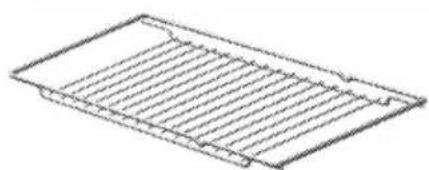
3. Gitterrost
Technical data
Clean control panel


Table of contents
Click a title to access it
Manual assistant
Powered by Anthropic
Waiting for your message
Product information
Brand : BEKO
Model : OUC 22011 X
Category : Other Kitchen Appliances