
GXT 240 - Power bank TRUST - Free user manual and instructions
Find the device manual for free GXT 240 TRUST in PDF.


Pick your language and provide your email: we'll send you a specifically translated version.
| Product Type | Portable Power Bank |
| Battery Capacity | 5000 mAh (Li-ion) |
| Output Port | 1x USB-A (5V/2.1A) |
| Input Port | Micro USB (5V/2A) |
| Input Charging Time | Approx. 3 hours |
| LED Indicators | 4 LEDs for battery level |
| Dimensions | 100 x 60 x 15 mm |
| Weight | 150 g |
| Material | Plastic (ABS) |
| Safety Features | Overcharge, over-discharge, short circuit, and overcurrent protection |
| Compatibility | Smartphones, tablets, and other USB devices |
| Operating Temperature | 0°C to 45°C (charging) / -20°C to 60°C (storage) |
| Storage Temperature | -20°C to 60°C |
| Cleaning | Wipe with a dry, soft cloth. Do not use liquids or abrasives. |
| Maintenance | Keep dry; avoid extreme temperatures; charge at least once every 3 months. |
| Spare Parts / Repairability | Not user-serviceable; do not attempt to open. Dispose properly. |
| Manufacturer | Trust International B.V. |
| Model Number | GXT 240 |
| Warranty | 2 years |
| Country of Origin | China |
Frequently Asked Questions - GXT 240 TRUST
How do I charge the Trust GXT 240 power bank?
Connect the included Micro USB cable to the input port of the power bank and a USB power source (e.g., a wall charger or computer). The LEDs will blink to indicate charging status. Fully charged in about 3 hours.
Can I charge my phone and the power bank at the same time?
No, the power bank cannot charge its internal battery and output power simultaneously. Charge it first, then use it to charge your device.
How many times can the GXT 240 charge my smartphone?
With a 5000 mAh capacity, it can typically charge a smartphone with a 2500 mAh battery about 1.5 times (considering conversion losses).
What does the LED indicator mean?
The four LEDs show the battery level: 1 LED = 0-25%, 2 LEDs = 25-50%, 3 LEDs = 50-75%, 4 LEDs = 75-100%. When charging, they blink sequentially.
Is the Trust GXT 240 safe to use?
Yes, it has built-in protection against overcharge, over-discharge, short circuit, and overcurrent, ensuring safe operation.
How should I clean the power bank?
Unplug the device and wipe the exterior with a dry, soft cloth. Do not use water, cleaning solvents, or abrasive materials.
Can I take the GXT 240 on an airplane?
Yes, power banks under 100 Wh (27,000 mAh) are typically allowed in carry-on luggage. The GXT 240's 5000 mAh (18.5 Wh) is well within limits. Check with your airline for specific rules.
What devices are compatible?
It works with most USB-powered devices such as smartphones, tablets, Bluetooth headphones, cameras, and more, as long as they charge via USB with up to 2.1A.
Why is my power bank not charging my device?
Ensure the power bank is charged and press the power button if available. Check the cable and device connection. If the device draws more than 2.1A, it may not charge. Try a different cable.
How should I store the power bank when not in use?
Store in a cool, dry place away from direct sunlight. For long-term storage, keep the battery at around 50% charge and recharge every 3-6 months.
User questions about GXT 240 TRUST
0 question about this device. Answer the ones you know or ask your own.
Ask a new question about this device
No questions yet. Be the first to ask one.
Download the instructions for your Power bank in PDF format for free! Find your manual GXT 240 - TRUST and take your electronic device back in hand. On this page are published all the documents necessary for the use of your device. GXT 240 by TRUST.
USER MANUAL GXT 240 TRUST
natural_image
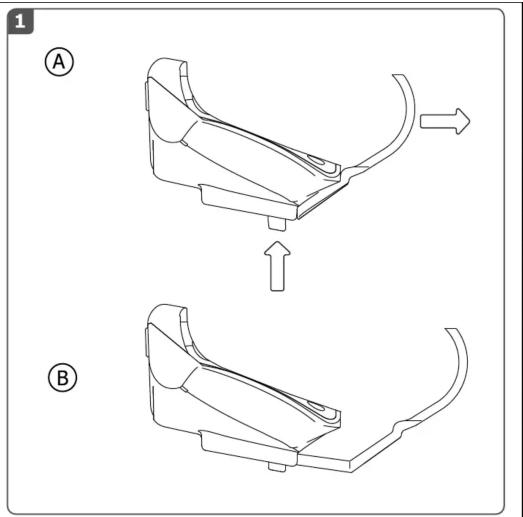
Technical line drawing of two mechanical components labeled A and B, showing a curved component with an arrow indicating motion (no text or symbols beyond labels)




Manual assistant
Powered by Anthropic
Waiting for your message
Product information
Brand : TRUST
Model : GXT 240
Category : Power bank