PMS2B - Docking Station Pyle - Free user manual and instructions
Find the device manual for free PMS2B Pyle in PDF.


| Product Type | Docking Station |
| Brand | Pyle |
| Model | PMS2B |
| Dimensions (approx.) | 10.2 x 5.3 x 2.8 inches |
| Weight | 1.1 lbs |
| Power Supply | DC 5V via USB or AC adapter (included) |
| Bluetooth Version | 4.2 |
| Bluetooth Range | Up to 33 feet |
| Speaker Output | 2 x 3W |
| Frequency Response | 20Hz - 20kHz |
| Impedance | 4 ohms |
| Charging Port(s) | 1 x USB-A (5V/2.1A) |
| Audio Input | 3.5mm AUX |
| Compatible Devices | Smartphones, tablets, laptops with Bluetooth or AUX |
| Material | ABS plastic with rubber base |
| Care and Cleaning | Wipe with a soft, dry cloth. Avoid liquids. |
| Safety Warnings | Do not expose to water or extreme temperatures. Keep away from children. |
| Repairability | Not user-serviceable. Contact Pyle support for issues. |
| Spare Parts Availability | Contact Pyle for replacement parts |
| General Information | Designed for convenient audio streaming and device charging. |
Frequently Asked Questions - PMS2B Pyle
User questions about PMS2B Pyle
0 question about this device. Answer the ones you know or ask your own.
Ask a new question about this device
Download the instructions for your Docking Station in PDF format for free! Find your manual PMS2B - Pyle and take your electronic device back in hand. On this page are published all the documents necessary for the use of your device. PMS2B by Pyle.
USER MANUAL PMS2B Pyle
Please take a few moments to read through this manual to gain important information about using the Pop Up Speaker.
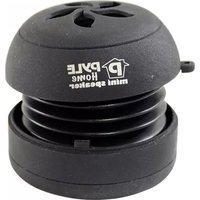
This portable speaker has a compact casing with an innovative opening and closing design that provides extra bass resonance. When closed, treble sounds will be enhanced and when open, bass sounds are enhanced. Its palm size is convenient for carrying and outdoor use.
With the latest technology built-in rechargeable Lithium ion battery, the speaker greatly amplifies sound. A high fidelity speaker gives crystal clear audio.
The speaker is equipped with a standard audio jack to connect to many devices such as a PC, laptop, iPod, MP3 and MP4 player, PSP, portable DVD player and mobile phone provided they have a standard 3.5mm audio output socket (such as those used for earphones).
Charge the speaker by connecting the USB cable to any USB port on a PC, laptop or DC charger. The high capacity battery allows for long play time even at loud volumes.
This Pop Up Speaker allows you to appreciate music from your audio device without requiring extra wires for power. Share your music with those around you wherever you are: at home, on outings or even while you walk.
INCLUDED ITEMS
④ Pop Up Speaker
④ USB charging/audio data retractable cable
④ User Guide
RUN TIME
- The battery discharge time will depend on the play volume.
• Typical run time values for medium volume are approximately 8 hours and loud volume 2 hours.
CABLE FUNCTIONAL DIAGRAM AND DESCRIPTION

• Pictures in this manual may differ from actual product in shape and colour.
SPEAKER FUNCTIONAL DIAGRAM AND DESCRIPTION
Resonance Closed
Treble Mode

natural_image
Simple grayscale illustration of a balloon with a small square inside, no text or symbols present.① Closed status
② Open status
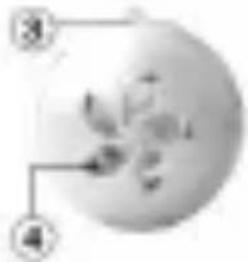
③ Hola for carrying strap
④ Speaker
Resonance Open
Base Mode

natural_image
Close-up of a metallic mechanical component with threaded end and circular features (no visible text or symbols)⑤ PowerCharge light
⑧ Anti-slip rubber pads
⑦ Mini USB charging/sudio input port
PowerVolume control switch
Speaker Top
natural_image
Simple circular diagram with numbered annotations pointing to a flower-like shape (no text or symbols)Spewaker
Bottore

INSTRUCTIONS FOR CONNECTING SPEAKER

flowchart
graph TD
    A["PC"] --> B["Start PXP"]
    C["Start PXP"] --> D["MP3 / MP4 Player"]
    E["PC"] --> F["Network"]
    G["Start PXP"] --> H["Internet"]
    I["MP3 / MP4 Player"] --> J["Internet"]
- Extend the retractable cable by gently pulling apart both sides of the cable. Always pull both the audio and USB plugs (on the same side) together to avoid tangling.
- Lock the length by releasing the cables after a slight click is heard to indicate a locking position.
• Release the cable by pulling both cables and closing slowly - Connect the mini USB plug ① to the input port on the speaker ②
- Connect the standard 3.5mm audio jack ③ to the speaker output/earphones socket on devices such as computers, laptops, MP3 players and many other devices provided they are equipped with a standard audio socket.
• Power the speaker on and select low or high volume.
INSTRUCTIONS FOR CHARGING THE SPEAKER

natural_image
Illustration of a hand holding a pen, with a monitor and mechanical device nearby (no text or symbols)- Connect the USB plug ④ to a USB port on computers, laptops and other USB charging port on AC/DC adaptors and chargers.
• The speaker has a built-in rechargeable Lithium ion battery pack of 300mAh. Battery charging time from AC/DC 5V charger is approximately 2.5 hours and from the USB port is 4 hours.
OPENING AND CLOSING

natural_image
Close-up of a white, textured object with a small square cutout, possibly a mechanical or electronic component (no visible text or symbols)STEP 1
Hold the top and bottom hemisphere with all fingers of the right and left hands respectively. Align each hemisphere until the mini USB port and fitting arrows are in line with each other.

natural_image
Close-up of hands holding a small white object, possibly a ball or seed pod, with no visible text or symbols.STEP 2
Press each side of the speaker together gently.
natural_image
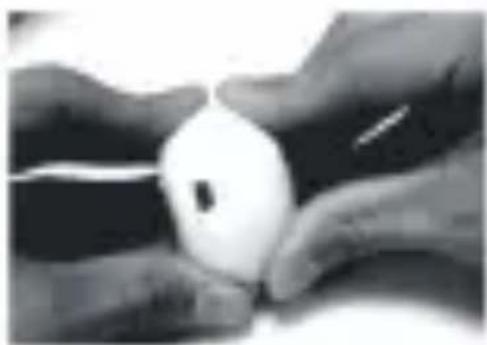
Close-up of two hands holding a white egg (no text or symbols visible)STEP 3
Line up the raised markers as indicated by the fit arrow.

natural_image
Close-up of a white, oval-shaped object resting on dark textured surfaces (no visible text or symbols)STEP 4
To close the case, hold the left hemisphere firmly and tilt the right half upwards (in a clockwise direction) as indicated in the fitting diagram on the speaker (lock arrow). To open, tilt the right half downwards (in an anti-clockwise direction) as indicated in the fitting diagram on the speaker (unlock arrow).
TECHNICAL SPECIFICATIONS
Power output: 2.2W
Speaker : D(36mm)
SNR ≥ 89dB
Lithium ion battery voltage : 3.7V
Lithium ion battery input voltage : 5V
Charge voltage: 4.2V
Battery capacity:300mAh
Dimensions :D(52mm) x H(≈35-64mm)
Operating temperature: 0°C-40°C
Net weight : 50g
Charge time: 2.5 hours (DC5V), 4 hours (USB)
Runtime : 8 hours ( medium volume), 2 hours ( loud volume )
Battery life cycle:300-500 times

WARNINGS
Charge and operate only as indicated in this manual as Improper use may result in damage to the product or injury.
Do not exceed the volume of the speaker as it may cause permanent damage.
Do not expose this product to clamp, wet or high temperature areas.
Do not short out this product or disassemble by yourself to avoid danger or shocks.
Do not insert any objects into the sound box.
Keep out of reach of children and maintain supervision if young children are using.
Avoid over-extending the speaker and cable. Do not pull the speaker and cable with force.

natural_image
Close-up of hands holding a white cylindrical object with a large 'no' symbol nearby (no text or symbols on the object itself)

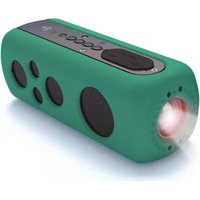

Brand : Pyle
Model : PMS2B
Category : Docking Station