
OT180GB - Scale GORENJE - Free user manual and instructions
Find the device manual for free OT180GB GORENJE in PDF.


| Product Type | Digital Kitchen Scale |
| Brand | Gorenje |
| Model | OT180GB |
| Capacity | 5 kg / 11 lb |
| Precision | 1 g / 0.1 oz |
| Units | g, lb:oz, oz, ml, fl.oz |
| Display | LCD, 4-digit |
| Power Source | 2 x AAA batteries (included) |
| Auto-Off | After 2 minutes of inactivity |
| Tare Function | Yes |
| Low Battery Indicator | Yes |
| Overload Indicator | Yes |
| Platform Material | Stainless steel |
| Platform Size | 15 x 15 cm |
| Dimensions | 200 x 150 x 20 mm |
| Net Weight | 300 g |
| Cleaning Instructions | Wipe with a damp cloth; do not submerge in water |
| Warranty | 2 years |
| Certifications | CE, RoHS |
Frequently Asked Questions - OT180GB GORENJE
User questions about OT180GB GORENJE
0 question about this device. Answer the ones you know or ask your own.
Ask a new question about this device
Download the instructions for your Scale in PDF format for free! Find your manual OT180GB - GORENJE and take your electronic device back in hand. On this page are published all the documents necessary for the use of your device. OT180GB by GORENJE.
USER MANUAL OT180GB GORENJE
natural_image
Black square digital kitchen scale with a digital display showing the temperature (no text or symbols visible)OT 180 GB
OT 180 GW
Instructions for Use GB
natural_image
Simple line drawing of a boat with a flag, next to a small rectangular object, labeled Figure 3 (no text or symbols on the diagram itself)- Izberite ustrezno enoto teže kg/lb/st.

natural_image
Simple line drawing of a human foot pressing down on a wooden plank (no text or symbols)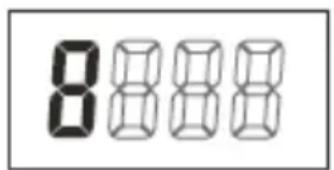
- Pomembno! Preden stopite na tehtnico počakajte, da se prikaže "0.0 kg".

natural_image
Simple line drawing of a human foot pressing down on a horizontal surface (no text or symbols)
- Važno! Prije nego stupite na vagu pričekajte, da se prikaže "0.0 kg".
- Stupite na vagu i ostanite mimi. Vaša odvagana težina će se prikazati na zaslonu.

natural_image
Simple line drawing of a human foot pressing down on a horizontal surface (no text or symbols)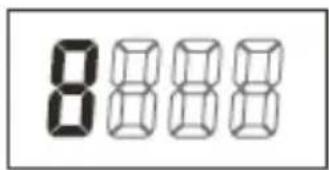
- Pažnja! Pre nego što zakoračite na vagu, sačekajte da se na ekranu pojavi cifra "0.0 kg".

- Stanite na vagu (ekran će početi da trepće) i na ekranu ćete očitati vašu težinu. Posle nekoliko sekundi, vaga će se automatski isključiti.

UPUTSTVO ZA NEISPRAVNOSTI
Ako imate bilo kakvih poteškoća u korišćenju vaše vage:
- Proverite da li su baterije pravilno postavljene.
- Proverite da li ste odabrali željenu jedinicu težinske mere, tj. kg/lb/st.
- Proverite da li je vaga postavljena na ravnu i iznivelisanu površinu i da ne dodiruje zid.
- Proverite da li se na ekranu očitava cifra "0.0 kg" pre nego što ste zakoračili na vagu.
- Ako na ekranu nema nikakve oznake, pošto ste stopalom lupkali u centar vage da biste je aktivirali, ili ako se na ekranu pojavi poruka "Lo" pokušajte sa novim baterijama.

Zamenite baterije
Thank you for choosing Healthcare OT 180 GB-GW scale. To ensure a proper operation procedure, please carefully read through the instruction manual.
This appliance is marked according to the European directive 2002/96/EC on Waste Electrical and Electronic Equipment (WEEE). This guideline is the frame of a European-wide validity of return and recycling on Waste Electrical and Electronic Equipment.
HELPFUL TIPS
Your scale is a precision electronic instrument. One of the hardest things to weigh is the human body because is always in motion. To ensure reliable readings, always try to place your feet on the scale in the same place and stand still.
Treat your scale with care. Do not drop it or jump on it. The scale is durable, but misuse or abuse may render the electronic sensors inoperable.
Never submerse the scale under water. To clean the scale surface, use either a damp cloth or glass cleaner. Do not open or take apart the scale or its components.
HOW TO OPERATE
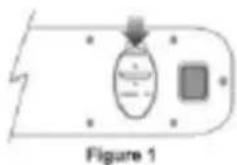
- Open the battery cover at the backside of the scale.
- If there are batteries in the case, take the insulator out. Otherwise insert 1x CR 2032 batteries to the battery case. Then close the battery cover.


natural_image
Simple line drawing of a boat with a handle and a rectangular object, labeled Figure 3 (no text or symbols on the diagram itself)- Select the weight unit you want among kg/lb/st.
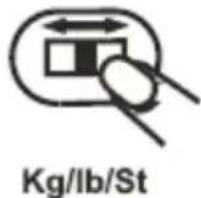
- Place the scale on a hard and even floor.
- If there is a number other than 0.0 kg displayed, please wait for about 30 seconds until it automatically turns off; if there is nothing on the screen, please overlook next step.
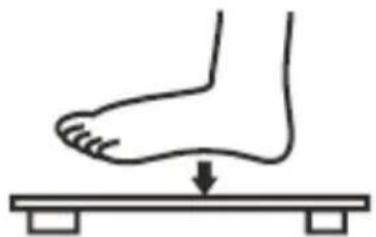
- With your foot, firmly tap the centre of the scale until "8" displayed.
natural_image
Simple line drawing of a human foot pressing down on a horizontal surface with a downward arrow (no text or symbols)
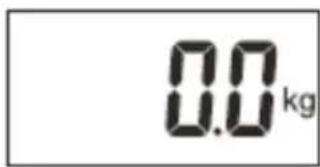
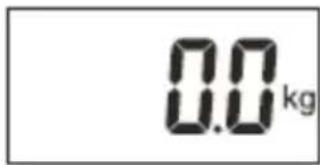
- Important! Wait for "0.0 kg" to be displayed before stepping on the scale.
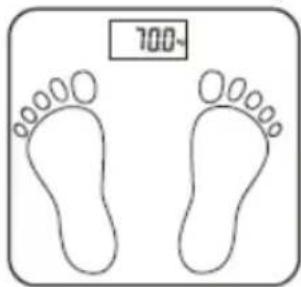
- Step on the scale (the display will flicker) and your weight measurement will be shown on the screen. The scale will automatically shut off after a few seconds.
TROUBLESHOOTING GUIDE
If you experience any difficulty in use of the scale:
- Check the battery is correctly fitted.
- Check that you have selected your preference of kg/lb/st.
- Check whether the scale is on a flat, level floor and not touching against a wall.
- Ensure whether you do not step on the scale until the display shows "0.0 kg".
- If, when you tap the scale to activate it, there is no display at all or "Lo" is displayed- try two new batteries.

Replace battery
- If "Err" is displayed, the scale has been overloaded.

Weight overload
SPECIFICATION
Weight range Min 5 kg Max 180 kg
Graduation 0.1 kg
CAUTION
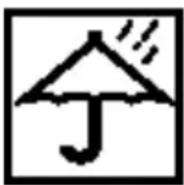
Keep the scale off water

Keep the scale with care

Don't put it on uneven floor while weighing

Don't step on the edge of the scale
Environment
Do not throw away the appliance with the normal household waste at the end of its life, but hand it in at an official collection point for recycling. By doing this, you help to preserve the environment.
gorenje
WISHES YOU A LOT OF PLEASURE WHILE USING YOUR APPLIANCE
natural_image
Simple line drawing of a human foot pressing down on a wooden plank (no text or symbols)
natural_image
Simple line drawing of a human foot pressing down on a horizontal surface with a downward arrow indicating motion (no text or symbols)
natural_image
Simple line drawing of a human foot pressing down on a wooden plank (no text or symbols)
natural_image
Simple diagram showing a lightning bolt striking a component with an internal oval shape and a square block, labeled 'Figure 1' (no text or symbols on the diagram itself)

natural_image
Simple line drawing of a human foot pressing down on a horizontal surface (no text or symbols)
natural_image
Simple line drawing of two human footprints with a 700-unit scale indicator (no text or symbols on the figures)natural_image
Simple line drawing of a device with an arrow pointing to a component, labeled 'Figure 1' (no text or symbols on the diagram itself)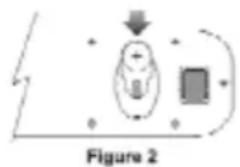

natural_image
Simple line drawing of a foot pressing down on a horizontal surface with a downward arrow indicating motion (no text or symbols)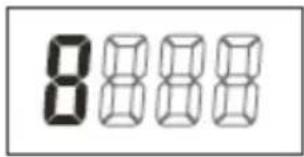
natural_image
Diagram of a device with an arrow pointing to a component, labeled Figure 1 (no text or symbols on the diagram itself)

natural_image
Simple line drawing of a human foot pressing down on a horizontal surface with blocks (no text or symbols)
natural_image
Simple line drawing of a human foot pressing down on a horizontal surface (no text or symbols)
natural_image
Simple line drawing of a human foot pressing down on a horizontal surface (no text or symbols)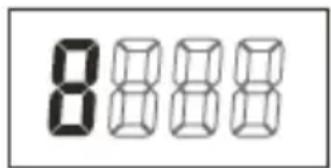



Brand : GORENJE
Model : OT180GB
Category : Scale