VC-M43 - VCR SHARP - Free user manual and instructions

Find the device manual for free VC-M43 SHARP in PDF.
SHARP VC-M43 - VCR
📄 38 pages English EN Download 💬 AI Question 10 questions ⚙️ Specs
Notice SHARP VC-M43 - page 1
Pick your language and provide your email: we'll send you a specifically translated version.
Product Type Video Cassette Recorder (VCR)
Brand Sharp
Model VC-M43
Video System VHS
Number of Heads 4
Recording Speeds SP, LP, EP
Timer Recording Yes, 8 event / 1 month
Timer Backup Yes (memory backup battery)
On-Screen Display Yes
Remote Control Yes, infrared
Dimensions (W x H x D) 430 x 95 x 280 mm
Weight 4.5 kg
Power Supply AC 120V, 60Hz
Power Consumption 25 W
Video Inputs/Outputs RCA composite in/out, RF in/out
Audio Output Mono (RCA)
Auto Tracking Yes
Head Cleaning Automatic cleaning mechanism
Index Search Yes
Included Accessories Remote control, RF cable, user manual

Frequently Asked Questions - VC-M43 SHARP

How do I set the timer recording on my Sharp VC-M43?
Press the TIMER button on the remote, then use the PROGRAM buttons to set the date, start and end time, channel, and recording speed (SP/LP/EP). Confirm with OK.
Why is the playback picture noisy or snowy?
This may be due to dirty heads. Try using a head cleaning cassette. If the problem persists, the heads may need professional cleaning. Also check the tape quality.
How do I connect the VCR to my TV?
Connect the RF OUT on the VCR to the ANT IN on your TV using the supplied RF cable. Alternatively, use RCA composite cables (yellow for video, white for audio) for better quality.
The VCR does not eject the tape. What should I do?
First, unplug the VCR for 30 seconds and try again. If it still doesn't eject, there may be a mechanical jam. Avoid forcing the tape; seek professional repair.
How do I replace the memory backup battery?
The backup battery is usually a 1.5V AA or button cell located inside the VCR. Open the bottom panel (after unplugging) and replace it with the same type. Note: settings will be lost temporarily.
Can I record from one channel while watching another?
Yes, if your VCR has a tuner. While recording a channel, you can watch a different channel via the TV's tuner (not the VCR's output). The VCR output will show the recorded channel.
What do the SP, LP, and EP recording modes mean?
SP (Standard Play) gives the best quality but shortest recording time. LP (Long Play) doubles the time with reduced quality. EP (Extended Play) triples the time but with lower quality.
How do I clean the VCR heads?
Use a dry head cleaning cassette inserted and played for 10-15 seconds. Do not overuse. For stubborn dirt, consult a professional. Never use alcohol or cotton swabs.
The remote control does not work. What can I do?
Check the batteries and replace if needed. Ensure there are no obstacles between the remote and the VCR. Try pressing the VCR/TV button to set the correct mode.
How do I reset the VCR to factory settings?
Unplug the VCR from the mains, wait 1 minute, then plug it back in. This clears all settings including timer recordings, clock, and channels.

User questions about VC-M43 SHARP

0 question about this device. Answer the ones you know or ask your own.

Ask a new question about this device

Your email remains private: it is only used to notify you if someone answers your question.

No questions yet. Be the first to ask one.

Download the instructions for your VCR in PDF format for free! Find your manual VC-M43 - SHARP and take your electronic device back in hand. On this page are published all the documents necessary for the use of your device. VC-M43 by SHARP.

USER MANUAL VC-M43 SHARP

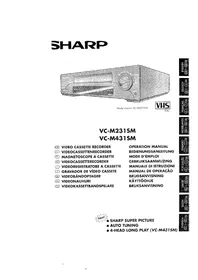
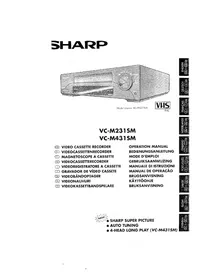
Model shown: VC-M23SM PALSHARP VC-M43 - 1

VC-M23SM

VC-M43SM

Specifications are subject to change without notice as part of our policy of continuous improvement. No liability is accepted for any inaccuracies or omissions in this publication, although every possible care has been taken to make it complete and as accurate as possible.

This device complies with the requirements of EC Directives 89/336/EEC and 73/23/EEC as amended by Directive 93/68/EEC. In line with our policy of continuous improvement, technical specifications are subject to change without prior notice. Although every care has been taken to ensure the completeness and accuracy of this publication, no liability can be accepted for errors or omissions.

J in U.K.

R front panel/remote control equivalent functions.

If you prefer, or if remote control batteries fail, you will need to use the VCR front panel controls. The only differences in function are shown below:

FUNCTION ON-SCREEN DISPLAYOPERATION WITH REMOTE CONTROLOPERATION WITH VCR FRONT PANEL
Moving UP/DOWN menu Moving RIGHT/LEFT menu[PLAY/STOP] buttons [FF/REW] buttonsCHANNEL ⊕ /⊖buttons. Turn shuttle ring RIGHT/LEFT

CONTENTS

SHARP VC-M43 - CONTENTS - 1

INSTALLATION

Timer programming 15

Confirming/cancelling timer programming 1/

SHARP VC-M43 - INSTALLATION - 1

Digital display 18

SAFETY WARNINGS

(TYPE AA) BATTERIES

COAXIAL CABLE (connects VCR and TV).

IDEAL PLACE FOR VCR
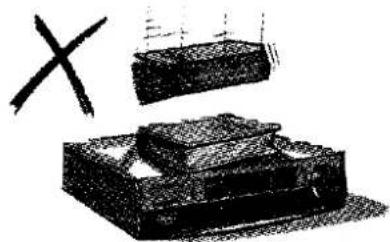
Illustration of a mechanical component with a cross symbol above it, no text or labels present.

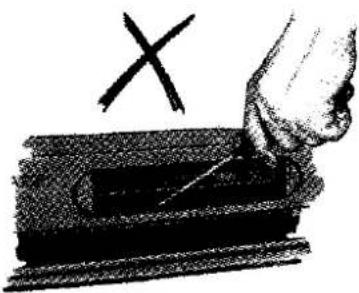
Illustration of a hand pressing a rectangular object with a cross symbol above it (no text or labels).

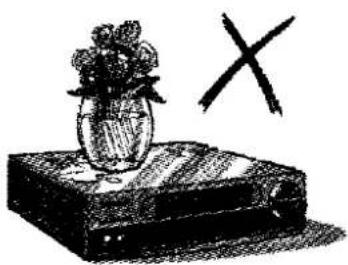
Illustration of a vase with flowers placed on a book next to a large X symbol (no text or labels present).

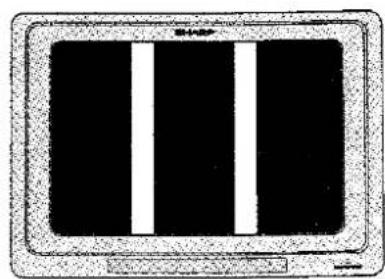
Simple diagram of a monitor with three vertical white bars on black background, no text or symbols present.

RF OUT TEST SIG ON OFF ANTENNA IN

SETTING THE CLOCK & AUTOMATIC TUNING

Illustration of a hand pressing down on a device panel with an arrow indicating motion (no text or symbols present).

erase prevention tab

DISPLAY

SHARP VC-M43 - DISPLAY - 1

PROGRAMMED SWITCH-ON

SHARP VC-M43 - PROGRAMMED SWITCH-ON - 1

Manual assistant
Powered by Anthropic
Waiting for your message
Product information

Brand : SHARP

Model : VC-M43

Category : VCR