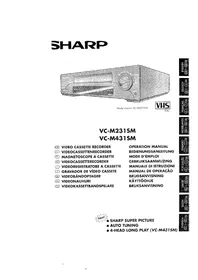
SHARP VC-H80S - VCR

VC-H80S - VCR SHARP - Free user manual and instructions

Find the device manual for free VC-H80S SHARP in PDF.
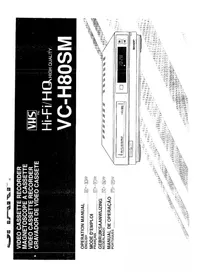
📄 26 pages English EN Download 💬 AI Question 10 questions ⚙️ Specs
Notice SHARP VC-H80S - page 1
Pick your language and provide your email: we'll send you a specifically translated version.
Product Type VCR (Video Cassette Recorder)
Brand Sharp
Model VC-H80S
Dimensions (W x H x D) Approx. 430 x 95 x 280 mm
Weight Approx. 3.5 kg
Power Supply AC 220-240V, 50Hz
Power Consumption Approx. 20 W (operating), 3 W (standby)
Video Head System 4-head helical scanning
Recording Format VHS
Playback Compatibility VHS, VHS-C (with adapter)
Recording Speed SP (Standard Play), LP (Long Play)
Tuning System 99-channel preset tuner with auto search
Timer Recording 1-year programmable timer with up to 8 events
Remote Control Infrared remote (included)
Inputs / Outputs RF in/out, AV in/out (RCA), S-Video out (optional)
Special Features Auto Head Cleaning, Slow Motion, Still Frame, Shuttle Dial
Cassette Loading Front loading with auto eject
Care and Maintenance Clean video heads periodically using a dry cleaning cassette; avoid magnetic fields
Safety Precautions Do not expose to moisture; unplug during lightning storms; use only specified power supply
Spare Parts / Repairability Contact Sharp service centers for genuine parts; repairability scoring available upon request
General Information User manual included; compatible with PAL/SECAM systems

Frequently Asked Questions - VC-H80S SHARP

How do I connect the Sharp VC-H80S to my TV?
Use an RF coaxial cable from the VCR's RF OUT to the TV's antenna input. Alternatively, connect via AV cables (RCA) from the VCR's AV OUT to the TV's AV input. Set the TV to the appropriate channel (usually AV or RF).
Can I record from one channel while watching another?
Yes, you can record a timer recording from a channel while watching a different channel on the TV if the VCR is connected via RF and the TV has its own tuner.
How do I set a timer recording on the VC-H80S?
Press TIMER on the remote. Use the +/- buttons to set the date, start time, end time, and channel. Press OK to confirm. Ensure the VCR is in standby (power off) for the recording to start automatically.
Why is the picture quality poor or snowy?
Poor picture can be due to a weak signal, dirty video heads, or poor connections. Try adjusting the TV's fine tuning, cleaning the video heads with a dry cleaning cassette, or checking RF/AV cables.
Also ensure the VCR's tracking is adjusted.
How do I clean the video heads?
Use a dry video head cleaning cassette specifically designed for VHS VCRs. Insert it and play for 10-15 seconds. Do not use wet cleaners or cleaning tapes with abrasive material.
Can I play VHS-C tapes?
Yes, you need a VHS-C adapter (cassette adapter) to fit the VHS-C tape into the VCR. Insert the adapter into the VCR like a standard VHS tape.
What does the 'Shuttle Dial' do?
The Shuttle Dial on the remote allows you to control playback speed and direction. Rotate it clockwise for forward playback (slow, normal, fast) and counterclockwise for reverse.
The VCR keeps ejecting tapes immediately after insertion - what's wrong?
This often indicates a tape mechanism issue or a dirty tape. Check if the tape is properly loaded and not damaged. Try a different tape. If the issue persists, the VCR may need servicing.
How do I change the VCR's output channel?
Press the CHANNEL UP/DOWN buttons on the VCR or remote until you see a stable picture on your TV. Typically, the output channel is UHF channel 36 (adjustable). You can also set it in the menu.
Where can I find a replacement remote control?
You can purchase a universal remote control or search for original Sharp remote controls online (e.g., Sharp model RR-UJ224 or similar). Ensure it is compatible with the VC-H80S.

User questions about VC-H80S SHARP

0 question about this device. Answer the ones you know or ask your own.

Ask a new question about this device

The email remains private: it is only used to notify you if someone responds to your question.

No questions yet. Be the first to ask one.

Download the instructions for your VCR in PDF format for free! Find your manual VC-H80S - SHARP and take your electronic device back in hand. On this page are published all the documents necessary for the use of your device. VC-H80S by SHARP.

USER MANUAL VC-H80S SHARP

natural_image Simple line drawing of a person working at a desk with a computer and cloud above (no text or symbols)
natural_image Simple line drawing of a person working at a desk with a computer and cloud in the background (no text or symbols)

SHARP VC-H80S - 1

flowchart
graph TD
    A["Airflow valve"] --> B["Airflow unit (Airflow Unit)"]
    B --> C["Temperature of kabel"]
    C --> D["Airflow on pump"]
    D --> E["Pressure control"]

Oktoppel de antennekabel van de achterzüde van uw TV-losteel.

Otkoppeien van de TV-antenekabel

begint to knupperon. Do kick bogist su to lonen.

Beginnt to Kripperein. De risk beginnt nu te open.

[Non-Text]

Birchka, 1965.

The image is too blurry to recognize any text content.

OPNEMEN VAN EEN TV-PROGRAMA

Wispreventienok

WISPREVEN- TIENOK

-10 d

-00:5 STOP

OPWEMEN MET DE TIMER

DIGITAL PROGRAMMAZOEKSYSTEEM (OSS)

DIGITAL PROGRAMMAZOEKSYSTEEM (OSS)

Manual assistant
Powered by Anthropic
Waiting for your message
Product information

Brand : SHARP

Model : VC-H80S

Category : VCR