
Phm 9635 - Mouse Phoenix Technologies - Free user manual and instructions
Find the device manual for free Phm 9635 Phoenix Technologies in PDF.


| Product Type | Mouse |
| Brand | Phoenix Technologies |
| Model | Phm 9635 |
| Part Name | PHX2635.AS8N |
| Connectivity | Wired USB |
| Sensor Type | Optical |
| Buttons | 3 buttons (Left, Right, Scroll wheel) |
| Scroll Wheel | Yes, with click |
| DPI Range | 800-1600 DPI |
| Dimensions (L x W x H) | 120 x 70 x 40 mm |
| Weight | 100 g |
| Cable Length | 1.5 m |
| Operating Systems | Windows, macOS, Linux |
| Compatible Interfaces | USB 2.0 or higher |
| Power Source | USB bus powered |
| Color | Black (typical) |
| Cleaning | Wipe with dry cloth |
| Safety | Not applicable for low voltage device |
| Spare Parts | Not available separately |
| Manual Languages | English, PDF format |
| Warranty | 1 year limited |
Frequently Asked Questions - Phm 9635 Phoenix Technologies
User questions about Phm 9635 Phoenix Technologies
0 question about this device. Answer the ones you know or ask your own.
Ask a new question about this device
Download the instructions for your Mouse in PDF format for free! Find your manual Phm 9635 - Phoenix Technologies and take your electronic device back in hand. On this page are published all the documents necessary for the use of your device. Phm 9635 by Phoenix Technologies.
USER MANUAL Phm 9635 Phoenix Technologies
| PRODUCT NAME | PHM963SLASER | PART NAME | 产品说明书 |
| DESIGNED BY | MATERIAL | ||
| CHECKED BY | SCALE | ||
| APPROVED BY | VERSION A | ||
| TO: | THE OF | ||
」

|
-
广力云智慧零售收银系统
[Non-Text]
[Non-Text]
广力云智慧零售收银系统
[Non-Text]
[Non-Text]
[Non-Text]
广力云智慧零售收银系统
[Non-Text]
-
-
[Non-Text]
[Non-Text]
[Non-Text]
[Non-Text]
[Non-Text]
[Non-Text]
[Non-Text]
-
-
|
[Non-Text]
-
[Non-Text]
[Non-Text]
[Non-Text]
[Non-Text]
[Non-Text]
-
[Non-Text]
[Non-Text]
[Non-Text]
[Non-Text]
[Non-Text]
[Non-Text]
[Non-Text]
[Non-Text]
[Non-Text]
[Non-Text]
[Non-Text]
[Non-Text]
[Non-Text]
[Non-Text]
[Non-Text]
[Non-Text]
[Non-Text]
[Non-Text]
[Non-Text]
[Non-Text]
[Non-Text]
[Non-Text]
[Non-Text]
[Non-Text]
[Non-Text]
[Non-Text]
[Non-Text]
[Non-Text]
[Non-Text]
[Non-Text]
[Non-Text]
[Non-Text]
[Non-Text]
[Non-Text]
[Non-Text]
[Non-Text]
[Non-Text]
[Non-Text]
[Non-Text]
[Non-Text]
[Non-Text]
[Non-Text]
[Non-Text]
[Non-Text]
[Non-Text]
[Non-Text]
[Non-Text]
[Non-Text]
12
[Non-Text]
[Non-Text]
|
-
广力云智慧零售收银系统
[Non-Text]
[Non-Text]
广力云智慧零售收银系统
[Non-Text]
[Non-Text]
[Non-Text]
广力云智慧零售收银系统
[Non-Text]
-
-
[Non-Text]
[Non-Text]
[Non-Text]
[Non-Text]
[Non-Text]
[Non-Text]
[Non-Text]
[Non-Text]
-
|
[Non-Text]
-
[Non-Text]
[Non-Text]
[Non-Text]
[Non-Text]
[Non-Text]
-
[Non-Text]
[Non-Text]
[Non-Text]
[Non-Text]
[Non-Text]
[Non-Text]
[Non-Text]
[Non-Text]
[Non-Text]
[Non-Text]
[Non-Text]
[Non-Text]
[Non-Text]
[Non-Text]
[Non-Text]
[Non-Text]
[Non-Text]
[Non-Text]
[Non-Text]
[Non-Text]
[Non-Text]
[Non-Text]
[Non-Text]
[Non-Text]
[Non-Text]
[Non-Text]
[Non-Text]
[Non-Text]
[Non-Text]
[Non-Text]
[Non-Text]
[Non-Text]
[Non-Text]
[Non-Text]
[Non-Text]
[Non-Text]
[Non-Text]
[Non-Text]
[Non-Text]
[Non-Text]
[Non-Text]
[Non-Text]
[Non-Text]
[Non-Text]
m = 311
[Non-Text]
[Non-Text]
[Non-Text]
1
■
广力云智慧零售收银系统
[Non-Text]
[Non-Text]
[Non-Text]
[Non-Text]
[Non-Text]
广力云智慧零售收银系统
-
-
[Non-Text]
[Non-Text]
[Non-Text]
[Non-Text]
[Non-Text]
[Non-Text]
[Non-Text]
|
[Non-Text]
-
[Non-Text]
[Non-Text]
[Non-Text]
[Non-Text]
1 + u1 - 1 = ( 1 + u) u1 < 1 = u
[Non-Text]
[Non-Text]
[Non-Text]
[Non-Text]
[Non-Text]
[Non-Text]
[Non-Text]
[Non-Text]
[Non-Text]
[Non-Text]
[Non-Text]
[Non-Text]
[Non-Text]
[Non-Text]
[Non-Text]
[Non-Text]
[Non-Text]
[Non-Text]
[Non-Text]
[Non-Text]
[Non-Text]
[Non-Text]
[Non-Text]
[Non-Text]
[Non-Text]
[Non-Text]
[Non-Text]
[Non-Text]
[Non-Text]
[Non-Text]
[Non-Text]
[Non-Text]
[Non-Text]
[Non-Text]
[Non-Text]
[Non-Text]
广力云智慧零售收银系统
[Non-Text]
[Non-Text]
广力云智慧零售收银系统
[Non-Text]
[Non-Text]
[Non-Text]
[Non-Text]
[Non-Text]
[Non-Text]
[Non-Text]
[Non-Text]
[Non-Text]
[Non-Text]
[Non-Text]
[Non-Text]
[Non-Text]
[Non-Text]
[Non-Text]
[Non-Text]
[Non-Text]
m = 311
[Non-Text]
[Non-Text]
[Non-Text]
1
■
广力云智慧零售收银系统
[Non-Text]
[Non-Text]
广力云智慧零售收银系统
[Non-Text]
ce for
广力云智慧零售收银系统
[Non-Text]
[Non-Text]
广力云智慧零售收银系统
ce for
[Non-Text]
[Non-Text]
[Non-Text]
广力云智慧零售收银系统
[Non-Text]
[Non-Text]
[Non-Text]
广力云智慧零售收银系统
[Non-Text]
[Non-Text]
广力云智慧零售收银系统
ce for
广力云智慧零售收银系统
[Non-Text]
[Non-Text]
ce for
广力云智慧零售收银系统
[Non-Text]
[Non-Text]
[Non-Text]
[Non-Text]
[Non-Text]
[Non-Text]
[Non-Text]
[Non-Text]
[Non-Text]
[Non-Text]
[Non-Text]
[Non-Text]
[Non-Text]
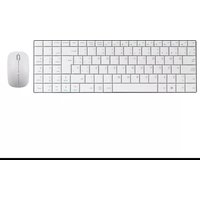
Brand : Phoenix Technologies
Model : Phm 9635
Category : Mouse