V2250 - Vacuum Sealer Tilia - Free user manual and instructions
Find the device manual for free V2250 Tilia in PDF.


| Product Type | Vacuum Sealer |
| Brand | Tilia |
| Model | V2250 |
| Dimensions (approx.) | 40 x 20 x 10 cm (15.7 x 7.9 x 3.9 in) |
| Weight | 1.5 kg (3.3 lbs) |
| Power Supply | 120V, 60Hz, 120W |
| Sealing Bar Length | 30 cm (11.8 in) |
| Max Vacuum Pressure | -80 kPa |
| Functions | Vacuum seal, pulse vacuum, external hose port for canisters |
| Material | ABS Plastic with stainless steel sealing strip |
| Cleaning | Wipe exterior with damp cloth; drip tray removable for washing |
| Safety Features | Overheat protection, auto shut-off after 30 seconds of continuous use |
| Accessories Included | 5 vacuum bags (20x30 cm), vacuum tube for canisters, instruction manual |
| Spare Parts Available | Sealing gasket, vacuum pump kit, drip tray |
| Repairability | User-replaceable sealing gasket; professional repair for pump issues |
| General Information | Designed for household use to preserve food, reduce waste, and maintain freshness. |
Frequently Asked Questions - V2250 Tilia
User questions about V2250 Tilia
0 question about this device. Answer the ones you know or ask your own.
Ask a new question about this device
Download the instructions for your Vacuum Sealer in PDF format for free! Find your manual V2250 - Tilia and take your electronic device back in hand. On this page are published all the documents necessary for the use of your device. V2250 by Tilia.
USER MANUAL V2250 Tilia
Tips for Successful Vacuum Packaging
For more usage tips and safety information, please refer to the FoodSaver Reference Guide or visit our website at www.foodsaver.com.
Tips on Sealing a Bag
Make sure you've securely latched the appliance lid. When making a bag from a roll, place bag material on Sealing Strip (I), close lid and make sure to use the Latch (D) to lock lid. Then press Seal Button (O).
Prevent moisture or liquid from being pulled into the Vacuum Channel or trapped in the seal. Either pre-freeze moist food such as raw meat for 1-2 hours before vacuum packaging, or place a folded paper towel between food and end of bag to absorb excess liquids. Just be sure to leave at least 3 inches between paper towel and end of bag so that bag seals properly with paper towel inside.
Make sure you give appliance time to cool down. Wait at least 20 seconds between seals. Under very heavy usage, appliance will shut off automatically to prevent overheating. If it does, wait 20 minutes to allow appliance to cool off.
Tips on Removing Air from a Bag
Make sure you've securely latched the appliance lid. When vacuuming and sealing a bag or canister, make sure the Latch (D) is in the locked position.
Check for wrinkles in the bag along the Sealing Strip. Wrinkles in seal may cause leakage and allow air to come back into bag. Check for wrinkles in bag along Sealing Strip (I) before closing lid and vacuum packaging. If you find wrinkles after sealing bag, simply cut bag open and vacuum package again.
If motor runs for more than 30 seconds without stopping, you may need to adjust bag and try again. If you are making the initial seal on a piece of bag material with two open ends, make sure bag is placed on Sealing Strip. If you are vacuum packaging with a bag, make sure open end is placed down inside Vacuum Channel and make sure Accessory Hose is not attached. If you are vacuum packaging with an accessory, check Accessory Hose in appliance lid and in accessory to ensure a tight fit.
Tips on Storage
Always store appliance with the Latch in the unlocked position.
Tips for Successful Vacuum Packaging
(continued)
General Tips
I. Vacuum packaging is NOT a substitute for the heat process of canning. Perishables still need to be refrigerated or frozen.
2. For best results, use FoodSaver Bags, Canisters and Accessories.
3. During the vacuum packaging process, small amounts of liquids, crumbs or food particles can be inadvertently pulled into Vacuum Channel, clogging the pump and damaging your appliance. To prevent this, follow these tips:
a. For moist and juicy foods such as raw meats: Pre-freeze first and avoid overfilling bags. You can also place a folded paper towel inside top of bag, but below seal area, before vacuum packaging.
b. For soups, sauces and liquids: Freeze first and avoid overfilling bags. Or, use a canister in refrigerator.
c. For powdery or fine-grained foods: Avoid overfilling bags or use a canister. You can also place a coffee filter or paper towel inside before vacuum packaging.
d. If your appliance features a Drip Tray, empty it after each use.
4. To avoid overfilling, always leave at least 3 inches of bag material between bag contents and top of bag. Then leave at least one additional inch of bag material for each time you plan to reuse bag.
- Do not create your own side seams for a FoodSaver Bag. These bags are manufactured with a special side seam, which is sealed all the way to the outer edge.
- To prevent wrinkles in a seal when vacuum packaging bulky items, gently stretch bag flat along Sealing Strip before you close lid.
- If you are unsure your bag was sealed properly, simply reseal bag about 14 inch above first seal.
- When you are vacuum packaging items with sharp edges (dry spaghetti, silverware, etc.), protect bag from punctures by wrapping item in soft cushioning material, such as a paper towel. You may want to use a canister or Mason jar instead of a bag.
- When using accessories, remember to leave one inch of space at top of canister or container, and make sure to lock Latch (D) before vacuuming. Unlock the Latch when finished.
- Pre-freeze fruits and blanch vegetables before vacuum packaging for best results. See pages 2-3 of FoodSaver Reference Guide for more information.
- If appliance does not function and indicator light flashes, check to make sure the Latch is in the locked position.
- Always store appliance with the Easy-lock Latch in the unlocked position.
Shown V2220; V2240, V2250 and V2260 operate in the same manner except where noted.
Features of Your FoodSaver Appliance
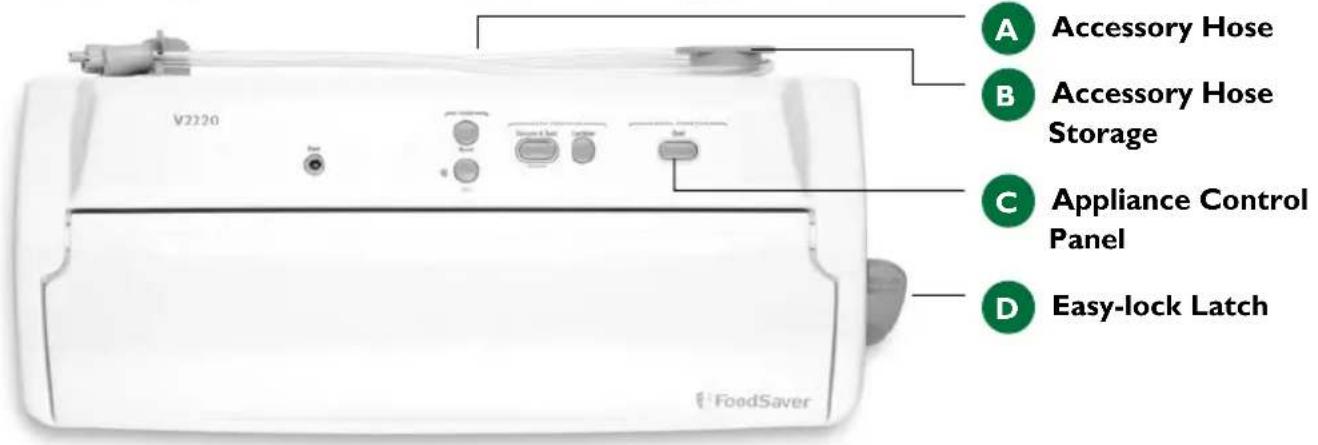
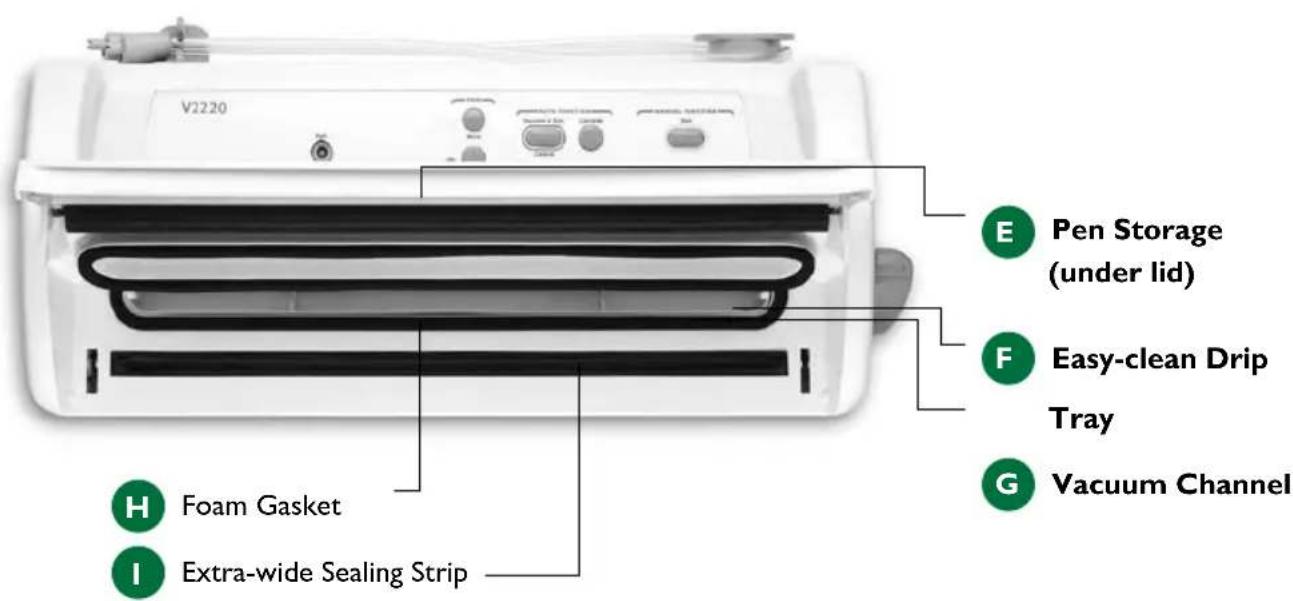
Advanced Design Features
The user-friendly, intuitive control panel makes it easy for you to get the most out of your FoodSaver Advanced Design Features.
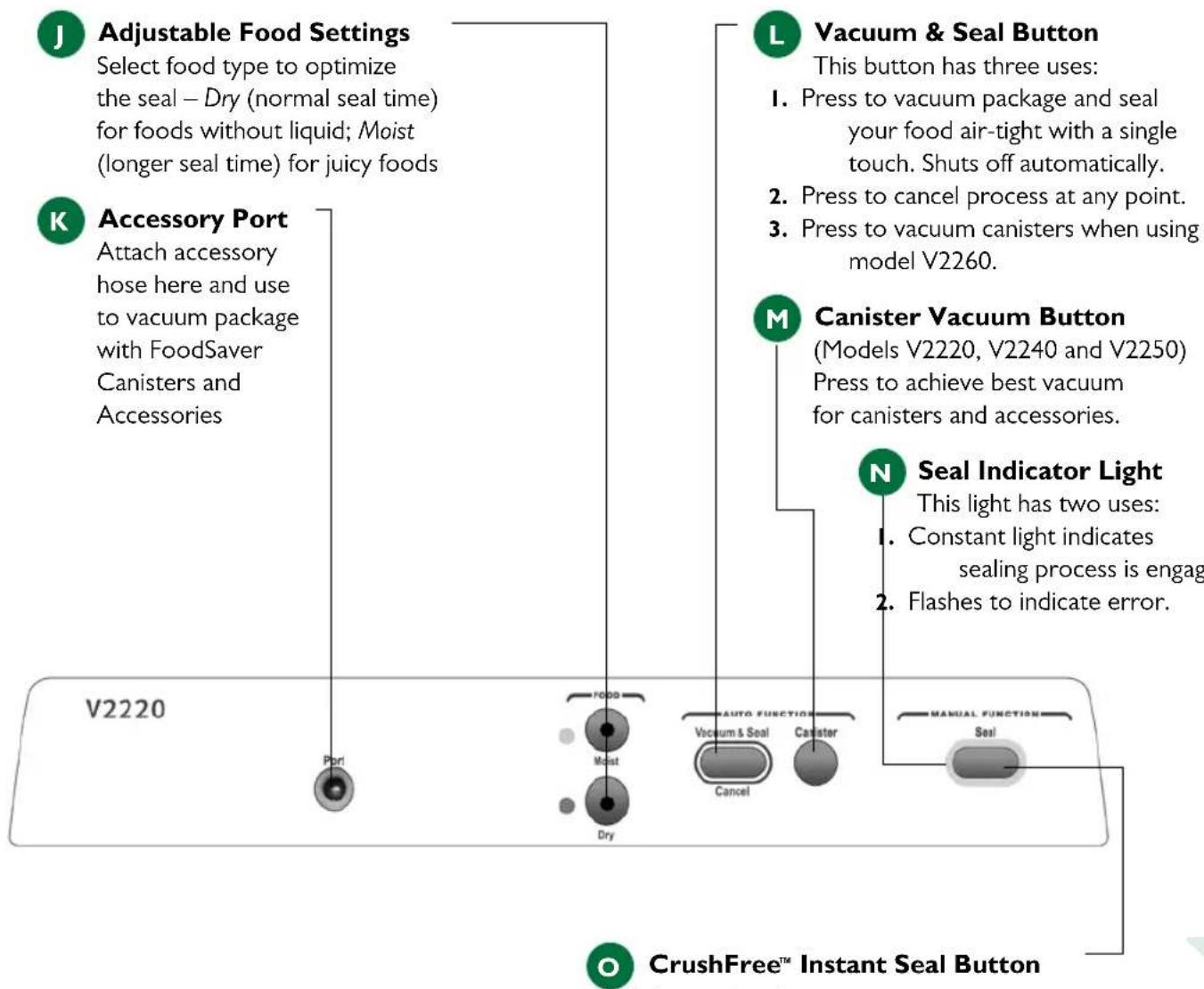
This button has three uses:
I. Press to immediately stop the vacuum process and begin sealing the bag. Use to prevent crushing delicate items such as bread, cookies and pastries.
2. Press to create a seal when making bags from a FoodSaver Roll.
3. Press to create a seal on Mylar ^® bags (such as a potato chip bag) to keep food sealed airtight.
Getting Started
Registering your appliance is quick and easy at www.foodsaver.com. If you register on our website, you will be eligible for special bag and accessory introductory offers. Refer to the registration card in the box.
How to Make a Bag from a FoodSaver Roll
natural_image
Close-up of U-shaped electronic components with metallic leads, no visible text or symbols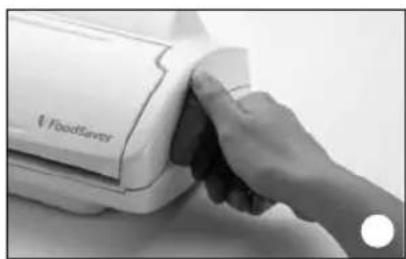
natural_image
Close-up of a hand cleaning a white food refrigerator cover (no visible text or symbols)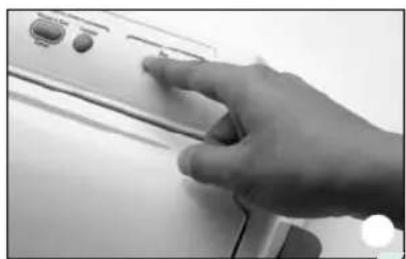
natural_image
Hand pressing down on a kitchen appliance control panel (no visible text or symbols)Place Bag on Sealing Strip Close and Latch Lid Press Seal Button
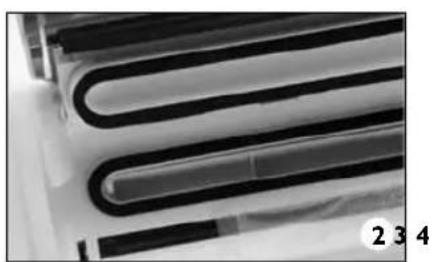
I. Cut enough bag material from roll to hold item, plus 3 inches. Be sure to cut straight.
-
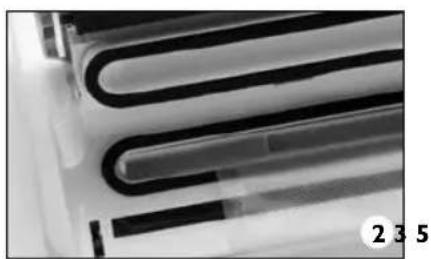
Open appliance lid and place one end of bag material across Sealing Strip (I).
-
Close and lock the lid using the Latch (D).
-
Press Seal button (O).
-
When Seal Indicator Light (N) turns off, sealing is complete. Unlock latch, lift lid and remove bag.
Now you are ready to vacuum package with your new bag (see below).
How to Vacuum Package with FoodSaver Bags
natural_image
Close-up of U-shaped electronic components with black bands, no visible text or symbols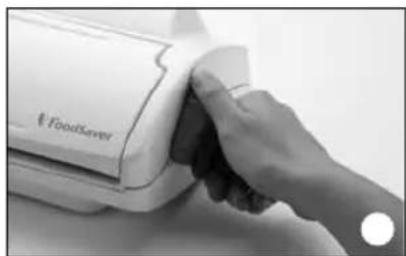
natural_image
Close-up of a hand cleaning a white food server (no visible text or symbols)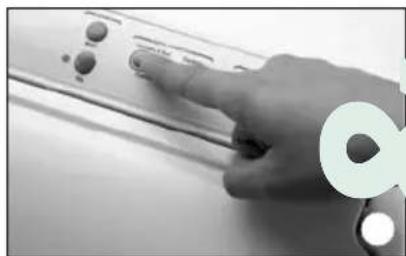
natural_image
Hand pressing down on a control panel (no visible text or symbols)Place Bag in Vacuum Channel Close and Latch Lid Press Vacuum & Seal Button
I. Place item(s) in bag, allowing at least 3 inches of space between bag contents and top of bag.
-
Open appliance lid and place open end of bag into Vacuum Channel (G).
-
Close lid and use Latch (D) to lock.
-
Press appropriate Food Setting Button (J) – Choose Moist for juicy foods or Dry for foods without liquid. Appliance will default to Dry setting.
-
Press Vacuum & Seal Button (L) to begin vacuum
and sealing process. Motor will continue to run until bag is fully vacuumed, then will automatically seal.
- When Seal Indicator Light (N) turns off, unlock latch, lift lid and remove bag. Refrigerate or freeze if needed. (See FoodSaver Reference Guide for food safety tips.)
Note: Let appliance cool down for 20 seconds after each use. Always store appliance with the Latch (D) in the unlocked position.
FoodSaver Accessory Guidelines
I. Always leave at least one inch of space between contents and rim.
2. Wipe rim of canister, container or bottle to ensure it is clean and dry.
3. Place lid on canister or container, or place stopper in bottle.
- For accessories with a large knob on lid, turn knob to Vacuum. Vacuum package using instructions below. When vacuum process is complete, turn knob to Closed before removing Accessory Hose.
- For accessories without a large knob on lid, vacuum package using instructions below.
How to Vacuum Package with FoodSaver Accessories
I. Prepare container according to FoodSaver Accessory Guidelines above.
2. With lid closed, insert one end of Accessory Hose (A) into Port (K) on appliance. Insert other end into port on accessory. Twist gray tab while inserting to ensure a tight fit.
3. Lock the Latch (D) on side of appliance before vacuuming.
4. For models V2220, V2240 and V2250, push Canister Vacuum Button (M) to begin vacuum process. For model V2260, push the Vacuum & Seal Button (L). Motor will run until vacuum process is complete.
- When motor turns off, gently twist and remove Accessory Hose from accessory and appliance. Unlock Latch.
- To test vacuum, simply tug on accessory lid. It should not move.
Note: For important tips on using accessories with different foods, please refer to the FoodSaver Reference Guide.
How to Open FoodSaver Accessories after Vacuum Packaging
FoodSaver Vacuum Packaging Canisters (without large knob on lid)
To release vacuum and open, push gray rubber button on lid.
Quick Marinators (with large knob on lid) and Universal Lids
To release vacuum and open, turn knob on lid to Open.
FoodSaver Jar Sealer with Mason Jars
For use with Ball ^® and Kerr ^® brand Mason jars.
IMPORTANT: Do NOT use screw bands when vacuum packaging jars. To open, wedge spoon between Mason jar lid and highest part of threaded rim. Twist spoon gently to release vacuum.
FoodSaver Bottle Stoppers
To release vacuum and open, twist and pull up on Bottle Stopper.