
HDM037DQ-01 - Scale Jarden - Free user manual and instructions
Find the device manual for free HDM037DQ-01 Jarden in PDF.


Pick your language and provide your email: we'll send you a specifically translated version.
| Product Type | Digital Scale |
| Brand | Jarden |
| Model | HDM037DQ-01 |
| Maximum Weight Capacity | 5 kg (11 lbs) |
| Graduation | 1 g (0.1 oz) |
| Units | g, kg, lb, oz |
| Platform Material | Tempered Glass |
| Display Type | LCD |
| Power Source | 2 x AAA Batteries (included) |
| Auto-Off Function | Yes, after 60 seconds |
| Tare Function | Yes |
| Overload Indicator | Yes |
| Low Battery Indicator | Yes |
| Dimensions (W x D x H) | 20 x 15 x 2 cm (7.9 x 5.9 x 0.8 in) |
| Net Weight | 300 g (10.6 oz) |
| Cleaning Instructions | Wipe with a damp cloth; do not immerse in water |
| Safety Features | Overload protection, auto-off to save battery |
| Intended Use | Household kitchen or postal scale |
Frequently Asked Questions - HDM037DQ-01 Jarden
What is the maximum weight this scale can measure?
The Jarden HDM037DQ-01 scale has a maximum capacity of 5 kg (11 lbs).
How do I change the batteries?
Open the battery compartment on the underside of the scale. Replace the two AAA batteries, ensuring correct polarity. Close the compartment securely.
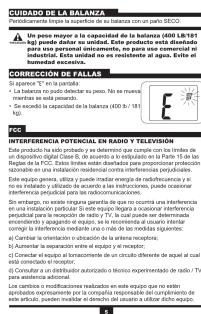
Why does the display show 'EE' or error?
An 'EE' error typically indicates overload. Remove the item immediately to avoid damage. The scale may also show error if unstable or low battery.
Can I use this scale for weighing food?
Yes, it is suitable for food due to its tempered glass platform and tare function. Ensure the scale is clean and dry before contact with food.
How do I switch between units (g, kg, lb, oz)?
Press the UNIT or MODE button on the scale to cycle through available units: grams, kilograms, pounds, and ounces.
Does the scale have an auto-off feature?
Yes, the scale automatically turns off after 60 seconds of inactivity to save battery life.
How accurate is this scale?
The scale has a graduation of 1 gram (0.1 oz), providing accurate measurements for most household needs.
Can I weigh items directly on the glass?
Yes, place items directly on the tempered glass platform. For messy items, use a container and the tare function to zero out the weight.
What should I do if the scale does not turn on?
Check if the batteries are installed correctly and have charge. Remove any protective film from the battery compartment. If still not working, contact customer support.
Is the scale covered by a warranty?
The scale comes with a 1-year limited warranty from the manufacturer. Retain your proof of purchase for warranty claims.
User questions about HDM037DQ-01 Jarden
0 question about this device. Answer the ones you know or ask your own.
Ask a new question about this device
No questions yet. Be the first to ask one.
Download the instructions for your Scale in PDF format for free! Find your manual HDM037DQ-01 - Jarden and take your electronic device back in hand. On this page are published all the documents necessary for the use of your device. HDM037DQ-01 by Jarden.
USER MANUAL HDM037DQ-01 Jarden


| TREND TRACKER FEATURE | |||
| The trend tracker feature provides the user with a quick indication of how their device is used to ensure that your device is free. | |||
| Green LED will include if a user's weight is to free while the desired trend (CAN) or (LED). | |||
| Red LED will include if a user's weight is not in line with the desired trend (CAN or LED). | |||
| Amber LED will include if a user's weight is stable. | |||
| Lost | Out | Current | |
| For users weight, you are fixed for 100 L (L) or 40 L | Your current weight will be 25% due to your own device. | Your current weight will be 75% of your device. | Your current weight will be 25% due to your own device. |
| For users weight, you are fixed for 100 L (L) or 40 L | Your current weight will be 25% due to your own device. | Your current weight will be 75% of your device. | Your current weight will be 25% due to your own device. |
| MONITORING YOUR WEIGHT | |||
| 1. Press out of the USER button. The display will show the user, member and/or other devices, and the display includes both and will see LCL and the unit of measurement (L) or WQ. | |||
| 2. Stop on the place and the position you're more important to distribute your weight over the entire scale platform. Stand still while reading the display. The display will have a weight limit. But the touch light. | |||
| NOTE: In order to prescribe battery file, your scale is automatically turn off after your period of stability. | |||



Manual assistant
Powered by Anthropic
Waiting for your message
Product information
Brand : Jarden
Model : HDM037DQ-01
Category : Scale