Silverado Hybrid (2012) - Car CHEVROLET - Free user manual and instructions
Find the device manual for free Silverado Hybrid (2012) CHEVROLET in PDF.


| Product Type | Full-Size Hybrid Pickup Truck |
| Model Year | 2012 |
| Engine | 6.0L V8 with Hybrid System |
| Combined Power | 332 hp |
| Transmission | 2-Mode Hybrid Continuously Variable |
| Drivetrain | Rear-Wheel Drive / Four-Wheel Drive (optional) |
| Overall Length | 230.2 in (5,847 mm) |
| Overall Width | 79.9 in (2,029 mm) |
| Overall Height | 73.9 in (1,877 mm) |
| Curb Weight | Approx. 5,600 lbs (2,540 kg) |
| Fuel Type | Gasoline + Electric Hybrid |
| Fuel Economy (Combined) | 20 mpg (11.8 L/100 km) |
| Battery Type | Nickel-Metal Hydride (NiMH), 300V |
| Towing Capacity | Up to 6,100 lbs (2,767 kg) |
| Payload Capacity | Up to 1,420 lbs (644 kg) |
| Seating Capacity | 5-6 passengers (depending on cab) |
| Regenerative Braking | Yes, with brake energy recovery |
| Maintenance Interval | Every 7,500 miles or 12 months |
| Warranty | 3 years / 36,000 miles basic, 8 years/100,000 miles hybrid components |
Frequently Asked Questions - Silverado Hybrid (2012) CHEVROLET
User questions about Silverado Hybrid (2012) CHEVROLET
0 question about this device. Answer the ones you know or ask your own.
Ask a new question about this device
Download the instructions for your Car in PDF format for free! Find your manual Silverado Hybrid (2012) - CHEVROLET and take your electronic device back in hand. On this page are published all the documents necessary for the use of your device. Silverado Hybrid (2012) by CHEVROLET.
USER MANUAL Silverado Hybrid (2012) CHEVROLET
2012ChevroletSilveradoOwnerManual
InBrief....1-1
InstrumentPanel......1-2
InitialDriveInformation......1-8
VehicleFeatures......1-25
Performance and
Maintenance....1-33
Keys, Doors, and
Windows....2-1
KeysandLocks......2-2
Doors....2-9
VehicleSecurity......2-11
ExteriorMirrors......2-14
InteriorMirrors......2-17
Windows......2-18
Roof....2-20
SeatsandRestraints......3-1
HeadRestraints......3-2
FrontSeats......3-3
RearSeats......3-11
SafetyBelts....3-13
AirbagSystem......3-23
ChildRestraints......3-42
Storage....4-1
StorageCompartments......4-1
InstrumentsandControls....5-1
Controls....5-2
WarningLights,Gauges,and
Indicators......5-12
InformationDisplays......5-32
VehicleMessages......5-42
VehiclePersonalization......5-52
UniversalRemoteSystem....5-60
Lighting....6-1
ExteriorLighting......6-1
InteriorLighting......6-8
LightingFeatures......6-9
InfotainmentSystem......7-1
Introduction......7-1
Radio....7-8
AudioPlayers......7-16
RearSeatInfotainment.....7-40
Phone....7-52
TrademarksandLicense
Agreements....7-59
ClimateControls......8-1
ClimateControlSystems.....8-1
AirVents....8-11
2012ChevroletSilveradoOwnerManual
DrivingandOperating......9-1
DrivingInformation......9-2
StartingandOperating......9-26
EngineExhaust......9-36
AutomaticTransmission.....9-38
ManualTransmission......9-44
DriveSystems....9-45
Brakes....9-58
RideControlSystems......9-62
CruiseControl....9-66
ObjectDetectionSystems....9-68
Fuel....9-76
Towing....9-82
Conversionsand
Add-Ons....9-115
VehicleCare....10-1
GeneralInformation......10-2
VehicleChecks......10-4
HeadlampAiming......10-39
BulbReplacement......10-42
ElectricalSystem......10-46
WheelsandTires......10-54
JumpStarting......10-92
Towing....10-97
AppearanceCare......10-102
ServiceandMaintenance...11-1
GeneralInformation......11-1
MaintenanceSchedule......11-3
SpecialApplication
Services......11-9
AdditionalMaintenance
andCare....11-10
RecommendedFluids.
Lubricants,andParts.....11-13
MaintenanceRecords.....11-17
TechnicalData....12-1
VehicleIdentification......12-1
VehicleData....12-2
CustomerInformation.....13-1
CustomerInformation......13-1
ReportingSafetyDefects....13-18
VehicleDataRecordingand
Privacy....13-19
OnStar....14-1
OnStarOverview......14-1
OnStarServices......14-2
OnStarAdditional
Information......14-5
Index...... i-1



Thenames, logos, emblems, slogans, vehiclemodelnames, and vehiclebodydesignsappearing in this manual including, but not limited to, GM, the GM logo, CHEVROLET, the CHEVROLET Emblem, SILVERADO, and Z71 are trademarks and/or service marksof General Motors LLC, its subsidiaries, affiliates, or licensors.
Thismanualdescribesfeaturesthat mayormaynotbeonyourspecific vehicleeitherbecausetheyare optionsthatyoudidnotpurchaseor duetochangessubsequenttothe printingofthisownermanual.
Pleaserefertothepurchase documentationrelatingtoyour specificvehicletoc confirmeeachof thefeaturesfoundonyourvehicle. ForvehiclesfirstsoldinCanada, substitutethename"General MotorsofCanadaLimited"for ChevroletMotorDivisionwherever itappearsinthismanual.
IfthevehiclehastheDuramax ^® dieselengine,seetheDuramax dieselsupplementforadditionaland specificinformationonthisengine.
If the vehicle is a hybrid, seethe hybrids supplement form more information.
Keepthismanualinthevehiclefor quickreference.
CanadianVehicleOwners
AFrenchlanguagecopyofthis manualcanbeobtainedfromyour dealerorfrom:
PartNo.20902913AFirstPrinting
©2011GeneralMotorsLLC.AllRightsReserved.
UsingthisManual
Toquicklylocateinformationabout thevehicle,usethelIndexinthe backofthemanual.Itisan alphabeticallistofwhatisinthe manualandthepagenumber whereitcanbefound.
Danger,Warnings, and Cautions
Warning messages found on vehicle labels and this manual describe hazards and what to avoid or reduce them.
Dangerindicatesahazardwitha highlevelofriskwhichwillresultin seriousinjuryordeath.
Warningor Caution indicates a hazard that could result in injury or death.
WARNING
These mean there is something that could hurt you or other people.
Notice: This meansthereis something that could result in property or vehicle damage. This would not be covered by the vehicle's warranty.

Acirclewithaslashthroughitis asafetysymbolwhichmeans "DoNot," "Donotdothis," or "Donotletthishappen."
Symbols
Thevehiclehascomponentsand labelsthatusesymbolsinsteadof text.Symbolsareshownalongwith thetextdescribingtheoperationor informationrelatingtoaspecific component,control,message, gauge,orindicator.
(i): This symbol is shown when you need to see your own manual for additional instructions or information.
☐: This symbol is shown when you need to see a service manual for additional instructions or information.
VehicleSymbolChart
Herearesomeadditionalsymbols that may be found on the vehicle and what they mean. Form more information on the symbol, refer to the Index.
:AdjustablePedals
AirbagReadinessLight
AirConditioning
(ABS):AntilockBrakeSystem(ABS)
^1 :AudioSteeringWheelControls orOnStar ^®
(1):BrakeSystemWarningLight
- + : ChargingSystem
:CruiseControl
EngineCoolantTemperature
ExteriorLamps
D:FogLamps
:FuelGauge
Fuses
ED:HeadlampHigh/Low-Beam
Changer
LATCHSystemChild Restraints
:MalfunctionIndicatorLamp
OilPressure
:OutsidePowerFoldaway
Mirrors
①:Power
Ω:RemoteVehicleStart
SafetyBeltReminders
():TirePressureMonitor
-∞:Tow/HaulMode
:TractionControl/StabiliTrak®
WindshieldWasherFluid
vilntroduction
NOTES
InBrief
InstrumentPanel
InstrumentPanel
(Base/UplevelVersion)......1-2
InstrumentPanel
(PremiumVersion)......1-6
InitialDriveInformation
InitialDriveInformation......1-8
RemoteKeylessEntry(RKE)
System......1-8
RemoteVehicleStart......1-8
DoorLocks......1-9
Windows....1-9
SeatAdjustment......1-10
MemoryFeatures......1-13
HeatedandVentilated
Seats......1-14
HeadRestraint
Adjustment......1-14
SafetyBelts....1-15
PassengerSensing
System......1-15
MirrorAdjustment......1-16
SteeringWheel
Adjustment....1-17
ThrottleandBrakePedal
Adjustment......1-17
InteriorLighting......1-17
ExteriorLighting......1-18
WindshieldWiper/Washer....1-19
ClimateControls......1-20
Transmission....1-22
Four-WheelDrive......1-23
VehicleFeatures
Radio(s)....1-25
SatelliteRadio....1-26
PortableAudioDevices.....1-26
Bluetooth ^® 1-27
SteeringWheelControls.....1-27
CruiseControl....1-28
NavigationView......1-28
DriverInformation
Center(DIC)....1-28
RearVision
Camera(RVC)....1-29
UltrasonicParkingAssist....1-30
PowerOutlets......1-30
UniversalRemoteSystem...1-30
Sunroof....1-31
PerformanceandMaintenance
StabiliTrak® System......1-33
TirePressureMonitor......1-33
EngineOilLifeSystem.....1-34
FuelE85(85%Ethanol).....1-34
DrivingforBetterFuel
Economy....1-34
RoadsideAssistance
Program....1-35
OnStar ^® 1-35
InstrumentPanel
InstrumentPanel(Base/UplevelVersion)
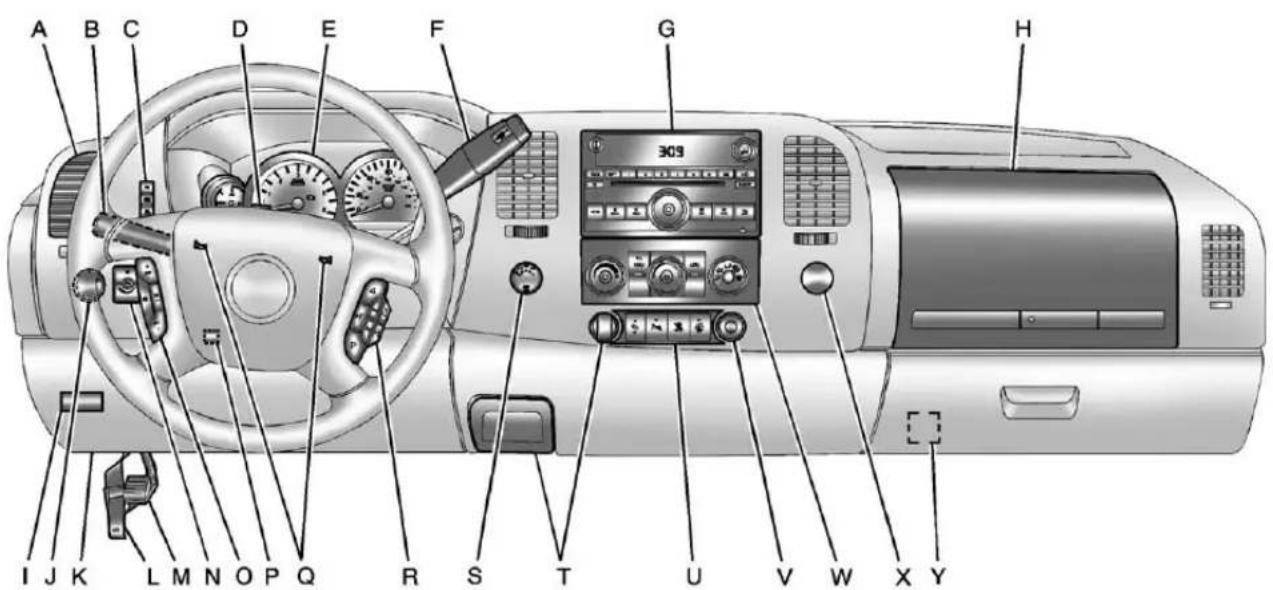
text_image
A B C D E F G H 309 I J K L M N O P Q R S T U V W X YA. AirVentsonpage8-11.
B. TurnandLane-ChangeLever.
See TurnandLane-Change
Signalsonpage6-6.
WindshieldWiper/Washeron
page5-5.
C.DriverInformationCenter(DIC)
Buttons.SeeDriverInformation
Center(DIC)onpage5-32.
D. HazardWarningFlasherson page6-5(OutofView).
E. InstrumentClusteron page5-13.
F.ShiftLever.SeeAutomatic Transmissiononpage9-38.
Tow/HaulSelectorButton (IfEquipped).See Tow/Haul Modeonpage9-43.
RangeSelectionMode(Allison TransmissionandHydra-Matic 6-SpeedButton)(IfEquipped). See ManualModeon page9-42.
G. Infotainmentpage7-1.
H. InstrumentPanelStorageon page4-1.
I. Integrated Trailer Brake Controller (If Equipped). See Trailer Towingon page 9-86.
J. Exterior Lamp Controlson page6-1.
K. DataLinkConnector(DLC) (OutofView). See Malfunction Indicator Lamponpage 5-24.
L.HoodRelease.SeeHoodon page10-5.
M. Parking Brakeonpage9-60.
N.DomeLampsonpage6-8.
FogLampsonpage6-6
(IfEquipped).
O. CruiseControlonpage9-66.
P. Steering Wheel Adjustment page5-2.
Q.Hornonpage5-5.
R. Steering Wheel Controlson page 5-3 (If Equipped).
S.AutomaticTransferCase Control(IfEquipped). See Four-WheelDriveon page 10-32.
T. Ashtray(IfEquipped). See Ashtraysonpage5-12 and Cigarette Lighteron page5-11.
U.StabiliTrak ^® Systemon page9-62(IfEquipped). UltrasonicParkingAssiston page9-68(IfEquipped). PedalAdjustButton (IfEquipped). See Adjustable Throttle and Brake Pedalon page9-26. ExhaustBrake(IfEquipped). See "Brakes" in the Duramax dieselsupplement.
1-4InBrief
V.PowerOutletsonpage5-10.
W. ClimateControlSystems (withAirConditioning) on page8-1 or ClimateControl Systems (withHeaterOnly) on page8-4 (IfEquipped). DualAutomaticClimate ControlSystempage8-5 (IfEquipped).
X.PowerTakeOff(PTO)Control (IfEquipped).SeePower TakeOff(PTO)intheDuramax dieselsupplement.
Y.PassengerAirbagOffControl (IfEquipped).SeeAirbag On-OffSwitchonpage3-30.
InBrief1-5
NOTES
1-6InBrief
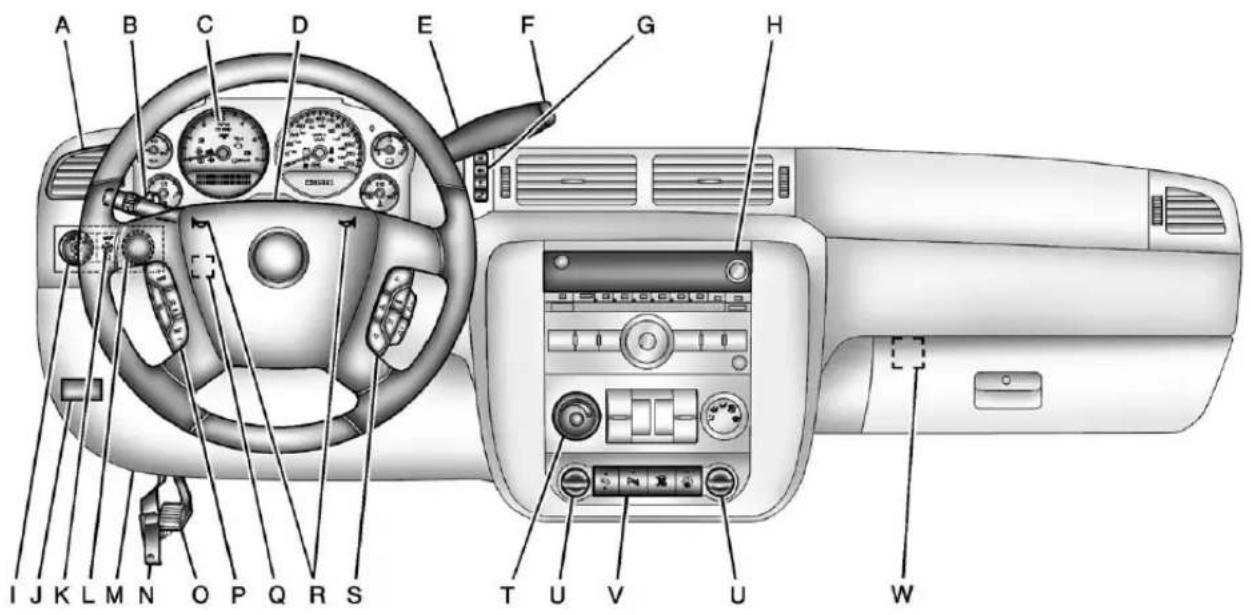
InstrumentPanel(PremiumVersion)
text_image
A B C D E F G H I J K L M N O P Q R S T U V U WA. AirVentsonpage8-11.
B. TurnandLane-ChangeLever. See TurnandLane-Change Signalsonpage6-6. WindshieldWiper/Washeron page5-5.
C. InstrumentClusteron page5-13.
D. HazardWarningFlasherson page6-5(OutofView).
E.ShiftLever.SeeAutomatic Transmissiononpage9-38. RangeSelectionMode (IfEquipped).SeeManual Modeonpage9-42.
F. Tow/HaulModeonpage9-43 (IfEquipped).
G.DriverInformationCenter(DIC) Buttons.SeeDriverInformation Center(DIC)onpage5-32.
H. Infotainmentpage7-1.
I. Exterior Lamp Controlson page6-1.
J. Integrated Trailer Brake Controller(IfEquipped). See Trailer Towingon page9-86.
K.DomeLampsonpage6-8.
L.AutomaticTransferCase Control(IfEquipped). See Four-WheelDriveon page 10-32.
M. DataLinkConnector(DLC) (OutofView). See Malfunction IndicatorLamponpage5-24.
N.HoodRelease.SeeHoodon page10-5.
O. Parking Brakeonpage9-60.
P. CruiseControlonpage9-66.
Q. Steering Wheel Adjustment page5-2.
R.Hornonpage5-5.
S. Steering Wheel Controlson page5-3.
T. ClimateControlSystems (withAirConditioning) on page8-1 or ClimateControl Systems (withHeaterOnly) on page8-4 (IfEquipped). DualAutomaticClimate ControlSystemonpage8-5 (IfEquipped).
U.PowerOutletsonpage5-10. CigaretteLighter(IfEquipped). SeeAshtraysonpage5-12and CigaretteLighteronpage5-11.
V.StabiliTrak ^® Systemon page9-62(IfEquipped). PedalAdjustButton (IfEquipped).SeeAdjustable ThrottleandBrakePedalon page9-26. UltrasonicParkingAssiston page9-68(IfEquipped). ExhaustBrake(IfEquipped). See“Brakes”intheDuramax dieselsupplement.
W.PassengerAirbagOffControl (IfEquipped).SeeAirbag On-OffSwitchonpage3-30.
InitialDrive Information
Thissectionprovidesabrief overviewaboutsomeofthe importantfeaturesthatmayormay notbeonyourspecificvehicle.
Formoredetailedinformation, refer toeachofthefeatureswhichcanbe foundlaterinthisownermanual.
RemoteKeylessEntry (RKE)System
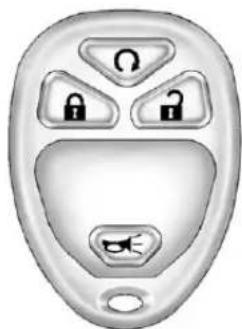
TheRKEtransmitterisusedto remotelylockandunlockthedoors fromupto60m(195ft)awayfrom thevehicle.
natural_image
Close-up of a metallic door with four key buttons and a stylized face (no text or symbols):Presstounlockthedriverdoor. Press againwithinthreeseconds tounlockallremainingdoors.
:Presstolockalldoors. Lockandunlockfeedbackcan bepersonalized.See Vehicle Personalization(WithDICButtons) onpage5-52.
:Pressandreleasetolocate thevehicle.Press andholdfor morethantwosecondstosound thepanicalarm.Press againto cancelthepanicalarm.
SeeKeysonpage2-2andRemote KeylessEntry(RKE)System Operationonpage2-3.
RemoteVehicleStart
With this feature the engine can be started from outside of the vehicle.
StartingtheVehicle
1.AimtheRKEtransmitteratthe vehicle.
-
Pressandrelease
-
Immediately after completing Step2, press and hold until the turnsignallampsflash.
Whenthevehiclestarts, the parking lampswillturnonandremainonas longastheengineisrunning. The doorswillbelockedandtheclimate controlsystemmaycomeon.
Theenginewillcontinuetorunfor 10minutes.Repeatthestepsfora 10-minutetimeextension.Remote startcanbeextendedonlyonce.
CancelingaRemoteStart
Tocancelaremotestart:

- AimtheRKEtransmitteratthe vehicleandpressandhold untiltheparkinglampsturnoff.
• Turnonthehazardwarning flashers.
• Turntheignitiononandthen backoff.
See Remote Vehicle Starton page2-5.
DoorLocks
Thereareseveralwaystolockand unlockthevehicle.
Fromoutside, usetheRemote KeylessEntry(RKE)transmitteror thekeyinthedriverdoor.
Frominside, usethepowerdoor locksorthemanualdoorlocks. Tolockorunlockthedoorwiththe manuallocks, pushdownorpullup onthemanuallockknob.
PowerDoorLocks
Ifavailable, theswitchesareonthe frontdoors.
:Presstounlockthedoors.
:Presstolockthedoors.
SeeDoorLocksonpage2-7.
Windows
Turnthehandcrankoneachdoor tomanuallyraiseorlowerthe manualwindows.
PowerWindows
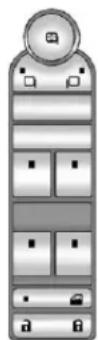
CrewCabShown
Ifavailable, thepowerwindow switchesarelocatedoneachdoor.
Thedriverdooralsohasaswitchfor thepassengerandrearwindows.
Pushtheswitchtolowerthe window.Pulltheswitchupto raiseit.
Formoreinformation,see:
- Windowsonpage2-18.
• PowerWindowsonpage2-18.
PowerSlidingRearWindow
natural_image
Pure electrical circuit symbol for a battery, no text or labels presentOnvehicleswithapowersliding rearwindow,theswitchislocatedin theoverheadconsole.SeeRear Windowsonpage2-20.
- Pushtheswitchtoopenthe window.
• Pulltheswitchtoclosethe window.
Thepowerslidingrearwindow cannotbeoperatedmanually.
SeatAdjustment ManualSeats
natural_image
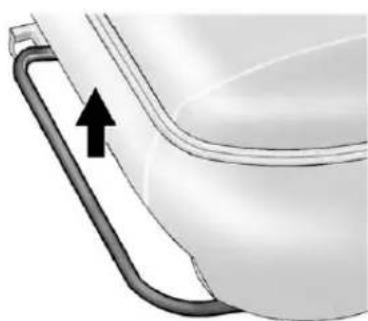
Diagram of a toilet with a curved handle and arrow indicating direction (no text or symbols)Toadjusttheseat:
- Liftthebartounlocktheseat.
2.Slidetheseattothedesired positionandreleasethebar. - Trytomovetheseatback and forthobesuretheseatis lockedinplace.
See Seat Adjustment page 3-3 formoreinformation.
PowerSeats
natural_image
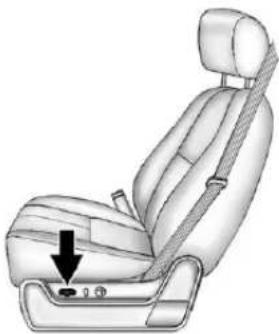
Illustration of a car seatbelt with a downward arrow indicating the seatbelt (no text or symbols present)Toadjustapowerseat,ifequipped:
- Movetheseatforwardor rearwardbyslidingthecontrol forwardorrearward.
- Ifavailable, raise or lower the frontor rear part of these seat cushion by moving the frontor rear of the control upordown.
- Ifavailable, raise or lower the entire seat by moving the entire controlupordown.
See Power Seat Adjustment page 3-5 form more information.
LumbarAdjustment
ManualLumbar
natural_image
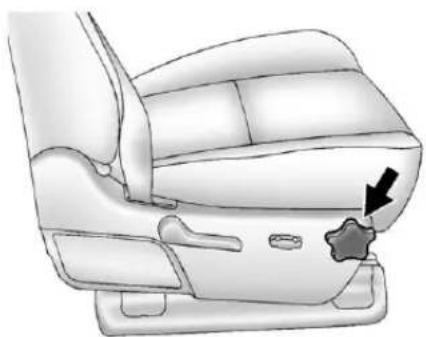
Diagram of a car seat with a star-shaped button and arrow indicating a specific seat (no text or symbols present)Ifequipped, increase or decrease manuallumbarsupport by turning the knob forward or rearward.
SeeLumbarAdjustmenton page3-6formoreinformation.
PowerLumbar
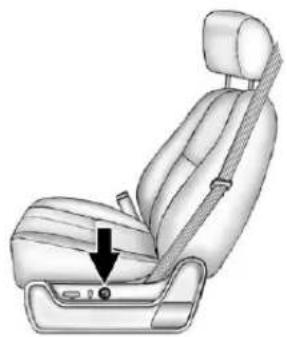
natural_image
Illustration of a car seatbelt with a black arrow pointing to the seat (no text or symbols present)Toadjustthepowerlumbarsupport, ifequipped:
- Onvehicleswithtwo-way lumbar,pressandholdthetop orbottomofthecontrolto increaseordecreaselumbar support.
- Onvehicleswithfour-way lumbar,pressandholdthe frontorrearofthecontrolto increaseordecreaselumbar support.Toraiseorlowerthe heightofthesupport,pressand holdthetoporbottomofthe control.
SeeLumbarAdjustmenton page3-6formoreinformation.
1-12InBrief
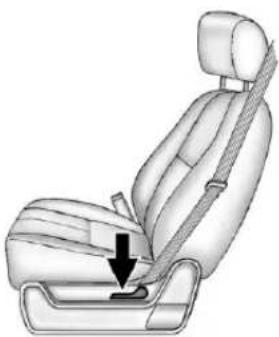
RecliningSeatbacks
ManualRecliningSeatbacks
natural_image
Illustration of a car seatbelt with a black arrow indicating the seatbelt point (no text or symbols present)Toreclineamanualseatback:
- Liftthelever.
- Movetheseatbacktothe desiredposition, and then releasethelevertolockthe seatbackinplace.
- Pushandpullontheseatback to make sureitislocked.
Toreturntheseatbacktotheupright position:
- Lift the lever fully without applying pressure to the seatback, and these seatback will return to the upright position.
- Pushandpullontheseatbackto makesureitislocked.
See Reclining Seatbackson page 3-6 form more information.
PowerRecliningSeatbacks
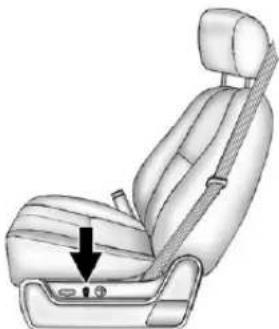
natural_image
Illustration of a car seatbelt seat with a black arrow pointing to the seat area (no text or symbols present)Toadjustapowerseatback, ifequipped:
• Tiltthetopofthecontrol rearwardtorecline.
- Tiltthetopofthecontrolforward toraise.
See Reclining Seatbackson page3-6 form more information.
MemoryFeatures
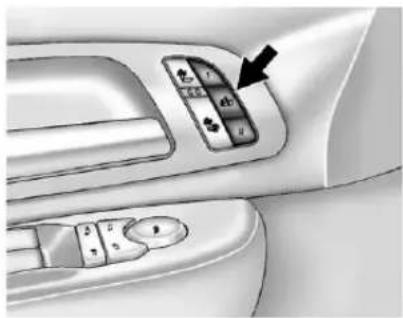
natural_image
Interior view of a car dashboard with control panel and directional buttons (no text or symbols visible)Onvehicleswiththememory feature,thecontrolsonthedriver doorareusedtoprogramandrecall memorysettingsforthedriverseat, outsidemirrors,andtheadjustable throttleandbrakepedals, ifequipped.
StoringMemoryPositions
Tosaveintomemory:
- Adjust the driver seat and seat back recliner, both outside mirrors, and the throttle and brake pedals, if equipped.
See Power Mirror on page 2-15 and Adjustable Throttle and Brake Pedalon page 9-26 for more information.
Notallmirrorsandadjustable throttleandbrakepedalswill havetheabilitytosaveand recalltheirpositions.
-
Pressandhold "1" until twobeepssound.
-
Repeatforaseconddriver positionusing "2."
Torecall, pressandrelease "1" or "2." The vehicle must be in P(Park). Asinglebeepwill sound.
Theseat, outsidemirrors, and adjustable throttle and brake pedals, if equipped, will moveto the position previously stored for the identified driver.
SeeMemorySeatsonpage3-8and VehiclePersonalization(WithDIC Buttons)onpage5-52formore information.
EasyExitDriverSeat
Thisfeaturecanmovetheseat rearwardtoallowextraroomtoexit thevehicle.
:Presstorecalltheeasyexit seatposition.Thevehiclemustbe inP(Park).
SeeMemorySeatsonpage3-8and VehiclePersonalization(WithDIC Buttons)onpage5-52formore information.
1-14InBrief
HeatedandVentilated Seats
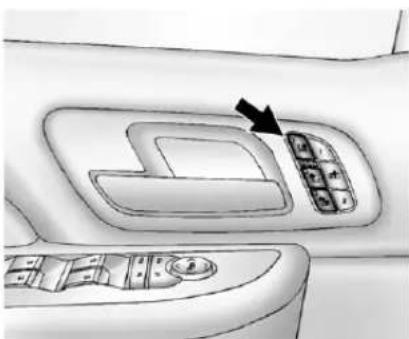
natural_image
Interior view of a car dashboard with control panel and directional arrow (no text or symbols)HeatedandCooledSeat ButtonsShown,HeatedSeat ButtonsSimilar
Ifavailable,thebuttonsareonthe frontdoors.
:lfavailable,presstocool theseat.
:Presstoheatthe seatbackonly.
:Presstoheattheseatand seatback.
Pressthebuttononceforthe highestsetting.Witheachpressof thebutton,theseatwillchangeto thenextlowersetting,andthen to theoffsetting.Thelightsindicate threeforthehighestsettingandone forthelowest.
See Heated and Ventilated Front Seatsonpage 3-10.
HeadRestraint Adjustment
Donotdriveuntiltheheadrestraints foralloccupantsareinstalled and adjusted properly.
Toachieveacomfortableseating position,changetheseatback reclineangleaslittleasnecessary whilekeepingtheseatandthe headrestraintheightintheproper position.
FormoreinformationseeHead Restraintsonpage3-2andSeat Adjustmentonpage3-3.
SafetyBelts
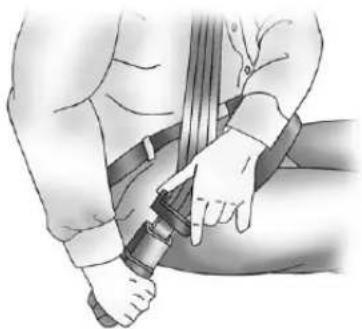
natural_image
Illustration of a person adjusting a belt buckle (no text or symbols present)Refertothefollowingsectionsfor importantinformationonhowtouse safetybeltsproperly.
• SafetyBeltsonpage3-13.
• HowtoWearSafetyBelts Properlyonpage3-14.
• Lap-ShoulderBeltonpage3-15.
• LowerAnchorsandTethersfor Children(LATCHSystem)on page3-51.
PassengerSensing System
Thepassengersensingsystem, ifequipped, turnsoffthefront outboardpassengerfrontalairbag undercertainconditions. Noother airbagisaffectedbythepassenger sensingsystem.
Ifthevehiclehasoneofthe indicatorspicturedinthefollowing illustrations,thenthevehiclehasa passengersensingsystemforthe rightfrontpassengerpositionunless thereisanairbagoffswitchlocated intheglovebox.
Ifthereisanairbagoffswitch,the vehicledoesnothaveapassenger sensingsystem.SeeAirbagOn-Off Switchonpage3-30formore information.
Thepassengerairbagstatus indicatorwillbevisibleonthe overheadconsolewhenthevehicle isstarted.
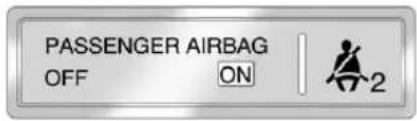
text_image
PASSENGER AIRBAG OFF ON 2UnitedStates
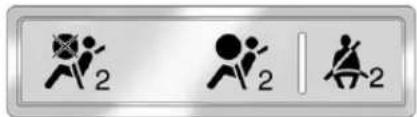
text_image
Three symbolic icons representing running, walking, and sitting figures with the number 2 in eachCanadaandMexico
See Passenger Sensing System on page 3-34 for important information.
1-16InBrief
MirrorAdjustment ExteriorMirrors
Vehicleswithoutsidepowermirrors andfoldawaymirrorshavecontrols locatedonthedriverdoor.
- Press(A) or (B) to select the driver or passengers idemirror.
- Pressthearrowsonthecontrol padtomovethemirrorup, down, right, or left.
- Presseither(A)or(B)again to deselectthemirror.
See Manual Mirrors on page 2-14 or Power Mirrors on page 2-15.
Ifthevehiclehastowingmirrors, theycanbeadjustedforaclearer viewoftheobjectsbehindyou. Manuallypulloutthemirrorheadto extenditforbettervisibilitywhen towingatrailer.SeeTrailer-Tow Mirrors on page 2-15.
PowerFoldawayMirrors
Tofoldthemirrors:
- Press(C) tofold them mirrors out to the driving position.
- Press(D) to fold them mirrors into the folded position.
ManualFoldawayMirrors
Manuallyfoldthemirrorsinward topreventdamagewhengoing throughanautomaticcarwash. Tofold, pullthemirrortowardthe vehicle. Pushthemirroroutward, toreturntoitsoriginalposition.
See Folding Mirrors on page 2-15.
InteriorMirror
Vehicleswithamanualrearview mirrorcanbeadjustedtoeseclearly behindthevehicle.Holdthemirror inthecentertomoveitupordown andsidetoside.Toreduce headlampglareduringnighttime use,pushthetabforwardfor daytimeuseandpullitfor nighttimeuse.
Vehicleswiththeautomaticdimming featurewillautomaticallyreducethe glareofheadlampsfrombehindthe vehicle. Thedimmingfeaturecomes onandtheindicatorlightilluminates eachtimethevehicleisstarted.
See Automatic Dimming Rearview Mirror on page 2-17 formore information.
SteeringWheel Adjustment
natural_image
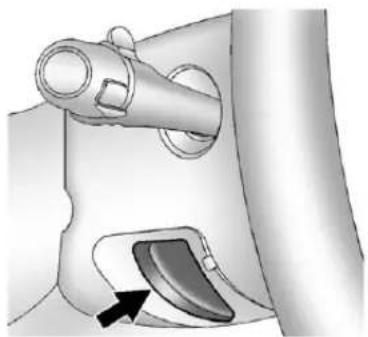
Mechanical component diagram showing a lever and handle assembly (no text or symbols)Thetiltleverislocatedonthelower leftsideofthesteeringcolumn.
Toadjustthesteeringwheel:
- Hold the steering wheel and pull the lever.
- Movethesteeringwheelup ordown.
- Releasethevertolockthe wheelinplace.
Donotadjustthesteeringwheel whiledriving.
ThrottleandBrakePedal Adjustment
Onvehicleswiththisfeature,you canchangethepositionofthe throttleandbrakepedals.
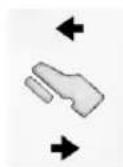
The control used to adjust the pedals is located on the instrument panel below the climate control system.
Pressthebottomofthecontrolto movethepedalsclosertoyour body.Pressthetopofthecontrolto movethepedalsaway.
See Adjustable Throttle and Brake Pedalon page 9-26.
InteriorLighting
DomeLamps
Thedomelampsarelocatedinthe overheadconsole.
Theycomeonwhenanydooris openedandturnoffafterallthe doorsareclosed.
Turntheinstrumentpanel brightnessknoblocatedbelow thedomelampoverridebutton, clockwisetothefarthestpositionto manuallyturnonthedomelamps. Thedomelampsremainonuntilthe knobisturnedcounterclockwise.
1-18InBrief
DomeLampOverride
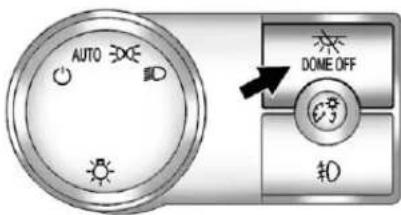
Thedomelampoverridebuttonis locatednexttotheexteriorlamps control.
text_image
AUTO DOME OFF OKDomelOff: Pressthebuttoninandthe domelampsremainoffwhenadoor isopened. Pressthebuttonagain to returnittotheextendedpositionso thatthedomelampscomeonwhen adoorisopened.
ReadingLamps
Forvehicleswithreadinglampsin theoverheadconsole, press the buttonlocatednexttothelampto turnitonoroff.
The vehicle may also have an reading lamps in other locations. To turn the lampson or off, press the button located next to the lamp.
Formoreinformationaboutinterior lamps,see:
• DomeLampsonpage6-8.
- ReadingLampsonpage6-9.
• InstrumentPanelIllumination Controlonpage6-8.
ExteriorLighting
text_image
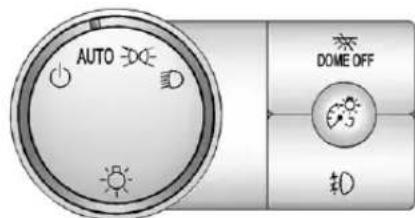
AUTO DOME OFF #0The exterior lamps control is located on the instrument panel to the left of the steering wheel.
Turnsofftheautomatic headlampsandDaytimeRunning Lamps(DRL).Turntheheadlamp controltotheoffpositionagainto turntheautomaticheadlampsor DRLbackon.
ForvehiclesfirstsoldinCanada, theoffpositionwillonlyworkwhen thevehicleisshiftedintoP(Park).
AUTO: Automatically turnson the headlamps, parking lamps, taillamps, instrument panellights, and license plate lamps.
200: Turnsontheparkinglamps, taillamps, instrumentpanellights, and licenseplatelamps.
:Turnsontheheadlamps, parkinglamps, taillamps, instrument panellights, and licenseplate lamps.
Formoreinformation,see:
- ExteriorLampControlson page6-1.
• DaytimeRunningLamps(DRL) onpage6-3. - FogLampsonpage6-6.
WindshieldWiper/Washer
text_image
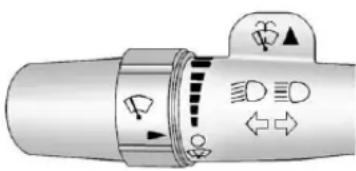
Diagram of a mechanical valve or actuator with directional arrows and symbols indicating motion or force directions.Thefrontwipercontrolislocatedon theturnandlane-changelever.
Thewindshieldwipersarecontrolled byturningthebandwith 📋onit.
: For a single wipe, turn to , thenrelease.Forseveralwipes, holdthebandon longer.
○:Turnsthewindshield wipersoff.
!:Turnthebandupformore frequentwipesordownforless frequentwipes.
:Slowwipes.
:Fastwipes.
:Pushthepaddleatthetopof thelevertospraywasherfluidon thewindshield.
SeeWindshieldWiper/Washeron page5-5.
1-20InBrief
ClimateControls
Thesesystemscontroltheheating, cooling, and ventilation.
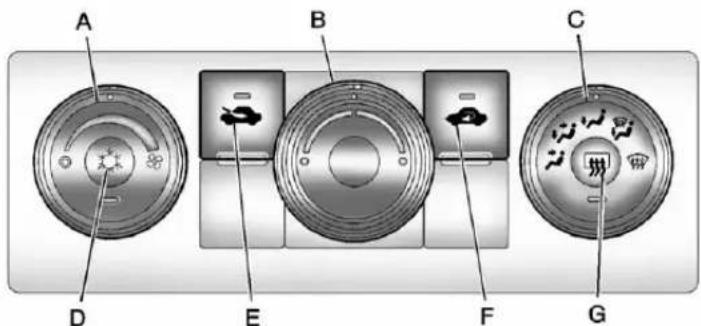
ClimateControlSystem(WithAirConditioning)
text_image
A B C D E F GA.FanControl
B.TemperatureControl
C.AirDeliveryModeControl
D.AirConditioning
E. OutsideAir
F.AirRecirculation
G.RearWindowDefogger
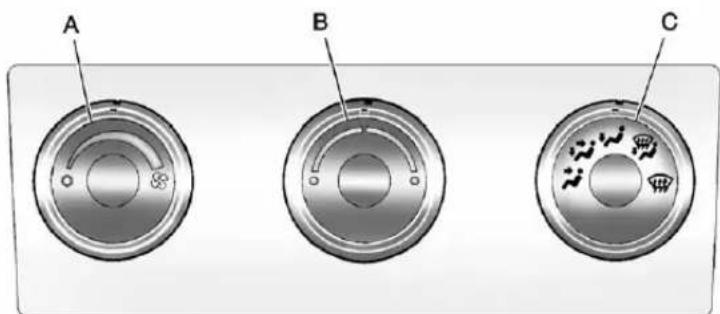
ClimateControlSystem(WithHeaterOnly)
text_image
A B CA. FanControl
B. TemperatureControl
C.AirDeliveryModeControl
See Climate Control Systems (with Air Conditioning) on page 8-1 or Climate Control Systems (with Heater Only) on page 8-4.
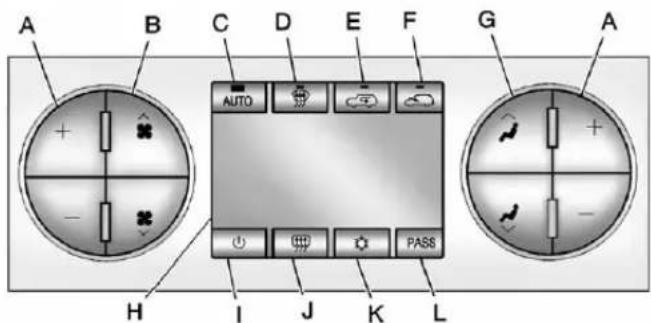
DualAutomaticClimateControlSystem
text_image
A B C D E F G A AUTO PASS H I J K LA.DriverandPassenger TemperatureControls
B.FanControl
C.AUTO
D.Defrost
E.AirRecirculation
F.OutsideAir
G.AirDeliveryModeControl
H.Display
1.PowerButton
J.RearWindowDefogger
K.AirConditioning
L.PASS(Passenger)
See DualAutomaticClimateControl
Systemonpage8-5.
Transmission
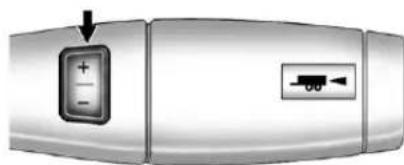
RangeSelectionMode
natural_image
Close-up of a metallic electronic device with a control panel and indicator light (no text or symbols visible)TheRangeSelectionModeswitch, ifequipped, islocatedontheshift lever.
ToenabletheRangeSelection feature:
-
Movethecolumnshiftlever totheM(Manual)position. Thecurrentrangewillappear nexttotheM. Thisisthe highestattainablerangewithall lowergearsaccessible. Asan example, when5(Fifth)gear isselected, 1(First)through 5(Fifth)gearsareavailable.
-
Presstheplus/minusbuttons, locatedonthesteeringcolumn shiftlever,toselectthedesired rangeofgearsforcurrentdriving conditions.SeeManualModeon page9-42.
WhileusingRangeSelectionMode, cruisecontrolandtheTow/Haul modecanbeused.
GradeBrakingisnotavailablewhen RangeSelectionModeisactive. See Tow/HaulModeonpage9-43.
Four-WheelDrive
IfthevehiclehasFour-WheelDrive, youcansendtheengine'sdriving powertoallfourwheelsforextra traction.
TransferCaseButtons
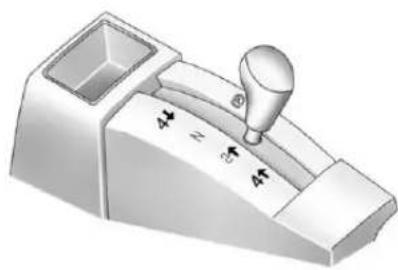
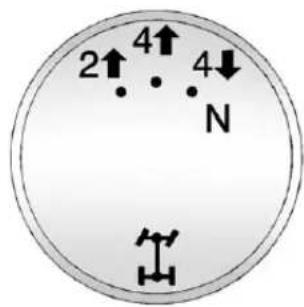
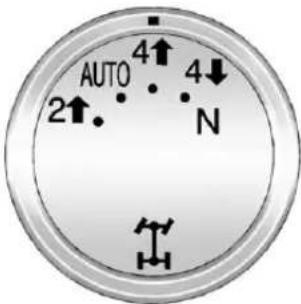
The vehicle will have one of these threestyles of transfercase controls. Use these control to shift into and out of the different Four-Wheel Drivemodes.
ManualTransferCase
natural_image
3D rendering of a mechanical lever mechanism with no visible text or symbolsThistransfercaseshiftleverison thefloortotherightofthedriver.
ElectronicTransferCase
text_image
2↑ 4↑ N 4↓Thistransfercaseknobislocated nexttothesteeringcolumn.
1-24InBrief
AutomaticTransferCase
text_image
AUTO 2↑. 4↑ 4↓ NThistransfercaseknobislocated nexttothesteeringcolumn.
Eachtransfercasedesignoffers differentdriveoptions. Thelist belowdescribestedifferentdrive optionsthatmaybeavailable.
2 ↑(Two-Wheel-DriveHigh): This setting is used for driving in most street and highways situations.
AUTO(AutomaticFour-Wheel Drive): This setting is ideal for use when roads surfacetraction conditions are variable.
4 ↑(Four-WheelHigh):Usethe Four-Wheel-DriveHighposition whenextratractionisneeded,such asonsnowyoricyroadsorinmost off-roadsituations.
N(Neutral): Shiftthetransfercase to Neutral only when towing the vehicle. See Recreational Vehicle Towingonpage 10-97 or Trailer Towingonpage 9-86.
4 ↓(Four-Wheel-DriveLow): Thissettingsdsmaximumpower toallfourwheels.Youmightchoose Four-Wheel-DriveLowifyyouare drivingoff-roadindeepsand,deep mud,deepsnow,andwhileclimbing ordescendingsteephills.
See Four-WheelDriveon page9-45.
VehicleFeatures Radio(s)
text_image
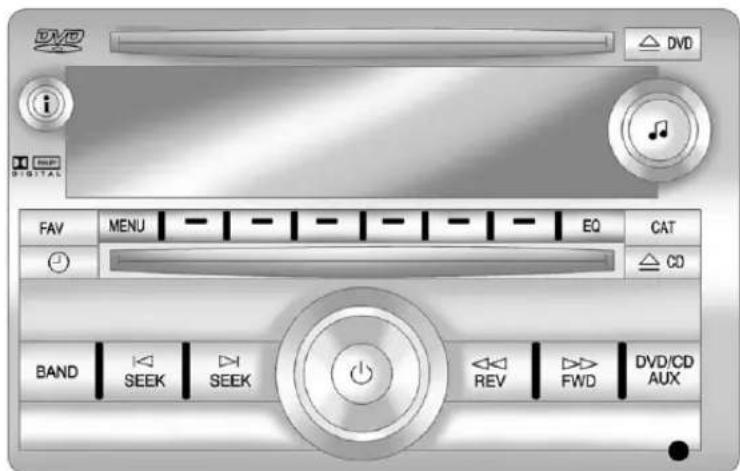
DVD i DIGITAL FAV MENU EQ CAT CD BAND SEEK SEEK REV FWD DVD/CD AUXRadiowithUSB,CD,andDVD(MP3)
:Presstoturnthesystemon andoff.Turntoincreaseor decreasethevolume.
BAND: Presstochoosebetween FM, AM, or XM™, ifequipped. ♩: Selectradiostations.
SEEK or SEEK: Seek or scan stations.
i: Presstoswitchthedisplay betweentheradiostationfrequency andthe time. While the ignition is off, pressthisbuttontodisplay the time. Presstodisplayadditionaltext informationrelatedtothecurrent FM-RDSorXMstation; or CD, MP3, or WMA song. If information is available during XM, CD, MP3, or WMA playback, the song title information display on the top line of the display and artist information display on the bottom line. When information is not available, "NOINFO" displays.
Formoreinformationabout theseandotherradiofeatures, seeOperationonpage7-3.
ForvehicleswithaRearSeat EntertainmentSystem(RSE)and RearSeatAudioSystem(RSA), seeRearSeatEntertainment(RSE) Systemonpage7-40andRear SeatAudio(RSA)Systemon page7-50formoreinformation.
StoringRadioStations
A maximum of 36 stations can be stored as favorites using the six soft keys located below the radio station frequency tags and by using the radio FAV button. Press FAV to go through uptosix pages of favorites, each having six favorite stations available per page. Each page of favorites can contain any combination of AM, FM, or XM stations.
Formoreinformation,see"Storing RadioStations"inAM-FMRadioon page7-8.
SettingtheClock
Tosetthetimeanddate:
- Turntheignitionkeyto ACC/ACCESSORY or ON/RUN, thenpress ⏻, toturntheradioon.
- Press ⏻todisplayHR,MIN, MM,DD,andYYYY(hour, minute,month,day,andyear).
- Pressthesoftkeylocatedunder anyoneofthelabelstobe changed.
- To increase or decrease the time or date, turn clockwise or counter-clockwise.
Fordetailedinstructionsonsetting theclockforthevehicle'sspecific audiosystem,seeClockon page5-8.
SatelliteRadio
XMisasatelliteradioservicebased inthe48contiguousUnitedStates and10Canadianprovinces.
XMsatelliteradiohasawide varietyofprogrammingand commercial-freemusic,coastto coast,andindigital-qualitysound.
Afeeisrequiredtoreceivethe XMservice.
Formoreinformation, referto:
• www.xmradio.comorcall 1-800-929-2100(U.S.)
• www.xmradio.caorcall 1-877-438-9677(Canada)
See Satellite Radioonpage 7-10.
PortableAudioDevices
This vehicle may have an auxiliary input located on the radioface plate and a USB port located in the center console or the instrument panel.
ExternaldevicessuchasaniPod ^® , laptopcomputer, MP3player, CD changer, or USBstoragedevicecan beconnectedtotheauxiliaryport usinga3.5mm(1/8in)inputcable ortheUSBportdependingonthe audiosystem.
See "UsingtheAuxiliaryInputJack" and "UsingtheUSBPort" in AuxiliaryDevicesonpage7-34.
Bluetooth®
ForvehicleswithaBluetooth system, itallowsuserswitha Bluetooth-enabledcellphoneto make and receive hands-free calls using the vehicle's audiosystem and controls.
TheBluetooth-enabledcellphone must be repaired with the Bluetooth system before it can be used in the vehicle. Not all phones will support all functions. Form more information, visit www.gm.com/bluetooth.
Formoreinformation,seeBluetooth onpage7-52.
SteeringWheelControls
natural_image
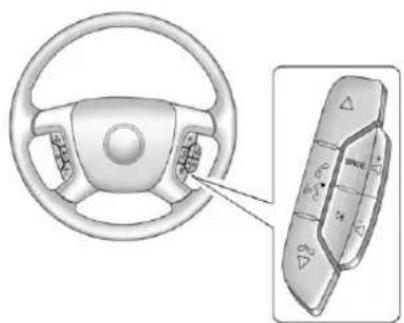
Diagram of a car steering wheel and its control panel with directional arrows (no text or symbols)Ifavailable, someaudiocontrols canbeadjustedatthesteering wheel.
△:Presstogotothenextfavorite radiostation,trackonaCD, orfolderonaniPod ^® orUSB device.
/ ▽ : Press to go to the previousfavoriteradiostation,track onaCD,orfolderonaniPod or USBdevice.Presstorejectan incomingcall,ortoendacall.
I w_^e : Press to silence the vehicle speakersonly. Pressagaintoturn thesoundon. Pressandholdlonger thantwosecondstointeractwith OnStar ^ orBluetoothsystems, ifequipped.
+ :Presstoincreasevolume.
- Presstodecreasevolume.
SRCE: Presstoswitch between theradio and CD, and forequipped vehicles, the DVD, frontauxiliary, andrearauxiliary.
D: Presstoseekthenextradio station, thenextrackorchapter whilesourcedtotheCDorDVD slot, ortoselecttracksandfolders onaniPodorUSBdevice.
Formoreinformation,see Steering WheelControlsonpage5-3.
CruiseControl
text_image
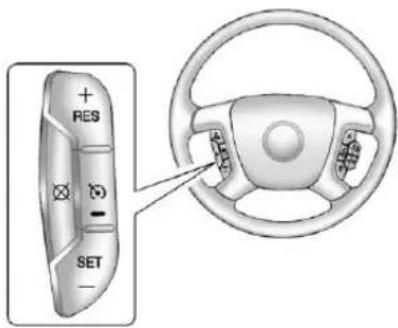
+ RES - SET -- Presstoturnthesystemon oroff. The indicator lightison when cruise controlison and turnsoff when cruise controlisoff.
+RES:Pressbrieflytomakethe vehicleresumetoapreviouslyset speed,orpressandholdto accelerate.
SET-:Presstosetthespeed and activatecruisecontrolormakethe vehicledecelerate.
☒: Presstodisengagecruise controlwithouterasingtheset speedfrommemory.
See Cruise Control on page 9-66.
NavigationView
If the vehicle has an navigation system, there is a separate navigation system manual that includes information on the radio, audioplayers, and navigation system.
Thenavigationsystemprovides detailedmapsofmostmajor freewaysandroads. Aftera destinationhasbeenset, the systemprovidesturn-by-turn instructionsforreachingthe destination. In addition, the system can help locate a variety of point sof interest (POIs), such as banks, airports, restaurants, and more.
Seethenavigationsystemmanual formoreinformation.
DriverInformation Center(DIC)
The DIC display is located at the bottom of the instrument panel cluster. It shows the status of many vehicle systems and enables access to the personalization menu.
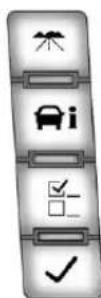
The DIC buttons are located on the instrument panel, next to the steering wheel.
Somevehiclesdonothavethe buttonsshown,howeversomeof themenuscanbeviewedbyusing thetripodometerresetstem.
:Presstodisplaythe odometer, tripodometer, fuelrange, averageeconomy, fuelused, timer, instantaneous economy and Active Fuel Management™ indicator, and transmission temperature. The compass and outside air temperature will also be shown in the display. The temperature will be shown in °Cor°F depending on the units selected.
i: Presstodisplaytheoillife, units, tirepressurereadingsfor vehicleswiththeTirePressure MonitorSystem(TPMS), trailer brakegainandoutputinformation forvehicleswiththeIntegrated TrailerBrakeControl(ITBC)system, enginehours,compasszone setting,andcompassrecalibration.
F::Presstocustomizethe featuresettingsyourvehicle. See Vehicle Personalization (With DICButtons) on page 5-52 formoreinformation.
√:Presstosetorresetcertain functionsandtoturnoffor acknowledgedemessagesontheDIC.
Formoreinformation,seeDriver InformationCenter(DIC)on page5-32.
VehicleCustomization
Somevehiclefeaturescanbe programmedbyusingtheDIC buttonsnexttothesteeringwheel. Thesefeaturesinclude:
- Language
• DoorLockandUnlockSettings
• RKELockandUnlockFeedback - Lighting
- ChimeVolume
- MemoryFeatures
See Vehicle Personalization (With DIC Buttons) on page 5-52.
RearVision Camera(RVC)
Ifavailable,theRVCdisplaysa viewoftheareabehindthevehicle whenthevehicleisshiftedinto R(Reverse).Thisisdisplayedon theinsiderearviewmirrororthe navigationscreen,ifequipped.
Tocleanthecameralens, located in the bezelofthetailgate handle, rinseitwithwaterandwipeitwitha softcloth.
Formoreinformation,seeRear VisionCamera(RVC)onpage9-70.
UltrasonicParkingAssist
Ifavailable, UltrasonicRearParking Assist(URPA)systemusessensors ontherearbumpertoassistwith parking and avoiding objects while inR(Reverse). It operates at speeds less than 8 km/h (5 mph). URPA uses audible beepsto provided distance and system information.
Keepthesensorsonthevehicle's rearbumpercleantoensureproper operation.
See Ultrasonic Parking Assiston page9-68 form more information.
PowerOutlets
Accessorypoweroutletscan beusedtopluginelectrical equipment, such as acellphone, MP3player, etc.
The vehicle may have two accessory power outlets located below the climate control system, or may have one accessory power outlet and one cigarette lighter. The cigarette lighter is designed to fit only in there except a close to the driver.
Theremaybeanotheraccessory poweroutletintherearcargoarea. Ifthevehiclehasafloorconsole, thereisanaccessorypoweroutlet insidethestoragebinandoneon therearofthefloorconsole.
Theaccessorypoweroutletsare powered, evenwhentheignitionis inLOCK/OFF. Continuingtouse poweroutletswhiletheignitionisin LOCK/OFFmaycausethevehicle's batterytorundown.
SeePowerOutletsonpage5-10.
UniversalRemoteSystem
natural_image
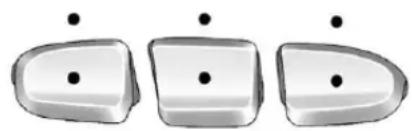
Three identical 3D-rendered objects with black dots above them, arranged horizontally (no text or symbols)VehicleswiththeUniversalRemote Systemwillhavethesebuttons locatedintheheadliner.
This system provides a way to replace up three remote control transmitters used to activate devices such as a graded door openers, security systems, and home automation devices.
Readtheinstructionscompletely beforeattemptingtoprogramthe transmitter.Becauseofthesteps involved,itmaybehelpfulto haveanotherpersonassistwith programmingthetransmitter.
See Universal Remote System on page 5-60.
Sunroof ExtendedCab
natural_image
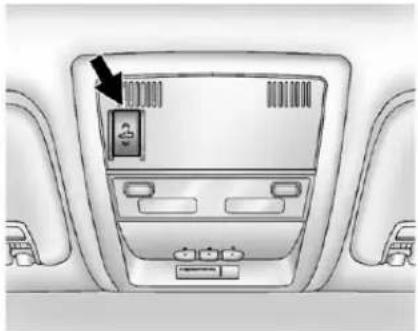
Interior view of a car dashboard with a digital display and control panel (no visible text or symbols)Onvehicleswithasunroof,the sunroofonlyoperateswhenthe ignitionisintheACC/ACCESSORY orON/RUNortheRetained AccessoryPower(RAP)isactive. SeeRetainedAccessoryPower (RAP)onpage9-32formore information.
Vent: From the closed position, press and hold therearoftheswitch toventthesunroof. Toclosethe sunroof, press and hold the front of the switch.
Open: From the event position, the sunroof can be fully opened either manually or by using the express-open feature. To open manually, presstherearof the switch to the first detent and hold until the sunroof has reached the desired position. To open using express-open, presstherearof the switch to these second detent and release. The sunroof will move to the full open position. Tostop the sunroof part way, presstheswitcha second time.
Close: From the event, or open position, press and hold the front of the switch to close the sunroof.
Thesunroofalsohasaroller sunshadethatcanbeusedtoblock theraysofthesun.Toopenthe sunshade,pressandunlatchit,and rollitback.Toclose,pullitforward andlatchitintotheclosedposition.
See Sunroof(ExtendedCab) on page2-20 or Sunroof(CrewCab) on page2-22.
1-32InBrief
CrewCab
text_image
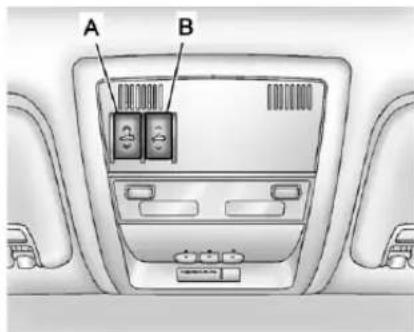
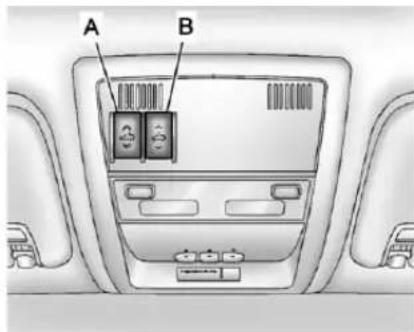
A BA.OpenorClose
B.Vent
Onvehicleswithasunroof,the sunroofonlyoperateswhenthe ignitionisintheACC/ACCESSORY orON/RUNortheRetained AccessoryPower(RAP)isactive. SeeRetainedAccessoryPower (RAP)onpage9-32formore information.
Vent: From the closed position, presstherearofthepassengerside switch(B) toventthesunroof.
Manual-Open/Manual-Close:
Toopenthesunroof, press and hold therearofthedriverside switch(A) until the sunroofreaches the desired position. Press and hold the front of the riversides switch to close it.
Express-Open/Express-Close:
Toexpress-openthesunroof,fully pressandreleasetherearofthe driversideswitch(B)untilthe sunroofreachesthedesired position.Toexpress-closethe sunroof,fullypressandreleasethe frontofthedriversideswitch.Press theswitchagaintostopit.
Whenthesunroofisopened,anair deflectorwillautomaticallyraise. Theairdeflectorwillretractwhen thesunroofisclosed.
Thesunroofalsohasasunshade thatyoucanpullforwardtoblock theraysofthesun. Thesunshade mustbeopenedandclosed manually.
Ifanobjectisinthepathofthe sunroofwhileitisclosing,the anti-pinchfeaturewilldetectthe objectandstopthesunroof.
See Sunroof(ExtendedCab) on page 2-20 or Sunroof(CrewCab) on page 2-22.
Performance and Maintenance
StabiliTrak® System
Ifequipped, the vehicle has a traction control system that limits wheelspin and the Stabili Trak system that assists with directional control of the vehicle difficult driving conditions. Both systems turn on automatically every time the vehicle is started.
- Toturnofftractioncontrol, press andrelease on the instrument panel. The appropriate DIC messagedisplays. See Ride ControlSystemMessageson page 5-47.
- Toturnoffbothtractioncontrol andStabiliTrak, pressandhold 50 until 50 illuminates and the appropriate DIC message displays. See RideControl SystemMessagesonpage5-47.
- Pressandrelease ^® again to turnonbothsystems.
Formoreinformation,see StabiliTrak® Systemonpage9-62.
TirePressureMonitor
This vehicle may have a Tire Pressure Monitor System (TPMS).

TheTPMSwarninglightalertsyou toasignificantlossinpressureof oneofthevehicle'stires.Ifthe warninglightcomeson,stopas
soonaspossibleandinflatethe tirestotherecommendedpressure shownontheTireandLoading Informationlabel.SeeVehicleLoad Limitsonpage9-17.Thewarning lightwillremainonuntilthetire pressureiscorrected.
During coolerconditions, the low tire pressure warning light may appear when the vehicle is first started and then turn off. This maybe an early indicator that the tire pressures are getting low and the tires need to be inflated to the proper pressure.
The TPMS does not replacenormal monthly tire maintenance. It is the driver's responsibility to maintain correct tire pressures.
See TirePressureMonitorSystem onpage10-64.
EngineOilLifeSystem
Theengineoillifesystemcalculates engineoillifebasedonvehicleuse and, onmostvehicles, displaysa DICmessagewhenitisnecessary tochangetheengineoilandfilter. Theoillifesystemshouldbereset to 100% only following an oil change.
ResettingtheOilLifeSystem
ToresettheEngineOilLifeSystem onmostvehicles:
-
DisplayOILLIFEREMAINING ontheDIC. If the vehicle does not have DIC buttons, the vehicle must be in P(Park) to access this display.
-
PressandholdtheSET/RESET buttonontheDIC, orthetrip odometerresetstemifthe vehicledoesnothaveDIC buttons, formorethan fiveseconds. Theoillifewill changeto100%.
Onallvehicles, theEngineOilLife Systemcanberesetasfollows:
- TurntheignitiontoON/RUNwith theengineoff.
- Fullypress the accelerator pedal slowly three times within five seconds.
- DisplayOILLIFEREMAINING ontheDIC. If the display shows 100%, the system is reset.
SeeEngineOilLifeSystemon page10-10.
FuelE85(85%Ethanol)
VehiclesthathaveaFlexFuelbadge andayellowfuelcapcanuseeither unleadedgasolineorethanolfuel containingupto85%ethanol(E85). SeeFuelE85(85%Ethanol)on page9-78. Forallothervehicles, useonlytheunleadedgasoline describedunderRecommended Fuelonpage9-76.
DrivingforBetterFuel Economy
Drivinghabitscanaffectfuel mileage. Herearesomedrivingtips togetthebestfueleconomy possible.
- Avoidfaststartsandaccelerate smoothly.
- Brakegraduallyandavoid abruptstops.
- Avoididlingtheengineforlong periodsoftime.
- When road and weather conditions are appropriate, use cruise control.
• Alwaysfollowpostedspeed limitsordrivemoreslowlywhen conditionsrequire. -
Keepvehicletiresproperly inflated.
• Combineseveraltripsintoa singletrip. -
Replacethevehicle'stireswith thesameTPCSpecnumber moldedintothetire'ssidewall nearthesize.
- Followrecommended scheduled maintenance.
Roadside Assistance Program
U.S.:1-800-243-8872
TTYUsers(U.S.):1-888-889-2438
Canada:1-800-268-6800
Mexico:01-800-466-0800
AstheownerofanewChevrolet, you are automatically enrolled in the Roadside Assistance program.
See Roadside Assistance Program (U.S. and Canada) on page 13-7 or Roadside Assistance Program (Mexico) on page 13-9 form more information.
Roadside Assistance and On Star (U.S. and Canada)
If you have an active On Star subscription, press the button and the current GPS location will be sent to an On Star advisor who will assess your problem, contact Roadside Assistance, and relay you exact location to get the help you need.
OnlineOwnerCenter (U.S.andCanada)
TheOnlineOwnerCenterisa complimentaryservicethatincludes onlineservicereminders, vehicle maintenancetips, onlineowner manual, specialprivileges, and more.
Signuptodayat: www.chevyownercenter.com (U.S.)orwww.gm.ca(Canada).
OnStar®
Ifequipped, this vehicle has a comprehensive, in-vehiclesystem that can connect to all an Advisor for Emergency, Security, Navigation, Connection, and Diagnostic Services. See OnStar Overview page 14-1 form more information.
1-36InBrief
NOTES
Keys, Doors, and Windows
KeysandLocks
Keys......2-2
RemoteKeylessEntry(RKE)
System......2-3
RemoteKeylessEntry(RKE)
SystemOperation......2-3
RemoteVehicleStart......2-5
DoorLocks......2-7
PowerDoorLocks......2-8
DelayedLocking......2-8
AutomaticDoorLocks......2-8
LockoutProtection......2-8
SafetyLocks......2-8
Doors
RearDoors
(ExtendedCab)......2-9
Tailgate....2-10
VehicleSecurity
VehicleSecurity......2-11
Anti-theftAlarmSystem.....2-11
Immobilizer......2-12
ImmobilizerOperation......2-12
ExteriorMirrors
ConvexMirrors......2-14
ManualMirrors......2-14
Trailer-TowMirrors......2-15
PowerMirrors......2-15
FoldingMirrors......2-15
HeatedMirrors......2-16
ParkTiltMirrors......2-17
InteriorMirrors
ManualRearviewMirror.....2-17
AutomaticDimmingRearview
Mirror....2-17
Windows
Windows....2-18
ManualWindows......2-18
PowerWindows......2-18
RearWindows......2-20
SunVisors....2-20
Roof
Sunroof(ExtendedCab).....2-20
Sunroof(CrewCab).....2-22
KeysandLocks
Keys

WARNING
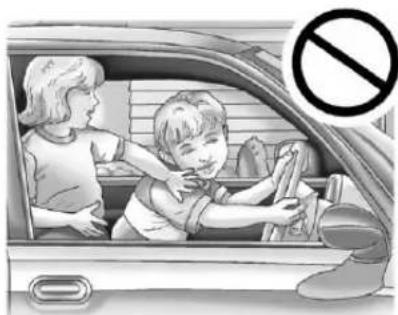
Leavingchildreninavehiclewith theignitionkeyisdangerousfor manyreasons. Childrenorothers couldbebadlyinjuredoreven killed. Theycouldoperatethe powerwindowsorothercontrols orevenmakethevehiclemove. Thewindowswillfunctionwiththe keysintheignitionandchildren couldbeseriouslyinjuredorkilled ifcaughtinthepathofaclosing window. Donotleavethekeysin avehiclewithchildren.
natural_image
Illustration of a child and an adult inside a car, with a no-smoking symbol (no text or labels)Thekeyisusedfortheignitionand alldoorlocks.
Thekeyhasabar-codedkeytag thatthedealerorqualifiedlocksmith canusetomakenewkeys.Store thisinformationinasafeplace, notinthevehicle.
Seeyourdealerifareplacement keyoradditionalkeyisneeded.
Notice: If the keys get locked in the vehicle, it may have to be damaged to get them out. Always carry as spare key.
If you are locked out of the vehicle, call the Roadside Assistance Center. See Roadside Assistance Program (U.S. and Canada) on page 13-7 or Roadside Assistance Program (Mexico) on page 13-9.
With an active On Stars subscription, an On Star Advisormay remotely unlock the vehicle. See On Star Overview on page 14-1.
RemoteKeylessEntry (RKE)System
SeeRadioFrequencyStatementon page13-21forinformation regardingPart15oftheFederal CommunicationsCommission(FCC) rulesandIndustryCanada StandardsRSS-GEN/210/220/310.
If thereisadecreaseintheRKE operatingrange:
- Checkthedistance. Thetransmittermaybe toofarfromthevehicle.
- Checkthelocation. Other vehiclesorobjectsmaybe blockingthesignal.
- Checkthetransmitter's battery. See "BatteryReplacement" laterinthissection.
- Ifthetransmitterisstillnot workingcorrectly,seeyour dealeroraqualifiedtechnician forservice.
RemoteKeylessEntry (RKE)SystemOperation
The Remote Keyless Entry (RKE) transmitter functions workup to 60m (195ft) away from the vehicle.
There are other conditions which can affect the performance of the transmitter. See Remote Keyless Entry(RKE) System on page 2-3.
natural_image
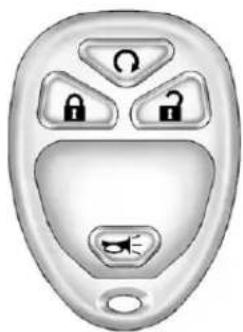
Close-up of a car door key with four lock icons (no text or symbols)WithRemoteStart (withoutRemoteStartSimilar)
Ω(RemoteVehicleStart): Forvehicleswiththisfeature, press Ωtostarttheenginefrom outsidethevehicleusingtheRKE transmitter.SeeRemoteVehicle Startonpage2-5foradditional information.
(Lock): Presstolockallthe doors.
IfenabledthroughtheDriver InformationCenter(DIC), theturn signallampsflashoncetoindicate lockinghasoccurred. Ifenabled throughtheDIC, thehornchirps when ispressedagainwithin threeseconds. See Vehicle Personalization(WithDICButtons) onpage5-52foradditional information.
Pressing 🔒armsthecontent theft-deterrentsystem.See Anti-theftAlarmSystemon page2-11.
(Unlock):Pressoncetounlock onlythedriverdoor.If ispressed againwithinthreeseconds,all remainingdoorsunlock.Theinterior lampsmaycomeonandstayonfor 20secondsoruntiltheignitionis turnedon.
If enabled through the DIC, the turn sign allamps flashtwiceto indicate unlocking has occurred. See Vehicle Personalization (With DIC Buttons) on page 5-52. If enabled through the DIC, the exterior lights may turn on. See "Approach Lighting" under Vehicle Personalization (With DIC Buttons) on page 5-52.
Pressing 📞ontheRKEtransmitter disarmsthecontenttheft-deterrent system.SeeAnti-theftAlarm Systemonpage2-11.
(VehicleLocator/Panic Alarm): Pressandreleaseto locatethevehicle. Theturnsignal lampsflashandthehornsounds threetimes.
Pressandhold → formorethan twosecondstoactivatethepanic alarm. Theturnsignallampsflash andthehornsoundsrepeatedlyfor 30seconds. Thealarmturnsoff whentheignitionismovedto ON/RUNor → ispressedagain. TheignitionmustbeinLOCK/OFF forthepanicalarmtowork.
ProgrammingTransmittersto theVehicle
OnlyRKEtransmittersprogrammed tothisvehiclewillwork.lfa transmitterislostorstolen,a replacementcanbepurchased and programmedthroughyourdealer.
Whenthereplacementtransmitter isprogrammedtothisvehicle,all remainingtransmittersmustalsobe reprogrammed.Anylostorstolen transmitterswillnolongerwork oncethenewtransmitteris programmed.Eachvehiclecan haveuptoeighttransmitters programmedtoit.Seeyourdealer fortransmitterprogramming.
BatteryReplacement
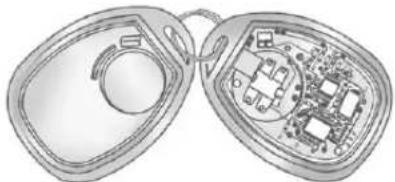
ReplacethebatteryiftheREPLACE BATTERYINREMOTEKEY messagedisplaysintheDIC.
Notice: When replacing the battery, donottouchany of the circuitry on the transmitter. Static from your body could damage the transmitter.
natural_image
Diagram of an open and closed electronic device showing internal components (no text or symbols)Toreplacethebattery:
-
Separatethetransmitterwitha flat,thinobject,suchasaflat headscrewdriver.
-
Carefullyinsertthetoolinto thenotchlocatedalongthe partinglineofthe transmitter.Donotinsert thetooltoofar.Stopas soonasresistanceisfelt.
• Twistthetooluntilthe transmitterisseparated. -
Removetheoldbattery.Donot useametalobject.
-
Insertthenewbattery, positive sidefacingdown. Replace with a CR2032orequivalent battery.
- Snapthetransmitterback together.
RemoteVehicleStart
Ifavailable, thisfeatureallowsyou tostarttheenginefromoutsideof thevehicle. Itmayalsostartupthe vehicle'sheatingorairconditioning systemsandrearwindowdefogger. Normaloperationofthesystemwill returnafterthekeyisturnedtothe ON/RUNposition.
If the vehicle has an automatic climate control system, the climate control system will default to a heating or cooling mode depending on the outside temperature. If the vehicle does not have an automatic climate control system, the system will turn on at the setting the vehicle was set to when the vehicle was last turned off.
During aremotestart, if the vehicle has an automatic climate control system and heated seats, the heated seats will turn on during colder outside temperatures and will shutoff when the key is turned to ON/RUN. If the vehicle does not have an automatic climate control system, during remotestart, manually turn the heated seat on and off. See Heated and Ventilated Front Seat on page 3-10 for additional information.
Lawsinsomecommunitiesmay restricttheuseofremotestarters. Forexample, somelawsmay requireapersonusingtheremote starttohavethevehicleinview whendoingso. Checklocal regulationsforanyrequirements onremotestartingofvehicles.
Donotusetheremotestart featureifthevehicleislowonfuel. Thevehiclemayrunoutoffuel.
If the vehicle has theremotestart feature, the RKEtransmitter functions will have an increased range of operation. However, the rangemaybeless while the vehicle is running.
There are other conditions which can affect the performance of the transmitter. See Remote Keyless Entry (RKE) System on page 2-3 for additional information.
Ω(RemoteStart): Thisbuttonwill beontheRKEtransmitterifthe vehiclehasremotestart.
Tostartthevehicleusingtheremote startfeature:
-
AimtheRKEtransmitteratthe vehicle.
-
Pressandrelease

- Immediately press and hold until the return sign all lamps flash. If you cannot see the vehicle's lamps, press and hold for twofour seconds.
Whenthevehiclestarts, the parkinglampswillturnonand remainonwhilethevehicleis running. Thedoorswillbe lockedandtheclimatecontrol systemmaycomeon.
Theenginewillcontinuetorun for10minutes.Repeatthesteps fora10-minutetimeextension. Remotestartcanbeextended onlyonce.
Afterenteringthevehicleduringa remotestart,insertandturnthekey toON/RUNtodrivethevehicle.
Tocancelaremotestart:
- AimtheRKEtransmitteratthe vehicleandpressandhold untiltheparkinglampsturnoff.
• Turnonthehazardwarning flashers.
- Turntheignitiononandthen backoff.

The vehicle can beremot started two separate times between driving sequences. The engine will run for 10 minutes after each remotestart.
Or,youcanextendtheengine run timebyanother10minuteswithin thefirst10minuteremotestarttime frame,andbeforetheengine stops.
Forexample, if and then are pressed again after the vehicle has been running for 5 minutes, 10 minutes are added, allowing the engine or run for 15 minutes.
The additional 10 minutes are considered a second remote vehicle start.
Oncetworemotestarts, orasingle remotestartwithonetimeextension hasbeendone, the vehiclemustbe startedwiththekey. Afterthekey isremovedfromtheignition, the vehiclecanberemotestartedagain.
The vehicle cannot be remote started if the key is in the ignition, the hood is not closed, or if there is an emission control system malfunction and the check engine lightison.
Also, the engine will turn off during a remote vehicle start if the coolant temperature get st o o high or if the oil pressure gets slow.
RemoteStartReady
Ifthevehicledoesnothavethe remotevehiclestartfeature, itmay havetheremotestartreadyfeature. Thisfeatureallowsyourdealerto addthemanufacturer'sremote vehiclestartfeature.
Seeyourdealertoaddthe manufacturer'sremotevehiclestart featuretothevehicle.
DoorLocks

WARNING
Unlockeddoorscan be dangerous.
- Passengers,especially children,caneasilyopenthe doorsandfalloutofamoving vehicle.Whenadooris locked,thehandlewillnot openit.Thechanceofbeing thrownoutofthevehicleina crashisincreasedifthe doorsarenotlocked.So,all passengersshouldwear safetybeltsproperlyandthe doorsshouldbelocked wheneverthevehicleis driven.
- Youngchildrenwhogetinto unlockedvehiclesmaybe unabletogetout.Achildcan beovercomebyextremeheat andcansufferpermanent
(Continued)
WARNING(Continued)
injuriesorevendeathfrom heatstroke.Alwayslockthe vehiclewheneverleavingit.
- Outsiderscaneasilyenter throughanunlockeddoor whenyouslowdownorstop thevehicle.Lockingthedoors canhelppreventthisfrom happening.
Thereareseveralwaystolockand unlockthevehicle.
Fromoutside, usetheRemote KeylessEntry(RKE)transmitteror thekeyinthedriverdoor.
Frominside, usethepowerdoor locksormanualdoorlocks. Tolock orunlockthedoorwiththemanual locks, pushdownorpulluponthe manuallockknob.
PowerDoorLocks
Withpowerdoorlocks,theswitches onthefrontdoorscanbeusedto lockandunlockthevehicle.
Ifavailable,theswitchesareonthe frontdoors.
(Unlock): Presstounlockthe doors.
(Lock):Presstolockthedoors.
DelayedLocking
The vehicle may have the delayed locking feature. When locking the doors with the power lock switch and door is open, the doors will lock five seconds after the last door is closed. You will hear three echimes to signal that the delayed locking feature is in use.
Pressing the power lock switch twicewilloverridethedelayed locking feature and immediately lock all the doors.
Thisfeaturewillnotoperateifthe keyisintheignition.
Thisfeaturecanbeprogrammed usingtheDriverInformation Center(DIC).See“DelayDoor Lock”underVehiclePersonalization (WithDICButtons)onpage5-52.
AutomaticDoorLocks
The vehicle may have an automatic lock/unlock feature. This feature can be programmed using the Driver Information Center (DIC). See Vehicle Personalization (With DIC Buttons) on page 5-52 form more information on DIC programming.
LockoutProtection
Ifthedriversidepowerdoorlock switchispressedwhenthedriver doorisopenandthekeyisinthe ignition,allofthedoorswillockand thenthedriverdoorwillunlock.
Ifthepassengersidepowerdoor lockswitchispressedwhenthe frontpassengerdoorisopenand thekeyisintheignition,allofthe doorswilllockandthenthefront passengerdoorwillunlock.
SafetyLocks
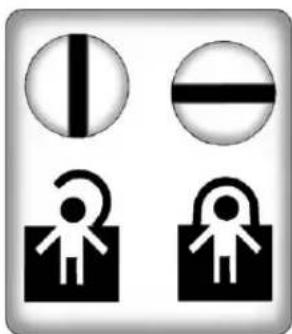
The vehicle has reardoor security lock stop prevent passengers from opening there ardoors from the inside.
natural_image
Four black-and-white icons: vertical line, horizontal bar, open book with curved arrow, and open padlock (no text or symbols)Openthereardoorstoaccessthe securitylocksontheinsideedgeof eachdoor.
Tosetthelocks, insertakey into the slot and turnitto the horizontal position. Thedoor can only be opened from the outside with the door unlocked. Toreturn the doorto normal operation, turn the slot to the vertical position.
Doors
RearDoors (ExtendedCab)
natural_image
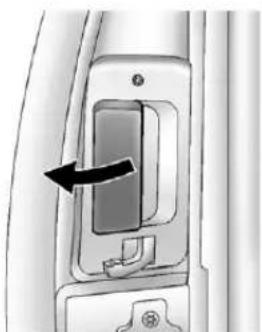
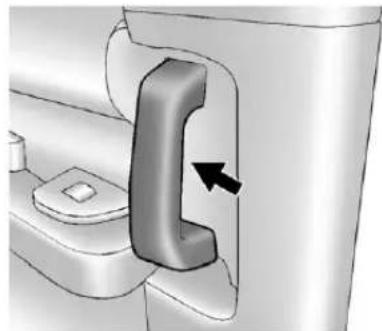
Close-up of a door handle mechanism with an arrow indicating left motion (no text or symbols visible)Toopenarearaccessdoorfromthe outside,firstopenthefrontdoor. Then,usethehandlelocatedonthe frontedgeoftherearaccessdoorto openit.
Therearaccessdoormustbe closedbeforethefrontdoorcan close.
natural_image
3D diagram of a toilet door mechanism with a black arrow indicating a component (no text or symbols present)Toopenarearaccessdoorfromthe inside,firstopenthefrontdoor. Then,usethehandlelocatedon theinsideoftherearaccessdoor toopen.
Tailgate

WARNING
Itisextremelydangeroustoride onthetailgate,evenwhenthe vehicleisoperatedatlowspeeds. Peopleridingonthetailgatecan easilylosetheirbalanceand fallinresponsetovehicle maneuvers.Fallingfroma movingvehiclemayresultin seriousinjuriesordeath.Donot allowpeopletorideonthe tailgate.Besureeveryoneinyour vehicleisinaseatandusinga safetybeltproperly.
Onvehicleswithalockonthe tailgate, usethekeytolockor unlockthetailgate.
Openthetailgatebyliftingup onitshandlewhilepullingthe tailgatedown.
Toshutthetailgate, firmly push it upward until latches.
Afterclosingthetailgate, pullitback tobesureitlatchessecurely.
TailgateRemoval
Thetailgatecanberemovedto allowfordifferentloadingsituations. Assistancemaybeneededwiththe removaltoavoiddamagetothe vehicle.
OnvehicleswithaRearVision Camera, it must be disconnected before removing the tailgate. See RearVision Camera (RVC) on page 9-70 form more information.
Toremovethetailgate:
text_image
A B C-
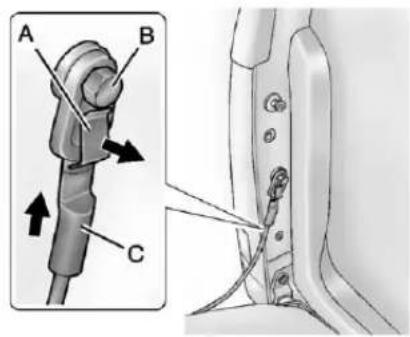
Raisethetailgateslightly, pull outandholdthecableretaining clip(A). Pushthecable(C) up andoffofthebolt(B). Repeated the otherside.
-
With the tailgate about halfway open, lift the rightedge of the tailgate from the lower pivot.
Onvehicleswiththetailgate assistfeature,raisethetailgate nearlyallthewaytotheclosed positionpriortoremovingthe leftedge.
- Movethetailgatetotherightto releasetheleftedge.
Reversethisprocedureoreinstall thetailgate.Makesurethetailgate issecure.
VehicleSecurity
This vehicle has the theft-deterrent features; however, they donot make it impossible to steal.
Anti-theftAlarmSystem
This vehicle may have a content theft-deterrentalarmsystem.

Thisisthesecuritylight.
Toarmthetheft-deterrentsystem:
-
Openthedoor.
-
LockthedoorwiththeRemote KeylessEntry(RKE)transmitter. Thesecuritylightshouldflash.
If the delayed locking feature is active, the alarm will not be activated until all doors are closed and these security light goes off.
- Closealldoors. Thesecurity lightwillstopflashingandgooff afterapproximately30seconds. Thesystemisarmedwhenthe securitylightgoesoff.
Ifalockeddriverdoorisopened withoutusingtheRKEtransmitter, a10secondpre-alarmwilloccur. Thehornwillchirpandthelightswill flash.Ifthekeyisnotplacedinthe ignitionandturnedtoSTARTorthe doorisnotunlockedbypressing theunlockbuttonontheRKE transmitterduringthe10second pre-alarm,thealarmwillgooff. Thevehicle'sheadlampswillflash andthehornwillsoundforabout 30seconds,thenwillturnofftosave thebatterypower.
Thetheft-deterrentsystemwillnot activateifthedoorsarelockedwith thekeyorthemanualdoorlock. Itactivatesonlyifyyouusethe powerdoorlockswitchortheRKE transmitter. Thevehiclecanbe startedwiththecorrectkeyifthe alarmissetoff.
To avoid setting off the alarm by accident:
- Ifyoudonotwanttoactivate thetheft-deterrentsystem, thevehicleshouldbelocked withthedoorkeyafterthedoors areclosed.
• Alwaysunlockadoorwiththe RKEtransmitter.
If the alarmissetoff, press unlock on the RKE transmitter or placethe key in the ignition and turnitto START.
TestingtheAlarm
Totestthealarm:
- Lowerthedriverwindow and openthedriverdoor.
- PresslockontheRKE transmitter.
- Closethedoorandwaitforthe securitylighttogoout.
- Reachinthroughthewindow, unlockthedoorwiththemanual doorlock, andopenthedoor. This should setoffthealarm.
Ifthealarmdoesnotsoundwhen itshouldbuttheheadlampsflash, checktoseeifthehornworks. Thehornfusemaybeblown. Toreplacethefuse,seeFusesand CircuitBreakersonpage10-47.
If the alarm does not sound or the headlamps donot flash, see your dealer for service.
Immobilizer
SeeRadioFrequencyStatementon page 13-21forinformation regardingPart15oftheFederal CommunicationsCommission(FCC) rulesandIndustryCanada StandardsRSS-GEN/210/220/310.
ImmobilizerOperation
ThisvehiclehasPASS-Key ^® III+ (PersonalizedAutomotiveSecurity System)theft-deterrentsystem. PASS-KeyIII+isapassive theft-deterrentsystem.
Thesystemisautomaticallyarmed whenthekeyisremovedfromthe ignition.
Thesystemisautomatically disarmedwhenthekeyisturned toON/RUN,ACC/ACCESSORY, orSTARTfromtheLOCK/OFF position.
Youdonothavetomanuallyarmor disarmthesystem.
Thesecuritylightwillcomeonif thereisaproblemwitharmingor disarmingthetheft-deterrent system.
WhenthePASS-KeyIII+system sensesthatsomeoneisusingthe wrongkey,itpreventsthevehicle fromstarting.Anyoneusinga trial-and-errormethodtostartthe vehiclewillbediscouragedbecause ofthehighnumberofelectrical keycodes.
If the engine does not start and the security light on the instrument panel cluster comes on when trying to start the vehicle, there may be a problem with the theft-deterrent system. Turn the ignition off and try again.
Iftheenginestilldoesnotstart,and thekeyappearstobeundamaged, tryanotherignitionkey.Atthistime, youmayalsowanttocheckthe fuse.SeeFusesandCircuit Breakersonpage10-47.Ifthe enginestilldoesnotstartwiththe otherkey,thevehicleneedsservice. Ifthevehicledoesstart,thefirstkey maybefaulty.Seeyourdealerwho canservicethePASS-Keyll+to haveanewkeymade.
ItispossibleforthePASS-Keyll+decodertolearnthetranspondervalueofaneworreplacementkey.Upto10keysmaybeprogrammedforthevehicle.Thefollowingprocedureisforprogrammingadditionalkeysonly.Ifallthecurrentlyprogrammedkeysarelostordonotoperate,youmustsee
yourdealeroralocksmithwhocan servicePASS-KeyIII+tohavekeys madeandprogrammedtothe system.
Seeyourdealeroralocksmithwho canservicePASS-KeyIII+togetanewkeyblankcutexactlyasthe ignitionkeythatoperatesthe system.
Toprogramthenewadditionalkey:
-
Verify that thenewkey has a ⊕ stampedonit.
-
Inserttheoriginal, already programmedkeyintheignition andstarttheengine. If the enginewillnotstart, see your dealerforservice.
-
After the engine has started, turn the key to LOCK/OFF, and removethe key.
2-14Keys, Doors, and Windows
- Insertthenewkeytobe programmedandturnitto theON/RUNpositionwithin fivesecondsofturningthe ignitiontotheLOCK/OFF positioninStep3.
Thesecuritylightwillturnoff oncethekeyhasbeen programmed.
- RepeatSteps1 through4 if additionalkeysaretobe programmed.
Ifyouloseordamageyour PASS-Keyll+key,seeyourdealer oralocksmithwhocanservice PASS-Keyll+tohaveanew keymade.
Donotleavethekeyordevice thatdisarmsordeactivatesthe theft-deterrentsysteminthevehicle.
ExteriorMirrors
ConvexMirrors
WARNING
Aconvexmirrorcanmakethings, likeothervehicles, lookfarther awaythantheyreallyare. If you cuttoosharplyintotherightlane, youcouldhitavehicleonthe right. Checktheinsidemirroror glanceoveryourshoulderbefore changinglanes.
Thepassengersidemirrorisconvex shaped. Aconvexmirror'ssurfaceis curvesomorecanbeseenfrom thedriverseat.
ManualMirrors
Vehicleswithoutsidemanual mirrorscanbeadjustedbymoving themirrorupanddownorleftto righttoseeaalittleofthesideofthe vehicle, and haveaclearview behindthevehicle.
Usinghood-mountedairdeflectors andadd-onconvexmirror attachmentscoulddecrease mirror performance.
Trailer-TowMirrors
natural_image
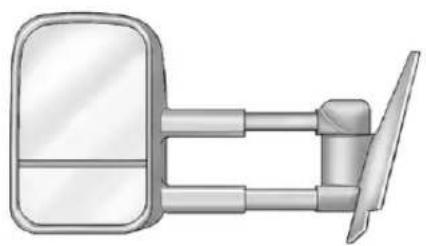
Illustration of a car front-mounted mirror and side-mounted lever (no text or symbols)Ifthevehiclehastowingmirrors, theycanbeadjustedforaclearer viewoftheobjectsbehindyou. Manuallypulloutthemirrorheadto extenditforbettervisibilitywhen towingatrailer.
The lower portion of the mirror is convex. A convex mirror's surface is curved to seem more from the driver seat. The convex mirror can be adjusted manually to the driver preferred position for better vision.
Themirrormayhaveaturnsignal arrowthatflashesinthedirectionof theturnorlanechange.
PowerMirrors
natural_image
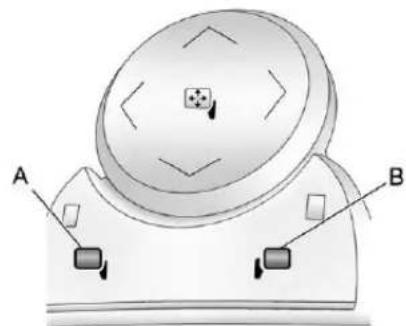
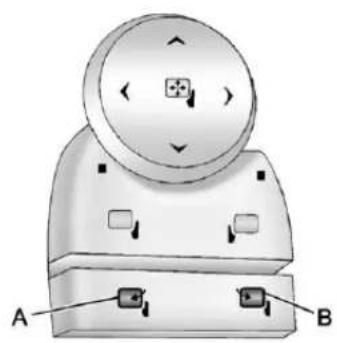
Diagram of a mechanical device with labeled parts A and B, showing internal components and directional arrows (no text or symbols beyond labels)Vehicleswithoutsidepowermirrors havecontrolslocatedonthe driverdoor.
Toadjusteachmirror:
-
Press(A) or (B) to select the driver or passengers idemirror.
-
Pressthearrowsonthecontrol padtomovethemirrorup, down,right, or left.
-
Adjust the outside mirror so that the side of the vehicle and the are behind are seen.
4.Presseither(A)or(B)again to deselectthemirror.
FoldingMirrors
natural_image
3D diagram of a mechanical component with labeled parts A and B, showing internal features and mounting holes (no text or symbols beyond labels)Vehicleswithoutsidepower foldawaymirrorshavecontrolson thedriverdoor.
PowerFoldaway
-
Press(A) tofold themirrors out tothedriving position.
-
Press(B) to fold them mirrors into the folded position.
ResettingthePowerFoldaway Mirrors
Resetthepowerfoldawaymirrorsif:
- Themirrorsareaccidentally obstructedwhilefolding.
• They are accidentally manually folded/unfolded.
• Themirrorswillnotstayinthe unfoldedposition. - Themirrorsvibrateatnormal drivingspeeds.
Foldandunfoldthemirrorsonetime usingthemirrorcontrolstoreset themtotheirnormalposition. Apoppingnoisemaybeheard duringtheresettingofthepower foldawaymirrors. Thissoundis normalafteramanualfolding operation.
ManualFoldaway
Manuallyfoldthemirrorsinward topreventdamagewhengoing throughanautomaticcarwash. Tofold, pullthemirrortowardthe vehicle. Pushthemirroroutward, toreturntoitsoriginalposition.
AutomaticDimming
Ifequippedwithanautomatic dimmingmirror,thedriveroutside mirroradjustsfortheglareofthe headlampsbehindyou.See AutomaticDimmingRearviewMirror onpage2-17.
TurnSignalIndicator
The vehicle may also have a turn signal indicator on the mirror. An arrow on the mirror flashes in the direction of the turn or lane change.
HeatedMirrors
Forvehicleswithheatedmirrors:
(RearWindowDefogger): Presstoheathemirrors. If the vehicle hasatowing mirror, only the upperglassofthemirrorisheated. Thelowerconvexpartofthetowing mirror is notheated.
Depending on the vehicle's features, see "RearWindowDefogger" under ClimateControl Systems (with Air Conditioning) on page 8-1 or ClimateControl Systems (with Heater Only) on page 8-4 or Dual Automatic Climate Control System on page 8-5 form more information.
ParkTiltMirrors
If the vehicle has the memory package, the passenger and/or driver mirror tilt to apre selected position when the vehicle is in R (Reverse). This feature lets the driverview the curb when parallel parking. Themirror(s) return to the original position when the vehicle is shifted out of R (Reverse), or the ignitionist turned off to OFF/LOCK.
Turnthisfeatureonoroffthrough theDriverInformationCenter(DIC). See VehiclePersonalization (WithDICButtons)onpage5-52 formoreinformation.
InteriorMirrors
ManualRearviewMirror
Holdthemirrorinthecenterto moveitforaclearerviewofbehind yourvehicle.Adjustthemirrorto avoidglarefromtheheadlamps behindyou.Pushthetabatthe bottomofthemirrorforwardfor daytimeuseandpullitfor nighttimeuse.
AutomaticDimming RearviewMirror
The vehicle may have an automatic dimming inside rear view mirror.
Automaticdimmingreducesthe glarefromtheheadlampsofthe vehiclebehindyou. Thedimming featurecomesonandtheindicator lightilluminateseachtimethe ignitionisturnedtostart.
On/Off: Presstoturnthe dimmingfeatureonoroff.
The vehicle may also have a Rear Vision Camera (RVC). See Rear Vision Camera (RVC) on page 9-70 form more information.
If the vehicle has a RVC, the button for turning the dimming feature on or off will not be available.
VehicleswithOnStarhavethree additionalcontrolbuttonsforthe OnStarsystem.Seeyourdealerfor moreinformationaboutOnStarand howtosubscribetoit.SeeOnStar Overviewonpage14-1.
CleaningtheMirror
Donotsprayglasscleanerdirectly onthemirror.Useasofttowel dampenedwithwater.
Windows

WARNING
Leavingchildren, helplessadults, orpetsinavehiclewiththe windowsclosedisdangerous. Theycanbeovercomebythe extremeheatandsuffer permanentinjuriesorevendeath fromheatstroke.Neverleavea child,ahelplessadult,orapet aloneinavehicle,especiallywith thewindowsclosedinwarmor hotweather.
natural_image
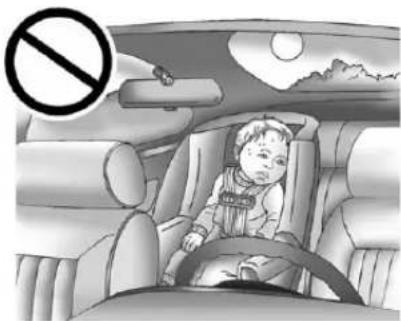
Interior view of a car with a child seated in the seat, no visible text or symbolsThe vehicle aerodynamics are designed to improve fueleconomy performance. This may result in pulsingsound when either rear window is down and the front windows are up. Toreducethe sound, openeither a front window or the sunroof (ifequipped).
ManualWindows
Turnthehandcrankoneachdoor tomanuallyraiseorlowerthe manualwindows.
PowerWindows

WARNING
Leavingchildreninavehiclewith thekeysisdangerousformany reasons. Childrenorotherscould bebadlyinjuredorevenkilled. Theycouldoperatethepower windowsorothercontrols or evenmakethevehiclemove. Thewindowswillfunctionand theycouldbeseriouslyinjuredor killedifcaughtinthepathofa closingwindow.Donotleave keysinavehiclewithchildren.
When there are children in the rearseatusethewindowlockout button to prevent unintentional operation of the windows.
CrewCabShown
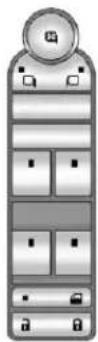
If the vehicle has power windows, switches are located one each door.
The driverdoor has as switch for the passenger and rear windows as well. The power window will work when the ignition is in ON/RUN or ACC/ACCESSORY, or when
RetainedAccessoryPower(RAP)is active.SeeRetainedAccessory Power(RAP)onpage9-32.
Pushtheswitchdowntolowerthe window, and pullupthefrontofthe switchtoraisethewindow.
Express-downWindows
Vehicleswiththeexpress-down featureallowthedriverandfront passengerwindowstobelowered withoutholdingtheswitch.Pushthe switchdowntotheseconddetent, thenrelease,toactivatethe express-downmode.The express-downmodecanbe canceledatanytimebypullingup onthefrontoftheswitch.Toopen thewindowpartway.pushtheswitch downtothefirstdetentuntilthe windowisatthedesiredposition.
WindowLockout
(WindowLockout):Ifacrew caborextendedcabvehiclehas powerwindows,thedriverdoor powerwindowswitchhasalockout feature. Thisfeaturepreventsthe rearwindowsfromoperating,except fromthedriverposition.Pressthe switchtoengageordisengagethe lockoutfeature.Anindicatorlighton theswitchwillcomeonwhenthe lockoutfeatureisengaged,andwill gooffwhendisengaged.
RearWindows
PowerSlidingRearWindow
natural_image
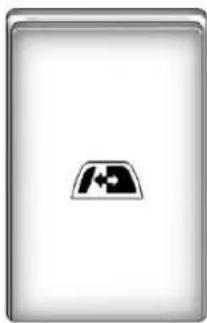
Generic computer icon representing a desktop with a location pin (no text or symbols)Onvehicleswithapowersliding rearwindow,theswitchislocatedin theoverheadconsole.
The powersliding rear window work when the ignition has been turned to ACC/ACCESSORY or ON/RUN, or when Retained Accessory Power (RAP) is active.
SeeRetainedAccessoryPower (RAP)onpage9-32formore information.
- Pushtoopenthewindow.
• Pulltoclosethewindow.
Thepowerslidingrearwindow cannotbeoperatedmanually.
SunVisors
natural_image
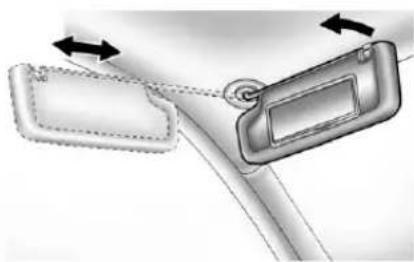
Diagram showing two car door lockers with directional arrows indicating movement (no text or symbols)Pullthesunvisordowntoblock glare.Detachthesunvisorfromthe centermounttopivottotheside window,ortoextendalongtherod, ifavailable.
Roof
Sunroof(ExtendedCab)
natural_image
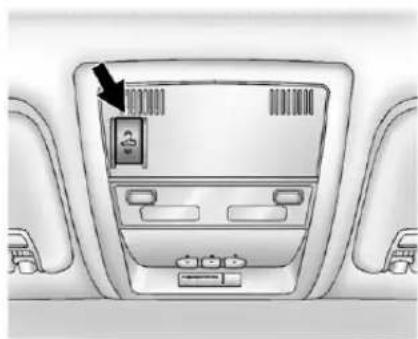
Interior view of a car dashboard with a digital display and control panel (no text or symbols visible)Onvehicleswithasunroof,the sunroofonlyoperateswhenthe ignitionisintheACC/ACCESSORY orON/RUNortheRetained AccessoryPower(RAP)isactive. SeeRetainedAccessoryPower (RAP)onpage9-32formore information.
Vent: From the closed position, press and hold therear of the switch to vent the sunroof. Toclosethe sunroof, press and hold the front of the switch.
Open: From the event position, the sunroof can be fully opened either manually or by using the express-open feature. To open manually, presstherearof the switch to the first detent and hold until the sunroof has reached the desired position. To open using express-open, presstherearof the switch to these second detent and release. The sunroof will move to the full open position. Tostop the sunroof part way, presstheswitcha second time.
Close: Fromthevent, oropen position, pressandholdthefrontof theswitchtoclosethesunroof.
Thesunroofalsohasaroller sunshadethatcanbeusedto blocktheraysofthesun. Theroller sunshadecanbemanuallyoperated withthesunroofinanopenor closedposition. Toopenthe sunshade, pressandunlatchit, and rollitback. Toclose, pullitforward andlatchitintotheclosedposition.
Whenthesunroofisopened,anair deflectorwillautomaticallyraise. Theairdeflectorwillretractwhen thesunroofisclosed.
natural_image
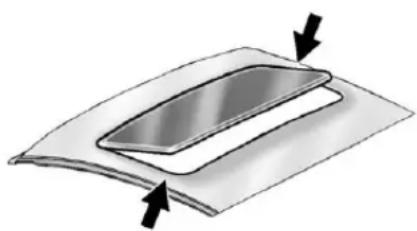
Diagram of a layered object with two arrows indicating direction (no text or symbols)Dirtanddebrismaycollection thesunroofsealorinthetrack. Thiscouldcauseanissuewith sunroofoperationornoise.Itcould alsoplugthewaterdrainage system.Periodicallyopenthe sunroofandremoveanyobstacles orloosedebris.Wipethesunroof sealandroofsealingareausinga cleancloth,mildsoap,andwater. Donotremovegreasefromthe sunroof.
Sunroof(CrewCab)
text_image
A BA.OpenorClose
B.Vent
Onvehicleswithasunroof,the sunroofonlyoperateswhenthe ignitionisintheACC/ACCESSORY orON/RUNortheRetained AccessoryPower(RAP)isactive. SeeRetainedAccessoryPower (RAP)onpage9-32formore information.
Vent: From the closed position, presstherearofthepassengerside switch(B) toventthesunroof.
Manual-Open/Manual-Close: Toopenthesunroof, pressandhold therearofthedriversideswitch(A) untilthesunroofreachesthe desiredposition. Pressandhold thefrontofthedriversideswitchto closeit.
Express-Open/Express-Close: Toexpress-openthesunroof,fully pressandreleasetherearofthe driversideswitch(B)untilthe sunroofreachesthedesired position.Toexpress-closethe sunroof,fullypressandrelease thefrontofthedriversideswitch. Presstheswitchagaintostopit.
Whenthesunroofisopened,anair deflectorwillautomaticallyraise. Theairdeflectorwillretractwhen thesunroofisclosed.
Thesunroofalsohasasunshade whichcanbepulledforwardtoblock sunrays. Thesunshademustbe openedandclosedmanually.
Ifanobjectisinthepathofthe sunroofwhileitisclosing,the anti-pinchfeaturewilldetectthe objectandstopthesunroof.
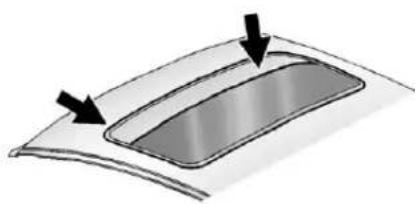
natural_image
Diagram of a curved surface with two arrows pointing to a rectangular depression (no text or symbols)Dirtanddebrismaycollection thesunroofsealorinthetrack. Thiscouldcauseanissuewith sunroofoperationornoise.Itcould alsoplugthewaterdrainage system.Periodicallyopenthe sunroofandremoveanyobstacles orloosedebris.Wipethesunroof sealandroofsealingareausinga cleancloth,mildsoap,andwater. Donotremovegreasefromthe sunroof.
Seatsand Restraints
HeadRestraints
HeadRestraints....3-2
FrontSeats
SeatAdjustment......3-3
CenterSeat....3-5
PowerSeatAdjustment......3-5
LumbarAdjustment......3-6
RecliningSeatbacks......3-6
MemorySeats......3-8
HeatedandVentilatedFront Seats....3-10
RearSeats
RearSeats(ExtendedCab FullBench)....3-11
RearSeats(AllSplitBench and HybridFullBench).....3-12
SafetyBelts
SafetyBelts....3-13
HowtoWearSafetyBelts Properly....3-14
Lap-ShoulderBelt......3-15
SafetyBeltUseDuring Pregnancy....3-20
LapBelt....3-20
SafetyBeltExtender......3-21
SafetySystemCheck......3-21
SafetyBeltCare....3-22
ReplacingSafetyBeltSystem PartsafteraCrash......3-22
AirbagSystem
AirbagSystem......3-23
WhereAretheAirbags?.....3-25
WhenShouldanAirbag Inflate?......3-26
WhatMakesanAirbag Inflate?......3-28
HowDoesanAirbag Restrain?......3-28
WhatWillYouSeeafteran AirbagInflates?......3-29
AirbagOn-OffSwitch.....3-30
PassengerSensing System....3-34
ServicingtheAirbag-Equipped Vehicle....3-38
AddingEquipmenttothe Airbag-EquippedVehicle...3-39
AirbagSystemCheck......3-41
ReplacingAirbagSystem PartsafteraCrash......3-41
ChildRestraints
OlderChildren......3-42
InfantsandYoung Children....3-44
ChildRestraintSystems.....3-47
WheretoPuttheRestraint...3-49
LowerAnchorsandTethers forChildren(LATCH System)....3-5
ReplacingLATCHSystem PartsAfteraCrash......3-60
SecuringChildRestraints (RearSeatPosition)......3-60
SecuringChildRestraints (CenterFrontSeat Position)....3-62
SecuringChildRestraints (RightFrontSeat Position)....3-63
3-2 Seats and Restraints
HeadRestraints
FrontSeats
Thefrontseatshaveadjustable headrestraintsintheoutboard seatingpositions.

WARNING
Withheadrestraintsthatare notinstalledandadjusted properly,thereisagreater chancethatoccupantswillsuffer aneck/spinalinjuryinacrash. Donotdriveuntilthehead restraintsforalloccupantsare installedandadjustedproperly.
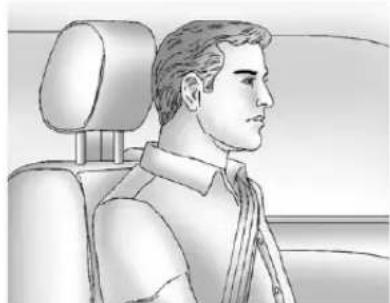
natural_image
Side profile sketch of a man in a car seat, showing head, torso, and neck (no text or symbols)Adjusttheheadrestraintsothatthe topoftherestraintisatthesame heightasthetopoftheoccupant's head. Thispositionreducesthe chanceofaneckinjuryinacrash.

natural_image
3D rendered model of a human torso with a black arrow pointing to a small object on the shoulder (no text or symbols)Theheightoftheheadrestraintcan beadjusted.Pulltheheadrestraint uptoraiseit.Trytomovethehead restrainttomakesurethatitis lockedinplace.
Tolowertheheadrestraint,press thebutton,locatedonthetopofthe seatback,andpushtherestraint down.Trytomovethehead restraintafterthebuttonisreleased tomakesurethatitislockedin place.
Thefrontseatoutboardhead restraintsarenotdesignedtobe removed.
RearSeats
Therearseathasadjustable headrestsintheoutboardseating positions.
Theheightoftheheadrestcanbe adjusted.Pulltheheadrestupto raiseit.Tolowertheheadrest, pushdownontheheadrest.
Rearoutboardheadrestsarenot designedtoberemoved.
FrontSeats
SeatAdjustment

WARNING
Youcanlosecontrolofthe vehicleifyoutrytoadjusta manualdriverseatwhilethe vehicleismoving. Thesudden movementcouldstartleand confuseyou,ormakeyoupusha pedalwhenyoudonotwantto. Adjustthedriverseatonlywhen thevehicleisnotmoving.
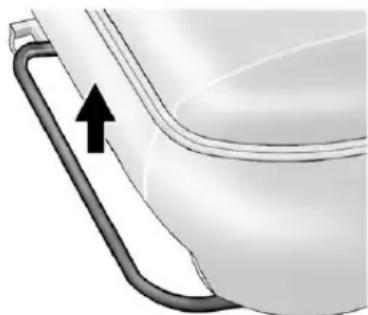
natural_image
Close-up of a toilet handle with a black arrow pointing to the outlet (no text or symbols visible)SplitBenchorBucketSeat
Toadjusttheseat:
- Liftthebartounlocktheseat.
2.Slidetheseattothedesired positionandreleasethebar. - Trytomovetheseatback and forhtobesuretheseatis lockedinplace.
3-4 Seats and Restraints
Somevehicleshaveafoldingfront benchseat.
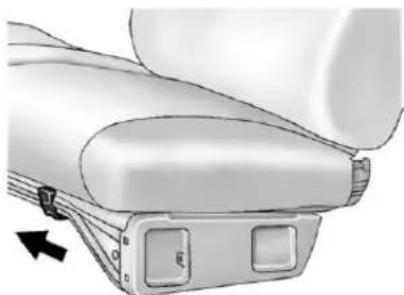
natural_image
Mechanical component diagram showing a lever mechanism with two buttons and an arrow indicating direction (no text or symbols present)BenchSeat
Toadjusttheseat:
- Movethelevertotherightto unlocktheseat.
2.Slidetheseattothedesired positionandreleasethelever. - Trytomovetheseatback and forthtomakesureitislocked intoplace.
FoldingtheBenchSeat
Tofoldthebenchseat:
- Pushbackonthefrontofthe seatback.
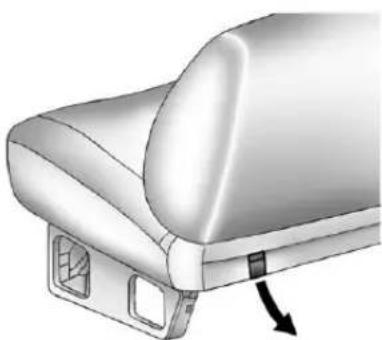
natural_image
3D rendering of a car seat or seat with a black arrow pointing to the side panel (no text or symbols visible)-
Pulloneofthereleaselevers, ateachendoftheseatonthe lowerrearoftheseatback, completelyout.
-
While holding the leverout, fold these at back forward until rest on these seat.
- Releasethelever.
Donottrytoreleasethe seatbackbeforepullingthe releaseleversortherelease systemcanbedamaged.

WARNING
Ifeitherseatbackisnotlocked, it couldmoveforwardinasudden stoporcrash. That could cause injury to the person sitting there. Always push and pull on the seatbackstobesure they are locked.
WARNING
Asafetybeltthatisimproperly routed, not properly attached, ortwisted will not provide the protection needed in a crash. The person wearing the belt could be seriously injured. After raising there are seatback, always check to be sure that the safety belts are properly routed and attached, and are not twisted.
Reversethestepstoraisethe seatback.Pushandpullonthe seatbacktomakesuretheseatback islockedintheuprightposition beforedriving.Makesurethesafety beltsarenottwistedorcaughtinthe seatback.
CenterSeat
Ifequipped, thecenterfront seatbackdoublesasanarmrestand cupholder/storageareaforthedriver andpassengerwhenthecenter frontseatisnotused. Donotuseit asaseatingpositionwhenthe seatbackisfoldeddown.
PowerSeatAdjustment
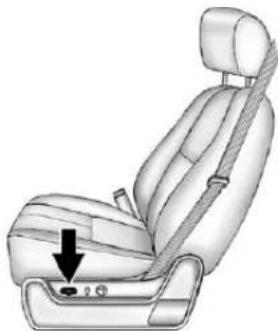
natural_image
Illustration of a car seatbelt seat with a black arrow pointing to the seat area (no text or symbols present)Toadjustapowerseat,ifequipped:
- Movetheseatforwardor rearwardbyslidingthecontrol forwardorrearward.
- Ifavailable, raise or lower the frontor rear part of these seat cushion by moving the frontor rear of the controlupordown.
- Ifavailable, raise or lower the entire seat by moving the entire controlupordown.
Toadjusttheseatback,see "PowerRecliningSeatbacks" underRecliningSeatbackson page3-6.
LumbarAdjustment
ManualLumbar
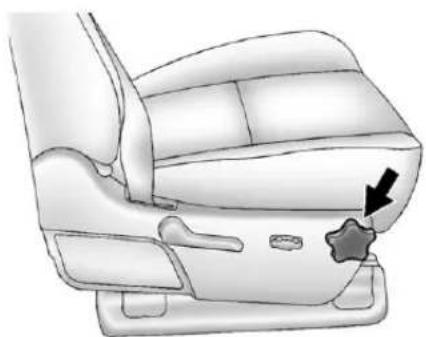
natural_image
Illustration of a car seat with a star-shaped button and arrow pointing to the seat area (no text or symbols present)Ifequipped, increase or decrease manuallumbarsupport by turning the knob forward or rearward.
PowerLumbar
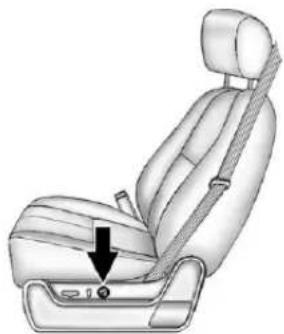
natural_image
Illustration of a car seatbelt with a black arrow pointing to the seat area (no text or symbols present)Toadjustthepowerlumbarsupport, ifequipped:
- Onvehicleswithtwo-way lumbar,pressandholdthetop orbottomofthecontrolto increaseordecreaselumbar support.
- Onvehicleswithfour-way lumbar,pressandholdthefront orrearofthecontroltoincrease ordecreaselumbarsupport. Toraiseorlowertheheightof thesupport,pressandholdthe toporbottomofthecontrol.
RecliningSeatbacks

WARNING
Sittinginareclinedpositionwhen thevehicleisinmotioncanbe dangerous.Evenwhenbuckled up,thesafetybeltscannotdo theirjobwhenreclinedlikethis.
Theshoulderbeltcannotdoits jobbecauseitwillnotbeagainst yourbody.Instead,itwillbein frontofyou.Inacrash,youcould gointoit,receivingneckorother injuries.
Thelapbeltcannotdoitsjob either.Inacrash,thebeltcould goupoveryourabdomen.The beltforceswouldbethere,notat yourpelvicbones.Thiscould causeseriousinternalinjuries.
(Continued)
WARNING(Continued)
Forproperprotectionwhenthe vehicleisinmotion,havethe seatbackupright.Thensitwell backintheseatandwearthe safetybeltproperly.
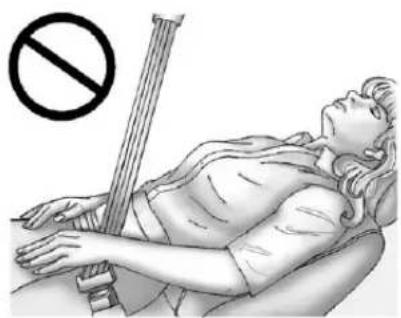
natural_image
Illustration of a person lying on their back with a no-smoking symbol above, no text or labels present.Donothaveaseatbackreclinedif thevehicleismoving.
ManualRecliningSeatbacks

WARNING
Youcanlosecontrolofthe vehicleifyoutrytoadjusta manualdriverseatwhilethe vehicleismoving. Thesudden movementcouldstartleand confuseyou,ormakeyoupusha pedalwhenyoudonotwantto.
Adjustthedriverseatonlywhen thevehicleisnotmoving.

WARNING
Ifeitherseatbackisnotlocked, it couldmoveforwardinasudden stoporcrash. Thatcouldcause injurytothepersonsittingthere.
Alwayspushandpullonthe seatbackstobesuretheyare locked.
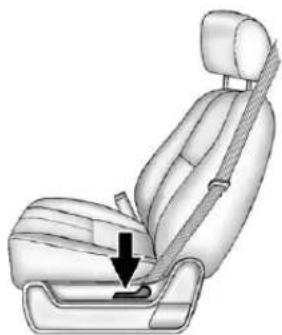
natural_image
Illustration of a car seatbelt with a black arrow pointing to the seat (no text or symbols present)Toadjustamanualseatback:
- Liftthelever.
Theseatbackwillautomatically foldforward.
-
Torecline, movetheseatback rearwardtothedesiredposition, thenreleasethelevertolockthe seatbackinplace.
-
Pushandpullontheseatbackto makesureitislocked.
3-8 Seats and Restraints
Toreturntheseatbacktotheupright position:
-
Lifttheleverfullywithout applyingpressuretothe seatback,andtheseatbackwill returntotheprightposition.
-
Pushandpullontheseatbackto makesureitislocked.
PowerRecliningSeatbacks
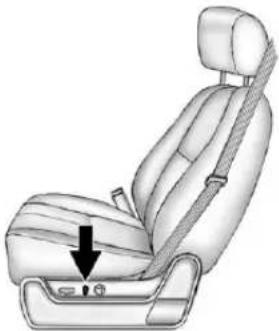
natural_image
Illustration of a car seat with a black arrow pointing to the seat area (no text or symbols present)Toreclineapowerseatback, ifequipped:
• Tiltthetopofthecontrol rearwardtorecline.
- Tiltthetopofthecontrolforward toraise.
MemorySeats
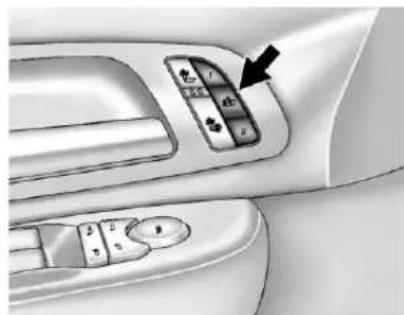
natural_image
Interior view of a car dashboard with control panel and directional arrow (no text or symbols)Onvehicleswiththememory feature,thecontrolsonthedriver doorareusedtoprogramandrecall memorysettingsforthedriverseat, outsideemirrors,andtheadjustable throttleandbrakepedals, ifequipped.
StoringMemoryPositions
Tosaveintomemory:
- Adjustthedriverseat, seatback recliner, bothoutsidemirrors, andthethrottleandbrake pedals, ifequipped.
See Power Mirror on page 2-15 and Adjustable Throttle and Brake Pedal on page 9-26 for more information.
Notallmirrorsandadjustable throttleandbrakepedalswill havetheabilitytosaveand recalltheirpositions.
-
Pressandhold "1" until twobeepssound.
-
Repeatforaseconddriver positionusing "2."
Torecall, press and release "1" or "2." The vehicle must be in P (Park). As single beep will sound. Theseat, outside mirrors, and adjustable throttle and brake pedals will move to the position previously stored for the identified driver.
MemoryRemoteRecall
Thememoryfeaturecanrecallthe driverseat,outsidemirrors,and pedals,ifequipped,tostored positionswhenenteringthevehicle.
Toactivate, unlockthedriver doorwiththeRemoteKeyless Entry(RKE)transmitter. Thedriver seat, outsidemirrors, and adjustable pedals, ifequipped, willmoveto the memorypositionassociatedwiththe transmitterusedtounlockthe vehicle.
Thisfeaturecanbeturnedonoroff usingthevehiclepersonalization menu.SeeVehiclePersonalization (WithDICButtons)onpage5-52for moreinformation.
Tostoprecallmovement, pressone of the powerseat controls, memory buttons, or power mirror buttons, or head adjustable pedalswitch.
If something has blocked the driver seat and/or head adjustable pedals while recalling a memory position, there call may stop. Remove the obstruction; then press and hold the appropriatemanual control for the memory item that is not recalling for two seconds. Try recalling the memory position again by pressing the appropriate memory button. If the memory position is still not recalling, see your dealer for service.
EasyExitDriverSeat
Thisfeaturecanmovetheseat rearwardtoallowextraroomtoexit thevehicle.
☐(EasyExitDriverSeat):Press torecalltheeasyexitseatposition. ThevehiclemustbeinP(Park).
If the easy exit seat feature is programmed on the vehicle personalization menu, automatic seat movement occurs when the ignition key is removed.
Asinglebeepsounds. Thedriver seatmovesback approximately 8cm(3in). Tomovetheseatback farther, press again until the seatisallthewayback.
If something has blocked the driver seat while recalling the exit position, there call may stop. Remove the obstruction; then press and hold the power seat control rearward for two seconds. Try recalling the exit position again. If the exit position is still not recalling, see your dealer for service.
See Vehicle Personalization(With DICButtons) on page 5-52 form more information.
HeatedandVentilated FrontSeats

WARNING
If you cannot feel temperature change or paint to the skin, the seat theater may cause burns even at low temperatures. Toreducether is of burns, people with such a condition should use care when using the seat theater, especially for long period so time. Donot place anything on these that insulates against heat, such as ablanket, cushion, cover, or similar item. This may cause these seat at too over heat. An over heated seat theater may cause burn or may damage these at.
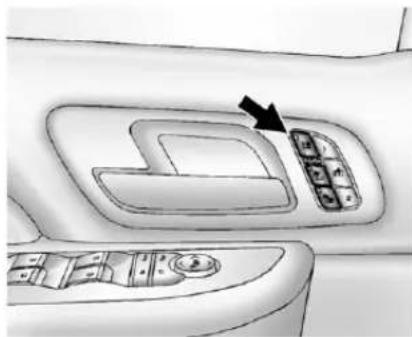
natural_image
Interior view of a car dashboard with control panel and directional arrow (no text or symbols)HeatedandCooledSeat ButtonsShown, HeatedSeat ButtonsSimilar
Ifavailable, thebuttonsareonthe frontdoors.
(CooledSeat): If available, presstocooltheseat.
(HeatedSeatback):Pressto heattheseatbackonly.
HeatedSeatandSeatback): Presstoheattheseatand seatback.
Pressthebuttononceforthe highestsetting.Witheachpressof thebutton,theseatwillchangeto thenextlowersetting,andthento theoffsetting.Thelightsindicate threeforthehighestsettingandone forthelowest.
Thepassengerseatmaytake longertoheatup.
Onvehicleswithheatedseats, theheatedseatsarecanceled 10secondsaftertheignitionis turnedoff.
Onvehicleswithheatedandcooled seats,theheatedandcooledseats arecanceledwhentheignitionis turnedoff.
Tousethisfeatureafterrestarting thevehicle,pressthedesiredbutton again.
RemoteStartHeatedSeats
When it is cold outside, the heated seats may turn on automatically during a remote vehicle start. The heated seat will be canceled when the ignition is turned on. Press the desired button to set the heated seats after the vehicle is started.
Thelightsontheheatedseat buttonsdonotturnonduringa remotestart.
Thetemperatureperformanceofan unoccupiedseatmaybereduced. Thisisnormal.
See Remote Vehicle Starton page2-5 form more information.
RearSeats
RearSeats(Extended CabFullBench)
FoldingtheRearSeat
Notice: Folding arearseat with the safety belts still fastened may caused damage to these at the safety belts. Always unbockle the safety belts and return them to their normal stowed position before folding arearseat.
natural_image
Close-up of a metallic curved object with a looped handle, possibly part of a device or tool (no visible text or symbols)Tofoldtheseat:
- Pulluponthefrontoftheseat cushionwhilepullingdownon thereleasestrapundertheseat cushion.
- Pulltheseatcushionupuntil latcheswiththeseatback.
- Pullforwardontheseatcushion tomakesureitislockedin place.
3-12 Seats and Restraints
Tounfoldtheseat:
- Pushtheseatcushionrearward whilepullingthereleasestrap undertheseatcushion.Pullthe seatcushiondownuntil latches.
- Pullupontheseatcushionto makesureitislockedinplace. Makesurethesafetybeltsare nottwistedorcaughtintheseat cushion.

WARNING
Asafetybeltthatisimproperly routed, not properly attached, ortwisted will not provide the protection needed in a crash. The person wearing the belt could be seriously injured. After raising there are seatback, always check to be sure that the safety belts are properly routed and attached, and are not twisted.
RearSeats (AllSplitBenchand HybridFullBench)
FoldingRearSeat
Eithersideoftherearseatcanbe foldedforaddedcargospace.
Notice: Folding arearseat with the safety belts still fastened may caused damage to theseator the safety belts. Always unbuckle the safety belts and return them to their normal stowed position before folding arearseat.
Makesurethatnothingison theseat.
Tofoldtheseat,slowlypulltheseat cushionup.
Toreturntheseattothenormal seatingposition,slowlypulltheseat cushiondown.
Makesurethesafetybeltsarenot twistedorcaughtintheseat cushion.

WARNING
Asafetybeltthatisimproperly routed, not properly attached, ortwisted will not provide the protection needed in a crash. The person wearing the belt could be seriously injured. After raising there are seatback, always check to be sure that the safety belts are properly routed and attached, and are not twisted.
SafetyBelts
Thissectionofthemanual describeshowtousesafetybelts properly.Italsodescribessome thingsnottodowithsafetybelts.

WARNING
Donotletanyoneridewherea safetybeltcannotbeworn properly.Inacrash,ifyouoryour passenger(s)arenotwearing safetybelts,injuriescanbemuch worsethanifyouarewearing safetybelts.Youcanbeseriously injuredorkilledbyhittingthings insidethevehicleharderorby beingejectedfromthevehicle. Inaddition,anyonewhoisnot buckledupcanstrikeother passengersinthevehicle.
(Continued)
WARNING(Continued)
Itisextremelydangeroustoride inacargoarea,insideoroutside ofvehicle.Inacollision, passengersridingintheseareas aremorelikelytobeseriously injuredorkilled.Donotallow passengerstorideinanyareaof thevehiclethatisnotequipped withseatsandsafetybelts.
Alwayswearasafetybelt, and checkthatallpassenger(s) are restrainedproperlytoo.
This vehicle has indicators as a remindertobucklethesafetybelts. See Safety Belt Reminderson page 5-19 for additional information.
WhySafetyBeltsWork
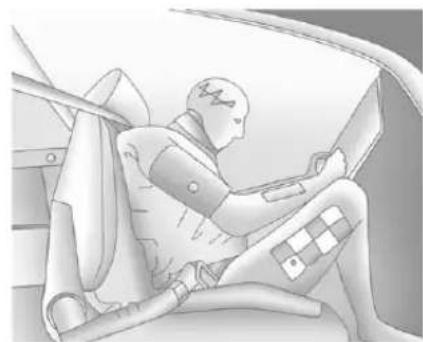
natural_image
Illustration of a person seated in a car, wearing a helmet and holding a device (no text or symbols visible)Whenridinginavehicle,youtravel asfastasthevehicledoes.Ifthe vehiclestopssuddenly,youkeep goinguntilsomethingstopsyou. Itcouldbethewindshield,the instrumentpanel,orthesafetybelts!
Whenyouwearasafetybelt,you andthevehicleslowdowntogether. Thereismoretimetostopbecause youstopoveralongerdistanceand, whenwornproperly,yourstrongest bonestaketheforcesfromthe safetybelts.Thatiswhywearing safetybeltsmakessuchgood sense.
3-14 Seats and Restraints
QuestionsandAnswersAbout SafetyBelts
Q: Willlbetrappedinthevehicle afteracrashiflamwearinga safetybelt?
A: You could be—whether you are wearing as safety belt or not. Your chance of being conscious during and after a crash, so you can unbuckle and get out, is much greater if you are belted.
Q: If my vehicle has air bags, why should have to wear safety belts?
A: Airbagsaresupplemental systemsonly; sotheyworkwith safetybelts—notinsteadof them. Whetherornotanairbag isprovided, allooccupantsstill havetobuckleuptogetthe mostprotection.
Also, innearly all states and in all Canadian provinces, the law requires wearingsafety belts.
HowtoWearSafetyBelts Properly
Thissectionisonlyforpeopleof adultsize.
Therearespecialthingstoknow aboutsafetybeltsandchildren.And therearedifferentrulesforsmaller childrenandinfants.Ifachildwillbe ridinginthevehicle,seeOlder Childrenonpage3-42orInfants andYoungChildrenonpage3-44. Followthoserulesforeveryone's protection.
Itisveryimportantforallooccupants tobuckleup.Statisticsshowthat unbeltedpeoplearehurtmoreoften incrashesthanthosewhoare wearingsafetybelts.
Thereareimportantthingstoknow aboutwearingasafetybeltproperly.
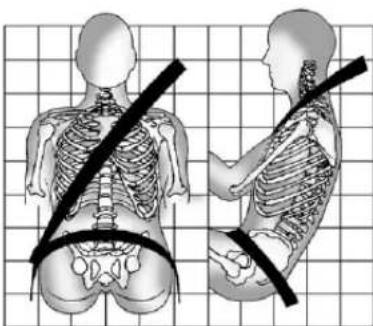
natural_image
Illustration of human skeletal positions on a grid background, showing front and side views with no text or symbols- Situpstraightandalwayskeep yourfeetonthefloorinfront ofyou.
• Alwaysusethecorrectbuckle foryourseatingposition.
- Wearthelappartofthebelt lowandsnugonthehips,just touchingthethighs.Inacrash, thisappliesforcetothestrong pelvicbonesandyouwouldbe lesslikelytoslideunderthelap belt.Ifyouslidunderit,thebelt wouldapplyforceonyour abdomen.Thiscouldcause seriousorevenfatalinjuries.
- Weartheshoulderbeltoverthe shoulderandacrossthechest. Thesepartsofthebodyarebest abletotakebeltrestraining forces. Theshoulderbeltlocksif thereisasuddenstoporcrash.
WARNING
Youcanbeseriouslyinjured, orevenkilled, bynotwearing yoursafetybeltproperly.
- Neverallowthelapor shoulderbelttobecome looseortwisted.
- Neverweartheshoulderbelt underbotharmsorbehind yourback.
- Neverroutethelapor shoulderbeltoveran armrest.
Lap-ShoulderBelt
Allseatingpositionsinthevehicle havealap-shoulderbelt.
The following instructionsexplain howtowearalap-shoulderbelt properly.
-
Adjusttheseat, if theseatis adjustable, so you cansit up straight. Toseehow, see "Seats" in the Index.
-
Pickupthelatchplateandpull thebeltacrossyou.Donotletit gettwisted.
Thelap-shoulderbeltmaylockif youpullthebeltacrossyouvery quickly. Ifthishappens, letthe beltgobackslightytounlockit. Thenpullthebeltacrossyou moreslowly.
Iftheshoulderportionofa passengerbeltispulledoutall theway,thechildrestraint lockingfeaturemaybeengaged. Ifthishappens,letthebeltgo backallthewayandstartagain.
Engagingthechildrestraint lockingfeature may affect the passengersensingsystem, ifequipped. See Passenger Sensing Systempage 3-34 formoreinformation.
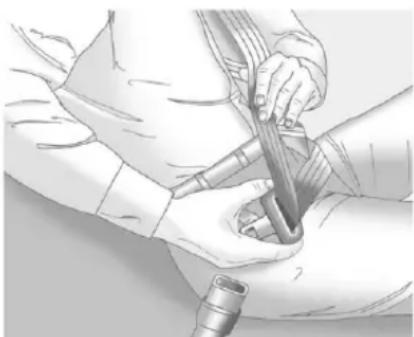
natural_image
Medical illustration showing a procedure with hands performing a catheter insertion (no text or symbols present)If the belt stops before it reaches the buckle, when using the lap-shoulder belt in a rear center seating position of a crew-cab, tilt the latch plate and keep pulling the safety belt until it can be buckled.
3-16SeatsandRestraints
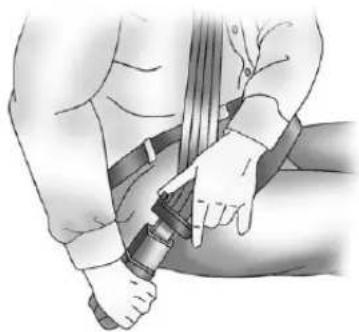
natural_image
Illustration of a person adjusting a belt buckle (no text or symbols present)- Pushthelatchplate into the buckle until it clicks.
Pulluponthelatchplateto makesureitissecure.Ifthebelt isnotlongenough,see Safety BeltExtenderonpage3-21.
Ifthelatchplatewillnotgofully intothebuckle,checkifthe correctbuckleisbeingused.
Positionthereleasebuttonon thebucklesothatthesafetybelt couldbequicklyunbuckledif necessary.
- If equipped with a shoulder belt height adjuster, move it to the height that is right for you. See "Shoulder Belt Height Adjuster" later in this section.
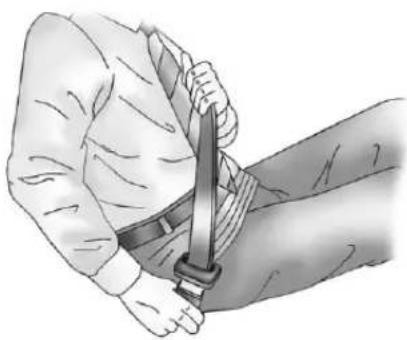
natural_image
Illustration of a person's arm being lifted by a sword, showing muscle and muscle positioning (no text or symbols)- Tomakethelapparttight, pullupontheshoulderbelt. It may be necessary topull stitching on the safety belt through the latch platetofully tight enthelapbelton smaller occupants.
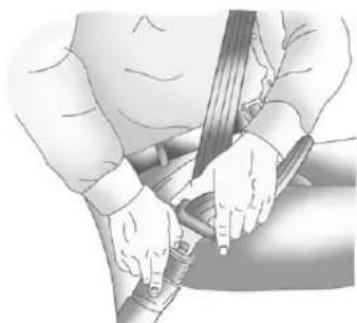
natural_image
Illustration of a person's seatbelt being adjusted, showing hands and a belt (no text or symbols)Tounlatchthebelt, pushthebutton onthebuckle. Thebelt should returntoitsstowedposition.
Beforeadoorisclosed, besure thesafetybeltisoutoftheway. Ifa doorisslammedagainstasafety belt, damagecanoccurtoboththe safetybeltandthevehicle.
ShoulderBeltHeightAdjuster
The vehicle has a shoulder belt height adjuster for the driver and right front passenger.
Adjusttheheightsotheshoulder portionofthebeltisontheshoulder andnotfallingoffofit.Thebelt shouldbecloseto,butnot contacting,theneck.Improper shoulderbeltheightadjustment couldreducetheeffectiveness of thesafetybeltinacrash.SeeHow toWearSafetyBeltsProperlyon page3-14.
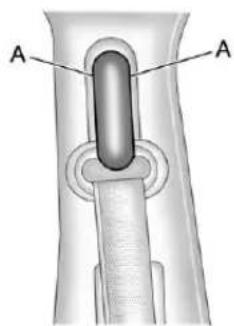
text_image
A ARegularandCrewCab
Tomovetheadjusterdownforthe regularandcrewcabs,squeezethe buttons(A)onthesidesofthe heightadjusterandmovetheheight adjustertothedesiredposition.
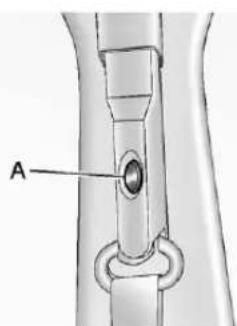
text_image
AExtendedCab
Ontheextendedcab, pushdownon thereleasebutton(A)andmovethe heightadjustertothedesired position.
Youcanmovtheadjusterupjust bypushingupontheshoulderbelt guide.
Afteryoumovetheadjusterto whereyouwantit,trytomoveit down,withoutsqueezingthebuttons fortheregularandcrewcabs, orwithoutpushingtherelease buttonforextendedcabs,tomake sureithaslockedintoposition.
3-18 Seats and Restraints
SafetyBeltPretensioners
Thisvehiclehassafetybelt pretensionersforfrontoutboard occupants. Although the safety belt pretensioners cannot be seen, they are part of the safety belt assembly. They can help tightenthesafety belts during the early stages of a moderate to severe frontal, near frontal, or rear crash if the threshold conditions for pretensioner activation are met. And, if your vehicle hasside impact air bags, safety belt pretensioners can help tightenthesafety belts in aside crashorarollover event.
Pretensionersworkonlyonce.Ifthe pretensionersactivateinacrash, theywillneedtobereplaced,and probablyothernewpartsforthe vehicle'ssafetybeltsystem. SeeReplacingSafetyBeltSystem PartsafteraCrashonpage3-22.
RearSafetyBeltComfort Guides
This vehicle may have rear shoulder belt comfort guides. If not, they are available through your dealer. The guides may provide added safety belt comfort for older children who have outgrown boosterseats and for some adults. When installed and properly adjusted, the comfort guide position the belt away from theneck and head.
Hereishowtoinstallacomfort guidetotheshoulderbelt:
- Removetheguidefromits storageclipontheinteriorbody.
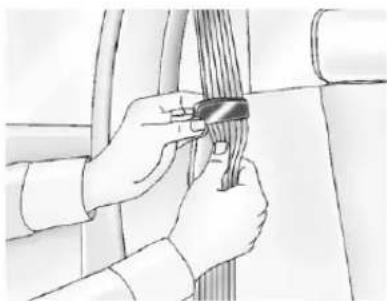
natural_image
Illustration of hands tying a knot around a rope (no text or symbols)- Placetheguide over the belt and insert the two edges of the belt into the slot of the guide.
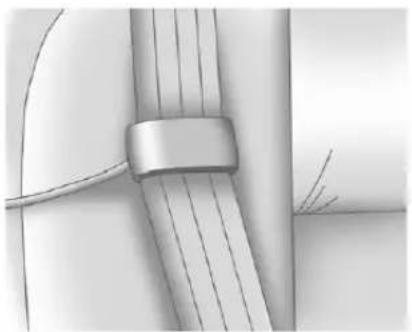
natural_image
Close-up of a metallic cable or wire with a strap, showing internal strands and a small inset view (no text or symbols)- Besurethatthebeltisnot twistedanditliesflat. Theelasticcordmustbe underthebeltandtheguide ontop.
WARNING
Asafetybeltthatisnotproperly wornmaynotprovidethe protectionneededinacrash. Thepersonwearingthebeltcould beseriouslyinjured. Theshoulder beltshouldgoovertheshoulder andacrossthechest. Theseparts ofthebodyarebestabletotake beltrestrainingforces.
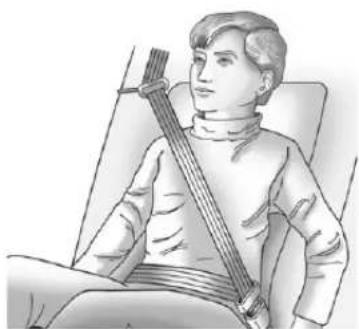
natural_image
Illustration of a person seated in a chair holding a stringed instrument (no text or symbols visible)- Buckle, position, and release the safety belt as described previously in this section. Make sure the shoulder portion of the belt is on the shoulder and not falling off of it. The belt should be closeto, but not contacting, theneck.
Toremoveandstorethecomfort guide,squeezethebeltedges togethersothatthesafetybeltcan beremovedfromtheguide.Slide theguideontothestorageclip.
3-20SeatsandRestraints
SafetyBeltUseDuring Pregnancy
Safetybeltsworkforeveryone, includingpregnantwomen.Likeall occupants,theyaremorelikelyto beseriouslyinjurediftheydonot wearsafetybelts.
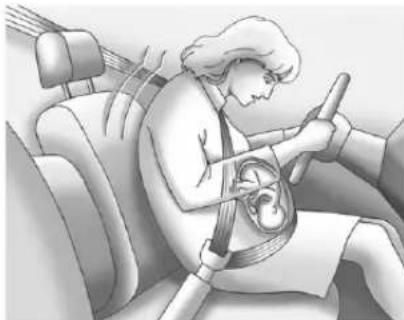
natural_image
Illustration of a person wearing a car seatbelt and using a steering wheel (no text or symbols)Apregnantwomanshouldweara lap-shoulderbelt, and the lap portions should bewornaslowas possible, belowtherounding, throughout the pregnancy.
The best way to protect the fetus is to protect them other. When as safety belt is worn properly, it is more likely that the fetus will not be hurt in a crash. For pregnant women, as for anyone, the key to makings safety belt is effective is wearing them properly.
LapBelt
Thissectionisonlyforthelapbelt. Tolearnhowtowearalap-shoulder belt, seeLap-ShoulderBelton page3-15.
The vehicle may have a center seating position with alapsafety belt. The lapsafety belt does not have a retractor.
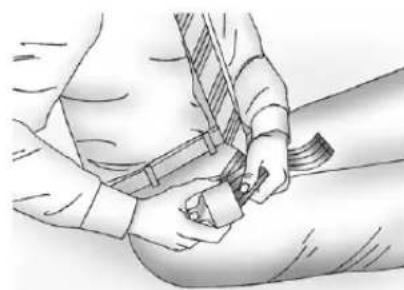
natural_image
Illustration of a person adjusting a belt buckle (no text or symbols present)Tomakethebeltlonger, tiltthelatch plateandpullitalongthebelt.
Buckle, position, and release it the same way asthelappartofa lap-shoulderbelt.
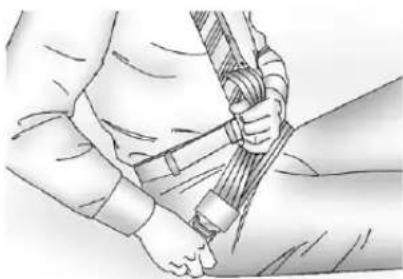
natural_image
Illustration of a person adjusting a rope or cable (no text or symbols present)Tomakethebeltshorter, pullitsfree endasshownuntilthebeltissnug.
Ifthebeltisnotlongenough,see SafetyBeltExtenderonpage3-21.
Makesurethereleasebuttononthe buckleispositionedsoyouwould beabletounbucklethesafetybelt quicklyifnecessary.
SafetyBeltExtender
Ifthevehicle'ssafetybeltwillfasten aroundyou,youshoulduseit.
Butifasafetybeltisnotlong enough,yourdealerwillorderyou anextender.Whenyougointo orderit,taketheheaviestcoatyou willwear,sotheextenderwillbe longenoughforyou.Tohelpavoid personalinjury,donotletsomeone elseuseit,anduseitonlyforthe seatismadetofit.Theextender hasbeendesignedforadults.Never useitforsecuringchildseats.To wearit,attachittotheregularsafety belt.Formoreinformation,seethe instructionsheetthatcomeswith theextender.
SafetySystemCheck
Nowandthen, check that the safety belt reminder light, safety belts, buckles, latch plates, retractors, and anchorages are all working properly. Look for any other loose or damaged safety belts system parts that might keep as safety belts system from doing its job. See your dealer to have it repaired. Tornor frayed safety belts may not protect you in a crash. They can ripart under impact forces. Ifabeltistorno frayed, get anewoneright away.
Makesurethesafetybeltreminder lightisworking.SeeSafetyBelt Remindersonpage5-19formore information.
Keepsafetybeltscleananddry. See SafetyBeltCareonpage3-22.
3-22SeatsandRestraints
SafetyBeltCare
Keepbeltscleananddry.

WARNING
Donotbleachordyesafetybelts. Itmayseverelyweakenthem. Inacrash, they might not be able to provide adequate protection. Cleansafetybeltsonly with mild soap and lukewarmwater.
ReplacingSafetyBelt SystemPartsaftera Crash

WARNING
Acrashcandamagethesafety beltsysteminthevehicle. Adamaged safety beltsystem may not properly protect the person using it, resulting in serious injury overvendeathina crash. To help makes sure the safety belts systems are working properly after a crash, havethem inspected and any necessary replacements made as soon as possible.
Afteraminorcrash, replacement of safetybeltsmaynotbenecessary. Butthesafetybeltasembliesthat were used during any crash may have been stressed or damaged. Seeyourdealertohavethesafety beltassemblies inspected or replaced.
Newpartsandrepairsmaybe necessaryevenifthesafetybelt systemwasnotbeingusedatthe timeofthecrash.
Havethesafetybeltpretensioners checkedifthevehiclehasbeenina crash,oriftheairbagreadinesslight staysonafteryoustartthevehicle orwhileyouaredriving.SeeAirbag ReadinessLightonpage5-20.
AirbagSystem
The vehicle hasthe following airbags:
• Afrontalairbagforthedriver.
- Afrontalairbagfortherightfront passenger.
The vehicle may have the following airbags:
• Aseat-mountedsideimpact airbagforthedriver.
- Aseat-mountedsideimpact airbagfortherightfront passenger.
• Aroof-railairbagforthedriver and the passenger seated directly behind the driver.
- Aroof-railairbagfortheright frontpassengerandtheperson seateddirectlybehindtheright frontpassenger.
Alloftheairbagsinthevehiclewill havethewordAIRBAGembossed inthetrimoronanattachedlabel nearthedeploymentopening.
Forfrontalairbags, theword AIRBAG will appear on the middle part of the steering wheel for the driver and the instrument panel for the right front passenger.
Withseat-mountedsideimpact airbags, thewordAIRBAGwill appearonthesideoftheseatback closesttothedoor.
Withroof-railairbags, theword AIRBAG will appear along the headlinerortrim.
Airbagsaredesignedtosupplement theprotectionprovidedbysafety belts. Eventhoughtoday'sairbags arealsodesignedtohelpreduce theriskofinjuryfromtheforceofan inflatingbag,allairbagsmustinflate veryquicklytodotheirjob.
Herearethemostimportantthings toknowabouttheairbagsystem:

WARNING
Youcanbeseverelyinjuredor killedinacrashifyouarenot wearingyoursafetybelt—evenif youhaveairbags.Airbagsare designedtoworkwithsafety belts,butdonotreplacethem. Also,airbagsarenotdesignedto deployineverycrash.Insome crashessafetybeltsareyouronly restraint.SeeWhenShouldan AirbagInflate?onpage3-26.
Wearingyoursafetybeltduringa crashhelpsreduceyourchance ofhittingthingsinsidethevehicle orbeingejectedfromit.Airbags are“supplementalrestraints”to thesafetybelts.Everyoneinyour vehicleshouldwearasafetybelt properly—whetherornotthereis anairbagforthatperson.
3-24SeatsandRestraints

WARNING
Because airbagsinflatewithgreat forceandfasterthantheblinkof aneye,anyonewhoisup against,orveryclosetoany airbagwhenitinflatescanbe seriouslyinjuredorkilled.Donot situnnecessarilyclosetoany airbag,asyouwouldbeifsitting ontheedgeoftheseatorleaning forward.Safetybeltshelpkeep youinpositionbeforeandduring acrash.Alwayswearasafety belt,evenwithairbags.Thedriver shouldsitasfarbackaspossible whilestillmaintainingcontrol of thevehicle.
Occupantsshouldnotleanonor sleepagainsthedoororside windowsinseatingpositionswith seat-mountedsideimpactairbags and/orroof-railairbags.

WARNING
Childrenwhoareupagainst, orverycloseto,anyairbag whenitinflatescanbeseriously injuredorkilled.Airbagsplus lap-shoulderbeltsofferprotection foradultsandolderchildren, butnotforyoungchildrenand infants.Neitherthevehicle safetybeltsystemnoritsairbag systemisdesignedforthem. Youngchildrenandinfants needtheprotectionthatachild restraintsystemcanprovide. Alwayssecurechildrenproperly inthevehicle.Toreadhow,see OlderChildrenonpage3-42or InfantsandYoungChildrenon page3-44.

Thereisanairbagreadinesslight ontheinstrumentpanelcluster, whichshowstheairbagsymbol.
Thesystemcheckstheairbag electricalsystemformalfunctions. Thelighttellsyouifthereisan electricalproblem.SeeAirbag ReadinessLightonpage5-20 formoreinformation.
WhereAretheAirbags?
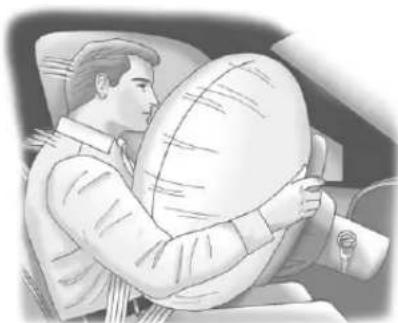
natural_image
Illustration of a person inside a car holding a large circular object, no text or symbols visibleThedriverairbagisinthemiddleof thesteeringwheel.
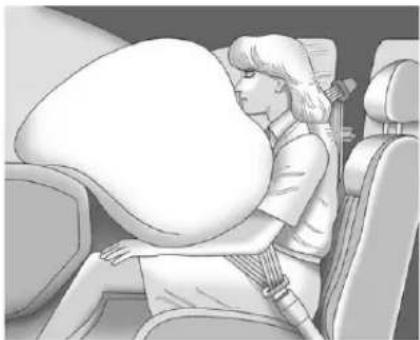
natural_image
Illustration of a woman sitting in a car seat, viewed from behind her face (no text or symbols visible)Therightfrontpassengerairbagis intheinstrumentpanelonthe passengerside.
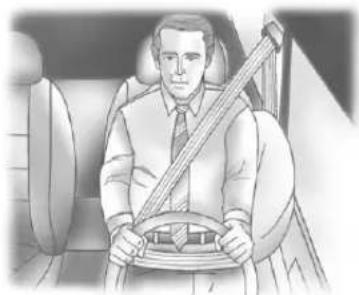
natural_image
Illustration of a man sitting in a car seat, holding a steering wheel (no text or symbols visible)DriverSideShown, PassengerSideSimilar
Ifthevehiclehasseat-mountedside impactairbagsforthedriverand rightfrontpassenger,theyareinthe sideoftheseatbacksclosesto thedoor.
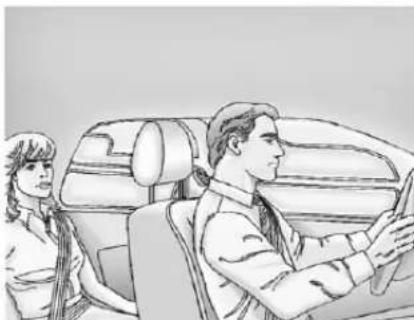
natural_image
Illustration of a car interior with two people, one seated and one standing, showing no text or symbols.DriverSideShown, PassengerSideSimilar
Ifthevehiclehasroof-railairbags forthedriver,rightfrontpassenger, andsecondrowoutboard passengers,theyareintheceiling abovethesidewindows.
WARNING
If something is between an occupant and an airbag, the airbag might not inflate properly or might for the object into that person causing severe injury overvendath. The pathofan inflating airbag must be kept clear. Donotput anything between an occupant and an airbag, and donot attach or put anything on the steering wheel huboron near any other airbag covering.
Donotuseseataccessoriesthat blocktheinflationpathofa seat-mountedsideimpactairbag.
Neversecureanythingtotheroof ofvehiclewithroof-railairbags byroutingaropeortie-down throughanydoororwindow opening. If youdo, the pathofan inflatingroof-railairbagwillbe blocked.
WhenShouldanAirbag Inflate?
Frontalairbagsaredesignedto inflateinmoderatetoseverefrontal ornear-frontalcrashestohelp reducethepotentialforsevere injuriesmainlytothedriver'sorright frontpassenger'sheadandchest. However,theyareonlydesignedto inflateiftheimpactexceedsa predetermineddeployment threshold.Deploymentthresholds areusedtopredicthowseverea crashislikelytobeintimeforthe airbagstoinflateandhelprestrain theoccupants.
Whether the frontal air bags willor should deploy is not based on how fast your vehicle is traveling. It depends largely on what you hit, the direction of the impact, and how quickly your vehicles slows down.
Frontalairbagsmayinflateat differentcrashspeeds.
Forexample:
- If the vehicle hits stationary object, the air bags could inflate at different crash speed than if the vehicle hits moving object.
- Ifthevehiclehitsanobjectthat deforms,theairbagscould inflateatadifferentcrashspeed thanifthevehiclehitsanobject thatdoesnotdeform.
- Ifthevehiclehitsanarrowobject (likeapole), theairbags could inflate at different crash speed than if the vehicle hits a wide object (likeawall).
- Ifthevehiclegoesintoanobject atanangle, theairbags could inflate at different crash speed than if the vehiclegoes straight into the object.
Thresholdscanalsovarywith specificvehicledesign.
Frontalairbagsarenotintendedto inflateduringvehiclerollovers, rear impacts, orinmanyside impacts.
IftheGVWR(GrossVehicleWeight Rating)ofyourvehicleis3855kg (8,500lb)orabove,thevehiclehas singlestageairbags.IftheGVWRis below3855kg(8,500lb)thenthe vehiclehasdualstageairbags. Vehicleswithafullbenchseatare equippedwithsinglestateairbags. YoucanfindtheGVWRonthe certificationlabelontherearedge ofthedriverdoor.SeeVehicleLoad Limitsonpage9-17formore information.
The vehicle may have dual-stage frontal airbags. Dual-stage airbags adjust therestraint according to crash severity. The vehicle has electronic frontalsensors, which help the sensingsystemdistinguish between amoderate frontal impact and amoresevere frontal impact. Formoderate frontal impacts, dual-stage airbags inflate a level less than full deployment. Formoresevere frontal impacts, full deployment occurs.
Vehicleswithdualstageairbags alsohaveseatpositionsensors whichenablethesensingsystemto monitorthepositionofthedriver seat(allmodels),andoncrewcab andextendedcabmodelstheright frontpassengerseatonlightduty modelsonly. Theseatposition sensorprovidesinformationthatis usedtodetermineiftheairbags shoulddeployatareducedlevelor atfulldeployment.
The vehicle may inform any have seat-mounted side impact and roof-rail air bags. See Airbag System on page 3-23. Seat-mounted side impact and roof-rail air bags are intended to inflate in moderate to severeside crashes. In addition, the zero of rail air bags are intended to inflate during a rollover or a severe frontal impact. Seat-mounted side impact and roof-rail air bag will inflate if the crash severity is above the system's designed threshold level. The threshold level can vary with specific vehicle design.
Roof-railairbagsarenot intendedtoinflateinrearimpacts. Aseat-mountedsideimpactairbag isintendedtodeployonthesideof thevehiclethatisstruck. Both roof-railairbagswilldeploywhen eithersideofthevehicleisstruck, orifthesensingsystempredicts thatthevehicleisabouttorollover, orinaseverefrontalimpact.
Inanyparticularcrash, noonecan saywhetheranairbagshouldhave inflatedsimplybecauseofthe damagetoavehicleorbecause ofwhattherepaircostswere. Forfrontalairbags, inflationis determinedbywhatthevehiclehits, theangleoftheimpact,andhow quicklythevehicleslowsdown. Forseat-mountedsideimpactand roof-railairbags, deploymentis determinedbythelocationand severityofthesideimpact.Ina rolloverevent,roof-railairbag deploymentisdeterminedbythe directionoftheroll.
WhatMakesanAirbag Inflate?
Inadeploymentevent,thesensing systemsendsanelectricalsignal triggeringareleaseofgasfromthe inflator.Gasfromtheinflatorfills the airbagcausingthebagtobreakout ofthecoveranddeploy.Theinflator, theairbag,andrelatedhardwareare allpartoftheairbagmodule.
Frontalairbagmodulesarelocated insidethesteeringwheel and instrumentpanel. For vehicles with seat-mounted side impact air bags, there are air bags modules in the side of the front seat backs closest to the door. For vehicles with roof-rail air bags, there are air bag modules in the ceiling of the vehicle, near the sidewindow sthathave occupant seating positions.
HowDoesanAirbag Restrain?
Inmoderatetoseverefrontalor nearfrontalcollisions,evenbelted occupantscancontactthesteering wheelortheinstrumentpanel. Inmoderatetosevereside collisions,evenbeltedoccupants cancontacttheinsideofthe vehicle.
Airbagssupplementtheprotection providedbysafetybelts.Frontal airbagsdistributetheforceofthe impactmoreevenlyoverthe occupant'supperbody,stopping theoccupantmoregradually. Seat-mountedsideimpactand roof-railairbagsdistributetheforce oftheimpactmoreevenlyoverthe occupant'supperbody.
Rollovercapableroof-railairbags aredesignedtohelpcontainthe headandchestofoccupantsinthe outboardseatingpositionsinthe firstandsecondrows. Therollover capableroof-railairbagsare designedtohelpreducetheriskof fullorpartialejectioninrollover events,althoughnosystemcan preventallsuchejections.
Butairbagswouldnothelpin manytypesofcollisions,primarily becausetheoccupant'smotionis nottowardthoseairbags.See When ShouldanAirbagInflate?on page3-26formoreinformation.
Airbagsshouldneverberegarded asanythingmorethanasupplement tosafetybelts.
WhatWillYouSeeafter anAirbagInflates?
Afterthefrontalairbagsand seat-mountedsideimpactairbags inflate,theyquicklydeflate,so quicklythatsomepeoplemaynot evenrealizeanairbaginflated. Roof-railairbagsmaystillbeatleast partiallyinflatedforsometimeafter theydeploy.Somecomponentsof theairbagmodulemaybehotfor severalminutes.Forlocationofthe airbagmodules,seeWhatMakes anAirbagInflate?onpage3-28.
Thepartsoftheairbagthatcome intocontactwithyoumaybewarm, butnottoohottotouch. Theremay besomesmokeanddustcoming fromtheventsinthedeflated airbags. Airbaginflationdoesnot preventthedriverfromseeingoutof thewindshieldorbeingabletosteer thevehicle, nordoesitprevent peoplefromleavingthevehicle.
WARNING
Whenanairbaginflates, there maybedustintheair. Thisdust couldcausebreathingproblems forpeoplewithahistory of asthmaorotherbreathingtrouble. Toavoidthis, everyoneinthe vehicles shouldgetoutassoonas itissafetodoso. If you have breathingproblems but cannot getoutofthevehicleafteran airbaginflates, thengetfreshair byopeningawindoworadoor. If you experience breathing problems following anairbag deployment, you should seek medical attention.
The vehicle may have a feature that may automatically unlock the doors, turn on the interior lamps and hazard warning flashers, and shutoff the fuel system after the air bags inflate.
Youcanlockthedoors,turnoffthe interiorlampsandhazardwarning flashersbyusingthecontrolsfor thosefeatures.

WARNING
Acrashsevereenoughtoinflate theairbagsmayhavealso damagedimportantfunctions in thevehicle,suchasthefuel system,brakeandsteering systems,etc.Evenifthevehicle appearstobedrivableaftera moderatecrash,theremaybe concealeddamagethatcould makeitdifficulttosafelyoperate thevehicle.
Usecautionifyoushouldattempt torestarttheengineafteracrash hasoccurred.
Inmanycrashessevereenoughto inflatetheairbag, windshieldsare brokenbyvehicledeformation.
Additionalwindshieldbreakagemay alsooccurfromtherightfront passengerairbag.
- Airbagsaredesignedtoinflate onlyonce.Afteranairbag inflates,youwillneedsomenew partsfortheairbagsystem. Ifyoudonotgetthem,the airbagsystemwillnotbethere tohelpprotectyouinanother crash.Anewsystemwillinclude airbagmodulesandpossibly otherparts.Theservicemanual foryourvehiclecoverstheneed toreplaceotherparts.
- The vehicle has acrash sensing and diagnostic module which records information after a crash. See Vehicle Data Recording and Privacy on page 13-19 and Event Data Recorderson page 13-20.
- Letonlyqualifiedtechnicians workontheairbagsystems. Improperservicecanmeanthat anairbagsystemwillnotwork properly.Seeyourdealerfor service.
AirbagOn-OffSwitch
Ifoneoftheswitchespicturedinthe followingillustrationsislocatedin theglovebox,thevehiclehasan airbagon-offswitchthatyoucan usetomanuallyturnonoroffthe rightfrontpassengerairbag.
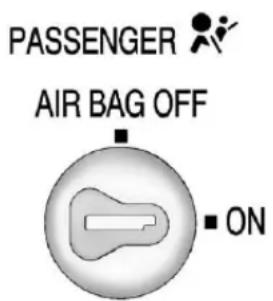
text_image
PASSENGER AIR BAG OFF ■ ONUnitedStates
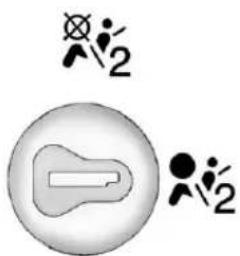
natural_image
Simple diagram with a battery and two symbols (no text or labels)CanadaandMexico
Ifthevehicledoesnothavean airbagoffswitch,itmayhavea passengersensingsystem. SeePassengerSensingSystemon page3-34.
This switch should only be turned to the off position if the person in theright front passenger position is a member of a passenger risk group identified by thenational government as follows:
Infant.Aninfant(lessthan1year old)mustrideinthefrontseat because:
• Myvehiclehasnorearseat;
• Myvehiclehasarearseat toosmalltoaccommodatea rear-facinginfantseat;or
- Theinfanthasamedical conditionwhich,according to theinfant'sphysician,makesit necessaryfortheinfanttoridein thefrontseatsothatthedriver canconstantlymonitorthe child'scondition.
Childage1to12.Achild age1to12mustrideinthefront seatbecause:
• Myvehiclehasnorearseat;
- Althoughchildrenages1to12 rideintherearseat(s)whenever possible,childrenages1to12 sometimesmustrideinthefront becausenospaceisavailablein therearseat(s)ofmyvehicle;or
- Thechildhasamedical conditionwhich,according to thechild'sphysician,makesit necessaryforthechildtoride in thefrontseatsothatthedriver canconstantlymonitorthe child'scondition.
3-32SeatsandRestraints
MedicalCondition.Apassenger hasamedicalconditionwhich, accordingtohisorherphysician:
- Causesthepassengerairbag toposeaspecialriskforthe passenger; and
- Makesthepotentialharmfrom thepassengerairbaginacrash greaterthanthepotentialharm fromturningofftheairbagand allowingthepassenger,evenif belted,tohittheinstrument panelorwindshieldinacrash.

WARNING
Iftherightfrontpassengerairbag isturnedoffforapersonwhois notinariskgroupidentifiedby thenationalgovernment,that personwillnothavetheextra protectionofanairbag.Ina crash,theairbagwillnotbeable
(Continued)
WARNING(Continued)
toinflateandhelpprotectthe personsittingthere.Donotturn offthepassengerairbagunless thepersonsittingthereisina riskgroup.
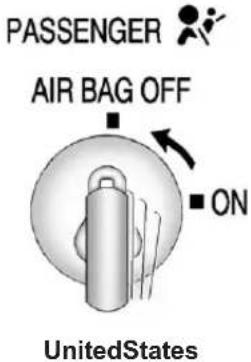
text_image
PASSENGER AIR BAG OFF ON UnitedStates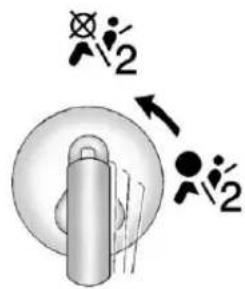
text_image
Diagram showing mechanical components with symbols and directional arrows, possibly indicating motion or assembly steps.CanadaandMexico
Toturnofftherightfrontpassenger airbag, inserttheignitionkeyinto theswitch, pushin, andmovethe switchtotheoffposition.
ThewordOFFortheoffsymbolwill comeoninthepassengerairbag statusindicatorlocatedinthe overheadconsoletoletyouknow thattherightfrontpassengerairbag isoff,afterthesystemcheckis
completed. The airbagofflightwill comeonandstayontoletyou knowthattherightfrontpassenger's airbagisoff.SeeAirbagOn-Off Lightonpage5-20.

WARNING
If the airbagreadinesslight ever comes on and stay on, it mean that something may be wrong with the air bags system. Forexample, therightfront passenger air bag could inflate even though the air bagon-off switchisturned off.
Tohelpavoidinjurytoyourselfor others,havethevehicleserviced rightaway.SeeAirbagReadiness Lightonpage5-20formore information,includingimportant safetyinformation.
PASSENGER

AIR BAG OFF
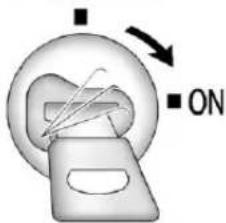
text_image
Diagram showing a device with ON/OFF indicators and directional arrows, likely illustrating a process or operation.UnitedStatesCanadaandMexico
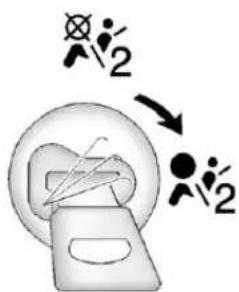
text_image
Diagram showing a device with two human figures and a circular component, possibly indicating a process or scenario.Toturntherightfrontpassenger airbagonagain,inserttheignition keyintotheswitch,pushin,and movetheswitchtotheonposition.
Therightfrontpassengerfrontal airbagisnowenabled(mayinflate). SeeAirbagOn-OffLighton page5-20formoreinformation.
PassengerSensing System
If the vehicle has one of the indicators pictured in the following illustrations, then the vehicle has a passengersensingsystem for the right front passenger position, unless there is an air bag off switch located in the glovebox. If there is an air bag off switch, the vehicle does not have passengersensing system. See Airbag On-Off Switch on page 3-30 form more information.
The passenger air bag status indicator will be visible on the overhead console when the vehicle is started.
Inaddition, if the vehicle has a passengersensingsystem for the right front passenger position, the label on the vehicle's sunvisors refer to "ADVANCED AIRBAGS".
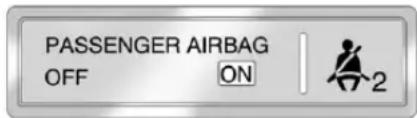
text_image
PASSENGER AIRBAG OFF ON 2UnitedStates
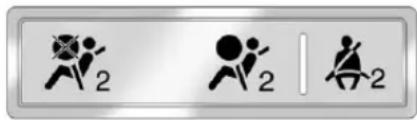
text_image
Three symbolic icons with numbers 2, likely representing action buttons or indicatorsCanadaandMexico
ThewordsONandOFF,orthe symbolforonandoff,willbevisible duringthesystemcheck.Ifyouare usingremotestarttostartthe vehiclefromadistance,ifequipped, youmaynotseethesystemcheck. Whenthesystemcheckis complete,eitherthewordONor OFF,orthesymbolforonoroff,will bevisible.SeePassengerAirbag StatusIndicatoronpage5-22.
Thepassengersensingsystemwill turnofftherightfrontpassenger frontalairbagundercertain conditions. Thedriverairbag, seat-mountedsideimpactairbags (ifequipped), andtheroof-rail airbags (ifequipped) are not affected by the passengersensing system.
Thepassengersensingsystem workswithsensorsthatarepartof therightfrontpassengerseatand safetybelt. Thesensorsare designedtodetectthepresence ofaproperly-seatedoccupant anddetermineiftherightfront passengerfrontalairbagshouldbe enabled(mayinflate)ornot.
According to accident statistics, children are safer when properly secured in a rearseatin the correct child restraint for their weight and size.
Werecommendthatchildrenbe securedinarearseat,including: aninfantorachildridingina rear-facingchildrestraint;achild ridinginaforward-facingchildseat; anolderchildridinginabooster seat;andchildren,whoarelarge enough,usingsafetybelts.
Alabelonthesunvisorsays, "Neverputarear-facingchildseatin thefront." Thisisbecausetheriskto therear-facingchildissogreat, iftheairbagdeploys.

WARNING
Achildinarear-facingchild restraintcanbeseriouslyinjured orkillediftherightfront passengerairbaginflates. Thisisbecausethebackofthe rear-facingchildrestraintwould beveryclosetotheinflating airbag.Achildinaforward-facing childrestraintcanbeseriously
(Continued)
WARNING(Continued)
injuredorkillediftherightfront passengerairbaginflatesandthe passengerseatisinaforward position.
Evenifthepassengersensing systemhasturnedofftheright frontpassengerfrontalairbag, no systemisfail-safe. Noonecan guaranteeethatanairbagwillnot deployundersomeunusual circumstance, even though the airbagisturnedoff.
Securerear-facingchild restraintsinarearseat, even if theairbagisoff. If you secure a forward-facing child restraint in therightfrontseat, always move the front passenger seat as far back as it will go. It is better to secure the child restraint in rearseat.
Ifthevehicledoesnothavearear seatthatwillaccommodatea rear-facingchildrestraint,a rear-facingchildrestraintshouldnot beinstalledinthevehicle,evenif theairbagisoff.
Thepassengersensingsystemis designedtoturnofftherightfront passengerfrontalairbagif:
• Therightfrontpassengerseatis unoccupied.
- Thesystemdeterminesaninfant ispresentinachildrestraint.
- Arightfrontpassengertakes his/herweightoffoftheseatfor aperiodoftime.
- Or, if there is a critical problem with the air bagsystem or the passengersensingsystem.
Whenthepassengersensing systemhasturnedofftherightfront passengerfrontalairbag,theoff indicatorwilllightandstaylitto remindyouthattheairbagisoff. SeePassengerAirbagStatus Indicatoronpage5-22.
Thepassengersensingsystemis designedtoturnon(mayinflate)the rightfrontpassengerfrontalairbag anytimethesystemsensesthata personofadultsizeissitting properlyintherightfront passengerseat.
Whenthepassengersensing systemhasallowedtheairbagtobe enabled,theonindicatorwilllight andstaylittoremindyouthatthe airbagisactive.
Forsomechildren, including children in child restraints, and for very small adults, the passenger sensingsystem may or may not turn off the right front passenger frontal air bag, depending upon the person's seating posture and body build. Everyone in your vehicle who has out grown child restraint should wear as safety belt properly—whether or not there is an air bag forth at person.

WARNING
If the airbagreadiness light ever comes on and stay on, it means that something may be wrong with the air bags system. To help avoid injury to your self for others, have the vehicles serviced right away. See Airbag Readiness Lighton page 5-20 form more information, including important safety information.
IftheOnIndicatorisLitfora ChildRestraint
Ifachildrestrainthasbeeninstalled andtheonindicatorislit:
- Turnthevehicleoff.
- Removethechildrestraint from the vehicle.
-
Remove any additional items from these seats such as blankets, cushions, seat covers, seat heaters, or seat massagers.
-
Reinstall the child restraint following the directions provided by the child restraint manufacturer and refer to Securing Child Restraints (Rear Seat Position) on page 3-60 or Securing Child Restraints (Center Front Seat Position) on page 3-62 or Securing Child Restraints (Right Front Seat Position) on page 3-63.
-
If, afterreinstalling the child restraint and restarting the vehicle, the on indicator is still lit, turn the vehicle off. Then slightly reclin the vehicle seat back and adjust these at cushion, if adjustable, to make sure that the vehicle seat back is not pushing the child restraint into these at cushion.
Alsomakesurethechild restraintisnottrappedunderthe vehicleheadrestraint.Ifthis happens,adjustthehead restraint.SeeHeadRestraints onpage3-2.
6.Restartthevehicle.
Thepassengersensingsystem mayormaynotturnoffthe airbagforachildinachild restraintdependinguponthe child'sseatingpostureandbody build.Itisbettertosecurethe childrestraintinarearseat.
IftheOffIndicatorisLitforan Adult-SizeOccupant
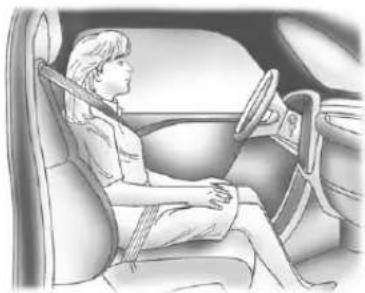
natural_image
Illustration of a person seated in a car, wearing a seatbelt and steering wheel (no text or symbols visible)Ifapersonofadult-sizeissitting intherightfrontpassengerseat, buttheoffindicatorislit, itcould bebecausethatpersonisnot sittingproperlyintheseat.
If this happens, us the following step to allow the system to detect that person and enable the right front passenger frontal air bag:
-
Turnthevehicleoff.
-
Remove any additional material from these seat, such as blankets, cushions, seat covers, seat heaters, or seat massagers.
-
Placetheseatbackinthefully uprightposition.
-
Havethepersonsituprightin theseat, centeredontheseat cushion, with legscomfortably extended.
5.Restartthevehicleandhavethe personremaininthispositionfor twotothreeminutesaftertheon indicatorislit.
AdditionalFactorsAffecting SystemOperation
Safetybeltshelpkeepthe passengerinpositiononthe seatduringvehiclemaneuvers andbraking,whichhelpsthe passengersensingsystem maintainthepassengerairbag status.See“SafetyBelts”and “ChildRestraints”inthelIndexfor additionalinformationaboutthe importanceofproperrestraintuse.
Iftheshoulderportionofthebeltis pulledoutalltheway,thechild restraintlockingfeaturewillbe engaged.Thismayunintentionally causethepassengersensing systemtoturntheairbagofffor someadultsizeoccupants.Ifthis happens,letthebeltgobackallthe wayandstartagain.
Athicklayerofadditionalmaterial, suchasablanketorcushion, oraftermarketequipmentsuchas seatcovers,seatheaters,andseat massagerscanaffecthowwell thepassengersensingsystem operates.Werecommendthatyou notuseseatcoversorother aftermarketequipmentexceptwhen approvedbyGMforyourspecific vehicle.SeeAddingEquipmentto theAirbag-EquippedVehicleon page3-39formoreinformation aboutmodificationsthatcanaffect howthesystemoperates.
Theonindicatormaybelitifan object, such as abriefcase, handbag, grocerybag, laptop other electronic device, is put on an unoccupied seat. If this is not desired, removethe object from these seat.

WARNING
Stowingofarticlesunderthe passengerseatorbetween the passengerseatcushion and seatbackmayinterferewith the properoperationofthepassenger sensingsystem.
Servicingthe Airbag-EquippedVehicle
Airbagsaffecthowthevehicle shouldbeserviced.Thereare partsoftheairbagsystemin severalplacesaroundthevehicle. Yourdealerandtheservicemanual haveinformationaboutservicingthe vehicleandtheairbagsystem. Topurchaseaservicemanual, seeServicePublicationsOrdering Informationonpage 13-17.
WARNING
Forupto10secondsafterthe vehicleisturnedoffandthe batteryisdisconnected,anairbag canstillinflateduringimproper service.Youcanbeinjuredifyou areclosetoanairbagwhenit inflates.Avoidyellowconnectors. Theyareprobablypartofthe airbagsystem.Besuretofollow properserviceprocedures,and makesurethepersonperforming workforyouisqualifiedtodoso.
AddingEquipmenttothe Airbag-EquippedVehicle
Q: Isthereanythinglmightadd toorchangeaboutthevehicle thatcouldkeeptheairbags fromworkingproperly?
A: Yes. If you add things that change your vehicle's frame, bumpersystem, height, frontend or sidesheet metal, they may keep the air bags system from working properly. Changing or moving any part of the front seats, safety belts, the airbag sensing and diagnostic module, steering wheel, instrument panel, roof-rail air bag modules, ceiling headliner or pillargarnish trim, overhead console, front sensors, side impacts sensors, or airbag wiring can affect the operation of the air bags system.
Inaddition, the vehicle may have passengersensingsystem fortherightfrontpassenger's position, which includes sensors that are part of the passenger's seat. The passengersensing system may not operate properly if the original seat trim is replaced with non-GM covers, upholsteryortrim, or with GM covers, upholsteryortrim designed for different vehicle. Any object, such as an aftermarket seat theaterora comfortenhancing pads device, installed underorontop of these at fabric, could also interfer with the operation of the passengersensingsystem. This could either prevent proper deployment of the passenger airbag(s) or prevent the passengersensingsystem from properly turning off the passenger airbag(s). See Passenger Sensing System on page 3-34.
If you have any questions about this, you should contact Customer Assistance before you modify your vehicle. The phone numbers and addresses for Customer Assistance are in Step Two of the Customer Satisfaction Procedure in this manual. See Customer Satisfaction Procedure (U.S. and Canada) on page 13-1 or Customer Satisfaction Procedure (Mexico) on page 13-3.
If the vehicle has rollover roof-railairbags, see Different Size Tires and Wheelson page 10-74 for additional important information.
Q: Whatifladdedasnowplow? Willitkeeptheairbagsfrom workingproperly?
A: We have designed our airbag system to work properly under awider range of conditions, including snow plowing with vehicle sthathavethe optional Snow Plow Prep Package (RPOVYU). But donot change or defeat the snow plow's "tripping mechanism." If you do, it can damage your snow plow and your vehicle, and it may cause an air bag inflation.
Q: Because I have adisability, Ihavetogetmy vehicle modified. How can find out whether this will affect my air bagsystem?
A: If you have questions, call Customer Assistance. The phonenumbers and addresses for Customer Assistance are in Step Two of the Customer Satisfaction Procedure in this manual. See Customer Satisfaction Procedure (U.S. and Canada) on page 13-1 or Customer Satisfaction Procedure (Mexico) on page 13-3.
Inaddition, your dealer and the servicemanual have information about the location of the airbag sensors, sensing and diagnostic module and airbag wiring.
AirbagSystemCheck
The airbagsystemdoesnotneed regularly scheduled maintenance or replacement. Makesure the airbagreadinesslightisworking. See AirbagReadinessLighton page 5-20 form more information.
Notice:Ifanairbagcoveringis damaged,opened,orbroken,the airbagmaynotworkproperly. Donotopenorbreaktheairbag coverings.Ifthereareany openedorbrokenairbagcovers, havetheairbagcoveringand/or airbagmodulereplaced.Forthe locationoftheairbags,see WhereAretheAirbags?on page3-25.Seeyourdealerfor service.
ReplacingAirbagSystem PartsafteraCrash

WARNING
Acrashcandamagethe airbagsystemsinthevehicle. Adamagedairbagsystemmay notworkproperlyandmay notprotectyouandyour passenger(s)inacrash,resulting inseriousinjuryorevendeath. Tohelpmakesuretheairbag systemsareworkingproperly afteracrash,havethem inspectedandanynecessary replacementsmadeassoonas possible.
Ifanairbaginflates,youwillneed toreplaceairbagsystemparts. Seeyourdealerforservice.
If the airbagreadinesslight stayson after the vehicle is started or comes on when you are driving, the airbagsystem may not work properly. Havethe vehicle serviced right away. See Airbag Readiness Lighton page 5-20 for more information.
ChildRestraints OlderChildren
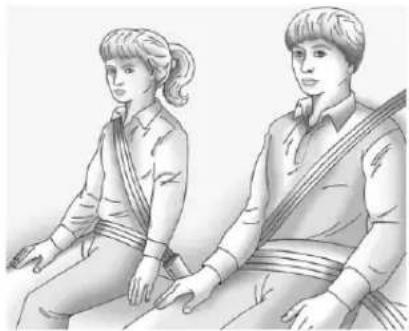
natural_image
Illustration of two individuals seated, one wearing a patterned garment and the other in a collared shirt (no text or symbols)Olderchildrenwhohaveoutgrown boosterseatsshouldwearthe vehiclesafetybelts.
Themanufacturer's instructions that comewith the booster seat statetheweight and height limitations for that booster.
Useaboosterseatwitha lap-shoulderbeltuntilthechild passesthefittestbelow:
- Sitallthewaybackontheseat. Dothekneesbendattheseat edge?Ifyes,continue.Ifno, returntotheboosterseat.
- Bucklethelap-shoulderbelt. Doestheshoulderbeltreston theshoulder?Ifyes,continue. Ifno,tryusingtherearsafety beltcomfortguide.See"Rear SafetyBeltComfortGuides" underLap-ShoulderBelton page3-15formoreinformation. Iftheshoulderbeltstilldoesnot restontheshoulder,thenreturn totheboosterseat.
- Doesthelapbeltfitlowand snugonthehips,touchingthe thighs?Ifyes,continue.Ifno, returntotheboosterseat.
- Canpropersafetybeltfitbe maintainedforthelengthof thetrip?Ifyes,continue.Ifno, returntotheboosterseat.
Q:Whatistheproperwayto wearsafetybelts?
A: Anolderchildshouldwearalap-shoulderbeltandgettheadditionalrestraintashoulderbeltcanprovide. Theshoulderbeltshouldnotcrossthefaceorneck. Thelapbeltshouldfit snuglybelowthehips, justtouchingthetopofthethighs.Thisappliesbeltforcetothe child'spelvicbonesinacrash.Itshouldneverbewornovertheabdomen,whichcouldcausesevereorevenfatalinternalinjuriesinacrash.
Alsosee"RearSafetyBeltComfort Guides"underLap-ShoulderBelton page3-15.
According to accident statistics, children and infants are safer when properly restrained in a child restraint system or infant restraint system secured in an arrearseating position.
Inacrash, children who are not buckled up can strike other people who are buckled up, or can be thrown out of the vehicle. Older children need to use safety belts properly.

WARNING
Neverdothis.
Neverallowtwochildrentowear thesamesafetybelt. Thesafety belt cannot properly spread the impact forces. Inacrash, the two children can be crushed together and seriously injured. As safety belt must be used by only one person at time.
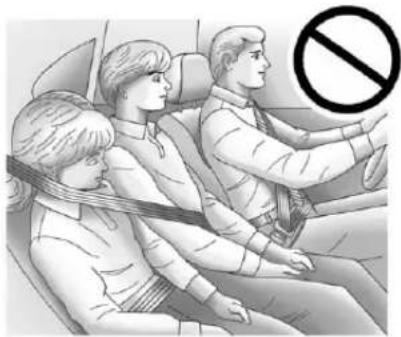
natural_image
Illustration of three people seated in a car, facing each other with a 'no' symbol overlay (no text or symbols present)
WARNING
Neverdothis.
Neverallowachildtowearthe safetybeltwiththeshoulderbelt behindtheirback.Achildcanbe seriouslyinjuredbynotwearing thelap-shoulderbeltproperly. Inacrash,thechildwouldnotbe restrainedbytheshoulderbelt. Thechildcouldmovetoofar forwardincreasingthechanceof
(Continued)
WARNING(Continued)
headandneckinjury. Thechild mightalsoslideunderthelap belt. Thebeltforcewouldthenbe appliedrightontheabdomen. Thatcouldcauseseriousorfatal injuries. Theshoulderbeltshould goovertheshoulderandacross thechest.
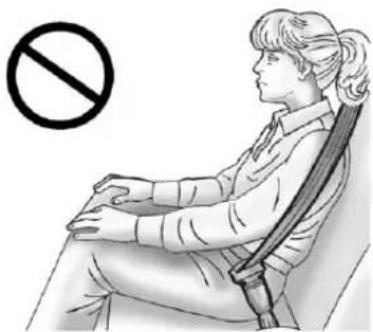
natural_image
Illustration of a person sitting in a chair with a diagonal band, no text or symbols presentInfantsandYoung Children
Everyoneinavehicleneeds protection! This includes infants and allotherchildren. Neither the distancetravelednortheage and sizeofthetravelerchangesthe need,foreveryone,tousesafety restraints. Infact,thelawinevery state in the United States and in every Canadian provinces says childrenuptosomeagemustbe restrained while in a vehicle.
WARNING
Childrencanbeseriouslyinjured orstrangledifashoulderbeltis wrappedaroundtheirneckand thesafetybeltcontinuesto tighten.Neverleavechildren unattendedinavehicleandnever allowchildrentoplaywiththe safetybelts.
Airbagspluslap-shoulderbeltsoffer protectionforadultsandolder children,butnotforyoungchildren andinfants.Neitherthevehicle's safetybeltsystemnoritsairbag systemisdesignedforthem.Every timeinfantsandyoungchildrenride invehicles,theyshouldhavethe protectionprovidedbyappropriate childrestraints.
Childrenwhoarenotrestrained properly can strike other people, or can be thrown out of the vehicle.
WARNING
Neverdothis.
Neverholdaninfantorachild whileridinginavehicle. Dueto crashforces, aninfantorachild willbecomesoheavyitisnot possibletoholditduringacrash. Forexample, inacrashatonly 40km/h(25mph), a5.5kg(12lb) infantwillsuddenlybecomea 110kg(240lb)forceonaperson's arms. Aninfantshouldbe securedinanappropriate restraint.
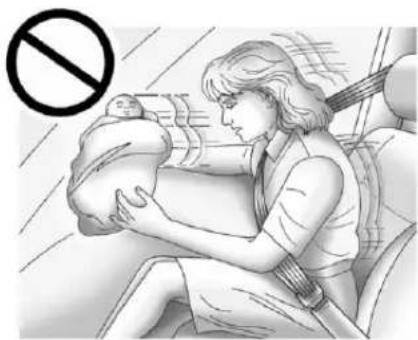
natural_image
Illustration of a woman breastfeeding a baby in a car seat, with no visible text or symbolsWARNING
Neverdothis.
Childrenwhoareupagainst, orverycloseto,anyairbagwhen itinflatescanbeseriouslyinjured orkilled.Neverputarear-facing childrestraintintherightfront seat.Securearear-facingchild restraintinarearseat.Itisalso bettertosecureaforward-facing childrestraintinarearseat.Ifyou mustsecureaforward-facing childrestraintintherightfront seat,alwaysmovethefront passengerseatasfarbackasit willgo.
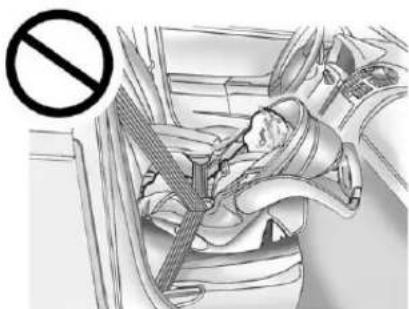
natural_image
Interior view of a car showing a person seated in a seatbelt, with a no-smoking symbol overlaid (no text or labels present)Q: Whatarethedifferenttypes of add-onchildrestraints?
A: Add-onchildrestraints, which are purchased by the vehicle owner, are available in four basic types. Selection of particular restraint should take into consideration not only the child's weight, height, and age but also whether or not therestraint will be compatible with the motor vehicle in which it will be used. Formostbasictypes of child restraints, there are many different models available. When purchasing a child restraint, besureitis designed to be used in a motor vehicle. Ifitis, therestraint will have a labelsaying that it meets federal motor vehicles safety standards.
Therestraintmanufacturer's instruction that comewith the restraint state the weight and height limitations for particular child restraint. In addition, there are many kind so frestraints available for children with special needs.
WARNING
Toreducetheriskofneck and head injury during acrash, infants need completes support. This is because an infant's neck is not fully developed and its head weighssomuch compared with therest of its body. In a crash, an infant in a rear-facing child restraint settles into the restraint, so the crash forces can be distributed across the strongest part of an infant's body, the back and shoulders. Infants should always be secured in rear-facing child restraints.
WARNING
Ayoungchild'shipbonesarestill sosmallthatthevehicle'sregular safetybeltmaynotremainlow onthehipbones,asitshould. Instead,itmaysettleuparound thechild'sabdomen.Inacrash, thebeltwouldapplyforceona bodyareathatisunprotectedby anybonystructure.Thisalone couldcauseseriousorfatal injuries.Toreducetheriskof seriousorfatalinjuriesduringa crash,youngchildrenshould alwaysbesecuredinappropriate childrestraints.
ChildRestraintSystems
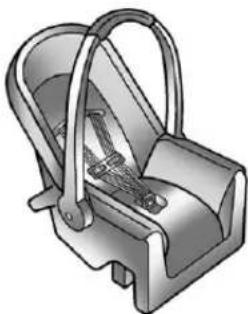
natural_image
3D illustration of a mechanical device with handle and internal components (no text or symbols)(A)Rear-FacingInfantSeat
Arear-facinginfantseat(A) providesrestraintwiththeseating surfaceagainstthebackofthe infant.
The harnesssystemholdstheinfant inplaceand,inacrash,actsto keeptheinfantpositionedinthe restraint.
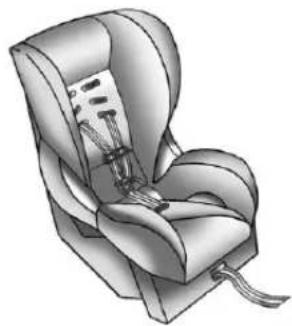
natural_image
Illustration of a car seat with straps and neck clips (no text or symbols)(B)Forward-FacingChildSeat
Aforward-facingchildseat(B) provides restraint for the child's body with the harness.
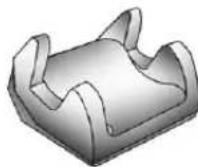
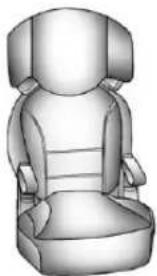
natural_image
3D rendered illustration of a car seat with front and backrest (no text or symbols)(C)BoosterSeats
Aboosterseat(C)isachildrestraint designedtoimprovethefitofthe vehicle'ssafetybeltsystem. Aboosterseatcanalsohelpa childtoseeoutthewindow.
SecuringanAdd-OnChild RestraintintheVehicle

WARNING
Achildcanbeseriouslyinjured orkilledinacrashifthechild restraintisnotproperlysecured inthevehicle.Securethechild restraintproperlyinthevehicle usingthevehiclesafetybeltor LATCHsystem,followingthe instructionsthatcamewiththat childrestraintandtheinstructions inthismanual.
Tohelpreducethechanceof injury, thechildrestraintmustbe securedinthevehicle. Child restraintsystemsmustbesecured invehicleseatsbylapbeltsorthe lapbeltportionofalap-shoulder belt, orbytheLATCHsystem. SeeLowerAnchorsandTethers forChildren(LATCHSystem) on page3-51formoreinformation. Childrencanbeendangeredina crashifthechildrestraintisnot properlysecuredinthevehicle.
Whensecuringanadd-onchild restraint, refertotheinstructions that comewiththerestraint which maybeontherestraintitselforina booklet, or both, and to this manual.
Thechildrestraintinstructionsare important, soiftheyarenot available, obtainareplacement copyfromthemanufacturer.
Keepinmindthatanunsecured childrestraintcanmovearoundina collisionorsuddenstopandinjure peopleinthevehicle.Besureto properlysecureanychildrestraint inthevehicle—evenwhenno childisinit.
In some areas of the United States and Canada, Certified Child Passenger Safety Technicians (CPSTs) are available to inspect and demonstrate how to correctly use and install child restraints.
IntheU.S., refertothe National Highway Traffic Safety Administration (NHTSA) website to locate the nearest child safety seat inspection station. For CPST availability in Canada, check with Transport Canada or the Provincial Ministry of Transportation office.
SecuringtheChildWithinthe ChildRestraint

WARNING
Achildcanbeseriouslyinjured orkilledinacrashifthechildis notproperlysecuredinthe childrestraint. Securethechild properlyfollowingtheinstructions thatcamewiththatchildrestraint.
WheretoPutthe Restraint
According to accident statistics, children and infants are safer when properly restrained in a child restraintsystemor infant restraint system secured in a rearseating position.
Werecommendthatchildrenand childrestraintsbesecuredinarear seat,including:aninfantorachild ridinginarear-facingchildrestraint; achildridinginaforward-facing childseat;anolderchildridingina boosterseat;andchildren,whoare largeenough,usingsafetybelts.
Ifachildrestraintissecuredinthe rightfrontpassengerseat, and the vehiclehasaswitchintheglove boxtomanuallyturnofftheright frontpassengerairbag, seeAirbag On-OffSwitchonpage3-30and SecuringChildRestraints(Rear SeatPosition)onpage3-60or SecuringChildRestraints(Center FrontSeatPosition)onpage3-62 or SecuringChildRestraints (RightFrontSeatPosition)on page3-63formoreinformation, includingimportantsafety information.
Alabelonthesunvisorsays, "Neverputarear-facingchildseat inthefront." Thisisbecausetherisk totherear-facingchildissogreat, iftheairbagdeploys.

WARNING
Achildinarear-facingchild restraintcanbeseriously injuredorkillediftherightfront passengerairbaginflates. Thisisbecausethebackofthe rear-facingchildrestraintwould beveryclosetotheinflating airbag.Achildinaforward-facing childrestraintcanbeseriously injuredorkillediftherightfront passengerairbaginflatesandthe passengerseatisinaforward position.
Evenifthepassengersensing systemorairbagswitchhas turnedofftherightfront passengerfrontalairbag,no systemisfail-safe.Noonecan guaranteeethatanairbagwillnot deployundersomeunusual circumstance,eventhoughitis turnedoff.
(Continued)
WARNING(Continued)
Securerear-facingchild restraintsinarearseat,evenif theairbagisoff.Ifyousecurea forward-facingchildrestraintin therightfrontseat,alwaysmove thefrontpassengerseatasfar backasitwillgo.Itisbetterto securethechildrestraintina rearseat.

WARNING
Achildinachildrestraintinthe centerfrontseatcanbebadly injuredorkilledbythefrontal airbagsiftheyinflate.Never secureachildrestraintinthe centerfrontseat.Itisalways bettertosecureachildrestraintin arearseat.
Donotusechildrestraintsinthe centerfrontseatposition.
Whensecuringachildrestraintin arearseatingposition,studythe instructionsthatcamewithyour childrestrainttomakesureitis compatiblewiththisvehicle.
Childrestraintsandboosterseats varyconsiderablyinsize, and some mayfitincertainseatingpositions betterthanothers. Alwaysmake surethechildrestraintisproperly secured.
Dependingonwhereyouplacethe childrestraintandthesizeofthe childrestraint,youmaynotbeable toaccessadjacentsafetybelt assembliesorLATCHanchorsfor additionalpassengersorchild restraints.Adjacentseating positionsshouldnotbeusedifthe childrestraintpreventsaccesstoor interfereswiththeroutingofthe safetybelt.
Ifthevehicledoesnothavearear seatthatwillaccommodatea rear-facingchildrestraint,a rear-facingchildrestraintshouldnot beinstalledinthevehicle,evenif theairbagisoff.
Whereverachildrestraintis installed, besuretosecurethechild restraintproperly.
Keepinmindthatanunsecured childrestraintcanmovearoundina collisionorsuddenstopandinjure peopleinthevehicle.Besureto properlysecureanychildrestraint inyourvehicle—evenwhenno childisinit.
LowerAnchorsand TethersforChildren (LATCHSystem)
The LATCH system holds a child restraint during driving in an acrash. This system is designed to make installation of a child restraint easier. The LATCH system uses anchors in the vehicle and attachment on the child restraint that are made for use with the LATCH system.
MakesurethataLATCH-compatible childrestraintisproperlyinstalled usingtheanchors,orusethe vehicle'ssafetybeltstosecurethe restraint,followingtheinstructions thatcamewiththatrestraint,and alsotheinstructionsinthismanual.
Wheninstallingachildrestraintwith atoptether,youmustalsouse eithertheloweranchorsorthe safetybeltstoproperlysecurethe childrestraint.Achildrestraintmust neverbeinstalledusingonlythe toptetherandanchor.
InordertousetheLATCHsystem inyourvehicle,youneeda childrestraintthathasLATCH attachments.Thechildrestraint manufacturerwillprovideyouwith instructionsonhowtousethe childrestraintanditsattachments. Thefollowingexplainshowto attachachildrestraintwiththese attachmentsinyourvehicle.
Notallvehicleseatingpositionson childrestraintshaveloweranchors andattachmentsortoptether anchorsandattachments.
LowerAnchors
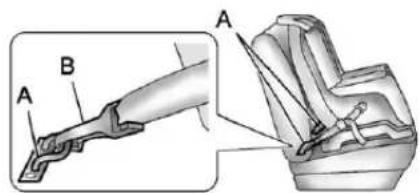
text_image
Technical diagram showing mechanical assembly with labeled parts A and B, including a close-up view of the component.Loweranchors(A)aremetalbars builtintothevehicle.Thereare twoloweranchorsforeach LATCHseatingpositionthatwill accommodateachildrestraintwith lowerattachments(B).
TopTetherAnchor
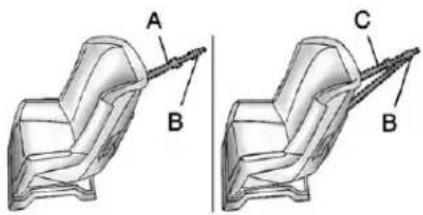
natural_image
Technical illustration of a mechanical component with labeled parts A, B, and C (no text or symbols beyond labels)Atoptether(A,C)anchorsthetop ofthechildrestrainttothevehicle. Atoptetheranchorisbuiltinto thevehicle. Thetoptether attachment(B)onthechildrestraint connectstothetoptetheranchorin thevehicleinordertoreducethe forwardmovementandrotationof thechildrestraintduringdrivingor inacrash.
Yourchildrestraintmayhave asingletether(A)oradual tether(C).Eitherwillhavea singleattachment(B)tosecure thetoptethertotheanchor.
Somechildrestraintsthathavea toptetheraredesignedforusewith orwithoutthetoptetherbeing attached.Othersrequirethetop tetheralwaystobeattached. InCanada,thelawrequiresthat forward-facingchildrestraintshave atoptether,andthatthetetherbe attached.Besuretoreadandfollow theinstructionsforyourchild restraint.
LowerAnchorandTopTether AnchorLocations
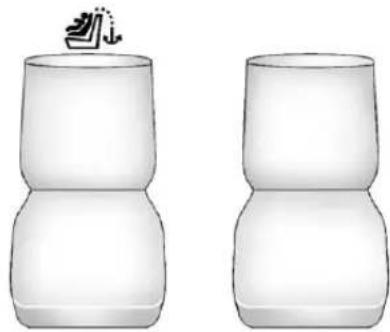
natural_image
Two identical empty ceramic or ceramic objects with no visible text, numbers, or symbols.RegularCab—Two-Passenger FrontSeat
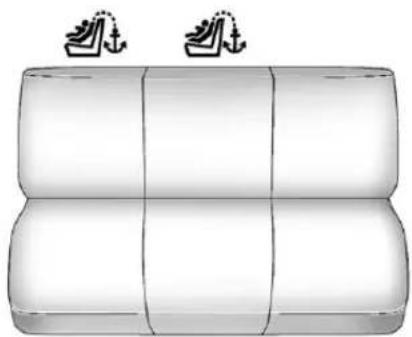
natural_image
Illustration of a three-tiered cylindrical object with two small boat icons above (no text or symbols)RegularCab—Three-Passenger FrontSeat
(TopTetherAnchor): Seating positions with toptetheranchors.
Donotinstallachildrestraintin thecenterfrontseatposition. See SecuringChildRestraints (RearSeatPosition) on page 3-60 or SecuringChildRestraints (CenterFrontSeatPosition) on page 3-62 or SecuringChild Restraints (RightFrontSeat Position) on page 3-63 form more information.
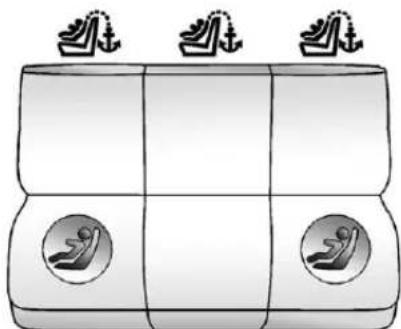
natural_image
Simple line drawing of a boat hull with two side seats and three top-mounted anchor symbols (no text or labels)CrewandExtendedCabRearSeat
(TopTetherAnchor): Seating positions with toptetheranchors.
(LowerAnchor): Seating positions with twolower anchors.
Forcrewandextendedcabmodels, therearoutboardseatingpositions haveexposedmetalloweranchors locatedinthecreasebetweenthe seatbackandtheseatcushion.
3-54SeatsandRestraints

Forregularcabmodels, thereisan anchorsymbolonthecoversto assistyouinlocatingthetoptether anchors.
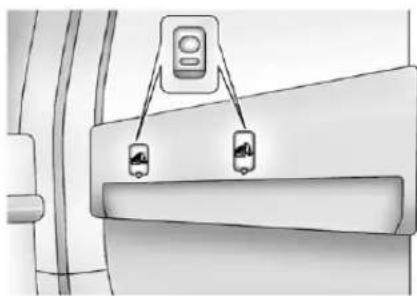
natural_image
Diagram of a vehicle door with two sensors attached to a seat (no text or symbols visible)RegularCab
Donotinstallachildrestraint inthecenterseatposition.
See SecuringChildRestraints (RearSeatPosition) on page 3-60 or SecuringChildRestraints (Center FrontSeatPosition) on page 3-62 or SecuringChildRestraints (Right FrontSeatPosition) on page 3-63 formoreinformation.
Forregularcabmodels, the top tether anchors are located under covers on the back panel behind the passenger seat. Removethetrim plug to access the anchor. Besure touse an anchor located on the sameside of the vehicle as the seating position where the child restraint will be placed.
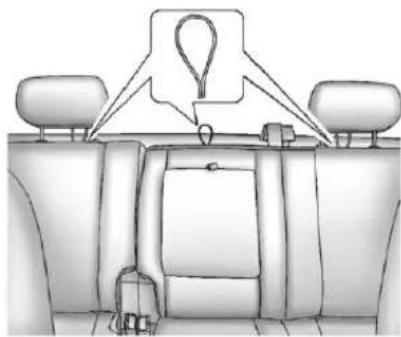
natural_image
Interior view of a car dashboard with seat covers and overhead gear (no text or symbols)CrewCabShown, ExtendedCabSimilar
Forcrewandextendedcabmodels, thetoptetheranchorsaretheloops locatednearthetopoftheseatback foreachrearseatingposition. Theseloopswillbeusedtoroute thetoptetherthrough,aswellas,to securethetoptetherinthevehicle.
Besuretouseananchor(loop) locatedonthesamesideofthe vehicleastheseatingposition wherethechildrestraintwillbe placed.
Besuretoreadtheinstructions followingtoproperlyinstallachild restraintusingtheseloops.
Donotsecureachildrestraintina positionwithoutatoptetheranchor ifanationalorlocallawrequires thatthetoptetherbeattached,orif theinstructionsthatcomewiththe childrestraintsaythatthetoptether mustbeattached.
According to accident statistics, children and infants are safer when properly restrained in a child restraint system or infant restraint system secured in a rearseating position. See Where to Put the Restrainton page 3-49 for additional information.
SecuringaChildRestraint DesignedfortheLATCH System

WARNING
IfaLATCH-typechildrestraintis notattachedtoanchors, thechild restraintwillnotbeabletoprotect thechildcorrectly. Inacrash, the childcouldbeseriouslyinjuredor killed. InstallaLATCH-typechild restraintproperlyusingthe anchors, orusethevehiclesafety beltstosecuretherestraint, followingtheinstructionsthat camewiththechildrestraintand theinstructionsinthismanual.

WARNING
Donotattachmorethanonechild restrainttoasingleanchor, exceptforthecentertoptether anchorsinthecrewandextended cabs. Attachingmorethanone childrestrainttoasingleanchor couldcausetheanchor attachmenttocomelooseoreven breakduringacrash. Achildor otherscouldbeinjured. Toreduce theriskofseriousorfatalinjuries duringacrash, attachonlyone childrestraintperanchor.

WARNING
Childrencanbeseriouslyinjured orstrangledifashoulderbeltis wrappedaroundtheirneckand thesafetybeltcontinuesto tighten.Buckleanyunusedsafety beltsbehindthechildrestraint sochildrencannotreachthem. Pulltheshoulderbeltalltheway outoftheretractortosethelock, ifthevehiclehasone,afterthe childrestrainthasbeeninstalled.
Notice: DonotlettheLATCH attachmentsrubagainstthe vehicle'ssafetybelts. This may damage these parts. If necessary, move buckledsafetybeltsto avoid rubbing the LATCH attachments.
Donotfoldtheemptyrearseat withasafetybeltbuckled. Thiscoulddamagethesafetybelt ortheseat.Unbuckleandreturn thesafetybelttoitsstowed position,beforefoldingtheseat.
RegularCabModels
- If the child restraint manufacturer recommend that the toptether be attached, attach and tighten the toptethertothetoptether anchor, if your vehicle has one. Referto the child restraint instructions and the following steps:
1.1.Pullthepassenger seatbackforwardbypulling thereclinerhandleupward toaccessthetoptether anchor.SeeReclining Seatbacksonpage3-6for additionalinformation.
1.2.Findthetoptetheranchor.
1.3. Removethecoverto exposetheanchor.
1.4. Route, attach, and tighten the toptether according to your child restraint instructions and the following instructions:
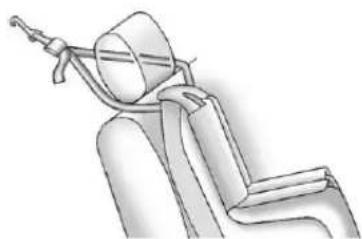
natural_image
Line drawing of a car seatbelt with a belt and seat, no text or symbols presentIf the position you are using has an adjustable headrest or head restraint and you are using adualtether, routethetether around the head restorhead restraint.
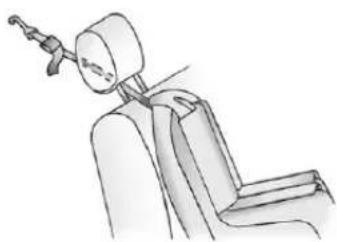
natural_image
Line drawing of a seated car seat with a head-mounted device (no text or symbols)If the position you are using has an adjustable headrest or head restraint and you are using a single tether, raise the head restorhead restraint and routethe tether under the headrest or head restraint and between the head restor head restraint posts.
-
See SecuringChildRestraints (RearSeatPosition) on page 3-60 or SecuringChild Restraints (CenterFrontSeat Position) on page 3-62 or SecuringChildRestraints (RightFrontSeatPosition) on page 3-63 for instruction on installing the child restraint using the safety belts.
-
Beforeplacingachildinthe childrestraint,makesureitis securelyheldinplace.Tocheck, graspthechildrestraintatthe LATCHpathandattemptto moveitside-to-sideand back-and-forth.Thereshouldbe nomorethan2.5cm(1in)of movementforproperinstallation.
CrewandExtendedCabModels
- Attachandtightenthelower attachmentstothelower anchors. If the child restraint does nothavelower attachmentsorthedesired seating positiondoes nothave lower anchors, secure the child restraint with the toptether and the safety belts. Refertoyour child restraint manufacturer instructions and the instructions in this manual.
1.1. Findtheloweranchors forthedesiredseating position.
1.2. Put the child restraint on theseat.
1.3. Attachandtightenthe lowerattachmentsonthe childrestrainttothelower anchors.
- If the child restraint manufacturer recommends that the toptether be attached, attach and tighten the toptethertothetoptether anchor (loop), if your vehicle has one. Referto the child restraint instructions and the following steps:
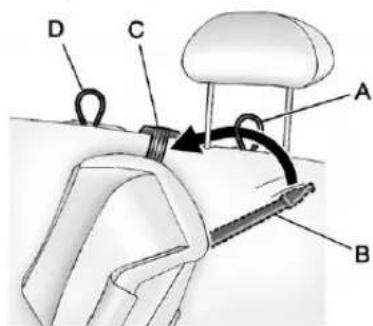
text_image
Technical diagram of a mechanical device with labeled parts A, B, C, D and directional arrows indicating motion or force.Example—RearDriverSide Position
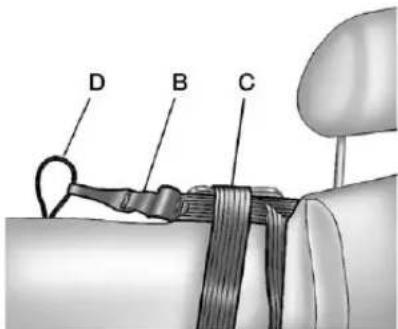
text_image
D B CExample—RearDriverSide Position
2.1. When using a child restraint with atoptether in therear driverside position:
A. Raisetheheadrest orheadrestraint.
B. Routethetop
tether(B) between
theheadrestorhead
restraintposts,
throughtheloop(A),
behindtheinboard
headrestorhead
restraintpost, and underthecenter shoulderbelt(C).
C. Attachthetop tether(B) to the toptetheranchor (loop)(D) at the centerrearseating position.
2.2. When using a child restraint with atoptether in therear center position:
A. Routethetop tether(B) through thecenterloop(D), and behind the inboardpassenger sideheadrestor headrestraintpost.
B. Attachthetop tether(B) to the toptetheranchor (loop) at therear passengerside seating position.
2.3. When using a child restraint with atoptether in therear passenger position:
A. Raisetheheadrest orheadrestraint.
B.Routethetop tether(B)between theheadrestor headrestraintposts, throughtheloopon thepassengerside andbehindthe inboardheadrestor headrestraintpost.
C. Attachthetop tether(B) to thetoptether anchor(loop)(D) atthecenterrear seatingposition.
2.4. Tightenthetoptether when and asthechild restraint manufacturer's instructionssay.
Whenthetoptetheris tightened, theanchor(loop) maybend. This is normal and will not damage the vehicle.
- Beforeplacingachildinthe childrestraint, makesureitis securelyheldinplace. To check, graspthechildrestraintatthe LATCHpathandattemptto moveitside-to-side and back-and-forth. Thereshouldbe nomorethan2.5cm(1in)of movementforproperinstallation.
ReplacingLATCHSystem PartsAfteraCrash

WARNING
AcrashcandamagetheLATCH systeminthevehicle.Adamaged LATCHsystemmaynotproperly securethechildrestraint, resultinginseriousinjuryoreven deathinacrash.Tohelpmake suretheLATCHsystemis workingproperlyafteracrash, seeyourdealertohavethe systeminspectedandany necessaryreplacementsmade as soonaspossible.
If the vehicle has the LATCH system and it was being used during a crash, new LATCH system parts may be needed.
Newpartsandrepairsmaybe necessaryeveniftheLATCH systemwasnotbeingusedatthe timeofthecrash.
SecuringChildRestraints (RearSeatPosition)
Whensecuringachildrestraintin arearseatingposition,studythe instructionsthatcamewiththe childrestrainttomakesureitis compatiblewiththisvehicle.
If the child restraint has the LATCH system, see Lower Anchors and Tethers for Children (LATCH System) on page 3-51 for how and where to install the child restraint using LATCH. If a child restraint is secured in the vehicle using a safety belt and it uses to optether, see Lower Anchors and Tethers for Children (LATCH System) on page 3-51 for optether anchor locations.
Donotsecureachildseatina positionwithoutatoptetheranchor ifanationalorlocallawrequires thatthetoptetherbeanchored,orif theinstructionsthatcomewiththe childrestraintsaythatthetopstrap mustbeanchored.
InCanada, the law requires that forward-facing child restraint have adopted, and that the tether be attached.
If the child restraint does not have the LATCH system, you will be using the safety belt to secure the child restraint in this position. Besure to follow the instructions that camewith the child restraint. Secure the child in the child restraint when and asthe instruction say.
If more than one child restraint need to be installed in therear seat, besuretoread Where to Put the Restrainton page 3-49.
-
Put the child restraint on theseat.
-
Pickup the latch plate, and run the lap and shoulder portions of the vehicle's safety belt through or around therestraint. The child restraint instructions will show you how.
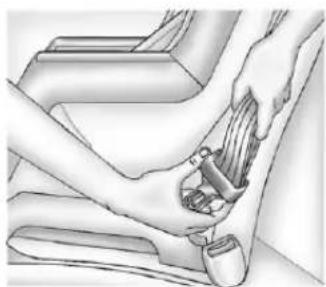
natural_image
Illustration of a hand inserting a small object into a car seatbelt (no text or symbols)Forcrewcabsecondrow seatingspositions,tiltthelatch platetoadjustthebeltifneeded.
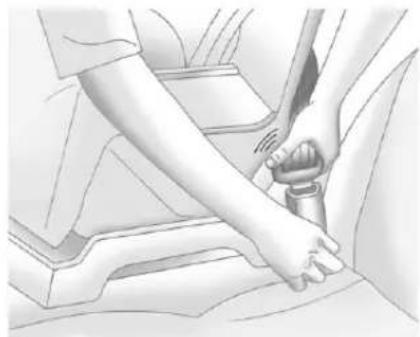
natural_image
Illustration of a person's hand using a belt switch to lift a car (no text or symbols visible)- Pushthelatchplate into the buckle until it clicks.
Positionthereleasebuttonon thebucklesothatthesafetybelt couldbequicklyunbuckledif necessary.
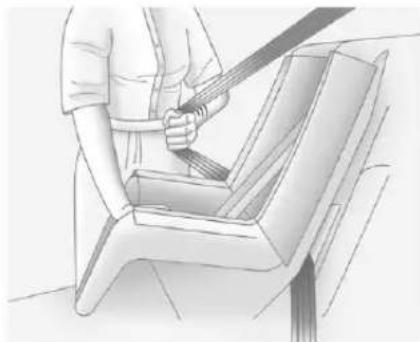
natural_image
Illustration of a person using a seatbelt to lift a car (no text or symbols present)- Pulltheshoulderbeltalltheway outoftheretractortosetthe lock. Whentheretractorlockis set, thebeltcanbetightenedbut notpulledoutoftheretractor.
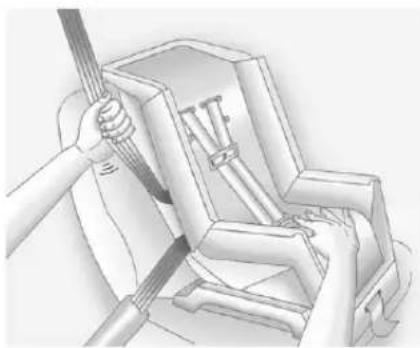
natural_image
Technical illustration of a mechanical assembly with a hand holding a tool, showing internal components (no text or symbols)- Totightenthebelt, pushdown onthechildrestraint, pullthe shoulderportionofthebelt to tightenthalapportionofthebelt, andfeedtheshoulderbeltback intotheretractor. Wheninstalling aforward-facingchildrestraint, itmaybehelpfultouseyour kneetopushdownonthechild restraintasyoutightenthebelt.
Trytopullthebeltoutofthe retractortomakesurethe retractorislocked.Ifthe retractorisnotlocked, repeatSteps4and5.
- If the child restraint has a top tether, follow the child restraint manufacturer's instructions regarding the use of the top tether. See Lower Anchors and Tethers for Children (LATCH System) on page 3-51 form more information.
- Beforeplacingachildinthe childrestraint, makesureitis securelyheldinplace. To check, graspthechildrestraintatthe safetybeltpathandattempt tomoveitside-to-side and back-and-forth. Whenthechild restraintisproperlyinstalled, thereshouldbenomorethan 2.5cm(1in)ofmovement.
Toremovethechildrestraint, unbucklethevehiclesafetybeltand letitreturntothestowedposition. Ifthetoptetherisattachedtoatop tetheranchor, disconnectit.
SecuringChildRestraints (CenterFrontSeat Position)

WARNING
Achildinachildrestraintinthe centerfrontseatcanbebadly injuredorkilledbythefrontal airbagsiftheyinflate.Never secureachildrestraintinthe centerfrontseat.Itisalways bettertosecureachildrestraint inarearseat.
Donotusechildrestraintsinthe centerfrontseatposition.
SecuringChildRestraints (RightFrontSeat Position)
WithPassengerSensing System
Thisvehiclehasairbags.Arear seatisasaferplacetosecurea forward-facingchildrestraint. See Where to Put the Restrainton page 3-49.
Inaddition, the vehicle may have a passengersensingsystem which is designed to turn off the right front passenger frontal air bag under certain conditions. See Passenger Sensing System on page 3-34 and Passenger Airbag Status Indicator on page 5-22 form more information on this, including important safety information.
Alabelonthesunvisorsays, "Neverputarear-facingchildseatin thefront." Thisisbecausetherisk totherear-facingchildissogreat, iftheairbagdeploys.

WARNING
Achildinarear-facingchild restraintcanbeseriously injuredorkillediftherightfront passengerairbaginflates. Thisisbecausethebackofthe rear-facingchildrestraintwould beveryclosetotheinflating airbag.Achildinaforward-facing childrestraintcanbeseriously injuredorkillediftherightfront passengerairbaginflatesandthe passengerseatisinaforward position.
The vehicle may have passengers sensing system which is designed to turn off the right front passenger frontal airbag under certain conditions.
(Continued)
WARNING(Continued)
Evenifthepassengersensing system,ifequipped,hasturned offtherightfrontpassenger frontalairbag,nosystemis fail-safe.Noonecanguarantee thatanairbagwillnotdeploy undersomeunusual circumstance,eventhough itisturnedoff.
Securerear-facingchild restraintsinarearseat,evenif theairbagisoff.Ifyousecurea forward-facingchildrestraintin therightfrontseat,alwaysmove thefrontpassengerseatasfar backasitwillgo.Itisbetterto securethechildrestraintina rearseat.
See Passenger Sensing System on page 3-34 for additional information.
3-64SeatsandRestraints
Ifthevehicledoesnothavearear seatthatwillaccommodatea rear-facingchildrestraint,a rear-facingchildrestraintshouldnot beinstalledinthevehicle,evenif theairbagisoff.
If the child restraint has the LATCH system, see Lower Anchors and Tethers for Children (LATCH System) on page 3-51 for how and where to install the child restraint using LATCH. If you secure a child restraint using safety belt and it uses at option, see Lower Anchors and Tethers for Children (LATCH System) on page 3-51 for toptether anchor locations.
Donotsecureachildseatina positionwithoutatoptetheranchor ifanationalorlocallawrequires thatthetoptetherbeanchored, orif theinstructionsthatcomewiththe childrestraintsaythatthetopstrap mustbeanchored.
InCanada, the law requires that forward-facing childrestraints have to optether, and that the tether be attached.
Youwillbeusingthelap-shoulder belttosecurethechildrestraint in thisposition.Followtheinstructions thatcamewiththechildrestraint.
- Movetheseatasfarbackasit willgobeforesecuringthe forward-facingchildrestraint.
Whenthepassengersensing system, ifequipped, hasturned offtherightfrontpassenger frontalairbag, theoffindicatorin thepassengerairbagstatus indicatorshouldlightandstay litwhenyoustartthevehicle. SeePassengerAirbagStatus Indicatoronpage5-22.
-
Put the child restraint on theseat.
-
Pickup the latch plate, and run the lap and shoulder portions of the vehicle's safety belt through or around therestraint. The child restraint instructions will show you how.
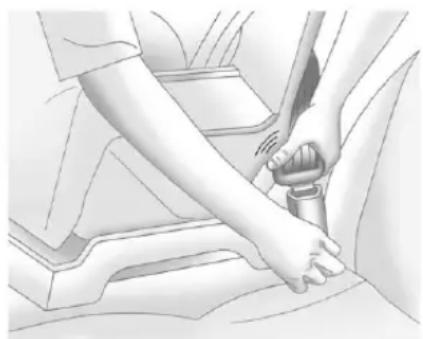
natural_image
Illustration of a person using a belt switch to adjust the seatbelt (no text or symbols present)- Pushthelatchplate into the buckle until it clicks.
Positionthereleasebuttonso thatthesafetybeltcouldbe quicklyunbuckledifnecessary.
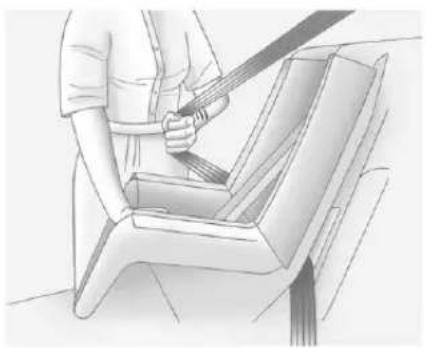
natural_image
Line drawing of a person using a tool to clean or wash a seatbelt (no text or symbols present)- Pulltheshoulderbeltalltheway outoftheretractortosetthe lock. Whentheretractorlockis set, thebeltcanbetightenedbut notpulledoutoftheretractor.
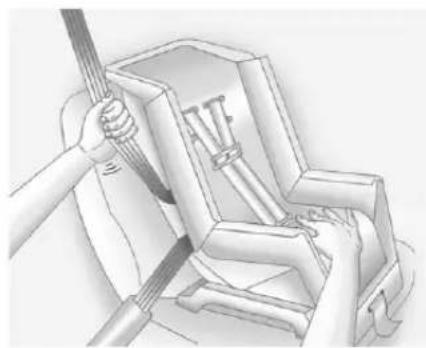
natural_image
Illustration of hands using a tool to lift a mechanical component (no text or symbols visible)-
Totightenthebelt, pushdown onthechildrestraint, pullthe shoulderportionofthebelt to tightenthalapportionofthebelt, andfeedtheshoulderbeltback intotheretractor. Wheninstalling aforward-facingchildrestraint, itmaybehelpfultouseyour kneetopushdownonthechild restraintasyoutightenthebelt.
Trytopullthebeltoutofthe retractortomakesurethe retractorislocked.Ifthe retractorisnotlocked, repeatSteps5and6. -
If the vehicle does not have a reseat and the child restraint has to optether, follow the child restraint manufacturer's instructions regarding the use of the optether. See Lower Anchors and Tethers for Children (LATCHSystem) on page 3-51 form more information.
-
Beforeplacingachildinthe childrestraint, makesureitis securelyheldinplace. To check, graspthechildrestraintatthe safetybeltpathandattemptto moveitsidetosideandback andforth. Whenthechild restraintisproperlyinstalled, thereshouldbenomorethan 2.5cm(1in)ofmovement.
Ifthevehicleisequippedwitha passengersensingsystem,and whenthepassengersensingsystem hasturnedofftherightfront passengerfrontalairbag,theoff indicatorinthepassengerairbag statusindicatorshouldlightandstay litwhenyoustartthevehicle.
Ifachildrestrainhasbeeninstalled andtheonindicatorislit,see "Ifthe OnIndicatorisLitforaChild Restraint" under PassengerSensing Systemonpage3-34formore information.
Toremovethechildrestraint, unbucklethevehiclesafetybeltand letitreturntothestowedposition. Ifthetoptetherisattachedtoatop tetheranchor, disconnectit.
WithAirbagOffSwitch
This vehicle has airbags. Arear seatisasafer placetosecurea forward-facing child restraint. See Where to Put the Restrainton page 3-49.
Theremaybeaswitchintheglove boxthatyoucanusetoturnoffthe rightfrontpassengerfrontalairbag. SeeAirbagOn-OffSwitchon page3-30formoreinformation, includingimportantsafety information.
Alabelonthesunvisorsays, "Neverputarear-facingchildseat inthefrontunlessairbagisoff." Thisisbecausetherisktothe rear-facingchildissogreat,ifthe airbagdeploys.

WARNING
Achildinarear-facingchild restraintcanbeseriously injuredorkillediftherightfront passengerairbaginflates. Thisisbecausethebackofthe rear-facingchildrestraintwould beveryclosetotheinflating airbag.Achildinaforward-facing childrestraintcanbeseriously injuredorkillediftherightfront passengerairbaginflatesandthe passengerseatisinaforward position.
Eveniftheairbagswitchhas turnedofftherightfront passengerfrontalairbag,no systemisfail-safe.Noonecan guaranteeethatanairbagwillnot deployundersomeunusual circumstance,eventoughitis turnedoff.
(Continued)
WARNING(Continued)
Securerear-facingchildrestraints inarearseat, eveniftheairbag isoff. Ifyousecurea forward-facingchildrestraintin therightfrontseat, alwaysmove thefrontpassengerseatasfar backasitwillgo. Itisbetterto securethechildrestraintina rearseat.
WARNING
If the airbagreadinesslight ever comes on and stay on, it mean that something maybe wrong with the air bags system. Forexample, theright front passenger air bag could inflate even though the air bag on-off switchisturned off.
(Continued)
WARNING(Continued)
To help avoid injury to yourself for others, have the vehicles serviced right away. See Airbag Readiness Lighton page 5-20 form more information, including important safety information.
Ifthevehicledoesnothavearear seatthatwillaccommodatea rear-facingchildrestraint,a rear-facingchildrestraintshouldnot beinstalledinthevehicle,evenif theairbagisoff.
If the child restraint has the LATCH system, see Lower Anchors and Tethers for Children (LATCH System) on page 3-51 for how and where to install the child restraint using LATCH. If a child restraint is
securedusingasafetybeltandit usesatoptether,seeLower AnchorsandTethersforChildren (LATCHSystem)onpage3-51for toptetheranchorlocations.
Donotsecureachildrestraintina positionwithoutatoptetheranchor ifanationalorlocallawrequires thatthetoptetherbeanchored,orif theinstructionsthatcomewiththe childrestraintsaythatthetopstrap mustbeanchored.
InCanada, the law requires that forward-facing child restraint have to optether, and that the tether be attached.
3-68SeatsandRestraints
Youwillbeusingthelap-shoulder belttosecurethechildrestraint in thisposition.Followtheinstructions thatcamewiththechildrestraint.
-
Movetheseatasfarbackasit willgobeforesecuringthe forward-facingchildrestraint. Ifyouhavenootherchoicebut toinstallarear-facingchild restraintinthisseat,makesure theairbagisoffoncethechild restrainhasbeeninstalled. Whentheairbagoffswitchhas turnedofftherightfront passengerfrontalairbag,theoff indicatorintheairbagofflight shouldlightandstaylitwhen youstartthevehicle.SeeAirbag On-OffLightonpage5-20.
-
Putthechildrestraint on theseat.
-
Pickup the latch plate, and run the lap and shoulder portions of the vehicle's safety belt through or around therestraint. The child restraint instructions will show you how.
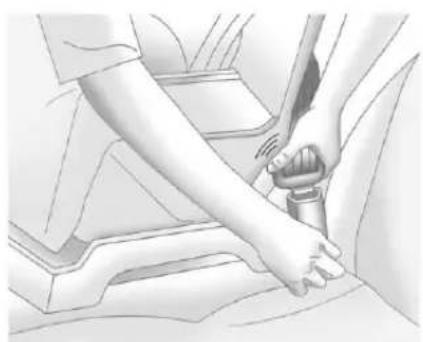
natural_image
Illustration of a hand adjusting a car seatbelt (no text or symbols present)- Pushthelatchplateintothe buckleuntilclicks. Positionthereleasebuttonso thatthesafetybeltcouldbe quicklyunbuckledifnecessary.
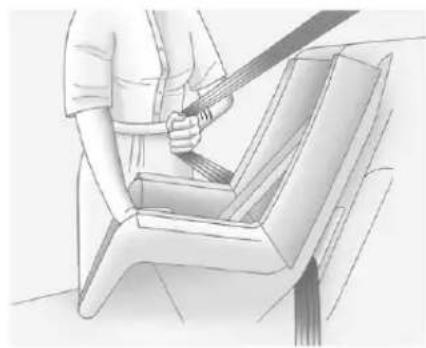
natural_image
Illustration of a person using a belt to lift a seatbelt (no text or symbols present)- Pulltheshoulderbeltalltheway outoftheretractortosetthe lock. Whentheretractorlockis set, thebeltcanbetightenedbut notpulledoutoftheretractor.
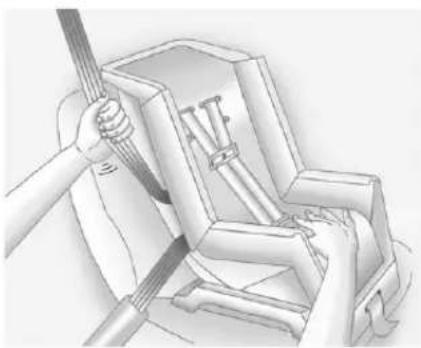
natural_image
Illustration of a hand using a tool to lift or install a mechanical component (no text or symbols visible)- Totightenthebelt, pushdown onthechildrestraint, pullthe shoulderportionofthebelt to tightenthelapportionofthebelt, andfeedtheshoulderbeltback intotheretractor. Wheninstalling aforward-facingchildrestraint, it maybehelpfultouseyourknee topushdownonthechild restraintasyoutightenthebelt.
Trytopullthebeltoutofthe retractortomakesurethe retractorislocked.Ifthe retractorisnotlocked, repeatSteps5and6.
-
If your vehicle does not have a reseat and your child restraint has to optether, follow the child restraint manufacturer's instructions regarding the use of the optether. See Lower Anchors and Tethers for Children (LATCH System) on page 3-51.
-
Before placing a child in the child restraint, makes sure it is securely held in place. To check, grasp the child restraint at the safety belpath and attempt to move its diet side and back and forth. When the child restraint is properly installed, there should be more than 2.5cm (1in) of movement.
Toremovethechildrestraint, unbucklethevehiclesafetybeltand letitreturntothestowedposition. Ifthetoptetherisattachedtoatop tetheranchor, disconnectit.
If you turned the air bag off with the switch, turn other right front passenger air bag when you remove the child restraint from the vehicle unless the person who will be sitting there is a member of a passenger air bag risk group. See Airbag On-Off Switch on page 3-30 for more information, including important safety information.
HeavyDutyCrewCabOnly
Thisvehiclehasairbags.Arear seatisasaferplacetosecurea forward-facingchildrestraint. SeeWheretoPuttheRestrainton page3-49.
Alabelonthesunvisorsays, "Neverputarear-facingchildseat inthefront." Thisisbecausetherisk totherear-facingchildissogreat, iftheairbagdeploys.
Neverputarear-facingchild restraintintherightfrontpassenger seat. Hereiswhy:

WARNING
Achildinarear-facingchild restraintcanbeseriously injuredorkillediftherightfront passenger'sairbaginflates.
(Continued)
WARNING(Continued)
Thisisbecausethebackofthe rear-facingchildrestraintwould beveryclosetotheinflating airbag.Alwayssecurea rear-facingchildrestraintina rearseat.
If the vehicle does not have a rear seat that will accommodate a rear-facing child restraint, a rear-facing child restraint should not be installed in the vehicle, even if the air bag is off.
If the child restraint has the LATCH system, see Lower Anchors and Tethers for Children (LATCH System) on page 3-51 for how and where to install the child restraint using LATCH. If you secure each child
restraintusingasafetybeltandit usesatoptether,seeLower AnchorsandTethersforChildren (LATCHSystem)onpage3-51for toptetheranchorlocations.
Donotsecureachildseatina positionwithoutatoptetheranchor ifanationalorlocallawrequires thatthetoptetherbeanchored,orif theinstructionsthatcomewiththe childrestraintsaythatthetopstrap mustbeanchored.
In Canada, the law requires that forward-facing child restraint have adopted, and that the better be attached.
Youwillbeusingthelap-shoulder belttosecurethechildrestraintin thisposition.Followtheinstructions thatcamewiththechildrestraint.
- Movetheseatasfarbackasit willgobeforesecuringthe forward-facingchildrestraint.
- Putthechildrestraint on theseat.
- Pickup the latch plate, and run the lap and shoulder portions of the vehicle's safety belt through or around therestraint. The child restraint instructions will show you how.
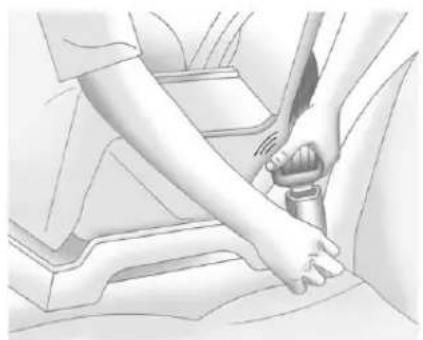
natural_image
Illustration of a person's hand using a belt buckle to adjust the seat (no text or symbols visible)- Pushthelatchplate into the buckle until it clicks.
Makesurethereleasebuttonis positionedsoyouwouldbeable tounbucklethesafetybelt quicklyifnecessary.
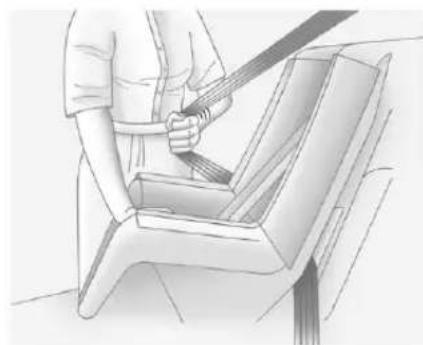
natural_image
Illustration of a person using a seatbelt to lift a seatbelt (no text or symbols present)- Pulltheshoulderbeltalltheway outoftheretractortosetthe lock. Whentheretractorlockis set, thebeltcanbetightenedbut notpulledoutoftheretractor.
3-72SeatsandRestraints
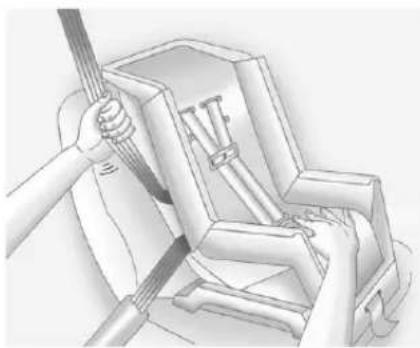
natural_image
Technical illustration of a mechanical assembly with a tool interacting with a component (no text or symbols visible)- Totightenthebelt, pushdown onthechildrestraint, pullthe shoulderportionofthebelt to tightenthelapportionofthebelt, andfeedtheshoulderbeltback intotheretractor. Wheninstalling aforward-facingchildrestraint, itmaybehelpfultouseyour kneetopushdownonthechild restraintasyoutightenthebelt.
Trytopullthebeltoutofthe retractortomakesurethe retractorislocked.Ifthe retractorisnotlocked, repeatSteps5and6.
- If your child restraint has a top tether, follow the child restraint manufacturer's instructions regarding the use of the top tether. See Lower Anchors and Tethers for Children (LATCH System) on page 3-51 form more information.
- Beforeplacingachildinthe childrestraint, makesureitis securelyheldinplace. To check, graspthechildrestraintatthe safetybeltpathandattemptto moveitsidetosideandback andforth. Whenthechild restraintisproperlyinstalled, thereshouldbenomorethan 2.5cm(1in)ofmovement.
Toremovethechildrestraint, unbucklethevehiclesafetybeltand letitreturntothestowedposition. Ifthetoptetherisattachedtoatop tetheranchor, disconnectit.
Storage
StorageCompartments
InstrumentPanelStorage.....4-1
GloveBox......4-1
Cupholders......4-1
ArmrestStorage......4-1
CenterConsoleStorage.....4-2
Storage Compartments
InstrumentPanelStorage
Forvehiclesequippedwithan instrumentpanelstoragearea, itislocatedabovetheglovebox.
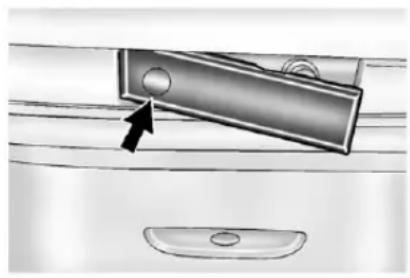
natural_image
Diagram of a door handle with an arrow pointing to the handle area, next to a sink (no text or symbols present)Accessthe storage are a by pressing and holding in the driver side of the handle and pull out on the exposed portion of the handle.
GloveBox
Liftuponthegloveboxleverto openit.
Cupholders
Vehicleswithcupholdershavethem locatedonandbehindthecenter consoleandintherearseat armrest.Pulltheloopdownonthe rearseatarmresttoaccessthe cupholders.
Pulldownwardonthecoverto accessthecupholdersbehindthe centerconsole.
ArmrestStorage
Vehicleswitharearseatarmrest havetwocupholders.Pullthe armrestdownfromtherear seatbacktoaccessthecupholders.
4-2Storage
CenterConsoleStorage
Vehicleswithanupperandlower centerconsolestorageareahave cupholdersincluded.
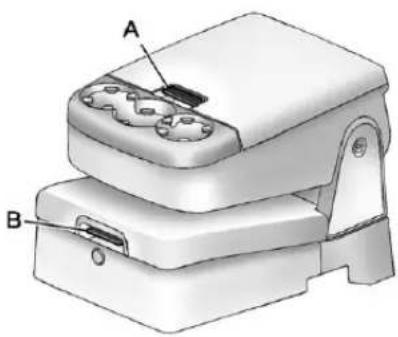
natural_image
3D diagram of a mechanical device with labeled parts A and B, showing internal components (no text or symbols beyond labels)Pullthelever(A)uptoaccessthe upperstoragearea.Raisetheupper storagebin,thenpullthelever(B) uptoaccessthelowerstoragearea. Usethekeytolockandunlockthe lowerstoragearea.
Instruments and Controls
Controls
SteeringWheelAdjustment...5-2
SteeringWheelControls.....5-3
Horn....5-5
WindshieldWiper/Washer.....5-5
Compass....5-6
Clock....5-8
PowerOutlets......5-10
CigaretteLighter....5-11
Ashtrays....5-12
WarningLights, Gauges, and Indicators
WarningLights, Gauges, and
Indicators......5-12
InstrumentCluster......5-13
Speedometer....5-14
Odometer....5-14
TripOdometer......5-14
Tachometer....5-14
FuelGauge....5-14
EngineOilPressure
Gauge....5-16
EngineCoolant
TemperatureGauge......5-17
VoltmeterGauge......5-18
SafetyBeltReminders......5-19
AirbagReadinessLight.....5-20
AirbagOn-OffLight......5-20
PassengerAirbagStatus
Indicator....5-22
ChargingSystemLight.....5-23
Malfunction
IndicatorLamp......5-24
BrakeSystemWarning
Light....5-26
AntilockBrakeSystem(ABS)
WarningLight......5-27
Four-Wheel-DriveLight.....5-28
Tow/HaulModeLight.....5-28
StabiliTrak® OFFLight......5-28
TractionControlSystem
(TCS)/StabiliTrak® Light....5-29
TirePressureLight......5-29
EngineOilPressureLight....5-30
LowFuelWarningLight.....5-30
SecurityLight......5-30
High-BeamOnLight......5-31
FrontFogLampLight......5-31
CruiseControlLight.....5-31
InformationDisplays
DriverInformation
Center(DIC)......5-32
VehicleMessages
VehicleMessages......5-42
BatteryVoltageand
ChargingMessages......5-42
BrakeSystemMessages....5-42
DoorAjarMessages......5-43
EngineCoolingSystem
Messages......5-44
EngineOilMessages......5-45
EnginePowerMessages....5-46
FuelSystemMessages.....5-46
KeyandLockMessages.....5-46
LampMessages......5-46
ObjectDetectionSystem
Messages......5-47
RideControlSystem
Messages......5-47
AirbagSystemMessages....5-48
Anti-theftAlarmSystem
Messages......5-48
5-2 InstrumentsandControls
StartingtheVehicle
Messages......5-49
TireMessages......5-49
TransmissionMessages.....5-50
VehicleReminder
Messages......5-50
WasherFluidMessages.....5-51
VehiclePersonalization
VehiclePersonalization
(WithDICButtons)......5-52
UniversalRemoteSystem
UniversalRemoteSystem...5-60
UniversalRemoteSystem
Programming......5-60
UniversalRemoteSystem
Operation....5-65
Controls
SteeringWheel Adjustment
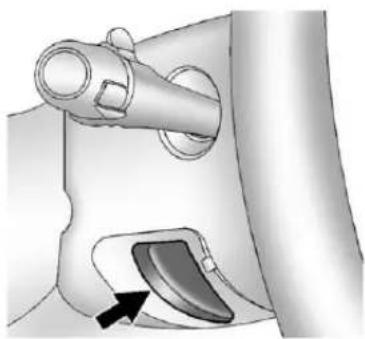
natural_image
Mechanical component diagram showing a lever and handle assembly (no text or symbols)Thetiltleverislocatedonthelower leftsideofthesteeringcolumn.
Toadjustthesteeringwheel:
-
Holdthesteeringwheeland pullthelever.
-
Movethesteeringwheelup ordown.
-
Releasethevertolockthe wheelinplace.
Donotadjustthesteeringwheel whiledriving.
SteeringWheelControls
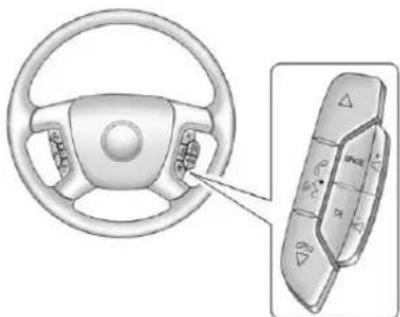
natural_image
Diagram of a car steering wheel and its internal control panel (no text or symbols)Ifequipped, someaudiocontrols canbeadjustedatthesteering wheel.
△(Next):Presstogotothe nextfavoriteradiostation,trackon aCD,orfolderonaniPod or USBdevice.
/ (Previous/End): Press to gotothepreviousfavoriteradio station,trackonaCD,orfolderon aniPod® orUSBdevice.Pressto rejectanincomingcall,orenda currentcall.
Radio
Toselectpresetorfavoriteradio stations:
Pressandrelease △or/▽ togotothenextorpreviousradio stationstoredasapresetor favorite.
CD/DVD
ToselecttracksonaCD/DVD:
Pressandrelease △or▽/▽ togotothenextorprevioustrack.
SelectingTracksonaniPodor USBDevice(Vehicleswithouta NavigationSystem)
-
Pressandhold △or▽/▽ whilelisteningtoasonguntilthe contentsofthecurrentfolder displayontheradiodisplay.
-
Pressandrelease △or▽/▽ toscrollupordownthelist, then pressandhold △, orpress ▷ to playthehighlightedtrack.
NavigatingFoldersonaniPodor USBDevice(Vehicleswithouta NavigationSystem):
-
Pressandhold △or▽/▽ whilelisteningtoasonguntilthe contentsofthecurrentfolder displayontheradiodisplay.
-
Pressandhold 📞/▽togo backtothepreviousfolderlist.
-
Pressandrelease △or▽/▽ toscrollupordownthelist.
- Toselectafolder, pressandhold ,or press whenthefolder ishighlighted.
• Togobackfurtherinthe folderlist,pressand hold 📞/▽.
NavigatinganiPodorUSBDevice ontheMainAudioScreen (VehicleswithaNavigation System)
- Pressandrelease
toselectthenextorprevious trackwithintheselected category. - Pressandhold △ or ⚡ / ∇ to movequicklythroughthetracks.
- Pressandrelease ▷tomoveup onetrackwithintheselected category.

NavigatinganiPodorUSBDevice ontheMusicNavigatorScreen (VehicleswithaNavigation System)
- Pressandrelease
toselectthenextorprevious trackwithintheselected category. - Pressandhold △ or ⚡ / ∇ to movequicklythroughthetracks withintheselectedcategory.

- Pressandrelease ▷tomoveup onetrackwithintheselected category.
/ _^2 (Mute/Push to Talk): Press tosilencethevehiclespeakersonly. Pressagaintoturnthesoundon.
ForvehicleswithBluetoothor OnStarsystems,pressandholdfor longerthantwosecondstointeract withthosesystems.SeeBluetooth onpage 7-52 and OnStarOverview onpage 14-1formoreinformation.
SRCE(Source/Voice
Recognition): Presstoswitch betweentheradioandCD, and for equipped vehicles, the DVD, front auxiliary, andrearauxiliary.
Forvehicleswiththenavigation system, pressandholdthisbutton forlongerthanonesecondto initiatevoicerecognition. See "Voice Recognition" in the Navigation Systemmanualformore information.
(Seek): Presstogotothe nextradiostationwhileinAM, FM,orXM^TM .
Forvehicleswithorwithouta navigationsystem:
Press ⚠togotothenexttrackor chapterwhilesourcedtotheCDor DVDslot.
Press ☑toselectatrackorafolder when navigatingfoldersonaniPod orUSBdevice.
Forvehicleswithanavigation system:
-
Pressandhold ▷ untilabeepis heard, toplacetheradiointo SCANmode. Astationwillplay forfivesecondsbeforemoving tothenextstation.
-
TostoptheSCANfunction, press ▷again.
WhilelisteningtoaCD/DVD, press andhold Dtoquicklymoveforward throughthetracks. Releasetostop onthedesiredtrack.
- :Presstoincreasevolume.
- Presstodecreasevolume.
Horn
Tosoundthehorn, pressthecenter padonthesteeringwheel.
WindshieldWiper/Washer
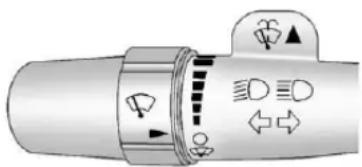
text_image
Diagram of a mechanical or electrical component with directional arrows and symbols, likely indicating motion or flow paths.Thefrontwipercontrolislocatedon theturnandlane-changelever.
Thewindshieldwipersarecontrolled byturningthebandwith 📋onit.
(Mist): Forasinglewipe, turnto , thenrelease. For several wipes, holdthebandon longer. (Off): Turnsthewindshield wipersoff.
!(AdjustableIntervalWipes): Turnthebandupformorefrequent wipesordownforlessfrequent wipes.
(LowSpeed): Slowwipes. (HighSpeed): Fastwipes.
Cleariceandsnowfromthewiper bladesbeforeusingthem.Iffrozen tothewindshield,carefullyloosenor thawthem.Damagedwiperblades shouldbereplaced.SeeWiper BladeReplacementonpage 10-39.
Heavysnoworicecanoverloadthe wipermotor.Acircuitbreakerwill stopthemotoruntilcoolsdown.
WindshieldWasher
WARNING
Infreezingweather, donotuse the washer until the windshield is warmed. Otherwisethewasher fluid can form mice on the windshield, blocking your vision.
(WasherFluid):Pushthe paddlemarkedwiththewindshield washersymbolatthetopofthe multifunctionlever,tospraywasher fluidonthewindshield.Thewipers clearthewindowandtheneither stoporreturntothepresetspeed.
Compass
The vehicle may have a compass in the Driver Information Center(DIC).
CompassZone
Thezoneissettozoneeightupon leavingthefactory. Yourdealerwill setthecorrectzoneforyour location.
Undercertaincircumstances, suchasduringalong-distance, cross-countrytripormovingtoa newstateorprovince,itwillbe necessarytocompensatefor compassvariancebyresettingthe zonethroughtheDICifthezoneis notsetcorrectly.
Compassvarianceisthedifference betweentheearth'smagnetic northandtruegeographicnorth.
Ifthecompassisnotsettothezone whereyoulive,thecompassmay givefalsereadings.Thecompass mustbesettothevariancezonein whichthevehicleistraveling.
Toadjustforcompassvariance, usethefollowingprocedure:
CompassVariance(Zone) Procedure
- Donotsetthecompasszone whenthevehicleismoving. Onlysetitwhenthevehicleis inP(Park).
Pressthevehicleinformation buttonuntilPRESS √TO CHANGECOMPASSZONE displays.Or,ifthevehicledoes nothaveDICbuttons,pressthe tripodometerresetstemuntil CHANGECOMPASSZONE displays.
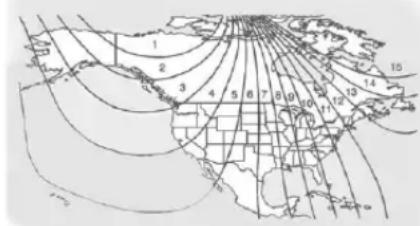
text_image
Map showing numbered regions and geographic features with latitude/longitude grid lines- Find the vehicle's current location and variance zone numberonthemap.
Zones1 through 15 are available.
- Presstheset/resetbutton to scrollthroughandselectthe appropriatevariancezone.
4.Pressthetrip/fuelbuttonuntil thevehicleheading,for example,NforNorth,is displayedintheDIC.Or,ifthe vehicledoesnothaveDIC buttons,pressandholdthetrip odometerresetstemfor twosecondstoselectthenext availablevariancezone.Repeat thisstepuntiltheappropriate variancezoneisdisplayed.
- If calibration is necessary, calibratethecompass. See "Compass Calibration Procedure" following.
CompassCalibration
The compasscanbemanually calibrated. Only calibratethe compassinamagnetically clean and safelocation, such as an open parking lot, wheredriving the vehicle in circles is not a danger.
Itissuggestedtocalibrateaway fromtallbuildings,utilitywires, manholecovers,orotherindustrial structures,ifpossible.
IfCALshouldeverappearinthe DICdisplay, thecompassshouldbe calibrated.
IftheDICdisplaydoesnotshowa heading,forexample,NforNorth, ortheheadingdoesnotchange aftermakingturns,theremaybea strongmagneticfieldinterferingwith thecompass.Suchinterference maybecausedbyamagneticCB orcellphoneantennamount,a magneticemergencylight,magnetic notepadholder,oranyother magneticitem.Turnoffthevehicle, movethemagneticitem,thenturn onthevehicleandcalibratethe compass.
Tocalibratethecompass, usethe following procedure:
CompassCalibrationProcedure
- Before calibrating the compass, makes sure the compass zone is set to the variance zone in which the vehicle is located. See "Compass Variance (Zone) Procedure" earlier in this section.
Donotoperateanyswitches suchaswindow,sunroof, climatecontrols,orseatsduring thecalibrationprocedure.
-
Pressthevehicleinformation buttonuntilPRESS √TO CALIBRATECOMPASS displays. Or, if the vehicle does not have DIC buttons, pressthetripodometer reset stem until CALIBRATE COMPASS displays.
-
Presstheset/resetbutton to start the compasscalibration. Or, if the vehicle does not have DIC buttons, press and hold the tripodometer reset stem for two seconds start the compasscalibration.
- The DIC will display CALIBRATING: DRIVEIN CIRCLES. Drivethe vehicle intightcircles at less than 8km/h (5mph) to complete the calibration. The DIC will display CALIBRATION COMPLETE for a few seconds when the calibration is complete. The DIC display will then return to the previous menu.
Clock
AM-FMRadioandAM-FM RadiowithCDPlayer
Tosettheclock:
- TurntheignitionkeytoACC/ACCESSORYorON/RUN, then pressthe ☐ buttontoturnthe radioon.
- Pressthe ⏻ buttonuntilthehour numbersbegintoflash, then turnthe ♪ knobtoincreaseor decreasethehour.
-
Pressthe ⏻ buttonuntilthe minutenumbersbegintoflash, thenturnthe ♪ knobtoincrease ordecrease theminutes.
4.Pressthe ⏻buttonuntilthe 12HRor24HRtimeformat beginstoflash, thenturn the ♪knobtochangethetime format. -
Pressthe ⏻ buttonagainuntil theclockdisplaystopsflashing tosetthecurrentlydisplayed time,orwaituntiltheflashing stopsafterfivesecondsand thecurrenttimedisplayed automaticallysets.
MP3RadioswithaSingleCD oraSingleCDandDVDPlayer
Toadjustthetimeanddate:
- Turntheignitionkeyto ACC/ACCESSORYorON/RUN, thenpressthe ⏻buttontoturn theradioon.
- Pressthe ⏻ buttonodisplay HR, MIN, MM, DD, YYYY(hour, minute, month, day, and year).
-
Pressthesoftkeylocatedunder anyoneofthetabstochange thatsetting.
-
Toincreasethetimeordate, dooneofthefollowing:
-
Pressthesoftkeybelowthe selectedtab.
- PresstheSEEKbutton.
-
PresstheFWDbutton.
• Turnthe♪knobclockwise. -
Todecreasethetimeordate, dooneofthefollowing:
• PresstheKSEEKbutton.
- Pressthe◀◀REVbutton.
• Turnthe♪knob counterclockwise.
Tochangethetimedefaultsetting from 12hourto24hourortochange thedatedefaultsettingfrommonth/day/yeartoday/month/year:
-
Pressthe ⏻buttonandthen thesoftkeylocatedbelowthe forwardarrowtab. 12H, 24H, the dateMM/DD(monthandday), andDD/MM(dayandmonth) displays.
-
Pressthesoftkeylocatedbelow thedesiredoption.
-
Pressthe ⏻ buttonagain to apply the desired option, or let the screentime out.
MP3RadiowithaSix-Disc CDPlayer
Tosethetimeanddate:
- Turntheignitionkeyto ACC/ACCESSORYorON/RUN, thenpressthe ☑ buttonoturn theradioon.
- PresstheMENUbutton and thenthesoftkeyunderthe ☐tab todisplayHR, MIN, MM, DD, YYYY(hour, minute, month, day, andyear).
- Pressthesoftkeylocatedunder anyoneofthetabstochange thatsetting.
5-10 InstrumentsandControls
- Toincreasethetimeordate, dooneofthefollowing:
• Pressthesoftkeybelowthe selectedtab.
- PresstheSEEKbutton.
- PresstheFWDbutton.
• Turnthe♪knobclockwise.
-
Todecreasethetimeordate, dooneofthefollowing:
-
PresstheSEEKbutton.
- Pressthe◀◀REVbutton.
• Turnthe♪knob counterclockwise.
Tochangethetimedefaultsetting from 12hourto24hourortochange thedatedefaultsettingfrommonth/daytoday/month:
- PresstheMENUbutton and thenthesoftkeyunderthe ☐tab.
- Pressthesoftkeylocatedbelow theforwardarrowtab.12H,24H, thedateMM/DD(monthand day), and DD/MM(dayand month) displays.
- Pressthesoftkeylocatedbelow thedesiredoption.
- PresstheMENUbuttonagainto applythedesiredoption, or let thescreentimeout.
PowerOutlets
Accessorypoweroutletscan beusedtopluginelectrical equipment, such as acellphone, MP3player, etc.
The vehicle may have two accessory power outlets located below the climate control system, or may have one accessory power outlet and one cigarette lighter. The cigarette lighter is designed to fit only in there except a close to the driver.
Theremaybeanotheraccessory poweroutletintherearcargoarea. Ifthevehiclehasafloorconsole, thereisanaccessorypoweroutlet insidethestoragebinandoneon therearofthefloorconsole.
Removethecovertoaccessand replacewhennotinuse.
Theaccessorypoweroutletsare powered, even when the ignition is in LOCK/OFF. Continuing to use power outlets while the ignition is in LOCK/OFF may cause the vehicle's battery torundown.
WARNING
Powerisalwayssuppliedtothe outlets.Donotleaveelectrical equipmentpluggedinwhenthe vehicleisnotinusebecausethe vehiclecouldcatchfireandcause injuryordeath.
Notice:Leavingelectrical equipmentpluggedinforan extendedperiodoftimewhile thevehicleisoffwilldrainthe battery.Alwaysunplugelectrical equipmentwhennotinuseand donotpluginequipmentthat exceedsthemaximum20ampere rating.
Certainpoweraccessoryplugsmay notbecompatibletotheaccessory poweroutletandcouldoverload vehicleoradapterfuses.lfa problemisexperienced,seeyour dealer.
Whenaddingelectricalequipment, besuretofollowtheproper installationinstructionsincluded withtheequipment.SeeAdd-On ElectricalEquipmentonpage9-115.
Notice: Hangingheavy equipment from the power outlet can caused damage not covered by the vehicle warranty. The power outlets are designed for accessory power plug only, such as cell phone charge cords.
CigaretteLighter
Tousethecigarettelighter, pushitinalltheway,andletgo. Whenitisreadyforuse,thelighter popsbackout.
Notice: Holding acigarettelighter inwhileitisheating does not let the lighter back away from the heating element when it is hot. Damage from overheating can occur to the lighter or heating element, or a fuse could be blown. Donotholdacigarette lighter in whileitisheating.
Ashtrays
The vehicle may have a front ash tray located near the center of the instrument panel. Pull on the doorto open it. The ash tray may have a cigarette lighter.
Notice: If papers, pins, or other flammable items are put in the ashtray, hot cigarettes or other smoking material could ignite them and possibly damage the vehicle. Never put flammable items in the ashtray.
Toremovetheashtray, openthe doorandpulltheashtraybintoward you. Toreplacetheashtray, insert theashtraybininsidetheashtray doorandpressdownuntil engages.
WarningLights, Gauges,and Indicators
Warninglightsandgaugescan signalthatsomethingiswrong beforeitbecomesseriousenough tocauseanexpensiverepairor replacement.Payingattentiontothe warninglightsandgaugescould preventinjury.
Warninglightscomeonwhenthere couldbeaproblemwithvehicle function. Somewarninglightscome onbrieflywhentheengineisstarted toindicatetheyareworking.
Gaugescanindicatewhenthere couldbeaproblemwithvehicle function.Oftengaugesandwarning lightsworktogethertoindicatea problemwiththevehicle.
Whenoneofthewarninglights comesonandstaysonwhile driving,orwhenoneofthegauges showstheremaybeaproblem, checkthesectionthatexplainswhat todo.Followthismanual'sadvice. Waitingtodorepairscanbecostly andevendangerous.
InstrumentCluster
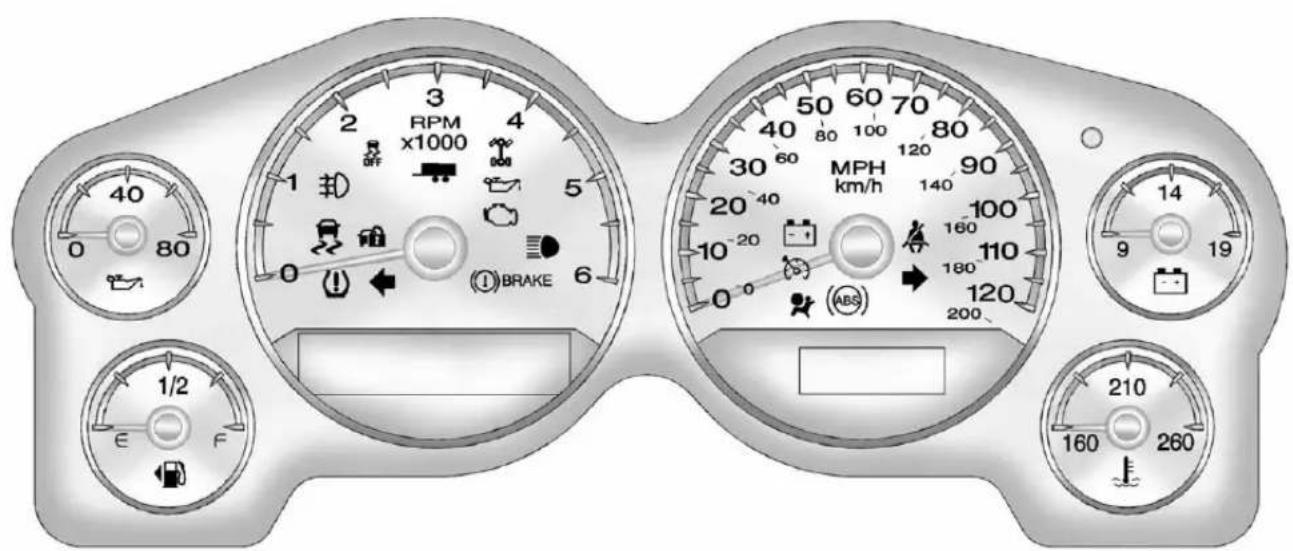
text_image
RPM x1000 3 2 4 1 5 0 6 1/2 E F BRAKE MPH km/h 30 60 40 80 100 120 90 140 20 40 10 -20 160 110 0 ABS 180 120 200 14 9 19 210 160 260EnglishLightDutyPremiumShown.Metric, Uplevel, BaseandHeavyDutySimilar.
5-14 InstrumentsandControls
ForvehicleswithaDURAMAX ^® Dieselengine,seetheDURAMAX ^® DieselSupplementformore information.
ForvehicleswithaHybrid,seethe Hybrid Supplement formore information.
Speedometer
Thespeedometershowsthe vehicle'sspeedineither kilometersperhour(km/h)or milesperhour(mph).
Odometer
Theodometershowshowfarthe vehiclehasbeendriven,ineither kilometersormiles.
EngineHourMeterDisplay
TheDriverInformationCenter(DIC) canalsodisplaythenumberof hourstheenginehasrun.Todisplay theenginehours,turntheignition off,thenpressandholdthereset buttonforatleastfourseconds.
Thehourmeterdisplaysforupto 30seconds,oruntiltheignitionis turnedon.SeeDriverInformation Center(DIC)onpage5-32formore information.
TripOdometer
Thetripodometersshowshowfar thevehiclehasbeendrivensince thetripodometerwaslastset tozero.
Presstheresetbutton, located on the instrument panel clusternext to the voltmeter, to toggle between the tripodometer and theregular odometer. Holdingtheresetbutton for approximately one second while the tripodometer is displayed will reset it.
Todisplaytheodometerreading withtheignitionoff, pressthereset button.
SeeDriverInformationCenter(DIC) onpage5-32formoreinformation.
Tachometer
Thetachometerdisplaystheengine speedinrevolutionsperminute (rpm). For a description of how Grade Braking affects vehiclespeed while the Tow/Haul Mode is activated, see Tow/Haul Mode on page 9-43 form more information. If the vehicle is a hybrid, se the hybrids supplement form more information.
FuelGauge
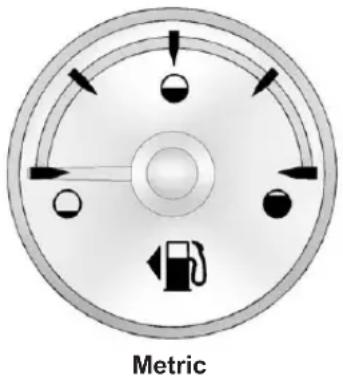
text_image
Metric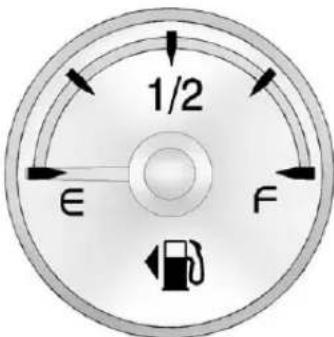
text_image
1/2 E FEnglish
Whentheignitionison, thefuel gaugeshowsabouthowmuchfuel isleftinthefueltank.
Anarrowonthefuelgauge indicatesthesideofthevehiclethe fueldoorison.
Thegaugewillfirstindicateempty beforethevehicleisoutoffuel,but thevehicle'sfueltankshouldbe filledsoon.
WhenthefueltankislowtheFUEL LEVELLOWmessageappears. SeeFuelSystemMessageson page5-46formoreinformation.
Herearesomesituationsowners canexperiencewiththefuelgauge. Noneoftheseindicateaproblem withthefuelgauge.
- Atthegasstation, thefuelpump shutsoffbeforethegauge readsfull.
- Ittakesalittlemoreorlessfuel tofillupthanthefuelgauge indicated. Forexample, the gaugemayhaveindicatedthe tankwashalffull,butitactually tookalittlemoreorlessthan halfthefueltank'scapacityto fillit.
• Thegaugegoesbacktoempty whentheignitionisturnedoff.
If the vehicle has a diesel engine, seethe Duramax diesels supplement formore information.
If the vehicle is a hybrid, seethe hybrids supplement form more information.
EngineOilPressure Gauge
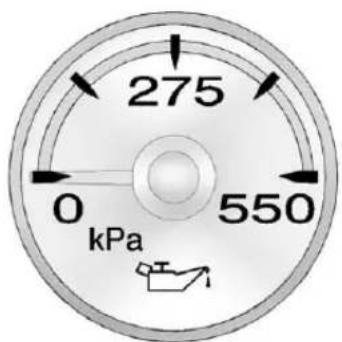
radar
| Current (kPa) | |---| | 275 | | 0 | | 550 |Metric
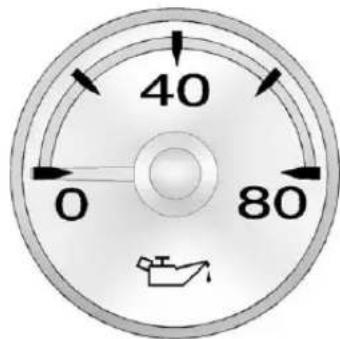
text_image
40 0 80English
Theengineoilpressuregauge showstheengineoilpressure inkPa(kilopascals)orpsi(pounds persquareinch)whentheengineis running.
Oilpressurecanvarywithengine speed,outsidetemperatureand oilviscosity,butifreadingsare outsidethenormaloperatingrange, theoilpressurelightcomeson. SeeEngineOilPressureLighton page 5-30formoreinformation.
Areadingoutsidethenormal operatingrangecanbecausedby adangerouslylowoilevelorsome otherproblemcausinglowoil pressure.Checkthevehicle'soil as soonaspossible.See "OIL PRESSURELOWSTOPENGINE" underEngineOilMessageson page5-45andEngineOilon page10-7.

WARNING
Donotkeepdrivingiftheoil pressureislow.Theenginecan becomesohotthatitcatchesfire. Someonecouldbeburned.Check theoilassoonaspossibleand havethevehicleserviced.
Notice:Lackofproperengineoil maintenancecandamagethe engine.Therepairswouldnotbe coveredbythevehiclewarranty. Alwaysfollowthemaintenance scheduleforchangingengineoil.
Ifthevehiclehasadieselengine, seetheDuramaxdieselsupplement formoreinformation.
If the vehicle is a hybrid, se the hybrids supplement form more information.
EngineCoolant
TemperatureGauge
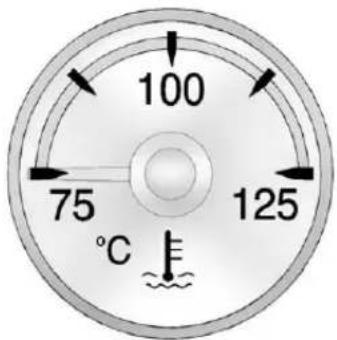
text_image
100 75 125 °CMetric
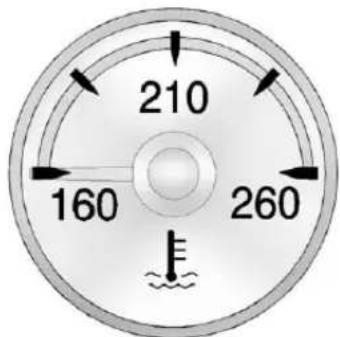
gauge
| Value | |-------| | 210 | | 160 | | 260 |English
Thisgaugeshowstheengine coolanttemperature.
Italsoprovidesanindicatorofhow hardthevehicleisworking. During a majority of the operation, the gauge reads 100°C (210°F) or less.
Ifpullingaloadorgoinguphills, itsnormalforthetemperature to fluctuate and go over the 113°C (235°F) mark. If the gaugereaches the 125°C (260°F) mark, it indicates that the coolingsystem is working beyond its capacity.
SeeEngineOverheatingon page10-23.
If the vehicle is a hybrid, se the hybrids supplement form more information.
5-18 InstrumentsandControls
VoltmeterGauge
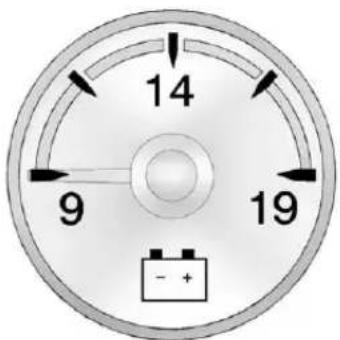
text_image
14 9 19 - +Thisgaugeindicates the battery voltage when the ignition is turned on.
Whentheignitionison, this gauge indicates the battery voltage.
Whentheengineisrunning, this gaugeshowstheconditionofthe chargingsystem. Thegaugecan transitionfromahighertoloweror alowertohigherreading. This is normal. If the vehicle is operating outside then normal operating range, the charging system light comes on. See Charging System Lighton page 5-23 form more information. The voltmetergaugemayalsoread lower when infueleconomymode. This is normal.
Readingsoutsidethenormal operatingrangecanalsooccur whenalargenumberofelectrical accessoriesareoperatinginthe vehicleandtheengineisleft idlingforanextendedperiod. Thisconditionisnormalsincethe chargingsystemisnotableto providefullpoweratengineidle.
Asenginespeedsareincreased, thisconditions should correct itself as higherenginespeedsallow thechargingsystemtocreate maximumpower.
The vehicle can only be driven for a short time with the readings outside then normal operating range. If the vehicle must be driven, turn off all accessories, such as her radio and air conditioner.
Readingsoutsidethenormal operatingrangeindicateapossible problemintheelectricalsystem. Havethevehicleservicedassoon aspossible.
SafetyBeltReminders DriverSafetyBeltReminder Light
Thereisadriversafetybelt reminderlightontheinstrument panelcluster.

Whenthevehicleisstarted,this lightflashesandachimemaycome ontoremindthedrivertofasten theirsafetybelt.Thenthelightstays onsoliduntilthebeltisbuckled. Thiscyclemycontinueseveral timesifthedriverremainsor becomesunbuckledwhilethe vehicleismoving.
Ifthedriversafetybeltisbuckled, neitherthelightnorthechime comeson.
PassengerSafetyBelt ReminderLight
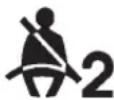
Forvehiclesequippedwiththe passengersafetybeltreminderlight, severalsecondsaftertheengine isstarted,achimesoundsfor severalsecondstoremindthefront passengertobuckletheirsafety belt.Thepassengersafetybeltlight flashesandthenstaysonsoliduntil thebeltisbuckled.Thiscycle continuesseveraltimesifthe passengerremainsorbecomes unbuckledwhilethevehicleis moving.
If the passengers safety belt is buckled, neither the chimen or the light comes on.
Thefrontpassengersafetybelt warninglightandchimemayturnon ifanobjectisputontheseatsuch asabriefcase,handbag,grocery bag,laptop,orotherelectronic device.Toturnoffthewarninglight and/orchime,removetheobject fromtheseatorbucklethe safetybelt.
AirbagReadinessLight
Thesystemcheckstheairbag's electricalsystemforpossible malfunctions. If the light stay on it indicates there is an electrical problem. Thesystemcheck include the airbagsensor(s), the pretensioners, the airbag modules, the wiring and the crash sensing and diagnostic module. Form more information on the airbag system, see Airbag System on page 3-23.

Theairbagreadinesslightcomeson solidforafewsecondswhenthe engineisstarted.Ifthelightdoes notcomeonthen,haveitfixed immediately.
WARNING
If the airbagreadinesslightstays on after the vehicle is started or comes on while driving, it means the air bagsystem might not be working properly. The airbags in the vehicle might not inflate a crash, or they could even inflate without a crash. To help avoid injury, have the vehicles serviced right away.
If there is a problem with the airbag system, a Driver Information Center (DIC) message can also come on. See Airbag System Messages on page 5-48 form more information.
AirbagOn-OffLight
If the vehicle has an air bag on-off switch, it also has a passenger air bag status indicator located in the overhead console.
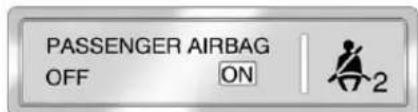
text_image
PASSENGER AIRBAG OFF ON 2UnitedStates
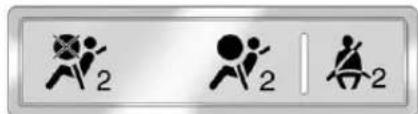
text_image
Three symbolic icons representing running figures with numbers 2, including a crossed-out figure and a vertical line.CanadaandMexico
Whenthevehicleisstarted,the passengerairbagstatusindicator willlightONandOFF,orthesymbol foronandoff,willlightforseveral
secondsasasystemcheck.Then, afterseveralmoreseconds,the statusindicatorONorOFF,oreither theonoroffsymbol,willlighttolet youknowthestatusoftherightfront passengerfrontalairbag.
Whentherightfrontpassenger airbagismanuallyturnedoffusing theairbagon-offswitchintheglove box,theindicatorlightOFForthe offsymbolwillcomeonandstayon asareminderthattheairbaghas beenturnedoff.Thislightwillgooff whentheairbaghasbeenturned on.SeeAirbagOn-OffSwitchon page3-30formoreinformation, includingimportantsafety information.
PASSENGER

AIR BAG OFF
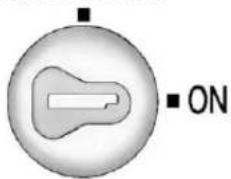
text_image
■ ONUnitedStates

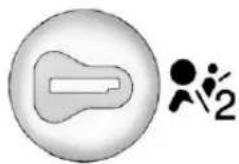
natural_image
Simple icon showing a stylized human figure next to a speech bubble (no text or symbols)CanadaandMexico

WARNING
Iftherightfrontpassengerairbag isturnedoffforapersonwhois notinariskgroupidentifiedby thenationalgovernment,that personwillnothavetheextra protectionofanairbag.Ina crash,theairbagwillnotbeable toinflateandhelpprotectthe personsittingthere.
Donotturnoffthepassenger airbagunlesssthepersonsitting thereisinariskgroupidentified bythenationalgovernment. SeeAirbagOn-OffSwitchon page3-30formoreonthis, includingimportantsafety information.
5-22 InstrumentsandControls

WARNING
If the airbagreadinesslight ever comes on and stay son, it mean that something may be wrong with the air bagsystem. Forexample, therightfront passenger air bag could inflate even though the air bagon-off switchisturned off.
Tohelpavoidinjurytoyourselfor others, havethevehicleserviced rightaway. See Airbag Readiness Lightonpage 5-20 formore information, including important safety information.
IfthewordONortheonsymbolis lit, itmeansthattherightfront passengerfrontalairbagisenabled (mayinflate). See Airbag On-Off Switchonpage 3-30 formore information, including important safety information.
If,afterseveralseconds,bothstatus indicatorlightsremainon,orifthere arenolightsatall,theremaybea problemwiththelightsortheairbag on-offswitch.Seeyourdealerfor service.
PassengerAirbagStatus Indicator
Ifthevehiclehasoneofthe indicatorspicturedinthefollowing illustrations,thenthevehiclehasa passengersensingsystemforthe rightfrontpassengerpositionunless thereisanairbagoffswitchlocated intheglovebox.Ifthereisan airbagoffswitch,thevehicledoes nothaveapassengersystem system.SeeAirbagOn-OffSwitch onpage3-30.
The passenger airbag status indicator is on the overhead console. See Passenger Sensing System on page 3-34 for important safety information.
Inaddition, if the vehicle has a passengersensingsystem for the right front passenger position, the label on the vehicle's sunvisor refer to "ADVANCED AIRBAGS".
PASSENGER AIRBAG
OFF
ON

UnitedStates


CanadaandMexico
Whenthevehicleisstarted,the passengerairbagstatusindicator willlightONandOFF,orthesymbol foronandoff,forseveralseconds
asasystemcheck.Then,after severalmoreseconds,thestatus indicatorwilllighteitherONorOFF,oreithertheonoroffsymboltolet youknowthestatusoftherightfront passengerfrontalairbag.
IfthewordONortheonsymbolis litonthepassengerairbagstatus indicator, itmeansthattheright frontpassengerfrontalairbagis enabled (mayinflate).
IfthewordOFFFortheoffsymbolis litontheairbagstatusindicator, it meansthatthepassengersensing systemhasturnedofftherightfront passengerfrontalairbag.
If,afterseveralseconds,bothstatus indicatorlightsremainon,orifthere arenolightsatall,theremaybea problemwiththelightsorthe passengersensingsystem. Seeyourdealerforservice.
WARNING
If the airbagreadiness light ever comes on and stay son, it means that something may bewrong with the air bags system. To help avoid injury to yourself for others, have the vehicles serviced right away. See Airbag Readiness Lighton page 5-20 form more information, including important safety information.
ChargingSystemLight
Thislightcomesonbrieflywhen theignitionkeyisturnedtoSTART, buttheengineisnotrunning,asa checktoshowitisworking.
Ifitdoesnot,havethevehicle servicedbyyourdealer.
Thelightshouldgooutoncethe enginestarts.Ifitstayson, orcomesonwhiledriving,there couldbeaproblemwiththe chargingsystem.Achargingsystem messageintheDriverInformation Center(DIC)canalsoappear.See BatteryVoltageandCharging Messagesonpage5-42formore information.Thislightcouldindicate thatthereareproblemswitha generatordrivebelt,orthatthereis anelectricalproblem.Haveit checkedrightaway.Ifthevehicle mustbedrivenashortdistancewith thelighton,turnoffaccessories, suchastheradioandair conditioner.
If the vehicle is a hybrid, se the hybrids supplement form more information.
Malfunction IndicatorLamp
AcomputersystemcalledOBDII (On-BoardDiagnostics-Second Generation)monitorstheoperation ofthevehicletoensureemissions areatacceptablelevels,toproduce acleanerenvironment. Thislight comesonwhenthevehicleis placedinON/RUN,asacheckto showitisworking.Ifitdoesnot, havethevehicleservicedbyyour dealer.SeeIgnitionPositionson page9-27formoreinformation.
Ifthemalfunctionindicatorlamp comesonandstaysonwhilethe engineisrunning,thisindicatesthat thereisanOBDIIproblemand serviceisrequired.
Malfunctionsoftenareindicated by thesystembeforeanyproblemis apparent. Beingawareofthelight canpreventmoreseriousdamage tothevehicle. Thissystemassists theservicetechnicianincorrectly diagnosinganymalfunction.
Notice: If the vehicle is continually driven with this light on, the emission control might not work as well, the vehicle fuel economy might not be as good, and the engine might not run as smoothly. This could lead to costly repair that might not be covered by the vehicle warranty.
Notice: Modificationsmadeto theengine, transmission, exhaust, intake, orfuelsystem of the vehicle or there replacement of the original tires with other than those of the same Tire PerformanceCriteria(TPC) can
affectthevehicle'semission controlsandcancausethislight tocomeon.Modificationsto thesesystemscouldleadto costlyrepairsnotcovered bythevehiclewarranty. Thiscouldalsoresultinafailure topassarequiredEmission Inspection/Maintenancetest. SeeAccessoriesand Modificationsonpage10-3.
Thislightcomesonduringa malfunctioninoneoftwoways:
LightFlashing: Amisfirecondition has been detected. Amisfire increases vehicle emissions and could damage the emission control system on the vehicle. Diagnosis and servicemight berequired.
Topreventmoreseriousdamageto thevehicle:
- Reducevehiclespeed.
- Avoidhardaccelerations.
- Avoidsteepuphillgrades.
- Iftowingatrailer, reducethe amountofcargobeinghauled as soonasitis possible.
Ifthelightcontinuestoflash,stop andparkthevehicle.Turnthe vehicleoff,waitatleast10seconds, andrestarttheengine.Ifthelightis stillflashing,followtheprevious stepsandseeyourdealerfor serviceassoonaspossible.
LightOnSteady: Anemission controlsystemmalfunctionhas beendetectedonthevehicle. Diagnosisandservicemightbe required.
The following maycorrectan emissionsystemmalfunction:
- Check that the fuel cap is fully installed. See Filling the Tankon page 9-80. The diagnostic system can determine if the fuel cap has been left for improperly installed. A loose or missing fuel cap allows fuel to evaporate into the atmosphere. Afew driving trip with the cap properly installed should turn the light off.
- Checkthatgoodqualityfuelis used. Poorfuelqualitycauses theenginenottorunas efficientlyasdesignedandmay causestallingafterstart-up, stallingwhenthevehicleis changedintogear,misfiring, hesitationonacceleration, orstumblingonacceleration. Theseconditionsmightgoaway oncetheengineiswarmedup.
Ifoneormoreoftheseconditions occurs, changethefuelbrandused. It will require at least one full tank of the proper fuel to turn the lightoff.
SeeRecommendedFuelon page9-76.
If none of the above havemade the light turnoff, your dealer can check the vehicle. The dealer has the proper test equipment and diagnostictoolstofix any mechanicalorelectrical problems that might have developed.
EmissionsInspection and MaintenancePrograms
Somelocalgovernmentsmayhave programstoinspecttheon-vehicle emissioncontrolequipment. Fortheinspection, theemission systemtestequipmentisconnected tothevehicle'sDataLink Connector(DLC).
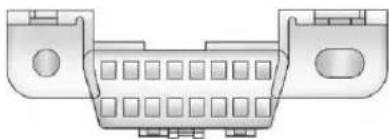
natural_image
Diagram of a 24-pin D-sub connector (no text or symbols)TheDLCisundertheinstrument paneltotheleftofthesteering wheel. Seeyourdealerifassistance isneeded.
The vehicle may not pass inspection if:
- Themalfunctionindicatorlampis onwiththeengineerunning,orif thelightdoesnotcomeonwhen theignitionisturnedtoON/RUN whiletheengineisoff.Seeyour dealerforassistanceinverifying properoperationofthe malfunctionindicatorlamp.
- TheOBDII(On-Board Diagnostics)system determinesthatcritical emissioncontrolsystems havenotbeencompletely diagnosed. Thevehiclewouldbe considerednotreadyfor inspection. Thiscanhappenif the12-voltbatteryhasrecently beenreplacedorrundown.
Thediagnosticsystemis designedtoevaluatecritical emissioncontrolsystemsduring normaldriving. Thiscantake severaldaysofroutinedriving. Ifthishasbeendoneandthe vehiclestilldoesnotpassthe inspectionforlackofOBDII systemreadiness,yourdealer canpreparethevehiclefor inspection.
BrakeSystemWarning Light
Withtheignitionon,thebrake systemwarninglightcomeson whentheparkingbrakeisset.Ifthe vehicleisdrivenwiththeparking brakeengaged,achimesounds whenthevehiclespeedisgreater than8km/h(5mph).
The vehicle brakesystem consists of two hydraulics circuits. If one circuit is not working, there are remaining circuit can still work to stop the vehicle. Fornormal braking performance, both circuits need to be working.
If the warning light comes on and a chimesoundsthere could be a brake problem. Havethe brake system inspected right away.
Thislightcanalsocomeondueto lowbrakefluid.SeeBrakeFluidon page 10-30formoreinformation.


BRAKE
MetricEnglish
Thislightcomesonbrieflywhenthe ignitionkeyisturnedtoON/RUN. Ifitdoesnotcomeonthen,haveit fixedsoitisreadytowarnifthereis aproblem.
WARNING
Thebrakesystemmightnotbe workingproperlyifthebrake systemwarninglightison. Drivingwiththebrakesystem warninglightoncanleadtoa crash.Ifthelightisstillonafter thevehiclehasbeenpulledoff theroadandcarefullystopped, havethevehicletowedfor service.
Ifthelightcomesonwhiledriving, pullofftheroadandstopcarefully. Thepedalmightbehardtropush ormightgoclosertothefloor.Itcan takelongertostop.Ifthelightisstill on,havethevehicletowed for service.See Towingthe Vehicleon page 10-97.
If the vehicle is a hybrid, se the hybrids supplement form more information.
AntilockBrakeSystem (ABS)WarningLight

ForvehicleswiththeAntilockBrake System(ABS), thislightcomeson brieflywhentheengineisstarted.
If it does not, havethe vehicle serviced by your dealer. If the system is working normally the indicator light thengoes off.
IftheABSlightstayson,turnthe ignitionoff.Ifthelightcomeson whiledriving,stopassoonasitis safelypossibleandturntheignition off.Thenstarttheengineagainto resetthesystem.IftheABSlight stayson,orcomesonagainwhile driving,thevehicleneedsservice. Iftheregularbrakesystemwarning lightisnoton,thevehiclestillhas brakes,butnotantilockbrakes.
Iftheregularbrakesystemwarning lightisalsoon,thevehicledoesnot haveantilockbrakesandthereisa problemwiththeregularbrakes. SeeBrakeSystemWarningLighton page5-26.
ForvehicleswithaDriver InformationCenter(DIC), see Brake SystemMessagesonpage5-42 for allbrake-related DIC messages.
If the vehicle is a hybrid, se the hybrids supplement form more information.
Four-Wheel-DriveLight

Forvehiclesequippedwiththe four-wheel-drivelight, it comes on when a vehicle with a manual
transfercaseisshifted into four-wheeldriveandthefrontaxle engages.
Somedelaybetweenheshifting andthelightcomingonisnormal.
See Four-WheelDriveonpage9-45 formoreinformation.
Tow/HaulModeLight

ForvehicleswiththeTow/Haul Modefeature,thislightcomeson whentheTow/HaulModehasbeen activated.
Formoreinformation, see Tow/Haul Modeonpage9-43.
StabiliTrak® OFFLight
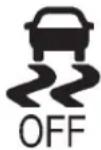
Thislightcomesonbrieflywhile startingtheengine.
Ifitdoesnot,havethevehicle servicedbyyourdealer.Ifthe systemisworkingnormally,the indicatorlightthengoesoff.
PressandreleasetheTraction ControlSystem(TCS)/StabiliTrak buttontoturnoffTCS,anda messagedisplaysintheDIC.
Pressandbrieflyholdthe TCS/StabiliTrakbuttontoturnoff theStabiliTraksystem;the StabiliTrakOfflightcomesonand amessageappearsintheDriver InformationCenter(DIC).
IftheStabiliTrak/TCSsystemisoff, thesystemdoesnotassistin controllingthevehicle.Turnonthe StabiliTrak/TCSsystemandthe indicatorlightturnsoff.
See StabiliTrak ^® Systemon page 9-62, and RideControlSystem Messagesonpage 5-47 formore information.
TractionControlSystem (TCS)/StabiliTrak® Light
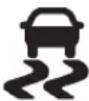
The TCS/StabiliTraklightcomeson brieflywhentheengineisstarted.
Ifthelightdoesnotcomeonor stayson,havethevehicleserviced bythedealer.Ifthesystemis workingnormally,theindicatorlight turnsoff.
Ifthelightcomesonandstayson whiledriving, andamessage displaysintheDriverInformation Center(DIC), havethevehicle servicedbythedealer. See Ride ControlSystemMessageson page5-47formoreinformation.
Ifthelightflasheswhiledriving, this meansthatStabiliTrakorTCSis assistingincontrollingthevehicle. See StabiliTrak® Systemon page9-62formoreinformation.
TirePressureLight

ForvehicleswiththeTirePressure MonitorSystem(TPMS), thislight comesonbrieflywhentheengineis started. Itprovidesinformation abouttirepressuresandtheTPMS.
WhentheLightIsOnSteady
This indicates that one or more of the tires are significantly underinflated.
ADriverInformationCenter(DIC) tirepressuremessagemayalso display.See VehicleMessageson page5-42formoreinformation. Stopassoonaspossible,and inflatethetirestothepressurevalue shownontheTireandLoading Informationlabel.See TirePressure onpage10-62formoreinformation.
WhentheLightFlashesFirstand ThenIsOnSteady
If the light flashes for about a minute and then stay on, ther may be a problem with the TPMS. If the problem is not corrected, the light will come on at every ignition cycle. See Tire Pressure Monitor Operation on page 10-65 form more information.
EngineOilPressureLight

WARNING
Donotkeepdrivingiftheoil pressureislow.Theenginecan becomesohotthatitcatchesfire. Someonecouldbeburned.Check theoilassoonaspossibleand havethevehicleserviced.
Notice:Lackofproperengineoil maintenancecandamagethe engine.Therepairswouldnotbe coveredbythevehiclewarranty. Alwaysfollowthemaintenance scheduleforchangingengineoil.
Thislightcomesonbrieflywhile startingtheengine.Ifitdoesnot, havethevehicleservicedbyyour dealer.Ifthesystemisworking normallytheindicatorlightthen goesoff.
Ifthelightcomesonandstayson, it meansthatoilisnotflowingthrough theengineproperly. Thevehicle couldbelowonoilanditmight havesomeothersystemproblem.
If the vehicle is a hybrid, se the hybrids supplement form more information.
LowFuelWarningLight
Thislight, underthefuelgauge, comesonbrieflywhiletheengineis beingstarted.
Thislightandachime,ifthevehicle isequippedwitharadio,comeson whenthefueltankislowonfuel. TheDriverInformationCenteralso displaysaFUELLEVELLOW message.SeeFuelSystem Messagesonpage5-46formore information.Whenfuelisaddedthis lightandmessageshouldgooff.Ifit doesnot,havethevehicleserviced byyourdealer.
SecurityLight

Thesecuritylightshouldcomeon brieflyastheengineisstarted.Ifthe systemisworkingnormally,the indicatorlightturnsoff.Ifitdoesnot comeon,havethevehicleserviced byyourdealer.
Ifthelightstaysonandtheengine doesnotstart,therecouldbea problemwiththetheft-deterrent system.
Thislightisalsousedtoindicate the statusoftheanti-theftalarmsystem whentheignitionisturnedoff. Thelightwillflashrapidlyifthe alarmsystemisarmingandoneor moreofthemonitoredentrypoints isnotclosed. Thelightwillstayonif thealarmisarmingandallentry pointsareclosed.
Forinformationregardingthislight andthevehicle'ssecuritysystem, seeAnti-theftAlarmSystemon page2-11.
High-BeamOnLight

Thislightcomesonwhenthe high-beamheadlampsareinuse.
SeeHeadlampHigh/Low-Beam Changeronpage6-3formore information.
FrontFogLampLight
Forvehicleswithfoglamps,this lightcomesonwhenthefoglamps areon.
Thelightgoesoutwhenthe foglampsareturnedoff. SeeFogLampsonpage6-6for moreinformation.
CruiseControlLight
Forvehiclesequippedwithcruise control, this light comes on whenever the cruise control is set.
Thelightgoesoutwhenthecruise controlisturnedoff.SeeCruise Controlonpage9-66formore information.
InformationDisplays
DriverInformation Center(DIC)
The vehicle has a Driver Information Center(DIC).
The DIC displays information about this vehicle. It also displays warning messages if a system problem is detected.
Allmessageswillappearinthe DICdisplaylocatedbelowthe tachometerintheinstrumentpanel cluster.
The DIC comes on when the ignition is on. After a short delay, the DIC will display the information that was last displayed before the engine wasturned off.
The DIChasdifferentdisplays whichcanbeaccessedbypassing the DICbuttonslocatedonthe instrumentpanel,nexttothe steeringwheel.Ifthevehicledoes nothaveDICbuttons,thetrip odometerresetstemcanbeusedto accesssomeofthemenuitems.
The DIC display strip, fuel, and vehicle system information, and warning messages if a system problem is detected.
The DIC also allows some features to be customized. See Vehicle Personalization (With DIC Buttons) on page 5-52 form more information.
Ifthevehiclehasadieselengine, seetheDuramax ^® diesel supplementformoreinformation.
DICButtons
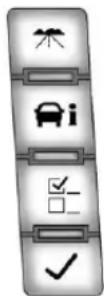
Thebuttonsarethetrip/fuel, vehicleinformation,customization, andset/resetbuttons.Thebutton functionsaredetailedinthe followingpages.
( Trip/Fuel):Pressthisbutton todisplaytheodometer,trip odometer,fuelrange,average economy,fuelused,timer, transmissiontemperature,and instantaneousconomyandActive FuelManagement™ indicator.
Thecompassandoutside temperaturewillalsobeshown inthedisplay. Thetemperaturewill beshownin°Cor°Fdependingon theunitsselected.
i(VehicleInformation):Press thisbuttontodisplaytheoillife, units,tirepressurereadingsfor vehicleswiththeTirePressure MonitorSystem(TPMS),trailer brakegainandoutputinformation forvehicleswiththeIntegrated TrailerBrakeControl(ITBC)system, enginehours,compasszone setting,andcompassrecalibration.
F : (Customization): Pressthis buttontocustomizethefeature settingsonthevehicle. See Vehicle Personalization(WithDICButtons) onpage5-52formoreinformation.
√(Set/Reset):Pressthisbutton to setorreset certain functions and to turnofforacknowledgemessages on the DIC.
Trip/FuelMenultems (with DICButtons)
( Trip/Fuel ): Pressthisbutton toscrollthroughthefollowingmenu items:
Odometer
Pressthetrip/fuelbuttonuntil ODOMETERdisplays. Thisdisplay showsthedistance vehicle has beendrivenineitherkilometers(km) ormiles. Pressing the trip odometer reset stem will als display the odometer.
Toswitchbetweenmetricand Englishmeasurements, see "Units" laterinthissection.
TripOdometer
Pressthetrip/fuelbuttonuntilTRIP displays. This display shows the current distance traveled either kilometers (km) or miles in the last reset for the trip odometer.
Pressingthetripodometerreset stemwillalsodisplaythetrip odometer.
Thetripodometercanberesetto zerobypressingtheset/reset buttonwhilethetripodometeris displayed. Youcanalsoresetthe tripodometerwhileitisdisplayed bypassingandholdingthetrip odometerresetstem.
Thetripodometerhasafeature calledtheretro-activereset. This canbeusedtosethetripodometer tothenumberofmiles(kilometers) drivensincetheignitionwaslast turnedon. Thiscanbeusedifthe tripodometerisnotresetatthe beginningofthetrip.
Tousetheretro-activeresetfeature, pressandholdtheset/resetbutton foratleastfourseconds. Thetrip odometerwilldisplaythenumber ofkilometers(km)ormilesdriven sincetheignitionwaslastturned onandthevehiclewasmoving.
5-34 Instruments and Controls
Oncethevehiclebeginsmoving, thetripodometerwillaccumulate mileage. Forexample, ifthevehicle wasdriven8km(5miles) before itisstartedagain, and then the retro-activeresetfeature is activated, thedisplaywillshow 8km(5miles). Asthevehiclebegins moving, thedisplaywillthen increaseto8.2km(5.1miles), 8.4km(5.2miles), etc.
FuelRange
Pressthetrip/fuelbuttonuntil FUELRANGEdisplays.Thisdisplay showstheapproximatenumberof remainingkilometers(km)ormiles thevehiclecanbedrivenwithout refueling.Thedisplaywillshow LOWifthefuellevelislow.
The fuel range estimate is based on an average of the vehicle's fuel economy over recent driving history and the amount off fuel remaining in the fuel tank. This estimate will change if driving conditions change.
Forexample, ifdrivingintraffic and makingfrequentstops, thisdisplay mayreadonenumber, butifthe vehicleisdrivenonafreeway, the numbermaychangeeeventhough thesameamountoffuelisinthe fueltank. Thisisbecausedifferent drivingconditionsproducedifferent fueleconomies. Generally, freeway drivingproducesbetterfuel economythancitydriving. Fuelrangecannotbereset.
AverageEconomy
Pressthetrip/fuelbuttonuntilAVG ECONOMYdisplays.Thisdisplay showstheapproximateaverage litersper100kilometers(L/100km) ormilespergallon(mpg).This numberiscalculatedbasedon thenumberofL/100km(mpg) recordedsincethelasttimethis menuitemwasreset.Toreset AVGECONOMY,pressandhold theset/resetbutton.
FuelUsed
Pressthetrip/fuelbuttonuntil FUELUSEDdisplays. Thisdisplay showsthenumberofliters(L)or gallons(gal)offuelusedsincethe lastresetofthismenuitem. Toreset thefuelusedinformation, pressand holdtheset/resetbuttonwhileFUEL USEDisdisplayed.
Speedometer
Thespeedometershowshowfast thevehicleismovingineither kilometersperhour(km/h)ormiles perhour(mph). Thespeedometer cannotbereset.
Timer
Pressthetrip/fuelbuttonuntil TIMERdisplays. Thisdisplaycan beusedasatimer.
Tostartthetimer, pressthe set/resetbuttonwhileTIMERis displayed. Thedisplaywillshowthe amountoftimethathaspassed sincethetimerwaslastreset, not includingtimetheignitionisoff. Timewillcontinuetobecountedas longastheignitionison, even if anotherdisplayisbeingshownon theDIC. Thetimerwillrecord upto99hours, 59minutes, and 59seconds(99:59:59)afterwhich thedisplaywillreturntozero.
Tostopthetimer, presstheset/reset buttonbrieflywhileTIMERis displayed.
Toresetthetimertozero, pressand holdtheset/resetbuttonwhile TIMERisdisplayed.
TransmissionTemperature
Pressthetrip/fuelbuttonuntil TRANSTEMPdisplays.This displayshowsthetemperatureof theautomatictransmissionfluid ineitherdegreesCelsius(°C)or degreesFahrenheit(°F).
InstantaneousEconomy and ActiveFuelManagement™ Indicator
If the vehicle has this display, pressthetrip/fuelbutton until INST ECONV8 displays. This display shows the current fueleconomy at particular moment and will change frequently as driving conditions change. This display shows the instantaneous fueleconomy in liters per 100 kilometers (L/100km) or miles per gallon (mpg). Unlike average economy, this screen cannot be reset.
AnActiveFuelManagement indicatordisplaysontherightside oftheDIC,whileINSTECON displaysontheleftside.ActiveFuel Managementallowstheengineto operateoneitherfouroreight cylinders,dependingondriving demands.WhenActiveFuel Managementisactive,V4will displayontheDIC.WhenActive FuelManagementisinactive, V8willdisplay.SeeActiveFuel Management® onpage9-36for moreinformation.
BlankDisplay
Thisdisplayshowsnoinformation.
Vehicle Information Menu Items(with DIC Buttons)
i(VehicleInformation):
Pressthisbuttontoscrollthrough thefollowingmenuitems:
OilLife
Pressthevehicleinformation buttonuntilOILLIFEREMAINING displays. This display shows an estimate of the oil's remaining useful life. If you see 99% OILLIFE REMAINING on the display, that means 99% of the current oil life remains. The engine oil lifesystem will alert you to change the oil on a schedule consistent with your driving conditions.
Whentheremainingoillifeislow, theCHANGEENGINEOILSOON messagewillappearonthedisplay.
See "CHANGEENGINEOILSOON" underEngineOilMessageson page5-45. Youshouldchangethe oilassoonasyoucan.SeeEngine Oilonpage10-7.Inadditiontothe engineoillifesystemmonitoring theoillife,additionalmaintenance isrecommendedintheMaintenance Scheduleinthismanual.See MaintenanceScheduleon page11-3formoreinformation.
Remember,youmustresettheOIL LIFEdisplayaftereachoilchange. Itwillnotresetitself.Also,be carefulnottoresettheOILLIFE displayaccidentallyatanytime otherthanwhentheoilhasjust beenchanged.Itcannotbereset accuratelyuntilthenextoilchange. Toresettheengineoillifesystem, seeEngineOilLifeSystemon page10-10.
Units
Pressthevehicleinformationbutton untilUNITSdisplays.Thisdisplay allowsyoutoselectbetweenmetric orEnglishunitsofmeasurement.Onceinthisdisplay,pressthe set/resetbuttontoselectbetween METRICorENGLISHunits.Allofthevehicleinformationwill thenbedisplayedintheunitof measurementselected.
TirePressure
If the vehicle has the Tire Pressure Monitor System (TPMS), the pressure foreachtire can be viewed in the DIC. The tire pressure will be shown nine either kilopascals (kPa) or pound spersquare inch (psi). Pressthe vehicle information button until the DIC displays FRONT TIRESkPa (PSI) LEFT ## RIGHT ##. Pressthe vehicle information button again until the DIC displays REARTIRESkPa (PSI) LEFT ## RIGHT ##.
Ifalowtirepressureconditionis detectedbythesystemwhile driving, amessageadvisingyouto addpressureinaspecifictirewill appearinthedisplay.See Tire Pressureonpage 10-62 and Tire Messagesonpage 5-49 formore information.
If the tire pressured display shows dashes instead of a value, there may be a problem with the vehicle. If this consistently occurs, see your dealer for service.
TrailerGainandOutput
OnvehicleswiththeIntegrated TrailerBrakeControl(ITBC)system, thetrailerbrakedisplayappears intheDIC.Pressthevehicle informationbuttonuntilTRAILER GAINandOUTPUTdisplay.
TRAILERGAINshowsthetrailer gainsetting. This setting can be adjusted from 0.0 to 10.0 with either a trailer connected or disconnected.
OUTPUTshowsthepoweroutputto thetraileranytimeatrailerwith electricbrakesisconnected.Output isdisplayedin0to10bars.Dashes mayappearintheOUTPUTdisplay.
Toadjusttrailergainsee "Integrated TrailerBrakeControlSystem" under TowingEquipmentonpage9-102 formoreinformation.
Battery
Thisdisplayshowsthecurrent batteryvoltage.Ifthevoltageisin thenormalrange,thevaluewill display.Forexample,thedisplay mayreadBATTERY13VOLTS. Yourvehicle'schargingsystem regulatesvoltagebasedonthestate ofthebattery.Thebatteryvoltage mayfluctuatewhenviewingthis informationontheDIC.This is normal.
OilPressure
This displayshowstheoilpressure ineitherkilopascals(kPa)orpounds persquareinch(psi).
EngineHours
Pressthevehicleinformationbutton until ENGINEHOURSdisplays. Thisdisplayshowsthetotalnumber ofhourstheenginehasrun.
CompassZoneSetting
This display allows for setting the compasszone. See Compasson page 5-6 form more information.
CompassRecalibration
This display allows for calibrating the compass. See Compassion page 5-6 form more information.
BlankDisplay
Thisdisplayshowsnoinformation.
TripOdometerResetStem MenuItems(withDICButtons)
Usethetripodometerresetstem toviewtheodometerandtrip odometer.TheLanguageselection andEngineHoursdisplaycanalso beaccessedwiththetripodometer resetstem.
Odometer
Pressthetripodometerreset stemuntilODOMETERdisplays. Thisdisplayshowsthedistance the vehiclehasbeendrivenineither kilometers(km)ormiles(mi).
TripOdometer
Pressthetripodometerresetstem untilTRIPdisplays.Thisdisplay showsthecurrentdistancetraveled ineitherkilometers(km)or miles(mi)sincethelastresetfor thetripodometer.
Thetripodometercanberesetto zerobypressingandholdingthe tripodometerresetstemwhilethe tripodometerisdisplayed.
Thetripodometerhasafeature calledtheretro-activereset. This canbeusedtosetthetripodometer tothenumberofmiles(kilometers) drivensincetheignitionwaslast turnedon. Thiscanbeusedifthe tripodometerisnotresetatthe beginningofthetrip.
Tousetheretro-activeresetfeature, pressandholdthetripodometer resetstemforatleastfourseconds. Thetripodometerwilldisplaythe numberofkilometers(km)or miles(mi)drivensincetheignition waslastturnedonandthevehicle wasmoving.Oncethevehicle beginsmoving,thetripodometer willaccumulatemileage.For example,ifthevehiclewasdriven
8km(5miles)beforeitisstarted again, and then theretro-active resetfeature is activated, the display will show 8km(5miles). Asthe vehicle begins moving, the display will then increase to 8.2km (5.1 miles), 8.4km (5.2 miles), etc.
Language
Thisdisplayallowsyoutoselect thelanguageinwhichtheDIC messageswillappear.Toselecta language:
-
Pressthetripodometerreset stemuntilODOMETERdisplays.
-
While in the ODOMETER display, press and hold the tripodometer reset stem for three seconds until the currently set languaged displays.
-
Continuetopressandhold thetripodometerresetstemto scrollthroughalloftheavailable languages.
The available selections are ENGLISH(default), FRANCAIS(French), ESPANOL(Spanish), and NOCHANGE.
- Oncethedesiredlanguageis displayed, releasethetrip odometerresetstemtoset thechoice.
EngineHours
TodisplaytheENGINEHOURS, placetheignitioninLOCK/OFFor ACC/ACCESSORY, thenpressand holdthetripodometerresetstemfor foursecondswhileviewingthe ODOMETER. Thisdisplayshows the total number of hours the engine has run.
TripOdometerResetStem Menultems(withoutDIC Buttons)
Language
Thisdisplayallowsyoutoselectthe languageinwhichtheDIC messageswillappear.Toselecta language:
-
Pressthetripodometerreset stemuntilODOMETERdisplays.
-
While in the ODOMETER display, press and hold the tripodometer reset stem for three seconds until the currently set languaged displays.
-
Continuetopressandholdthe tripodometerresetstemto scrollthroughalloftheavailable languages.
The available languages are ENGLISH(default), FRANCAIS(French), ESPANOL(Spanish), and NOCHANGE.
- Oncethedesiredlanguageis displayed, releasethetrip odometerresetstemtoset thechoice.
TripOdometer
Pressthetripodometerresetstem untilTRIPdisplays. Thisdisplay shows the current distance traveled in either kilometers (km) or miles (mi) sincethelastreset for the tripodometer.
The tripododometercanberesetto zerobypressingandholdingthe tripodometerresetstemwhilethe tripodometerisdisplayed.
Thetripodometerhasafeature calledtheretro-activereset. Thiscanbeusedtosethetrip odometertothenumberofmiles (kilometers)drivensincetheignition waslastturnedon. Thiscanbe usedifthetripodometerisnotreset atthebeginningofthetrip.
Tousetheretro-activeresetfeature, pressandholdthetripodometer resetstemforatleastfourseconds. Thetripodometerwilldisplaythe numberofkilometers(km)or miles(mi)drivensincetheignition waslastturnedonandthevehicle wasmoving.Oncethevehicle beginsmoving,thetripodometer willaccumulatemileage. For example,ifthevehiclewasdriven 8km(5miles)beforeitisstarted again,andthentheretro-active resetfeatureisactivated,the displaywillshow8km(5miles). Asthevehiclebeginsmoving,the displaywillthenincreaseto8.2km (5.1miles),8.4km(5.2miles),etc.
TransmissionTemperature
Pressthetripodometerreset stemuntilTRANSTEMPdisplays. Thisdisplayshowsthetemperature of the automatic transmission fluid ineitherdegrees Celsius(°C) or degrees Fahrenheit(°F).
TrailerGainandOutput
OnvehicleswiththeIntegrated TrailerBrakeControl(ITBC)system, thetrailerbrakedisplayappearsin theDIC.Pressthetripodometer resetstemuntilTRAILERGAINand OUTPUTdisplay.
TRAILERGAINshowsthetrailer gainsetting. This setting can be adjusted from 0.0 to 10.0 with either a trailer connected or disconnected.
OUTPUTshowsthepoweroutputto thetraileranytimeatrailerwith electricbrakesisconnected.Output isdisplayedin0to10bars.Dashes mayappearintheOUTPUTdisplay.
Toadjusttrailergainsee "Integrated TrailerBrakeControlSystem" under TowingEquipmentonpage9-102 formoreinformation.
Speedometer
Thespeedometershowshowfast thevehicleismovingineither kilometersperhour(km/h)ormiles perhour(mph). Thespeedometer cannotbereset.
Battery
Thisdisplayshowsthecurrent batteryvoltage. If the voltage is in thenormal range, the value will display. Forexample, the display may read BATTERY13VOLTS. Your vehicle's charging system regulates voltage based on the state of the battery. The battery voltage may fluctuate when viewing this information on the DIC. This is normal.
OilPressure
This displayshowstheoilpressure ineitherkilopascals(kPa)orpounds persquareinch(psi).
CompassZoneSetting
This display allows for setting the compasszone. See Compasson page 5-6 form more information.
CompassRecalibration
This display allows for calibrating the compass. See Compassion page 5-6 form more information.
OilLife
Toaccessthisdisplay,thevehicle mustbeinP(Park).Pressthe tripodometerresetstemuntil OILLIFEREMAININGdisplays. Thisdisplayshowsanestimateof theoil'sremainingusefullife.
Ifyousee99%OILLIFE REMAININGonthedisplay,that means99%ofthecurrentoillife remains. Theengineoillifesystem willalertyoutochangetheoilona scheduleconsistentwithyour drivingconditions.
Whentheremainingoillifeislow, theCHANGEENGINEOILSOON messagewillappearonthedisplay. See"CHANGEENGINEOILSOON" underEngineOilMessageson page5-45.Youshouldchange theoilassoonasyoucan. SeeEngineOilonpage10-7.In additiontotheengineoillifesystem monitoringtheoillife,additional maintenanceisrecommended in theMaintenanceScheduleinthis manual.SeeMaintenanceSchedule onpage11-3formoreinformation.
Remember,youmustresettheOIL LIFEdisplayaftereachoilchange. Itwillnotresetitself.Also,be carefulnottoresettheOILLIFE displayaccidentallyatanytime otherthanwhentheoilhasjust beenchanged.Itcannotbereset accuratelyuntilthenextoilchange. Toresettheengineoillifesystem, seeEngineOilLifeSystemon page10-10.
VehicleMessages
MessagesdisplayedontheDIC indicatethestatusofthevehicle or someactionmaybeneeded to correctacondition.Multiple messagesmayappearoneafter another.
Themessagesthatdonot requireimmediateactioncanbe acknowledgedandclearedby pressing √(Set/Reset)orthetrip odometerresetstem.
Themessagesthatrequire immediateactioncannotbecleared untilthatactionisperformed.
Allmessagesshouldbetaken seriouslyandclearingthemessage doesnotcorrecttheproblem.
The following are the possible messages and some information about them.
Ifthevehiclehasadieselengine, seetheDuramax ^® diesel supplementformoreinformation.
BatteryVoltageand ChargingMessages
BATTERYLOWSTART VEHICLE
Whenthevehicle's battery is severely discharged, this message will display and fourchimes will sound. Start the vehicle immediately. If the vehicle is not started and the battery continues to discharge, the climate controls, heated seats, and audiosystems will shutoff and the vehicle may require a jump start. Theses systems will function again after the vehicle is started.
SERVICEBATTERY CHARGINGSYSTEM
Onsomevehicles, this message displays if there is a problem with the battery charging system. Under certain conditions, the charging system light may also turn on the instrument panel cluster.
See Charging System Lighton page 5-23. Driving with this problem could drain the battery. Turnoff all unnecessary accessories. Have the electrical system checked as soon as possible. See your dealer.
BrakeSystemMessages
SERVICEBRAKESYSTEM
Thismessagedisplaysalongwith thebrakesystemwarninglightif thereisaproblemwiththebrake system.SeeBrakeSystemWarning Lightonpage5-26.Ifthismessage appears,stopassoonaspossible andturnoffthevehicle.Restartthe vehicleandcheckforthemessage ontheDICdisplay.Ifthemessage isstillldisplayedorappearsagain whenyoubegindriving,thebrake systemneedsserviceassoonas possible.Seeyourdealer.
SERVICEBRAKESSOON
Onsomevehicles, thismessage displaysifthereisaproblemwith thebrakesystem. Ifthismessage appears, stopassoonaspossible andturnoffthevehicle. Restartthe vehicleandcheckforthemessage ontheDICdisplay. Ifthemessage isstilldisplayedorappearsagain whenyoubegindriving, thebrake systemneedsservice. Seeyour dealer.
SERVICETRAILERBRAKE SYSTEM
OnvehicleswiththeIntegrated TrailerBrakeControl(ITBC)system, thismessagedisplaysandachime maysoundwhenthereisaproblem withtheITBCsystem.
Whenthismessagedisplays, power isnolongeravailabletothetrailer brakes.
Assoonasitissafetodoso, carefullypullyourvehicleoverto thesideoftheroadandturnthe ignitionoff.Checkthewiring connectiontothetrailerandturn theignitionbackon.Ifthismessage stilldisplays,eitheryourvehicleor thetrailerneedsservice.Seeyour dealer.
See "Integrated Trailer Brake Control System" under Towing Equipment on page 9-102 form more information.
DoorAjarMessages
DRIVERDOOROPEN
Thismessagedisplaysandachime maysoundifthedriverdoorisnot fullyclosedandthevehicleis shiftedoutofP(Park).Stopandturn offthevehicle,checkthedorfor obstructions,andclosethedoor again.Checktoseeifthemessage stillappearsontheDIC.
HOODOPEN
Thismessagedisplaysanda chinemaysoundifthehoodis notfullyclosed.Stopandturnoff thevehicle,checkthehoodfor obstructions,andclosethehood again.Checktoseeifthemessage stillappearsontheDIC.
LEFTREARDOOROPEN (CrewCab)
Thismessagedisplaysandachime maysoundifthedriversiderear doorisnotfullyclosedandthe vehicleisshiftedoutofP(Park). Stopandturnoffthevehicle,check thedoorforobstructions,andclose thedooragain.Checktoseeifthe messagestillappearsontheDIC.
PASSENGERDOOROPEN
Thismessagedisplaysandachime maysoundifthefrontpassenger doorisnotfullyclosedandthe vehicleisshiftedoutofP(Park). Stopandturnoffthevehicle,check thedoorforobstructions,andclose thedooragain.Checktoseeifthe messagestillappearsontheDIC.
RIGHTREARDOOROPEN (CrewCab)
Thismessagedisplaysandachime maysoundifthepassengerside reardoorisnotfullyclosedandthe vehicleisshiftedoutofP(Park). Stopandturnoffthevehicle,check thedoorforobstructions,andclose thedooragain.Checktoseeifthe messagestillappearsontheDIC.
EngineCoolingSystem Messages
ENGINEHOTA/C (AirConditioning) TURNEDOFF
Thismessagedisplayswhenthe enginecoolantbecomeshotterthan thenormaloperatingtemperature. SeeEngineCoolantTemperature Gaugeonpage5-17.Toavoid addedstrainonahotengine, theairconditioningcompressor automaticallyturnsoff.Whenthe coolanttemperaturereturnsto normal,theairconditioning compressorturnsbackon.Youcan continuetodriveyourvehicle.
If this message continues to appear, havethesystem repaired by your dealer as soon as possible to avoid damage to the engine.
ENGINEOVERHEATEDIDLE ENGINE
Notice: If you drivethe vehicle while the engine is overheating, severe engined damagemay occur. If an overheat warning appears on the instrument panel cluster and/or DIC, stop the vehicle as soon as possible. See Engine Overheating on page 10-23 form more information.
Thismessagedisplayswhenthe enginecoolanttemperatureistoo hot.Stopandallowthevehicleto idleuntilcoolsdown.SeeEngine CoolantTemperatureGaugeon page5-17.
See Overheated Engine Protection Operating Mode on page 10-26 for information on driving to asafe place in an emergency.
ENGINEOVERHEATEDSTOP ENGINE
Notice: If you drivethe vehicle while the engine is overheating, severe engined damagemay occur. If an overheat warning appears on the instrument panel cluster and/or DIC, stop the vehicle as soon as possible. See Engine Overheating on page 10-23 form more information.
Thismessagedisplaysanda chimemaysoundiftheengine coolingsystemreachesunsafe temperaturesforoperation.Stop andturnoffthevehicleassoonas itissafetodosotoavoidsevere damage. Thismessageclearswhen theenginehascooledtoasafe operatingtemperature.
EngineOilMessages CHANGEENGINEOILSOON
Thismessagedisplayswhenthe engineoilneedstobechanged. Whenyouchangetheengineoil,be suretoresettheCHANGEENGINE OILSOONmessage.SeeEngine OilLife Systemonpage 10-10for informationonhowtoresetthe message.SeeEngineOilon page 10-7andMaintenance Scheduleonpage 11-3formore information.
ENGINEOILHOTIDLE ENGINE
Thismessagedisplayswhenthe engineoilbecomeshotterthanthe normaloperatingtemperature. Stopandallowthevehicletoidle untiltcoolsdown.SeeEngine CoolantTemperatureGaugeon page5-17.
OILPRESSURELOWSTOP ENGINE
Notice: If you drivethe vehicle while the engine oil pressure is low, severe engaged damagem may occur. If a low oil pressure warning appears on the Driver Information Center (DIC), stop the vehicle as soon as possible. Donot drivethe vehicle until the cause of the low oil pressure is corrected. See Engine Oilon page 10-7 form more information.
Thismessagedisplaysiflowoil pressurelevelsoccur. Stop the vehicleassoonassafelypossible anddonotoperateituntilthecause ofthelowoilpressurehasbeen corrected. Checktheoilassoon aspossibleandhavethevehicle servicedbyyourdealer.SeeEngine Oilonpage 10-7.
EnginePowerMessages ENGINEPOWERISREDUCED
Thismessagedisplaysandachime maysoundwhenthecoolingsystem temperaturegetstoohotandthe enginefurtherenterstheengine coolantprotectionmode.See EngineOverheatingonpage 10-23 formoreinformation.
Thismessagealsodisplayswhen thevehicle'senginepoweris reduced.Reducedenginepower canaffectthevehicle'sabilityto accelerate.Ifthismessageison, butthereisnoreductionin performance,proceedtoyour destination.Theperformancemay bereducedthenexttimethevehicle isdriven.Thevehiclemaybedriven atareducedspeedwhilethis messageison,butaccelerationand speedmaybereduced.Anytime thismessagestayson,thevehicle shouldbetakentoyourdealerfor serviceassoonaspossible.
FuelSystemMessages FUELLEVELLOW
Thismessagedisplaysandachime maysoundifthefuellevelislow. Refuelassoonaspossible.See FuelGaugeonpage5-14andFuel onpage9-76formoreinformation.
TIGHTENGASCAP
Thismessagemaydisplayalong withthecheckenginelightonthe instrumentpanelclusterifthe vehicle'sfuelcapisnottightened properly.SeeMalfunctionIndicator Lamponpage5-24.Reinstallthe fuelcapfully.SeeFillingtheTank onpage9-80.Thediagnostic systemcandetermineifthefuelcap hasbeenleftofforimproperly installed.Alooseormissingfuel capallowsfueltoevaporateintothe atmosphere.Afewdrivingtripswith thecapproperlyinstalledshould turnthislightandmessageoff.
KeyandLockMessages REPLACEBATTERYIN REMOTEKEY
ThismessagedisplaysifaRemote KeylessEntry(RKE)transmitter batteryislow.Thebatteryneeds tobereplacedinthetransmitter. See "BatteryReplacement" under RemoteKeylessEntry(RKE) SystemOperationonpage2-3.
LampMessages
TURNSIGNALON
Thismessagedisplaysandachime soundsifaturnsignalisleftonfor 1.2km(0.75mile).Movetheturn signal/multifunctionlevertothe offposition.
ObjectDetectionSystem Messages
PARKASSTBLOCKEDSEE OWNERSMANUAL
Thismessagedisplaysifthereis somethinginterferingwiththepark assistsystem.SeeUltrasonic ParkingAssistonpage9-68for moreinformation.
PARKASSISTOFF
Afterthevehiclehasbeenstarted, thismessagedisplaystoremindthe driverthattheURPAsystemhas beenturnedoff.Presstheset/reset buttonorthetripodometerreset stemtoacknowledgethismessage andclearitfromtheDICdisplay. ToturntheURPAsystembackon, seeUltrasonicParkingAssiston page9-68.
SERVICEPARKASSIST
Thismessagedisplaysifthereisa problemwiththeUltrasonicRear ParkingAssist(URPA)system. Donotusethissystemtohelpyou park.SeeUltrasonicParkingAssist onpage9-68formoreinformation. Seeyourdealerforservice.
RideControlSystem Messages
SERVICESTABILITRAK
IfthevehiclehasStabiliTrakand thismessagedisplays,itmeans theremaybeaproblemwiththe StabiliTraksystem.Ifyouseethis message,trytoresetthesystem. Stop;turnofftheengineforatleast 15seconds;thenstarttheengine again.Ifthismessagestillcomes on,itmeansthereisaproblem. Youshouldseeyourdealerfor service.Thevehicleissafetodrive; however,youdonothavethe benefitofStabiliTrak,soreduce yourspeedanddriveaccordingly.
SERVICETRACTION CONTROL
If the vehicle has Stabili Trak, this messaged displays when there is a problem with the Traction Control System (TCS). Whenthism message displays, the system will not limit wheelspin. Adjust your driving accordingly. See your dealer for service. See Stabili Trak ^® System on page 9-62 form more information.
STABILITRAKINITIALIZING
IfthevehiclehasStabiliTrak, this messagemaycomeonifthe StabiliTraksystemhasnotfully initializedbecauseofroad conditionsortheincorrecttiresize. WhentheStabiliTraksystemisfully initialized, themessagewillturnoff. SeeStabiliTrak® Systemon page9-62formoreinformation. Ifthismessagecontinuestobe displayedformultipleignitioncycles andondifferentroadsurfaces, seeyourdealerforservice.
TRACTIONXX STABILITRAKXX
Thismessagedisplayswhenthe tractioncontroland/orStabiliTrak systemshavebeenturnedonoroff. Adjustyourdrivingaccordingly. Tolimitwheelspinandrealize thefullbenefitsofthestability enhancementsystem,youshould normallyleaveStabiliTrakon. However,youshouldturn StabiliTrakoffifthevehiclegets stuckinsand,mud,ice,orsnow andyouwanttorockthevehicleto attempttofreeit,orifyouare drivinginextremeoff-road conditionsandrequiremorewheel spin.SeeIftheVehicleIsStuckon page9-16.ToturntheStabiliTrak systemonoroff,seeStabiliTrak® Systemonpage9-62.
STABILITRAKOFFmayalso displaywhenthestabilitycontrol hasbeenautomaticallydisabled.
Thereareseveralconditionsthat cancausethismessagetoappear.
- Oneconditionisoverheating, whichcouldoccurifStabiliTrak activatescontinuouslyforan extendedperiodoftime.
- Themessagealsodisplaysifthe brakesystemwarninglightison. SeeBrakeSystemWarning Lightonpage5-26.
- Themessagecoulddisplayifthe stabilitysystemtakeslonger thanusualtocompleteits diagnosticchecksduetodriving conditions.
- Themessagedisplaysifan engineorvehiclerelated problemhasbeendetected andthevehicleneedsservice. Seeyourdealer.
Themessageturnsoffassoonas theconditionsthatcausedthe messagetobedisplayedareno longerpresent.
AirbagSystemMessages SERVICEAIRBAG
Thismessagedisplaysifthereisa problemwiththeairbagsystem. Haveyourdealerinspectthe systemforproblems.SeeAirbag ReadinessLightonpage5-20and AirbagSystemonpage3-23for moreinformation.
Anti-theftAlarmSystem Messages
SERVICETHEFTDETERRENT SYSTEM
Thismessagedisplayswhenthere isaproblemwiththetheft-deterrent system. The vehicle mayormay not restart so you may want to take the vehicle to your dealer before returning off the engine. See Immobilizer Operation on page 2-12 form more information.
StartingtheVehicle Messages
FASTIDLEON
If your vehicle has this feature, this messaged displays when the fast idle feature is on. See Fast Idle System on page 9-31 form more information.
TireMessages
SERVICETIREMONITOR SYSTEM
If the vehicle has the Tire Pressure Monitor System (TPMS), this messaged displays if a part on the system is not working properly. The tire pressure light also flashes and then remains on during the same ignition cycle. See Tire Pressure Lighton page 5-29. Several conditions may cause this message to appear. See Tire Pressure Monitor Operation page 10-65 form more information.
If the warning comes on and stays on, ther may be a problem with the TPMS. Se your dealer.
TIRELEARNINGACTIVE
If the vehicle has the Tire Pressure Monitor System (TPMS), this messaged displays when the system is re-learning the tire positions on your vehicle. The tire positions must be learned after rotating the tires or after replacing atire or sensor. See Tire Inspection on page 10-68, Tire Rotation on page 10-69, Tire Pressure Monitor System on page 10-64, and Tire Pressure on page 10-62 form more information.
TIRELOWADDAIRTOTIRE
If the vehicle has the Tire Pressure Monitor System (TPMS), this messaged displays when the pressure in one or more of the vehicle's tires is slow. This message also displays LEFTFRT (leftfront),
RIGHTFRT(rightfront), LEFTRR (leftrear), or RIGHTRR(rightrear) to indicate the location of the low tire. Thelow tire pressure warning light will also come on. See Tire Pressure Light on page 5-29. You can receive more than one tire pressure message at time. Toread the other message that may have been sent at the same time, presstheset/reset button or the tripodometer reset stem. If atire pressure message appears on the DIC, stop as soon as you can. Haveth tire pressures checked and set to those shown on the Tire Loading Information label. See Tires on page 10-54, Vehicle Load Limits on page 9-17, and Tire Pressure on page 10-62. The DIC also shows the tire pressure values. See Driver Information Center (DIC) on page 5-32.
TransmissionMessages SERVICE4WHEELDRIVE
Ifthevehiclehasfour-wheeldrive, thismessagemaydisplayifa problemoccurswiththe four-wheel-drivesystem.Ifthis messageappears,stopassoonas possibleandturnoffthevehicle. Makesurethekeyisinthe LOCK/OFFpositionforatleast oneminuteandthenrestartthe vehicleandcheckforthemessage ontheDICdisplay.Ifthemessage isstilldisplayedorappearsagain whenyoubegindriving,the four-wheel-drivesystemneeds service.Seeyourdealer.
TRANSMISSIONHOTIDLE ENGINE
Notice: If you drivethe vehicle while the transmission fluid is overheating and the transmission temperature warning is displayed on the instrument panel cluster and/or DIC, you can damage the transmission. This could lead to costly repair that would not be covered by the warranty. Donot drivethe vehicle with overheated transmission fluid or while the transmission temperature warning is displayed.
Thismessagedisplaysandachime maysoundifthetransmissionfluid inthevehiclegetshot.Drivingwith thetransmissionfluidtemperature highcancausedamagetothe vehicle.Stopthevehicleandletit idletoallowthetransmissionto cool.Thismessageclearsand thechimestopswhenthefluid temperaturereachesasafelevel.
VehicleReminder Messages
CHECKTRAILERWIRING
OnvehicleswiththeIntegrated TrailerBrakeControl(ITBC)system, thismessagemaydisplayanda chimemaysoundwhenoneofthe followingconditionsexists:
- Atrailerwithelectricbrakes becomes disconnected from the vehicle.
-If the disconnect occurs while the vehicle is stopped, this message clears itself after a short time.
-If the disconnect occurs while the vehicle is moving, this message stays on until the ignition is turned off. - Thereisashortinthewiringto theelectrictrailerbrakes.
Whenthismessagedisplays, power isnolongeravailabletothetrailer brakes.
Assoonasitissafetodoso, carefullypullthevehicleovertothe sideoftheroadandturntheignition off.Checkthewiringconnectionto thetrailerandturntheignitionback on.Thismessageclearsifthetrailer isreconnected. Thismessagealso clearsifyouacknowledgeit.Ifthis messagestilldisplays,eitherthe vehicleorthetrailerneedsservice. Seeyourdealer.
See "Integrated Trailer Brake Control System" under Towing Equipment on page 9-102 form more information.
ICEPOSSIBLEDRIVE WITHCARE
Thismessagedisplayswhenice conditionsarepossible.
TRAILERCONNECTED
OnvehicleswiththeIntegrated TrailerBrakeControl(ITBC)system, thismessagedisplaysbrieflywhen atrailerwithelectricbrakesisfirst connectedtothevehicle.
Thismessageclearsitselfafter severalseconds. Thismessagealso clearsifyouacknowledgeit. After thismessageclears, theTRAILER GAIN/OUTPUTdisplayappearsin theDIC.
See "TRAILERGAIN/OUTPUT" underDriverInformationCenter (DIC)onpage5-32and "Integrated TrailerBrakeControlSystem" under TowingEquipmentonpage9-102 formoreinformation.
WasherFluidMessages WASHERFLUIDLOWADD FLUID
Thismessagedisplayswhenthe windshieldwasherfluidislow. Fillthewindshieldwasherfluid reservoirassoonaspossible. SeeEngineCompartmentOverview onpage 10-6forthelocationofthe windshieldwasherfluidreservoir. Also,see WasherFluidon page 10-28formoreinformation.
Vehicle Personalization
VehiclePersonalization (WithDICButtons)
The vehicle may have customization capabilities that allow you to program certain feature to be preferred setting. Customization features can only be programmed to onesetting on the vehicle and cannot be programmed to a preferred setting for different drivers.
Allofthecustomizationoptions may not be available on the vehicle. Only the options available will be displayed on the DIC.
The defaultsettings for the customization features were set when the vehicle left the factory, but may have been changed from their default states in cethen.
Thecustomizationpreferences are automatically recalled.
Tochangecustomization preferences, usethefollowing procedure.
EnteringtheFeature SettingsMenu
- Turntheignitiononandplace thevehicleinP(Park).
Toavoidexcessivedrainonthe battery,turntheheadlampsoff.
- Pressthecustomizationbutton toscrollthroughtheavailable customizableoptions.
FeatureSettingsMenultems
The following customization features allowyoutoprogramsettingstothe vehicle:
DISPLAYINENGLISH
Thisfeaturewillonlydisplayifa languageotherthanEnglishhas beenset. Thisfeatureallowsyouto changethelanguageinwhichthe DICmessagesappeartoEnglish.
Pressthecustomizationbutton untilthePRESS √TODISPLAYIN ENGLISHscreenappearsonthe DICdisplay.Presstheset/reset buttononcetodisplayallDIC messagesinEnglish.
DISPLAYLANGUAGE
Thisfeatureallowsyoutoselect thelanguageinwhichtheDIC messageswillappear.
Pressthecustomizationbuttonuntil theDISPLAYLANGUAGEscreen appearontheDICdisplay.Press theset/resetbuttononcetoaccess thesettingsforthisfeature.Then pressthecustomizationbuttonto scrollthroughthefollowingsettings:
ENGLISH(default):Allmessages willappearinEnglish.
FRANCAIS: All messages will appear in French.
ESPANOL: All messages will appear in Spanish.
NOCHANGE: Nochangewillbe madetothisfeature. Thecurrent settingwillremain.
Toselectasetting, press the set/resetbuttonwhilethedesired settingisdisplayedontheDIC.
Youcanalsochangethelanguage bypassingthetripodometerreset stem. See "Language" underDriver InformationCenter(DIC) on page5-32 formoreinformation.
AUTODOORLOCK
Thisfeatureallowsyoutoselect whenthevehicle'sdoorswill automaticallylock.SeeAutomatic DoorLocksonpage2-8formore information.
Pressthecustomizationbuttonuntil AUTODOORLOCKappearsonthe DICdisplay.Presstheset/reset buttononcetoaccessthesettings forthisfeature.Thenpressthe customizationbuttontoscroll throughthefollowingsettings:
SHIFTOUTOFPARK(default): Thedoorswillautomaticallylock whenthevehicleisshiftedoutof P(Park).
ATVEHICLESPEED: Thedoors will automatically lock when the vehiclespeed is above 13 km/h (8 mph) forth reese seconds.
NOCHANGE: Nochangewillbe madeto this feature. The current setting will remain.
Toselectasetting, press the set/resetbuttonwhilethedesired settingisdisplayedontheDIC.
AUTODOORUNLOCK
Thisfeatureallowsyoutoturnoff theautomaticdoorunlocking feature.Italsoallowsyoutoselect whichdoorsandwhentedoorswill automaticallyunlock.SeeAutomatic DoorLocksonpage2-8formore information.
Pressthecustomizationbuttonuntil AUTODOORUNLOCKappearson theDICdisplay.Presstheset/reset buttononcetoaccessthesettings forthisfeature.Thenpressthe customizationbuttontoscroll throughthefollowingsettings:
OFF: Noneofthedoorswill automaticallyunlock.
DRIVERATKEYOUT: Only the driverdoorwillunlockwhenthekey istakenoutoftheignition.
5-54InstrumentsandControls
DRIVERINPARK: Only the driver door will unlock when the vehicle is shifted into P(Park).
ALLATKEYOUT: Allofthedoors will unlockwhenthekeyistaken outoftheignition.
ALLINPARK(default):Allofthe doorswillunlockwhenthevehicleis shiftedintoP(Park).
NOCHANGE: Nochangewillbe madetothisfeature. Thecurrent settingwillremain.
Toselectasetting, pressthe set/resetbuttonwhilethedesired settingisdisplayedontheDIC.
REMOTEDOORLOCK
Thisfeatureallowsyoutoselectthe typeoffeedbackreceivedwhen lockingthevehiclewiththeRemote KeylessEntry(RKE)transmitter. Youwillnotreceivefeedbackwhen lockingthevehiclewiththeRKE transmitterifthedoorsareopen. SeeRemoteKeylessEntry(RKE) SystemOperationonpage2-3for moreinformation.
Pressthecustomizationbuttonuntil REMOTEDOORLOCKappearson theDICdisplay.Presstheset/reset buttononcetoaccessthesettings forthisfeature.Thenpressthe customizationbuttontoscroll throughthefollowingsettings:
OFF: Therewillbenofeedback whenyoupressthelockbuttonon theRKEtransmitter.
LIGHTSONLY:Theexteriorlamps willflashwhenyoupressthelock buttonontheRKEtransmitter.
HORNONLY: The hornwill sound on these second press of the lock button on the RKE transmitter.
HORN&LIGHTS(default): The exterior lampswillflashwhen youpressthelockbuttononthe RKEtransmitter, and the hornwill soundwhenthelockbuttonis pressed again within five seconds of the previous command.
NOCHANGE: Nochangewillbe madetothisfeature. Thecurrent settingwillremain.
Toselectasetting, press the set/resetbuttonwhilethedesired settingisdisplayedontheDIC.
REMOTEDOORUNLOCK
Thisfeatureallowsyoutoselectthe typeoffeedbackreceivedwhen unlockingthevehiclewiththe RemoteKeylessEntry(RKE) transmitter.Youwillnotreceive feedbackwhenunlockingthe vehiclewiththeRKEtransmitterif thedoorsareopen.SeeRemote KeylessEntry(RKE)System Operationonpage2-3formore information.
Pressthecustomizationbutton until REMOTEDOORUNLOCK appear on the DIC display. Press the set/reset button on ceto access the settings for this feature. Then pressthe customization button to scroll through the following settings:
LIGHTSOFF: The exterior lamps will not flash when you press the unlock button on the RKE transmitter.
LIGHTSON(default): The exterior lampswillflashwhenyoupress theunlockbuttonontheRKE transmitter.
NOCHANGE: Nochangewillbe madeto this feature. The current setting will remain.
Toselectasetting, press the set/resetbuttonwhilethedesired settingisdisplayedontheDIC.
DELAYDOORLOCK
Onvehicleswithacrewcab, this featureturnsthedelayeddoorlocks onoroff. Whenlockingthedoors withthepowerdoorlockswitchand adoorisopen, thisfeaturewill delaylockingthedoorsuntil fivesecondsafterthelastdooris closed. Youwillhearthreechimes tosignalthatthedelayedlocking featureisinuse. Thekeymustbe outoftheignitionforthisfeatureto work. Youcantemporarilyoverride
delayedlockingbypressingthe powerdoorlockswitchtwice. SeeDelayedLockingonpage2-8 formoreinformation.
Pressthecustomizationbuttonuntil DELAYDOORLOCKappearson theDICdisplay.Presstheset/reset buttononcetoaccessthesettings forthisfeature.Thenpressthe customizationbuttontoscroll throughthefollowingsettings:
OFF: Therewillbenodelayed lockingofthevehicle'sdoors.
ON(default): Thedoorswillnot lockuntilfivesecondsafterthe lastdoorisclosed.
NOCHANGE: Nochangewillbe madetothisfeature. Thecurrent settingwillremain.
Toselectasetting, press the set/resetbuttonwhilethedesired settingisdisplayedontheDIC.
EXITLIGHTING
Thisfeatureallowsyoutoselect theamountoftimeyouwantthe exteriorlampstoremainon whenitisdarkenoughoutside. Thishappensafterthekeyisturned fromON/RUNtoLOCK/OFF.
Pressthecustomizationbutton untilEXITLIGHTINGappearson theDICdisplay.Presstheset/reset buttononcetoaccessthesettings forthisfeature.Thenpressthe customizationbuttontoscroll throughthefollowingsettings:
OFF: The exterior lampswill not turnon.
30SECONDS(default): The exteriorlampswillstayonfor 30seconds.
1MINUTE: The exterior lampswill stay on for one minute.
2MINUTES: The exterior lamps will stay on fortwominutes.
5-56 InstrumentsandControls
NOCHANGE: Nochangewillbe madetothisfeature. Thecurrent settingwillremain.
Toselectasetting, pressthe set/resetbuttonwhilethedesired settingisdisplayedontheDIC.
APPROACHLIGHTING
Thisfeatureallowsyoutoselectif theexteriorlightsturnonbriefly duringlowlightperiodsafter unlockingthevehicleusingthe RemoteKeylessEntry(RKE) transmitter.
Pressthecustomizationbuttonuntil APPROACHLIGHTINGappearson theDICdisplay.Presstheset/reset buttononcetoaccessthesettings forthisfeature.Thenpressthe customizationbuttontoscroll throughthefollowingsettings:
OFF: The exterior light will not turn on when you unlock the vehicle with the RKE transmitter.
ON(default):Ifitisdarkenough outside,theexteriorlightswillturn onbrieflywhenyouunlockthe vehiclewiththeRKEtransmitter.
Thelightswillremainonfor 20seconds,untilthelocbuttonon theRKEtransmitterispressed, oruntilthevehicleisnolongeroff. SeeRemoteKeylessEntry(RKE) SystemOperationonpage2-3for moreinformation.
NOCHANGE: Nochangewillbe madetothisfeature. Thecurrent settingwillremain.
Toselectasetting, press the set/resetbuttonwhilethedesired settingisdisplayedontheDIC.
CHIMEVOLUME
Ifavailable, thisfeatureallowsyou toselectthevolumelevelofthe chime.
Pressthecustomizationbuttonuntil CHIMEVOLUMEappearsonthe DICdisplay.Presstheset/reset
buttononcetoaccessthesettings forthisfeature.Thenpressthe customizationbuttontoscroll throughthefollowingsettings:
NORMAL: Thechimevolume will besettoanormallevel.
LOUD: Thechimevolumewillbe settoaloudlevel.
NOCHANGE: Nochangewillbe madetothisfeature. The current setting will remain.
Thereisnodefaultforchime volume. The volumewillstayatthe lastknownsetting.
Toselectasetting, press the set/resetbuttonwhilethedesired settingisdisplayedontheDIC.
PARKTILTMIRRORS
If the vehicle has this feature, it allows y outoselect if the outside mirror(s) will automatically til down when the vehicle is shifted into R (Reverse). See Park Tilt Mirrors on page 2-17 form more information.
Pressthecustomizationbuttonuntil PARKTILTMIRRORSappearson theDICdisplay.Presstheset/reset buttononcetoaccessthesettings forthisfeature.Thenpressthe customizationbuttontoscroll throughthefollowingsettings:
OFF(default):Neitheroutside mirrorwillbetilteddownwhenthe vehicleisshiftedintoR(Reverse).
DRIVERMIRROR: Thedriver outsidemirrorwillbetilteddown whenthevehicleisshiftedinto R(Reverse).
PASSENGERMIRROR: The passengeroutsidemirrorwillbe tiltedownwhenthevehicleis shiftedintoR(Reverse).
BOTHMIRRORS: Thedriverand passengeroutsidemirrorswillbe tiltedownwhenthevehicleis shiftedintoR(Reverse).
NOCHANGE: Nochangewillbe madetothisfeature. Thecurrent settingwillremain.
Toselectasetting, pressthe set/resetbuttonwhilethedesired settingisdisplayedontheDIC.
EASYEXITRECALL
If the vehicle has this feature, it allows you to select your preference for the automatic easy exit seat feature. See Memory Seatson page 3-8 form more information.
PressthecustomizationbuttonuntilEASYEXITRECALLappearsontheDICdisplay.Presstheset/resetbuttononcetoaccessthesettingsforthisfeature.Thenpressthecustomizationbuttontoscrollthroughthefollowingsettings:
DOORBUTTONONLY: No automaticseatexitrecallwilloccur. Therecallwillonlyoccurafter pressingtheeasyexitseatbutton.
BUTTON&KEYOUT(default): If the features are enabled through the EASYEXIT SETUP menu, the driver seat will move back when the key is removed from the ignition or the easy exit seat button is pressed.
The automatic ease exit seat movement will only occur on time after the key is removed from the ignition. If the automatic movement has already occurred, and you put the key back in the ignition and remove it again, these will stay in the original exit position, unless a memory recall took place prior to removing the key again.
NOCHANGE: Nochangewillbe madetothisfeature. Thecurrent settingwillremain.
Toselectasetting, press the set/resetbuttonwhilethedesired settingisdisplayedontheDIC.
EASYEXITSETUP
Ifthevehiclehasthisfeature, itallowsyoutoselectwhichareas willrecallwiththeautomaticeasy exitseatfeature.Italsoallowsyou toturnofftheautomaticeasyexit feature.SeeMemorySeatson page3-8andEASYEXITRECALL earlierformoreinformation.
PressthecustomizationbuttonuntilEASYEXITSETUPappearsontheDICdisplay.Presstheset/resetbuttononcetoaccessthesettingsforthisfeature.Thenpressthemenuup/downbuttontoscrollthroughthefollowingsettings:
OFF: No automaticseatexitwill recall.
SEATONLY(default): Thedriver seatwillrecall.
NOCHANGE: Nochangewillbe madetothisfeature. Thecurrent settingwillremain.
Toselectasetting, pressthe set/resetbuttonwhilethedesired settingisdisplayedontheDIC.
MEMORYSEATRECALL
Ifthevehiclehasthisfeature, it allowsyoutoselectyourpreference fortheremotememoryseatrecall feature. SeeMemorySeatson page3-8formoreinformation.
Pressthecustomizationbutton untilMEMORYSEATRECALL appearsontheDICdisplay. Presstheset/resetbuttononceto accessthesettingsforthisfeature. Thenpressthecustomizationbutton toscrollthroughthefollowing settings:
OFF(default):Noremotememory seatrecallwilloccur.
ON: Thedriverseatand, onsome vehicles, the outsidemirrorswill automatically moveto the stored driving position when the unlock button on the Remote Keyless Entry (RKE) transmitter is pressed. On some vehicles with the adjustable throttle and brake pedal feature, the pedals will also automatically move.
NOCHANGE: Nochangewillbe madetothisfeature. Thecurrent settingwillremain.
Toselectasetting, pressthe set/resetbuttonwhilethedesired settingisdisplayedontheDIC.
REMOTESTART
If your vehicle has this feature, it allows out to turn the remotest start for on. Theremotestart feature allows out start the engine from outside of the vehicle using the Remote Keyless Entry (RKE) transmitter. See Remote Vehicle Starton page 2-5 form more information.
Pressthecustomizationbuttonuntil REMOTESTARTappearsonthe DICdisplay.Presstheset/reset buttononcetoaccessthesettings forthisfeature.Thenpressthe customizationbuttontoscroll throughthefollowingsettings:
OFF: Theremotestartfeaturewill bedisabled.
ON(default):Theremotestart featurewillbeenabled.
NOCHANGE: Nochangewillbe madetothisfeature. Thecurrent settingwillremain.
Toselectasetting, press the set/resetbuttonwhilethedesired settingisdisplayedontheDIC.
FACTORYSETTINGS
Thisfeatureallowsyoutosetallof thecustomizationfeaturesbackto theirfactorydefaultsettings.
Pressthecustomizationbuttonuntil FACTORYSETTINGSappearson theDICdisplay.Presstheset/reset buttononcetoaccessthesettings forthisfeature.Thenpressthe customizationbuttontoscroll throughthefollowingsettings:
RESTOREALL(default):
Thecustomizationfeatureswillbe settotheirfactorydefaultsettings.
DONOTRESTORE:The customizationfeatureswillnotbe settotheirfactorydefaultsettings.
Toselectasetting, pressthe set/resetbuttonwhilethedesired settingisdisplayedontheDIC.
EXITFEATURESETTINGS
Thisfeatureallowsyoutoexitthe featuresettingsmenu.
Pressthecustomizationbuttonuntil PRESS √TOEXITFEATURE SETTINGSappearsintheDIC display.Presstheset/resetbutton oncetoexitthemenu.
If you donotexit, pressing the customization button again will return out the beginning of the feature settings menu.
ExitingtheFeature SettingsMenu
Thefeaturesettingsmenuwillbe exitedwhenanyofthefollowing occurs:
• Thevehicleisnolongerin ON/RUN.
- Thetrip/fuelorvehicle informationDICbuttonsare pressed.
• Theendofthefeaturesettings menuisreachedandexited.
• A40-secondtimeperiodhas elapsedwithnoselectionmade.
UniversalRemote System
SeeRadioFrequencyStatementon page 13-21forinformation regardingPart15oftheFederal CommunicationsCommission(FCC) rulesandIndustryCanada StandardsRSS-GEN/210/220/310.
UniversalRemoteSystem Programming

natural_image
Three identical white dental sink profiles with black dots on top (no text or symbols)VehicleswiththeUniversalRemote Systemwillhavethesebuttons locatedintheheadliner.
This system provides a way to replace up to three re-emote control transmitters used to activate
devicessuchasgaragedoor openers, securitysystems, and homeautomationdevices.
Donotusethissystemwithany garagedooropenerthatdoesnot havethestopandreversefeature. Thisincludesanygaragedoor openermodelmanufacturedbefore April 1, 1982.
Readtheinstructionscompletely beforeattemptingtoprogramthe transmitter.Becauseofthesteps involved,itmaybehelpfulto haveanotherpersonassistwith programmingthetransmitter.
Besuretokeeptheoriginalremote controltransmitterforuseinother vehicles,aswellasforfuture programming.Onlytheoriginal remotecontroltransmitterisneeded forFixedCodeprogramming. Theprogrammedbuttonsshouldbe erasedwhenthevehicleissold ortheleaseends.See“Erasing UniversalHomeRemoteButtons” inthissection.
Parkthevehicleoutsideofthegaragewhenprogrammingagaragedoor.Besurethatpeopleandobjectsareclearofthegaragedoorogatethatisbeingprogrammed.
ProgrammingUniversalHome Remote—RollingCode
Forquestionsorhelpprogramming theUniversalHomeRemote System, call 1-866-572-2728 or gotowww.learcar2u.com.
Mostgaragedooropenerssold after1996areRollingCodeunits.
Programmingagaragedooropener involvestime-sensitive actions, so readtheentireprocedurebefore starting. Otherwise, the device will timeout and the procedure will have to be repeated.
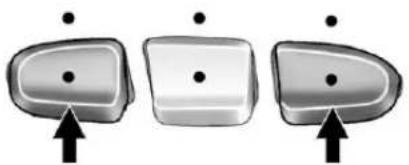
natural_image
Three identical 3D-rendered objects with dots and an upward arrow, no text or symbols presentToprogramuptothreedevices:
- Frominsidethevehicle, pressthetwooutsidebuttons atthesametimeforoneto twoseconds, andimmediately releasethem.
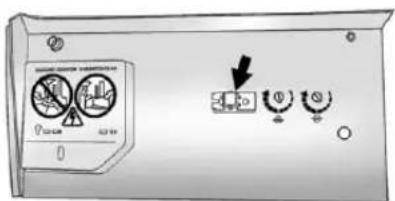
text_image
Diagram of a device control panel with labeled buttons and indicators, including a downward arrow and circular icons.- Inthegarage, locatethe garagedooropenerreceiver (motor-headunit). Findthe "Learn" or "Smart" button.
Itcanusuallybefoundwhere thehangingantennawireis attachedtothemotor-headunit andmaybeacoloredbutton. Pressthisbutton. Afterpressing thisbutton, completethe followingstepsinlessthan 30seconds.
-
Immediately return to the vehicle. Press and hold the Universal Home Remote button that will be used to control the garagedoor until the garage doormoves. The indicator light, abovethes elected button, should slowly blink. This button may need to beheld for up to 20 seconds.
-
Immediately, withinonesecond, releasethebuttonwhenthe garagedoormoves. The indicatorlightwillblinkrapidly untilprogrammingiscomplete.
-
Pressandreleasethesame buttonagain. Thegaragedoor shouldmove, confirming that programming is successful and complete.
ToprogramanotherRollingCode devicesuchasanadditionalgarage dooropener,asecuritydevice, orhomeautomationdevice,repeat Steps1through5,choosinga differentfunctionbuttoninStep3 thanwhatwasusedforthegarage dooropener.
If these instructions do not work, the garaged dooropener is probably a Fixed Code unit. Follow the programming instruction that follow fora Fixed Code garage dooropener.
ProgrammingUniversalHome Remote—FixedCode
Forquestionsorhelpprogramming theUniversalHomeRemote System, call1-866-572-2728or gotowww.learcar2u.com.
Mostgaragedooropenerssold before 1996 are FixedCode units.
Programmingagaragedooropener involvestime-sensitive actions, so readtheentireprocedurebefore starting. Otherwise, the device will timeout and the procedure will have to be repeated.
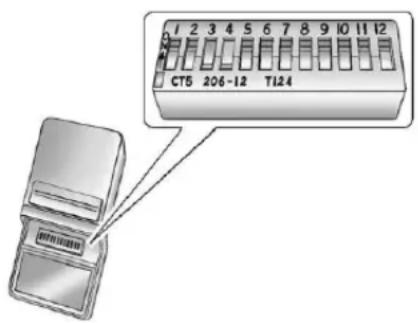
text_image
CT5 206-12 T124Toprogramuptothreedevices:
- Toverify that the garagedoor opener is a Fixed Code unit, removethe battery cover on the hand-held transmitters supplied by the manufacturer of the garagedoor opener motor. If there is a row of dip switches similar to the graphic above, the Garagedoor opener is Fixed Code unit. If you donot see a row of dip switches, return to the previous section for Programming Universal Home Remote—Rolling Code.
Yourhand-heldtransmitter can have between 8 to 12 dip switches depending on the brandoftransmitter.
Thegaragedooropenerreceiver (motorheadunit) could also havearowofdipswitchesthat can be used when programming the UniversalHomeRemote. If the total number of switches on themotorhead and hand-held transmitter are different, or if the dip switch settings are different, use the dip switch settings on the motorhead unit to program the UniversalHomeRemote. Themotorhead dip switch settings can also be used when the original hand-held transmitter is not available.
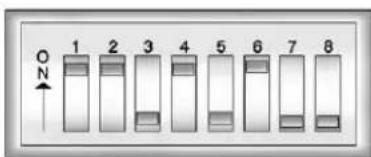
text_image
ON 1 2 3 4 5 6 7 8ExampleofEightDipSwitches withTwoPositions
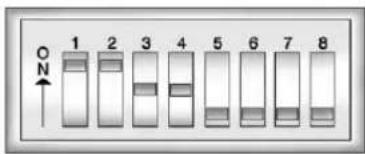
text_image
1 2 3 4 5 6 7 8ExampleofEightDipSwitches withThreePositions
Thepanelofswitchesmightnot appearexactlyastheydoin theexamplesabove,butthey shouldbesimilar.
Theswitchpositionsonthe hand-heldtransmittercouldbe labeledasfollows:
- Aswitchintheupposition couldbelabeledasUp, +,orOn.
- Aswitchinthedown positioncouldbelabeled asDown, -, orOff.
-
Aswitchinthemiddle positioncouldbelabeledas Middle,0,orNeutral.
-
Writedownthe8to12switch settingsfromlefttorightas follows:
-
Whenaswitchisinthe upposition,write"Left."
- Whenaswitchisinthe downposition,write"Right."
- Ifaswitchissetbetween theupanddownposition, write "Middle." Theswitchsettingswritten downinStep2now becomethebuttonstrokes tobeenteredintothe UniversalHomeRemote in Step4.Besuretoenterthe switchsettingswrittendown in Step2,inorderfromleft toright,intotheUniversal HomeRemote,when completingStep4.
5-64InstrumentsandControls
- From inside your vehicle, first firmly press all three buttons at the same time for about three seconds. Releasethe button stop the Universal Home Remote into programming mode.
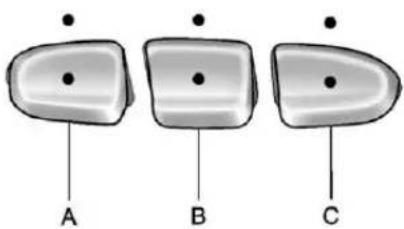
text_image
A B CA.LeftButton
$$ (U p, +, o r O n) $$
B.MiddleButton
$$ (M i d d l e, 0, o r N e u t r a l) $$
C.RightButton
$$ (D o w n, -, \text { or Off }) $$
-
The indicator lightswillblink slowly. Entereachswitchsetting from Step2 into your vehicle's UniversalHomeRemote. You will have two and one-half minutest incomplete Step 4. Now press one button on the UniversalHomeRemote for each switch setting as follows:
-
Ifyouwrote"Left,"press theleftbutton(A)inthe vehicle.
- Ifyouwrote "Right," press therightbutton(C)inthe vehicle.
-
Ifyouwrote"Middle,"press themiddlebutton(B)inthe vehicle.
-
Afterenteringalloftheswitch positions, once again firmly press and release all three buttons at the same time. The indicator lights will turn on.
-
Pressandholdthebuttonthat willbeusedtocontrolthe garagedooruntilthegarage doormoves. Theindicatorlight abovetheselectedbutton shouldslowlyblink. Thisbutton mayneedtobeheldforupto 55seconds.
- Immediately releasethebutton when thegaragedoormoves. The indicatorlightwillblink rapidly until programming is complete.
- Pressandreleasethesame buttonagain. Thegaragedoor shouldmove, confirming that programming is successful and complete.
ToprogramanotherFixedCode devicesuchasanadditionalgarage dooropener,asecuritydevice, orhomeautomationdevice,repeat Steps1-8,choosingadifferent buttoninStep6thanwhatwasused forthegaragedooropener.
UniversalRemoteSystem Operation
Pressandholdtheappropriate buttonforatleasthalfofasecond. Theindicatorlightwillcomeon whilethesignalisbeingtransmitted.
ReprogrammingUniversal HomeRemoteButtons
Anyofthethreebuttonscanbe reprogrammedbyrepeatingthe instructions.
ErasingUniversalHome RemoteButtons
Theprogrammedbuttonsshouldbe erasedwhenthevehicleissoldor theleaseends.
ToeraseeitherRollingCodeor FixedCodesettingsonthe UniversalHomeRemotedevice:
-
Pressandholdthetwooutside buttonsatthesametimefor approximately20seconds, untiltheindicatorlights, located directlyabovethebuttons, begintoblinkrapidly.
-
Oncetheindicatorlightsbegin toblink, release both buttons. Thecodes from all buttons will be erased.
Forhelporinformationonthe UniversalHomeRemoteSystem, callthecustomerassistancephone numberunderCustomerAssistance Offices(U.S.andCanada)on page 13-4orCustomerAssistance Offices(Mexico)onpage 13-5.
5-66 InstrumentsandControls
NOTES
Lighting
ExteriorLighting
ExteriorLampControls......6-1
ExteriorLampsOff
Reminder......6-3
HeadlampHigh/Low-Beam
Changer......6-3
Flash-to-Pass......6-3
DaytimeRunning
Lamps(DRL)....6-3
AutomaticHeadlamp
System......6-4
HazardWarningFlashers.....6-5
TurnandLane-Change
Signals......6-6
FogLamps....6-6
Auxiliary
Roof-MountedLamp......6-7
InteriorLighting
InstrumentPanelIllumination
Control....6-8
CargoLamp......6-8
DomeLamps......6-8
ReadingLamps......6-9
LightingFeatures
EntryLighting......6-9
ExitLighting......6-9
BatteryLoadManagement....6-9
BatteryPowerProtection....6-10
ExteriorLighting
ExteriorLampControls
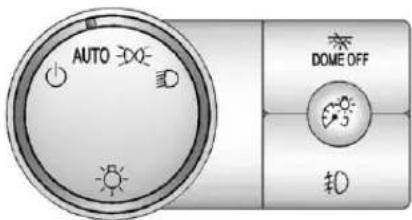
text_image
AUTO DOME OFF #0The exterior lamps control is located on the instrument panel to the left of the steering wheel.
Itcontrolsthefollowingsystems:
- Headlamps
- Taillamps
- ParkingLamps
- LicensePlateLamps
- InstrumentPanelLights
- RoofMarkerLamps (IfEquipped)
6-2Lighting
The exterior lamps control has four positions:
(Off):Turnsofftheautomatic headlampsandDaytimeRunning Lamps(DRL).Turntheheadlamp controltotheoffpositionagainto turntheautomaticheadlampsor DRLbackon.
ForvehiclesfirstsoldinCanada, theoffpositionwillonlyworkwhen thevehicleisshiftedintoP(Park).
AUTO(Automatic): Automatically turnsontheheadlampsatnormal brightness, together with the following:
- ParkingLamps
- InstrumentPanelLights
- Taillamps
- LicensePlateLamps
• RoofMarkerLamps (IfEquipped)
Whenthevehicleisturnedoff and theheadlampsareinAUTO, the headlampsmayautomatically remainonforasettime. Thetime of the delay can be changed using the DIC. See Driver Information Center (DIC) on page 5-32
200 (ParkingLamps): Turnson theparkinglampstogetherwiththe following:
• InstrumentPanelLights
- Taillamps
- LicensePlateLamps
• RoofMarkerLamps (IfEquipped)
ID(Headlamps): Turnsonthe headlampstogetherwiththe following:
- ParkingLamps
• InstrumentPanelLights -
Taillamps
-
LicensePlateLamps
• RoofMarkerLamps (IfEquipped)
Whentheheadlampsare turned onwhilethevehicleison,the headlampsturnoffautomatically 10minutesaftertheignitionis turnedoff.Whentheheadlampsare turnedonwhilethevehicleisoff, theheadlampswillstayonfor 10minutesbeforeautomatically turningofftopreventthebattery frombeingdrained.Turnthe headlampcontroltooffandthen backtotheheadlamponpositionto maketheheadlampsstayonforan additional10minutes.
Pushtheturnsignal/multifunction levertowardtheinstrumentpanelto changetheheadlampsfromlow beamtohighbeam.
ExteriorLampsOff Reminder
Forvehicleswitharadio,areminder chimesoundswhentheheadlamps orparkinglampsaremanually turnedon,theignitionisoff,anda doorisopen.Todisablethechime, turnthelampoff.
HeadlampHigh/Low-BeamChanger
(HeadlampHigh/Low-Beam Changer): Push the levertoward the instrument panel, to changethe headlamps from low to high beam.
Pullthemultifunctionlevertoward youandreleaseit,toreturnto low-beamheadlamps.

Whenthehighbeamsareon, this indicatorlightontheinstrument panelclusterwillalsobeon.
Flash-to-Pass
Thisfeatureletsyouusethe high-beamheadlampstosignala driverinfrontofyouthatyou wanttopass.Itworksevenifthe headlampsareintheautomatic position.
Iftheheadlampsareinthe automaticpositionoronlowbeam, thehigh-beamheadlampswillturn on. Theywillstayonaslongas youholdthelevertowardyou.
The high-beam indicator on the instrument panel cluster will come on. Releasethevertoreturnto normal operation.
DaytimeRunning Lamps(DRL)
DaytimeRunningLamps(DRL)can makeiteasierforotherstoseethe frontofyourvehicleduringtheday. Fullyfunctionaldaytimerunning lampsarerequiredonallvehicles firstsoldinCanada.
The DRL system comes on when the following conditions are met:
- Theignitionison.
• Theexteriorlampscontrolis inAUTO.
• ThetransmissionisnotinPark. - Thelightsensordetermines itsdaytime.
6-4Lighting
WhentheDRLsystemison, onlytheDRLlampsareon.
Thetaillamps,sidemarker, instrumentpanellights,andother lampswillnotbeon.
Whenitbeginstogetdark,the automaticheadlampsystem switchesfromDRLtothe headlamps.
ToturnofftheDRLamps,turn theexteriorlampscontroltothe OFFpositionandthenrelease.
ForvehiclesfirstsoldinCanada, the transmissionmustbeinthe P(Park)positionbeforetheDRL lampscanbeturnedoff.
AutomaticHeadlamp System
Whenitisdarkenoughoutside,the automaticheadlampsystemturns ontheheadlampsatthenormal brightness,alongwiththetaillamps, sidemarker,parkinglamps,andthe instrumentpanellights.Theradio lightswillalsobedim.
Toturnofftheautomaticheadlamp system,turntheexteriorlamps switchtotheoffpositionandthen releaseit.Forvehiclesfirstsoldin Canada,thetransmissionmustbe intheP(Park)positionbeforethe automaticheadlampsystemcanbe turnedoff.
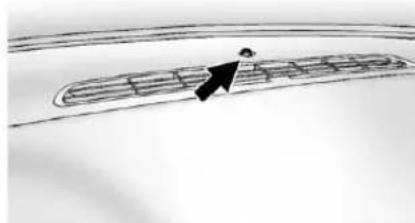
natural_image
Simple line drawing of a person walking along a curved path with horizontal bars (no text or symbols)The vehicle has alightsensor located on the top of the instrument panel which regulates when the automatic head lampsturnon.
Donotcoverthesensor, otherwise theheadlampswillcomeon whenevertheignitionison.
Thesystemmayalsoturnonthe headlampswhendrivingthrougha parkinggarageorheavyovercast weather. Thisisnormal.
Thereisadelayinthetransition betweenthedaytimeandnighttime operationoftheDaytimeRunning Lamps(DRL)andtheautomatic
headlampsystemssothatdriving underbridgesorbrightoverhead streetlightsdoesnotaffectthe system. The DRLandautomatic headlampsystemareonlyaffected whenthelightsensordetectsa changeinlightinglastinglonger thanthedelay.
Ifthevehicleisstartedinadark garage,theautomaticheadlamp systemcomesonimmediately. Oncethevehicleleavesthegarage, ittakesapproximatelyyoneminute fortheautomaticheadlampsystem tochangetoDRLifitisbright enoughoutside.Duringthatdelay, theinstrumentpanelcluster maynotbeasbrightasusual. Makesuretheinstrumentpanel brightnesscontrolisinthefullbright position.SeeInstrumentPanel IlluminationControlonpage6-8.
Toidlethevehiclewiththe automaticheadlampsystemoff, turnthecontroltotheoffposition.
Theheadlampswillalsostayon afteryouexitthevehicle. Thisfeaturecanbeprogrammed usingtheDriverInformationCenter (DIC).SeeVehiclePersonalization (WithDICButtons)onpage5-52.
If the vehicle is not equipped with DIC buttons, exit lighting is automatic. When it is dark enough outside, the exterior lamps remain on for 30 seconds after the ignition is moved from ON/RUN to LOCK/OFF.
Forvehicleswithoutaradio, the instrumentpanellightremainson for30secondswiththedriverdoor closed. Forvehicleswitharadio, the instrumentpanellightremains onfor10minuteswiththedriver doorclosed. SeeRetained AccessoryPower(RAP)on page9-32.
Theregularheadlampsystemcan beturnedonwhenneeded.
HazardWarningFlashers
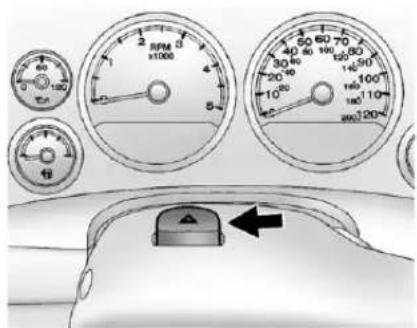
text_image
Diagram of car dashboard with analog gauges and a rotary knob, showing speed, distance, and angle measurements.△(HazardWarningFlashers): Pressthisbuttonlocatedontopof thesteeringcolumn,tomakethe frontandreturnsignallamps flashonandoff.Thiswarns othersthatyouarehavingtrouble. Pressagaintoturntheflashersoff.
Whenthehazardwarningflashers areon,thevehicle'sturnsignalswill notwork.
TurnandLane-Change Signals
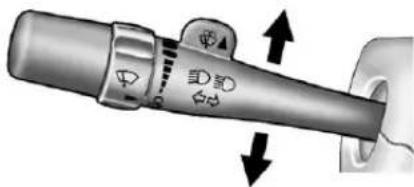
natural_image
Close-up of a mechanical lever handle with directional arrows indicating motion (no text or symbols)Anarrowontheinstrumentpanel clusterflashesinthedirectionofthe turnorlanechange.
Movetheleverallthewayupor downtosignalaturn.
Raiseorlowertheleverforless thanoneseconduntilthearrow startstoflashtosignalalane change. This causestheturn signalstoautomaticallyflash threetimes.Itwillflashsixtimes ifTow/HaulModeisactive.
Holdingtheturnsignalleverfor morethanonesecondwillcause theturnsignalstoflashuntilyou releasethelever.
Theleverreturnstoitsstarting positionwheneveritisreleased.
Ifaftersignalingaturnoralane changethearrowsflashrapidlyor donotcomeon,asignalbulbcould beburnedout.
Havethebulbsreplaced.Ifthebulb isnotburnedout,checkthefuse. SeeFusesandCircuitBreakerson page10-47.
TurnSignalOnChime
If the turn signal is left on form more than 1.2 km (0.75 mi), achime sounds at each flash of the turn signal, if the vehicle has a radio. Themessage TURN SIGNALON will also appear in the Driver Information Center (DIC). To turn the chime and message off, move the turn signal alleverto the off position.
FogLamps
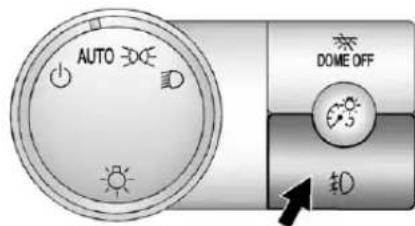
text_image
AUTO DOME OFF 钟Forvehicleswithfoglamps,the controlislocatednexttotheexterior lampscontrolontheinstrument panel,totheleftofthesteering column.
Theignitionmustbeinthe ON/RUNpositionforthefoglamps tocomeon.
D(FogLamps):Presstoturnthe foglampsonoroff.Alightwillcome onintheinstrumentpanelcluster.
Whenthefoglampsareturnedon, theparkinglampsautomatically turnon.
Whentheheadlampsarechanged tohighbeam, thefoglampsalsogo off. Whenthehigh-beamheadlamps areturnedoff, thefoglampswill comeonagain.
Somelocalitieshavelawsthat requiretheheadlampstobeonwith thefoglamps.
Auxiliary Roof-MountedLamp
If the vehicle has this feature, this button includes wiring provisions for a dealer or a qualified service center to install an auxiliary roof lamp.
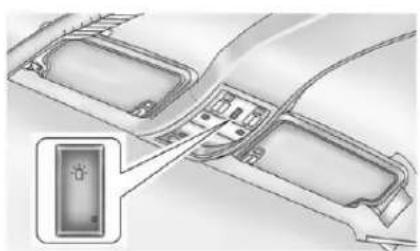
natural_image
Architectural diagram showing a road intersection with labeled components (no text or symbols present)Thisbuttonislocatedonthe overheadconsole.
Whenthewiringisconnectedto anauxiliaryroof-mountedlamp, pressingthebottomofthebutton willactivatethelampandilluminate anindicatorlightatthebottomof thisbutton.Pressingthetopofthe buttonwillturnofftheroof-mounted lampandindicator.
The emergencyrooflampcircuit isfusedat30amps,sothetotal currentdrawoftheattachedlamps shouldbelessthanthisvalue.
The attachment points for the roof lamp circuits are twoblunt cut wires located abovethe overhead console, adark greens switched power wire and abackground wire.
Formoreinformationonroofmount emergencylampinstallation,please visittheGMUpfitterwebsiteat www.gmupfitter.comorcontactyour dealer.
If the vehicle has this button, the vehicle may have the snow plow preppackag. For further information, see Adding a Snow Plowor Similar Equipment on page 9-115.
InteriorLighting
InstrumentPanel IlluminationControl
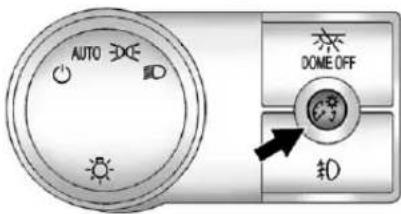
text_image
AUTO DOME OFF #0^35 (InstrumentPanel Brightness): Thisfeaturecontrols thebrightnessoftheinstrument panellightsandislocatednextto theexteriorlampscontrol.
Pushtheknobtoextendoutand thenitcanbeturned.
Turntheknobclockwiseor counterclockwisetobrightenordim theinstrumentpanellights.Turning theknobtothefarthestclockwise positionturnsonthedomelamps.
CargoLamp
Thecargolampscomeonby turningtheinstrumentpanel brightnesscontrolknobtothe farthestclockwiseposition. This knobislocatedontheinstrument panelandalsoturnsonthedome lamps.
Thecargolampscanbeusedif morelightisneededinthecargo areaofthevehicleorinthetop-box storageunits.
DomeLamps
Thedomelampsarelocatedinthe overheadconsole.
Theycomeonwhenanydooris openedandturnoffafterallthe doorsareclosed.
Turntheinstrumentpanel brightnessknoblocatedbelow thedomelampoverridebutton, clockwisetothefarthestpositionto manuallyturnonthedomelamps. Thedomelampsremainonuntilthe knobisturnedcounterclockwise.
DomeLampOverride
Thedomelampoverridebuttonis locatednexttotheexteriorlamps control.
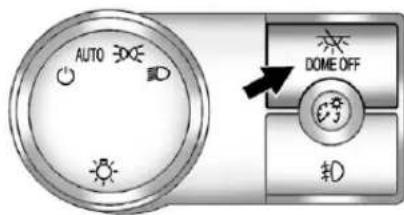
text_image
AUTO DOME OFF 10DomeOff(DomeOff):Pressthebutton inandthedomelampsremainoff whenadoorisopened.Pressthe buttonagaintoreturnittothe extendedpositionsothatthedome lampscomeonwhenadooris opened.
ReadingLamps
Forvehicleswithreadinglamps, theyarelocatedontheoverhead console.
Toturnonthereadinglamps, press thebuttonlocatednexttoeach lamp. Toturnthemoff, pressthe buttonagain.
The vehicle may also have an reading lamps in other locations. To turn the lampson or off, press the button located next to the lamp.
If the vehicle has a DVD Rear Seat Entertainment (RSE) system, press the amplense stoturn the lamps on or off.
Thelampsarefixedandcannotbe adjusted.
LightingFeatures
EntryLighting
The vehicle has an illuminated entry feature.
Whentedoorsareopened, the domelampswillcomeonifthe domeoverridebuttonisinthe extendedposition. Ifthedome overridebuttonispressedin, the lampswillnotcomeon.
ExitLighting
Theinteriorlampscomeonwhen thekeyisremovedfromtheignition. Theyturnoffautomaticallyin 20seconds. Thelightsdonotcome onifthedomeoverridebuttonis pressedin.
BatteryLoad Management
The vehicle has Electric Power Management (EPM) that estimates the battery's temperature and state of charge. It then adjusts the voltage for best performance and extended life of the battery.
Whenthebattery'sstateofcharge islow,thevoltageisraisedslightly toquicklybringthechargebackup. Whenthestateofchargeishigh, thevoltageisloweredslightlyto preventovercharging.Ifthevehicle hasavoltmetergaugeoravoltage displayontheDriverInformation Center(DIC),youmayseethe voltagemoveupordown.This is normal.Ifthereisaproblem, analertwillbedisplayed.
6-10Lighting
The battery can be discharged at idle if the electrical loads are very high. This is true for all vehicles. This because the generator (alternator) may not be spinning fast enough to produce all of the power needed for very high electrical loads.
Ahighelectricalloadoccurswhen severalofthefollowingareon, suchas:headlamps,highbeams, foglamps,rearwindowdefogger, climatecontrolfanathighspeed, heatedseats,enginecoolingfans, trailerloads,andloadspluggedinto accessorypoweroutlets.
EPMworkstoppreventexcessive dischargeofthebattery.ltdoesthis bybalancingthegenerator'soutput andthevehicle'selectricalneeds.
Itcanincreaseengineidlespeedto generatemorepowerwhenever needed. Itcantemporarilyreduce thepowerdemandsofsome accessories.
Normally, these actions occur in steps or levels, without being noticeable. In rare cases at the highest level of corrective action, this action may be notice able to the driver. If so, a DIC message might be displayed, such as BATTERY SAVERACTIVE, BATTERY VOLTAGELOW, or LOWBATTERY. If one of these messages displays, it is recommended that the driver reduces the electrical loads as much as possible. See Driver Information Center (DIC) on page 5-32.
BatteryPowerProtection
Thisfeatureshutsoffthedomeand readinglamps,iftheyareleftonfor morethan10minutesafterthe ignitionisturnedoff.Thecargo lampshutsoffafter20minutes. Thispreventsthebatteryfrom runningdown.
Infotainment System
Introduction
Infotainment......7-1
Theft-DeterrentFeature.....7-2
Operation....7-3
Radio
AM-FMRadio....7-8
SatelliteRadio....7-10
RadioReception......7-14
FixedMastAntenna.....7-15
SatelliteRadioAntenna.....7-15
AudioPlayers
CDPlayer....7-16
CD/DVDPlayer......7-23
AuxiliaryDevices......7-34
RearSeatInfotainment
RearSeatEntertainment (RSE)System....7-40
RearSeatAudio(RSA) System......7-50
Phone
Bluetooth....7-52
TrademarksandLicense Agreements
TrademarksandLicense Agreements....7-59
Introduction
Infotainment
Determinewhichradiothevehicle hasandreadthefollowingpagesto becomefamiliarwithitsfeatures.

WARNING
Takingyoureyesofftheroad forextendedperiodscould causeacrashresultingininjury ordeathtoyouorothers.Donot giveextendedattentionto entertainmenttaskshwihledriving.
This system provides access to many audio and non-audiolistings.
7-2InfotainmentSystem
Tominimizetakingyoureyesoffthe roadwhiledriving,dothefollowing whilethevehicleisparked:
- Becomefamiliarwiththe operationandcontrolsofthe audiosystem.
- Setupthetone, speaker adjustments, and presetradio stations.
Formoreinformation,seeDefensive Drivingonpage9-3.
Notice: Contact your dealer before adding any equipment.
Addingaudioorcommunication equipmentcouldinterferewith theoperationoftheengine,radio, orothersystems,andcould damagethem.Followfederal rulescoveringmobileradioand telephoneequipment.
ThevehiclehasRetained AccessoryPower(RAP).WithRAP, theaudiosystemcanbeplayed evenaftertheignitionisturnedoff. SeeRetainedAccessoryPower (RAP)onpage9-32formore information.
Navigation/RadioSystem
Forvehicleswithanavigationradio system,seetheseparateNavigation SystemManual.
Theft-DeterrentFeature
TheftLock ^® is designed to discourage the theft of the vehicle's radiobylearning portion of the Vehicle Identification Number (VIN). Theradiodes not operate if itis stolenormoved to different vehicle.
Operation
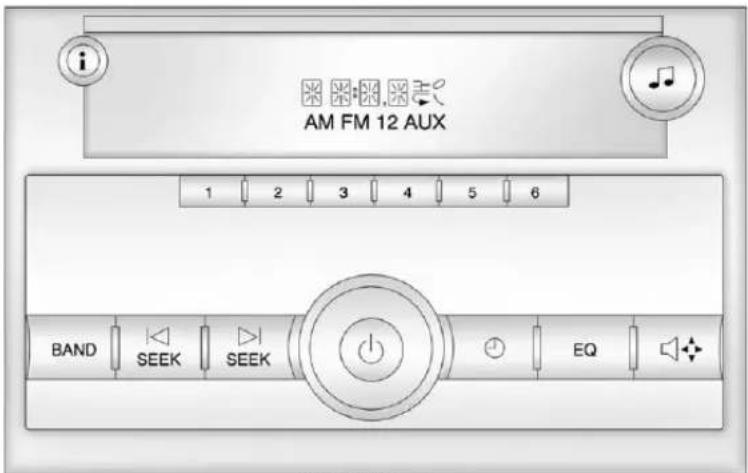
text_image
AM FM 12 AUX 1 2 3 4 5 6 BAND SEEK SEEK EQAM-FMRadio
7-4InfotainmentSystem
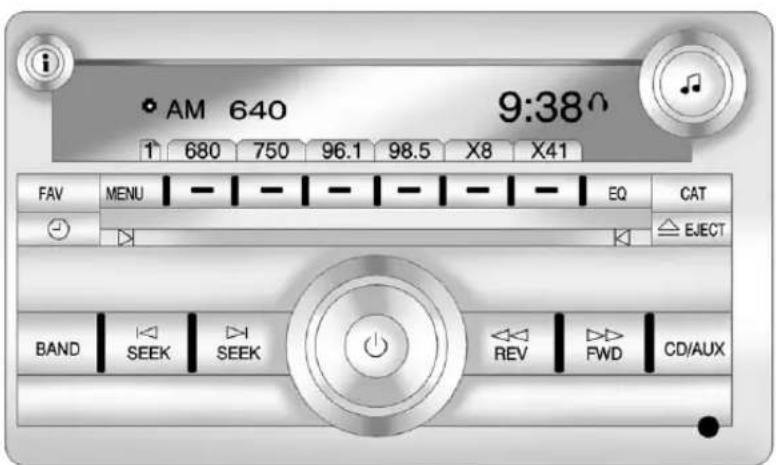
text_image
AM 640 9:38 1 680 750 96.1 98.5 X8 X41 FAV MENU - - - - - - - - EQ CAT EJECT BAND SEEK SEEK REV FWD CD/AUXRadiowithCD(MP3)Shown; RadiowithUSBandCD(MP3), Radiowith USBandSix-DiscCD(MP3), and RadiowithCDSimilar
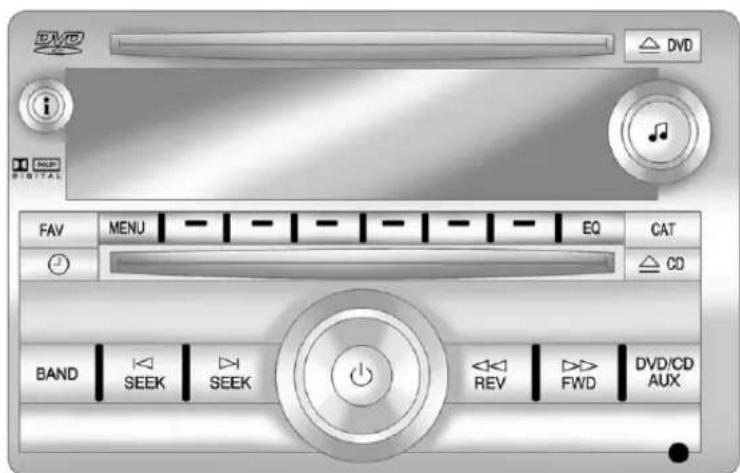
text_image
DVD i DND DIGITAL FAV MENU EQ CAT CD BAND SEEK SEEK REV FWD DVD/CD AUXRadiowithUSB,CD,andDVD(MP3)
The vehicle has one of the seradios as its audiosystem.
RadioswithCDandDVD
VehicleswithaUSB,CD,and DVDradiohaveaBose ^® SurroundSoundSystem.
Someofitsfeaturesareexplained laterinthissection, "Adjustingthe Speakers(Balance/Fade)."
VehicleswithaUSB,CD,and DVDradiomayhaveaRearSeat Entertainment(RSE)system.
SeeRearSeatEntertainment(RSE) Systemonpage7-40formore informationonthevehicle'sRSE system.
TheDVDplayeristhetopslot ontheradiofaceplate. The player is capable of reading the DTS-programmedDVDAudio or DVDVideomedia. (DTSand DTSDigitalSurroundareregistered trademarksofDigitalTheater Systems, Inc.)
Dolbyandthedouble-Dsymbolare trademarksofDolbyLaboratories. Manufacturedunderlicensefrom DolbyLaboratories.
UsingtheRadio
(Power/Volume):Presstoturn thesystemonandoff.
Turnclockwiseorcounterclockwise toincreaseordecreasethevolume.
i(Information)(AM-FMRadioand AM-FMRadiowithCD):Pressto switchthedisplaybetweentheradio stationfrequencyandthetime. Whiletheignitionisoff,pressthis buttontodisplaythetime.Pressto displayadditionaltextinformation relatedtothecurrentFM-RDSor XMstation;orCD,MP3,orWMA song.lfinformationisavailable duringXM,CD,MP3,orWMA playback,thesongtitleinformation displaysonthetoplineofthe displayandartistinformation displaysonthebottomline. Wheninformationisnotavailable, "NOINFO"displays.
SpeedCompensatedVolume (SCV):RadioswithSpeed CompensatedVolume(SCV) automaticallyadjusttheradio volumetocompensateforroad and windnoiseasthevehicle'sspeed changeswhiledriving,sothatthe volumelevelstaysconsistent.
ToactivateSCV:
-
Settheradiovolumetothe desiredlevel.
-
PresstheMENUbutton to displaytheradiosetupmenu.
-
Pressthesoftkeyunderthe AUTOVOLUM(automatic volume)tabontheradiodisplay.
-
Pressthesoftkeyunderthe desiredSpeedCompensated Volumesetting(OFF, Low, Med, or High)toselectthelevelof radiovolumecompensation. Thedisplaytimesoutafter approximately 10 seconds. Each highersettingallowsformore radiovolumecompensationat fastervehiclespeeds.
SettingtheTone(Bass/Treble) (AM-FMRadioandAM-FM RadiowithCD)
Toadjustthebassortreble:
-
Pressthe ♪knobuntilBassor Trebledisplays.
-
Toadjustthesetting, doone of the following:
-
Turnthe♪knob.
- Presseither✉SEEK, or ⌘SEEK.
- Presseither▶▶FWD, or ◀◀REV.
EQ(Equalization):Pressthis buttontochoosebassandtreble equalizationsettingsdesignedfor differenttypesofmusic.Selecting MANUAL,orchangingbassor treble,returnstheEQtothemanual bassandtreblesettings.
UniqueEQsettingscanbesaved foreachsource.
SettingtheTone (Bass/Midrange/Treble) (AllExceptAM-FMRadio andRadiowithCD)
BASS/MID/TREB(Bass, Midrange, orTreble): Toadjustthebass, midrange, ortreble:
- Pressthe ♪knobuntilthetone controltabsdisplay.
- Highlightthedesiredtone controltabbydoingoneofthe following:
-
Pressthe♪knob.
• Pressthesoftkeyunderthe desiredtab. -
Adjust the setting by doing one of the following:
• Turnthe♪knobclockwise orcounterclockwise.
• Pressthe☒SEEK, or ☑SEEK.
- PresstheFWD, or ◀REV.
Ifastation'sfrequencyisweakorif thereisstatic,decreasethetreble.
Toquicklyadjustbass, midrange, ortrebletothemiddleposition, pressthesoftkeypositionedunder theBASS,MID,orTREBtabfor morethantwoseconds.Abeep soundsandtheleveladjuststothe middleposition.
To quickly adjust all tone and speaker control to the middle position, press the knob form more than two seconds until a beep sounds.
EQ(Equalization):Pressthis buttontochoosebassandtreble equalizationsettingsdesignedfor differenttypesofmusic.Selecting MANUAL,orchangingbassor treble,returnstheEQtothemanual bassandtreblesettings.
UniqueEQsettingscanbesaved foreachsource.
IftheradiohasaBose ^® audio system,theEQsettingsareeither MANUALorTALK.
AdjustingtheSpeakers (Balance/Fade)(AM-FMRadio and AM-FMRadiowithCD)
Toadjustthebalanceorfade:
-
Press 📋orpressthe knob untilthespeakercontrollabel displays.
-
To adjust the setting, do one of the following:
-
Turnthe♪knob.
- Presseither✉SEEK, or ◀SEEK.
- Presseither▷FWD, or ◀REV.
AdjustingtheSpeakers (Balance/Fade)(AllExcept AM-FMRadioandRadio withCD)
BAL/FADE(Balance/Fade):
Toadjustthebalanceorfade:
-
Pressthe ♪knobuntilthe speakercontroltabsdisplay.
-
Highlight the desired speaker control tabby doing one of the following:
-
Pressthe♪knob.
• Pressthesoftkeyunderthe desiredtab. -
Adjust the setting by doing one of the following:
• Turnthe♪knobclockwise orcounterclockwise.
- Pressthe✉SEEK, or □SEEK.
- Pressthe▶▶FWD, or ◀REV.
Toquicklyadjustallspeakerand tonecontrolstothemiddleposition, pressthe ♪knobformorethan twoseconds.
If the Rear Seat Audio (RSA) is turned on, theradiodisables FADE and mutestherearspeakers.
RadioMessages
CalibrationError:Theaudio systemhasbeencalibratedfor thevehiclefromthefactory. IfCalibrationErrordisplays,it meansthattheradiohasnotbeen configuredproperlyforthevehicle anditmustbereturnedtoyour dealerforservice.
LockedorLoc:Oneofthese messageswilldisplaywhenthe THEFTLOCK® systemhaslocked uptheradio.Takethevehicletoyourdealerforservice.
Ifanyerroroccursrepeatedlyor ifanerrorcannotbecorrected, contactyourdealer.
Radio
AM-FMRadio
RadioDataSystem(RDS)
ForradioswiththeRadioData System(RDS)feature,itonlyworks withFMstationsthatbroadcast RDSinformation. Thissystemrelies uponreceivingspecificinformation fromthesestationsandonlyworks whentheinformationisavailable. Whiletheradioistunedtoan FM-RDSstation,thestationname orcallletterswilldisplay.Inrare cases,aradiostationcould broadcastincorrectinformationthat causestheradiofeaturestowork improperly.Ifthishappens,contact theradiostation.
i(Information)(RDSFeatures): ForvehicleswithRDSfeatures, press itodisplayadditionaltext informationrelatedtothecurrent FM-RDSstation.lfinformationis available,thesongtitleinformation displaysonthetoplineofthe
displayandartistinformation displaysonthebottomline. Wheninformationisnotavailable, "NOINFO"displays.
FindingaStation
BAND: Presstoswitchbetween AM, FM, or XM™, ifequipped.
♪(Tune):Turntomanuallyselect radiostations.
KSEEK:Presstoseekthe previousradiostation.Pressand holdforafewsecondsuntila beepsoundstoscanforradio stationsindescendingorder;press the KSEEKbuttonagaintostop scanningradiostations.Theradio onlyseeksandscansstations withastrongsignalthatareinthe selectedband.
FortheAM-FMRadio, press and hold the KSEEK for four seconds until double beepsound stoscan the preset stations. The station frequency flashes while theradio is in the scan mode.
SEEK:Presstoseekthenext radiostation.Pressandholdfora fewsecondsuntilabeepsoundsto scanforradiostationsinascending order;pressthe SEEKbutton againtostopscanningradio stations.Theradioonlyseeksand scansstationswithastrongsignal thatareintheselectedband.
FortheAM-FMRadio, press and hold the SEEK for four seconds until double beepsound stoscan the preset stations. The station frequency flashes while ether radiois in the scan mode.
◀REV:Presstomanuallytuneto aradiostationindescendingorder. ▶FWD:Presstomanuallytuneto aradiostationinascendingorder.
FAV(Favorites):Presstoselect differentfavoritespagesforstored radiostations.
StoringRadioStations
Driversareencouragedtostorethe radiostationwhilethevehicleis parked;seeDefensiveDrivingon page9-3.Tunetostoredradio stationsusingthepresets,favorites button,andsteeringwheelcontrols, ifthevehiclehasthisfeature.
RadiosthathaveaFAVbuttonstore radiostationsasfavorites.Upto 36stationscanbeprogrammedas favoritesusingthesixsoftkeys belowtheradiostationfrequency tabsandbyusingtheFAVbutton. PresstheFAVbuttontogothrough uptosixpagesoffavorites,each havingsixfavoritestationsavailable perpage.Eachpageoffavorites cancontainanycombinationofAM, FM,orXM,ifequipped,stations.
RadiosthatdonothaveaFAV buttonstoreradiostationsas presets.Upto18stations (6FM1,6FM2,and6AM), canbeprogrammedonthe sixnumberedpushbuttons.
7-10InfotainmentSystem
SettingPresetStations
Tostorepresets:
- Tunetoaradiostation.
- Pressandholdoneofthe sixnumberedpushbuttonsfor threesecondsuntilabeep sounds.
- RepeatSteps1 and 2 to store additional radiostations.
StoringaRadioStationasa Favorite
Tostoreastationasafavorite:
- Tunetoaradiostation.
- PresstheFAVbuttontodisplay thepagewherthestationwill bestored.
- Pressandholdoneofthesix softkeysuntilabeepsounds.
- RepeatSteps1 through 3 to store additional radiostations.
Thenumberoffavoritespagescan besetupusingtheMENUbutton. Tosetupthenumberoffavorites pages:
- PresstheMENUbutton.
- Pressthesoftkeylocatedbelow theFAV1-6tab.
- Selectthenumberoffavorites pagesbypassingthesoftkey locatedbelowthedisplayed pagenumbers.
- PresstheFAVbutton, orletthe menutimeout, toreturntothe originalmainradioscreen showingtheradiostation frequencytabsandtobegin theprocessofprogramming favorites.
SatelliteRadio
XM™SatelliteRadioService
XMisasatelliteradioservice basedinthe48contiguous UnitedStatesand10Canadian provinces.XMSatelliteRadiohasa widevarietyofprogramming and commercial-freemusic,coastto coast,andindigital-qualitysound. Aservicefeeisrequiredtoreceive theXMservice.Iftheserviceneeds tobereactivated,theradiowill display“NoSubscriptionPlease RenewonchannelXM1.” Formoreinformation,contact XMatwww.xmradio.comor 1-800-929-2100intheU.S., andwww.xmradio.caor 1-877-438-9677inCanada.
i(Information)(XMSatelliteRadio Service):ForvehicleswithXM, press itodisplayadditionaltext informationrelatedtothecurrent XMchannel.lfinformationis available,thesongtitleinformation displaysonthetoplineofthe displayandartistinformation displaysonthebottomline. Wheninformationisnotavailable, "NOINFO" displays.
FindingaChannel
BAND: Presstoswitchbetween AM, FM, or XM™, ifequipped.
♪(Tune):Turntomanuallyselect anXMchannel.
KSEEK:Presstogotothe previousXMchannel.
SEEK:Presstogotothenext XMchannel.
◀REV:Presstogotothe previousXMcategory.
FWD: Presstogotothenext XMcategory.
FAV(Favorites):Presstoselect differentfavoritespagesforstored radiostations.
CAT(Category): The CAT button is used to find XM channels when the radio is in the XM mode.
FindingaCategory(CAT) Station
TofindXMchannelsinacategory:
- PresstheCATbuttontodisplay thecategorytabs.Continue pressingtheCATbuttonuntilthe desiredcategorynamedisplays.
- RadioswithCDandDVD canalsonavigatethe categorylistbypassing the ▷FWDorthe◀REV buttons.
- Presseitherofthetwosoftkeys belowthedesiredcategorytab toimmediatelytunetothefirst XMstationinthatcategory.
TogotothepreviousornextXM stationintheselectedcategory, dooneofthefollowing:
- Turnthe♪knob.
• Pressthesoftkeybelow therightorleftarrowsinthe categorytab. -
Press|SEEKor|SEEK.
-
Toexitthecategorysearch mode, press the FAVbutton or BANDbutton to display the favorites again.
7-12InfotainmentSystem
AddingandRemovingCategories
Categories cannot be added or removed while the vehicle is moving faster than 8 km/h (5 mph).
Toaddorremoveacategory:
-
PresstheMENUbutton.
-
Pressthesoftkeylocatedbelow theXMCATtab.
-
Turnthe ♪knobtodisplaythe categorytoaddorremove.
-
Pressthesoftkeylocatedunder theAddorRemovetab.
Torestoreallremoved categories, pressthesoftkey undertheRestoreAlltab.
- Repeatthestepstoremove morecategories.
StoringXMChannels
Driversareencouragedtostore XMchannelswhilethevehicleis parked;seeDefensiveDrivingon page9-3.Tunetostoredradio stationsusingthepresets,favorites button,andsteeringwheelcontrols, ifthevehiclehasthisfeature.
Upto36stationscanbe programmedasfavoritesusingthe sixsoftkeysbelowtheradiostation frequencytabsandbyusingthe FAVbutton.PresstheFAVbutton togothroughuptosixpagesof favorites,eachhavingsixfavorite stationsavailableperpage.Each pageoffavoritescancontainany combinationofAM,FM,orXM, ifequipped,stations.
StoringanXMChannelasa Favorite
Tostoreastationasafavorite:
-
TunetoanXMchannel.
-
PresstheFAVbuttontodisplay thepagewherthestationwill bestored.
-
Pressandholdoneofthesix softkeysuntilabeepsounds.
-
RepeatSteps1 through 3 to store additional radiostations.
Thenumberoffavoritespagescan besetupusingtheMENUbutton. Tosetupthenumberoffavorites pages:
-
PresstheMENUbutton.
-
Pressthesoftkeylocatedbelow theFAV1-6tab.
-
Selectthenumberoffavorites pagesbypassingthesoftkey locatedbelowthedisplayed pagenumbers.
- PresstheFAVbutton, orletthe menutimeout, toreturntothe originalmainradioscreen showingtheradiostation frequencytabsandtobegin theprocessofprogramming favorites.
XMRadioMessages
XL(ExplicitLanguage
Channels): These channels, orany others, can be blocked data customer's request, by calling 1-800-929-2100 in the U.S. and 1-877-438-9677 in Canada.
XMUpdating:Theencryption codeinthereceiverisbeing updated, and no action is required. This process should take longer than 30 seconds.
NoXMSignal: Thesystemis functioning correctly, but the vehicle is initial location that is blocking the XM signal. Whenthe vehicle is moved into an open area, the signal should return.
LoadingXM:Theaudiosystemis acquiring and processingaudioand textdata.Noactionisneeded. This messages should disappear shortly.
ChannelOffAir: Thischannel is not currently inservice. Tune into another channel.
ChannelUnauth: Thischannelis blockedorcannotbereceivedwith yourXMsubscriptionpackage.
ChannelUnavail: Thispreviously assignedchannelisnolonger assigned.Tunetoanotherstation. Ifthisstationwasoneofthe presets,chooseanotherstation forthatpresetbutton.
NoArtistInfo: Noartist information is available at thistime on this channel. Thesystemis working properly.
NoTitleInfo:Nosongtitle informationisavailableatthis timeonthischannel.Thesystem isworkingproperly.
NoCATInfo:Nocategory informationisavailableatthistime onthischannel.Thesystemis workingproperly.
NolInformation: Notextor informational messages are available at thistime on this channel. Thesystemis working properly.
NoSubscriptionPleaseRenew: TheXMsubscriptionneedsto bereactivated.ContactXMat www.xmradio.comorcall 1-800-929-2100intheU.S. andwww.xmradio.caorcall 1-877-438-9677inCanada.
7-14InfotainmentSystem
CATNotFound: There are no channels available for these selected category. Thesystemisworking properly.
XMTheftlocked:TheXMreceiver inthevehiclecouldhavepreviously beeninanothervehicle.Forsecurity purposes,XMreceiverscannotbe swappedbetweenvehicles.Ifthis messageisreceivedafterhaving thevehicleserviced,checkwith yourdealer.
XMRadioID:Iftunedtochannel0, thismessagealternateswiththe XMRadioeight-digitradioIDlabel. Thislabelisneededtoactivatethe service.
Unknown: If this message is received when tuned to channel 0, there could be a receiver fault. Consult with your dealer.
CheckAntenna: If this message does not clear within a short period of time, thereceiver or antenna could have a fault. Consult with your dealer.
CheckXMReceivr:Ifthis messagedoesnotclearwithina shortperiodoftime,thereceiver couldhaveafault.Consultwithyour dealer.
XMNotAvailable: If this message does not clear within a short period of time, there are ever could have a fault. Consult with your dealer.
RadioReception
Frequencyinterferenceandstatic canoccurduringnormalradio receptionifitemssuchascellphone chargers,vehicleconvenience accessories,andexternalelectronic devicesarepluggedintothe accessorypoweroutlet.Ifthereis interferenceorstatic,unplugthe itemfromtheaccessorypower outlet.
AM
TherangeformostAMstationsis greaterthanforFM,especiallyat night. Thelongerrangecancause stationfrequenciestointerfere witheachother.Forbetterradio reception,mostAMradiostations boostthepowerlevelsduringthe day,andthenreducetheselevels duringthenight.Staticcanalso occurwhenthingslikestormsand powerlinesinterferewithradio reception.Whenthishappens,try reducingthetrebleontheradio.
FMStereo
FMsignalsonlyreachabout 16to65km(10to40mi).Although theradiohasabuilt-inelectronic circuitthatautomaticallyworksto reduceinterference,somestatic canoccur,especiallyaroundtall buildingsorhills,causingthesound tofadeinandout.
XM™SatelliteRadioService
XMSatelliteRadioServicegives digitalradioreceptionfromcoastto coastinthe48contiguousUnited States,andinCanada.Justas withFM,tallbuildingsorhillscan interferewithsatelliteradiosignals, causingthesoundtofadeinand out.Inaddition,travelingorstanding underheavyfoliage,bridges, garages,ortunnelsmaycauseloss oftheXMsignalforaperiodoftime.
CellularPhoneUsage
Cellularphoneusagemaycause interferencewiththevehicle'sradio. Thisinterferencemayoccurwhen makingorreceivingphonecalls, chargingthephone'sbattery, orsimplyhavingthephoneon.
This interference causes an increased level of static while listening to other radio. If static is received while listening to other radio, unplug the cellular phone and turnit off.
FixedMastAntenna
The fixed mastantennacan withstand most car washes without being damaged as long as it is securely attached to the base. If themast becomes slightly bent, straightenitout by hand. If themast is badly bent, replace it.
Occasionallychecktomakesure theantennaistightenedtoitsbase. Iftighteningisrequired,tighten byhanduntilfullyseatedplus onequarterturn.
SatelliteRadioAntenna
The XMSatelliteRadioantennais locatedontheroofthevehicle. Keeptheantennaclearof obstructionsforclearradio reception.
If the vehicle has as unroof, the performance of the XMsystem (ifequipped) may be affected if the sunroof is open.
AudioPlayers
CDPlayer
CareoftheCDPlayer
DonotaddanylabeltoaCD. ItcouldgetcaughtintheCD.Ifa CDisrecordedonapersonal computerandadescriptionlabelis needed,trylabelingthetopofthe recordedCDwithamarkingpen.
TheuseofCDlenscleanersis notadvised,duetotheriskof contaminatingthelensoftheCD opticswithlubricantsinternaltothe CDplayermechanism.
Notice:Ifalabelisaddedtoa CD, morethanoneCDisinserted intotheslotatatime, oran attemptismadetoplayscratched ordamaged CDs, the CD player could bedamaged. While using the CD player, use only CDs in
goodconditionwithoutanylabel, loadoneCDatatime,andkeep theCDplayerandtheloadingslot freeofforeignmaterials,liquids, anddebris.
Ifanerrordisplays,see"CDPlayer Messages"laterinthissection.
CareofCDs
IfplayingaCD-R,thesoundquality canbereducedduetoCD-Ror CD-RWquality,themethodof recording,thequalityofthemusic thathasbeenrecorded,andthe waytheCD-RorCD-RWhasbeen handled.Handlethemcarefully. StoreCD-RsorCD-RWsintheir originalcasesorotherprotective casesandawayfromdirectsunlight anddust.TheCDplayerscansthe bottomsurfaceofthedisc.Ifthe surfaceofaCDisdamaged,such ascracked,broken,orscratched,
theCDdoesnotplayproperlyornot atall. Donottouchthebottomside ofaCDwhilehandlingit;thiscould damagethesurface.PickupCDs bygraspingtheouteredgesorthe edgeoftheholeandtheouteredge.
If the surface of a CD is soiled, cleanit with as soft, lint-free clothor dampen clean, soft clothinamild, neutral detergent solution mixed with water. Makesurethewiping process starts from the center to the edge.
InsertingaCD (SingleCDPlayer)
InsertaCDpartwayintotheslot, labelsideup. Theplayerpullsitin andtheCDshouldbeginplaying.
InsertingaCD(s) (Six-DiscCDPlayer)
LOAD:PresstoloadCDsinto theCDplayer.ThisCDplayerholds uptosixCDs.
ToinsertoneCD:
-
PressandreleasetheLOAD button.
-
Waitforthemessagetoinserthedisc.
-
LoadaCD.InserttheCD partwayintotheslot, labelside up. TheplayerpullstheCDin.
ToinsertmultipleCDs:
-
PressandholdtheLOADbutton fortwoseconds.Abeepsounds andLoadAllDiscsdisplays.
-
Waitforthemessageonwhento insertthediscs. The CD player takesuptosix CDs.
-
PresstheLOADbuttonagain to cancelloadingmoreCDs.
EjectingaCD (SingleCDPlayer)
△EJECT:Pressandreleaseto ejectthedisc.RemovetheCD whenRemoveDiscdisplays.Ifthe discisnotremoved,afterseveral secondsthediscisautomatically pulledbackintotheplayer.
EjectingaCD (Six-DiscCDPlayer)
△EJECT:Pressandrelease toejectthediscthatiscurrently playing.RemovetheCDwhen RemoveDiscdisplays.Ifthediscis notremoved,afterseveralseconds thediscisautomaticallypulledback intotheplayer.
ToejectallCDs, pressandhold the △EJECTbuttonfor twoseconds.
PlayingaCD
Iftheignitionorradioisturnedoff withaCDintheplayer,itstaysin theplayer.Whentheignitionor radioisturnedon,theCDstarts playingwhereitstopped,ifitwas thelastselectedaudiosource. TheCDiscontrolledbythebuttons ontheradiofaceplateorbytheRSA unit.SeeRearSeatAudio(RSA) Systemonpage7-50formore information.
WhenaCDisinserted, the CD symboldisplay on the left side of theradiodisplay. Aseachnewtrack startstoplay, the track number displays.
TheCDplayercanplaythesmaller 8cm(3in)singleCDswithan adapterring.Full-sizeCDsandthe smallerCDsareloadedinthesame manner.
7-18InfotainmentSystem
CD/AUX(CD/Auxiliary):Pressto cyclebetweenCDorAuxiliarywhen listeningtotheradio.TheCDicon andamessageshowingthedisc and/ortracknumberwilldisplay whenaCDisintheplayer.Press againandthesystemautomatically searchesforanauxiliaryinput device;seeAuxiliaryDeviceson page7-34formoreinformation. Ifaportableaudioplayerisnot connected,“NoInputDeviceFound” displays.
i(Information):Presstodisplay additionaltextinformationrelated to thecurrentsong.lfinformationis available,thesongtitleinformation displaysonthetoplineofthe displayandartistinformation displaysonthebottomline. Wheninformationisnotavailable, "NOINFO"displays.
♪(Tune):Turntoselecttrackson theCDthatiscurrentlyplaying.
KSEEK: Presstogotothestartof thecurrenttrackifmorethan 10secondsontheCDhaveplayed.
Presstogototheprevioustrackif lessthan10secondsontheCD haveplayed.
Pressandhold, or press multiple times, to continue moving backward through the trackson the CD.
DEEKE:Presstogotothenext track.
Pressandhold, or press multiple times, to continue moving forward through the trackson the CD.
◀REV(FastReverse):Press andholdtoreverseplaybackquickly withinatrack.
FWD(FastForward):Press andholdtoadvance playback quickly within at track.
RPT(Repeat): FortheAM-FM RadiowithCD, pressandrelease the RPTbuttontorepeatthecurrent track. Press RPTagaintoturnoff repeatplay.
RDM(Random): Presstolisten to tracks in random, rather than sequential order. Touserandom, doone of the following:
FortheAM-FMRadiowithCD:
-
PresstheRDMbuttonuntilthe randomicondisplays.
-
PresstheRDMbuttonagain untiltherandomicondisappears fromthedisplay.
FortheRadiowithCD(MP3)and RadiowithUSBandCD(MP3):
-
Pressthesoftkeypositioned undertheRDMtabuntilRandom CurrentDiscdisplays.
-
Pressthesoftkeyagaintoturn offrandomplay.
FortheRadiowithUSBand Six-DiscCD(MP3):
- Pressthesoftkeypositioned undertheRDMtabuntil RandomizeAllDiscsdisplaysto playtracksfromallCDsloaded inrandomorder.
- Pressthesoftkeypositioned undertheRDMtabuntilRandom CurrentDiscdisplaystoplay tracksfromasingleCDin randomorder.
- Pressthesamesoftkeyagain toturnoffrandomplay.
MP3-SupportedFiles
TheRadiowithCD(MP3),Radio withUSBandCD(MP3),andRadio withUSBandSix-DiscCD(MP3) havethecapabilityofplayingan MP3CD-RorCD-RWdisc.
Format
Radiosthathavethecapability of playingMP3scanplay.mp3or .wmafilesthatwererecordedontoa CD-RorCD-RWdisc.Thefilescan berecordedwiththefollowingfixed bitrates:32kbps,40kbps,56kbps, 64kbps,80kbps,96kbps,112kbps, 128kbps,160kbps,192kbps, 224kbps,256kbps,and320kbpsor avariablebitrate.
CompressedAudioorMixed ModeDiscs
Theradiocanplaydiscsthat containbothuncompressedCD audioandMP3files. If both formats are onthedisc, theradioreads allMP3filesfirst, then the uncompressed CDaudiofiles.
CD-R- or CD-RW-Supported File and Folder Structure
Theradiosupports:
- Upto50folders.
- Upto8foldersindepth.
- Upto50playlists.
- Upto255files.
- Playlistswithan.m3uor.wpl extension.
- Fileswithan.mp3,.wma,or.cda fileextension.
RootDirectory
Therootdirectoryistreatedasa folder.Filesarestoredintheroot directorywhenthediscorstorage devicedoesnotcontainfolders. Filesaccessedfromtheroot directoryofaCDdisplayas F1ROOT.
EmptyFolder
Foldersthatdonotcontainfilesare skipped, and the player advance to thenext folder that contains files.
OrderofPlay
Compressedaudiofilesare accessedinthefollowingorder:
- Playlists(Px).
- Filesstoredintherootdirectory.
- Filesstoredinfoldersintheroot directory.
Tracksareplayedinthefollowing order:
- Playbeginsfromthefirsttrackin thefirstplaylistandcontinues sequentiallythroughalltracksin eachplaylist.Whenthelast trackofthelastplaylisthas played,playcontinuesfromthe firsttrackofthefirstplaylist.
- Playbeginsfromthefirsttrack inthefirstfolderandcontinues sequentiallythroughalltracksin eachfolder.Whenthelasttrack ofthelastfolderhasplayed, playcontinuesfromthefirst trackofthefirstfolder.
FileSystemandNaming
Thesongnamethatdisplaysisthe songnamethatiscontainedinthe ID3tag.Ifthesongnameisnot presentinthelID3tag,thenthe radiodisplaysthefilenamewithout theextension(suchas.mp3)asthe trackname.
Tracknameslongerthan 32charactersor4pagesare shortened. Thedisplaydoesnot showpartsofwordsonthelast pageoftextandtheextensionof thefilenameisnotdisplayed.
PreprogrammedPlaylists
CDsthathavepreprogrammed playlists treated using WinAmp ^™ , MusicMatch ^™ , or RealJukebox ^™ software can be accessed; however, there is n o p l a y list - editing capability using theradio. These playlists are treated as special folders containing compressed audiosongfiles.
Playliststhathavean.m3uor.pls fileextensionandarestoredona USBdevicemaybesupportedby theradiowithaUSBport.
Playlistscanbechangedbyusing thesoftkeysbelowthe
and ➤tabs,the♪knob, the KSEEKbutton,orthe→SEEK button.AnMP3CD-RorCD-RW thathasbeenrecordedwithout usingfilefolderscanbeplayed. IfaCD-RorCD-RWcontainsmore thanthemaximumof50folders,
15playlists,and512foldersand files,theplayerallowsaccessand navigatesuptothemaximum,but allitemsoverthemaximumarenot accessible.
PlayinganMP3
i(Information): Presstodisplay additionaltextinformationrelated to thecurrentsong.lfinformationis available,thesongtitleinformation displaysonthetoplineofthe displayandartistinformation displaysonthebottomline. Wheninformationisnotavailable, "NOINFO" displays.
♪(Tune):TurntoselectMP3son theCDcurrentlyplaying.
KSEEK: Presstogotothestartof thetrack, if more than 10 seconds have played. Pressandholdor pressmultipletimestocontinue moving backward through tracks.
SEEK: Presstogotothenext track. Pressandholdorpress multipletimestocontinuemoving forwardthroughtracks.
◀REV(Reverse):Pressandhold toreverse playback quickly. Sound is heardatureduced volume and the elapsed time of the file displays. Release ◀REVtoresumeplaying.
FWD(FastForward):Press andholdtoadvance playback quickly. Soundisheardatareduced volume and the elapsed time of the file displays. Release FWD to resume playing. The elapsed time of the file displays.
(NextFolder):Pressthe softkeybelowthe tabtogoto thefirsttrackinthenextfolder.
RDM(Random): Presstolisten totracksinrandom, rather than sequential order. Touserandom, dooneofthefollowing:
FortheRadiowithCD(MP3)and RadiowithUSBandCD(MP3):
-
Pressthesoftkeypositioned undertheRDMtabuntilRandom CurrentDiscdisplays.
-
Pressthesoftkeyagaintoturn offrandomplay.
FortheRadiowithUSBand Six-DiscCD(MP3):
-
Pressthesoftkeypositioned undertheRDMtabuntil RandomizeAllDiscsdisplay to playtracksfromallCDsloaded inrandomorder.
-
Pressthesoftkeypositioned undertheRDMtabuntilRandom CurrentDiscdisplaystoplay tracksfromasingleCDin randomorder.
-
Pressthesamesoftkeyagain to turnoffrandomplay.
(MusicNavigator):Pressthe softkeybelowthe tabtoplay thefilesinorderbyartistoralbum.
Theplayerscansthedisctosortthe filesbyartistandalbumID3tag information.ltcantakeseveral minutestoscanthediscdepending onthenumberofffilesonthedisc. Theradiomaybeginplayingwhileit isscanninginthebackground.
Whenthescanisfinished,thedisc beginsplayingfilesinorderby artist.Thecurrentartistplayingis shownonthesecondlineofthe display.Onceallsongsbythatartist areplayed,theplayermovestothe nextartistinalphabeticalorderand beginsplayingfilesbythatartist.
Tolistentofilesbyanotherartist, pressthesoftkeylocatedbelow eitherarrowtab. Thediscgoesto thenextorpreviousartistin alphabeticalorder. Continue pressingeithersoftkeybelowthe arrowtabuntilthedesiredartist displays.
Tochangefrom playbackbyartistto playbackbyalbum:
- Pressthesoftkeylocatedbelow theSortBytab.
- Pressoneofthesoftkeysbelow theAlbumtabfromthesort screen.
- Pressthesoftkeybelowthe Backtabtoreturntothemain musicnavigatorscreen.
Thealbumnamedisplaysonthe secondlinebetweenhearrows, and songsfromthecurrentalbum begintoplay.Onceallsongsfrom thatalbumhaveplayed,theplayer movestothenextalbumin alphabeticalorderontheCDand beginsplayingMP3sfromthat album.
Toexitmusicnavigatormode, press thesoftkeybelowtheBacktabto returntonormalMP3 playback.
CDPlayerMessages
CHECKDISC: If this message displays and/or the CDejects, it could be before one of the following reasons:
- Itisveryhot. Whenthe temperaturereturnstonormal, theCDshouldplay.
• Theroadisveryrough. Whentheroadbecomes smoother, the CD should play.
• TheCDisdirty, scratched, wet, or upsidedown.
• Theairisveryhumid.Ifso, waitaboutanhourandtryagain.
• Therewasaproblemwhile burningtheCD.
• Thelabeliscaughtinthe CDplayer.
If the CD is not playing correctly, for any other reason, try known good CD.
Ifanyerroroccursrepeatedlyor ifanerrorcannotbecorrected, contactyourdealer.Iftheradio displaysanerrormessage, writeit downandprovideittoyourdealer whenreportingtheproblem.
CD/DVDPlayer
CareoftheCDandDVDPlayer
Donotaddanylabeltoadisc. ItcouldgetcaughtintheCDor DVDplayer.Ifadiscisrecorded onapersonalcomputeranda descriptionlabelisneeded,try labelingthetopoftherecordeddisc withamarkingpen.
TheuseofCD/DVDlenscleaners isnotadvised,duetotheriskof contaminatingthelensoftheoptics withlubricantsinternaltotheCD andDVDplayermechanism.
Notice:Ifalabelisaddedtoa CD, morethanoneCDisinserted intotheslotatatime, oran attemptismadetoplayscratched ordamaged CDs, the CDplayer could bedamaged. While using the CDplayer, use only CDs in good condition without anylabel, load one CDatatime, and keep the CDplayer and the loadingslot free offoreignmaterials, liquids, and debris.
Ifanerrordisplays,see"CD Messages"laterinthissection.
CareofCDsandDVDs
IfplayingaCD-RorCD-RW,the soundqualitycanbereduceddueto CD-RorCD-RWquality,themethod ofrecording,thequalityofthemusic thathasbeenrecorded,andthe waytheCD-RorCD-RWhasbeen handled.Handlethemcarefully.
StoreCD-RsorCD-RWsintheir originalcasesorotherprotective casesandawayfromdirectsunlight anddust.TheCDorDVDplayer scansthebottomsurfaceofthe disc.Ifthesurfaceofadiscis damaged,suchascracked,broken, orscratched,thediscdoesnotplay properlyornotatall.Donottouch thebottomsideofadiscwhile handlingit;thiscoulddamagethe surface.Pickupdiscsbygrasping theouteredgesortheedgeofthe holeandtheouteredge.
If the surface of adiscissoiled, cleanit with as soft, lint-free clothor dampen a clean, soft clothin amild, neutral detergent solution mixed with water. Makesure the wiping process starts from the center to the edge.
AudioOutput
Onlyoneaudiosourcecanbeheard throughthespeakersatonetime. AnaudiosourceisdefinedasDVD slot,CDslot,XM,FM-AM,front auxiliaryjack,USBport,orrear auxiliaryjack.
Pressthe ⬤buttontoturntheradio on. Theradiocanbeheardthrough allofthevehiclespeakers.
Frontseatpassengerscanlisten totheradio(AM,FM,orXMif equipped)bypassingtheBAND buttonortheDVD/CDAUXbutton toselectCDslot,DVDslot,front auxiliaryinput,USBport,orrear auxiliaryinput(ifavailable).
Ifaplaybackdeviceispluggedinto theradio'sfrontauxiliaryinputjack, USBport, ortherearauxiliaryjack, thefrontseatpassengersareable
tolistentoplaybackfromthis sourcethroughthevehicle speakers.See"UsingtheAuxiliary InputJack"inAuxiliaryDeviceson page7-34,or"Audio/Video (A/V)Jacks"underRearSeat Entertainment(RSE)Systemon page7-40formoreinformation.
Insomevehicles,depending on audiooptions,therearspeakers canbemutedwhentheRSApower isturnedon.SeeRearSeatAudio (RSA)Systemonpage7-50for moreinformation.
InsertingaDisc
Insertadiscpartwayintoeitherslot, labelsideup. Theplayerpullsitin andthediscshouldbeginplaying. (Loadingadiscintothesystem, dependingonmediatype and format, rangesfrom5to20seconds foraCD, andupto30secondsfor aDVDtobeginplaying.)
EjectingaDisc
△CD(Eject):Pressandrelease toejectthediscthatiscurrently playing.TheCDejectsfromthe bottomslot.Abeepsoundsand EjectingDiscdisplays.Oncethe discisejected,RemoveDisc displays.Thedisccanberemoved. Ifthediscisnotremoved,after severalsecondsthedisc automaticallypullsbackintothe player.
△DVD(Eject):Pressand releasetoejectthediscthatis currentlyplayinginthetopslot. AbeepsoundsandEjectingDisc displays.
Ifloadingandreadingofadisc cannotbecompleted,dueto unknownformat,etc.,andthedisc failstoeject,pressandholdfor morethanfivesecondstoforcethe disctoeject.
PlayingaCD(inEitherthe DVDorCDSlot)
If the ignition or radioisturned off with a CD in the player, it stays in the player. When the ignition or radioisturned on, the CD starts playing where it stopped, if it was the last selected audio source. The CD is controlled by the buttons on the radio face plate or by the RSA unit. See Rear Seat Audio (RSA) System on page 7-50 form more information. The DVD/CD decks (the upperslotisthe DVD deck and the lowerslotisthe CD deck) of the radio are compatible with most audio CDs, CD-Rs, CD-RWs, and MP3s.
WhenaCDisinserted, the text tab DVDorCDsymboldisplay on the left side of the radiodisplay. Aseachnewtrackstartstoplay, the track number displays.
TheCDplayercanplaythesmaller 8cm(3in)singleCDswithan adapterring.Full-sizeCDsandthe smallerCDsareloadedinthesame manner.
DVD/CDAUX(Auxiliary):
PresstocyclethroughDVD,CD, orAuxiliarywhenlisteningtothe radio.TheDVD/CDtexttabanda messageshowingthetrackor chapternumberwilldisplaywhen adiscisinetherslot.Pressthe DVD/CDAUXbuttonagainandthe systemautomaticallysearchesfor anauxiliaryinputdevice;see AuxiliaryDevicesonpage7-34for moreinformation.Ifaportableaudio playerisnotconnected,"NoAux InputDevice"displays.Ifadiscisin boththeDVDslotandtheCDslot, theDVD/CDAUXbuttoncycles betweenthetwosourcesanddoes notindicate"NoAuxInputDevice."
Ifafrontauxiliarydeviceis connected, the DVD/CDAUX buttoncyclesthroughallavailable options, such as: DVDslot, CDslot, FrontAuxiliary, and RearAuxiliary (ifavailable). See "Using the Auxiliary Input Jack" in Auxiliary Devices on page 7-34 or "Audio/Video(A/V)Jacks" under Rear Seat Entertainment (RSE) System on page 7-40 form more information.
IfadiscisinsertedintothetopDVD slot, therearseatoperatorcanturn onthevideoscreenandusethe remotecontroltonavigatetheCD (tracksonly)throughtheremote control.
7-26InfotainmentSystem
i(Information):Presstodisplay additionaltextinformationrelatedto thecurrentsong.lfinformationis available,thesongtitleinformation displaysonthetoplineofthe displayandartistinformation displaysonthebottomline. Wheninformationisnotavailable, "NOINFO"displays.
♪(Tune):Turntoselecttrackson thediscthatiscurrentlyplaying.
KSEEK: Presstogotothestart of the current track, if more than five seconds on the CD have played.
Presstogototheprevioustrackif lessthanfivesecondsontheCD haveplayed.
Pressandhold, or press multiple times, to continue moving backward through the trackson the CD.
DEEKE:Presstogotothenext track.
Pressandhold, or press multiple times, to continue moving forward through the trackson the CD.
◀REV(FastReverse):Press andholdtoreverse playback quickly withinatrack.
FWD(FastForward):Press andholdtoadvanceplayback quicklywithinatrack.
RDM(Random): Presstolisten totracksinrandom, rather than sequentialorder. Touserandom:
-
Pressthesoftkeyunderthe RDMtabuntilRandomCurrent Discdisplays.
-
Pressthesoftkeyagaintoturn offrandomplay.
MP3andWMASupportedFiles
Format
Theradiocanplay.mp3or.wma filesthatwererecordedontoa CD-RorCD-RWdisc.
CompressedAudioorMixed ModeDiscs
Theradioplaysdiscsthatcontain bothuncompressedCDaudioand MP3/WMAfilesdependingonwhich slotthediscisloadedinto.
TheDVDplayeronlyreads uncompressedaudioandignores MP3/WMAfilesonamixed modedisc.
TheCDplayerreadsboth uncompressedaudioandMP3/WMAfilesonamixedmodedisc.UncompressdaudioisplayedbeforeMP3/WMAfiles.PresstheCAT(category)buttontotogglebetweenuncompressedaudioandMP3/WMAfiles.
CD-RorCD-RWSupportedFile andFolderStructure
TheDVDplayersupports:
- Upto255folders.
• Uptoeightfoldersindepth. - Upto15playlists.
- Upto40sessions.
- Playlistswithan.m3uor.wpl extension.
- Fileswithan.mp3,.wma,or.cda fileextension.
TheCDplayersupports:
• Upto512filesandfolders.
- Upto8foldersindepth.
- Playlistswithan.m3uor.wpl extension.
- Fileswithan.mp3,.wma,or.cda fileextension.
RootDirectory
Therootdirectoryofthediscis treatedasafolder.Iftheroot directoryhascompressedaudio files,thedirectorydisplaysas F1ROOTontheradio.
Ifadisccontainsboth uncompressedCDaudioand MP3/WMAfiles,afolderunderthe rootdirectorycalledCDaccesses alloftheCDaudiotrackson thedisc.
EmptyFolder
Foldersthatdonotcontainfilesare skipped, and the player advance to thenext folder that contains files.
NoFolder
Whenthedisccontainsonly compressedfiles, thefilesare locatedundertherootfolder. Thenextandpreviousfolder functiondoesnotfunctionona
discthatwasrecordedwithout foldersorplaylists.Whendisplaying thenameofthefolder,theradio displaysROOT.
Whenthedisccontainsonly playlistsandcompressedaudio files,butnofolders,allfilesare locatedundertherootfolder. Thefolderdownandthefolderup buttonssearchplaylistsfirstand thengototherootfolder.Whenthe radiodisplaysthenameofthe folder,theradiodisplaysROOT.
OrderofPlay
Compressedaudiofilesare accessedinthefollowingorder:
- Playlists(Px).
- Filesstoredintherootdirectory.
- Filesstoredinfoldersintheroot directory.
Tracksareplayedinthefollowing order:
- Playbeginsfromthefirsttrackin thefirstplaylistandcontinues sequentiallythroughalltracksin eachplaylist.Whenthelast trackofthelastplaylisthas played,playcontinuesfromthe firsttrackofthefirstplaylist.
- Playbeginsfromthefirsttrack inthefirstfolderandcontinues sequentiallythroughalltracksin eachfolder.Whenthelasttrack ofthelastfolderhasplayed, playcontinuesfromthefirst trackofthefirstfolder.
Whenplayentersanewfolder, the displaydoesnotautomaticallyshow thenewfoldernameunlesssthe foldermodehasbeenchosenas thedefaultdisplay. Thenewtrack namedisplays.
FileSystemandNaming
Thesongnamethatdisplaysisthe songnamethatiscontainedinthe ID3tag.lfthesongnameisnot presentinthelID3tag,thenthe radiodisplaysthefilenamewithout theextension(suchas.mp3)asthe trackname.
Tracknameslongerthan 32charactersor4pagesare shortened.Partsofwordsonthe lastpageoftextandtheextension ofthefilenamedonotdisplay.
PreprogrammedPlaylists
Preprogrammedplaylistthat werecreatedusingWinAmp™, MusicMatch™, or RealJukebox™ softwarecanbeaccessed; however, they cannot be edited using the radio. These playlists are treated as special folders containing compressed audiosongfiles.
Playliststhathavean.m3uor.pls fileextensionandarestoredona USBdevicemaybesupportedby theradiowithaUSBport.
PlayinganMP3orWMA (inEithertheDVDorCDSlot)
IfadiscisinsertedintothetopDVD slot,therearseatoperatorcanturn onthevideoscreenandusethe remotecontroltonavigatetheCD (tracksonly).
♪(Tune):TurntoselectMP3/WMA files.
KSEEK:Presstogotothestartof thetrack,ifmorethanfiveseconds haveplayed.Pressandholdor pressmultipletimes,iflessthan fivesecondshaveplayed,to continuemovingbackwardthrough tracks.
SEEK:Presstogotothenext track.
Pressandhold, or press multiple times, to continue moving forward through tracks.
◀REV(Reverse):Pressandhold toreverseplaybackquickly.
FWD(FastForward):Press andholdtoadvance playback quickly.
(NextFolder):Pressthe softkeybelowthe tabtogoto thefirsttrackinthenextfolder.
RDM(Random): Presstolistento tracksinrandom, rather than sequential order.
Touserandom:
-
Pressthesoftkeyunderthe RDMtabuntilIRandomCurrent Discdisplays
-
Pressthesamesoftkeyagain to turnoffrandomplay.
(MusicNavigator):Pressthe softkeybelowthe tabtoplay filesinorderbyartistoralbum.
Theplayerscansthedisctosortthe filesbyartistandalbumID3tag information.Itcantakeseveral minutestoscanthediscdepending onthenumberoffilesonthedisc. Theradiomaybeginplayingwhileit isscanninginthebackground.
Whenthescanisfinished,thedisc beginsplayingfilesinorderby artist.Thecurrentartistplayingis shownonthesecondlineofthe display.Onceallsongsbythatartist areplayed,theplayermovestothe nextartistinalphabeticalorderand beginsplayingfilesbythatartist.
Tolistentofilesbyanotherartist, pressthesoftkeylocatedbelow eitherarrowtab.Thediscgoesto thenextorpreviousartistin alphabeticalorder.Continue pressingeithersoftkeybelowthe arrowtabuntiltheartistdisplays.
Tochangefrom playbackbyartistto playbackbyalbum:
-
Pressthesoftkeybelowthe SortBytab.
-
Pressoneofthesoftkeys belowtheAlbumtabfromthe sortscreen.
-
Pressthesoftkeybelowthe Backtabtoreturntothemain musicnavigatorscreen.
Thealbumnamedisplaysonthe secondlinebetweenhearrows, and songsfromthecurrentalbum begintoplay.Onceallsongsfrom thatalbumhaveplayed,theplayer movestothenextalbumin alphabeticalorderontheCDand beginsplayingMP3filesfromthat album.
Toexitmusicnavigatormode, press thesoftkeybelowtheBacktabto returntonormalMP3 playback.
UsingtheDVDPlayer
TheDVDplayercanbecontrolled bythebuttonsontheremote control,theRSAsystem,orbythe buttonsontheradiofaceplate. See"RemoteControl"underRear SeatEntertainment(RSE)System onpage7-40andRearSeatAudio (RSA)Systemonpage7-50for moreinformation.
TheDVDplayerisonlycompatible withDVDsoftheappropriateregion codeprintedonthejacketof mostDVDs.
TheDVDslotoftheradiois compatiblewithmostaudioCDs andCD-R/RW,DVD-Video, DVD-Audio,DVD-R/RW,andDVD +R/RWmedia,alongwithMP3and WMAformats.
Ifanerrormessagedisplayson thevideoscreenotheradio, see“DVDDisplayErrorMessage” underRearSeatEntertainment (RSE)Systemonpage7-40,and “CD/DVDPlayerMessages”laterin thissectionformoreinformation.
InsertingaDisc
Insertadiscpartwayintothetop slot, labelsideup. Theplayerpulls itinandthediscshouldbegin playing. "LoadingDisc" showson theradiodisplay.Atthesame time,theradiodisplaysasoftkey menuofoption(s). Somediscs automaticallyplaythemoviewhile othersdefaulttothesoftkeymenu display,whichrequiresthePlay, Enter,orNavigationsoftkeystobe pressed,eitherbysoftkeyorbythe rearseatpassengerusingthe remotecontrol.
Loadingadiscintothesystem, dependingonmediatype and format, ranges from 5 to 20 seconds for a CD, and up to 30 seconds for a DVD.
EjectingaDisc
△DVD(Eject):Pressand releasetoejectthedisccurrently playinginthetopslot.Abeep soundsandEjectingDiscdisplays.
Ifloadingandreadingofadisc cannotbecompleted,dueto unknownformat,etc.,andthedisc failstoeject,pressandholdfor morethanfivesecondstoforcethe disctoeject.
PlayingaDVD
DVD/CDAUX(Auxiliary): PresstocyclethroughDVD,CD, orAuxiliarywhenlisteningtothe radio.TheDVD/CDtexttabanda messageshowingthetrackor chapternumberwilldisplaywhen adiscisineitherslot.Pressthe DVD/CDAUXbuttonagainandthe systemautomaticallysearches foranauxiliaryinputdevice;see AuxiliaryDevicesonpage7-34for moreinformation.Ifaportableaudio playerisnotconnected,"NoAux InputDevice"displays.Ifadiscisin boththeDVDslotandtheCDslot, theDVD/CDAUXbuttoncycles betweenthetwosourcesanddoes notindicate"NoAuxInputDevice."
Ifafrontauxiliarydeviceis connected, the DVD/CDAUXbutton cyclesthroughallavailableoptions, suchas: DVDslot, CDslot, front auxiliary, andrearauxiliary (ifavailable). See "Usingthe AuxiliaryInputJack" in Auxiliary Devicesonpage7-34 or "Audio/Video(A/V)Jacks" under Rear Seat Entertainment(RSE) System on page 7-40 form more information.
IfadiscisinsertedintothetopDVD slot, therearseatoperatorcanturn onthevideoscreenandusethe remotecontroltonavigatetheCD (tracksonly)throughtheremote control.
(Power): Presstoturnthe radioonoroff. Turnclockwiseor counterclockwisetoincreaseor decreasethevolume. Pressand holdformorethantwosecondsto turnofftheentireradioandRear
SeatEntertainment(RSE)system andtostarttheParentalControl feature.ParentalControlprevents therearseatoccupantfrom operatingtheRearSeatAudio (RSA)systemorremotecontrol.
Alocksymboldisplaysnexttothe clockdisplay.TheParentalControl featureremainsonuntiltheknobis pressedandheldformorethan twosecondsagain,oruntilthe driveturnstheignitionoffandexits thevehicle.
♪(Tune):Turntoselecttrackson aCDorDVD.
KSEEK: Presstoreturntothe startofthecurrenttrackorchapter. Pressagaintogototheprevious trackorchapter. Thisbuttonmight notworkwhentheDVDdisplaying thecopyrightinformationorthe previews.
DEEKE:Presstogotothenext trackorchapter.Thisbuttonmight notworkwhentheDVDDisplaying thecopyrightinformationorthe previews.
◀REV(FastReverse):Pressto quicklyreversetheCDorDVDat fivetimesthenormalspeed. Tostopfastreversing,pressagain. Thisbuttonmightnotworkwhen theDVDdisplayingthecopyright informationorthepreviews.
FWD(FastForward):Pressto fastforwardtheCDorDVDat fivetimesthenormalspeed. Tostopfastforwarding, press again. Thisbuttonmightnotwork whentheDVDdisplayingthe copyrightinformationorthe previews.
UsingSoftkeystoPlayaDVD-V (Video)
OnceaDVD-Visinserted,theradio displaymenushowsseveraltab optionsfor playback.Pressthe softkeylocatedunderanytaboption duringDVD-V playback.
▶ / II (Play/Pause): Press either the Player Pausetabdisplayed on theradio, to toggle between pausing or restarting playback of a DVD. If the forward arrow is showing on the display, the system is in pause mode. If the Pausetab is showing on the display, the system is in playback mode. If the DVD screen is off, press the play button to turn the screen on.
SomeDVDsbeginplayingafterthe previewshavefinished,although therecouldbeadelayofupto 30seconds.IftheDVDdoes notbeginplayingthemovie
automatically, pressthesoftkey located under the play/pause symbol tag displayed on theradio. If the DVD still does not play, refer to theon-screen instructions, if available.
■(Stop):Presstostopplaying, rewinding,orfastforwardingaDVD.
◀(Enter):Presstoselectthe choicesthatarehighlightedin anymenu.
目(Menu):Presstoaccessthe DVDmenu.TheDVDmenuis differentoneveryDVD.Usethe softkeyslocatedunderthe navigationarrowstonavigatethe cursorthroughtheDVDmenu. Aftermakingaselectionpressthis button.Thisbuttononlyoperates whenusingaDVD.
Nav(Navigate):Presstodisplay directionalarrowsfornavigating throughthemenus.
(Return): Presstoexitthe currentactivemenuandreturnto thepreviousmenu. Thisbutton operatesonlywhenaDVDis playingandamenuisactive.
Therearseatpassengercan navigatetheDVD-VandDVD-A menusandcontrolsthrough the remotecontrol.See"Remote Control"underRearSeat Entertainment(RSE)Systemon page7-40formoreinformation. Thevideoscreenautomatically turnsonwhentheDVD-Vis insertedintotheDVDslot,anddoes notautomaticallypoweronwhen theDVD-AisinsertedintotheDVD slot.Itmustbemanuallyturned on bytherearseatoccupantthrough theremotecontrolpowerbutton.
UsingSoftkeystoPlayaDVD-A (Audio)
OnceaDVD-Aisinserted,theradio displaymenushowsseveraltab optionsfor playback.Pressthe softkeylocatedunderanytaboption duringDVD-A playback.
▶ / II (Play/Pause): Press either theplayorpauseicondisplayedon theradio,totogglebetweenpausing orrestarting playbackofaDVD. Iftheforwardarrowisshowing on thedisplay,thesystemisinpause mode.Ifthepausetabisshowing onthedisplay,thesystemisin playbackmode.
◀Group▶:Presstocycle throughmusicalgroupingsonthe DVD-Adisc.
Nav(Navigate):Presstodisplay directionalarrowsfornavigating throughthemenus.
●(AudioStream):Pressto cyclethroughaudiostream formatslocatedontheDVD-Adisc. Thevideoscreenshowstheaudio streamchanging.
Therearseatpassengercan navigatetheDVD-VandDVD-A menusandcontrolsthrough the remotecontrol.See"Remote Control"underRearSeat Entertainment(RSE)Systemon page7-40formoreinformation. Thevideoscreenautomatically turnsonwhentheDVD-Vis insertedintotheDVDslot,anddoes notautomaticallypoweronwhen theDVD-AisinsertedintotheDVD slot.Itmustbemanuallyturned on bytherearseatoccupantthrough theremotecontrolpowerbutton.
StoppingandResuming Playback
TostopplayingaDVDwithout turningoffthesystem,press the ■buttonontheremotecontrol, orpressthesoftkeylocatedunder the ■or the ▶/Ⅱ tabs displayed ontheradio.Iftheradioissourced tosomethingotherthanDVD-V, presstheDVD/CDAUXbuttonto makeDVD-Vtheactivesource.
ToresumeDVD playback, pressthe ▶ / II button on the remote control, or press the soft key located under the ▶ / II tab on the radio. The DVD should resume play from where it last stopped if the dischas not been ejected and the stop button has not been pressed twice on theremote control. If the dischas be enejected or the stop button has been pressed twice on theremote control, the disc resumes playing at the beginning of the disc.
CD/DVDPlayerMessages
DiscFormatError: Thismessage displaysifthediscisinsertedwith thedisclabelwrongsideup,orif thediscisdamaged.
DiscRegionError: Thismessage displaysifthediscisnotfroma correctregion.
NoDisclInserted: Thismessage displaysifnodiscispresentwhen the △orDVD/CDAUXbuttonis pressedontheradio.
OpticalError: Thismessage displaysifthediscwasinserted upsidedown.
DiskReadError: Thismessage displaysifadiscwasinsertedwith aninvalidorunknownformat.
PlayerError: Thismessage displaysiftherearediscloador discejectproblems.
- Itisveryhot. When the temperaturereturnstonormal, thediscshouldplay.
• Theroadisveryrough. Whentheroadbecomes smoother,thediscshouldplay. - Thediscisdirty, scratched, wet, or upsidedown.
• Theairisveryhumid.Ifso,wait aboutanhourandtryagain.
• Therewasaproblemwhile burningthedisc.
• Thelabeliscaughtinthe CD/DVDplayer.
Ifthediscisnotplayingcorrectly, foranyotherreason,tryaknown gooddisc.
Ifanyerroroccursrepeatedlyorif anerrorcannotbecorrected, contactyourdealer.Iftheradio displaysanerrormessage, writeit downandprovideittoyourdealer whenreportingtheproblem.
Auxiliary Devices
UsingtheAuxiliaryInputJack
Radioswithanauxiliaryinputjack locatedonthelowerrightsideofthe faceplatecanconnecttoanexternal audiodevicesuchasaniPod ^® , MP3player,orCDplayer,foruseas anothersourceforaudiolistening. Thisinputjackisnotanaudio output;donotplugheadphones intothefrontauxiliaryinputjack.
Driversareencouragedto setupanyauxiliarydevice whilethevehicleisinP(Park). SeeDefensiveDrivingonpage9-3 formoreinformationondriver distraction.
Touseaportableaudioplayer, connecta3.5mm(1/8in)cableto theradio'sfrontauxiliaryinputjack. Whenadeviceisconnected, press theradioCD/AUXbuttontobegin playingaudiofromthedeviceover thevehiclespeakers.
Foroptimalsoundquality, increase theportableaudiodevice'svolume totheloudestlevel.
Itisalwaysbesttopowerthe portableaudiodevicethroughits ownbatterywhileplaying.
(Power/Volume):Turnclockwise orcounterclockwisetoincrease ordecreasethevolumeofthe portableplayer.Additionalvolume adjustmentsmighthavetobemade fromtheportabledeviceifthe volumeisnotloudorsoftenough.
BAND: Presstolistentotheradio whenaportableaudiodeviceis playing. Theportableaudiodevice continuesplaying.
CD/AUX(CD/Auxiliary):Pressto playaCDwhenaportableaudio deviceisplaying.Pressagainand thesystembeginsplayingaudio fromtheconnectedportableaudio player.Ifaportableaudioplayeris notconnected,"NoInputDevice Found"displays.
DVD/CDAUX(DVD/CD/
Auxiliary): Presstocyclethrough DVD, CD, or Auxiliary when listening to other radio. The DVD/CD text tabandam messages showing trackorchapter number will display when adiscisine either slot. Press again and the system automatically searches for an auxiliary input device, such as portable audio player. If a portable audioplayer is not connected, "No Aux Input Device" displays. If a discisin both the DVD slot and the CD slot, the DVD/CDAUX button cycles between the two sources and does not indicate "No Aux Input Device."
Ifafrontauxiliarydeviceis connected, the DVD/CDAUX buttoncyclesthroughallavailable options, such as: DVD slot, CD slot, frontauxiliary, and rearauxiliary (if available). See "Using the Auxiliary Input Jack" in this section, or "Audio/Video(A/V)Jacks" under Rear Seat Entertainment (RSE) System on page 7-40 form more information.
UsingtheUSBPort
RadioswithaUSBportcancontrolaUSBstoragedeviceoraniPod® usingtheradiobuttonsandknobs. See "PlayinganMP3" in CDPlayer onpage7-16orCD/DVDPlayeron page7-23forinformationabouthow toconnectandcontrolaUSB storagedeviceoraniPod.
USBSupport
TheUSBconnectorislocatedon theinstrumentpanelorinthecenter console, and uses the USB2.0 standard.
USB-SupportedDevices
- USBflashdrive
- PortableUSBharddrive
• FifthgenerationorlateriPod - iPodnano
- iPodtouch
- iPodclassic
NotalliPodsandUSBdrivesare compatiblewiththeUSBport.
MakesuretheiPodhasthelatest firmwarefromApple ^® forproper operation.iPodfirmwarecanbe updatedusingthelatestiTunes ^® application.Seewww.apple.com/itunes.
ForhelpwithidentifyingtheiPod, gotowww.apple.com/support.
RadiosthathaveaUSBportcan play.mp3and.wmafilesthatare storedonaUSBstoragedeviceas wellasAACfilesthatarestoredon aniPod.
USB-SupportedFileandFolder Structure
Theradiosupports:
- Upto700folders
• Uptoeightfoldersindepth - Upto65,535files.
- Folderandfilenamesupto 64bytes
- Fileswithan.mp3or.wmafile extension
• AACfilesstoredonaniPod
FAT16 - FAT32
ConnectingaUSBStorage DeviceoriPod®
TheUSBportcanbeusedto controlaniPodoraUSBstorage device.
ToconnectaUSBstoragedevice, connectthedevicetotheUSBport locatedinthecenterconsoleoron theinstrumentpanel.
ToconnectaniPod, connectone endoftheUSBcablethatcame withtheiPodtotheiPod'sdock connectorandconnecttheother endtotheUSBportlocatedinthe centerconsoleorontheinstrument panel. Ifthevehicleisonandthe USBconnectionworks, "OKto disconnect"andaGMlogomay appearontheiPod, andiPod appearsontheradiodisplay. TheiPodmusicappearsonthe radio'sdisplayandbeginsplaying.
TheiPodchargeswhileitis connectedtothevehicleifthe vehicleisintheACC/ACCESSORY orON/RUNposition.Whenthe vehicleisturnedoff,theiPod automaticallypowersoffandwillnot chargeordrawpowerfromthe vehicle'sbattery.
If you have an older Pod model that is not supported, it can still be used by connecting it to the auxiliary input jack using a standard 3.5mm (1/8in) stereocable. See "Using the Auxiliary Input Jack" earlier form more information.
UsingtheRadiotoControla USBStorageDeviceoriPod
TheradiocancontrolaUSB storagedeviceoraniPodusingthe radiobuttonsandknobs,and displaysonginformationonthe radio'sdisplay.
Tune: Turntoselectfiles.
KISEEK: Presstogotothestartof thetrack, if more than 10 seconds have played. Pressandholdor pressmultipletimestocontinue moving backward through tracks.
SEEK: Presstogotothenext track. Pressandholdorpress multipletimestocontinuemoving forwardthroughtracks.
◀REV(Reverse):Pressand holdtoreverseplaybackquickly. Soundisheardatareduced volume.Release ◀REVtoresume playing.Theelapsedtimeofthe filedisplays.
FWD(FastForward):Press andholdtoadvance playback quickly. Soundisheardatareduced volume. Release FWDto resume playing. Theelapsed time of thefiledisplays.
i(Information): Presstodisplay additionalinformationaboutthe selectedtrack.
UsingSoftkeystoControla USBStorageDeviceoriPod
Thefivesoftkeysbelowtheradio displayareusedtocontrolthe functionslistedbelow.
Tousethesoftkeys:
-
Pressthefirstorfifthsoftkey belowtheradiodisplayto displaythefunctionslisted below, orpressthesoftkey belowthefunctionifitis currentlydisplayed.
-
Pressthesoftkeybelowthetab withthefunctiononittouse thatfunction.
II(Pause):Pressthesoftkey below Itopausethetrack. Thetab appearsraisedwhenpauseisbeing used. Pressthesoftkeybelow II againtoresumeplayback.
7-38InfotainmentSystem
Back: Pressthesoftkeybelowthe backtabtogobacktothemain displayscreenonaniPod, orthe rootdirectoryonaUSBstorage device.
(FolderView):Pressthe softkeybelow toviewthe contentsofthecurrentfolder on theUSBdrive.Tobrowseand selectfiles:

- Pressthesoftkeybelow
- Turn 🎧toscrollthroughthelist offolders.
- Press ⬆toselectthedesired folder. If there is more then one folder, repeat Steps 1 and 2 until the desired folder is reached.
- Turn 🔍 toscrollthroughthefiles intheselectedfolder.
- Press ♪toselectthedesiredfile tobeplayed.
Toskipthroughlargelists, thefive softkeyscanbeusedtonavigate in the following order:
- Firstsoftkey,firstiteminthelist.
• Secondsoftkey, 1% through the listeachtimethesoftkey is pressed.
• Thirdsoftkey,5%throughthelist eachtimethesoftkeyispressed.
• Fourthsoftkey, 10% through the listeachtimethesoftkey is pressed.
• Fifthsoftkey, endofthelist.
(MusicNavigator):Pressthe softkeybelow toviewand selectafileonaniPod,usingthe iPod'smenusystem.Filesare sortedby:
- Playlists
- Artists
-
Albums
-
Genres
- Songs
- Composers
Toselectfiles:
- Pressthesoftkeybelow

- Turn ♪toscrollthroughthelist ofmenus.
- Press ♪ to select the desired menu.
- Turn ♪toscrollthroughthe foldersorfilesinthe selectedmenu.
- Press ♪toselectthedesiredfile tobeplayed.
Toskipthroughlargelists, thefive softkeyscanbeusedtonavigate in the following order:
- Firstsoftkey,firstiteminthelist.
• Secondsoftkey, 1% through the listeachtimethesoftkey is pressed.
• Thirdsoftkey,5%throughthelist eachtimethesoftkeyispressed.
• Fourthsoftkey, 10% through the listeachtimethesoftkey is pressed.
• Fifthsoftkey, endofthelist.
RepeatFunctionality
TouseRepeat:
Pressthesoftkeybelow or toselectbetweenRepeatAlland RepeatTrack.
(RepeatAll):Pressthesoftkey below torepeatalltracks. Thetabappearsloweredwhen RepeatAllisbeingused. Thisisthe defaultmodewhenaUSBstorage deviceoriPodisfirstconnected.
1(RepeatTrack):Pressthe softkeybelow 1torepeatone track. Thetabappearsraisedwhen RepeatTrackisbeingused.
ShuffleFunctionality
TouseShuffle:
Pressthesoftkeybelow →, ✗S, ✗A, or ✗Ftoselectbetween ShuffleOff, ShuffleAllSongs/ ShuffleSongs, ShuffleAlbum, or ShuffleFolder.
→(ShuffleOff):Pressthe softkeybelow ✗Stoturnshuffle off. Thisisthedefaultmodewhena USBstoragedeviceoriPodisfirst connected. S(ShuffleAllSongs/Shuffle Songs):Pressthesoftkeybelow ✗F or ✗A to shuffle all songs on theUSBstoragedeviceoriPod.
A(ShuffleAlbum):Pressthe softkeybelow → toshuffleall songsinthecurrentalbumon aniPod.
XF(ShuffleFolder):Pressthe softkeybelow toshuffleall songsinthecurrentfolderona USBstoragedevice.
RearSeat Infotainment
RearSeatEntertainment (RSE)System
ThevehiclemayhaveaDVDRear SeatEntertainment(RSE)system. TheRSEsystemworkwiththe vehicle'saudiosystem.TheDVD playerispartofthefrontradio. TheRSEsystemincludesaradio withaDVDplayer,avideodisplay screen,audio/videojacks,two wirelessheadphones,andaremote control.SeeCD/DVDPlayeron page7-23formoreinformationon thevehicle'sCD/DVDplayer.
BeforeDriving
TheRSEisdesignedforrearseat passengersonly. Thedrivercannot safelyviewthevideoscreenwhile drivingandshouldnottrytodoso.
Insevereorextremeweather conditions, the RSEsystem might not work until the temperature is within the operating range. The operating range for the RSE system is above -20^(-4^) or below 60^(140^) . If the temperature of the vehicle is outside this range, heater cool the vehicle until the temperature is within the operating range of the RSE system.
ParentalControl
TheRSEsystemmayhavea ParentalControlfeature,depending onwhichradiothevehiclehas. TostartParentalControl,pressand holdtheradiopowerbuttonformore thantwosecondstostopallsystem featuressuchas:radio,video screen,RearSeatAudio(RSA), DVD,and/orCD.WhileParental Controlison,apadlockicon displays.
Theradiocanbeturnedbackon withasinglepressofthepower button,buttheRSEsystemwill remainunderParentalControl.
ToturnParentalControloff, press and holdtheradiopowerbutton for morethantwoseconds. The RSE returns from where it was previously left and the padlockicon disappears from theradiodisplay.
ParentalControlcanalsobeturned offbyinsertingorejectinganydisc, pressingtheplayiconontheradio DVDdisplaymenu,orchangingan ignitionposition.
Headphones
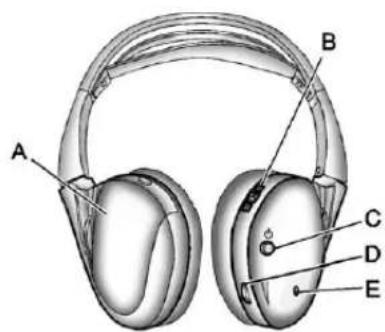
text_image
A B C D EA. Batterycover
B.Channel1or2switch
C.Powerbutton
D. Volumecontrol
E. Powerindicatorlight
The RSE includestwo2-channel wirelessheadphonesthatare dedicatedtothissystem.Channel1 isdedicatedtothevideoscreen, whileChannel2 isdedicatedtoRearSeatAudio(RSA)selections. Theseheadphonescanbeusedto listentotheradio, CDs, DVDs, MP3s, DVD-As, oranyauxiliary sourceconnectedtoA/Vjacksor theauxiliaryinputjack, ifthevehicle hasthisfeature. Thewireless headphoneshaveapowerbutton, channel1 or2 switch, andavolume control.
Pushthepowerbuttontoturnon theheadphones.Anindicatorlight locatedontheheadphonescomes on.Ifthelightcomeson,butthere isintermittentsoundand/orstaticon theheadphones,oriftheindicator lightdoesnotcomeon,thebatteries mightneedtobereplaced.See "BatteryReplacement"laterinthis sectionformoreinformation.Switch theheadphonestoOffwhennot inuse.
Infraredtransmittersarelocatedat therearoftheoverheadconsole. Theheadphonesshutoff automaticallytosavethebattery poweriftheRSEsystemandRSA areshutoff,oriftheheadphones areoutofrangeofthetransmitters formorethanthreeminutes.Ifyou movetoofarforwardorstepoutof thevehicle,theheadphoneslose theaudiosignal.
Toadjustthevolumeonthe headphones,usethevolumecontrol locatedontherightside.
Foroptimalaudioperformance, the headphonesmustbeworncorrectly. Headphonesshouldbewornwith theheadbandoverthetopofthe headforbestaudioreception. ThesymbolL(Left)appearsonthe outsidebottomedgeoftheearcup andshouldbepositionedontheleft ear. ThesymbolR(Right)appears ontheoutsidebottomedgeofthe earcupandshouldbepositionedon therightear.
Notice: Donotstorethe headphonesinheatordirect sunlight. This could damage the headphones and repairs will not be covered by the warranty. Storage in extreme cold can weaken the batteries. Keep the headphones stored in a cool, dry place.
If the foam ear pads attached to the headphones become worn nor damaged, the pad scan bereplaced separately from the headphones set. Top purchases are placement ear pads, call 1-888-293-3332, then prompt zero (0), or contact your dealer.
BatteryReplacement
Tochangethebatteriesonthe headphones:
- Turnthescrewtoloosenthe batterydoorlocatedonthe leftsideoftheheadphones. Slidethebatterydooropen.
- Replacethetwobatteries in the compartment. Makesure that they are installed correctly, using the diagram on the inside of the battery compartment.
- Replacethebatterydoor and tightenthedoorscrew.
If the headphones are to bestored for along period of time, remove the batteries and keep them in a cool, dry place.
Audio/Video(A/V)Jacks
natural_image
Three circular buttons labeled (A), (B), and (C) with metallic surfaces, no text or symbols on the buttons themselves.A. Yellow: VideoInput
B. White: LeftAudioInput
C.Red:RightAudioInput
TheA/Vjacksarecolorcodedto matchtypicalhomeentertainment systemequipment.
TheA/Vjacks, located on therear of the floor console, allow a doctor videosignalstobe connected from an auxiliary devices such as camcorderoravideogame unit to the RSE system. Adapter connectors or cables (not included) may be required to connect the auxiliary device to the A/Vjacks. Refertothemanufacturer's instructions for proper usage.
Powerforauxiliarydevicesisnot suppliedbytheradiosystem.
Tousetheauxiliaryinputsofthe RSEsystem,connectanexternal auxiliarydevicetothecolor-coded A/Vjacksandturnboththeauxiliary deviceandthevideoscreenpower on.IfthevideoscreenisintheDVD
playermode,pressingtheAUX (auxiliary)buttonontheremote controlswitchesthevideoscreen fromtheDVDplayermodetothe auxiliarydevice.Theaudioofthe connectedsourcecanbelistenedto overthespeakersbysourcingthe radiotothaeuxiliarydeviceorby sourcingtheRSAtotheRearAux andlisteningwiththewireless headphonesonChannel2orwith thewiredheadphones.See"Using theAuxiliaryInputJack"under AuxiliaryDevicesonpage7-34for moreinformationaboutchanging thesource.
ChangingtheRSEVideoScreen Settings
Thescreendisplaymode(normal, full, and zoom), screen brightness, and setup menu language can be changed from the onscreen setup menu. To change any feature:
-
Pressthe □(displaymenu) buttonontheremotecontrol.
-
Usetheremotecontrol ▲, ▼, ◀, ▶ (navigation) arrows and the ◀↓(enter) buttonousethe setupmenu.
-
Press the □ buttonagain to removethesetupmenufromthe screen.
AudioOutput
AudiofromtheDVDplayeror auxiliaryinputscanbeheard throughthefollowingpossible sources:
- Wirelessheadphones
- Vehiclespeakers
- Vehicle-wiredheadphonejacks ontheRSAsystem,ifthe vehiclehasthisfeature.
The RSEsystemalwaystransmits the audiosignaltothewireless headphones, if there is audio available. See "Headphones" earlier in this section form more information.
TheDVDplayeriscapableof outputtingaudiotothewired headphonejacksontheRSA system,ifthevehiclehasthis feature.TheDVDplayercanbe selectedasanaudiosourceonthe RSAsystem.SeeRearSeatAudio (RSA)Systemonpage7-50for moreinformation.
Whenadeviceisconnectedtothe A/Vjacks,ortheradio'sauxiliary inputjackifthevehiclehasthis feature,therearseatpassengers areabletohearaudiofromthe auxiliarydevicethroughthewireless orwiredheadphones.Thefrontseat passengersareabletolistento playbackfromthisdevicethrough thevehiclespeakersbyselecting AUXasthesourceontheradio.
VideoScreen
The videoscreenislocated in the overhead console.
Tousethevideoscreen:
- Pushthereleasebuttonlocated ontheoverheadconsole.
- Movethescreentothedesired position.
Whenthevideoscreenisnotin use, pushitupintoitslocked position.
IfaDVDDisplayingandthescreen israisedtoitslockedposition,the screenremainson.Thisisnormal, andtheDVDcontinuestoplay throughthepreviousaudiosource. Usetheremotecontrolpowerbutton orejectthedisctoturnoffthe screen.
The overhead console contains the infrared transmitters forthewireless headphones and the infrared receivers for theremote control. They are located at therearofthe console.
Notice: Avoid directly touching the videoscreen, as damagemay occur. See "CleaningtheVideo Screens" later in this section for more information.
RemoteControl
Tousetheremotecontrol,aimitat thetransmitterwindowattherearof theRSEoverheadconsole and pressthedesiredbutton.Direct sunlightorverybrightlightcould affecttheabilityoftheRSE transmittertoreceivesignalsfrom theremotecontrol.Iftheremote controldoesnotseemtobe working,thebatteriesmightneed tobereplaced.See"Battery Replacement"laterinthissection.
Objectsblockingthelineofsight could also affect the function of the remote control.
IfaCDorDVDisintheRadioDVD slot,theremotecontrol ⬤(power) buttoncanbeusedtoturnonthe videoscreendisplayandstartthe disc.Theradiocanalssoturnonthe videoscreendisplay.SeeOperation onpage7-3formoreinformation.
Notice: Storingtheremote controlinahotareaorindirect sunlightcandamageit, and the repairs will not be recovered by the warranty. Storage in extreme cold can weaken the batteries. Keep theremote control stored in cool, dry place.
Iftheremotecontrolbecomeslost ordamaged, anewuniversal remotecontrolcanbepurchased. Ifthishappens, makesurethe universalremotecontrolusesa codesetofToshiba ^® .
RemoteControlButtons
(Power):Pressthisbutton to turnthevideoscreenonandoff.
(Illumination): Pressthisbutton toturntheremotecontrolbacklight on. The backlight automatically timesoutafter7to10secondsifno otherbuttonispressedwhilethe backlightison.
(Title): Pressthisbutton to return the DVD to the main menu of the DVD. This function could vary foreach disc.
(MainMenu):Pressthisbutton toaccesstheDVDmenu.TheDVD menuisdifferentoneveryDVD. Usethenavigationarrowstomove thecursoraroundtheDVDmenu. Aftermakingaselectionpressthe enterbutton.Thisbuttononly operateswhenusingaDVD.
▲, ▼, ◀, ▶ (Menu Navigation
Arrows):Usethearowbuttonsto navigatethroughamenu.
◀(Enter):Pressthisbuttonto selectthechoicethatishhighlighted inanymenu.
□(DisplayMenu):Pressthis buttontoadjustthebrightness, screendisplaymode(normal, full, orzoom), and display the languagemenu.
(Return):Pressthisbuttonto exitthecurrentactivemenuand returntothepreviousmenu. Thisbuttonoperatesonlywhen thedisplaymenuoraDVDmenu isactive.
■(Stop):Pressthisbuttontostop playing,fastreversing,orfast forwardingaDVD.Pressthisbutton twicetoreturntothebeginningof theDVD.
▶ ||(Play/Pause):Pressthis buttonostartplayingaDVD. PressthisbuttonwhileaDVD is playingtopauseit.Pressitagain tocontinueplayingtheDVD.
While the DVD displaying, the DVD can be played slowly by bypassing the play/pause button then pressing the fast forward button. The DVD continues playing in as low play mode. Also, reverse can be played slowly by bypassing the play/pause button and then pressing the fast reverse button. Tocancelslow play mode, presstheplay/pause button.
◀(PreviousTrack/Chapter):
Pressthisbuttontoreturntothe startofthecurrenttrackorchapter. Pressthisbuttonagaintogoto theprevioustrackorchapter. Thisbuttonmightnotworkwhen theDVDdisplayingthecopyright informationorthepreviews.
▶(NextTrack/Chapter):Press thisbuttontogotothebeginningof thenextchapterortrack.This buttonmightnotworkwhilethe DVDdisplayingthecopyright informationorthepreviews.
(FastReverse):Pressthis buttontoquicklyreversetheDVDor CD.TostopfastreversingaDVD video,presstheplay/pausebutton. TostopfastreversingaDVDaudio orCD,releasethefastreverse button.Thisbuttonmightnotwork whentheDVDdisplayingthe copyrightinformationorthe previews.
(FastForward):Pressthis buttontofastforwardtheDVDor CD.TostopfastforwardingaDVD video,presstheplay/pausebutton. TostopfastforwardingaDVDaudio orCD,releasethefastforward button.Thisbuttonmightnotwork whiletheDVDdisplayingthe copyrightinformationorthe previews.
●(Audio):Pressthisbuttonto changeaudiotracksonDVDsthat havethisfeaturewhentheDVDis playing. Theformatandcontentof thisfunctionvaryforeachdisc.
☐(Subtitles):Pressthisbuttonto turnonoroffsubtitlesandtomove throughsubtitleoptionswhena DVDisplaying. Theformatand contentofthisfunctionvaryfor eachdisc.
AUX(Auxiliary):Pressthisbutton toswitchthesystembetweenthe DVDplayerandanauxiliarysource.
(Camera): Pressthisbutton to changecameraanglesonDVDs that havethisfeaturewhileaDVD is playing. The format and content of this function vary foreach disc.
1through0(NumericKeypad): Thenumerickeypadprovidesthe capabilityofdirectchapterortrack numberselection.
☒(Clear): Pressthisbuttonwithin threesecondsafterenteringa numericselection, toclearall numericalinputs.
≥10(DoubleDigitEntries): Pressthisbuttontoselectchapter ortracknumbersgreaterthannine. Pressthisbuttonbeforeentering thenumber.
BatteryReplacement
Tochangetheremotecontrol batteries, dothefollowing:
-
Slidetherearcoverbackonthe remotecontrol.
-
Replace the two batteries in the compartment. Makes sure they are installed correctly using the diagram on the inside of the remote control.
-
Replace the battery cover. If theremote controlist of bestored for along period of time, remove the batteries and keep them in a cool, dry place.
7-48InfotainmentSystem
TipsandTroubleshootingChart
| ProblemRecommendedAction | |
| Thereisnopower.TheignitionmightnotbeturnedtoON/RUNor | ACC/ACCESSORY. |
| Thepicturedoesnotfillthescreen.Thereareblack bordersonthetopandbottomoronbothsides,orthe picturelooksstretchedout. | Checkthedisplaymodesettingsinthesetupmenuby pressingthedisplaymenubuttonontheremotecontrol. |
| Inauxiliarymode,thepicturemovesorscrolls.Checktheauxiliaryinputconnectionsatbothdevices. | |
| Theremotecontroldoesnotwork.Checktomakesurethereisno | obstructionbetween theremotecontrolandthetransmitterwindow.Checkthebatteriestomakesuretheyarenotdeador installedincorrectly. |
| Afterstoppingtheplayer,andpushingPlay,sometimes theDVDstartswhereitletoffandsometimesatthe beginning. | Ifthestopbuttonwaspressedonetime,theDVDplayer resumesplayingwheretheDVDwasstopped.Ifthe stopbuttonwaspressedtwotimes,theDVDplayer beginstoplayfromthebeginningoftheDVD. |
| Theauxiliarysourceisrunning,butthereisnopictureor sound. | CheckthattheRSEvideoscreenisintheauxiliary sourcemode.Checktheauxiliaryinputconnectionsatbothdevices. |
TipsandTroubleshootingChart(cont'd)
| ProblemRecommendedAction | |
| Sometimesthewirelessheadphoneaudiocutsoutor buzzes. | Checkforobstructions,lowbatteries,receptionrange, andinterferencefromcellulartelephonetowers,oruse acellulartelephoneinthevehicle.Checkthattheheadphonesareoncorrectlyusingthe L(left)andR(right)ontheheadphones. |
| Theremoteand/ortheheadphonesarelost.Seeyourdealerforassistance. | |
| TheDVDdisplaying,butthereisnopictureorsound.CheckthattheRSEvideoscreenissourcedtothe DVDplayer. | |
DVDDisplayErrorMessages
TheDVDdisplayerrormessage dependsontheradiothatisinthe vehicle. Thevideoscreencan displayoneofthefollowing:
DiscLoad/EjectError: This messagedisplayswhenthereare discloadorejectproblems.
DiscFormatError: Thismessage displaysifthediscisinsertedwith thedisclabelwrongsideup,orif thediscisdamaged.
DiscRegionError: Thismessage displaysifthediscisnotfroma correctregion.
NoDisclnseted: Thismessage displaysifnodiscispresentwhen EJECTorDVDAUXispressedon theradio.
DVDDistortion
Videodistortioncanoccurwhen operatingcellularphones, scanners, CBradios, GlobalPositionSystems (GPS)*, two-wayradios, mobilefax machines, orwalkietalkies.
Itmightbenecessarytoturnoffthe DVDplayerwhenoperatingoneof thesedevicesinornearthevehicle.
*ExcludestheOnStar ^® System.
CleaningtheRSEOverhead Console
WhencleaningtheRSEoverhead consolesurface,useonlyaclean clothdampenedwithcleanwater.
CleaningtheVideoScreen
Whencleaningthevideoscreen, useonlyacleanclothdampened withcleanwater. Usecarewhen directlytouchingorcleaningthe screen, asdamagecouldresult.
RearSeatAudio(RSA) System
Vehicleswiththisfeatureallowthe rearseatpassengerstolistento andcontrolanyofthemusic sources:radio,CDs,DVDs,orother auxiliarysources.However,therear seatpassengerscanonlycontrol themusicsourcesthefrontseat passengersarenotlisteningto (exceptonsomeradioswheredual controlisallowed).Forexample, rearseatpassengerscancontrol
andlistentoaCDthroughthe headphones,whilethedriverlistens totheradiothroughthefront speakers.Therearseatpassengers havecontrolofthevolumeforeach setofheadphones.
Theradiofunctionalityiscontrolled byboththeRSAandthefrontradio. Onlyonebandcanbetunedtoat onetime.Changingthebandonthe RSAorthefrontradiowillchange thebandontheothersystem, iftheyarebothsourcedtotheradio.
The RSA functions can be used even while them main radio is off. The front audiosystem will display the headphone icon when the RSA is on, and it will disappear from the display when the RSA is off.
Audiocanbeheardthroughwired headphones(notincluded)plugged intothejacksontheRSA.Ifthe vehiclehasthisfeature,audiocan alsobeheardonChannel2ofthe wirelessheadphones.
Dependingontheaudiosystem,the rearspeakersmaycontinuetoplay whentheRSAaudioisactive throughtheheadphones.
TolistentoaniPodorportable audiodevicethroughtheRSA, attachtheiPodorportableaudio devicetothefrontauxiliaryinput (ifavailable),locatedonthefront audiosystem.TurntheiPodon, thenchoosethefrontauxiliaryinput withtheRSASRCEbutton.
text_image
SRCS K O D PROG(Power): Pressthisbutton to turntheRSAonoroff.
Volume: To increase or decrease headphone volume, turn the knobs located next to the SRCE or PROG
buttons. The left knob control the left headphones and the right knob control the right headphones.
SRCE(Source):Pressthis buttonoswitchbetweenheradio (AM-FM),XM™ (ifequipped), CD, and if the vehicle hast these features, DVD, frontauxiliary, and rearauxiliary.
K(DSeek):WhenlisteningtoFM, AM,orXM™ (ifequipped),press theseekarrowstogotothe previoussortothenextstationor channelsandstaythere. This functionisinactive,withsome radios,ifthefrontseatpassengers arelisteningtotheradio.
Pressandholdeitherseekarrow untilthedisplayflashes,totuneto anindividualstation.Thedisplay stopsflashingafterthebuttons havenotbeenpushedformorethan twoseconds.Thisfunctionis inactive,withsomeradios,ifthe frontseatpassengersarelistening totheradio.
Whilelisteningtoadisc, pressthe leftseekarrowtogobacktothe startofthecurrenttrackorchapter (ifmorethan10secondshave played). Presstherightseekarrow togothenexttrackorchapteron thedisc. Thisfunctionisinactive, withsomeradios, ifthefrontseat passengersarelisteningtothedisc.
WhileaDVDvideomenuisbeing displayed, presseitherseekarrow toperformacursorupordownon themenu. Holdeitherseekarrowto performacursorleftorrighton themenu.
PROG(Program):Pressthis buttontogotothenextpresetradio stationorchannelsetonthemain radio. Thisfunctionisinactive, withsomeradios,ifthefrontseat passengersarelisteningtothe radio.
WhileaCDorDVD-Adiscis playing, pressthisbuttontogoto thebeginningoftheCDorDVD-A. Thisfunctionisinactive, withsome radios, ifthefrontseatpassengers arelisteningtotheCDorDVD-A.
WhileadiscisplayingintheCDor DVDchanger,pressthisbutton to selectthenextdisc,ifmultiplediscs areloaded. Thisfunctionisinactive, withsomeradios,ifthefrontseat passengersarelisteningtothedisc.
WhileaDVDvideomenuisbeing displayed, pressthePROGbutton toperformthemenufunction, Enter.
Phone
Bluetooth
Forvehiclesequipped with Bluetoothcapability, thesystem can interact with many cell phones, allowing:
- Placementandreceiptofcalls inahands-freemode.
- Sharingofthecellphone's addressbookorcontactlist withthevehicle.
Tominimizedriverdistraction, beforedriving, and with the vehicle parked:
- Becomefamiliarwiththe featuresofthecellphone. Organizethephonebook and contactlistsclearlyanddelete duplicateorrarelyusedentries. Ifpossible,programspeeddial orothershortcuts.
-
Reviewthecontrolsand operationoftheinfotainment system.
-
Paircellphone(s)tothevehicle. Thesystemmaynotworkwith allcellphones.See"Pairing"in thissectionformoreinformation.
- If the cell phone has voice dialing capability, learntouse that feature to access the address book or contact list. See "Voice Pass-Thru" in this section form more information.
- See "StoringandDeletingPhone Numbers" in this section for more information.

WARNING
When using acellphone, it can be distracting to look to long or too often at the screen of the phone or the infotainment (navigation) system. Taking your eyes off the road to long or too oftencould cause a crash resulting in injury or death. Focus your attention on driving.
ABluetoothsystemcanusea Bluetooth-capablecellphonewitha Hands-FreeProfiletomake and receivephonecalls. Thesystem canbeusedwhilethekeyisinthe ON/RUNorACC/ACCESSORY position. TherangeoftheBluetooth systemcanbeupto9.1m(30ft). Notallphonessupportallfunctions, andnotallphonesworkwiththe in-vehicleBluetoothsystem.See www.gm.com/bluetoothformore informationoncompatiblephones.
VoiceRecognition
TheBluetoothsystemusesvoice recognitionointerpretvoice commandstodialphonenumbers andnametags.
Foradditionalinformation,say "Help"whileyouareinavoice recognitionmenu.
Noise: Keepinteriornoiselevelsto a minimum. Thesystemmaynot recognizevoicecommandsifthere istoomuchbackgroundnoise.
WhentoSpeak: Ashorttone soundsafterthesystemresponds indicatingwhenitiswaitingfora voicecommand.Waituntilthetone andthenspeak.
HowtoSpeak: Speak clearly in a calmandnatural voice.
AudioSystem
When using the in-vehicle Bluetooth system, sound comesthrough the vehicle's front audiosystem speakers and overridest the audio system. Usethea audiosystem volumeknob, during acall, to changethe volume level. The adjusted volume level remains in memory for later calls. Toprevent missed calls, a minimum volume level is used if the volume is turned downtoolow.
BluetoothControls
Usethebuttonslocatedonthe steeringwheeltooperatethe in-vehicleBluetoothsystem. SeeSteeringWheelControlson page5-3formoreinformation.
(Mute/PushToTalk):
Presstoanswerincomingcalls, confirmsysteminformation, and startspeechrecognition.
/ ▽ (End): Press to end a call, rejectacall, orcancelanoperation.
Pairing
ABluetooth-enabled cellphone must be repaired to the Bluetooth system and then connected to the vehicle before it can be used. See the cell phonemanufacturer's user guide for Bluetooth functions before pairing the cellphone. If a Bluetooth phone is not connected, call will be made using OnStar Hands-Free Calling, if equipped. See OnStar Overview on page 14-1 form more information.
PairingInformation
- ABluetoothphonewithMP3 capabilitycannotbepairedto thevehicleasaphoneandan MP3playeratthesametime.
- Uptofivecellphonescanbe pairedtotheBluetoothsystem.
• Thepairingprocessisdisabled whenthevehicleismoving. - Pairingonlyneedstobe completedonce, unless the pairinginformationonthecell phonechangesorthecellphone isdeletedfromthesystem.
- Onlyonepairedcellphonecan beconnectedtotheBluetooth systematatime.
- If multiplepairedcellphones are within range of the system, the system connects to the first available paired cell phone in the order that they were first paired to the system. To connect to a different paired phone, see "Connecting to a Different Phone" later in this section.
7-54InfotainmentSystem
PairingaPhone
- Pressandhold twoseconds.
/for - Say "Bluetooth." This command can beskipped.
- Say "Pair." Thesystemresponds withinstructionsandafour-digit PersonalIdentificationNumber (PIN). The PINisusedinStep5.
- Start the pairing process on the cellphonethatyouwanttopair. For help with this process, see the cellphonemanufacturer's userguide.
- Locatethedevicenamed "YourVehicle"intheliston thecellphone.Followthe instructionsonthecellphoneto enterthePINprovidedinStep3. AfterthePINissuccessfully entered,thesystempromptsyou toprovideanameforthepaired
cellphone. This namewill be used to indicate which phones are repaired and connected to the vehicle. Thesystem responds with "
- RepeatSteps1 through 5 topair additional phones.
ListingAllPairedandConnected Phones
Thesystemcanlistallcellphones pairedtoit. Ifapairedcellphone is alsoconnectedtothevehicle, the systemrespondswith "isconnected" afterthatphonename.
- Pressandhold
twoseconds.
/lefor - Say "Bluetooth."
- Say "List."
DeletingaPairedPhone
If the phonename you want to delete unknown, see "Listing All Paired and Connected Phones."
- Pressandhold
twoseconds.
for
2.Say"Bluetooth." - Say "Delete." Thesystemasks whichphonetodelete.
- Saythenameofthephoneyou wanttodelete.
ConnectingtoaDifferentPhone
Toconnecttoadifferentcellphone, theBluetoothsystemlooksforthe nextavailablecellphoneinthe orderinwhichalltheavailablecell phoneswerepaired.Dependingon whichcellphoneyouwantto connectto,youmayhavetouse thiscommandseveraltimes.
- Pressandhold twoseconds.
for
2.Say"Bluetooth."
-
Say "Changephone."
-
Ifanothercellphoneis found,theresponsewillbe "
isnow connected."
• Ifanothercellphoneisnot found, theoriginalphone remainsconnected.
StoringandDeletingPhone Numbers
Thesystemcanstoreupto 30phonenumbersasnametagsin theHands-FreeDirectorythatis sharedbetweentheBluetoothand OnStarsystems,ifequipped.
The following commands are used to delete and store phonenumbers.
Store: This command will store a phonenumber, oragroup of numbers as anametag.
DigitStore: This command allows a phonenumbertobestoredasa nametagbyenteringthedigitsone atatime.
Delete: This command is used to delete individual nametags.
DeleteAllNameTags: This command deletes all stored name tags in the Hands-Free Calling Directory and the On Star Turn-by-Turn Destinations Directory, if equipped.
Usingthe"Store"Command
- Pressandhold twoseconds.
for
2.Say"Store."
3. Say the phonenumber group of numbers you want to store all at once with no pauses, then follow the directions given by the system to save an ametag for this number.
Usingthe"DigitStore"Command
Ifanunwantednumberis recognizedbythesystem, say "Clear"atanytimetoclearthe lastnumber.
Tohearallofthenumbers recognizedbythesystem, say "Verify"atanytime.
- Pressandhold
twoseconds.
/for
2.Say"DigitStore." - Sayeachdigit, oneatatime, thatyouwanttostore. After each digitisentered, the system repeats backthedigititheard followed by atone. After the last digit has been entered, say "Store," and then follow the direction given by the system to save anametag forth this number.
Usingthe"Delete"Command
- Pressandhold twoseconds.
for
2.Say"Delete." - Saythenametagyouwantto delete.
Usingthe"DeleteAllNameTags" Command
Thiscommanddeletesallstored nametagsintheHands-Free CallingDirectoryandtheOnStar Turn-by-TurnDestinationsDirectory, ifequipped.
Todeleteallnametags:
- Pressandhold twoseconds.

2.Say"Deleteallnametags."
ListingStoredNumbers
Thelistcommandwilllistallstored numbersandnametags.
Usingthe"List"Command
- Pressandhold twoseconds.

2.Say"Directory."
3.Say"Hands-FreeCalling."
4.Say"List."
MakingaCall
Callscanbemadeusingthe followingcommands.
DialorCall: Thedialorcall commandcanbeused interchangeablytodialaphone numberorastorednametag.
DigitDial: This command allows a phonenumbertobedialed by entering the digit's one at time.
Re-dial: This command is used to dial the last number used on the cellphone.
Using the "Dial" or "Call" Command
- Pressandhold twoseconds.

-
Say "Dial" or "Call."
-
Saytheentirenumberwithout pausing, or say thenametag.
Onceconnected, thepersoncalled willbeheardthroughtheaudio speakers.
Usingthe“DigitDial”Command
Thedigitdialcommandallowsa phonenumbertobedialedby enteringthedigitsoneatatime. Aftereachdigitisentered,the systemrepeatsbackthedigitit heardfollowedbyatone.
Ifanunwantednumberis recognizedbythesystem, say "Clear"atanytimetoclearthe lastnumber.
Tohearallofthenumbers recognizedbythesystem, say "Verify" atanytime.
- Pressandhold twoseconds.

-
Say "DigitDial."
-
Sayeachdigit, oneatatime, thatyouwanttodial. After each digitisentered, the system repeats backthedigititheard followed by atone. After the last digithasbeenentered, say "Dial."
Onceconnected, thepersoncalled willbeheardthroughtheaudio speakers.
Usingthe"Re-dial"Command
- Pressandhold
/for
twoseconds.
- Afterthetone, say "Re-dial."
Onceconnected, thepersoncalled willbeheardthroughtheaudio speakers.
ReceivingaCall
When an incoming call is received, the audiosystemmutes and aring tone is heardin the vehicle.
- Press/loanswerthecall.
- Press/▽toignoreacall.
CallWaiting
Callwaitingmustbesupported on thecellphoneandenabledbythe wirelessservicecarrier.
- Press/###toansweran incomingcallwhenanothercall isactive.Theoriginalcallis placedonhold.
- Press/againtoreturn to theoriginalcall.
• Toignoretheincomingcall, no actionisrequired. - Press/√todisconnectthe currentcallandswitchtothecall onhold.
Three-WayCalling
Three-way calling must be supported on the cell phone and enabled by the wireless service carrier.
- Whileonacall, press
P/105.
2.Say"Three-waycall."
- Usethedialorcallcommandto dialthenumberofthethirdparty tobecalled.
- Oncethecallisconnected, press Ⓞ/¶tolinkallcallers together.
EndingaCall
Press/▽toendacall.
MutingaCall
During acall, all sounds from inside the vehicle can be muted so that the person on the other end of the call can not hear them.
- Tomuteacall, press 📂/µ€, and thensay "Mutecall."
- Tocancelmute, press 📂/µ£, andthensay "Un-mutecall."
TransferringaCall
Audiocanbetransferredbetween theBluetoothsystemandthecell phone.
The cell phonemust be paired and connected with the Bluetooth system before acall can be transferred. The connection process cantakeuptotwominutes after the ignitionisturned to ON/RUN.
TransferringAudiofromthe BluetoothSystemtoaCellPhone
During acall with the audio in the vehicle:
- Press
2.Say"TransferCall."
TransferringAudiotothe BluetoothSystemfromaCell Phone
During acallwiththeaudioonthe cellphone, press / w . The audio transferstothevehicle. If the audio does not transfertothevehicle, use
theaudiotransferfeatureonthe cellphone.Seeyourcellphone manufacturer'suserguideformore information.
VoicePass-Thru
Voicepass-thruallowsaccesstothe voicerecognitioncommandsonthe cellphone.Seeyourcellphone manufacturer'suserguidetoseeif thecellphonesupportsthisfeature.
Toaccesscontactsstoredinthecell phone:
-
Pressandhold for twoseconds.
-
Say "Bluetooth." This command can be skipped.
-
Say "Voice." Thesystem responds "OK, accessing
"
Thecellphone'snormalprompt messageswillgothroughtheircycle accordingtothephone'soperating instructions.
DualToneMulti-Frequency (DTMF)Tones
TheBluetoothsystemcansend numbersandthenumbersstored asnametagsduringacall. Youcanusethisfeaturewhen callingamenu-drivenphone system.Accountnumberscan alsobestoredforuse.
SendingaNumberorNameTag DuringaCall
- Press /_^2 . Thesystem responds "Ready," followed by atone.
2.Say"Dial."
- Saythenumberornametag tosend.
ClearingtheSystem
Unlessinformationisdeletedout ofthein-vehicleBluetoothsystem, itwillberetainedindefinitely.
This includes all saved nametags in the phonebook and phonepairing information. For information on how to delet this information, seethe previous section "Deleting a Paired Phone" and the previous sections on deleting nametags.
OtherInformation
TheBluetooth ^® wordmark and logosareowned by the Bluetooth SIG, Inc. and any use of such marks by General Motors is under license. Other trademarks and tradenames are those of their respective owners.
SeeRadioFrequencyStatementon page 13-21forinformation regardingPart15oftheFederal CommunicationsCommission(FCC) rulesandIndustryCanada StandardsRSS-GEN/210/220/310.
Trademarksand LicenseAgreements

Manufacturedunderlicense underU.S.Patent#'s:5,451,942; 5,956,674;5,974,380;5,978,762; 6,487,535&otherU.S.and worldwidepatentsissued& pending.DTSandtheSymbolare registeredtrademarksandDTS DigitalSurroundandtheDTSlogos aretrademarksofDTSInc.All RightsReserved.
DOLBY®
DIGITAL
Manufacturedunderlicensefrom DolbyLaboratories.Dolbyandthe double-Dsymbolaretrademarksof DolbyLaboratories.
7-60InfotainmentSystem
NOTES
ClimateControls
ClimateControlSystems
ClimateControlSystems (withAirConditioning)......8-1
ClimateControlSystems (withHeaterOnly)......8-4
DualAutomaticClimate ControlSystem......8-5
AirVents
AirVents....8-11
ClimateControlSystems
ClimateControlSystems(withAirConditioning)
With this system the heating, cooling, and ventilation can be controlled.
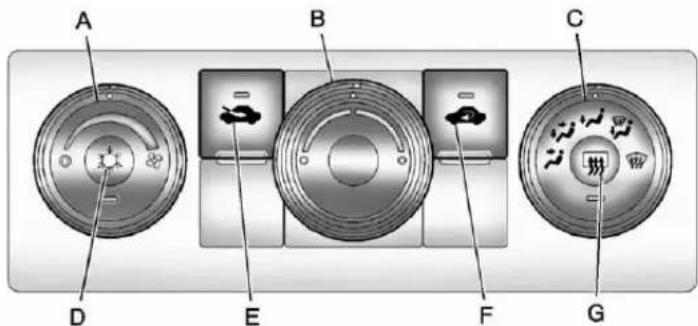
text_image
A B C D E F GA. FanControl
B. TemperatureControl
C.AirDeliveryModeControl
D. AirConditioning
E. OutsideAir
F. Recirculation
G.RearWindowDefogger
TemperatureControl: Turn clockwiseorcounterclockwiseto increaseordecreasethe temperatureinsidethevehicle.
(FanControl): Turnclockwise orcounterclockwisetoincreaseor decreasethefanspeed.Turnthe knoballthewaycounterclockwise toturnthefrontsystemoff.
8-2ClimateControls
AirDeliveryModeControl: Turn clockwise or counterclockwiseto changethedirectionoftheairflow insidethevehicle. Theknobcanbe positioned betweenwomodesto selectacombinationofthose modes.
Selectfromthefollowing:
(Vent):Airisdirectedtothe instrumentpaneloutlets.
(Bi-Level):Airisdivided betweentheinstrumentpanel and flooroutlets.
W(Floor):Airisdirectedtothe flooroutlets,withsomeairdirected tothewindshieldandsidewindow outlets.Inthismode,thesystem automaticallyselectsoutsideair. Recirculationcannotbeselectedin floormode.
(Defog): This mode clear the window soffogormoisture. Air is directed to the windshield, floor outlets, and sidewindowvents.
(Defrost): Thismoderemoves fogorfrostfromthewindshield morequickly. Airisdirectedtothe windshieldandthesidewindow vents,withsomeairdirectedto thefloorvents. Thesystem automaticallyforcesoutsideair intothevehicle.
There circulation mode cannot be selected in the defogor defrost mode. When either mode is selected, the system run the air conditioning compressor, unless the outside temperature is closet to freezing.
Donotdrivethevehicleuntilallthe windowsareclear.
(OutsideAir):Pressto turntheoutsideairmodeon. Anindicatorlightcomesonto showthatoutsideairison. Inthismodeoutsideaircirculates throughoutthevehicle.Theoutside airmodecanbeusedwith all modes,butitcannotbeusedwith therecirculationmode.
(Recirculation): Pressto turntherecirculationmodeon. Anindicatorlightcomesontoshow thatrecirculationison.
Thismoderecirculatesandhelps toquicklycooltheairinsidethe vehicle.Itcanbeusedtohelp preventoutsideairandodorsfrom enteringthevehicle.
There circulationmode cannot be used with floor, defogordefrost modes. If recirculation is selected with one of these modes, the indicator light flashest hreetimes and then turn soff. While in recirculation modethewindows may fog whenthe weather is cold and
While in recirculation modethe windows may fog when the weather is cold and damp. To clear the fog, select either the defog or defrost mode and increase the fanspeed.
There circulation mode can be turned off by pressing the outside air button, or by turning off the ignition.
(AirConditioning): Pressto turntheairconditioningsystemon oroff. Anindicatorlightcomesonto showthattheairconditioningison. Theairconditioningcanbeselected inanymodeaslongasthefan switchison.
The air conditioningsystem removes moisture from the air, so asmall amount of water might drip under the vehicle while idling or after turning off the engine. This is normal.
RearWindowDefogger
Forvehicleswitharearwindow defogger,awarminggridisusedto removefogfromtherearwindow.
(Rear):Presstoturnthe rearwindowdefoggeronoroff. Anindicatorlightonthebutton comesontoshowthattherear windowdefoggerison.
Therearwindowdefoggeronly workwhentheignitionisin ON/RUN.Therearwindow defoggerstaysonforapproximately 10minutesafterthebuttonis pressed,unlesstheignitionis turnedtoACC/ACCESSORYor LOCK/OFF.Thedefoggercanalso beturnedoffbyturningoffthe engine.
Notice: Donotuseanything sharpontheinsideoftherear window. If you do, you could cut ordamagethewarminggrid, and therepairs would not be recovered by the vehicle warranty. Donot attachatemporary vehicle license, tape, adecal, or anything similar to the defogger grid.
ClimateControlSystems(withHeaterOnly)
With this system the heating and ventilation can be controlled.
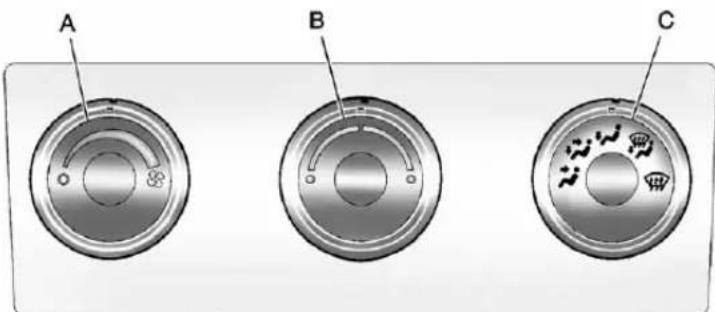
text_image
A B CA.FanControl
B. TemperatureControl
C.AirDeliveryModeControl
TemperatureControl: Turn clockwiseorcounterclockwiseto increaseordecreasethe temperatureinsidethevehicle.
(FanControl): Turnclockwise or counterclockwisetoincreaseor decreasethefanspeed. Turnthe knoballthewaycounterclockwise toturnthefrontsystemoff.
AirDeliveryModeControl:
Turnclockwiseorcounterclockwise toincreaseordecreasethe temperatureinsidethevehicle. Theknobcanbepositioned betweenwomodestoselecta combinationofthosemodes.
Selectfromthefollowing:
(Vent):Airisdirectedtothe instrumentpaneloutlets.
(Bi-Level):Airisdivided betweentheinstrumentpanel and flooroutlets.
(Floor):Airisdirectedtothe flooroutlets,withsomeairdirected tothewindshield,sidewindow,and secondrowflooroutlets.Inthis mode,thesystemautomatically selectsoutsideair.
(Defog): This mode clear the window soffogormoisture. Air is directed to the windshield, floor outlets, and sidewindowvents.
(Defrost): Thismoderemoves fogorfrostfromthewindshield morequickly. Airisdirectedtothe windshieldandthesidewindow vents,withsomeairdirectedto thefloorvents. Thesystem automaticallyforcesoutsideair intothevehicle.
Donotdrivethevehicleuntilallthe windowsareclear.
DualAutomaticClimateControlSystem
Theheating, cooling, and ventilation in the vehicle can be controlled with this system. The vehicle also has a flow-through ventilation system described later in this section.
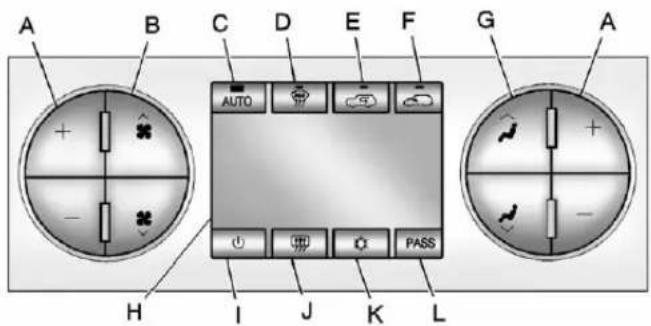
text_image
A B C D E F G A AUTO PASS H I J K LA.DriverandPassenger TemperatureControls
B.FanControl
C.AUTO
D. Defrost
E. Recirculation
F.OutsideAir
G.AirDeliveryModeControl H.Display
- On/Off
J.RearWindowDefogger
K.AirConditioning
L.PASS(Passenger)
(On/Off):Presstoturnthe climatecontrolsystemonoroff. Outsideairstillentersthevehicle, andisdirectedtothefloor. Thisdirectioncanbechanged bypressingthemodebutton. Recirculationcanbeselectedonce youhaveselectedventorbi-level mode. Thetemperaturecanalsobe adjustedusingeithertemperature button. If theairdeliverymodeor temperaturesettingsareadjusted withthesystemoff, thedisplay illuminatesbriefytoshowthe settingsandthenreturnstooff. Thesystemcanbeturnedbackon bypassingeither ⏻, ⚡, ⚢, ⚣, thedefrostortheAUTObutton.
DriverandPassengerSide TemperatureControls
The driver and passengers side temperature buttons are used to adjust the temperature of their coming through the system on the driver or passengers side of the vehicle. The temperature can be adjusted even if the system is turned off. This is possible since outside air always flow through the system, the vehicle is moving forward unless it's settore circulation mode. See "Recirculation" later in this section.
Pressthe+or-buttonstoincrease ordecreasethecabintemperature. Thedriversideorpassengerside temperaturedisplayshowsthe temperaturesettingincreasingor decreasing.
Thepassengertemperaturesetting canbesettomatchthedriver temperaturesettingbypressing thePASSbuttonandturningoff thePASSindicator.Whenthe passengertemperaturesettingis setdifferentthanthedriversetting, theindicatoronthePASSbutton illuminatesandboththedriverside andpassengersidetemperature displaysareshown.
Whenindefrostmodethe passengertemperaturesetting cannotbechanged.
AutomaticOperation
AUTO(Automatic):When
automaticoperationisactive, thesystemcontrolstheinside temperature, theairdelivery, andthefanspeed.
Usethestepsbelowtoplacethe entiresysteminautomaticmode:
1. PresstheAUTObutton.
When AUTOisselected, the displaychangestoshowthe currenttemperature(s)and AUTOislitonthedisplay. Thecurrentairdeliverymode andfanspeedarealso displayedforaboutfiveseconds.
When AUTOisselected, the air conditioning operation and air inlet are automatically controlled. The air conditioning compressor may run when the outside temperature is above freezing. The air inlet will normally be set to outside air. If it is shot outside,
theairinletmayautomatically switchtotherecriculatemodeto helpquicklycooldowntheair insidethevehicle. Thelighton thebuttoncomesonin recirculation.
2. Setthedriverandpassenger temperature.
To find your comfort setting, start with a 23°C (74°F) temperatures setting and allow about 20 minutes for the system to regulate. Use the driver or passenger temperature buttons to adjust the temperatures setting as necessary. If at temperature setting of 15°C (60°F) is chosen, the system remains at the maximum cooling setting. If at temperatures setting of 32°C (90°F) is chosen, the system remains at the maximum heat setting. Choosing either maximum setting will not cause the vehicle to be a cooler than faster.
Donotcoverthesolarsensor locatedonthetopofthe instrumentpanelnearthe windshield. This sensor regulates air temperature based on sunload. Formoreinformation on the solar sensor, see "Sensors" later in this section.
Toavoidblowingcoldairin coldweather,thesystemdelays turningthefanonuntilwarmair isavailable. Thelengthofdelay dependsontheenginecoolant temperature.Pressingthefan switchoverridesthisdelayand changesthefantoaselected speed.
ManualOperation
✿✿(FanControl):Pressthesestbuttonstoincreaseordecreasethefanspeed.
Pressingeitherfanbuttonwhilein automaticcontrolplacesthefan undermanualcontrol. Thefan settingremainsdisplayedandthe AUTOlightturnsoff. Theair deliverymoderemainsunder automaticcontrol.
(AirDeliveryModeControl): Pressthesebuttonstochangethe directionoftheairflowinthevehicle. Repeatedlypresseitherbuttonuntil thedesiredmodeappearsonthe display.
Pressingeithermodebuttonwhile thesystemisoffchangestheair deliverymodewithoutturningthe systemon.
Pressingeithermodebutton whileinautomaticcontrolplaces themodeundermanualcontrol.
Theairdeliverymodesetting displaysandtheAUTOlightturns off. Thefanremainsunder automaticcontrol.
(Vent):Airisdirectedtothe instrumentpaneloutlets.
Bi-Level :Airisdivided between the instrument panel and floor outlets. Some air is directed toward the wind shield and side window outlets.
W(Floor): Airisdirected to the floor outlets, with someto the windshield, sidewindow outlets, and second row floor outlets. In this mode, the system automatically selects outside air.
(Defog): This mode clear the window soffogormoisture. Air is directed to the windshield, floor outlets, and sidewindowvents. In this mode, the system turn soff recirculation and runst their conditioning compressor unless the outside temperature is closeted
freezing. There circulation mode cannot be selected while in the defrost mode.
(Defrost): Thismoderemoves fogorfrostfromthewindshield morequickly. Airisdirectedtothe windshieldandsidewindowvents, withsomedirectedtothefloor vents. In thismode, thesystem automaticallyforcesoutsideair intothevehicleandrunstheair conditioningcompressorunlessthe outsidetemperatureiscloseto freezing. Therecirculationmode cannotbeselectedwhileinthe defrostmode.
Thepassengertemperaturecontrol cannotbeactivatedwhilein defrostmode.IfthePASSbuttonis pressed,thebuttonindicatorflashes threetimesandwillnotwork.Ifthe passengertemperaturebuttonsare adjusted,thedrivertemperature indicatorchanges.Thepassenger temperaturewillnotbedisplayed.
Ifvent, bi-level, or floormode is selected again, the climate control system display the previous temperatures settings.
Donotdrivethevehicleuntilall windowsareclear.
(AirConditioning): Pressto turntheairconditioning(A/C) compressoronandoff. An indicator light comes on to show that the air conditioning is on.
If this button is pressed when the air conditioning compressor is unavailable due to outside conditions, the indicator flashes threetimes and then turn soff. If the air conditioning is on and the outsidetemperature drops below a temperature which is too cool for air conditioning to be effective, the air conditioning light turn soft to show that the air conditioning mode has been canceled.
Onhotdays, openthewindowslong enoughtolethotinsideairescape. This help storeducethetimeit takes for the vehicle to cooldown. It also helps the system to operate more efficiently.
Theairconditioningsystem removesmoisturefromtheair,soa smallamountofwatermightdrip underthevehiclewhileidlingor afterturningofftheengine.This is normal.
(Recirculation): Pressto turntherecirculationmodeon. Anindicatorlightcomesontoshow thatrecirculationison.
Thismoderecirculatesandhelps toquicklycooltheairinsidethe vehicle.Itcanbeusedtohelp preventoutsideairandodorsfrom enteringthevehicle.
There circulation mode cannot be used with floor, defog, or defrost modes. If recirculation is selected with one of those modes, the
indicatorlightflashestreetimes andthenturnsoff. Theair conditioningcompressoralsocomes onwhenthismodeisactivated. Whileinrecirculationmode, the windowsmayfogwhentheweather iscoldanddamp. Toclearthefog, selecteitherthedefogordefrost modeandincreasethefanspeed.
There circulation mode can be turned off by pressing the outside air button, or by turning off the ignition.
(OutsideAir): Presstoturnthe outsideairmodeon. An indicator lighton the button comes onto show that outside is on. When selected, air from outside the vehicle circulate throughout the vehicle. There circulation mode cannot be used with the outside airmode.
RearWindowDefogger
Therearwindowdefoggerusesa warminggridtoremovefogfromthe rearwindow.
(RearWindowDefogger):
Forvehicleswiththisfeature, presstoturnthedefoggeronoroff. Itautomaticallyturnsoffseveral minutesafterithasbeenactivated.
Thedefoggercanalsobeturnedoff byturningtheengineoff.Donot drivethevehicleuntilallwindows areclear.
Notice: Donotusearazorblade orsharpobjecttocleartheinside rearwindow.Donotadhere anythingtothedefoggergrid linesintherearglass. These actionsmaydamagetherear defogger.Repairswouldnotbe coveredbyyourwarranty.
HeatedMirror:Forvehicleswith heatedoutsiderearviewmirrors, themirrorsheattohelpclearfogor frostfromthesurfaceofthemirror whentherearwindowdefogbutton ispressed.SeePowerMirrorson page2-15.
Sensors
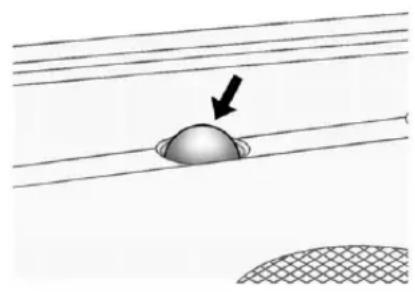
natural_image
Diagram showing a dome-shaped object partially submerged in parallel lines with a black arrow pointing to it (no text or symbols present)Thesolarsensor, located in the defrost grille in them middle of the instrument panel, monitor the solar heat. Donot cover the solar sensor or the system will not work properly.
natural_image
Circular diagram with evenly spaced small circles arranged in a grid pattern (no text or symbols)Theinteriortemperaturesensor, locatedintheheadliner,measures thetemperatureoftheairinside thevehicle.
Thereisalsoanexterior temperaturesensorlocatedbehind thefrontgrille. This sensorreads the outside air temperature and helps maintain the temperature inside the vehicle. Any cover on the front of the vehicle could cause a falsereading in the displayed temperature.
Theclimatecontrolsystemuses theinformationfromthesesensors tomaintaincomfortsettingsby adjustingtheoutlettemperature, fanspeed,andtheairdelivery mode.Thesystemmayalsosupply coolerairtothesideofthevehicle facingthesun.Therecirculation modewillalsobeusedasneeded tomaintaincooloutlettemperatures.
AirVents
Usetheairoutletslocatedinthe centerandonthesideofthe instrumentpaneltodirectthe airflow. Usethethumbwheelsnear theairoutletstoopenorcloseoff theairflow.
OperationTips
- Clearawayanyice, snow, orleavesfromairinletsatthe baseofthewindshieldthatcould blocktheflowofairintothe vehicle.
- Keepthepathunderthefront seatsclearofobjectstohelp circulatetheairinsideofthe vehiclemoreeffectively.
- Useofnon-GMapprovedhood deflectorscanadverselyaffect theperformanceofthesystem. Checkwithyourdealerbefore addingequipmenttotheoutside ofthevehicle.
8-12ClimateControls
NOTES
Driving and Operating
DrivingInformation
DistractedDriving......9-2
DefensiveDriving......9-3
DrunkDriving....9-3
ControlofaVehicle......9-4
Braking....9-4
Steering....9-4
Off-RoadRecovery......9-5
LossofControl......9-5
Off-RoadDriving....9-6
DrivingonWetRoads......9-12
HighwayHypnosis......9-12
HillandMountainRoads.....9-13
WinterDriving......9-14
IftheVehicleIsStuck......9-16
VehicleLoadLimits......9-17
Truck-CamperLoading
Information......9-24
StartingandOperating
NewVehicleBreak-In......9-26
Adjustable Throttle and
BrakePedal....9-26
IgnitionPositions......9-27
StartingtheEngine......9-29
FastIdleSystem......9-31
RetainedAccessory
Power(RAP)......9-32
EngineCoolantHeater......9-32
ShiftingIntoPark......9-33
ShiftingoutofPark......9-35
Parking(Manual
Transmission)......9-35
ParkingoverThings
ThatBurn....9-35
ActiveFuelManagement ^® ...9-36
EngineExhaust
EngineExhaust......9-36
RunningtheVehicleWhile
Parked....9-37
AutomaticTransmission
AutomaticTransmission.....9-38
ManualMode....9-42
Tow/HaulMode......9-43
ManualTransmission
ManualTransmission......9-44
DriveSystems
Four-WheelDrive......9-45
Brakes
AntilockBrake
System(ABS)......9-58
ParkingBrake......9-60
BrakeAssist......9-61
HillStartAssist(HSA)......9-62
RideControlSystems
StabiliTrak® System......9-62
LockingRearAxle......9-65
CruiseControl
CruiseControl....9-66
ObjectDetectionSystems
UltrasonicParkingAssist....9-68
RearVision
Camera(RVC)......9-70
Fuel
Fuel....9-76
RecommendedFuel......9-76
GasolineSpecifications
(U.S.andCanadaOnly)....9-77
CaliforniaFuel
Requirements......9-77
FuelsinForeign
Countries......9-77
9-2DrivingandOperating
FuelAdditives......9-77
FuelE85(85%Ethanol).....9-78
FillingtheTank......9-80
FillingaPortableFuel
Container....9-81
Towing
GeneralTowing
Information......9-82
DrivingCharacteristicsand
TowingTips......9-82
TrailerTowing......9-86
TowingEquipment......9-102
TrailerSway
Control(TSC)....9-114
ConversionsandAdd-Ons
Add-On Electrical
Equipment......9-115
AddingaSnowPlowor
SimilarEquipment......9-115
PickupConversionto
ChassisCab......9-119
DrivingInformation
DistractedDriving
Distractioncomesinmanyforms andcantakeyourfocusfromthe taskofdriving.Exercisegood judgmentandonotletother activitiesdivertyourattention awayfromtheroad.Manylocal governmentshaveenactedlaws regardingdriverdistraction. Becomefamiliarwiththelocallaws inyourarea.
Toavoiddistracteddriving,always keepyoureyesontheroad,hands onthewheel,andmindonthedrive.
- Donotuseaphonein demandingdrivingsituations. Useahands-freemethodto placeorreceivenecessary phonecalls.
-
Watchtheroad.Donotread, takenotes,orlookup informationonphonesorother electronicdevices.
-
Designateafrontseat passengertohandlepotential distractions.
- Becomefamiliarwithvehicle featuresbeforedriving,suchas programmingfavoriteradio stationsandadjustingclimate controlandseatsettings. Programalltripinformationinto anynavigationdevicepriorto driving.
- Waituntilthevehicleisparked toretrieveitemsthathavefallen tothefloor.
- Stoporparkthevehicletotend tochildren.
- Keeppetsinanappropriate carrierorrestraint.
- Avoidstressfulconversations whiledriving,whetherwitha passengeroronacellphone.
WARNING
Takingyoureyesofftheroadtoo longortoooftencouldcausea crashresultingininjuryordeath. Focusyourattentionondriving.
RefertotheInfotainmentsection formoreinformationonusingthat system,includingpairingandusing acellphone.
Ifequipped, refertothenavigation manualforinformationonthat system, includingpairingandusing acellphone.
DefensiveDriving
Defensivedrivingmeans"always expecttheunexpected."Thefirst stepindrivingdefensivelyistowear thesafetybelt.See SafetyBeltson page3-13.
- Assumethatotherroadusers (pedestrians, bicyclists, and otherdrivers) are going to be careless and make mistakes. Anticipate what they might do and beready.
- Allowenoughfollowingdistance betweenyouandthedriverin frontofyou.
• Focusonthetaskofdriving.
DrunkDriving
Deathandinjuryassociatedwith drinkinganddrivingisaglobal tragedy.
WARNING
Drinkingandthendrivingis verydangerous.Yourreflexes, perceptions,attentiveness,and judgmentcanbeaffectedby evenasmallamountofalcohol. Youcanhaveaserious—or evenfatal—collisionifyoudrive afterdrinking.
Donotdrinkanddriveorridewith adriverwhohasbeendrinking. Ridehomeinacab;orifyouare withagroup,designeadriver whowillnotdrink.
ControlofaVehicle
Braking, steering, and accelerating are important factors in helping to control vehicle while driving.
Braking
Brakingactioninvolvesperception timeandreactiontime.Decidingto pushthebrakepedalisperception time.Actuallydoingitis reactiontime.
Averagedriverreactiontimeis about three-fourth sofasecond. In that time, a vehicle moving at 100 km/h (60 mph) travels 20 m (66 ft), which could be a lot of distance in an emergency.
Helpfulbrakingtipstokeepinmind include:
- Keepenoughdistancebetween youandthevehicleinfront ofyou.
- Avoidneedlessheavybraking.
- Keeppacewithtraffic.
If the engine ever stops while the vehicle is being driven, brake normally but donot pump the brakes. Doings could make the pedal hardertopushdown. If the engine stops, there will become power brake assist but it will be used when the brake is applied. Oncethe power assist is used up, it cantak elongertostop and the brake pedal will be hardertopush.
Steering
HydraulicPowerSteering
Yourvehiclehashydraulic powersteering.Itmayrequire maintenance.SeePowerSteering Fluid Power Steering Fluid on page 10-27.
Ifpowersteeringassistislost because the engine stops the power steering system is not functioning, the vehicle can be steered but may require increased effort. See your dealer if there is a problem.
If the vehicle is a hybrid, se the hybrids supplement form more information.
CurveTips
• Takecurvesatareasonable speed.
- Reducespeedbeforeentering acurve.
- Maintainareasonablesteady speedthroughthecurve
- Waituntilthevehicleisoutof thecurvebeforeaccelerating gentlyintothestraightaway.
SteeringinEmergencies
- Therearesomesituationswhen steeringaroundaproblemmay bemoreeffectivethanbraking.
- Holdingbothsidesofthe steeringwheelallowsyoutoturn 180degreeswithoutremoving ahand.
- AntilockBrakeSystem(ABS) allowssteeringwhilebraking.
Off-RoadRecovery
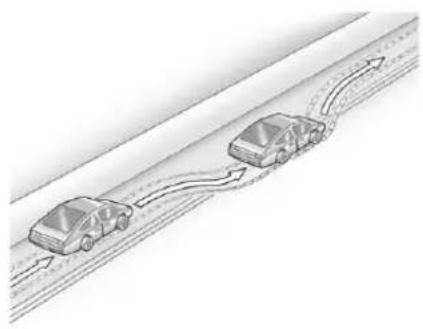
natural_image
Diagram of two cars driving on a road with curved arrows indicating motion (no text or symbols)Thevehicle'srightwheelscan dropofftheedgeofaroadonto theshoulderwhiledriving. Followthesetips:
-
Easeofftheacceleratorand then, if there is nothing in the way, steer the vehicles that its traddlesthe edge of the pavement.
-
Turnthesteeringwheelabout one-eighthofaturn, until the rightfronttirecontactsthe pavementedge.
- Thenturnthesteeringwheelto gostraightdowntheroadway.
LossofControl
Skidding
Therearethreetypesofskidsthat correspondtothevehicle'sthree controlsystems:
- BrakingSkid—wheelsare notrolling.
• SteeringorCornering Skid—toomuchspeedor steeringinacurvecausestires toslipandlosecorneringforce. - AccelerationSkid—toomuch throttlecausesthedriving wheelstospin.
Defensivedriversavoidmostskids bytakingreasonablecaresuitedto existingconditions,andbynot overdrivingthoseconditions. Butskidsarealwayspossible.
If the vehicle start to slide, follow these suggestions:
- Easeyourfootoffthe acceleratorpedalandquickly steerthewayyouwantthe vehicletogo. Thevehiclemay straightenout.Bereadyfora secondskidifitoccurs.
- Slowdownandadjustyour drivingaccordingtoweather conditions. Stoppingdistance canbelongerandvehicle controlcanbeaffectedwhen tractionisreducedbywater, snow,ice,gravel,orother materialontheroad. Learnto recognizewarningclues—such asenoughwater,ice,orpacked snowontheroadtomakea mirroredsurface—andslow downwhenyouhaveanydoubt.
- Trytoavoidsuddensteering, acceleration, or braking, including reducing vehicle speed by shifting to a lower gear. Anysuddenchanges could cause the rest of the vehicle.
Remember: Antilockbrakeshelp avoidonlythebrakingskid.
Off-RoadDriving
Four-wheel-drive vehicles can be used for off-road driving. Vehicles without four-wheeler drive and vehicles note equipped with All Terrain (AT) or On-Off Road (OOR) tires must not be driven off-road exception level, solids surface. To contact the tire manufacturer for more information about the original equipment, see the Limited Warranty and Owner Assistance Information manual.
Controllingthevehicleisthekeyto successfuloff-roaddriving. One of thebestwaystocontrolthevehicle istocontrolthespeed.

WARNING
Whendrivingoff-road, bouncing and quickchangesindirection caneasilythrowyououtof position. Thiscouldcauseyouto losecontrolandcrash. Youand yourpassengersshouldalways wearsafetybelts.
BeforeDrivingOff-Road
• Have all necessary maintenance and servicework completed.
- Fuelthevehicle,fillfluidlevels, andcheckinflationpressurein alltires,includingthespare, ifequipped.
- Readalltheinformationabout four-wheel-drivevehiclesinthis manual.
- Makesureallunderbody shields, ifequipped, areproperly attached.
- Knowthelocallawsthatapplyto off-roaddriving.
Togainmoregroundclearanceif needed, it may be necessary to remove the front fascialower airdam.
Notice: Operating the vehicle for extended periods without the front fascialowerairdam installed can cause improper air flow to the engine. Re-attach the front fasciaairdama after off-road driving.
LoadingtheVehiclefor Off-RoadDriving
WARNING
- Unsecured cargoontheload floorcanbetossed about whendrivingoverrough terrain. Youoryour passengerscanbestruckby flyingobjects.Securethe cargoproperly.
- Keepcargointhecargoarea asfarforwardandaslowas possible. Theheaviestthings shouldbeonthefloor, forwardoftherearaxle.
- Heavyloadsontheroofraise thevehicle'scenterofgravity, makingitmorelikelytoroll over. Youcanbeseriouslyor fatallyinjuredifthevehicle rollsover. Putheavyloads insidethecargoarea, noton theroof.
Formoreinformationaboutloading thevehicle,seeVehicleLoadLimits andTires.
EnvironmentalConcerns
- Alwaysuseestablishedtrails, roads,andareasthathavebeen setasideforpublicoff-road recreationaldrivingandobeyall postedregulations.
- Donotdamageshrubs,flowers, trees,orgrassesordisturb wildlife.
- Donotparkoverthingsthat burn.SeeParkingOverThings thatBurn..
DrivingonHills
Drivingsafelyonhillsrequiresgood judgmentandanunderstandingof whatthevehiclecanandcannotdo.

WARNING
If the vehicle has the two-speed automatic transference, shifting the transfer case to N (Neutral) can cause your vehicle to roll even if the transmission is in P (Park) for an automatic transmission or any gear position for a manual transmission. This is because the N (Neutral) position on the transfer case overrides the transmission. You are someone else could be injured. If leaving the vehicle, set the parking brake and shift the transmission to P (Park) for an automatic transmission or any gear position for a manual transmission. Shift the transfer case to any position but N (Neutral).
Beforedrivingonahill, assess thesteepness, traction, and obstructions. If the terrain ahead cannot be seen, get out of the vehicle and walk the hill before driving further.
Whendrivingonhills:
• Usealowgearandkeepafirm griponthesteeringwheel.
- Maintainaslowspeed.
- Whenpossible,drivestraightup ordownthehill.
- Slowdownwhenapproaching thetopofthehill.
- Useheadlampsevenduringthe daytomakethevehiclemore visible.

WARNING
Drivingtothetopofahillathigh speedcancauseanaccident. Therecouldbeadrop-off, embankment, cliff, oreven another vehicle. You could be seriously injuredorkilled. As you nearthetopofahill, slowdown and stayalert.
- Nevergodownhillforwardor backwardwitheitherthe transmissionortransfercasein N(Neutral).Thebrakescould overheatandyoucouldlose control.

WARNING
If the vehicle has the two-speed automatic transfer case, shifting the transfer case to N (Neutral) can cause your vehicle rotor roll
(Continued)
WARNING(Continued)
evenifthetransmissionisin P(Park).Thisisbecausethe N(Neutral)positiononthe transfercaseoverridesthe transmission.Youorsomeone elsecouldbeinjured.Ifleaving thevehicle,settheparkingbrake andshiftthetransmissionto P(Park).Shiftthetransfercaseto anypositionbutN(Neutral).
- Whendrivingdownahill, keep thevehicleheadedstraight down. Usealowgearbecause theenginewillworkwiththe brakestoslowthevehicleand helpkeepthevehicleunder control.
WARNING
Heavybrakingwhengoingdown ahillcancauseyourbrakesto overheatandfade. This could cause lossof control and you or others could be injuredorkilled. Apply the brakes slightly when descending ahilland use alow gearto keep vehicles speed under control.
Ifthevehiclestallsonahill:
-
Apply the brake stop the vehicle, and then apply the parking brake.
-
ShiftintoP(Park)foran automatictransmissionor 1(First)foramanual transmissionandthenrestart theengine.
- Ifdrivinguphillwhenthe vehiclestalls, shiftto R(Reverse), releasethe parkingbrake, and back straightdown.
- Nevertrytoturnthevehicle around. If the hill is steep enough to stall the vehicle, it is steep enough to cause it to rollover.
• If you cannot make it up the hill, back straightdown the hill.
• Neverbackdownahillin N(Neutral)usingonlythe brake.
• Thevehiclecanroll backwardquicklyandyou couldlosecontrol. -
Ifdrivingdownhillwhenthe vehiclestalls, shifttoa lowergear, releasethe parkingbrake, anddrive straightdownthehill.
-
If the vehicle cannot be restarted after stalling, set the parking brake, shift an automatic transmission into P (Park) or a manual transmission into 1 (First), and turn the vehicle off.
3.1.Leavethevehicle and seekhelp.
3.2. Stayclearofthepaththe vehiclewouldtakeifit rolleddownhill.
- Avoidturnsthattakethevehicle acrosstheinclineofthehill. Ahillthatcanbedrivenstraight upordownmightbetoosteepto driveacross.Drivingacrossan inclineputsmoreweightonthe downhillwheelswhichcould causeadownhillslideora rollover.
- Surfaceconditionscanbea problem. Loosegravel, muddy spots, orevenwetgrasscan causethetirestoslipsideways, downhill. If the vehicleslips
sideways, it can hits something that will trip it-arock, arut, etc.-and rollover.
- Hiddenobstaclescanmakethe steepnessoftheinclinemore severe. Ifarockisdrivenacross withtheuphillwheels, orifthe downhillwheelsdropintoarut ordepression, thevehiclecantilt evenmore.
- Ifaninclinemustbedriven across, and the vehicle start to slide, turdownhill. This should help straighten out the vehicle and prevent the sideslipping.

WARNING
Gettingoutofthevehicleonthe downhillsidewhenstopped acrossaninclineisdangerous. Ifthevehiclerollsover,youcould becrushedorkilled.Alwaysget outontheuphillsideofthe vehicleandstaywellclearofthe rolloverpath.
DrivinginMud, Sand, Snow, orlce
Usealowgearwhendrivingin mud-thedeeperthemud,the lowerthegear.Keepthevehicle movingtoavoidgettingstuck.
Tractionchangeswhendrivingon sand. Onloosesand, suchason beachesorsanddunes, thetires tendtosinkintothesand. This affectssteering, accelerating, and braking. Driveatareducedspeed and avoidsharpturnsorabrupt maneuvers.
Tractionisreducedonhardpacked snowandiceanditiseasytolose control.Reducevehiclespeed whendrivingonhardpackedsnow andice.
WARNING
Drivingonfrozenlakes, ponds, orriverscanbedangerous. Ice conditions vary greatly and the vehicle could fall through the ice; you and your passengers could drown. Drive your vehicle on safe surfaces only.
DrivinginWater
WARNING
Drivingthroughrushingwatercan bedangerous.Deepwatercan sweepyourvehicledownstream andyouandyourpassengers coulddrown.Ifitisonlyshallow water,itcanstillwashawaythe groundfromunderyourtires. Tractioncouldbelost,andthe vehiclecouldrollover.Donot drivethroughrushingwater.
Notice: Donotdrivethrough standingwaterifitisdeep enoughtocoverthewheelhubs, axlesorexhaustpipe. Deepwater candamagetheaxleandother vehicleparts.
Ifthestandingwaterisnottoodeep, driveslowlythroughit.Atfaster speeds,watersplashesonthe ignitionsystemandthevehiclecan stall.Stallingcanalsooccurifyou gettheexhaustpipeunderwater. Whiletheexhaustpipeisunder water,youwillnotbeabletostart theengine.Whengoingthrough water,thebrakesgetwet,andit mighttakelongertostop.See DrivingonWetRoads.
AfterOff-RoadDriving
Removeanybrushordebristhat hascollectedontheunderbody orchassis,orunderthehood. Theseaccumulationscanbea firehazard.
Afteroperationinmudorsand, havethebrakeliningscleaned and checked. Thesesubstancescan causeglazingandunevenbraking. Checkthebodystructure,steering, suspension,wheels,tires,and exhaustsystemfordamageand checkthefuellinesandcooling systemforanyleakage.
Morefrequentmaintenance serviceisrequired.Refertothe MaintenanceScheduleformore information.
DrivingonWetRoads
Rainandwetroadscanreduce vehicletraction and affect your ability to stop and accelerate. Always drives slower in the set types of driving conditions and avoid driving through large puddles and deep-standing or flowing water.

WARNING
Wetbrakescancausecrashes. Theymightnotworkaswellina quickstopandcouldcause pullingtooneside.Youcould losecontrolofthevehicle.
Afterdrivingthroughalarge puddleofwateroracar/vehicle wash, lightlyapplythebrake pedaluntilthebrakeswork normally.
(Continued)
WARNING(Continued)
Flowingorrushingwatercreates strongforces.Drivingthrough flowingwatercouldcausethe vehicletobecarriedaway.Ifthis happens,youandothervehicle occupantscoulddrown.Donot ignorepolicewarningsandbe verycautiousabouttryingtodrive throughflowingwater.
Hydroplaning
Hydroplaningisdangerous. Watercanbuildupunderthe vehicle'stiressotheyactuallyride onthewater. Thiscanhappenifthe roadiswetenoughandyouare goingfastenough. Whenthe vehicleishydroplaning,ithaslittle ornocontactwiththeroad.
Thereisnohardandfastruleabout hydroplaning. Thebestadviceisto slowdownwhentheroadiswet.
OtherRainyWeatherTips
Besidesslowingdown,otherwet weatherdrivingtipsinclude:
- Allowextrafollowingdistance.
- Passwithcaution.
- Keepwindshieldwiping equipmentingoodshape.
- Keepthewindshieldwasherfluid reservoirfilled.
- Havegoodtireswithproper treaddepth.See Tireson page10-54.
- Turnoffcruisecontrol.
HighwayHypnosis
Alwaysbealertandpayattentionto yoursurroundingswhiledriving. Ifyoubecometiredorsleepy,finda safeplacetoparkthevehicle andrest.
Otherdrivingtipsinclude:
- Keepthevehiclewellventilated.
- Keeptheinterior temperaturecool.
- Keepyoureyesmoving—scan theroadaheadandtothesides.
- Checktherearviewmirrorand vehicleinstrumentsoften.
HillandMountainRoads
Drivingonsteephillsorthrough mountainsisdifferentthandriving onflatorrollingterrain. Tipsfor drivingintheseconditionsinclude:
- Keepthevehicleservicedandin goodshape.
- Checkallfluidlevelsandbrakes, tires,coolingsystem,and transmission.
- Shifttoalowergearwhengoing downsteeporlonghills.
WARNING
If you donot shiftdown, the brakes could get so hot that they would not work well. You would then have poor braking over no going down a hill. You could crash. Shiftdown to let the engine assist the brakes on a steep downhill slope.
WARNING
CoastingdownhillinN(Neutral) orwiththeignitionoffis dangerous. Thebrakeswillhave todoalltheworkofslowing downandtheycouldgetsohot thattheywouldnotworkwell. Youwouldthenhavepoorbraking orevennonegoingdownahill.
(Continued)
WARNING(Continued)
Youcouldcrash.Alwayshavethe engineerunningandthevehiclein gearwhengoingdownhill.
- Stayinyourownlane.Donot swingwideorcutacrossthe centeroftheroad.Driveat speedsthatletyoustayinyour ownlane.
- Bealertontopofhills, somethingcouldbeinyourlane (stalledcar,accident).
- Payattentiontospecialroad signs(fallingrocksarea,winding roads,longgrades,passingor no-passingzones)andtake appropriateaction.
WinterDriving
DrivingonSnoworIce
Drivecarefullywhenthereissnow oricebetweenthetiresandthe road,creatinglesstractionorgrip. Weticecanoccuratabout0°C (32°F)whenfreezingrainbeginsto fall,resultinginevenlesstraction. Avoiddrivingonweticeorin freezingrainuntilroadscanbe treatedwithsaltorsand.
Drivewithcaution,whatever the condition.Accelerategently so tractionisnotlost.Acceleratingtoo quicklycausesthewheelstospin andmakesthesurfaceunderthe tiresslick,sothereisevenless traction.
Trynottobreakthefragiletraction. If you accelerate at toofast, the drive wheels will spin and polish the surface under the tire seven more.
TheAntilockBrakeSystem(ABS) onpage9-58improvesvehicle stabilityduringhardstopson slipperyroads,butapplythebrakes soonerthanwhenondrypavement.
Allowgreaterfollowingdistanceon anyslipperyroadandwatchfor slipperyspots.lcypatchescan occuronotherwiseclearroadsin shadedareas.Thesurfaceofa curveoranoverpasscanremainicy whenthesurroundingroadsare clear.Avoidsuddensteering maneuversandbrakingwhile onice.
Turnoffcruise control on slippery surfaces.
BlizzardConditions
Beingstuckinsnowcanbea serioussituation.Staywiththe vehicleunlesssthereishelpnearby. Ifpossible,usetheRoadside AssistanceProgram(U.S.and Canada)onpage13-7orRoadside AssistanceProgram(Mexico)on page 13-9.Togethelpandkeep everyoneinthevehiclesafe:
• Turnonthehazardwarning flashers.
- Tiearedclothtoanoutside mirror.

WARNING
Snowcantrapengineexhaust underthevehicle. This may cause exhaust gas to get inside. Engine exhaust contains carbon monoxide (CO) which cannot be seen or smelled. It can cause unconsciousness and devendeath.
(Continued)
WARNING(Continued)
Ifthevehicleisstuckinthesnow:
- Clearawaysnowfromaround thebaseofyourvehicle, especiallyanythatisblocking theexhaustpipe.
- Checkagainfromtimeto timetobesuresnowdoes notcollectthere.
- Openawindowabout5cm (2in)onthesideofthe vehiclethatisawayfromthe windtobringinfreshair.
- Fullyopentheairoutletson orundertheinstrument panel.
(Continued)
WARNING(Continued)
- Adjusttheclimatecontrol systemtoasettingthat circulatestheairinsidethe vehicleandsetthefanspeed tothehighestsetting.See "ClimateControlSystems"in theIndex.
Formoreinformationabout carbonmonoxide,seeEngine Exhaustonpage9-36.
Runtheengineforshortperiods onlyasneededtokeepwarm,but becareful.
Tosavefuel, runtheengineforonly shortperiodsasneededtowarm thevehicleandthenshuttheengine offandclosethewindowmostof thewaytosaveheat. Repeatthis untilhelparrivesbutonlywhenyou feelreallyuncomfortablefromthe cold.Movingabouttokeepwarm alsohelps.
Ifittakessometimeforhelpto arrive,nowandthenwhenyourun theengine,pushtheaccelerator pedalslightlysotheengine runs fasterthantheidlespeed.This keepsthebatterychargedtorestart thevehicleandtosignalforhelp withtheheadlamps.Dothisaslittle aspossibletosavefuel.
IftheVehicleIsStuck
Slowlyandcautiouslyspinthe wheelstofreethevehiclewhen stuckinsand,mud,ice,orsnow. See"RockingYourVehicleToGet ItOut"laterinthissection.
Ifthevehiclehasatractionsystem, itcanoftenhelptofreeastuck vehicle. Refertothevehicle's tractionsysteminthelndex. Ifstuck tooseverelyforthetractionsystem tofreethevehicle, turnthetraction systemoffandusetherocking method.

WARNING
If the vehicle's tiresspinathigh speed, they can explode, and you or others could be injured. The vehicle can overheat, causing an engine compartment fire or other damage. Spin the wheels as little as possible and avoid going above 55 km/h (35 mph).
Forinformationaboutusingtire chainsonthevehicle,see Tire Chainsonpage10-78.
RockingYourVehicleToGet ItOut
Turnthesteeringwheelleft and righttocleartheareaaroundthe frontwheels. Forfour-wheel-drive vehicles, shift into Four-Wheel High. For vehicles with Stabili Trak ^® , turnthetraction control part of the system off. Shift back and forth between R (Reverse) and forward gear, or with a manual transmission, between 1 (First) or 2 (Second) and R (Reverse), spinning the wheels as little as possible. Top prevent transmission wear, wait until the wheels stop spinning before shifting gears. Releasethe accelerator pedal while shifting, and press lightly on the accelerator pedal when the transmission isingear.
Slowlyspinningthewheelsinthe forwardandreversedirections causesarockingmotionthatcould freethevehicle.Ifthatdoesnotget thevehicleoutafterafewtries, itmightneedtobetowedout. Recoveryhookscanbeused, ifthevehiclelasthem.Ifthe vehicledoesneedtobetowedout, see TowingtheVehicleon page 10-97.
RecoveryHooks

WARNING
Neverpullonrecoveryhooks fromtheside.Thehookscould breakandyouandotherscould beinjured.Whenusingrecovery hooks,alwayspullthevehicle straightout.
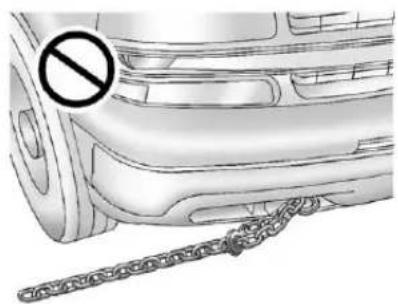
natural_image
Side view of a car with a diagonal chain attached, no visible text or symbolsNotice: Neverusereccovery hookstotowthevehicle. Yourvehiclecouldbedamaged anditwouldnotbecoveredby warranty.
Forvehicleswithrecoveryhooksat thefrontofthevehicle,youcanuse themifyouarestuckoff-roadand needtobepulledtosomeplace whereyoucancontinuedriving.
VehicleLoadLimits
Itisveryimportanttoknowhow muchweightyourvehiclecan carry. Thisweightiscalledthe vehiclecapacityweightand includestheweightofall occupants, cargo, and all nonfactory-installedoptions. Twolabelsonyourvehicle showhowmuchweightitwas designedtocarry, the Tireand LoadingInformationlabeland theCertification/Tirelabel.
WARNING
Donotloadthevehicleany heavierthantheGross VehicleWeightRating (GVWR), oreitherthe maximumfrontorrearGross AxleWeightRating(GAWR). Thiscancausesystemsto breakandchangethewaythe vehiclehandles. Thiscould causelossofcontrolanda crash. Overloadingcanalso shortenthelifeofthevehicle.
TireandLoadingInformation Label
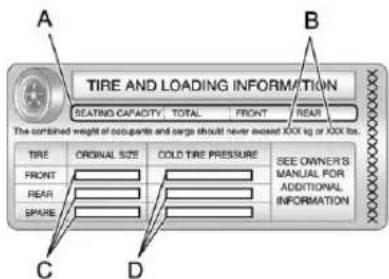
text_image
A TIRE AND LOADING INFORMATION SEATING CAPACITY TOTAL FRONT REAR The combined weight of occupants and large should never exceed 1000 kg or 1000 lbs. B TIRE ORIGINAL SIZE COLD TIRE PRESSURE SEE OWNER'S MANUAL FOR ADDITIONAL INFORMATION FRONT REAR SPARE C DLabelExample
AvehiclespecificTireand LoadingInformationlabelis attachedtothecenterpillar (B-pillar).Withthedriverdoor open,youwillfindthelabel attachedbelowthedoorlock post(striker).Thetireand loadinginformationlabelshows
thenumberofoccupantseating positions(A), and themaximum vehiclecapacityweight(B) in kilogramsandpounds.
The Tire and Loading Information label also shows the sizeofthe originalequipment tires (C) and there recommended coldtireinflation pressures (D). Formoreinformationontires and inflation see Tireson page 10-54 and Tire Pressure on page 10-62.
Thereisalsoimportantloading informationonthevehicle Certification/Tirelabel.Ittells youtheGrossVehicleWeight Rating(GVWR)andtheGross AxleWeightRating(GAWR) forthefrontandrearaxles. See“Certification/TireLabel” laterinthissection.
StepsforDeterminingCorrect LoadLimit
-
Locatethestatement "Thecombinedweight of occupants and cargoshould never exceed XXXkgor XXXlbs" on your vehicle's placard.
-
Determinethecombined weightofthedriverand passengersthatwillberiding inyourvehicle.
-
Subtract the combined weight of the driver and passengers from XXXkgor XXXlbs.
-
Theresultingfigureequals theavailableamountofcargo andluggageloadcapacity. Forexample, ifthe "XXX" amountequals1400lbs and therewillbefive150lb passengersinyourvehicle, theamountofavailablecargo andluggageloadcapacityis 650lbs(1400-750(5x150)=650lbs).
-
Determinethecombined weightofluggageandcargo beingloadedonthevehicle. Thatweightmaynotsafely exceedtheavailablecargo andluggageloadcapacity calculatedinStep4.
-
If your vehicle will betowing a trailer, the load from your trailer will be transferred to your vehicle. Consult this manual to determine how this reduces the available cargo and luggage load capacity of your vehicle. See Trailer Towing on page 9-86 for important information on towing a trailer, towingsafety rules and trailering tips.
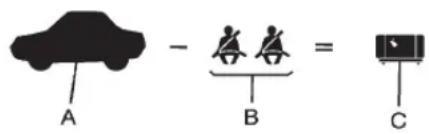
text_image
A - B = CExample1
A. Vehicle Capacity Weight for Example 1=(453kg)(1,000lbs)
B. SubtractOccupantWeight@
68kg(150lbs)×2=136kg
(300lbs)
C. Available Occupant and Cargo Weight=317kg(700lbs)
9-20DrivingandOperating
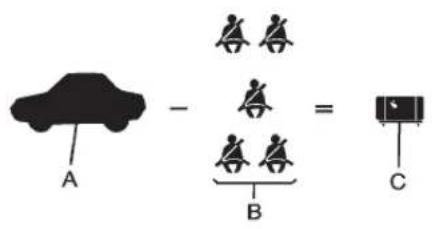
text_image
A - B = CExample2
A. Vehicle Capacity Weight for Example2=453kg(1,000lbs)
B. SubtractOccupantWeight@
68kg(150lbs)×5=340kg
(750lbs)
C. Available Cargo Weight=113kg(250lbs)
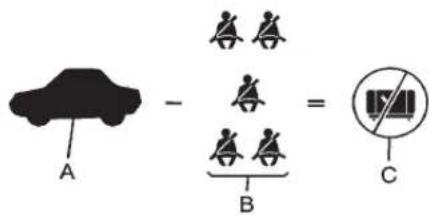
text_image
A - B = CExample3
A. Vehicle Capacity Weight for Example3=453kg(1,000lbs)
B. SubtractOccupantWeight@91kg(200lbs)×5=453kg(1,000lbs)
C. Available Cargo Weight=0kg(0lbs)
Refertoyourvehicle'stireand loadinginformationlabelfor specificinformationaboutyour vehicle'scapacityweight and seatingpositions. Thecombined weightofthedriver,passengers, andcargoshouldneverexceed yourvehicle'scapacityweight.
Certification/TireLabel
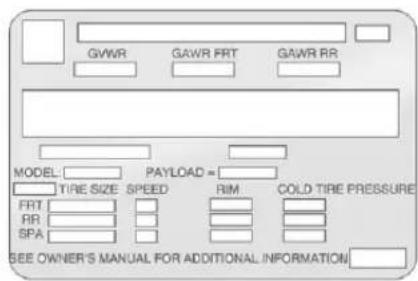
text_image
GVWR GAWR FRT GAWR RR MODEL: PAYLOAD = TIRE SIZE SPEED RIM COLD TIRE PRESSURE FRT: RR: SPA: SEE OWNER'S MANUAL FOR ADDITIONAL INFORMATIONAvehiclespecificCertification/Tirelabelisfoundonthereare edgeofthedriverdoor.
Thelabelshowsthesizeof yourvehicle'soriginaltiresand theinflationpressuresneeded toobtainthegrossweight capacityofyourvehicle. Thisis calledGrossVehicleWeight Rating(GVWR).TheGVWR includestheweightofthe vehicle,allooccupants,fuel,and cargo.
The Certification/Tirelabel also tells you the maximum weights for the front and rear axles, called Gross Axle Weight Rating (GAWR). To find out the actual load on your front and rear axles, you need to go to a weigh station and weigh your vehicle. Your dealer can help you with this. Besuret spread out your loadequally on both sides of the center line.
NeverexceedtheGVWRfor yourvehicle,ortheGAWRfor eitherthefrontorrearaxle. TheCertification/Tirelabelalso containsimportantinformation aboutyourFrontAxleReserve Capacity.See"Whatisfrontaxle reservecapacity,andhowdol calculateit?"underAddinga SnowPloworSimilarEquipment onpage9-115.

WARNING
In the case of sudden stop or collision, things carried in the bed of your truck could shift forward and come into the passenger area, injuring you and others. If you put things in the bed of your truck, you should make sure they are properly secured.

WARNING
Donotloadthevehicleany heavierthantheGross VehicleWeightRating (GVWR), oreitherthe maximumfrontorrearGross AxleWeightRating(GAWR). Thiscancausesystemsto breakandchangethewaythe vehiclehandles. Thiscould causelossofcontrolanda crash. Overloadingcanalso shortenthelifeofthevehicle.
Notice: Overloading the vehicle may caused damage. Repairs would not be recovered by the vehicle warranty. Donot overload the vehicle.
Usingheaviersuspension componentstogetadded durabilitymightnotchangeyour weightratings.Askyourdealer tohelpyouloadyourvehiclethe rightway.
If you put things inside your vehicle—likesuit cases, tools, packages, or anything else—they go as fast as the vehicle goes. If you havet to stop or turn quickly, or if there is a crash, they will keep going.

WARNING
Thingsyouputinsidethe vehiclecanstrikeandinjure peopleinasuddenstopor turn, orinacrash.
- Putthingsinthecargo areaofthevehicle. Trytospreadtheweight evenly.
(Continued)
WARNING(Continued)
- Neverstackheavier things,likesuitcases, insidethevehiclesothat someofthemareabove thetopsoftheseats.
- Donotleavean unsecuredchildrestraint inthevehicle.
- Whenyoucarrysomething insidethevehicle,secure itwheneveryoucan.
- Donotleaveaseatfolded downunlessyouneedto.
Thereisalsoimportantloading informationforoff-roaddrivingin thismanual.See"LoadingYour VehicleforOff-RoadDriving" underOff-RoadDrivingon page9-6.
Two-TieredLoading
Dependingonthemodelofyour pick-up,anupperloadplatform canbecreatedbypositioning threeorfour5cm(2inches)by 15cm(6inches)woodenplanks acrossthewidthofthepickup box.Theplanksmustbe insertedinthepickupbox depressions.
When using this upper load platform, besuretheload is securely tied downtopreventit from shifting. Theload's center of gravity should be positioned in a zone over therear axle. The zone is located in the area between the front of each wheel well and therear of each wheel well. The center of gravity height must not extend abovethetop of the pickup box flare board.
Anyloadthatextendsbeyond thevehicle'staillampareamust beproperlymarkedaccordingto locallawsandregulations.
Remembernottoexceed theGrossAxleWeight Rating(GAWR)ofthefrontor rearaxle.
Add-OnEquipment
Whenyoucarryremovable items,youmayneedtoputa limitonhowmanypeopleyou carryinsideyourvehicle. Besuretoweighyourvehicle beforeyoubuyandinstallthe newequipment.
Notice: Overloading the vehicle may caused damage. Repairs would not be recovered by the vehicle warranty. Donotoverload the vehicle.
Remembernottoexceed theGrossAxleWeight Rating(GAWR)ofthefrontor rearaxle.
| *Equipment | Maximum Weight |
| LadderRack andCargo | 340kg (750lbs) |
| CrossToolbox andCargo | 181kg (400lbs) |
| SideBoxes andCargo | 113kgper side(250lbs perside) |
| *Thecombinedweightforall rail-mountedequipmentshould notexceed454kg(1,000lbs). | |
LoadingPoints
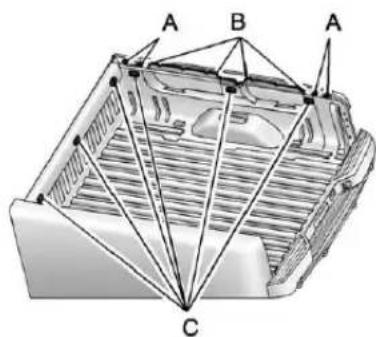
text_image
A B A CA. PrimaryLoadPoints
B.SecondaryLoadAreas
C.CargoManagementOption Holes
Structuralmembers(A)and(B)are includedinthepick-upboxdesign. Additionalaccessoriesshoulduse theseloadpoints. Depending on theaccessorydesign,usea spacerundertheaccessoryat theloadpointstoremovegap.
TheholesfortheCargo ManagementSystem(C)arenot intendedforattachmentof aftermarketequipment.See www.gmupfitter.comforadditional pick-upboxloadbearingstructural information.
Truck-CamperLoading Information
Avehicle-specific Truck-Camper Loading Information label is attached to the inside of the vehicle's glovebox. This label indicates if as slide - incamper can be carried, how much of a load the vehicle can carry, and how to correctly spread out the load. It will help to match the right slide in camperto the vehicle.
Yourdealercanhelpmakea goodvehicle-campermatch and helpdeterminetheCargo WeightRating(CWR).
When installing and loading a slide-incamper, check the manufacturer's instructions.
Whencarryingaslide-in camper, the total cargoload of the vehicle is the weight of the camper, plusthe following:
• Everythingaddedtothe camperafteritleftthefactory
• Everythinginthecamper
• Allthepeopleinside
TheCWRisthemaximum weightoftheloadthevehicle cancarry. It does not include the weightofthepeopleinside. But, useabout68kg(150lbs) foreachseat.
Thetotalcargoloadmustnotbe morethanthevehicle'sCWR.
Refertothe Truck-Camper LoadingInformationlabelin thegloveboxfordimensionsA andBasshowninthefollowing illustration.
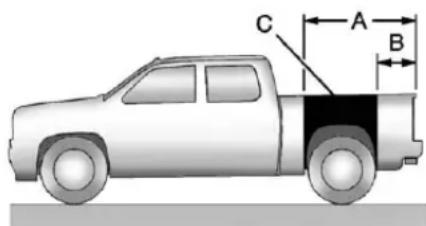
text_image
C A BUsetherearedgeoftheload floorformeasurementpurposes. Therecommendedlocationfor thecargocenterofgravityisat pointCfortheCWR.Itisthe pointwherethemassofa bodyisconcentratedand, ifsuspendedatthatpoint,would balancethefrontandrear.
Hereisanexampleofproper truckandcampermatch:
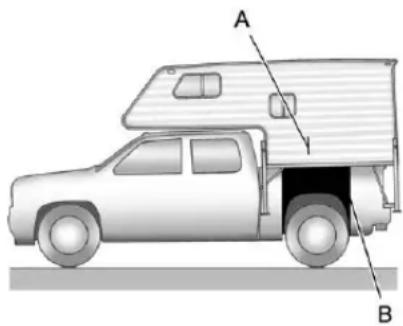
natural_image
Side view diagram of a pickup truck with labeled parts A and B (no text or symbols on the vehicle itself)A. CamperCenterofGravity
B. Recommended Center of Gravity Location Zone
Whentetruckisusedtocarry aslide-incamper, the total cargo load of the truck consist of the manufacturer's camperweight figure, the weight of installed additional camperequipment not included in the manufacturer's camperweight figure, the weight
ofcampercargo,andtheweight ofpassengersinthecamper. Thetotalcargoloadshouldnot exceedthetruck'scargoweight rating,andthecamper'scenter ofgravity(A)shouldfallwithin thetruck'srecommended centerofgravityzone(B)when installed.
Anyaccessoriesorother equipmentthatareaddedtothe vehiclemustbeweighed. Then, subtractthisextraweightfrom theCWR.Thisextraweightmay shortenthecenterofgravity zoneofthevehicle.
If the slide-incamperandits load weighs less than the CWR, the center of gravity zone for your vehicle may belarger.
Securelooseitemstoprevent weightshifts that could affect the balance of the vehicle. When the truck-camperisloaded, driveto
ascaleandweighonthefront andontherearwheels separatelytodetermineaxle loads.Individualaxleloads shouldnotexceedeitherofthe grossaxleweightratings (GAWR).Thetotalaxleloads shouldnotexceedyourvehicle's grossvehicleweightrating (GVWR).Theseratingsare givenonthevehiclecertification labelattachedtotherear edgeofthedriverdoor. See "Certification/TireLabel" underVehicleLoadLimitson page9-17.Ifweightratingsare exceeded,moveorremove itemstobringallweightsbelow theratings.
Seeyourdealerformore informationoncurbweights, cargoweights, CargoWeight Ratingandthecorrectcenterof gravityzone.
Starting and Operating
NewVehicleBreak-In
Notice: The vehicle does not need an elaborate break-in. But it will perform better in the long run if you follow these guidelines:
- Keepthevehiclespeedat 88km/h(55mph)orlessfor thefirst805km(500miles).
-
Donotdriveatanyone constantspeed, fastor slow, for the first 805 km (500 miles). Donotmake full-throttle starts. Avoid downshifting to brake or slow the vehicle.
-
Avoidmakinghardstopsfor thefirst322km(200miles)or so.Duringthistimethenew brakeliningsarenotyet brokenin.Hardstopswith newliningscanmean prematurewearandearlier replacement.Followthis breaking-inguidelineevery timeyougetnewbrake linings.
- Donottowatrailerduring break-in. See Trailer Towing on page 9-86 forthetrailer towing capabilities of the vehicle and more information.
Followingbreak-in, enginespeed and load can be gradually increased.
Adjustable Throttle and Brake Pedal
Onvehicleswiththisfeature,you canchangethepositionofthe throttleandbrakepedals.
Noadjustmenttothepedalscanbe madewhenthevehicleisin R(Reverse)orwhileusingcruise control.
The control used to adjust the pedals is located on the instrument panel below the climate control system.
Pressthebottomofthecontrolto movethepedalscloser.Pressthe topofthecontroltomovethe pedalsaway.
Before you start driving, fully press the brake pedal to confirm the adjustment is right for you. While driving, make only small adjustments.
The vehicle may have an memory function which let the pedal settings be saved and recalled. See Memory Seatson page 3-8.
IgnitionPositions
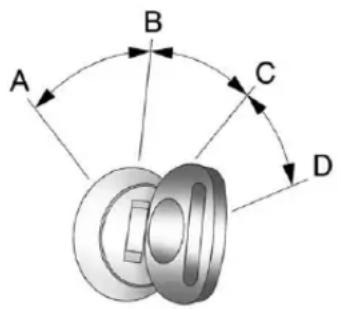
text_image
A B C DTheignitionswitchhasfourdifferent positions.
ToshiftoutofP(Park), the ignitionmustbeinON/RUNor ACC/ACCESSORYandtheregular brakepedalmustbeapplied.
A(STOPPINGTHEENGINE/LOCK/OFF): Whenthevehicleis stopped, turntheignitionswitchto LOCK/OFFtoturntheengineoff. RetainedAccessoryPower(RAP) willremainactive. SeeRetainedAccessoryPower(RAP) on page9-32formoreinformation.
Thispositionlockstheignition. Italsolocksthetransmissionon automatictransmissionvehicles. Thekeycanberemovedin LOCK/OFF.
Donotturntheengineoffwhenthe vehicleismoving. Thiswillcausea lossofpowerassistinthebrake andsteeringsystemsanddisable theairbags.
If the vehicle must be shutoff in an emergency:
- Brakeusingafirmandsteady pressure.Donotpumpthe brakesrepeatedly.Thismay depletepowerassist,requiring increasedbrakepedalforce.
2.Shiftthevehicletoneutral. Thiscanbedonewhilethe vehicleismoving.Aftershifting toneutral,continuetofirmly applythebrakesandsteerthe vehicletoasafelocation. - Cometoacompletestop. ShifttoP(Park)withan automatictransmission, orNeutralwithamanual transmission.Turntheignition toLOCK/OFF.
- Settheparkingbrake. See ParkingBrakeonpage9-60.
WARNING
Turningoffthevehiclewhile movingmaycauselossofpower assistinthebrakeandsteering systemsanddisabletheairbags. Whiledriving,onlyshutthe vehicleoffinanemergency.
If the vehicle cannot be pulled over, and must be hutoff while driving, turn the ignition to ACC/ACCESSORY.
Onvehicleswithanautomatic transmission, the shift lever must be in P(Park) to turn the ignition switch to LOCK/OFF.
Thesteeringcanbindwiththe wheelsturnedoffcenter.Ifthis happens,movethesteeringwheel fromrighttoleftwhileturningthe keytoACC/ACCESSORY.Ifthis doesn'twork,thenthevehicleneeds service.
Notice: Usingatooltoforcethe keytoturnintheignitioncould causedamagetotheswitchor breakthekey. Usethecorrect key, makesureitisallthewayin, andturnitonlywithyourhand. Ifthekeycannotbeturnedby hand, seeyourdealer.
B(ACC/ACCESSORY): This positionletstthingsliketheradio andthewindshieldwipersoperate whiletheengineisoff. Usethis positionifthevehiclemustbe pushedortowed.
C(ON/RUN): This position can be used to operate the electrical accessories and to display some instrument panel cluster warning and indicator lights. This position can also be used for service and diagnostics, and to verify the proper operation of them malfunction indicator lampasm may be required for remission inspection purposes.
Theswitchstaysinthisposition whentheengineisrunning. Thetransmissionisalsounlocked inthispositiononautomatic transmissionvehicles.
IfyouleavethekeyintheACC/ ACCESSORYorON/RUNposition withtheengineoff,thebatterycould bedrained.Youmaynotbeableto startthevehicleifthebatteryis allowedtodrainforanextended periodoftime.
D(START): This istheposition that startstheengine. Whentheengine starts, releasethekey. The ignition switchreturnstoON/RUNfor driving.
If the vehicle is equipped with a radio, awarning on new will sound whent the driver door is opened, the ignition is in ACC/ACCESSORY or LOCK/OFF and the key is in the ignition.
StartingtheEngine
If the vehicle has a diesel engine, seethe Duramax diesels supplement form more information.
If the vehicle is a hybrid, se the hybrids supplement form more information.
Notice:Theengineisdesigned toworkwiththeelectronicsin thevehicle.Ifyouaddelectrical partsoraccessories,youcould changethewaytheengine operates.Beforeaddingelectrical equipment,checkwithyour dealer.Ifyoudonot,theengine mightnotperformproperly.Any resultingdamagewouldnotbe coveredbythevehiclewarranty.
Placethetransmissioninthe propergear.
AutomaticTransmission
MovetheshiftlevertoP(Park)or N(Neutral).Theenginewillnotstart inanyotherposition. Torestartthe enginewhenthevehicleisalready moving, useN(Neutral)only.
Notice: Donottrytoshiftto P(Park)ifthevehicleismoving. Ifyoudo,youcoulddamagethe transmission.ShifttoP(Park) onlywhenthevehicleisstopped.
ManualTransmission
Theshiftlevershouldbein N(Neutral)andtheparkingbrake engaged.Holdtheclutchpedal downtothefloorandstartthe engine.Thevehiclewillnotstart iftheclutchpedalisnotallthe waydown.
StartingProcedure
- With your footoff the accelerator pedal, turn the ignition key to START. Whenthe engine starts, let goof the key. The idlespeed will godown a s you re engine gets warm. Donot racethe engine immediately after starting it. Operatethe engine and transmissionently to allow the oil towarmup and lubricate all moving parts.
ThevehiclehasaComputer-ControlledCrankingSystem. Thisfeatureassistsinstarting theengineandprotects components.Iftheignitionkeyis turnedtotheSTARTposition, andthenreleasedwhenthe enginebeginscranking,the enginewillcontinuecranking forafewsecondsoruntilthe vehiclestarts.Iftheenginedoes notstartandthekeyisheldin STARTformanyseconds,
crankingwillbestoppedafter 15secondstopreventcranking motordamage. Topreventgear damage, thissystemalso preventscrankingiftheengine isalreadyrunning. Engine crankingcanbestoppedby turningtheignitionswitchto theACC/ACCESSORYor LOCK/OFFposition.
When the Low Fuel warning lampison and the FUEL LEVEL LOW message is displayed in the Driver Information Center (DIC), the Computer-Controlled Cranking System is disabled to prevent possible vehicle component damage. When this happens, hold the ignitions switch in the START position to continue engine cranking.
Notice:Crankingtheenginefor longperiodsoftime,byreturning thekeytotheSTARTposition immediatelyaftercrankinghas ended,canoverheatanddamage
thecrankingmotor,anddrainthe battery.Waitatleast15seconds betweeneachtry,toletthe crankingmotorcooldown.
- If theenginedoesnotstart after 5-10 seconds, especially inverycold weather (below -18°C or 0°F), it could be flooded with to much gasoline. Try pushing the accelerator pedal all the way to the floor and holding it there easy you hold the key in START forupto 15 seconds. Wait at least 15 seconds between each try, to allow the cranking motort o cool down. Whentheenginestarts, let go of the key and accelerator. If the vehicle starts briefly but then stops again, do the same thing. This clear the extra gasoline from the engine. Donot racethe engine immediately after starting it. Operat the engine and transmission gently until the oil warmsup and lubricates all moving parts.
FastIdleSystem
If the vehicle has this feature it is available only with cruise control. The manual fastidles switch is operated using the cruise control buttons located on the lefth and side of the steering wheel.
This system can be used to increase engine idlespeed whenever the following conditions are met:
- Theparkbrakeisset.
• Thebrakepedalisnotpressed. - The vehicle must not be moving and the accelerator must not be pressed.
Tocontrolthefastidle:
- ToenabletheFastIdleSystem, pressandreleasetheCruise ControlOn/Offbuttonand ensurethattheswitchLEDislit.
- PressandreleasetheCruise ControlSetswitch.Engine speedwillbeheldat approximately1200RPM.
Whenthefastidleisactivethe DriverInformationCenter(DIC)will display"FASTIDLEON."
Oneofthefollowingactionswillturn offthefastidle:
- Pressingthebrake.
- SelectingtheCruiseControl Cancelbutton.
• ReleasingtheParkingBrake. - Thetransmissionshiftleveris movedoutofP(Park)or N(Neutral).
- SelectingtheCruiseControl On/Offbuttonwhenitwas previouslyon.
- PressingtheCruiseControlSet switchasecondtime.
- Pressingtheacceleratorgreater thanaquarterofthedown.
- Turningtheignitionswitchtothe LOCK/OFFposition.
RetainedAccessory Power(RAP)
The following vehicle accessories can be used for up to 10 minutes after the engine is turned off:
- AudioSystem
- PowerWindows
- OnStarSystem(ifequipped)
- Sunroof(ifequipped)
Thesefeaturesworkwhen thekeyisinON/RUNorACC/ACCESSORY.Oncethekeyis turnedfromON/RUNtoLOCK/OFF, thewindowsandsunroofcontinue toworkupto10minutesuntilany doorisopened.Theradiocontinues toworkforupto10minutesoruntil thedriverdoorisopened.
EngineCoolantHeater
Theengineheatercanprovide easier starting and better fuel economy during enginewarm-up in cold weather conditions for below -18^(0^) . Vehicles with an engine heaters should be plugged in at least four hours before starting. An internal thermostat the plug-end of the cord may exist which will prevent engine coolant heater operation at temperatures above -18^(0^) .
If the vehicle has a diesel engine, seethe Duramax Diesels supplement form more information.
ToUsetheEngineCoolant Heater
- Turnofftheengine.
- Openthehood and unwrap the electrical cord. The cord is secured to the Engine Compartment Fuse Block with a clip. Carefully removethewire tiewhichbundlesthe electrical plug. Donotcut the electrical cord.
- Plugthecordintoanormal, grounded110-voltACoutlet.

WARNING
Pluggingthecordintoan ungroundedoutletcouldcausean electricalshock. Also, the wrong kindofextensioncordcould overheatandcauseafire.
(Continued)
WARNING(Continued)
Youcouldbeseriouslyinjured. Plugthecordintoaproperly groundedthree-prong110-voltAC outlet.Ifthecordwillnotreach, useaheavy-dutythree-prong extensioncordratedforatleast 15amps.
- Before starting the engine, be suretounplugandstorethe cordasitwasbeforetokeepit awayfrommovingengineparts. If you donot, it could be damaged.
Thelengthoftimetheheatershould remainpluggedindependson severalfactors.Askadealerinthe areawhereyouwillbeparkingthe vehicleforthebestadviceonthis.
ShiftingIntoPark
WARNING
Itcanbedangeroustogetoutof thevehicleiftheshiftleverisnot fullyinP(Park)withtheparking brakefirmlyset. Thevehiclecan roll. If you have left the engine running, the vehicle can move suddenly. You or others could be injured. Tobesure the vehicle will not move, even when you are on fairly level ground, us the steps that follow. With four-whe eldrive, if the transfercase is in N(Neutral), the vehicle will be freetoroll, even if theshift lever is in P(Park). So, besure the transfercase is in a drive gear—not in N(Neutral). If you are pulling at trailer, see Driving Characteristics and Towing Tips on page 9-82.
- Holdthebrakepedaldown, thensettheparkingbrake. See ParkingBrakeonpage9-60 formoreinformation.
- Movetheshiftleverintothe P(Park)positionbypullingthe shiftlevertowardyouand movingitupasfarasitwillgo.
- Besurethetransfercaseisina drivegear—notinN(Neutral).
- Turntheignitionkeyto LOCK/OFF.
- Removethekeyandtakeitwith you. If you can leavethe vehicle with the ignition key in your hand, the vehicle is in P(Park).
LeavingtheVehicleWiththe EngineRunning

WARNING
Itcanbedangeroustoleavethe vehiclewiththeengine running. Thevehiclecouldmovesuddenly iftheshiftleverisnotfully in P(Park)withtheparkingbrake firmlyset.
If you have four-wheeldrive and the transfer case is in N(Neutral), the vehicle will be frontoroll, even if the shift leverisin P(Park). Sobesure the transfer case is in a drive gear—not in N(Neutral).
(Continued)
WARNING(Continued)
And, if you leavethe vehicle with the engineer running, it could overheat and be vencatch fire. You or others could be injured. Don otle avethe vehicle with the engineer running unless you haveto.
If you havetoleavethe vehicle with the engineer running, besure your vehicle is in P (Park) and the parking brake is firmly set before you leave it. After you movetheshift lever into P (Park), hold theregular brake pedaldown. Then, see if you can movetheshift lever away from P (Park) without first pulling it toward you. If you can, it means that the shift lever was not fully locked into P (Park).
TorqueLock
If you are parking on a hill and you donot shift your transmission into P (Park) properly, the weight of the vehicle may put to much force on the parking paw in the transmission. You may find it difficult top pull the shift lever out of P (Park). This is called torque lock. Top prevent torque lock, set the parking brake and the shift into P (Park) properly before you leave the driver seat. To findouthow, Shifting Into Park on page 9-33.
Whenyouarereadytodrive,move theshiftleveroutofP(Park)before youreleasetheparkingbrake.
Iftorquelockdoesoccur,youmay needtohaveanothervehiclepush yoursalittleuphilltotakesomeof thepressurefromtheparkingpawl inthetransmission,thenyouwillbe abletopulltheshiftleveroutof P(Park).
ShiftingoutofPark
This vehicle is equipped with an electronic shift lock release system. The shift lock release is designed to:
- Preventignitionkeyremoval unlesstheshiftleverisin P(Park)withtheshiftlever buttonfullyreleased.
- Preventmovementoftheshift leveroutofP(Park),unless theignitionisinON/RUNor ACC/ACCESSORYandthe regularbrakepedalisapplied.
Theshiftlockreleaseisalways functionalexceptinthecaseofan unchargedorlowvoltage(lessthan 9volt)battery.
If the vehicle has an uncharged battery or a battery with low voltage, trcharging or jump starting the battery. See Jump Starting on page 10-92 form more information.
ToshiftoutofP(Park)usethe following:
- Applythebrakepedal.
- Movetheshiftlevertothe desiredposition.
If you still are unable to shift out of P(Park): - Easethepressureontheshift lever.
- While holding down the brake pedal, presstheshift leverall the way into P (Park).
- Movetheshiftlevertothe desiredposition.
If you are still having a problem shifting, then have the vehicle serviced soon.
Parking(Manual Transmission)
If the vehicle has a manual transmission, before you get out of the vehicle, movetheshift lever into R(Reverse), and firmly apply the parking brake. Oncetheshift lever has been placed into R(Reverse) with the clutch pedal pressed in, turn the ignition key to LOCK/OFF, removethe key and releasethe clutch.
If you are parking on a hill, or if the vehicle is pulling at a trailer, see Driving Characteristics and Towing Tipson page 9-82.
ParkingoverThings ThatBurn

WARNING
Thingsthatcanburncouldtouch hotexhaustpartsunderthe vehicleandignite.Donotpark overpapers,leaves,drygrass, orotherthingsthatcanburn.
ActiveFuelManagement®
VehicleswithV8enginesmayhave ActiveFuelManagement™. This systemallowstheenginetooperate oneitherallorhalfofitscylinders, dependingonthedrivingconditions.
Whenlesspowerisrequired,such ascruisingataconstantvehicle speed,thesystemwilloperatein thehalfcylindermode,allowingthe vehicletoachievebetterfuel economy.Whengreaterpower demandsarerequired,suchas acceleratingfromastop,passing, ormergingontoafreeway,the systemwillmaintainfull-cylinder operation.
If the vehicle has an Active Fuel Management™ indicator, see Driver Information Center (DIC) on page 5-32 form more information on using this display.
EngineExhaust
WARNING
Engineexhaustcontainscarbon monoxide(CO)whichcannot be seenorsmelled.ExposuretoCO cancauseunconsciousness and evendeath.
Exhaustmayenterthevehicleif:
- The vehicleidlesinareas with poor ventilation (parking garages, tunnels, deep snow that may block under body airflowortail pipes).
• Theexhaustsmellsor soundsstrangeordifferent.
• Theexhaustsystemleaks duetocorrosionordamage. - Thevehicleexhaustsystem has been modified, damaged or improperly repaired.
(Continued)
WARNING(Continued)
- Thereareholesoropenings inthevehiclebodyfrom damageoraftermarket modificationsthatarenot completelysealed.
Ifunusualfumesaredetectedor ifitissuspectedthatexhaustis comingintothevehicle:
- Driveitonlywiththewindows completelydown.
- Havethevehiclerepaired immediately.
Neverparkthevehiclewiththe engineerunninginanenclosed areasuchasagarageora buildingthathasnofreshair ventilation.
RunningtheVehicle WhileParked
Itisbetternottoparkwiththe engine running. Butifyoueverhave to, herearesomethingstoknow.
WARNING
Idlingvehicleinanenclosed areawithpoorventilationis dangerous.Engineexhaustmay enterthevehicle.Engineexhaust containscarbonmonoxide(CO) whichcannotbeseenorsmelled. Itcancauseunconsciousness andevendeath.Neverrunthe engineinanenclosedareathat hasnofreshairventilation. Formoreinformation,seeEngine Exhaustonpage9-36.
WARNING
Itcanbedangeroustogetout ofthevehicleifthaeutomatic transmissionshiftleverisnotfully inP(Park)withtheparkingbrake firmlyset.Thevehiclecanroll. Donotleavethevehiclewhenthe engineisrunningunlessyou haveto.Ifyouhaveleftthe enginerunning,thevehiclecan movesuddenly.Youorothers couldbeinjured.Tobesurethe vehiclewillnotmove,evenwhen youareonfairlylevelground, alwayssettheparkingbrakeand movetheshiftlevertoP(Park).
WARNING
Four-wheeldrivevehicleswith thetransfercaseinN(Neutral) willallowthevehicletoroll,even iftheautomatictransmission shiftleverisinP(Park).So, besurethetransfercaseisina drivegear—notinN(Neutral). Alwayssettheparkingbrake.
Followtheproperstepstobe surethevehiclewillnotmove. See ShiftingIntoParkon page9-33.
Ifpullingatrailer,seeDriving CharacteristicsandTowingTipson page9-82.
Automatic Transmission
If the vehicle is a hybrid, se the hybrids supplement form more information.
Vehicleswithanautomatic transmissionhaveanelectronicshift positionindicatorwithinthe instrumentpanelcluster.This displaycomesonwhentheignition keyisturnedtotheON/RUN position.
Thereareseveraldifferentpositions fortheshiftlever.
PRND321
Hydra-Matic® 4-SpeedAutomatic Transmission
PRNDM 1
HeavyDuty6-SpeedAutomatic TransmissionShown(LightDuty 6-SpeedSimilar)
See "RangeSelectionMode" under ManualModeonpage9-42.
P(Park): This position lock the rearwheels. It is the best position to use when starting the engine because the vehicle cannot move easily. When parked on a hill, especially when the vehicle has a heavy load, you might notice an increase in the effort to shift out of P(Park). See "Torque Lock" under Shifting Into Park on page 9-33 for more information.
WARNING
It is dangerous to get out of the vehicle if the shift lever is not fully in P (Park) with the parking brake firmly set. The vehicle can roll.
Donotleavethevehiclewhenthe engineisrunningunlessyou haveto.Ifyouhaveleftthe engineerunning,thevehiclecan movesuddenly.Youorothers couldbeinjured.Tobesurethe vehiclewillnotmove,evenwhen youareonfairlylevelground, alwayssettheparkingbrakeand movetheshiftlevertoP(Park). SeeShiftingIntoParkon page9-33.Ifyouarepullinga trailer,seeDrivingCharacteristics and TowingTipsonpage9-82.
WARNING
If you have Four-WheelDrive, the vehicle will be frontoroll—even if the shift lever is in P (Park)—if the transfer case is in Neutral. So, be sure that transfer case is in drive gear, Two-Wheel Drive High or Four-Wheel Drive High or Four-Wheel Drive Low—not in Neutral. See Shifting Into Park on page 9-33.
R(Reverse): Usethisgearto backup.
Notice: ShiftingtoR(Reverse) while the vehicle is moving forward could damage the transmission. There pairs would not be recovered by the vehicle warranty. Shift to R(Reverse) only after the vehicle is stopped.
Torockthevehiclebackandfortho getoutofsnow,ice,orsandwithout damagingthetransmission,seelf the VehicleIsStuckonpage9-16.
N(Neutral):Inthisposition,the enginedoesnotconnectwiththe wheels.Torestartwhenyouare alreadymoving,useN(Neutral) only.Also,useN(Neutral)whenthe vehicleisbeingtowed.
WARNING
Shifting into a drive gear while the engine is running at high speed is dangerous. Unless your foot is firmly on the brake pedal, the vehicle could move very rapidly. You could close control and hit people or objects. Donot shift into a drive gear while the engine is running at high speed.
Notice: Shifting out of P (Park) or N (Neutral) with the engine running at high speed may damage the transmission. The repairs would not be covered by the vehicle warranty. Besure the engine is not running at high speed when shifting the vehicle.
D(Drive): This position is for normal driving. It provides the best fueleconomy. If you need more power for passing, and you are:
- Goinglessthanabout55km/h (35mph), pushtheaccelerator pedalabouthalfwaydown.
- Goingabout55km/h(35mph)or more,pushtheacceleratorall thewaydown.
Bydoingthis,thevehicleshifts downtothenextgearandhas morepower.
9-40DrivingandOperating
D(Drive)canbeusedwhentowing atrailer,carryingaheavyload, drivingonsteephills,orforoff-road driving.Youmightwanttoshiftthe transmissiontoalowergear selectionifthetransmissionshifts toooften.
Downshiftingthetransmissionin slipperyroadconditionscouldresult inskidding.See"Skidding"under LossofControlonpage9-5.
The vehicle has a shift stabilization feature that adjusts the transmission shifting to the current driving conditions in order to reduce rapid upshifts and downshifts. This shift stabilization feature is designed to determine, before making an upshift, if the engine is able to maintain vehicles speed by analyzing things such as vehicles speed, throttle position, and vehicle load.
If the shift stabilization feature determines that a current vehicle speed cannot be maintained, the transmission does not up shift and instead hold the current gear. In some cases, this could appear to be delayed shift, however the transmission is operating normally.
Thetransmissionusesadaptive shiftcontrols.Adaptiveshift controlscontinuallycompares keyshiftparametersto pre-programmedidealshifts storedinthetransmissions computer. Thetransmission constantlymakesadjustmentsto improvevehicleperformance accordingtohowthevehicleis beingused,suchaswithaheavy loaderwhentemperaturechanges. Duringthisadaptiveshiftcontrol process,shiftingmightfeeldifferent asthetransmissiondeterminesthe bestsettings.
Whentemperaturesareverycold, theAllisonTransmissionand Hydra-Matic6-Speedtransmission's gearshiftingcouldbedelayed providingmorestableshiftsuntilthe enginewarmsup.Shiftscouldbe morenoticeablewithacold transmission.Thisdifferencein shiftingisnormal.
M(ManualMode): This position is available on vehicles with the Allison Transmission or Hydra-Matic 6-Speed transmission. It lets drivers select the range of gears appropriate for current driving conditions. If the vehicle has this feature, see "Range Selection Mode" under Manual Mode on page 9-42.
3(Third): This position is alsoused for normal driving. It reduces vehicle speed more than D(Drive) without using the brakes. You might choose 3(Third) instead of D(Drive) when
drivingonhilly, windingroads, whentowingatrailer, sothereis lessshiftingbetweengearsand whengoingdownasteephill.
2(Second): Thispositionreduces vehiclespeedevenmorethan 3(Third)withoutusingthebrakes. Youcanuse2(Second)onhills. Itcanhelpcontrolvehiclespeedas yougodownsteepmountainroads, butthenyouwouldalsowanttouse thebrakesoffandon.
If you manually select 2 (Second) in an automatic transmission, the transmission will start in second gear. You can us this feature for reducing the speed of therear wheels when you are trying to start the vehicle from mastoponslippery roadsurfaces.
1(First): FortheHydra-Matic 4-Speedtransmissionthisposition reduces vehiclespeedevenmore than2(Second)withoutusingthe brakes. Youcanuseitonverysteep hills, orindeepsnowormud. If the shiftleverisputin1(First)while the vehicleismovingforward, the transmissiondoesnotshiftintofirst gearuntilthevehicleisgoingslowly enough.
ForanAllison Transmissionor Hydra-Matic6-Speedtransmission, thispositionreducesvehicle speedwithoutusingthebrakes. Youcanuseitformajor/severe downgradesandoff-roaddriving wherethevehiclewouldotherwise accelerateduetosteepness ofgrade.Whenyoushiftto 1(First)itprovidesthelowestgear appropriatetocurrentroadspeed
and continuestodownshiftas the vehicleslows, eventually downshifting to 1 (First) gear.
Notice: Spinningthetiresor holdingthevehicleinone placeonahillusingonlythe acceleratorpedalmaydamage thetransmission. Therepairwill notbecoveredbythevehicle warranty. If you are stuck, donot spinthetires. When stopping on ahill, usethebrakestohold the vehicleinplace.
ManualMode
RangeSelectionMode (Allison® Transmissionor Hydra-Matic® 6-Speed Transmission)
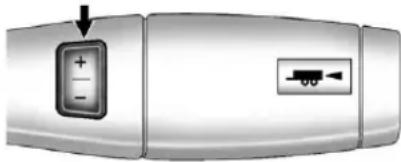
natural_image
Close-up of a metallic device with a button labeled '+' and a small arrow pointing to it, no visible text or symbols.The vehicle may have a Range Selection Mode. The Range Selection Mode helps control the vehicle's transmission and vehicle speed while driving downhill or towing a trailer by letting you select adesired range of gears.
Tousethisfeature,dothefollowing:
- Movetheshiftleverto M(ManualMode).
- Presstheplus/minusbuttons, locatedonthesteeringcolumn shiftlever, toselectthedesired rangeofgearsforcurrentdriving conditions.
WhenM(ManualMode)isselected anumberdisplaysnexttotheM, indicatingthecurrentgear.
Thisnumberisthehighestgearthat canbeused. However, the vehicle can automatically shift to lower gears as it adjust to driving conditions. This mean that all gears below that number are available. When 5 (Fifth) is selected, 1 (First) through 5 (Fifth) gears are automatically shifted by the vehicle, but 6 (Sixth) cannot be used until the plus/minus button located on the steering column lever is used to changeto the gear.
GradeBrakingisnotavailablewhen RangeSelectionModeisactive. See Tow/HaulModeonpage9-43.
WhileusingRangeSelectionMode, CruiseControlandtheTow/Haul Modecanbeused.
If the vehicle has an exhaust brake, it can also be used, but will not automatically downshift the transmission. See Exhaust Brake in the Duramax Diesels supplement.
Notice: Spinningthetiresor holdingthevehicleinone placeonahillusingonlythe acceleratorpedalmaydamage thetransmission. Therepairwill notbecoveredbythevehicle warranty. If you are stuck, donot spinthetires. When stopping on ahill, usethebrakestohold the vehicleinplace.
LowTractionMode
If your vehicle has the Allison Transmission, or the Hydra-Matic 6-Speed Automatic Transmission, it has a Low Traction Modethat can assist in vehicle acceleration when road conditions are slippery, such as with ice or snow. While the vehicle is a catastop, select the second gear range using Range Selection Mode. This will limit torque to the wheels after it detects wheels slip, preventing the tires from spinning.
Tow/HaulMode
natural_image
Simple illustration of a three-bladed rectangular object with a small arrow symbol inside, no text or labels present.4-SpeedAutomaticTransmission
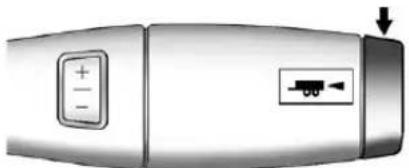
natural_image
Close-up of a metallic device with a control panel and directional arrow indicator (no text or symbols)6-SpeedAutomaticTransmission
Vehicleswithanautomatic transmissionhaveaTow/Haul Mode.The Tow/HaulModeadjusts thetransmissionshiftpatternto reduceshiftcycling,providing increasedperformance,vehicle control,andtransmissioncooling whendrivingdownsteephillsor Mountaingrades,towing,orhauling heavyloads.
Theselectorbuttonislocatedon theendoftheshiftlever.Turnthe Tow/HaulModeonandoffby pressingthebutton.Whenthe Tow/HaulModeisenabled,alight ontheinstrumentpanelcluster willcomeon.
See Tow/HaulModeLighton page5-28 and Hilland Mountain Roadsonpage9-13 form more information.
Alsosee "Tow/HaulMode" under TowingEquipmentonpage9-102 formoreinformation.
GradeBraking(6-Speed AutomaticTransmission)
TheGradeBrakingshiftmodescan beactivatedbypressingthebutton ontheendoftheshiftcontroller. WhileinRangeSelectionMode, GradeBrakingisdeactivated allowingthedrivertoselecta desiredrangeofgears.
GradeBrakingisonlyactivwhile theTow/HaulModeisselectedand youarenotintheRangeSelection Mode.See“Tow/HaulMode”listed previouslyandManualModeon page9-42formoreinformationon theRangeSelectionMode.Grade Brakingassistsinmaintaining desiredvehiclespeedswhendriving ondownhillgradesbyautomatically implementingashiftschedulethat utilizestheengineandtransmission toslowthevehicle.Thisreduces wearonthebrakingsystemand increasescontrolofthevehicle. GradeBrakingmonitorsvehicle speed,acceleration,enginetorque andbrakepedalusage.Usingthis information,itdetectswhenthe truckisonadownhillgradeandthe driverdesirestoslowthevehicleby pressingthebrake.
Thisfeatureisactivewhen theexhaustbrakeisenabled (ifequipped).
Alsosee TowingEquipmenton page9-102formoreinformation.
ManualTransmission
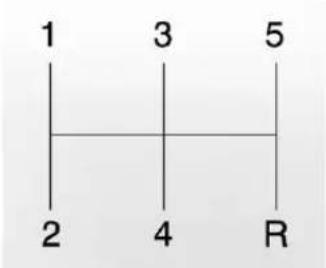
text_image
1 3 5 2 4 RIf the vehicle is equipped with a manual transmission, this is the shift pattern.
Hereishowtooperatethemanual transmission:
1(First):Presstheclutchpedal andshiftinto1(First). Then, slowly letupontheclutchpedalasyou slowlypressdownonthe acceleratorpedal.
Youcanshiftinto1(First)when youaregoinglessthan30km/h (20mph).Ifyouhavecometoa completestopanditishardtoshift into1(First),puttheshiftleverin Neutralandletupontheclutch. Thenpresstheclutchpedalback downandshiftinto1(First).
2(Second):Presstheclutchpedal asyouletupontheaccelerator pedalandshiftinto2(Second). Then,slowlyletupontheclutch pedalasyoupresstheaccelerator pedal.
3(Third),4(Fourth)and5(Fifth): Shiftinto3(Third),4(Fourth)and 5(Fifth)thesamewayyoudofor 2(Second).Slowlyletuponthe clutchpedalasyoupressthe acceleratorpedal.
Tostop, letupon the accelerator pedaland pressthebrakepedal. Just before the vehicle stops, press the clutch pedaland the brake pedal, and shift to Neutral.
Neutral: Usethispositionwhen youstartoridletheengine.
R(Reverse):Tobackup,pressthe clutchpedal.Afterthevehiclestops, shiftintoR(Reverse).Slowlyletup ontheclutchpedalasyoupressthe acceleratorpedal.Ifitishardto shift,lettheshiftleverreturnto Neutralandreleasetheclutch pedal.Thenpresstheclutchagain andshiftintoR(Reverse).Donot attempttoshiftinto5(Fifth)priorto shiftingintoR(Reverse).The transmissionhasalockoutfeature whichpreventsa5(Fifth)gearto R(Reverse)gearshift.
Notice: ShiftingtoR(Reverse) while the vehicle is moving forward could damage the transmission. There pairs would not be recovered by the vehicle warranty. Shift to R(Reverse) only after the vehicle is stopped.
UseR(Reverse), alongwiththe parkingbrake, forparkingthe vehicle.
ShiftSpeeds
WARNING
If you skip a page when you downshift, you could close control of the vehicle. You could injure yourself for others. Donot shift down more than one gear at a tim when you down shift.
DriveSystems
Four-WheelDrive
IfthevehiclehasFour-WheelDrive, youcansendtheengine'sdriving powertoallfourwheelsforextra traction.Togetthemostsatisfaction outofFour-WheelDrive,youmust befamiliarwithitsoperation. Readthefollowingbeforeusing Four-WheelDrive.Seethe appropriatetextforthetransfer caseinthevehicle.
Notice:Drivingonclean,dry pavementinFour-WheelDrive HighorFour-WheelDriveLow foranextendedperiodoftime maycauseprematurewearon thevehicle'spowertrain. Donotdriveonclean,dry pavementinFour-WheelDrive HighorFour-WheelDriveLow forextendedperiodsoftime.
While driving on cleandry pavement and during tight turns, you may experience vibration in the steering system.
IfthevehiclehasStabiliTrak ^® , shiftingintoFour-WheelDriveLow willturnTractionControland StabiliTrakoff.SeeStabiliTrak ^® Systemonpage9-62.
FrontAxle
Thefrontaxleengages and disengages automatically when you shift the transfer case. Somedelay for the axleto engage or disengage is normal.
ManualTransferCase
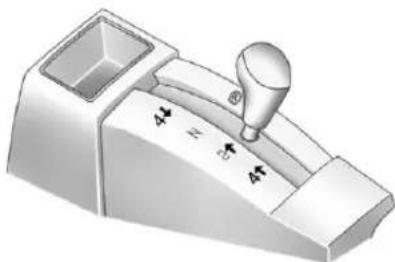
natural_image
3D rendering of a mechanical lever mechanism with no visible text or symbolsThetransfercaseshiftleverison thefloortotherightofthedriver. Usethislevertoshiftintoandoutof Four-WheelDrive.

AFour-WheelDriveindicatorlight comesonwhenyoushiftinto four-wheeldriveandthefrontaxle engages.SeeFour-Wheel-Drive Lightonpage5-28.
Somedelaybetweenshiftingand whentheindicatorlightcomesonis normal.
RecommendedTransferCaseSettings
| DrivingConditions | TransferCaseSettings | |||
| 2↑4↑4↓N | ||||
| NormalYES | ||||
| SevereYES | ||||
| ExtremeYES | ||||
| VehicleinTow*YES | ||||
| *See Recreational Vehicle Towing on page 10-97 or Towing the Vehicle on page10-97. | ||||
Notice:Driving onclean,dry pavementinfour-wheeldrivefor anextendedperiodoftimecan causeprematurewearonthe vehicle'spowertrain.Donotdrive onclean,drypavementin Four-WheelDriveforextended periodsoftime.
4↓(Four-WheelDriveLow):
Thissettingalsoengagesthefront axleanddeliversextratorque.You mayneverneedFour-WheelDrive Low.Itsendsmaximumpowerto allfourwheels.Youmightchoose Four-WheelDriveLowifyouare drivingoff-roadindeepsand,deep mud,deepsnow,andwhileclimbing ordescendingsteephills.
IfthevehiclehasStabiliTrak ^® , shiftingintoFour-WheelDriveLow willturnTractionControland StabiliTrakoff.SeeStabiliTrak ^® Systemonpage9-62.

Aparkingbrakesymbolislocated nexttotheN(Neutral)symbolasa remindertosettheparkingbrake beforeshiftingthetransfercaseinto N(Neutral).
WARNING
Shiftingthetransfercaseto N(Neutral)cancausethevehicle torollevenifthetransmission isinP(Park).Youorsomeone elsecouldbeseriouslyinjured. (Continued)
WARNING(Continued)
Besuretosettheparkingbrake beforeplacingthetransfercasein N(Neutral).SeeParkingBrakeon page9-60.
N(Neutral): Shifttothissetting onlywhenthevehicleneedstobe towed. See Recreational Vehicle Towingonpage 10-97 or Towingthe Vehicleonpage 10-97.
2 ↑(Two-WheelDriveHigh): Thissettingisusedfordrivingin moststreetandhighwaysituations. Thefrontaxleisnotengagedin two-wheeldrive. Thissettingalso providesthebestfueleconomy.
4 ↑(Four-WheelDriveHigh): Usethissettingwhenyouneed extratraction,suchasonsnowy oricyroadsorinmostoff-road situations. Thissettingalsoengages thefrontaxletohelpdriveyour vehicle. Thisisthebestsettingto usewhenplowingsnow.
YoucanshiftfromTwo-Wheel DriveHightoFour-WheelDrive HighorFour-WheelDriveHighto Two-WheelDriveHighwhilethe vehicleismoving.Inextremelycold weather,itmaybenecessaryto stoporslowthevehicletoshiftinto Four-WheelDriveHigh.
WhenUsingtheManual TransferCase
- ShiftsintooroutofFour-Wheel DriveLoworN(Neutral)should bemadeusingquickmotionsto avoidexcessivegeargrinding. Shiftingslowlymaymakeitmore difficulttoshift.
- Youmaynoticethatitisharder toshiftwhenthevehicleiscold. Afterthevehiclewarmsupthe shiftingwillreturntonormal.
- WhileinFour-WheelHighor Four-WheelDriveLowyou mayexperiencereducedfuel economy.
- AvoiddrivinginFour-Wheel Driveonclean,drypavement. Itmaycauseyourtirestowear faster,makethetransfercase hardertoshift,andrunnoisier.
- Ifthetransfercaseshifterisin theN(Neutral)positionandyou havedifficultyreachingthe selectedtransfcasemode, withtheengine running, shiftthe transmissionmomentarily to D(Drive)andthenbackto N(Neutral). Thiswillrealignthe geartethinthetransfercase andallowyoutocompletethe shift.
ShiftingfromTwo-WheelDrive HightoFour-WheelDriveHigh
- ShiftsbetweenTwo-WheelDrive HighandFour-WheelDriveHigh canbemadeatanyvehicle speed.
-
Shiftthetransfercaseleverin onecontinuousmotioninto eithertheFour-WheelDrive HighorTwo-WheelDriveHigh position.
-
Shifting from Two-Wheel Drive Hight to Four-Wheel Drive High while the vehicle is in motion may require that moderate force be applied to the shift lever for a few seconds before Four-Wheel Drive High can be engaged, especially in cold weather.
- Inextremelycoldweather, it may be necessary to slow or stop the vehicle to shift into Four-Wheel Drive High.
- WhileinFour-WheelDriveHigh, thevehiclecanbedrivenatany postedlegalspeedlimit.
ShiftingInorOutofFour-Wheel DriveLow
Notice: Shifting the transfer case into Four-Wheel-Drive Low while moving at speeds faster than 5 km/h (3 mph) may cause premature wear to the transfer case, and may cause the gears to grind. To avoid causing premature wear, and grinding the gears, donot shift the transfer case into Four-Wheel-Drive Low while the vehicle is moving faster than 5 km/h (3 mph).
- Shifting into Four-Wheel Drive Low should bedone, if possible, with the vehicle at as lightroll, 5km/h (3mph) or less.
- Shiftthetransmissioninto N(Neutral).
WARNING
Shiftingthetransfercaseto N(Neutral)cancausethevehicle torollevenifthetransmissionis inP(Park).Youorsomeone elsecouldbeseriouslyinjured. Besuretosettheparkingbrake beforeplacingthetransfercasein N(Neutral).SeeParkingBrakeon page9-60.
- Shifting into Four-WheelDrive Low with the vehicle catastop may be more difficult. You may be unable to complete the shift to Four-WheelDrive Low, and the transfer case will end up in N(Neutral). This is normal, and is a function of the gear teeth aligning in the transfer case. Whenthish happens, makes sure the engine is on, shift the transmission momentarily to
D(Drive)andbackto N(Neutral), and then complete the transfer cases shift.
- Shiftthetransfercaseshiftlever inonecontinuousmotioninto theFour-WheelDriveLow position.
- WheninFour-WheelDrive Lowdonotdrivefasterthan 72km/h(45mph). This will reduce wear and extend the life of your transfercase.
ShiftingInorOutofNeutral
- With the vehiclerunning and the engineatanidle, set the parkingbrake.
- Placethetransmission into N(Neutral).
Shiftthetransfercaseinone continuousmotionintooroutofthe N(Neutral)position.
ElectronicTransferCase
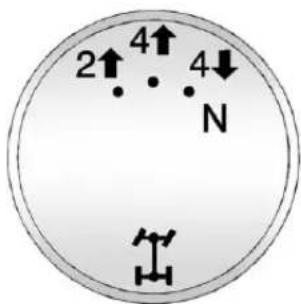
text_image
2↑ 4↑ N 4↓Thetransfercaseknobislocated nexttothesteeringcolumn.
Usethedraltoshiftintoandoutof four-wheeldrive.
RecommendedTransferCaseSettings
| DrivingConditions | TransferCaseSettings | |||
| 2↑4↑4↓N | ||||
| NormalYES | ||||
| SevereYES | ||||
| ExtremeYES | ||||
| VehicleinTow*YES | ||||
| *See Recreational Vehicle Towing on page 10-97 or Towing the Vehicle on page10-97. | ||||
You can choose among four driving settings:
Indicatorlightsinthedialshow whichsettingyouarein. The indicatorlightswillcomeonbriefly whenyouturnontheignitionand onewillstayon.Ifthelightsdonot comeon,youshouldtakethe vehicletoyourdealerforservice. Anindicatorlightflasheswhile shiftingthetransfercaseand
remainsilluminatedwhentheshift iscomplete.Ifforsomereason thetransfercasecannotmakea requestedshift,itwillreturntothe lastchosensetting.
2 ↑(Two-WheelDriveHigh):
Thissettingisusedfordrivingin moststreetandhighwaysituations. Thefrontaxleisnotengagedin Two-WheelDrive. Thissettingalso providesthebestfueleconomy.
4↑(Four-WheelDriveHigh): Use the Four-WheelDrive High position when extratraction is needed, such as on snowy or icy roads or in most off-roads situations. This setting also engages the frontaxle to help drive the vehicle. This is the best setting to use when plowingsnow.
4 ↓(Four-WheelDriveLow): Thissettingalsoengagesthefront axleanddeliversextratorque. Youmayneverneedthissetting. It sends maximum power to all four wheels. You might choose Four-WheelDrive Low while driving off-road deeps and deep mud, deep snow, and while climbing or descending steephills.
IfthevehiclehasStabiliTrak ^® , shiftingintoFour-WheelDriveLow willturnTractionControland StabiliTrakoff.SeeStabiliTrak ^® Systemonpage9-62.
WARNING
Shiftingthetransfercaseto N(Neutral)cancausethevehicle torollevenifthetransmissionis inP(Park).Youorsomeone elsecouldbeseriouslyinjured. Besuretosettheparkingbrake beforeplacingthetransfercasein N(Neutral).SeeParkingBrakeon page9-60.
N(Neutral): Shiftthevehicle's transfercasetoN(Neutral)only whentowingthevehicle. See RecreationalVehicleTowingon page 10-97 or Towingthe Vehicle onpage 10-97 formoreinformation.
If the SERVICE4WHEELDRIVE message stayson, you should takethe vehicle to your dealer for service. See "SERVICE 4WHEELDRIVE message" under Transmission Messages on page 5-50.
ShiftingIntoTwo-Wheel DriveHigh
TurntheknobtotheTwo-Wheel DriveHighposition. This can be done at anyspeed, except when shifting from Four-WheelDriveLow. See "Shifting Out of Four-Wheel DriveLow" form more information.
ShiftingIntoFour-Wheel DriveLow
When Four-WheelDriveLowis engaged, vehiclespeedshould be kept below 72 km/h (45 mph). Extended high-speed operation in Four-WheelDriveLowmay damage or short enthelife of the drivetrain.
ToshifttotheFour-WheelDrive Lowposition, theignitionmustbein ON/RUNandthevehiclemustbe stoppedormovinglessthan5km/h (3mph)withthetransmissionin N(Neutral). Thepreferredmethod forshiftingintoFour-WheelDrive Lowistohavethevehiclemoving 1.6to3.2km/h(1to2mph).
9-52DrivingandOperating
TurntheknobtotheFour-Wheel DriveLowposition.Youmustwait fortheFour-WheelDriveLow indicatorlighttostopflashingand remainonbeforeshiftingthe transmissioningear.
Notice: Shifting the transmission into gear before there requested mode indicator lighthas stopped flashing could damage the transfercase. To help avoid damaging the vehicle, always wait forthemode indicator light to stop flashing before shifting the transmission into gear.
Itistypicalforthevehicletoexhibit significantengagementnoiseand bumpwhenshiftingbetween Four-WheelDriveLowand Four-WheelDriveHighrangesor fromtransfercaseN(Neutral)with theengineerunning.
Iftheknobisturnedtothe Four-WheelDriveLowposition whenthevehicleisingearand/or movingmorethan5km/h(3mph), theFour-WheelDriveLowindicator lightwillflashfor30secondsand notcompletetheshift. After 30secondsthetransfercasewill shifttoFour-WheelDrive Highmode.
ShiftingOutofFour-Wheel DriveLow
ToshiftfromFour-WheelDrive LowtoFour-WheelDriveHigh, orTwo-WheelDriveHigh,the vehiclemustbestoppedor movinglessthan5km/h(3mph) withthetransmissioninN(Neutral) andtheignitioninON/RUN. Thepreferredmethodforshifting outofFour-WheelDriveLowis tohavethevehiclemoving 1.6to3.2km/h(1to2mph).
TurntheknobtotheFour-Wheel DriveHighorTwo-WheelDrive Highposition.Youmustwaitfor theFour-WheelDriveHighor Two-WheelDriveHighindicatorlight tostopflashingandremainon beforeshiftingthetransmission intogear.
Notice: Shifting the transmission into gear before there requested mode indicator lighthas stopped flashing could damage the transfercase. To help avoid damaging the vehicle, always wait forthemode indicator light to stop flashing before shifting the transmission into gear.
Itistypicalforthevehicletoexhibit significantengagementnoiseand bumpwhenshiftingbetween Four-WheelDriveLowand Four-WheelDriveHighrangesor fromtransfercaseN(Neutral)with theengineerunning.
Iftheknobisturnedtothe Four-WheelDriveHigh, orTwo-WheelDriveHighswitch positionwhenthevehicleisin gearand/ormovingmorethan 5km/h(3mph),theFour-Wheel DriveHigh,AUTO,orTwo-Wheel DriveHighindicatorlightwillflash for30secondsbutwillnotcomplete theshift.
ShiftingintoNeutral
Toshiftthetransfercaseto N(Neutral)dothefollowing:
- Makesurethevehicleisparked sothatitwillnotroll.
- Set the parking brake and press and hold the regular brake pedal. See Parking Brake on page 9-60 form more information.
- Startthevehicleorturnthe ignitiontoON/RUN.
-
Shift the transmission to N(Neutral).
-
Shiftthetransfercaseto Two-WheelDriveHigh.
- Turnthetransfercasedial clockwisetoN(Neutral)until stopsandholditthereuntilthe Neutrallightstartsblinking. This willtakeatleast10seconds. Thenslowlyreleasethedial tothefourlowposition. TheN(Neutral)lightwillcome onwhentetransfercaseshift toN(Neutral)iscomplete.
- If the engine is running, verify that the transference case is in N(Neutral) by shifting the transmission to R(Reverse) for one second, then shift the transmission to D(Drive) for one second.
-
Turntheignition to ACC/ACCESSORY, which will turn the engine off.
-
Placethetransmissionshift leverinP(Park).
- Releasetheparkingbrakeprior to movingthevehicle.
- TurntheignitiontoLOCK/OFF.
ShiftingOutofNeutral
Toshiftthetransfercaseoutof N(Neutral)dothefollowing:
- Settheparkingbrakeandapply theregularbrakepedal.
- TurntheignitiontoON/RUNwith theengineoff, and shift the transmissiontoN(Neutral).
-
Turnthetransfercasedialto Two-WheelDriveHigh. Afterthetransfercasehas shiftedoutofN(Neutral), the N(Neutral)lightwillgoout.
-
Releasetheparkingbrakeprior to movingthevehicle.
Notice: Shifting the transmission into gear before there requested mode indicator lighthas stopped flashing could damage the transfercase. To help avoid damaging the vehicle, always wait forthemode indicator light to stop flashing before shifting the transmission into gear.
- Start the engine and shift the transmission to the desired position.
Excessivelyshiftingthetransfer caseintooroutofthedifferent modesmaycausethetransfercase toentertheshiftprotectionmode. Thiswillprotectthetransfercase frompossibledamageandwillonly allowthetransfercasetorespond tooneshiftper10seconds. Thetransfercasemaystayinthis modeforuptothreeminutes.
AutomaticTransferCase
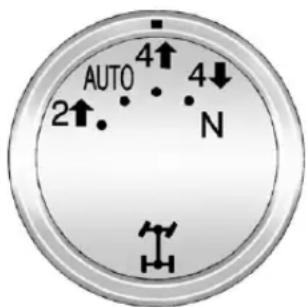
text_image
AUTO 2↑ 4↑ N 4↓Thetransfercaseknobislocated nexttothesteeringcolumn.
Usethedraltoshiftintoandoutof Four-WheelDrive.
You can choose among fivedriving settings:
Indicatorlightsinthedialshow whichsettingyouarein.The indicatorlightswillcomeonbriefly whenyouturnontheignitionand onewillstayon.Ifthelightsdonot comeon,youshouldtakethe vehicletoyourdealerforservice.
Anindicatorlightwillflashwhile shiftingthetransfercase.Itwill remainilluminatedwhentheshiftis complete.Ifforsomereasonthe transfcasecannotmakea requestedshift,itwillreturntothe lastchosensetting.
2↑(Two-WheelDriveHigh): Thissettingisusedfordrivingin moststreetandhighwaysituations. Thefrontaxleisnotengagedin Two-WheelDrive. Thissettingalso providesthebestfueleconomy.
AUTO(AutomaticFour-Wheel Drive): This setting is ideal for use when roadsurfacetraction conditions are variable. When driving the vehicle in AUTO, the frontaxleisengaged, but the vehicle's power is sent only to the front and rear wheels automatically based on driving conditions. Driving this mode results in slightly lower fuel economy than Two-Wheel Drive High.
4↑(Four-WheelDriveHigh): UsetheFour-WheelDriveHigh positionwhenextratractionis needed, suchasonsnowyoricy roadsorinmostoff-roadsituations. Thissettingalsoengagesthefront axletohelpdrivethevehicle. Thisisthebestsettingtousewhen plowingsnow.
4 ↓(Four-WheelDriveLow): This setting also engages the frontaxle and deliver sex tratorque. You may never need this setting. It sends maximum power to all four wheels. You might choose Four-WheelDrive Low if you are driving off-road in deep sand, deep mud, deep snow, and while climbing or descending steep hills.
IfthevehiclehasStabiliTrak ^® , shiftingintoFour-WheelDriveLow willturnTractionControland StabiliTrakoff. SeeStabiliTrak ^® Systemonpage9-62.
WARNING
Shiftingthetransfercaseto N(Neutral)cancausethevehicle torollevenifthetransmissionis inP(Park).Youorsomeone elsecouldbeseriouslyinjured. Besuretosettheparkingbrake beforeplacingthetransfercasein N(Neutral).SeeParkingBrakeon page9-60.
N(Neutral): Shiftthevehicle's transfercasetoN(Neutral)only whentowingthevehicle. See RecreationalVehicleTowingon page 10-97 or Towingthe Vehicle onpage 10-97 formoreinformation.
If the SERVICE4WHEELDRIVE message stayson, you should takethe vehicle to your dealer for service. See "SERVICE 4WHEELDRIVE message" under Transmission Messages on page 5-50.
ShiftingIntoFour-WheelDrive HighorAUTO(Automatic Four-WheelDrive)
TurntheknobtotheFour-Wheel DriveHighorAUTOposition. This can bedoneatanyspeed, except whenshifting from Four-Wheel DriveLow. The indicator light will flash while shifting. It will remain on when the shift is completed.
ShiftingIntoTwo-Wheel DriveHigh
TurntheknobtotheTwo-Wheel DriveHighposition. This can be done at anyspeed, except when shifting from Four-WheelDriveLow. The indicator light will flash while shifting. It will remain on when the shift is completed.
ShiftingIntoFour-Wheel DriveLow
When Four-WheelDriveLowis engaged, vehiclespeedshouldbe kept below 72km/h (45mph). Extended high-speed operation in Four-WheelDriveLowmaydamage or short enthe life of the drivetrain.
ToshifttotheFour-WheelDrive Lowposition, theignitionmustbein ON/RUNandthevehiclemustbe stoppedormovinglessthan5km/h (3mph)withthetransmissionin N(Neutral). Thepreferredmethod forshiftingintoFour-WheelDrive Lowistohavethevehiclemoving 1.6to3.2km/h(1to2mph). Turnthe knobtotheFour-WheelDriveLow position. Youmustwaitforthe Four-WheelDriveLowindicatorlight tostopflashingandremainon beforeshiftingthetransmission intogear.
Notice: Shifting the transmission into gear before there requested mode indicator lighthas stopped flashing could damage the transfercase. To help avoid damaging the vehicle, always wait forthemode indicator light to stop flashing before shifting the transmission into gear.
Itistypicalforthevehicletoexhibit significantengagementnoiseand bumpwhenshiftingbetween Four-WheelDriveLowand Four-WheelDriveHighrangesor fromN(Neutral)withtheengine running.
Iftheknobisturnedtothe Four-WheelDriveLowposition whenthevehicleisingearand/or movingmorethan5km/h(3mph), theFour-WheelDriveLowindicator lightwillflashfor30seconds andnotcompletetheshift. After30secondsthetransfercase willshifttoFour-WheelDrive Highmode.
ShiftingOutofFour-Wheel DriveLow
ToshiftfromFour-WheelDrive LowtoFour-WheelDriveHigh, AUTOorTwo-WheelDriveHigh, thevehiclemustbestoppedor movinglessthan5km/h(3mph) withthetransmissioninN(Neutral) andtheignitioninON/RUN. Thepreferredmethodforshifting outofFour-WheelDriveLow istohavethevehiclemoving 1.6to3.2km/h(1to2mph).Turnthe knobtotheFour-WheelDriveHigh, AUTOorTwo-WheelDriveHigh position.Youmustwaitforthe Four-WheelDriveHigh,AUTOor Two-WheelDriveHighindicatorlight tostopflashingandremainon beforeshiftingthetransmission intogear.
Notice: Shifting the transmission into gear before there requested mode indicator lighthas stopped flashing could damage the transfercase. To help avoid damaging the vehicle, always wait forthemode indicator light to stop flashing before shifting the transmission into gear.
Itistypicalforthevehicletoexhibit significantengagementnoiseand bumpwhenshiftingbetween Four-WheelDriveLowand Four-WheelDriveHighrangesor fromN(Neutral)withtheengine running.
Iftheknobisturnedtothe Four-WheelDriveHigh,AUTO, orTwo-WheelDriveHighswitch positionwhenthevehicleisingear and/ormovingmorethan 5km/h(3mph),theFour-Wheel DriveHigh,AUTOorTwo-Wheel DriveHighindicatorlightwillflash for30secondsbutwillnotcomplete theshift.
ShiftingintoNeutral
Toshiftthetransfercaseto N(Neutral)dothefollowing:
- Makesurethevehicleisparked sothatitwillnotroll.
- Settheparkingbrakeandapply theregularbrakepedal. See ParkingBrakeonpage9-60for moreinformation.
- Startthevehicleorturnthe ignitioninON/RUN.
- Putthetransmission in N(Neutral).
- Shiftthetransfercaseto Two-WheelDriveHigh.
-
Turnthetransfercasedial clockwisetoN(Neutral)until stopsandholditthereuntil theN(Neutral)lightstarts blinking. Thiswilltakeatleast 10seconds. Thenslowlyrelease thedialtothefourlowposition. TheN(Neutral)lightwillcome onwhentetransfercaseshift toN(Neutral)iscomplete.
-
If the engine is running, make sure that the transfer case is in N(Neutral) by shifting the transmission to R(Reverse) for one second, then shift the transmission to D(Drive) for one second.
- Turntheignitionto ACC/ACCESSORY, which will turn the engine off.
- Placethetransmissionshift leverinP(Park).
- Releasetheparkingbrakeprior to movingthevehicle.
- TurntheignitiontoLOCK/OFF.
ShiftingOutofNeutral
ToshiftoutofN(Neutral)dothe following:
-
Settheparkingbrakeandapply theregularbrakepedal.
-
TurntheignitiontoON/RUNwith theengineoff, and shift the transmissiontoN(Neutral).
-
Turnthetransfercasedialto Two-WheelDriveHigh, Four-WheelDriveHigh, or AUTO.
Afterthetransfercasehas shiftedoutofN(Neutral),the N(Neutral)lightwillgoout.
- Releasetheparkingbrakeprior tomovingthevehicle.
Notice: Shifting the transmission into gear before there requested mode indicator lighthas stopped flashing could damage the transfercase. To help avoid damaging the vehicle, always wait forthemode indicator light to stop flashing before shifting the transmission into gear.
- Start the engine and shift the transmission to the desired position.
Brakes
AntilockBrake System(ABS)
This vehicle might have the Antilock Brake System (ABS), an advanced electronic braking system that helps prevent abrakingskid.
Whentheengineisstartedandthe vehiclebeginstodriveaway,ABS checksitself.Amomentarymotoror clickingnoisemightbeheardwhile thistestisgoingon.Thisisnormal.

If there is a problem with ABS, this warning light stays on. See Antilock Brake System (ABS) Warning Light on page 5-27.
AlongwithABS, thevehiclehasa DynamicRearProportioning(DRP) system. If thereisaDRP problem, boththebrakeandABS warning lightscomeonaccompaniedby a 10-secondchime. Thelightsand chimewillcomeoneachtimethe ignitionisturnedonuntilthe problemisrepaired. Seeyourdealer forservice.
Letussaytheroadiswetandyou aredrivingsafely.Suddenly,an animaljumpsoutinfrontofyou. Youslamonthebrakesand continuebraking.Hereiswhat happenswithABS:
Acomputersensesthatthewheels areslowingdown.Ifoneofthe wheelsisabouttostoprolling,the computerwillseparatelyworkthe brakesateachfrontwheelandat bothrearwheels.
ABScanchangethebrakepressure toeachwheel, asrequired, faster than any driver could. This can help the driver steer around the obstacle while braking hard.
Asthebrakesareapplied, the computerkeepsreceivingupdates onwheelspeedandcontrols brakingpressureaccordingly.
Remember:ABSdoesnotchange thetimeneededtogetafootupto thebrakepedaloralwaysdecrease stoppingdistance.Ifyougettoo closetothevehicleinfrontofyou, therewillnotbeenoughtimeto applythebrakesifthatvehicle suddenlyslowsorstops.Always leaveenoughroomupaheadto stop,evenwithABS.
UsingABS
Donotpumpthebrakes.Justhold thebrakepedaldownfirmlyandlet antilockwork.Youmightfeelthe brakesvibrateorhearsomenoise, butthisisnormal.
BrakinginEmergencies
IfthevehiclehasABS, itallowsthe drivertosteerandbrakeatthe sametime. However, ifthevehicle does not have ABS, the first reaction, tohitthebrakepedal hard and holditdown, might bethe wrongthingtodo. The wheels can stop rolling. Oncetheydo, the vehicle cannot respond to the driver's steering. Momentum will carry it in whatever direction it was headed when the wheels stopped rolling. That could be offtheroad, into the everything the driver was trying to avoid, or in to traffic.
If the vehicle does not have ABS, use as quickzebraking technique. This gives maximum braking while maintaining steering control. Do this bypassing on the brake pedal with steadily increasing pressure.
Inanemergency, you will probably want to queue the brakes hard without locking the wheels. If you hear or feel the wheel sliding, ease off the brake pedal. This helps retain steering control. With ABS, it is different.
Inmanyemergencies,steeringcan helpmorethaneventheverybest braking.
ParkingBrake
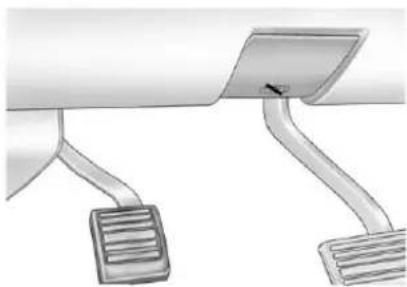
natural_image
Diagram of a car dashboard with two curved legs and a flat panel, no text or symbols presentForvehicleswithareleasehandle, settheparkingbrakebyholdingthe regularbrakepedaldown,then pushingdowntheparkingbrake pedal.
Iftheignitionison, thebrake systemwarninglightwillcomeon. SeeBrakeSystemWarningLighton page5-26.
Achimesoundsandthewarning lightflasheswhentheparkingbrake isappliedandthevehicleismoving atleast8km/h(5mph).
Toreleasetheparkingbrake, hold theregularbrakepedaldown. Thenpullthebottomedgeofthe leverwiththeparkingbrakesymbol, locatedabovetheparkingbrake pedal.
If the ignition is on when the parking brake is released, the brakes system warning light goes off.
Notice: Driving with the parking brake on can over heat the brake system and cause premature wear ordamagetobrakesystem parts. Makes sure that the parking brake is fully released and the brakewarning light is off before driving.
If you are towing a trailer and are parking on any hill, see Driving Characteristics and Towing Tips on page 9-82.
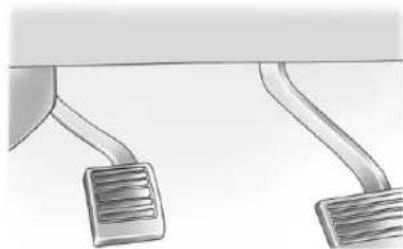
natural_image
Illustration of two curved mechanical components with textured surfaces (no text or symbols)Forvehicleswithoutarelease handle,settheparkingbrakeby holdingtheregularbrakepedal down,thenpushingdownthe parkingbrakepedal.
If the ignition is on, the brake system warning light will come on. See Brake System Warning Light on page 5-26.
Notice: Driving with the parking brake on can overheat the brake system and cause premature wear ordamagetobrakesystem parts. Makes sure that the parking brake is fully released and the brakewarning light is off before driving.
Toreleasetheparkingbrake, hold theregularbrakepedaldown, then pushdownmomentarily on the parkingbrakepedal until you feel the pedal release. Slowly pully our footup off the park brake pedal. If the parking brake is not released when you begint drive, the brake system warning light will flash a chimewills sound warning you that the parking brake is still on.
If you are towing a trailer and are parking on a hill, see Driving Characteristics and Towing Tips on page 9-82.
BrakeAssist
If this vehicle has Stabili Trak ^® , it also has a Brake Assist feature designed to assist the driver in stopping or decreasing vehicle speed in emergency driving conditions. This feature uses the stability system hydraulic brake control module to supplement the power brakes system under conditions where the driver has quickly and forcefully applied the brake pedalin an attempt to quickly stoporslowdown the vehicle.
Thestabilitysystemhydraulicbrake controlmoduleincreasesbrake pressureateachcornerofthe vehicleuntiltheABSactivates. Minorbrakepedalpulsationor pedalmovementduringthistime isnormalandthedrivershould continuetoapplythebrakepedal asthedrivingsituationdictates. TheBrakeAssistfeaturewill automaticallydisengagewhenthe brakepedalisreleasedorbrake pedalpressureisquickly decreased.
HillStartAssist(HSA)
Non-hybridvehicleswithStabiliTrak haveaHillStartAssist(HSA) feature,whichmaybeusefulwhen thevehicleisstoppedonagrade. Thisfeatureisdesignedtoprevent thevehiclefromrolling,either forwardorrearward,duringvehicle driveoff.Afterthedrivercompletely stopsandholdsthevehicleina completestandstillonagrade, HSAwillbeautomaticallyactivated. Duringthetransitionperiodbetween whenthedriverreleasesthebrake pedalandstartstoaccelerateto driveoffonagrade,HSAholdsthe brakingpressureforamaximumof
twosecondstoensurethat thereisnorolling. Thebrakeswill automaticallyreleasewhenthe acceleratorpedalisappliedwithin thetwo-secondwindow.Ifthe vehicleisequippedwiththe IntegratedTrailerBrakeControl (ITBC)system, HSAmayalsoapply thetrailerbrakes.Itwillnotactivate ifthevehicleisinadrivegearand facingdownhillorifthevehicleis facinguphillandinR(Reverse). Theremaybesituationsonminor hills(lessthan5%grade)witha loadedvehicleorwhilepullinga trailerwhereHSAwillnotactivate.
RideControlSystems
StabiliTrak® System
The vehicle has a vehicle stability enhancement system called Stabili Trak. It is an advanced computer-controlled system that assists the driver with directional control of the vehicle difficult driving conditions.
StabiliTrakactivateswhenthe computersensesadiscrepancy betweentheintendedpathandthe directionthevehicleisactually traveling.StabiliTrakselectively appliesbrakingpressureatanyone ofthevehicle'sbrakestoassistthe driverwithkeepingthevehicleon theintendedpath.
StabiliTrakisonautomatically wheneverthevehicleisstarted. Toassistwithdirectionalcontrol of the vehicle,thesystem should alwaysbelefton.TrailerSway Control(TSC)isalsoon automaticallywhenthevehicleis started.See TrailerSwayControl (TSC)onpage9-114formore information.
Whenthevehicleisstartedand beginstomove,thesystem performsseveraldiagnosticchecks toinsuretherearenoproblems. Thesystemmaybeheardorfelt whileitisworking. Thisisnormal anddoesnotmeanthereisa problemwiththevehicle. The systemshouldinitializebeforethe vehiclereaches32km/h(20mph). Insomecases,itmaytake approximately3.2km(2mi)of drivingbeforethesysteminitializes.
Ifcruise control is being used when Stabili Trak activates, the cruise control automatically disengages. The cruise control can be re-engaged when road conditions allow. See Cruise Control on page 9-66.
If the system fail to turn on or activate, the Stabili Trak light along with a message will be displayed on the Driver Information Center (DIC). If a DIC message appears, make sure the Stabili Trak system has not been turned off using the Traction Control System (TCS) / Stabili Trak button. Thenturn the vehicle off, wait 15 seconds, and then turn it back on again to reset the system. If any of them messages still appear on the DIC, the vehicles should be taken in for service. For more information on the DIC messages, see Ride Control System Messages on page 5-47.
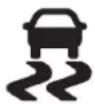
TheStabiliTraklightwillflashonthe instrumentpanelclusterwhenthe systemortheTSCfeatureisboth onandactivated.
Thesystemmaybeheardorfelt whileitisworking;thisisnormal.
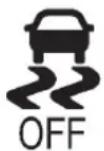
The TCS/Stabili Trakbuttonis located on the instrument panel.
Thetractioncontrolpartof StabiliTrakcanbeturnedoffby pressingandreleasingthe TCS/StabiliTrakbuttonifboth systems(tractioncontroland StabiliTrak)werepreviouslyon.
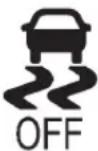
TodisablebothTCSand StabiliTrak,pressandholdthe TCS/StabiliTrakbuttonuntilthe StabiliTrakOFFlightilluminates andtheappropriateDICmessage displays.Thiswillalsodisablethe TSCfeature.
TractioncontrolandStabiliTrakcan beturnedonbypressingand releasingtheTCS/StabiliTrakbutton iftheyarenotautomaticallyshutoff foranyotherreason.Thiswillalso enabletheTSCfeature.
WhentheTCSorStabiliTraksystem isturnedoff,theStabiliTraklight andtheappropriatemessagewillbe displayedontheDICtowarnthe driver.Thevehiclewillstillhave brake-tractioncontrolwhentraction controlisoff,butwillnotbeableto usetheenginespeedmanagement system.See“TractionControl Operation”nextformore information.
When the TC Shasbeen turned off, system noises may still be heard as a result of the brake-traction control coming on.
Itisrecommendedtoleavethe systemonfornormaldriving conditions,butitmaybenecessary toturnthesystemoffifthevehicle isstuckinsand,mud,iceorsnow, andyouwantto"rock"thevehicleto attempttofreeit.Itmayalsobe necessarytoturnoffthesystem whendrivinginextremeoff-road conditionswherehighwheelspinis required.SeelftheVehicleIsStuck onpage9-16.
Whenthetransfercaseisin4LO, thestabilitysystemisautomatically disabled,theStabiliTraklightcomes on,andtheappropriatemessage willappearontheDIC.Bothtraction controlandStabiliTrakare automaticallydisabledinthis condition.
TractionControlOperation
The TCSispartoftheStabiliTrak system. Tractioncontrollimitswheel spinbyreducingenginepowerto thewheels(enginespeed management)andbyapplying brakestoeachindividualwheel (brake-tractioncontrol)as necessary.
The TCSisenabledautomatically whenthevehicleisstarted.Itwill activateandtheStabiliTraklight willflashifitsensesthatanyofthe wheelsarespinningorbeginning tolosetractionwhiledriving.
Iftractioncontrolisturnedoff, onlythebrake-tractioncontrol portionoftractioncontrolwillwork. Theenginespeedmanagementwill bedisabled.Inthismode,engine powerisnotreducedautomatically andthedrivenwheelscanspin morefreely.Thiscancausethe brake-tractioncontroltoactivate constantly.
Notice: If the wheel(s) of one axle is allowed to spin excessively while the Stabili Trak ^® , ABS, brake warning lights, and any relevant DIC messages are displayed, the transfer case could be damaged. There pairs would not be recovered by the vehicle warranty. Reduce engine power and donot spin the wheel(s) excessively while these lights and messages are displayed.
The TCS may activate on dry or rough roads or under conditions such as heavy acceleration while
turningorabruptupshifts/downshifts of the transmission. Whenthis happens, areduction in acceleration may be noticed, oranoise or vibration maybe heard. This is normal.
Ifcruisecontrolisbeingusedwhen thesystemactivates,theStabiliTrak lightwillflashandcruisecontrol willautomaticallydisengage. Cruisecontrolmaybereengaged whenroadconditionsallow. SeeCruiseControlonpage9-66.
StabiliTrakmayalsoturnoff automaticallyifitdeterminesthata problemexistswiththesystem. Iftheproblemdoesnotclearitself afterrestartingthevehicle,seeyour dealerforservice.
Non-hybridvehicleswithStabiliTrak haveaTrailerSwayControl(TSC) feature.See TrailerSwayControl (TSC)onpage9-114.
Non-hybridvehicleswithStabiliTrak haveaHillStartAssist(HSA) feature.SeeHillStartAssist(HSA) onpage9-62.
Adding non-dealer accessories can affect the vehicle's performance. See Accessories and Modifications on page 10-3.
LockingRearAxle
Vehicleswithalockingrearaxlecan givemoretractiononsnow,mud, ice,sand,ogravel.Itworkslikea standardaxlemostofthetime,but whentractionislow,thisfeaturewill allowtherearwheelwiththemost tractiontomovethevehicle.
CruiseControl

WARNING
Cruisecontrolcanbedangerous whereyoucannotdrivesafelyat asteadyspeed.So,donotuse thecruisecontrolonwinding roadsorinheavytraffic.
Cruisecontrolcanbedangerous onslipperyroads.Onsuchroads, fastchangesintiretractioncan causeexcessivewheelslip,and youcouldlosecontrol.Donotuse cruisecontrolonslipperyroads.
Forvehicleswithcruisecontrol,a speedofabout40km/h(25mph)or morecanbemaintainedwithout keepingyourfootonthe accelerator.Cruisecontroldoesnot workatspeedsbelowabout40km/h (25mph).
Whenthebrakesareapplied, cruise controlisturnedoff.
ForvehicleswithanAllisonor Hydra-Matic6-speedautomatic transmission,see"GradeBraking" under Tow/HaulModeonpage9-43 foranexplanationofhowcruise controlinteractswiththeRange SelectionMode,tow/haulandgrade brakingsystems.
ForvehicleswiththeStabiliTrak systemthatbeginstolimitwheel spinwhileyouareusingcruise control,thecruisecontrolwill automaticallydisengage.See StabiliTrak® Systemonpage9-62. Whenroadconditionsallowthe cruisecontroltobesafelyused again,itcanbeturnedbackon.
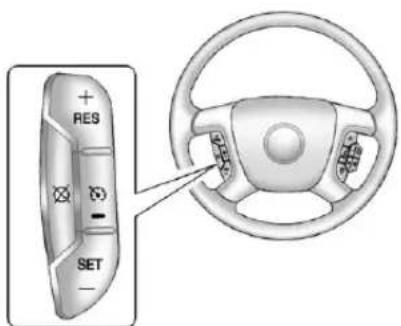
text_image
RES SET(On/Off): Presstoturnthe systemonoroff. The indicator light is onwhencruisecontrolison and turnsoffwhencruisecontrolisoff.
+RES(Resume/Accelerate): Pressbrieflytoresumetoa previouslysetspeed,orpressand holdtoaccelerate.
SET-(Set/Coast):Presstoset thespeedandactivatecruise controlormakethevehicle decelerate.
(Cancel): Presstodisengage cruisecontrolwithouterasingthe setspeedfrommemory.
SettingCruiseControl
If the cruise button is on when not in use, it could get bumped and go into cruise when not desired. Keep the cruise control switch off when cruise is not being used.
Thecruisecontrollightonthe instrumentpanelclusterwillcome onafterthecruisecontrolhasbeen settothedesiredspeed.

- Press
- Getuptothedesiredspeed.
- PresstheSET-buttonlocated onthesteeringwheeland releaseit.
- Take your footoff the accelerator.
ResumingaSetSpeed
If the cruise control lissetata desired speed and then the brakes are applied, the cruise control is disengaged without erasing the set speed from memory.
Oncethevehiclespeedreaches about40km/h(25mph)ormore, pressthe+RESbuttononthe steeringwheel. Thevehiclereturns totheprevioussetspeedandstays there.
IncreasingSpeedWhileUsing CruiseControl
If the cruise control system is already activated,
- Pressandholdthe+RESbutton onthesteeringwheeluntilthe desiredspeedisreached,then releaseit.
- Toincreasevehiclespeedin smallamounts, pressthe+RES button. Each timethisis done, the vehiclegoes about 1.6km/h (1mph) faster.
ReducingSpeedWhileUsing CruiseControl
If the cruise control system is already activated,
- PressandholdtheSET-button onthesteeringwheeluntilthe desiredlowerspeedisreached, thenreleaseit.
- Toslowdowninsmallamounts, presstheSET-buttononthe steeringwheelbriefly. Eachtime thisisdone, the vehiclegoes about 1.6km/h (1mph) slower.
PassingAnotherVehicleWhile UsingCruiseControl
Usetheacceleratorpedalto increasethevehiclespeed. Whenyoutakeyourfootoffthe pedal,thevehiclewillslowdown totheprevioussetcruisespeed.
UsingCruiseControlonHills
Howwellthecruise control works on hills depend on the vehicle speed, the load, and the steepness of the hills. Whenging up steep hills, pressing the accelerator pedal may be necessary to maintain vehicles speed.
Whilegoingdownhill:
- Vehicleswithafourspeed automatictransmissionmay needtohavethebrakesapplied orthetransmissionshiftedto alowergeartokeepthe speeddown.
- Vehicleswithasixspeed automatictransmissionhavea CruiseGradeBrakingfeature thatmayautomaticallyshifttoa lowergeartokeepthespeed down.Itmaybenecessaryto applythebrakeormanuallyshift thetransmissiontoalower gear.Thevehiclemayshifttoa highergearwhengradebraking assistanceisnolongerrequired.
CruiseGradeBrakingisnot availablewhileinRange SelectionMode. Thisfeatureis activewhentheexhaustbrake isenabled(ifequipped).See "RangeSelectionMode" under ManualModeonpage9-42.
Whenthebrakesaremanually appliedthecruisecontrolis disengaged.
EndingCruiseControl
Therearethreewaystoendcruise control:
- Todisengagecruisecontrol; steplightlyonthebrakepedal.
- Press⊗onthesteeringwheel.
- Toturnoffthecruise control, press 📋 onthesteeringwheel.
ErasingSpeedMemory
Thecruisecontrolsetspeedis erasedfrommemorybypassing 📋oriftheignitionisturnedoff.
ObjectDetection Systems
UltrasonicParkingAssist
Ifavailable, the Ultrasonic Rear Parking Assist (URPA) system assiststhedriverwithparking and avoiding objects while in R (Reverse). URPA operates at speeds less than 8 km/h (5 mph). Thesensorson therear bumper detect objects upto 2.5 m (8 ft) behind the vehicle, and at least 25 cm (10 in) off the ground.

WARNING
TheURPAsystemdoesnot detectpedestrians, bicyclists, animals, oranyotherobjects located below the bumperorthat are to close to or far from the vehicle. Toprevent injury, death, (Continued)
WARNING(Continued)
orvehicledamage, evenwith URPA, alwayscheckbehindthe vehicleandcheckallmirrors beforebacking.
HowtheSystemWorks
URPA comeson automatically whentheshiftleverismoved into R(Reverse). Asingletonesounds to indicate the system is working.
URPAoperatesonlyatspeedsless than8km/h(5mph).
Anobstacleisindicatedbyaudible beeps. The interval between the beeps becomes shorter as the vehicle gets closer to the obstacle. Whenthes distance is less than 30cm(12in)thebeepingisa continuous for five seconds.
Tobedetected, objectsmustbeat least25cm(10in)offtheground andbelowtailgatelevel. Objects mustalsobewithin2.5m(8ft)from therearbumper. Thisdistancemay belessduringwarmerorhumid weather.
TurningtheSystemOnandOff
TheURPAsystemcanbeturnedon andoffusingtherearparkaid disablebuttonlocatednexttothe radio.

The indicator light comes on when the system is disabled and turn soff when the system is on.
Whenthesystemisoff, PARK ASSISTOFFdisplayonthe DriverInformationCenter(DIC). Themessagedisappearsaftera shortperiodoftime.
URPAdefaultstotheonsetting eachtimethevehicleisstarted.
Notice: If you use URPA while the tailgate is lowered, it may not detect an object behind your vehicle, and you might back into the object and damage your vehicle. Always verify the tailgate is closed when using URPA or turnoff URPA which driving with the tailgate lowered.
WhentheSystemDoesNot SeemtoWorkProperly
The following messages maybe displayed on the DIC:
SERVICEPARKASSIST: If this message occurs, takethe vehicle to your dealer to repairs the system.
PARKASSTBLOCKEDSEE OWNERSMANUAL: This messagecanoccurunderthe followingconditions:
- The ultrasonicsensors are not clean. Keep the vehicle's rear bumper free of mud, dirt, snow, ice, and slush. For cleaning instructions, see Exterior Care on page 10-102.
-
Theparkassistsensors are covered by frostorice. Frostor ice can form around and behind the sensors and may not always be seen; this can occur after washing the vehicle in cold weather. Themessagemay not clear until the frostorice has melted.
-
Atrailerwasattachedtothe vehicle,oranobjectwas hangingoutofthetailgateduring thelastdrivecycle.Oncethe objectisremovedandthe tailgateisraised,URPAwill returntonormaloperation.
- Atowbarisattachedtothe vehicle.
- Thebumperisdamaged. Takethevehicletoyourdealer torepairthesystem.
- Otherconditions,suchas vibrationsfromajackhammeror thecompressionofairbrakeson averylargetruck,areaffecting systemperformance.
RearVision Camera(RVC)
Ifavailable, theRearVisionCamera (RVC)systemdisplayspartofthe scenebehindthevehicle.

WARNING
TheRVCsystemdoesnotdisplay pedestrians, bicyclists, animals, oranyotherobjectlocated outsidethecamera'sfieldofview, belowthebumper, orunderthe vehicle.
Donotbackthevehicleusing onlytheRVCscreenorby usingthescreenduring longer,higherspeedbacking maneuvers,orwheretherecould becross-traffic.Perceived distancesmaybedifferentfrom actualdistances.
(Continued)
WARNING(Continued)
Failuretousepropercarebefore backingmayresultinjury, death,orvehicledamage.Always checkbeforebackingbychecking behindandaroundthevehicle.
VehicleswithoutNavigation System
TheRVCsystemdisplaysaview oftheareabehindthevehicle. Whenthevehicleisonandshifted intoR(Reverse)thevideoimage appearsontheinsiderearview mirror. Thevideoimagedisappears afterthevehicleisshiftedoutof R(Reverse).
TurningtheRVCSystemOnorOff
ToturnofftheRVCsystem, pressandhold ⏻,locatedonthe insiderearviewmirror,untiltheleft indicatorlightturnsoff.TheRVC displayisnowdisabled.
ToturntheRVCsystemon,press andhold ⏻untiltheleftindicator lightcomeson.TheRVCsystem displaywillappearinthemirror.
VehicleswithNavigation System
TheRVCsystemisdesignedto helpthedriverwhenbackingupby displayingaviewoftheareabehind thevehicle.Whenthevehicleis shiftedintoR(Reverse),thevideo imageappearsonthenavigation screen.Afterdelay,thenavigation screendisplaysthelastscreen afterthevehicleisshiftedoutof R(Reverse).
TurningtheRVCSystemOnorOff
ToturntheRVCsystemonoroff:
- ShiftintoP(Park).
- PressMENU to enter the configure menu options. Turn the Multifunction knob until the Display feature is highlighted and press the Multifunction knob. Or press the Display screen button
- Select the Rear Camera Options screen button. The Rear Camera Option screen displays.
Rear Camera Options
Back
- SelecttheVideoscreenbutton. WhentheVideoscreenbuttonis highlightedtheRVC systemison.
9-72DrivingandOperating
Thedelayaftershiftingoutof R(Reverse)isapproximately 10seconds. Thedelaycanbe canceledbyperformingoneofthe following:
- Pressingahardkeyonthe navigationsystem.
- ShiftingintoP(Park).
- Reaching vehiclespeed of 8km/h(5mph).
AdjustingtheBrightnessand ContrastoftheScreen
Toadjustthebrightness and contrastofthescreen, pressthe MENUbuttonwhiletheRVCimage isonthedisplay. Any adjustments madewillonlyaffecttheRVC screen.
(Brightness): Touchthe+(plus) or-(minus)screenbuttonsto increaseordecreasethebrightness of the screen.
●(Contrast): Touchthe+(plus)or -(minus)screenbuttonstoincrease ordecreasethecontrastofthe screen.
Symbols
Thenavigationsystemmayhavea featurethatallowsforviewing parkingassistsymbolsonthe navigationscreenwhileusingthe RVC.TheUltrasonicRearPark Assist(URPA)systemmustnotbe disabledtousethecautionsymbols. IfURPAhasbeendisabledandthe symbolshavebeenturnedon,the RearParkingAssistSymbols Unavailableerrormessagemay display.SeeUltrasonicParking Assistonpage9-68.
Thesymbolsappearnearobjects detectedbytheURPAsystem. Thesymbolmaycovertheobject whenviewingthenavigationscreen.
Toturnthesymbolsonoroff:
- MakesurethatURPAhasnot beendisabled.
2.ShiftintoP(Park).
-
PressMENU to enter the configure menu options. Turn the Multifunction knob until the Display feature is highlighted and press the Multifunction knob. Or press the Display screen button
-
Select the Rear Camera Options screen button. The Rear Camera Option screen displays.
-
Touch the Symbol screen button. Thescreen button will be highlighted when on.
Guidelines
TheRVCsystemhasaguideline overlaythatcanhelpthedriveralign thevehiclewhenbackingintoa parkingspot.
If the vehicle has dual rear wheels, this feature will not be available.
Toturntheguidelinesonoroff:
- MakesurethatURPAhasnot beendisabled.
2.ShiftintoP(Park). - PressMENU to enter the configure menu options. Turn the Multifunction knob until the Display feature is highlighted and press the Multifunction knob. Or press the Display screen button
- Select the Rear Camera Options screen button. The Rear Camera Option screen displays.
- Touch the Guideliness screen button. Thescreenbutton will be highlighted when on.
RVCLocation
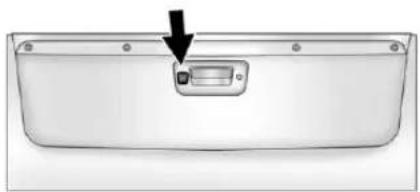
natural_image
Front view of a rectangular electronic device with a black arrow pointing to a small component (no text or symbols visible)Thecameraislocatedinthebezel forthetailgatehandle.
Thisshowsthefieldofviewthatthe cameraprovides.
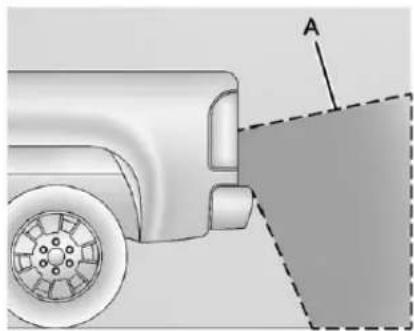
natural_image
Diagram of a vehicle's rear wheel and side-mounted sensor, showing alignment with a dashed line and labeled point A (no text or symbols beyond labels)A.Viewdisplayedbythecamera
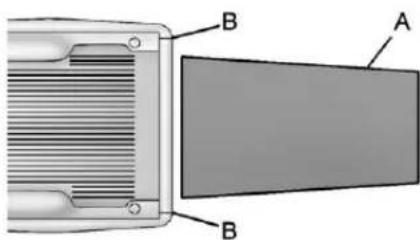
text_image
B A BA.Viewdisplayedbythecamera B.Cornersoftherearbumper
9-74DrivingandOperating
Displayedimagesmaybefurtheror closerthantheyappear.Thearea displayedislimitedandobjects whichareclosetoeithercornerof thebumperorunderthebumperdo notdisplay.
DisconnectingtheRVC
Therearvisioncameramustbe disconnectedifthetailgateneedsto beremoved.
Todisconnectthecamera:
-
Removethelicenseplate.
-
Disconnect the camera connectors from the chassis harness, located behind the license plate, bypassing on the releasetaboneach connector.
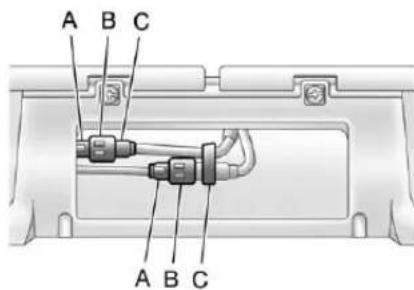
text_image
A B C A B CA. Chassisharnessconnector
B.Releasetab
C.Cameraconnector
- Plugthetwoexposedchassis harnessconnectorstogetherto preventcontamination.
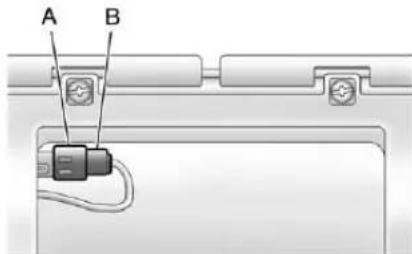
text_image
A BA. Chassisharnessconnector
B.Releasetab
-
Feedthewiringharnessthrough thepickupbox, thenplugthe cameraconnectorstogetherto preventcontamination.
-
Removethetailgate. See Tailgateonpage2-10 formoreinformation.
-
Reinstall the license plate. Reversethis procedure to install the RVC and makes sure the grommet and connection are secure.
WhentheSystemDoesNot SeemToWorkProperly
TheRVCsystemmightnotwork properlyordisplayaclearimageif:
- TheRVCisturnedoff.See "TurningtheRVCSystemOnor Off"earlierinthissection.
- Itisdark.
- Thesunorthebeamof headlampsisshiningdirectly intothecameralens.
- Ice, snow, mud, or anything else builds upon the cameralens. Cleanthelens, rinseit with water, and wipe it with as soft cloth.
- Thebackofthevehicleisinan accident, theposition and mountingangleofthecamera canchangeorthecameracan beaffected. Besuretohavethe cameraanditspositionand mountinganglecheckedatyour dealer.
TheRVCsystemdisplayinthe rearviewmirrormayturnoffornot appearasexpectedduetoone of the following conditions. If this occurs the left indicator light on the mirror will flash.
- Aslowflashmayindicatealoss ofvideosignal,ornovideo signalpresentduringthereverse cycle.
- Afastflashmayindicatethatthe displayhasbeenonforthe maximumallowabletimeduring areversecycle,orthedisplay hasreachedanOver Temperaturelimit.
Thefastflashconditionsare usedtoprotectthevideo devicefromhightemperature conditions.Onceconditions returntonormalthedevicewill resetandthegreenindicatorwill stopflashing.
During any of these fault conditions, the display will be blank and the indicator will flash while the vehicle is in R (Reverse) or until the conditions return on normal.
Pressandhold ⏻whentheleft indicatorlightisflashingtoturnoff thevideodisplayalongwiththeleft indicatorlight.
Fuel
Fordieselenginevehicles, see "FuelforDieselEngines" in the DuramaxDiesel Supplement.
For Vehicles with gasoline engines, pleasereadthis.
Gasoline
Useoftherecommendedfuelis animportantpartoftheproper maintenanceofthisvehicle.Tohelp keeptheenginecleanandmaintain optimumvehicleperformance, werecommendtheuseofgasoline advertisedasTOPTIERDetergent Gasoline.
LookfortheTOPTIERlabelonthe fuelpumptoensuregasolinemeets enhanceddetergencystandards developedbyautocompanies.Alist ofmarketersprovidingTOPTIER DetergentGasolinecanbefoundat www.toptiergas.com.

text_image
TOP TIER™ Detergent GasolineVehiclesthathaveaFlexFuelbadge andayellowfuelcapcanuseeither unleadedgasolineorethanolfuel containingupto85%ethanol(E85).
SeeFuelE85(85%Ethanol)on page9-78. Forallothervehicles, useonlytheunleadedgasoline describedunderRecommended Fuelonpage9-76.
RecommendedFuel
Useregularunleadedgasolinewith apostedoctaneratingof87or higher. Iftheoctaneratingisless than87,anaudibleknockingnoise, commonlyreferredtoasspark knock,mightbeheardwhendriving. Ifthisoccurs,useagasolinerated at87octaneorhigherassoonas possible. Ifheavyknockingis heardwhenusinggasolinerated at87octaneorhigher,theengine needsservice.
GasolineSpecifications (U.S.andCanadaOnly)
Ataminimum, gasolines should meet ASTM specification D4814 in the United States or CAN/CGSB-3.5 or 3.511 in Canada. Some gasolines contain an octane-enhancing additive called methylcyclopentadienylmanganese tricarbonyl (MMT). Were recommend against the use of gasolines containing MMT. See Fuel Additives on page 9-77 for additional information.
CaliforniaFuel Requirements
Ifthevehicleiscertifiedtomeet CaliforniaEmissionsStandards, itisdesignedtooperateonfuels thatmeetCaliforniaspecifications. Seetheunderhoodemissioncontrol label.Ifthisfuelisnotavailablein statesadoptingCaliforniaEmissions Standards,thevehiclewilloperate satisfactorilyonfuelsmeeting federalspecifications,butemission controlsystemperformancemight beaffected.Themalfunction indicatorlampcouldturnonandthe vehiclemightfailasmog-checktest. SeeMalfunctionIndicatorLampon page5-24.Ifthisoccurs,returnto yourauthorizeddealerfordiagnosis. Ifitisdeterminedthatthecondition iscausedbythetypeoffuelused, repairsmightnotbecoveredbythe vehiclewarranty.
FuelsinForeign Countries
Neveruseleadedgasolineorany otherfuelnotrecommendedinthe previousstextonfuel.Costlyrepairs causedbyuseofimproperfuel wouldnotbecoveredbythevehicle warranty.
Tocheckthefuelavailability, askan autoclub, or contact a major oil company that does business in the country where you will be driving.
FuelAdditives
Toprovidecleanerair, allgasolines intheUnitedStatesarenow required to contain additives that help prevent engine and fuel system deposits from forming, allowing the emission control system to work properly. In most cases, nothing should have to be added to the fuel.
However, some gasolines contain only the minimum amount of additiverequired to meet U.S. Environmental Protection Agency regulations. To help keep fuel injectors and intake valve ves clean and avoid problems duetodirty injectors or valves, look for gasoline that is advertised as TOPTIER Detergent Gasoline. Look for the TOPTIER label on the fuel pump to ensure gasolinemeets enhanced detergencystandards developed by the autocompanies. A list of marketers providing TOPTIER Detergent Gasoline can be found at www.toptiergas.com.
ForcustomerswhodonotuseTOP TIERDetergentGasolineregularly, onebottleofGMFuelSystem TreatmentPLUS,addedtothefuel tankateveryengineoilchange, canhelpcleandepositsfromfuel injectorsandintakevalves.GMFuel SystemTreatmentPLUSistheonly gasolineadditiverecommendedby GeneralMotors.Itisavailableat yourdealer.
Gasolinescontainingoxygenates, suchasethersandethanol, and reformulatedgasolines mightbeavailableinyourarea. Werecommendthatyouusethese gasolines,iftheycomplywiththe specificationsdescribedearlier. However,E85(85%ethanol)and otherfuelscontainingmorethan 15%ethanolmustnotbeusedin vehiclesthatwerenotdesignedfor thosefuels.
Notice: This vehicle was not designed for fuel that contains methanol. Donotuse fuel containing methanol. It can corrode metal parts in the fuel system and also damage plastic and rubber parts. That damage would not be covered under the vehicle warranty.
Somegasolinesthatare notreformulatedforlow emissionscancontainan octane-enhancingadditivecalled methylcyclopentadienylmanganese
tricarbonyl(MMT); ask the attendant where you buy gasolinewhether the fuel contains MMT. Were recommend against the use of such gasolines. Fuels containing MMT can reduce spark plug life and affect emission control system performance. Themalfunction indicator lamp might turn on. If this occurs, return to your dealer for service.
FuelE85(85%Ethanol)
VehiclesthathaveaFlexFuelbadge andayellowfuelcapcanuseeither unleadedgasolineorethanolfuel containingupto85%ethanol(E85). Forallothervehicles, useonlythe unleadedgasolinedescribedunder RecommendedFuelonpage9-76.
WeencouragetheuseofE85in vehiclesthataredesignedtouseit. TheethanolinE85isa "renewable" fuel, meaningitismadefrom renewablesourcessuchascorn andothercrops.
Manyservicestationswillnothave an85%ethanolfuel(E85)pump available.TheU.S.Departmentof Energyhasanalternativefuels website(www.afdc.energy.gov/afdc/locator/stations/)thatcanhelpyou findE85fuel.Thosestationsthat dohaveE85shouldhavealabel indicatingethanolcontent.Donot usethefueliftheethanolcontentis greaterthan85%.
Ataminimum,E85shouldmeet ASTMSpecificationD5798or CGSBSpecification3.512. Fillingthetankwithfuelmixtures thatdonotmeetASTMorCGSB specificationscanaffectdriveability andcouldcausethemalfunction indicatorlamptocomeon.Asthe outsidetemperatureapproaches freezing,ethanolfueldistributors shouldsupplywintergrade ethanol,thesameaswith unleadedgasoline.Wintergrade blendstypicallydonotexceed 70%ethanol(E70).
The starting characteristics of ethanol make it more difficult to start below 0^ C ( 32^ F), which may lead to longer start/crank times. Engine start on ethanol fuels down to -30^ C ( -20^ F) is possible, provided a winter grade ethanol blend is used.
Itisbestnottoalternaterepeatedly between gasoline and E85. If you doswitchfuels, it is recommended that you addasmuchfuelas possible—donotaddlessthan 11L(3gal) when refueling. You should drive the vehicle immediately after refueling for at least 11km(7mi) to allow the vehicle to adapt to the change in ethanol concentration.
E85haslessenergyperliter (gallon)thangasoline,soyouwill needtorefillthefueltankmore oftenwhenusingE85thanwhen youareusinggasoline.SeeFilling theTankonpage9-80.
Notice: Someadditives are not compatible with E85 fuel and can harm the vehicle's fuel system. Donot add anything to E85. Damage caused by additives would not be recovered by the vehicle warranty.
Notice: This vehicle was not designed for fuel that contains methanol. Donotuse fuel containing methanol. It can corrode metal parts in the fuel system and also damage plastic and rubber parts. That damage would not be covered under the vehicle warranty.
FillingtheTank
If the vehicle has a diesel engine, seethe Duramax diesels supplement form more information.

WARNING
Fuelvaporburnsviolentlyanda fuelfirecancausebadinjuries. Tohelpavoidinjuriestoyouand others,readandfollowallthe instructionsonthefuelpump island.Turnofftheenginewhen refueling.Donotsmokenearfuel orwhenrefuelingthevehicle. Donotusecellularphones. Keepsparks,flames,and smokingmaterialsawayfromfuel. Donotleavethefuelpump unattendedwhenrefuelingthe vehicle.Thisisagainstthelawin someplaces.Donotre-enterthe vehiclewhilepumpingfuel.Keep childrenawayfromthefuelpump; neverletchildrenpumpfuel.
Thetetheredfuelcapislocated behindahingedfueldooronthe driversideofthevehicle. Vehicles thathaveaFlexFuelbadgeanda yellowfuelcapcanuseeither unleadedgasolineorethanolfuel containingupto85%ethanol(E85). SeeFuelE85(85%Ethanol)on page9-78.
Toremovethefuelcap, turnit slowlycounterclockwise.

WARNING
Fuelcansprayoutonyouifyou openthefuelcaptooquickly. Ifyouspillfuelandthen somethingignitesit,youcouldbe badlyburned.Thisspraycan happenifthetankisnearlyfull, andismorelikelyinhotweather. Openthefuelcapslowlyandwait foranyhissnoisetostop.Then unscrewthecapalltheway.
Ifthevehicleisadualfueltank chassiscabmodel, anditrunsout offuel, refuelthefrontfueltankfirst toensureaquickrestart.
Becarefulnottospillfuel.Donot topofforoverfillthetankandwaita fewsecondsafteryouhavefinished pumpingbeforeremovingthe nozzle.Cleanfuelfrompainted surfacesassoonaspossible. SeeExteriorCareonpage 10-102.
Whenreplacingthefuelcap,turnit clockwiseuntilitclicks.Itwillrequire moreefforttoturnthefuelcapon thelastturnasyoutightenit. Makesurethecapisfullyinstalled. Thediagnosticsystemcan determineifthefuelcaphasbeen leftofforimproperlyinstalled.This wouldallowfueltoevaporateinto theatmosphere.SeeMalfunction IndicatorLamponpage5-24.
The TIGHTENGASCAP message displays on the Driver Information Center (DIC) if the fuel cap is not properly installed. See Fuel System Messages on page 5-46 form more information.

WARNING
Ifafirestartswhileyouare refueling, donotremovethe nozzle. Shutofftheflowoffuelby shuttingoffthepumporby notifyingthestationattendant. Leavetheareaimmediately.
Notice: Ifanewfuelcapis needed, besuretogetheright typeofcapfromyourdealer. Thewrongtypeoffuelcapmight notfitproperly, mightcausethe malfunctionindicatorlampto light, and could damage the fuel tankandemissionssystem. See MalfunctionIndicatorLamp onpage5-24.
FillingaPortableFuel Container

WARNING
Neverfillaportablefuelcontainer whileitisinthevehicle.Static electricitydischargefromthe containercanignitethefuel vapor.Youcanbebadlyburned andthevehicledamagedifthis occurs.Tohelpavoidinjurytoyou andothers:
- Dispensefuelonlyinto approvedcontainers.
- Donotfillacontainerwhileit isinsideavehicle,ina vehicle'strunk,pickupbed, oronanysurfaceotherthan theground.
(Continued)
WARNING(Continued)
- Bringthefillnozzleincontact withtheinsideofthefill openingbeforeoperatingthe nozzle.Contactshouldbe maintaineduntilthefillingis complete.
- Donotsmokewhile pumpingfuel.
- Donotuseacellularphone whilepumpingfuel.
Towing
GeneralTowing Information
Onlyusetowingequipmentthathas beendesignedforthevehicle.
Contact your dealer or trailering dealer for assistance with preparing the vehicle for towing a trailer.
Seethefollowingtrailertowing informationinthissection:
- Forinformationondrivingwhile towingatrailer,see"Driving Characteristicsand TowingTips."
- Formaximumvehicleandtrailer weights,see"TrailerTowing."
- Forinformationonequipment totowatrailer,see“Towing Equipment.”
Forinformationontowingadisabled vehicle, see TowingtheVehicleon page 10-97. Forinformationon towingthevehiclebehindanother vehiclesuchasamotorhome, see RecreationalVehicleTowingon page 10-97.
DrivingCharacteristics and TowingTips
PullingaTrailer
Importantpointsforpullingatrailer:
- Therearemanydifferentlaws, includingspeedlimitrestrictions, havingtodowithtrailering. Makesuretherigwillbelegal, notonlywhereyoulivebutalso whereyouwillbedriving. Agoodsourceforth this informationcanbestateor provincialpolice.
-
Considerusingaswaycontrol. See "Hitches" under Towing Equipmentonpage9-102.
-
Donottowatraileratallduring thefirst800km(500miles) thenewvehicleisdriven. Theengine,axle,orotherparts couldbedamaged.
- Duringthefirst800km (500miles)thatatraileris towed,donotdriveover80km/h (50mph)andonotmakestarts atfullthrottle. Thishelpsthe engineandotherpartsofthe vehiclewearinattheheavier loads.
- VehiclescantowinD(Drive). Shiftthetransmissiontoalower gearifthetransmissionshifts toooftenunderheavyloads and/orhillyconditions.
Importantconsiderationsthathave todowithweight:
• Weightofthetrailer
• Weightofthetrailertongue
• Weightonthevehicle'stires
• Weightofthetrailing combination
DrivingwithaTrailer

WARNING
Whentowingatrailer, exhaust gasesmaycollectattherearof thevehicleandenterifthe liftgate,trunk/hatch,orrear-most windowisopen.
EngineexhaustcontainsCarbon Monoxide(CO)whichcannotbe seenorsmelled.Itcancause unconsciousnessandevendeath.
T maximizes safety whentowing atrailer:
- Havetheexhaustsystem inspectedforleaksandmake necessaryrepairsbefore startingatrip.
- Neverdrivewiththeliftgate, trunk/hatch,orrear-most windowopen.
(Continued)
WARNING(Continued)
- Fullyopentheairoutletson orundertheinstrument panel.
- AdjusttheClimateControl systemtoasettingthat bringsinonlyoutsideairand setthefanspeedtothe highestsetting.SeeClimate ControlSysteminthelndex.
Formoreinformationabout CarbonMonoxide,seeEngine Exhaustonpage9-36.
Towingatrailerrequiresa certainamountofexperience. Thecombinationyouaredrivingis longerandnotasresponsiveasthe vehicleitself.Getacquaintedwith thehandlingandbrakingoftherig beforesettingoutfortheopenroad.
Beforestarting, checkalltrailer hitchpartsandattachments, safety chains, electricalconnectors, lamps, tires, andmirrors.
If the trailerhaselectric brakes, start the combination moving and then apply the trailer brake controller by hand to besure the brakes work.
Duringthetrip, checkoccasionally tobesurethattheloadissecure andthelampsandanytrailer brakesstillwork.
FollowingDistance
Stayatleasttwiceasfarbehindthe vehicleaheadasyouwouldwhen drivingthevehiclewithoutatrailer. Thiscanhelptoavoidheavy brakingandsuddenturns.
Passing
Morepassingdistanceis neededwhentowingatrailer. Thecombinationwillnotaccelerate asquicklyandislongersoitis necessarytogomuchfarther beyondthepassedvehiclebefore returningtothelane.
BackingUp
Holdthebottomofthesteering wheelwithonehand.Tomovethe trailertotheleft,movethathandto theleft.Tomovethetrailertotheright,moveyourhandtotheright. Alwaysbackupslowlyand, ifpossible,havesomeone guideyou.
MakingTurns
Notice: Making very sharp turns while trailering could cause the trailertocome in contact with the vehicle. The vehicle could be damaged. Avoid making very sharp turns while trailering.
Whenturningwithatrailer,make widerturnsthannormal.Dothis sothetrailerwillnotstrikesoft shoulders,curbs,roadsigns,trees, orotherobjects.Avoidjerkyor suddenmaneuvers.Signalwellin advance.
If the trailer turns signal bulbs burn out, the arrows on the instrument panel will still flash for turns. It is important to check occasionally to be sure the trailer bulbs are still working.
DrivingonGrades
Reducespeedandshifttoa lowergearbeforestartingdowna longorsteepdowngrade.Ifthe transmissionisnotshifteddown, thebrakesmightgethotandno longerworkwell.
VehiclescantowinD(Drive). Shiftthetransmissiontoalower gearifthetransmissionshiftstoo oftenunderheavyloadsand/orhilly conditions.
The Tow/HaulModemaybeusedif thetransmissionshiftstoooften. See Tow/HaulModeonpage9-43.
Whentowingathighaltitudeon steepuphillgrades,considerthe following:Enginecoolantwillboilat alowertemperaturethanatnormal
altitudes. If the engine is turned off immediately after towing at high altitude on steep up hill grades, the vehicle may show sign similar to engine overheating. To avoid this, let the engineer un while parked, preferably on level ground, with the automatic transmission in P (Park) for a few minutes before turning the engine off. If the overheat warning comes on, see Engine Overheating on page 10-23.
ParkingonHills

WARNING
Parkingthevehicleonahillwith thetrailerattachedcanbe dangerous. If something goes wrong, therigcouldstarttomove. People can be injured, and both the vehicle and the trailer can be damaged. When possible, always parktherigonaflatsurface.
Ifparkingtherigonahill:
- Pressthebrakepedal, but donotshiftintoP(Park)yet. Turnthewheelsintothecurbif facingdownhillorintotrafficif facinguphill.
- Havesomeoneplacechocks underthetrailerwheels.
- Whenthewheelchocksarein place, releasetheregularbrakes untilthechocksabsorbtheload.
- Reapplythebrakepedal. Thenapplytheparkingbrake andshiftintoP(Park).
- If the vehicle is four-wheel-drive, besurethetransfercase is a drive gear and not in N (Neutral).
- Releasethebrakepedal.
WARNING
Itcanbedangeroustogetoutof thevehicleiftheshiftleverisnot fullyinP(Park)withtheparking brakefirmlyset. Thevehicle canroll.
If the engine has been left running, the vehicle can move suddenly. You or others could be injured. Tobesure the vehicle will not move, even when on fairly level ground, use the step that follow.
Alwaysputtheshiftleverfully in P(Park)withtheparkingbrake firmlyset.
Ifthetransfercaseona four-wheel-drivevehicleisin N(Neutral),thevehiclewillbe freetoroll,eveniftheshiftlever isinP(Park).Besurethetransfer caseisinadrivegear—notin N(Neutral).
LeavingAfterParkingonaHill
- Apply and hold the brake pedal.
2.Starttheengine. - Shiftintoagear.
- Releasetheparkingbrake.
- Letuponthebrakepedal.
- Driveslowlyuntilthetraileris clearofthechocks.
- Stopandhavesomeonepickup andstorethechocks.
MaintenancewhenTrailer Towing
Thevehicleneedsservicemore oftenwhenpullingatrailer. SeeMaintenanceScheduleon page 11-3. Thingsthatare especiallyimportantintrailer operationareautomatic transmissionfluid,engineoil,axle lubricant,belts,coolingsystem,and brakesystem.Itisagoodideato inspectthesebeforeandduring thetrip.
Checkperiodicallytoseethatall hitchnutsandboltsaretight.
TrailerTowing
If the vehicle has diesel engine, seethe Duramax diesels supplement form more information.
If the vehicle is a hybrid, se the hybrids supplement form more information.
Donottowatrailerduringbreak-in. SeeNewVehicleBreak-Inon page9-26formoreinformation.

WARNING
Thedrivercanlosecontrolwhen pullingatrailerifthecorrect equipmentisnotusedorthe vehicleisnotdrivenproperly. Forexample,ifthetraileristoo heavy,thebrakesmaynotwork wellorevenatall. Thedriverand passengerscouldbeseriously injured.Thevehiclemayalsobe damaged;theresultingrepairs (Continued)
WARNING(Continued)
wouldnotbecoveredbythe vehiclewarranty.Pullatailer onlyifallthestepsinthissection havebeenfollowed.Askyour dealerforadviceandinformation abouttowingatralerwiththe vehicle.
Notice: Pullingatailer improperlycandamagethe vehicleandresultincostly repairsnotcoveredbythevehicle warranty.Topullatrailer correctly,followtheadviceinthis sectionandseeyourdealerfor importantinformationabout towingatralerwiththevehicle.
To identify the trailering capacity of the vehicle, read the information in "Weight of the Trailer" later in this section.
Traileringisdifferentthanjust drivingthevehiclebyitself. Traileringmeanschangesin handling,acceleration,braking, durability,andfueleconomy. Successful,safetraileringtakes correctequipment,andithastobe usedproperly.
The following information has many time-tested, important trailering tips and safety rules. Many of these are important for yoursafety and that of your passengers. Sopleaseread this section carefully before pulling a trailer.
WeightoftheTrailer
Howheavycanatrailersafelybe?
Itdependsonhowtherigisused. Speed, altitude, roadgrades, outside temperature, and how much the vehicle is used to pull a trailer are all important. It can depend on any speciale equipment on the vehicle, and the amount of tongue weight the vehicle can carry.
See "WeightoftheTrailerTongue" laterinthissectionformore information.
Trailerweightrating(TWR)is calculatedassumingthetowvehicle hasonlythedriverbutallrequired traileringequipment.Weightof additionaloptionalequipment,
passengers, and cargointhetow vehicle must be subtracted from the trailer weight rating.
Forkingpinweightandtrailer tongueweightinformation,see "WeightoftheTrailerTongue"later inthissection.
Usethefollowingcharttodetermine howmuchthevehiclecanweigh, baseduponthevehiclemodeland options.
Weightslistedapplyfor conventionaltrailersandfifth-wheel trailersunlessotherwisenoted.
| VehicleAxleRatioMaxi | mumTrailerWeightG | CWR(a) | |
| 1500Series2WDRegularCabStandardBox | |||
| 4.3LV6(b)3.232177kg(4,800lbs)430 | 9kg(9,500lbs) | ||
| 4.3LV6—WithAutomatic Transmission(b) | 3.732449kg(5,400lbs)4536kg(10,000lbs) | ||
| 4.3LV6—WithManual Transmission(b) | 3.731860kg(4,100lbs)3938kg(8,683lbs) | ||
| 4.8LV8(b)3.232132kg(4,700lbs)430 | 9kg(9,500lbs) | ||
| 4.8LV8(b)3.733266kg(7,200lbs)544 | 3kg(12,000lbs) | ||
| 5.3LLMGV8(b) | 3.082994kg(6,600lbs) | 5216kg(11,500lbs) | |
| 5.3LLMGV8,K5LHD CoolingPkg | 3.083357kg(7,400lbs)5534kg(12,200lbs) | ||
| 5.3LLMGV8K5LHDCoolingPkg | 3.424128kg(9,100lbs)6350kg(14,000lbs) | ||
9-88DrivingandOperating
| VehicleAxleRatioMaxi | numTrailerWeightG | CWR(a) | |
| 1500Series2WDExtendedCabStandardBox | |||
| 4.3LV6(b)3.231996kg(4,400lbs)430 | 9kg(9,500lbs) | ||
| 4.8LV8(b)3.232132kg(4,700lbs)453 | 6kg(10,000lbs) | ||
| 4.8LV8(b)3.733039kg(6,700lbs)544 | 3kg(12,000lbs) | ||
| 5.3LV8(b)3.082812kg(6,200lbs)521 | 6kg(11,500lbs) | ||
| 5.3LV8K5LHDCoolingPkg(b) | 3.083130kg(6,900lbs)5534kg(12,200lbs) | ||
| 5.3LV8K5LHDCooling Pkg—ConventionalTrailer | 3.424400kg(9,700lbs)6804kg(15,000lbs) | ||
| 5.3LV8K5LHDCooling Pkg—Fifth-WheelTrailer | 3.424264kg(9,400lbs)6804kg(15,000lbs) | ||
| 6.2LV8K5LHDCooling Pkg—ConventionalTrailer | 3.424400kg(9,700lbs)6804kg(15,000lbs) | ||
| 6.2LV8K5LHDCooling Pkg—Fifth-WheelTrailer | 3.424264kg(9,400lbs)6804kg(15,000lbs) | ||
| 6.2LV8NHTMaxTrailering Pkg—ConventionalTrailer | 3.73 | 4853kg(10,700lbs) | 7257kg(16,000lbs) |
| 6.2LV8NHTMaxTrailering Pkg—Fifth-WheelTrailer | 3.73 | 4808kg(10,600lbs) | 7257kg(16,000lbs) |
| VehicleAxleRatioMaxi | mumTrailerWeightG | CWR(a) | |
| 1500Series2WDCrewCabShortBox(b) | |||
| 4.8LV83.232132kg(4,700lbs)4536kg | (10,000lbs) | ||
| 4.8LV83.733039kg(6,700lbs)5443kg | (12,000lbs) | ||
| 5.3LV8(LMG)3.082812kg(6,200lbs) | 5216kg(11,500lbs) | ||
| 5.3LV8(LMG)K5LHDCoolingPkg | 3.083130kg(6,900lbs)5534kg(12,200lbs) | ||
| 5.3LV8(LC9)XFE3.083175kg(7,000lbs)5534kg(12,200lbs) | |||
| 5.3LV8(LMG)K5LHDCoolingPkg | 3.424355kg(9,600lbs)6804kg(15,000lbs) | ||
| 6.2LV8K5LHDCoolingPkg | 3.424400kg(9,700lbs)6804kg(15,000lbs) | ||
| 6.2LV8 NHT Max Trailering Pkg | 3.73 | 4 808 kg (10,600 lbs) | 7 257 kg (16,000 lbs) |
| 1500Series2WDRegularCabLongBox | |||
| 4.3LV6(b) | 3.232132kg(4,700lbs) | 4309kg(9,500lbs) | |
| 4.3LV6(b) | 3.732359kg(5,200lbs)4536kg(10,000lbs) | ||
| 4.8LV8(b) | 3.232313kg(5,100lbs)4536kg(10,000lbs) | ||
| 4.8LV8(b) | 3.733221kg(7,100lbs)5443kg(12,000lbs) | ||
| 5.3LV83.082948kg(6,500lbs)5216kg(11,500lbs) | |||
9-90DrivingandOperating
| VehicleAxleRatioMaxi | numTrailerWeightG | CWR(a) | |
| 5.3LV8K5LHDCoolingPkg3.083266 | kg(7,200lbs)5534kg( | 12,200lbs) | |
| 5.3LV8K5LHDCooling Pkg-ConventionalTrailer | 3.424536kg( | 10,000lbs)6804kg(15,000lbs) | |
| 5.3LV8K5LHDCooling Pkg-Fifth-WheelTrailer | 3.424037kg( | 8,900lbs)6804kg(15,000lbs) | |
| 1500Series2WDExtendedCabLongBox | |||
| 5.3LV8(b)3.08 2722kg( | 6,000lbs)5216kg(11,500lbs) | ||
| 5.3LV8K5LHDCoolingPkg(b) | 3.083039kg(6,700lbs)5534kg(12,200lbs) | ||
| 5.3LV8K5LHDCoolingPkg-ConventionalTrailer | 3.424309kg( | 9,500lbs)6804kg(15,000lbs) | |
| 5.3LV8K5LHDCoolingPkg-Fifth-WheelTrailer | 3.424082kg( | 9,000lbs)6804kg(15,000lbs) | |
| 1500Series4WDRegularCabStandardBox | |||
| 4.3LV6(b) | 3.732313kg(5,100lbs)4536kg(10,000lbs) | ||
| 4.8LV8(b) | 3.422722kg(6,000lbs) | 4990kg(11,000lbs) | |
| 5.3LV8(b) | 3.082903kg(6,400lbs) | 5216kg(11,500lbs) | |
| 5.3LV8K5LHDCoolingPkg3.083221 | kg(7,100lbs)5534kg( | 12,200lbs) | |
| VehicleAxleRatioMaxi | mumTrailerWeightG | CWR(a) | |
| 5.3LV8K5LHDCoolingPkg—ConventionalTrailer | 3.424037kg(3,900lbs)6350kg(14,000lbs) | ||
| 5.3LV8K5LHDCoolingPkg—Fifth-WheelTrailer | 3.423719kg(3,200lbs)6350kg(14,000lbs) | ||
| 1500Series4WDExtendedCabStandardBox | |||
| 4.8LV8(b)3.422495kg(5,500lbs)4990kg(11,000lbs) | |||
| 5.3LV8(b)3.082767kg(6,100lbs)5216kg(11,500lbs) | |||
| 5.3LV8K5LHDCoolingPkg(b)3.083084kg(6,800lbs)5534kg(12,200lbs) | |||
| 5.3LV8K5LHDCoolingPkg—ConventionalTrailer | 3.424354kg(9,600lbs)6804kg(15,000lbs) | ||
| 5.3LV8K5LHDCoolingPkg—Fifth-WheelTrailer | 3.424354kg(9,600lbs)6804kg(15,000lbs) | ||
| 6.2LV8K5LHDCoolingPkg—ConventionalTrailer | 3.424264kg(9,400lbs)6804kg(15,000lbs) | ||
| 6.2LV8K5LHDCoolingPkg—Fifth-WheelTrailer | 3.424128kg(9,100lbs)6804kg(15,000lbs) | ||
9-92DrivingandOperating
| VehicleAxleRatioMaxi | numTrailerWeightG | CWR(a) | |
| 6.2LV8NHTMaxTrailering Pkg—ConventionalTrailer | 3.734717kg( | 10,400lbs)7257kg(16,000lbs) | |
| 6.2LV8NHTMaxTrailering Pkg—Fifth-WheelTrailer | 3.734672kg( | 10,300lbs)7257kg(16,000lbs) | |
| 1500Series4WDCrewCabShortBox(b) | |||
| 4.8LV83.422495kg(5,500lbs)4990kg(11,000lbs) | |||
| 5.3LV83.082722kg(6,000lbs)5216kg(11,500lbs) | |||
| 5.3LV8K5LHDCoolingPkg3.083039kg(6,700lbs) | 5534kg(12,200lbs) | ||
| 5.3LV8K5LHDCoolingPkg3.424309kg(9,500lbs) | 6804kg(15,000lbs) | ||
| 6.2LV8K5LHDCoolingPkg3.424264kg(9,400lbs) | 6804kg(15,000lbs) | ||
| 6.2LV8NHTMaxTraileringPkg | 3.734717kg(10 | 400lbs)7257kg(16,000lbs) | |
| 1500Series4WDRegularCabLongBox | |||
| 4.3LV6(b) | 3.732223kg(4,900lbs) | 4536kg(10,000lbs) | |
| 4.8LV8(b) | 3.422631kg(5,800lbs)4990kg(11,000lbs) | ||
| 5.3LV8(b) | 3.082858kg(6,300lbs)5216kg(11,500lbs) | ||
| 5.3LV8K5LHDCooling Pkg—ConventionalTrailer | 3.083175kg(7,000lbs) | 5534kg(12,200lbs) | |
| VehicleAxleRatioMaxi | mumTrailerWeightG | CWR(a) | |
| 5.3LV8K5LHDCoolingPkg—Fifth-WheelTrailer | 3.083175kg(7,000lbs)5534kg(12,200lbs) | ||
| 5.3LV8K5LHDCoolingPkg—ConventionalTrailer | 3.424445kg(9,800lbs)6804kg(15,000lbs) | ||
| 5.3LV8K5LHDCoolingPkg—Fifth-WheelTrailer | 3.424400kg(9,700lbs)6804kg(15,000lbs) | ||
| 1500Series4WDExtendedCabLongBox | |||
| 5.3LV8(b)3.082631kg(5,800lbs)521 | 6kg(11,500lbs) | ||
| 5.3LV8K5LHDCoolingPkg(b)3.0829 | 48kg(6,500lbs)5534kg(12,200lbs) | ||
| 5.3LV8K5LHDCoolingPkg—ConventionalTrailer | 3.424218kg(9,300lbs)6804kg(15,000lbs) | ||
| 5.3LV8K5LHDCoolingPkg—Fifth-WheelTrailer | 3.423674kg(8,100lbs)6804kg(15,000lbs) | ||
| 2500Series2WDExtendedCabStandardBoxHD | |||
| 6.0LV83.734445kg(9,800lbs)7257kg(16,000lbs) | |||
| 6.0LV8 — Conventional Trailer | 4.10 | 5 897 kg (13,000 lbs) | 9 299 kg (20,500 lbs) |
| 6.0LV8 — Fifth-Wheel Trailer | 4.10 | 6 486 kg (14,300 lbs) | 9 299 kg (20,500 lbs) |
9-94DrivingandOperating
| VehicleAxleRatioMaxi | numTrailerWeightG | CWR(a) | |
| 2500Series2WDCrewCabStandardBoxHD | |||
| 6.0LV83.734400kg(9,700lbs)7257kg(16,000lbs) | |||
| 6.0LV8— ConventionalTrailer4.105 | 897kg(13,000lbs)929 | 9kg(20,500lbs) | |
| 6.0LV8 — Fifth-Wheel Trailer | 4.10 | 6 441 kg (14,200 lbs) | 9 299 kg (20,500 lbs) |
| 2500Series2WDRegularCabLongBoxHD | |||
| 6.0LV83.734627kg(10,200lbs)7257kg(16,000lbs) | |||
| 6.0LV8— PayloadPerformance Pkg(UB7) | 3.734536kg(10,000lbs)7257kg(16,000lbs) | ||
| 6.0LV8— ConventionalTrailer4.105 | 897kg(13,000lbs)929 | 9kg(20,500lbs) | |
| 6.0LV8 — Fifth-Wheel Trailer | 4.10 | 6 668 kg (14,700 lbs) | 9 299 kg (20,500 lbs) |
| 2500Series2WDExtendedCabLongBoxHD | |||
| 6.0LV83.734400kg(9,700lbs)7257kg(16,000lbs) | |||
| 6.0LV8— ConventionalTrailer4.105 | 897kg(13,000lbs)929 | 9kg(20,500lbs) | |
| 6.LV8 — Fifth-Wheel Trailer | 4.10 | 6 441 kg (14,200 lbs) | 9 299 kg (20,500 lbs) |
| VehicleAxleRatioMaxi | mumTrailerWeightG | CWR(a) | |
| 2500Series2WDCrewCabLongBoxHD | |||
| 6.0LV83.734354kg(9,600lbs)7257kg(16,000lbs) | |||
| 6.0LV8—ConventionalTrailer4.1058kg(13,000lbs)9299kg(20,500lbs) | |||
| 6.0LV8 — Fifth-Wheel Trailer | 4.10 | 6 396 kg (14,100 lbs) | 9 299 kg (20,500 lbs) |
| 2500Series4WDExtendedCabStandardBoxHD | |||
| 6.0LV83.734309kg(9,500lbs)7257kg(16,000lbs) | |||
| 6.0LV8—ConventionalTrailer4.1058kg(13,000lbs)9299kg(20,500lbs) | |||
| 6.0LV8 — Fifth-Wheel Trailer | 4.10 | 6 350 kg (14,000 lbs) | 9 299 kg (20,500 lbs) |
| 2500Series4WDCrewCabStandardBoxHD | |||
| 6.0LV83.734264kg(9,400lbs)7257kg(16,000lbs) | |||
| 6.0LV8—ConventionalTrailer4.1058kg(13,000lbs)9299kg(20,500lbs) | |||
| 6.0LV8 — Fifth-Wheel Trailer | 4.10 | 6 305 kg (13,900 lbs) | 9 299 kg (20,500 lbs) |
| 2500Series4WDRegularCabLongBoxHD | |||
| 6.0LV83.734491kg(9,900lbs)7257kg(16,000lbs) | |||
| 6.0LV8—ConventionalTrailer4.1058kg(13,000lbs)9299kg(20,500lbs) | |||
| 6.0LV8 — Fifth-Wheel Trailer | 4.10 | 6 532 kg (14,400 lbs) | 9 299 kg (20,500 lbs) |
9-96DrivingandOperating
| VehicleAxleRatioMaxi | numTrailerWeightG | CWR(a) | |
| 2500Series4WDExtendedCabLongBoxHD | |||
| 6.0LV83.734264kg(9,400lbs)7257kg(16,000lbs) | |||
| 6.0LV8—ConventionalTrailer4.105897kg(13,000lbs)9299kg(20,500lbs) | |||
| 6.0LV8 — Fifth-Wheel Trailer | 4.10 | 6 305 kg (13,900 lbs) | 9 299 kg (20,500 lbs) |
| 2500Series4WDCrewCabLongBoxHD | |||
| 6.0LV83.734218kg(9,300lbs)7257kg(16,000lbs) | |||
| 6.0LV8—ConventionalTrailer4.105897kg(13,000lbs)9299kg(20,500lbs) | |||
| 6.0LV8 — Fifth-Wheel Trailer | 4.10 | 6 260 kg (13,800 lbs) | 9 299 kg (20,500 lbs) |
| 3500Series2WDRegularCabLongBox | |||
| 6.0LV8(SingleRearWheels) ConventionalTrailer | 4.105897kg(13,000lbs)9299kg(20,500lbs) | ||
| 6.0LV8(SingleRearWheels) Fifth-WheelTrailer | 4.106577kg(14,500lbs)9299kg(20,500lbs) | ||
| 6.0LV8(DualRearWheels) | 3.734354kg(9,600lbs)7257kg(16,000lbs) | ||
| 6.0LV8(DualRearWheels) | 4.106396kg(14,100lbs)9299kg(20,500lbs) | ||
| VehicleAxleRatioMaxi | mumTrailerWeightG | CWR(a) | |
| 3500Series2WDExtendedCabLongBox | |||
| 6.0LV8(SingleRearWheels)3.73430 | 9kg(9,500lbs)7257kg | (16,000lbs) | |
| 6.0LV8(SingleRearWheels)ConventionalTrailer | 4.105897kg( | (13,000lbs)9299kg(20,500lbs) | |
| 6.0LV8(SingleRearWheels)Fifth-WheelTrailer | 4.106350kg( | (14,000lbs)9299kg(20,500lbs) | |
| 6.0LV8 (Dual Rear Wheels) | 3.73 | 4 128kg (9,100 lbs) | 7 257 kg (16,000 lbs) |
| 6.0LV8(DualRearWheels)4.106169 | kg(13,600lbs)9299kg | (20,500lbs) | |
| 3500Series2WDCrewCabStandardBox | |||
| 6.0LV8 | 3.73 | 4 309kg (9,500 lbs) | 7 257 kg (16,000 lbs) |
| 6.0LV8 — Conventional Trailer | 4.10 | 5 897 kg (13,000 lbs) | 9 299 kg (20,500 lbs) |
| 6.0LV8Fifth-WheelTrailer | 4.106350kg(14,000lbs)9299kg(20,500lbs) | ||
| 3500Series2WDCrewCabLongBox | |||
| 6.0LV8(SingleRearWheels)3.73426 | 4kg(9,400lbs)7257kg | (16,000lbs) | |
| 6.0LV8(SingleRearWheels)ConventionalTrailer | 4.105897kg( | (13,000lbs)9299kg(20,500lbs) | |
| 6.0LV8(SingleRearWheels)Fifth-WheelTrailer | 4. 106305kg( | (13,900lbs)9299kg(20,500lbs) | |
9-98DrivingandOperating
| VehicleAxleRatioMaxi | numTrailerWeightG | CWR(a) | |
| 6.0LV8(DualRearWheels)3.734082 | kg(9,000lbs)7257kg(16,000lbs) | ||
| 6.0LV8(DualRearWheels)4.106123 | kg(13,500lbs)9299kg(20,500lbs) | ||
| 3500Series4WDRegularCabLongBox | |||
| 6.0LV8(SingleRearWheels)3.73440 | 0kg(9,700lbs)7257kg(16,000lbs) | ||
| 6.0LV8(SingleRearWheels)ConventionalTrailer | 4.105897kg(13,000lbs)9299kg(20,500lbs) | ||
| 6.0LV8(SingleRearWheels)Fifth-WheelTrailer | 4.106441kg(14,200lbs)9299kg(20,500lbs) | ||
| 6.0LV8(DualRearWheels)3.734218 | kg(9,300lbs)7257kg(16,000lbs) | ||
| 6.0LV8(DualRearWheels)4.106260 | kg(13,800lbs)9299kg(20,500lbs) | ||
| 3500Series4WDExtendedCabLongBox | |||
| 6.0LV8(SingleRearWheels)3.73417 | 3kg(9,200lbs)7257kg(16,000lbs) | ||
| 6.0LV8(SingleRearWheels)ConventionalTrailer | 4.105897kg(13,000lbs)9299kg(20,500lbs) | ||
| 6.0LV8(SingleRearWheels)Fifth-WheelTrailer | 4.1.06214kg(13,700lbs)9299kg(20,500lbs) | ||
| VehicleAxleRatioMaxi | mumTrailerWeightG | CWR(a) | |
| 6.0LV8(DualRearWheels)3.734037 | kg(8,900lbs)7257kg(1 | 6,000lbs) | |
| 6.0LV8(DualRearWheels)4.106078 | kg(13,400lbs)9299kg | (20,500lbs) | |
| 3500Series4WDCrewCabStandardBox | |||
| 6.0LV83.734173kg(9,200lbs)7257kg(16,000lbs) | |||
| 6.0LV8 — Conventional Trailer | 4.10 | 5 897 kg (13,000 lbs) | 9 299 kg (20,500 lbs) |
| 6.0LV8 — Fifth-Wheel Trailer | 4.10 | 6 214 kg (13,700 lbs) | 9 299 kg (20,500 lbs) |
| 3500Series4WDCrewCabLongBox | |||
| 6.0LV8(SingleRearWheels) | 3.734128kg(9,1 | 100lbs)7257kg(16,000lbs) | |
| 6.0LV8(SingleRearWheels)ConventionalTrailer | 4.105897kg(1 | 13,000lbs)9299kg(20,500lbs) | |
| 6.0LV8(SingleRearWheels)Fifth-WheelTrailer | 4.106169kg(1 | 13,600lbs)9299kg(20,500lbs) | |
| 6.0LV8(DualRearWheels)3.733946 | kg(8,700lbs)7257kg(1 | 6,000lbs) | |
| 6.0LV8(DualRearWheels)4.105987 | kg(13,200lbs)9299kg | (20,500lbs) | |
| (a)TheGrossCombinationWeightRating(GCWR)isthetotalallowableweightofthecompletelyloadedvehicleandtrailerincludinganypassengers,cargo,equipment,andconversions.TheGCWRforthevehicleshouldnotbeexceeded.(b)Thismodelisneitherdesignednorintendedtotowfifth-wheelorgoosenecktrailers. | |||
9-100DrivingandOperating
Askyourdealerfortrailering informationoradvice,orwriteusat ourCustomerAssistanceOffices. SeeCustomerAssistanceOffices (U.S.andCanada)onpage 13-4 or CustomerAssistanceOffices (Mexico)onpage 13-5 formore information.
WeightoftheTrailerTongue
Thetongueload(A)ofanytraileris veryimportantbecauseitisalso partofthevehicleweight.The GrossVehicleWeight(GVW) includesthecurbweightofthe vehicle,anycargocarriedinit,and thepeoplewhowillberidinginthe vehicleaswellastrailertongue weight.Vehicleoptions,equipment, passengersandcargointhevehicle reducetheamountoftongueweight thevehiclecancarry,whichwillalso reducethetrailerweightthevehicle cantow.See"VehicleLoadLimits" formoreinformationaboutthe vehicle'smaximumloadcapacity.
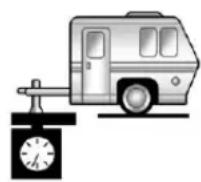
A
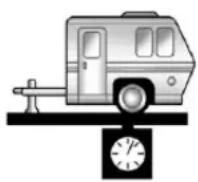
B
Trailertongueweight(A)shouldbe 10to15percentandfifth-wheel gooseneckkingpinweightshouldbe 15to25percentoftheloadedtrailer weightuptothemaximumsfor vehicleseriesandhitchtype.
| VehicleSeriesHitchType | MaximumTongue Weight | |
| 1500WeightCarrying | 272kg(600lbs) | |
| 1500WeightDistributing | 499kg(1,100lbs) | |
| 1500Fifth-WheelGooseneck | 680kg(1,500lbs) | |
| 2500/3500 StandardBox | WeightCarryingor WeightDistributing | 680kg(1,500lbs) |
| 2500/3500 LongBox | WeightCarryingor WeightDistributing | 907(2,000lbs) |
| 2500Fifth-WheelGooseneck | 1361kg(3,000lbs) | |
| 3500SingleRear Wheels | Fifth-WheelGooseneck18 | 14kg(4,000lbs) |
| 3500DualRear Wheels | Fifth-WheelGooseneck24 | 95kg(5,500lbs) |
| *816kg(41,800lbs)forvehiclesbuiltbeforeOctober,2011.Checkthe hitchratinglabelforcorrectmaximumforthevehicle. | ||
Donotexceedthemaximum allowabletongueweightforthe vehicle.Choosetheshortesthitch extensionthatwillpositionthehitch ballclosesttothevehicle.Thiswill helpreducetheeffectoftrailer tongueweightontherearaxle.
Traileringmaybelimitedbythe vehicle'sabilitytocarrytongue weight.Tongueorkingpinweight cannotcausethevehicletoexceed theGVWR(GrossVehicleWeight Rating)ortheRGAWR(RearGross AxleWeightRating).See "Total WeightontheVehicle'sTires"later inthissectionformoreinformation.
Afterloadingthetrailer, weighthe trailer and thenthetongue, separately, to see if the weights are proper. If they are not, adjustments might be made by moving some items around in the trailer.
TotalWeightonthe Vehicle'sTires
Besurethevehicle'stiresare inflatedtotheinflationpressures foundontheCertificationTirelabel onthedriversdoororseeVehicle LoadLimitsonpage9-17formore information.Makesurenotto exceedtheGVWRlimitforthe vehicle,ortheRGAWR,withthe towvehicleandtrailerfullyloaded forthetripincludingtheweight ofthetrailertongue.Ifusinga weight-distributinghitch,makesure nottoexceedtheRGAWRbefore applyingtheweightdistribution springbars.
WeightoftheTrailering Combination
It is important that the combination of the tow vehicle and trailer does not exceed any of its weight ratings—GCWR, GVWR, RGAWR,
TrailerWeightRating,orTongue Weight.Theonlywaytobesureitis notexceedinganyoftheseratings istoweighthetowvehicleand trailercombination,fullyloadedfor thetrip,gettingindividualweights foreachoftheseitems.
TowingEquipment
Hitches
The correcthitchequipment helps maintain combination control. Many trailers can betowed with a weight-carrying hitch which simply features acoupler latched to the hitchball, or atoweyel latched to a pintle hook. Other trailers may require a weight-distributing hitch that uses spring bar stodistribute the trailer tongue weight among the two vehicle and trailer axles.
Fifth-wheelandgooseneckhitches mayalsobeused. See "Weightof the TrailerTongue" under Trailer Towingonpage9-86forratinglimits withvarioushitchtypes.
Ifastep-bumperhitchwillbeused, thebumpercouldbedamagedin sharpturns.Makesurethere isampleroomwhenturningtoavoid contactbetweenthetrailerandthe bumper.
Considerusingswaycontrolswith anytrailer.Askatrailering professionalaboutswaycontrolsor refertothetrailermanufacturer's recommendationsandinstructions.
Weight-DistributingHitch Adjustment
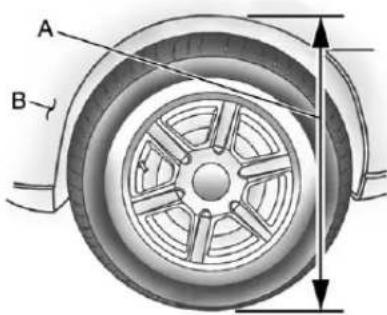
text_image
A BA. BodytoGroundDistance
B.FrontofVehicle
When using a weight-distributing hitch, the spring bar should be adjusted so the distance (A) is the same after coupling the trail to the tow vehicle and adjusting the hitch.
Fifth-WheelandGooseneck Trailering
Fifth-wheelandoosenecktrailers canbeusedwithmanypickup models. Thesetrailersplacea largerpercentageoftheweight (kingpinweight)onthetowvehicle thanconventionaltrailers. Make surethisweightdoesnotcausethe vehicletoexceedGAWRorGVWR.
Fifth-wheelgooseneckkingpin weightshouldbe15to25percentof the trailerweightuptothemaximum amountspecifiedinthetrailering chartforthevehicle.See"Weightof the Trailer"under Trailer Towingon page9-86formoreinformation.
Thehitchshouldbelocatedin thepickupbedsothatitscenterline isoverorslightlyinfrontoftherear axle.Takecarethatitisnotsofar forwardthatitwillcontacttheback ofthecabinsharpturns.Thisis especiallyimportantforshortbox pickups.Trailerpinboxextensions andslidingfifth-wheelhitch assembliescanhelpthiscondition. Thereshouldbeatleastsixinches ofclearancebetweenthetopofthe pickupboxandthebottomofthe trailersshelfthatextendsover thebox.
Makesurethehitchisattachedto thetowvehicleframerails.Donot usethepickupboxforsupport.
SafetyChains
Alwaysattachchainsbetweenthe vehicleandthetrailer.Crossthe safetychainsunderthetongueof thetrailertohelppreventthetongue fromcontactingtheroadifit becomesseparatedfromthehitch. Instructionsaboutsafetychains maybeprovidedbythehitch manufacturerorbythetrailer manufacturer.Ifthetrailerbeing towedweighsupto2271kg (5,000lbs)withafactory-installed stepbumper,safetychainsmaybe attachedtotheattachingpointson thebumper;otherwise,safety chainsshouldbeattachedtoholes onthetrailerhitchplatform.Always leavejustenoughslacksothe combinationcanturn.Neverallow safetychainstodragontheground.
TrailerBrakes
Aloaded trailer that weighs more than 900 kg (2,000 lbs) need to have its own brakes system that is adequate forth the weight of the trailer. Besuretoread and follow the instructions forth the trailer brakes so they are installed, adjusted, and maintained properly.
Donottapintothevehicle's hydraulicbrakesystem.
AuxiliaryBattery
Theauxiliarybatteryprovisioncan beusedtosupplyelectricalpower toadditionalequipmentthatmaybe added,suchasaslide-incamper. Ifthevehiclehasthisprovision,this relaywillbelocatedonthedriver sideofthevehicle,nexttothe underhoodelectricalcenter.
Besuretofollowtheproper installationinstructionsincluded withanyelectricalequipmentthatis installed.
Notice:Leavingelectrical equipmentonforextended periodswilldrainthebattery. Alwaysturnoffelectrical equipmentwhennotinuseand donotuseequipmentthat exceedsthemaximumamperage ratingfortheauxiliarybattery provision.
TrailerWiringHarness
The vehicle is equipped with one of the following wiring harnesses for towing a trailer or hauling as slide-in camper.
BasicTrailerWiring
Allregular, extended cabandcrew cabpickupshaveaseven-wire trailertowingharness.
Forvehiclesnotequipped with heavy duty trailering, the harness is secured to the vehicle's frame behind the spare tire mount. The harness requires the installation of a trailer connector, which is available through your dealer.
Iftowingalight-dutytrailerwitha standardfour-wayroundpin connector,anadapterisavailable fromyourdealer.
Heavy-DutyTrailerWiringHarness Package
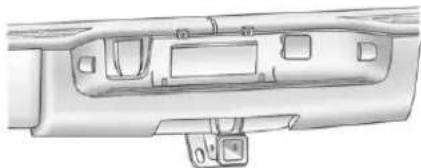
natural_image
Technical line drawing of a vehicle rear panel showing structural components (no text or symbols)Forvehiclesequippedwithheavy dutytrailering,theharness connectorismountedinthebumper.
Theseven-wireharnesscontains the followingtrailercircuits:
• Yellow:LeftStop/TurnSignal
• DarkGreen:RightStop/Turn Signal
- Brown:Taillamps
- White:Ground
• LightGreen:Back-upLamps
- Red:BatteryFeed*
• DarkBlue:TrailerBrake*
*Thefusesforthesetwocircuitsare installedintheunderhoodelectrical center,butthewiresarenot connected. Theyshouldbe connectedbyyourdealerora qualifiedservicecenter. Thefuse andwirefortheITBCisfactory installedandconnectedifthe vehicleisequippedwithanITBC.
Thefuseforthebatteryfeedis notrequiredifthevehiclehasan auxiliarybattery.Ifthevehicledoes nothaveanauxiliarybattery,have yourdealerorauthorizedservice centerinstalltherequiredfuse.
Ifchargingaremote(non-vehicle) battery, pressthe Tow/Haul Mode button, ifequipped, located at the endoftheshiftlever. This will boost the vehiclesystemvoltage and properly charge the battery. If the traileristoolight for Tow/Haul Mode, or the vehicle is not equipped with Tow/Haul, turn on the headlampsasasecondway to boost the vehiclesystem and charge the battery.
Camper/Fifth-WheelTrailer WiringPackage
Theseven-wirecamperharnessis locatedunderthefrontedgeofthe pickupboxonthedriversideofthe vehicle,attachedtotheframe bracket.Aconnectormustbe addedtothewiringharnesswhich connectstothecamper.
The harness contains the following camper/trailercircuits:
• Yellow:LeftStop/TurnSignal
- DarkGreen:RightStop/Turn Signal
- Brown:Taillamps
- White:Ground
• LightGreen:Back-upLamps
• Red:BatteryFeed
• DarkBlue:TrailerBrake
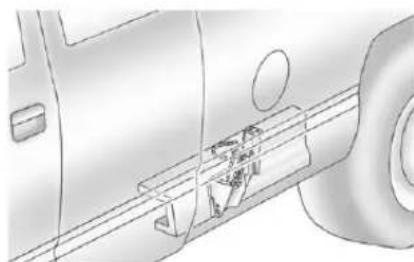
natural_image
Technical line drawing of a vehicle's side profile showing internal components (no text or symbols)Ifthevehicleisequippedwiththe "Heavy-DutyTrailering"option, pleasereferto"Heavy-DutyTrailer WiringPackage"earlierinthis section.
Whenthecamper-wiringharnessis orderedwithouttheheavy-duty traileringpackage,aseven-wire harnesswithaseven-pinconnector islocatedattherearofthevehicle andistiedtothevehicle'sframe.
ElectricBrakeControlWiring Provisions
These wiring provisions are included with the vehicle as part of the trailer wiring package. These provisions are for an electric brake controller. The instrument panel contains blunt cut wires behind the steering column forth a trailer brake controller. The harness contains the following wires:
• DarkBlue:BrakeSignalto TrailerConnector
• Red/Black:Battery
• LightBlue/White:BrakeSwitch
- White:Ground
Theharnessshouldbeinstalledby yourdealeroraqualifiedservice center.
If the vehicle is equipped with an Integrated Trailer Brake Control (ITBC) System, the blunt cut sexist, but are not connected further in the
harness.Ifanaftermarkettrailer brakecontrollerisinstalled,the ITBCmustbedisconnected.Donot powerbothITBCandaftermarket controllerstocontrolthetrailer brakesatthesametime.
Tow/HaulMode
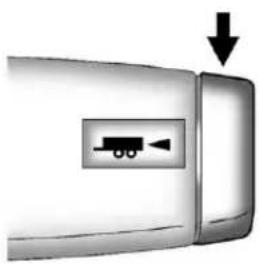
natural_image
Close-up of a car door handle with a small vehicle icon and downward arrow (no text or symbols)Pressingthisbuttonattheendof theshiftleverturnsonandoffthe Tow/HaulMode.

This indicator light on the instrument panel cluster comes on when the Tow/Haul Mode is on.
Tow/Haulisafeaturethatassists whenpullingaheavytrailerora largeorheavyload.See Tow/Haul Modeonpage9-43formore information.
Tow/Haulisdesignedtobemost effectivewhenthevehicleand trailercombinedweightisatleast 75percentofthevehicle'sGross CombinedWeightRating(GCWR). See"WeightoftheTrailer"under TrailerTowingonpage9-86.
Tow/Haulismostusefulunderthe followingdrivingconditions:
- Whenpullingaheavytraileror alargeorheavyloadthrough rollingterrain.
- Whenpullingaheavytrailer oralargeorheavyloadin stop-and-gotraffic.
- Whenpullingaheavytraileror alargeorheavyloadinbusy parkinglotswhereimprovedlow speedcontrolofthevehicleis desired.
OperatingthevehicleinTow/Haul whenlightlyloadedorwithno traileratallwillnotcausedamage. However,thereisnobenefitto the selectionofTow/Haulwhenthe vehicleisunloaded.Sucha selectionwhenunloadedmay resultinunpleasantengine and transmissiondrivingcharacteristics andreducedfueleconomy. Tow/Haulisrecommendedonly whenpullingaheavytrailerora largeorheavyload.
IntegratedTrailerBrake ControlSystem

The vehicle may have an Integrated Trailer Brake Control (ITBC) system for electric trailer brakes.
This symbol is located on the Trailer Brake Control Panel vehicles with an Integrated Trailer Brake Controlsystem. The power output to the trailer brakes is based on the amount of brake pressure being applied by the vehicle's brake system. This available power output to the trailer brakes can be adjusted to a wider range of trailering situations.
TheITBCsystemisintegrated withthevehicle'sbrake,antilock brake,andStabiliTrak(ifequipped) systems.Intraileringconditionsthat causethevehicle'santilockbrakeor StabiliTraksystemstoactivate, powersenttothetrailer'sbrakes willbeautomaticallyadjustedto minimizetrailerwheellock-up. Thisdoesnotimplythatthetrailer hasStabiliTrak.
Non-hybridvehicleswithStabiliTrak haveaTrailerSwayControl(TSC) feature.See TrailerSwayControl (TSC)onpage9-114.
Non-hybridvehicleswithStabiliTrak haveaHillStartAssist(HSA) feature.SeeHillStartAssist(HSA) onpage9-62.
Ifthevehicle'sbrake,antilockbrake, orStabiliTraksystemsarenot functioningproperly,theITBC systemmaynotbefullyfunctional ormaynotfunctionatall.Makesure allofthesesystemsarefully operationaltoensurefull functionalityoftheITBCsystem.
TheITBCsystemispowered throughthevehicle'selectrical system. Turningtheignitionoffwill alsoturnofftheITBCsystem. TheITBCsystemisfullyfunctional onlywhentheignitionisinONor inRUN.
TheITBCsystemcanonlybeused withtrailerswithelectricbrakes.
WARNING
Connectingatralerthatisnot compatiblewiththeITBCsystem mayresultinreducedorcomplete lossoftrailerbraking.Theremay beanincreaseinstopping distanceortrailerinstabilitywhich couldresultinpersonalinjuryor damagetothevehicle,trailer, orotherproperty.Anaftermarket controllermaybeavailablefor usewithtrailerswithsurge,air, orelectric-over-hydraulictrailer brakesystems.Todeterminethe typeofbrakesonthetrailerand theavailabilityofcontrollers, checkwithyourtrailer manufacturerordealer.
Whentrailering, makesureofthe following:
- TheITBCsystemisusedonly withtrailersthatareequipped withelectricbrakes.
- Allapplicablelocalandfederal lawsandregulationsare followed.
• Allelectrical and mechanical connectionstothetrailerare madecorrectly. - Thetrailer's brakes are in proper working condition.
- Thetrailerandvehicleare properlyloadedforthetowing condition.
TheITBCsystemisa factory-installeditem.
Out-of-factoryinstallationofthis systemshouldnotbeattempted. GMisnotresponsibleforwarranty orperformanceofthesystem resultingfromout-of-factory installation.
TrailerBrakeControlPanel
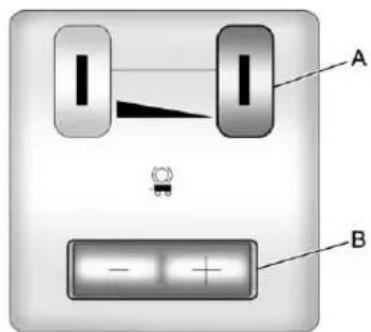
text_image
A BA.ManualTrailerBrakeApply Lever
B. TrailerGainAdjustment Buttons
TheITBCsystemhasa controlpanellocatedonthe instrumentpaneltotheleftofthe steeringcolumn.SeeInstrument Panel(Base/UplevelVersion)on page 1-2orInstrumentPanel (PremiumVersion)onpage 1-6 formoreinformation.
The control panel allows adjustment to the amount of output, referred to astrailerergain, available to the electric trailer brakes and allows manual application of the trailer brakes. The Trailer Brake Control Panel is used along with the Trailer Brake Display Page on the DIC to adjust and display power output to the trailer brakes.
TrailerBrakeDICDisplayPage
TheITBCsystemdisplays messagesonthevehicle'sDriver InformationCenter(DIC).See DriverInformationCenter(DIC)on page5-32formoreinformation.
Thedisplaypageindicates Trailer Gainsetting, poweroutputtothe electrictrailerbrakes, trailer connection, and systemoperational status.
The Trailer Brake Display Page can be displayed by performing any of the following actions:
- ScrollingthroughtheDICmenu pagesusingtheodometertrip stemortheDICVehicle Informationbutton(ifequipped).
- PressingaTrailerGain button—IftheTrailerBrake DisplayPageisnotcurrently displayed,pressingaTrailer Gainbuttonwillfirstrecallthe currentTrailerGainsetting. AftertheTrailerBrakeDisplay Pageisdisplayed,eachpress andreleaseofthegainbuttons willthencausetheTrailerGain settingtochange.
- ActivatingtheManualTrailer BrakeApplylever.
- Connectingatrailerequipped withelectrictrailerbrakes.
AIIIDICwarningandservice messagesmustfirstbe acknowledgedbythedriverby pressingtheodometertripstemor theDICVehicleInformationbutton (ifequipped)beforetheTrailer BrakeDisplayPagecanbe displayedandTrailerGaincanbe adjusted.
TRAILERGAIN: Thissettingis displayedanytimetheTrailerBrake DisplayPageisactive. Thissetting canbeadjustedfrom0.0to10.0 witheitheratrailerconnectedor disconnected. ToadjusttheTrailer Gain, pressoneoftheTrailerGain adjustmentbuttonslocatedonthe TrailerBrakeControlPanel. Press andholdagainbuttontocausethe TrailerGaintocontinuouslyadjust. Toturntheoutputtothetraileroff, adjusttheTrailerGainsettingto 0.0(zero).
0.0(zero)gainisthefactorydefault setting.Toproperlyadjusttrailer gain,see"TrailerGainAdjustment Procedure"laterinthissection.
TRAILEROUTPUT: This is displayed any time at trailer with electric brakes connected. Output to the electric brakes based on the amount of vehicle braking present and relatively the Trailer Gain setting. Output is displayed from 0 to 10 bars for each gain setting.
Non-hybridvehicleswith Trailer SwayControl(TSC)orHillStart Assist(HSA), outputtothelectric trailerbrakesmaybedisplayed whenthesystemsareactive. See TrailerSwayControl(TSC)on page9-114andHillStartAssist (HSA)onpage9-62.
The TrailerOutputwillindicate "----"ontheTrailerBrake DisplayPagewheneverthe followingoccur:
- Notrailerisconnected
- Atrailerwithoutelectricbrakes isconnected(noDICmessage isdisplayed)
- Atrailerwithelectricbrakes hasbecomedisconnected (aCHECKTRAILERWIRING messagewillalsobedisplayed ontheDIC)
- Thereisafaultpresentinthe wiringtotheelectrictrailer brakes(aCHECKTRAILER WIRINGmessagewillalsobe displayedontheDIC)
- ThereisafaultintheITBC system(aSERVICETRAILER BRAKESYSTEMmessagewill alsobedisplayedintheDIC)
ManualTrailerBrakeApply
TheManualTrailerBrakeApply LeverislocatedontheTrailerBrake ControlPanelandisusedtoapply thetrailer'selectricbrakes independentofthevehicle'sbrakes. ThisleverisusedintheTrailerGain AdjustmentProceduretoproperly adjustthepoweroutputtothetrailer brakes.Slidingthelevertotheleft willapplyonlythetrailerbrakes. Thepoweroutputtothetraileris indicatedintheTrailerBrake DisplayPageontheDIC.Ifthe vehicle'sservicebrakesareapplied whileusingtheManualTrailerBrake ApplyLever,thetraileroutputpower willbethegreaterofthetwo.
Thetrailer'sandthevehicle'sbrake lampswillcomeonwheneither vehiclebrakingormanualtrailer brakesareapplied.
TrailerGainAdjustmentProcedure
TrailerGainshouldbesetfora specifictraileringconditionandmust beadjustedanytimevehicle loading, trailerloading, orroad surfaceconditionschange.
Settingthe TrailerGainproperlyis neededforthebesttrailerstopping performance.Atrailerthatis over-gainedmayresultinlocked trailerbrakes.Atrailerthatis under-gainedmayresultinnot enoughtrailerbraking.Bothofthese conditionsmayresultinpoorer stoppingandstabilityofthevehicle andtrailer.
Usethefollowingprocedure to correctlyadjustTrailerGainforeach towingcondition:
- Makesurethetrailerbrakesare improperworkingcondition.
-
Connectaproperlyloaded trailertothevehicleandmake allnecessarymechanical andelectricalconnections. SeeVehicleLoadLimitson page9-17formoreinformation.
-
After the electrical connection is madetoatralerequipped with electric brakes:
• ATRAILERCONNECTED message will be briefly displayed on the DIC.
• TheTrailerBrakeDisplay Pagewillappearonthe DICshowingTRAILER GAINandTRAILER OUTPUT.
- IntheTrailerOutputdisplay ontheDIC, “----” will disappearifthereisno errorpresent. Connectinga trailerwithoutelectric brakeswillnotclearthe sixdashedlines.
-
Adjust the Trailer Gain by using the gain adjustment (+/-) button on the Trailer Brake Control Panel.
-
Drivethevehiclewiththetrailer attachedonalevelroadsurface representativeofthetowing conditionandfreeoftrafficat
about32to40km/h(20to 25mph)andfullyapplythe ManualTrailerBrakeApply Lever.
Adjustingtrailergainatspeeds lowerthan32to40km/h (20to25mph)mayresultinan incorrectgainsetting.
- Adjust the Trailer Gainto just below the point of trailer wheel lock-up, indicated by trailer wheels equal to tiresmok when a trailer wheel locks.
Trailerwheellock-upmaynot occuriftowingaheavilyloaded trailer. In this case, adjust the TrailerGaintothe highest allowablesettingforthetowing condition.
- Re-adjust Trailer Gain any time vehicle loading, trailer loading or roads surface conditions change or if trailer wheellock-up is noticed at any time while towing.
OtherITBC-RelatedDICMessages
InadditiontodisplayingTRAILER GAINandTRAILEROUTPUT throughtheDIC, trailerconnection andITBCsystemstatusare displayedontheDIC.
TRAILER CONNECTED: This message will be briefly displayed when a trailer with the electric brakes is first connected to the vehicle. This message will automatically turn off about 10 seconds. The driver can also acknowledge this message before it automatically turn off.
CHECKTRAILERWIRING: This message will be displayed if:
- The TBC system first determines connection to a trailer with the electric brakes and thenthe trailer harness becomes disconnected from the vehicle.
Ifthedisconnectoccurswhile thevehicleisstationary,this messagewillautomatically turnoffinabout30seconds. Thismessagewillalsoturnoffif thedriveracknowledgesthis messageorifthetrailerharness isre-connected.
Ifthedisconnectoccurswhile thevehicleismoving,this messagewillcontinueuntil theignitionisturnedoff. Thismessagewillalsoturnoffif thedriveracknowledgesthis messageorifthetrailerharness isre-connected.
- Thereisanelectricalfaultinthe wiringtotheelectrictrailer brakes. Thismessagewill continueaslongasthereis anelectricalfaultinthetrailer wiring. Thismessagewill alsoturnoffifthedriver acknowledgedsthismessage.
Todetermineiftheelectricalfault isonthevehiclesideortrailer sideofthetrailerwiringharness connection,dothefollowing:
-
Disconnect the trailer wiring harness from the vehicle.
-
Turntheignitionoff.
-
Wait 10 seconds, thenturn the ignition back to RUN.
-
If the CHECK TRAILER WIRING messagere-appears, the electrical fault is on the vehicle side.
If the CHECKTRAILERWIRING message only re-appears when connecting the trailer wiring harness to the vehicle, the electrical fault is on the trailers side.
9-114DrivingandOperating
SERVICETRAILERBRAKE SYSTEM: This message will be displayed when there is a problem with the I TBC system. If this message persists over multiple ignition cycles, there is a problem with the I TBC system. Takethe vehicle to an authorized GM dealer to have the I TBC system diagnosed and repaired.
IfeithertheCHECKTRAILER WIRINGorSERVICETRAILER BRAKESYSTEMmessageis displayedwhiledrivingthevehicle, powerisnolongeravailabletothe trailerbrakes.Whentraffic conditionsallow,carefullypullthe vehicleovertothesideoftheroad andturntheignitionoff.Checkthe wiringconnectiontothetrailerand turntheignitionbackon.Ifeitherof thesemessagescontinues,either thevehicleortrailerneedsservice.
AnauthorizedGMdealermaybe abletodiagnoseandrepair problemswiththetrailer.However, anydiagnosisandrepairofthe trailerisnotcoveredunderthe vehiclewarranty.Pleasecontact yourtrailerdealerforassistance withtrailerrepairsandtrailer warrantyinformation.
TrailerSway Control(TSC)
Non-hybridvehicleswithStabiliTrak haveaTrailerSwayControl(TSC) feature. If the vehicle is stowing a trailer and the system detect that the trailer is swaying, the vehicle brakes are applied without the driver pressing the brake pedal.
Ifthevehicleisequippedwiththe IntegratedTrailerBrakeControl (ITBC)system,StabiliTrakmay alsoapplythetrailerbrakes. TheTCS/StabiliTrakwarninglight willflashontheinstrumentpanel clustertonotifythedrivertoreduce speed.Ifthetrailercontinuesto sway,StabiliTrakwillreduceengine torquetohelpslowthevehicle. SeeStabiliTrak® Systemon page9-62formoreinformation.
Adding non-dealer accessories can affect the vehicle performance. See Accessories and Modifications on page 10-3 form more information.
Conversionsand Add-Ons
Add-On Electrical Equipment
Notice: Donotaddanything electrical to the vehicle unless you check with your dealer first. Some electric alequipment can damage the vehicle and the damage would not be recovered by the vehicle's warranty. Some add-onelectric alequipment can keep other components from working asthey should.
Add-onequipmentcandrainthe vehicle's 12-voltbattery, even if the vehicle is not operating.
The vehicle has an air bags system. Before attempting to add anything electrical to the vehicle, see Servicing the Airbag-Equipped Vehicle on page 3-38 and Adding Equipment to the Airbag-Equipped Vehicle on page 3-39.
AddingaSnowPlowor SimilarEquipment
Beforeinstallingasnowplowonthe vehicle,herearesomethingsyou needtoknow:
Notice: If the vehicle does not have the snow plow prep package, adding a plow can damage the vehicle, and the repairs would not be covered by warranty. Unless the vehicle was built to carry as snow plow, donot add oneto the vehicle. If the vehicle has the snow plow prep package, called RPOVYU, then the payload the vehicle can carry will be reduced when as now plow is installed. The vehicle can be damaged if either the frontor rear axleratings or the Gross Vehicle Weight (GVW) are exceeded.
Some vehicles are built with a special snow plow prepackage, called RPOVYU. If the vehicle has this option, you can add plow to it, provided certain weights, such as the weight on the vehicle's axles and the Gross Vehicle Weight (GVW), are not exceeded.
Theplowthevehiclecancarry dependsonmanythings,suchas:
- Theoptionsthevehiclecame with,andtheweightofthose options.
- Theweightandnumberof passengersintendedtobe carried.
- Theweightofitemsaddedto thevehicle,likeatoolboxor truckcap.
- Thetotalweightofany additionalcargointendedtobe carried.
9-116DrivingandOperating
Say,forexample,youhavea318kg (700lb)snowplow.Thetotalweight ofallooccupantsandcargoinside thecabshouldnotexceed135kg (300lb).Thismeansthatyoumay onlybeabletocarryonepassenger. But,eventhismaybetoomuchif thereisotherequipmentalready addingtotheweightofthevehicle.
Herearesomeguidelinesforsafely carryingasnowplowonthevehicle:
- Makesuretheweightonthe frontandrearaxlesdoesnot exceedtheaxleratingforeach.
-
Forthefrontaxle, if more cargo or passengers must be carried, appropriate counterballast must be installed rear of therearaxle. Counterballast must be properly secured so it will not move during driving.
-
Followthesnowplow manufacturer's recommendationsregarding rearballast.Rearballastmaybe requiredtoensureaproperfront andrearweightdistributionratio, eventhoughtheactualweightat thefrontaxlemaybelessthan thefrontaxlerating.
- Thesnowplowmanufacturer orinstallercanassistyouin determiningtheamountofrear ballastrequired,tohelpmake surethesnowplow/vehicle combinationdoesnotexceed theGVWrating,thefrontand rearaxleratings,andthefront andrearweightdistributionratio.
- Thetotalvehiclemustnot exceedtheGVWrating.
Frontaxlereservecapacityisthe differencebetweentheGrossAxle WeightRating(GAWR)andthefront axleweightofthevehiclewithfull fuelandpassengers.Basically,itis theamountofweightthatcanbe addedtothefrontaxlebefore reachingthefrontGAWR.
Thefrontaxlereservecapacity forthevehiclecanbefoundin thelowerrightcornerofthe Certification/Tirelabel,asshown.
: TRUCK
COLD TIRE PRESSURE
XXXKPA(XXPSI)
XXXKPA(XXPSI)
E INFORMATION
F XXX LB T XXXX LB
UnitedStates
COLD TIRE PRESSURE
PRESSION A FROID
XXXXXXXXX(XXPSI)
XXXXXXXXX(XXPSI)

(Wx(A+W.B.))/W.B.=Weightthe accessoryisaddingtothe frontaxle.
Where:
W=Weightofaddedaccessory
A=Distancethattheaccessory isinfrontofthefrontaxle
W.B.=VehicleWheelbase
Forexample, addinga318kg (700lb) snowplowactuallyadds morethan318kg(700lb) to the frontaxle. Using the formula, if the snowplowis 122cm(4ft) in front of the frontaxle and the wheelbase is 305cm(10ft), then:
W=318kg(700lb)
A=122cm(4ft)
W.B.=305cm(10ft)
(Wx(A+W.B.))/W.B.=
(318x(122+305))/305=445kg
(980lbs)
So, if the frontaxlereservecapacity is more than 445 kg (980 lbs), the snowplow could be added without exceeding the front GAWR.
9-118DrivingandOperating
Heavierequipmentcanbeaddedon thefrontofthevehicleifitis compensatedforbycarryingfewer passengers,lesscargo,orby positioningcargotowardtherear. Thishastheeffectofreducingthe loadonthefront.However,thefront GAWR,rearGAWR,andtheGross VehicleWeightRating(GVWR)must neverbeexceeded.

WARNING
Onsomevehiclesthathave certainfrontmountedequipment, suchasasnowplow, itmaybe possibletoloadthefrontaxleto thefrontgrossaxleweightrating (GAWR) but no have enough weight on therearaxleto have proper braking performance. If the brakes cannot work properly, you could have a crash.
(Continued)
WARNING(Continued)
To help the brakes work properly when as now plow is installed, always follow the snow plow manufacturer or installer's recommendation for rear ballast to ensure a proper front and rear weight distribution ratio, even though the actual front weight maybe less than the front GAWR, and the total vehicle weight is less than the gross vehicle weight rating (GVWR). Maintaining a proper front and rear weight distribution ratio is necessary to provide proper braking performance.
Totalvehiclereservecapacityisthe differencebetweentheGVWRand theweightofthetruckwithfullfuel andpassengers.Itistheamountof weightthatcanbeaddedtothe vehiclebeforereachingtheGVWR.
Keepinmindthatreservecapacity numbersareintendedasaguide whenselectingtheamountof equipmentorcargothetruckcan carry.Ifunsureofthevehicle'sfront, rear,ortotalweight,gotoaweigh stationandweighthevehicle. Yourdealercanalsohelpwiththis.
Thetotalvehiclereservecapacity forthevehiclecanbefoundin thelowerrightcornerofthe Certification/Tirelabelasshown previously.
Seeyourdealerforadditional adviceandinformationabout usingasnowplowonthevehicle. Also,seeVehicleLoadLimitson page9-17.
EmergencyRoofLamp Provisions
VehicleswiththeRPOVYUsnow plowpreppackagealsohavean emergencyrooflamprovision package,RPOTRW.Wiringforthe emergencyrooflampisprovided abovetheoverheadconsole. SeeAuxiliaryRoof-MountedLamp onpage6-7forswitchlocation.
PickupConversionto ChassisCab
Weareawarethatsomevehicle ownersmightconsiderhavingthe pickupboxremovedanda commercialorrecreationalbody installed.Ownersshouldbeaware that,asmanufactured,thereare differencesbetweenachassiscab andapickupwiththeboxremoved whichcouldaffectvehiclesafety. Thecomponentsnecessarytoadapt apickuptopermittssafeusewith aspecializedbodyshouldbe installedbythebodybuilder.
9-120DrivingandOperating
NOTES
VehicleCare
GeneralInformation
GeneralInformation......10-2
CaliforniaProposition 65Warning......10-3
CaliforniaPerchlorate MaterialsRequirements....10-3
Accessories and Modifications....10-3
VehicleChecks
DoingYourOwn ServiceWork......10-4
Hood....10-5
EngineCompartment Overview......10-6
EngineOil....10-7 EngineOilLifeSystem.....10-10
AutomaticTransmissionFluid (4-SpeedTransmission)...10-11
AutomaticTransmission Fluid(6-Speed Transmission)....10-14
ManualTransmission Fluid....10-17
HydraulicClutch......10-17
EngineAirCleaner/Filter....10-17
CoolingSystem......10-19
EngineCoolant......10-20
EngineOverheating.....10-23
OverheatedEngine Protection OperatingMode......10-26
EngineFan.....10-26 PowerSteeringFluid.....10-27
WasherFluid....10-28 Brakes....10-28
BrakeFluid....10-30
Battery....10-31 Four-WheelDrive....10-32
FrontAxle......10-33
RearAxle....10-34
NoiseControlSystem.....10-36
StarterSwitchCheck......10-36
AutomaticTransmissionShift LockControlFunction Check....10-37
IgnitionTransmissionLock Check......10-38
ParkBrakeandP(Park) MechanismCheck......10-38
WiperBlade Replacement.....10-39
GlassReplacement......10-39
HeadlampAiming
HeadlampAiming......10-39
BulbReplacement
BulbReplacement......10-42
HalogenBulbs......10-42
Headlamps, FrontTurn Signal, Sidemarker, and ParkingLamps.....10-42
Pick-UpBoxIdentification andFenderMarker Lamps....10-43
Taillamps(ChassisCab Models)....10-43
Taillamps, TurnSignal, Stoplamps, and Back-Up Lamps.....10-44
CenterHigh-Mounted Stoplamp(CHMSL)and CargoLamp......10-44
LicensePlateLamp......10-45
ReplacementBulbs.....10-45
ElectricalSystem
ElectricalSystem
Overload....10-46
FusesandCircuit
Breakers......10-47
EngineCompartmentFuse
Block....10-47
InstrumentPanelFuse
Block....10-51
WheelsandTires
Tires....10-54
TireSidewallLabeling.....10-55
TireDesignations......10-57
TireTerminologyand
Definitions......10-59
TirePressure......10-62
TirePressureforHigh-Speed
Operation......10-63
TirePressureMonitor
System......10-64
TirePressureMonitor
Operation......10-65
TireInspection......10-68
TireRotation.....10-69
DualTireRotation.....10-71
WhenItIsTimefor
NewTires......10-71
BuyingNewTires......10-72
DifferentSizeTiresand
Wheels....10-74
UniformTireQuality
Grading....10-74
WheelAlignmentand
TireBalance......10-76
WheelReplacement......10-77
TireChains....10-78
IfaTireGoesFlat......10-79
TireChanging......10-80
Full-SizeSpareTire.....10-91
JumpStarting
JumpStarting.....10-92
Towing
TowingtheVehicle......10-97
Recreational Vehicle
Towing....10-97
AppearanceCare
ExteriorCare....10-102
InteriorCare......10-105
FloorMats.....10-108
GeneralInformation
Forserviceandpartsneeds, visityourdealer.Youwillreceive genuineGMpartsandGM-trained andsupportedservicepeople.
GenuineGMpartshaveoneof thesemarks:

Genuine

Parts

Accessories
CaliforniaProposition 65Warning
Mostmotorvehicles, including this one, contain and oremit chemicals known to the State of California cause cancer and birth defect or other reproductive harm. Engine exhaust, many parts and systems, many fluids, and some component wear by-products contain and/or emitthes Chemicals.
CaliforniaPerchlorate MaterialsRequirements
Certain types of automotive applications, such as airbag initiators, seat belt pretensioners, and lithium batteries contained in Remote Keyless Entry transmitters, may contain perchloratematerials. Special handling may be necessary. For additional information, see www.dtsc.ca.gov/hazardous waste/perchlorate.
Accessories and Modifications
Adding non-dealer accessories or making modification to the vehicle can affect vehicle performance and safety, including such things as airbags, braking, stability, ride and handling, emission systems, aerodynamics, durability, and electronics systems like antilock brakes, traction control, and stability control. These accessories or modifications could deven cause malfunctionordamagenotcovered by the vehicle warranty.
Damageetovehiclecomponents resultingfrommodificationsorthe installationoruseofnon-GM certifiedparts,includingcontrol moduleorsoftwaremodifications,is notcoveredunderthetermsofthe vehiclewarrantyandmayaffect remainingwarrantycoveragefor affectedparts.
GMAccessoriesaredesignedto complementandfunctionwithother systemsonthevehicle.Seeyour dealertoaccessorizethevehicle usinggenuineGMAccessories installedbyadealertechnician.
Also, see Adding Equipment to the Airbag-Equipped Vehicle on page 3-39.
VehicleChecks
DoingYourOwn ServiceWork
If the vehicle is a hybrid, se the hybrids supplement form more information.

WARNING
Youcanbeinjuredandthe vehiclecouldbedamagedifyou trytodoserviceworkonavehicle withoutknowingenoughaboutit.
- Besureyouhavesufficient knowledge,experience, theproperreplacement parts,andtoolsbefore attemptinganyvehicle maintenancetask.
(Continued)
WARNING(Continued)
- Besuretousetheproper nuts,bolts,andother fasteners.MetricandEnglish fastenerscanbeeasily confused.Ifthewrong fastenersareused,parts canlaterbreakorfalloff. Youcouldbehurt.
If doingsome of your own service work, us the properservice manual. It tells you much more about how to servicethe vehicle than this manual can. To order the properservicemanual, see Service Publications Ordering Information on page 13-17.
This vehicle has an airbag system. Before attempting today you own servicework, see Airbag System Check on page 3-41.
Keeparecordwithallpartsreceipts andlistthemileageandthedate ofanyserviceworkperformed. SeeMaintenanceRecordson page11-17.
Hood
Toopenthehood:
- Pull the handle with this symbol on it. It is located inside the vehicle to the left of the brake pedal.
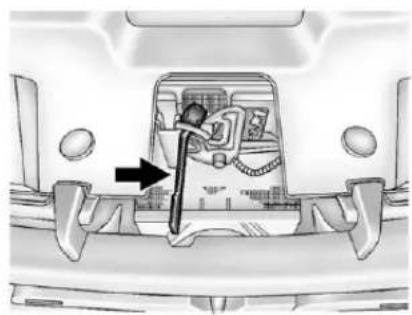
natural_image
Interior view of a vehicle showing a car interior with a directional arrow indicating movement or force (no text or symbols present)-
Gotothefrontofthevehicle and locate the secondaryhood release. This is located under the hood, near the center of the grille.
-
Pushthesecondaryhood releasetotheright.
-
Liftthehood.
Beforeclosingthehood, besure allthefillercapsareonproperly. Thenbringthehoodfromfull opentowithin152mm(6in) fromtheclosedposition, pause, andpushthefrontcenterofthe hoodwithaswift,firmmotionto fullyclosethehood.
EngineCompartmentOverview
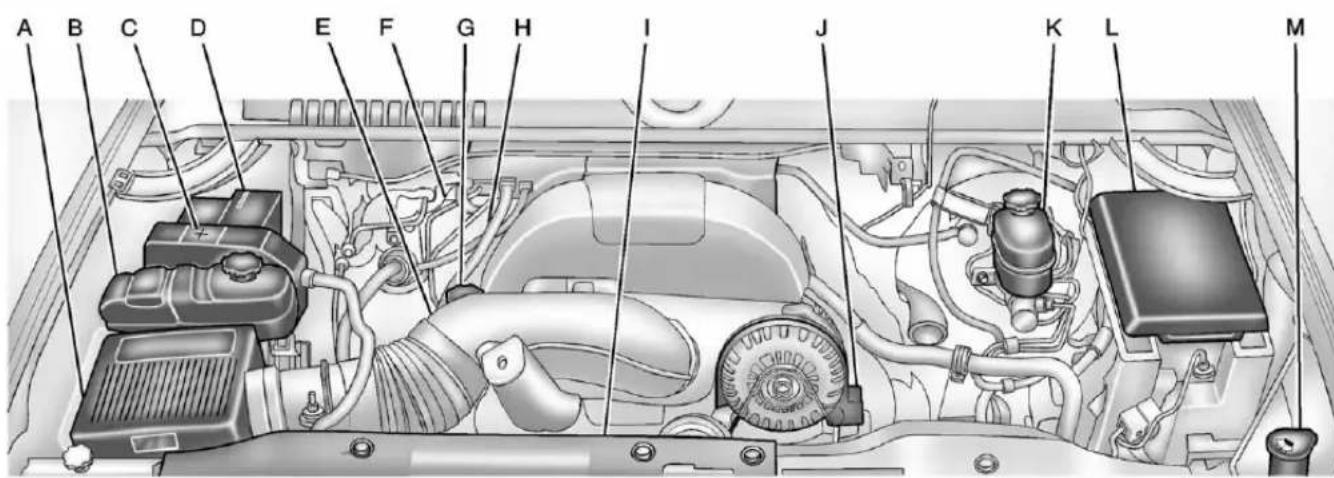
text_image
A B C D E F G H I J K L M5.3LV8EngineShown(4.3LV6Engine,4.8LV6Engine,6.0LV8Engine,and6.2LV8EngineSimilar)
A. EngineAirCleaner/Filteron page 10-17.
B. Coolant Surge Tank and Pressure Cap. See Cooling System on page 10-19.
C. Positive(+)Terminal.See Jump Startingonpage 10-92.
D. Batteryonpage 10-31.
E.RemoteNegative(−)Terminal (OutofView).See Jump Startingonpage 10-92.
F. Automatic Transmission
Dipstick(OutofView). See "CheckingtheFluidLevel" underAutomaticTransmission Fluid(4-SpeedTransmission) onpage10-11orAutomatic TransmissionFluid(6-Speed Transmission) onpage10-14.
G. EngineOilFillCap. See "When toAddEngineOil" under EngineOilonpage 10-7.
H. EngineOilDipstick(Outof View). See "CheckingEngine Oil" under EngineOilon page 10-7.
I. EngineCoolingFan(Outof View). See CoolingSystem on page 10-19.
J.PowerSteeringFluidReservoir. SeePowerSteeringFluidon page10-27.
K.BrakeMasterCylinder Reservoir.SeeBrakeFluidon page10-30.
L.EngineCompartmentFuse Blockonpage10-47.
M. Windshield Washer Fluid Reservoir. See "Adding Washer Fluid" under Washer Fluid on page 10-28.
If the vehicle has a diesel engine and/or an Allison Transmission, see the Duramax Diesel Supplement.
EngineOil
Fordieselenginevehicles, see "EngineOil" in the Duramax Diesel Supplement.
Toensureproperengine performanceandlonglife,careful attentionmustbepaidtoengineoil. Followingthesesimple,but importantstepswillhelpprotect yourinvestment:
- Alwaysuseengineoilapproved totheproperspecificationand oftheproperviscositygrade. See"SelectingtheRightEngine Oil"inthissection.
- Checktheengineoillevel regularlyandmaintainthe properoillevel.See"Checking EngineOil"and"WhentoAdd EngineOil"inthissection.
- Changetheengineoilatthe appropriatetime.SeeEngineOil LifeSystemonpage 10-10.
- Always dispose of engine oil properly. See "What to Dow with Used Oil" in this section.
CheckingEngineOil
Itisagoodideatocheckthe engineoillevelateachfuelfill. In ordertogetanaccuratereading, the vehicle must be on level ground. The engineoildipstick handle is yellow loop. See Engine Compartment Overview page 10-6 forthelocation of the engineoildipstick.
Obtaininganaccurateoillevel readingisessential:
- If the engine has been running recently, turn off the engine and allow several minutes for the oil to drain back into the oil pan. Checking the oil level too soon after engineshutoff will not provide an accurate oil level reading.
- Pulloutthedipstickandcleanit withapapertowelorcloth, thenpushitbackinalltheway. Removeitagain,keepingthetip down,andcheckthelevel.
WhentoAddEngineOil

If the oil is below the cross-hatched area at the tip of the dipstick, add 1L(1qt) of there recommended oil and then recheck the level. See "Selecting the Right Engine Oil" in this section for an explanation of what kind of oil to use Forengine oil crank case capacity, see Capacities and Specifications on page 12-2.
Notice: Donotaddtoomuchoil. Oil levels above or below the acceptable operating range shown on the dipstick are harmful to the engine. If you find that you have an oil level above the operating range, i.e., the engine
hassomuchoilthattheoillevel getsabovethecross-hatched areathatshowstheproper operatingrange,theenginecould bedamaged.Youshoulddrain outtheexcessoilorlimitdriving ofthevehicleandseekaservice professionaltoremovethe excessamountofoil.
SeeEngineCompartmentOverview onpage 10-6forthelocationofthe engineoilfillcap.
Addenoughoiltoputthelevel somewhereintheproperoperating range.Pushthedipstickalltheway backinwhenthrough.
SelectingtheRightEngineOil
Selectingtherightengineoil dependsonboththeperoil specificationandviscositygrade. SeeRecommendedFluidsand Lubricantsonpage11-13.
Specification
Use and ask for licensed engine oil with the dexos 1 ^™ approved certification mark. Engine oils meeting therequirements for the vehicles should have the dexos 1 ^™ approved certification mark. This certification mark indicates that the oil has been approved to the dexos 1 specification.

dexos™
Notice: Failuretousethe recommendedengineoilor equivalentcanresultinengine damagenotcoveredbythe vehiclewarranty.Checkwithyour dealerorserviceprovideron whethertheoilisapprovedtothe dexos1specification.
ViscosityGrade
SAE5W-30 isthebestviscosity grade for the vehicle. Donot use otherviscosity grade oil such as SAE10W-30, 10W-40, or 20W-50.
Ifinanareaofextremecold,where thetemperaturefallsbelow-20°F (-29°C),anSAE0W-30oilshould beused.Anoilofthisviscosity gradewillprovideeasiercold startingfortheengineatextremely lowtemperatures.Whenselecting anoiloftheappropriateviscosity grade,alwaysselectanoilthat meetsthedexos1specificationor equivalent.See“Specification”for moreinformation.
EngineOilAdditives/Engine OilFlushes
Donotaddanythingtotheoil. Therecommendedoilswiththe dexosspecificationanddisplaying thedexoscertificationmarkareall thatisneededforgoodperformance andengineprotection.
Engineoilsystemflushesarenot recommendedandcouldcause enginedamagenotcoveredbythe vehiclewarranty.
WhattoDowithUsedOil
Usedengineoilcontainscertain elementsthatcanbeunhealthyfor yourskinandcouldevencause cancer.Donotletusedoilstayon yourskinforverylong.Cleanyour skinandnailswithsoapandwater, oragoodhandcleaner.Washor properlydisposeofclothingorrags containingusedengineoil.Seethe manufacturer'swarningsaboutthe useanddisposalofoilproducts.
Usedoilcanbeathreattothe environment. If you change your own oil, besuretodrainallthe oil from the filter before disposal. Never dispose of oil by putting it in the trash or pouring it on the ground, intosewers, or intostreams or bodies of water. Recycle it by taking it to a placethat collects used oil.
EngineOilLifeSystem
WhentoChangeEngineOil
This vehicle has a computer system that indicates when to change the engine oil and filter. This is based on a combination of factors which include engine revolutions, engine temperature, and miles driven. Based on driving conditions, the mileage at which an oil change is indicated can vary considerably. For the oil if system to work properly, the system must be reset every time the oil is changed.
Onsomevehicles,whenthesystem hascalculatedthatollifehasbeen diminished,aCHANGEENGINE OILSOONmessagecomesonto indicate thatanoilchangeis necessary.SeeEngineOil Messagesonpage5-45.Change theoilassoonaspossiblewithin thenext1000km(600mi).Itis possible that,ifdrivingunderthe
bestconditions,theoillifesystem mightindicatethatanoilchangeis notnecessaryforuptoayear. Theengineoilandfiltermustbe changedatleastonceayearand, atthistime,thesystemmustbe reset.Forvehicleswithoutthe CHANGEENGINEOILSOON message,anoilchangeis neededwhentheOILLIFE REMAININGpercentageisnear 0%.Yourdealerhastrainedservice peoplewhowillperformthiswork andresetthesystem.Itisalso importanttochecktheoilregularly overthecourseofanoildrain intervalandkeepitattheproper level.
If the system is ever reset accidentally, the oil must be changed at 5000 km (3,000 mi) sincethelast oil change. Remembertoreset the oil life system whenever the oil is changed.
HowtoResettheEngine OilLifeSystem
Resetthesystemwheneverthe engineoilischangedsothatthe systemcancalculatethenext engineoilchange.Alwaysresetthe engineoillifeto100%afterevery oilchange.Itwillnotresetitself. Toresetthesystemonmost vehicles:
-
Display the OILLIFE REMAINING on the DIC. If the vehicle does not have DIC buttons, the vehicle must be in P (Park) to access this display. See Driver Information Center (DIC) on page 5-32.
-
PressandholdtheSET/RESET buttonontheDIC, orthetrip odometerresetstemifthe vehicledoesnothaveDIC buttons, formorethan fiveseconds. Theoillifewill changeto 100%.
Onallvehicles, theEngineOilLife Systemcanberesetasfollows:
- TurntheignitiontoON/RUNwith theengineoff.
- Fullypress the accelerator pedal slowly three times within five seconds.
- DisplaytheOILLIFE REMAININGontheDIC.Ifthe displayshows 100%, thesystem isreset.SeeDriverInformation Center(DIC)onpage 5-32.
If the vehicle has a CHANGE ENGINE OILSOON message and it comes back on when the vehicle is started and/or the OILLIFE REMAINING is near 0%, the engine oil ifesystem has not been reset. Repeat the procedure.
Automatic TransmissionFluid (4-SpeedTransmission)
WhentoCheckandChange AutomaticTransmissionFluid
Agoodtimetochecktheautomatic transmissionfluidleveliswhenthe engineoilischanged.
Changethefluidandfilteratthe intervalslistedinMaintenance Scheduleonpage11-3andbesure tousethetransmissionfluidlisted inRecommendedFluidsand Lubricantsonpage11-13.
HowtoCheckAutomatic TransmissionFluid
Because this operation can be a little difficult, it maybe best to have this done at the dealer service department.
Ifnottakentothedealer, besureto followalltheinstructionshereora falsereadingonthedipstickcould result.
Notice: Toomuchortoo littlefluidcandamagethe transmission. Toomuchcan meanthatsomeofthefluidcould comeoutandfallonhotengine partsorexhaustsystemparts, startingafire. Toolittlefluid couldcausethetransmissionto overheat. Besuretogetan accuratereadingifchecking the transmissionfluid.
Waitatleast30minutesbefore checkingthetransmissionfluidlevel ifyouhavebeendriving:
- Whenoutsidetemperaturesare above 32^ C(90^ F) .
• Athighspeedforquiteawhile.
• Inheavytraffic—especially in hotweather. - Whilepullingatrailer.
Together rightreading, the fluid should beat normal operating temperature, which is 82^ C to 93^ C ( 180^ F to 200^ F).
Getthevehiclewarmedupby drivingabout24km(15miles)when outsidetemperaturesareabove 10^ C( 50^ F).Ifitiscolderthan 10^ C ( 50^ F),drivethevehiclein3(Third) untiltheenginetemperaturegauge movesandthenremainssteadyfor 10minutes.
Acoldfluidcheckcanbemade afterthevehiclehasbeensitting foreighthoursormorewiththe engineoff,butthisisusedonlyas areference.Lettheengineurunat idleforfiveminutesifoutside temperaturesare10°C(50°F)or more.lfitiscolderthan10°C (50°F),theenginemayhavetoidle longer.Shouldthefluidlevelbelow duringthiscoldcheck,thefluidmust becheckedwhenhotbeforeadding fluid.Checkingthefluidhotwillgive youamoreaccuratereadingofthe fluidlevel.
CheckingtheFluidLevel
Preparethevehicleasfollows:
-
Parkthevehicleonalevel place. Keep the engineer running.
-
With the parking brake applied, placetheshift leverin P (Park).
-
With your foot on the brake pedal, movetheshift lever through each gear range, pausing for about three seconds in each range. Then, position the shiftleverin P (Park).
-
Let the engineer unatidle for three minutes or more.
Then, without shutting off the engine, follow these steps:

- Locatethetransmissiondipstick handlewiththisgraphicwhichis locatedattherearoftheengine compartment,onthepassenger sideofthevehicle.
SeeEngineCompartment Overviewonpage10-6formore informationonlocation.
-
Flip the handleup, then pull out the dipstick and wipe it with a clean ragor papertowel.
-
Pushitbackinalltheway, wait threesecondsandthenpullit backoutagain.

- Check both sides of the dipstick, and read the lower level. The fluid level must be in the cold area, below the cross-hatched area, for a cold checker in the Hot cross-hatched area, hot check. Besure to keep the dipstick pointed down to get an accuratereading.
- If the fluid level is in the acceptablerange, push the dipstick back in all the way; then flip the handled downtolock the dipstick in place.
ConsistencyofReadings
Alwayscheckthefluidlevelatleast twiceusingtheproceduredescribed previously.Consistency(repeatable readings)isimportanttomaintaining properfluidlevel.Ifreadingsarestill inconsistent,contactthedealer.
HowtoAddAutomatic TransmissionFluid
RefertoRecommendedFluids and Lubricantsonpage 11-13 to determinewhat kind of transmission fluidtouse.
Usingafunnel,addfluiddownthe transmissiondipsticktubeonlyafter checkingthetransmissionfluid whileitishot.Acoldcheckisused onlyasareference.Ifthefluidlevel islow,addonlyenoughofthe properfluidtobringthelevelupto theHOTareaforahotcheck. Itdoesnottakemuchfluid, generallylessthan0.5Liter(1Pint). Donotoverfill.
Notice: Use of the incorrect automatic transmission fluid may damage the vehicle, and the damages may not be recovered by the vehicle warranty. Always use the automatic transmission fluid listed in Recommended Fluids and Lubricantson page 11-13.
- Afteraddingfluid,recheckthe fluidlevelasdescribedunder "HowtoCheckAutomatic TransmissionFluid,"earlierin thissection.
- Whenthecorrectfluidlevelis obtained, pushthedipstickback inalltheway; then flip the handledowntolockthedipstick inplace.
Automatic TransmissionFluid (6-SpeedTransmission)
WhentoCheckandChange AutomaticTransmissionFluid
Itisusuallynotnecessary to check the transmission fluid level. The only reason for fluid loss is a transmission leak or overheated transmission. If a small leak is suspected, then use the following checking procedure to check the fluid level. However, if there is a large leak, then it may be necessary to have the vehicle towed to a dealerservice department and have it repaired before driving the vehicle further.
Notice: Use of the incorrect automatic transmission fluid may damage the vehicle, and the damages may not be covered by the vehicle warranty.
Alwaysusetheautomatic transmissionfluidlisted in RecommendedFluidsand Lubricantsonpage11-13.
Changethefluidandfilteratthe scheduledmaintenanceintervals listedinMaintenanceScheduleon page11-3.Besuretousethe transmissionfluidlistedin RecommendedFluidsand Lubricantsonpage11-13.
HowtoCheckAutomatic TransmissionFluid
Notice: Toomuchortoo littlefluidcandamagethe transmission. Toomuchcan meanthatsomeofthefluidcould comeoutandfallonhotengine partsorexhaustsystemparts, startingafire. Toolittlefluid couldcausethetransmission tooverheat. Besuretogetan accuratereadingifchecking the transmissionfluid.
Beforecheckingthefluidlevel, preparethevehicleasfollows:
-
Starttheengineandparkthe vehicleonalevelsurface. Keeptheengine running.
-
Apply the parking brake and placetheshift leverin P (Park).
-
With your foot on the brake pedal, movetheshiftlever through each gear range, pausing for about three seconds in each range. Then, moveth shiftleverback to P (Park).
-
Allow the engineetoidle (500–800rpm) for at least 1 minute. Slowly releasethe brakepedal.
-
Keep the engineer running and press the Trip/Fuel button or tripodometer reset stem until TRANSTEMP (Transmission Temperature) display on the Driver Information Center (DIC).
-
Using the TRANSTEMP reading, determine and perform the appropriate check procedure. If the TRANSTEMP reading is not within there required temperature ranges, allow the vehicle to cool, or operate the vehicle until the appropriate transmission fluid temperature is reached.
ColdCheckProcedure
Use this procedure only as a reference to determine if the transmission has enough fluid to be operated safely until a hot check procedure can be made. The hot check procedure is most accurate to check the fluid level. Perform the hot check procedure at the first opportunity.
Usethiscoldcheckprocedure tocheckfluidlevelwhenthe transmissiontemperatureis between27°Cand32°C (80°Fand90°F).

- Locatethetransmissiondipstick attherearoftheengine compartment, onthepassenger sideofthevehicle.
SeeEngineCompartment Overviewonpage10-6formore information.
2.Flipthehandleup,thenpullout thedipstickandwipeitwitha cleanragorpapertowel.
-
Installthedipstickbypushing itbackinalltheway;wait threeseconds,andthenpullit backoutagain.
-
Check both sides of the dipstick and read the lower level. Repeat the check procedure to verify the reading.

-
If the fluid level is below the COLD check band, add only enough fluid as necessary to bring the level into the COLD band. It does not take much fluid, generally less than 0.5 Liter (1Pint). Donotoverfill.
-
Performahotcheckatthefirst opportunityafterthe transmissionreachesanormal operatingtemperaturebetween 71°C to 93°C (160°F to 200°F).
-
If the fluid level is in the acceptablerange, push the dipstick back in all the way, then flip the handled downtolock the dipstick in place.
HotCheckProcedure
Use this procedure to check the transmission fluid level when the transmission fluid temperature is between 71°C and 93°C (160°F and 200°F).
The hotcheck is the most accurate method to check the fluid level. The hotcheck should be performed at the first opportunity in order to verify the cold check. The fluid level rises as fluid temperature increases, so it is important to ensure the transmission temperature is within range.

- Locatethetransmissiondipstick attherearoftheengine compartment, onthepassenger sideofthevehicle.
SeeEngineCompartment Overviewonpage10-6formore information.
- Flip the handleup, then pull out the dipstick and wipe it with a clean ragor papertowel.
- Installthedipstickbypushingit backinalltheway;wait threeseconds,andthenpullit backoutagain.
- Check both sides of the dipstick and read the lower level. Repeat the check procedure to verify the reading.

- Safeoperatingleveliswithinthe HOTcrosshatchbandonthe dipstick. If the fluid level is not within the HOT band, and the transmission temperature is between 71°C and 93°C (160°F and 200°F), addor drain fluid as necessary to bring the level into the HOT band.
If the fluid level is slow, add only enough fluid to bring the level into the HOT band. It does not tak much fluid, generally less than 0.5L (1 pint). Donot overfill.
- If the fluid level is in the acceptablerange, push the dipstick back in all the way, then flip the handled downtolock the dipstick in place.
ConsistencyofReadings
Alwayscheckthefluidlevelatleast twiceusingtheproceduredescribed previously.Consistency(repeatable readings)isimportanttomaintaining properfluidlevel.Ifreadingsarestill inconsistent,contactthedealer.
ManualTransmission Fluid
Itisnotnecessarytocheckthe manualtransmissionfluidlevel. Atransmissionfluidleakistheonly reasonforfluidloss.Ifaleak occurs,takethevehicletoyour dealerservicedepartmentandhave itrepairedassoonaspossible. SeeRecommendedFluidsand Lubricantsonpage11-13forthe properfluidtouse.
HydraulicClutch
Itisnotnecessarytoregularly checkbrake/clutchfluidunlessyou suspectthereisaleakinthe system.Addingfluidwillnotcorrect aleak.Afluidlossinthissystem couldindicateaproblem.Havethe systeminspectedandrepaired.
WhentoCheckandWhat toUse
Thebrake/hydraulicclutchfluid reservoircaphasthissymbolonit. Thecommonhydraulicclutchand brakemastercylinderfluidreservoir isfilledwithDOT3brakefluidas indicatedonthereservoircap.See EngineCompartmentOverviewon page 10-6forreservoirlocation.
HowtoCheckandAddFluid
Visuallycheckthebrake/clutchfluid reservoirtomakesurethefluid levelisattheMIN(minimum)line onthesideofthereservoir.The brake/hydraulicclutchfluidsystem shouldbeclosedandsealed.
Donotremovethecaptocheck thefluidlevelortotop-offthefluid level. Removethecaponlywhen necessarytoaddtheproperfluid untilthelevelreachestheMINline.
EngineAirCleaner/Filter
If the vehicle has a diesel engine, see "Pickup Models" under "Engine Air Cleaner/Filter" in the Duramax Diesel Supplement for the correct inspection and replacement procedures.
SeeEngineCompartmentOverview onpage10-6forthelocationofthe engineaircleaner/filter.
WhentolnspecttheEngine AirCleaner/Filter
Inspecttheaircleaner/filteratthe scheduledmaintenanceintervals andreplaceitatthefirstoilchange aftereach80000km(50,000mi) interval.SeeMaintenanceSchedule onpage11-3formoreinformation. Ifdrivingondusty/dirtyconditions, inspectthefilterateachengineoil change.
HowtoInspecttheEngine AirCleaner/Filter
Toinspecttheaircleaner/filter, removetheengineaircleaner/filter fromthevehiclebyfollowing Steps1 through6. Whentheengine aircleaner/filterisremoved, lightly shakeittoreleaseloosedustand dirt. Iftheengineaircleaner/filter remainscoveredwithdirt, anew filterisrequired. Neveruse compressedairtocleanthefilter.
ReplacingtheEngineAir Cleaner/Filter
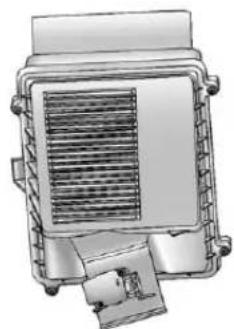
natural_image
Technical illustration of a mechanical component with heat exchanger and housing (no text or symbols)-
Locatetheaircleaner/filter assembly. See Engine Compartment Overview page 10-6.
-
Loosenthefourscrewsonthe coverofthehousingandliftup thecover.
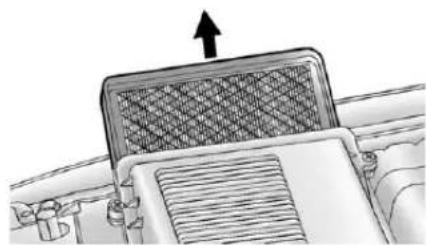
natural_image
Diagram of a vehicle's roof structure with an arrow indicating upward motion (no text or symbols present)-
Removetheengineair cleaner/filterfromthehousing. Takecaretodislodgeaslittle dirtaspossible.
-
Cleantheengineair cleaner/filtersealing surfacesandthehousing.
-
Inspectorreplacetheengine aircleaner/filter.
-
Reinstall the cover and tighten the screws.
WARNING
Operatingtheenginewiththeair cleaner/filteroffcancauseyouor otherstobeburned. Theair cleanernotonlycleanstheair; it helpstostopflamesiftheengine backfires. Usecautionwhen workingontheengineanddonot drivewiththeaircleaner/filteroff.
CoolingSystem
IfthevehiclehastheDuramax dieselengine,seetheDuramax dieselsupplementformore information.
Thecoolingsystemallowsthe enginetomaintainthecorrect workingtemperature.
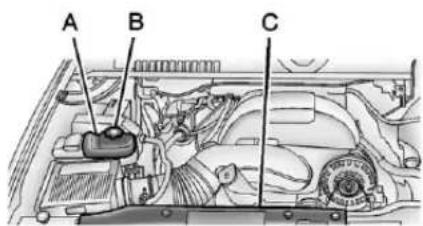
text_image
A B C5.3LV8EngineShown (4.3LV6Engine, 4.8LV6Engine, 6.0LV8Engine, and 6.2LV8EngineSimilar)
A. CoolantSurgeTank
B. CoolantSurgeTank PressureCap
C. EngineCoolingFan
WARNING
Anelectricenginecoolingfan canstartevenwhentheengine isnotrunning.Toavoidinjury, alwayskeephands,clothing, andtoolsawayfromanyengine coolingfan.
WARNING
Heaterandradiatorhoses, and otherengineparts, can be very hot. Donottouchthem. If you do, you can be burned.
Donotruntheengineifthere isaleak.Ifyouruntheengine,it couldloseallcoolant.Thatcould causeanenginefire,andyou couldbeburned.Getanyleak fixedbeforeyoudrivethevehicle.
Notice: Using coolantother than DEX-COOL ^® can cause premature engine, heater core, or radiator corrosion. In addition, the engine coolant could require changing sooner, at 50000 km (30,000 mi) or 24 months, whichever occurs first. Any repairs would not be covered by the vehicle warranty. Always use DEX-COOL (silicate-free) coolant in the vehicle.
EngineCoolant
Thecoolingsysteminthevehicleis filledwithDEX-COOL ^® engine coolant. Thiscoolantisdesigned to remaininthevehiclefor5yearsor 240000km(150,000mi), whichever occursfirst.
The following explainsthecooling systemandhowtocheckandadd coolantwhenitislow.Ifthereisa problemwithengineoverheating, seeEngineOverheatingon page 10-23.
WhattoUse

WARNING
Addingonlyplainwaterorsome otherliquidtothecoolingsystem canbedangerous. Plainwater andotherliquids, canboilbefore thepropercoolantmixturewill.
(Continued)
WARNING(Continued)
Thecoolantwarningsystemisset forthepropercoolantmixture. Withplainwaterorthewrong mixture,theenginecouldgettoo hotbutyouwouldnotgetthe overheatwarning.Theengine couldcatchfireandyouor otherscouldbeburned.Usea 50/50mixtureofclean,drinkable waterandDEX-COOLcoolant.
Usea50/50mixtureofclean, drinkablewaterandDEX-COOL coolant. If using this mixture, nothingelseneedstobeaded. This mixture:
• Givesfreezingprotectiondown to -37^(-34^) , outside temperature
• Givesboilingprotectionupto 129°C(265°F), engine temperature
• Protectsagainstrustand corrosion
• Willnotdamagealuminumparts
• Helpskeep the proper engine temperature
Notice: If an improper coolant mixture is used, the engine could overheat and be badly damaged. Therepair cost would not be covered by the vehicle warranty. To much water in them mixture can freeze and crack the engine, radiator, heater core, and other parts.
Notice: If extrainhibitors and/or additives are used in the vehicle cooling system, the vehicle could be damaged. Use only the proper mixture of the engine coolant listed in this manual for the cooling system. See Recommended Fluids and Lubricantson page 11-13 for more information.
Neverdisposeofenginecoolantby puttingitinthetrash,pourington theground,orintosewers,streams, orbodiesofwater.Havethe coolantchangedbyanaauthorized servicecenter,familiarwithlegal requirementsregardingused coolantdisposal.Thiswillhelp protecttheenvironmentandyour health.
CheckingCoolant
Thecoolantsurgetankislocated intheenginecompartmentonthe passengersideofthevehicle. SeeEngineCompartmentOverview onpage 10-6formoreinformation onlocation.
The vehicle must be on a level surface when checking the coolant level.
Checktoseeifcoolantisvisiblein thecoolantsurgetank.Ifthecoolant insidethecoolantsurgetankis boiling,donotdoanythingelseuntil itcoolsdown.Ifcoolantisvisible butthecoolantlevelisnotator abovetheFULLCOLDmark,adda 50/50mixtureofclean,drinkable waterandDEX-COOLcoolantatthe coolantsurgetank,butbesurethe coolingsystemiscoolbeforethis isdone.

text_image
Fuel Gas Fuel EngineThecoolantlevelshouldbeator abovetheFULLCOLDmark.Ifitis not,theremaybealeakinthe coolingsystem.
HowtoAddCoolanttothe CoolantSurgeTankfor GasolineEngines
If the vehicle has diesel engine, see "Cooling System" in the Duramax Diesel Supplement for the proper coolant fill procedure.

WARNING
Youcanbeburnedifyouspill coolantonhotengineparts. Coolantcontainsethyleneglycol anditwillburniftheengineparts arehotenough.Donotspill coolantonahotengine.
Notice: This vehicle has a specific coolant fill procedure. Failure to follow this procedure could cause the engine to overheat and be severely damaged.

WARNING
Anelectricenginecoolingfan underthehoodcanstartupeven whentheengineisnotrunning andcancauseinjury.Keep hands,clothing,andtoolsaway fromanyunderhoodelectricfan.

WARNING
Steamandscaldingliquidsfroma hotcoolingsystemcanblowout andburnyoubadly.Theyare underpressure,andifyouturn thecoolantsurgetankpressure cap—evenalittle—theycan comeoutathighspeed.Never turnthecapwhenthecooling system,includingthecoolant surgetankpressurecap,ishot. Waitforthecoolingsystemand coolantsurgetankpressurecap tocoolifyoueverhavetoturn thepressurecap.
Ifnocoolantisvisibleinthesurge tank, addcoolantasfollows:
- Removethecoolantsurgetank pressurecapwhenthecooling system, including the coolant surgetank pressurecap and upperradiator hose, is no longerhot.
Turnthepressurecapslowly counterclockwiseaboutonefull turn.Ifahissisheard,waitfor thatstop.Ahissmeansthere isstillsomepressureleft.
- Keep turning the pressure cap slowly, and remove it.
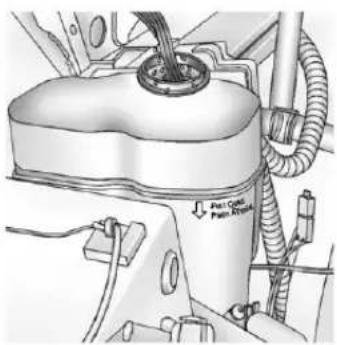
natural_image
Technical diagram of a vehicle engine component with hoses and a valve (no text or symbols visible)- Fill the coolantsurgetank with the proper mixture to the FULLCOLDmark.
- With the coolantsurgetank pressure capoff, start the engine and let it run until the engine coolant temperature gauge indicates approximately 90°C (195°F).
Bythistime, thecoolantlevel insidethecoolantsurgetank maybelower. Ifthelevelis lower, addmoreoftheproper mixturetothecoolantsurgetank untilthelevelreachestheFULL COLDmark.
- Replacethepressurecap. Besurethepressurecapis hand-tightandfullyseated.
- Verify coolant level after the engine isshutoff and the coolant iscold. If necessary, repeat coolant fill procedure Steps 1 through 6.
Notice: If the pressure cap is not tightly installed, coolant loss and possible engine damage may occur. Besure the cap is properly and tightly secured.
EngineOverheating
IfthevehiclehastheDuramax ^® Dieselengine,seetheDuramax DieselSupplementformore information.
The vehicle has several indicators to warn of engine overheating.
Thereisacoolanttemperature gaugeonthevehicle'sinstrument panel.SeeEngineCoolant TemperatureGaugeonpage5-17.
Inaddition, there are ENGINE OVERHEATED STOPENGINE, ENGINEOVERHEATEDIDLE ENGINE, and ENGINEPOWERIS REDUCED messages in the Driver Information Center (DIC) on the instrument panel. See Engine Cooling System Messages on page 5-44 and Engine Power Messages on page 5-46.
If the decision is madenottolift the hood when this warning appears, gets service help right away. See Roadside Assistance Program (U.S. and Canada) on page 13-7 or Roadside Assistance Program (Mexico) on page 13-9.
If the decisionismadetoliftthe hood, makesurethevehicleis parkedonalevelsurface.
Thenchecktoseeiftheengine coolingfansarerunning. If the engineisoverheating, bothfans shouldberunning. If they are not, donotcontinuetoruntheengine and havethevehicleserviced.
Notice: Enginedamage from running you're in without coolant is not covered by the vehicle warranty. See Overheated Engine Protection Operating Mode for information on driving to as safe place in an emergency.
Notice: If the engine catches fire while driving with no coolant, the vehicle can be badly damaged. The costly repairs would not be recovered by the vehicle warranty. See Overheated Engine Protection Operating Mode on page 10-26 for information on driving to as safe place in an emergency.
IfSteamisComingfromthe EngineCompartment

WARNING
Steamfromanoverheatedengine canburnyoubadly,evenifyou justopenthehood.Stayaway fromtheengineifyouseeor hearsteamcomingfromit.Turnit offandgeteveryoneawayfrom thevehicleuntilcoolsdown.
(Continued)
WARNING(Continued)
Waituntilthereisnosignof steamorcoolantbeforeyouopen thehood.
If you keep driving when the vehicles engine is overheated, the liquids in it can catch fire. You or others could be badly burned. Stop the engine if it overheats, and get out of the vehicle until the engine is cool.
See Overheated Engine Protection Operating Mode on page 10-26 for information on driving to as a safe place in an emergency.
IfNoSteamisComingfrom theEngineCompartment
The ENGINEOVERHEATED STOPENGINEortheENGINE OVERHEATEDIDLEENGINE message, alongwithalowcoolant condition, canindicateaserious problem.
Ifthereisanengineoverheat warning,butnosteamisseenor heard,theproblemmaynotbetoo serious.Sometimestheenginecan getalittletoohotwhenthevehicle:
• Climbsalonghillonahotday
- Stopsafterhigh-speeddriving
• Idlesforlongperiodsintraffic
• Towsatraler; see TrailerTowing onpage9-86.
IftheENGINEOVERHEATED STOPENGINEortheENGINE OVERHEATEDIDLEENGINE messageappearswithnosignof steam,trythisforaminateorso:
- Turntheairconditioningoff.
- Turntheheaterontothehighest temperatureandtothehighest fanspeed.Openthewindowsas necessary.
- If stopped in traffic jam, apply the brake, shift to N (Neutral); otherwise, shift to the highest gear while driving—D (Drive) or 3 (Third).
If the temperature overheat gauge isnolonger in the overheat zone or an overheat warning nolonger displays, the vehicle can be driven.
Continuetodrivethevehicleslowly forabout10minutes.Keepasafe vehicledistancefromthevehiclein front.Ifthewarningdoesnotcome backon,continuetodrivenormally.
If the warning continues, pullover, stop, and park the vehicle right away.
If there is nosignofsteam, idle the engine for five minutes while parked. If the warning is still displayed, turn off the engine until it cools down. Also, see "Overheated Engine Protection Operating Mode" later in this section.
OverheatedEngine Protection OperatingMode
Ifanoverheatedenginecondition existsandtheENGINEPOWERIS REDUCEDmessagedisplays,an overheatprotectionmodewhich alternatesfiringgroupsofcylinders helpstopreventenginedamage. Inthismode,alossinpowerand engineperformancewillbenoticed. Thisoperatingmodeallowsthe vehicletobedriventoasafe placeinanemergency.Driving extendedkm(mi)and/ortowinga trailerintheoverheatprotection modeshouldbeavoided.
Notice: Afterdriving in the overheated engine protection operating mode, to avoid engine damage, allow the engine to cool before attempting any repair. The engine oil will be severely degraded. Repair the cause of coolant loss, changethe oil and reset the oil lifesystem. See Engine Oilon page 10-7.
EngineFan
Ifthevehiclehasaclutchedengine coolingfan,whentheclutchis engaged,thefanspinsfasterto providemoreairtocooltheengine. Inmosteverydaydrivingconditions, thefanisspinningslowerandthe clutchisnotfullyengaged.This improvesfueleconomyandreduces fannoise.Underheavyvehicle loading,trailertowing,and/orhigh outsidetemperatures,thefanspeed increasesastheclutchmorefully engages,soanincreaseinfan noisemaybeheard.Thisisnormal andshouldnotbemistakenasthe transmissionslippingormaking extrashifts.Itismerelythecooling systemfunctioningproperly.Thefan willslowdownwhenadditional coolingisnotrequiredandthe clutchdisengages.
Thisfannoisemayalsobeheard whenstartingtheengine.Itwillgo awayasthefanclutchpartially disengages.
Ifthevehiclehaselectriccooling fans, thefansmaybeheard spinningatlowspeedduringmost everydaydriving. Thefansmay turnoffifnocoolingisrequired. Underheavyvehicleloading, trailer towing, highoutsidetemperatures, oroperationoftheairconditioning system, thefansmaychangeto highspeedandanincreaseinfan noisemaybeheard. Thisisnormal andindicatesthatthecooling systemisfunctioningproperly. Thefanswillchangetolowspeed whenadditionalcoolingisnolonger required.
PowerSteeringFluid

SeeEngineCompartmentOverview onpage 10-6 for reservoir location.
WhentoCheckPowerSteering Fluid
Itisnotnecessarytoregularly checkpowersteeringfluidunless thereisaleaksuspectedinthe systemoranunusualnoiseis heard.Afluidlossinthissystem couldindicateaproblem.Havethe systeminspectedandrepaired.
HowtoCheckPowerSteering Fluid
Notice:Extremely small amounts of contamination can cause steering system damage and cause it tonot work properly. Donot allow contaminant to contact the fluid side of the reservoir cap/dipstick or from entering the reservoir.
Tocheckthepowersteeringfluid:
- Turnthekeyoffandletthe enginecompartmentcooldown.
- Wipethecapandthetopofthe reservoirclean.
- Unscrewthecapandwipethe dipstickwithacleanrag.
- Replacethecapandcompletely tightenit.
- Removethecapagainandlook atthefluidlevelonthedipstick.
ThelevelshouldbeattheFULL COLDmark. If necessary, addonly enough fluid to bring the level up to themark.
WhattoUse
Todeterminewhatkindoffluidto use,seeRecommendedFluidsand Lubricantsonpage11-13.Always usetheproperfluid.
Notice: Useoftheincorrect fluidmaydamagethevehicle andthedamagesmaynotbe coveredbythevehicle'swarranty. Alwaysusethecorrectfluidlisted inRecommendedFluidsand Lubricantsonpage11-13.
WasherFluid
WhattoUse
When windshieldwasherfluidneeds tobeadded, besuretoreadthe manufacturer's instructions before use. Use fluid that hassufficient protection against freezing in an areawherethetemperature may fall below freezing.
AddingWasherFluid
Thevehiclehasalowwasher fluidmessageontheDICthat comesonwhenthewasherfluidis low. Themessageisdisplayedfor 15secondsatthestartofeach ignitioncycle. WhentheWASHER FLUIDLOWADDFLUIDmessage displays, washerfluidwillneedto beaddedtothewindshieldwasher fluidreservoir.

Openthecapwiththewasher symbolonit.Addwasherfluid untilthetankisfull.SeeEngine CompartmentOverviewon page 10-6forreservoirlocation.
Notice
- When using concentrated washer fluid, follow the manufacturer's instructions for adding water.
-
Donotmixwaterwith ready-to-usewasherfluid. Watercancausethesolution tofreezeanddamagethe washerfluidtankandother partsofthewashersystem. Also,waterdoesnotcleanas wellaswasherfluid.
-
Fillthewasherfluidtank onlythree-quartersfull whenitisverycold. This allowsforfluidexpansionif freezingoccurs,whichcould damagethetankifitis completelyfull.
- Donotuseenginecoolant (antifreeze)inthewindshield washer.ltcandamagethe windshieldwashersystem andpaint.
Brakes
This vehicle has front disc brakes and could havereardrum brakes or reardisc brakes.
Discbrakepadshavebuilt-inwear indicatorsthatmakeahigh-pitched warningsoundwhenthebrakepads arewornandnewpadsareneeded. Thesoundcancomeandgoorbe heardallthetimethevehicleis moving,exceptwhenapplyingthe brakepedalfirmly.
WARNING
Thebrakewearwarningsound meansthatsoonthebrakeswill notworkwell. Thatcouldleadto acrash. Whenthebrakewear warningsoundisheard, havethe vehicleserviced.
Notice:Continuingtodrivewith worn-outbrakepadscouldresult incostlybrakerepair.
Somedrivingconditionsorclimates cancauseabrakesquealwhenthe brakesarefirstappliedorlightly applied. Thisdoesnotmean somethingiswrongwiththebrakes.
Properlytorquedwheelnutsare necessarytohelppreventbrake pulsation. Whentiresarerotated, inspectbrakepadsforwear and evenlytightenwheelnutsinthe propersequencetotorque specificationsin Capacitiesand Specificationsonpage 12-2.
If the vehicle has reardrum brakes, they donothavewear indicators, but if a rear braker rubbing noise is heard, hav there rear brakel inings inspected immediately. Rearbrake drum should be removed and inspected each timethetires are removed for rotation or changing. Drum brakes have an inspection holet inspect lining weard during scheduled maintenance. When the front brake pads are replaced, have therear brakes inspected, too.
Brakeliningsshouldalwaysbe replacedascompleteaxlesets.
BrakePedalTravel
Seeyourdealerifthebrakepedal doesnotreturntonormalheight, orifthereisarapidincreasein pedaltravel. Thiscouldbeasign thatbrakeservicemightbe required.
BrakeAdjustment
Everytimethebrakesareapplied, withorwithoutthevehiclemoving, thebrakesadjustforwear.
ReplacingBrakeSystemParts
Thebrakingsystemonavehicleis complex. Itsmanypartshavetobe oftopqualityandworkwelltogether ifthevehicleistohavereallygood braking. Thevehiclewasdesigned andtestedwithtop-qualitybrake parts. Whenpartsofthebraking systemarereplaced, besuretoget new, approvedreplacementparts. Ifthisisnotdone, thebrakesmight notworkproperly. Forexample, installingdiscbrakepadsthatare wrongforthevehicle, canchange thebalancebetweenthefrontand rearbrakes—fortheworse. The brakingperformanceexpectedcan changeinmanyotherwaysifthe wrongreplacementbrakepartsare installed.
BrakeFluid
Thebrakemastercylinderreservoir is filled with DOT3brakefluid. See Engine Compartment Overview on page 10-6 forthelocation of the reservoir.
Thereareonlytworeasonswhythe brakefluidlevelinthereservoir mightgodown:
- Thebrakefluidlevelgoesdown becauseofnormalbrakelining wear.Whennewliningsare installed,thefluidlevelgoes backup.
- Afluidleakinthebrake hydraulicsystemcanalsocause alowfluidlevel.Havethebrake hydraulicsystemfixed,sincea leakmeansthatsoonerolater thebrakeswillnotworkwell.
Donottopoffthebrakefluid. Addingfluiddoesnotcorrectaleak. Iffluidisaddedwhentheliningsare worn,therewillbetoomuchfluid whennewbrakeliningsare installed.Addorremovebrakefluid, asnecessary,onlywhenworkis doneonthebrakehydraulicsystem.
WARNING
Iftoomuchbrakefluidisadded, it canspillontheengineandburn, iftheengineishotenough. You orotherscouldbeburned, and thevehiclecouldbedamaged. Addbrakefluidonlywhenworkis doneonthebrakehydraulic system. See "CheckingBrake Fluid" inthissection.
Whenthebrakefluidfallstoalow level,thebrakewarninglightcomes on.SeeBrakeSystemWarning Lightonpage5-26.
RefertotheMaintenanceSchedule todeterminewhentocheckthe brakefluid.SeeMaintenance Scheduleonpage11-3.
CheckingBrakeFluid
Checkbrakefluidbylookingatthe brakefluidreservoir.SeeEngine CompartmentOverviewon page 10-6.
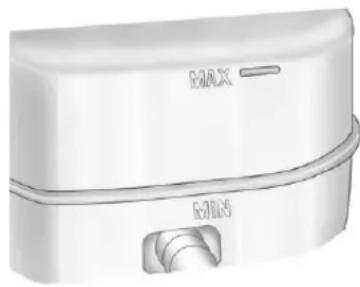
natural_image
Illustration of a white cylindrical device with labeled ports (no text or symbols beyond branding)Thefluidlevelshouldbeabove MIN.Ifitisnot,havethebrake hydraulicsystemcheckedtoseeif thereisaleak.
Afterworkisdoneonthebrake hydraulicsystem, makesurethe levelisabovetheMINbutnotover theMAXmark.
WhattoAdd
UseonlynewDOT3brakefluid fromasealedcontainer.See RecommendedFluidsand Lubricantsonpage11-13.
Alwayscleanthebrakefluid reservoircapandtheareaaround thecapbeforeremovingit. This helpskeepdirtfromenteringthe reservoir.
WARNING
Withthewrongkindoffluidinthe brakehydraulicsystem,the brakesmightnotworkwell.This couldcauseacrash.Alwaysuse theproperbrakefluid.
Notice
- Usingthewrongfluidcan badlydamagebrake hydraulicsystemparts. Forexample, justafew dropsofmineral-basedoil, suchasengineoil, inthe brakehydraulicsystemcan damagebrakehydraulic systempartssobadlythat theywillhavetobereplaced. Donotletsomeoneputin thewrongkindoffluid.
- Ifbrakefluidisspilledonthe vehicle'spaintedsurfaces, thepaintfinishcanbe damaged.Becarefulnotto spillbrakefluidonthe vehicle.Ifyoudo,washitoff immediately.
Battery
If the vehicle is a Hybrid, se the Hybrid Supplement form more information.
This vehicle has a maintenance-free battery (orbatteries). Referto the replacement number on the original battery label when anew battery is needed. See Engine Compartment Overview on page 10-6 for battery location.
WARNING
Batteryposts,terminals,and relatedaccessoriescontainlead andleadcompounds,chemicals knowntotheStateofCaliforniato causecancerandreproductive harm.Washhandsafterhandling.
VehicleStorage

WARNING
Batterieshaveacidthatcanburn youandgasthatcanexplode. Youcanbebadlyhurtifyouare notcareful.See Jump Startingon page 10-92fortipsonworking aroundabatterywithout gettinghurt.
InfrequentUsage:Removethe black,negative(-)cablefromthe batterytokeepthebatteryfrom runningdown.
ExtendedStorage:Removethe black,negative(-)cablefromthe batteryoruseabatterytrickle charger.
Four-WheelDrive
TransferCase
WhentoCheckLubricant
RefertoMaintenanceScheduleon page11-3todeterminewhento checkthelubricant.
HowtoCheckLubricant
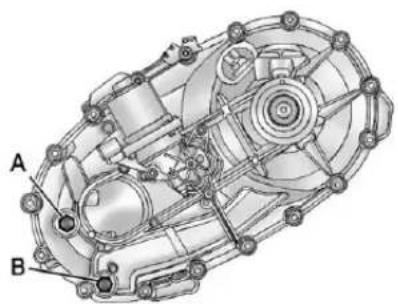
natural_image
Technical diagram of a mechanical assembly with labeled parts A and B (no text or symbols beyond labels)ElectricShiftTransferCase
A. FillPlug
B.DrainPlug
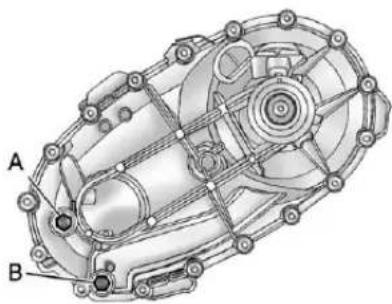
natural_image
Technical diagram of a mechanical assembly with labeled parts A and B (no text or symbols beyond labels)ManualShiftTransferCase
A. FillPlug
B.DrainPlug
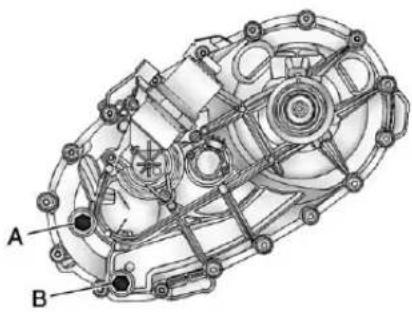
natural_image
Technical diagram of a mechanical assembly with labeled components A and B (no text or symbols beyond labels)ActiveTransferCase
A. FillPlug
B.DrainPlug
Togetanaccuratereading, the vehicles should be on a level surface.
If the level is below the bottom of the fill plug hole, located on the transfercase, some lubricant will need to be added. Addenough lubricant toraisethe level to the bottom of the fill plug hole. Use care not to overtight the plug.
WhentoChangeLubricant
RefertoMaintenanceScheduleon page 11-3 todetermine how oftento changethelubricant.
WhattoUse
RefertoRecommendedFluidsand Lubricantsonpage11-13to determinewhatkindoflubricant touse.
FrontAxle
WhentoCheckandChange Lubricant
Itisnotnecessarytoregularly checkfrontaxlefluidunlessaleak issuspected,oranunusualnoiseis heard.Afluidlosscouldindicatea problem.Haveitinspectedand repaired.
HowtoCheckLubricant
Togetanaccuratereading, the vehicleshouldbeonalevel surface.
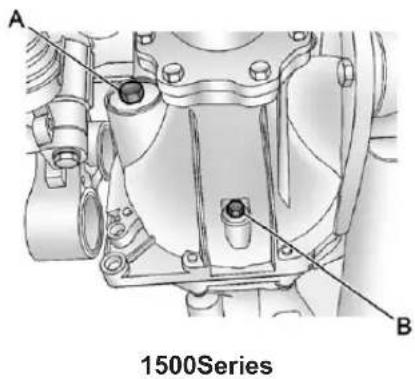
text_image
A B 1500SeriesA.FillPlug
B.DrainPlug
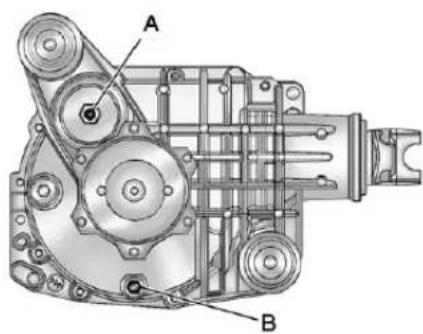
text_image
A BAllExcept1500Series
A.FillPlug
B.DrainPlug
- Whenthedifferentialiscold, addenoughlubricanttoraisethe levelfrom0mm(0in)to3.2mm (1/8in)belowthefillplughole.
- Whenthedifferentialisat operatingtemperature(warm), addenoughlubricanttoraisethe leveltothebottomofthefill plughole.
WhattoUse
RefertoRecommendedFluidsand Lubricantsonpage11-13to determinewhatkindoflubricant touse.
RearAxle
WhentoCheckLubricant
Itisnotnecessarytoregularly checkrearaxlefluidunlessaleakis suspectedoranunusualnoiseis heard.Afluidlosscouldindicatea problem.Haveitinspectedand repaired.
Allaxleassembliesarefilledby volumeoffluidduringproduction. Theyarenotfilledtoreachacertain level.Whencheckingthefluidlevel onanyaxle, variationsinthe readingscanbecausedbyfactory filldifferencesbetweenthemminimum andthemaximumfluidvolume.
Also,ifvehiclehasjustbeen drivenbeforecheckingthefluid level,itmayappearlowerthan normalbecausefluidhastraveled outalongtheaxletubesandhas notdrainedbacktothesumparea. Therefore,areadingtaken fiveminutesafterthevehiclehas beendrivenwillappeartohavea lowerfluidlevelthanavehiclethat hasbeenstationaryforanhouror two.Rememberthattherearaxle assemblymustbesupportedtoget atruereading.
HowtoCheckLubricant
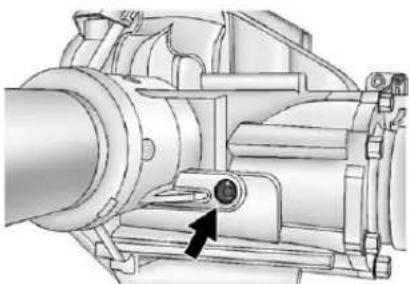
natural_image
Technical illustration of a mechanical pump assembly with a black arrow pointing to a component (no text or symbols present)2500HDwith6.0L
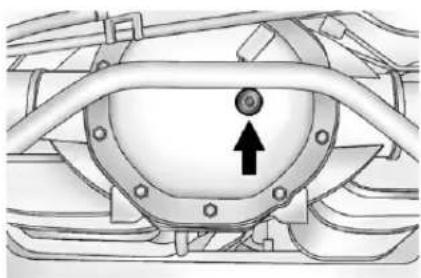
natural_image
Technical diagram of a mechanical component with a circular feature and an upward arrow indicator (no text or symbols present)AllOtherSeriesandEngines
Togetanaccuratereading, the vehicles should be on a level surface.
- Forall4.3L,4.8Land5.3L 1500Seriesapplications,the properlevelis1.0mmto 19.0mm(0.04into0.7in) belowthebottomofthefillhole, locatedontherearaxle. Addonlyenoughfluidtoreach theproperlevel.
- Forall6.0Land6.2L 1500Seriesapplications,the properlevelisfrom15mmto 40mm(0.6into1.6in)below thebottomofthefillplughole, locatedontherearaxle. Addonlyenoughfluidtoreach theproperlevel.
- Forall6.0L2500HDSeries applications, the proper level is from 0 mm to 13 mm (0 to 0.5 in) below the bottom of the fill plug hole, located on therearaxle. Add only enough fluid to each proper level. - Forall6.6LDuramax Diesel 2500HDSeries applications and all 3500 Series applications, the proper level is from 17 mm to 21 mm (0.6 into 0.8 in) below the bottom of the fill plug hole, located on therearaxle. Add only enough fluid to each proper level.
WhattoUse
RefertoRecommendedFluidsand Lubricantsonpage11-13to determinewhatkindoflubricant touse.
NoiseControlSystem
The following information relates to compliance with federal noise emission standards for vehicles with a Gross Vehicle Weight Rating (GVWR) of more than 4536 kg (10,000 lbs). Thenoise control system warranty is given in your warranty booklet.
Thesestandardsapplyonlyto vehiclessoldintheUnitedStates.
Federallawprohibits the following actsorthecausingthereof:
-
Theremovalorrendering inoperativebyanyperson, otherthanforpurposesof maintenance,repairor replacement,ofanydeviceor elementofdesignincorporated intoanynewvehicleforthe purposeofnoisecontrol,priorto itssaleordeliverytotheultimate purchaserorwhileitisinuse;or
-
The use of the vehicle aftersuch deviceorelement of design has been removed or rendered in operative by any person.
Amongthoseactspresumedto constitutetamperingaretheacts listedbelow.
Insulation:
Removalofthenoiseshieldsorany underhoodinsulation.
Engine:
Removalorrenderingenginespeed governor, if the vehicle has one, inoperativesoastoallowengine speed to exceed manufacturer specifications.
FanandDrive:
- Removaloffanclutch, if the vehiclehasone, orrendering clutchinoperative.
- Removalofthefanshroud, if the vehiclehasone.
AirlIntake:
- Removaloftheaircleaner silencer.
• Modificationoftheaircleaner.
Exhaust:
- Removalofthemufflerand/or resonator.
- Removaloftheexhaustpipes andexhaustpipeclamps.
StarterSwitchCheck

WARNING
When you are doing this inspection, the vehicle could moves suddenly. If the vehicle moves, you or others could be injured.
- Before starting this check, besure there is tenoughroom around the vehicle.
- Firmlyapplyboththeparking brakeandtheregularbrake. SeeParkingBrakeon page9-60.
Donotusetheaccelerator pedal, and bereadytoturnoff theengineimmediatelyifit starts.
- For automatic transmission vehicles, try to start the engine in each gear. The vehicle should start only in P (Park) or N (Neutral). If the vehicle starts in any other position, contact your dealer for service.
Formanualtransmission vehicles,puttheshiftleverin Neutral,pushtheclutchpedal downhalfway,andtrytostart theengine.Thevehicleshould startonlywhentheclutchpedal ispusheddownallthewayto thefloor.Ifthevehiclestarts whentheclutchpedalisnot pushedallthewaydown, contactyourdealerforservice.
AutomaticTransmission ShiftLockControl FunctionCheck
WARNING
When you are doing this inspection, the vehicle could moves suddenly. If the vehicle moves, you or others could be injured.
-
Before starting this check, be sure there is a rough room around the vehicle. It should be parked on levels surface.
-
Firmly apply the parking brake. See Parking Brake on page 9-60.
Bereadytoapplytheregular brakeimmediatelyifthevehicle beginstomove.
- With the engine off, turn the ignition on, but donot start the engine. Without applying the regular brake, try to mov the shiftlever out of Park with normaleffort. If the shift lever moves out of Park, contact your dealer for service.
IgnitionTransmission LockCheck
Whileparked, and with the parking brakeset, try to turn the ignition to LOCK/OFFineachshift lever position.
- Forautomatictransmission vehicles, theignitions should turn to LOCK/OFFonlywhen the shiftleverisinP(Park).
- Formanualtransmission vehicles, theignitions should turn to LOCK/OFFonlywhenyou pressthekeyreleasebutton.
Onallvehicles, the ignition key should come out only in LOCK/OFF.
Contactyourdealerifserviceis required.
ParkBrakeandP(Park) MechanismCheck
WARNING
Whenyouaredoingthischeck, thevehiclecouldbegintomove. Youorotherscouldbeinjured andpropertycouldbedamaged. Makesurethereisroominfront ofthevehicleincaseitbeginsto roll. Bereadytoapplytheregular brakeatonceshouldthevehicle begintomove.
Parkonafairlysteephill, with the vehiclefacingdownhill. Keeping yourfootontheregularbrake, set theparkingbrake.
- Tochecktheparkingbrake's holdingability:Withtheengine runningandthetransmissionin N(Neutral),slowlyremovefoot pressurefromtheregularbrake pedal.Dothisuntilthevehicleis heldbytheparkingbrakeonly.
- TochecktheP(Park) mechanism'sholdingability: Withtheengine running, shiftto P(Park). Then releasethe parkingbrake followed by the regularbrake.
Contactyourdealerifserviceis required.
WiperBladeReplacement
Windshieldwiperbladesshouldbe inspectedforwearorcracking. SeeMaintenanceScheduleon page 11-3formoreinformationon wiperbladeinspection.
Replacementbladescomein differenttypesandareremovedin differentways.Toremovethewiper blade:
- Pullthewindshieldwiperarm connectorawayfromthe windshield.
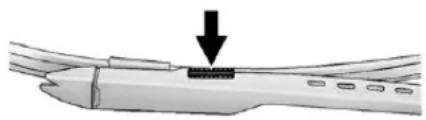
natural_image
Diagram of a mechanical component with a downward arrow indicating a force or movement (no text or symbols present)- Squeezethegroovedareason eachsideoftheblade, and turn thebladeassemblyawayfrom thearmconnector.
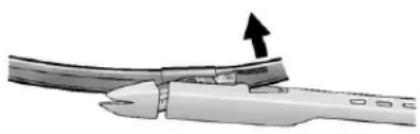
natural_image
Close-up of a pliers gripping a cable with an arrow indicating force (no text or symbols)- Installthenewbladeontothe armconnectorandmakesure thegroovedareasarefullysetin thelockedposition.
Forthepropertyandsize, see MaintenanceReplacementPartson page 11-16.
GlassReplacement
Ifthewindshieldorfrontsideglass mustbereplaced, seeyourdealer todeterminethecorrect replacementglass.
HeadlampAiming
The vehicle has a visual optical headlampaimingsystem. The aim of the headlampshas been preset at the factory and should need no further adjustment.
However, if the vehicle is damaged inacrash, the aim of the headlamps may be affected and adjustment may be necessary.
Ifoncomingvehiclesflashtheirhigh beamsatyou, this may mean the vertical aim of the headlamps needs to be adjusted.
It is recommended that the vehicle betakentoyourdealerforservice if the headlampsneedtobeadjusted. It is possible, however, tore-aim the headlampsas described.
10-40VehicleCare
The vehicles should:
- Beplacedsotheheadlamps are7.6m(25ft)from a light-coloredwall.
- Haveallfourtiresonalevel surfacewhichislevelalltheway tothewall.
- Beplacedsoitisperpendicular tothewall.
- Nothaveanysnow,ice,ormud onit.
- Befullyassembledandallother workstoppedwhileheadlamp aimingisbeingperformed.
- Beloadedwithafulltankof fuelandonepersonor75kg (160lbs)sittingonthe driverseat.
• Havethetiresproperlyinflated.
• Havethesparetireinitsproper locationinthevehicle.
Headlampaimingisdonewiththe vehicle'slow-beamheadlamps. Thehigh-beamheadlampswillbe correctlyaimedifthelow-beam headlampsareaimedproperly.
Toadjusttheverticalaim:
- Openthehood. See Hoodon page 10-5
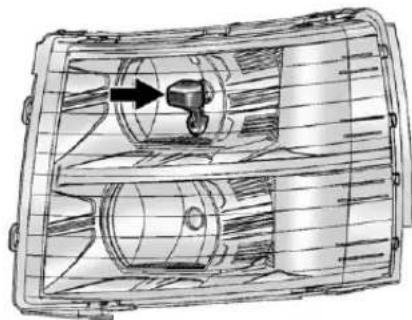
natural_image
Technical line drawing of a mechanical component with internal cavities and a directional arrow (no text or symbols)-
Locatetheaimdotonthelensof thelow-beamheadlamp.
-
Recordthedistancefromthe groundtotheaimdotonthe low-beamheadlamp.
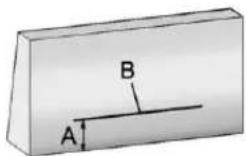
-
Atawall, measure from the ground upward (A) to the recorded distance from Step3 and mark it.
-
Drawortapeahorizontalline(B) onthewallthewidthofthe vehicleattheheightofthe markinStep4.
Notice: Donotcoveraheadlamp toimprovebeamcut-offwhen aiming. Coveringaheadlampmay causeexcessiveheatbuild-up whichmaycausedamagetothe headlamp.
- Turnonthelow-beam headlampsandplaceapiece ofcardboardorequivalentin frontoftheheadlampnotbeing adjusted. Thisallowsonlythe beamoflightfromtheheadlamp beingadjustedtobeseenonthe flatsurface.
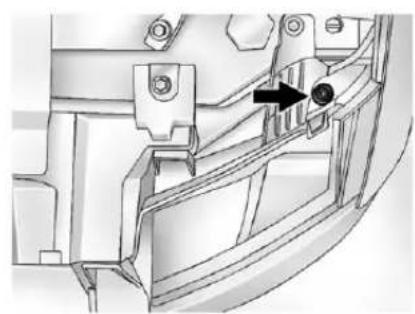
natural_image
Mechanical component diagram showing a bracket with a black arrow pointing to a circular feature (no text or symbols present)-
Locatetheverticalheadlamp aimingscrews, which are under the hoodneareachheadlamp assembly. Theadjustmentscrewcan be turned with an E8 Torx ^® socket.
-
Turntheverticalaimingscrew untiltheheadlampbeamis aimedtothehorizontaltape line. Turnitclockwiseor counterclockwisetoraiseor lowertheangleofthebeam.
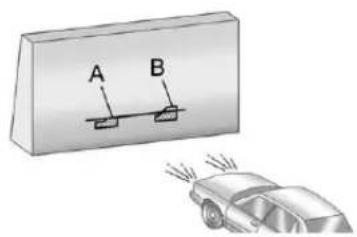
text_image
A B- Makesure that the light from the headlamp is positioned at the bottom edge of the horizontal tap line. Thelamp on the left (A) show the correct headlamp aim. Thelamp on the right (B) show the incorrect headlamp aim.
10.RepeatSteps7through9for theoppositeheadlamp.
BulbReplacement
Forthepropertyofreplacement bulbs,seeReplacementBulbson page10-45.
Foranybulb-changingprocedure notlistedinthissection,contact yourdealer.
HalogenBulbs

WARNING
Halogenbulbshavepressurized gasinsideandcanburstifyou droporscratchthebulb. Youor otherscouldbeinjured. Besure toreadandfollowtheinstructions onthebulbpackage.
Headlamps, FrontTurn Signal, Sidemarker, and ParkingLamps
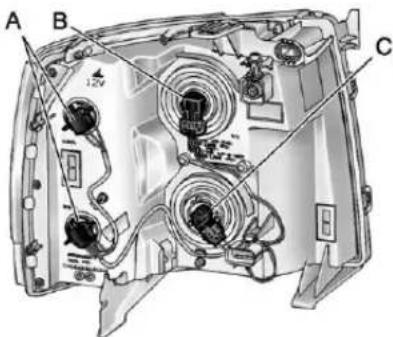
text_image
A B CA. Park/TurnSignal/ SidemarkerLamp
B.Low-BeamHeadlamp
C. High-BeamHeadlamp
- Openthehood. See Hoodon page 10-5
- If you are replacing the bulbon the passengers side, remove the EngineAirCleanercover. See EngineAirCleaner/Filter on page 10-17 form more information.
- Reachinandaccessthebulb socketsfrominsidetheengine compartment.
- Turnthebulbsocket counterclockwisetoremoveit fromtheheadlampassembly andpullitstraightout.
- Unplugtheelectricalconnector from the old bulb by releasing the clipson the bulb socket.
- Replaceitwithanewbulb.
- Plugintheelectricalconnector.
- Reinstallthenewbulbsocket intotheheadlampassembly and turnitclockwisetosecure.
Pick-UpBoxIdentification andFenderMarker Lamps
Thepick-upboxidentificationlamps areLEDs. For replacement of the LEDlighting assembly contact your dealer.
Toreplaceapickupboxfender markerlampbulb:
- Pressthetabfromthebackto removethelamp.
- Turnthebulbsocket counterclockwisetoremove fromthelampassembly.
- Gentlyprythebulbfromthe socket.
- Installthenewbulbinsocket.
- Reinstallsocketintolamp assembly.
- Reinstallthelampassembly.
Taillamps (ChassisCabModels)
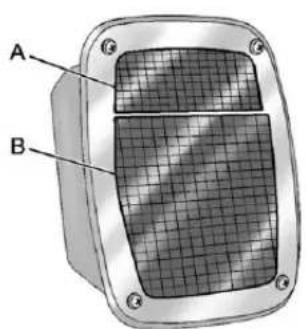
natural_image
3D diagram of a mechanical component with labeled parts A and B, showing internal grid structure (no text or symbols beyond labels)A.BackupLamp
B. Stoplamp/Taillamp/Turn SignalLamp
Toreplaceoneofthesebulbs:
- Removethefourscrews.
- Liftthelensoffthelamp assembly.
- Turntheoldbulb counterclockwise and pulltheitstraightout from the socket.
- Installanewbulbintothe socket, turnitclockwise, and pressitinuntilistight.
- Reinstallthelensandthe fourscrews.
Taillamps, TurnSignal, Stoplamps, and Back-UpLamps
Toreplaceoneofthesebulbs:
- Openthetailgate. See Tailgate onpage2-10 formore information.
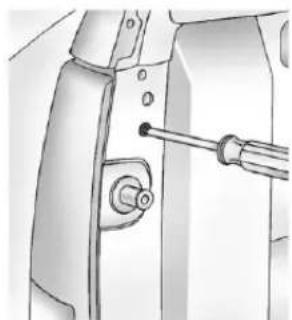
natural_image
Technical illustration of a mechanical component with a screwdriver inserted (no text or symbols visible)- Removethetworearlamp assemblyscrewsnearthe tailgatelatchstrikerpostandpull rearwarduntildisengagingthe twoouterpinsonthetaillamp assemblyfromthevehicle.
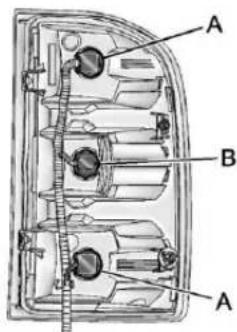
text_image
A B AA. Stoplamp/Taillamp/Turn SignalLamp B. Back-upLamp
-
Turnthebulbsocket counterclockwisetoremoveit fromthetaillampassembly.
-
Pulltheoldbulbstraightout fromthesocket.
-
Pressanewbulbintothesocket andturnthesocketclockwise intothetaillampassembly.
-
Reinstallthetaillampassembly.
CenterHigh-Mounted Stoplamp(CHMSL)and CargoLamp
Toreplaceoneofthesebulbs:
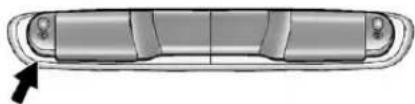
natural_image
Top-down view of a car's side panel with a black arrow pointing to the front panel (no text or symbols)- Removethetwoscrewsandlift offthelampassembly.
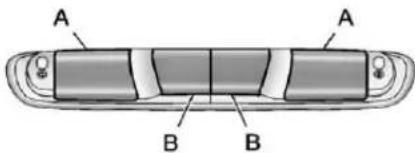
text_image
A A B BA.CargoLamp
B. CenterHigh-Mounted Stoplamp(CHMSL)Bulb
- On thereversesideofthelamp assembly, removethebulb socketbyturningitonequarter turncounterclockwiseandpullit straightout.
- Removethebulbbypullingit straightoutofthesocket.
- Install the bulb bypassing the bulb straight into the socket.
- Install the bulb socket into the lamp assembly by turning it one quarter turn clockwise.
- Reinstall the lamp assembly and tightenthescrews.
LicensePlateLamp
Toreplaceoneofthesebulbs:
- Reachundertherearbumperfor thebulbsocket.
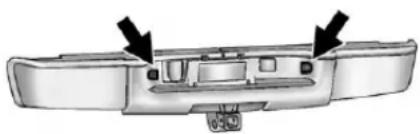
natural_image
Exterior view of a car back panel showing internal compartments and mounting points (no text or symbols)- Turnthebulbsocket counterclockwise and pull the bulbsocket out of the lamp assembly.
- Pulltheoldbulbstraightout fromthebulbsocket.
- Installthenewbulb.
- ReverseSteps1 and 2 to reinstall the bulb socket.
ReplacementBulbs
| ExteriorLampBulb | Number |
| Back-upLamp921LL | |
| Back-upLamp*1156 | |
| CargoLamp andCenter High-Mounted Stoplamp (CHMSL) | 912LL |
| FenderMarker Lamp(IfEquipped) | W5WLL |
| High-Beam Headlamp | 9005 |
| Low-Beam Headlamp | H11 |
| License PlateLamp | 168 |
| SidemarkerLamp/Stoplamp/Taillamp/TurnSignalLamp | 3047K |
| Stoplamp/Turn SignalLamp/Taillamp* | 1157 |
| *ChassisCabModels | |
Forreplacementbulbsnotlisted here,contactyourdealer.
ElectricalSystem
ElectricalSystem Overload
The vehicle has fuses and circuit breaker stop protect against electrical system overload.
Whenthecurrentelectricalloadis tooheavy, the circuitbreakeropens and closes, protecting the circuit until the current load return to normal or the problem is fixed. This greatly reduces the chance of circuit overload and fire caused by electrical problems.
Fusesandcircuitbreakersprotect powerdevicesinthevehicle.
Replaceabadfusewithanewone oftheidenticalsizeandrating.
If thereisaproblemontheroad and afuseneedstobereplaced, the sameamperagefusecan be borrowed. Choosesomefeature of the vehicle that is not needed to use and replace it as soon as possible.
HeadlampWiring
Anelectricaloverloadmaycause thelampstogoonandoff, orin somecasestoremainoff. Havethe headlampwiringcheckedrightaway ifthelampsgoonandoffor remainoff.
WindshieldWipers
Ifthewipermotoroverheatsdueto heavysnoworice, the windshield wiperswillstopuntilthemotorcools and will then restart.
Although the circuit is protected from electrical overload, overload duetoheavysnoworicemay causewiperlinkaged damage.
Alwayscleariceandheavysnow fromthewindshieldbeforeusingthe windshieldwipers.
If the overload is caused by an electrical problem and not snow or ice, besure to get it fixed.
FusesandCircuit Breakers
If the vehicle is a hybrid, se the hybrids supplement form more information.
Thewiringcircuitsinthevehicleare protectedfromshortcircuitsbya combinationoffuses,circuit breakersandfusiblethermallinks. Thisgreatlyreducesthechanceof firescausedbyelectricalproblems.
Lookatthesilver-coloredband insidethefuse. If the band is broken ormelted, replacethefuse. Besure youreplaceabad fuse with anew one of the identical size and rating.
If you ever have a problemon the road and don't have as spare fuse, you can borrow onethathasthe same amperage. Just picks some feature of your vehicle that you can get along without—likether adioor cigarettelighter—and use its fuse, if it is the correct amperage. Replace it as soon as you can.
EngineCompartment FuseBlock
If the vehicle has a diesel engine, seethe Duramax Diesels supplement form more information.
If the vehicle is a hybrid, seethe hybrids supplement form more information.
TheEngineCompartmentFuse Blockislocatedintheengine compartment,onthedriversideof thevehicle.
natural_image
Simple icon of a black lightning bolt on a two-pin stand (no text or symbols)Liftthecovertoaccessthefuse block.
Notice: Spilling liquidon any electrical component on the vehicle may damage it. Always keep the cover on any electrical component.
Toremovefuses, hold the end of the fuse between your thumb and index finger and pull straight out.
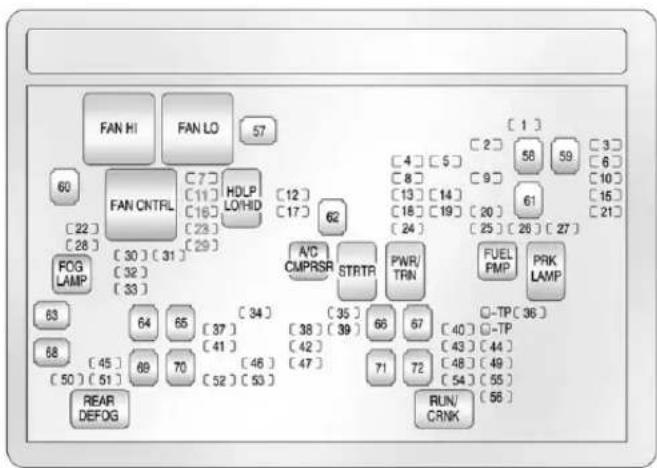
flowchart
graph TD
    A["FAN HI"] --> B["FAN LO"]
    B --> C["57"]
    C --> D["60"]
    D --> E["62"]
    E --> F["63"]
    F --> G["64"]
    G --> H["65"]
    H --> I["68"]
    I --> J["69"]
    J --> K["70"]
    K --> L["REAR DEFOG"]
    C --> M["7"]
    M --> N["HDLP LO/HID"]
    N --> O["11"]
    O --> P["12"]
    P --> Q["17"]
    Q --> R["62"]
    R --> S["A/C CMPRSR STRTR"]
    S --> T["63"]
    T --> U["64"]
    U --> V["65"]
    V --> W["68"]
    W --> X["69"]
    X --> Y["70"]
    Y --> Z["REAR DEFOG"]
    C --> AA["1"]
    AA --> AB["2"]
    AB --> AC["58"]
    AC --> AD["59"]
    AD --> AE["61"]
    AE --> AF["61"]
    AF --> AG["20"]
    AG --> AH["25"]
    AH --> AI["26"]
    AI --> AJ["27"]
    AJ --> AK["PWR/TRN"]
    AK --> AL["35"]
    AL --> AM["38"]
    AM --> AN["39"]
    AN --> AO["42"]
    AO --> AP["47"]
    AP --> AQ["71"]
    AQ --> AR["72"]
    AR --> AS["72"]
    AS --> AT["RUN/CRNK"]
    AT --> AU["-TP 36"]
    AU --> AV["-40"]
    AV --> AW["-43"]
    AW --> AX["-44"]
    AX --> AY["48"]
    AY --> AZ["49"]
    AZ --> BA["54"]
    BA --> BB["55"]
    BB --> BC["56"]
| FusesUsage | |
| 1 | RightTrailerStop/TurnLamp |
| 2 | ElectronicSuspensionControl,AutomaticLevelControlExhaust |
| FusesUsage | |
| 3 | LeftTrailerStop/TurnLamp |
| 4EngineControls | |
| 5 | EngineControlModule,ThrottleControl |
| FusesUsage | |
| 6 | TrailerBrake Controller |
| 7FrontWasher | |
| 8OxygenSensor | |
| 9 | AntilockBrakes System2 |
| 10 | TrailerBack-up Lamps |
| 11 | DriverSide Low-BeamHeadlamp |
| 12 | EngineControl Module(Battery) |
| 13 | FuelInjectors, IgnitionCoils (RightSide) |
| 14 | TransmissionControl Module(Battery) |
| 15 | VehicleBack-up Lamps |
| 16 | PassengerSide Low-BeamHeadlamp |
| 17 | AirConditioning Compressor |
| 18OxygenSensors | |
| 19 | Transmission Controls(Ignition) |
| 20FuelPump | |
| 21 | FuelSystemControl Module |
| 22NotUsed | |
| 23NotUsed | |
| 24 | FuelInjectors, IgnitionCoils (LeftSide) |
| 25TrailerParkLamps | |
| 26 | DriverSide ParkLamps |
| 27 | PassengerSide ParkLamps |
| 28FogLamps | |
| 29Horn | |
| FusesUsage | |
| 30 | PassengerSideHigh-BeamHeadlamp |
| 31 | DaytimeRunningLamps(DRL) |
| 32 | DriverSideHigh-BeamHeadlamp |
| 33 | DaytimeRunningLamps2 |
| 34Sunroof | |
| 35 | KeyIgnitionSystem,TheftDeterrentSystem |
| 36WindshieldWiper | |
| 37 | SEOB2UpfitterUsage(Battery) |
| 38 | ElectricAdjustablePedals |
| 39 | ClimateControls(Battery) |
| FusesUsage | |
| 40 | AirbagSystem (Ignition) |
| 41Amplifier | |
| 42AudioSystem | |
| 43 | Miscellaneous (Ignition), Cruise Control |
| 44NotUsed | |
| 45 | AirbagSystem (Battery) |
| 46 | InstrumentPanel Cluster |
| 47PowerTake-Off | |
| 48 | AuxiliaryClimate Control(Ignition) |
| 49 | CenterHigh-Mounted Stoplamp(CHMSL) |
| 50RearDefogger | |
| 51HeatedMirrors | |
10-50VehicleCare
| FusesUsage | |
| 52 | SEOB1UpfitterUsage(Battery) |
| 53 | CigaretteLighter,AuxiliaryPowerOutlet |
| 54SEO | UpfitterUsage |
| 55 | ClimateControls(Ignition) |
| 56 | EngineControlModule,SecondaryFuelPump(Ignition) |
| J-Case Fuses | Usage |
| 57CoolingFan1 | |
| 58NotUsed | |
| 59 | HeavyDutyAntilock BrakeSystem |
| 60CoolingFan2 | |
| 61 | AntilockBrake System1 |
| J-Case Fuses | Usage |
| 62Starter | |
| 63 | Stud2(Trailer Brakes) |
| 64 | LeftBussed ElectricalCenter1 |
| 65NotUsed | |
| 66NotUsed | |
| 67TransferCase | |
| 68 | Stud1(Trailer ConnectorBattery Power)(Optional-40AFuseRequired) |
| 69 | Mid-Bussed ElectricalCenter1 |
| 70 | ClimateControl Blower |
| 71NotUsed | |
| 72 | LeftBussed ElectricalCenter2 |
| RelaysUsage | |
| FANHI | CoolingFanHighSpeed |
| FANLO | CoolingFanLowSpeed |
| FANCNTRL | CoolingFanControl |
| HDLPLO/HID | Low-BeamHeadlamp |
| FOGLAMPFrontFogLamps | |
| A/CCMPRSR | AirConditioningCompressor |
| STRTRStarter | |
| PWR/TRNPowertrain | |
| FUELPMPFuelPump | |
| PRKLAMPParkingLamps | |
| REARDEFOG | RearDefogger |
| RUN/CRNKSwitchedPower | |
InstrumentPanelFuse Block
natural_image
Close-up of a mechanical component with curved surfaces and layered edges (no visible text or symbols)The instrument panelfuse block access door is located on the driver side edge of the instrument panel.
Pulloffthecovertoaccessthe fuseblock.
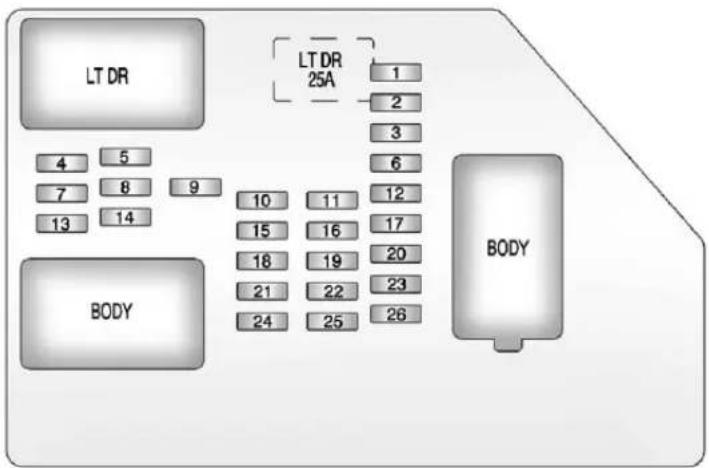
flowchart
graph TD
    A["LT DR"] --> B["4"]
    A --> C["5"]
    A --> D["7"]
    A --> E["8"]
    A --> F["13"]
    A --> G["14"]
    H["BODY"] --> I["10"]
    H --> J["11"]
    H --> K["15"]
    H --> L["16"]
    H --> M["18"]
    H --> N["19"]
    H --> O["21"]
    H --> P["22"]
    H --> Q["24"]
    H --> R["25"]
    H --> S["26"]
    T["LT DR 25A"] --> U["1"]
    T --> V["2"]
    T --> W["3"]
    T --> X["6"]
    T --> Y["12"]
    T --> Z["17"]
    T --> AA["20"]
    T --> AB["23"]
    T --> AC["26"]
The vehicle may not be equipped with allothefuses, relays, and feature shown.
| FusesUsage | |
| 1RearSeats | |
| 2 | RearAccessoryPowerOutlet |
| FusesUsage | |
| 3 | SteeringWheelControlsBacklight |
| 4Driver | DoorModule |
| 5 | DomeLamps,DriverSideTurnSignal |
| 6 | DriverSideTurn Signal,Stoplamp |
| 7 | InstrumentPanel BackLighting |
| 8 | PassengerSideTurn Signal,Stoplamp |
| 9 | PassengerDoor Module,DriverUnlock |
| 10 | PowerDoorLock2 (UnlockFeature) |
| 11 | PowerDoorLock2 (LockFeature) |
| 12 | Stoplamps,Center High-Mounted Stoplamp |
| 13Rear | ClimateControls |
| 14PowerMirror | |
| 15 | BodyControl Module(BCM) |
| 16 | AccessoryPower Outlets |
| FusesUsage | |
| 17 | InteriorLamps |
| 18 | PowerDoorLock1 (UnlockFeature) |
| 19 | RearSeat Entertainment |
| 20 | UltrasonicRear ParkingAssist, PowerLiftgate |
| 21 | PowerDoorLock1 (LockFeature) |
| 22 | DriverInformation Center(DIC) |
| 23 | Wiper |
| 24 | CooledSeats |
| 25 | DriverSeatModule, RemoteKeylessEntry System |
| 26 | DriverPowerDoor Lock(UnlockFeature) |
| Circuit Breaker | Usage |
| LTDR | DriverSidePowerWindowCircuitBreaker |
| Harness Connector | Usage |
| LTDR | DriverDoor Harness Connection |
| BODYHarr | essConnector |
| BODYHarr | essConnector |
CenterInstrumentPanel FuseBlock
Thecenterinstrumentpanelfuse blockislocatedunderneaththe instrumentpanel,totheleftofthe steeringcolumn.
TopView
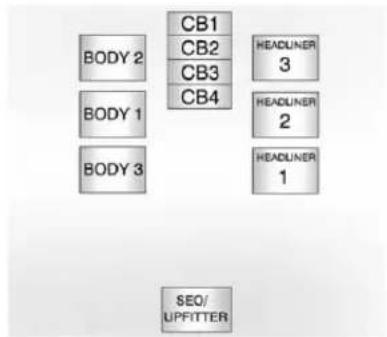
text_image
BODY 2 BODY 1 BODY 3 CB1 CB2 CB3 CB4 HEADLUNER 3 HEADLUNER 2 HEADLUNER 1 SEQ/ UPFITTER| Harness Connector | Usage |
| BODY2 | BodyHarness Connector2 |
| BODY1 | BodyHarness Connector1 |
| BODY3 | BodyHarness Connector3 |
| HEADLINER 3 | HeadlinerHarness Connector3 |
| HEADLINER 2 | HeadlinerHarness Connector2 |
| HEADLINER 1 | HeadlinerHarness Connector1 |
| SEO/UPFITTER | SpecialEquipment OptionUpfitter HarnessConnector |
| Circuit Breaker | Usage |
| CB1 | PassengerSidePowerWindowCircuitBreaker |
| CB2 | PassengerSeatCircuitBreaker |
| CB3 | DriverSeatCircuitBreaker |
| CB4Rear | SlidingWindow |
WheelsandTires
Tires
EverynewGMvehiclehas high-qualitytiresmadebya leadingtiremanufacturer. Seethewarrantymanualfor informationregardingthetire warrantyandwheretoget service.Foradditional informationrefertothetire manufacturer.

WARNING
- Poorlymaintained and improperly used tires are dangerous.
• Overloadingthetirescan causeoverheatingasaresult oftoomuchflexing.There couldbeablowoutanda seriouscrash.See Vehicle LoadLimitsonpage9-17.
(Continued)
WARNING(Continued)
- Underinflatedtiresposethe samedangerasoverloaded tires. Theresultingcrash couldcauseseriousinjury. Checkalltiresfrequentlyto maintaintherecommended pressure. Tirepressure shouldbecheckedwhenthe tiresarecold.
• Overinflatedtiresaremore likelytobecut, punctured, orbrokenbyasudden impact—suchaswhen hittingapothole. Keeptiresat therecommended pressure. - Wornoroldtirescancausea crash. If the treadis badly worn, replace them.
- Replaceanytiresthathave beendamagedbyimpacts withpotholes,curbs,etc.
(Continued)
WARNING(Continued)
- Improperlyrepairedtirescan causeacrash. Only the dealeroranauthorized tire servicecenters should repair, replace, dismount, and mount the tires.
- Donotspinthetiresin excessof55km/h(35mph) onslipperysurfacesuch assnow,mud,ice,etc. Excessivespinningmay causethetirestoexplode.
See TirePressurefor High-SpeedOperationon page 10-63 for inflation pressure adjustment for high speed driving.
20-InchTires
If the vehicle has 20-inch P275/55R20sizetires, they are classified as touring tires and are designed for on road use. Thelow-profile, widetread design is not recommended for "off-road" driving or commercial uses such snow plowing. See Off-Road Driving on page 9-6 and Adding a Snow Plowor Similar Equipment on page 9-115 for additional information.
Notice: Low-profiletires are moresusceptibletodamage fromroadhazardsorcurb impactthanstandardprofile tires. Tire and/orwheel assembly damage can occur when coming into contact
withroadhazardslike, potholes,orsharpedged objects,orwhenslidingintoa curb. Thewarrantydoesnot coverhistypeofdamage. Keeptiressettothecorrect inflationpressureand,when possible,avoidcontactwith curbs,potholes,andother roadhazards.
TireSidewallLabeling
Usefulinformationabouta tireismoldedintothesidewall. Theexampleshowatypical passengerandlighttrucktire sidewall.
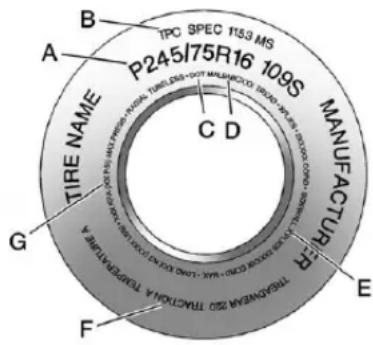
text_image
TPC SPEC 1153 MS P245I75R16 109S MANUFACTURER A B C D TIRE NAME TRANSMAR: 250 TRACOLYKA A TRANSNATRA G F EPassenger(P-Metric)Tire
(A)TireSize: Thetiresize codeisacombinationofletters andnumbersusedtodefinea particulartire'swidth,height, aspectratio,constructiontype, andservicedescription. Seethe "TireSize"illustration laterinthissectionformore detail.
(B)TPCSpec(Tire PerformanceCriteria Specification):Original equipmenttiresdesignedto GM'sspecificireperformance criteriahaveaTPCspecification codemoldedontothesidewall. GM'sTPCspecificationsmeetorexceedallfederalsafety guidelines.
(C)DOT(Departmentof Transportation): The DepartmentofTransportation (DOT)codeindicatesthatthe tireisincompliancewith theU.S.Departmentof TransportationMotorVehicle SafetyStandards.
(D) TireIdentification Number(TIN) : The letters and numbers following the DOT code are the TireIdentification Number(TIN). The TIN shows the manufacturer and plant code, tiresize, and datethetire
wasmanufactured. The TINis moldedontobothsidesofthe tire, althoughonlyonesidemay havethedateofmanufacture.
(E)TirePlyMaterial :Thetype ofcordandnumberofpliesin thesidewallandunderthetread.
(F)UniformTireQuality Grading(UTQG): Tire manufacturersarerequired to gradetiresbasedonthree performancefactors:treadwear, traction,andtemperature resistance. Formore information,seeUniformTire QualityGradingonpage 10-74.
(G)MaximumColdInflation LoadLimit :Maximumload thatcanbecarriedandthe maximumpressureneeded tosupportthatload.For informationonrecommended tirepressuresee TirePressure onpage 10-62and VehicleLoad Limitsonpage9-17.
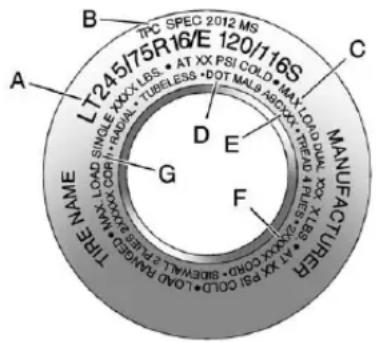
text_image
A B C D E F G MANUFACTURER TPC SPEC 2012 MS LT245/75R16/E 120/116S AT XX PSI COLD MAY LOAD TUBELESS DOT MALA AGXX TX TWD PCL X LBR TY XXX CORO SIDEWELL PAKE LOAD RABON STRAW BHAPE THE MACELightTruck(LT-Metric)Tire
(A)TireSize:Thetiresize codeisacombinationofletters andnumbersusedtodefinea particulartire'swidth,height,aspectratio,constructiontype,andservicedescription.Seethe "TireSize"illustrationalterinthis sectionformoredetail.
(B)TPCSpec(Tire PerformanceCriteria Specification):Original equipmenttiresdesignedto
GM's specificire performance criteria havea TPC specification codemoldedontothesidewall. GM's TPC specifications meet orexceedallfederalsafety guidelines.
(C)DualTireMaximumLoad : Maximumloadthatcanbe carriedandthemaximum pressureneededtosupport thatloadwhenusedinadual configuration.Forinformationon recommendedtirepressuresee TirePressureonpage10-62 and VehicleLoadLimitson page9-17.
(D)DOT(Departmentof Transportation): The DepartmentofTransportation (DOT)codeindicatesthatthe tireisincompliancewith theU.S.Departmentof TransportationMotorVehicle SafetyStandards.
(E) TireIdentification Number(TIN): The letters and numbers following the DOTcode are the Tire Identification Number(TIN). The TIN shows the manufacturer and plant code, tiresize, and datethetire was manufactured. The TIN is molded on both sides of the tire, although only onesidemay havethedate of manufacture.
(F)TirePlyMaterial :Thetype ofcordandnumberofpliesin thesidewallandunderthetread.
(G) Single Tire Maximum Load: Maximum load that can be carried and the maximum pressure needed to support that load when used as a single. For information on recommended tire pressure see Tire Pressure on page 10-62 and Vehicle Load Limit on page 9-17.
TireDesignations
TireSize
The example show atypical passenger vehicle and light truck tiresize.
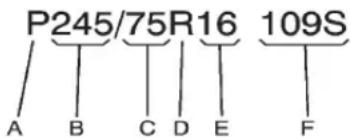
text_image
P245/75R16 109S A B C D E FPassenger(P-Metric)Tire
(A) Passenger(P-Metric) Tire: TheUnitedStatesversionof ametrictiresizingsystem. TheletterPasthefirst characterinthetiresize meansapassengervehicle tireengineeredtostandards setbytheU.S.TireandRim Association.
(B)TireWidth: Thethree-digit numberindicatesthetire sectionwidthinmillimeters fromsidewalltosidewall.
(C)AspectRatio :Atwo-digit numberthatindicatesthetire height-to-widthmeasurements. Forexample,ifthetiresize aspectratiois75,asshownin itemCofthetireillustration, itwouldmeanthatthetire's sidewallis75percentashigh asitiswide.
(D)ConstructionCode : Alettercodeisusedtoindicate thetypeofplyconstructionin thetire.TheletterRmeans radialplyconstruction;the letterDmeansdiagonalor biasplyconstruction;andthe letterBmeansbelted-biasply construction.
(E)RimDiameter :Diameter of thewheelin inches.
(F)ServiceDescription :These charactersrepresenttheload indexandspeedratingofthe tire. Theloadindexrepresents theloadcarryingcapacityatire iscertifiedtocarry. Thespeed ratingisthemaximumspeeda tireiscertifiedtocarryaload.
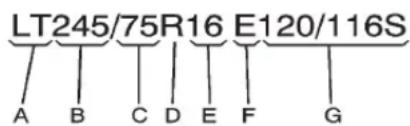
text_image
LT245/75R16 E120/116S A B C D E F GLightTruck(LT-Metric)Tire
(A)LightTruck(LT-Metric) Tire:TheUnitedStatesversion ofametrictriesizingsystem. ThelettersLTasthefirsttwo charactersinthetiresizemean alighttrucktireengineeredto standardssetbytheU.S.Tire andRimAssociation.
(B)TireWidth : Thethree-digit numberindicatesthetire sectionwidthinmillimetersfrom sidewalltosidewall.
(C)AspectRatio :Atwo-digit numberthatindicatesthetire height-to-widthmeasurements. Forexample,ifthetiresize aspectratiois75,asshown initemCofthelighttruck (LT-Metric)tireillustration,it wouldmeanthatthetire's sidewallis75percentashigh asitiswide.
(D)ConstructionCode : Alettercodeisusedtoindicate thetypeofplyconstructionin thetire. TheletterRmeans radialplyconstruction;the letterDmeansdiagonalor biasplyconstruction;andthe letterBmeansbelted-biasply construction.
(E)RimDiameter:Diameter of the wheelin inches.
(F)LoadRange :LoadRange.
(G)ServiceDescription : Theservicedescriptionindicates theloadindexandspeedrating ofatire.lftwonumbersare givenasintheexample, 120/116, thenthisrepresents theloadindexforsingleversus dualwheelusage(single/dual). Thespeedratingisthe maximumspeedatireis certifiedtocarryaload.
TireTerminology and Definitions
AirPressure:Theamountof airinsidethetirepressing outwardoneachsquareinch ofthetire.Airpressureis expressedinkPa(kilopascal) orpsi(poundspersquareinch).
AccessoryWeight : The combined weight of optional accessories. Some examples of optional accessories are automatic transmission, power steering, power brakes, power windows, power seats, and air conditioning.
AspectRatio : Therelationship of atire'sheighttoitswidth.
Belt: Arubbercoatedlayerof cordsthatislocatedbetween thepliesandthetread. Cords maybemadefromsteelorother reinforcingmaterials.
Bead: Thetirebead contains steelwireswrapped by steel cordsthathold the tire onto therim.
BiasPlyTire :Apneumatictire inwhichthepliesarelaidat alternateangleslessthan 90degreestothecenterlineof thetread.
ColdTirePressure :The amountofairpressureinatire, measuredinkPa(kilopascal) orpsi(poundspersquareinch) beforeatirehasbuiltupheat fromdriving. See TirePressure onpage 10-62.
CurbWeight : The weight of a motor vehicle with standard and optionalequipment including the maximum capacity off fuel, oil, and coolant, but without passengers and cargo.
DOTMarkings : Acode molded into the sidewallofa tiresignifying that the tire is in compliance with the U.S. Department of Transportation (DOT) Motor Vehicle Safety Standards. The DOT code includes the Tire Identification Number (TIN), analphanumeric designator which can also
identifythetiremanufacturer, productionplant, brand, and dateofproduction.
GVWR: Gross Vehicle Weight Rating. See Vehicle Load Limits on page 9-17.
GAWRFRT : Gross Axle Weight Rating for the front axle. See Vehicle Load Limit on page 9-17.
GAWRRR : Gross Axle Weight Rating for therear axle. See Vehicle Load Limit on page 9-17.
IntendedOutboardSidewall : Thesideofanasymmetricaltire, thatmustalwaysfaceoutward whenmountedonavehicle.
Kilopascal(kPa) : Thematic unitforairpressure.
LightTruck(LT-Metric)Tire : Atireusedonlightdutytrucks andsomemultipurpose passengervehicles.
LoadIndex : Anassigned numberranging from 1 to 279 that correspond stotheload carrying capacity of atire.
Maximum Inflation Pressure : Themaximum air pressure to which acoldt tire can be inflated. Themaximum air pressure is molded onto the sidewall.
MaximumLoadRating : Theloadratingforatireatthe maximumpermissibleinflation pressureforthattire.
MaximumLoadedVehicle Weight: Thesumofcurb weight, accessoryweight, vehiclecapacityweight, and productionoptionsweight.
NormalOccupantWeight : Thenumberofoccupantsa vehicleisdesignedtoseat multipliedby68kg(150lbs). See VehicleLoadLimitson page9-17.
OccupantDistribution : Designatedseatingpositions.
OutwardFacingSidewall : Thesideofanasymmetricaltire thathasaparticularsidethat facesoutwardwhenmountedon avehicle. Thesideofthetire thatcontainsawhitewall, bearswhitelettering,orbears manufacturer,brand,and/or modelnamemoldingthatis higherordeeperthanthesame moldingsontheothersidewall ofthetire.
Passenger(P-Metric)Tire : Atireusedonpassengercars andsomelightdutytrucksand multipurposevehicles.
Recommended Inflation Pressure: Vehicle manufacturer's recommended tireinflation pressure as shown on the tire placard.
See TirePressureon page10-62andVehicleLoad Limitsonpage9-17.
RadialPlyTire :Apneumatic tireinwhichtheplycordsthat extendtothebeadsarelaidat 90degreestothecenterlineof thetread.
Rim: Ametalsupportforatire anduponwhichthetirebeads areseated.
Sidewall: Theportionofatire betweenthetreadandthebead.
SpeedRating :An alphanumericcodeassignedto atireindicatingthemaximum speedatwhichatirecan operate.
Traction: Thefrictionbetween thetireandtheroadsurface. Theamountofgripprovided.
Tread: The portion of atire that comes into contact with theroad.
TreadwearIndicators :Narrow bands,sometimescalledwear bars,thatshowacrossthe treadofatirewhenonly 1.6mm(1/16in)oftread remains.SeeWhenItIsTime forNewTiresonpage10-71.
UTQGS(UniformTire QualityGradingStandards) :
Atireinformationsystemthat providesconsumerswith ratingsforatire'straction, temperature,andtreadwear. Ratingsaredeterminedby tiremanufacturersusing governmenttestingprocedures. Theratingsaremoldedintothe sidewallofthetire.SeeUniform TireQualityGradingon page10-74.
VehicleCapacityWeight : Thenumberofdesignated seatingpositionsmultipliedby 68kg(150lbs)plustherated cargoload.See VehicleLoad Limitsonpage9-17.
VehicleMaximumLoadon theTire :Loadonanindividual tireduetocurbweight, accessoryweight, occupant weight, and cargoweight.
VehiclePlacard :Alabel permanentlyattachedtoa vehicleshowingthevehicle capacityweightandthe originalequipmenttiresize andrecommendedinflation pressure.See“TireandLoading InformationLabel”under Vehicle LoadLimitsonpage9-17.
TirePressure
Tiresneedthecorrectamount of airpressuretooperate effectively.
Notice: Neithertire underinflation nor overinflation is good. Underinflated tires, ortires that donothaveenoughair, can result in:
- Tireoverloading and overheating which could lead to ablowout.
• Prematureor irregularwear. - Poorhandling.
- Reducedfueleconomy.
Overinflatedtires, ortires that havetoomuchair, canresultin:
- Unusualwear.
- Poorhandling.
- Roughride.
- Needlessdamagefrom roadhazards.
The Tire and Loading Information label on the vehicle indicates the original equipment tires and the correct cold tire inflation pressures. There recommended pressure is the minimum air pressure needed to support the vehicle's maximum load carrying capacity.
For additional information regarding how much weight the vehicle can carry, and an example of the Tire and Loading Information label, see Vehicle Load Limit on page 9-17.
Howthevehicleisloaded affectsvehiclehandlingandride comfort.Neverloadthevehicle withmoreweightthanitwas designedtocarry.
WhentoCheck
Checkthetiresonceamonth ormore.
Donotforgetthesparetire, ifthevehiclehasone. SeeFull-SizeSpareTireon page10-91foradditional information.
HowtoCheck
Useagoodqualitypocket-type gaugetochecktirepressure. Propertireinflationcannotbe determinedbylookingatthetire. Checkthetireinflationpressure whenthetiresarecold,meaning thevehiclehasnotbeendriven foratleastthreehoursorno morethan1.6km(1mi).
Removethevalvecapfromthe tirevalvestem.Pressthetire gaugefirmlyontothevalveto getapressuremeasurement. Ifthecoldtireinflationpressure matchestherecommended pressureontheTireand LoadingInformationlabel,no furtheradjustmentisnecessary. Iftheinflationpressureislow, addairuntiltherecommended pressureisreached.Ifthe inflationpressureishigh,press onthemetalsteminthecenter ofthetirevalvetoreleaseair.
Re-checkthetirepressurewith thetiregauge.
Return the valve capson the valvestem stop prevent leaks and keep out dirt and moisture.
TirePressurefor High-SpeedOperation
WARNING
Drivingathighspeeds, 160km/h (100mph) or higher, puts an additional strainontires. Sustained high-speed driving causes excessive heat buildup and can cause sudden tire failure. You could have acrash and you others could be killed. Some high-speed rated tires require inflation pressure adjustment for high-speed operation. When speed limits and road conditions are such that vehicle can be driven at high speeds, makes sure the tires aerated for high-speed operation, in excellent condition, and set to the correct cold tire inflation pressure for the vehicle load.
VehicleswithP265/70R17or P275/55R20sizetiresrequire inflationpressureadjustmentwhen drivingthevehicleatspeedsof 160km/h(100mph)orhigher. Setthecoldtireinflationpressure to20kPa(3psi)abovethe recommendedcoldtirepressure shownontheTireandLoading Informationlabel.
Returnthetirestothe recommendedcoldtireinflation pressurewhenhigh-speeddriving hasended.SeeVehicleLoadLimits onpage9-17andTirePressureon page10-62.
TirePressureMonitor System
The Tire Pressure Monitor System (TPMS) uses radio and sensor technology to check tire pressure levels. The TPMS sensors monitor the air pressure in your tires and transmittire pressurereading stoa receiver located in the vehicle.
Eachtire, including the spare (if provided), should be checked monthly when cold and inflated to the inflation pressurerecommended by the vehicle manufacturer on the vehicle placardortire inflation pressure label. (If your vehicle has tires of different sizing thanthesize indicated on the vehicle placardortire inflation pressure label, you should determinethe propertire inflation pressure forthosetires.)
Asanaddedsafetyfeature,your vehiclehasbeenequippedwitha tirepressuremonitoringsystem
(TPMS)thatilluminatesalowtire pressuretelltalewhenoneor moreofyourtiresissignificantly under-inflated.
Accordingly, whenthelowtire pressuretelltaleilluminates, you shouldstopandcheckyourtiresas soonaspossible, andinflatethem totheproperpressure. Drivingona significantlyunder-inflatedtire causesthetiretooverheatandcan leadtotirefailure. Under-inflation alsoreducesfuelefficiencyandtire treadlife, andmayaffectthe vehicle'shandlingandstopping ability.
PleasenotethattheTPMSis notasubstituteforpropertire maintenance, anditisthedriver's responsibility to maintain incorrect tire pressure, even if under-inflation has not reached the level to trigger illumination of the TPMSlow tire pressure telltale.
Yourvehiclehasalsobeen equippedwithaTPMSmalfunction indicatortoindicatewhenthe systemisnotoperatingproperly. TheTPMSmalfunctionindicatoris combinedwiththelowtirepressure telltale.Whenthesystemdetectsa malfunction,thetelltalewillflashfor approximatelyoneminuteandthen remaincontinuouslyilluminated. Thissequencewillcontinueupon subsequentvehiclestart-upsas longasthemalfunctionexists.
Whenthemalfunctionindicatoris illuminated, thesystemmaynotbe abletodetectorsignallowtire pressureasintended. TPMS malfunctionsmayoccurforvariety ofreasons, includingtheinstallation ofreplacementoralternatetiresor wheelsonthevehiclethatprevent theTPMSfromfunctioningproperly.
AlwayschecktheTPMSmalfunction telltaleafterreplacingoneormore tiresorwheelsonyourvehicleto ensurethatthereplacementor alternatetiresandwheelsallowthe TPMStocontinuetofunction properly.
See TirePressureMonitor Operationonpage10-65for additionalinformation.
FederalCommunications Commission(FCC)Rules andwithIndustryCanada Standards
See Radio Frequency Statement on page 13-21 for information regarding Part 15 of the Federal Communications Commission (FCC) Rules and with Industry Canada Standards RSS-GEN/210/220/310.
TirePressureMonitor Operation
This vehicle may have a Tire Pressure Monitor System (TPMS). The TPMS is designed to warn the driver when alow tire pressure condition exists. TPMS sensors are mounted on to each tire and wheel assembly, excluding the spare tire and wheel assembly. The TPMS sensors monitor the air pressure in the tires and transmit the tire pressurereading to are receiver located in the vehicle.

Whenalowtirepressurecondition is detected, the TPMSilluminates the lowtirepressurewarninglight located on the instrument cluster. If the warninglight comes on, stop as soon as possible and in flat the
tirestotherecommendedpressure shownontheTireandLoading Informationlabel.SeeVehicleLoad Limitsonpage9-17.
Amessagetocheckthepressurein aspecifictiredisplaysintheDriver InformationCenter(DIC).Thelow tirepressurewarninglightandthe DICwarningmessagecomeonat eachignitioncycleuntilthetires areinflatedtothecorrectinflation pressure.IfthevehiclehasDIC buttons,tirepressurelevelscanbe viewed.Foradditionalinformation anddetailsabouttheDICoperation anddisplays,seeDriverInformation Center(DIC)onpage5-32andTire Messagesonpage5-49.
Thelowtirepressurewarninglight maycomeonincoolweatherwhen thevehicleisfirststarted,andthen turnoffasthevehicleisdriven. Thiscouldbeanearlyindicatorthat theairpressureisgettinglowand needstobeinflatedtotheproper pressure.
ATireandLoadingInformationlabel showsthesizeoftheoriginal equipmenttiresandthecorrect inflationpressureforthetireswhen theyarecold.SeeVehicleLoad Limitsonpage9-17,foranexample oftheTireandLoadingInformation labelanditslocation.Alsosee Tire Pressureonpage10-62.
The TPMScanwarnabouta lowtirepressureconditionbutil doesnotreplacenormaltire maintenance. See TireInspection onpage 10-68, TireRotationon page 10-69 and Tireson page 10-54.
Notice:Tiresealantmaterialsare notallthesame.Anon-approved tiresealantcoulddamagethe TPMSsensors.TPMSsensor damagecausedbyusingan incorrecttiresealantisnot coveredbythevehicle warranty.Alwaysuseonlythe GM-approvedtiresealant availablethroughyourdealer orincludedinthevehicle.
TPMSMalfunctionLightand Message
The TPMS will not function properly if one or more of the TPMS sensors are missing or in operable. When the system detects a malfunction, the low tire pressure warning light flashes for about on minute and then stay on for their remainder of the ignition cycle. ADIC warning message also displays. The malfunction light and DIC warning message come on at each ignition cycle until the problem is corrected. Some of the condition that can cause the set to come on are:
- Oneoftheroadtireshasbeen replacedwiththesparetire. Thesparetiredoesnothavea TPMSsensor. Themalfunction lightandtheDlcmessage shouldgooffaftertheroadtire isreplacedandthesensor matchingprocessisperformed successfully. See"TPMSSensor MatchingProcess"laterinthis section.
- TheTPMSsensormatching processwasnotdoneor notcompletedsuccessfully afterrotatingthetires. Themalfunctionlightandthe DICmessage should gooffafter successfullycompleting the sensormatchingprocess. See"TPMSSensorMatching Process"laterinthissection.
- OneormoreTPMSsensors are missingordamaged. Themalfunctionlightandthe DICmessage should go off when the TPMSsensors are installed and the sensor matching process is performed successfully. Se your dealer for service.
- Replacementtiresorwheelsdo notmatchtheoriginalequipment tiresorwheels.Tiresandwheels otherthanthoserecommended couldpreventtheTPMSfrom functioningproperly.SeeBuying NewTiresonpage10-72.
- Operatingelectronicdevicesor beingnearfacilitiesusingradio wavefrequenciessimilartothe TPMScouldcausetheTPMS sensorstomalfunction.
If the TPMS is not functioning properly, it cannot detectorsignala lowtirecondition. Seeyourdealer for service if the TPMS malfunction light and DIC message come on and stay on.
TPMSSensorMatching Process
EachTPMSsensorhasaunique identificationcode. Theidentification codeneedstobematchedtoa newtire/wheelpositionafterrotating thevehicle'stiresorreplacingone ormoreoftheTPMSsensors. Also,theTPMSsensormatching processshouldbeperformedafter replacingasparetirewitharoad tirecontainingtheTPMSsensor.
ThemalfunctionlightandtheDIC messages should go off at then next ignitioncycle. Thesensors are matched to the tire/wheel positions, using a TPMSrelearntool, in the following order: driversidefront tire, passengersidefront tire, passenger sidereartire, and driversiderear. Seeyour dealer for service orto purchase arelearntool.
There are two minute to test to match the first tire/wheel position, and five minutes overall to match all four tire/wheel positions. If it takes longer, them matching process stops and must be restarted.
The TPMSsensormatching processis:
- Settheparkingbrake.
-
TurntheignitiontoON/RUNwith theengineoff.
-
PresstheRemoteKeyless Entry(RKE)transmitter'sLOCK and UNLOCKbuttonsatthe sametimeforapproximately fiveseconds. Thehornsounds twicetosignalthereceiveris inrelearnmodeandTIRE LEARNINGACTIVEmessage displaysontheDICscreen.
Ifthevehicledoesnothave RKE,presstheDriver InformationCenter(DIC)vehicle informationbuttonuntilthe PRESS √TORELEARNTIRE POSITIONSmessagedisplays. Thehornsoundstwicetosignal thereceiverisinrelearnmode andTIRELEARNINGACTIVE messagedisplaysontheDIC screen.
If the vehicle does not have RKE or DIC buttons, press the trip odometer reset stem located on the instrument panel cluster until the PRESS √TORELEARN TIRE POSITIONS message displays. The hornsound twice to signal there receiver is in relearn mode and TIRE LEARNING ACTIVE message display on the DIC screen.
- Startwiththedriverside fronttire.
-
Placetherelearntoolagainst thetiresidewall, nearthevalve stem. Thenpressthebuttonto activatetheTPMSsensor. Ahornchirpconfirmsthatthe sensoridentificationcodehas beenmatchedtothistireand wheelposition.
-
Proceed to the passengers side front tire, and repeat the procedure in Step 5.
- Proceed to the passengerside reartire, and repeat the procedure in Step 5.
- Proceed to the driversiderear tire, and repeat the procedure in Step 5. The hornsounds twotimesto indicate the sensor identification code has been matched to the driversiderear tire, and the TPMS sensor matching process is no longer active. The TIRELEARNING ACTIVE message on the DIC displays screen goes off.
- Turntheignitionswitchto LOCK/OFF.
- Setallfourtirestothe recommendedairpressure levelasindicatedontheTire andLoadingInformationlabel.
TireInspection
Werecommendthatthetires, includingthesparetire,ifthe vehiclehasone,beinspected forsignsofwearordamageat leastonceamonth.
Replacethetireif:
• Theindicatorsatthreeor moreplacesaroundthetire canbeseen.
- Thereiscordorfabric showingthroughthetire's rubber.
- Thetreadorsidewallis cracked, cut, or snagged deepen oughtoshowcordor fabric.
- Thetirehasabump, bulge, orsplit.
- Thetirehasapuncture, cut, orotherdamagethatcannot berepairedwellbecauseof thesizeorlocationofthe damage.
TireRotation
Tiresshouldberotated every12000km(7,500mi).
See Maintenance Schedule on page 11-3.
Tiresarerotatedtoachievea uniformwearforalltires.
Thefirstrotationisthemost important.
Anytimeunusualwearis noticed, rotatethetiresassoon aspossibleandcheckthe wheelalignment. Also check for damaged tiresorwheels. See When It Is Timefor New Tiresonpage 10-71 and Wheel Replacement on page 10-77.
If your vehicle has dual rear wheels, also see Dual Tire Rotation on page 10-71.
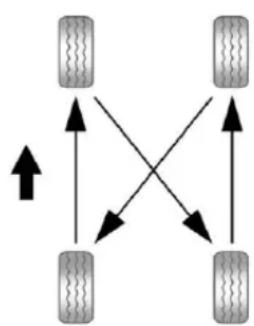
flowchart
graph TD
    A["Left Wheel"] --> B["Right Wheel"]
    A --> C["Left Wheel"]
    A --> D["Right Wheel"]
    B --> E["Left Wheel"]
    B --> F["Right Wheel"]
    C --> G["Left Wheel"]
    C --> H["Right Wheel"]
    D --> I["Left Wheel"]
    D --> J["Right Wheel"]
Usethisrotationpatternwhen rotatingthetiresifthevehicle hassinglerearwheels.
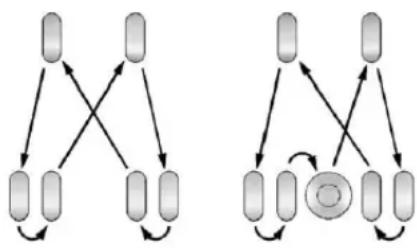
flowchart
graph TD
    A1[" "] --> B1[" "]
    A2[" "] --> B2[" "]
    A3[" "] --> B3[" "]
    A4[" "] --> B4[" "]
    A5[" "] --> B5[" "]
    A6[" "] --> B6[" "]
    A7[" "] --> B7[" "]
    A8[" "] --> B8[" "]
    A9[" "] --> B9[" "]
    A10[" "] --> B10[" "]
    A11[" "] --> B11[" "]
    A12[" "] --> B12[" "]
    A13[" "] --> B13[" "]
    A14[" "] --> B14[" "]
    A15[" "] --> B15[" "]
    A16[" "] --> B16[" "]
    A17[" "] --> B17[" "]
    A18[" "] --> B18[" "]
    A19[" "] --> B19[" "]
    A20[" "] --> B20[" "]
    A21[" "] --> B21[" "]
    A22[" "] --> B22[" "]
    A23[" "] --> B23[" "]
    A24[" "] --> B24[" "]
    A25[" "] --> B25[" "]
    A26[" "] --> B26[" "]
    A27[" "] --> B27[" "]
    A28[" "] --> B28[" "]
    A29[" "] --> B29[" "]
    A30[" "] --> B30[" "]
    A31[" "] --> B31[" "]
    A32[" "] --> B32[" "]
    A33[" "] --> B33[" "]
    A34[" "] --> B34[" "]
    A35[" "] --> B35[" "]
    A36[" "] --> B36[" "]
    A37[" "] --> B37[" "]
    A38[" "] --> B38[" "]
    A39[" "] --> B39[" "]
    A40[" "] --> B40[" "]
    A41[" "] --> B41[" "]
    A42[" "] --> B42[" "]
    A43[" "] --> B43[" "]
    A44[" "] --> B44[" "]
    A45[" "] --> B45[" "]
    A46[" "] --> B46[" "]
    A47[" "] --> B47[" "]
    A48[" "] --> B48[" "]
    A49[" "] --> B49[" "]
    A50[" "] --> B50[" "]
    A51[" "] --> B51[" "]
    A52[" "] --> B52[" "]
    A53[" "] --> B53[" "]
    A54[" "] --> B54[" "]
    A55[" "] --> B55[" "]
    A56[" "] --> B56[" "]
    A57[" "] --> B57[" "]
    A58[" "] --> B58[" "]
    A59[" "] --> B59[" "]
    A60[" "] --> B60[" "]
    A61[" "] --> B61[" "]
    A62[" "] --> B62[" "]
    A63[" "] --> B63[" "]
    A64[" "] --> B64[" "]
    A65[" "] --> B65[" "]
    A66[" "] --> B66[" "]
    A67[" "] --> B67[" "]
    A68[" "] --> B68[" "]
    A69[" "] --> B69[" "]
    A70[" "] --> B70[" "]
    A71[" "] --> B71[" "]
    A72[" "] --> B72[" "]
    A73[" "] --> B73[" "]
    A74[" "] --> B74[" "]
    A75[" "] --> B75[" "]
    A76[" "] --> B76[" "]
    A77[" "] --> B77[" "]
    A78[" "] --> B78[" "]
    A79[" "] --> B79[" "]
    A80[" "] --> B80[" "]
    A81[" "] --> B81[" "]
    A82[" "] --> B82[" "]
    A83[" "] --> B83[" "]
    A84[" "] --> B84[" "]
    A85[" "] --> B85[" "]
    A86[" "] --> B86[" "]
    A87[" "] --> B87[" "]
    A88[" "] --> B88[" "]
    A89[" "] --> B89[" "]
    A90[" "] --> B90[" "]
    A91[" "] --> B91[" "]
    A92[" "] --> B92[" "]
    A93[" "] --> B93[" "]
    A94[" "] --> B94[" "]
    A95[" "] --> B95[" "]
    A96[" "] --> B96[" "]
    A97[" "] --> B97[" "]
    A98[" "] --> B98[" "]
    A99[" "] --> B99[" "].
Use this rotation pattern when rotating the tires if the vehicle has dual rear wheels (except polished forged aluminum wheels).
Vehicleswithpolishedforged aluminumdualwheelshave threeuniquewheels;afront,a rearouterandarearinner.
Theseewheels cannot berotated to another position, however, they can be rotated from left to right to the same position.
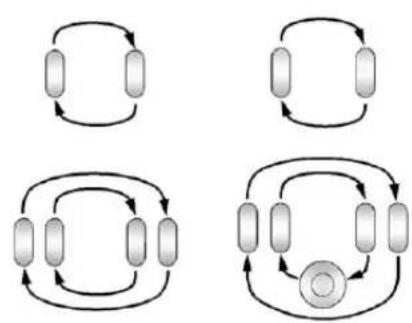
Usethisrotationpatternwhen rotatingthetiresifthevehicle haspolishedforgedaluminum dualrearwheels. Thespare wheelcanbeusedinany positionandcanberotated withtherearinnerwheels.
Wheninstallingdualwheels, checkthattheventholesinthe innerandouterwheelsoneach sidearelinedup.
Adjustthefrontandreartires totherecommendedinflation pressureontheTireand LoadingInformationlabel afterthetireshavebeen rotated.SeeTirePressureon page10-62andVehicleLoad Limitsonpage9-17.
Check that all wheel nuts are properly tightened. See "Wheel Nut Torque" under Capacities and Specifications on page 12-2.

WARNING
Rustordirtonawheel,oronthepartstowhichitisfastened,canmakewheelnutsbecomelooseaftertime.Thewheelcouldcomeoffandcauseanaccident.Whenchangingawheel,removeanyrustordirtfromplaceswherethewheelattachestothevehicle.
(Continued)
WARNING(Continued)
Inanemergency,aclothora papertowelcanbeused; however,useascraperorwire brushlatertoremoveallrust ordirt.
Lightlycoatthecenterofthe wheelhubwithwheelbearing greaseafterawheelchangeor tirerotationtopreventcorrosion orrustbuild-up.Donotget greaseontheflatwheel mountingsurfaceoronthe wheelnutsorbolts.
ResettheTirePressureMonitor System(TPMS),ifthevehicle hasone.See TirePressure MonitorOperation on page10-65.
Checkthatthesparetire, ifthevehiclehasone,isstored properly.Push,pull,andthen trytorotateorturnthetire. Ifitmoves,tightenthecable. See"StoringaFlatorSpareTire andTools"underTireChanging onpage 10-80.
DualTireRotation
Whenthevehicleisnew, orwheneverawheel, wheel bolt, orwheelnutisreplaced, checkthewheelnuttorqueafter 160, 1600, and 10000km (100, 1,000, and 6,000mi) of driving. Forpropertorqueandwheelnut tightening information, see "RemovingtheSpareTireand Tools" under TireChangingon page 10-80.
Theoutertireonadualwheelsetup generallywearsfasterthanthe innertire. Tireslastlongerandwear moreevenlyiftheyarerotated. See TireInspectiononpage 10-68 and TireRotationonpage 10-69. AlsoseeMaintenanceScheduleon page 11-3.
WARNING
If the vehicle is operated with a tire that is under inflated, the tire can overheat. An overheated tire can lose air suddenly or catch fire. You or others could be injured. Properly inflate all tires, including these spare.
See TirePressureonpage 10-62, forinformationonpropertire inflation.
WhenItIsTimefor NewTires
Factors, suchasmaintenance, temperatures, drivingspeeds, vehicleloading, androadconditions affect the wear rate of the tires.
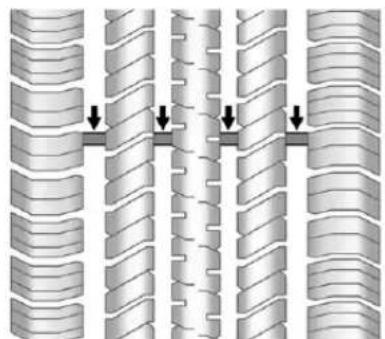
natural_image
Diagram showing three vertical columns of ribbed material with downward arrows indicating compression or dislocation (no text or symbols present)Treadwearindicatorsareoneway totellwhenitistimefornewtires. Treadwearindicatorsappear whenthetireshaveonly1.6mm (1/16in)orlessoftreadremaining. Somecommercialtrucktiresmay nothavetreadwearindicators.
See TireInspectiononpage10-68 and TireRotationonpage10-69 for additional information.
Therubberintiresagesovertime. Thisalsoappliestothesparetire, ifthevehiclehasone, evenifitis neverused. Multipleconditions includingtemperatures, loading conditions, andinflationpressure maintenanceaffecthowfastaging takesplace. Tireswilltypically needtobereplacedduetowear beforetheymayneedtobe replacedduetoage. Consultthetire manufacturerformoreinformation onwhentiresshouldbereplaced.
VehicleStorage
Tiresagewhenstorednormally mountedonaparkedvehicle. Parkavehiclethatwillbestoredfor atleastamonthinacool,dry,clean areaawayfromdirectsunlightto slowaging.Thisareashouldbe freeofgrease,gasolineorother substancesthatcandeteriorate rubber.
Parkingforanextendedperiodcan causeflatspotsonthetiresthat mayresultinvibrationswhile driving. Whenstoringavehiclefor atleastamonth,removethetires orraisethevehicletoreducethe weightfromthetires.
BuyingNewTires
GMhasdevelopedandmatched specifictiresforthevehicle. Theoriginalequipmenttires installedweredesignedtomeet GeneralMotorsTirePerformance CriteriaSpecification(TPCSpec) systemrating.Whenreplacement tiresareneeded,GMstrongly recommendsbuyingtireswiththe sameTPCSpecrating.
GM's exclusive TPCSpecsystem considers overadozencritical specification that impact the overall performance of the vehicle, including brakesystem performance, ride and handling,
tractioncontrol, and tirepressure monitoring performance. GM's TPC Specnumberismoldedontothe tire'ssidewallnearthetiresize. If the tireshave an all-seasontread design, the TPCSpecnumberwill be followed by MSformud and snow. See Tire SidewallLabeling on page 10-55 for additional information.
GMrecommendsreplacingallthe tiresatthesametime.Uniform treaddepthonalltireswillhelpto maintainheperformanceofthe vehicle.Brakingandhandling performancemaybeadversely affectedifallthetiresarenot replacedatthesametime. See TireInspectiononpage 10-68 and TireRotationonpage 10-69for informationonpropertirerotation.

WARNING
Tirescouldexplodeduring improperservice.Attempting tomountordismountatire couldcauseinjuryordeath. Onlyyourdealerorauthorized tireservicecentershould mountordismountthetires.

WARNING
Mixingtiresofdifferentsizes, brands,ortypesmaycauseloss ofcontrolofthevehicle,resulting inacrashorothervehicle damage. Usethecorrectsize, brand,andtypeoftiresonall wheels.
This vehicle may have different sizesparethantheroadtires originally installed on the vehicle. (Continued)
WARNING(Continued)
Whennew,thevehicleincludeda sparetireandwheelassembly withasimilaroveralldiameteras theroadtiresandwheels,soitis allrighttodriveonit.Thespare tirewasdevelopedforuseonthis vehicleandwillnotaffectvehicle handling.

WARNING
Usingbias-plytiresonthe vehiclemaycausethewheel rimflangestodevelopcracks aftermanymilesofdriving. Atireand/orwheelcouldfail suddenlyandcauseacrash. Useonlyradial-plytireswith thewheelsonthevehicle.
If the vehicle tires must bere placed with atire that does not have a TPC Spec number, makes sure they are the namesize, load range, speed rating, and construction (radial) as the original tires.
Vehiclesthathaveatirepressure monitoringsystemcouldgivean inaccuratelow-pressurewarning ifnon-TPCSpecratedtiresare installed.SeeTirePressureMonitor Systempage10-64.
The Tire and Loading Information label indicates the original equipment tires on the vehicle. See Vehicle Load Limit on page 9-17 forthelabellocation and more information about the Tire and Loading Information label.
DifferentSizeTiresand Wheels
Ifwheelsortiresareinstalledthat areadifferentsizethantheoriginal equipmentwheelsandtires,vehicle performance,includingitsbraking, rideandhandlingcharacteristics, stability,andresistancetorollover maybeaffected. Ifthevehiclehas electronicsystemssuchasantilock brakes,rolloverairbags,traction control,andelectronicstability control,theperformanceofthese systemscanalsobeaftected.
WARNING
If differentsizedwheelsareused, theremaynotbeanacceptable levelofperformanceandsafety iftiresnotrecommendedfor thosewheelsareselected. Thisincreaseshechanceof acrashandseriousinjury. OnlyuseGMspecificwheel and tiresystemsdevelopedforthe vehicle,andhavethemproperly installedbyaGMcertified technician.
SeeBuyingNewTireson page10-72andAccessoriesand Modificationsonpage10-3for additionalinformation.
UniformTireQuality Grading
Qualitygradescanbefound whereapplicableonthetire sidewallbetweentreadshoulder andmaximumsectionwidth. Forexample:
Treadwear200TractionAA TemperatureA
The following information relates to the system developed by the United States National Highway Traffic Safety Administration (NHTSA), which gradestires by treadwear, traction, and temperature performance. This applies only to vehicles sold in the United States. The grades are molded on the sidewall of most passenger
cartires. The Uniform Tire Quality Grading (UTQG) system does not apply to deeptread, winter-types now tires, space-saver, ortemporary use spare tires, tires with nominal rim diameters of 10 to 12 inches (25 to 30 cm), ortosome limited-production tires.
While the tires available on General Motors passengers cars and light trucks may vary with respect to these grades, they must also conform to federal safety requirements and additional General Motors Tire Performance Criteria (TPC) standards.
All Passenger Car Tires Must Conform to Federal Safety Requirements In Addition To These Grades.
Treadwear
Thetreadweargradeisa comparativeratingbasedonthe wearrateofthetirewhentested undercontrolledconditionson aspecifiedgovernmenttest course. Forexample, atire graded150wouldwearoneand ahalf(1½)timesaswellonthe governmentcourseasatire graded100. Therelative performanceoftiresdepends upontheactualconditionsof theiruse,however,andmay departsignificantlyfromthe normduetovariationsin drivinghabits,servicepractices anddifferencesinroad characteristicsandclimate.
Traction-AA,A,B,C
Thetractiongrades, from highest to lowest, are AA, A, B, and C. Those grades represent the tire's ability to stop on wet pavement as measured under controlled condition on specified government test surfaces of asphalt and concrete. At remarked C may have poor traction performance. Warning: Thetraction grade assigned to histire is based on straight-ahead braking traction tests, and does not include acceleration, cornering, hydroplaning, or peak traction characteristics.
Temperature-A,B,C
Thetemperaturegradesare A(thehighest),B,andC, representing the tire's resistance to the generation of heat and its ability to dissipate heat when tested under controlled condition as specified indoor laboratory test wheel. Sustained hightemperature can cause thematerial of the tire to degenerate and reduce tire life, and excessive temperature can lead to sudden tire failure. The grade C corresponds to a level of performance which all passengercartires must meet
undertheFederalMotorSafety StandardNo.109.GradesB andArepresenthigherlevelsof performanceonthelaboratory testwheelthanthemminimum requiredbylaw.Warning:The temperaturegradeforthistireis establishedforatirethatis properlyinflatedandnot overloaded.Excessivespeed, underinflation,orecessive loading,eitherseparatelyorin combination,cancauseheat buildupandpossibletirefailure.
WheelAlignmentandTire Balance
Thetiresandwheelswerealigned andbalancedatthefactoryto providethelongesttirelifeandbest overallperformance.Adjustmentsto wheelalignmentandtirebalancing willnotbenecessaryonaregular basis.However,checkthe alignmentifthereisunusualtire wearorifthevehicleispullingto onesideortheother.Ifthevehicle vibrateswhendrivingonasmooth road,thetiresandwheelsmight needtoberebalanced.Seeyour dealerforproperdiagnosis.
WheelReplacement
Replaceanywheelthatisbent, cracked,orbadlyrustedor corroded.Ifwheelnutskeepcoming loose,thewheel,wheelboltsand wheelnutsshouldbereplaced. Ifthewheelleaksair,replaceit. Somealuminumwheelscanbe repaired.Seeyourdealerifanyof theseconditionsexist.
Yourdealerwillknowthekindof wheelthatisneeded.
Eachnewwheelshouldhavethe sameload-carryingcapacity, diameter,width,offsetandbe mountedthesamewayasthe oneitreplaces.
Replacewheels, wheelbolts, wheel nuts, or Tire Pressure Monitor System (TPMS) sensors with new GM originalequipment parts.
WARNING
Using the wrong replacement wheels, wheel bolts, or wheel nutscan be dangerous. It could affect the braking and handling of the vehicle. Tirescan lose air, and cause loss of control, causing a crash. Always use the correct wheel, wheel bolts, and wheel nuts for replacement.
Notice: The wrong wheel can also cause problems with bearing life, brake cooling, speedometer orodometeralibration, headlampaim, bumper height, vehicleground clearance, and tire ortirechain clearance to the body and chassis.
Wheneverawheel, wheelbolt, orwheelnutisreplacedonadual wheelsetup, checkthewheelnut torqueafter160, 1600and 10000km(100, 1,000and6,000mi) ofdriving.Forpropertorque, see "WheelNutTorque" under CapacitiesandSpecifications on page 12-2.
Seelfa Tire Goes Flaton page 10-79 form more information.
UsedReplacementWheels
WARNING
Replacingawheelwithaused oneisdangerous.Howithas beenusedorhowfarithasbeen drivenmaybeunknown.Itcould failsuddenlyandcauseacrash. Whenreplacingwheels,usea newGMoriginalequipment wheel.
TireChains

WARNING
If the vehicle has dual wheels or P265/65R18, P275/55R20, LT265/70R17, LT265/70R18, LT265/60R20, P285/50R20, P285/45R22 or 285/45R22 size tires, donotusetirechains. They can gamethe vehicle because there is not enough clearance. Tire chains used on a vehicle without the proper amount of clearance can cause damage to the brakes, suspension, or other vehicle parts. The area damaged by the tire chains could cause out to lose control of the vehicle and you or others maybe injured in a crash.
(Continued)
WARNING(Continued)
Useanother type of extraction device only if its manufacturer recommends it for use on the vehicle and tiresize combination and road conditions. Follow that manufacturer's instructions. To help avoid damage to the vehicle, drives slowly, read just, or removed the device if it is contacting the vehicle, and donot spin the vehicle's wheels.
If you do find traction devices that will fit, install them on the reartires.
Notice: If the vehicle does not have dual wheels and has atire size other than P265/65R18, P275/55R20, LT265/70R17, LT265/70R18, LT265/60R20, P285/50R20, P285/45R22, or 285/45R22, use tire chains only where legal and only when you must. Use chains that are the propersize for the tires. Install them on the tires of therear axle. Donot use chains on the tires of the front axle. Tightenthemastightly as possible with the ends securely fastened. Drives lowly and follow the chain manufacturer's instructions. If you can hear the chains contacting the vehicle, stop and retightenthem. If the contact continues, slowdown until stops. Driving to offastor spinning the wheel with chains on will damage the vehicle.
IfaTireGoesFlat
Itisunusualforatiretoblowout whiledriving,especiallyifthetires aremaintainedproperly.Ifairgoes outofatire,itismuchmorelikelyto leakoutslowly.Butifthereeverisa blowout,hereareafewtipsabout whattoexpectandwhattodo:
Ifafronttirefails, theflattire createsadragthatpullsthevehicle towardthatside. Takeyourfootoff theacceleratorpedalandgripthe steeringwheelfirmly. Steerto maintainlaneposition, and then gentlybraketoastop, welloffthe road, if possible.
Arearblowout,particularlyona curve,actsmuchlikeaskidand mayrequirethesamecorrectionas usedinaskid. Stoppressingthe acceleratorpedalandsteerto straightenthevehicle. Itmaybe verybumpyandnoisy. Gentlybrake toastop, wellofftheroad, ifpossible.
WARNING
Drivingonaflattirewillcause permanentdamagetothetire. Re-inflatingatireafterithas beendrivenonwhileseverely underinflatedorflatmaycausea blowoutandaseriouscrash. Neverattempttore-inflateatire thathasbeendrivenonwhile severelyunderinflatedorflat. Haveyourdealeroranaauthorized tireservicecenterrepairor replacetheflattireassoonas possible.
WARNING
Liftingvehicleandgetting underittodomainaintenanceor repairsidangerouswithoutthe appropriatesafetyequipmentand (Continued)
WARNING(Continued)
training.Ifajackisprovidedwith thevehicle,itisdesignedonlyfor changingaflattire.Ifitisusedfor anythingelse,youorotherscould bebadlyinjuredorkilledifthe vehicleslipsoffthejack.Ifajack isprovidedwiththevehicle,only useitforchangingaflattire.
Ifatiregoesflat, avoidfurthertire andwheeldamagebydrivingslowly toalevelplace, wellofftheroad, ifpossible. Turnonthehazard warningflashers.SeeHazard WarningFlashersonpage6-5.

WARNING
Changingatirecanbe dangerous. The vehicle canslip off the jack and rollover or fall causing injury or death. Find a level placeto changethe tire. To help prevent the vehicle from moving:
- Settheparkingbrakefirmly.
- Putanautomatic transmission in P(Park) or amanual transmission in 1(First) or R(Reverse).
- For four-wheel-drive vehicles, besure the transfercase is in a drive gear—not in N(Neutral).
- Turnofftheengine and donotrestartwhile the vehicle is raised.
(Continued)
WARNING(Continued)
- Donotallowpassengersto remaininthevehicle.
- Placewheelblockson both sidesofthetireatthe oppositecornerofthetire beingchanged.
Whenthevehiclehasaflattire(B), usethefollowingexampleasa guidetoassistintheplacementof thewheelblocks(A).
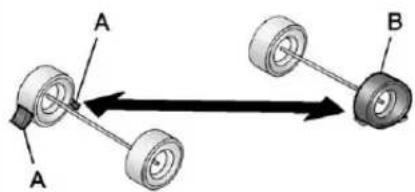
text_image
A A BA. WheelBlock
B. FlatTire
The following information explains howtousethejackandchange atire.
TireChanging
RemovingtheSpareTire andTools
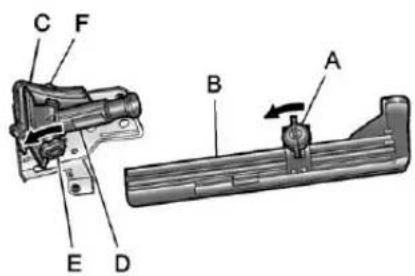
text_image
C F B A E DCrewCab
A. WingNutRetainingToolKit
B. ToolKit
C.WheelBlocks
D.Jack
E.JackKnob
F.WingNutRetainingWheel Blocks
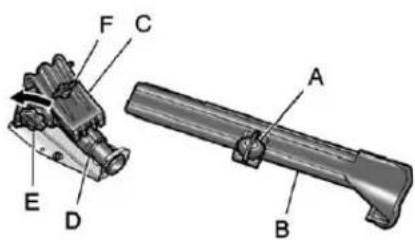
text_image
Technical diagram of a mechanical assembly with labeled parts A through FRegularCab
A. WingNutRetainingToolKit
B. ToolKit
C.WheelBlocks
D.Jack
E.JackKnob
F. WingNutRetaining WheelBlocks
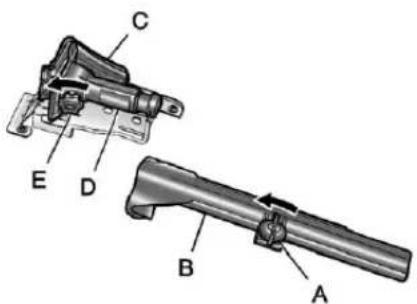
text_image
Technical diagram of a mechanical device with labeled parts A through EExtendedCab
A. WingNutRetainingToolKit
B. ToolKit
C.WheelBlocks
D.Jack
E.JackKnob
Forregularcabmodels,the equipmentyouwillneedis behindthepassengerseat. Forextendedandcrewcabmodels, theequipmentisontheshelf behindthepassengersidesecond rowseat.
- Turntheknobonthejack counterclockwisetolowerthe jackheadtoreleasethejack fromitsholder.
- Turnthewingnut counterclockwisetoremove thewheelblocksandthe wheelblockretainer.
- Turnthewingnutusedtoretain thestoragebagandtools counterclockwisetoremoveit.
10-82VehicleCare
Usethejackhandleextensionsand thewheelwrenchtoremovethe underbody-mountedsparetire.
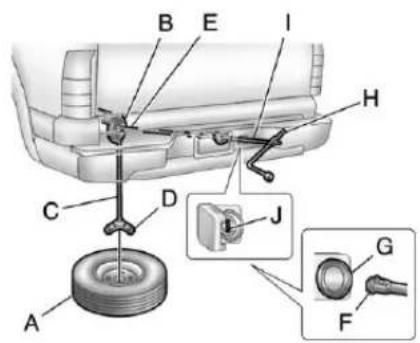
text_image
Diagram of car tire assembly with labeled parts and component detailsA. Spare Tire (Valve Stem Pointed Down)
B.HoistAssembly
C.HoistCable
D. Tire/WheelRetainer
E.HoistShaft
F.HoistEndofExtensionTool
G.HoistShaftAccessHole
H.WheelWrench
I. JackHandleExtensions
J. Spare TireLock(Ifequipped)
- Openthespare tirelockcover onthebumperandusethe ignitionkeytoremovethespare tirelock(J). Toremovethespare tirelock, inserttheignitionkey turnandpullstraightout.
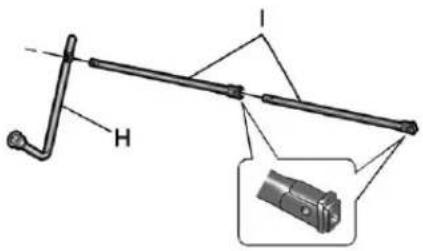
text_image
Technical diagram of a mechanical lever system with labeled components H and I, including an inset close-up of the component.- Assemble the wheel wrench (H) and the two jack handle extensions (I), as shown.
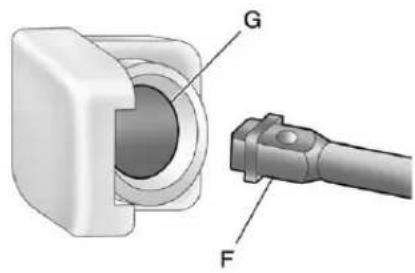
natural_image
Technical illustration of a mechanical component with labeled parts G and F (no text or symbols beyond labels)- Insert the hoistend (open end) (F) of the extension through the hole (G) in therear bumper.
Donotusethechiseledendof thewheelwrench.
Besurethehoistendofthe extension(F)connectstothe hoistshaft. Theribbedsquare endoftheextensionisusedto lowerthesparetire.
- Turnthewheelwrench counterclockwisetolowerthe sparetiretotheground.
Continuetoturnthewheel wrenchuntilthesparetirecan bepulledoutfromunderthe vehicle.
- Pullthesparetireoutfromunder thevehicle.
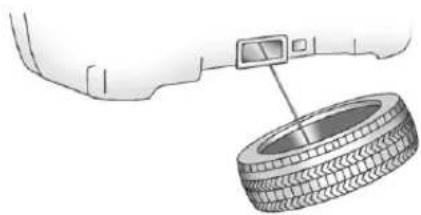
natural_image
Diagram of a tire mounted on a car wheel, with a digital camera attached to the tire (no text or symbols present)-
Tiltthetiretowardthevehicle withsomeslackinthecableto accesssthetire/wheelretainer. Tilttheretainerandpullit throughthecenterofthewheel alongwiththecableandspring.
-
Putthesparetirenearthe flattire.
RemovingtheFlatTireand InstallingtheSpareTire
Usethefollowingpicturesand instructionstoremovetheflattire andraisethevehicle.
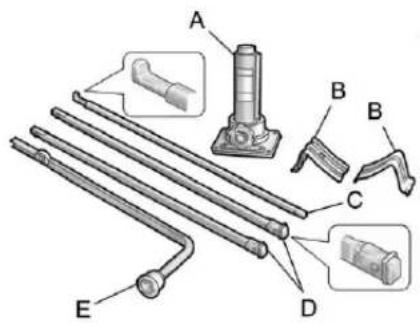
text_image
Technical diagram of mechanical components with labeled parts A, B, C, D, and EA.Jack
B.WheelBlocks
C.JackHandle
D. JackHandleExtension
E.WheelWrench
Thetoolsyouwillbeusinginclude thejack(A),thewheelblocks(B), thejackhandle(C),thejackhandle extensions(D),andthewheel wrench(E).
- Doasafetycheckbefore proceeding. Seelfa Tire Goes Flatonpage 10-79 formore information.
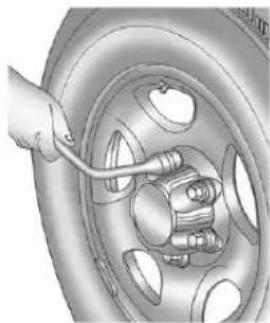
natural_image
Illustration of a hand using a tool to adjust or install a car wheel rim (no text or symbols visible)- If the vehicle has wheelnut caps, loosent hem by turning the wheel wrench counterclockwise.
10-84VehicleCare
If the vehicle has a centercap with wheel nutcaps, the wheel nutcaps are designed to stay with the centercap after they are loosened. Removethe entire centercap.
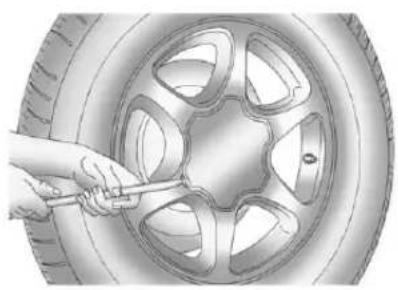
natural_image
Illustration of a hand using a tool to trim a car wheel (no text or symbols visible)Ifthewheelhasasmoothcenter cap, placethechiselendofthe wheelwrenchintheslotonthe wheel, and gentlypryitout.
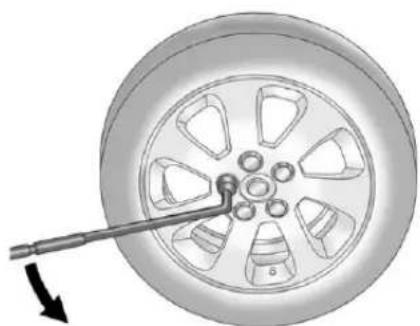
natural_image
Mechanical component diagram showing a wheel with a tool inserted, no text or symbols present- Usethewheelwrenchandturnit counterclockwisetoloosenthe wheelnuts.Donotremovethe wheelnutsyet.
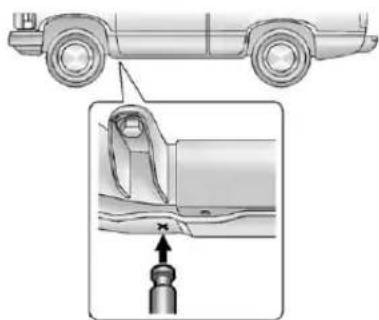
natural_image
Diagram showing a car's side profile and a close-up of the engine component (no text or symbols)FrontPosition-1500Models
- Position the jack under the vehicle, as shown. If the flattire is on the front of the vehicle (1500 Model vehicles), position the jack under the bracket attached to the vehicle's frame, behind the flattire.
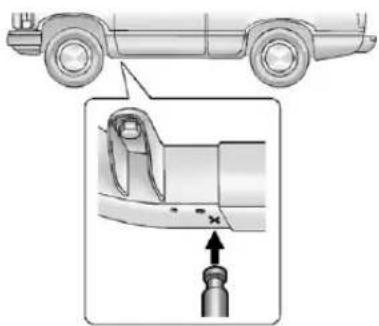
natural_image
Diagram of a car's side profile and internal component detail (no text or symbols)FrontPosition-AllOtherModels
Positionthejackunderthe vehicle,asshown.Iftheflattire isonthefrontofthevehicle (allothermodels),positionthe jackontheframebehindthe flattire.
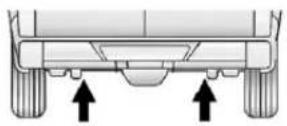
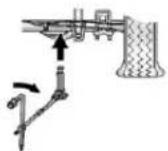
RearPosition-1500Models
- If the flattire is on therear, for 1500 models position the jack under therear axle about 5cm(2in) in board of the shock absorber bracket.
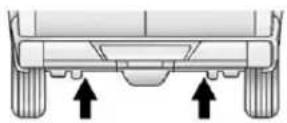
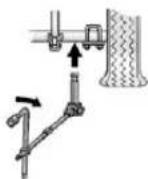
RearPosition-AllOtherModels
Forallothermodels, position the jackundertherearaxlebetween thespringanchorandtheshock absorberbracket.
Ifasnowplowhasbeenadded tothefrontofthevehicle,lower thesnowplowfullybefore raisingthevehicle.
Makesurethatthejackheadis positionedsothattherearaxle isrestingsecurelybetween thegroovesthatareonthe jackhead.

WARNING
Gettingunderavehiclewhenitis jackedupisdangerous.Ifthe vehicleslipsoffthejack,you couldbebadlyinjuredorkilled. Nevergetunderavehiclewhenit issupportedonlybyajack.

WARNING
Raisingthevehiclewiththejack improperlypositionedcan damagethevehicleandeven makethevehicelfall. To help avoidpersonalinjuryandvehicle damage, besuretofitthejacklift headintotheproperlocation beforeraisingthevehicle.
- Turnthewheelwrench clockwisetoraisethevehicle. Raisethevehiclefarenoughoff thegroundsothereisenough roomforthesparetiretofit underthewheelwell.
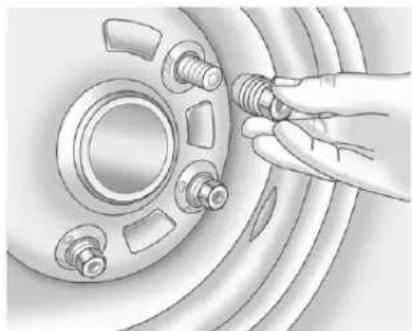
natural_image
Illustration of a hand adjusting a car wheel rim with bolts (no text or symbols)- Remove all the wheel nuts and take off the flattire.

WARNING
Rustordirtonawheel,oronthe partstowhichitisfastened,can makewheelnutsbecomeloose aftertime.Thewheelcould comeoffandcauseanaccident. Whenchangingawheel,remove anyrustordirtfromplaceswhere thewheelattachestothevehicle. Inanemergency,aclothora papertowelcanbeused; however,useascraperorwire brushlatertoremoveallrust ordirt.
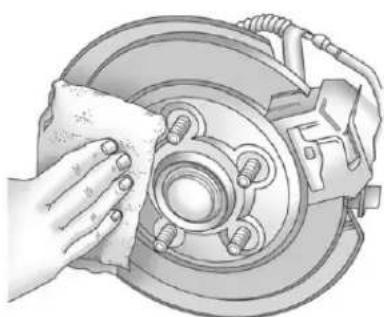
natural_image
Illustration of a hand cleaning a car brake disc with a cloth (no text or symbols)- Remove any rustordirt from the wheel bolts, mountingsurfaces, and spare wheel.
- Installthesparetire.
WARNING
Neveruseoilorgreaseonbolts ornutsbecausethenutsmight comeloose. Thevehicle'swheel couldfalloff,causingacrash.
- Putthewheelnutsbackon withtheroundedendofthe nutstowardthewheel.
- Tighteneachwheelnutby hand. Thenusethewheel wrenchtotightenthenuts untilthewheelisheldagainst thehub.
- Turnthewheelwrench counterclockwisetolower thevehicle. Lowerthejack completely.
WARNING
Ifwheelstudsaredamaged, they can break. Ifallthestudsona wheelbroke, thewheelcould comeoffandcauseacrash. Ifanystudisdamagedbecause ofaloose-runningwheel, itcould bethatallofthestudsare damaged. Tobesure, replace all studsonthewheel. Ifthestud holesinawheelhavebecome larger, thewheelcouldcollapse in operation. Replace anywheel if itsstudholeshavebecomelarger ordistortedinanyway. Inspect hubsandhub-pilotedwheelsfor damage. Because of loose runningwheels, pilotingpad damagemayoccurandrequire replacement of the entire hub, for propercentering of the wheels. When replacing studs, hubs, wheelnutsorwheels, besureto use GM originalequipment parts.

WARNING
Wheelnutsthatareimproperlyor incorrectlytightenedcancause thewheelstobecomelooseor comeoff. Thewheelnutsshould beightenedwithatorquewrench tothepropertorquespecification afterreplacing. Followthetorque specificationsuppliedbythe aftermarketmanufacturerwhen usingaccessorylockingwheel nuts.SeeCapacitiesand Specificationsonpage12-2for originalequipmentwheelnut torquespecifications.
Notice: Improperlytightened wheelnutscanleadtobrake pulsationandrotordamage. Toavoidexpensivebrakerepairs, evenlytightenthewheelnuts inthepropersequenceandto thepropertorquespecification. See CapacitiesandSpecifications onpage12-2forthewheelnut torquespecification.
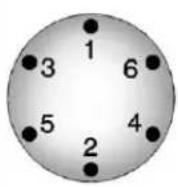
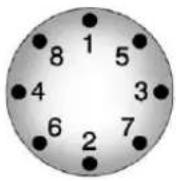
- Tightenthenutsfirmlyina crisscrosssequence, as shown, by turning the wheel wrench clockwise.
Forvehicleswithdualwheels, haveatechniciancheckthewheel nuttightnessofallwheelswith atorquewrenchafterthefirst 160km(100mi)andthen1600km (1,000mi)afterthat.Repeatthis servicewheneveryouhavea tireremovedorserviced.See CapacitiesandSpecificationson page 12-2formoreinformation.
When reinstallingtheregularwheel andtire,alsoreinstalleitherthe centercap,orbolt-onhubcap, dependingonwhatthevehicleis equippedwith.Forcentercaps, placethecaponthewheeland tapitintoplaceuntilitseatsflush withthewheel.Thecaponlygoes ononeway.Besuretolineup thetabonthecentercapwith theindentationonthewheel. Forbolt-onhubcaps,alignthe plasticnutcapswiththewheel nutsandthentightenbyhand. Thenusethewheelwrenchto tighten.
StoringaFlatorSpareTire andTools

WARNING
Storingajack, atire, or other equipment in the passenger compartment of the vehicle could cause injury. In sudden stop or collision, loose equipment could strike someone. Store all these in the proper place.
Notice: Storinganaluminum wheel with a flattire underyour vehicle for an extended period of time or with the valvestem pointing up and damage the wheel. Always stow the wheel with the valvestempointing down and havethewheel/tire repaired as soon as possible.
Storethetireundertherearofthe vehicleinthesparetirecarrier.
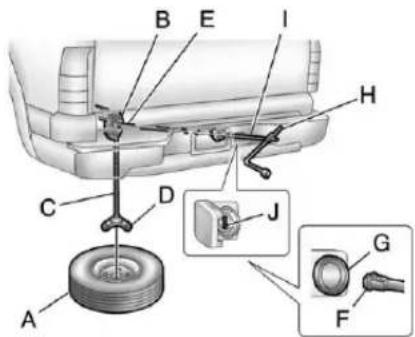
text_image
Technical diagram of a car's internal components with labeled parts A through J, including a tire and electrical switch.A. FlatorSpareTire (ValveStemPointedDown)
B.HoistAssembly
C.HoistCable
D. Tire/WheelRetainer
E.HoistShaft
F.HoistEndofExtensionTool
G.HoistShaftAccessHole
H.WheelWrench
I. JackHandleExtensions
J.SpareTireLock(IfEquipped)
-
Put the tire on the ground at the rear of the vehicle with the valve stemp pointed down, and to therear.
-
Pull the cable and spring through the center of the wheel. Tilt the wheel retainer plate down and through the center wheel.
Makesuretheretainerisfully seatedacrosstheundersideof thewheel.
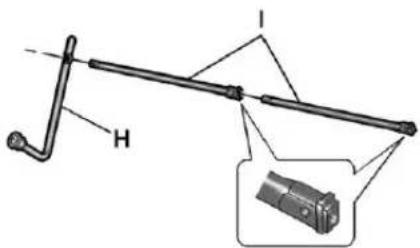
text_image
Technical diagram of a mechanical lever system with labeled component H and inset view- Attachthewheelwrench(H) and extensions(I) together, as shown.
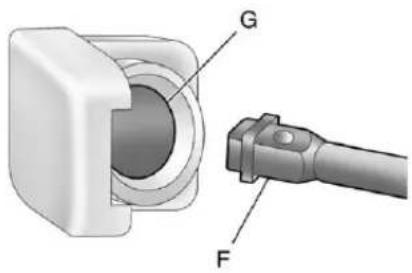
text_image
G F- Insert the hoistend (F) through the hole (G) in therear bumper and onto the hoist shaft.
Donotusethechiseledendof thewheelwrench.
-
Raisethetirepartwayupward. Makesuretheretainerisseated inthewheelopening.
-
Raisethetirefullyagainstthe undersideofthevehicleby turningthewheelwrench clockwiseuntilyouheartwo click sorfeelitskiptwice.You cannotovertightenthecable.
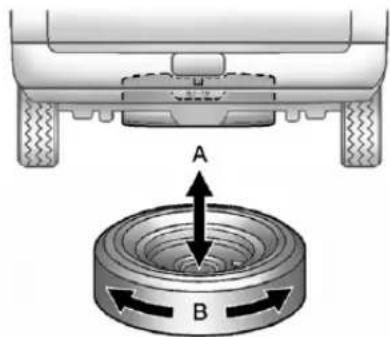
text_image
A B-
Makesurethetireisstored securely.Push, pull(A), and then trytoturn(B) the tire. If the tire moves, usethewheelwrench to tightenthecable.
-
Reinstallthesparetirelock, ifthevehiclehasone.
text_image
Technical diagram of a sewing machine with labeled parts A through H, showing mechanical components and alignment indicators.A. WingNutRetainingWheel Blocks
B.WheelBlocks
C.WingNutRetainingToolKit
D.WheelWrenchandExtensions
E.ToolBag
F.JackMountingBracket
G.Jack
H.BoltRetainingWheelBlocks
- Putthetools(D)inthetool bag(E)andplacetheminthe retainingbracket(C).
- Tightendownthewingnut(C).
- Assemble the wheel blocks (B) and jack (G) together with the wing nut (A) and retaining bolt (H).
- Position the jack (G) in the mounting bracket (F). Position the holes in the base of the jack (G) onto the pin in the mounting bracket (F).
- Returnthemtotheiroriginal locationinthevehicle. Formore information, referto "Removing the Spare Tire and Tools" for more information.
Full-SizeSpareTire
Yourvehicle,whennew,hada fully-inflatedsparetire.Asparetire mayloseairovertime,socheckits inflationpressureregularly.See Tire Pressureonpage10-62and VehicleLoadLimitsonpage9-17 forinformationregardingpropertire inflationandloadingyourvehicle. Forinstructiononhowtoremove, installorstoreasparetire,see "RemovingtheFlatTireand InstallingtheSpare"and"Storinga FlatorSpareTireandTools"under TireChangingonpage10-80.
Notice: If the vehicle has four-wheeldrive and adifferent sizesparetire is installed, donot drive infour-wheeldrive until the flattire is repaired and/or replaced. The vehicle could be damaged and therepair would not be covered by the warranty. Never use four-wheeldrive when adifferentsizesparetire is installed on the vehicle.
Yourvehiclemayhaveadifferent sizesparetirethantheroadtires originallyinstalledonyourvehicle. Thissparetirewasdevelopedfor useonyourvehicle,soitisallright todriveonit.Ifyourvehiclehas four-wheeldriveandthedifferent sizesparetireisinstalled,keepthe vehicleintwo-wheeldrive.
Afterinstallingthesparetireonyour vehicle,youshouldstopassoonas possibleandmakesurethespare tireiscorrectlyinflated.Havethe damagedorflatroadtirerepairedor replacedassoonasyoucanand installedbackontoyourvehicle. Thisway,thesparetirewillbe availableincaseyouneeditagain.
Donotmixtiresandwheelsof differencesizes, because they will not fit. Keep your spare tire and its wheel together. If your vehicle has a sparetire that does not match your vehicle's original road tires and wheels in size and type, donot cludethespare in the tirerotation.
JumpStarting
Formoreinformationaboutthe vehiclebattery,seeBatteryon page10-31.
If the vehicle is a hybrid, se the hybrids supplement form more information.
Ifthevehicle'sbattery(orbatteries) hasrundown,youmaywanttouse anothervehicleandsomejumper cablestostartyourvehicle.Besure tousethefollowingstepstodoit safely.
WARNING
Batteriescanhurtyou. They can be dangerous because:
• They contain acid that can burn you.
• Theycontaingasthatcan explodeorignite.
• They contain enough electricity to burn you.
If you donot follow these steps exactly, some or all of these things can hurt you.
Notice: Ignoring the seven steps could result in costly damage to the vehicle that would not be covered by the warranty.
Trying to start the vehicle by pushing or pulling it will not work, and it could damage the vehicle.
- Check the other vehicle. It must have a 12-volt battery with a negative ground system.
Notice: Only use vehicle that has a 12-voltsystem with a negative ground for jump starting. If the other vehicle does not have a 12-voltsystem with a negative ground, both vehicles can be damaged.
- If you have a vehicle with a diesel engine with twobatteries, you should know before you begin that, especially in cold weather, you may not be able to get enough power from a single battery in another vehicle to start your diesel engine. If your vehicle has more than one battery, using the battery that is closest to the starter will reduce electrical resistance. This is located on the passenger side, in therear of the engine compartment.
3.Getthevehiclescloseenough sothejumpercablescanreach, butbesurethevehiclesarenot touchingeachother.Iftheyare, itcouldcauseanunwanted groundconnection.Youwould notbeabletostartyourvehicle, andthebadgroundingcould damagetheelectricalsystems.
To avoid the possibility of the vehicles rolling, set the parking brake firmly on both vehicles involved in the jump start procedure. Put the automatic transmission in P (Park) or a manual transmission in Neutral before setting the parking brake. If you have a four-wheel-drive vehicle, besure the transfer case is in a drive gear, not in Neutral.
Notice:Ifanyaccessoriesareleft onorpluggedinduringthejump startingprocedure,theycouldbe damaged.Therepairswouldnot recoveredbythevehicle warranty.Wheneverpossible, turnofforunplugallaccessories oneithervehiclewhenjump startingthevehicle.
-
Turnofftheignitiononboth vehicles. Unplugunnecessary accessoriespluggedintothe cigarettelighterortheaccessory poweroutlets. Turnofftheradio andallthelampsthatarenot needed. Thiswillavoidsparks andhelpsavebothbatteries. Anditcouldsavetheradio!
-
Openthehoodontheother vehicleandlocatethe positive(+)andnegative(-) terminallocationsonthat vehicle.
Thepositive(+)terminal,is locatedunderaredplasticcover atthepositivebatterypost. Touncoverthepositive(+) terminal,opentheredplastic cover.
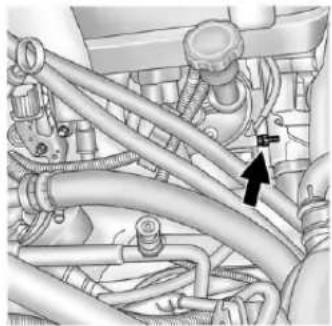
natural_image
Technical diagram of automotive engine components with hoses and a black arrow indicating a specific component (no text or labels present)If your vehicle has a gasoline engine, theremotenegative(-) terminalisastudlocated on the right front of the engine, where then negative batterycable attaches.
10-94VehicleCare
If your vehicle has a diesel engine, theremotenegative (−) terminalisthenegative (−) post on the auxiliary battery on the driver side of the engine compartment.
Formoreinformationonthe locationoftheremote positive(+)andremote negative(-)terminals, seeEngineCompartment Overviewpage10-6

WARNING
Anelectricfancanstartupeven whentheengineisnotrunning andcaninjureyou.Keephands, clothingandtoolsawayfromany underhoodelectricfan.

WARNING
Usinganopenflameneara batterycancausebatterygasto explode.Peoplehavebeenhurt doingthis,andsomehavebeen blinded.Useaflashlightifyou needmorelight.
Besurethebatteryhasenough water. Youdonotneedtoadd watertothebatteryinstalledin yournewvehicle. Butifabattery hasfillercaps, besuretheright amountofffluidisthere. Ifitislow, addwatertotakecareofthat first. If youdonot, explosiveegas could be present.
Batteryfluidcontainsacidthat canburnyou.Donotgetiton you.Ifyouaccidentallygetitin youreyesoronyourskin,flush theplacewithwaterandget medicalhelpimmediately.

WARNING
Fansorothermovingengine partscaninjureyoubadly.Keep yourhandsawayfrommoving partsoncetheengineisrunning.
- Check that the jumpercables do nothaveloose or missing insulation. If they do, you could get ashock. The vehicles could be damaged too.
Beforeyouconnectthecables, herearesomebasicthingsyou shouldknow.Positive(+)willgo topositive(+)ortoaremote positive(+)terminalifthevehicle hasone.Negative(-)willgotoa heavy, unpaintedmetalengine partortoaremotenegative(-) terminalifthevehiclehasone.
Donotconnectpositive(+)to negative(-)oryouwillgeta shortthatwoulddamagethe batteryandmaybeotherparts too.Anddonotconnectthe negative(-)cabletothe negative(-)terminalonthe deadbatterybecausethiscan causesparks.
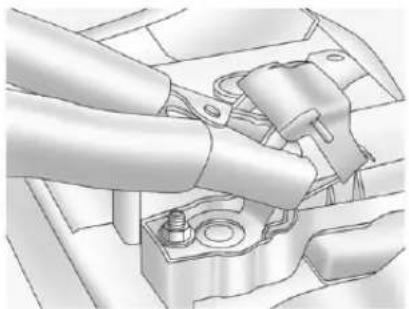
natural_image
Mechanical assembly diagram showing a hand operating a component with no visible text or symbols5.3LEngine(4.3L,4.8L,6.0L,6.2L and 6.6LSimilar)
-
Connecttheredpositive(+) cabletothepositive(+)terminal ofthevehiclewiththedead battery.
-
Donotlettheotherendtouch metal. Connectitto the positive(+)terminalofthe goodbattery. Usearemote positive(+)terminalifthe vehiclehasone.
9.Nowconnecttheblack negative(-)cabletothe negative(-)terminalofthe goodbattery.Usearemote negative(-)terminalifthe vehiclehasone.
Donotlettheotherendtouch anythinguntilthenextstep.
-
Connecttheotherendofthe negative(-)cabletoaheavy, unpaintedmetalenginepartor totheremotenegative(-) terminal,onthevehiclewith thedeadbattery.
-
Start the vehicle with the good battery and run the engine for awhile.
-
Trytostartthevehiclethat hadthedeadbattery.Ifitwill notstartafterafewtries, itprobablyneedsservice.
Notice: If the jumpercables are connected or removed in the wrong order, electrical shorting may occur and damage the vehicle. There pairs would not be covered by the vehicle warranty. Always connect and remove the jumpercables in the correct order, makingsure that the cables donottouche achother or other metal.
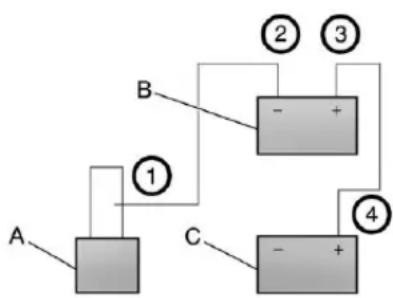
flowchart
graph TD
    A["Component A"] -->|①| B["Component B"]
    B -->|②| C["Component C"]
    B -->|③| D["Component D"]
    C -->|④| E["Component E"]
    D -->|④| E
JumperCableRemoval
A. Heavy, Unpainted Metal Engine Partor Remote Negative(-) Terminal
B. GoodBatteryorRemote Positive(+)andRemote Negative(-)Terminals
C. DeadBatteryorRemote Positive(+)Terminal
Todisconnectthejumpercables from both vehicles do the following:
- Disconnecttheblack negative(-)cablefromthe vehiclethathadthebadbattery.
- Disconnect the black negative (-) cable from the vehicle with the good battery.
- Disconnecttheredpositive(+) cablefromthevehiclewiththe goodbattery.
- Disconnecttheredpositive(+) cablefromtheothervehicle.
- Return the positive (+) terminal cover, to its original position.
Towing
TowingtheVehicle
Notice: To avoid damage, the disabled vehicles should be towed with all four wheel soff the ground. Care must be taken with vehicle sthathavelow ground clearance and /orspecial equipment. Always flat bedona car carrier.
Consultyourdealerora professionaltowingserviceifthe disabledvehiclemustbetowed. SeeRoadsideAssistanceProgram (U.S.andCanada)onpage13-7or RoadsideAssistanceProgram (Mexico)onpage13-9.
Totowthevehiclebehindanother vehicleforrecreationalpurposes, suchasbehindamotorhome,see "RecreationalVehicleTowing"inthis section.
Recreational Vehicle Towing
Recreationalvehicletowingmeans towingthevehiclebehindanother vehicle,suchasamotorhome. Thetwomostcommontypesof recreationalvehicletowingare knownasdinghytowinganddolly towing.Dinghytowingistowingthe vehiclewithallfourwheelsonthe ground.Dollytowingistowingthe vehiclewithtwowwheelsonthe groundandtwowheelsupona deviceknownasadolly.
Herearesomeimportantthingsto considerbeforerecreationalvehicle towing:
- Whatisthetowingcapacity ofthetowingvehicle? Besuretoreadthetow vehiclemanufacturer's recommendations.
- Whatisthedistancethatwill betravelled?Somevehicles haverestrictionsonhowfarand howlongtheycantow.
- Isthepropertowingequipment goingtobeused? Seeyour dealerortraileringprofessional foradditionaladviceand equipmentrecommendations.
- Isthevehiclereadytobe towed?Justaspreparingthe vehicleforalongtrip,makesure thevehicleispreparedtobe towed.
DinghyTowing
Two-Wheel-DriveVehicles
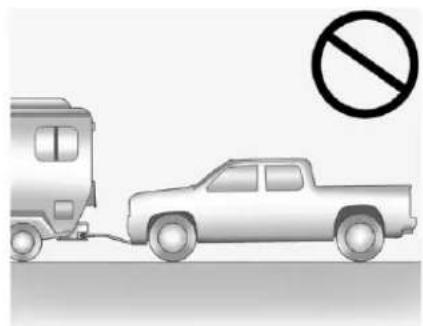
natural_image
Illustration of a pickup truck and a car with a no-smoking symbol (no text or labels)Notice: If the vehicle is bestowed with all four wheels on the ground, the drivetrain components could be damaged. There pairs would not be recovered by the vehicle warranty. Donot tow the vehicle with all four wheels on the ground.
Two-wheel-drive vehicles should not be towed with all four wheels on the ground.
Two-wheel-drivetransmissions havenoprovisionsforinternal lubricationwhilebeingtowed.
Four-Wheel-DriveVehicles
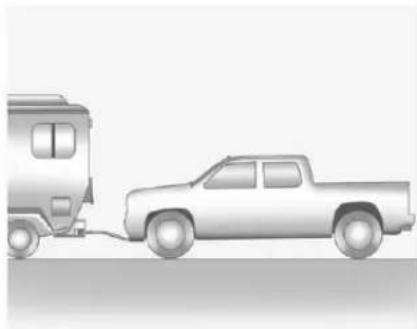
natural_image
Side view illustration of a pickup truck and a vehicle (no text or symbols)Usethefollowingprocedure to dinghytowafour-wheel-drive vehicle:
-
Position the vehicle being towed behind the tow vehicle and shift the transmission to P (Park).
-
Turntheengineoffandfirmlyset theparkingbrake.
-
Securelyattachthevehicle beingtowedtothetowvehicle.

WARNING
Shiftingafour-wheel-drive vehicle'sransfercaseinto N(Neutral)cancausethevehicle torollevenifthetransmissionis inP(Park). Thedriverorothers couldbeinjured. Makesurethe parkingbrakeisfirmlysetbefore thetransfercaseisshiftedto N(Neutral).
4.Shiftthetransfercaseto N(Neutral).See"Shiftinginto Neutral"underFour-WheelDrive onpage9-45fortheproper proceduretoselecttheNeutral positionforthevehicle.
-
Releasetheparkingbrakeonly afterthevehiclebeingtowedis firmlyattachedtothetowing vehicle.
-
TurntheignitiontoLOCK/OFF andremovethekey—the steeringwheelwillstillturn.
Aftertowing, see "ShiftingOutof Neutral" under Four-WheelDriveon page 9-45 for the proper procedure to take the vehicle out of the Neutral position.
DollyTowing
FrontTowing(FrontWheelsOff theGround)—Two-Wheel-Drive Vehicles
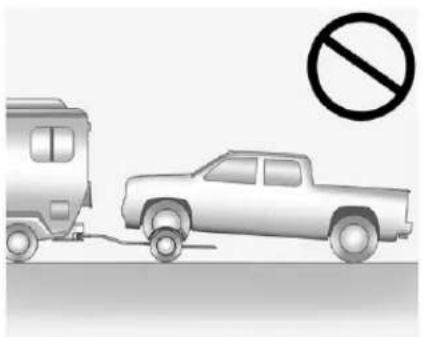
natural_image
Illustration of a pickup truck and a van with a no-smoking symbol (no text or labels)Notice: If at two-wheeldrive vehicle isistowed with therear wheels on the ground, the transmission could be damaged. Therepair would not be recovered by the vehicle warranty. Never tow the vehicle with therear wheels on the ground.
Two-wheel-drive vehicles should not be towed with therear wheels on the ground. Two-wheel-drive transmissions havenoprovisions for internal lubrication while being towed.
Todollytowatwo-wheel-drive vehicle, the vehicle must be towed with therear wheels on the dolly. See "Rear Towing (Rear Wheels Off the Ground)" later in this section for more information.
FrontTowing(FrontWheelsOff theGround)-Four-Wheel-Drive Vehicles
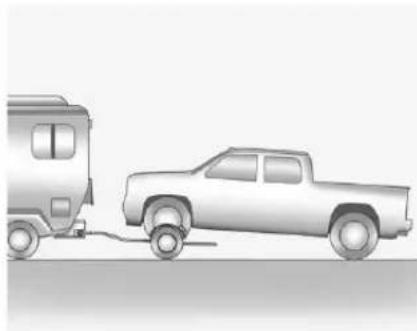
natural_image
Side view illustration of a pickup truck and a vintage pickup truck on a road (no text or symbols)Usethefollowingproceduredodolly towafour-wheel-drivevehiclefrom thefront:
-
Attachthedollytothetow vehiclefollowingthedolly manufacturer'sinstructions.
-
Drivethefrontwheelsontothe dolly.
10-100VehicleCare
- Shiftthetransmission to P(Park).
- Firmlysettheparkingbrake.

WARNING
Shiftingafour-wheel-drive vehicle'stransfercaseinto N(Neutral)cancausethevehicle torollevenifthetransmissionis inP(Park). Thedriverorothers couldbeinjured. Makesurethe parkingbrakeisfirmlysetbefore thetransfercaseisshiftedto N(Neutral).
5. Use an adequate clamping device designed for towing to ensure that the front wheels are locked into the straight position.
- Secure the vehicle to the Holly following the manufacturer's instructions.
7.Shiftthetransfercaseto N(Neutral).See"Shiftinginto Neutral"underFour-WheelDrive onpage9-45fortheproper proceduretoselecttheneutral positionforthevehicle. - Releasetheparkingbrakeonly afterthevehiclebeingtowedis firmlyattachedtothetowing vehicle.
- TurntheignitiontoLOCK/OFF. Aftertowing, see "ShiftingOutof Neutral" under Four-WheelDriveon page 9-45.
RearTowing (RearWheelsOfftheGround) Two-Wheel-DriveVehicles
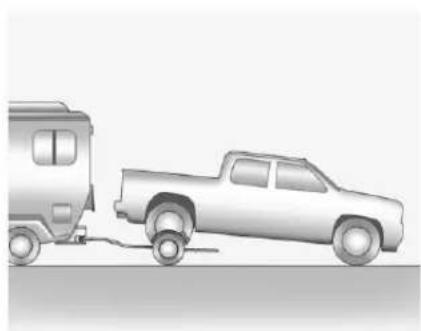
natural_image
Side view of a pickup truck and a moving vehicle on a road (no text or symbols visible)Usethefollowingproceduredodolly towatwo-wheel-drivevehiclefrom therear:
- Attachthedollytothetow vehiclefollowingthedolly manufacturer'sinstructions.
-
Drivetherearwheelsonto thedolly.
-
Firmlysettheparkingbrake. See ParkingBrakeon page9-60.
- PutthetransmissioninP(Park).
- Secure the vehicle to the Holly following the manufacturer's instructions.
- Use an adequate clamping device designed for towing to ensure that the front wheels are locked into the straight position.
- TurntheignitiontoLOCK/OFF.
Four-Wheel-DriveVehicles
Usethefollowingproceduredodolly towafour-wheel-drivevehiclefrom therear:
- Attachthedollytothetow vehiclefollowingthedolly manufacturer'sinstructions.
- Drivetherearwheelsontothe dolly.
- Firmlysettheparkingbrake. See ParkingBrakeon page9-60.
- PutthetransmissioninP(Park).
- Secure the vehicle to the wholly following the manufacturer's instructions.
- Use an adequate clamping device designed for towing to ensure that the front wheels are locked into the straight position.
WARNING
Shiftingafour-wheel-drive vehicle'stransfercaseinto N(Neutral)cancausethevehicle torollevenifthetransmissionis inP(Park). Thedriverorothers couldbeinjured. Makesurethe parkingbrakeisfirmlysetbefore thetransfercaseisshiftedto N(Neutral).
-
Shiftthetransfercaseto N(Neutral). See "Shiftinginto Neutral" under Four-WheelDrive on page 9-45 for the proper procedure to select the neutral position for the vehicle.
-
TurntheignitiontoLOCK/OFF. Aftertowing, see "ShiftingOutof Neutral" under Four-WheelDriveon page9-45.
AppearanceCare
ExteriorCare
WashingtheVehicle
Topreservethevehicle'sfinish, washitoftenandoutofdirect sunlight.
Notice: Donotusepetroleum based, acidic, or abrasive cleaning agents asthey can damage the vehicle's paint, metal, or plastic parts. If damage occurs, it would not be recovered by the vehicle's warranty. Approved cleaning products can be obtained from your dealer. Follow all manufacturer directions regarding correct product usage, necessary safety precautions, and appropriate disposal of any vehicle care product.
Notice: Avoid using high pressure washes closer than 30cm(12in) to the surface of the vehicle. Use of power washers exceeding 8,274kPa (1,200 psi) can result in damage or removal of paint and decals.
Rinsethevehiclewell, before washing and after, to remove all cleaning agents completely. If they are allowed today on the surface, they could stain.
Drythefinishwithasoft, clean chamoisoranall-cottontowel to avoidsurfacescratchesandwater spotting.
FinishCare
Applicationofaftermarketclearcoat sealant/waxmaterialsisnot recommended.Ifpaintedsurfaces aredamaged,seeyourdealerto havethedamageassessed and repaired.Foreignmaterialssuchas calciumchlorideandothersalts,ice meltingagents,roadoilandtar,tree sap,birddroppings,chemicalsfrom industrialchimneys,etc.,can damagethevehicle'sfinishif theyremainonpaintedsurfaces. Washthevehicleassoonas possible.Ifnecessary,use non-abrasivecleanersthatare markedsafeforpaintedsurfacesto removeforeignmatter.
Occasionalhandwaxingormild polishingsshouldbedonetoremove residuefromthepaintfinish. Seeyourdealerforapproved cleaningproducts.
Notice: Machine compounding or aggressive polishing on a basecoat/clearcoat paint finish may damage it. Use only non-abrasivewaxes and polishesthataremadefora basecoat/clearcoat paint finish on the vehicle.
Tokeep the paint finish looking new, keep the vehicle Garagedor covered whenever possible.
ProtectingExteriorBright MetalParts
Regularlycleanbrightmetalparts withwaterorchromepolishon chromeorstainlesssteeltrim, ifnecessary.
Foraluminum, never use autoor chromepolish, steam, or caustic soaptoclean. A coating of wax, rubbed to high polish, is recommended for all bright metal parts.
CleaningExterior Lamps/Lenses
Useonlylukewarmorcoldwater,a softcloth,andacarwashingsoap tocleanexteriorlampsandlenses. Followinstructionsunder"Washing theVehicle"laterinthissection.
WindshieldandWiperBlades
Cleantheoutsideofthewindshield withglasscleaner.
Cleanrubberbladesusinglint-free clothorpapertowelsoakedwith windshieldwasherfluidoramild detergent.Washthewindshield thoroughlywhencleaningthe blades.Bugs,roadgrime,sap,and abuildupofvehiclewash/wax treatmentsmaycausewiper streaking.
Replacethewiperbladesif theyarewornordamaged. Damagecanbecausedby extremedustyconditions,sand, salt,heat,sun,snowandice.
Weatherstrips
Applysiliconegreaseon weatherstripstomakethemlast longer,sealbetter,andnotstickor squeak.SeeRecommendedFluids andLubricantsonpage 11-13.
Tires
Useastiffbrushwithtirecleanerto cleanthetires.
Notice: Using petroleum-based tiredressing product on the vehicle may damage the paint finish and/or tires. When applying atiredressing, always swipe off any overspray from all painted surfaces on the vehicle.
WheelsandTrim—Aluminum orChrome
Useasoft, cleancloth with mild soap and watertocleanthewheels. After rinsing thoroughly with clean water, dry with asoft, cleantowel. Awax may then be applied.
Keepthewheelscleanusingasoft, cleanclothwithmildsoapand water.Rinsewithcleanwater. Afterrinsingthoroughly,drywitha soft,cleantowel.Awaxmaythen beapplied.
Notice: Chromewheels and other chrometrimmay bedamaged if the vehicle is not washed after driving on roadsthath have been sprayed with magnesium, calcium, or sodium chloride. These chlorides are used on roads for condition such as ice and dust. Always wash the chromewith soap and water after exposure.
Notice: To avoid surface damage, do not use strong soaps, chemicals, abrasive polishes, cleaners, brushes, or cleaners that contain acidental aluminum chrome-plated wheels. Use only approved cleaners. Also, never drive a vehicle with aluminum chrome-plated wheel through an automatic car wash that uses silicone car bidetire cleaning brushes. Damage could occur and there pairs would not be covered by the vehicle warranty.
Steering, Suspension, and ChassisComponents
Visuallyinspectfrontandrear suspensionandsteeringsystemfor damaged,loose,ormissingparts orsignsofwear.Inspectpower steeringlinesandhosesforproper hook-up,binding,leaks,cracks, chafing,etc.Visuallycheckconstant velocityjoints,rubberboots,and axlesealsforleaks.
BodyComponentLubrication
Lubricateallkeylockcylinders, hoodhinges,liftgatehinges,and steelfueldoorhingeunlessthe componentsareplastic.Applying siliconegreaseonweatherstrips withacleanclothwillmakethem lastlonger,sealbetter,andnotstick orsqueak.
UnderbodyMaintenance
Useplainwatertoflushdirtand debrisfromthevehicle'sunderbody. Yourdealeroranunderbodycar washingsystemcandothis.Ifnot removed,rustandcorrosioncan develop.
SheetMetalDamage
If the vehicle is damaged and requires sheet metal repair or replacement, makes sure the body repair shop applies anti-corrosion material to parts repaired or replaced to restore corrosion protection.
Original manufacturer replacement partswill providethe corrosion protectionwhile maintaining the vehicle warranty.
FinishDamage
Quicklyrepairminorchipsand scratcheswithtouch-upmaterials availablefromyourdealertoavoid corrosion.Largerareasoffinish damagecanbecorrectedinyour dealer'sbodyandpaintshop.
ChemicalPaintSpotting
Airbornepollutantscanfallupon andattackpaintedvehiclesurfaces causingblotchy, ring-shaped discolorations, and small, irregular darkspotsetched into the paint surface.
InteriorCare
Topreventdirtparticleabrasions, regularlycleanthevehicle'sinterior. Immediatelyremoveanysoils. Note thatnewspapersordarkgarments thatcantransfercolortohome furnishingscanalsopermanently transfercolortothevehicle's interior.
Useasoftbristlebrushtoremove dustfromknobsandcrevicesonthe instrumentcluster. Usingamild soapsolution,immediatelyremove handlotions,sunscreen,andinsect repellantfromallinteriorsurfacesor permanentdamagemayresult.
Yourdealermayhaveproductsfor cleaningtheinterior. Usecleaners specificallydesignedforthe surfacesbeingcleanedtoprevent permanentdamage. Toprevent overspray,applyallcleaners directlytothecleaningcloth.
Cleanersshouldberemoved quickly. Neverallowcleanersto remainonthesurfacebeing cleanedforextendedperiods oftime.
Cleanersmaycontainsolventsthat canbecomeconcentratedinthe interior.Beforeusingcleaners,read andadheretoallsafetyinstructions onthelabel.Whilecleaningthe interior,maintainadequate ventilationbyopeningthedoors andwindows.
Topreventdamage, donotclean the interior using the following cleanersortechniques:
- Neverusearazororanyother sharpobjecttoremoveasoil fromanyinteriorsurface.
- Neveruseabrushwithstiff bristles.
-
Neverrubanysurface aggressivelyorwithexcessive pressure.
-
Donotuselaundrydetergents ordishwashingsoapswith degreasers. For liquid cleaners, use approximately 20 drops per 3.78L (1gal) of water. A concentrated soapsolution will leave a residuethat creates streaks and attracts dirt. Donot uses solution that contain strong or caustic soap.
- Donotheavilysaturatethe upholsterywhencleaning.
- Donotusesolventsorcleaners containingsolvents.
InteriorGlass
Toclean, useaterryclothfabric dampenedwithwater. Wipedroplets leftbehindwithacleandrycloth. Commercialglasscleanersmaybe used, if necessary, aftercleaning theinteriorglasswithplainwater.
Notice: Topreventscratching, neveruseabrasivecleanerson automotiveglass. Abrasive cleanersoraggressivecleaning maydamagetherearwindow defogger.
Fabric/Carpet
Startbyvacuumingthesurface usingasoftbrushattachment.lfa rotatingbrushattachmentisbeing usedduringvacuuming,onlyuseit onthefloorcarpet.Beforecleaning, gentlyremoveasmuchofthesoil aspossibleusingoneofthe followingtechniques:
• Gentlyblotliquidswithapaper towel. Continueblottinguntilno moresoilcanberemoved.
- Forsolidsoils, removeasmuch aspossibleprioritovacuuming.
Toclean:
- Saturateacleanlint-free colorfastclothwithwateror clubsoda. Microfibercloth is recommended to prevent lint transfertothefabricorcarpet.
- Remove excess moisture by gently wringing until water does not drip from the cleaning cloth.
3.Startontheoutsideedgeofthe soilandgentlyrubtowardthe center.Rotatethecleaningcloth toacleanareafrequentlyto preventforcingthesoilintothe fabric. - Continue gently rubbing the soiled area until there is no longer any color transfer from the soil to the cleaning cloth.
- If the soil is not completely removed, use a mild soap solution followed by only clubs or plain water.
Ifthesoilisnotcompletely removed, it may be necessary to use a commercial upholstery cleaner or spot lifter. Testasmall hidden area for color fastness before using a commercial upholstery cleaner or spot lifter. If ring formation occurs, clean the entire fabric or carpet.
Following the cleaning process, a papertowel can be used to blot excess moisture.
InstrumentPanel, Leather, Vinyl, & Other Plastic Surfaces
Useasoftmicrofibercloth dampenedwithwatertoremove dustandloosedirt. Foramore thoroughcleaning, useasoft microfibercloth dampenedwitha mildsoapsolution.
Notice: Soakingorsaturating leather, especially perforated leather, as well as other interior surfaces, may cause permanent damage. Wipe excess moisture from thesesurfaces after cleaning and allow them today naturally. Never use heat, steam, spotlifters or spotremovers. Donot use cleaner that contain silicone or wax-based products. Cleaners containing these solvent scan permanently changethe appearance and feel of leather or soft trim and are not recommended.
Donotusecleanersthatincrease gloss,especiallyontheinstrument panel. Reflectedglarecandecrease visibilitythroughthewindshield undercertainconditions.
Notice: Useofairfreshenersmay causepermanentdamageto plasticsandpaintedsurfaces. Ifanairfreshenercomesin contactwithanyplasticor paintedsurfaceinthevehicle, blotimmediatelyandcleanwitha softclothdampenedwithamild soapsolution.Damagecausedby airfreshenerswouldnotbe coveredbythevehiclewarranty.
CareofSafetyBelts
Keepbeltscleananddry.

WARNING
Donotbleachordyesafetybelts. Itmayseverelyweakenthem. In acrash, they might not be able to provide adequate protection. Cleansafety belt only with mild soap and lukewarm water.
FloorMats

WARNING
Ifafloormatisthewrongsizeor isnotproperlyinstalled, itcan interferewith the pedals. Interference with the pedals can cause unintended acceleration and/or increased stopping distance which can cause acrash and injury. Makesurethefloor matdoes not interferewith the pedals.
Usethefollowingguidelinesfor properfloormatusage.
- Theoriginalequipmentfloor matsweredesignedforthe vehicle.Ifthefloormatsneed replacing,itisrecommended thatGMcertifiedfloormatsbe purchased.Non-GMfloormats maynotfitproperlyandmay interferewiththepedals.Always checkthatthefloormatsdonot interferewiththepedals.
- Usethefloormatwiththe correctsideup.Donotturn itover.
- Donotplaceanythingontopof theriversidefloormat.
• Useonlyasinglefloormaton theriverside. - Donotplaceonefloormaton topofanother.
Service and Maintenance
GeneralInformation
GeneralInformation......11-1
MaintenanceSchedule
MaintenanceSchedule......11-3
SpecialApplicationServices
SpecialApplication
Services....11-9
Additional Maintenance and Care
AdditionalMaintenance
andCare....11-10
RecommendedFluids, Lubricants,andParts
RecommendedFluidsand
Lubricants......11-13
MaintenanceReplacement
Parts......11-16
MaintenanceRecords
MaintenanceRecords.....11-17
GeneralInformation
This maintenance section appliesto vehicles with gasoline engine. Fordiesel engine vehicles, seethe maintenances schedule section in the Duramax Diesel Supplement.
Yourvehicleisanimportant investment. Thissectiondescribes therequiredmaintenanceforthe vehicle. Followthischeduleto helpprotectagainstmajorrepair expensesresultingfromneglector inadequatemaintenance.Itmay alsohelptomaintainthevalueof thevehicleifitissold.Itisthe responsibilityoftheownertohave allrequiredmaintenanceperformed.
Yourdealerhastrainedtechnicians whocanperformrequired maintenanceusinggenuine replacementparts. Theyhave up-to-datetoolsandequipment forfastandaccuratediagnostics. Manydealershaveextended eveningandSaturdayhours, courtesytransportation, andonline schedulingtoassistwithservice needs.
Yourdealerrecognizesthe importanceofproviding competitivelypricedmaintenance andrepairservices.Withtrained technicians,thedealeristheplace forroutinemaintenancesuchas oilchangesandtirerotationsand additionalmaintenanceitemslike tires,brakes,batteries,andwiper blades.
Notice: Damagecaused by improper maintenance can lead to costly repairs and may not be covered by the vehicle warranty. Maintenance intervals, checks, inspections, recommended fluids, and lubricants are important to keep the vehicle in good working condition.
The Tire Rotation and Required Services are the responsibility of the vehicle owner. It is recommended to have your dealer perform these services every 12000 km/7,500 mi. Proper vehicle maintenance helps to keep the vehicle in good working condition, improves fuel economy, and reduces vehicle emissions.
Becauseofthewaypeopleuse vehicles,maintenanceneedsvary. Theremayneetobemore frequentchecksandservices. TheAdditionalRequiredServices-Normalareforvehiclesthat:
- Carrypassengersandcargo withinrecommendedlimitson the Tire and Loading Information label. See Vehicle Load Limits on page 9-17.
- Aredrivenonreasonableroad surfaceswithinlegaldriving limits.
• Usetherecommendedfuel. SeeRecommendedFuelon page9-76.
Refertotheinformationinthe MaintenanceScheduleAdditional RequiredServices-Normalchart.
The Additional Required Services-Severe are for vehicle sthatare:
• Mainlydriveninhillyor mountainousterrain.
• Frequentlytowingatrailer.
• Usedforhighspeedor
competitivedriving.
• Usedfortaxi, police, ordelivery service.
Refertotheinformationinthe MaintenanceScheduleAdditional RequiredServices-Severechart.

WARNING
Performingmaintenancework canbedangerousandcan causeseriousinjury.Perform maintenanceworkonlyifthe requiredinformation,propertools, andequipmentareavailable. Iftheyarenot,seeyourdealerto haveatrainedtechniciandothe work.SeeDoingYourOwn ServiceWorkonpage 10-4.
Maintenance Schedule
OwnerChecksandServices
AtEachFuelStop
- Checktheengineoillevel. SeeEngineOilonpage10-7.
- Checkthetireinflation pressures. See TirePressureon page 10-62.
• Inspectthetiresforwear. See TireInspectiononpage10-68. - Checkthewindshieldwasher fluidlevel.See WasherFluidon page10-28.
OnceaMonth
EngineOilChange
WhentheCHANGEENGINEOIL SOONmessagedisplays,havethe engineoilandfilterchangedwithin thenext1000km/600mi.Ifdriven underthebestconditions,the engineoillifesystemmightnot indicateetheneedforvehicleservice formorethanayear.Theengineoil andfiltermustbechangedatleast onceayearandtheoillifesystem mustbereset.Yourtraineddealer techniciancanperformthiswork. Iftheengineoillifesystemisreset accidentally,servicethevehicle within5000km/3,000misincethe lastservice.Resettheoillife systemwhentheoilischanged. SeeEngineOilLifeSystemon page 10-10.
TireRotationand RequiredServicesEvery 12000km/7,500mi
Rotatethetires, if recommended for the vehicle, and perform the followingservices. See Tire Rotation on page 10-69.
- Checkengineoillevelandoil lifepercentage.Ifneeded, changeengineoilandfilter,and resetoillifesystem.SeeEngine Oilonpage10-7andEngineOil LifeSystemonpage10-10.
- Checkenginecoolantlevel. SeeEngineCoolanton page10-20.
-
Checkwindshieldwasherfluid level. See WasherFluidon page 10-28.
-
Visuallyinspectwindshieldwiper bladesforwear, cracking, orcontamination. See Exterior Careonpage 10-102. Replace wornordamagedwiperblades. See WiperBlade Replacement on page 10-39.
- Checktireinflationpressures. See TirePressureon page10-62.
• Inspecttirewear. See Tire Inspectiononpage10-68.
• Visuallycheckforfluidleaks. - Inspectengineaircleanerfilter. SeeEngineAirCleaner/Filteron page10-17.
-
Inspectbrakesystem.
-
Visuallyinspectsteering, suspension, and chassis components for damaged, loose, or missing parts or sign of wear. See Exterior Care on page 10-102.
- Checkrestraintsystem components.See Safety SystemCheckonpage3-21.
- Visuallyinspectfuelsystemfor damageorleaks.
• Visuallyinspectexhaustsystem andnearbyheatshieldsfor looseordamagedparts. - Lubricatebodycomponents. SeeExteriorCareon page10-102.
-
Checkstarterswitch.SeeStarter SwitchCheckonpage10-36.
-
Checkautomatictransmission shiftlockcontrolfunction. SeeAutomaticTransmission ShiftLockControlFunction Checkonpage10-37.
- Checkignitiontransmissionlock. SeeIgnitionTransmissionLock Checkonpage10-38.
- Checkparkingbrake and automatictransmissionpark mechanism. SeeParkBrake andP(Park)MechanismCheck onpage 10-38.
-
Checkacceleratorpedalfor damage, higheffort, orbinding. Replace if needed.
-
Visually inspect gas strut for signsofwear, cracks, or other damage. Check the hold open ability of the strut. Se your dealer if service is required.
- Inspectsunrooftrackandseal, ifequipped.SeeSunroof (ExtendedCab)onpage2-20 or Sunroof(CrewCab)on page2-22.
- Checkhybridlowpressure coolantlevel,ifequipped.
11-6ServiceandMaintenance
| Maintenance ScheduleAdditional RequiredServices - Normal | 12 000 km/7,500 mi | 24 000 km/15,000 mi | 36 000 km/22,500 mi | 48 000 km/30,000 mi | 60 000 km/37,500 mi | 72 000 km/45,000 mi | 94 000 km/52,500 mi | 96 000 km/60,000 mi | 108 000 km/67,500 mi | 120 000 km/75,000 mi | 132 000 km/82,500 mi | 144 000 km/90,000 mi | 156 000 km/97,500 mi | 168 000 km/105,000 mi | 180 000 km/112,500 mi | 192 000 km/120,000 mi | 204 000 km/127,500 mi | 216 000 km/135,000 mi | 228 000 km/142,500 mi | 240 000 km/150,000 mi |
| Rotate tires and perform Required Services. Check engine oil level and oil life percentage. Change engine oil and filter, if needed. | √ | √ | √ | √ | √ | √ | √ | √ | √ | √ | √ | √ | √ | √ | √ | √ | √ | √ | √ | √ |
| Inspect evaporative control system. (a) | √ | √ | √ | |||||||||||||||||
| Replace engine air cleaner filter. (b) | √ | √ | √ | |||||||||||||||||
| Replace spark plugs. Inspect spark plug wires. | √ | |||||||||||||||||||
| Change automatic transmission fluid, if equipped. If filter is serviceable, change filter. | √ | |||||||||||||||||||
| Change transfer case fluid, if equipped with 4WD. (c) | √ | |||||||||||||||||||
| Drain, flush, and fill engine cooling system. (d) | √ | |||||||||||||||||||
| Drain, flush, and fill hybrid low pressure cooling system, if equipped. (d) | √ | |||||||||||||||||||
| Visually inspect accessory drive belts. (e) | √ |
Footnotes—Maintenance ScheduleAdditionalRequired Services—Normal
a) Checkallfuelandvaporlines and hosesforproperhook-up, routing, and condition. Check that the purgevalve, if the vehicle has one, works properly. Replace as needed.
b) Oreveryfouryears, whichever comesfirst.
c) Donotdirectlypowerwash the transfercaseoutputseals. High pressurewatercanovercomethe sealsandcontaminatethetransfer casefluid. Contaminatedfluidwill decreasethelifeofthetransfer caseandshouldbereplaced.
d) Oreveryfiveyears, whichever comesfirst. See CoolingSystemon page 10-19.
e)Orevery10years,whichever comesfirst.Inspectforfraying, excessivecracking,ordamage; replace,ifneeded.
11-8ServiceandMaintenance
| Maintenance ScheduleAdditional RequiredServices – Severe | 12 000 km/7,500 mi | 24 000 km/15,000 mi | 36 000 km/22,500 mi | 48 000 km/30,000 mi | 60 000 km/37,500 mi | 72 000 km/45,000 mi | 84 000 km/52,500 mi | 96 000 km/60,000 mi | 108 000 km/67,500 mi | 120 000 km/75,000 mi | 132 000 km/82,500 mi | 144 000 km/90,000 mi | 156 000 km/97,500 mi | 168 000 km/105,000 mi | 180 000 km/112,500 mi | 192 000 km/120,000 mi | 204 000 km/127,500 mi | 216 000 km/135,000 mi | 228 000 km/142,500 mi | 240 000 km/150,000 mi |
| Rotate tires and perform RequiredServices. Check engine oil level andoil life percentage. Change engine oiland filter, if needed. | √ | √ | √ | √ | √ | √ | √ | √ | √ | √ | √ | √ | √ | √ | √ | √ | √ | √ | √ | √ |
| Change transfer case fluid for 4WD fullsize pick-up only – extreme severeservice. (a) | √ | √ | √ | √ | √ | √ | ||||||||||||||
| Inspect evaporative control system. (b) | √ | √ | √ | |||||||||||||||||
| Replace engine air cleaner filter. (c) | √ | √ | √ | |||||||||||||||||
| Change automatic transmission fluid, ifequipped. If filter is serviceable,change filter. | √ | √ | √ | |||||||||||||||||
| Change transfer case fluid, if equippedwith 4WD. (d) | √ | √ | √ | |||||||||||||||||
| Replace spark plugs. Inspect sparkplug wires. | √ | |||||||||||||||||||
| Drain, flush, and fill engine coolingsystem. (e) | √ | |||||||||||||||||||
| Drain, flush, and fill hybrid low pressurecooling system, if equipped. (e) | √ | |||||||||||||||||||
| Visually inspect accessory drive belts. (f) | √ |
Footnotes—Maintenance ScheduleAdditionalRequired Services—Severe
a) Extremeservice. For vehicles mainly driven off-road in four-wheel drive or used in farming, mining, forestry, Department of Natural Resources (DNR), or snow plowing.
b) Checkallfuelandvaporlines and hosesforproperhook-up, routing, and condition. Check that the purgevalve, if the vehicle has one, works properly. Replace as needed.
c) Oreveryfouryears, whichever comesfirst.
d) Donotdirectlypowerwashthe transfercaseoutputseals. High pressurewatercanovercomethe sealsandcontaminatethetransfer casefluid. Contaminatedfluidwill decreasethelifeofthetransfer caseandshouldbereplaced.
e) Oreveryfiveyears, whichever comesfirst. See CoolingSystemon page 10-19.
f) Orevery10years, whichever comesfirst. Inspectforfraying, excessivecracking, ordamage; replace, ifneeded.
SpecialApplication Services
- AllisonTransmission™ VehiclesOnly:Replaceexternal transmissionfilteratfirstengine oilchangeonly.
- VehicleswithDualWheels: Checkdualwheelnuttorque at160km/100mi,1600km/1,000miand9700km/6,000mi.
- SevereCommercialUse VehiclesOnly:Lubricate chassiscomponentsevery 5000km/3,000mi.
• Haveunderbodyflushingservice performedonceayear.
Additional Maintenance and Care
Yourvehicleisanimportant investmentandcaringforit properlymayhelptoavoidfuture costlyrepairs.Tomaintain vehicleperformance,additional maintenanceservicesmaybe required.Itisrecommended thatyourdealerperformthese services—theirtraineddealer techniciansknowyourvehiclebest. Yourdealercanalsoperforma thoroughassessmentwitha multi-pointinspectiontorecommend whenyourvehiclemayneed attention.Thefollowinglistis intendedtoexplaintheservices andconditionstolookforthatmay indicatesservicesarerequired.
Battery
The battery-supplies power to start the engine and operate any additionalelectrical accessories.
• Toavoidbreak-downorfailureto startthevehicle, maintaina batterywithfullcrankingpower.
- Traineddealertechnicianshave thediagnosticequipmenttotest thebatteryandensurethatthe connectionsandcablesare corrosion-free.
Belts
- Beltsmayneedreplacingif theysqueakorshowsignsof crackingorsplitting.
- Traineddealertechnicians caninspectthebeltsand recommendreplacementwhen necessary.
Brakes
Brakesstopthevehicleandare crucialtosafedriving.
- Signsofbrakewearmayinclude chirping,grinding,orsquealing noises,ordifficultystopping.
- Traineddealertechnicianshave accesstotoolsandequipment toinspectthebrakesand recommendqualityparts engineeredforthevehicle.
Fluids
Properfluid levels and approved fluids protect the vehicle's systems and components.
See Recommended Fluids and Lubricantson page 11-13 for G M approved fluids.
• Engineoilandwindshield washerfluidlevelsshouldbe checkedateveryfuelfill.
- Instrumentclusterlightsmay comeontoindicatethatfluids maybelowandneedtobe filled.
Hoses
Hosestransportfluidsandshould beregularlyinspectedtoensure thattherearenocracksorleaks. Withamulti-pointinspection,your dealercaninspectthehosesand adviseifreplacementisneeded.
Lamps
Properlyworkingheadlamps, taillamps, and brakelamps are important to see and be seen on theroad.
- Signsthattheheadlampsneed attentionincludedimming,failure tolight,cracking,ordamage. Thebrakelampsneedtobe checkedperiodicallytoensure thattheylightwhenbraking.
- Withamulti-pointinspection, yourdealercancheckthelamps andnoteanyconcerns.
ShocksandStruts
Shocksandstrutshelpaidincontrol forasmootherride.
- Signsofwearmayinclude steeringwheelvibration, bounce/swaywhilebraking, longerstoppingdistance, oruneventirewear.
- Aspartofthemulti-point inspection, trained dealer technicians can visually inspect the shocks and struts for sign of leaking, blown seals, ordamage, and can advise when service is needed.
Tires
Tiresneedtobeproperlyinflated, rotated,andbalanced.Maintaining thetirescansavemoney,fuel,and canreducetheriskoftirefailure.
- Signsthatthetiresneedtobe replacedincludethreeormore visibletreadwearindicators;cord orfabricshowingthroughthe rubber;cracksorcutsinthe treadorsidewall;orabulgeor splitinthetire.
- Traineddealertechnicianscan inspectandrecommendthe righttires. Yourdealercanalso providetire/wheelbalancing servicestoensuresmooth vehicleoperationatallspeeds. Yourdealersellsandservices namebrandtires.
VehicleCare
Tohelpkeepthevehiclelooking likenew, vehiclecareproducts areavailablefromyourdealer. Forinformationonhowtocleanand protectthevehicle'sinteriorand exterior, seeInteriorCareon page10-105andExteriorCareon page10-102.
WheelAlignment
Wheelalignmentiscriticalfor ensuringthatthetiresdeliver optimalwearandperformance.
- Signsthatthealignmentmay needtobeadjustedinclude pulling,impropervehicle handling,orunusualtirewear.
- Yourdealerhastherequired equipmenttoensureproper wheelalignment.
Windshield
Forsafety, appearance, and the bestviewing, keep the windshield clean and clear.
• Signsofdamageinclude scratches,cracks,andchips.
- Traineddealertechnicianscan inspectthewindshield and recommendproperreplacement ifneeded.
WiperBlades
Wiperbladesneedtobecleaned and keptingoodconditionto provideaclearview.
- Signsofwearincludestreaking, skippingacrossthewindshield, andwornorsplitrubber.
- Traineddealertechnicianscan checkthewiperbladesand replacethemwhenneeded.
RecommendedFluids,Lubricants,andParts
RecommendedFluidsandLubricants
Thismaintenancesectionappliestovehicleswithagasolineengine.Ifthevehiclehasadieselengineand/oran AllisonTransmission,seethemaintenanceschedulesectionintheDuramaxDieselSupplement.
Fluidsandlubricantsidentifiedbelowbyname, partnumber, orspecification can be obtained from your dealer.
| UsageFluid/Lubricant | |
| EngineOil | Useonlyengineoillicensedtothedexos1specification,orequivalent,oftheproperSAEviscositygrade.ACDelcodexos1SyntheticBlendisrecommended.SeeEngineOilonpage10-7. |
| EngineCoolant | 50/50mixtureofclean,drinkablewateranduseonlyDEX-COOLcoolant.SeeEngineCoolantonpage10-20. |
| HydraulicBrakeSystem | DOT3HydraulicBrakeFluid(GMPartNo.12377967,inCanada89021320). |
| HydraulicClutchSystem | DOT3HydraulicBrakeFluid(GMPartNo.12377967,inCanada89021320). |
| WindshieldWasherOptikleen | ® WasherSolvent. |
| PowerSteeringSystemGMPower | SteeringFluid(GMPartNo.89021184,inCanada89021186). |
11-14ServiceandMaintenance
| UsageFluid/Lubricant | |
| AutomaticTransmissionDEXRON | ®-VIAutomaticTransmissionFluid. |
| ManualTransmission | SynchroneshTransmissionFluid(GMPartNo.12345349, inCanada10953465). |
| KeyLockCylinders | Multi-PurposeLubricant,Superlube(GMPartNo.12346241, inCanada10953474). |
| FloorShiftLinkage | LubriplateLubricantAerosol(GMPartNo.12346293,inCanada992723) orlubricantmeetingrequirementsofNLGI#2CategoryLBorGC-LB. |
| ChassisLubrication | ChassisLubricant(GMPartNo.12377985,inCanada88901242)or lubricantmeetingrequirementsofNLGI#2,CategoryLBorGC-LB. |
| FrontAxle(1500Series)-Four-WheelDrive | SAE80W-90AxleLubricant(GMPartNo.89021671, inCanada89021672). |
| FrontAxle(1500,2500HD,and 3500HDSeries) | SAE75W-90SyntheticAxleLubricant(GMPartNo.89021677, inCanada89021678). |
| RearAxle | SAE75W-90SyntheticAxleLubricant(GMPartNo.89021677, inCanada89021678). |
| TransferCase(Four-WheelDrive)DEX | RON®-VIAutomaticTransmissionFluid. |
| FrontAxlePropshaftSplineorOne-PiecePropshaftSpline(Two-WheelDrivewith4-SpeedAuto.Trans.) | SplineLubricant,SpecialLubricant(GMPartNo.12345879,inCanada10953511). |
| RearDrivelineCenterSpline | ChassisLubricant(GMPartNo.12377985,inCanada88901242)orlubricantmeetingrequirementsofNLGI#2,CategoryLBorGC-LB. |
| HoodHinges | Multi-PurposeLubricant,Superlube(GMPartNo.12346241,inCanada10953474). |
| BodyDoorHingePins,TailgateHingeandLinkage,andFuelDoorHinge | Multi-PurposeLubricant,Superlube(GMPartNo.12346241,inCanada10953474). |
| TailgateHandlePivotPoints,Hinges,LatchBolt,andLinkage | Multi-PurposeLubricant,Superlube(GMPartNo.12346241,inCanada10953474). |
| WeatherstripConditioning | WeatherstripLubricant(GMPartNo.3634770,inCanada10953518)orDielectricSiliconeGrease(GMPartNo.12345579,inCanada992887). |
| WeatherstripSqueaks | SyntheticGreasewithTeflon,Superlube(GMPartNo.12371287,inCanada10953437). |
MaintenanceReplacementParts
Replacementpartsidentifiedbelowbyname, partnumber, orspecification can be obtained from your dealer.
If your vehicle has adiesel engine, seethe Duramax diesels supplement form more information.
| PartGMPartNumberACDelcoPartNumber | ||
| EngineAirCleaner/Filter | ||
| StandardFilter15908916*A3086C* | ||
| HighCapacityFilter15908915A3085C | ||
| OilFilter | ||
| 4.3LV625010792PF47 | ||
| 4.8LV8;5.3LV8;6.0LV8;6.2LV8 | 89017524PF48 | |
| SparkPlugs | ||
| 4.3LV612568387 41-101 | ||
| 4.8LV8;5.3LV8;6.0LV8;6.2LV8 | 12621258 | 41-110 |
| Wiper Blades – 55.0 cm (21.6 in) | 25877402 | — |
| *15908915(A3085C)high-capacityaircleanerfiltermaybesubstituted. | ||
MaintenanceRecords
After the scheduled services are performed, record the date, odometer reading, who performed the service, and the type of services performed in the boxes provided. Retain all maintain an uncereceipts.
| Date | Odometer Reading | ServicedByServices | Performed |
11-18ServiceandMaintenance
| Date | Odometer Reading | ServicedByServices | Performed |
11-20ServiceandMaintenance
| Date | Odometer Reading | ServicedByServices | Performed |
TechnicalData
VehicleIdentification
VehicleIdentification
Number(VIN)......12-1
ServicePartsIdentification
Label.....12-1
VehicleData
Capacitiesand
Specifications......12-2
EngineDriveBeltRouting...12-6
VehicleIdentification
VehicleIdentification Number(VIN)


Thislegalidentifierisinthefront corneroftheinstrumentpanel, on theleftsideofthevehicle.Itcanbe seenthroughthewindshieldfrom outside. TheVINalsoappearson theVehicleCertificationandService Partslabelsandcertificatesoftitle andregistration.
Engineldentification
TheeighthcharacterintheVIN istheenginecode. Thiscode identifiesthevehicle'sengine, specifications, and replacement parts. See "EngineSpecifications" under Capacities and Specifications on page 12-2 for the vehicle's enginecode.
ServiceParts IdentificationLabel
Thislabel, ontheinsideoftheglove box, hasthefollowinginformation:
• VehicleIdentification Number(VIN).
- Modeldesignation.
- Paintinformation.
• Productionoptionsandspecial equipment.
Donotremovethislabelfromthe vehicle.
VehicleData
CapacitiesandSpecifications
The following approximate capacities are given in metric and English conversions. See Recommended Fluids and Lubricantsonpage11-13formoreinformation.
Ifthevehiclehasadieselengine,seetheDuramaxdieselsupplementformoreinformation.
| Application | Capacities | |
| MetricEnglish | ||
| AirConditioningRefrigerantR134a | Fortheairconditioningsystemrefrigerantcharge amount,seetherefrigerantlabellocatedunderthe hood.Seeyourdealerformoreinformation. | |
| CoolingSystem | ||
| 4.3LV61500Series15.6L16.5qt | ||
| 4.8LV81500Series16.0L16.9qt | ||
| 5.3LV81500Series16.0L16.9qt | ||
| 6.0LV82500Seriesand3500Series15.5L16.4qt | ||
| 6.2LV81500Series15.9L16.8qt | ||
TechnicalData12-3
| Application | Capacities | |
| MetricEnglish | ||
| EngineOilwithFilter | ||
| 4.3LV64.3L4.5qt | ||
| 4.8LV8;5.3LV8;6.0LV8;6.2LV85.7L6.0qt | ||
| FuelTank | ||
| 1500SeriesStandardandShortBox98.4L26.0gal | ||
| 1500SeriesLongBox128.7L34.0gal | ||
| 2500Seriesand3500SeriesStandardBox136.3L36.0gal | ||
| 2500Seriesand3500SeriesLongBox | 136.3L36.0gal | |
| 3500SeriesChassisCab | 240.4L63.5gal | |
| 3500ChassisCab-FrontTank | 89.0L23.5gal | |
| 3500ChassisCab-RearTank(ifequipped) | 151.4L40.0gal | |
| TransferCaseFluid | 1.5L1.6qt | |
12-4 TechnicalData
| Application | Capacities | |
| MetricEnglish | ||
| TransmissionFluid-Automatic(PanRemovalandFilterReplacement) | ||
| 4-SpeedTransmission4L60-EElectronicTransmission4.7L5.0qt | ||
| 6-SpeedTransmission6L80-E5.7L6.0qt | ||
| 6-SpeedTransmission6L90-E6.0L6.3qt | ||
| 6-SpeedTransmissionAllison7.0L7.4qt | ||
| TransmissionFluid-Manual(DrainandRefill) | ||
| 1500Series4.4L4.6qt | ||
| 3500Series3.5L3.7qt | ||
| WheelNutTorque190N•m140ftlb | ||
| Allcapacitiesareapproximate.Whenadding,besuretofilltotheapproximatelevel,asrecommendedinthis manual.Recheckfluidlevelafterfilling. | ||
EngineSpecifications
| EngineVINCodeSparkPlugGap | ||
| 4.3LV6(LU3)X1.52mm(0.060in) | ||
| 4.8LV8(L20)A1.02mm(0.040in) | ||
| 5.3LV8FlexFuelwithActiveFuelManagementTM (IronBlock)(LMG) | 01.02mm(0.040in) | |
| 5.3LV8FlexFuelwithActiveFuelManagementTM (AluminumBlock)(LC9) | 71.02mm(0.040in) | |
| 6.0LV8FlexFuelwithActiveFuelManagementTM (AluminumBlock)(LZ1) | J1.02mm(0.040in) | |
| 6.0LV8(IronBlock)(L96)G1.02mm(0.040in) | ||
| 6.2LV8FlexFuel(AluminumBlock)(L9H)21.02mm(0.040in) | ||
EngineDriveBeltRouting
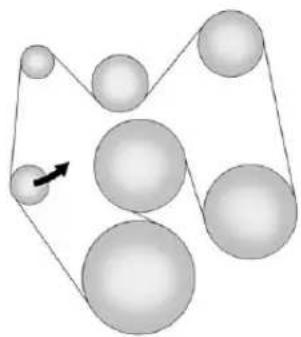
natural_image
Diagram of a mechanical or geometric arrangement with multiple spheres connected by lines and one arrow indicating direction (no text or symbols)V6Engines
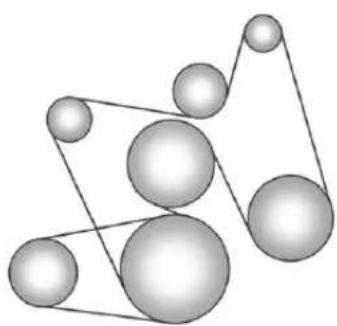
natural_image
Abstract geometric diagram of interconnected spheres with connecting lines (no text or symbols)V8Engines
Ifthevehiclehasadieselengine, seetheDuramaxdieselsupplement formoreinformation.
If the vehicle is a hybrid, se the hybrids supplement form more information.
Customer Information
CustomerInformation
CustomerSatisfaction
Procedure(U.S.and
Canada)....13-1
CustomerSatisfaction
Procedure(Mexico)......13-3
CustomerAssistanceOffices
(U.S.andCanada)......13-4
CustomerAssistanceOffices
(Mexico)....13-5
CustomerAssistanceforText
Telephone(TTY)Users
(U.S.andCanada)......13-6
OnlineOwnerCenter......13-6
GMMobilityReimbursement
Program(U.S.and
Canada)....13-7
Roadside Assistance Program
(U.S.andCanada)......13-7
Roadside Assistance Program
(Mexico)....13-9
SchedulingService
Appointments(U.S.and
Canada)....13-13
CourtesyTransportation
Program(U.S.and
Canada)....13-13
CollisionDamageRepair
(U.S.andCanada)......13-15
ServicePublications
Ordering Information.....13-17
ReportingSafetyDefects
ReportingSafetyDefectsto
theUnitedStates
Government......13-18
ReportingSafetyDefectsto
theCanadian
Government......13-19
Reporting Safety Defectsto
GeneralMotors......13-19
VehicleDataRecordingand
Privacy
VehicleDataRecordingand
Privacy....13-19
EventDataRecorders.....13-20
OnStar ^® .....13-20
NavigationSystem......13-21
RadioFrequency
Identification(RFID)......13-21
RadioFrequency
Statement......13-21
CustomerInformation
CustomerSatisfaction Procedure(U.S.and Canada)
Yoursatisfactionandgoodwillare importanttoyourdealerandto Chevrolet.Normally,anyconcerns withthesaletransactionorthe operationofthevehiclewillbe resolvedbyyourdealer'ssalesor servicedepartments.Sometimes, however,despitethebestintentions ofallconcerned,misunderstandings canoccur.Ifyourconcernhasnot beenresolvedoyoursatisfaction, thefollowingstepsshouldbetaken:
STEPONE: Discuss your concern with a member of dealership management. Normally, concerns can be quickly resolved at that level. If them matter has already been reviewed with the sales, service, or parts manager, contact the owner of your dealership or the general manager.
13-2 Customer Information
STEPTWO: If after contacting a member of dealership management, it appears your concern cannot be resolved by your dealership without further help, in the U.S., call the Chevrolet Customer Assistance Center at 1-800-222-1020. In Canada, call General Motors of Canada Customer Care Centre at 1-800-263-3777 (English), or 1-800-263-7854 (French).
Weencourageyoutocallthe toll-freenumberinordertogive yourinquirypromptattention. Havethefollowinginformation availabletogivetheCustomer Assistancerepresentative:
- VehicleIdentification Number(VIN). This is available from the vehicleregistration or title, or the plate at the top of the instrument panel and visible through the windshield.
• Dealershipnameandlocation.
• Vehicledeliverydate and presentmileage.
When contacting Chevrolet, remember that your concern will likely be resolved at a dealer's facility. That is why we suggest following Step One first.
STEPTHREE—U.S.Owners: BothGeneralMotorsandyour dealerarecommittedtomaking sureyouarecompletely satisfied withyournewvehicle. However, ifyoucontinuetoremainunsatisfied afterfollowingtheprocedure outlinedinStepsOneandTwo, youcanfilewiththeBetterBusiness Bureau(BBB)AutoLine ^® Program toenforceyourrights.
TheBBBAutoLineProgramisan out-of-courtprogramadministered bytheCouncilofBetterBusiness Bureaustosettleautomotive disputesregardingvehiclerepairsor theinterpretationoftheNewVehicle LimitedWarranty.Althoughyoumay berequiredtoresorttothisinformal disputereresolutionprogrampriorto filingacourtaction,useofthe programisfreeofchargeandyour
casewillgenerallybeheardwithin 40days.Ifyoudonotagreewiththe decisiongiveninyourcase,you mayrejectitandproceedwithany othervenueforreliefavailable toyou.
YoumaycontacttheBBBAuto LineProgramusingthetoll-free telephonenumberorwritethemat thefollowingaddress:
BBBAutoLineProgram CouncilofBetterBusiness Bureaus,Inc. 4200WilsonBoulevard Suite800 Arlington,VA22203-1838
Telephone:1-800-955-5100 www.dr.bbb.org/goauto
Thisprogramisavailableinall 50statesandtheDistrictof Columbia. Eligibilityislimitedby vehicleage, mileage, and other factors. General Motorsreserves therighttochangeeligibility limitationsand/ordiscontinueits participationinthisprogram.
STEPTHREE—Canadian
Owners: In the event that you do not feel your concern have been addressed after following the procedure outlined in Steps One and Two, General Motors of Canada Limited wants you to be aware of its participation in nano-charge Mediation/Arbitration Program. General Motors of Canada Limited has committed to binding arbitration of owner disputes involving factory-related vehicles service claims. The program provides for the review of the facts involved by an impartial third party arbiter, and may include an informal hearing before the arbiter. The program is designed so that the entire disputes settlement process, from the time you file your complaint to the final decision, should be completed in about 70 days.
We believe our impartial program offers advantages over courts in most jurisdictions because it is informal, quick, and free of charge.
For further information concerning eligibility in the Canadian Motor Vehicle Arbitration Plan (CAMVAP), call toll-free 1-800-207-0685, or call the General Motors Customer Care Centre, 1-800-263-3777 (English), 1-800-263-7854 (French), or writeto:
TheMediation/ArbitrationProgram c/oCustomerCareCentre GeneralMotorsofCanadaLimited MailCode:CA1-163-005 1908ColonelSamDrive Oshawa,OntarioL1H8P7
Yourinquiryshouldbeaccompanied bytheVehicleIdentification Number(VIN).
CustomerSatisfaction Procedure(Mexico)

text_image
GM Garantía PLUSDidyougettheWarrantyExtension Plan?Thisplanisrecommendedby GeneralMotorstosupplementthe warrantyincludedwiththenew vehiclepurchase.
Seeyourdealerfordetails.
CustomerAssistance Procedure
Ownersatisfactionandgoodwillare veryimportanttoyourdealerand GeneralMotors.
Normally, any problem with the transaction, sale, or usage of the vehicle must be handled by your dealers sales or serviced departments.
13-4 Customer Information
However, were cognizethat despite the good intentions of all parties involved, sometimes a misunderstanding may occur.
If you have a problem that has not been satisfactorily handled through then normal means, we suggest the following steps:
STEPONE
Explainyourcasetoyourdealer serviceagent,servicemanager, dealersalesagent,orsales manager,dependingonyourcase.
Makesurethattheyhaveall necessaryinformation. They are interestedinyourcontinual satisfaction.
STEPTWO
If you are not satisfied, please contact the general manager your dealership owner to ask for their help. If they are not able to resolve your case, ask them to contact the right people at General Motors for support, if needed.
STEPTHREE
If your case is not resolved in reasonable amount to time by your dealer, please call the General Motors Customer Assistance Center (CAC) and provide the following information:
- Name
- Address
- Phonenumber
- Modelyear
- Brand
• VehicleIdentification Number(VIN) - Mileage
- Deliverydate
• Descriptionoftheproblem - Dealershipname
- Dealershipaddress
See Customer Assistance Offices (U.S. and Canada) on page 13-4 or Customer Assistance Offices (Mexico) on page 13-5 form more information.
CustomerAssistance Offices(U.S.andCanada)
Chevroletencouragescustomers tocallthetoll-freenumberfor assistance. However, if customer wishestowriteore-mail Chevrolet, the letters should be addressed to:
UnitedStates
ChevroletMotorDivision
ChevroletCustomer
AssistanceCenter
P.O.Box33170
Detroit, MI48232-5170
www.Chevrolet.com
1-800-222-1020
1-800-833-2438(ForText
TelephoneDevices(TTYs))
RoadsideAssistance:
1-800-243-8872
FromPuertoRico:
1-800-496-9992(English)
1-800-496-9993(Spanish)
From U.S. Virgin Islands:
1-800-496-9994
Canada
General Motors of Canada Limited
CustomerCareCentre, MailCode:
CA1-163-005
1908ColonelSamDrive
Oshawa,OntarioL1H8P7
www.gm.ca
1-800-263-3777(English)
Roadside Assistance:
1-800-268-6800
Overseas
PleasecontactthelocalGeneral
MotorsBusinessUnit.
Mexico, Central America, and Caribbean Islands/Countries (Except Puerto Rico and U.S. Virgin Islands)
General Motors de Mexico, S. de R. L. de C. V.
CustomerAssistanceCenter
CustomerAssistance Offices(Mexico)
TocontacttheCustomerAssistance
Center(CAC), usethephone numberslisted in this section.
Customerassistanceisavailable
MondaythroughFriday,08:00to
20:00hours,andSaturdaysfrom
08:00 to 15:00 hours.
Alle-mailinquiriestotheCustomer AssistanceCenter(CAC)shouldbe sentto:cac.chevrolet@gm.com.
Mexico
FromMexicoCity
5329-0811
FromOtherMexicoLocations
01-800-466-0811
UnitedStatesandCanada
1-866-466-8190
CostaRica
00-800-052-1005
Guatemala
1-800-999-5252
Panama
00-800-052-0001
DominicanRepublic
1-888-751-5301
EISalvador
800-6273
Honduras
800-0122-6101
CustomerAssistancefor TextTelephone(TTY) Users(U.S.andCanada)
Toassistcustomerswhoaredeaf, hardofhearing,orspeech-impaired andwhouseTextTelephones (TTYs),ChevrolethasTTY equipmentavailableatits CustomerAssistanceCenter. AnyTTYuserintheU.S.can communicatewithChevroletby dialing:1-800-833-2438.TTYusers inCanadacandial1-800-263-3830.
OnlineOwnerCenter
ChevroletOwnerCenter(U.S.) www.chevyownercenter.com
Information and services customized for your specific vehicle—all in one convenient place.
• Digitalownermanual, warranty information, and more.
• Storageforonlineservice and maintenancerecords.
• Chevroletdealerlocator for servicenationwide.
• Exclusiveprivilegesandoffers.
- Recallnoticesforyourspecific vehicle.
• OnStarandGMCardmember ServicesEarningssummaries.
OtherHelpfulLinks
Chevrolet—www.chevrolet.com
ChevroletMerchandise—www.chevymall.com
HelpCenter—www.chevrolet.com/pages/mds/helpcenter/faq.do
- FAQ
- ContactUs
MyGMCanadawww.gm.ca
MyGMCanadaisa password-protectedsectionof www.gm.cawhereyoucansave informationonGMvehicles,get personalizedoffers,andusehandy toolsandformswithgreaterease.
Hereareafewofthevaluabletools andservicesyouwillhave accessto:
• MyShowroom: Findandsave informationonvehiclesand currentoffersinyourarea.
• MyDealers: Savedetailssuch asaddressandphonenumber foreachofyourpreferred GMdealers.
- MyDriveway:Accessquicklinks topartsandserviceestimates, checktrade-invalues, orscheduleaservice appointmentbyaddingthe vehiclesyouowntoyour drivewayprofile.
• MyPreferences: Manage your profile and set tools and forms with greater ease.
Tosignup, visit the My GM.ca section within www.gm.ca.
GMMobility ReimbursementProgram (U.S.andCanada)

MOBILITY™
This program is available to qualified applicants for cost reimbursement of eligible aftermarket adaptive equipment required for the vehicle, such as hand controls or a wheelchair/ scooter lift for the vehicle.
Formoreinformationonthelimited offer,visitwww.gmmobility.comor calltheGMMobilityAssistance Centerat1-800-323-9935. TextTelephone(TTY)users, call1-800-833-9935.
General Motors of Canada also has a Mobility Program. Call 1-800-GM-DRIVE(463-7483) ford details. TTY users call 1-800-263-3830.
Roadside Assistance Program(U.S.and Canada)
For U.S.-purchased vehicles, call 1-800-243-8872; (TextTelephone(TTY): 1-888-889-2438).
For Canadian-purchased vehicles, call 1-800-268-6800.
Serviceisavailable24hoursaday, 365daysayear.
CallingforAssistance
WhencallingRoadsideAssistance, havethefollowinginformation ready:
- Yourname,homeaddress,and hometelephonenumber.
• Telephonenumberofyour location. -
Locationofthevehicle.
• Model, year, color, and license platenumberofthevehicle. -
Odometerreading, Vehicle IdentificationNumber(VIN), and deliverydateofthevehicle.
• Descriptionoftheproblem.
Coverage
Servicesareprovidedupto 5years/160000km(100,000mi), whichevercomesfirst.
IntheU.S.,anyonedrivingthe vehicleiscovered.InCanada,a persondrivingthevehiclewithout permissionfromtheownerisnot covered.
RoadsideAssistanceisnotapartof theNewVehicleLimitedWarranty. ChevroletandGeneralMotorsof CanadaLimitedreservetherightto makeanychangesordiscontinue theRoadsideAssistanceprogramat anytimewithoutnotification.
Chevrolet and General Motors of Canada Limited reserved together to limit services or payment to an owner or driver if they decide the claims are made too often, or the sametype of claim is mademany times.
ServicesProvided
• EmergencyFuelDelivery: Deliveryofenoughfuelforthe vehicletogettothenearest servicestation.
- Lock-OutService:Serviceto unlockthevehicleifyouare lockedout.Aremoteunlockmay beavailableifyouhaveOnStar. Forsecurityreasons,thedriver mustpresentidentification beforethisserviceisgiven.
- EmergencyTowFromaPublic RoadorHighway:Towtothe nearestChevroletdealerfor warrantyservice,orifthevehicle wasinacrashandcannotbedriven.Assistanceisalsogiven whenthevehicleisstuckinthe sand,mud,orsnow.
- FlatTireChange: Serviceto changeaflattirewiththespare tire. Thesparetire, ifequipped, mustbeingoodconditionand properlyinflated. Itistheowner's responsibilityfortherepairor replacementofthetireifitisnot coveredbythewarranty.
- BatteryJumpStart:Serviceto jumpstartadeadbattery.
ServicesNotIncludedin RoadsideAssistance
• Impoundtowingcausedby violationofanylaws.
- Legalfines.
- Mounting, dismounting, or changing of snowtires, chains, or other traction devices.
- Towingorservicesforvehicles drivenonanon-publicroador highway.
ServicesSpecifictoCanadian PurchasedVehicles
- FuelDelivery:Reimbursement is approximately \$5Canadian. Dieselfueldeliverymaybe restricted.Propaneandother fuelsarenotprovidedthrough thisservice.
- Lock-OutService: Vehicle registration is required.
- TripRoutingService: Detailed mapsofNorthAmericaare providedwhenrequestedeither withthemostdirectrouteorthe mostscenicroute.Thereisa limitofsixrequestsperyear. Additionaltravelinformationis alsoavailable.Allowthree weeksfordelivery.
- TripInterruptionBenefitsand Assistance:Mustbeover 250kilometersfromwhere yourtripwasstartedto qualify.GeneralMotorsof
CanadaLimitedrequires pre-authorization, original detailedreceipts, andacopy of therepairorders. Once authorization has been received, the Roadside Assistance advisor will help to make arrangements and explain how to receive payment.
• AlternativeService:
Ifassistancecannotbe providedrightaway,the RoadsideAssistanceadvisor maygivepermissiontoget localeemergencyroadservice. Youwillreceivepayment,upto \$100,aftersendingtheoriginal receipttoRoadsideAssistance. Mechanicalfailuresmaybe covered,howeveranycostfor partsandlaborforrepairsnot coveredbythewarrantyarethe ownerresponsibility.
Roadside Assistance Program(Mexico)
Asanewowner,yourvehicleis automaticallyenrolledinthe RoadsideAssistanceprogram. Theservicesareavailableatno costunderthetermsandconditions oftheprogram.TheRoadside Assistanceprogramisnotpartof, orincluded,inthecoverage providedbythenewvehiclelimited warranty.
Roadside Assistance provides assistance to the driver and passengers while driving the vehicle within your city of residence or any passable road in Mexico, the United States, and Canada. Services are subject to the limitations described in the following pages. Program coverage varies by country.
Roadside Assistance is available 24 hours, day, 365 days of the year.
This program expires two years from the date of the invoice for the vehicle, regardless of vehicle mileage and changes in vehicle ownership.
Formoreinformationaboutthe renewalofthisprogramattheend ofitsterm,contacttheChevrolet CustomerAssistanceCenterat 01-800-466-0800.
13-10 Customer Information
ServicesProvided
- FlatTireChange:Ifunableto changeaflattire,Roadside Assistancewillprovidetowing servicetothenearestauthorized Chevroletdealership.Itisthe owner'sresponsibilityforthe repairorreplacementofthetire. Thisserviceislimitedtothe transferofthevehicletothe repairfacility.
• EmergencyFuelDelivery: Deliveryofenoughfuelforthe vehicletogettothenearest servicestation. - Lock-OutService:Serviceto unlockthevehicleifyouare lockedout.
- BatteryJumpStart:Serviceto jumpstartadeadbattery.
• *EmergencyMessages: Transmissionofurgentphone messages.
• *EmergencyCalls:Callfor emergencyservices.
• *DealershipLocation Assistance:Information regardingaddressesand telephonenumbersfor Chevroletdealers.
• EmergencyTowing: Towtothe nearestdealerforwarranty serviceifthevehiclecannot be driven.
If the vehicle is involved in an accident during the commission of acrime, administrative violation, or breach of traffic regulations, Roadside Assistance will not provide service. When the vehicle is not accessible to be towed, all maneuvers required to access it will beat the owner's expense.
Ifthevehicleisinanothercity outsideofyourresidence, RoadsideAssistanceislimited to movingthevehicletoth nearestdealer.Ifyouwouldlike thevehiclemovedtoadifferent dealer,youwillbeaskedto coverthedifferenceincostat thetimeofthemove.
If the vehicle cannot be received by the nearest Chevrolet dealer duetoscheduling conflicts, the vehicle will be taken to as safe, place where it will remain for up to 48 hours until it can be taken to the dealer. If the storage costs exceed the amount authorized, the owner is responsible to pay the difference at the time of service. Contact Roadside Assistance form more information on authorized amounts.
*TriplInterruption: This service is provided if you are prevented from further usage of your vehicle while traveling and it is not possible for the nearest Chevrolet dealership to repair the vehicle thesameday, requiring the vehicle to stay at the dealership for an eightor more. If this happens, in addition to the previously listed services and prior to confirmation by the dealership, you are entitled to choose one of the following alternatives, within the limit of existing Roadside Assistance program guidelines. If the costs exceed the amount authorized for these services, you must pay the difference at the time of service.
Roadside Assistance will coordinate hotel accommodations for all vehicle travelers for up to two nights.
Arentalcarwillbeprovidedfor uptotwodaysandthevehicle mustbereturnedtoitsoriginal destination,excludingvehicles withacarryingcapacitygreater than3.5tons.
Complimentary Transportation: If you prefer to continue your tripto the intended destination or return to your place of residence, and the triprequires more than eight hours driving on theroad, transportation for the driver and passengers by first class bus or coach commercial airlinewill be provided to a location chosen by Roadside Assistance, depending on availability at the chosen destination. Restrictions apply based on vehicle specifications.
If you are on the road, taxi servicetothenearest bus station or airport will be provided.
- *Complimentary TransportationforVehicle PickUp:Transportationtopick upyourvehicleafterrepairsare complete. Oncethedealerhas reportedthatthevehiclehas beenrepaired,Roadside Assistancewillprovidebusor commercialairlineone-way service(subjecttoavailability) forthepersondesignatedbyyou tocollectyourvehicleatthe dealership'slocationifyouorthe designatedpersonarenotin thesametownorcityasthe dealership.
*Theseservicesarenotprovided for U.S. or Canadaresidents. All services provided in the U.S. and Canada are at the owner's expense and will bereimbursed by Roadside Assistance.
ServicesNotIncludedin RoadsideAssistance
RoadsideAssistancedoesnot coverorreimburseservicesforthe following:
• Eventscausedbyfraudorbad faithbythedriver.
- Vehicleimmobilization situationsduetoamajorforce orunforeseencircumstances, suchasnaturalphenomenaof anextraordinarynature, earthquakes,volcaniceruptions, andothercyclonicstorms.
- Vehicleimmobilizationsituations arising from car accidents caused by the driver of the vehicle or third parties. This means any occurrence that causes physical injury to the occupants and/or the vehicle caused by external forces.
- Actsofterrorism, riotoruproar, armedforcesorpoliceactions which preventtimelydelivery of assistance services.
- Foodservice,beverages, telephonecalls,orotherextra costs.Accommodationcosts applyonlytoMexicoperthe termsandconditionsofthe RoadsideAssistanceprogram.
- Anydamagetothevehicle withoutintent,derivedfromthe servicesprovided.
- Costoftowingatrailerwhen choosingaChevroletdealerthat isnearesttothetemporary storagefacilityforthedisabled vehicle.
- Costofallmaneuversrequired toaccessthevehiclewhenitis notavailabletobetowed.
- Costoffuelprovided.
Routinevehiclerepaircostsare notcoveredbytheRoadside Assistanceprogram.Formore information,seeyournewvehicle warranty.
ContactingRoadsideAssistance
RoadsideAssistanceservices areofnocosttoyouandavailable 24hoursaday,365daysayear. Costsareonlyincurredinsituations thatexceedthelimitsofthe program,someofwhicharelisted previouslyinthissection.
TocontactRoadsideAssistanceby phone, usethefollowingnumbers:
Mexico
01-800-466-0800
UnitedStates
1-866-466-8901
Canada
1-800-268-6800
Chevroletreservestherighttomake anychangesordiscontinuethe RoadsideAssistanceprogramat anytimewithoutnotification.
SchedulingService Appointments (U.S.andCanada)
Whenthevehiclerequires warrantyservice,contactyour dealerandrequestanappointment. Byschedulingaservice appointmentandadvisingthe serviceconsultantofyour transportationneeds,your dealercanhelpminimize yourinconvenience.
If the vehicle cannot be scheduled into the serviced department immediately, keep driving it until it can be scheduled for service, unless, of course, the problem is safety related. If it is, please call your dealership, let them know this, and ask for instructions.
If your dealer requests you to bring the vehicle for service, you are urged todos to easily in the work day as possible to allow for same day-repair.
Courtesy TransportationProgram (U.S.andCanada)
Toenhanceyourownership experience,weandourparticipating dealersareproudtoofferCourtesy Transportation,acustomersupport programforvehicleswiththe Bumper-to-Bumper(BaseWarranty CoverageperiodinCanada), extendedpowertrain,and/or hybrid-specificwarrantiesinboth theU.S.andCanada.
SeveralCourtesyTransportation optionsareavailabletoassistin reducinginconveniencewhen warrantyrepairsarerequired.
Courtesy Transportation is not a part of the New Vehicle Limited Warranty. A separate booklet entitled "Warranty and Owner Assistance Information" furnished with each new vehicle provides detailed warranty coverage information.
TransportationOptions
Warranty service can generally be completed while you wait. However, if you are unable to wait, GM help to minimize inconvenience by providing several transportation options. Depending on the circumstances, your dealer can offer one of the following:
ShuttleService
Shuttleserviceisthepreferred meansofofferingCourtesy Transportation.Dealersmayprovide shuttleservicetogetyoutoyour destinationwithminimalinterruption ofyourdailyschedule.Thisincludes one-wayorround-tripshuttleservice withinreasonabletimeanddistance parametersofyourdealer'sarea.
13-14 Customer Information
PublicTransportationor FuelReimbursement
If the vehiclerequires overnight warranty repairs, and public transportation is used instead of your dealer's shuttleservice, the expense must be supported by original receipts and can only be up to them maximum amount allowed by GM for shuttleservice. In addition, for U.S. customers, should you arrangetransportation through a friend or relative, limited reimbursement for reasonable fuel expenses may be available. Claim amount should reflect actual costs and be supported by original receipts. See your dealer for information regarding the allowance amounts for reimbursement off fuel or other transportation costs.
CourtesyRentalVehicle
Yourdealermayarrangetoprovide youwithacourtesyrentalvehicleor reimburseyouforarentalvehicle thatyouobtainifthevehicleiskept foranovernightwarrantyrepair. Rentalreimbursementwillbelimited andmustbesupportedbyoriginal receipts.Thisrequiresthatyousign andcompletearentalagreement andmeetstate/provincial,local, andrentalvehicleprovider requirements.Requirementsvary andmayincludeminimumage requirements,insurancecoverage, creditcard,etc.Youareresponsible forfuelusagechargesandmay alsoeresponsiblefortaxes,levies, usagefees,excessivemileage, orrentalusagebeyondthe completionoftherepair.
Itmaynotbepossibletoprovide a likevehicleasacourtesyrental.
Additional Program Information
Allprogramoptions,suchasshuttle service,maynotbeavailableat everydealer.Pleasecontactyour dealerforspecificinformation aboutavailability.AllCourtesy Transportationarrangementswillbe administeredbyappropriatedealer personnel.
General Motors reserve the righttounilaterally modify, change, or discontinue Courtesy Transportation at any time and to resolve all question sof claim eligibility pursuant to the terms and conditions described herein at its solediscretion.
CollisionDamageRepair (U.S.andCanada)
If the vehicle is involved in a collision and it is damaged, havethedamagerepaired by a qualified technician using the proper equipment and quality replacement parts. Poorly performed collision repairs diminish the vehicular resale value, and safety performance can be compromised in subsequent collisions.
CollisionParts
GenuineGMCollisionpartsarenew partsmadewiththesamematerials andconstructionmethodsasthe partswithwhichthevehiclewas originallybuilt.GenuineGM Collisionpartsarethebestchoiceto ensurethatthevehicle'sdesigned appearance,durability,andsafety arepreserved.TheuseofGenuine GMpartscanhelpmaintainthe GMNewVehicleLimitedWarranty.
Recycledoriginalequipmentparts mayalsobeusedforrepair. These partsaretypicallyremovedfrom vehiclesthatweretotallossesin priorcrashes.Inmostcases,the partsbeingrecycledarefrom undamagedsectionsofthevehicle. ArecycledoriginalequipmentGM partmaybeanacceptablechoiceto maintainthevehicle'soriginally designedappearanceandsafety performance;however,thehistoryof thesepartsisnotknown.Suchparts arenotcoveredbytheGMNew VehicleLimitedWarranty,andany relatedfailuresarenotcoveredby thatwarranty.
Aftermarketcollisionpartsarealso available. Thesearemadeby companiesotherthanGMandmay nothavebeentestedforthevehicle.
Asaresult, these parts may fit poorly, exhibit premature durability/corrosion problems, and may not perform properly in subsequent collisions. After market parts are not covered by the GM New Vehicle Limited Warranty, and any vehicle failure related to such parts is not covered by that warranty.
RepairFacility
GMalsorecommendsthatyou chooseacollisionrepairfacilitythat meetsyourneedsbeforeyouever needcollisionrepairs. Yourdealer mayhaveacollisionrepaircenter withGM-trainedtechniciansand state-of-the-artequipment,orbe abletorecommendacollisionrepair centerthathasGM-trained techniciansandcomparable equipment.
InsuringtheVehicle
ProtectyourinvestmentintheGM vehiclewithcomprehensiveand collisioninsurancecoverage. Therearesignificantdifferencesin thequalityofcoverageaffordedby variousinsurancepolicyterms. Manyinsurancepoliciesprovide reducedprotectiontotheGM vehiclebylimitingcompensation fordamagerepairsbyusing aftermarketcollisionparts. Some insurancecompanieswillnot specifyaftermarketcollisionparts. Whenpurchasinginsurance,we recommendthatyouensurethatthe vehiclewillberepairedwithGM originalequipmentcollisionparts. Ifsuchinsurancecoverageis notavailablefromyourcurrent insurancecarrier,considerswitching toanotherinsurancecarrier.
If the vehicle is leased, the leasing company may require you to have insurance that ensures repairs with
GenuineGMOriginalEquipment Manufacturer(OEM)partsor GenuineManufacturerreplacement parts.Readtheleasecarefully,as youmaybechargedattheendof theleaseforpoorqualityrepairs.
IfaCrashOccurs
Iftherehasbeenaninjury,call emergencyservicesforhelp.Donot leavethesceneofacrashuntilall mattershavebeentakencareof. Movethevehicleonlyifitsposition putsyouindanger,oryouare instructedtomoveitbyapolice officer.
Giveonlythenecessaryinformation topoliceandotherpartiesinvolved inthecrash.
Foremergencytowingsee RoadsideAssistanceProgram (U.S. and Canada) on page 13-7 or RoadsideAssistanceProgram (Mexico) on page 13-9.
Gatherthefollowinginformation:
- Drivename, address, and telephonenumber.
• Driverlicensenumber. - Ownername, address, and telephonenumber.
• Vehiclelicenseplatenumber.
• Vehiclemake, model, and modelyear.
• VehicleIdentification Number(VIN).
• Insurancecompanyandpolicy number. - Generaldescriptionofthe damagetotheothervehicle.
Choose areputablerepairfacility that uses quality replacement parts. See "CollisionParts" earlier in this section.
If the airbag has inflated, see What Will You See after an Airbag Inflates? on page 3-29.
ManagingtheVehicleDamage RepairProcess
Intheeventthatthevehiclerequires damagerepairs, GMrecommends thatyoutakeanactiveroleinits repair. If you have apre-determined repair facility of choice, takethe vehicle there, or have it towed there. Specify to the facility that any required replacement collision parts be originalequipment parts, either new Genuine GM parts or recycled original GM parts. Remember, recycled part will not be covered by the GM vehicle warranty.
Insurancepaysthebillfortherepair, butyoumustlivewiththerepair. Dependingonyourpolicylimits, yourinsurancecompanymay initiallyvaluetherepairusing aftermarketparts.Discussthis
withtherepairprofessional,and insistonGenuineGMparts. Remember,ifthevehicleisleased, youmaybeobligatedtohavethe vehiclerepairedwithGenuineGM parts,evenifyourinsurance coveredoesnotpaythefullcost.
Ifanotherparty'sinsurance companyispayingfortherepairs, youarenotobligatedtoaccepta repairvaluationbasedonthat insurancecompany'scollisionpolicy repairlimits,asyouhaveno contractuallimitswiththatcompany. Insuchcases,youcanhavecontrol oftherepairandpartschoicesas longasthecoststayswithin reasonablelimits.
ServicePublications OrderingInformation
ServiceManuals
ServiceManualshavethediagnosis andrepairinformationonthe engines,transmission,axle, suspension,brakes,electrical, steering,body,etc.
ServiceBulletins
ServiceBulletinsgiveadditional technicalserviceinformation neededtoknowledgeablyservice GeneralMotorscarsandtrucks. Eachbulletincontainsinstructions toassistinthediagnosisand serviceofthevehicle.
OwnerInformation
Ownerpublicationsarewritten specificallyforownersandintended toprovidebasicoperational informationaboutthevehicle. TheOwnerManualincludethe MaintenanceScheduleforall models.
In-Portfolio: IncludesaPortfolio, OwnerManual, and Warranty Booklet.
RETAILSELLPRICE: \$35.00(U.S.) plushandlingand shippingfees.
WithoutPortfolio:Owner Manualonly.
RETAILSELLPRICE: \$25.00(U.S.) plushandlingand shippingfees.
CurrentandPastModels
TechnicalServiceBulletinsand Manualsareavailableforcurrent andpastmodelGMvehicles.
ORDERTOLLFREE: 1-800-551-4123Monday-Friday 8:00AM-6:00PMEasternTime
ForCreditCardOrdersOnly (VISA-MasterCard-Discover), visit Helm, Inc. at: www.helminc.com.
Orwriteto:
Helm, Incorporated P.O.Box07130 Detroit, MI48207
Pricesaresubjecttochange withoutnoticeandwithoutincurring obligation.Allowampletimefor delivery.
All listed prices are quoted in U.S. funds. Make checks payable in U.S. funds.
ReportingSafety Defects
ReportingSafetyDefects totheUnitedStates Government
If you believe that your vehicle has a defect which could cause acrash or could cause injury or death, you should immediately inform the National Highway Traffic Safety Administration (NHTSA) in addition to notifying General Motors.
IfNHTSAreceivessimilar complaints, it may open an investigation, and if it find that asafety defect exists in a group of vehicles, it may order a recall and remedycampaign. However, NHTSA cannot become involved in individual problems between you, your dealer, or General Motors.
TocontactNHTSA,youmay calltheVehicleSafetyHotline toll-freeat1-888-327-4236 (TTY:1-800-424-9153);goto http://www.safercar.gov;or writeto:
Administrator, NHTSA 1200 New Jersey Avenue, S.E. Washington, D.C. 20590
Youcanalsoobtainother informationaboutmotor vehiclesafetyfrom http://www.safercar.gov.
ReportingSafetyDefects totheCanadian Government
If you live in Canada, and you believe that the vehicle has as safety defect, notify Transport Canada immediately, and notify General Motors of Canada Limited.
CallTransportCanadaat 1-800-333-0510orwriteto:
TransportCanada RoadSafetyBranch 80rueNoel Gatineau, QCJ8Z0A
Reporting Safety Defects to General Motors
InadditiontonotifyingNHTSA (orTransportCanada)inasituation likethis,notifyGeneralMotors.
Call1-800-222-1020, orwrite:
ChevroletMotorDivision ChevroletCustomerAssistance Center P.O.Box33170 Detroit,MI48232-5170
InCanada, call 1-800-263-3777 (English) or 1-800-263-7854 (French), or write:
General Motors of Canada Limited Customer Care Centre, Mail Code: CA1-163-005 1908 Colonel Sam Drive Oshawa, Ontario L1H8P7
VehicleData Recordingand Privacy
ThisGMvehiclehasanumberof sophisticatedcomputersthatrecord informationaboutthevehicle's performanceandhowitisdriven. Forexample,thevehicleuses computermodulestomonitorand controlengineandtransmission performance,tomonitorthe conditionsforairbagdeployment anddeployairbagsinacrash,and, ifsoequipped,topprovideantilock brakingtohelpthedrivercontrolthe vehicle. Thesemodulesmaystore datatohelpyourdealertchnician servicethevehicle.Somemodules mayalsostoredataabouthowyou operatethevehicle,suchasrateof fuelconsumptionoraveragespeed. Thesemodulesmayalsoretainthe owner'spersonalpreferences,such asradiopresets,seatpositions,and temperaturesettings.
EventDataRecorders
ThisvehiclehasanEventData Recorder(EDR).Themainpurpose ofanEDRistorecord, incertain crashornearcrash-likesituations, suchasanairbagdeploymentor hittingaroadobstacle, datathat willassistinunderstandinghowa vehicle'ssystemsperformed. TheEDRisdesignedtorecorddata relatedtovehicledynamics and safetysystemsforashortperiodof time, typically30secondsorless. TheEDRinthisvehicleisdesigned torecordsuchdataas:
• Howvarioussystemsinthe vehiclewereoperating.
- Whetherornotthedriverand passengersafetybeltswere buckled/fastened.
- Howfar, ifatall, thedriver was pressing the accelerator and/or brake pedal.
• Howfastthevehiclewas traveling.
This data can help provide better understanding of the circumstances in which crashes and injuries occur.
Important: EDRdatais recorded by the vehicle only if an trivial crash situation occurs; nodatais recorded by the EDR under normal driving conditions and no personal data (e.g., name, gender, age, and crash location) is recorded. However, other parties, such as law enforcement, could combine the EDR data with the type of personally identifying datar routinely acquired during a crash investigation.
ToreaddatarecordedbyanEDR, specialequipmentisrequired, and accesstothevehicleortheEDRis needed. In addition to the vehicle manufacturer, other parties, such as lawenforcement, that havethe specialequipment, can read the information if they have access to the vehicle or the EDR.
GMwillnotaccessthisdataor shareitwithothersexcept:withthe consentofthevehicleowner, ifthevehicleisleased, withthe consentofthelessee;inresponse toanofficialrequestbypoliceor similargovernmentoffice;aspartof GM'sdefenseoflitigationthrough thediscoveryprocess;or, as requiredbylaw.DatathatGM collectsorreceivesmayalsobe usedforGMresearchneedsormay bemadeavailabletoothersfor researchpurposes,whereaneedis shownandthedataisnottiedtoa specificvehicleorvehicleowner.
OnStar®
If the vehicle is equipped with an active On Starsystem, that system may also record data in crash or near crash - likes situations.
TheOnStarTermsandConditions providesinformationondata collectionanduseandisavailable atwww.onstar.com(U.S.)or www.onstar.ca(Canada),orby pressingthe buttonand speakingtoanadvisor.SeeOnStar Overviewonpage14-1formore information.
NavigationSystem
If the vehicle has an navigation system, use of the system may result in the storage of destinations, addresses, telephonenumber, and other trip information. Referto the navigation manual for information on stored data and for deletion instructions.
RadioFrequency Identification(RFID)
RFIDtechnologyisusedinsome vehiclesforfunctionssuchastire pressuremonitoringandignition systemsecurity,aswellasin connectionwithconveniences suchaskeyfobsforremotedoor locking/unlockingandstarting,and in-vehicletransmittersforgarage dooropeners.RFIDtechnologyin GMvehiclesdoesnotuseorrecord personalinformationorlinkwith anyotherGMsystemcontaining personalinformation.
RadioFrequency Statement
This vehicle hassystems that operate on radio frequency that comply with Part 15 of the Federal Communications Commission (FCC) rules and with Industry Canada Standards RSS-GEN/210/220/310.
Operationissubjecttothefollowing twoconditions:
- Thedevicemaynotcause harmfulinterference.
- The device must accept any interference received, including interference that may cause undesired operation of the device.
Changesormodificationstoanyof thesesystemsbyotherthanan authorizedservicefacilitycouldvoid authorizationtousethisequipment.
13-22 Customer Information
NOTES
OnStar
OnStarOverview
OnStarOverview......14-1
OnStarServices
Emergency......14-2
Security......14-2
Navigation....14-2
Connections......14-4
Diagnostics....14-5
OnStarAdditionallInformation
OnStarAdditional
Information......14-5
OnStarOverview
Ifequipped, this vehicle has a comprehensive, in-vehiclesystem that can connect to alive Advisor for Emergency, Security, Navigation, Connection, and Diagnostic Services.
TheOnStarsystemstatuslightis nexttotheOnStarbuttons.Ifthe statuslightis:
• SolidGreen:Systemisready.
- FlashingGreen:Onacall.
• Red:Indicatesaproblem.
Push 📄 or call 1-888-4-ONSTAR (1-888-466-7827)tospeaktoan Advisor.
Push to:
• Makeacall, endacall, oransweranincomingcall.
- GiveOnStarHands-FreeCalling voicecommands.
- GiveOnStarTurn-by-Turn Navigationvoicecommands. RequirestheavailableDirections andConnectionsserviceplan.
Push@toconnecttoalive Advisorto:
- Verifyaccountinformationor updatecontactinformation.
• Getdrivingdirections.Requires theavailableDirectionsand Connectionsserviceplan. - ReceiveOn-Demand Diagnosticsforacheckonthe vehicle'skeyoperatingsystems.
- ReceiveRoadsideAssistance.
Push ⚠ togetapriorityconnection toanEmergencyAdvisoravailable 24/7to:
• Gethelpforanemergency.
- BeaGoodSamaritanor respondtoanAMBERAlert.
• Getcrisisassistance and evacuation routes.
OnStarServices
Emergency
WithAutomaticCrashResponse, thebuilt-insystemcanautomatically connecttohelpinacrashevenif youcannotaskforit.
Push ✉toconnecttoan EmergencyAdvisor.GPS technologyisusedtoidentifythe vehiclelocationandcanprovide criticalinformationtoemergency personnel.TheAdvisorisalso trainedtooffercriticalassistancein emergencysituations.
Security
OnStarprovidesserviceslikeStolen VehicleAssistance, Remotelgnition Block, and Roadside Assistance, ifthevehicleisequippedwiththese services. On Starcanunlockthe vehicledoorsremotely, ifitis equipped with automatic doorlocks, and can helppolicelocatethe vehicleifitisstolen.
Navigation
OnStarnavigationrequiresthe DirectionsandConnections serviceplan.
Push 📄toreceiveddirectionsor havethemsenttothevehicle navigationscreen.Destinations canalsobeforwardedtothe vehiclefromGoogleMaps™ or MapQuest.com.TheOnStar mappingdatabaseiscontinuously updated.Visitwww.onstar.comfor coveragemaps.
Turn-by-TurnNavigation
- Push Ⓞ toconnecttoalive Advisor.
2.Requestdirections. - Directions are downloaded to the vehicle.
- Follow the voice-guided commands.
UsingVoiceCommands DuringaPlannedRoute
CancelRoute
- Push 📄. Systemresponds: "OnStarready," thenatone. Say "Cancelroute." System responds: "Wouldyouliketo cancelroutedirectionstoyour destination?"
- Say "Yes." Systemresponds: "OK, route canceled."
- Say "Goodbye." Exitsvoice commands.
RoutePreview
1.Push 📋. Systemresponds: "OnStarready," thenatone.
2. Say "RoutePreview." System respondswiththenextthree maneuvers.
3. Say "Goodbye." Exits voice commands.
Repeat
1.Push 📋. Systemresponds: "OnStarready," thenatone.
2. Say "Repeat." System responds with the last direction given, then responds with "OnStarready," then at one.
3. Say "Goodbye." Exitsvoice commands.
GetMyDestination
1.Push 📄. Systemresponds: "OnStarready," thenatone.
2. Say "Getmydestination." Systemrespondswithmilesto thedestination, thenresponds with "OnStarready," thenatone.
3. Say "Goodbye." Exitsvoice commands.
OtherNavigationServices AvailablefromOnStar
OnStareNav: Allowssubscribers tosenddestinationsfromGoogle Maps™ andMapQuest.comto theirTurn-by-TurnNavigationor screen-basednavigationsystem. Whenready,thedirectionswillbe downloadedtothevehicle.
DestinationDownload:
Push 04, thenrequesttheAdvisor todownloaddirectionstothe navigationsysteminthevehicle. Afterthecallends, pushthe "Go" buttononthenavigation screentobegindrivingdirections.
Destinationscanalsobe downloadedonthego. ForinformationabouteNav, DestinationDownload,and coveragemapsvisit www.onstar.com.
Connections
OnStarHands-FreeCallingallows callstobemadeandreceivedfrom thevehicle. Thevehiclecanalso becontrolledfromacellphone throughtheOnStarmobileapp.See www.onstar.comforcoveragemaps.
Hands-FreeCalling
1.Push Systemresponds: "OnStarready."
2. Say "Dial." Systemresponds: "Pleasesaythenameornumber tocall."
3. Saytheentirenumberwithout pausing,includinga"1"andthe areacode.Systemresponds: "OKcalling."
RetrieveMyNumber
1.Push Systemresponds: "OnStarready."
2. Say "MyNumber." System responds: "YourOnStar Hands-FreeCallingnumberis."
EndaCall
Push().Systemresponds: "Callended."
StoreaNameTagforSpeed Dialing
1.Push Systemresponds: "OnStarready."
2. Say "Store." Systemresponds: "Pleasesaythenumberyou wouldliketostore."
3. Saytheentirenumberwithout pausing.Systemresponds: "Pleasesaythenametag."
4. Pickanametag. "System responds." Abouttostore
5. Say "Yes" or "No" to try again. Systemresponds: "OK, storing
PlaceaCallUsingaStored Number
1.Push Systemresponds: "OnStarready."
2. Say "Call
VerifyMinutesandExpiration
Push●andsay"minutes"then "verify"tocheckhowmanyminutes remainandtheirexpirationdate.
OnStarMobileApp
WithaniPhone ^® or Android ^™ -basedmobiledevice, anOnStarmobileappcanbe downloaded. The vehicle can be remotestarted, if equipped, or the doors can be unlocked from anywhere is cell phone service. It can also check the fuel level, tire pressure, and oil life.
ItcanconnecttoanOnStarAdvisor anytime.ForOnStarmobileapp compatibilityorfurtherinformation, seewww.onstar.com.
Diagnostics
OnStarVehicleDiagnosticswill performvehiclecheckevery month.Itwillchecktheengine, transmission,antilockbrakes,and majorvehiclesystems.Italso checksthetirepressures,ifthe vehicleisequippedwiththeTire PressureMonitoringSystem.Ifa diagnosticscheckisneeded
betweene-mails, push 📄, andan Advisorcanrunacheck.
OnStarAdditional Information
TransferringService
Push@torequestaccounttransfer eligibilityinformation.TheAdvisor canassistincancelingorremoving accountinformation.IfOnStar receivesinformationthatvehicle ownershiphaschanged,OnStar maysendavoicemessagetothe vehicle,requestingupdatedaccount information.
ReactivationforSubsequent Owners
Push@andfollowthepromptsto speaktoanAdvisorassoonas possibleafteracquiringthevehicle. TheAdvisorwillupdatevehicle recordsandwillexplaintheOnStar serviceoffersandoptionsavailable.
HowOnStarServiceWorks
AutomaticCrashResponse, EmergencyServices,CrisisAssist, StolenVehicleAssistance,Vehicle Diagnostics,RemoteDoorUnlock, RoadsideAssistance,Turn-by-Turn Navigation,andHands-FreeCalling areavailableonmostvehicles. NotallOnStarservicesare availableeverywhereoronall vehicles.Formoreinformation, afulldescriptionofOnStarservices, systemlimitations,andOnStar termsandconditions,see www.onstar.com(U.S.)or www.onstar.ca(Canada);contact OnStarat1-888-4-ONSTAR (1-888-466-7827)orTTY 1-877-248-2080;orpush to speakwithanAdvisor.OnStar servicesrequireavehicleelectrical system,wirelessservice,andGPS satellitetechnologiestobeavailable andoperatingforfeaturesto functionproperly.Thesesystems maynotoperateifthebatteryis dischargedordisconnected.
OnStarservicecannotworkunless yourvehicleisinaplacewhere OnStarhasanagreementwitha wirelessserviceproviderforservice inthatarea,andthewireless serviceproviderhascoverage, networkcapacity,reception,and technologycompatiblewithOnStar's service.Serviceinvolvinglocation informationaboutthevehiclecannot workunlessGPSsignalsare available,unobstructed,and compatiblewiththeOnStar hardware.OnStarservicemaynot workiftheOnStarequipmentisnot properlyinstalledorithasnotbeen properlymaintained.Ifequipment orsoftwareisadded,connected, ormodified,OnStarservicemay notwork.Otherproblemsbeyond OnStar'scontrolmayprevent servicesuchashills,tallbuildings, tunnels,weather,electricalsystem designandarchitectureofthe vehicle,damagetothevehicleina crash,orwirelessphonenetwork congestionorjamming.
SeeRadioFrequencyStatementon page13-21forinformation regardingPart15oftheFederal CommunicationsCommission(FCC) rulesandIndustryCanada StandardsRSS-GEN/210/220/310.
ServicesforPeoplewith Disabilities
Advisorsprovideservicestohelp subscriberswithphysicaldisabilities andmedicalconditions.
Push 📊 forhelpwith:
- Locatingagasstationwithan attendanttopumpgas.
• Findingahotel,restaurant,etc., thatmeetsaccessibilityneeds.
• Providingdirectionstothe closesthospitalorpharmacyin urgentsituations.
TTYUsers
OnStarhastheabilityto communicatetothedeaf, hard-of-hearing,orspeech-impaired customerswhileinthevehicle. Theavailabledealer-installedTTY systemcanprovidein-vehicle accesstoalloftheOnStarservices, exceptVirtualAdvisorandOnStar Turn-by-TurnNavigation.
Onstar.com
The website provides access to account information, manages the OnStars subscription, and allows viewing of videos of each service. Get subscription plan pricing and signup for OnStar Vehicle Diagnostics. Click on the "My Account" tab on the homepage.
OnStarPersonalIdentification Number(PIN)
APINisneededtoaccesssomeof theOnStarservices,likeRemote DoorUnlockandStolenVehicle Assistance.Youwillbeprompted tochangethePINthefirsttime whenspeakingwithanAdvisor. TochangetheOnStarPIN,call OnStarandprovidetheAdvisor withthecurrentnumber.
Warranty
OnStarequipmentmaybe warrantedaspartofthenew-vehicle limitedwarranty. Themanufacturer ofthevehiclefurnishesdetailed warrantyinformation.
Languages
The vehicle can be programmed to respond in French or Spanish.
Push 📄andaskanAdvisor. AdvisorscanspeakFrenchor Spanish.
PotentialIssues
SomeOnStarservicesaredisabled afterfivedays.OnStarcannot performRemoteDoorUnlockor StolenVehicleAssistanceafterthe vehiclehasbeenoffcontinuously forfivedays.Afterfivedays,OnStar cancontactRoadsideAssistance andalocksmithtohelpgainaccess tothevehicle.
GlobalPositioning System(GPS)
- ObstructionoftheGPScan occurinalargecitywithtall buildings;inparkinggarages;aroundairports;intunnels, underpasses,orparking garages;orinanareawithvery densetrees.IfGPSsignalsare notavailable,theOnStarsystem shouldstilloperatetocall OnStar.However,OnStarcould havedifficultyidentifyingthe exactlocation.
- Inemergency situations, OnStar canusethelaststoredGPS locationtosendtoemergency responders.
- A temporary lossof GPScan causelossof the ability to send a Turn-by-Turn Navigation route. The Advisormay give a verbal route or may ask for a callback after the vehicle is driven into an open area.
CellularandGPSAntennas
Avoidplacingitemsoverornearthe antennatopreventblockingcellular andGPSsignalreception.Cellular receptionisrequiredforOnStarto sendremotesignalstothevehicle.
UnabletoConnecttoOnStar Message
If there is limited cellular coverage or the cellular network has reached maximum capacity, this message may come on. Push to try the call again or try again after driving a few miles into another cellular area.
VehicleandPowerIssues
OnStarservicesrequireavehicle electricalsystem,wirelessservice, andGPSsatellitetechnologiestobe availableandoperatingforfeatures tofunctionproperly.Thesesystems maynotoperateifthebatteryis dischargedordisconnected.
Add-onElectricalEquipment
TheOnStarsystemisintegrated intotheelectricalarchitectureofthe vehicle. Donotaddanyelectrical equipment. SeeAdd-OnElectrical Equipmentonpage9-115.Added electricalequipmentmayinterfere withtheoperationoftheOnStar systemandcauseittonotoperate.
Privacy
ThecompleteOnStarPrivacy Statementmaybefoundat www.onstar.com.Privacy-sensitive usersofwirelesscommunications arecautionedthattheprivacyofany informationsentviawirelesscellular communicationscannotbeassured. Thirdpartiesmayunlawfully interceptoraccesstransmissions andprivatecommunicationswithout consent.
A
Accessoriesand
Modifications......10-3
AccessoryPower......9-32
ActiveFuelManagement ^® .....9-36
Add-On Electrical
Equipment....9-115
AddingaSnowPlowor
SimilarEquipment......9-115
Additional Information,
OnStar ^® 14-5
Adjustable Throttle and
BrakePedal....9-26
Adjustments
Lumbar, FrontSeats......3-6
AirCleaner/Filter,Engine.....10-17
AirVents....8-11
Airbag
AddingEquipmenttothe
Vehicle....3-39
LightOn-Off....5-20
AirbagSystem
Check....3-41
HowDoesanAirbag
Restrain?......3-28
PassengerSensing
System......3-34
WhatMakesanAirbag
Inflate?......3-28
WhatWillYouSeeafteran
AirbagInflates?......3-29
WhenShouldanAirbag
Inflate?......3-26
WhereAretheAirbags?.....3-25
Airbags
On-OffLight....5-20
On-OffSwitch....3-30
PassengerStatus
Indicator....5-22
ReadinessLight......5-20
ServicingAirbag-Equipped
Vehicles....3-38
SystemCheck....3-23
AlarmSystem
Anti-theft....2-11
AM-FMRadio....7-8
Antenna
SatelliteRadio....7-15
Anti-theft
AlarmSystem......2-11
AlarmSystemMessages.....5-48
AntilockBrake
System(ABS)....9-58
WarningLight....5-27
AppearanceCare
Exterior.....10-102
Interior......10-105
ArmrestStorage......4-1
Ashtrays....5-12
AssistanceProgram,
Roadside....13-7,13-9
AudioPlayers......7-16
CD....7-16
CD/DVD....7-23
AudioSystem
FixedMastAntenna.....7-15
RadioReception......7-14
RearSeat(RSA)....7-50
Theft-DeterrentFeature......7-2
i-2INDEX
Automatic
DoorLocks......2-8
HeadlampSystem......6-4
AutomaticTransmission......9-38
Fluid....10-11,10-14
ManualMode....9-42
ShiftLockControl
FunctionCheck......10-37
Auxiliary
RoofMountedLamp......6-7
Auxiliary Devices......7-34
Axle,Front......10-33
Axle,Rear....10-34
B
Battery....10-31
JumpStarting......10-92
LoadManagement......6-9
PowerProtection......6-10
VoltageandCharging
Messages......5-42
BladeReplacement,
Wiper....10-39
Bluetooth....7-52
Brake
PedalandAdjustable
Throttle....9-26
BrakeSystemWarning
Light....5-26
Brakes....10-28
Antilock....9-58
Assist....9-61
Fluid....10-30
Parking....9-60
SystemMessages......5-42
Braking....9-4
Break-In, NewVehicle......9-26
BulbReplacement......10-45
CenterHigh-Mounted
Stoplamp(CHMSL)and
CargoLamp......10-44
FogLamps....6-6
HalogenBulbs......10-42
HeadlampAiming......10-39
Headlamps....10-42
Headlamps, FrontTurn
Signal, Sidemarker, and
ParkingLamps......10-42
LicensePlateLamps.....10-45
BulbReplacement(cont'd)
Pick-upBoxIdentification
andFenderMarker
Lamps....10-43
Taillamps....10-43
Taillamps, TurnSignal,
Stoplamps,and
Back-upLamps.....10-44
BuyingNewTires......10-72
C
Calibration....5-6
California
FuelRequirements......9-77
PerchlorateMaterials
Requirements......10-3
Warning......10-3
Camera,RearVision......9-70
CanadianVehicleOwners......iii
Capacitiesand
Specifications......12-2
CarbonMonoxide
EngineExhaust......9-36
Tailgate....2-10
WinterDriving......9-14
INDEXi-3
CargoLamp......6-8
Cautions, Danger, and
Warnings......iv
CDPlayer....7-16
CD/DVDPlayer....7-23
CenterConsoleStorage......4-2
CenterHigh-Mounted
Stoplamp(CHMSL)and
CargoLamp......10-44
CenterSeat....3-5
Chains,Tire......10-78
ChargingSystemLight......5-23
Check
EngineLight....5-24
Ignition
TransmissionLock......10-38
ChildRestraints
InfantsandYoung
Children....3-44
LowerAnchorsand
TethersforChildren......3-51
OlderChildren....3-42
Securing......3-60,3-62,3-63
Systems....3-47
CigaretteLighter....5-11
CircuitBreakers.....10-47
Cleaning
ExteriorCare....10-102
InteriorCare......10-105
ClimateControl
Systems......8-1,8-4
AirConditioning......8-1,8-4
DualAutomatic....8-5
Heating....8-1,8-4
Clock....5-8
Cluster, Instrument......5-13
Clutch, Hydraulic.....10-17
CollisionDamageRepair.....13-15
Compass....5-6
Connections, OnStar ^® .....14-4
ControlofaVehicle......9-4
ConvexMirrors....2-14
Coolant
Engine....10-20
Engine Temperature
Gauge....5-17
CoolingSystem......10-19
EngineMessages......5-44
Courtesy Transportation
Program....13-13
CruiseControl....9-66
Light....5-31
Cupholders......4-1
CustomerAssistance......13-6
Offices....13-4,13-5
TextTelephone(TTY)
Users......13-6
CustomerInformation
ServicePublications
OrderingInformation.....13-17
CustomerSatisfaction
Procedure......13-1, 13-3
D
DamageRepair, Collision.....13-15
Danger,Warnings, and
Cautions......iv
DataRecorders, Event.....13-20
DaytimeRunning
Lamps(DRL) 6-3
DefensiveDriving 9-3
DelayedLocking .....2-8
i-4INDEX
Devices,Auxiliary....7-34
Diagnostics,OnStar ^® .....14-5
DistractedDriving....9-2
DomeLamps....6-8
Door
AjarMessages......5-43
DelayedLocking....2-8
Locks....2-7
PowerLocks......2-8
RearDoors....2-9
DriveBeltRouting,Engine.....12-6
DriverInformation
Center(DIC)......5-32
Driving
Characteristicsand
TowingTips....9-82
Defensive....9-3
Drunk....9-3
ForBetterFuelEconomy.....1-34
HighwayHypnosis......9-12
HillandMountainRoads.....9-13
IftheVehicleisStuck......9-16
LossofControl....9-5
Off-Road....9-6
Off-RoadRecovery......9-5
Driving(cont'd)
VehicleLoadLimits......9-17
WetRoads....9-12
Winter....9-14
DualAutomaticClimate
ControlSystem......8-5
DualTire
Rotation.....10-71
DVD
RearSeatEntertainment
System....7-40
DVD/CDPlayer....7-23
E
E85Fuel....9-78
Electrical Equipment,
Add-On....9-115
ElectricalSystem
EngineCompartment
FuseBlock......10-47
FusesandCircuit
Breakers......10-47
InstrumentPanelFuse
Block....10-51
Overload....10-46
Emergency, OnStar ^® .....14-2
Engine
AirCleaner/Filter......10-17
CheckandServiceEngine
SoonLight....5-24
CompartmentOverview......10-6
Coolant....10-20
CoolantHeater......9-32
CoolantTemperature
Gauge....5-17
CoolingSystem......10-19
CoolingSystem
Messages......5-44
DriveBeltRouting......12-6
Exhaust....9-36
Fan....10-26
OilPressureGauge......5-16
OverheatedProtection
OperatingMode......10-26
Overheating....10-23
PowerMessages......5-46
PressureLight......5-30
RunningWhileParked......9-37
Starting....9-29
INDEXi-5
EngineOil
LifeSystem......10-10
Messages......5-45
EntryLighting......6-9
Equipment, Towing......9-102
EventDataRecorders.....13-20
ExitLighting....6-9
Extender, Safety Belt......3-21
ExteriorLampControls......6-1
ExteriorLampsOffReminder...6-3
F
Fan
Engine....10-26
FastIdleSystem......9-31
Features
Memory....1-13
Filter,
EngineAirCleaner......10-17
Flash-to-Pass......6-3
Flashers, HazardWarning.....6-5
FlatTire....10-79
Changing....10-80
FloorMats....10-108
Fluid
Automatic
Transmission.....10-11,10-14
Brakes....10-30
Four-WheelDrive
TransferCase......9-45
PowerSteering......10-27
Washer....10-28
FogLamps
BulbReplacement......6-6
FoldingMirrors....2-15
Four-WheelDrive.....10-32,9-45
Four-Wheel-DriveLight......5-28
FrontAxle.....10-33
FrontFogLamp
Light....5-31
FrontSeats
Adjustment....3-3
HeatedandVentilated......3-10
Fuel....9-76
Additives....9-77
E85(85%Ethanol)......9-78
FillingaPortableFuel
Container....9-81
Fuel(cont'd)
FillingtheTank......9-80
FuelsinForeignCountries....9-77
GasolineSpecifications.....9-77
Gauge....5-14
LowFuelWarningLight.....5-30
Management,Active......9-36
Recommended......9-76
Requirements, California.....9-77
SystemMessages......5-46
FuelEconomy
Driving....1-34
Full-SizeSpareTire......10-91
Fuses
EngineCompartment
FuseBlock......10-47
FusesandCircuit
Breakers......10-47
InstrumentPanelFuse
Block....10-51
i-6INDEX
G
GarageDoorOpener......5-60
Programming......5-60
Gasoline
Specifications....9-77
Gauges
EngineCoolant Temperature......5-17
EngineOilPressure......5-16
Fuel....5-14
Odometer....5-14
Speedometer....5-14
Tachometer....5-14
TripOdometer....5-14
Voltmeter....5-18
WarningLightsand Indicators......5-12
GeneralInformation
ServiceandMaintenance.....11-1
Towing....9-82
VehicleCare....10-2
GlassReplacement......10-39
GloveBox....4-1
GMMobilityReimbursement
Program....13-7
H
HalogenBulbs....10-42
HazardWarningFlashers......6-5
HeadRestraints....3-2
Headlamps
Aiming....10-39
Automatic....6-4
BulbReplacement .....10-42
DaytimeRunning Lamps(DRL)......6-3
Flash-to-Pass......6-3
Headlamps, FrontTurn
Signal, Sidemarker, and
ParkingLamps .....10-42
High-BeamOnLight .....5-31
High/LowBeamChanger.....6-3
HeatedandVentilated
FrontSeats......3-10
HeatedMirrors....2-16
Heater
EngineCoolant......9-32
HeatingandAir
Conditioning....8-1,8-4
High-BeamOnLight .....5-31
High-SpeedOperation......10-63
HighwayHypnosis......9-12
HillandMountainRoads.....9-13
HillStartAssist (HSA)......9-62
Hood....10-5
Horn....5-5
HowtoWearSafetyBelts
Properly....3-14
HydraulicClutch .....10-17
|
IdleSystem
Fast....9-31
IgnitionPositions......9-27
IgnitionTransmissionLock
Check....10-38
Immobilizer......2-12
InfantsandYoungChildren,
Restraints 3-44
Infotainment....7-1
InstrumentCluster .....5-13
InstrumentPanel
StorageArea......4-1
Introduction......iii
J
JumpStarting......10-92
K
KeyandLockMessages.....5-46
KeylessEntry Remote(RKE)System......2-3
Keys......2-2
L
Labeling, TireSidewall.....10-55
LampMessages......5-46
Lamps
AuxiliaryRoof MountedLamp......6-7
Cargo....6-8
DaytimeRunning(DRL)......6-3
Dome....6-8
ExteriorControls......6-1
ExteriorLampsOff Reminder......6-3
LicensePlate......10-45
MalfunctionIndicator......5-24
Lamps(cont'd)
Pick-upBoxIdentification andFenderMarker......10-43
Reading....6-9 Taillamps....10-43
LapBelt....3-20
Lap-ShoulderBelt......3-15
LATCHSystem ReplacingPartsaftera Crash....3-60
LATCH, LowerAnchorsand TethersforChildren.....3-51
Light StabiliTrak ^® OFF....5-28
Lighter, Cigarette....5-11
Lighting Entry....6-9 Exit....6-9 IlluminationControl....6-8
Lights AirbagOn-Off....5-20 AirbagReadiness....5-20 AntilockBrakeSystem (ABS)Warning ....5-27
Lights(cont'd)
BrakeSystemWarning......5-26
ChargingSystem......5-23
CruiseControl 5-31
EngineOilPressure......5-30
Flash-to-Pass......6-3
Four-Wheel-Drive......5-28
FrontFogLamp......5-31
High-BeamOn....5-31
High/LowBeamChanger .....6-3
LowFuelWarning......5-30
SafetyBeltReminders......5-19
Security....5-30
TirePressure 5-29
Tow/HaulMode......5-28
TractionControlSystem (TCS)/StabiliTrak ^® .....5-29
LockingRearAxle 9-65
Locks
AutomaticDoor......2-8
DelayedLocking......2-8
Door....2-7
LockoutProtection......2-8
PowerDoor....2-8
Safety....2-8
i-8INDEX
LossofControl....9-5
LowFuelWarningLight......5-30
LowerAnchorsand
TethersforChildren
(LATCHSystem)......3-51
LumbarAdjustment......3-6
FrontSeats......3-6
M
Maintenance
Records......11-17
MaintenanceSchedule
RecommendedFluids and Lubricants.....11-13
TransferCase......9-45
MalfunctionIndicatorLamp....5-24
ManualMirrors....2-14
ManualMode....9-42
ManualTransmission......9-44
Fluid....10-17
ManualWindows......2-18
MemoryFeatures......1-13
MemorySeats......3-8
Messages
AirbagSystem......5-48
Anti-theftAlarmSystem......5-48
BatteryVoltageand
Charging....5-42
BrakeSystem......5-42
DoorAjar....5-43
EngineCoolingSystem.....5-44
EngineOil....5-45
EnginePower......5-46
FuelSystem......5-46
KeyandLock....5-46
Lamp....5-46
ObjectDetectionSystem.....5-47
RideControlSystem......5-47
StartingtheVehicle......5-49
Tire....5-49
Transmission......5-50
Vehicle....5-42
VehicleReminder......5-50
WasherFluid....5-51
Mirrors
AutomaticDimming
Rearview......2-17
Convex....2-14
Folding....2-15
Heated....2-16
Manual....2-14
ManualRearview......2-17
ParkTilt....2-17
Power....2-15
TrailerTow......2-15
MonitorSystem, Tire
Pressure....10-64
N
Navigation
VehicleDataRecording
andPrivacy......13-21
Navigation,OnStar ^® .....14-2
NewVehicleBreak-In .....9-26
NoiseControlSystem......10-36
0
ObjectDetectionSystem
Messages......5-47
Odometer....5-14
Trip....5-14
Off-Road....9-6
Driving....9-6
Recovery....9-5
Oil
Engine....10-7
EngineOilLifeSystem.....10-10
EngineOilPressure
Gauge....5-16
Messages......5-45
PressureLight......5-30
OlderChildren,Restraints.....3-42
OnlineOwnerCenter......13-6
OnStar®
AdditionalInformation......14-5
Connections......14-4
Diagnostics....14-5
Emergency....14-2
Navigation......14-2
Overview....14-1
Security......14-2
OnStar ^® System......1-35
Operation, Infotainment
System......7-3
Ordering
ServicePublications......13-17
Outlets
Power....5-10
OverheatedEngine
Protection
OperatingMode......10-26
Overheating,Engine......10-23
Overview, OnStar ^® .....14-1
P
Park
Shiftinginto....9-33
Shiftingoutof....9-35
ParkTiltMirrors....2-17
Parking....9-35
Assist,Ultrasonic....9-68
Brake....9-60
BrakeandP(Park)
MechanismCheck......10-38
OverThingsThatBurn......9-35
PassengerAirbagStatus
Indicator....5-22
PassengerSensing
System......3-34
PerchlorateMaterials
Requirements, California.....10-3
Personalization
Vehicle....5-52
Phone
Bluetooth....7-52
Pick-upBoxIdentification
andFenderMarker
Lamps....10-43
PickupConversionto
ChassisCab......9-119
Power
DoorLocks....2-8
Mirrors....2-15
Outlets......5-10
Protection, Battery......6-10
RetainedAccessory(RAP)...9-32
SeatAdjustment....3-5
SteeringFluid....10-27
Windows....2-18
i-10INDEX
Pregnancy,
UsingSafetyBelts......3-20
Privacy
RadioFrequency
Identification(RFID)......13-21
Program
CourtesyTransportation....13-13
Proposition65Warning,
California....10-3
R
RadioFrequency
Identification(RFID)......13-21
Statement......13-21
Radios
AM-FMRadio....7-8
CD/DVDPlayer....7-23
Reception....7-14
Satellite....7-10
ReadingLamps......6-9
RearAxle....10-34
Locking....9-65
RearDoors....2-9
RearSeatAudio(RSA)
System....7-50
RearSeatEntertainment
System......7-40
RearSeatAudio(RSA)......7-50
RearSeats......3-11,3-12
RearVisionCamera(RVC)....9-70
RearWindows......2-20
RearviewMirror
AutomaticDimming......2-17
RearviewMirrors......2-17
RecliningSeatbacks......3-6
Recommended
Fuel....9-76
RecommendedFluidsand
Lubricants......11-13
Records
Maintenance......11-17
Recreational Vehicle
Towing....10-97
ReimbursementProgram,
GMMobility......13-7
RemoteKeylessEntry(RKE)
System......2-3
RemoteVehicleStart......2-5
Replacement
Glass....10-39
ReplacementBulbs.....10-45
ReplacementParts
Airbags....3-41
Maintenance....11-16
ReplacingAirbagSystem.....3-41
ReplacingLATCHSystem
PartsafteraCrash ......3-60
ReplacingSafetyBelt
SystemPartsaftera
Crash....3-22
ReportingSafetyDefects
CanadianGovernment.....13-19
GeneralMotors......13-19
U.S.Government .....13-18
Restraints
WheretoPut......3-49
RetainedAccessory
Power(RAP)......9-32
RideControlSystems
Messages......5-47
Roads
Driving,Wet....9-12
RoadsideAssistance
Program....13-7,13-9
Roof
Sunroof....2-20,2-22
Rotation, Tires......10-69
Routing,EngineDriveBelt.....12-6
RunningtheVehicleWhile
Parked....9-37
S
SafetyBelts....3-13
Care....3-22
Extender....3-21
HowtoWearSafetyBelts
Properly....3-14
LapBelt....3-20
Lap-ShoulderBelt......3-15
Reminders......5-19
ReplacingafteraCrash.....3-22
UseDuringPregnancy......3-20
SafetyDefectsReporting
CanadianGovernment.....13-19
GeneralMotors......13-19
U.S.Government......13-18
SafetyLocks....2-8
SafetySystemCheck......3-21
SatelliteRadio....7-10
SchedulingAppointments.....13-13
Seats
Adjustment, Front......3-3
CenterSeat....3-5
HeadRestraints....3-2
HeatedandVentilated
Front......3-10
LumbarAdjustment, Front.....3-6
Memory....3-8
PowerAdjustment, Front.....3-5
Rear....3-11,3-12
RecliningSeatbacks......3-6
SecuringChild
Restraints.....3-60,3-62,3-63
Security
Light....5-30
Vehicle 2-11
Security, OnStar ^® .....14-2
Service
Accessoriesand
Modifications......10-3
DoingYourOwnWork......10-4
EngineSoonLight......5-24
MaintenanceRecords.....11-17
Service(cont'd)
Maintenance, General
Information......11-1
PartsIdentificationLabel.....12-1
PublicationsOrdering
Information......13-17
SchedulingAppointments...13-13
ServicingtheAirbag......3-38
ShiftLockControlFunction
Check, Automatic
Transmission.....10-37
Shifting
IntoPark....9-33
OutofPark....9-35
Signals, Turnand
Lane-Change 6-6
SnowPlow....9-115
Specificationsand
Capacities....12-2
Speedometer....5-14
StabiliTrak
OFFLight....5-28
System......9-62
StartAssist,Hills 9-62
i-12INDEX
StartVehicle, Remote......2-5
StarterSwitchCheck......10-36
StartingtheEngine......9-29
StartingtheVehicle
Messages......5-49
Steering....9-4
Fluid,Power......10-27
WheelAdjustment......5-2
WheelControls....5-3
StoplampsandBack-upLamps
BulbReplacement......10-44
StorageAreas
Armrest....4-1
CenterConsole......4-2
GloveBox....4-1
InstrumentPanel......4-1
StuckVehicle....9-16
SunVisors....2-20
Sunroof....2-20,2-22
Switches
AirbagOn-Off....3-30
Symbols......iv
System
Infotainment......7-1
NoiseControl......10-36
T
Tachometer....5-14
Tailgate....2-10
Taillamps....10-43
BulbReplacement......10-44
TextTelephone(TTY)Users...13-6
Theft-DeterrentSystems.....2-12
Immobilizer......2-12
Throttle,Adjustable......9-26
Time....5-8
Tires
BuyingNewTires......10-72
Chains....10-78
Changing....10-80
Designations......10-57
DifferentSize......10-74
DualRotation.....10-71
Full-SizeSpare......10-91
IfaTireGoesFlat......10-79
InflationMonitorSystem....10-65
Inspection......10-68
Messages......5-49
Pressure.....10-63
Tires(cont'd)
PressureLight......5-29
PressureMonitorSystem...10-64
Rotation....10-69
SidewallLabeling......10-55
Terminology and
Definitions......10-59
Uniform TireQuality
Grading....10-74
WheelAlignmentandTire
Balance....10-76
WheelReplacement......10-77
WhenItIsTimeforNew
Tires....10-71
Tow/HaulMode....9-43
Tow/HaulModeLight......5-28
Towing
DrivingCharacteristics......9-82
Equipment....9-102
GeneralInformation......9-82
Recreational Vehicle.....10-97
Trailer....9-86
TrailerSway
Control(TSC)....9-114
Vehicle....10-97
Traction
ControlSystem(TCS)/
StabiliTrak® Light......5-29
Trailer
SwayControl(TSC)......9-114
TowMirrors....2-15
TrailerTowing....9-86
TransferCase......9-45
Transmission
Automatic....9-38
Fluid, Automatic.....10-11, 10-14
Fluid,Manual....10-17
Messages......5-50
TransportationProgram,
Courtesy....13-13
TripOdometer....5-14
Truck-CamperLoading
Information......9-24
TurnandLane-Change
Signals......6-6
TurnSignal
BulbReplacement......10-44
U
UltrasonicParkingAssist.....9-68
UniformTireQuality
Grading....10-74
UniversalRemoteSystem.....5-60
Operation......5-65
Programming......5-60
UsingThisManual......iv
V
Vehicle
CanadianOwners......iii
Control 9-4
Identification
Number(VIN)......12-1
LoadLimits....9-17
Messages......5-42
Personalization......5-52
ReminderMessages......5-50
RemoteStart......2-5
Security......2-11
Towing....10-97
VehicleCare
TirePressure......10-62
VehicleIdentification
ServicePartsIdentification
Label......12-1
Ventilation,Air......8-11
Visors 2-20
VoltmeterGauge ....5-18
W
Warning
BrakeSystemLight......5-26
WarningLights, Gauges,
andIndicators......5-12
Warnings......iv
CautionsandDanger......iv
HazardFlashers......6-5
WasherFluid....10-28
WasherFluidMessages.....5-51
Wheels
AlignmentandTire
Balance....10-76
DifferentSize.....10-74
Replacement......10-77
i-14INDEX
When It Is Time for New
Tires....10-71
WheretoPuttheRestraint....3-49
Windows....2-18
Manual....2-18
Power....2-18
Rear....2-20
Windshield
Wiper/Washer....5-5
Winter
Driving....9-14
WiperBladeReplacement....10-39