RS358 - Audio player HiFi ROSE - Free user manual and instructions
Find the device manual for free RS358 HiFi ROSE in PDF.


| Product Type | Network Audio Player / Streamer |
| Model | RS358 |
| Brand | HiFi ROSE |
| Dimensions (W x H x D) | 430 x 310 x 90 mm |
| Weight | 5.5 kg |
| Power Supply | 100-240V AC, 50/60Hz |
| Audio Formats Supported | DSD (up to DSD256), PCM (up to 32-bit/384kHz), FLAC, ALAC, WAV, AIFF, MP3, AAC |
| DAC Chip | ESS ES9038PRO (dual mono configuration) |
| Streaming Services | Tidal, Qobuz, Deezer, Spotify Connect, Internet Radio |
| Connectivity | Ethernet (RJ45), Wi-Fi (dual-band), Bluetooth (aptX HD), USB-A (x2), USB-C, HDMI (ARC), Optical, Coaxial, RCA, XLR |
| Display | 8.8-inch touchscreen (1280x480) |
| Control | Front touchscreen, remote control, ROSE App (iOS/Android) |
| Internal Storage | 2TB HDD (optional, user-installable) |
| Functions | Music streaming, file playback, internet radio, multi-room (ROSE Connect), Roon Ready, MQA decoder |
| Maintenance & Cleaning | Wipe with a soft, dry cloth. Do not use solvents or abrasive cleaners. Ensure proper ventilation. |
| Safety | Do not expose to water or moisture. Use only supplied power cord. Keep away from heat sources. |
| Spare Parts & Repairability | Contact HiFi ROSE authorized service center for replacement parts and repairs. User-replaceable HDD. |
| General Information | High-end network audio player designed for audiophiles. Supports high-resolution audio and multi-room streaming. |
Frequently Asked Questions - RS358 HiFi ROSE
User questions about RS358 HiFi ROSE
0 question about this device. Answer the ones you know or ask your own.
Ask a new question about this device
Download the instructions for your Audio player in PDF format for free! Find your manual RS358 - HiFi ROSE and take your electronic device back in hand. On this page are published all the documents necessary for the use of your device. RS358 by HiFi ROSE.
USER MANUAL RS358 HiFi ROSE
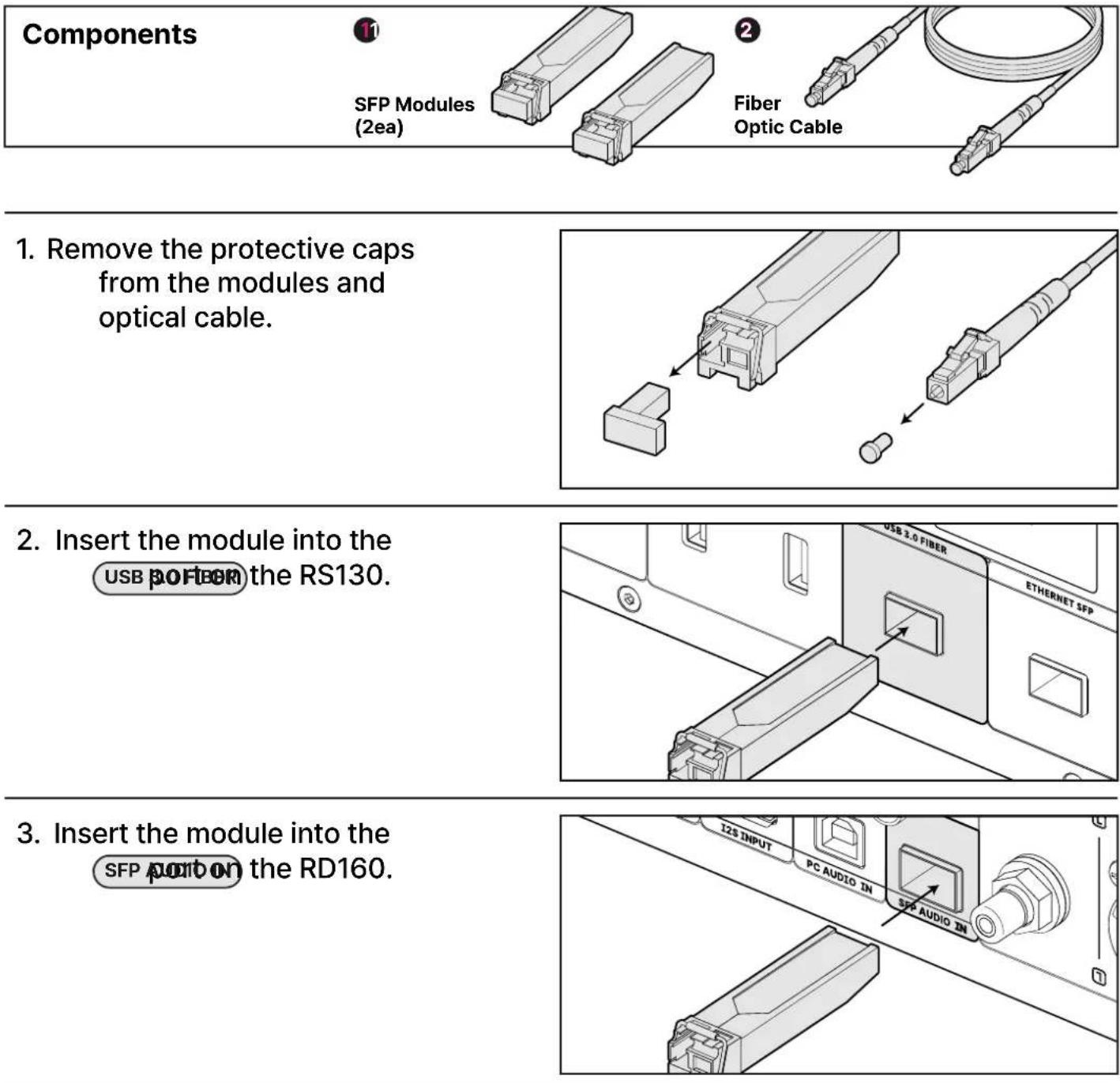
RS130 - RD160 SFP Connection Guide
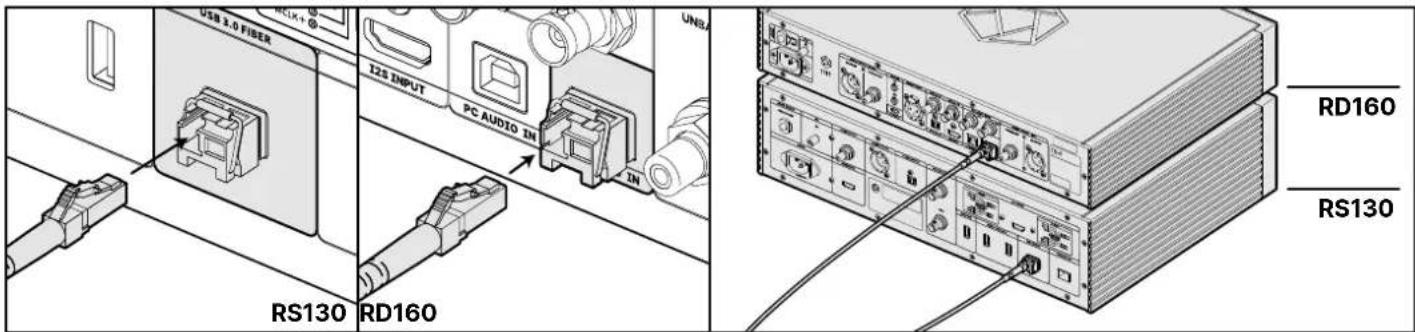
4. Connect the two modules with the optical cable.
* Press firmly until you hear a click.
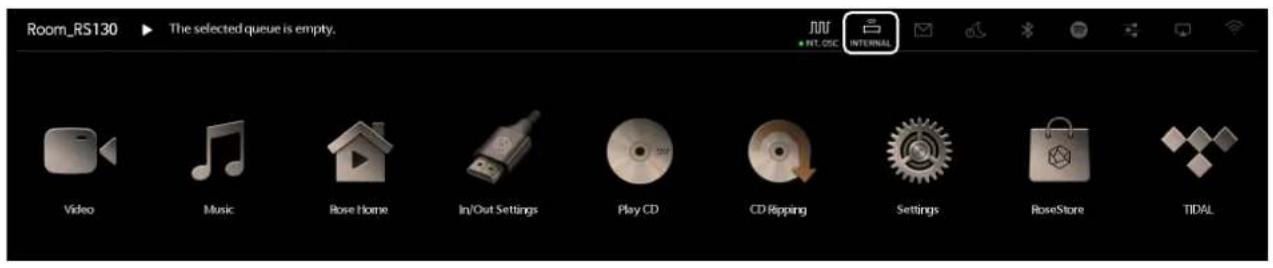
5. On the RS130 screen,
tap the seathetop right to enter the In/Out Settings.
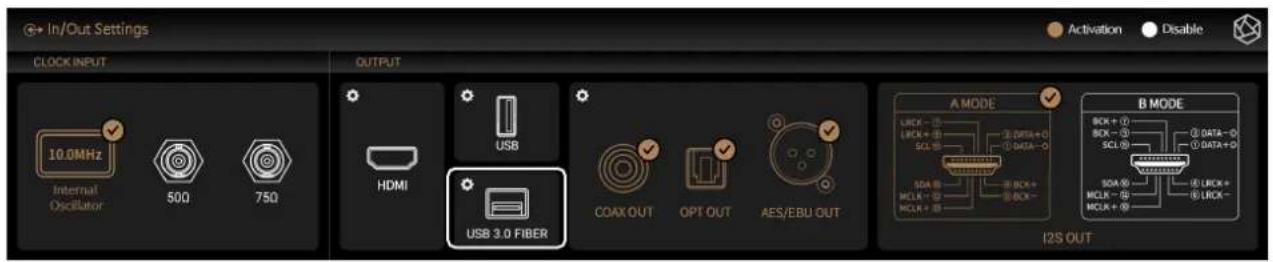
6. From the OUTPUT options, select USB 3.0 FIBER
7. When the SFP Connection window appears, choose RD160-DAC.
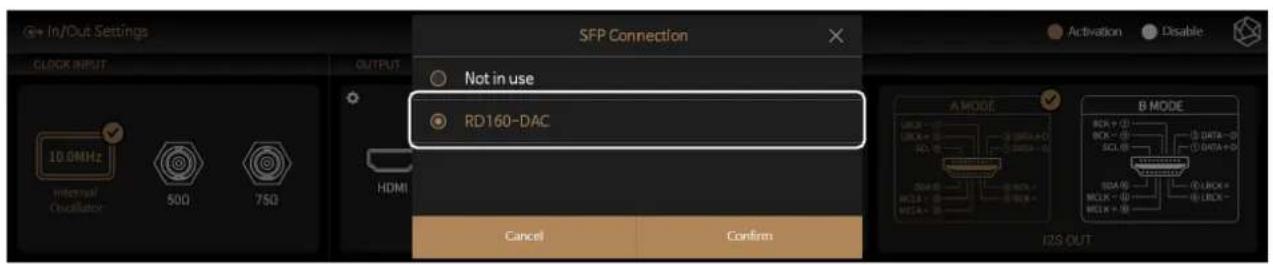
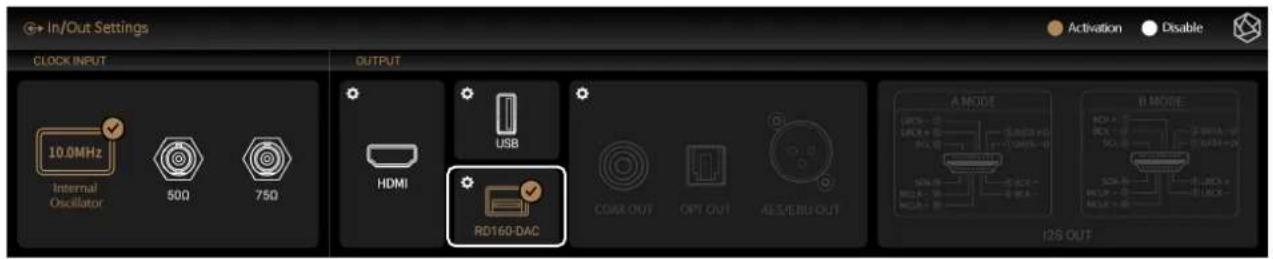
8. Confirm that the USB 3.0 FIBER option has changed to RD160-DAC.
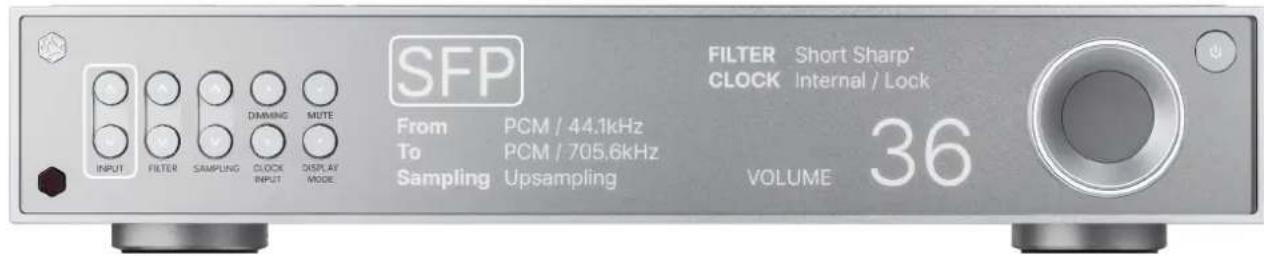
RD160 Configuration
9. Press the selection buttons on the far left and set the input to SFP.
- RS130 - RD160 SFP Connection Guide
- Connect the two modules with the optical cable.
- On the RS130 screen,
- From the OUTPUT options, select USB 3.0 FIBER
- When the SFP Connection window appears, choose RD160-DAC.
- Confirm that the USB 3.0 FIBER option has changed to RD160-DAC.
- RD160 Configuration
- Press the selection buttons on the far left and set the input to SFP.
Brand : HiFi ROSE
Model : RS358
Category : Audio player