
TA4201 - Controller AXIS - Free user manual and instructions
Find the device manual for free TA4201 AXIS in PDF.


| Product Type | Network Controller |
| Brand | Axis Communications |
| Model | TA4201 |
| Dimensions (L x W x H) | 200 x 160 x 44 mm (7.87 x 6.30 x 1.73 in) |
| Weight | 0.8 kg (1.76 lb) |
| Power Supply | PoE IEEE 802.3af Class 3, 12-24 V DC |
| Power Consumption | Max 6 W |
| Operating Temperature | -10 °C to 55 °C (14 °F to 131 °F) |
| Network Interface | 10/100/1000 Mbps Ethernet, RJ-45 |
| I/O Ports | 4 configurable I/O, 1 relay output |
| Serial Port | RS-485, 2-wire |
| Protocols | TCP/IP, HTTP, HTTPS, SNMP, ONVIF Profile G |
| Management | Web interface, Axis Device Manager |
| Mounting | Wall mount or DIN rail (optional bracket) |
| Material | Metal casing, IP30 |
| Installation | Plug-and-play, automatic discovery via Bonjour |
| Maintenance | Clean with dry cloth, avoid liquids; check PoE connection |
| Safety Certifications | CE, FCC, UL, EN 62368-1 |
| Spare Parts | DIN rail bracket, RJ-45 connectors (contact Axis support) |
| Repairability | No user-serviceable parts; contact Axis authorized service center |
| Warranty | 3 years standard (extended available) |
| Included Accessories | Quick start guide, mounting screws, terminal blocks |
Frequently Asked Questions - TA4201 AXIS
User questions about TA4201 AXIS
0 question about this device. Answer the ones you know or ask your own.
Ask a new question about this device
Download the instructions for your Controller in PDF format for free! Find your manual TA4201 - AXIS and take your electronic device back in hand. On this page are published all the documents necessary for the use of your device. TA4201 by AXIS.
USER MANUAL TA4201 AXIS
AXISA4120-ERaderwithKeypad

InstallationGuide
Readthisfirst
ReadthroughthisInstallationGuidecarefully beforeinstallingtheproduct.Keepthe InstallationGuideforfuturereference.
Liability
Everycarehasbeentakeninthepreparationof thisdocument.PleaseinformyourlocalAxis officeofanyinaccuraciesoromissions.Axis CommunicationsABcannotbeheldresponsible foranytechnicalortypographicalerrorsand reservestherighttomakechangestothe productandmanualswithoutpriornotice.Axis CommunicationsABmakesnowarrantyofany kindwithregardtothematerialcontained withinthisdocument,including,butnotlimited to,theimpliedwarrantiesofmerchantability andfitnessforaparticularpurpose.Axis CommunicationsABshallnotbeliablenor responsibleforincidentalorconsequential damagesinconnectionwiththefurnishing, performanceoruseofthismaterial.This productisonlytobeusedforitsintended purpose.
Intellectualpropertyrights
AxisABhasintellectualpropertyrights relatingtotechnologyembodiedintheproduct describedinthisdocument.Inparticular, andwithoutlimitation,theseintellectual propertyrightsmayincludeoneormoreof thepatentslistedataxis.com/patentandone ormoreadditionalpatentsorpendingpatent applicationsintheUSandothercountries.
Equipmentmodifications
This equipment must be installed and used in strict accordance with the instructions given in the user documentation. This equipment contains no user-serviceable components. Unauthorized equipment changes or modifications will invalidate all applicable regulatory certifications and approvals.
Trademarkacknowledgements
AXISCOMMUNICATIONS, AXIS, ARTPECand VAPIXareregisteredtrademarksofAxisABin variousjurisdictions. Allothertrademarks are the property of their respective owners.
Regulatoryinformation
Europe

Thisproductcomplieswiththeapplicable CEmarkingdirectives:
- Electromagnetic Compatibility (EMC) Directive2014/30/EU. See Electromagneticcompatibility(EMC) on page2.
●RadioEquipmentDirective(RED) 2014/53/EU.SeeRadiotransmissionon page3.
● LowVoltageDirective(LVD)2014/35/EU. See Safetyonpage5.
- RestrictionofHazardousSubstances (RoHS)Directive2011/65/EUand 2015/863,includinganyamendments, updatesorreplacements.See Disposal andrecyclingonpage5.
Acopyoftheoriginaldeclarationofconformity maybeobtainedfromAxisCommunicationsAB. SeeContactinformationonpage6.
Electromagnetic compatibility (EMC)
Thisequipmenthasbeendesignedandtestedto fulfillapplicablestandardsfor:
- Radiofrequencyemissionwheninstalled accordingtotheinstructionsandusedin itsintendedenvironment.
- Immunitytoelectricaland electromagneticphenomenawhen installedaccordingtotheinstructions andusedinitsintendedenvironment.
USA
This device complies with part 15 of the FCC Rules. Operation is subject to the following two conditions:
- This device may not cause harmful interference, and
- this device must accept any interference received, including interference that may cause undesired operation. This equipment has been tested and found to comply with the limits for a Class Digital device, pursuant to part 15 of the FCC Rules. These limits are designed to provide reasonable protection against harmful interference in a residential installation. This equipment generates, uses and can radiate radio frequency energy and, if not installed and used in accordance with the instructions, may cause harmful interference or radiocommunication. However, there is no guarantee that interference will not occur in particular installation. If this equipment does cause harmful interference to radioortelevision reception, which can be determined by turning the equipment off and on, the user is encouraged to try to correct the interference by one or more of the following measures:
● Reorientorrelocatethereceiving antenna.
- Increase these separation between the equipment and receiver.
- Connecttheequipmentintoanoutleton acircuitdifferentfromthattowhichthe receiverisconnected.
- Consultthedealeroranexperienced radio/TVtechnicianforhelp.
Theproductshallbeproperlygrounded.
Contactinformation
AxisCommunicationsInc.
300ApolloDrive
Chelmsford,MA01824
UnitedStatesofAmerica
Tel:+19786142000
Canada
Thisdigitalapparatuscomplieswith CANICES-3(ClassB).Theproductshallbe properlygrounded.Cetappareilnumériqueest conformeàlanormeCANNMB-3(classeB).Le produitdoitêtrecorrectementmisàlaterre.
Europe
This digitalequipmentfulfills therequirements for RFemission according to the Class B limit of EN55032. The product shall be properly grounded.
Australia/NewZealand

Thisdigitalequipmentfulfillsthe
requirementsforRFemissionaccordingtothe ClassBlimitofAS/NZSCISPR32.Theproduct shallbeproperlygrounded.
Japan
Transmitteroperatesat13.553–13.567MHz with measured maximum field strength 17.5 dBμA/m@3m.
USA
ThisproductcomplieswithFCCradiation exposurelimitsforanuncontrolled environment.
Canada
ThisdevicecomplieswithInnovation, ScienceandEconomicDevelopmentCanada licence-exemptRSSstandard(s).Operationis subjecttothefollowingtwoconditions:(1) thisdevicemaynotcauseinterference,and (2) thisdevicemustacceptanyinterference, includinginterferencethatmaycauseundesired operationofthedevice. ThisdevicecomplieswithICradiationexposure limitsforanuncontrolledenvironment.
Hereby, Axis Communications AB declares that this product is incompliance with the essential requirements and other relevant provisions of Directive 2014/53/EU.
FR
This digitalequipmentfulfillstherequirements of the Radio Communications Standard AS/NZS4771.
Korea
Certificate No. 證書號碼 HK0022200070

Disposalandrecycling
Whenthisproducthasreachedtheendofits usefullife,disposeofitaccordingtolocallaws andregulations.Forinformationaboutyour nearestdesignatedcollectionpoint,contact yourlocalauthorityresponsibleforwaste disposal.Inaccordancewithlocallegislation, penaltiesmaybeapplicableforincorrect disposalofthiswaste.
Europe

Thissymbolmeansthattheproduct shallnotbedisposedoftogetherwithhousehold orcommercialwaste.Directive2012/19/EU onwasteelectricalandelectronicequipment (WEEE)isapplicableintheEuropeanUnion memberstates.Topreventpotentialharm tohumanhealthandtheenvironment,the productmustbedisposedofinanapproved andenvironmentallysaferecyclingprocess. Forinformationaboutyournearestdesignated collectionpoint,contactyourlocalauthority responsibleforwastedisposal.Businesses shouldcontacttheproductsupplierfor informationabouthowtodisposeofthis productcorrectly.
Thisproductcomplieswiththerequirements ofDirective2011/65/EUand2015/863onthe restrictionoftheuseofcertainhazardous substancesinelectricalandelectronic equipment(RoHS).
China

Thisproductcomplieswiththe requirementsofSJ/T11364-2014,Marking fortherestrictionofhazardoussubstancesin electricalandelectronicproducts.
DeclarationofthePresenceConditionofthe RestrictedSubstancesMarking.
限用物質含有情況標示
委託商:AxisCommunications
1:
進口商:零壹科技股份有限公司
地址台北市內湖路一段360巷8號10樓
電話:(02)2656-5656
2:
進口商:精技電腦股份有限公司
地址台北市內湖區新湖二路236號3樓
電話:(02)2796-2345
Warrantyinformation
ForinformationaboutAxis'productwarranty andtheretorelatedinformation,goto axis.com/warranty.
Support
Shouldyourequireanytechnicalassistance, pleasecontactyourAxisreseller.Ifyour questionscannotbeansweredimmediately, yourresellerwillforwardyourqueriesthrough theappropriatechannelstoensurearapid response.Ifyouareconnectedtothelnternet, youcan:
●findanswerstoresolvedproblemsin theFAQdatabase,searchbyproduct, category,orphrase
• reportproblemstoAxissupportstaffby loggingintoyourprivatesupportarea
- chatwithAxissupportstaff
- visitAxisSupportataxis.com/support
Learnmore!
VisitAxislearningcenteraxis.com/learningforusefultrainings,webinars,tutorialsandguides.
RequirementsforcompliancewithUL2947th edition
ThissectioncontainsinformationandinstructionsrequiredforUL compliance.TomakesuretheinstallationisULcompliant,followthe instructionsbelowinadditiontothegeneralinformationandinstructions providedthroughoutthisdocument.Incaseswherepiecesofinformation contradicteachother,therequirementsforULcompliancealwaysreplace generalinformationandinstructions.
ForusewiththeUL294listedAXISA1601NetworkDoorController.
Safetyinstructions
- TheAxisproductshallbeinstalledandservicedbyafactory trainedprofessional.
- Allwiringmethodsshallbeperformedinaccordancewith ANSI/NFPA70,localcodesandauthoritieshavingjurisdiction.
- Recommendedtestmethod: Verify that the card reader reads cards and provides access. Test frequency: once a year.
- Therearenoreplacementpartsavailableforthisproduct.
- ForUL294compliantinstallationstheAXISA4120-EReader shouldbepoweredbyeitheranAXISA1601NetworkDoor ControlleroraUL294listedpowersupply.Allinterconnecting deviceshallbeULlistedandClass2low-voltagepower limited.
- DCinputevaluatedforUL294:12VDC
•Maxcurrent:120mA
•Maxwiringlength:1000m(3281ft)
Impairedoperation
The following conditions could result in impaired operation of the reader:
Thereader can have difficulties reading cards at very low temperatures. The access cards are normally specified to 35¢-31¢ and should be
warmedupifthereaderisinstalledincoldsurroundings.Thereadercan onlyreadonecardatatime.Sheetmetalbehindtheaccesscardcan resultinimpairedantennafunctionandpreventthereaderfromreading thecard.Toolowvoltagewillimpairthefunctionofthereader.
Firmwareversion
AXISA4120-ERaderhasbeentestedforcompatibilitywiththe UL294-listedAXISA1601NetworkDoorControlleremployingmajor firmwareversion1.EquivalenttootherAxisdoorcontrollerswithmajor firmwareversion1,aswellasULcomponentversion1inotherAxisdoor controllerfirmwares.
Performance levels for access control
ThissectioncontainsperformancelevelinformationrequiredforUL294 compliance.
| FeatureLevel | |
| Destructiveattacktestl | |
| Security | I |
| EnduranceIV | |
| Standbypower | I |
Wirearea
Note
Eachwireshallhaveaconductorcross-sectionalareathat correspondstoanconductorgaugerangeofAWG22-18.Select cablesincompliancewithyourlocalregulations.
| AWG | Diametermm(in) | Areamm2 |
| 22–18 | 0.405–1.024(0.0159–0.0403) | 0.129–0.823 |
Credentialtypes
The following credential types are supported:
•MIFAREClassic®
•MIFAREPlus®
- MIFAREDESFire®EV1
•MIFAREDESFire®EV2
English
Safetyinformation Hazardlevels
DANGER
Indicatesahazardoussituationwhich,ifnot avoided,willresultindeathorseriousinjury.
WARNING
Indicatesahazardoussituationwhich,ifnot avoided,couldresultindeathorseriousinjury.
CAUTION
Indicatesahazardoussituationwhich,ifnot avoided,couldresultinminorormoderate injury.
NOTICE
Indicatesasituationwhich,ifnotavoided, couldresultindamagetoproperty.
Safetyinstructions
NOTICE
●TheAxisproductshallbeusedincompliance withlocalawsandregulations.
- StoretheAxisproductinadryand ventilatedenvironment.
- Avoid exposing the Axis product to shocks or heavy pressure.
- Donotinstalltheproductonunstable poles,brackets,surfacesorwalls.
- Useonlyapplicabletoolswheninstalling theAxisproduct.Usingexcessiveforce withpowertoolscouldcausedamageto theproduct.
- Donotusechemicals, causticagents, or aerosol cleaners.
- Useacleanclothdampenedwithpure waterforcleaning.
- Useonlyaccessories that comply with the technical specification of your product. These can be provided by Axis or third party. Axis recommends using Axis power source equipment compatible with your product.
- Useonly spare parts provided by or recommended by Axis.
- Donotattempttorepairtheproduct yourself.ContactAxissupportoryourAxis resellerforservicematters.
Transportation
NOTICE
- WhentransportingtheAxisproduct, use theoriginalpackagingorequivalentto preventdamagetotheproduct.
Français
natural_image
Technical line drawing of a device rear panel with a hand pointing to the button (no text or symbols)
natural_image
Diagram showing a hand pointing at a door on a wall, with checkmark and cross symbols (no text or labels)1.1

natural_image
No crossed-out diagram of a drill bit with no text or symbols

1.2


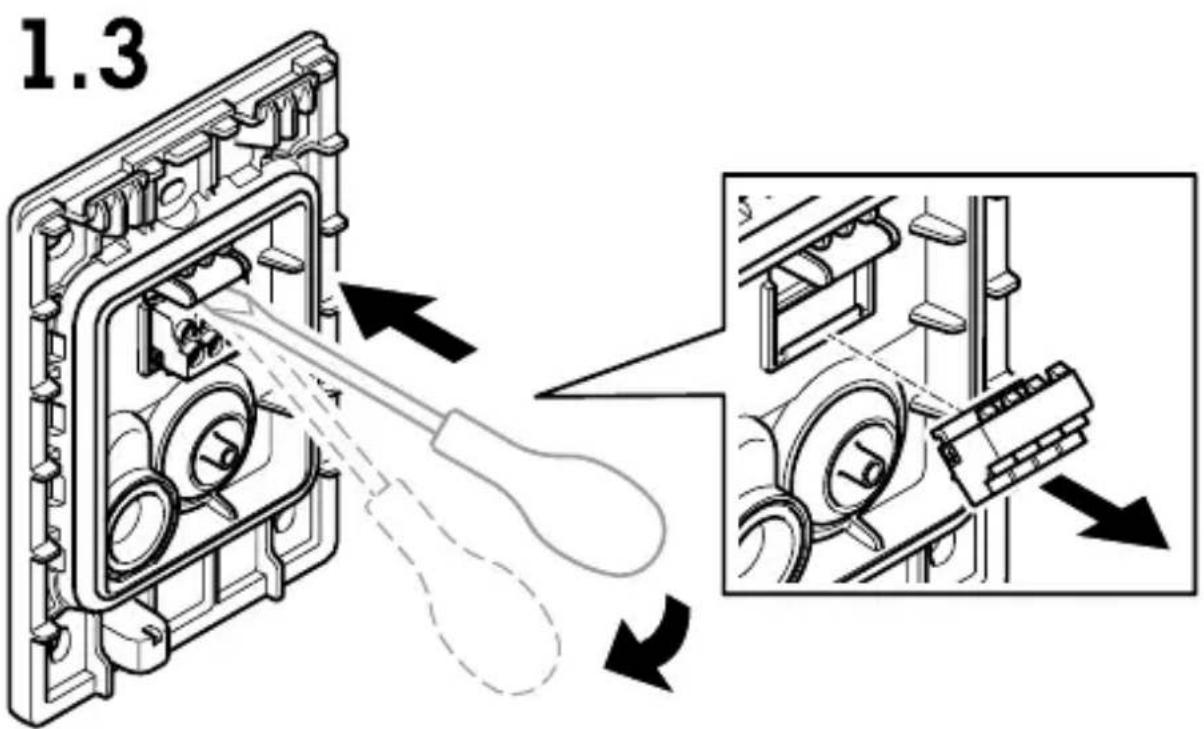
1.4

natural_image
Technical diagram of a mechanical assembly with a pulley and housing (no text or symbols)i

1.5

i
AXIS TA4201 Weathershield

1.6
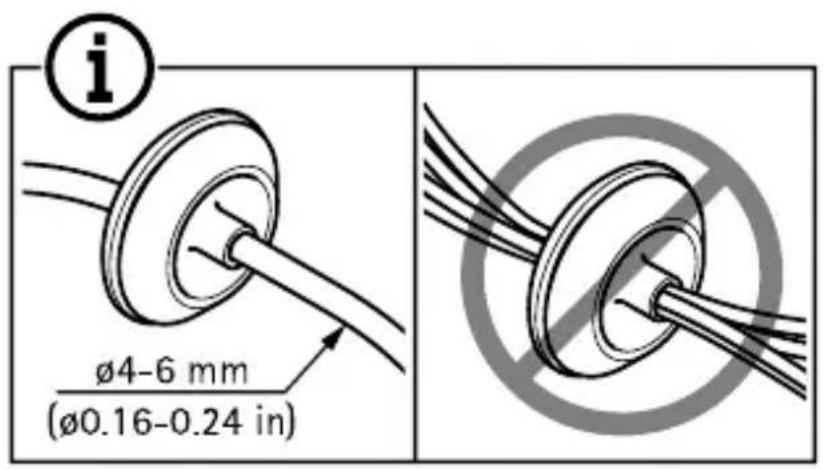


natural_image
Simple mechanical diagram showing a lever and wheel with an arrow indicating motion (no text or symbols)1.7

natural_image
Mechanical component diagram showing a shaft and washer with a downward arrow indicating motion (no text or symbols)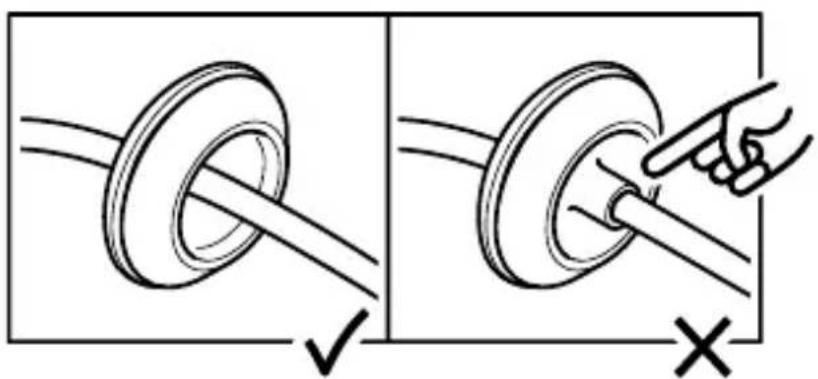
1.8

natural_image
Diagram of a syringe with a needle inserted into a housing, showing a black arrow pointing downward (no text or symbols)i

1.9

natural_image
Technical illustration of a mechanical assembly showing internal components and alignment (no text or symbols)1.10


1.11

1.12

1.13

natural_image
Technical illustration of a mechanical assembly showing internal components before and after disassembly (no text or symbols present)1.14
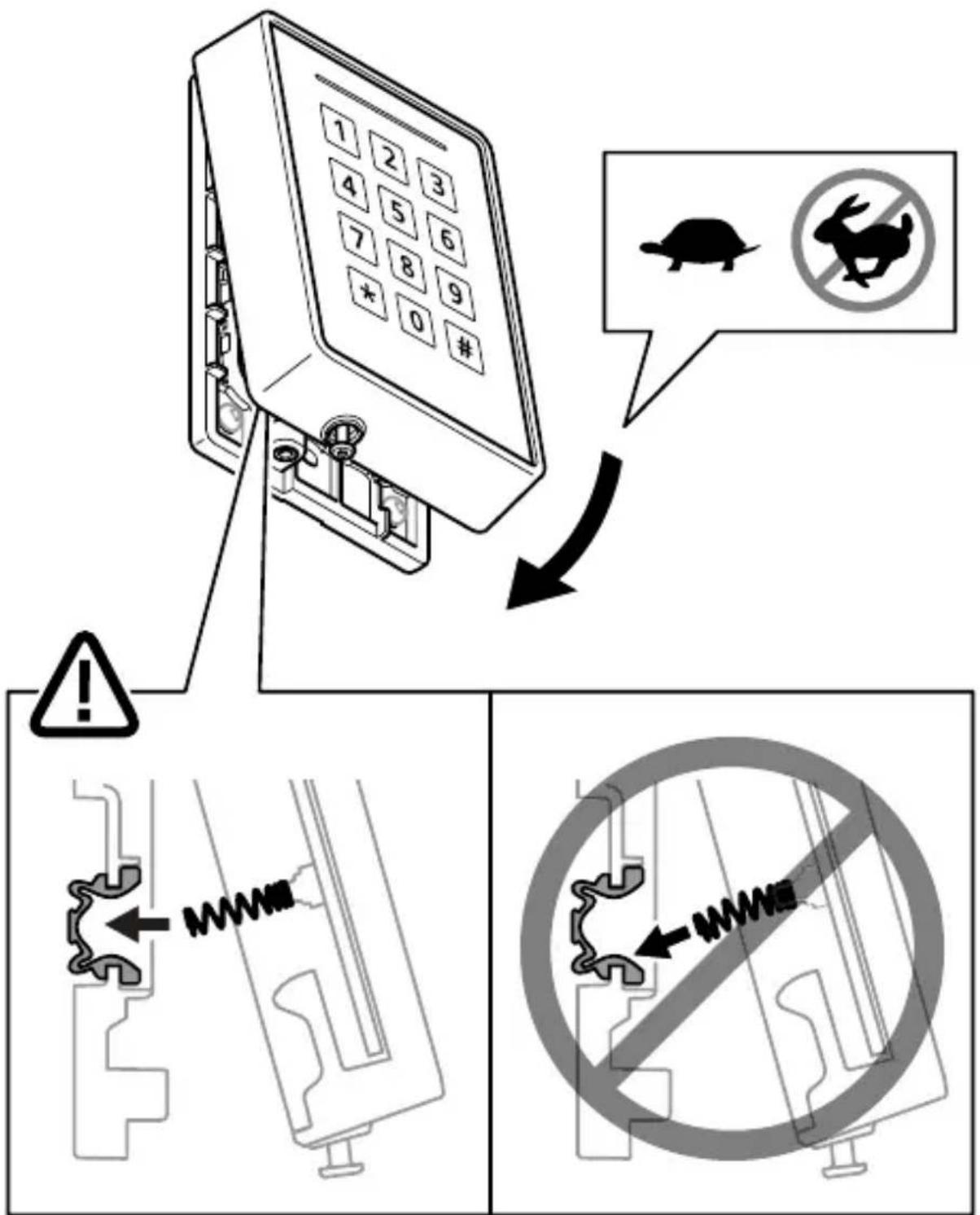
natural_image
Hand pressing a component with an arrow indicating left motion (no text or symbols)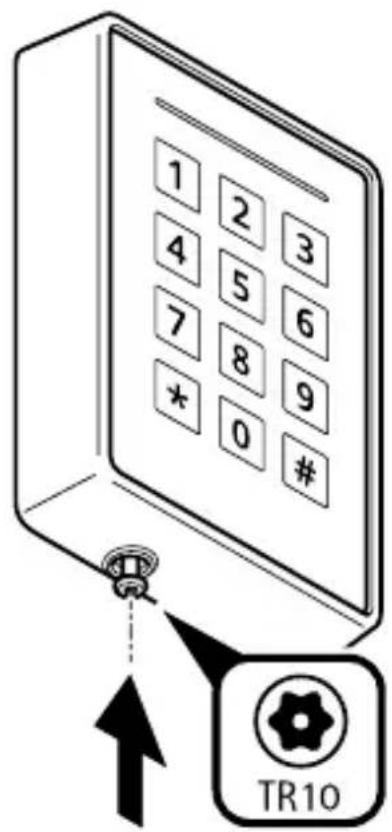
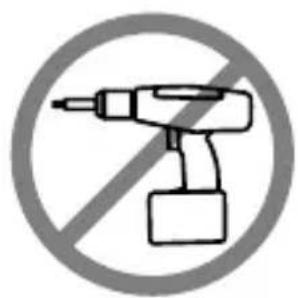
natural_image
No crossed-out icon of a power tool symbol (no text or numbers present)0.3 Nm
(0.22 lb ft)
1.16


i

help.axis.com/axis-a4120-e
InstallationGuide
AXISA4120-ERaderwithKeypadDate:September2022
©2022AxisCommunicationsAB
Ver.M3.3
PartNo.2563280
- AXISA4120-ERaderwithKeypad
- InstallationGuide
- Readthisfirst
- Liability
- Intellectualpropertyrights
- Equipmentmodifications
- Trademarkacknowledgements
- Regulatoryinformation
- Electromagnetic compatibility (EMC)
- USA
- Contactinformation
- Canada
- Europe
- Australia/NewZealand
- Japan
- FR
- Korea
- Disposalandrecycling
- China
- Warrantyinformation
- Support
- Learnmore!
- RequirementsforcompliancewithUL2947th edition
- Safetyinstructions
- Firmwareversion
- Performance levels for access control
- Wirearea
- Note
- Credentialtypes
- English
- Safetyinformation Hazardlevels
- DANGER
- WARNING
- CAUTION
- NOTICE
- Transportation
- Français
- 1.5
- 1.7
- 1.10
- 1.11
- 1.12
Brand : AXIS
Model : TA4201
Category : Controller