Multifan S5 Dual USB Mini - Computer Cooling Component AC Infinity - Free user manual and instructions
Find the device manual for free Multifan S5 Dual USB Mini AC Infinity in PDF.


| Product Type | USB Cooling Fan (Dual) |
| Brand | AC Infinity |
| Model | Multifan S5 (AI-MPF80A2) |
| Dimensions (Estimated) | 8.4 x 4.4 x 1.3 in (213 x 112 x 33 mm) |
| Weight (Estimated) | 0.5 lb (227 g) |
| Power Input | USB 5V, 500 mA (minimum per fan) |
| Fan Size | 80 mm x 80 mm (dual fans) |
| Bearing Type | Dual Ball Bearings |
| Speed Controller | In-line 3-speed (Off/Low/Med/High) |
| Max Airflow (Estimated) | ~20 CFM per fan (at high speed) |
| Noise Level (Estimated) | ~25-30 dBA (at low speed) |
| Daisy Chain Capability | Up to 4 fans per USB port (6 with Boost Adapter) |
| Additional USB Port | Yes, for daisy chaining |
| Mounting | Removable silicone feet for flat or upright placement |
| Material | Plastic frame, rubber feet |
| Color | Black |
| Cable Length | ~3 ft (91 cm) USB cable |
| Included Accessories | Dual USB fans with speed controller, silicone feet, mounting screws |
| Compatible Devices | AV components, receivers, DVR, network equipment |
| Safety Features | Dual fan guards, overheat protection (via USB current limit) |
| Cleaning | Wipe with dry cloth; avoid liquids |
| Warranty | 1 year limited warranty |
| Certifications | CE, FCC, RoHS |
Frequently Asked Questions - Multifan S5 Dual USB Mini AC Infinity
User questions about Multifan S5 Dual USB Mini AC Infinity
0 question about this device. Answer the ones you know or ask your own.
Ask a new question about this device
Download the instructions for your Computer Cooling Component in PDF format for free! Find your manual Multifan S5 Dual USB Mini - AC Infinity and take your electronic device back in hand. On this page are published all the documents necessary for the use of your device. Multifan S5 Dual USB Mini by AC Infinity.
USER MANUAL Multifan S5 Dual USB Mini AC Infinity
Thank you for choosing AC Infinity. We are committed to product quality and friendly customer service. If you have any questions or concerns, please don't hesitate to contact us. Visit www.acinfinity.com and click contact.
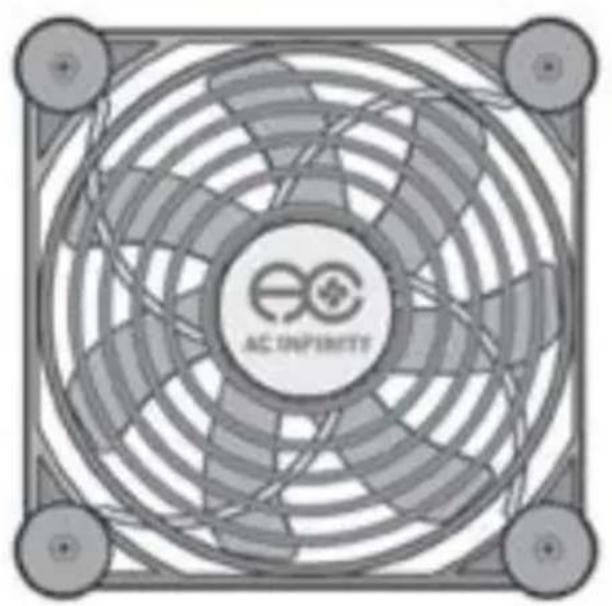
natural_image
Top-down view of a circular fan with 'AC INFINITE' branding and mounting holes (no text beyond logo)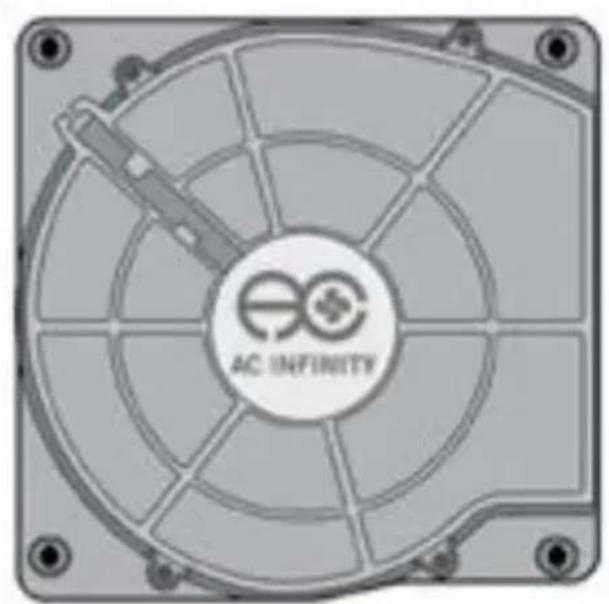
natural_image
Close-up of a CPU fan with visible internal grid pattern and 'AC INFINITY' branding (no additional text or symbols)support@acinfinity.com
WEB
www.acinfinity.com
LOCATION
Los Angeles, California
MANUAL CODE MF1606X1
PRODUCT
MULTIFAN S1
MULTIFAN S2
MULTIFAN S3
MULTIFAN S4
MULTIFAN S5
MULTIFAN S7
MODEL
AI-MPF80A
AI-MPB140A
AI-MPF120A
AI-MPF140A
AI-MPF80A2
AI-MPF120A2
UPC-A
854759004327
854759004495
854759004310
854759004365
854759004334
854759004341
MANUAL INDEX
Manual Index Page 5
Product Requirements ...... Page 6
Key Features Page 7
Product Contents Page 8
Silicone Feet Page 9
Powering Page 11
Speed Controller Page 12
Adding More Units Page 13
Applications Page 14
AC Infinity Products Page 16
Warranty Page 17
PRODUCT REQUIREMENTS
The MULTIFAN series is designed to cool various AV components by accelerating the intake of cool air and outtake of heat. Please make sure that the following requirements are met to ensure the cooling system will work effectively.
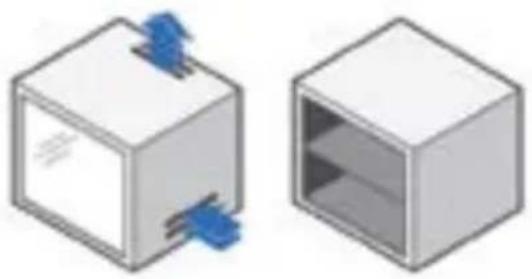
FULLY ENCLOSED CABINETS
The USB cooling fans are not compatible with fully enclosed cabinets. Air must be able to travel in and out of the cabinet. Please make sure that your cabinet has ventilation holes or is open at the front or back.
natural_image
Two 3D cubes, one open and one closed, with blue paper clips on top (no text or symbols)REAR EXHAUST MODELS
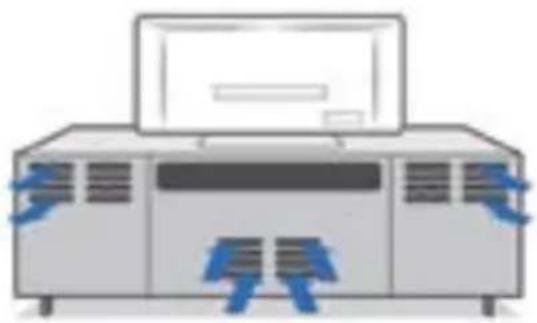
For the MULTIFAN S2 blower, the cabinet's ventilation holes should be at the rear. The hot air that the USB blower is exhausting should be directed out of the cabinet through its rear holes.
natural_image
Illustration of a server rack with blue arrows indicating ports or connections (no text or symbols)KEY FEATURES
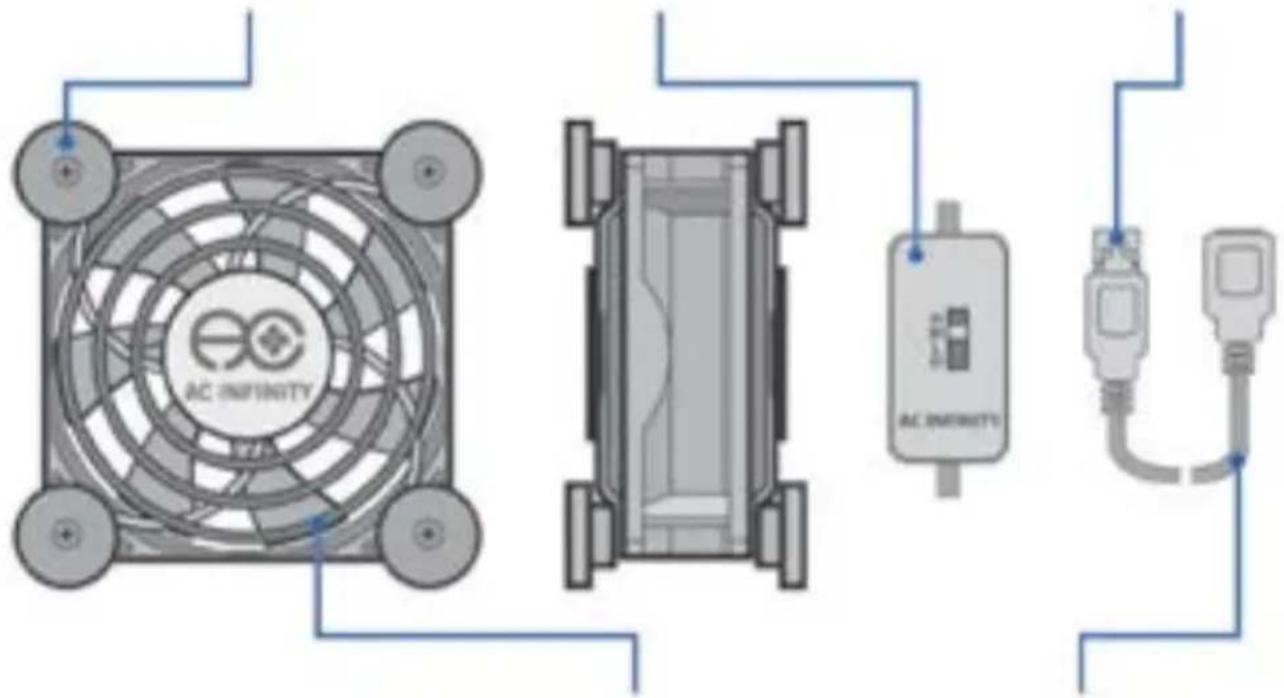
Specially designed rubber feet helps keep the noise level down when the fan is vibrating against a hard surface
SPEED CONTROLLER
A speed controller located on the cord permits you to adjusts the fan's speed and power off the fan.
USB CONNECTOR
Allows the fan unit to be powered by a standard USB port, a common power source in home electronics.
DUAL BALL BEARINGS
Allows the fan unit to be powered by a standard USB port, a common power source in home electronics.
DUAL FAN GUARDS
Guards creates a barrier between a fan's blades and any foreign objects it may come into contact with.
ADDITIONAL USB PORT
Each fan contains an USB port. Up to four fans can be powered through a single USB or outlet source.
PRODUCT CONTENTS
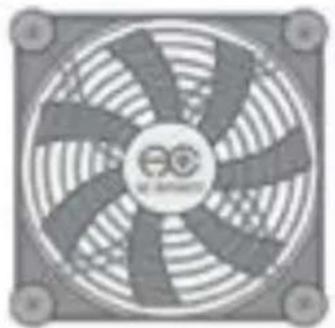
MULTIFAN S1 AI-MPF80A
MULTIFAN S3 AI-MPF120A
MULTIFAN S4 AI-MPF140A
natural_image
Close-up of a computer fan with visible blades and central hub (no text or symbols)(1) Single USB fan with Speed Controller
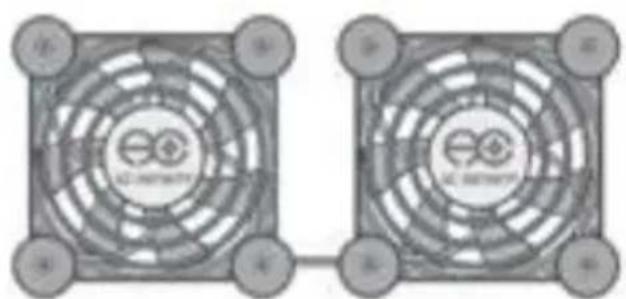
MULTIFAN S5 AI-MPF80A2
MULTIFAN S7 AI-MPF120A2
natural_image
Two identical square fan-shaped diagrams with circular patterns and central logo, no visible text or symbols.(1) Dual USB Fans with Speed Controller
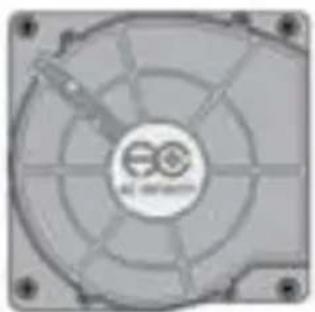
MULTIFAN S2 AI-MPB140A
natural_image
Close-up of a CPU fan with visible internal blades and mounting holes (no text or symbols)(1) Single USB Blower with Speed Controller
SILICONE FEET
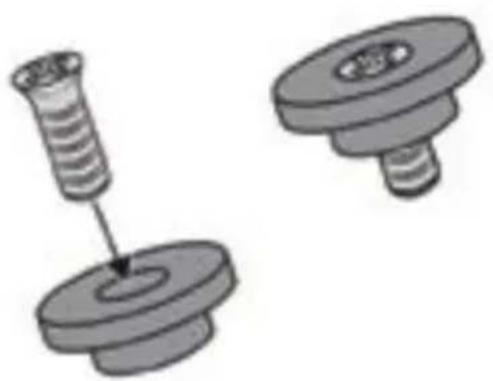
FEET DETACHMENT - FANS
The fan's silicone feet can be detached to save space. Easily unscrew the feet from the fan's frame. Put the screw back in after to secure the fan guard.
natural_image
Two mechanical components with threaded fasteners, one pinning and one rolling pin (no text or symbols)FEET DETACHMENT - BLOWERS
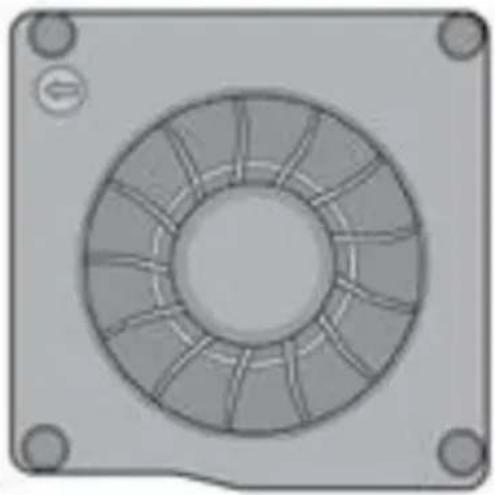
The silicone feet is necessary to prevent the blower from scratching your electronics. It also reduces noise caused by airflow turbulence from underneath the blower. To remove, please pull on the bottom of the feet carefully.
natural_image
Technical drawing of a circular mechanical component with radial slots and mounting holes (no text or symbols)SILICONE FEET
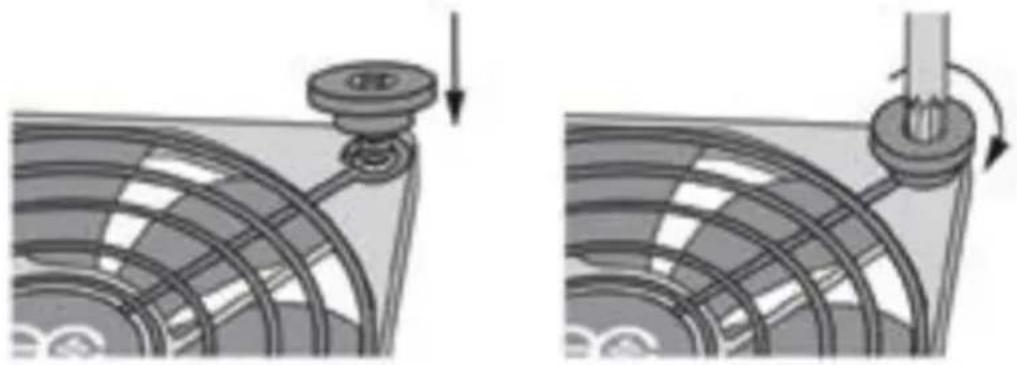
FEET REATTACHMENT - FANS
If you want to install the feet back, simply insert the silicone feet through the guard and onto the fan's screw hole. Turn until you feel the screw tightening but do not overextend or the screw will slip through the rubber feet.
natural_image
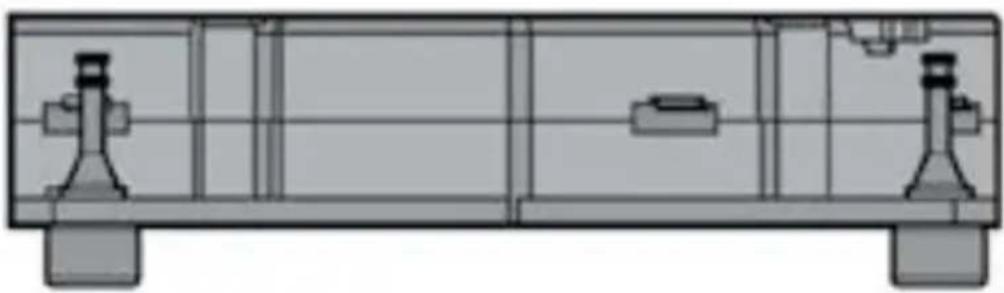
Mechanical assembly diagram showing a pulley and rotating component (no text or symbols)FEET REATTACHMENT - BLOWERS
To install the silicone feet back into the blower, simply insert the top of the feet through the blower's screw hole. Then pull the top of the feet carefully until it slides through the screw hole.
natural_image
Technical line drawing of a mechanical assembly with two mounting flanges and a central component (no text or symbols)POWERING
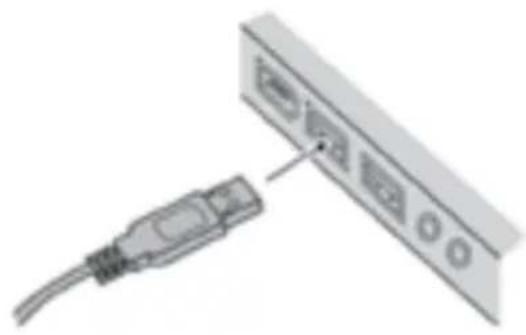
USB PORT
Plug the fan's USB connector into a standard USB port. Please use a dedicated USB port rated 500 mA or higher, the standard on most electronics.
Please note that some electronics will have active power for their USB ports even when the electronic is powered off. This causes the fans to run even if the electronic device is powered off.
natural_image
Diagram showing a cable connector inserted into a device panel with ports and buttons (no text or symbols present)POWER OUTLET (SOLD SEPERATELY)
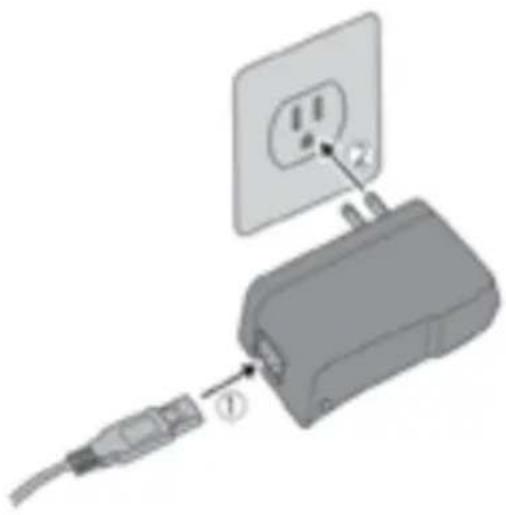
The AC Infinity Boost Adapter is sold separately and enables powering your fan through an outlet. It's designed to maximize the performance of our fans. Using the adapter will increase the fan's speed by up to 25%.
If the higher speed is too loud for your application, please use the speed controller to reduce the noise level.
natural_image
Diagram of a plug-in socket connected to a cable, showing internal components and wiring (no text or symbols)SPEED CONTROLLER
The speed controller located on the cord allows you to adjust the fan's speed from off to low, medium, and high. This enables you to set the fan to optimal noise and airflow levels for various environments.
Any fans that are daisy chained will also have their speed changed. Please make sure that the additional fans connected to the fan closest to the power source have their speed set on high.

ADDING MORE UNITS
DAISY CHAINING FANS
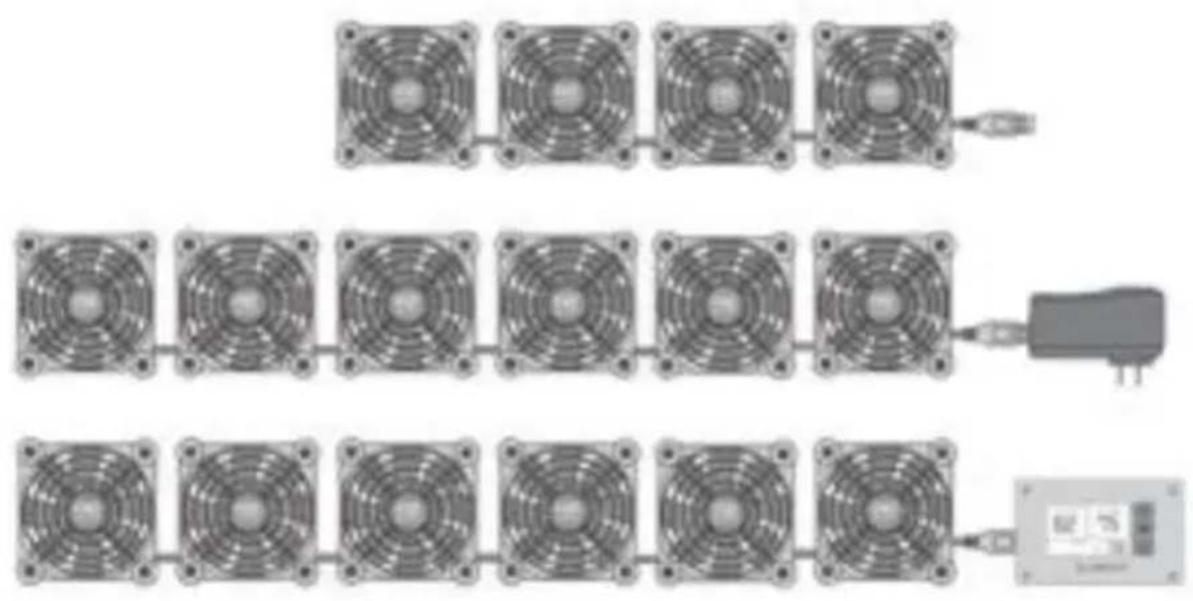
Up to four fans can be daisy chained to share the same USB port. Up to six fans can be daisy chained to share the same Boost Speed adapter or Thermostat Fan Controller, both sold separately. Dual fans such as MULTIFAN S7 count as two fans.
APPLICATIONS
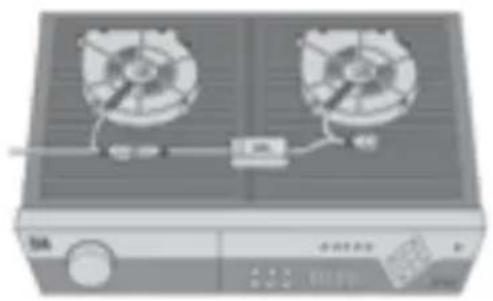
TOP EXHAUST - FANS
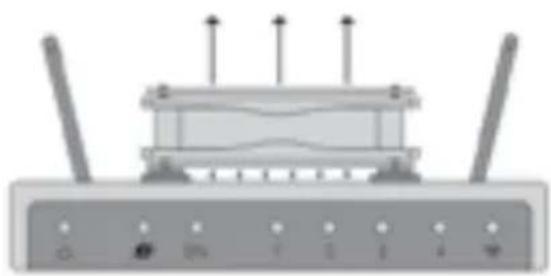
The USB cooling fans can be placed on top of electronics that have vents on the top, such as a DVR receiver to help draw out hot air. Unused rubber feet can be detached to save space.
natural_image
Front view of a wireless router with multiple antennas and ports (no visible text or labels)TARGET COOLING - FANS
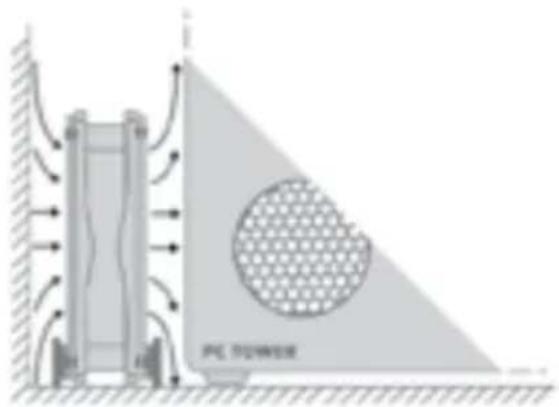
The USB fans can also stand upright to target a specific electronic, component, or area you wish to cool. They can also help circulate air in narrow places such as inside a computer desk or home theater cabinet by pushing hot air away.
APPLICATIONS
REAR EXHAUST - BLOWERS
The USB blowers are designed to help exhaust hot air from electronics housed in tight shelves in which a fan may not have adequate space to blow upwards. They should be placed on top of electronics that have ventilations holes on top such as receivers, amplifiers, and other audio video equipment.
natural_image
Illustration of a two-panel air conditioner unit with cooling fan and control panel (no text or symbols)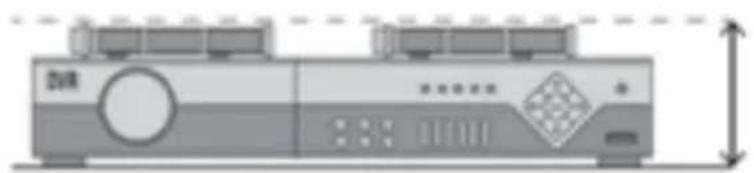
natural_image
Illustration of a dual-chamber electronic device with control panel and display (no text or symbols)AC INFINITY PRODUCTS
AIRPLATE SERIES
The AIRPLATE series is designed to cool home theater and audio video cabinets. The fans be powered by USB port or power outlet. Includes an inline speed controller and Boost Speed Adapter. The fans can also be temperature controlled with an Advance Thermal Controller (sold separately).
PRODUCT
| AIRPLATE S1 |
| AIRPLATE S3 |
| AIRPLATE S5 |
| AIRPLATE S7 |
| AIRPLATE S9 |
MODEL
| AI-CFS80BA |
| AI-CFS120BA |
| AI-CFD80BA |
| AI-CFD120BA |
| AI-APS9 |
DIMENSIONS
| 4.6 x 4.6 x 1.3 in. |
| 6.3 x 6.3 x 1.3 in. |
| 8.4 x 4.4 x 1.3 in. |
| 11.7 x 6.1 x 1.3 in. |
| 17.5 x 6.1 x 1.3 in. |
natural_image
Circular perforated panel with checkered pattern, no text or symbols visibleAIRCOM SERIES
The AIRCOM series is an intelligent fan system designed to quietly cool receivers and other audio video components. S-series models include speed control and thermal trigger. T-series models feature a LCD controller with smart automated speed and thermostat functions.
natural_image
Pure electrical circuit lines without any symbolsPRODUCT
| AIRCOM S6 |
| AIRCOM S7 |
| AIRCOM S8 |
| AIRCOM S9 |
| AIRCOM T8 |
| AIRCOM T9 |
MODEL
| AI-ACS6 |
| AI-ACS7 |
| AI-ACS8 |
| AI-ACS9 |
| AI-ACT8 |
| AI-ACT9 |
DIMENSIONS
| 11.6 x 6.3 x 1.5 in. |
| 11.6 x 6.3 x 1.5 in. |
| 17 x 13.5 x 1.5 in. |
| 17 x 13.5 x 1.5 in. |
| 17 x 13.5 x 1.5 in. |
| 17 x 13.5 x 1.5 in. |
WARRANTY
This warranty program is our commitment to you, the original purchaser, that each product sold by AC Infinity will be free from defects in manufacturing for a period of one year from the date of purchase. If a product is found to have a defect in material or workmanship, we will take the appropriate actions defined in this warranty to resolve any issues.
The warranty program applies to any order, purchase, receipt, or use of any products from AC Infinity. The program covers products that have become defective, malfunctioned, or expressively if the product becomes unusable. The warranty program goes into effect on the date of purchase. The program will expire one year from the date of purchase. If your product becomes defective during that period, AC Infinity will replace your product with a new one or issue you a full refund.
The warranty program does not cover abuse or misuse. This includes physical damage, submersion of the product in water, incorrect Installation such as wrong voltage input, and misuse for any reason other than intended purposes. AC Infinity is not responsible for consequential loss or incidental damages of any nature caused by the product. We will not warrant damage from normal wear such as scratches and dings.

If you are not 100% satisfied with this product, we will be happy to replace it or issue you a full refund. Please contact us!
COPYRIGHT © 2016 AC INFINITY INC. ALL RIGHTS RESERVED
No part of the materials including graphics or logos available in this booklet may be copied, photocopied, reproduced, translated or reduced to any electronic medium or machine readable form, in whole or in part, without specific permission from AC Infinity Inc.
www.acinfinity.com
- PRODUCT
- MODEL
- UPC-A
- MANUAL INDEX
- PRODUCT REQUIREMENTS
- FULLY ENCLOSED CABINETS
- REAR EXHAUST MODELS
- KEY FEATURES
- SPEED CONTROLLER
- USB CONNECTOR
- DUAL BALL BEARINGS
- DUAL FAN GUARDS
- ADDITIONAL USB PORT
- PRODUCT CONTENTS
- SILICONE FEET
- FEET DETACHMENT - FANS
- FEET DETACHMENT - BLOWERS
- FEET REATTACHMENT - FANS
- FEET REATTACHMENT - BLOWERS
- POWERING
- USB PORT
- POWER OUTLET (SOLD SEPERATELY)
- ADDING MORE UNITS
- DAISY CHAINING FANS
- APPLICATIONS
- TOP EXHAUST - FANS
- TARGET COOLING - FANS
- REAR EXHAUST - BLOWERS
- AC INFINITY PRODUCTS
- AIRPLATE SERIES
- AIRCOM SERIES
- WARRANTY
- COPYRIGHT © 2016 AC INFINITY INC. ALL RIGHTS RESERVED
Brand : AC Infinity
Model : Multifan S5 Dual USB Mini
Category : Computer Cooling Component