TWS800 - Headphones HiFiMAN - Free user manual and instructions
Find the device manual for free TWS800 HiFiMAN in PDF.


Pick your language and provide your email: we'll send you a specifically translated version.
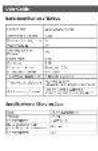
| Product Type | True Wireless Stereo (TWS) In-Ear Headphones |
| Brand | HiFiMAN |
| Model | TWS800 |
| Driver Type | Planar Magnetic |
| Frequency Response | 20 Hz – 20 kHz |
| Impedance | 32 Ω |
| Sensitivity | 100 dB |
| Bluetooth Version | 5.2 |
| Supported Codecs | LDAC, AAC, SBC |
| Battery Life (Earbuds) | Up to 4.5 hours per charge |
| Battery Life (with Charging Case) | Up to 27 hours total |
| Charging Time | Earbuds: 1.5 hours; Case: 2 hours |
| Charging Interface | USB-C |
| Water Resistance | IPX4 (splash-proof) |
| Weight (Per Earbud) | Approx. 7 g |
| Weight (Charging Case) | Approx. 85 g |
| Dimensions (Earbuds) | 25 mm × 20 mm × 18 mm each |
| Dimensions (Charging Case) | 75 mm × 45 mm × 30 mm |
| Controls | Touch controls on each earbud (play/pause, skip, volume, voice assistant) |
| Features | Noise isolation (passive), low latency, ergonomic fit, silicone ear tips included |
| Cleaning and Maintenance | Wipe earbuds and case with a soft, dry cloth. Do not use liquids or abrasive cleaners. Clean ear tips regularly with mild soap and water. |
| Safety | Keep away from children. Do not disassemble or expose to extreme temperatures. Use only specified charging cable. |
| Spare Parts and Repairability | Ear tips and charging cable available as accessories. For internal repairs, contact HiFiMAN support or authorized service center. Not user-serviceable. |
| General Information | Designed by HiFiMAN. Supports voice assistant (Siri, Google Assistant). Suitable for music, calls, and media. |
Frequently Asked Questions - TWS800 HiFiMAN
How do I pair the TWS800 with my phone?
Remove both earbuds from the charging case. They will automatically enter pairing mode (LED flashes red and blue). On your phone, enable Bluetooth and select 'HiFiMAN TWS800' from the list. If prompted, confirm pairing. If pairing fails, place earbuds back in case, close lid, wait 10 seconds, then try again.
What is the battery life of the TWS800?
Each earbud provides up to 4.5 hours of playback on a single charge. The charging case holds additional charges, extending total battery life to approximately 27 hours. Actual battery life may vary based on volume and usage.
How do I charge the TWS800?
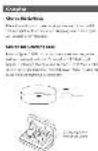
Place the earbuds in the charging case, ensuring they snap into place. Close the lid. Connect the USB-C cable to the case and a power source. The case LED will indicate charging status. A full charge takes about 2 hours for the case and 1.5 hours for the earbuds.
Are the TWS800 water resistant?
Yes, the earbuds have an IPX4 rating, meaning they are splash-proof and resistant to sweat and light rain. Do not submerge in water or expose to heavy rain. The charging case is not water resistant.
Can I use only one earbud at a time?
Yes, the TWS800 supports mono mode. Remove either earbud from the case and it will connect as a single earbud for calls or music. To switch back to stereo, simply use both earbuds together.
What sizes of ear tips are included?
The TWS800 comes with multiple sizes of silicone ear tips: small, medium, and large. Choose the size that provides a secure fit and good noise isolation. If none fit perfectly, consider aftermarket ear tips compatible with standard nozzle sizes.
How do I reset the TWS800?
If you experience connectivity issues, reset the earbuds: Place both earbuds in the charging case and keep the case open. Press and hold the touch panels on both earbuds for about 10 seconds until the LED flashes red three times. Close and reopen the case. The earbuds will now be reset and ready for pairing.
What Bluetooth codecs does the TWS800 support?
The TWS800 supports LDAC (high-resolution), AAC (for iOS), and SBC (standard). LDAC provides the best audio quality when used with compatible devices. Check your device settings to enable LDAC if supported.
Can I use the TWS800 for phone calls?
Yes, each earbud has a built-in microphone for hands-free calls. The touch controls allow you to answer/end calls. Call quality is clear with noise reduction technology. Ensure both earbuds are in use for best microphone performance.
How do I clean the TWS800?
Wipe the earbuds and charging case with a soft, dry cloth. Do not use liquids or abrasive cleaners. For ear tips, remove them and wash with mild soap and water, then dry completely before reattaching. Ensure the charging contacts are clean for proper charging.
User questions about TWS800 HiFiMAN
0 question about this device. Answer the ones you know or ask your own.
Ask a new question about this device
No questions yet. Be the first to ask one.
Download the instructions for your Headphones in PDF format for free! Find your manual TWS800 - HiFiMAN and take your electronic device back in hand. On this page are published all the documents necessary for the use of your device. TWS800 by HiFiMAN.
USER MANUAL TWS800 HiFiMAN

HIFIMAN

TWS 800




HIFIVAN

[Unreadable]

Manual assistant
Powered by Anthropic
Waiting for your message
Product information
Brand : HiFiMAN
Model : TWS800
Category : Headphones