
SURESTORE T20 TAPE DRIVE - Magnetic stripe reader HP - Free user manual and instructions
Find the device manual for free SURESTORE T20 TAPE DRIVE HP in PDF.


| Product Type | Internal/External Magnetic Tape Drive |
| Brand | HP |
| Model | SureStore T20 (T20i, T20Xi, T20e, T20Xe) |
| Native Capacity | 10 GB per cartridge (TR-5) |
| Compressed Capacity | Up to 20 GB (2:1 ratio with software compression) |
| Interface | SCSI-2 (50-pin) |
| Sustained data transfer rate | 1,042 KB/s at 100 pps |
| Burst data transfer rate | 3 MB/s |
| Tape format | QIC-3220 (Travan TR-5) |
| Power supply (internal) | 5V ±5%, 0.9 A (peak), 12V ±10%, 2.5 A (peak) |
| Power supply (external) | Adapter 100-240 VAC, 50/60 Hz, 1 A; drive from +16 VDC @ 1.3 A |
| Dimensions (internal) | 43 mm (H) x 149 mm (W) x 206 mm (D) |
| Weight (internal) | 0.55 kg |
| Dimensions (external) | 55.9 mm (H) x 147 mm (W) x 208 mm (D) |
| Weight (external) | 0.83 kg |
| Operating temperature | 5°C to 40°C |
| Relative humidity | 20% to 80% (non-condensing) |
| Reliability (MTBF) internal | 250,000 hours |
| Reliability (MTBF) external | 200,000 hours |
| Hard error rate | < 1 in 1015 bits read (with Reed-Solomon correction) |
| Included software | HP Colorado Backup II, Replica Backup, TapeAssure, drivers |
| Hardware warranty | 2 years (24-hour quick replacement) |
| Maintenance | No regular cleaning required; do not degauss the heads |
| Write protection | Slider on the cartridge (right = locked, left = unlocked) |
| Certifications | UL, cUL, TÜV, CE, FCC Class B |
Frequently Asked Questions - SURESTORE T20 TAPE DRIVE HP
User questions about SURESTORE T20 TAPE DRIVE HP
0 question about this device. Answer the ones you know or ask your own.
Ask a new question about this device
Download the instructions for your Magnetic stripe reader in PDF format for free! Find your manual SURESTORE T20 TAPE DRIVE - HP and take your electronic device back in hand. On this page are published all the documents necessary for the use of your device. SURESTORE T20 TAPE DRIVE by HP.
USER MANUAL SURESTORE T20 TAPE DRIVE HP
Certifications....A-4
Service et assistance ....B-4
Taiwan (RDC)...... B-14
Thaïlande.... B-15
1
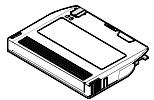
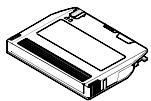
Mini-cartouche HP 20 Go/TR-5
http://www.hp.com/tape.
RW Lecture/Ecriture, R Lecture seule
Service et assistance
Assistance Colorado Backup
Assistance Replica Backup
http://www.hp.com/isgsupport
ftp.hp.com/pub/information_storage/surestore
HP SureStore Technical Support
815 14th Street SW, Bldg. E
Loveland, CO 80537 USA
European Customer Support Center
P.O. Box 58144
1040 HC Amsterdam
The Netherlands
AOL/Bertelsmann:
Hewlett Packard Customer Support Center
China World Trade Center
No.1 Jian Guo Men Wai Avenue
P.O.Box: 9401
Beijing 100004
China
HP Customer Support Centre
Chandiwala Estate
Maa Anandmai Marg
Kalkaji
Dehli -110 019 India
Assistance client
Pour contacter l'assistance client
Hewlett Packard Customer Support Center 1F, Yongsan Electronic Office 16-58, Hangangro 3-ga, Yongsan-gu, Seoul, Korea
Site FTP :
South East Asia Customer Support Centre
Blk A #05-12 Alexandra Technopark
438A Alexandra Road
Singapore 119967
Hewlett Packard Customer Care Center
8F, 337, Fu-Hsing North Road
Taipei 105, Taiwan, R.O.C.
assistance client B-4
assistance en Europe B-8
assistance technique B-4
assistance technique, Replica B-4
B
Colorado Backup assistance technique B-4
installation interne 2-10
Federal Communications Commission Radio Frequency Interference Statement
Warning: This equipment has been tested and found to comply with the limits for a Class B digital device, pursuant to Part 15 of the FCC Rules.
These limits are designed to provide reasonable protection against harmful interference in a residential installation. This equipment generates, uses, and can radiate radio frequency energy and, if not installed and used in accordance with the instruction manual, may cause harmful interference to radio communications. However, there is no guarantee that interference will not occur in a particular installation. If this equipment does cause harmful interference to radio or television reception, which can be determined by turning the equipment off and on, the user is encouraged to try to correct the interference by one or more of the following measures:
- Reorient or relocate the receiving antenna.
- Increase the separation between the equipment and the receiver.
- Connect the equipment into an outlet on a circuit different from that to which the receiver is connected.
- Consult your dealer or an experienced radio/TV technician for help.
Note that if you change or modify the equipment in a way that is not expressly approved by Hewlett-Packard, any assurances of safety or performance can no longer be held to apply, and could result in violation of Part 15 of the FCC Rules.
To maintain compliance with FCC Rules and Regulations, use properly shielded cables with this device.
FCC Declaration of Conformity
According to 47CFR, Parts 2 and 15, Class B Computer Peripherals:
This device complies with Part 15 of the FCC Rules. Operation is subject to the following two conditions: (1) This device may not cause harmful interference, (2) This device must accept any interference received including interference that may cause undesired operations. This applies to all product options.
Hewlett-Packard Company 815 SW 14th Street, Bldg. E Loveland, Colorado 80537
July 1, 1998 Colin Swan, Manufacturing Manager
Notice for Canada
This digital apparatus does not exceed the Class B limits for radio noise emissions from digital apparatus as set out in the radio interference regulations of the Canadian Department of Communications.
Europe: This drive shall be installed only with an EN60950 (IEC 950) approved power supply.
USA/Canada: This drive is for use only with IBM compatible UL ® listed personal computers.
DECLARATION OF CONFORMITY
according to ISO/IEC Guide 22 and EN 45014
Manufacturer's Name:
Hewlett-Packard Company
Loveland Tape Operation
Manufacturer's Address:
815 SW 14th Street, Building E
Loveland, Colorado 80537
declares that product
Product Name Product Number
| HP SureStore T20i | C4394 |
| HP SureStore T20e | C4395 |
| HP SureStore T20Xi | C4401 |
| HP SureStore T20Xe | C4402 |
Product Options: All
conforms to the following product specifications:
Safety:
EN60950 A4:1997/IEC 950 A4:1996
EMC:
EN 55022:1994 Class B/CISPR 22:1993 Class B
EN 50082-1:1992
IEC 801-2:1991 - 4kV CD, 8kV AD
IEC 801-3:1984 - 3V/m
IEC 801-4:1988 - 1kV power lines, 0.5kV signal lines
ENV 50140:1993 - 3V/m
Supplementary Information
The product herewith complies with the requirements of the Low Voltage Directive 73/23/EEC and the EMC directive 89/336/EEC and carries the “CE” mark accordingly.
July 1, 1998
Colin Swan, Manufacturing Manager
European Contact
Your local Hewlett-Packard Sales and Service Office, or Hewlett-Packard GmbH
Department HP-TRE
Herrenberger Straße 130
D-71034 Böblingen
(FAX: +49-7031-143143).
Japanese VCCI Statement
[This apparatus is Class B Information Technology Equipment, based on the rules of the Voluntary Control Council for Interference by Information Technology Equipment (VCCI). Although designed for use in residential areas, radio interference may be caused when used near a radio or TV receiver.
Read the instructions for correct operation.]
- 1
- SERVICE ET ASSISTANCE
- ASSISTANCE COLORADO BACKUP
- ASSISTANCE REPLICA BACKUP
- AOL/BERTELSMANN
- ASSISTANCE CLIENT
- SITE FTP
- B
- FEDERAL COMMUNICATIONS COMMISSION RADIO FREQUENCY INTERFERENCE STATEMENT
- FCC DECLARATION OF CONFORMITY
- NOTICE FOR CANADA
- DECLARATION OF CONFORMITY
- MANUFACTURER'S NAME
- MANUFACTURER'S ADDRESS
- PRODUCT OPTIONS: ALL
- SAFETY
- EMC
- SUPPLEMENTARY INFORMATION
- EUROPEAN CONTACT
- JAPANESE VCCI STATEMENT
Brand : HP
Model : SURESTORE T20 TAPE DRIVE
Category : Magnetic stripe reader