PF40 - Air purifier IQAir - Free user manual and instructions
Find the device manual for free PF40 IQAir in PDF.


| Product Type | Air Purifier |
| Brand | IQAir |
| Model | PF40 |
| Weight | Approximately 16 kg (35.3 lbs) |
| Dimensions (H x W x D) | 71 x 38 x 38 cm (28 x 15 x 15 in) |
| Power Supply | 220-240 V, 50/60 Hz, 1.8 Amps |
| Maximum Power Consumption | 130 W |
| Filtration Stages | Pre-filter, HyperHEPA filter, activated carbon |
| Fan Speeds | 6 speeds including turbo mode |
| Coverage Area | Up to 140 m² (1500 ft²) at 4 air changes per hour |
| CADR (Particulate) | 467 m³/h (275 CFM) |
| Noise Level (Max) | 65 dB(A) |
| Air Quality Sensor | PM2.5 and gas sensor with real-time display |
| Filter Replacement Indicator | Yes, based on usage time |
| Filter Life (HyperHEPA) | Approximately 24 months under normal use |
| Maintenance: Pre-filter cleaning | Vacuum every 3 months |
| Maintenance: Carbon filter replacement | Every 12 months |
| Safety Features | Auto shut-off when front panel opened; child lock |
| Certifications | AHAM, Energy Star, CARB |
| Warranty | 3 years limited warranty, filter warranty excluded |
Frequently Asked Questions - PF40 IQAir
User questions about PF40 IQAir
0 question about this device. Answer the ones you know or ask your own.
Ask a new question about this device
Download the instructions for your Air purifier in PDF format for free! Find your manual PF40 - IQAir and take your electronic device back in hand. On this page are published all the documents necessary for the use of your device. PF40 by IQAir.
USER MANUAL PF40 IQAir
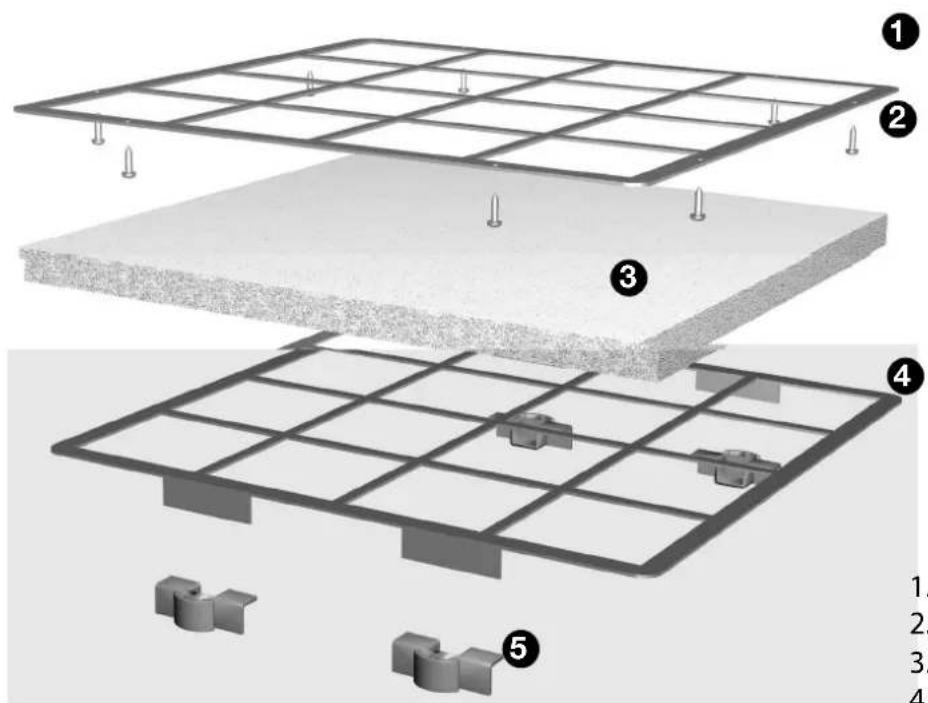
PF40 Coarse Dust Pre-Filter
text_image
Diagram showing layered construction of a solar panel with numbered components and supporting structures.- Filter grille
- Eight Torx-screws
- Coarse dust filter pad
- Second filter grille
- Four plastic clips
Fitting PF40
natural_image
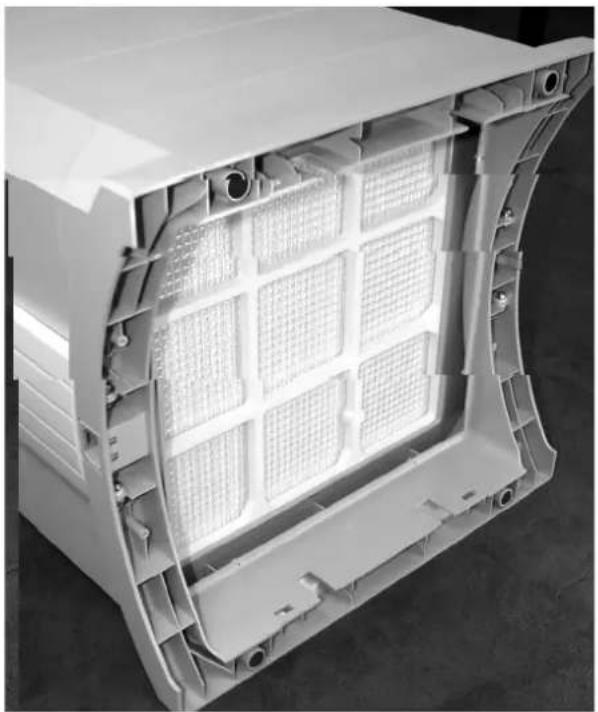
Interior view of a white plastic enclosure with grid-patterned internal structure (no text or symbols visible)1 To gain access to the base of the IQAir device, carefully lay the IQAir system on the floor. Do not place the device onto its side arms. To avoid scratching the IQAir housing, place the device on a soft surface, such as a towel.
natural_image
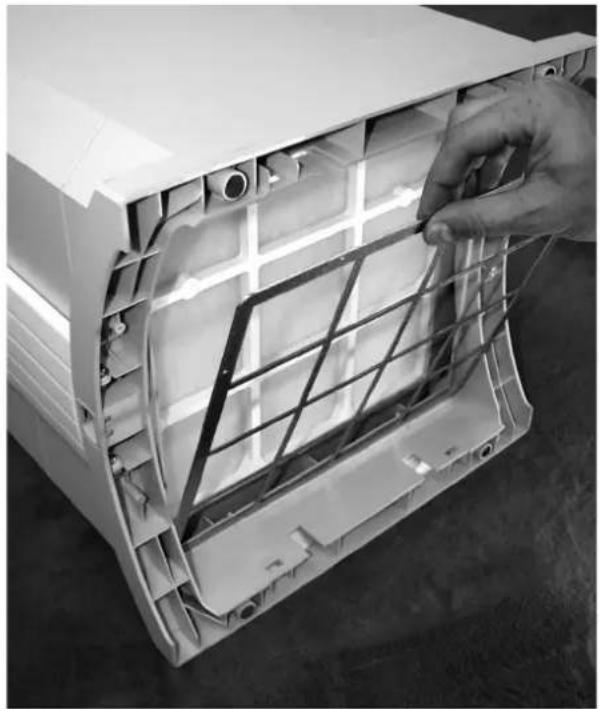
Close-up of a hand adjusting a plastic panel with grid lines inside an open air conditioner casing (no text or symbols visible)2 Insert the filter grille with the holes along the edge into the base of the IQAir system.
natural_image
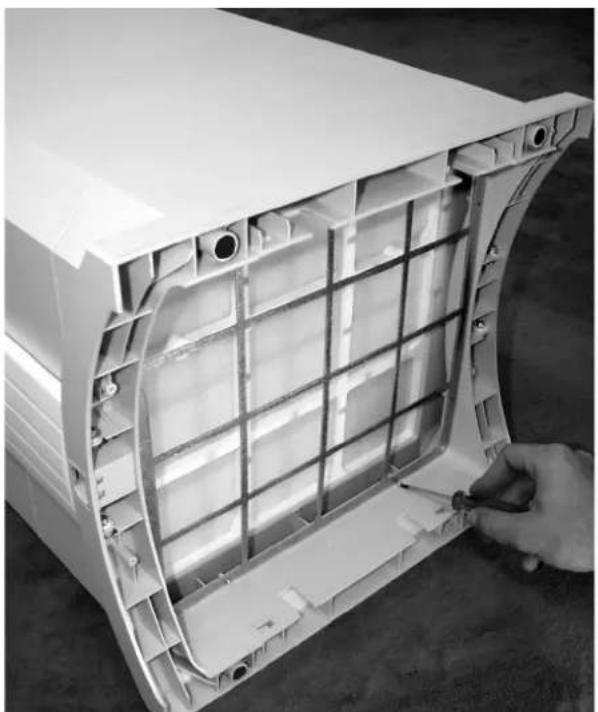
Close-up of a white plastic housing component with internal grid structure being adjusted by a hand (no text or symbols visible)3 Secure the filter grille with the eight Torx-screws and screw driver supplied with the installation kit. Ensure that all screws are tight, but be careful not to over-tighten the screws.

natural_image
Close-up of a hand opening a white plastic electronic device casing (no text or symbols visible)4 The PF40 coarse dust filter pad has a rough, cottony side and a smooth side. Place the filter on top of the filter grille with the rough, cottony side facing outward. When properly installed the rough, cottony side will be facing the floor when the system is in its upright position.
Fitting PF40

natural_image
Interior view of a white electric fan or compressor unit with visible internal grid structure and hand pointing to the interior (no text or symbols)5 To hold the filter pad securely in position, place the second filter grille over the filter. The metal tabs have to face outward.

natural_image
Hand installing a grid panel into an open air conditioner housing (no text or symbols visible)6 Secure the filter grille by sliding the supplied plastic clips into the pre-cut slots in the base of the IQAir system.
natural_image
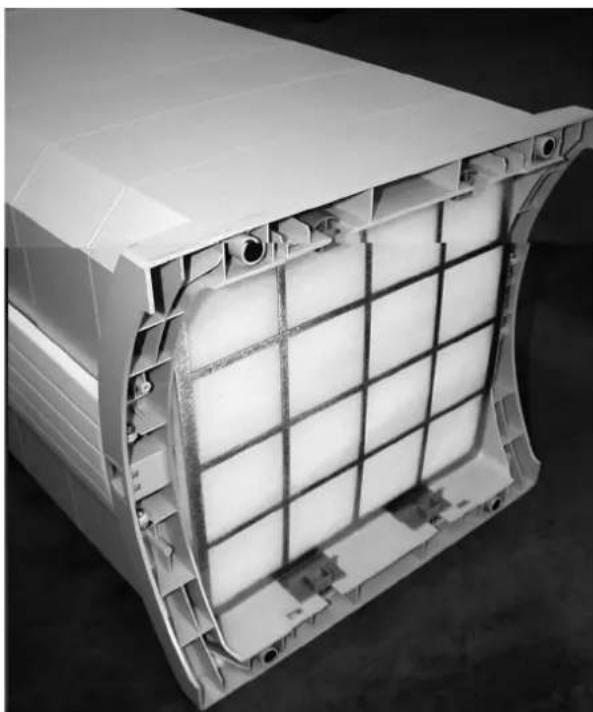
Interior view of a white plastic enclosure with grid pattern and internal components (no text or symbols visible)7 When all four clips have been fitted, carefully lift the IQAir device into its upright position again. To replace the coarse dust filter, simply remove the plastic clips and the second filter grille to gain access to the filter pad.
Washing the PF40 filter pad
The filter pad may be washed several times before it needs to be replaced.
To wash the PF40 filter pad simply take the filter pad out of the PF40 frame and rinse the pad under cold water und wipe it gently. Do not use soap or any other cleaners. Let the pad air dry completely before putting it back onto your IQAir system.