
FreeWAY SX 7.3 IPS - Gps ModeCom - Free user manual and instructions
Find the device manual for free FreeWAY SX 7.3 IPS ModeCom in PDF.


| Product Type | GPS Navigator |
| Brand | ModeCom |
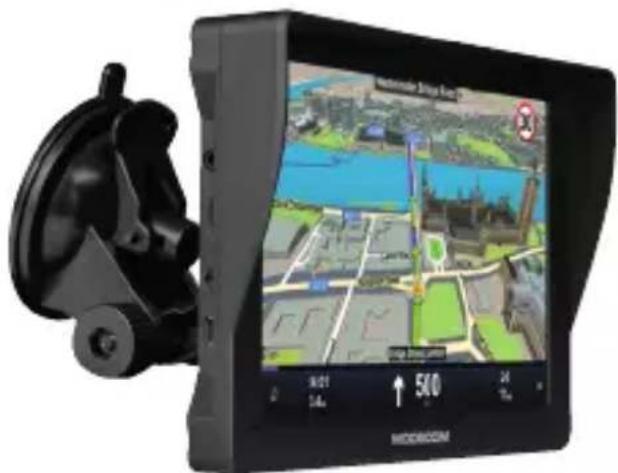
| Model | FreeWAY SX 7.3 IPS |
| Display Size | 7.3 inches IPS |
| Touchscreen | Yes |
| Dimensions (approx.) | 180 x 120 x 20 mm |
| Weight (approx.) | 350 g |
| Power Source | Rechargeable Lithium-Ion battery 3.7V, 3000 mAh |
| Operating System | Embedded Linux |
| Navigation Features | GPS, GLONASS, Galileo support |
| Map Storage | Internal memory (8 GB) and microSD card slot |
| Connectivity | USB 2.0, Bluetooth (optional) |
| Audio | Built-in speaker and microphone |
| Battery Life (approx.) | Up to 8 hours continuous use |
| Charging Time | 4 hours via USB charger |
| Water Resistance | IPX4 (splash resistant) |
| Maintenance | Clean with a soft, dry cloth; avoid solvents |
| Safety Precautions | Do not expose to extreme temperatures; keep away from water |
| Spare Parts Availability | Contact manufacturer for spare parts |
| Warranty | 1 year limited warranty |
Frequently Asked Questions - FreeWAY SX 7.3 IPS ModeCom
User questions about FreeWAY SX 7.3 IPS ModeCom
0 question about this device. Answer the ones you know or ask your own.
Ask a new question about this device
Download the instructions for your Gps in PDF format for free! Find your manual FreeWAY SX 7.3 IPS - ModeCom and take your electronic device back in hand. On this page are published all the documents necessary for the use of your device. FreeWAY SX 7.3 IPS by ModeCom.
USER MANUAL FreeWAY SX 7.3 IPS ModeCom
FreeWAY SX 7.3 IPS
USER'S MANUAL

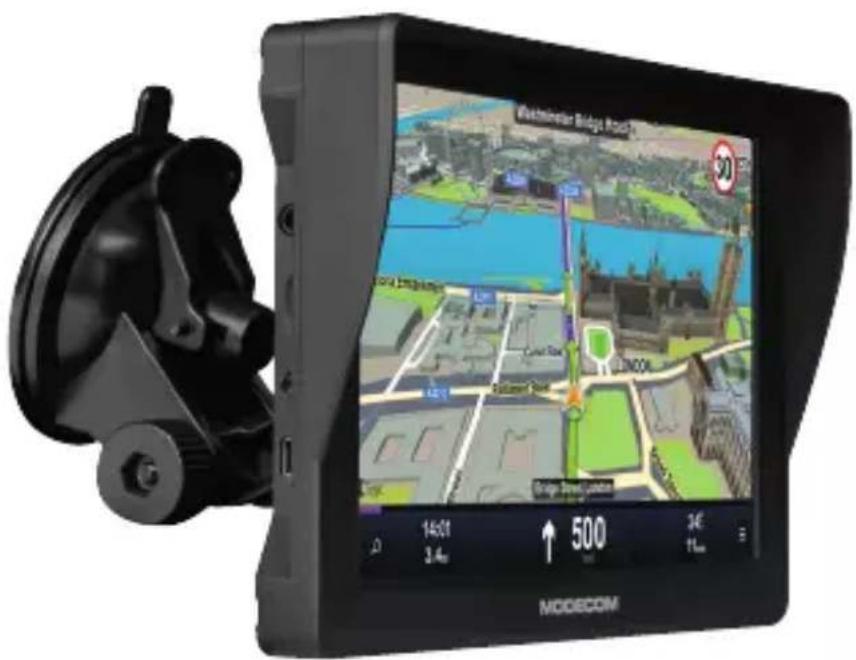
Thanks for using our FreeWAY SX 7.3
- We reserve the final explanation right on this User's Manual.
- Specifications are subject to change without notice. Sorry for any inconvenience caused!
- Please make a copy of the important data. We assume no responsibility for the data loss.
- Please read the operating instruction carefully and use the accessories only provided by the original factory to avoid any unexpected damage.
- The electronic navigation data may be not in conformity with the actual transporting marks due to the traffic con-
struction development. Please be sure to comply with the real road condition and follow the traffic rules. Operating and viewing the GPS during driving may cause severe traffic accident. Our company will not be responsible for any loss caused by the unexpected accident.
- Users can update and upgrade software from website at his/her option.
- Any discrepancy between the pictures with real products hereinafter, the real one prevails.
- Use Power adaptor provided with the device or dedicated Modecom charger to avoid trouble. Otherwise it may cause defect or fire.
- Do not tint the window for better GPS signal reception.
- Do not expose this device directly to the sun light. It may cause over-heating.
- Remodeling or rebuilding of the device may cause defect of functions.
- Do not store or use the device in extremely low or high temperatures, as it may damage it.
- It is not possible to receive the GPS signal in hermitical area like tunnel or underground parking lot. Also, the GPS signal can be unstable when the vehicle is located beside of tall buildings.
Welcome
Thanks for using our FreeWAY SX 7.3 navigators. With navigation as the major function, it supports audio play, video play, photo browsing, e-book reading.
- Our GPS with high performance and low power consumption
- Friendly user interface for simple operation
- Power management for longer and more stable operation
• Data transmission with computers via Mini USB - Quality reception for accurate positioning and satisfactory navigation service
- Leisure partner with audio/video/amusement functions
You may use the GPS navigator anytime anywhere, for example while driving, walking or cycling. Its navigation and amusement functions will enrich your life and work!
To fully exert the functions of our GPS and to understand the operation details, please read the manual carefully.
You may see the following supplemental information in the manual.
[Note]: Explanation of relevant subjects
[Relevant Information]: Extra information of relevant subjects
[Attention]: Precautions or warnings of relevant subjects. Please pay attention to this information and follow the instructions to avoid devastating influence on yourself and others.
[*]: Optional function
This manual is applicable only to our GPS.
Chapter I Beginning Use
This chapter introduces the appearance, components and basic operations of FreeWAY SX 7.3
1.1 Appearance
The effect figure below is subject to the material object.
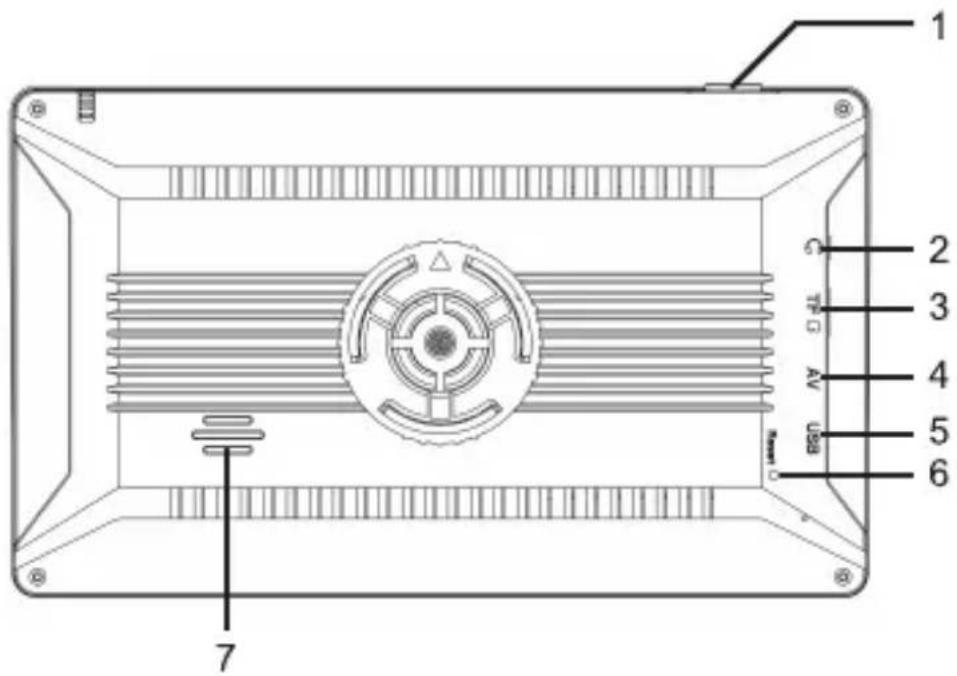
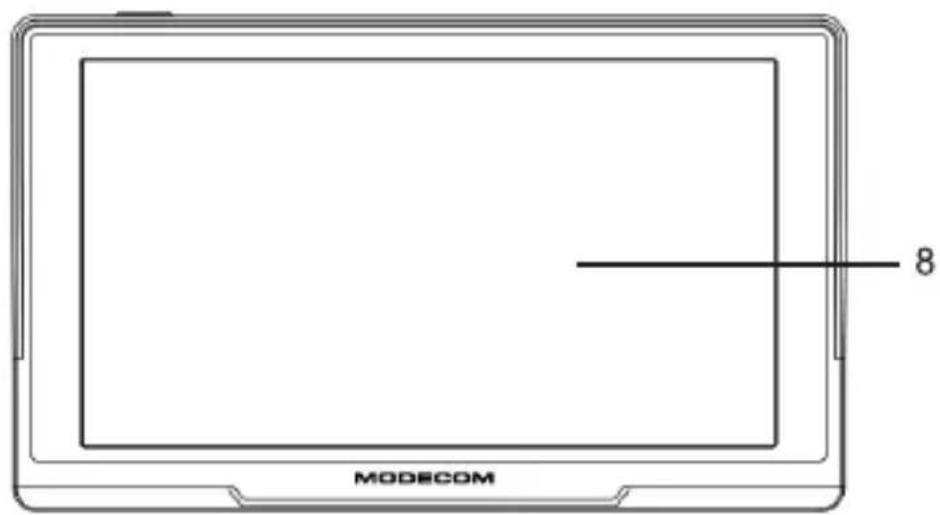
| SN | Component | Explanation |
| 1 | Power Button | Power on/ off |
| 2 | Earphone Hole | Connected with the stereo-phone |
| 3 | Memory Card Slot | SD card can be put inside. |
| 4 | AVIN | To connect with backup camera. |
| 5 | MINI USB Port | Communicating with PC via MINI USB cable and used as the charging port |
| 6 | Reset | Restart the system |
| 7 | Speaker | Playing sounds (such as navigation prompt tones, music, etc.) |
| 8 | Touch Screen | Tap the screen by fingers |
1.2 Power Supply & Charging
Charge the GPS navigator fully with the charger before first use.
1.2.1 Power Supply
Our GPS can be powered by the built-in battery or external power supply.
When the GPS navigator is unconnected to the charger, it is powered by the Li-polymer battery. The battery capacity icon 📄 in the system main interface shows current residual battery capacity.
When the GPS navigator is connected to the charger, it is powered by external power and the battery is charged.
[Attention] The GPS navigator adaptors internal non-removable Li-polymer battery. To avoid battery rupture, explosion, release of hazardous substance or burn, do not
unpack, pierce, strike on or discard the battery in fire or water.
1.2.2 Charging by Charger
The GPS navigator must be charged with the charger before first use.
Plug the USB terminal of the charger into the USB port on the left side of the GPS navigator and the other to the power socket to supply power and charge the GPS navigator.
[Note] The charging indicator light is red during charging. Do not unplug the charge until the battery is fully charged and the indicator light turns green. Please charge the GPS navigator when the battery is low or used up in succeeding use.
1.2.3 Charging by Car Charger
Plug one terminal of the car charger into the USB port on the left side of the GPS navigator and the other to the charging port to supply power and charge the GPS navigator.
[Note] Plug in the car charger after the automobile is started to avoid damage due to current surge.
1.3 Basic Use
1.3.1 Powering On/Off/ Sleep
2.3.1.1 Powering on
Press the power key on the top side of the GPS navigator for at least two seconds to power it on.
[Note] Great humidity fluctuation may lead to short circuit of the GPS navigator. Power on the navigator after it has accommodated to new environment.
2.3.1.2. Powering off / Sleep
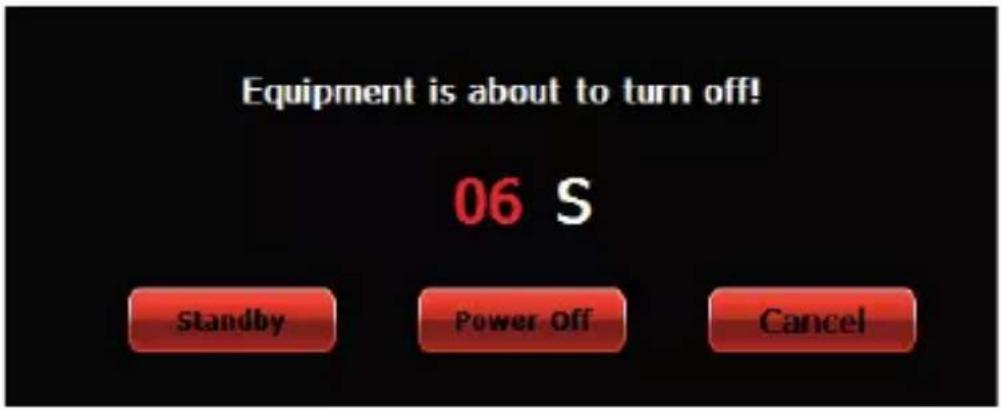
Long press the power key to power off the GPS navigator. The following interface will be prompted. If Standby is selected, the navigator will automatically resume the state before entering sleep mode when powered on again.
1.3.2 Restarting the System
Press the reset button on the back of the housing with a thin tool (e.g. a lecturer, needle).
[Relevant Information] The following situations might lead to no response of the system.
- Delay or stagnancy in interface switching;
- Failure of function activation with overlong execution;
- Failure to power on/off the GPS navigator by pressing the power key
[Note] Restarting the system by pressing the reset key will result in loss of unsaved data. Please backup your data regularly.
1.3.3 Fixing the GPS Navigator with Mounting Kit
The mounting kit is composed of a back splint and a bracket. To use the GPS navigator in an automobile, fix it on the dashboard under the front windshield.
[Note] Do not place the GPS navigator in positions obstructing the driver's vision. Do not place it without fixing it, or in the place of air bag or the area after the air bag is inflated.
FreeWAY SX 7.3 IPS
PL
INSTRUKCJA UŻYTKOWNIKA
This device was designed and made of high-quality reusable materials and components. If the device, its packaging, user's manual, etc. are marked with crossed waste container, it means they are subject to segregated household waste collection in compliance with the Directive 2012/19/UE of the European Parliament and of the Council. This marking informs that electric and electronic equipment shall not be thrown away together with household waste after it's been utilised. The user is obliged to bring the utilised equipment to electric and electronic waste collection point. Those running such collection points, including local collection points, shops or commune units, provide convenient system enabling to scrap such equipment. Appropriate waste management aids in avoiding consequences which are harmful for people and environment and result from dangerous materials used in the device, as well as improper storage and processing. Segregated household waste collection aids recycle materials and components of which the device was made. A household plays crucial role in contributing to recycling and reusing the waste equipment. This is the stage where the basics are shaped which largely influence the environment being our common good. Households are also one of the biggest users of small electrical equipment. Reasonable management at this stage aids and favours recycling. In the case of improper waste management, fixed penalties may be imposed in accordance with national legal regulations.
Hereby, MODECOM Polska Sp. z o.o. declares that the radio equipment type GPS FreeWAY SX 7.3 is in compliance with Directive 2014/53/EU.
The full text of the EU declaration of conformity is available at the following internet address: deklaracje.modecom.eu
PL


- FREEWAY SX 7.3 IPS
- USER'S MANUAL
- THANKS FOR USING OUR FREEWAY SX 7.3
- WELCOME
- CHAPTER I BEGINNING USE
- 1.1 APPEARANCE
- 1.2 POWER SUPPLY & CHARGING
- 1.2.1 POWER SUPPLY
- 1.2.2 CHARGING BY CHARGER
- 1.2.3 CHARGING BY CAR CHARGER
- 1.3 BASIC USE
- 1.3.1 POWERING ON/OFF/ SLEEP
- 2.3.1.1 POWERING ON
- POWERING OFF / SLEEP
- 1.3.2 RESTARTING THE SYSTEM
- 1.3.3 FIXING THE GPS NAVIGATOR WITH MOUNTING KIT
- PL
Brand : ModeCom
Model : FreeWAY SX 7.3 IPS
Category : Gps