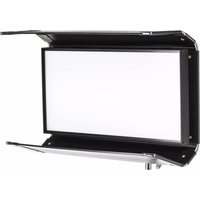
Diva-Lite 20 LED - Lighting Kino Flo - Free user manual and instructions
Find the device manual for free Diva-Lite 20 LED Kino Flo in PDF.


| Product Type | Diva-Lite 20 LED DMX Color Variable Fixture |
| Brand | Kino Flo |
| Model | Diva-Lite 20 LED |
| Dimensions (H x W x D) | 25 x 13 x 6 in (63.5 x 33 x 15 cm) |
| Weight | 14.5 lb (6.5 kg) |
| AC Input Voltage | 100-240VAC, 50/60Hz |
| AC Power Consumption | 150W |
| AC Current | 1.25A at 120VAC / 0.65A at 230VAC |
| DC Input Voltage | 18-36VDC via 3-pin XLR |
| DC Current | 6.25A at 24VDC |
| Kelvin Range (White Mode) | 2700K-6500K |
| Kelvin Range (Color Mode) | 2500K-9900K |
| Dimming Range | 100% to 1% |
| Control Modes | White, Gels & Hue, RGB, FX |
| FX Effects | Candle, Fire, TV, Police, Lightning, Paparazzi, Pulse, Scroll |
| DMX Control | Yes, with Auto Terminate feature |
| Operating Temperature | 14°F to 104°F (-10°C to 40°C) |
| Mounting Options | Baby stand, pipe grid, with safety cord loop |
| Included Accessories | Louver/HP 90°, Lollipop w/ Baby Receiver Curve (16mm) |
| Available Accessories | SnapBag, SnapGrid, Flozier, Baby Offset Arm, Cases |
| Maintenance | Clean with soft dry cloth; avoid liquids and abrasives |
| Safety Features | Safety cord ring, auto DMX terminate, low voltage warning |
| Certifications | FCC Part 15, IC |
Frequently Asked Questions - Diva-Lite 20 LED Kino Flo
User questions about Diva-Lite 20 LED Kino Flo
0 question about this device. Answer the ones you know or ask your own.
Ask a new question about this device
Download the instructions for your Lighting in PDF format for free! Find your manual Diva-Lite 20 LED - Kino Flo and take your electronic device back in hand. On this page are published all the documents necessary for the use of your device. Diva-Lite 20 LED by Kino Flo.
USER MANUAL Diva-Lite 20 LED Kino Flo
natural_image
Black studio lighting device with open frame and stand (no text or symbols visible)
natural_image
Logo of a black and yellow abstract design with stylized letters (no readable text)KINO FLO
Lighting Systems
Diva-Lite LED DMX System
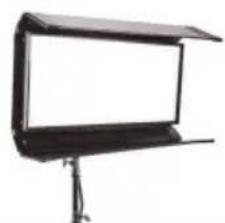
natural_image
Black studio lighting stand with a flat-screen screen (no text or symbols visible)DIV-L20X-120U
Diva-Lite 20 LED DMX, Univ 120U
DIV-L20X-230U
Diva-Lite 20 LED DMX, Univ 230U

natural_image
Exterior view of a modern office building (no signage)DIV-L30X-120U
Diva-Lite 30 LED DMX, Univ 120U
DIV-L30X-230U
Diva-Lite 30 LED DMX, Univ 230U
Included w/ Diva-Lite LED Models
natural_image
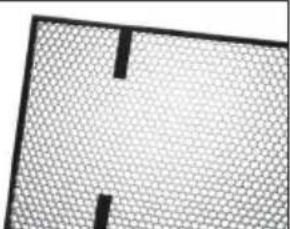
Abstract geometric pattern with a grid-like texture and two vertical black lines (no text or symbols)LVR-SL290-P
Diva-Lite 20 Louver/HP, 90° (Included)
LVR-SL390-P
Diva-Lite 30 Louver/HP, 90° (Included)

MTP-LBC
Kino 41 Lollipop w/ Baby Receiver Curve (16mm) (Included)
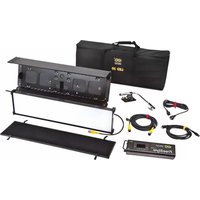
Diva-Lite 20 LED DMX Kits
natural_image
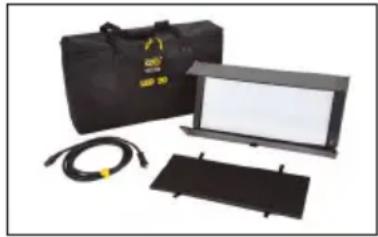
Product photo of a black portable electronic device with attached cables and display screen (no visible text or symbols)Diva-Lite 20 LED DMX Kit w/ Soft Case
KIT-DL20XB-120U
Diva-Lite 20 LED DMX Kit, Univ 120U w/ Soft Case
KIT-DL20XB-230U
Diva-Lite 20 LED DMX Kit, Univ 230U w/ Soft Case
Kit Contents:
1 Diva-Lite 20 LED Fixture 1 Soft Case
Dimensions:
31 × 7.5 × 18" (79 × 19 × 46cm)
Weight:
19.5 lb (9kg)

natural_image
Yellow portable electronic device with attached cables and two black rectangular plates (no visible text or symbols)Diva-Lite 20 LED DMX Kit
KIT-DL20X-120U
Diva-Lite 20 LED DMX Kit, Univ 120U w/ Travel Case
KIT-DL20X-230U
Diva-Lite 20 LED DMX Kit, Univ 230U w/ Travel Case
Kit Contents:
1 Diva-Lite 20 LED Fixture 1 Travel Case
Dimensions:
28.5 × 8.5 × 19.5" (72 × 22 × 49.5cm)
Weight:
26 lb (12kg)
natural_image
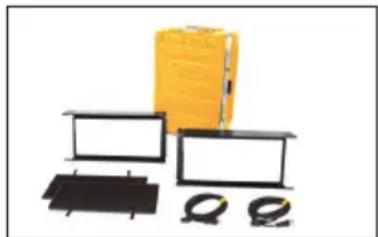
Product photo of electronic devices including a yellow box, black modules, and cable connectors (no visible text or symbols)Diva-Lite 20 LED DMX Kit (2-Unit) w/ Flight Case
KIT-DL22X-120U
Diva-Lite 20 LED DMX Kit, Univ 120U (2-Unit) w/ Flight Case
KIT-DL22X-230U
Diva-Lite 20 LED DMX Kit, Univ 230U (2-Unit) w/ Flight Case
Kit Contents:
2 Diva-Lite 20 LED Fixture 1 Flight Case
Dimensions:
22.5 × 16 × 33.5" (57 × 41 × 85cm)
Weight:
58 lb (26kg)
Diva-Lite 30 LED DMX Kits
natural_image
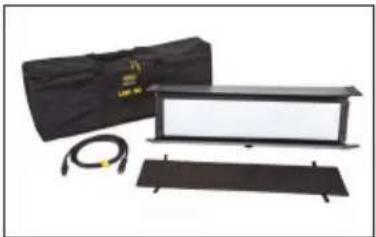
Product photo of a black optical setup with a box, cable, and rectangular panel (no visible text or symbols)Diva-Lite 30 LED DMX Kit w/ Soft Case
KIT-DL30XB-120U
Diva-Lite 30 LED DMX Kit, Univ 120U w/ Soft Case
KIT-DL30XB-230U
Diva-Lite 30 LED DMX Kit, Univ 230U w/ Soft Case
Kit Contents:
1 Diva-Lite 30 LED Fixture 1 Soft Case
Dimensions:
42.5 × 7.5 × 16.5" (108 × 19 × 42cm)
Weight:
23 lb (10kg)

natural_image
Yellow hardbox and black rectangular components with a coiled spring, shown against white background (no text or symbols)Diva-Lite 30 LED DMX Kit w/ Flight Case
KIT-DL30X-120U
Diva-Lite 30 LED DMX Kit, Univ 120U w/ Flight Case
KIT-DL30X-230U
Diva-Lite 30 LED DMX Kit, Univ 230U w/ Flight Case
Kit Contents:
1 Diva-Lite 30 LED Fixture 1 Flight Case
Dimensions:
46 × 11 × 16.5" (117 × 28 × 42cm)
Weight:
43 lb (19.5kg)
Power
natural_image
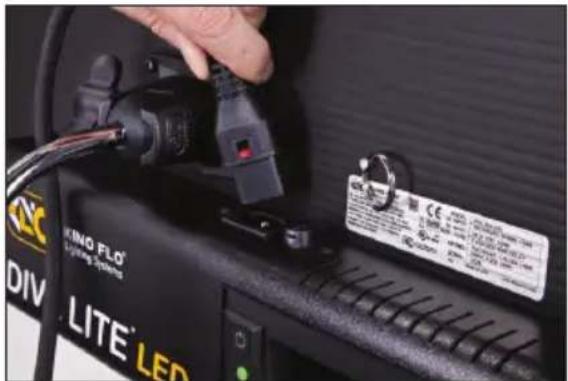
Close-up of a hand inserting a black plug into a device, with visible brand labels including 'LITE' LED and 'ING FLO' (no readable text beyond branding)AC Input
The Diva-Lite LED includes a built-in power supply with universal input from 100-240VAC. It also includes a 12ft power cord with a locking IEC connector.
Ambient Operating Temperature
The Diva-Lite LED is designed to operate at temperatures from 14°F to 104°F (-10°C to 40°C).
DC Input
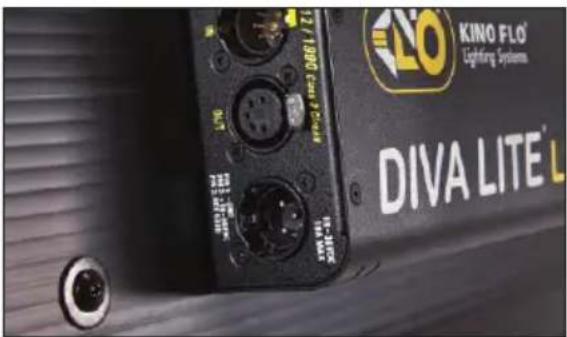
The Diva-Lite LED can also be operated on 24VDC (input range 18-36VDC) through a 3-Pin XLR. The pin polarity is:
Pin # 1 - Ground Pin # 2 + 18-36VDC Pin # 3 not used
Note:
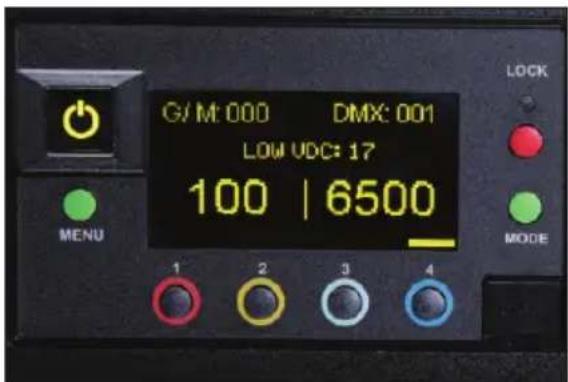
A low voltage warning will display if input DC voltage is under 18VDC. Photo example: LOW VDC: 17
Control Panel - White Mode
A
B
C
DEFGH
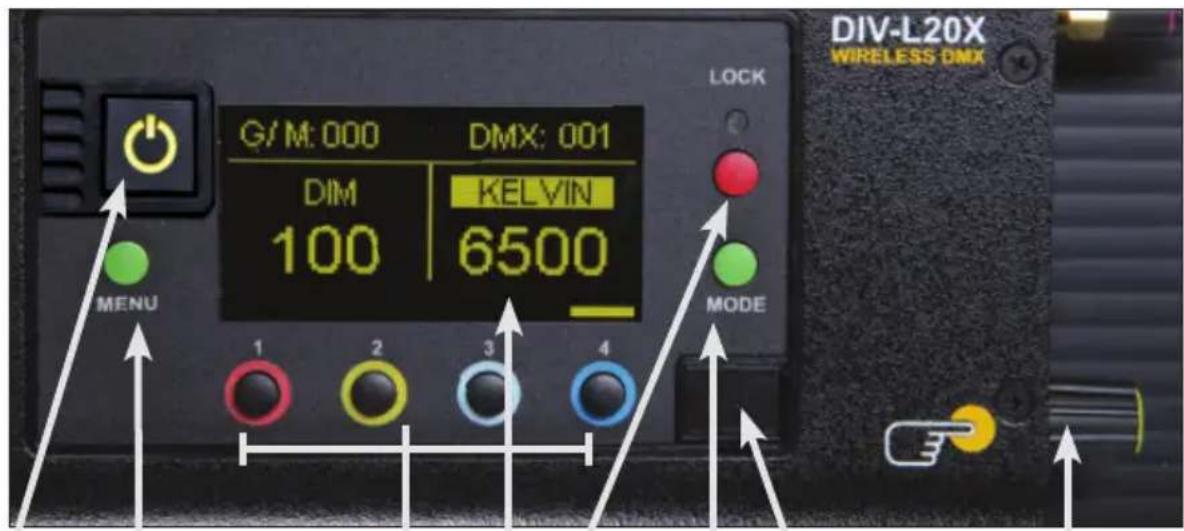
A) On /Off: On = Green light displayed. Off = Red light displayed. The display and all menu settings can be operated while the power button is in the Off position, as long as power is applied to the controller. The On /Off button only controls the light source.
B) Menu: Provides access to menu options such as General settings, Reset, DMX and DMX Wireless settings. Shortcut: While on control screen, press and hold for 3 seconds to switch through menus (White, Gels & Hue, RGB, FX).
C) Preset Buttons: Factory defaults left to right are: 2700K, 3200K, 5000K and 6500K. G/M default value is 000. User can also use these preset buttons to store custom Kelvin and G/M settings.
D) Display: Provides access to Dim, Kelvin, G/M, and DMX channel.
Factory reset will show: Dim = 10%, Kelvin = 2700K, G/M = 000, DMX = 001.
E) Lock: Press the Lock button to disable all buttons and Control knob. Press for 3 seconds to restore displayed presets to default factory settings.
F) Mode: Press to navigate from Dim to Kelvin and G/M settings. When in sub-menus, pressing Mode always returns you to main display. When DMX is applied, use Mode to access DMX channel on main display. Shortcut: Long press will bring you back one step.
G) Data Port: Mini B USB for firmware updates.
H) Control Knob: Manually adjusts Dim, Kelvin, G/M levels and DMX address. Press the Control knob to toggle between Fine and Coarse increments or when selecting options within menus.
DMX Note: Each LED Fixture has an "AUTO TERMINATE" feature. The last fixture that does not have an XLR cable attached to the DMX "Out" port will automatically terminate.
Control Panel - Gels/Hue Mode

ADCB
Gels/Hue Mode
A) Menu:
Provides access to menu options such as General settings (Gels/Hue Mode), Reset, DMX and DMX Wireless settings. Shortcut: While on control screen, press and hold for 3 seconds to switch through menus (White, Gels & Hue, RGB, FX).
B) Preset Buttons:
Factory defaults left to right are: 2700K, 3200K, 5000K and 6500K. G/M default value is 000. User can also use these preset buttons to store custom Kelvin between 2500K and 9900K and custom G/M, Gel, Hue and Saturation settings.
C) Display:
Provides access to Dim, Kelvin, G/M, Gel, Hue/Saturation and DMX channel. Factory reset will show: Dim = 10%, Kelvin = 2700K, G/M = 000, DMX = 001.
D) Mode:
Press to navigate from Dim to Kelvin, G/M, Gel, Hue and Saturation settings. When on the Gel function, pushing the Control knob in/out will apply the gel or remove the gel. When in sub-menus, pressing Mode always returns you to main display. When DMX is applied, use Mode to access DMX channel on main display. Shortcut Tip: Long press will bring you back one step.
Control Panel - RGB Mode
ADCB
RGB Mode
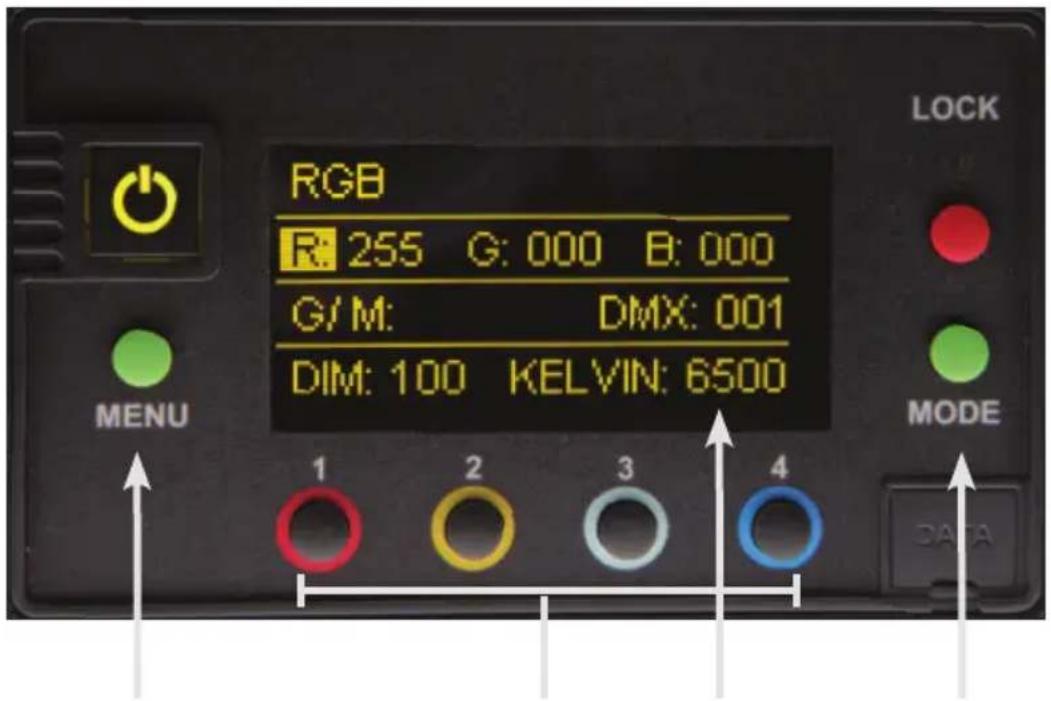
A) Menu:
Provides access to menu options such as General settings (RGB Mode), Reset, DMX and DMX Wireless settings. Shortcut: While on control screen, press and hold for 3 seconds to switch through menus (White, Gels & Hue, RGB, FX).
B) Preset Buttons:
Factory defaults left to right are: 2700K, 3200K, 5000K and 6500K. G/M default value is 000. User can also use these preset buttons to store custom Kelvin between 2500K and 9900K and custom G/M, and RGB settings.
C) Display:
Provides access to Dim, Kelvin, G/M, RGB and DMX channel. Factory reset will show: Dim = 10%, Kelvin = 2700K, G/M = 000, DMX = 001.
D) Mode:
Press to navigate from Dim to Kelvin, G/M, RGB settings. When in sub-menus, pressing Mode always returns you to main display. When DMX is applied, use Mode to access DMX channel on main display. Shortcut: Long press will bring you back one step.
Control Panel - FX (Effects)
FX (Effects) Mode
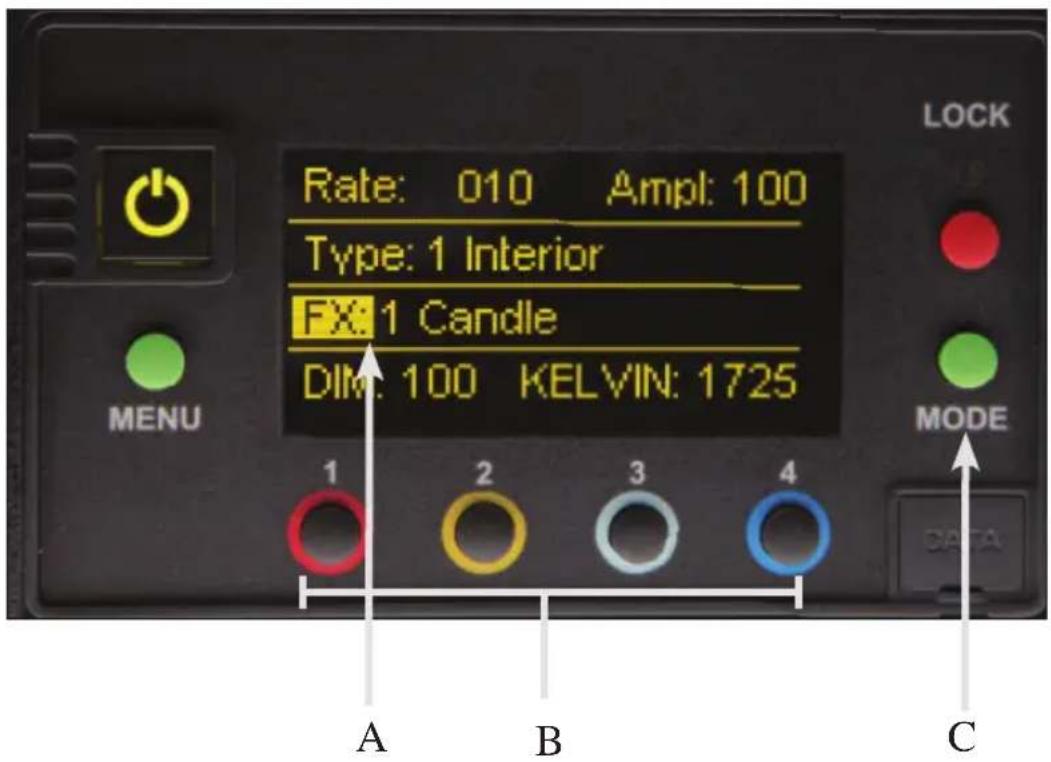
FX mode provides access to effects including Candle, Fire, TV, Police, Lightning, Paparazzi, Pulse and Scroll. Candle mode used as an example:
A) FX Option:
Choose the desired FX Mode by rotating the control knob. When on the desired effect, there will be several pre-programmed effects as well as control parameters that can be altered.
B) Preset Buttons:
In FX Mode, Kelvin custom settings and any control functions displayed such as Rate and Amplitude (Ampl) can be saved as a preset. Chosen values can be assigned to any preset button by holding down the desired button for 3 seconds. The Kelvin display will flash once the setting is registered.
To restore presets to default factory settings, choose Reset under General settings and Clear Presets. This method will reset all buttons in all Modes. Shortcut: If only want to clear presets for Candle Mode, hold Lock button for 3 seconds while Candle mode is displayed.
C) Mode:
Press to navigate from Dim to Kelvin and FX settings. Shortcut: Long press will bring you back one step.
Mounting Procedures
natural_image
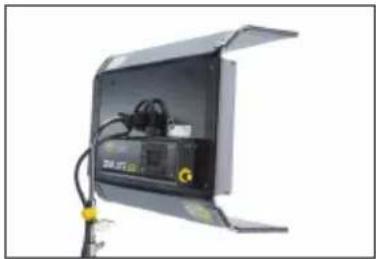
Exterior view of a black industrial enclosure with visible wiring and a yellow warning symbol (no text or labels)Mounted on a baby stand.

natural_image
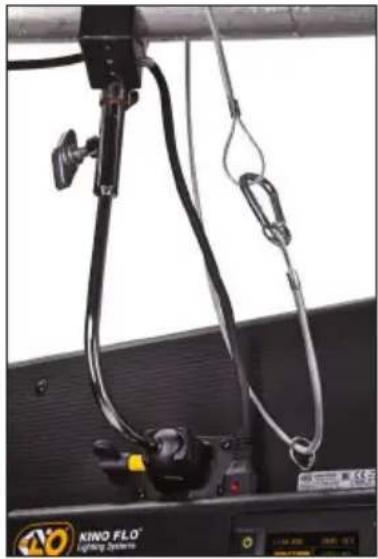
Close-up of a black industrial device suspended from a metal frame, with cables and wires visible (no text or symbols)Mounted to pipe grid.
natural_image
Close-up of a black and white mechanical device with coiled cables and connectors, mounted on a dark panel (no visible text or symbols)Note: When hanging in a studio, loop a safety cord through the metal ring provided on the back of the fixture.

Turn the knob to loosen or tighten the mount.
natural_image
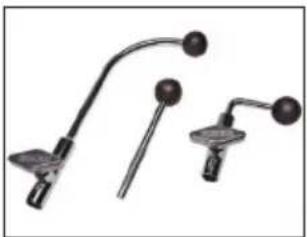
Three mechanical tools with curved and straight ends, no visible text or symbolsLollipops are interchangeable.
MTP-L Kino 41 Lollipop w/ 3/8" Pin (10mm)
MTP-LBC Kino 41 Lollipop w/ Baby Rcvr Curve (16mm)
MTP-LBS Kino 41 Lollipop w/ Baby Rcvr Short (16mm)
Baby Offset Arm

natural_image
Metal mechanical tool with a curved handle and two circular ends (no text or symbols visible)MTP-B41F
Kino Offset w/ Baby Receiver (16mm)
natural_image
Black adjustable lamp with adjustable arm and cable, isolated on white background (no text or symbols)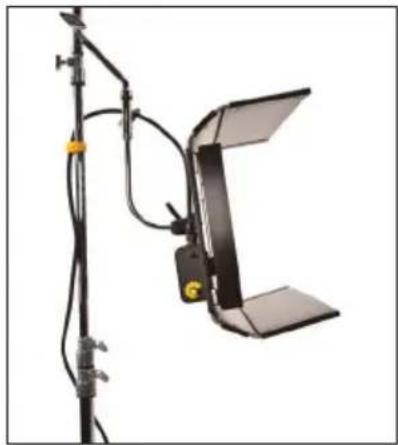
natural_image
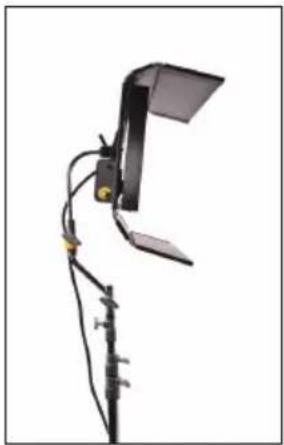
Studio lighting setup with overhead lamp and stand (no visible text or symbols)The Baby Offset Arm (MTP-B41F) allows fixtures to mount on the center of a stand or it can also be under slung from a baby stand to use as an up light.
Applying Louver

natural_image
Close-up of hands installing or adjusting a black panel on a metal frame (no text or symbols visible)
natural_image
Close-up of a black metal mechanical component with attached clamps and bolts, no visible text or symbolsThe Louver is fastened to the fixture with 4 Velcro straps.
Mounting Flozier

natural_image
Close-up of hands installing or adjusting a black metal frame component (no text or symbols visible)To mount Flozier accessory, remove Louver.

natural_image
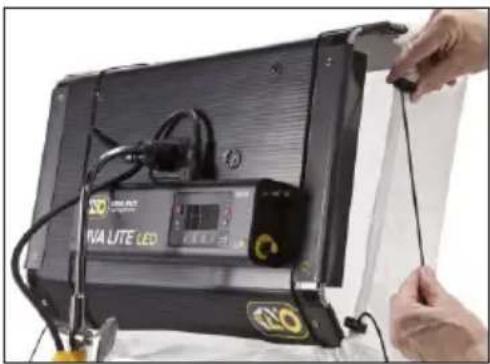
Person adjusting a black box device with cables and a small yellow button, no visible text or symbolsStretch two elastic cords around fixture.
natural_image
Close-up of hands connecting a device to a black IVA UTE LED module (no visible text or symbols)Take up slack on both elastic cords.
natural_image
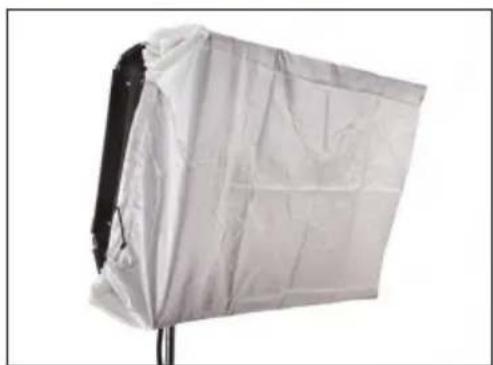
White fabric light shield mounted on a stand, no visible text or symbolsExpand the Barndoors to smooth out the face of the Flozier and eliminate wrinkles.
SnapBag & SnapGrid

natural_image
Exterior view of a black-and-white studio lighting fixture with reflective glass panels (no text or symbols visible)
natural_image
Black studio lighting device with a blank white panel, mounted on a stand (no text or symbols visible)The SnapBag accessory (DFS-FS31-S & DFS-FS21-S) is a lightweight fabric tailor-made for the Diva-Lite LED. It slips over the fixture and is attached with straps. The reflective material intensifies the soft light. The removable Magic cloth or Grid cloth attaches to the inside with Velcro.

natural_image
Person holding a large black grid-patterned object, possibly a mesh or fabric material (no text or symbols visible)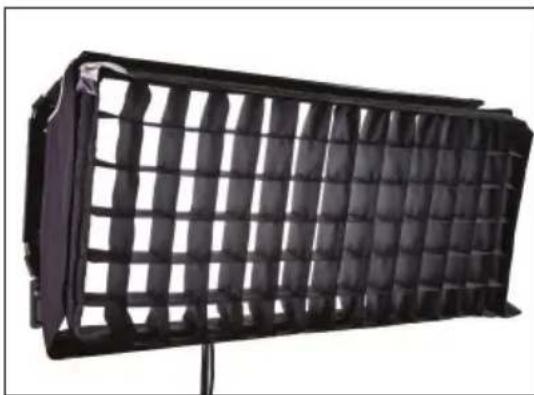
natural_image
Black rectangular light bulb device with grid pattern, mounted on a stand (no text or symbols visible)The SnapGrid accessory (LVR-FS340-S & LVR-FS240-S) is constructed of pre-stretched fireproof fabric with a built-in stainless steel frame. It unfolds and snaps into place. This model requires the use with the corresponding SnapBag; it is not designed to be used by itself.
Accessories
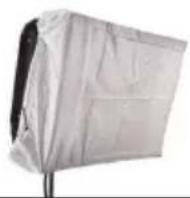
DFS-SL30-H Diva-Lite 30 Flozier, Half
DFS-SL20-H Diva-Lite 20 Flozier, Half

natural_image
Exterior view of a modern flat-screen TV studio (no signage or text visible)DFS-FS31-S Diva-Lite 30 SnapBag
w/ 2 x Diffusion
DFS-FS21-S Diva-Lite 20 SnapBag
w/ 2 x Diffusion
natural_image
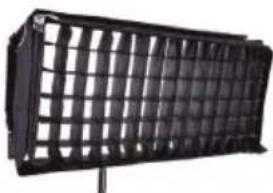
Black plastic panel with grid pattern, mounted on a stand (no text or symbols visible)LVR-FS340-S Diva-Lite 30 SnapGrid 40°
LVR-FS240-S Diva-Lite 20 SnapGrid 40°
natural_image
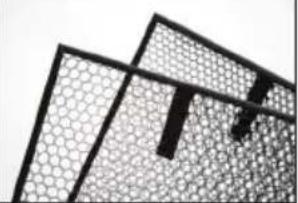
Abstract geometric pattern with interlocking shapes and grid textures (no text or symbols)LVR-SL390-P Diva-Lite 30 Louver/HP 90°
LVR-SL360-P Diva-Lite 30 Louver/HP 60°
LVR-SL290-P Diva-Lite 20 Louver/HP 90°
LVR-SL260-P Diva-Lite 20 Louver/HP 60°
natural_image
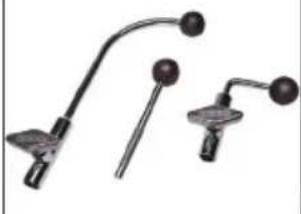
Three mechanical tools or sensors with curved and straight ends, no visible text or symbolsLollipops are interchangeable.
MTP-L Kino 41 Lollipop w/ 3/8" Pin (10mm)
MTP-LBC Kino 41 Lollipop w/ Baby Rcvr Curve (16mm)
MTP-LBS Kino 41 Lollipop w/ Baby Rcvr Short (16mm)
Cases
natural_image
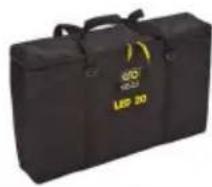
Black and yellow portable device with 'LED 20' label on side (no other text or symbols visible)BAG-SL30 Diva-Lite 30 Soft Case
BAG-SL20 Diva-Lite 20 Soft Case
natural_image
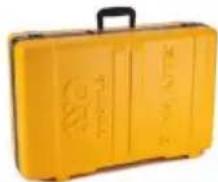
Yellow plastic hard-shell case with black handle and metal clasp (no visible text or symbols)KAS-DL30 Diva-Lite 30 Flight Case
KAS-DL20-C Diva-Lite 20 Travel Case

KAS-DL22 Diva-Lite LED 20 Flight Case (2)
Diva-Lite LED Fixture Specifications
natural_image
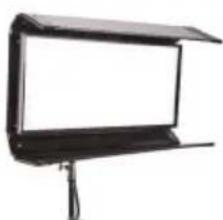
Black studio lighting stand with flat-screen screen (no text or symbols visible)Diva-Lite 20 LED DMX
DIV-L20X Diva-Lite 20 LED DMX
C Input Voltage: 100\~240VAC 50/60Hz, 150W
Amperage VAC: 1.25A at 120VAC, 0.65A at 230VAC
DC Input Voltage: 18\~36VDC, 150W
Amperage VDC: 6.25A at 24VDC
Kelvin Range: 2700K\~6500K (White Mode)
Kelvin Range: 2500K\~9900K (Color Mode)
Dimming Range: 100%\~1%
Weight: 14.5 lb (6.5kg)
Dimensions: 25 x 13 x 6"
(63.5 × 33 × 15cm)
natural_image
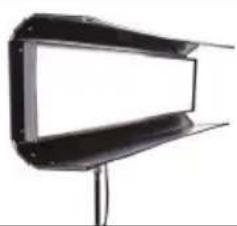
Exterior view of a modern office building (no signage)Diva-Lite 30 LED DMX
DIV-L30X Diva-Lite 30 LED DMX
AC Input Voltage: 100\~240VAC 50/60Hz, 150W
Amperage VAC: 1.25A at 120VAC, 0.65A at 230VAC
DC Input Voltage: 18\~36VDC, 150W
Amperage VDC: 6.25A at 24VDC
Kelvin Range: 2700K\~6500K (White Mode)
Kelvin Range: 2500K\~9900K (Color Mode)
Dimming Range: 100%\~1%
Weight: 17 lb (8kg)
Dimensions: 39 x 10.5 x 6"
(99 × 27 × 15cm)
FCC Part 15 Verification:
This device complies with Part 15 of the FCC Rules. Operation is subject to the condition that this device does not cause harmful interference.
FCC Part 15 Declaration of Conformity:
This device complies with Part 15 of the FCC Rules. Operation is subject to the following two conditions: (1) this device may not cause harmful interference, and (2) this device must accept any interference received, including interference that may cause undesired operation.

KINO FLO, INC
Diva-Lite 20 LED, Diva-Lite 30 LED
ID: XRSCRMXTIMO101
IC: 8879A-CRMXT101
For latest Warranty information and Certifications, see Kino Flo website at www.kinoflo.com.


Environmental: Disposal of Old Electrical & Electronic Equipment.

This symbol on the product or on its packaging indicates that this product shall not be treated as household waste. This product is made of recyclable materials and should be disposed of in accordance with governmental regulations.
Kino Flo, Inc. 2840 N. Hollywood Way, Burbank, CA 91505, USA
Tel: 818 767-6528 website: www.kinoflo.com
- Diva-Lite LED DMX System
- Included w/ Diva-Lite LED Models
- Diva-Lite 20 LED DMX Kits
- KIT-DL20XB-120U
- KIT-DL20XB-230U
- Kit Contents:
- Dimensions:
- Weight:
- KIT-DL20X-120U
- KIT-DL20X-230U
- KIT-DL22X-120U
- KIT-DL22X-230U
- Diva-Lite 30 LED DMX Kits
- KIT-DL30XB-120U
- KIT-DL30XB-230U
- KIT-DL30X-120U
- KIT-DL30X-230U
- Power
- AC Input
- Ambient Operating Temperature
- DC Input
- Note:
- Control Panel - White Mode
- A
- B
- C
- DEFGH
- Control Panel - Gels/Hue Mode
- Gels/Hue Mode
- A) Menu:
- B) Preset Buttons:
- C) Display:
- D) Mode:
- Control Panel - RGB Mode
- RGB Mode
- Control Panel - FX (Effects)
- FX (Effects) Mode
- A) FX Option:
- C) Mode:
- Mounting Procedures
- Baby Offset Arm
- Applying Louver
- Mounting Flozier
- SnapBag & SnapGrid
- Accessories
- Cases
- Diva-Lite LED Fixture Specifications
- FCC Part 15 Verification:
- FCC Part 15 Declaration of Conformity:
- Environmental: Disposal of Old Electrical & Electronic Equipment.
Brand : Kino Flo
Model : Diva-Lite 20 LED
Category : Lighting