M850B - Clock Davtron - Free user manual and instructions
Find the device manual for free M850B Davtron in PDF.


| Product Type | Aviation/Marine Clock |
| Brand | Davtron |
| Model | M850B |
| Dimensions | 2.25 x 2.25 x 1.5 inches (57 x 57 x 38 mm) |
| Weight | 0.2 lbs (90 g) |
| Power Supply | 12V DC (compatible with aircraft electrical systems) |
| Display Type | Digital LCD with backlight |
| Time Format | 12-hour or 24-hour selectable |
| Main Functions | Time display, date, alarm, countdown timer, stopwatch |
| Backlight | Built-in electroluminescent backlight for low-light visibility |
| Accuracy | ±1 second per day (quartz crystal) |
| Operating Temperature | -20°C to 70°C (-4°F to 158°F) |
| Water Resistance | Splash-proof; not intended for submersion |
| Mounting | Panel mount with included bracket and screws |
| Maintenance & Cleaning | Wipe with a soft, dry cloth. Avoid solvents. |
| Safety | Use only specified voltage. Disconnect power before servicing. |
| Spare Parts & Repair | Contact Davtron or authorized service center. No user-serviceable internal parts. |
| General Information | Designed for aviation and marine environments for reliable timekeeping. |
Frequently Asked Questions - M850B Davtron
User questions about M850B Davtron
0 question about this device. Answer the ones you know or ask your own.
Ask a new question about this device
Download the instructions for your Clock in PDF format for free! Find your manual M850B - Davtron and take your electronic device back in hand. On this page are published all the documents necessary for the use of your device. M850B by Davtron.
USER MANUAL M850B Davtron
NOTE: Keep alive (Pin 9) is only required if CR2032 battery is removed. Flight Time starts with either Pin 3 or Pin 4 - use only one pin.
SPECIFICATIONS
■ Greenwich Mean Time: 24 hour format.
■ Local Time: 12 hour or 24 hour format.
■ Flight Time: records in 99:59 standard, 99:99 hour option
■ Flight Time Alarm: Full set range flight time.
■ Elapsed Time Count Up: Starts in minutes, seconds, then hours, minutes up to 99:59 hrs.
■ Count Down Time: Settable from one second to 59 minutes, 59 seconds.
■ Count Down Time Alarm: Activates at zero when counting down.
■ LED Displays: Sunlight readable.
■ Automatic Dimming.
■ Battery Type: CR2032.
■ Polarizing Filter
■ Keep Alive Current: 00004 Amps.
■ Input Current: .2 Amps.
■ Input Voltage: 14 to 28 Volts
■ Backlight: 5V, 14V, or 28V - user selectable.
■ Weight: 5 ounces MAX.
■ Warranty: 1 year.

427 HILLCREST WAY
REDWOOD CITY (Emerald Hills), CA 94062
(866) 369-5588
www.davtron.com
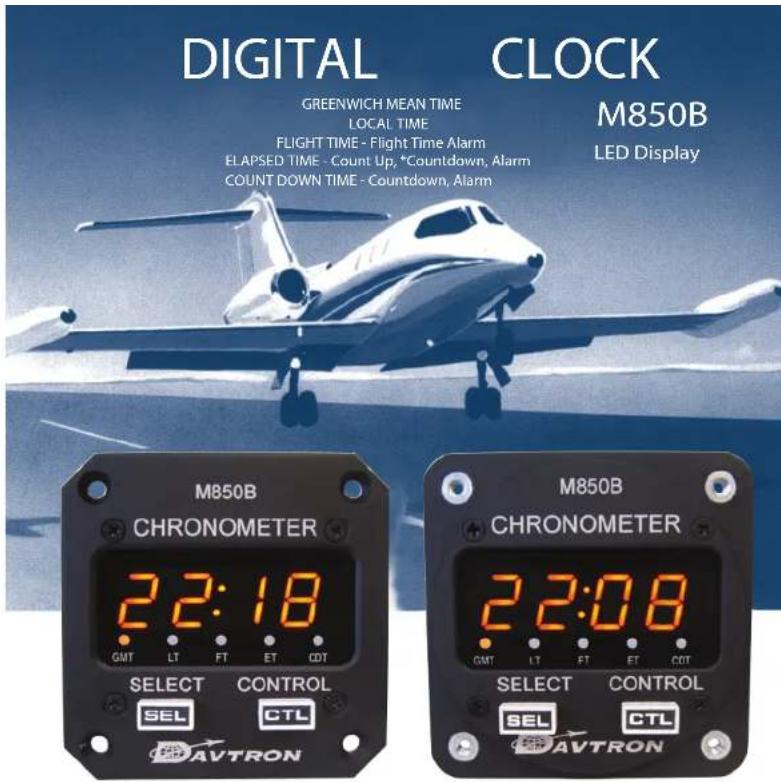
FEATURES
■ Two button control system is natural and error-free. Setting operations are identical for both alarm and time setting. Patent Pending.
■ Bright sunlight readable LED displays.
■ Illuminated buttons and annunciators for night viewing.
■ Flight Time recorded in hours and minutes or in hours, tenths, and hundreds.
■ Serial time data option
■ Flight time alarm with external output.
■ Elapsed time with countdown timer with alarm.
■ Count Down Time with alarm
■ Crystal precision time reference.

M850B LSI Aircraft Time Management System
CLOCK OPERATION
Normal Operation
The select, SEL, button selects what is to be displayed in the four digit window and the Control. CTL, button controls what is being displayed. Pressing SEL sequentially selects GMT, Local Time, Flight Time, Elapsed Time, Count Down Time, and back to GMT. The CTL button starts, stops and resets Elapsed Time when momentarily pushed. Normal operation of the 850B cannot accidentally reset time.
Setting GMT
Select GMT for display in the four digit window with the SEL button. Simultaneously press both the SEL and CTL buttons to enter the set mode. The tens of hours digit will start flashing. The CTL button has full control of the flashing digit and each button push increments the digit. Once the tens of hour is set, the SEL button selects the next digit to be set. After the last digit has been selected and set with the CTL button, a final push of the SEL button exits the mode. The lighted annunciator will resume its normal flashing, indicating the GMT clock is running.
Setting LT
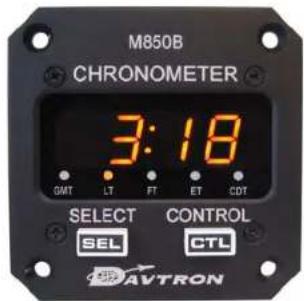
Select Local Time, LT, using the SEL button. Simultaneously push the SEL and CTL buttons to enter set mode. The tens of hours digit will start flashing. The set operation is the same as for GMT, except that minutes are already synchronized with the GMT clock. Minutes can be changed in 15 minute increments for special time zones.
Setting Flight Time Alarm
When Flight Time, FT, is displayed enter the salt mode by pressing both buttons simultaneously. The alarm time is entered identically to GMT setting. When the Flight Time equals the alarm the display will flash and the alarm output is activated. If FT was not being displayed at the time the alarm becomes active, the clock automatically selects FT for display. Pressing either the SEL or CTL button turns off the alarm. Flight Time is unchanged and continues counting.
Flight Time Reset
FT must be displayed when resetting. Hold CTL down for 3 seconds or until 99:59 or 99:99 appear on the display. Flight Time will be zeroed upon the release of the CTL button. The digits that appear (99:59 or 99:99) depend on how the clock is programmed - in hours and minutes or in hours, tenths, and hundredths.
Elapsed Time
Select ET for display. Pressing the CTL button will start ET counting. Elapsed Time counts up to 59 minutes, 59 seconds, and then switches to hours and minutes, it continues counting up to 99 hours and 59 minutes. Pressing the CTL button again stops ET, another press resets ET. ET has a countdown timer function, repeat steps for CDT in ET mode.
Count Down Time
Select CDT for display and enter set mode by pressing both buttons. The Count Down timer can now be set. Entering the time is identical to GMT time setting. When the time is entered and the last digit is no longer flashing the clock is ready to start the countdown. Momentarily pressing the CTL button starts the countdown. When count reaches zero the displays flash and the external alarm is activated. Pressing either SEL or CTL will deactivate the alarm. CDT continues counting up. Next press on CTL button to stop counting. Second press resets CDT to previous set time.
Test Mode
In GMT mode, Hold the SEL button down for three seconds and the display will indicate 88:88 and activate all five annunciators.
FIELD OPTION CHANGES
When changes are made the connector of the clock must be grounded to the soldering iron or warranty may void.
Local Time: To change from 12 hour to 24 hour format, hold SEL in LT mode for 5 seconds until 12 HR (hour) or 24 HR (hour) flashes, then push CTL for desired format. Push SEL to exit set mode.
Flight Time: To change from recording in hours, minutes to recording in hours, tenths, and hundredths, remove case and jumper OPT-99.
Battery: is a CR2032 coin cell. The recommended change interval is 5 years. The battery may be removed permanently if the aircraft battery is connected to the Keep Alive input (Pin 9). ***Recommend to remove
CR2032 battery if pin 9 is used.
Backlighting SET-UP: Press and hold down the SEL button on power up to verify backlighting configuration. Pressing CTL will provide sequence options 5(Volt), 14(Volt), 28(Volt), and A (Automatic Sensing). Select backlighting voltage and press SEL button to confirm. A (Automatic Sensing) will provide automatic backlighting for Input voltage 14 and 28 Volt.
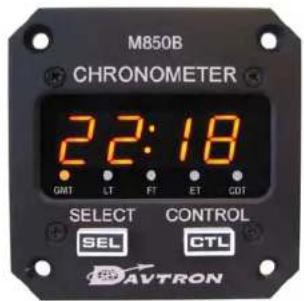
Greenwich Mean Time Local Time
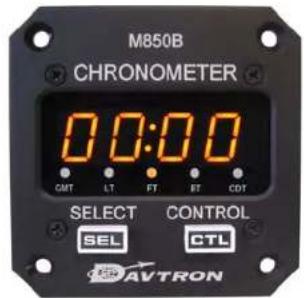
Flight Time
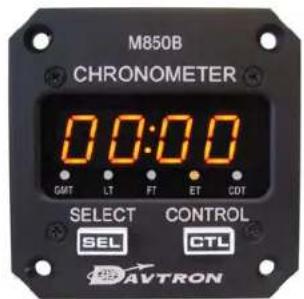
Elasped Time
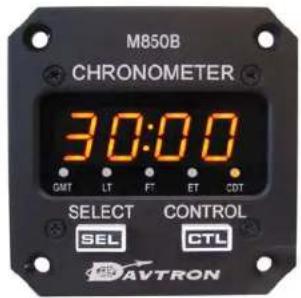
Count Down Time
Download installation manual www.davtron.com product page M850B