Pop-up Flip-it! Deluxe - Flash DEMB - Free user manual and instructions
Find the device manual for free Pop-up Flip-it! Deluxe DEMB in PDF.


| Product Type | External Flash Unit for Cameras |
| Model | Pop-up Flip-it! Deluxe |
| Brand | DEMB |
| Guide Number | 30 (ISO 100, meters) |
| Coverage Angle | 24-105mm (full-frame equivalent) |
| Swivel / Tilt | 180° swivel, 90° tilt |
| Dimensions (W x H x D) | 150 x 80 x 50 mm |
| Weight | 200 g (without batteries) |
| Power Source | 2 x AA batteries (NiMH or Alkaline) |
| Recycle Time | Approx. 4 seconds with NiMH |
| Wireless Slave Mode | Optical slave trigger |
| Number of Flashes per Set | 100-200 full power (alkaline) |
| Mount Type | Hot shoe or PC sync cord |
| Cleaning Instructions | Wipe with soft dry cloth; avoid liquids |
| Operating Temperature | 0°C to 40°C |
| Safety Warning | Do not disassemble; high voltage inside |
| Spare Parts Available | Replacement batteries, sync cords |
| User Manual | PDF download from notice-facile.com |
Frequently Asked Questions - Pop-up Flip-it! Deluxe DEMB
User questions about Pop-up Flip-it! Deluxe DEMB
0 question about this device. Answer the ones you know or ask your own.
Ask a new question about this device
Download the instructions for your Flash in PDF format for free! Find your manual Pop-up Flip-it! Deluxe - DEMB and take your electronic device back in hand. On this page are published all the documents necessary for the use of your device. Pop-up Flip-it! Deluxe by DEMB.
USER MANUAL Pop-up Flip-it! Deluxe DEMB
Demb Pop-up Flip-it! Deluxe
59 Louise Rd. Belmont MA 02478 617 484 3059
info@dembflashproducts.com
www.dembflashproducts.com
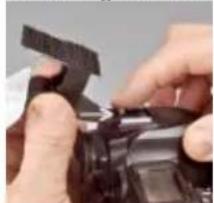
Mounting Instructions
natural_image
Close-up of hands installing or adjusting a camera lens component (no visible text or symbols)Hold the Flip-it with your left hand and slide the tab into your hot shoe.
natural_image
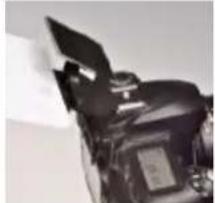
Close-up of a mechanical component with a clamped blade and housing (no visible text or symbols)
natural_image
Close-up of a mechanical component with a clamped blade and housing (no visible text or symbols)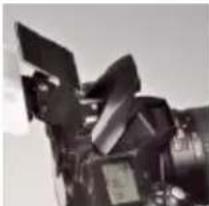
natural_image
Close-up of a mechanical component with no visible text or symbolsThen pop the flash up.
natural_image
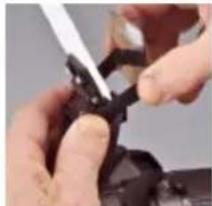
Close-up of hands using a tool to adjust or repair a small black object (no visible text or symbols)Hold the Flip-it with your left hand and the edges of the mirror with your right hand.
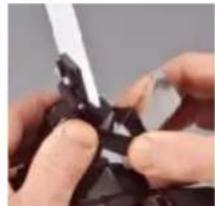
natural_image
Close-up of hands holding a black mechanical component with a white tool inserted (no visible text or symbols)Stretch the mirror over the flash and down in front.
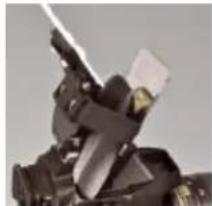
natural_image
Close-up of a mechanical device with no visible text or symbolsRemoving Instructions
Remove in reverse order. First the mirror, then the tab. Please be sure the mirror is off before you pull the tab out.
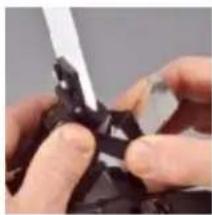
natural_image
Close-up of hands using a tool to cut or repair a dark, irregular object (no visible text or symbols)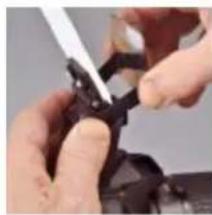
natural_image
Close-up of hands using a tool to adjust or install a mechanical component (no visible text or symbols)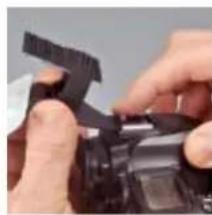
natural_image
Close-up of hands assembling or adjusting a black mechanical component (no visible text or symbols)Suggestions for Use
The pop-up flash on your camera has limited power and delivers minimal quality. Because the lighting it produces is so flat and unattractive, many DSLR owners never even use it at all.
The good news is that recent improvements in high iso performance, plus the use of camera and flash compensation settings make my flash modifier work, and with very attractive results.
My favorite combo is: M mode, iso 650, exposure compensation of +1.7, flash compensation of +.7. In M mode you may choose a shutter speed which is high enough to counter a high percentage of window blow out when doing indoor shots in daylight hours and a good percentage of tungsten redness in indoor situations with lots of ambient tungsten.
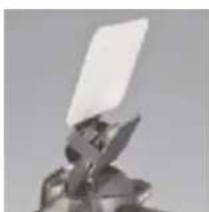
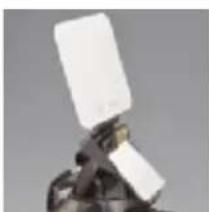
By using different angles on the rear reflector, I have been able to get results which rival those from Flip-it! on external flashes, in both ceiling environments, and environments with no ceiling. Of course the range is shorter, the iso a little higher, and I am adding camera and flash comps. This is not for zoom shots from 30 feet away. But in the normal distance range for home family and party candids, 14 feet and closer, just pick up your camera, turn it on, and shoot. Beautiful! If you are comfortable using a higher iso, such as 1600, an exposure comp of 2.3 and a flash comp of +1 (or higher if you have it), you may extend the range even further.
I do not suggest that the Pop-up Flip-it! is a substitute for your powerful external flash or that it is for professional assignments. However, I believe that even you pros will really love it as an “off-duty” flash system for your personal photography.
natural_image
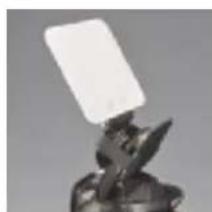
Close-up of a metallic object with a white rectangular object on top, possibly a tool or component (no visible text or symbols)Reflector "off" ceiling bounce only
natural_image
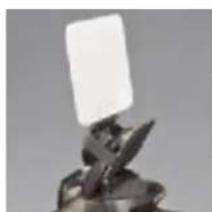
Close-up of a metallic object with a white rectangular object above it, possibly a tool or device (no visible text or symbols)Skim position provides delicate fill of ceiling bounce
natural_image
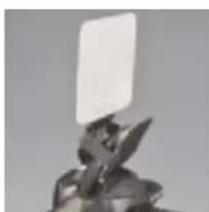
Abstract sculpture of a figure with a rectangular object above it (no text or symbols visible)Medium range, ceiling or no ceiling
natural_image
Abstract sculpture of a figure holding a white rectangular object (no text or symbols visible)Reflector only, for furthest part of range
natural_image
Close-up of a hand holding a white rectangular object, possibly a device or tool, against a plain background (no text or symbols visible)Direct flash, if you need it